by Don Moore
Don’s traveling DX stories can be found in his book Tales of a Vagabond DXer [SWLing Post affiliate link]. If you’ve already read his book and enjoyed it, do Don a favor and leave a review on Amazon.
I still remember an email I received from a DX friend in 1996. I had occasionally helped him translate things from Spanish, and he had just gotten a message from a South American DXer. But this time was different. My friend had already run the message through a new online translation website. He sent me both the original Spanish and the English translation. The translation got the meaning across even if the wording was awkward and unnatural. There was just one thing that puzzled my friend. Why, at the very bottom, did the sender finish with the short phrase “I graze?”
I immediately knew what had happened. The South American DXer was named Francisco but went by the nickname Paco. The Spanish verb for “to graze” is “pacer”. If you know even basic Spanish you know what happened, too. The first-person present form of pacer is paco. Without any sense of context, the translation software had seen the name as a verb and translated accordingly.
Translation software has developed astronomically in the last three decades. Not only has the quality of the translations gotten better, but so has the number of languages that can be translated on websites or in apps. Launched in 2006, Google Translate is the best-known and translates the most languages. But there are many others. Some offer far fewer languages but concentrate on offering better quality translations. Others offer languages that Google doesn’t have. You’ll need to use Bing Translate for Upper Sorbian.
I don’t remember when I first used a translation website or which ones I may have used. Google Translate has been my go-to site and app for years. It’s an easy way to look up Spanish words I don’t know. But my biggest use of Google Translate has nothing to do with translation. When writing messages in Spanish, I often use it even though I know exactly what I want to say. Instead of writing in Spanish, I compose my message in English and then give it to Google. The translation puts in all the accent marks and tildes that are awkward to type on my English-language keyboard. And the fact that 90% of the time the Google translation exactly matches what I would have written makes me feel good about my Spanish.
Before leaving on my trip to Southeast Asia last November, I downloaded Indonesian, Lao, Malay, Tagalog, Thai, and Vietnamese to my phone. In my travels, I’ve found it very useful for understanding text on signs, product labels, and museum displays. I had translated stuff from Albanian, Portuguese, French, Croatian, and a few other languages that way, and I knew I would find plenty of use for the app in Southeast Asia. Google Translate can also understand spoken language. You may have seen videos of people who don’t speak one another’s language having conversations that way with the app translating everything. I had never done that but figured I might give it a try.
Trying It Out On DX
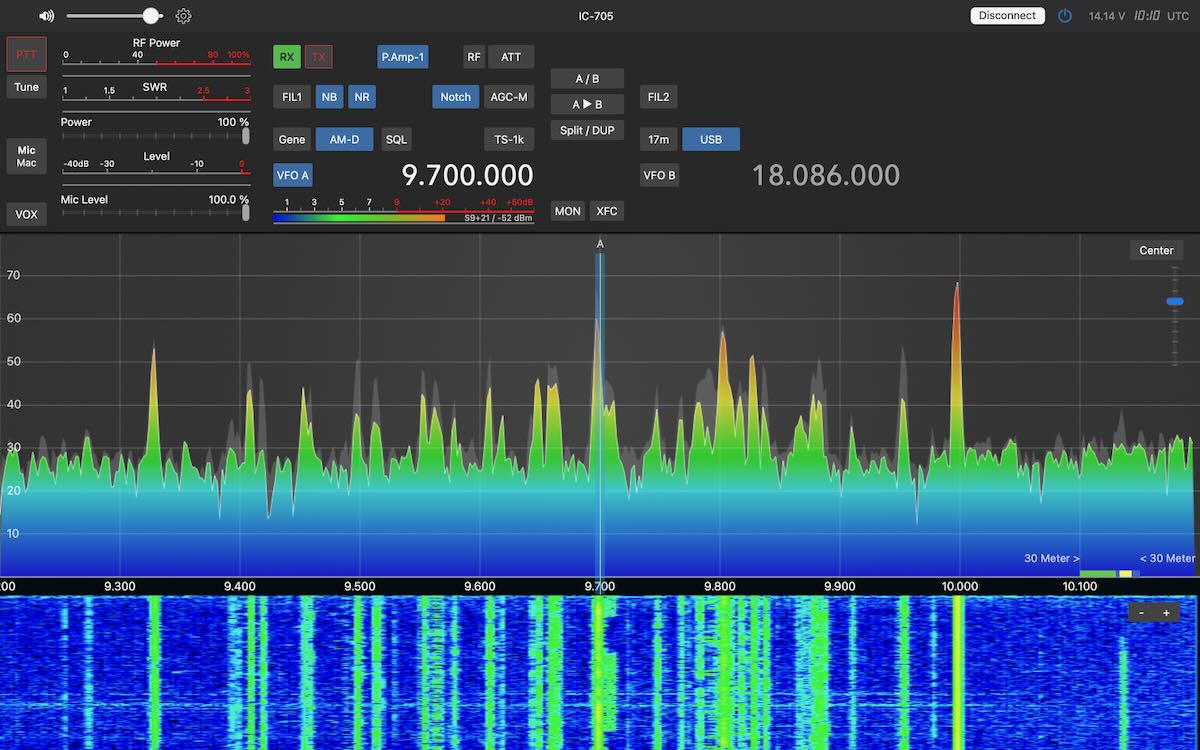
My DX goal for the trip was to make lots of SDR spectrum recordings along the way and then later use the spectrum analyzer tool to DX them. (I’ll be writing about the places I DXed from in an upcoming series of articles.) After five weeks of travel, I arrived in Chiang Mai, Thailand, for a one-month stay, and I started DXing recordings I had made in the Philippines, Vietnam, and Laos. The utility bands were filled with voice broadcasts in lots of languages that I couldn’t even recognize. That’s when I got the idea – why not use Google Translate to see what these stations were saying and maybe identify some of them?
Did it work? Well… sort of.
With any block of written text in an unknown language (even in a different writing system), if you plug it into Google Translate and it’s in their system, the app will quickly identify which language is being used and translate the text. But the documentation at that time pointed out that identifying which language is being used in an audio stream took too much processing power to be practical. Instead, the user had to specify which language was being translated. In most cases, that wouldn’t be a problem. If you’re in Japan and trying to understand a waiter, he’s probably speaking Japanese. But I had no idea what language I was listening to on any of these broadcasts.
My solution was simple. Pick a strong signal and select one of the regional languages to translate from. If it didn’t start translating after about sixty seconds, then I’d switch to a different language. In a few minutes’ time, I could try all the major languages spoken in the region.
The first thing I tried doing this with was an unusual program-like broadcast I had found in the 8 MHz marine band. I set Google Translate to Thai to start, and a few moments later it started translating to English. That turned out to be the Duyên Hi broadcast from Vietnam that I reported in January. It seemed odd to me that they were broadcasting in Thai, but that was the first language I tried, and the app translated everything easily. But after publication of my article, a DXer of Vietnamese ancestry pointed out in the comments that the language being used was Vietnamese, not Thai. That made more sense and, indeed, when I set the app to Vietnamese, the app translated everything equally well. And it continued to do so when set to Thai.
Thai and Vietnamese are as different from one another as are Spanish and Russian. I even reproduced the issue with other broadcasts and other languages. If the app understood the audio, it would translate even if the selected language was different. And it wouldn’t do anything to indicate what the correct language was. So what was happening? I think I now know. In preparing this article, I found out that in December 2025, Google introduced automatic language detection for audio streams. My app hadn’t been updated yet in January, so it didn’t have the feature. However, the translation of the audio streams takes place on Google’s servers. So I think Google was correctly identifying and translating at their end, but the app wasn’t capable of correcting the displayed language name.
The Big News
The big news is that Google Translate can now automatically detect and identify over seventy different languages. And it works very well. I tested it using four different radio web streams, and within five seconds it correctly identified and began translating from Chinese, Hindi, Bulgarian, and Zulu. These were crystal-clear Internet streams, not DX signals. Still, I think we can all see the potential for this in our hobby.
The How-To
Let’s dive into how to use the app. If you don’t already have Google Translate on your phone, you can download it from the App Store. You may see some minor differences in the layout. These images are from my new Samsung S-26+, and it is slightly different from my old Samsung A53, even though the app version numbers are the same.
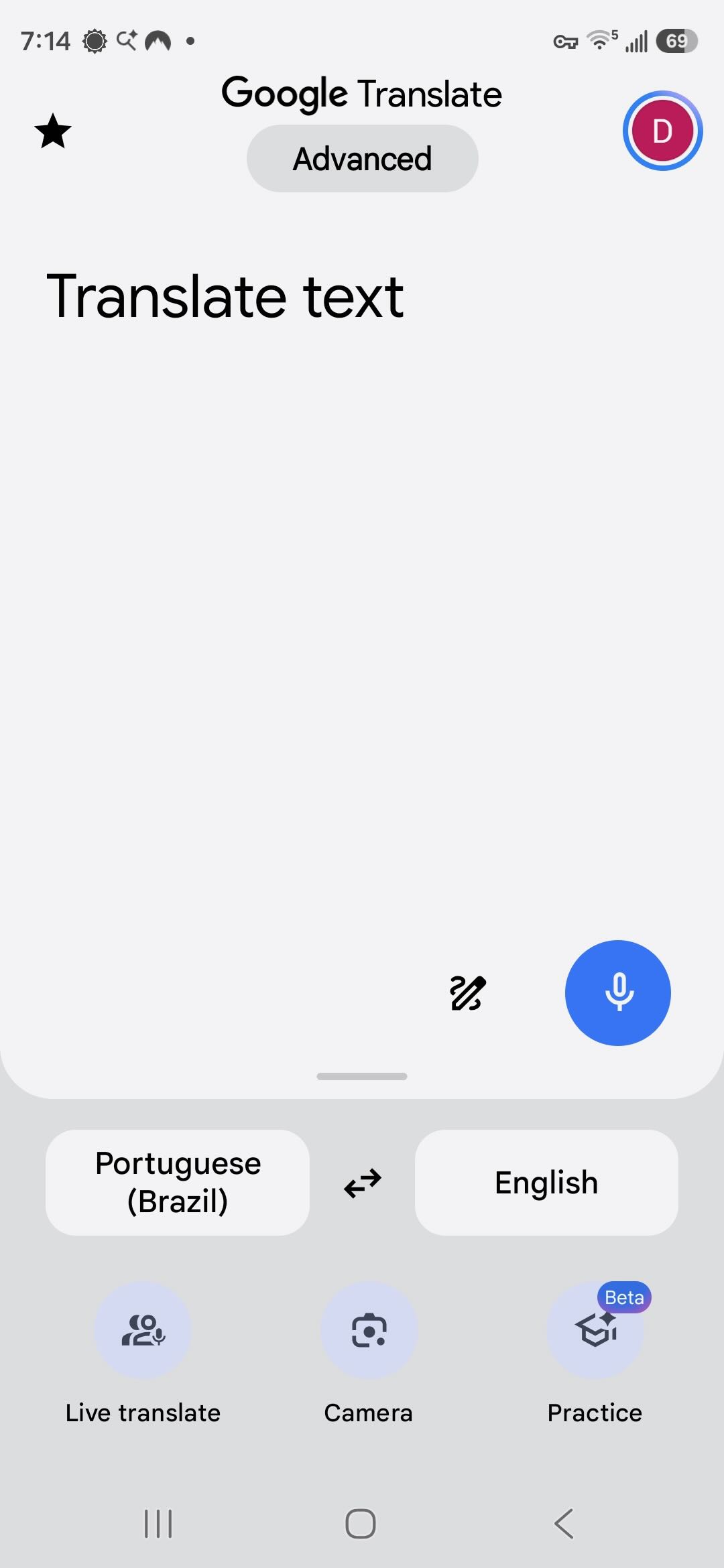
Upon opening, the app looks like this. The selected languages on either side are changed by just tapping on the button. I tap on Portuguese to get the selection screen.
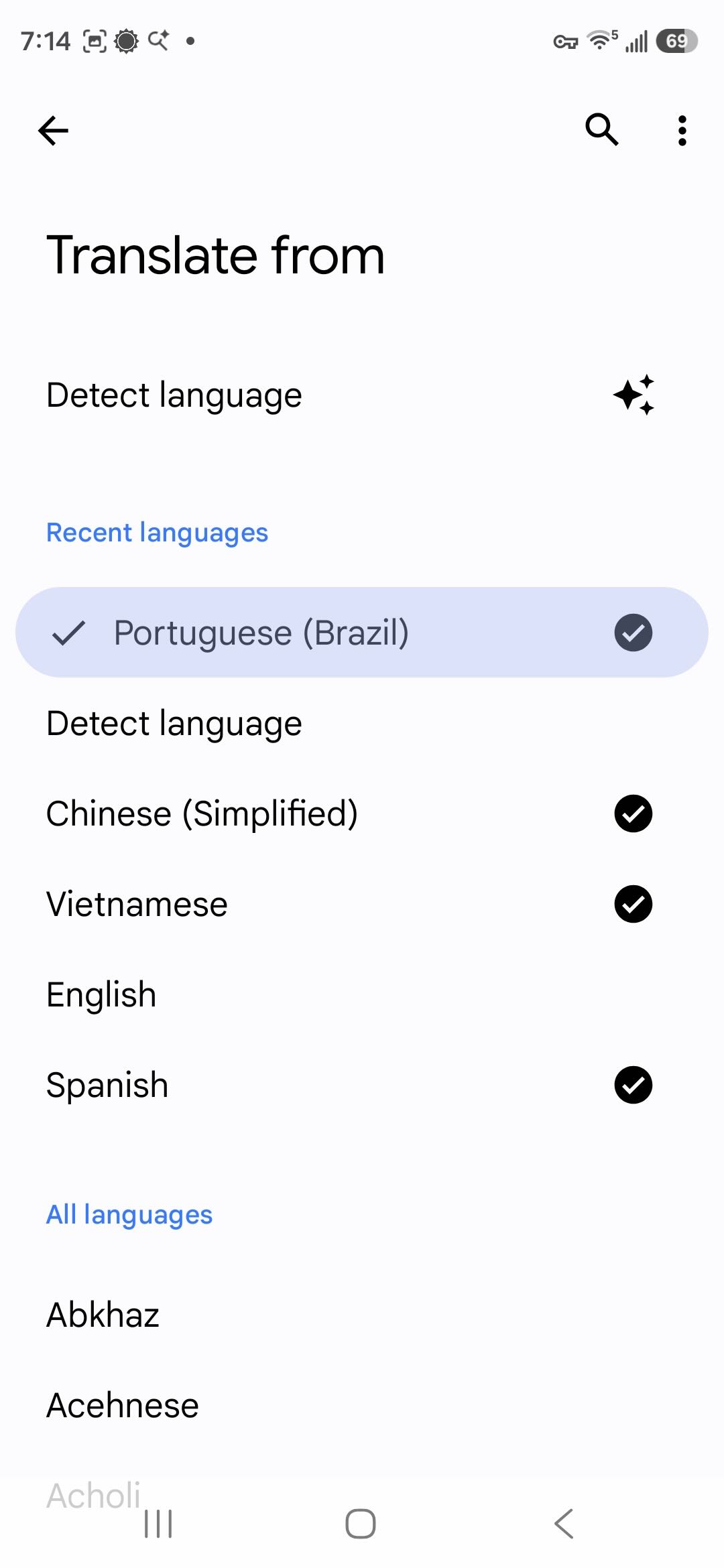
There is now a Detect Language choice that wasn’t there before. Below that, it lists the languages I’ve downloaded and then all available languages. Downloading languages allows you to translate written text even if you are offline. Translating audio requires an active Internet connection. Here I can select the language being spoken if I know what it is. I don’t, so I select Detect Language.
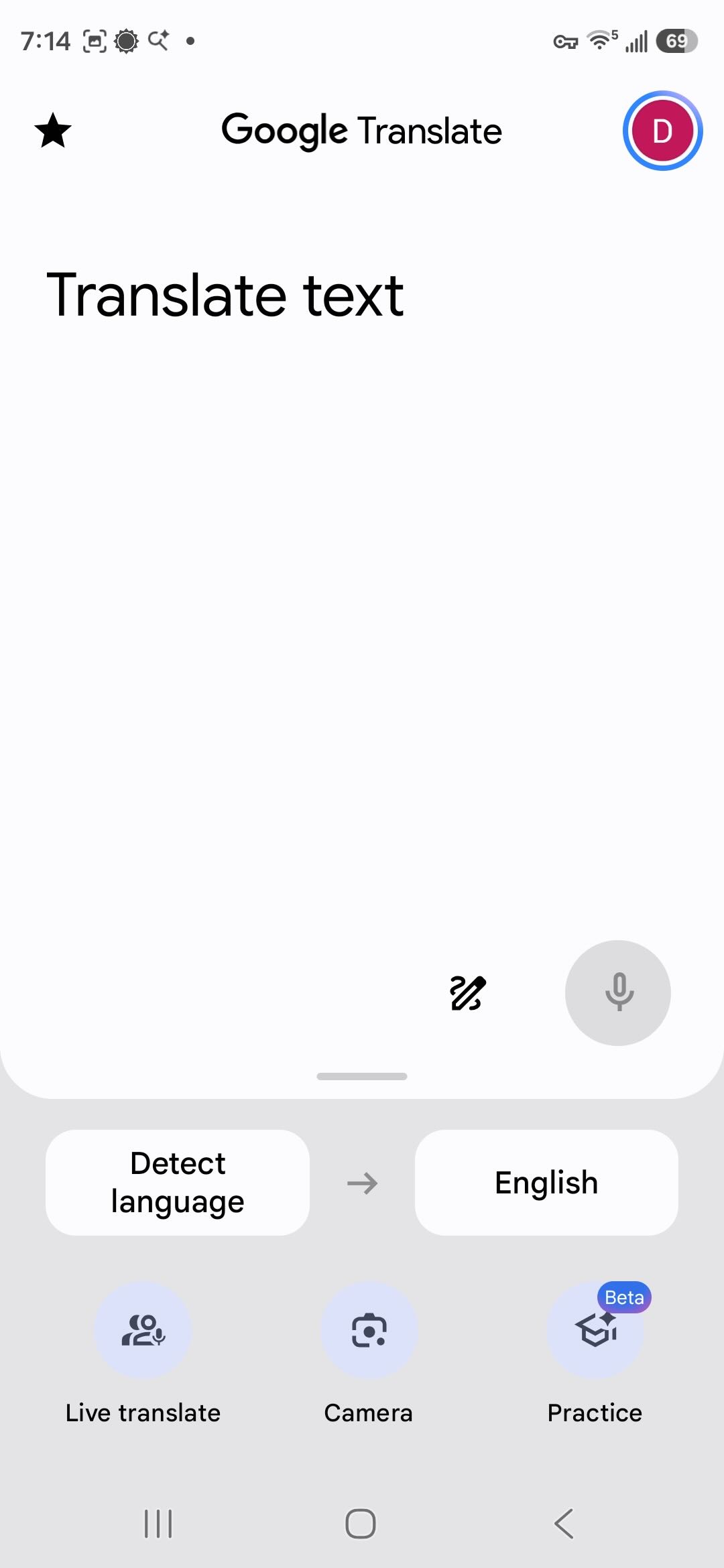
Now back at the first page, I tap Live Translate at the bottom.
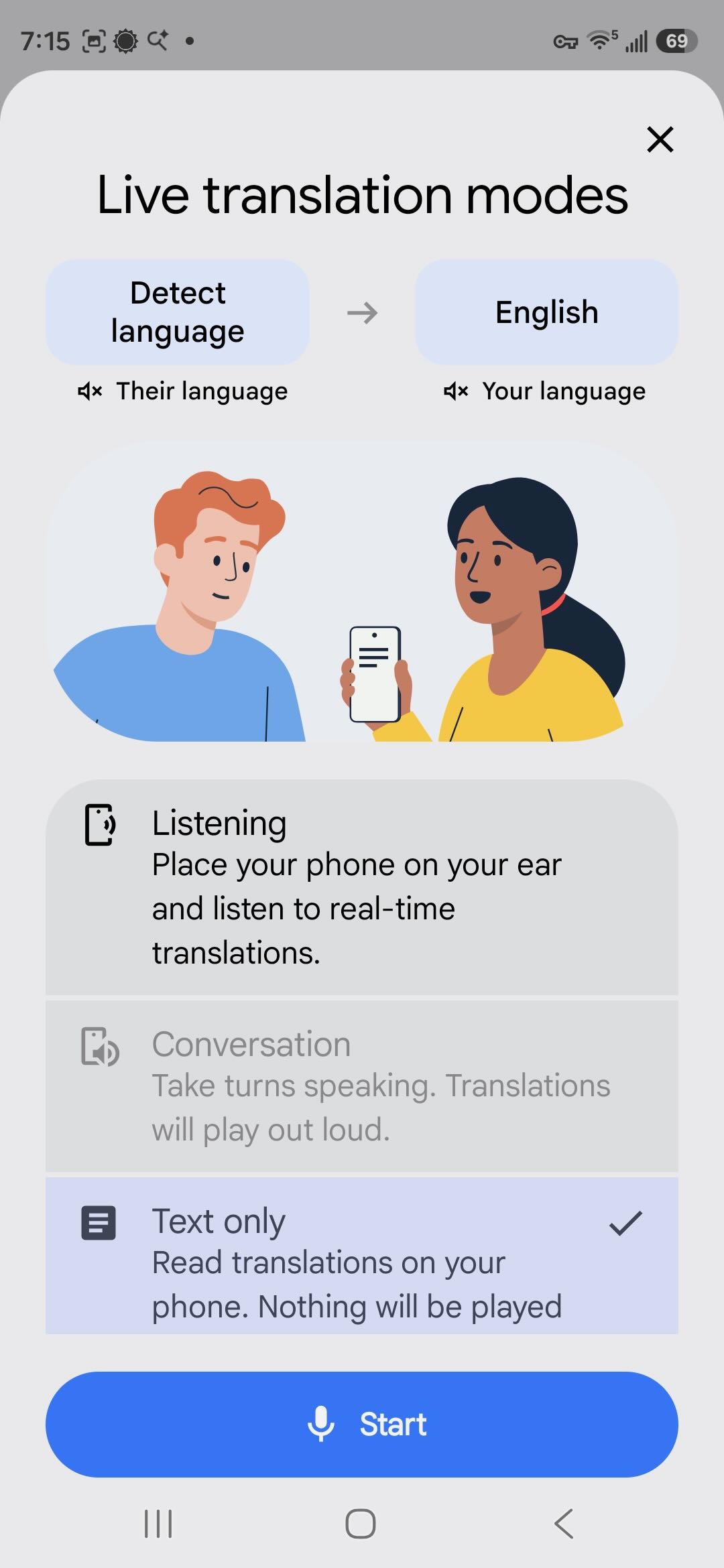
Now I select the mode. I select the text only option so that I can easily scroll back and read what was said. Conversation mode is only enabled when both languages are known. Now I tap on Start.
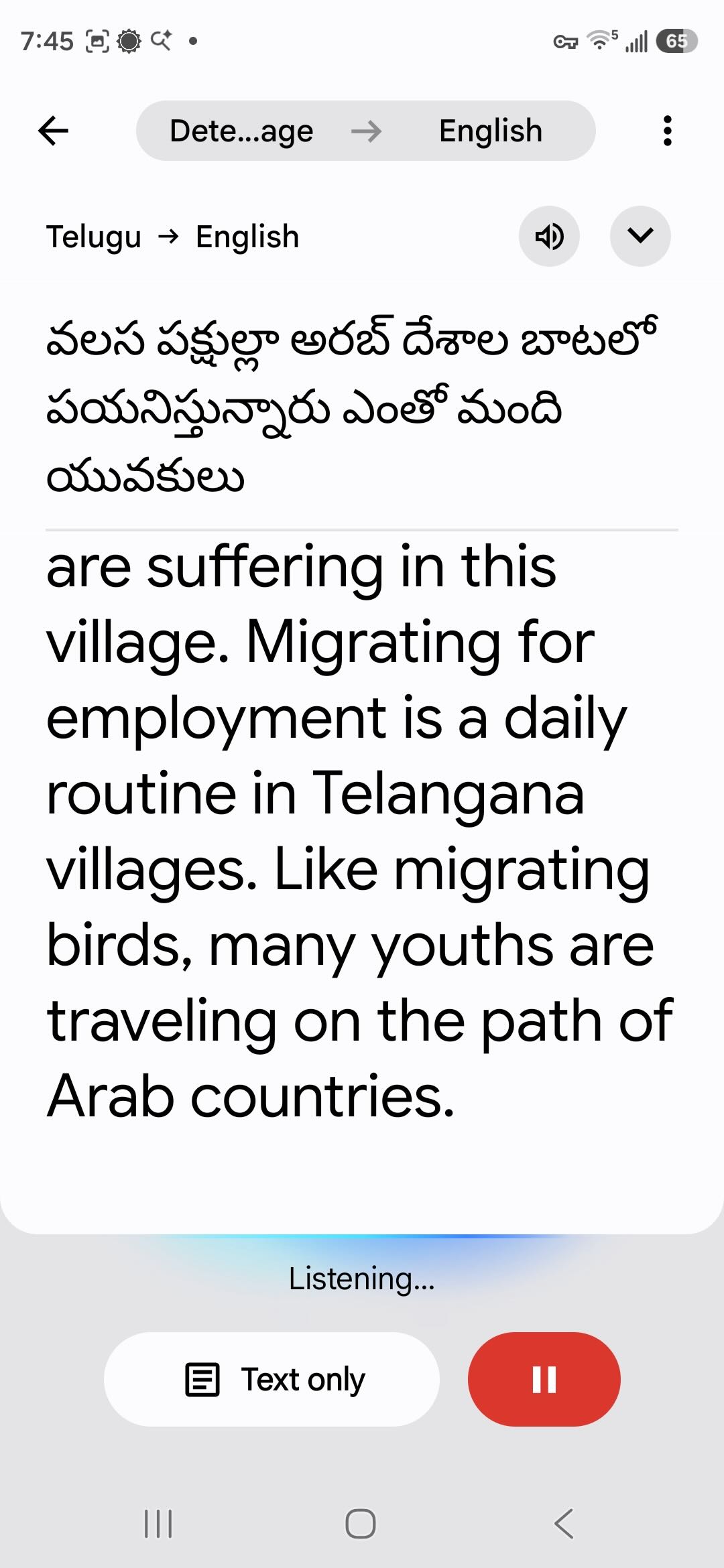
The audio I’m playing is from a YouTube video. Within a few seconds, the app identifies the language as Telugu, spoken in India, and begins translating.
Back to DXing
If you’ve been seriously DXing for a few decades, your ears are well trained at picking out station IDs from very noisy signals or signals mixed in with several interfering stations. Google Translate is not a DXer. Translation works best with clear, noise-free audio. As noise and interference creep up, success will go down. Sure, the app is designed to work if you’re trying to talk to a waiter in a crowded restaurant. But that’s a different noise environment. The AI hasn’t been trained on DX signals. However, it does very well on clear signals, such as this marine weather report from Nha Trang Radio in Vietnam.
Vietnam operates a large network of marine stations, and I made extensive use of Google Translate to log all the stations and even to find unlisted frequencies and broadcasts. The network will be the subject of my next article. I found that over time the Vietnamese translation actually got better on signals with slight and even moderate noise. The AI is supposed to learn from experience, so maybe I was training it to DX in Vietnamese!
In the video, you may have noted how the app will first create a tentative translation in gray text and then correct that with black text. Language translation is not a simple matter of exchanging one word for another in order. Grammar rules and word order vary, especially so between unrelated languages such as Vietnamese and English. Slang and idiomatic expressions can cloud meaning. And then there’s context. If I say, “John’s at the bank now,” you would assume he’s doing a financial transaction … unless you happen to know he was going fishing this afternoon. Having studied the complexities of linguistics, I find it amazing how well automated translation works.
If your first language is something other than English, you should know that English is always at the center of Google Translate, with just a few very specific exceptions. When translating Vietnamese to Arabic, Google will first translate the Vietnamese to English and then translate the English to Arabic. That extra translation step increases the chance for ambiguity to creep into the result. So if something doesn’t seem right, you may want to switch to translating to English and then translate that to your own language yourself.
Using Google Translate on radio broadcasts couldn’t be simpler. Getting good results, as we will see, is another matter. To get started, I recommend picking strong, clear signals. I get better results with an external speaker. Laptop speakers are rarely the best, and the app will pick up extra noise if the fan is running. I get good results using this pocket Bluetooth speaker with my phone a short distance away and angled up so that the bottom microphone is pointing towards the speaker.
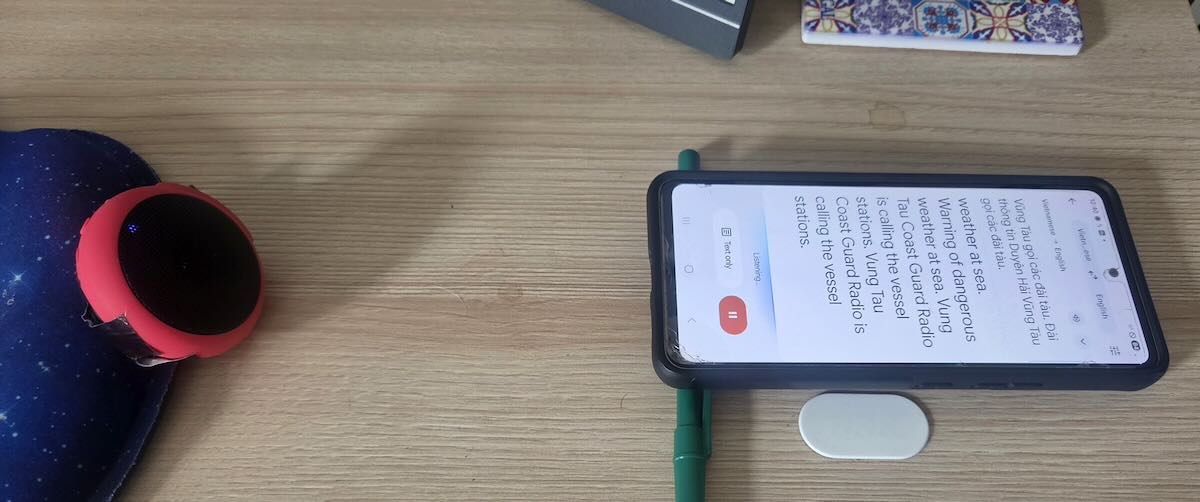
Translation never starts immediately. On a perfectly clear audio stream, it may start in a few seconds. But even a little noise can delay that from several seconds to a minute. Then the first few sentences may not get translated. That’s a problem because many broadcasts, especially from utility stations, begin with the identification announcement, and you may miss it. So, for DXing, Google Translate is best used with recordings rather than live broadcasts. I do all my DXing from SDR spectrum recordings. Once the translation starts working, I quickly reset the playback to the beginning of the audio. Even then, it may take several tries to get the translation to catch right from the start. And if all I have is a short phrase, it likely won’t work at all. The AI seems to need at least a couple of sentences.
After I thought I was finished with this article, I decided to go back and do some more experimenting by placing my old A53 and the new S-26+ side-by-side. Unless I played perfectly clear audio, the two rarely produced identical translations. And it wasn’t just differences in wording. When playing slightly noisy signals, sometimes one phone would work but not the other. Or one would get a few sentences and then hang, but maybe the other would pick up and start translating. Together, they gave me more information than either of them did alone. So, the most productive way to use this on DX signals is to use two (or more?) phones to do the translation and to play a recording back several times to piece together the message.
For example, I had a 90-second broadcast in Tagalog on 7828.5 kHz that I knew was the Philippine Coast Guard, apparently from a place named Cape San Augustin. I pulled that back out, and after playing the recording several times on both phones, I figured out that it was the Philippine Coast Guard vessel BRP Cape San Augustin in the harbor in Masinloc on Luzon Island. Besides identifying the ship and location, the operator gave the call sign MRRV-4408. However, he preceded it with the English phrase “call sign,” and that was throwing off the translator, as it was expecting Tagalog. As a side note, the broadcast was a storm warning and, per the translation, he was telling the fishermen to “go hide.” A better translation would be to take shelter.
A few more observations. Using this for a while – like an hour straight – can really heat up a phone. It’s a good idea to occasionally take a break and turn off the display. It also drains the battery more quickly. And remember, the app is sending the audio stream back to Google’s servers to do the real work. If you’re not on Wi-Fi, it might be a heavy user of data, although I haven’t tested for that.
How Useful Is It?
So just how useful is this to DX hobbyists? On the shortwave broadcast bands, automatic translation makes it possible to monitor stations even if they don’t broadcast in a language that you speak. It also makes it possible to compare what a specific station is telling its different audiences. What is China Radio International’s Swahili service saying? It can be a tool for medium wave DXing if you are in a place where there are stations in multiple languages.
I was primarily interested in translation for utility DXing, and it worked well for communications from official organizations. Google Translate was indispensable for DXing the Vietnamese marine stations, and it also helped me translate and identify scheduled marine broadcasts from China, Japan, and Indonesia, and to log that Philippine Coast Guard vessel.
But what I was really interested in was the two-party and multi-party conversations in numerous languages that fill many of the utility bands. My hope was to translate those and, in the process, identify and log some really unusual stations. It didn’t work anywhere near as well as I had hoped. For one thing, the users of those stations know one another by voice or by nicknames, so there aren’t ID announcements, and rarely do they say anything to indicate exactly where they are located. But the real problem was still language.
My Spanish is very good, and I have no trouble following weather forecasts from the Colombian Coast Guard. But when they start taking messages from local fishermen, I’m lucky if I can pick out a third of what the fishermen are saying. And it’s no better in my native language. I perfectly understand weather reports from the Canadian Coast Guard in Newfoundland, but I struggle with Newfoundland fishermen.
Google Translate can deal with dialect differences – say between Colombian and Argentine Spanish or between English as spoken in Alabama versus Scotland. But in any language, people with less education or less status or far from the centers of commerce and learning are less likely to speak the language according to expected standards. Grammar rules aren’t followed, and pronunciation gets muddled. Localized slang and expressions get used. (It would be wrong, however, to say these people don’t know how to speak their own language. For more on this, read up on prescriptive versus descriptive linguistics.)
Language translation AI is trained on official sources and what is available on the Internet. Not much of that comes from the least educated and most remote speakers of any language. That is precisely the problem I had in trying to DX the two-way chatter on the utility bands. Even with a strong, clear signal, the app would struggle with the translation and only get phrases here and there. Sometimes the translation didn’t make sense because the AI seemed to be literally translating local slang expressions. But occasionally I got something useful, such as two Indonesian stations that gave their locations as Bandung and Kendari, even if I had no idea who they were.
How useful automatic translation is for DXing depends on what you want to use it for. And, of course, how clear the signal is that you want to translate. If nothing else, it’s fun to play with, and I recommend giving it a try.
Links
- https://ai.google.dev/gemini-api/docs/live-api/live-translate This reference is for programmers, but if you scroll down, it has a complete list of all languages currently supported for automatic audio translation.
- https://en.wikipedia.org/wiki/Google_Translate Wikipedia Article listing all languages currently in Google Translate, including those for text-only translations.
- https://blog.google/products-and-platforms/products/translate/fun-facts-google-translate-20-years/ Article on the 20th Anniversary of Google Translate