Tag Archives: DX

Google Translate as a DX Tool

by Don Moore

More of Don’s traveling DX stories can be found in his book Tales of a Vagabond DXer [SWLing Post affiliate link]. If you’ve already read his book and enjoyed it, do Don a favor and leave a review on Amazon.

I still remember an email I received from a DX friend in 1996. I had occasionally helped him translate things from Spanish, and he had just gotten a message from a South American DXer. But this time was different. My friend had already run the message through a new online translation website. He sent me both the original Spanish and the English translation. The translation got the meaning across even if the wording was awkward and unnatural. There was just one thing that puzzled my friend. Why, at the very bottom, did the sender finish with the short phrase “I graze?”

I immediately knew what had happened. The South American DXer was named Francisco but went by the nickname Paco. The Spanish verb for “to graze” is “pacer”. If you know even basic Spanish you know what happened, too. The first-person present form of pacer is paco. Without any sense of context, the translation software had seen the name as a verb and translated accordingly.

Translation software has developed astronomically in the last three decades. Not only has the quality of the translations gotten better, but so has the number of languages that can be translated on websites or in apps. Launched in 2006, Google Translate is the best-known and translates the most languages. But there are many others. Some offer far fewer languages but concentrate on offering better quality translations. Others offer languages that Google doesn’t have. You’ll need to use Bing Translate for Upper Sorbian.

I don’t remember when I first used a translation website or which ones I may have used. Google Translate has been my go-to site and app for years. It’s an easy way to look up Spanish words I don’t know. But my biggest use of Google Translate has nothing to do with translation. When writing messages in Spanish, I often use it even though I know exactly what I want to say. Instead of writing in Spanish, I compose my message in English and then give it to Google. The translation puts in all the accent marks and tildes that are awkward to type on my English-language keyboard. And the fact that 90% of the time the Google translation exactly matches what I would have written makes me feel good about my Spanish.

Before leaving on my trip to Southeast Asia last November, I downloaded Indonesian, Lao, Malay, Tagalog, Thai, and Vietnamese to my phone. In my travels, I’ve found it very useful for understanding text on signs, product labels, and museum displays. I had translated stuff from Albanian, Portuguese, French, Croatian, and a few other languages that way, and I knew I would find plenty of use for the app in Southeast Asia. Google Translate can also understand spoken language. You may have seen videos of people who don’t speak one another’s language having conversations that way with the app translating everything. I had never done that but figured I might give it a try.

Trying It Out On DX

My DX goal for the trip was to make lots of SDR spectrum recordings along the way and then later use the spectrum analyzer tool to DX them. (I’ll be writing about the places I DXed from in an upcoming series of articles.) After five weeks of travel, I arrived in Chiang Mai, Thailand, for a one-month stay, and I started DXing recordings I had made in the Philippines, Vietnam, and Laos. The utility bands were filled with voice broadcasts in lots of languages that I couldn’t even recognize. That’s when I got the idea – why not use Google Translate to see what these stations were saying and maybe identify some of them?

Did it work? Well… sort of.

With any block of written text in an unknown language (even in a different writing system), if you plug it into Google Translate and it’s in their system, the app will quickly identify which language is being used and translate the text. But the documentation at that time pointed out that identifying which language is being used in an audio stream took too much processing power to be practical. Instead, the user had to specify which language was being translated. In most cases, that wouldn’t be a problem. If you’re in Japan and trying to understand a waiter, he’s probably speaking Japanese. But I had no idea what language I was listening to on any of these broadcasts.

My solution was simple. Pick a strong signal and select one of the regional languages to translate from. If it didn’t start translating after about sixty seconds, then I’d switch to a different language. In a few minutes’ time, I could try all the major languages spoken in the region.

The first thing I tried doing this with was an unusual program-like broadcast I had found in the 8 MHz marine band. I set Google Translate to Thai to start, and a few moments later it started translating to English. That turned out to be the Duyên Hi broadcast from Vietnam that I reported in January. It seemed odd to me that they were broadcasting in Thai, but that was the first language I tried, and the app translated everything easily. But after publication of my article, a DXer of Vietnamese ancestry pointed out in the comments that the language being used was Vietnamese, not Thai. That made more sense and, indeed, when I set the app to Vietnamese, the app translated everything equally well. And it continued to do so when set to Thai.

Thai and Vietnamese are as different from one another as are Spanish and Russian. I even reproduced the issue with other broadcasts and other languages. If the app understood the audio, it would translate even if the selected language was different. And it wouldn’t do anything to indicate what the correct language was. So what was happening? I think I now know. In preparing this article, I found out that in December 2025, Google introduced automatic language detection for audio streams. My app hadn’t been updated yet in January, so it didn’t have the feature. However, the translation of the audio streams takes place on Google’s servers. So I think Google was correctly identifying and translating at their end, but the app wasn’t capable of correcting the displayed language name.

The Big News

The big news is that Google Translate can now automatically detect and identify over seventy different languages. And it works very well. I tested it using four different radio web streams, and within five seconds it correctly identified and began translating from Chinese, Hindi, Bulgarian, and Zulu. These were crystal-clear Internet streams, not DX signals. Still, I think we can all see the potential for this in our hobby.

The How-To

Let’s dive into how to use the app. If you don’t already have Google Translate on your phone, you can download it from the App Store. You may see some minor differences in the layout. These images are from my new Samsung S-26+, and it is slightly different from my old Samsung A53, even though the app version numbers are the same.
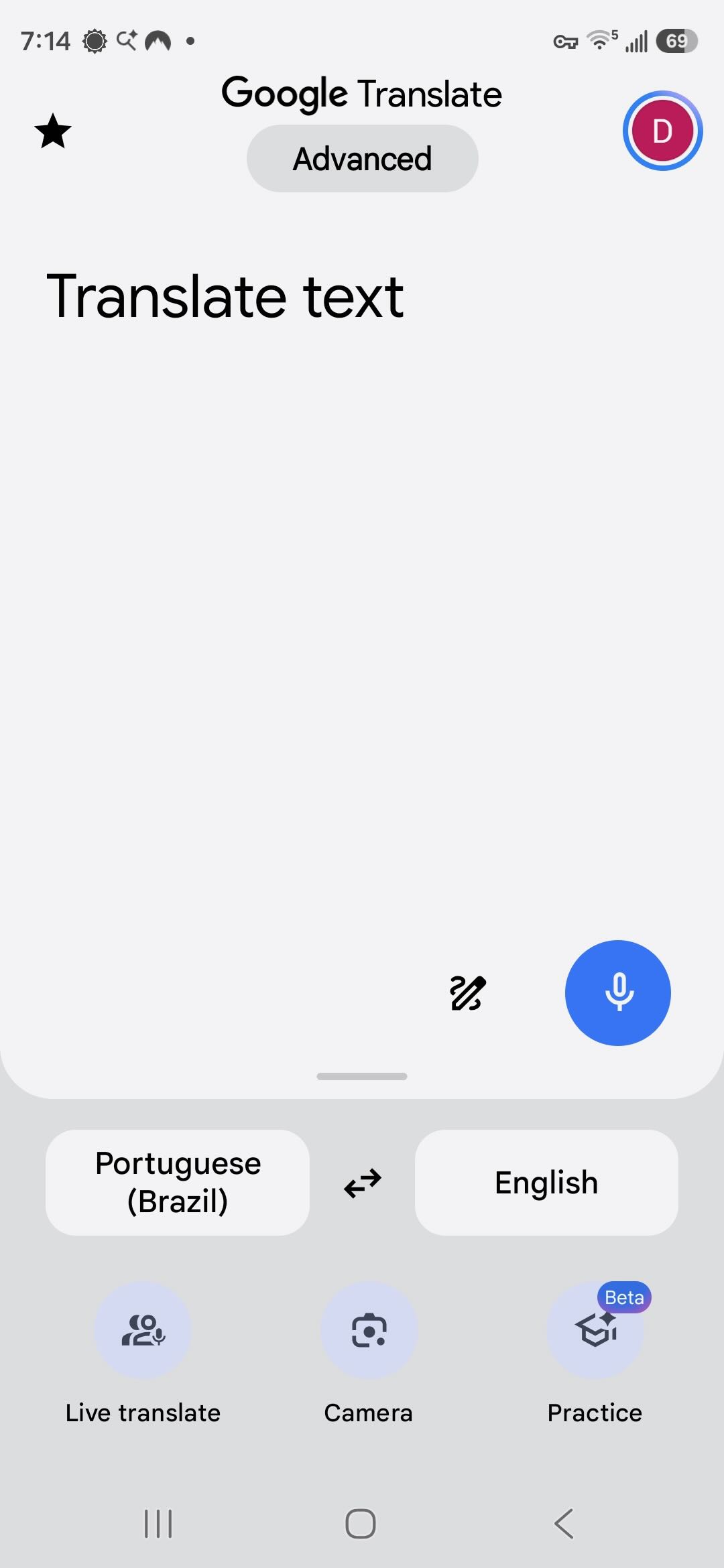
Upon opening, the app looks like this. The selected languages on either side are changed by just tapping on the button. I tap on Portuguese to get the selection screen.
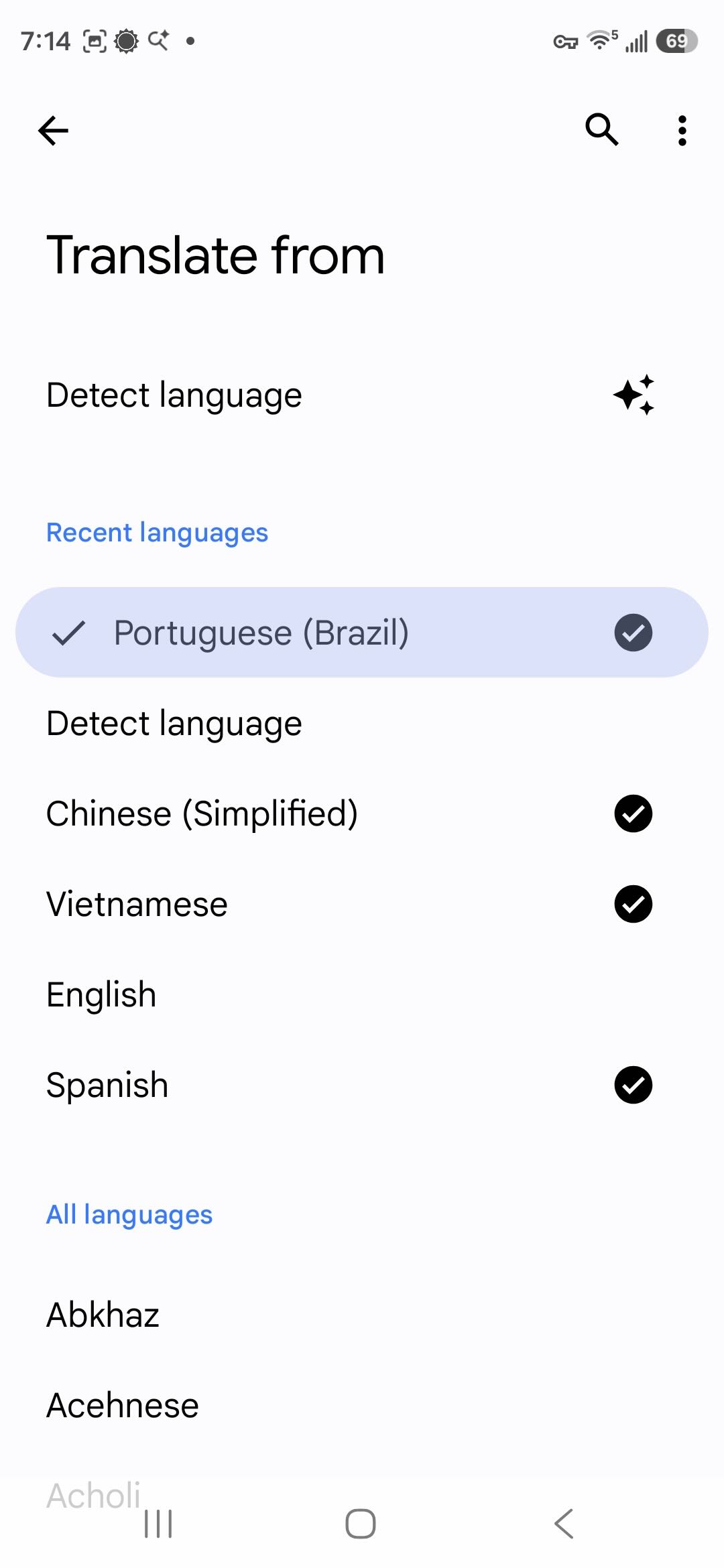
There is now a Detect Language choice that wasn’t there before. Below that, it lists the languages I’ve downloaded and then all available languages. Downloading languages allows you to translate written text even if you are offline. Translating audio requires an active Internet connection. Here I can select the language being spoken if I know what it is. I don’t, so I select Detect Language.
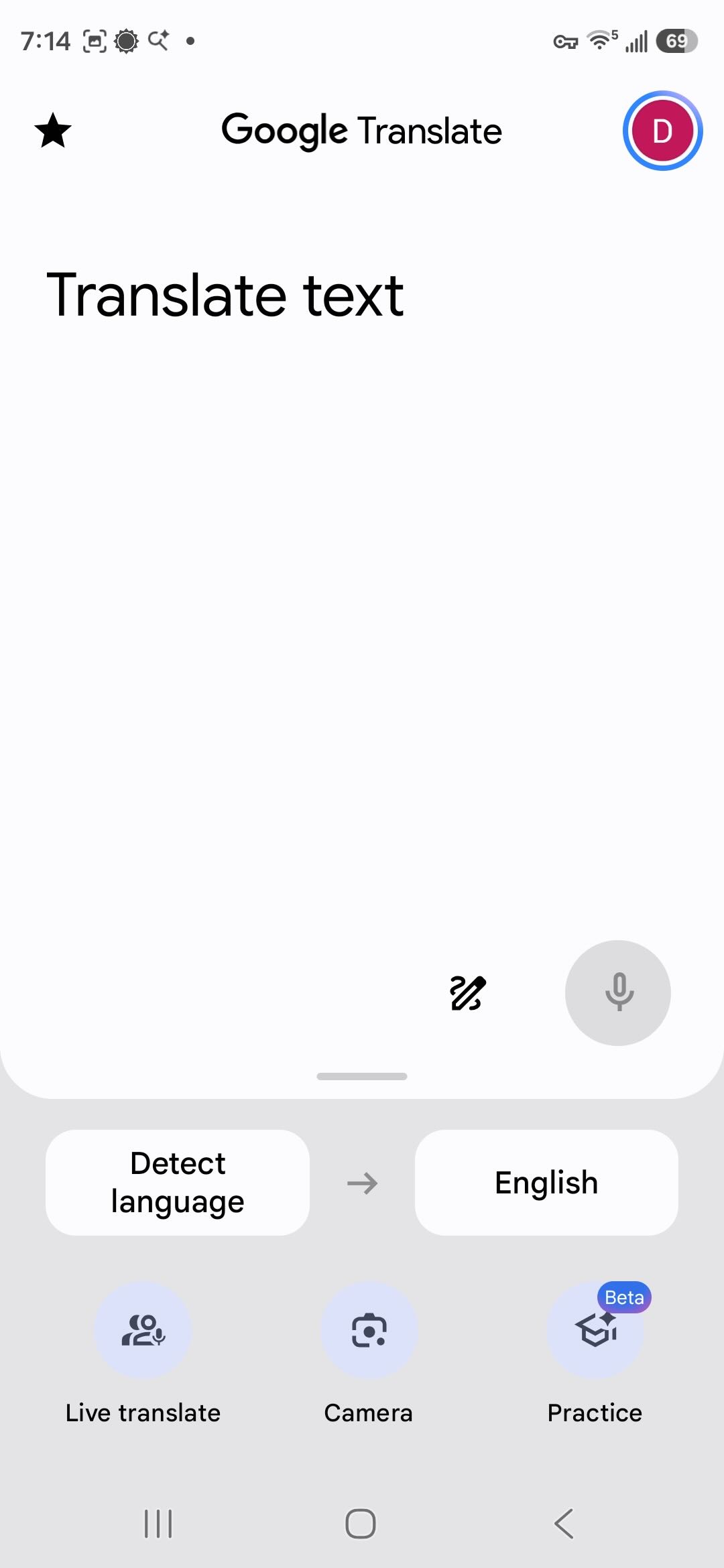
Now back at the first page, I tap Live Translate at the bottom.
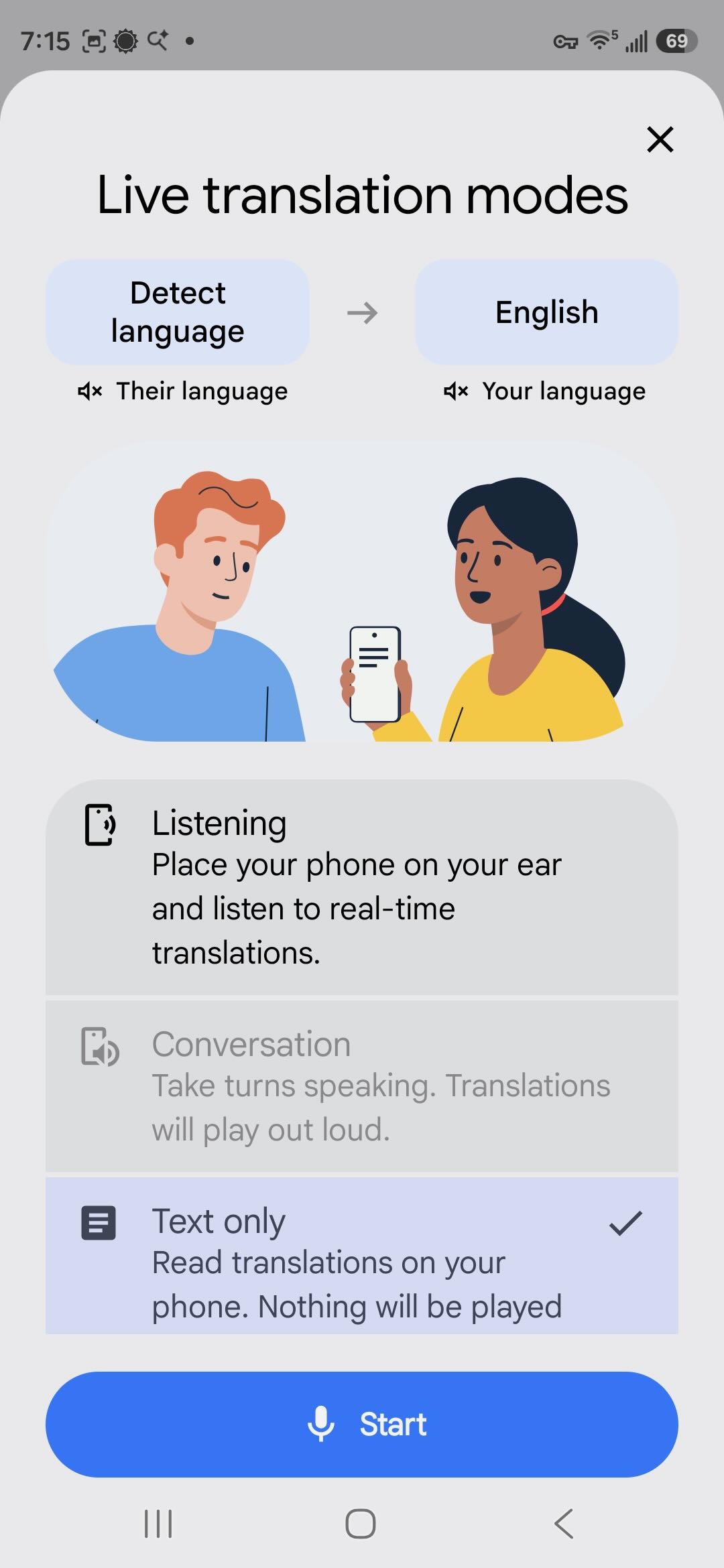
Now I select the mode. I select the text only option so that I can easily scroll back and read what was said. Conversation mode is only enabled when both languages are known. Now I tap on Start.
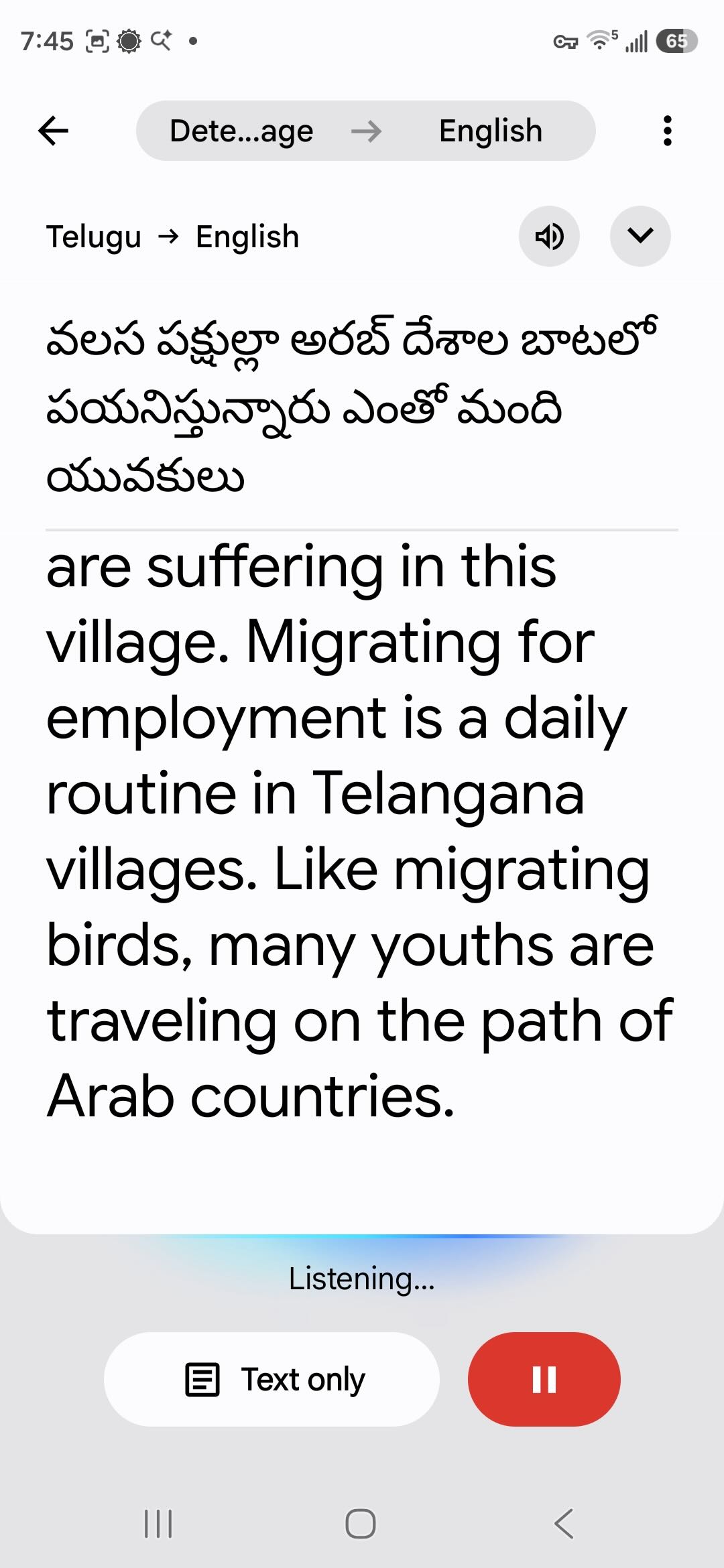
The audio I’m playing is from a YouTube video. Within a few seconds, the app identifies the language as Telugu, spoken in India, and begins translating.

Back to DXing

If you’ve been seriously DXing for a few decades, your ears are well trained at picking out station IDs from very noisy signals or signals mixed in with several interfering stations. Google Translate is not a DXer. Translation works best with clear, noise-free audio. As noise and interference creep up, success will go down. Sure, the app is designed to work if you’re trying to talk to a waiter in a crowded restaurant. But that’s a different noise environment. The AI hasn’t been trained on DX signals. However, it does very well on clear signals, such as this marine weather report from Nha Trang Radio in Vietnam.

Vietnam operates a large network of marine stations, and I made extensive use of Google Translate to log all the stations and even to find unlisted frequencies and broadcasts. The network will be the subject of my next article. I found that over time the Vietnamese translation actually got better on signals with slight and even moderate noise. The AI is supposed to learn from experience, so maybe I was training it to DX in Vietnamese!

In the video, you may have noted how the app will first create a tentative translation in gray text and then correct that with black text. Language translation is not a simple matter of exchanging one word for another in order. Grammar rules and word order vary, especially so between unrelated languages such as Vietnamese and English. Slang and idiomatic expressions can cloud meaning. And then there’s context. If I say, “John’s at the bank now,” you would assume he’s doing a financial transaction … unless you happen to know he was going fishing this afternoon. Having studied the complexities of linguistics, I find it amazing how well automated translation works.

If your first language is something other than English, you should know that English is always at the center of Google Translate, with just a few very specific exceptions. When translating Vietnamese to Arabic, Google will first translate the Vietnamese to English and then translate the English to Arabic. That extra translation step increases the chance for ambiguity to creep into the result. So if something doesn’t seem right, you may want to switch to translating to English and then translate that to your own language yourself.

Using Google Translate on radio broadcasts couldn’t be simpler. Getting good results, as we will see, is another matter. To get started, I recommend picking strong, clear signals. I get better results with an external speaker. Laptop speakers are rarely the best, and the app will pick up extra noise if the fan is running. I get good results using this pocket Bluetooth speaker with my phone a short distance away and angled up so that the bottom microphone is pointing towards the speaker.
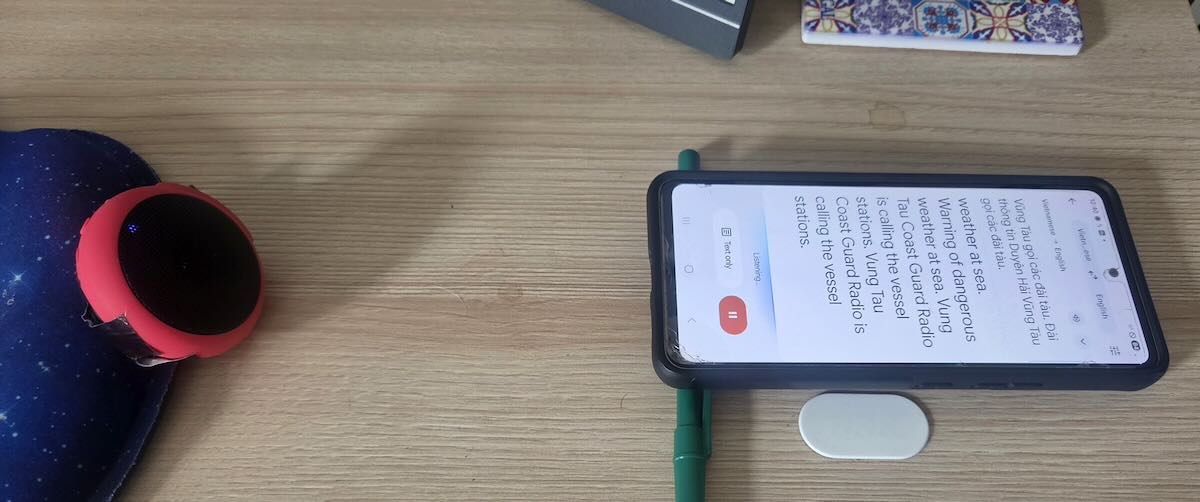
Translation never starts immediately. On a perfectly clear audio stream, it may start in a few seconds. But even a little noise can delay that from several seconds to a minute. Then the first few sentences may not get translated. That’s a problem because many broadcasts, especially from utility stations, begin with the identification announcement, and you may miss it. So, for DXing, Google Translate is best used with recordings rather than live broadcasts. I do all my DXing from SDR spectrum recordings. Once the translation starts working, I quickly reset the playback to the beginning of the audio. Even then, it may take several tries to get the translation to catch right from the start. And if all I have is a short phrase, it likely won’t work at all. The AI seems to need at least a couple of sentences.

After I thought I was finished with this article, I decided to go back and do some more experimenting by placing my old A53 and the new S-26+ side-by-side. Unless I played perfectly clear audio, the two rarely produced identical translations. And it wasn’t just differences in wording. When playing slightly noisy signals, sometimes one phone would work but not the other. Or one would get a few sentences and then hang, but maybe the other would pick up and start translating. Together, they gave me more information than either of them did alone. So, the most productive way to use this on DX signals is to use two (or more?) phones to do the translation and to play a recording back several times to piece together the message.

For example, I had a 90-second broadcast in Tagalog on 7828.5 kHz that I knew was the Philippine Coast Guard, apparently from a place named Cape San Augustin. I pulled that back out, and after playing the recording several times on both phones, I figured out that it was the Philippine Coast Guard vessel BRP Cape San Augustin in the harbor in Masinloc on Luzon Island. Besides identifying the ship and location, the operator gave the call sign MRRV-4408. However, he preceded it with the English phrase “call sign,” and that was throwing off the translator, as it was expecting Tagalog. As a side note, the broadcast was a storm warning and, per the translation, he was telling the fishermen to “go hide.” A better translation would be to take shelter.

A few more observations. Using this for a while – like an hour straight – can really heat up a phone. It’s a good idea to occasionally take a break and turn off the display. It also drains the battery more quickly. And remember, the app is sending the audio stream back to Google’s servers to do the real work. If you’re not on Wi-Fi, it might be a heavy user of data, although I haven’t tested for that.

How Useful Is It?

So just how useful is this to DX hobbyists? On the shortwave broadcast bands, automatic translation makes it possible to monitor stations even if they don’t broadcast in a language that you speak. It also makes it possible to compare what a specific station is telling its different audiences. What is China Radio International’s Swahili service saying? It can be a tool for medium wave DXing if you are in a place where there are stations in multiple languages.

I was primarily interested in translation for utility DXing, and it worked well for communications from official organizations. Google Translate was indispensable for DXing the Vietnamese marine stations, and it also helped me translate and identify scheduled marine broadcasts from China, Japan, and Indonesia, and to log that Philippine Coast Guard vessel.
But what I was really interested in was the two-party and multi-party conversations in numerous languages that fill many of the utility bands. My hope was to translate those and, in the process, identify and log some really unusual stations. It didn’t work anywhere near as well as I had hoped. For one thing, the users of those stations know one another by voice or by nicknames, so there aren’t ID announcements, and rarely do they say anything to indicate exactly where they are located. But the real problem was still language.

My Spanish is very good, and I have no trouble following weather forecasts from the Colombian Coast Guard. But when they start taking messages from local fishermen, I’m lucky if I can pick out a third of what the fishermen are saying. And it’s no better in my native language. I perfectly understand weather reports from the Canadian Coast Guard in Newfoundland, but I struggle with Newfoundland fishermen.

Google Translate can deal with dialect differences – say between Colombian and Argentine Spanish or between English as spoken in Alabama versus Scotland. But in any language, people with less education or less status or far from the centers of commerce and learning are less likely to speak the language according to expected standards. Grammar rules aren’t followed, and pronunciation gets muddled. Localized slang and expressions get used. (It would be wrong, however, to say these people don’t know how to speak their own language. For more on this, read up on prescriptive versus descriptive linguistics.)
Language translation AI is trained on official sources and what is available on the Internet. Not much of that comes from the least educated and most remote speakers of any language. That is precisely the problem I had in trying to DX the two-way chatter on the utility bands. Even with a strong, clear signal, the app would struggle with the translation and only get phrases here and there. Sometimes the translation didn’t make sense because the AI seemed to be literally translating local slang expressions. But occasionally I got something useful, such as two Indonesian stations that gave their locations as Bandung and Kendari, even if I had no idea who they were.

How useful automatic translation is for DXing depends on what you want to use it for. And, of course, how clear the signal is that you want to translate. If nothing else, it’s fun to play with, and I recommend giving it a try.

Links

Did the Miyako earthquake affect Medium Wave reception at a Japanese DXpedition?

by Satoshi Miyauchi, JP1SCQ, with Nick Hall-Patch, VE7DXR

Introduction

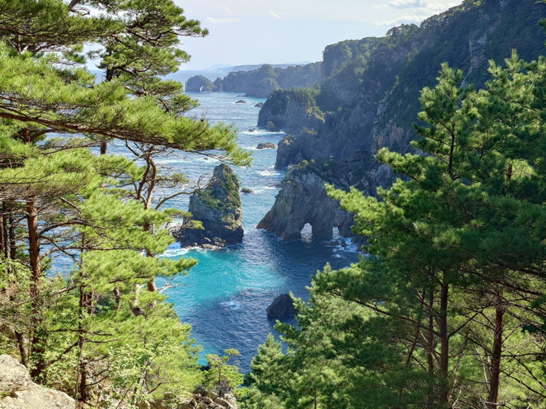
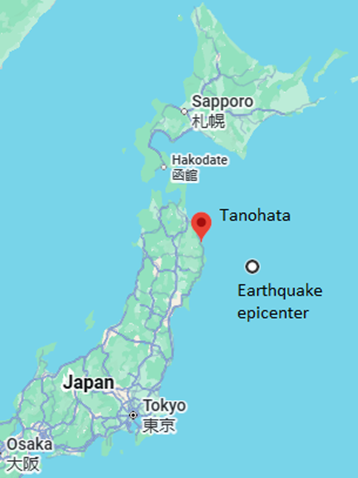
In early November 2025, several members of our Totsuka DXers Circle in Japan (TDXC  https://www.tdxc.net/abouttdxc/ ) traveled from the Tokyo area to Tanohata village in Iwate prefecture on northern Honshu island in order to take part in a medium wave (MW) DXpedition that took place on the 8th and 9th of the month.  The site was about 500m (1/3 mile) from the Pacific Ocean, overlooking Kitayamazaki cliffs, a very scenic area (Figure 1), but also one from which a great deal of long-haul DX had been heard in the past, including trans-polar WBZ-1030kHz, as well as the farthest possible Antipodes DX such as R. Nacional in Argentina on 870kHz and Radio Monte Carlo in Uruguay on 930kHz.

Figure 1

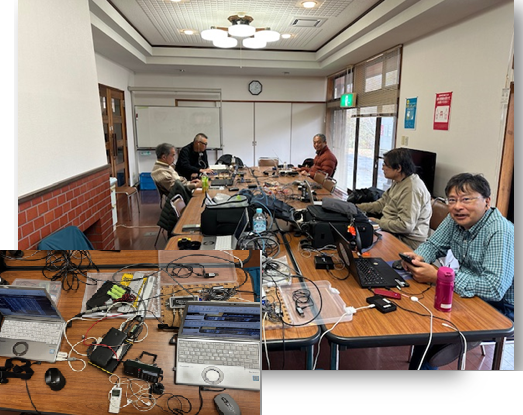
Our listening post was a meeting room in the Tanohata Nature Training Center, where we set up our receivers, such as Perseus and Airspy HF+discovery, plus our recording gear and accessories (Figure 2).

Figure 2

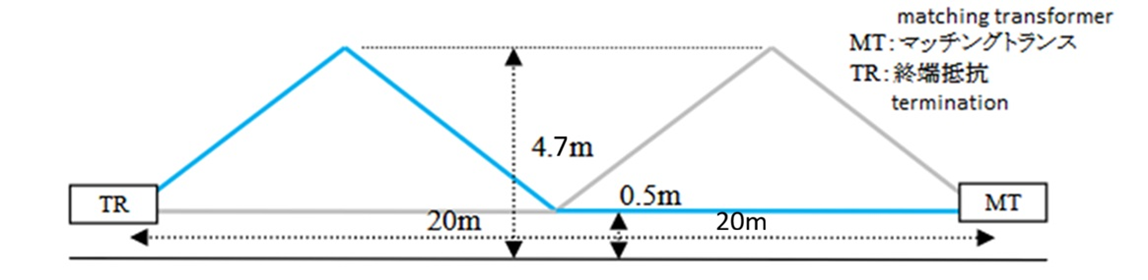
My recording software was SDR Console, but playback and analysis also used WavViewDX.  We set up a TDDF (Twisted Double Delta Flag) antenna with a northeast directional pattern in order to receive medium-wave broadcasts from North America. (Figure 3)

Figure 3 – TDDF antenna; note that low-noise pre-amplifier with bias-T is a must.

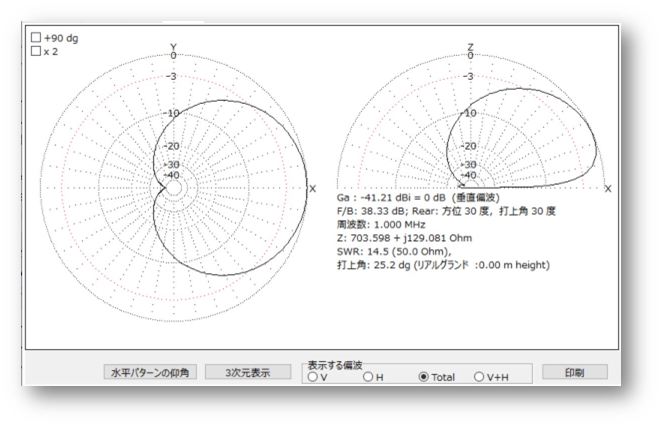
Directional patterns from Kazu GOSUI

On the second evening, November 9th, while enjoying the reception, an emergency earthquake alert was issued, and shaking struck. Inside our building, nearly 200 meters above sea level on the solid bedrock of Kitayamazaki, the shaking felt less intense than the reported magnitude of 6.9, even with an epicenter only 140km away. (Figure 4)

Figure 4

However, since earthquakes had been occurring even before that day and numerous aftershocks were felt afterward, it left us with a vague sense of unease. Later, a tsunami advisory was announced on the radio, plus the Tohoku Shinkansen train back to Tokyo had also stopped, and I myself couldn’t help worrying about whether it might affect my return home the following day. At that moment, I had a conversation with the members there, thinking, “If there’s something related to the earthquake recorded, that would be amazing.” However, during the real-time reception, we were targeting signals from North America in 10kHz steps, and there was no effect noticed upon those receptions.

Unusual Signal Dropouts Observed

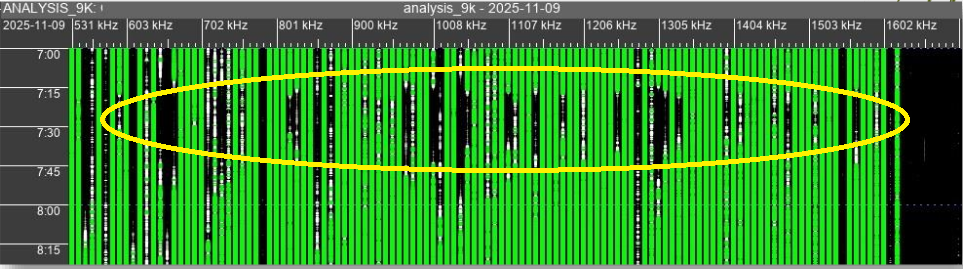
I played back the SDR files using WavViewDX (https://rweiss.de/dxer/tools.html), a software with many capabilities, including a choice of displaying all signals across the MW band at 9 or 10kHz channel spacing, but, because I was looking for North American DX, I only realized a week after returning home that the reception conditions for the 9kHz spaced domestic Japanese stations had significantly changed around 0715 to 0745UT (16:15 to 16:45 Japan time) on 9 November, based on our recordings. The dropouts on various channels over 0715 to 0745UT are quite obvious in Figure 5; I had never seen such sudden attenuation before.  For those not familiar with WavViewDX, the green vertical lines on the display represent stronger signals being received on broadcast channels, while gray or black areas represent weak or no signal. (For a more detailed description of WavViewDX and its capabilities, see https://swling.com/blog/2025/10/an-introduction-to-wavviewdx-sdr-playback-software-a-totsuka-dxers-circle-article-by-kazu-gosui

Figure 5 – WavViewDX display of signal dropouts. X-axis is frequency of received signal, Y-axis is time UTC

A first look at the data led to a couple of other observations:

  1. Signals originating north of the receiving site, primarily from the island of Hokkaido, were largely unaffected by the attenuation. (It is true that our antenna’s directionality was northeast, but it also received the stronger domestic stations from southwest of the antenna.)
  2. Regarding signals from North America, even during the same time period, the intense attenuation observed in domestic stations was generally not seen. It is unclear, however, whether some dips in North American signals around that time were due to normal fading or to the same cause that brought about the attenuation in domestic stations.

What Could Have Caused These Dropouts?

Local sunset?

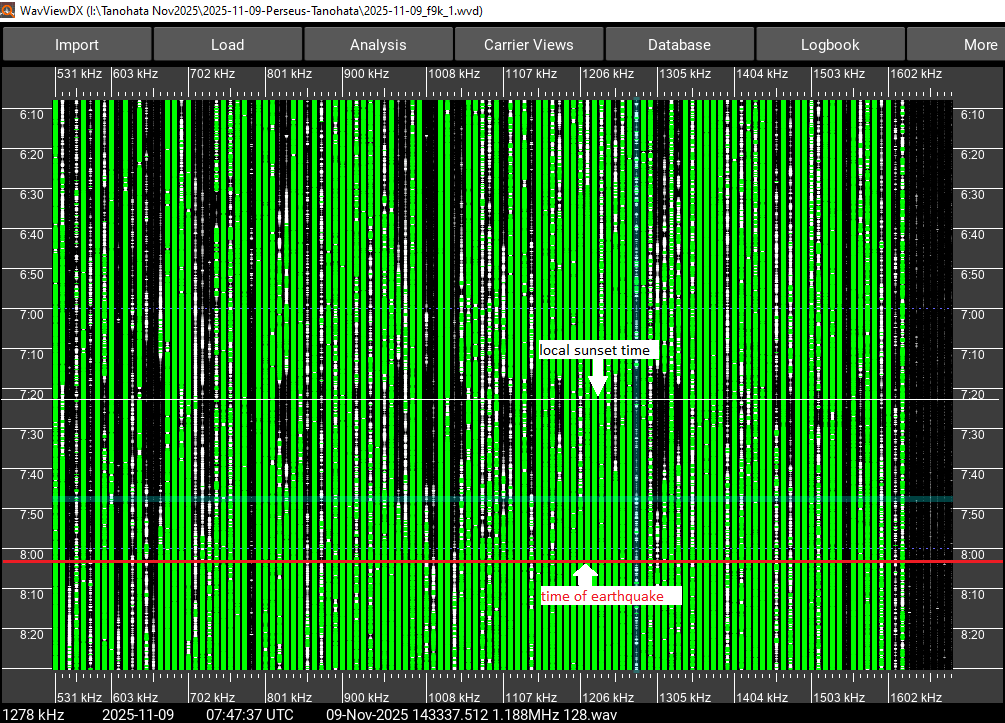
These sudden drops in signal strength corresponded quite closely with local sunset at 0722UT, normally a time of disturbed propagation (see Figure 6), so the most straightforward possibility is simply the well-known change in ionospheric propagation conditions that occurs at sunset.   Was that all that there was to it?  However, we had been listening and recording the previous day as well, and analyzing those recordings with WavViewDX yielded no sign of dropouts in domestic signal strength at sunset on that day.   Examining recordings that had been made at the same site, using similar equipment, on 24 October 2024, also showed no dropouts taking place at local sunset.

Figure 6

In fact, over many years in Japan, not only at this location but across various areas, records have been accumulated during the same time window, because good trans-Pacific DX occurs around local sunset.  Nowhere in these records has a situation such as observed this time—a significant attenuation of domestic stations at local sunset—been found. Therefore, it seemed unlikely that sunset was the cause of the dropouts, but what else could it have been? Continue reading

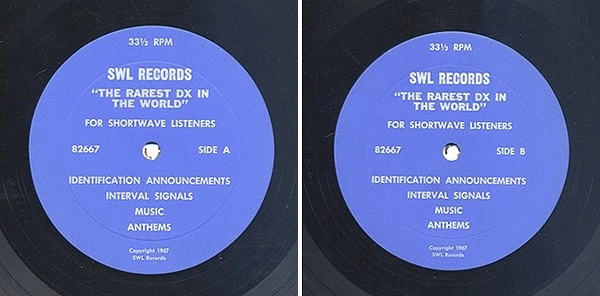
“The Rarest DX In The World” – A 33 RPM Journey Through 1960s Shortwave

Many thanks to SWLing Post contributor Bruce, who writes:

Hi Thomas,

I came across this item on eBay and then found a copy on YouTube:

Enjoy!

– Bruce F.

Wow–what a nostalgic treat! Thank you for sharing, Bruce!

The eBay seller listed all of the broadcasters on the recording:

Side “A”

    1. RadioNepal, Kathmandu, Nepal [00:00]
    2. Radio Thailand, Bangkok,Thailand [04:10]
    3. Fiji Broadcasting Commission, Suva, Fiji[07:09]
    4. Voice of Kenya, Nairobi, Kenya [09:53]
    5. Radiodiffusion du Togo, Lome, Togo [11:57]
    6. Sierra Leone Broadcasting Service, Freetown, Sierra Leone [16:55]
    7. Radiodiffusion-Television Belge, Brussels, Belgium [18:27]

Side “B”

    1. RadioVietnam, Saigon, South Vietnam [00:00]
    2. Radio Hong Kong, HongKong [3:45]
    3. Radio Wewak (VL9CD), Wewak, Papua New Guinea[04:19]
    4. Voice of Tarawa /Gilbert & Ellice IslandsBroadcasting Service (VTW2), Tarawa [07:35]
    5. Radio CookIslands, Rarotonga, Cook Islands [12:36]
    6. Radio Mauritania,Nouakchott, Mauritania [16:22]
    7. Radio Andorra, Roc Des Anellettes, Andorra [18:01]

I’m wondering if any readers have a copy of this record and can share a photo of the jacket notes. I haven’t been able to find a clear image of the back cover online. I’m interested in finding out who produced the album—any information would be appreciated!

Why I DX?

…… or as all the locals call it, “Talking to the aliens at the International Space Station.” You might ask yourself, what in the world? Well, I live in a very small, remote bush Alaska village, and my DXing is done outside, yes… even in winter. I’ve been here 3 1/2 years now, and when I first got here, 2 or 3 people seriously thought I was trying to talk to aliens.

I’m kinda “late” to the DXing game… starting seriously in 2014 when I was 30 years old but dabbling in it as young as 5th grade when I thought it was SO COOL I could hear WOWO 1190 Fort Wayne, Indiana, and KDKA 1020 Pittsburgh, Pennsylvania, in central Connecticut clear as a bell at night.

In like 6th grade, my uncle gave me a beautiful tabletop Firestone radio and hooked up a long wire about 100 feet long from my bedroom window to a tree in my yard… wow, WLW 700 Cincinnati every night in Connecticut, I was hooked!

When I discovered how radio waves traveled great distances and at the same time, listening to a really fun oldies station, Big D 103… I was like “This is for me,” and started my quest and desire to work in radio… something about speaking into a radio and being heard 10-20-30-40-50 miles away fascinated me to the umpteenth degree.

That was really before the internet, but I’m 40 now and have been working in radio for 20 years, still DXing mostly every day. Most of my money is spent on food and DXing accouterments.

I’ve had people ask me, especially those who in the small Alaskan village I’m in, “Why, especially in cold weather do you do this?”

I tell them a couple things… I moved up here in part for the hobby, so I’m going to take every advantage I can. There’s too much electrical noise for me to do it from home.

Sitting out here at the park is my “Happy place,” especially after a particularly trying day at work for any number of reasons; this is my place to escape and decompress while being by myself… peace and quiet.

Plus, it’s the magic of how these radio waves travel that got me interested in working in radio. I’ve never lost that childhood magic and wonderment of radio waves and how things work, even though I’m 40. I’m really 40 going on 12 anyways.

I like how when I know when and where to listen, I can hear some amazing things up here in Alaska that many people wouldn’t expect I’d hear at all or as well. There’s something to sitting at the park, especially on a nice summer afternoon, and getting a solid S9+60 or better signal on Radio Nacional de Amazonias 11780 kHz from 12,400 km, opening my radio’s audio filter to 8 kHz bandwidth, and listening to a football match, sounding like I’m right in the stadium or tuned to their music/listener interactive show “Eu de Cá, Você de Lá” hosted by Mauricio Rabelo and sound like I’m tuned in on a 50,000 Watt AM from 50 miles away.

And no, I don’t understand 99.5% of Portuguese, and I only know a few basic words I can speak. I’m way way outside of their target area, but RNA from Brazil being anywhere from “listenable” to “Banging in like a ton of lead bricks” is very common because I’m in just the right place for it.

And I do it all without the internet. Well, OK… I do use the schedule from www.eibispace.de.

All of that combines to fascinate me. And yes, remember… I know how it all works, and I still do a lot of internet streaming, but radio waves continue to fascinate me because it takes some twisting of knobs and fiddling with the antenna to get it just right.

And the fact that it just works and travels through the air is amazing to me.

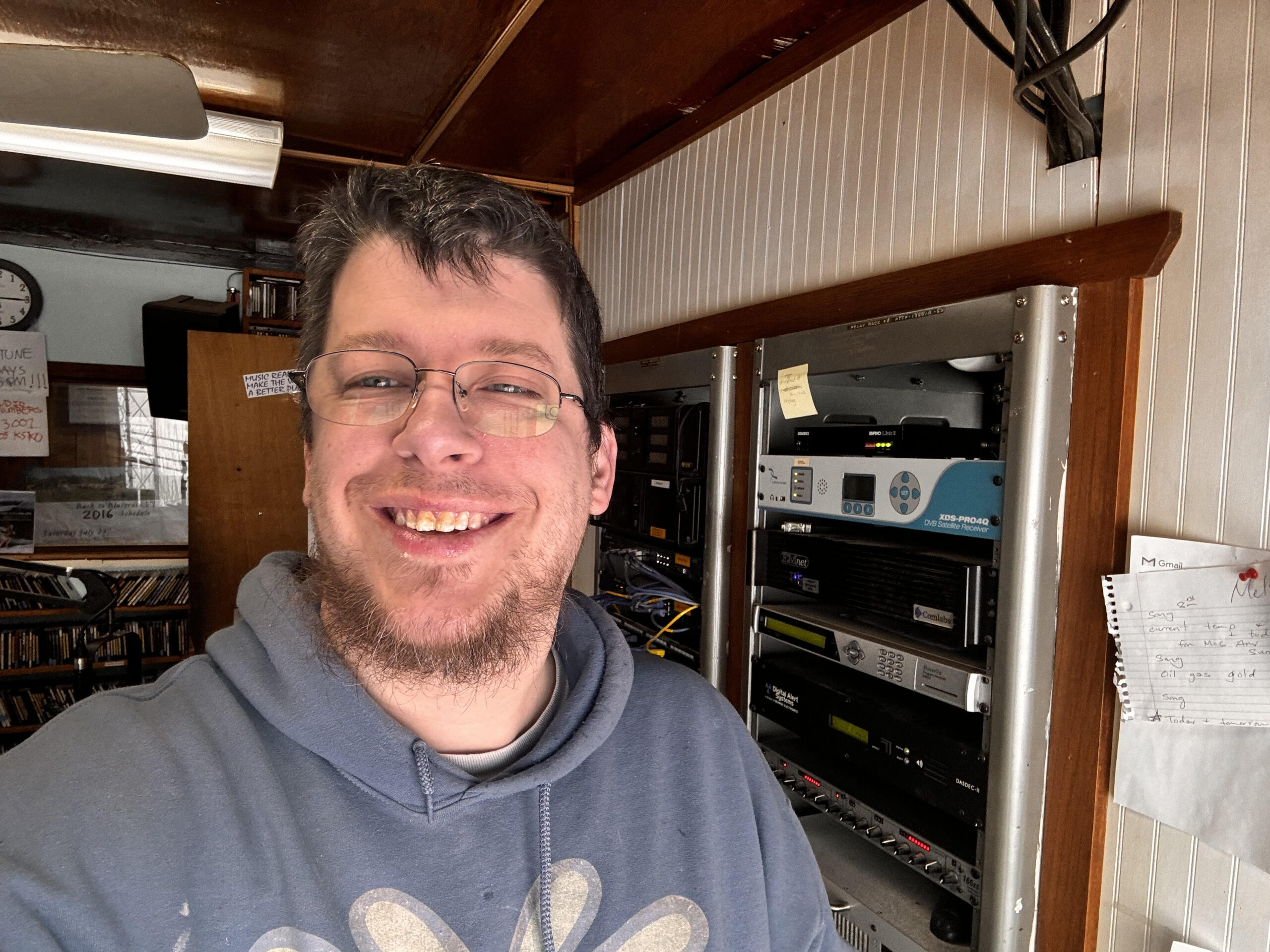
I live in McGrath, Alaska, which is a community of 275 people that is 355 km NW of Anchorage, completely off the radio system. I manage the daily operations of KSKO Public Radio, an NPR member station, with 8 FM transmitters spread across several hundred miles of Alaska. You can also catch me every Friday on Spaceline Bulgaria’s 5900 kHz transmitter across Europe 2100-2200 UTC with a live relay of my very local KSKO Lunchtime show.

I moved up here for the job, but also knowing that from past experiences living 125 miles north of here 7 years ago, that DX would be amazing. And it’s far exceeded my expectations along with the knowledge and expectations of some of my broadcast engineer friends and station owner friends!

Dockside DXing with the super-portable Belka-DX receiver

I’ve been on the coast of South Carolina enjoying a little R&R with my wonderful family.

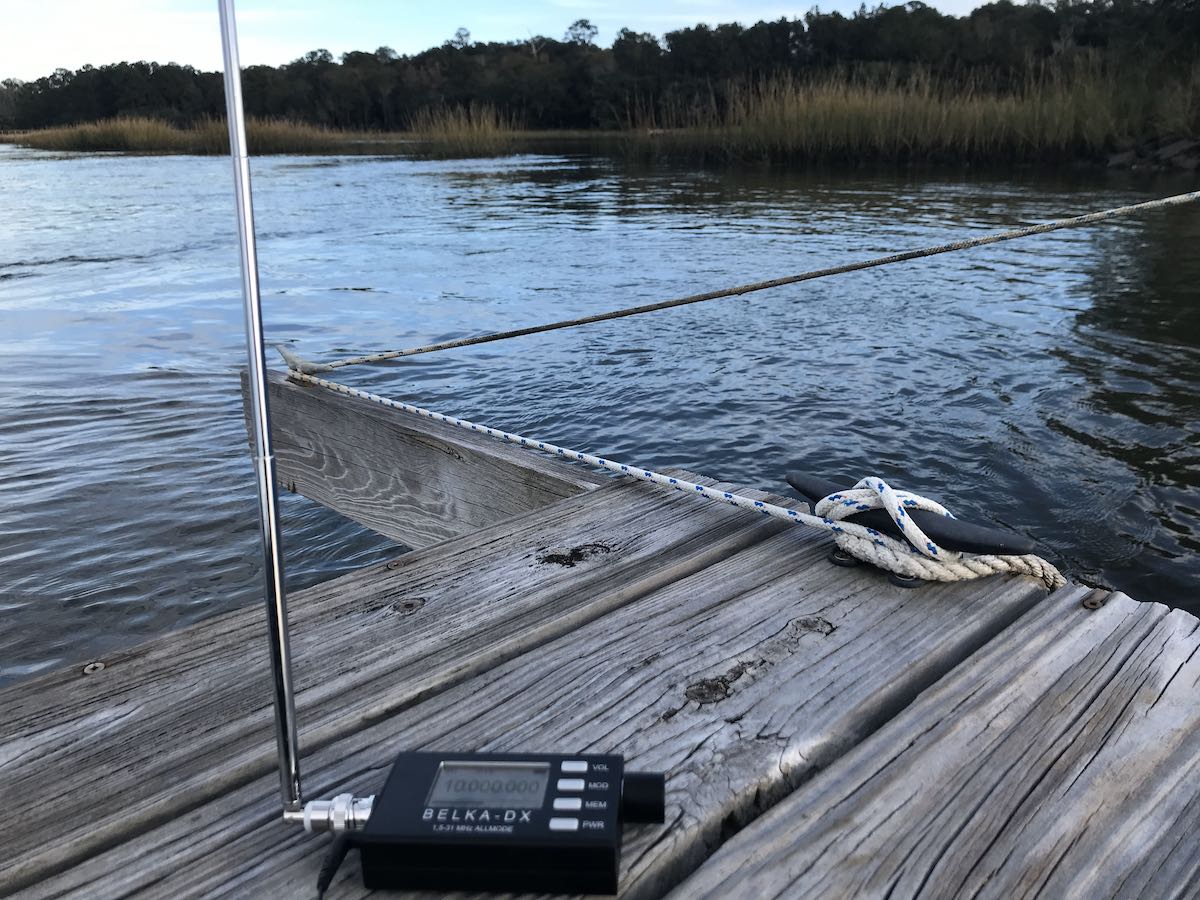
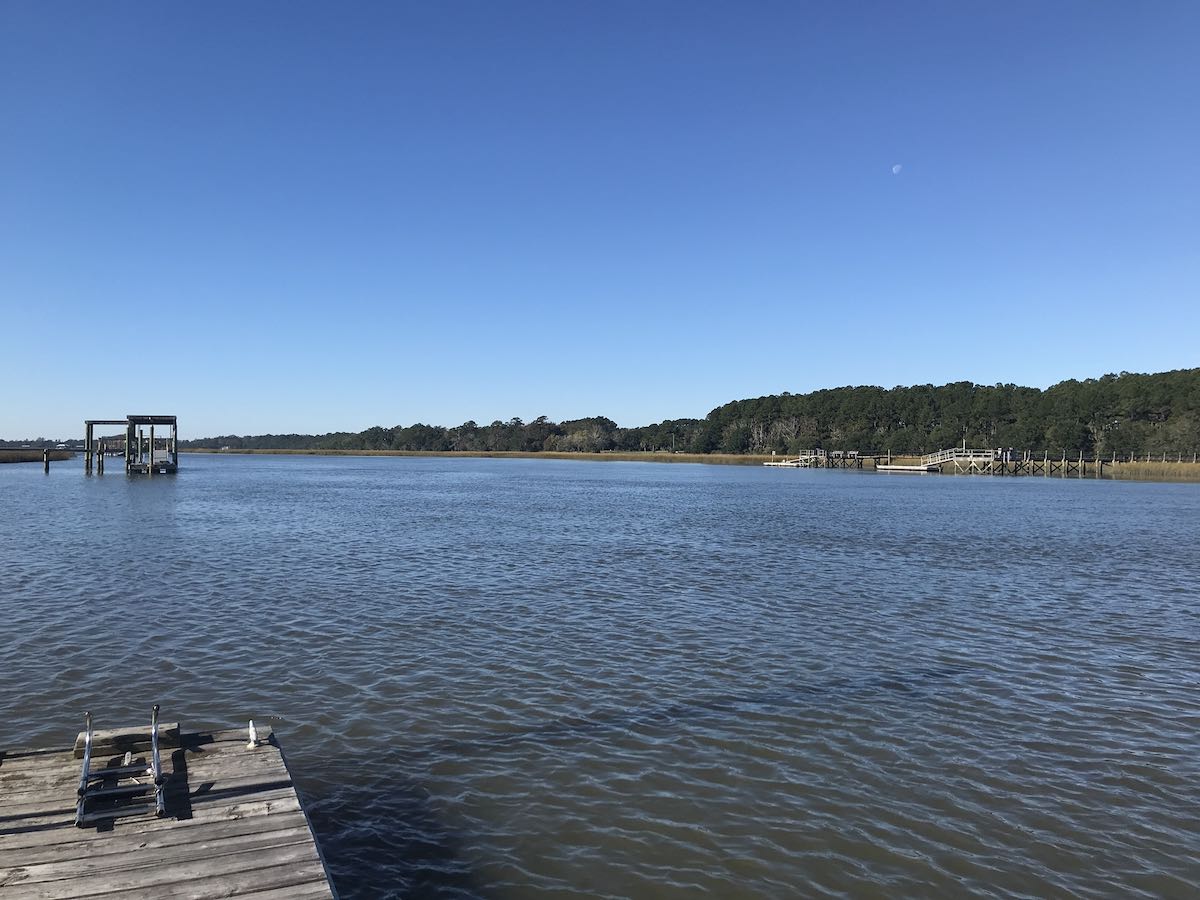
We rented a vacation home on a tidal river just south of Charleston, SC and it was just what the doctor ordered. The location was gorgeous, the weather was amazing, and there was very little RF interference outside our home.

The best part? We had full access to a private dock.

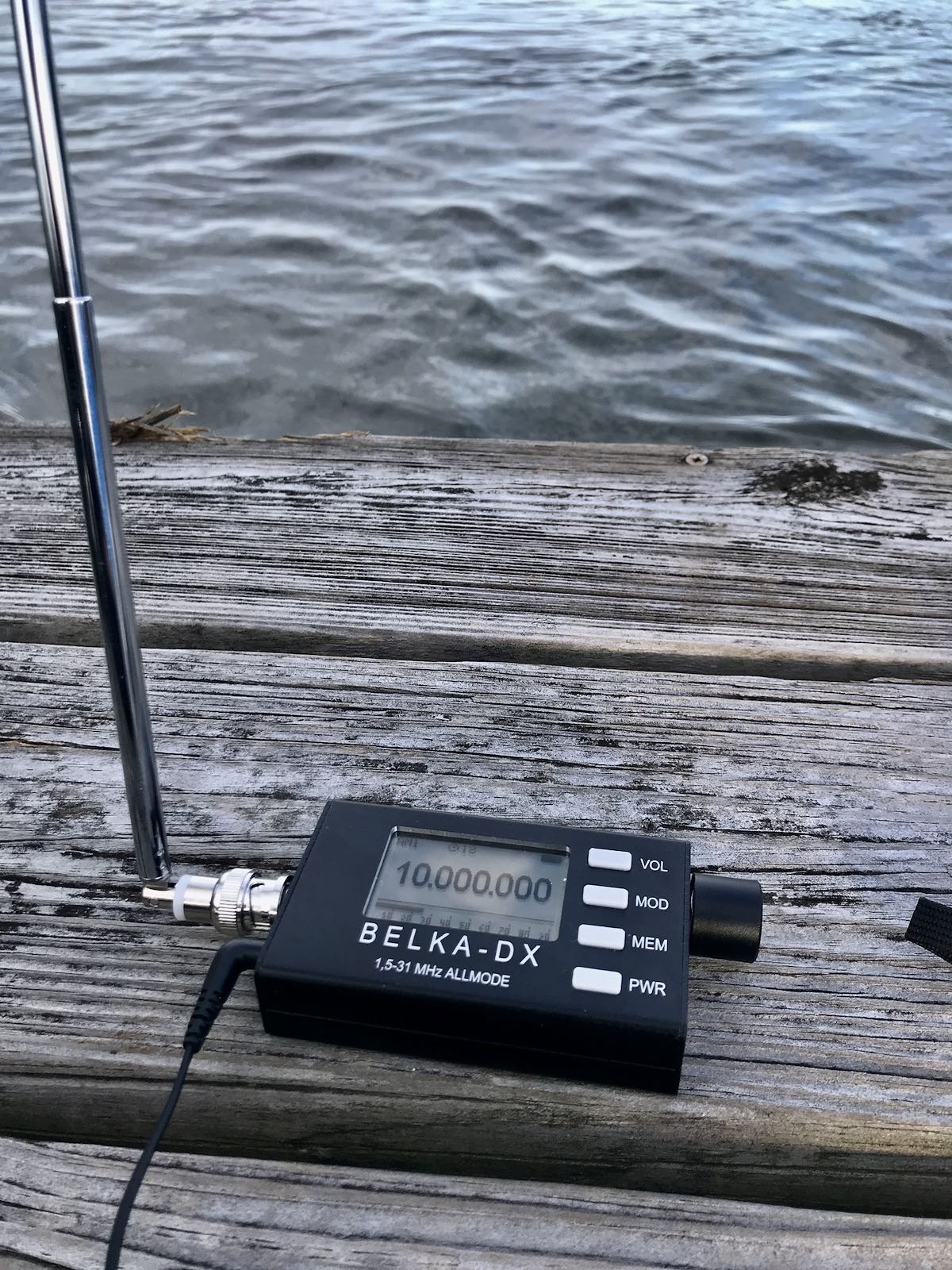
I took a few portable radios on vacation (ahem…obviously!) but I so thoroughly enjoyed my time with the Belka-DX.

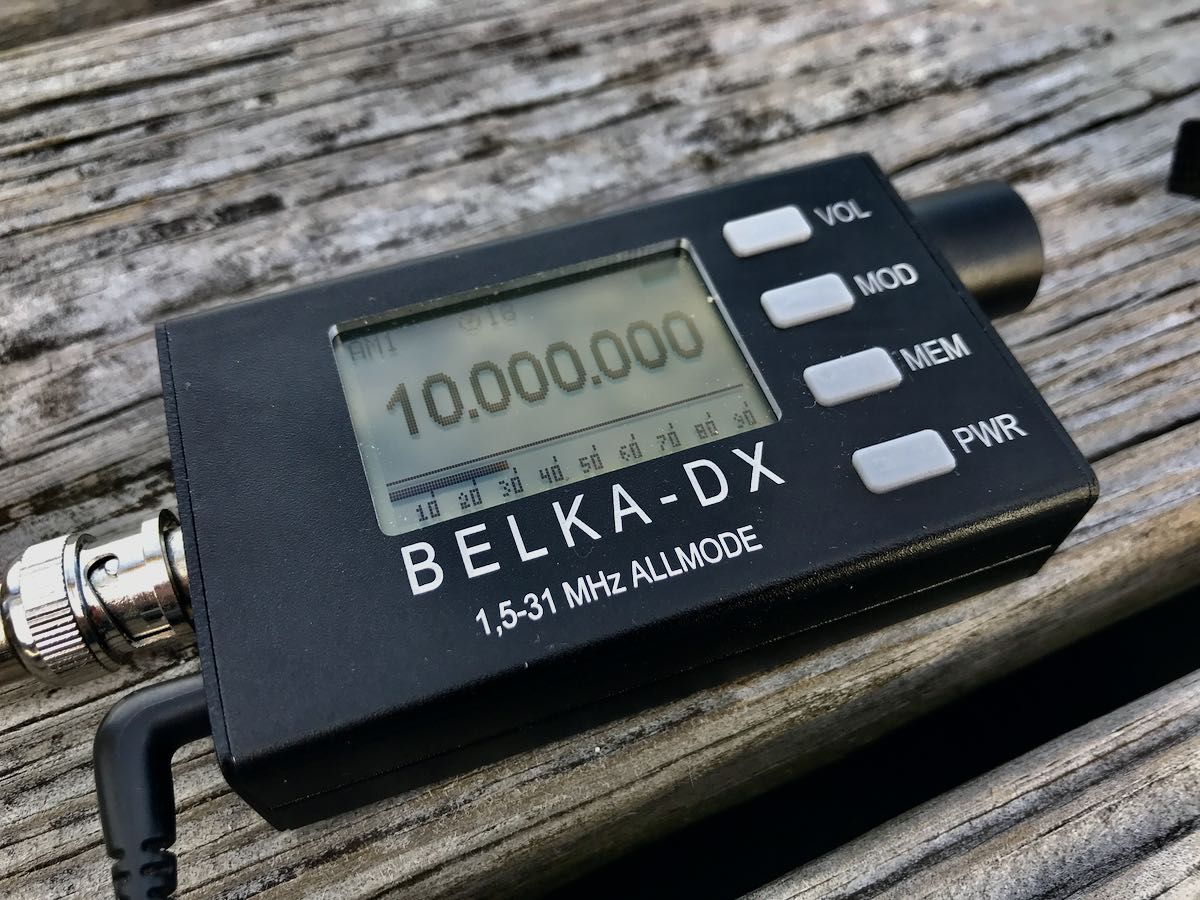
If you haven’t gathered already, I really appreciate simple radios for field operation and it doesn’t get much more simple than the Belka-DX or Belka-DSP.

The radio is so incredibly compact, durable, and a pleasure to operate–especially if cruising the broadcast bands.

On the dock, I didn’t have a place to easily hang a wire antenna, so I used the supplied telescoping whip antenna. It served me well on a number of listening sessions.

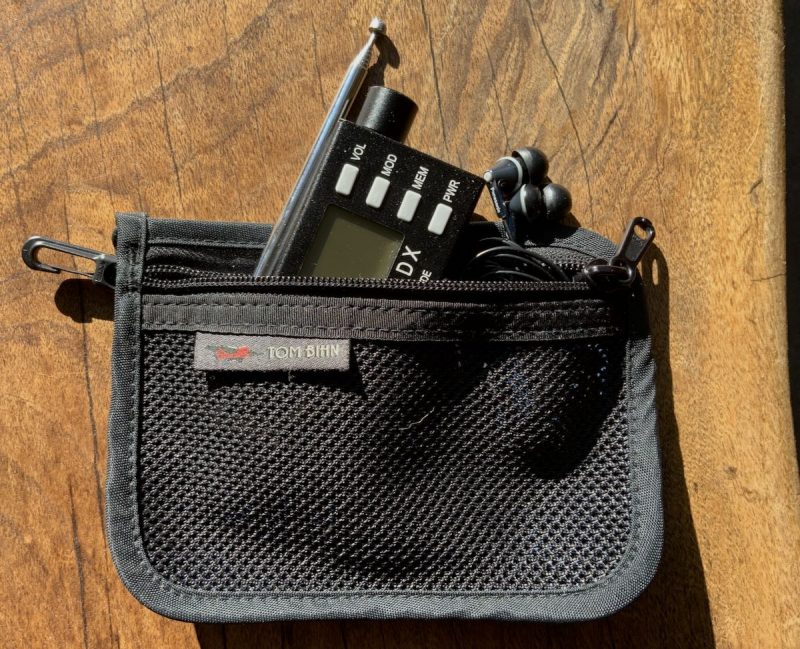
As 13dka pointed out in his brilliant review of the Belka-DSP, the Belka radios are so compact, yet pack so much performance, they smack of a little spy radio! On top of that, the chassis is incredibly durable. I can’t tell you how much I love this. My Belka receiver has been living in my EDC bag in a small zippered pouch.

I barely notice it in my bag–it take up almost no space and weighs so little–but in the back of my mind I know I have a portable DXing machine everywhere I go.

I have no fear of being damaged in my bag, either–the chassis protects it so well.

Since London Shortwave has sorted out how to make spectrum recordings using the Belka-DX I/Q out, you’d better believe I’ll be sampling spectrum as I travel the globe post-pandemic!

I didn’t have time to gather what I needed for making Belka-DX spectrum recordings on this trip, but you can be certain I will when I return!

I should add that one of the little joys about my dockside DXing spot this past week was watching dolphins swim by as I tuned to some of my favorite broadcasters. Bliss.

Post readers: Have you taken your radios on vacation recently? Please comment! Better yet, consider submitting a guest post with photos!

A little QRP radio magic this weekend

SWLing Post readers: I originally posted the following article on QRPer.com where I publish most of my ham radio field reports. It was the first full Parks On The Air activation with my recently re-acquired Elecraft KX1 transceiver and it was very memorable. I hope you enjoy:

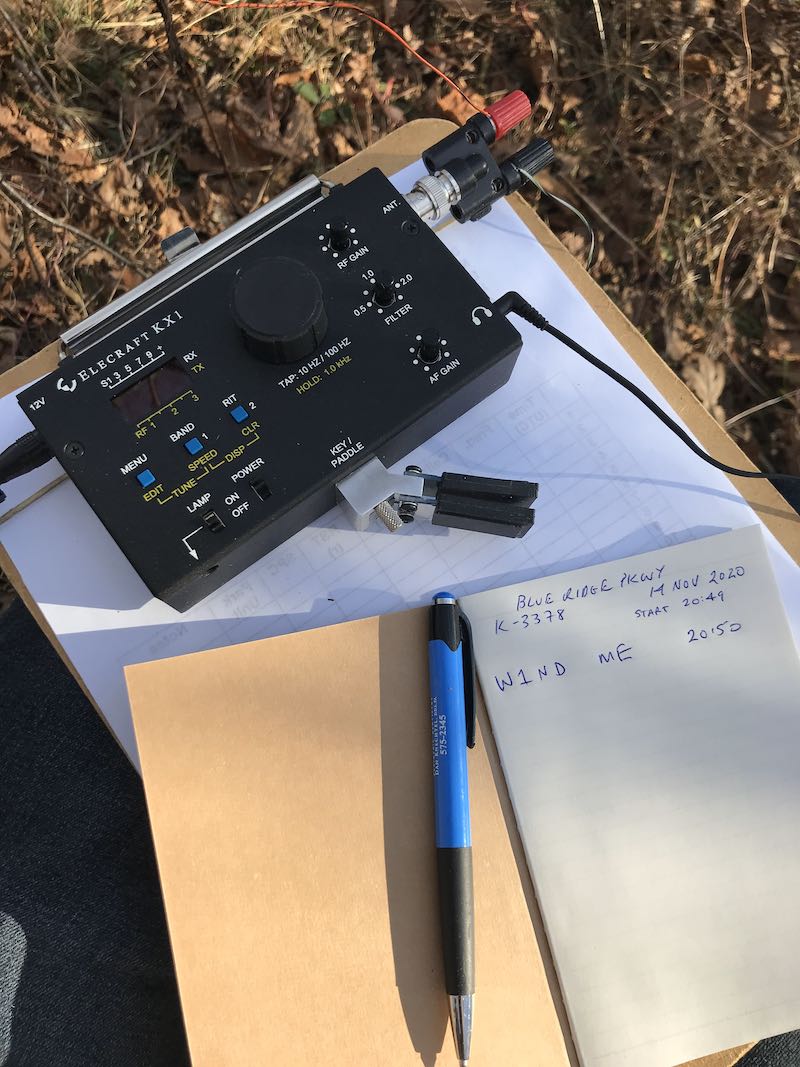
Yesterday [Saturday, November 14, 2020] my family decided to make an impromptu trip to one of our favorite spots on the Blue Ridge Parkway at Richland Balsam–the highest point on the BRP.

Of course, it was a good opportunity to fit in a Parks On The Air (POTA) activation, but I had also hoped to activate Richland Balsam for Summits On The Air (SOTA) simultaneously.

It being well beyond leaf-looking season, we had hoped the BRP would be relatively quiet, but we were wrong.

Trail heads were absolutely jam-packed and overflowing with visitors and hikers. We’ve noticed a sharp hiker uptick this year in western North Carolina due in no small part to the Covid-19 pandemic. People see hiking as a safe “social-distance” activity outdoors, but ironically, hiker density on our single-track trails is just through the roof.   One spends the bulk of a hike negotiating others on the trail.

The trail head to Richland Balsam was no exception. Typically, this time of year, we’d be the only people parked at the trail head but yesterday it was nearly parked full.

Being natives of western North Carolina, we know numerous side-trails and old logging/service roads along the parkway, so we picked one of our favorites very close to Richland Balsam.

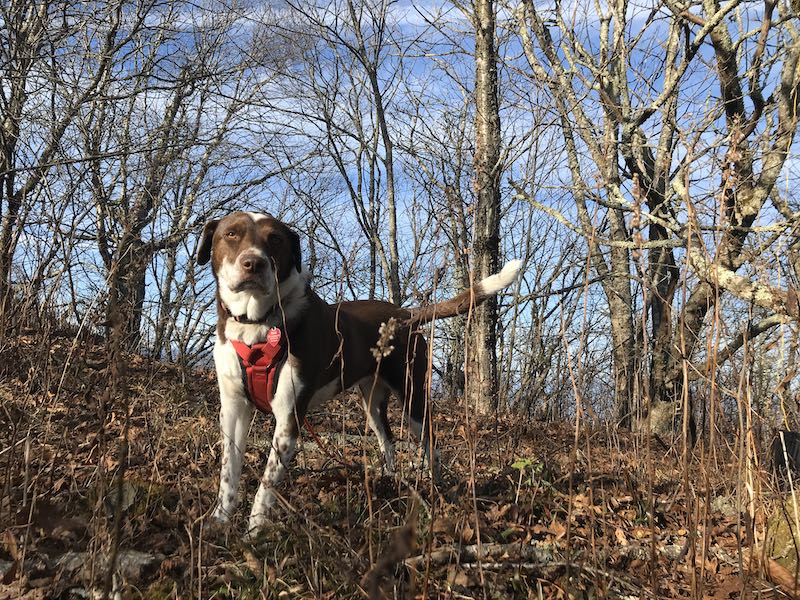
We hiked to the summit of a nearby ridge line and I set up my POTA station with the “assistance” of Hazel who always seems to know how to get entangled in my antenna wires.

“I’m a helper dog!”

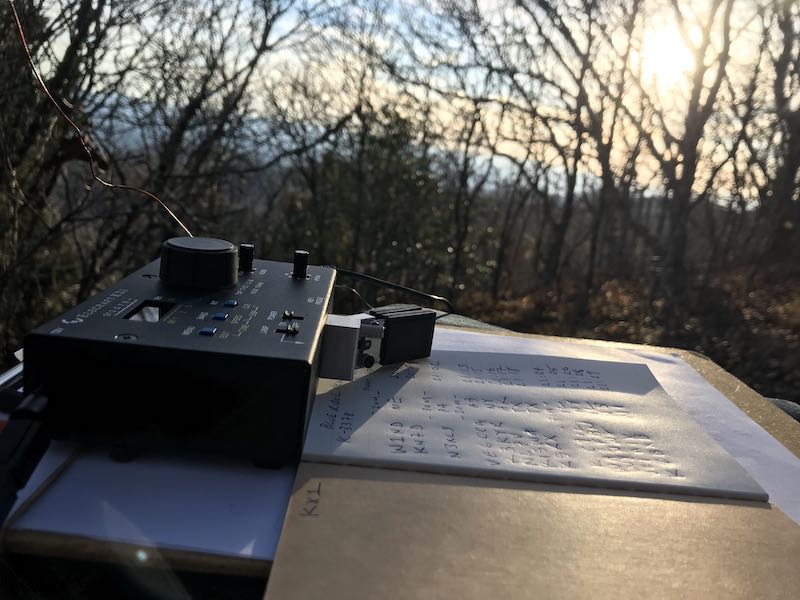
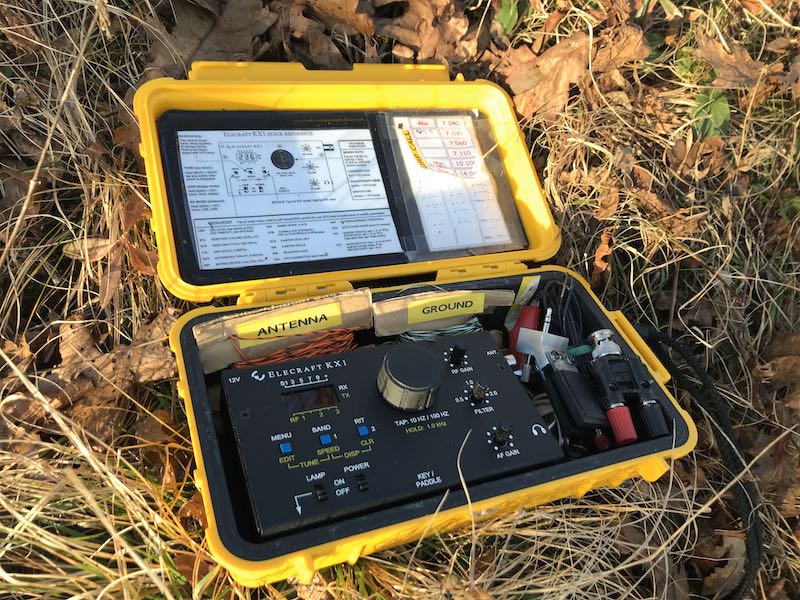
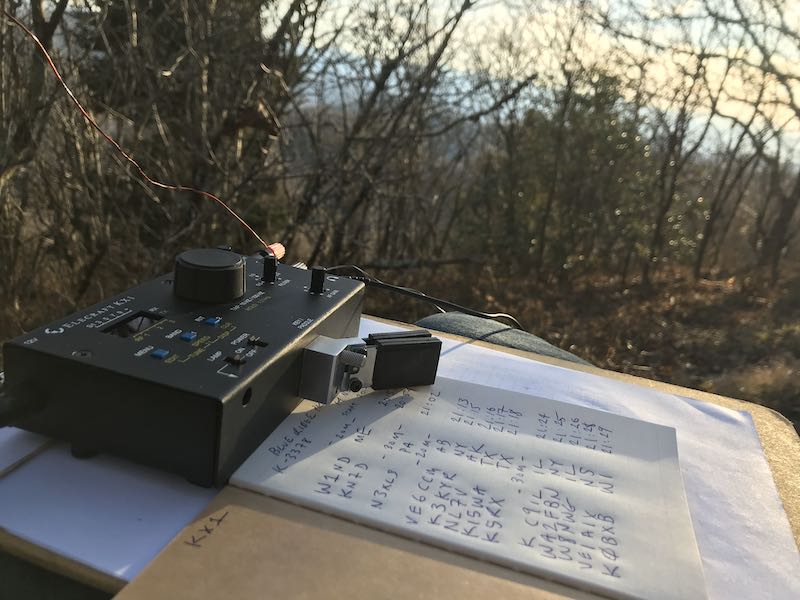
Taking a break from using the Icom IC-705, I brought my recently reacquired  KX1 field radio kit.

Gear:

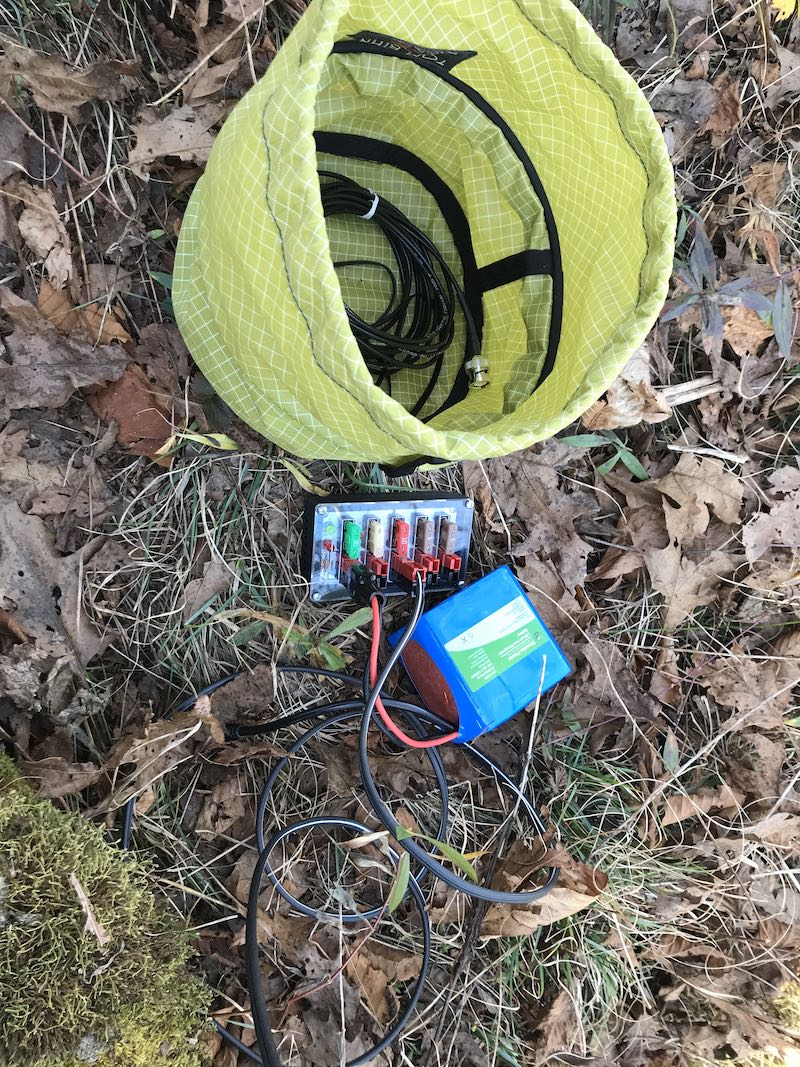
I carried a minimal amount of gear on this outing knowing that there would be hiking involved. Everything easily fit in my GoRuck Bullet Ruck backpack (including the large arborist throw line) with room to spare.

I took a bit of a risk on this activation: I put faith in the wire antenna lengths supplied with my new-to-me Elecraft KX1 travel kit. I did not cut these wires myself, rather, they are the lengths a previous owner cut, wound, and labeled for the kit.

With my previous KX1, I knew the ATU was pretty darn good at finding matches for 40, 30, and 20 meters on short lengths of wire, so I threw caution to the wind and didn’t pack an additional antenna option (although I could have hiked back to the car where I had the CHA MPAS Lite–but that would have cut too much time from the activation).

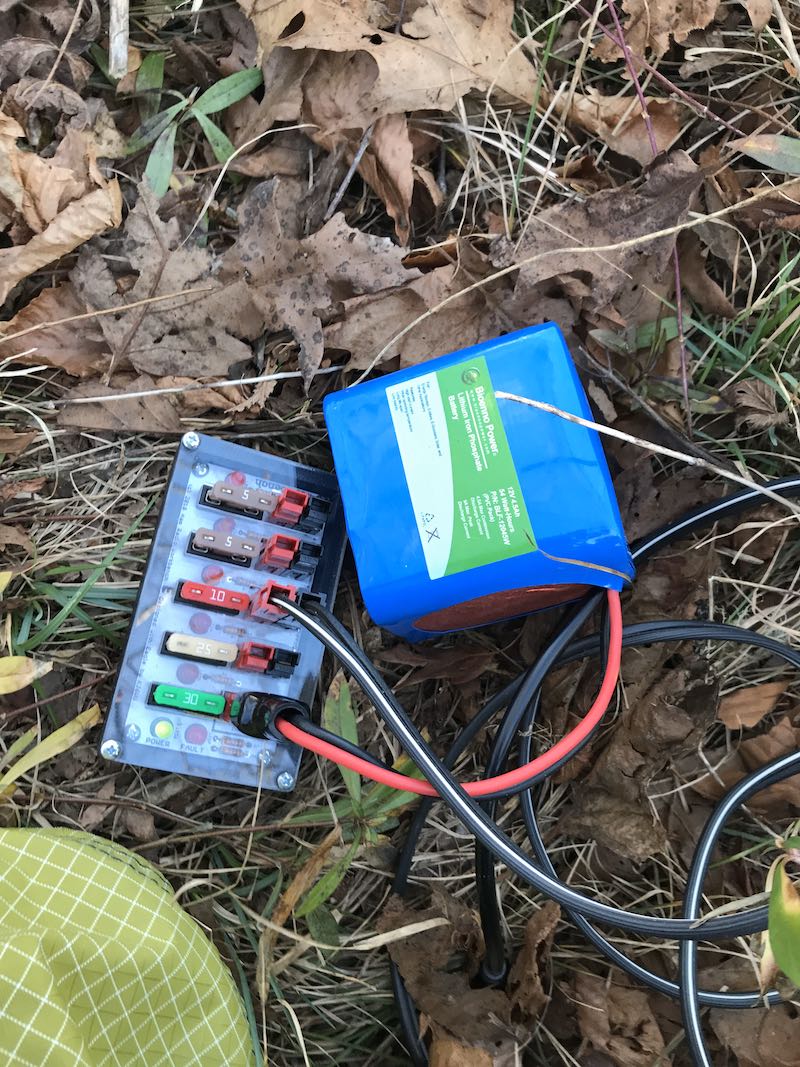
I didn’t use internal batteries in the KX1, rather, I opted for my Bioenno 6 aH LiFePo battery which could have easily powered the KX1 the entire day.

I deployed the antenna wire in a nearby (rather short) tree, laid the counterpoise on the ground, then tried tuning up on the 40 meter band.

No dice.

The ATU was able to achieve a 2.7:1 match, but I don’t like pushing QRP radios above a 2:1 match if I don’t have to. I felt the radiator wire was pretty short (although I’ve yet to measure it), so clipping it would only make it less resonant on 40 meters.

Instead, I moved up to the 20 meter band where I easily obtained a 1:1 match.

I started calling CQ POTA and within a couple of minutes snagged two stations–then things went quiet.

Since I was a bit pressed for time, I moved to the 30 meter band where, once again, I got a 1:1 match.

I quickly logged one more station (trusty N3XLS!) then nothing for 10 minutes.

Those minutes felt like an eternity since I really wanted to make this a quick activation. I knew, too, that propagation was fickle; my buddy Mike told me the Bz numbers had gone below negative two only an hour before the activation. I felt like being stuck on the higher bands would not be to my advantage.

Still, I moved back up to 20 meters and try calling again.

Then some radio magic happened…

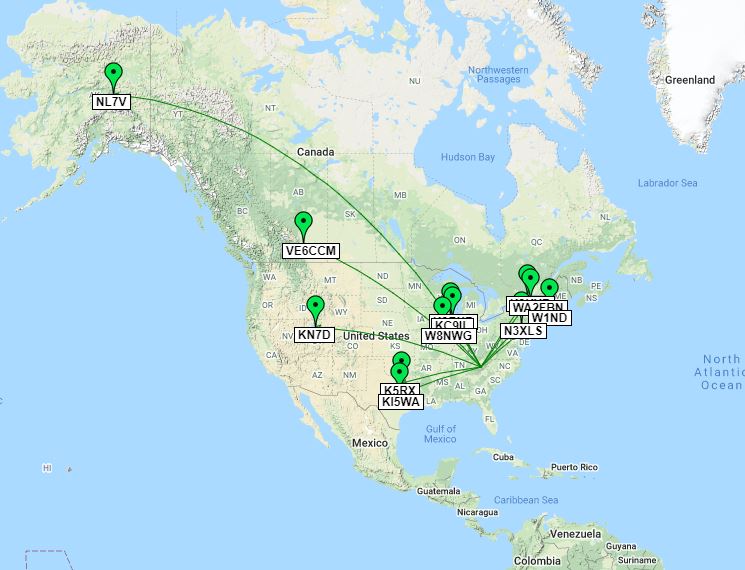
Somehow, a propagation path to the north west opened up and the first op to answer my call was VE6CCA in Alberta. That was surprising! Then I worked K3KYR in New York immediately after.

It was the next operator’s call that almost made me fall off my rock: NL7V in North Pole, Alaska.

In all of my years doing QRP field activations, I’ve never had the fortune of putting a station from Alaska in the logs. Alaska is a tough catch on the best of days here in North Carolina–it’s much easier for me to work stations further away in Europe than in AK.

Of all days, I would have never anticipated it happening during this particular activation as I was using the most simple, cheap antenna possible: two thin random lengths of (likely discarded) wire.

People ask why I love radio? “Exhibit A”, friends!

After working NL7V I had a nice bunch of POTA hunters call me. I logged them as quickly as I could.

I eventually moved back to 30 meters to see if I could collect a couple more stations and easily added five more. I made one final CQ POTA call and when there was no answer, I quickly sent QRT de K4SWL and turned off the radio.

Here’s a map of my contacts from QSOmap.org:

I still can’t believe my three watts and a wire yielded a contact approximately 3,300 miles (5311 km) away as the crow flies.

This is what I love about field radio (and radio in general): although you do what you can to maximize the performance of your radio and your antenna, sometimes propagation gives you a boost when you least expect it. It’s this sense of wireless adventure and wonder that keeps me hooked!

Finally confirmed reception of LRA36 Radio Nacional Arcángel San Gabriel Antarctica

For years now I’ve attempted to get decent reception of LRA36 Radio Nacional Arcángel San Gabriel in Antarctica. At times, I’ve been able to barely hear their AM signal here in North Carolina–at least, see it as a faint line on my spectrum display and barely hear audio rise above the noise. But in truth I could never confirm anything more than “male voice” and “music” thus never bothered with a report in good faith.

Recently, we’ve posted announcements for a series of test broadcasts from LRA36 in single sideband (SSB). Two weekends ago, I couldn’t receive a single inkling of their signal, but this past Saturday, I finally heard the station well enough to submit a detailed report and recording in confidence.

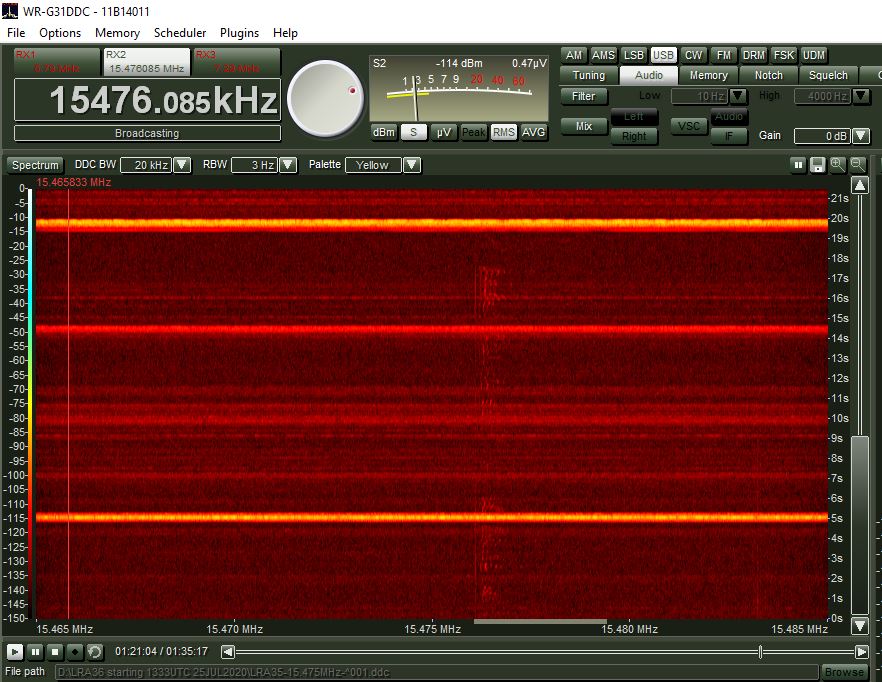
I had actually set my SDR to record 20 kHz of spectrum at home while I made my first CW POTA activation at the nearby Blue Ridge Parkway. A pop-up storm chased me away from the POTA site and it worried me that I had left my SDR running and connected to the antenna. Fortunately, none of the small thunder storms were directly over my home. Although there was heavy QRN due to local pop-up thunderstorms, their signal was there.

The following sample recording starts at 17:51 UTC  (July 25, 2020) on 15476 kHz.  It’s weak signal DX for sure, but interpretable. I made the recording with my WinRadio Excalibur SDR hooked up to a large Skyloop antenna. This clip starts with the song  Juana Azurduy by Mercedes Sosa:

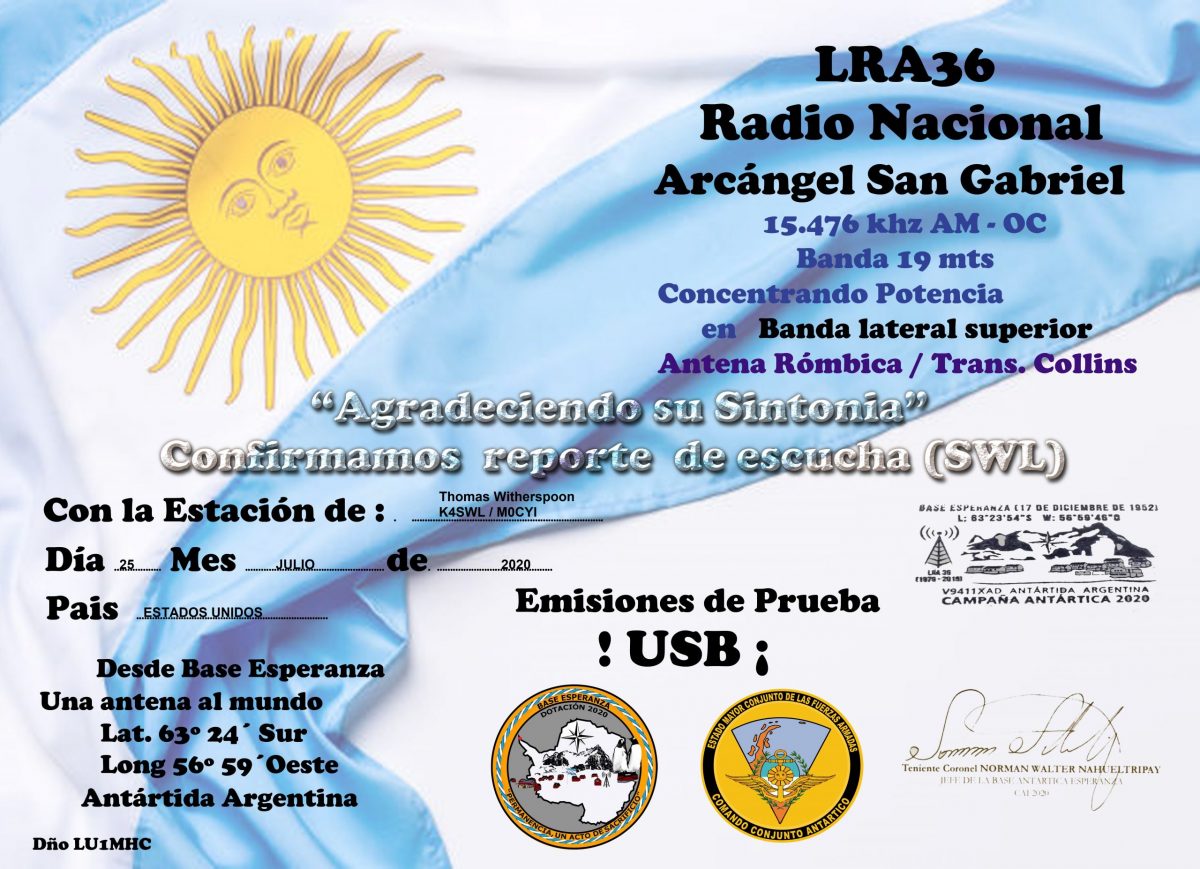
I’m so chuffed to add the LRA36 QSL to my collection! Broadcasting in SSB made all the difference!

Have you successfully logged LRA36 from your home?  Please comment!