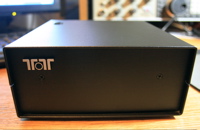
The Ten-Tec RX-320D PC controlled radio.
When I began SWLing.com, I did so with the beginner in mind, and to that end, I more or less limited my product reviews to portable radios. Portables are easy to use, simple, and affordable; what’s more, the technology behind portables has made them powerful for their size.
However, I have recently been receiving emails from beginners and others who wish to purchase another type of radio generally the domain of more seasoned SWLers—one, for example, with a stronger receiver, designed to take an external antenna. Some find that portables aren’t adequate for their geographic location (i.e., in the western US, where fewer broadcasters are directing their signals) while others simply want to hear more of what’s out there. The price cap often mentioned has been around $500.
The radio that instantly comes to mind is the Ten-Tec RX-320D. I must say that previously, my recommendation had been based on a few hours of usage, the manufacturer’s reputation, and the many reviews I had read about this product. While touting the receiver’s performance, I had never actually had the opportunity of testing it at my leisure in my own home.
But a few months ago, Ten-Tec kindly gave me an RX-320D for review–so here you have it. Keep in mind a few things about my reviews: they are, as always, written with the radio beginner in mind, so my reviews are, I hope, less technical than some. Instead, I focus on usability, sensitivity, selectivity, and, of course, value for money.
This doesn’t look like a radio…
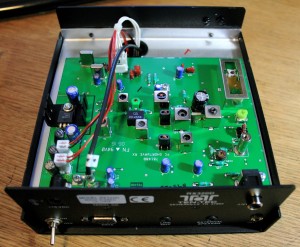
Open the cover on the RX-320D and you'll find very few parts. Click to enlarge.
The RX-320D is a PC-controlled radio; back in 1997 when it was first introduced, it was one of the first radios to be considered a form of SDR (or, Software Defined Radio). The radio itself is small and basic—so basic, in fact, many simply refer to it as “little black box.” On the inside, the mysterious box held surprisingly few parts. But it works like a treat. How do they do this? Again, simply: the RX-320 utilizes digital signal processors inside the black box, and draws upon your personal computer to drive the radio. In other words, your PC provides the horsepower to run the components in the radio.
By doing this, Ten-Tec gives you a radio for $369 that, in my opinion, performs like a radio in the $700+ range, and has more features and functionality than a typical tabletop radio.
Features
Speaking of features, the RX-320D comes with a lot of them. Here are the features most of you will be looking for:
- Modes: AM, SSB (Single Side Band, both Upper and Lower selective), CW (Morse Code)
- Frequency Range: 100 kHz – 30 MHz (full general coverage)
- Memories: Practically unlimited since it relies on your PC’s memory to store them.
- Antenna: Connections for 50 ohm unbalanced external antenna and a high impedance telescoping whip. The radio will switch between the two automatically if the external antenna is plugged in.
PC requirements: If you have an older computer, you can plug the RX-320D into a COM port, otherwise a USB adapter is included. This radio will work with systems as old as Windows 95. Third party controllers are also available for all platforms.
- Construction: 2 epoxy-glass PC boards, aluminum chassis, steel top and bottom
If you want to see the full inventory of features and specs, I would encourage you to visit Ten-Tec’s RX-320D product page—it’s truly an impressive list!
Using the RX-320D
So, does it feel like you’re using your computer when you use this radio? Sure–but the controller design makes the process feel familiar.
To bring the RX-320D to life, you simply 1) plug in the supplied power cord; 2) connect an antenna (either supplied internal telescoping or external—I recommend the latter); 3) connect the radio to your PC with the supplied USB or serial port cable; 4) plug in an external speaker, headphones or (as I do on occasion) connect it to your stereo; 5) install Ten-Tec’s controller software with the provided CD; 6) turn on the radio; 7) launch the controller software you just installed; and finally, tune, and listen…
If you don’t hear anything after the above steps, you either need to increase the volume or line-out controls, or set up your com port to work with the RX-320D.
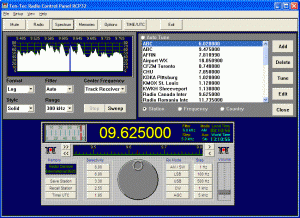
Click to enlarge.
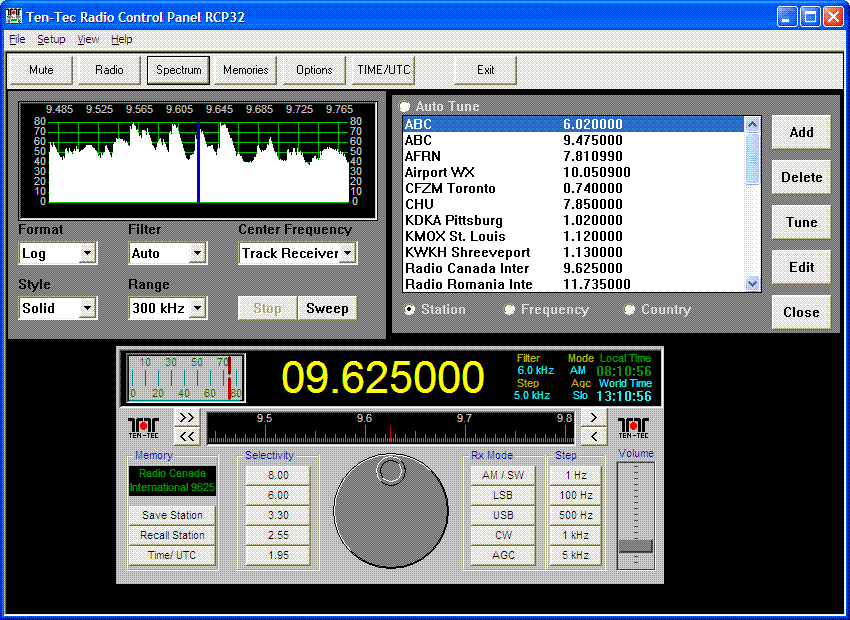
Upon loading the software, you should see the screen to the right.
You’ll notice the image is of a computer screen version of a proper tabletop radio, and it’s just as simple to operate. There’s a tuning knob you can control by moving your cursor over the top or bottom part of the knob and pressing your mouse button. The frequency steps can be controlled with the “Step” menu to the right of the dial. You can also click in the frequency display and type in the frequency (in Mhz) directly. To the left of the dial, there is a selection of very effective DSP filters to try–and there are a whopping total of thirty-four available! Also, on the front panel you’ll see receive mode selections (AM, USB, LSB and CW) and a place where you can easily store memories and recall them.
An exceptionally cool feature of the Ten-Tec controller is its built-in ability to “sweep” a swatch of the shortwave spectrum in search of signals. This comes in especially handy when, for example, you want to “see” activity on any given meter band. Simply select the size of sweep you would like to make, then click on “sweep.” The display will show relative signal strength as it mutes the radio and scans the band. You then move your cursor over the sweep, click on one of the peaks, and the RX-320D will move to that frequency. This is a great way to hunt broadcast signals of all sorts, or to search for utility, pirate or ham signals in a band.
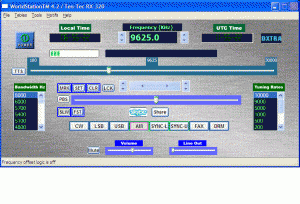
DXtra offers a robust controller for the RX-320D. Not only do you have access to the ILG frequency database, but also band scan tables and you can "see" what other DXtra users are listening to via the DXtra server. DXtra comes with the DRM decoder, DREAM.
All in all, I found that the supplied Ten-Tec controller got me on the air and was intuitive enough that I didn’t need to refer to the owner’s manual at all. Keep in mind, though, that this controller is probably the most basic available. Other than the band sweep feature, many freeware versions of the Ten-Tec controller offer more features and capabilities.
Keep in mind, though, that the supplied Ten-Tec controller was the most stable of all of the controllers I tested. Also, Ten-Tec should be commended for leaving the architecture of their controller open-source for development–hence, the availability of all of these third-party free and commercial products. I imagine they did this on purpose to encourage experimentation.
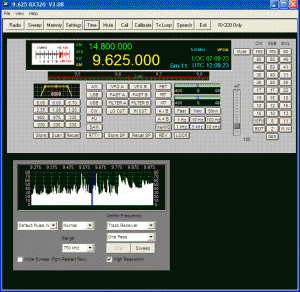
N4PY's controller is simple and elegant. Its user interface places the RX-320D's advanced functions at your fingertips.
To include reviews of all of the 3rd party freeware and fee-based controllers out there would be beyond the scope of this review. I do, however, intend to post comments in this article as I thoroughly test controllers, so check back, if you like.
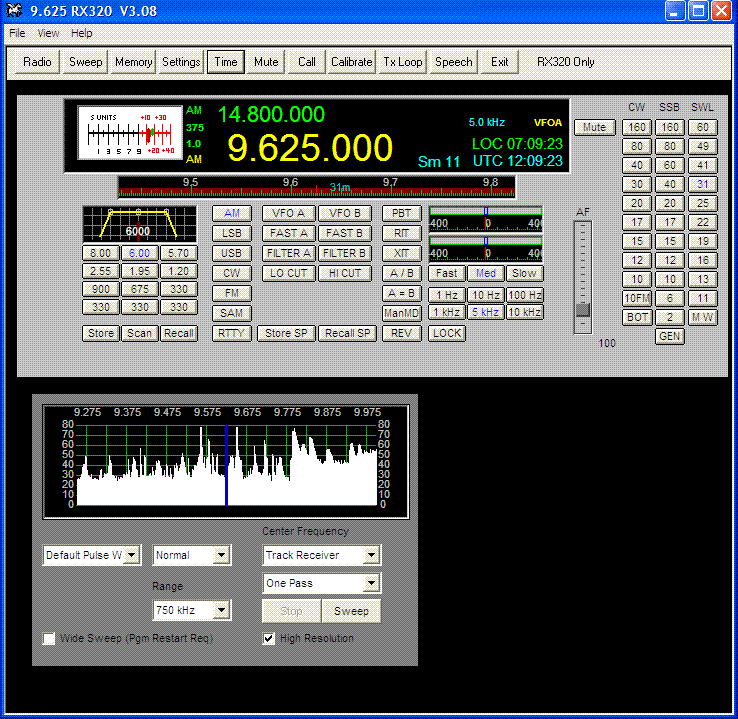
So far, I believe the best and most stable freeware controller is Scan320. My favorite full-featured controller at present is Dxtra ($79.95 or buy the RX-320D directly from Dxtra for $415.95). Also consider N4PY’s controller which, I believe, has the best user interface of all of the controllers I tested–it also gets rave reviews on eHam. N4PY’s controller also has the very useful bandsweep function.
Receiver Performance
This is where the RX-320D is king of the price class. Keep in mind that I used a modest external antenna to test the RX-320D–an inverted “V” doublet, designed to work on the 80 meter ham band. You, too, should use an external antenna on the RX-320D (or any other tabletop radio, for that matter). A simple, cheap, wire antenna will outperform any indoor antenna.
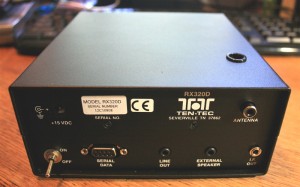
The back panel of the RX-320D is very simple. Click to enlarge.
Why not just use the included telescopic whip antenna? Quite frankly, this antenna is practically useless when the radio is near a “noisy” computer and monitor (which is to say, generating interference). I’m sure such interference could be limited by increasing the distance between the radio and the computer hardware, but this is not always practical since they must work synchronously.
Shortwave
I’m very impressed with the performance of the RX-320D on the shortwave bands. If you’re only used to portable radios, you are in for a treat: the ‘320D’s sensitivity is excellent and certainly better than anything else in its price class. Selectivity is better than any portable radio I’ve tested and, according to other reviewers, it holds its own with tabletop receivers that cost much more.
For example, I found two closely-positioned signals on the 49 Meter band at night. One station was overwhelming the other on my Sony ICF-SW7600GR–even with sync engaged. I fired up the RX-320D, and, after adjusting the filter settings, was able to copy both stations very clearly without hardly any interference from each other. In fact, I find that with thirty-four filters, I can usually find just the right one to isolate a broadcast I want to hear. [By the way, saving a frequency to memory with the use of the Ten-Tec controller will also save filter settings automatically.]
Mediumwave
On the mediumwave (AM broadcast) band, my expectations of this radio were low. I’ve read in numerous reviews that the RX-320D’s performance below 1000 kHz is somewhat compromised due to a high-pass filter Ten-Tec installed to prevent interference from strong local AM broadcast stations.
Note that I live in a rural, mountainous area, with no strong local stations. (Additionally, my 80 meter antenna is not optimal for MWing.) But I must say that I’m more impressed with the RX-320D’s mediumwave performance than I expected to be. In fact, most of the time it holds its own against my C.Crane Radio-SW–a portable receiver well known for its MW performance.
During the day, the RX-320D picks up our two semi-local MW stations very well. At night, it seems to pick up clear channel stations and our (lower) powered local stations as well as any of my other radios. I have even been listening to of my favorite stations out of Toronto–CFZM 740AM—some 900 miles away. Though I didn’t want to review the RX-320D for MW performance, I think it’s worth noting that, at least where I live, it’s quite respectable on these bands.
Single Sideband and CW
I’ve read reviews and spoken with ham radio operators that like to keep an RX-320D on their table to act as a second receiver. I now see why: SSB reception on this unit is excellent for a radio in this price class. I have listened to strong adjacent signals on the 80 and 20 Meter bands during the recent CQWW SSB contest and the RX-320D did an admirable job of blocking interference. I have also had an opportunity to listen to CW in somewhat crowded conditions and, yet again, with the filter set to a standard 500Hz, this rig could distinguish the stations rather well.
So, is the reception and selectivity as good as a modern ham transceiver? Well, compared to my Ten-Tec OMNI VI+ and Elecraft K2, no. Mind you, both the OMNI and the K2 are benchmark receivers, crafted especially for CW (and both cost well over $1000). But I believe this receiver is as good as some entry-level ham transceivers I have tried over the years. The RX-320D is certainly a capable second receiver for the shack.
DRM

The "D" in RX-320D signifies that this little radio is DRM ready!
The RX-320D is one of the most affordable radios on the market that is designed to work with Digital Radio Mondial. With a copy of the open-source DRM application DREAM (which comes with the 3rd party controller, DXtra), and a DRM schedule, you can listen to a growing number of stations that are broadcasting in the DRM format.
Please note that only the RX-320D (the model I am reviewing) has the required 12 kHz I-F output required to decode DRM; the older RX-320 does not. So, look for the “D” in the model number if you’re purchasing a used receiver. Another way to check the radio is to look on the lower right corner of the back panel for the 1/8″ “I.F. Out” jack.
I plan to post some recorded DRM audio from the RX-320D here in the near future.
Summary
Every radio has pros and cons, the RX-320D, included.
In short, the pluses are that the RX-320D offers: excellent shortwave receiver sensitivity and selectivity for a radio under $700; 34 DSP filters to choose from; excellent SSB and CW reception; DRM (Digital Radio Mondial) readiness; a small footprint–portable enough to travel with a laptop; the radio is made in the USA, backed by legendary Ten-Tec customer service, and is time tested, in that it’s been on the market for 12 years and one is hard-pressed to find a negative review.
And the RX-320D’s minuses: the telescoping whip antenna seems to be a convenience, but reception is typically poor through it, as one must use an external antenna on this radio to unlock its performance; the radio is software-defined–so, no computer, no radio; the rate of communication between radio and computer is a little slow, so if you tune very quickly, the radio takes some time to catch up (I personally don’t find this much of an inconvenience, but it must be noted). Additionally, the supplied software is stable and easy to use, but is very basic; you should investigate other controllers to see what best suits your listening style. And what’s missing from this radio? There’s no internal speaker, of course, and it would be nice to have a noise blanker or limiter of some sort.
To Buy, or Not to Buy…
 The RX-320D is a solid shortwave radio with solid time-tested performance. After my experience with the radio, I continue to believe that the RX-320D offers more performance for the price than any other radio in its class. If you don’t mind operating your radio through a computer, and with the support of an external antenna, then you are getting an incredible value.
The RX-320D is also an affordable way to hear DRM stations. In North America, you need a good receiver to reliably hear DRM signals, especially from other parts of the world. The RX-320D can offer this performance for much less than other SDRs.
One way to tell if a radio is desirable (and therefore well-respected) is by checking out used radio prices–the RX-320D, you might note, holds its value remarkably well.
We recommend purchasing the RX-320D directly from Ten-Tec ($369.00 US) or from an authorized dealer like Universal Radio or DXtra.
Ten-Tec RX-320D Resources
Controllers
- Free Controllers
- GNRX320 – This controller was created by Gerd Niephaus. Very simple interface. I am not sure if this controller will work with Vista.
- RX320 Control Panel by George Privalov – Amongst other things, this controller can be configured to interact with the ILG database.
- DOS controller – A simple DOS controller for the RX-320
- Linux Controller – By Hector Peraza. Have not yet tested with a port of Linux.
- RxWings – Fully interactive with frequency databases.
- Scan320 – I really like this simple stable free controller. Perhaps the best freeware controller for utility scanning.
- Shortwave Log – I’ve read several positive review of this long-running program.
- Cogwheel RX320 Controller for PalmOS – Control most of your RX-320’s functions from you PalmOS device. See website for limitations.
- Fee-Based Controllers
- Dxtra – I’ve tested this product and am very pleased with it. It’s a very robust product and well reviewed. Check out Monitoring Times’ two issue review (1st part and 2nd part). Dxtra also comes with a fully compiled version of DREAM. DXtra is the most robust, feature-packed, controller you will find on the market.
- N4PY – I have now tested the N4PY controller. As I mentioned in the article, this controller has a very clean and intuitive interface. I find that I turn to this controller more than others as it’s the easiest to use of the lot. Small details such as indicators on the band dial (delineating broadcast bands from ham bands) show that N4PY has put a lot of time and energy into this product. N4PY’s controller is also very stable and comes with excellent, prompt customer support.
- Mscan Meteo – a product targeted to sailing technologies, but can control the RX-320D and covers many popular digital modes.
- ERGO – I have not yet tested ERGO, but they do give a 60 free trial.
- MacLoggerDX – To my knowledge, the only controller available for Mac OS.
- Rxtra320 Pro – Have not yet tested this controller.
- RxPlus – I have heard many good things about RxPlus. This particular controller also features a band sweep function.
Reviews
User Groups

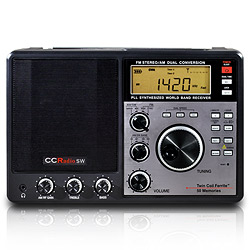 C. Crane’s well known CCRadio-SW is currently on sale for $114.95! I assume this sale will only last through to the end of October, 2010. This is a very good deal for one of my favorite, big audio portables. Curious? Read my review on SWLing.com.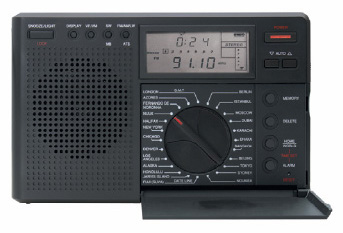
 Or, are you thinking about buying a radio for yourself (cashing in a gift card, for example) but aren’t sure how much you need to spend to be satisfied with function and performance? Want a little help leaving a hint for Santa or Ms. Santa? If so, no worries: you’ve found the right place in this vast world wide web to answer your questions, or help you with that hint–just leave a link to this article somewhere that Santa can find it!
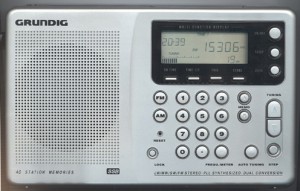 The Grundig G4000A
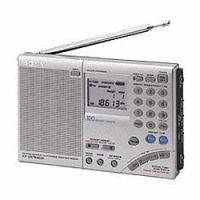
 The Sony ICF-SW7600GR
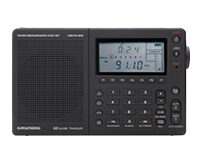 The Grundig G3
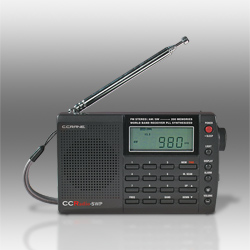
 The C. Crane CCRadio-SW
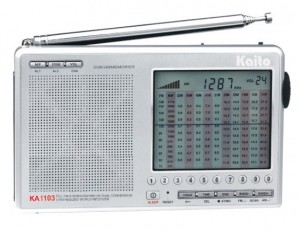



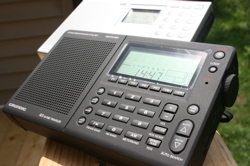
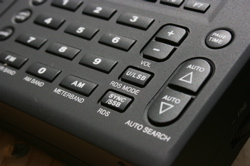 Though I had been familiar with the keyboard functions of the G5, I easily found my way around the G3. Grundig (and Eton) products tend to be ergonomic and easy to use. The G3 is no exception: for example, to change frequency to 10,000 kHz, you simply type 10000 on the keypad and then press the AM button. To go to 89.7 MHZ, simply type 897 and press the FM button. This is a formula that Grundig has used since at least the days of the YB400, and I wished more portable radios would adopt this as a standard for direct frequency entry.

 C. Crane “Orphans”