
Category Archives: How To

Jeff designs an SDR “Go Kit” around the Softrock Ensemble

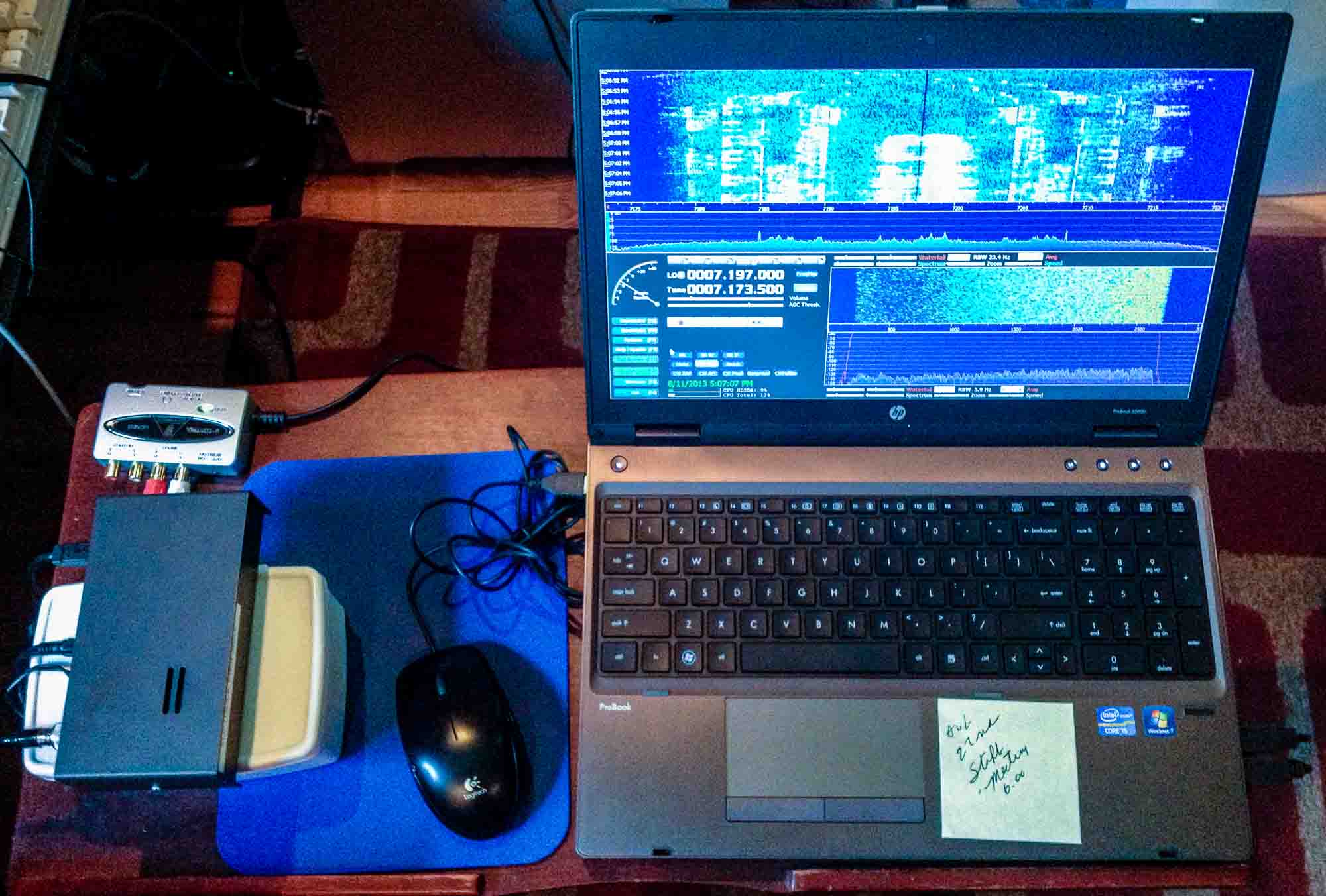
SoftrockGoKit1Jeffrey Fritz (WB1AAL) contacted me with details about his SDR (Software Defined Radio) “Go Kit” and has kindly allowed me to post it.

Jeff writes:

As a reader of the SWLing blog, I know that you are very interested in SDR. And you probably know that a “Go Kit” is a portable ham radio system in a case that can be moved at a moment’s notice and set up at another moment’s notice virtually anywhere.

I have a VHF Go Kit made up for emergency events. It is complete with waterproof carrying case, Aden PCS-7000H two-meter transceiver, a Kenwood VHF tuner, a Kenwood SW-100 VHF SWR bridge and two antennas (a 2-meter J-pole made out of twin lead and a two meter mag mount.) But what if there is a need to monitor the HF bands during the same event?

Now that I own a Flex-1500 SDR transceiver, the Softrock Ensemble SDR receiver that I bought a while ago has become somewhat redundant. It is still a serviceable radio and works fine, but it can’t hold a candle to the amazing Flex-1500. While I could turn it into a panadapter or sell it on eBay, eHam, etc., I had a better idea.

To monitor the HF ham bands, I could use something like my Grundig G3 shortwave radio in my Go Kit. While it is portable, battery operated and will tune LSB and USB, listening to SSB or even CW in an emergency situation with the G3 can be a bit of a chore. (Think of the old boat anchors with their main tuning and fine tuning band spread dials, but now make both dials tiny and you’ll get the idea.) Instead, why not build a 12-volt battery supply with common, easy to obtain batteries? I could connect it to the Softrock Ensemble and then via a USB audio interface to a battery powered laptop. Add a pair of headphones and we are in business.

That is just what I’ve done.

I’ve attached some photos of my most recent project–done this past weekend actually. [Check out photos above and below] It’s an SDR Go Kit. One of the attached photos shows the laptop and the Softrock Ensemble SDR receiving 40-meter band SSB while entirely being operated on battery power. There is no power switch. You simply pull the DC jack out of the Softrock Ensemble SDR radio when it isn’t in use. Simple as it gets! The other photo shows the battery pack built into a (ahem!) Preparation H Pad holder pack. (Now, I am not saying who used this!)

Ah but what will battery life be like with 8 C cells in series driving the receiver? It’s too soon to say because I just put it together an hour ago. But here’s a guess:

SoftrockGoKit2The Softrock Ensemble draws 18 mA at 12.6 volts (my measurement.) An Alkaline ‘C’ battery can supply up to 8,000 mAh, so doing some math and assuming fresh batteries, the battery pack should run the radio for roughly 400 hours. (Hopefully my math is correct!) If so, then I think that the laptop batteries will give out long before the life span of the C Cell is reached!

73,

Jeff, WB1AAL

Jeff, this is an excellent use for the Softrock Ensemble. I imagine it will run for a very long time drawing only 18 mA. I have a “Go Kit” for QRP ham radio purposes and one for SWLing during travels. You’ve inspired me to piece together a proper receiver “Go Kit” to be used in case of emergencies.

Readers: If you have a project, like Jeff, that you’d like to share on the SWLing Post, feel free to contact me with details!
Using the RTL2832U $20 SDR for HF & trunk-tracker scanning?

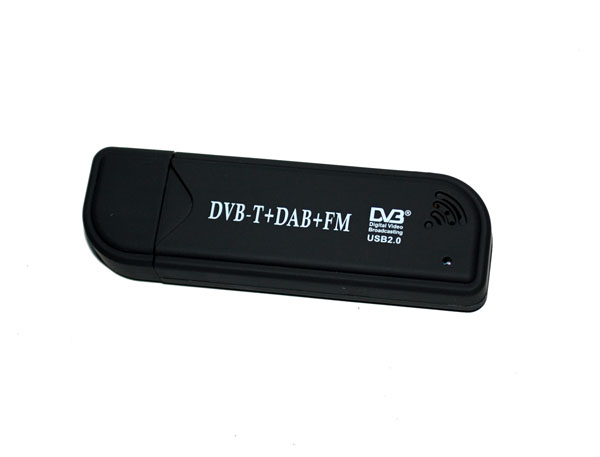
DE_DVB_T_1In response to our post on inexpensive SDRs based on the RTL2832U, Jeff Benedict writes:

Here’s a website that has a lot of info on cheap SDR gear.  They have a write-up on an external board which adds HF capabilities.  I have one but haven’t done anything with it yet.

http://www.hamradioscience.com

Jeff  KB7AIL  CN88

Thanks, Jeff! Has anyone tried HF with any success? I’m curious how well this über-cheap receiver will cope with adjacent signals and blowtorch stations within the HF spectrum.

Meanwhile Neil, blogger on Fofio, commented:

I have an RTL-SDR system up and running.  I have done 2 demonstrations for my local Ham Radio club.  One on the basic setup and use of the dongle, using both SDR# and HDSDR.  The other presentation showed the remote receiver capability using a Raspberry Pi as the receiver with the dongle attached and a remote SDR# computer decoding the stream over a network connection.  Once I compensate for some minor frequency discrepancies it’s a pretty good receiver.  The only issue I have noticed with mine (one of the early E4000-based models) is a tendency to overload in the presence of a strong signal.  We have a pretty powerful 2 Meter repeater less than a 1/4 mile from our home, and when it’s active it causes some strange results with the RTL-SDR setup.

I have yet to try one of the HF converters they make for these.  I hope to do that soon.

Another project I was reading about today that I may try out is using 2 of the dongles at once to create a trunk-tracker scanner.

Wow! Two $20 USB SDRs and a little PC magic could yield a trunking scanner? I want to hear more about this. Trunking scanners tend to be both expensive and complicated. If a web-updated database could be downloaded and used to control this sort of rig, the possibilities would be most impressive!

Neil, keep us informed!

A very inexpensive Software Defined Radio based on the RTL2832U

DE_DVB_T_1Many thanks to Benn (AK4AV) for passing along this article from the IEEE which describes how a $20 USB digital TV antenna tuner can be transformed into an impressive, flexible software defined radio:

http://spectrum.ieee.org/geek-life/hands-on/a-40-softwaredefined-radio

The article incldes the following embedded video from the IEEE:

Here is another informative video via YouTube:

This year at the SWL Winterfest we had a presentation on the topic of $20 SDRs configured like those above. Some scanner enthusiasts had used them to receive satellite and many other VHF/UHF communications. I’ve heard of some devices being nearly plug-and-play easy to install and configure; others may take some minor tweaking. All of the SDR applications and drivers are either open source or free.

This page contains a wealth of information on the topic of RTL2832U based SDRs–it makes for a great starting point.

If you have experimented with thRTL2832U USB SDR, please comment below.

How to decode that RDFT in numbers station HM01? Roland explains

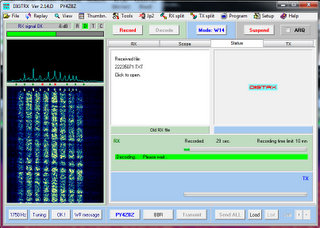
DIGTRXA few weeks ago, I published a post with a recording of the Cuban numbers station HM01, a “Hybrid Mode” numbers station which interchangeably broadcasts both voice and a digital mode called RDFT with each transmission. I had suggested using an application called “DIGTRX” to decode the data bursts.

I then received  a comment on that post from the author of the DIGTRX program himself, Roland. He has actually created a page in English which describes in detail how to decode the RDFT in HM01.  Note that this page was originally in Roland’s native Portugese, and he kindly translates it into English for us: http://www.qsl.net/py4zbz/eni.htm

[While this means that we can decode the transmissions, it doesn’t mean we can necessarily decipher them, however.  At least, not yet.]

Imagine that a spy numbers station is using an application you, yourself, authored to send coded messages. What are the odds?  This apparently happened to Roland, when he discovered that HM01 was, in fact, using his application DIGTRX. What?!?

Actually, it makes sense to me that numbers stations would use DIGTRX. After all, it’s open source. Operatives in the field can download the application without raising awareness. If it were a proprietary application, either commercially or of their own design, it would add to the complication of downloading and using it (on both ends). As you’ll read in Roland’s tutorial, HM01 has built in robust redundancies by using RDFT and DIGTRX. Very interesting.

Thanks, Roland, for sharing!