Last year, when I saw the announcement that a new tabletop radio–the Alinco DX-R8T–was about to hit the market, I almost fell out of my chair.

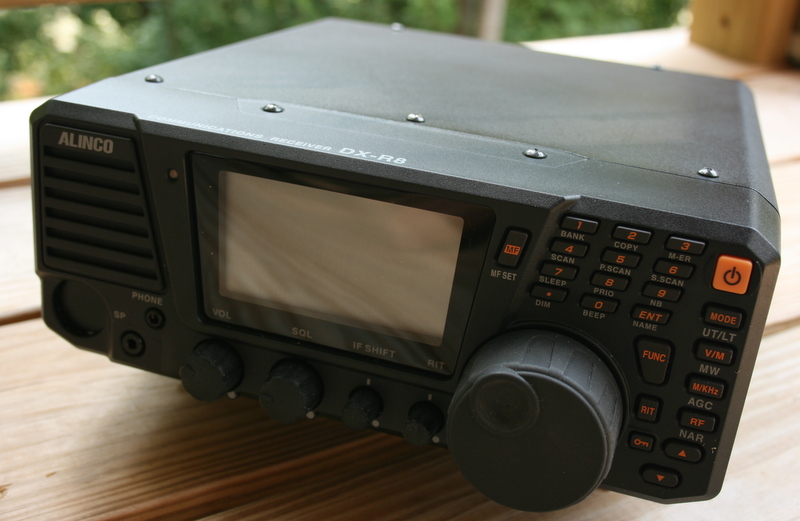
The Alinco DX-R8T tabletop shortwave receiver
A new tabletop on the market? Could it be true? Over the past few years, many long-time manufacturers have dropped out of the shortwave tabletop market, while newer, smaller manufacturers have been popping up in the SDR (Software Defined Radio) market. SDRs are great–a lot of performance for the price–but to listen to the radio, you have to turn on your computer, launch a program, and typically, do things to isolate any noise your computer may generate.
A tabletop, on the other hand, simply requires that you turn it on: instantly, it’s there, awaiting tuning.
Obviously, I was eager to try out the DX-R8T. Fortunately, the good folks at GRE America (the US distributor for Alinco) kindly loaned me one of their receivers to review for SWLing.com.
First Impressions

The face plate on the Alinco DX-R8T is detachable (with optional extension cable). This view, from underneath, shows where it plugs into the receiver body.
I really appreciate the size and feel of the Alinco DX-R8T. It’s heavy, with a metal case and a very durable plastic face plate. It has a bail under the front panel which allows it to be lifted and carried for easy tabletop operation.
Please note: If you’re new to tabletop shortwave receivers or ham radio transceivers, be aware that the Alinco DX-R8T is based on the Alinco DX-SR8T ham radio transceiver–and as such, it operates on 12VDC. Meaning, you will need a 12 volt power supply like the Pyramid PS-3 or similar. If you already have a power supply, make sure it can at least deliver 1.5 amps at 13.8V. You do not want to purchase a “wall wart” type power supply, as many of these are noisy and will effect your ability to hear stations. For the purpose of review, I have actually been running the DX-R8T off of a 40AH, 12 V battery to eliminate all such noise.
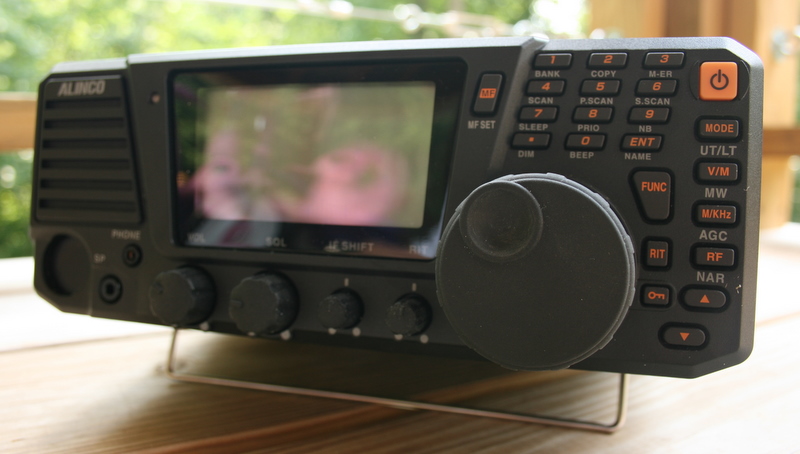
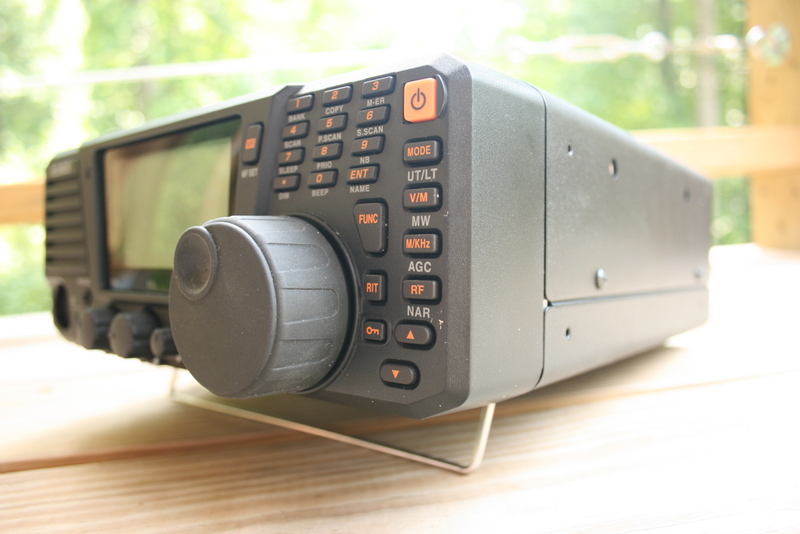
The tuning knob on the DX-R8T is solid, smooth and certainly pleased this reviewer.
The tuning knob, which I personally find to be a particularly important feature, is substantial, solid, and moves fluidly–a plus. I have not found a way to adjust the tension/resistance on the tuning knob, but haven’t felt the need to do so, either. The radio is heavy enough that it stays put while tuning and pressing keys, which is also important.
The ergonomics are good. I like how the volume, squelch, IF shift and RIT are all easily accessible single-function knobs.
If I have any criticism of this radio’s ergonomics, it would simply be that several of the buttons are a bit close to the tuning knob. I have larger fingers, so while pushing the Function switch, RIT switch, keylock or turning the RIT knob, I often inadvertently move the tuning knob. But in truth, this is a fairly persnickity observation; in general I’m pleased with the panel layout and ergonomics.
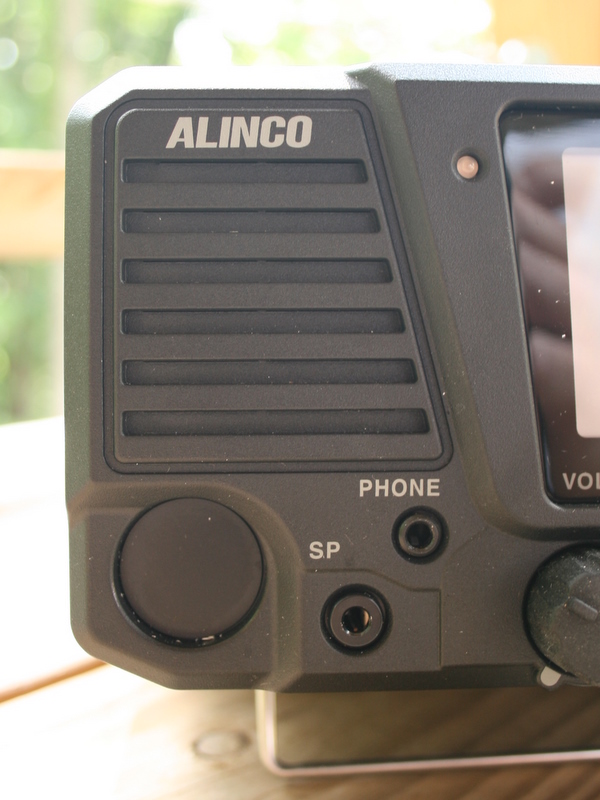 Like the IC-R75, the DX-R8T has a front-facing speaker–always a good thing when listening via a built-in speaker. Admittedly, the overall fidelity of the built-in speaker is mediocre at best–it lacks any bass response and sounds shallow, and unfortunately, there’s no way to change the tone from high to low. While the built-in speaker is fine for listening to the ham radio bands (in SSB or a CW mode), I would like better fidelity for the broadcast bands. This is no doubt a vestige of this radio’s ham transceiver heritage.
The front display is large, with an adjustable dimmer. It is crisp and very easy to read, which I like very well.
The competition
The only current shortwave tabletop competitors with the Alinco DX-R8T ($500), are the Icom IC-R75 ($600-700) and the Palstar R30A ($740 US). The Icom IC-R75 is a fine receiver and one I have recommended to many web readers in search of a multi-function tabletop. It has been on the market for years in many versions (some more successful than others), and is generally a solid performer. The Palstar R30A is also an excellent receiver, though it lacks the bells and whistles of its Japanese counterparts. People who buy a Palstar want bare-bones simplicity and performance.
Since I own a Palstar R30C (the predecessor to the R30A), I used it as a point of comparison in my review of the DX-R8T.

Operation
The DX-R8T is a pleasure to operate. I was able to intuit nearly all but the memory functions without looking at the owner’s manual even once. A major plus, in my opinion!
Tuning is the function you use the most on any radio; with the DX-R8T you have three ways to tune:
- the tuning knob
- the up/down arrows and M/kHz button to toggle steps
- the direct keypad entry
I did find it helpful to use the up/down arrows to move between meter bands, otherwise I never tune with the up/down arrows.
The tuning knob gets my seal of approval and scanning with it is a pleasure. Admittedly, I wish it were a little more adaptive to tuning speed (i.e., turning quickly speeds up the frequency steps) or that it could be adjusted somewhat. You can tell that the Alinco DX-R8T derives from amateur radio, as its tuning knob speed is perfect for finding ham radio stations.
Switching between modes is simple–pressing the “Mode” button moves you between, AM, FM, CWL, CWU, LSB and USB.

The volume, squelch, IF shift and RIT knobs are all well-spaced and easily accessible.
Broadcast listening
The Alinco DX-R8T is a capable broadcast receiver. In my tests, it was as sensitive as my Palstar.
The generous, wide 9kHz AM bandwidth means that broadcast stations come in with a great deal of fidelity. The flip side of the 9kHz bandwidth, though, is that it is less effective if there is an adjacent station–say, 5kHz away. Luckily, the DX-R8T has an IF shift knob handy so that a modest adjustment can usually eliminate adjacent interference.
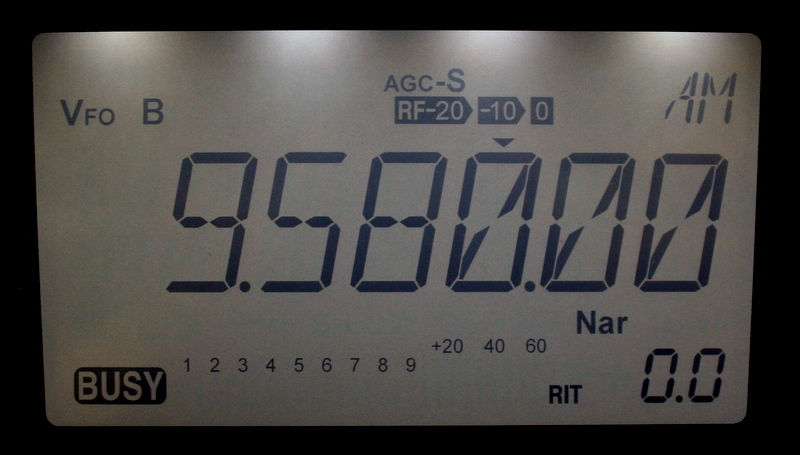 I found the narrow AM bandwidth a little too narrow for broadcast listening. It’s a mere 2 kHz wide and is simply too restrictive if listening to music. For voice intelligibility, the narrow filter works fairly well, using the IF shift to open it a bit. This narrow filter could be useful if trying to snag a weak DX signal, as it’s sufficiently narrow to cut out a lot of noise.
Speaking of noise, the Alinco has a respectfully low noise floor.
Amateur radio bands
The DX-R8T has modes for upper sideband, lower sideband and even upper and lower CW (morse code/digital) sidebands.
It performs rather well on the ham bands, pulling out weak SSB stations from the static.
In fact, its 500 Hz CW audio filter is quite good if you like listening to CW under normal conditions. I did try out the DX-R8T on Field Day 2011 and found that it had a hard time dealing with the intensely crowded band conditions. Adjacent signals cause “thumping” while listening in pile-ups. This was no surprise; even pricey ham radio transceivers are subject to this type of problem under crowded CW conditions. [I usually turn to my Elecraft K2 or Ten-Tec OMNI VI+ (ham band-only transceivers) when participating in a Field Day or contest event.]
Th DX-R8T should do a formidable job listening to SSB ham radio, utility and pirate radio stations and the digital modes (like PSK31, RTTY, etc.).
Summary
Pros:
- Excellent sensitivity in the shortwave (HF) bands
- Simple design requires very little reference to owner’s manual
- Extra wide 9kHz filter lends to high-fidelity broadcast listening (see con)
- Filters are effective and well selected for SSB and CW modes
- Large dimmable back-lit display with all pertinent information
- Versatile: use the DX-R8T as a tabletop, detach the remote head to save footprint in your shack, mount in your car or connect to your PC and use the DX-R8T as an SDR
- Front-facing speaker (see con)
- DRM ready
- Full control of all receiver functions when used as an SDR
- Excellent value
Cons:
- AM narrow filter is a little too narrow for most broadcasts
- Some front-panel buttons are a little too close to the tuning knob
- Mediocre built-in speaker, but good fidelity through external speaker or headphones
- External speaker hook-up only on front panel
- Does not come with a 12 volt power supply (sold separately)
In the spirit of full disclosure, I have to admit that I was very skeptical of the Alinco DX-R8T before reviewing it. The price point was almost too attractive for a tabletop radio, and to offer the versatility of a detachable faceplate and control as an SDR receiver seemed too good to be true. I thought there must be a compromise somewhere. Fortunately, it seems I was wrong.
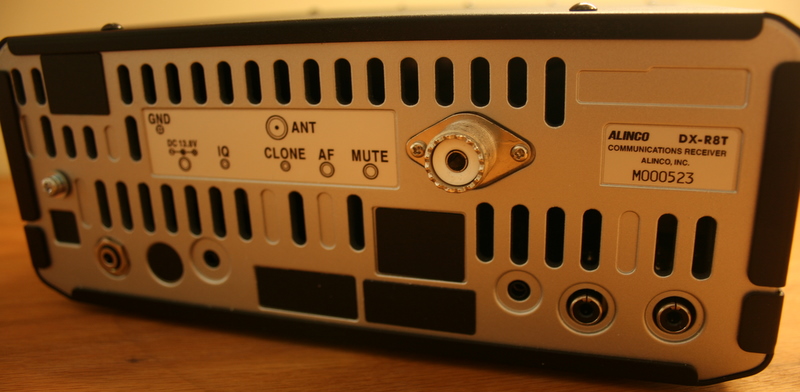
Rear panel view of the Alinco DX-R8T
The Alinco DX-R8T is, in fact, a fine receiver. I especially love the fact that it’s simple to operate. While there are relatively few new tabletops introduced to the market, there are a number of Software Defined Radios available–their performance is excellent, but the learning curve (especially for a newcomer to the hobby) can be intimidating. Plus they require a computer.
With the Alinco DX-R8T, you get the best of both worlds, a simple “turn on and tune in” tabletop, plus a fully DRM ready SDR.
 When people write in and ask for advice on buying their first tabletop receiver, I can recommend this DX-R8T without hesitation. Though it lacks the DSP that can be purchased separately with an Icom R75, it’s as sensitive as my Palstar R30C and the 9kHz AM bandwidth lends some excellent fidelity into headphones or an external speaker.
I must admit, I’m impressed with the Alinco DX-R8T. It has all of the major features I like in a tabletop radio: it’s well-built, easy to use, sensitive, versatile, and it has sufficient control options to help adjust adjacent interference and improve intelligibility. It also has a very attractive price at $499 US. It’s next-best competitor is probably the Icom R75–but neither the Icom, nor the Palstar R30A, can be used as an SDR and neither have the appropriate IF output for DRM as does the Alinco DX-R8T. In short, it’s a lot of radio for the money, excellent for those starting in the hobby.
Paired with a good antenna, the Alinco DX-R8T is a bargain performer. If you’ve thought about moving from portable radios to the world of a more serious receiver, you can’t go wrong with the Alinco DX-R8T.
––
Want to hear what audio from the Alinco DX-R8T sounds like? Here is a 2+ hour sampling of Radio New Zealand International recorded 02 Sep 2011:
Resources
- The Alinco DX-R8T entry in our Shortwave Radio Index which contains more reviews, options for purchasing and technical specifications.
- GRE America – US distributor of the Alinco DX-R8T
- Universal Radio




 Last night, I tuned to the pirate radio watering hole of 6,925 kHz shortwave. I caught a bit of the Southern Relay Network as they played several hurricane and storm themed songs.