
By Jock Elliott, KB2GOM
I don’t know about you, but my goals when I switch on a radio are not always the same. Sometimes I want to communicate, to send and receive information, such as on the Commuter Assistance Network through ham radio. At other times, I want to gather information passively from first-hand sources, like the road condition reports that I can hear through the scanner from the highway crews on the New York State Thruway. And still other times, in the pre-dawn hours, my greatest desire is to hear the farthest possible station on the medium wave frequencies.
And sometimes, I simply want to hear something different . . . different from the usual fare that comes across medium wave, FM, or even shortwave. Hold that thought for just a moment.
The other day, an email popped up in my inbox from the CCrane Company, inviting me to check out their CCrane CCWiFi3. “Listen to Thousands of Radio Stations from Around the World With Clear Reception – No Static, No Fade, No Apps,” it promised.
I was intrigued and sent an email to CCrane asking if they would like me to do a review, and they sent me a CCWiFi3 without charge.
To cut to the chase, the CCWiFi3 really does deliver what the marketing copy says: you can “Listen to Thousands of Radio Stations from Around the World With Clear Reception – No Static, No Fade, No Apps.” No kidding! And no frustration in setting it up either. It is easy and fun to use.
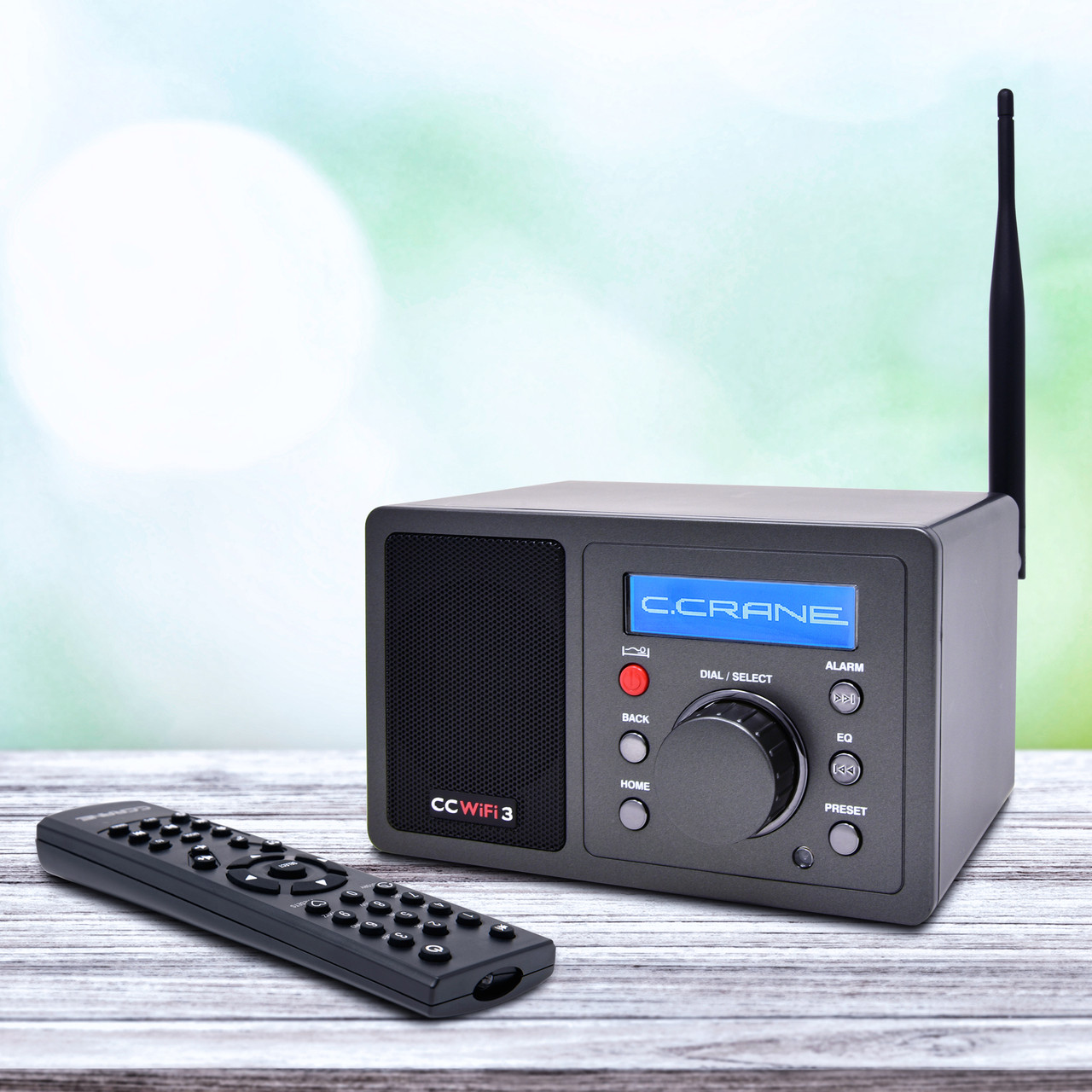
The CCWiFi3 measures roughly 6.5 inches by 4 inches by 4 inches. On the front are six buttons, a knob, a speaker grill, and a small digital display. On the bottom are four rubbery white feet to keep it from sliding around on tables. On the back panel is a connector for a WiFi antenna (included), a line out socket, a headphone socket, and a socket for plugging in an external power supply. The unit comes with a remote control that can select stations, boost and lower volume, mute the audio, and much more.
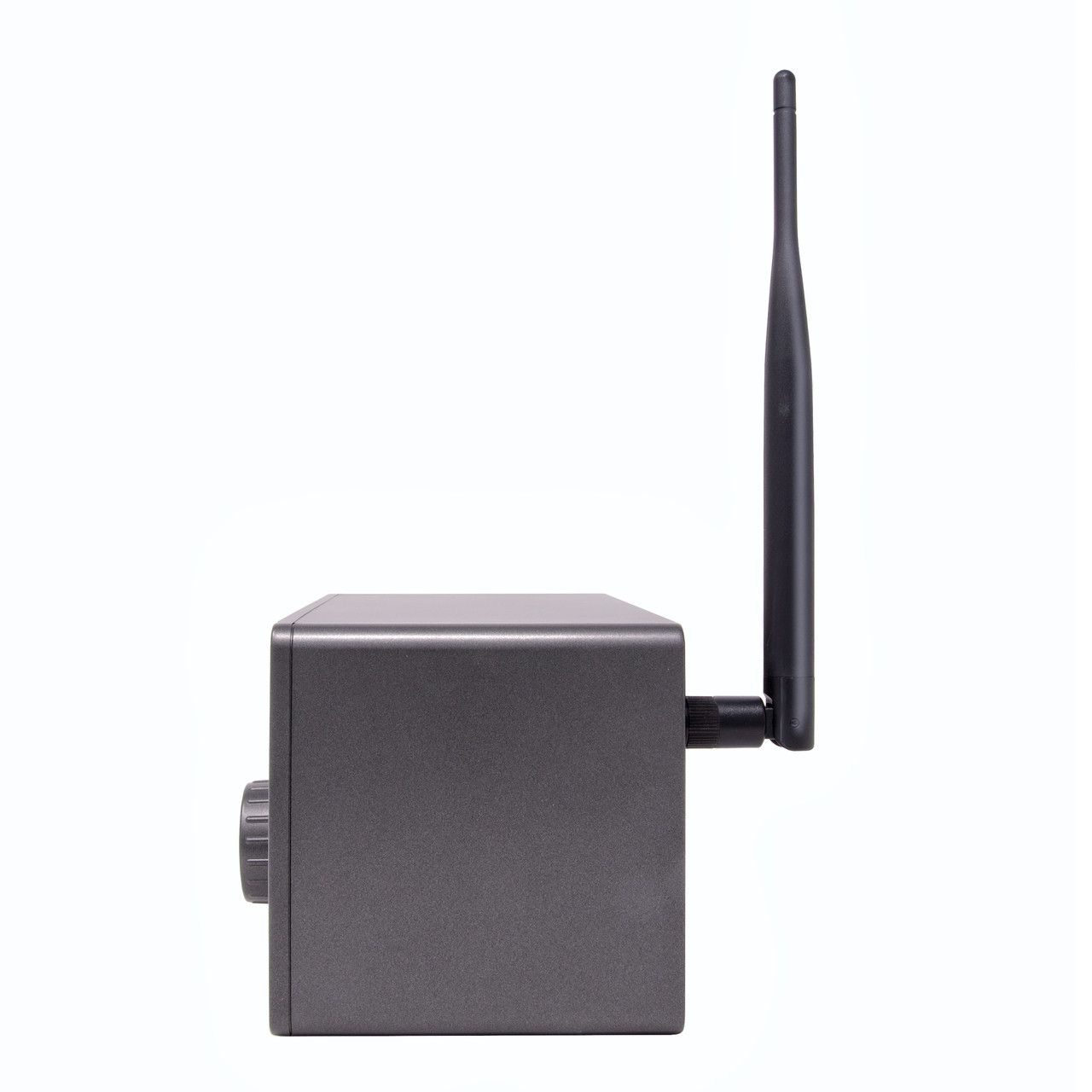
Setting up the CCWiFi3 is super easy: attach the antenna, plug in the external power supply. It will then warm up, and the display will ask for your preferred language. Make your selection, push in the central knob to confirm it, and the CCWiFi3 will then search for WiFi networks. Select the one you want, put in your password (using the central knob to select and confirm the letters and numbers), and you are good to go. (A tangential but important note: the unit is very light, so moving it from room to room, so long as you have a place to plug in the power supply, is no big deal.)
In a sense, the hardest thing about using the CCWiFi3 is choosing from the dizzying number of stations available. At the top of the menu for internet radio stations is: Most Popular (US), By Genre (World), and By Location. Click on any one of these, and you begin drilling down into the possibilities. For example, click on By Location, and your next set of choices includes Africa, Americas, Asia, Europe, Internet Only, the Middle East, and Oceania. Click on Oceania, and up pops a list beginning with Australia, Bermuda, and the Cook Islands. Want to hear news/talk in Finnish? You can. The possibilities seem endless.
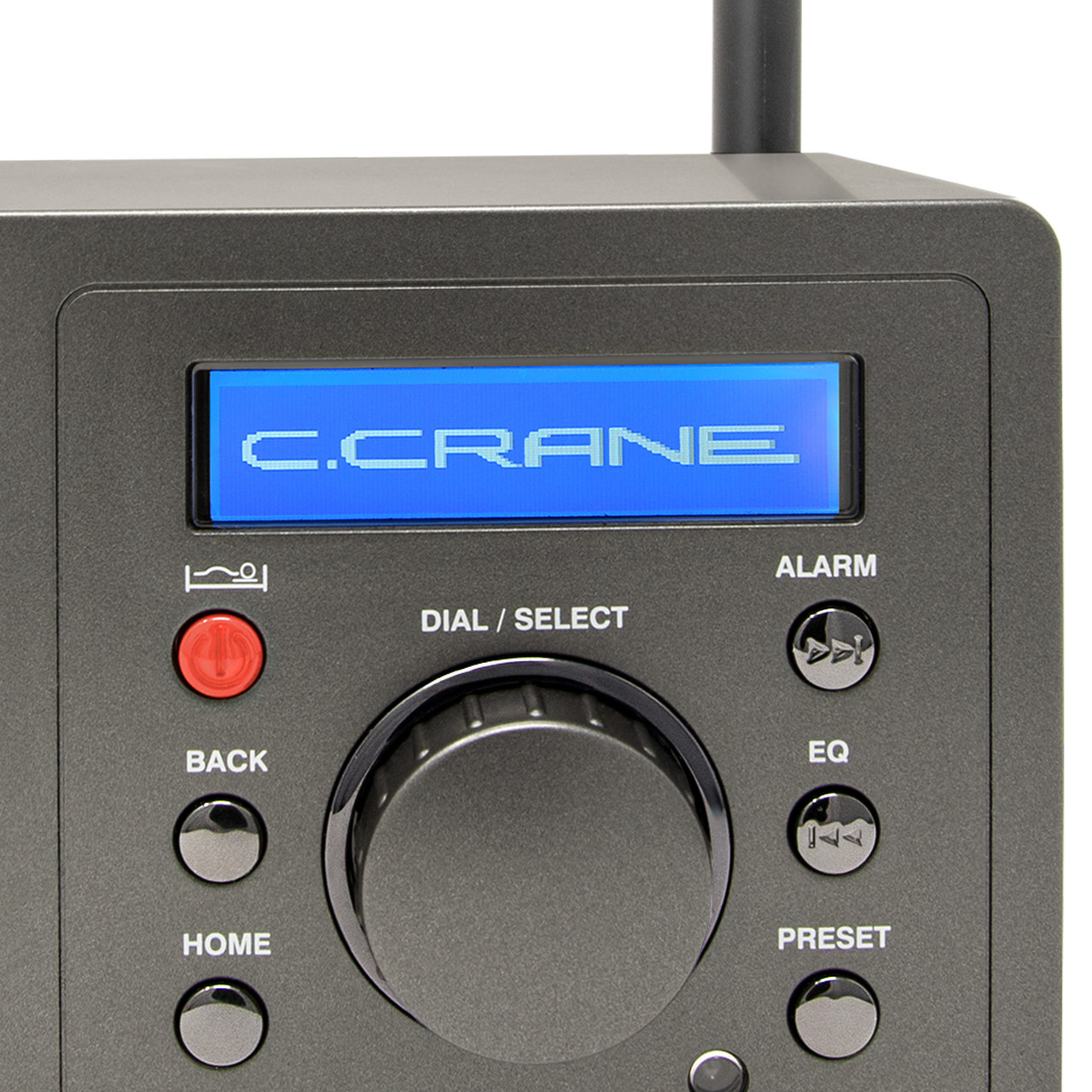
I clicked on By Genre, then Talk-based, scrolled down to Old Time Radio and Suspense, and within minutes had Amazing Tales, Western Old Time Radio, and the Best of Art Bell saved to my station presets. You can access 10 easy presets using the remote and over 100 presets in the sequence list. As is typical of CCrane, the manual is clear, well-written, and easy to follow.
Even better, the audio coming through the speaker or headphones is pleasant.
Don’t get me wrong: I still love my antenna-to-antenna radios, but whenever you have the itch for something different from the radio, the CCWiFi3 delivers almost endless possibilities in a way that is enjoyable, easy to operate, and pleasing to the ears.
UPDATE: A couple of additional comments that I was unable to post until now.
1. Using the CCWiFi3, on St. Patrick’s day, I was able to hear Irish fiddle music, direct from Ireland on Radio Siamsa. The station’s website says: Radio Siamsa is the only Irish radio station specializing in traditional Irish music, with no ads and high-fidelity sound. Listen to Irish tunes and songs from Dublin, 24 hours a day, on your smartphone, tablet, or Amazon Echo device.
2. There is a function on the CCWiFi3 that allows searching by keyword. It’s a little clunky, since you have to select each letter separately using the main dial, but a search for “bluegrass” quickly turned up a couple of dedicated stations that had me happily enjoying banjo, guitar, fiddle and mandolin. That puts a smile on this old banjo picker’s face!
I have a CC WiFi 3 on my nightstand and use it every night. I had one of the original non 3 versions with the Reciva aggregator. When that went belly up CCRANE offered me a steep discount on a CC WiFi 3. I jumped on the offer and had a new “radio” in a few days from California. There was a slight learning curve from the other platform but nothing too terrible. It’s hard to believe that was five years ago. I really like the full size remote control as opposed to the smaller credit card format of the old radio. I’ve been a big Art Bell fan ever since the 90’s. I was very happy to see a couple of streams available to listen to his archived programs. With the CC WiFi 3 I can easily set a sleep timer that shuts the radio off after I fall asleep. I do have one small gripe about the new radio vs the old. The old radio had a “media player” that could connect to my UPnP server. I had hundreds of Old Time Radio shows that I could access with the old radio. The 3 did not include that feature. But I’ve learned to live without it.
Tom G. NM,
Thanks for your comments!
Cheers, Jock
I’m an audiophile but I like this radio. A lot. I don’t usually like things that are technology oriented because I’ve been burned by obsolescence many times (including my 2015 Chevy) but I hope that this one stays around for awhile. I managed to fill up the 100 presets before making it through my initial experience with Skytune using my computer. The only improvement I could ask for would be to have a battery powered option. I love having this radio in my shop and have it running through my 70’s amp/receiver but the plug location is out of the way to keep the dust off of the equipment so it’s not convenient to move the radio around.
Tom W.,
I agree, the option to operate off batteries would be a welcome addition.
Thanks for your comments.
Cheers, Jock
I enjoyed the review.
I worried about “getting stuck with an orphan,
but the skytune FAQ says:
Moreover, Skytune radios have the unique feature that allows you to add new radio statoins by supplying the stream URL and the station name such that your radio will work even if the Skytune server goes out of service. As long as you supply it with valid stream URLs, your radio will continue to work throughout its hardware life.
I would feel even more assured if it could “smartly” pull feeds from MIT’s
https://radio-locator.com/
or make an A.I. search itself
Hank,
Thanks for your comments.
I agree with you about the AI search, and it’s great that stations can be added manually.
Be sure to check out the two additions that I made to the post at the end.
Cheers, Jock
I own several internet radios: The CCWiFi3 you reviewed, a Choyong A8W, and an Ocean Digital WR-26. All work well.
But the CCWifI3 is an ergonomical disaster: when you push the red button to turn it on or off or to set the sleep timer, it slides away from you unless you grab it with both hands! Other than that, it’s a fine radio. However, I much favor the Choyong A8W (one-third the price of the CCWiFi3). It uses voice recognition to find your station. Just speak “Bluegrass” and it presents you with a long list of such stations, likewise “CBC Radio Canada”, or anything else you want. It even found the American Forces Netwwork (AFN) stations in Europe, all at the sound of my voice! Also, it treats Podcasts separately from radio stations, and again finds them according to your voiced query.
Vic,
Thanks for your comments.
I have not had the problem of the CCWiFi3 sliding away when I push the red button, but perhaps my table is less slippery than yours.
However, the voice recognition station search sounds very useful indeed!
Cheers, Jock
I have both a Roku and a Google TV device connected to my TV. There are numerous internet radio apps available for both devices. So I can try different apps to find one with a UI that I like. Which means that for me, internet radio is a zero-cost addon for equipment that I already own. And it’s an addon which allows me to select my preferred UI as opposed to a dedicated piece of hardware with a single unchangeable UI.
Dennis,
Fair enough.
Being a certified oldster retrocrank, I don’t have a smartphone or the TV devices you mentioned.
I found the CCWiFi3 a pleasant device to use.
Cheers, Jock
I won’t buy this type of radio receiver! Why?
In 2015, I bought a PIONEER X-HM72-S mini stereo system [Stereo system with Bluetooth and Wi-Fi connectivity, web radio, etc.].
Ten years later, PIONEER cut ties with vTuner [Internet radio station aggregator] and completely abandoned its customers! A real scandal… No more access to Web Radios with my PIONEER X-HM72-S mini stereo system!
Fortunately, thanks to Bluetooth connectivity, I can still use it…
Remember:
https://swling.com/blog/2020/11/the-reciva-internet-radio-station-aggregator-closing-down/
https://swling.com/blog/2019/05/wifi-radio-dave-experiences-aggregation-aggravation/
https://swling.com/blog/2019/05/frontier-silicon-and-vtuner-aggregation-aggravation-continues/
https://swling.com/blog/2021/03/reviewing-a-pilot-c-crane-cc-wifi-3-and-taking-a-closer-look-at-radio-station-aggregators/
If it’s working for you and you’re happy … more power to you!
For me – Minority view.
As a previous owner of the granddaddy of all these devices, the original Logitech Squeezebox, I have long soured on the value of investing in a dedicated _device_ to stream audio over WiFi. Back then, there were far fewer choices, and the devices in recent years that look like actual radios and also support some kind of over the air broadcast reception, does sweeten the pot – but not for me.
Historically this market segment has been too dependent on the contracted content aggregators which can come and go, leaving some who have invested in their hardware the owners of an expensive doorstop. Check back on earlier threads here for the gory details of Frontier Silicon.
I have come to use mobile devices and tablets as the content sources, as there are literally dozens of streaming providers and radio stream aggregators that suit my needs. One goes belly up? No big deal, there are 50 others. Just download the app to an older decommissioned smartphone that I have running on WiFi for just this purpose.
For output, I marry the signal source to an AC-powered Bluetooth speaker. Right now I am using the 50-watt Majohun MJH-D01. It is a visual clone of the Marchall Acton III at half the price, and comes out of the OEM factory that LG uses for audio devices:
https://www.amazon.com/Bluetooth-Speaker-Vintage-Control-Speakers/dp/B0FNBV34N6?th=1
Mike_S,
Thanks for your comments.
Cheers, Jock
Well; what the heck ? This is just another wifi radio. There are hundreds of models around. Why a special mention to this one ?
Jacques,
Because I used it and like it!
Cheers, Jock
To be fair, by that logic, there’s thousands of AM / FM / SW / Weather / Air / SSB / USB / DAB(+) / DRM / Other radios around in any combination. Why mention or review any of them? 😉