Category Archives: Radios

This BBC radio adapts programming to match your environs

Thank to SWLing Post reader Mike for passing this along. The possibilities of adaptive radio broadcasts in distance learning alone are most inspiring:

(Photo: BBC Technology; Greg Povey)

(Photo: BBC Technology; Greg Povey)

(Source: BBC Technology)

A radio that is able to change a broadcast depending on where you are and what you are doing has been demonstrated by the BBC.

The Perceptive Radio, produced by the corporation’s Future Media North Lab, is thought to be a world first.

The team produced a computer-generated radio drama where the script altered depending on factors such as weather.

The device was shown off at the Thinking Digital Conference in Gateshead.

The proof-of-concept drama, which used a computer-generated voice for one of the characters, could adapt on the fly according to data pulled from external sources.

For instance, it could make reference to local places which would differ depending on where in the world you were.

Or it would mention weather conditions that were dependent on what was happening in the real world – such as replacing the phrase “it’s sunny outside” with “it’s raining”.[…]

Continue reading on BBC Technology.

Introducing EARL: a rugged, solar-powered GPS and Android tablet with built-in shortwave radio

Earl

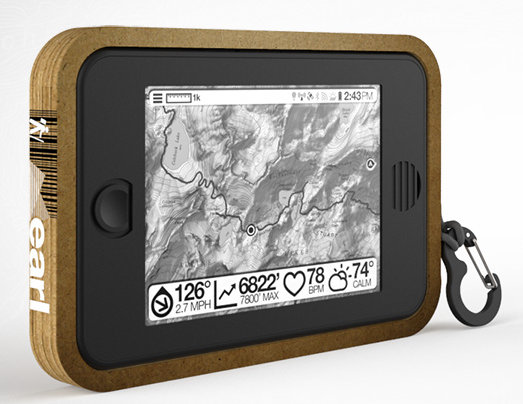
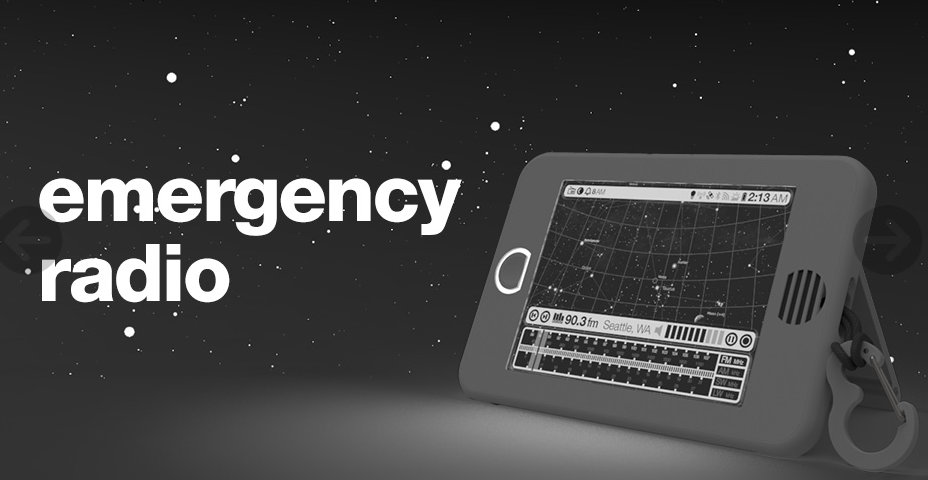
The Earl Backcountry Survival Tablet

A good friend recently introduced me to the Earl Backcountry Survival Tablet; a crowd-funded project that may very well come to fruition.

What makes this tablet really stand out are its impressive list of features which are all based on outdoor survival/adventure. Features include:

  • A rugged, waterproof/weatherproof body; IP67 rated!
  • Built-in solar panel
  • 20 hour battery life
  • An E-Ink, touch sensitive display screen
  • An excellent GPS chipset
  • ANT+ and Bluetooth 4.0 connectivity for devices to measure heart rate, pace and cadence
  • Android Beam technology
  • Built-in thermometer for measuring temperature, hygrometer for measuring the water density of air (humidity) with dew point, barometer for measuring air pressure and altitude and an anemometer (micro hot-wire) for measuring wind speed
  • A two-way radio featuring a FRS, GMRS and MURS transceiver. Earl can send secure text or voice messages via Walkie-Talkie; transmit weather, location, and route information
  • An eReader
  • A radio receiver that covers AM (medium wave), FM, LW, NOAA weather radio (North America) and Shortwave
  • Much more: check out the Earl project page

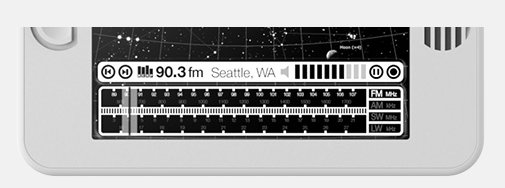
EarlRadioOf course, I’m very interested in Earl’s receiver. Not only does it cover shortwave, but it covers a very wide frequency range (2.3 – 21.85 MHz)! Most impressive.

I don’t expect Earl to be a fantastic performer on the shortwave and medium wave bands–I doubt it’ll compare to the PL-390, for example– but perhaps it will be good enough to hear the major broadcasters. An inductively coupled loop antenna may help on AM (medium-wave). A port for an external SW antenna, would be a major plus.

Better yet, with the right Android app, I bet Earl could decode VOA Radiograms on the fly. Imagine being miles away from civilization, far out of reach of 3G/4G mobile systems, yet you’d be able to receive your news on your eReader over the shortwaves.

A dream? Perhaps, but one that’s well within grasp.

Pre-ordering/Backing

EarlRadio2At time of posting, Earl is 90% funded. You can pre-order Earl for $249 US–a 30% discount from projected retail. (A price that is only $100 more than a Sony ICF-SW7600GR.)

I just pre-ordered an Earl. I will plan to give a full review here on the SWLing Post. They expect to ship production units in August 2013. If they don’t receive funding, all pre-sales purchases will be refunded in full.

If you would like to back this project, check out Earl’s full list of features and pre-order on their website: http://www.meetearl.com/

CommRadio offering sale on CR-1 for a limited time

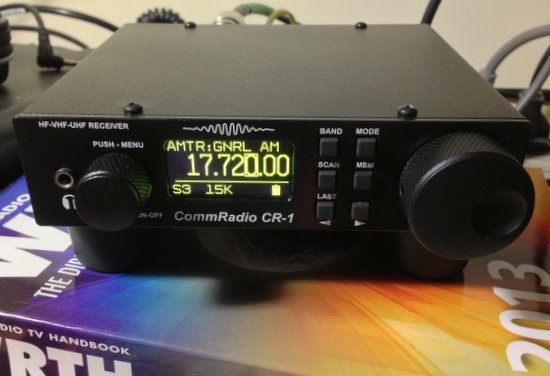
The CommRadio CR-1 is on my test bench, ready for review. (Click to enlarge)

The CommRadio CR-1 sitting on my test bench, ready for review. (Click to enlarge)

Gary writes:

There is a limited time sale on the CommRadio CR-1 communications receiver. I received this offer via email today.

CommRadio is offering a SPECIAL SALE through Sunday, May 26th, 2013

Purchase a CR-1 Communications Receiver, with the battery included for free, PLUS take an additional $20 dollars off.

This is a one time DEAL – $480 Dollar Special

The CR-1 will then go back up to $500 until June 4th. Starting June 5th it will go up to $599.

This is your chance now to save with the promotional price.

Terms and Conditions:
One coupon per customer
You may only use it once.
This offer is only for US and Canada shipments.

Expiration day: May 26th 2013

COUPON CODE: CR1SPECIAL
(Enter at check out)

http://www.commradio.com/

Thanks, Gary, for the tip! I’m in the process of reviewing the CR-1 right now. Check back soon!

A review of the Lowe SRX 100

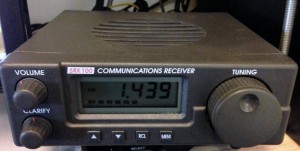
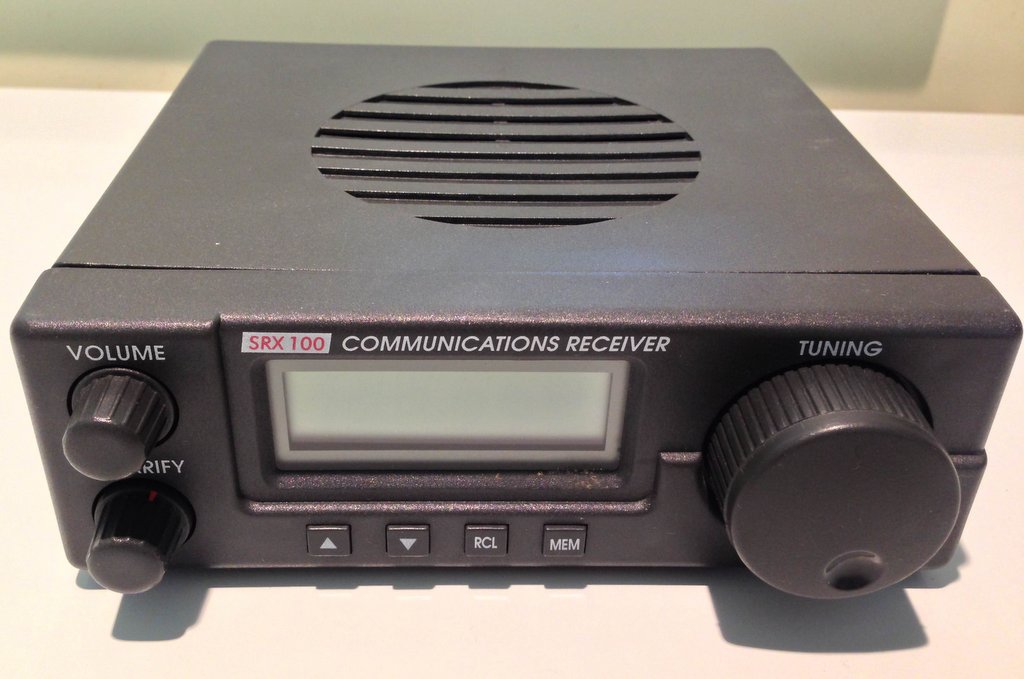
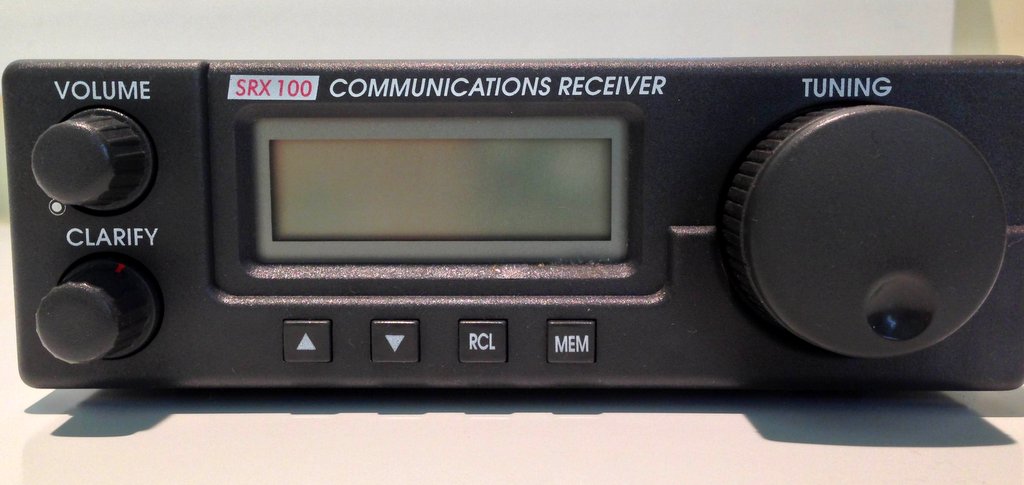
The Lowe SRX 100 shortwave receiver (Click to enlarge)

The Lowe SRX 100 shortwave receiver (Click to enlarge)

I recently had the opportunity to spend some quality time with the Lowe SRX 100 (a.k.a., Target HF3, AKG HF-3, and Garex HF-3), a receiver produced in the UK around 1995-96. It’s not know for being a DXing machine, but virtually any Lowe product has a certain nostalgia factor, not to mention, collectability factor. As you can see in the photo on the right, the SR 100 is a very simple receiver, and as such, it’s just the type for which I have a personal affinity.
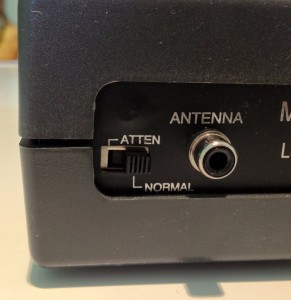
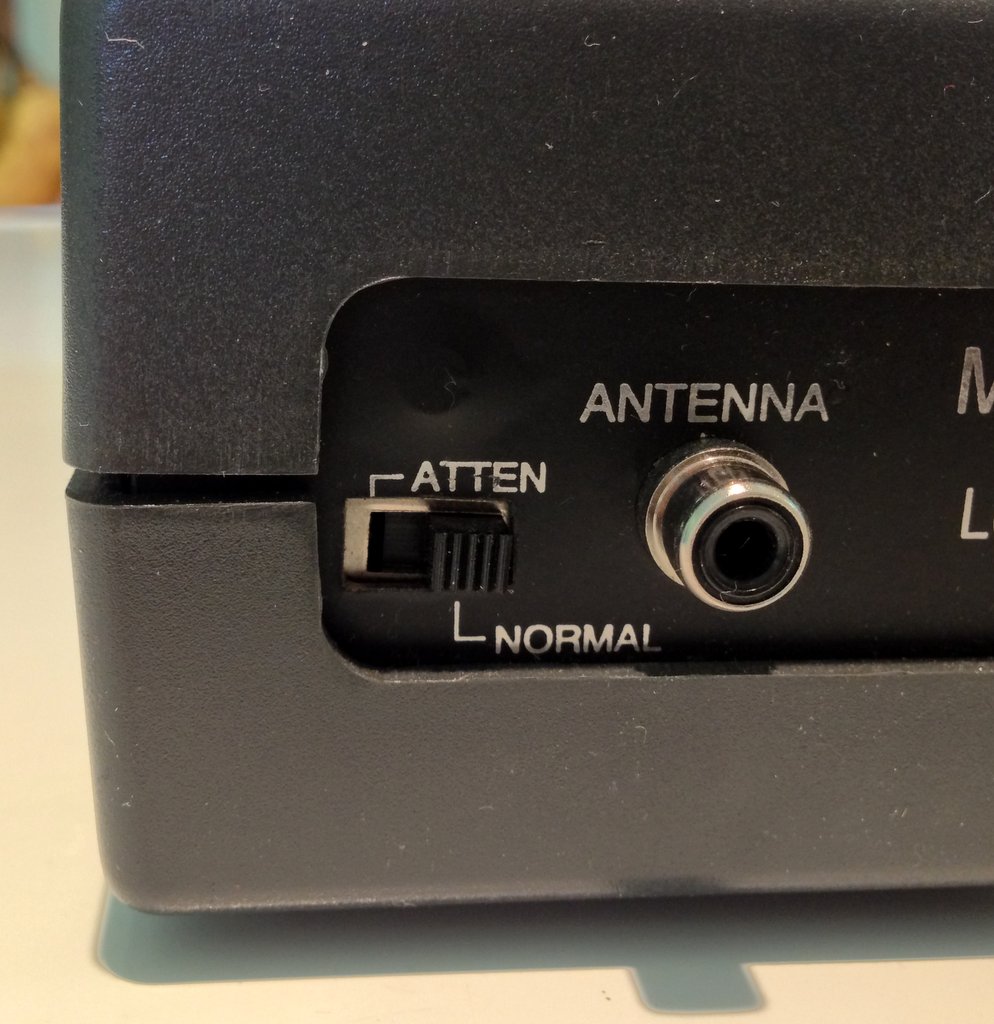
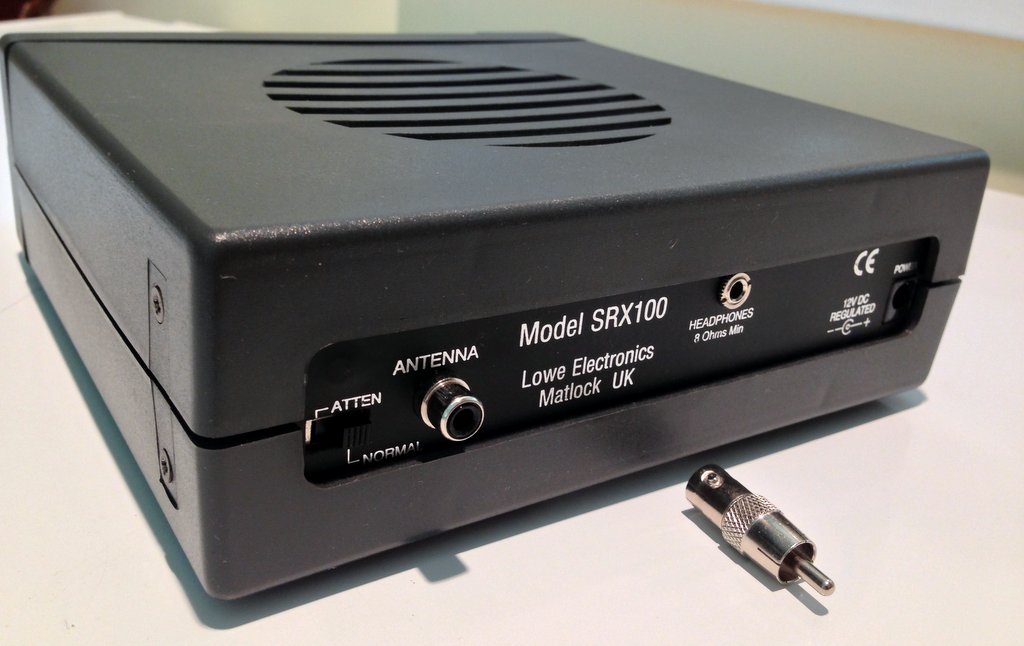
The antenna connection and attenuation switch on back panel of radio. (Click to enlarge)

The antenna connection and attenuation switch on back panel of radio. (Click to enlarge)

When I first brought the SRX 100 home and hooked it up, I used the supplied 10 meter antenna wire that Lowe shipped with all of these units when new. The antenna wire has the correct fitting for the antenna connector on the receiver:  an RCA type connector, instead of the more common SO-239 or BNC.  A bit strange. But nonetheless, I hooked it up, plugged in the supplied AC adaptor, and turned on the radio…to find I received nothing but loud static. I live in a fairly RFI-free house and area, but the supplied antenna was so good at receiving noise that I thought the receiver was “deaf” and broken. I decided to give it another chance:  I took the SRX 100 into my radio room and hooked it to my large, external horizontal loop antenna; lo and behold, it came to life!  Needless to say, it was a relief.  (I later learned that many others have experienced this symptom with the supplied antenna.)
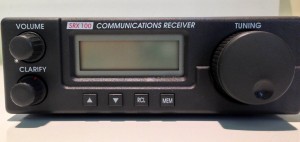
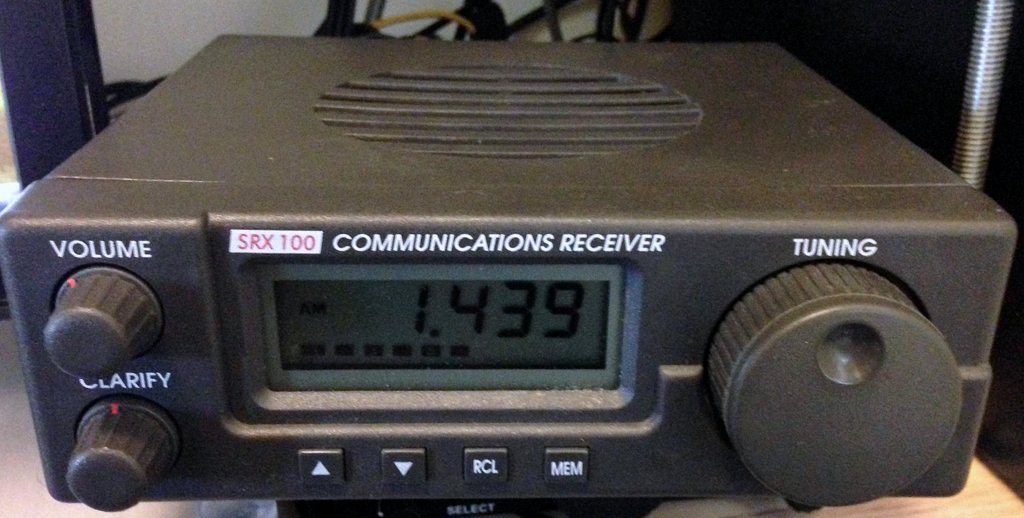
(Click to enlarge)

(Click to enlarge)

Basics

The SRX 100 receiver coverage is from 30 kHz to 30 MHz, in one-kHz steps. The receiver is a dual-conversion design with the first intermediate frequency at 45 MHz, and the second at 455 kHz. During the past two months of use, I have noticed no serious overloading.

The bandwidth, however, is fixed in AM and SSB–there are none of the wide and narrow settings we’re used to seeing on modern portables, let alone tabletops. I found, though, that for broadcast listening, the AM filter is near ideal so long as no adjacent signals are present. In crowded conditions, you can tune off-frequency to decrease interference unless your desired signal is sandwiched between two others.

The sound quality is a major plus. My unit reminds me very much of the mellow sound I got out of my Palstar R30C; it has almost a tube-like quality.  And in my book, that’s a huge compliment.

Tuning around
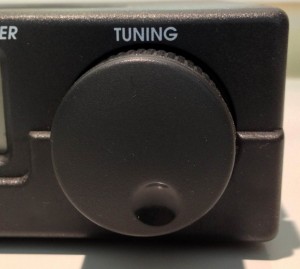
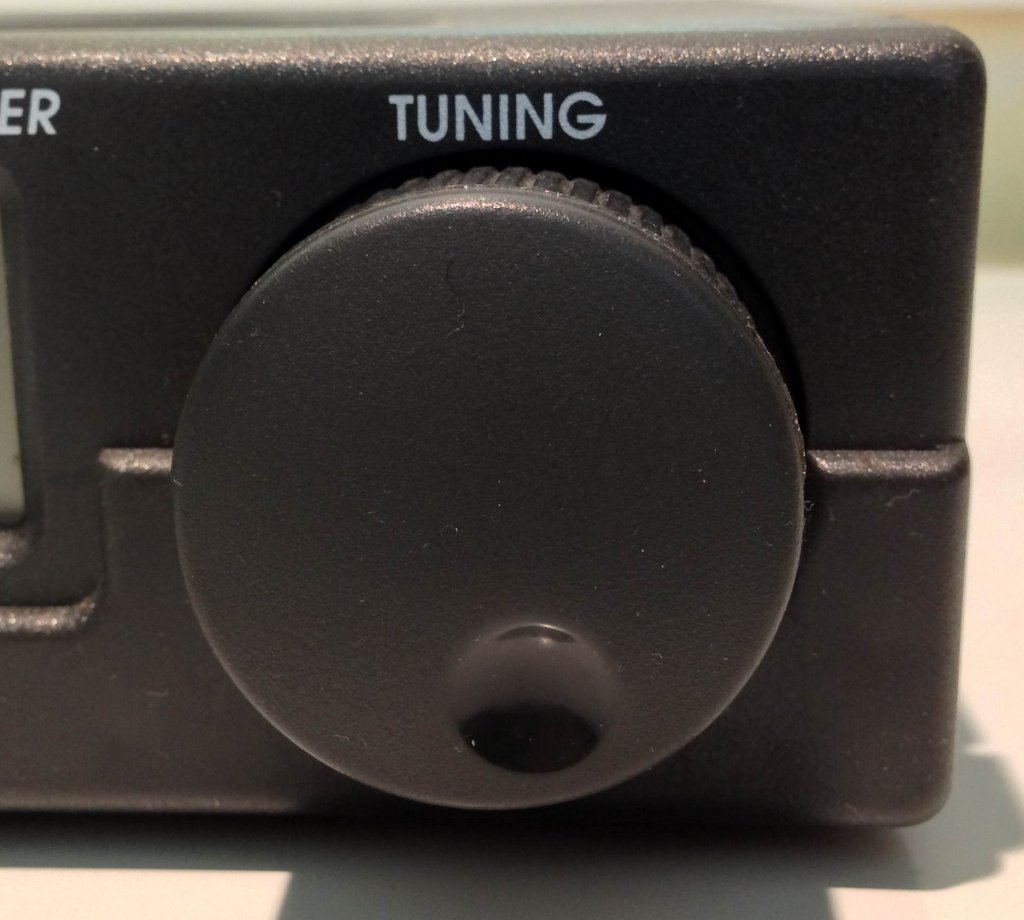
photo_4As simple as the Lowe SRX 100 is, tuning it can take practice. First off, the tuning knob is substantial, with a weighted feel–it spins freely and hints of quality workings within.  The actual tuning encoder, moreover, is quite clever.  I thought it odd that this radio had no band switching–to permit moving from meter band to meter band, or even in 1 MHz increments–instead, it is adaptive, something I hardly recall in a receiver from this era. If you tune the SRX 100 slowly, you will move in 1 kHz increments; speed up, and you can skip in steps of 10, 100 or 1,000 kHz steps. So, if I wanted to move from the tropic lower bands up to 11 meters, one really quick spin will get me there in a second. While this seems intuitive, in practice, any jerky movement of the tuning knob will shoot you right past the desired frequency into the hinterlands.

Also, 1 kHz increments in single side band can seem like a large tuning step on a modern tabletop radio.  The SRX 100 gets around this with its “Clarify” knob, which allows for fine tuning. The LDC display, though, does not reflect any incremental changes with the clarify knob.
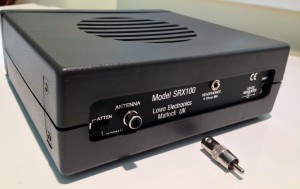
Back panel of the Lowe SRX 100 and RCA to BNC adapter (Click to enlarge)

Back panel of the Lowe SRX 100 and RCA to BNC adapter (Click to enlarge)

Sensitivity-wise, the Lowe SRX 100 is quite respectable in the lower bands, but above 15 MHz or so, started to drop off a bit. Selectivity-wise, you will have no contest grade receiver here. For most broadcast listening, it does quite well, even on medium wave.  But on SSB, it’s simply disappointing in crowded conditions. Forget CW listening unless your “internal filter ” (your brain/ears combo) can cope with multiple signals at once.

Every receiver has pros and cons; I started noting them from when I first tuned on the radio:

Pros:

  • Simple design–even grandpa can figure out these controls without cracking open the manual
  • Nice weighted tuning knob
  • Easy to read LCD display (see con)
  • Tuning rate is adaptive to spin rate of tuning knob
  • Pleasant, mellow audio from its built-in speaker, reminiscent of the Palstar R30 series
  • Compact size for a tabletop receiver
  • 12 VDC power supply and current are only at 300 mah
  • Sturdy metal chassis and build quality excellent
  • Attenuator switch (Con: on back of unit)
  • Even at time of production, this was a relatively inexpensive tabletop with reasonable performance for price

Cons:

  • No adjustable bandwidth
    • SSB bandwidth too wide for listening to CW if any adjacent signals are present
    • AM too wide if competing station within 5 kHz of either side of desired carrier
  • No back lighting on display (see pro)
  • Clarifier only marginally effective on SSB signals
  • Only 10 memory positions
  • Adaptive tuning rate takes practice to become fast and accurate (see pro)
  • Non-standard RCA type antenna connector (will require an adapter for most people)
  • Supplied 10 meter length of antenna wire with RCA plug is useless in most environments
  • No bail

photoSRX100FrontPanelSummary

This is a fun little radio!  Even thought it’s a tad quirky, it may just be the best shortwave radio for an armchair shortwave radio listener, someone who wants an uber-simple design and small footprint. If you find used one on eBay, or with a company like Universal Radio, it may make a nice working addition to any shortwave radio collection.

Confessions of an SDRaholic: when 4.5 terabytes is not enough

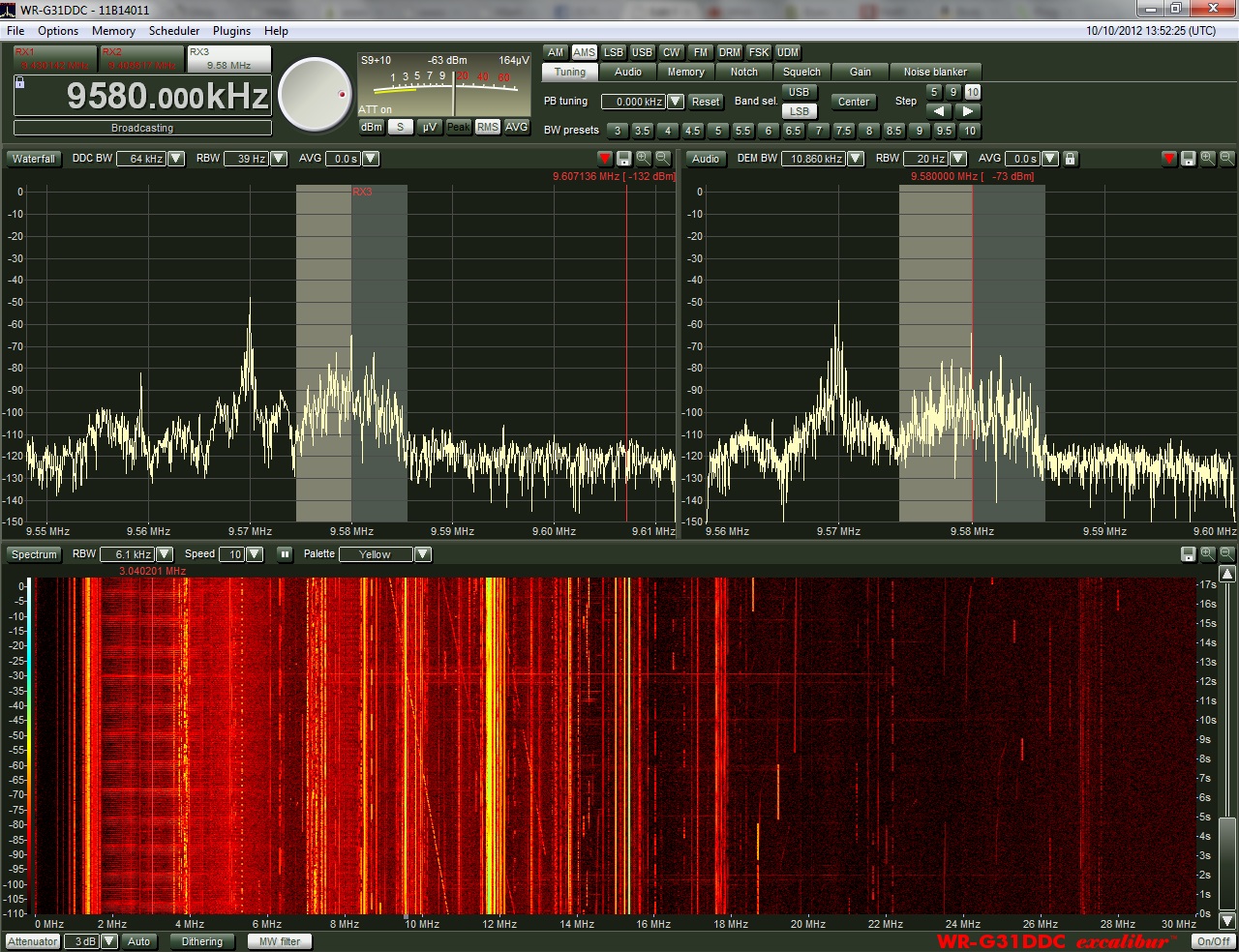
WinRadioExcaliburFullScreen Alas, ever since I started using Software Defined Receivers (SDRs) last year, I’ve found that I fill up hard drives faster than I can buy them. As you may have noted, I like to make spectrum recordings–especially during the night-time hours, as I slumber. The following morning, upon waking, I’ll “tune” through, say, the 31 meter band as if it were live. What makes it even more amazing for me, is that I can fast-forward through time and scan for DX stations even more quickly.  Great fun–highly addictive.  And did I say, space-consuming?

On my WinRadio Excalibur, I find that I use about 4 gigabytes of hard drive space for a one-hour-long spectrum recording, 100 kHz wide. Of course, if I were to record a 2,000 kHz (2 MHz) chunk of spectrum, it would chew through 4 GB in, roughly, 3.5 minutes.

Fortunately, I rarely ever record spectrum that wide. I find that the maximum width I ever record is 1.25 MHz, which I reserve for occasions once in a blue moon. Most of the time, I stick to 100 kHz-160 kHz widths.

After I record a chunk of spectrum, I usually listen to it, create an AF recording of anything of interest, then delete it from my drive. You’d think this would effectively keep my hard drive cleared out, ready to receive the next installment? Not so. Well, at least, not in my undisciplined SDR beginnings.

The flaw in my logic

Quite often, I make spectrum recordings while traveling, and do so remotely (using TeamViewer to control my PC). In the past eight months, I’ve done a lot of traveling. When I return from a trip, I find that I’ve often amassed a sizable collection of spectrum recordings. Upon returning from travel I also find (not surprisingly) that I’m typically busier than normal, catching up with email, phone calls, and delayed appointments. Thus, I never quite get around to reviewing–and therefore deleting–these files. Most of the spectrum recordings taking up space on my internal drives are those I’ve recorded remotely.

Last year, I thought I’d solve the space problem on my ailing laptop by purchasing a dedicated tower PC (Core i5) maxed-out with RAM and with a 1TB internal (7200 RPM) hard drive. This particular Gateway PC also has a bay that accepts cheap internal SATA drives; I simply insert an internal SATA hard drive in the ejectable bay, load the drivers, and it’s good to go. When I purchased an additional 2 TB SATA drive for spectrum recordings, I thought I would be set for years to come…Ah, how the mighty crumble…

As I write this today, I find I only have a total of 350 GB available on my PC. I’ve also filled an entire 1.5 TB external hard drive with recordings I plan to archive and share with a fellow SWLer.

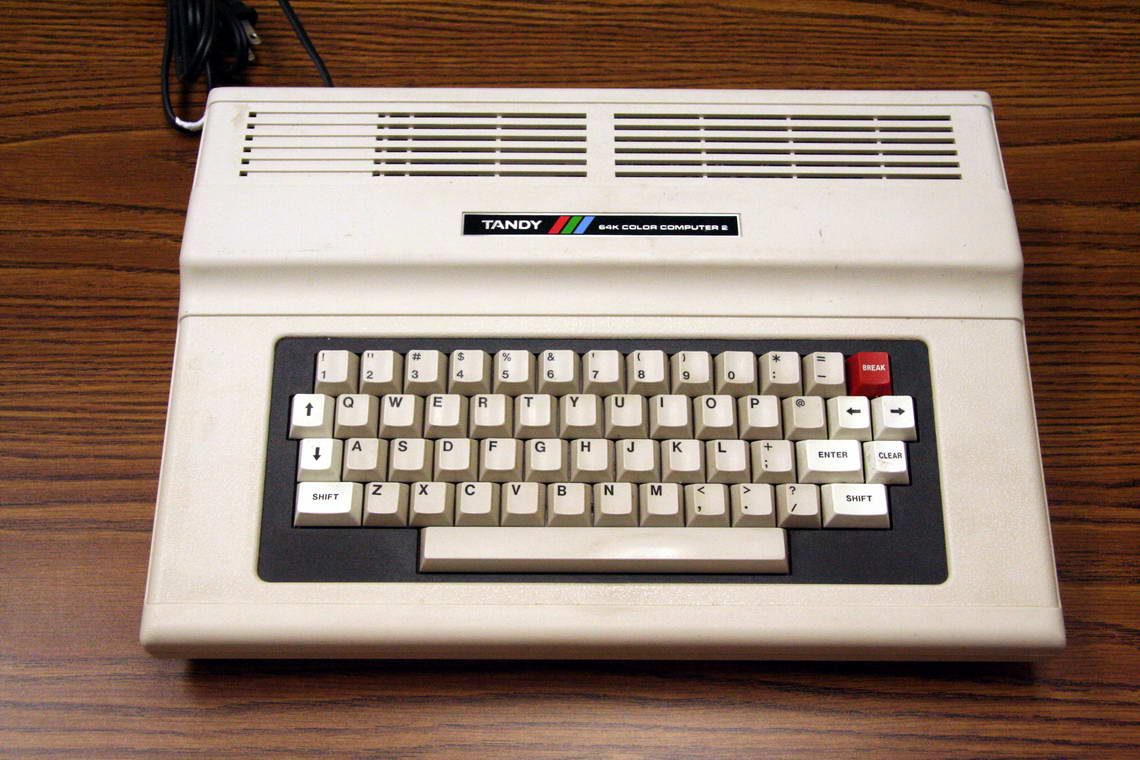
The Tandy Color Computer 2 (or, "CoCo 2") was my first personal computer. (Image: Wikimedia Commons)

The Tandy Color Computer 2 (“CoCo 2”) was my first personal computer. (Image: Wikimedia Commons)

My, how times have changed

Reverse to the 1980s:  When I was ten years old, I thought my Tandy Color Computer 2 was the best thing since sliced bread.  Its 16 kB was surely plenty of memory for whatever I wanted to do, and the cassette tapes I used as a form of external hard drive gave me the certainty of a virtually limitless supply of memory.

Today, I doubt I could make an intelligible MP3 recording, even with aggressive compression, that would fit a 16 kB file size.

Facing the truth

The frank fact is that I’ve gotten much better at managing hard drive space, now that I’ve been doing spectrum recordings for more than a year. I shouldn’t need to buy additional hard drive space unless it’s specifically for archiving/sharing purposes. I just need to regularly face the music (or static)–dig through spectrum recordings made last year, and delete those I no longer need.

How do I manage space now? Here are my tricks for staying on the wagon, and saving both space and time:

  • Use the minimum amount of bandwidth possible while making recordings
  • If possible, have your SDR parse files into 2GB chunks. This makes it easier to delete sections of recording that are no longer needed without having to delete the entire recording. Happily, the WinRadio Excaliber allows for this.
  • Each time you create a new spectrum recording, have it saved into a specific directory with a label that will help you identify the contents.  For example, “Saturday Night Pirates” or “31 M Tues AM.”
  • Use Notepad or any simple text application and create a log sheet for the spectrum recording; make notes, then save it in the same directory as your spectrum recording.
  • When saving MP3/WAV files, use a standard file-naming convention to help you quickly ID a recording (you’ll notice all of my recordings do this). Mine follow this pattern: “StationName-Fequency-Date-StartingTimeInUTC.mp3” –e.g., “RadioAustralia-9580kHZ-05Feb13-1000Z.mp3”
  • Delete unwanted spectrum recordings as soon as you decide they are not worth keeping. If you wait a few days, you may forget that they’re okay to delete.
  • I also use my Bonito RadioJet for narrow IF recordings (of, say, one station).  It allows me to adjust filters and “tune,” but takes very little hard drive space. The same can be achieved by narrowing your SDR spectrum width to 20-48 kHz.

Are you an avid shortwave/medium wave audio archivist (aka, audio addict)?  What are your tricks of the trade?  Please comment!

New large portable shortwave radio in the works?

(Source: bbs.tecsun.com.cn)

(Source: bbs.tecsun.com.cn)

Gary writes:

It looks like a new, large portable radio — along the lines of the Redsun RP2100 — is on the way. At least this one includes a direct-entry keypad and SSB, like the RP3100 is supposed to.

http://herculodge.typepad.com/herculodge/2013/04/another-large-portable-all-band-radio-to-be-released.html

I hope they can do good QC, and keep the sample to sample variation low.

Thanks, Gary. It does look like a variation of the of the RP3100. Sounds like it’s not a Redsun product, but may have been ported from one of their engineers for JiDian. It certainly has the trademark look. If this is true, there’s a possibility that C.Crane could bring this to North America. Perhaps it’s the next radio in line to succeed the CCRadio SW?  Though a great radio, the CCRadio-SW is getting a little long in the tooth.

Annual InfoAge Radio Electronics Auction, April 27th 2013

If you live near Wall, New Jersey and love antique radios, this is the auction for you. Proceeds benefit InfoAge, the Radio Technology Museum and National Broadcasters Hall of Fame. View the auction catalog by clicking here, full auction details below:

This beautiful BC-654-A is just one of the antique radios up for auction.

This beautiful BC-654-A is just one of the many antique radios on the auction block.

(Source: NJARC Press Release)

ANNUAL INFOAGE RADIO ELECTRONICS AUCTION

Saturday April 27, 2013

InfoAge Science History Learning Center and Museum
2201 Marconi Road
Wall, New Jersey 07719

Huge Radio/Electronics Auction Conducted By The
New Jersey Antique Radio Club and The Radio Technology Museum

All day sale of vintage radios, electronic test equipment, ham gear, audio equipment, marine radios, military electronics and 1000s of vacuum tubes along with related parts & documentation. Large variety of tubes in box lots, groups or singles; many interesting types. Better tubes are pretested.  300 + lots, including many large box lots. Something here for every radio/electronics collector.

Auction Begins at 10:00 AM on Saturday
Viewing is from 8:00 AM to 10:00 AM Day of Sale

Sale of artifacts and donations excess to the centers needs. Proceeds to benefit InfoAge, Radio Technology Museum and National Broadcasters Hall of Fame.

Auction is indoors with ample seating. Noted radio auctioneer Richard Estes will be wielding the auction gavel. Complete auction catalog available two weeks prior to sale. Terms are cash or good check, sorry, we cannot take credit cards. 5% buyers premium is charged.

Directions: http://www.infoage.org/visit#directions
Up-to-date Information: http://www.ar88.net/auction.html
Auction Contact: [email protected] or 908-757-9741

Thanks for the tip, Rich!