Category Archives: Shortwave Radio

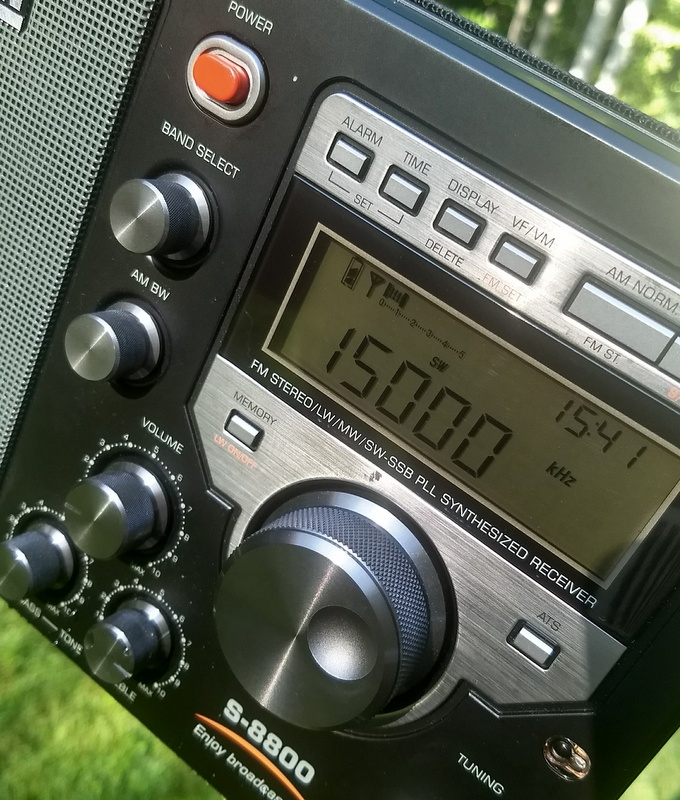
Tecsun S-8800 Hidden Feature: Frequency display calibration

Many thanks to SWLing Post contributor, Dan Robinson, who shares the following procedure for calibrating the Tecsun S-8800. Dan received this procedure from Anna at Anon-Co:

Apparently there is a “hidden function” through which you can manually calibrate the SSB frequency display. Please follow the below calibration steps to see if it helps:

1) Turn on the device and set it to USB/LSB.

2) Now press & hold the “AM NORM.” button until you see the backlight blink twice (takes about 2 seconds).

3) Now press & hold the “MEMORY” button, until a certain value is shown on the display, for instance “6829”. This example value refers to a frequency like “xxx68.29 kHz”.

4) If you noticed a frequency deviation of 0.05 kHz up/down earlier, then you can use the main tuning knob to do the calibration. In the above-mentioned example, you would turn the main tuning knob to adjust the value to “6824” or “6834”.

Wow!  Thanks for sharing this Dan!  That’s two posts about S-8800 hidden features in one day. A record for sure!  Readers: please comment if you know of other hidden features.  I’m compiling a full list.
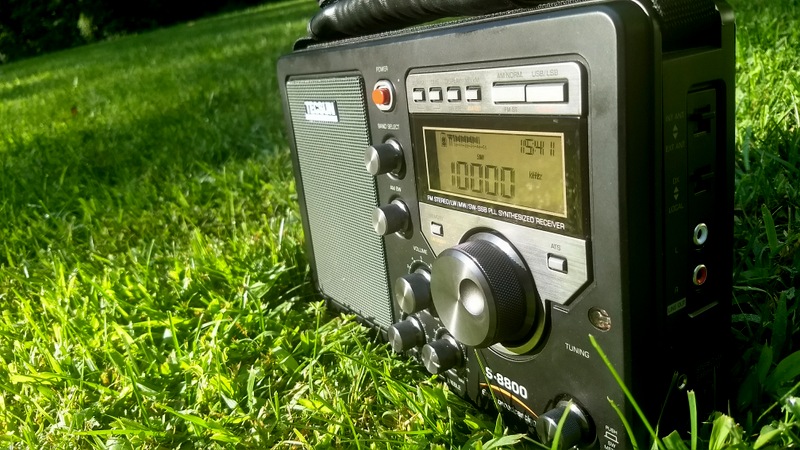
Bill discovers a number of Tecsun S-8800 Hidden Features

Many thanks to SWLing Post contributor, Bill (WD9EQD), who writes:

I’ve owned a Tecsun S-8800 for about eight months and have come to enjoy it more all the time. It, along with my PL-880, have become my main work horses for shortwave listening.

The S-8800 is perfect on the desk connected to a wire antenna and the PL-880 is perfect for carrying around.

Since I knew of the hidden features of the PL-880, it got me thinking on whether the S-8800 had any hidden features.

A quick Google search turned up the following Web Page:

http://swli-05940-mi.blogspot.com/2017/03/tecsun-s-8800-hidden-features.html

I used Google Translate to get a rough translation and then spent some time testing the features out and also just pressing and holding buttons to see if anything else showed up.

Following is what I have come up with:

(Note: some of these are in the manual)

With the radio off

Toggle Longwave on/off: With the Radio OFF, Press & Hold 2

Toggle backlight permanently on/off: With the Radio OFF, Press & Hold 3  – Note that this means the light will be on even when radio is off. While the light does go out when radio is turned off, any operation of a control will turn the backlight on and it will then stay on. Too bad they just didn’t install a slide on/off switch. Plus I know of no way to turn the backlight on permanently without the remote.

Toggle Seconds display on/off: With the Radio OFF,  Press & Hold 8

Displays “0888”: Maybe this is version?: With the Radio OFF,  Press & Hold “Back”

Displays all segments of display: With the Radio OFF, Press & Hold “AM NORM” – Displays all segments of display. Press & Hold again to display “H802”

With the radio on in FM mode

Displays “75US”: With the radio ON, Press & Hold 5

Squelch Setting: With the radio ON, Press & Hold 9 – Range 0-5. Use Tuning Knob to set. Press 9 again to set.

With the radio on in SW/AM mode

Toggles Extended functions on/off: With the radio ON, Press & Hold 4

With extended functions on:

Press & Hold 6 – Toggles DNR (Dynamic Noise Reduction) on/off.

Press & Hold 9 – Squelch Setting. Use Tunng Know to Set. Press 9 again to set.

Squelch ranges:

MW: 0-40

MW with USB/LSB: 0-30

SW: 0-25

SW with USB/LSB: 0-30

So far that’s all I’ve been able to find. Has anyone else found any others?

Post readers: please comment if you’ve discovered other hidden features on the Tecsun S-8800! I’ll compile a complete list and post it separately.

SDRplay releases ExtIO plugin for the RSPduo

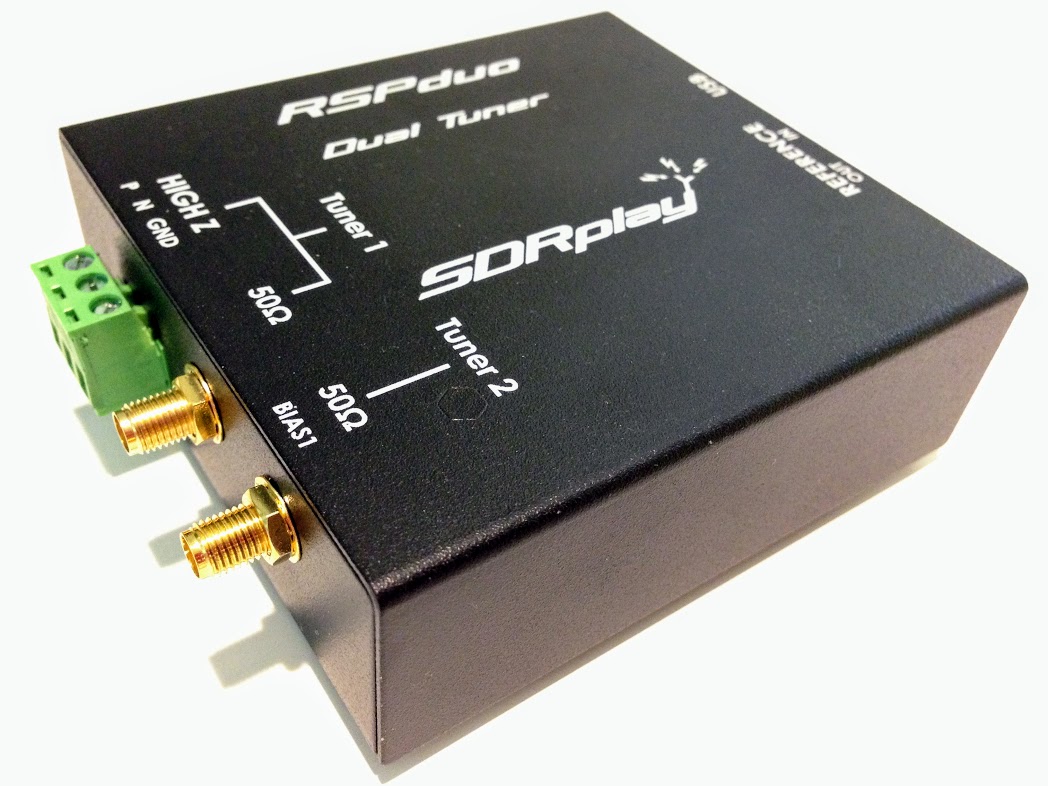
The SDRplay RSPduo

(Source: SDRplay via Facebook)

We are pleased to announce the release of the ExtIO plugin for the RSPduo. This release uses the latest API (v3.01) which is also being updated today. The plugin will work both in single tuner as well as dual tuner mode so multiple applications can use the same RSPduo at the same time.

The plugin installer will automatically install the Windows 3.01 API so there is no need to install it separately.

It will put the ExtIO dll into a default directory (usually C:\Program Files (x86)\SDRplay) and then you should copy that into your application install directory (e.g. C:\Program Files (x86)\HDSDR)

In order to improve the interoperability between this plugin, SDRuno and dump1090, both of those applications have been updated as well. There have been no other functional changes to those applications.

All of the installers can be found on the downloads page (https://www.sdrplay.com/downloads)

Best regards,

Andy.

NIST: Official response to closure questions

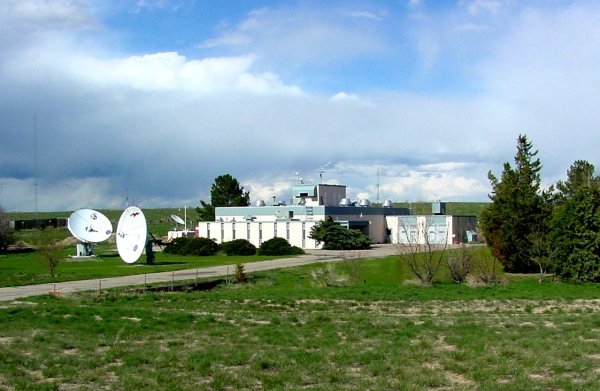
WWV building in Fort Collins, Colorado (photo courtesy: NIST)

I’ve just received the following formal response from the National Institute of Standards and Technology (NIST) regarding the President’s NIST FY 2019 budget request:

(Source: NIST)

NIST has a long-standing history of providing time and frequency services through our radio stations and we appreciate that many people use these services.   NIST’s WWV is the longest continuously-operating radio service in the U.S.  At the same time, the proposed NIST budget for FY 2019 required difficult choices about budget priorities.

The President’s full NIST FY 2019 budget request to the Congress is available at the link below, including a brief description of why the shutdown of NIST’s time and frequency radio stations is proposed. The proposal includes shutdown of NIST’s three radio stations, WWV, WWVH, and WWVB, which communicate with consumer clocks, watches, broadcasting systems and other devices. It is important to note that no changes to NIST services have occurred, and if the proposal were to be implemented, public notice would be provided.

http://www.osec.doc.gov/bmi/budget/FY19CBJ/NIST_and_NTIS_FY2019_President’s_Budget_for_508_comp.pdf. See page NIST-25.  

Here is a link to the NIST Budget Table for the FY2019 Presidential Request.

Also, for context, it may be helpful to view links to press releases issued in May and June 2018 by the U.S. House of Representatives and the Senate Committees on Appropriations about the FY2019 budget process.

House

Senate

This response leaves no room for debate: all three NIST radio stations–WWV, WWVH and WWVB–are included in the proposed cuts.

Of course, we’re following this story closely. Bookmark and check the tag WWV for updates.

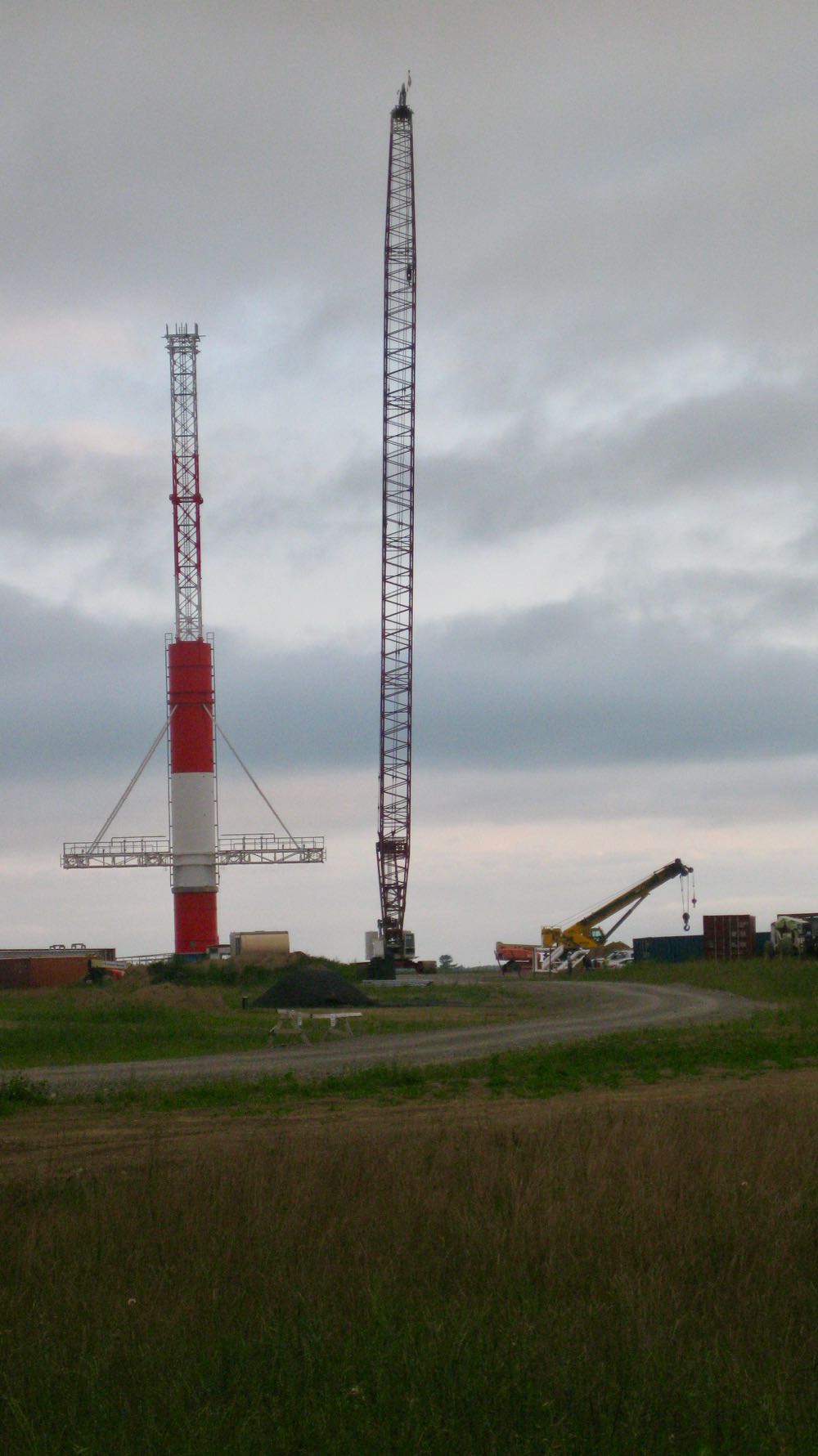
Photos of WBCQ station construction

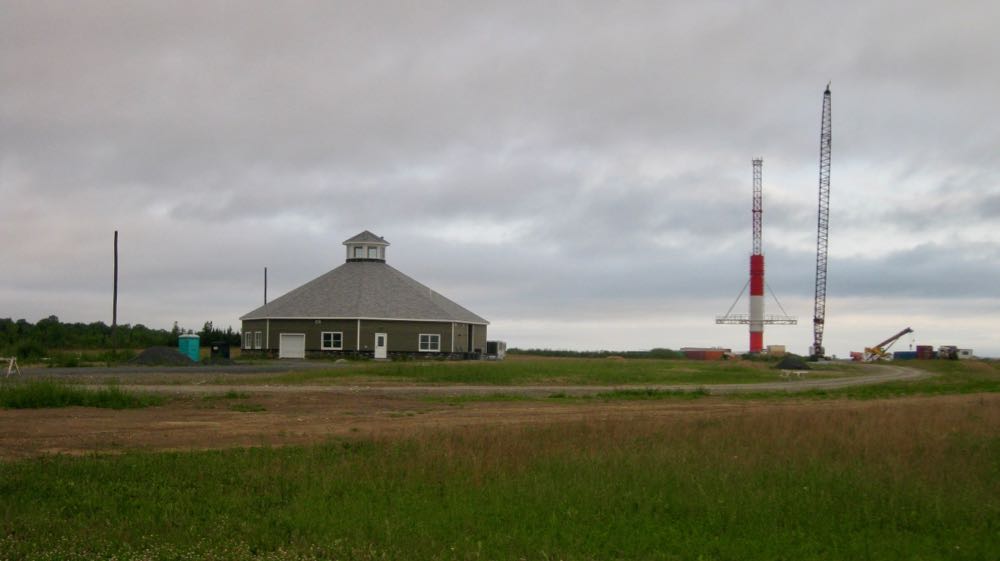
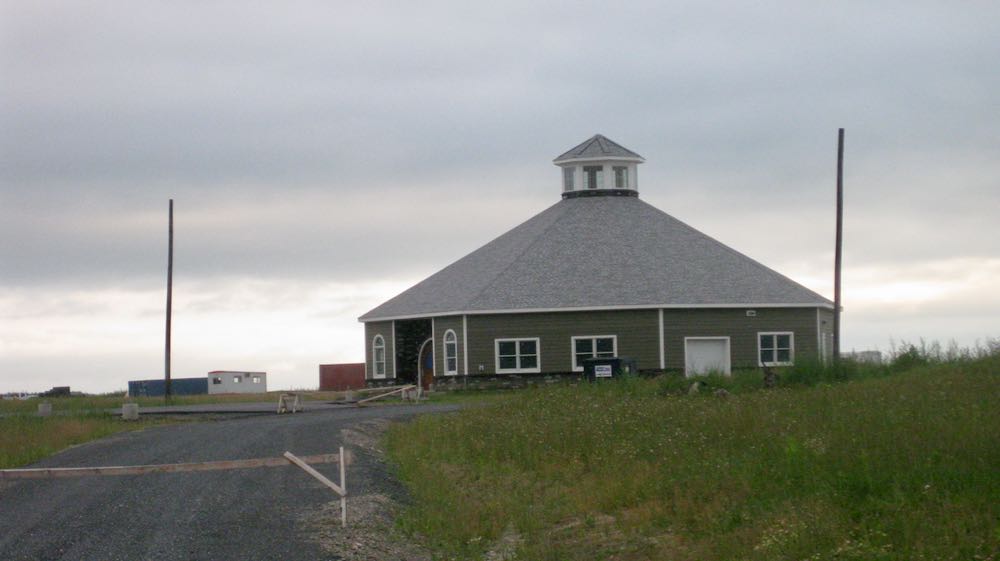
Many thanks to SWLing Post contributor, Lee Reynolds, who shares these images and notes after he visited Monticello, Maine recently:

Here’re a few shots to show where the state of play of the new station setup
stands as of [six] days ago.

Thanks for sharing these shots, Lee! Looks like the station is coming along nicely.

VORW Radio International updated schedule

Many thanks to SWLing Post contributor John with TheReportOfTheWeek who writes:

Hello Shortwave Listeners! A few changes to the radio schedule of VORW Radio Int. have been made, please check below and take a look. I’ve both added and deleted several transmissions.

My show is a weekly light entertainment program, featuring misc talk and commentary as well as listener requested music spanning genres and eras!

Wednesday 1100 UTC – 15670 kHz – WINB 15 kW DRM – Europe
Thursday 2000 UTC – 7780 kHz – WRMI 100 kW – Eastern North America
Thursday 2200 UTC – 9955 kHz – WRMI 100 kW – South America
Friday 0000 UTC (Thu 8 PM Eastern) – 7730 kHz – WRMI 100 kW – Western North America
Friday 0000 UTC – 9395 kHz – WRMI 100 kW – North America
Friday 0100 UTC – 7490 kHz – WBCQ 50 kW – North America
Friday 0100 UTC – 7780 kHz – WRMI 100 kW – Eastern North America
Friday 0100 UTC – 5850 kHz – WRMI 100 kW – North America
Friday 0400 UTC – 7730 kHz – WRMI 100 kW – Western North America
Friday 2200 UTC – 9955 kHz – WRMI 100 kW – South America
Sunday 2200 UTC – 7570 kHz – WRMI 100 kW – Western North America

Questions, comments, reception reports and music requests may be sent to [email protected]

Reception reports will receive a QSL!

Happy listening,

John (VORW Radio Int.)