Category Archives: Reviews

MLite-880: A lot of remarks that may also help you enjoy it more 

By 13dka

After all the recent buzz and watching and reading every video, review, and discussion thread/group I could find about this radio, as per usual, I knew I had to buy one in order to find out if I want one…again. This is not a review, but taking notes while getting acquainted with it and gathering the technical information I couldn’t find, I started thinking that sharing this might be at least entertaining for other MLite owners, maybe helpful to elaborate on a few things for newcomers to complex radios and SDRs on the way and also to tell the undecided why I started calling it names so I had to keep it. Sounds terrible and very much like a review, so let’s get on with it.

Chapter One: What is this thing anyway?  

I couldn’t help noticing the higher-than-usual pile-up of “game changer”, “new era,” or “the radio <brand name> never made” expressions coming with this one, and I was confused. Sure, it is another small, self-contained SDR, functionally more or less just a mildly simplified Malahit redesign with a much simpler display in a more familiar shape, but the Malahits have been around for years, and they’re neither the first nor the only radios with this job description. I couldn’t quite understand what fueled the sudden interest, just because it doesn’t look like Spock’s preschool tricorder and more like the offspring of an Asian travel radio and a Scandinavian business phone? Really? Then I found the price tag and the light came on.
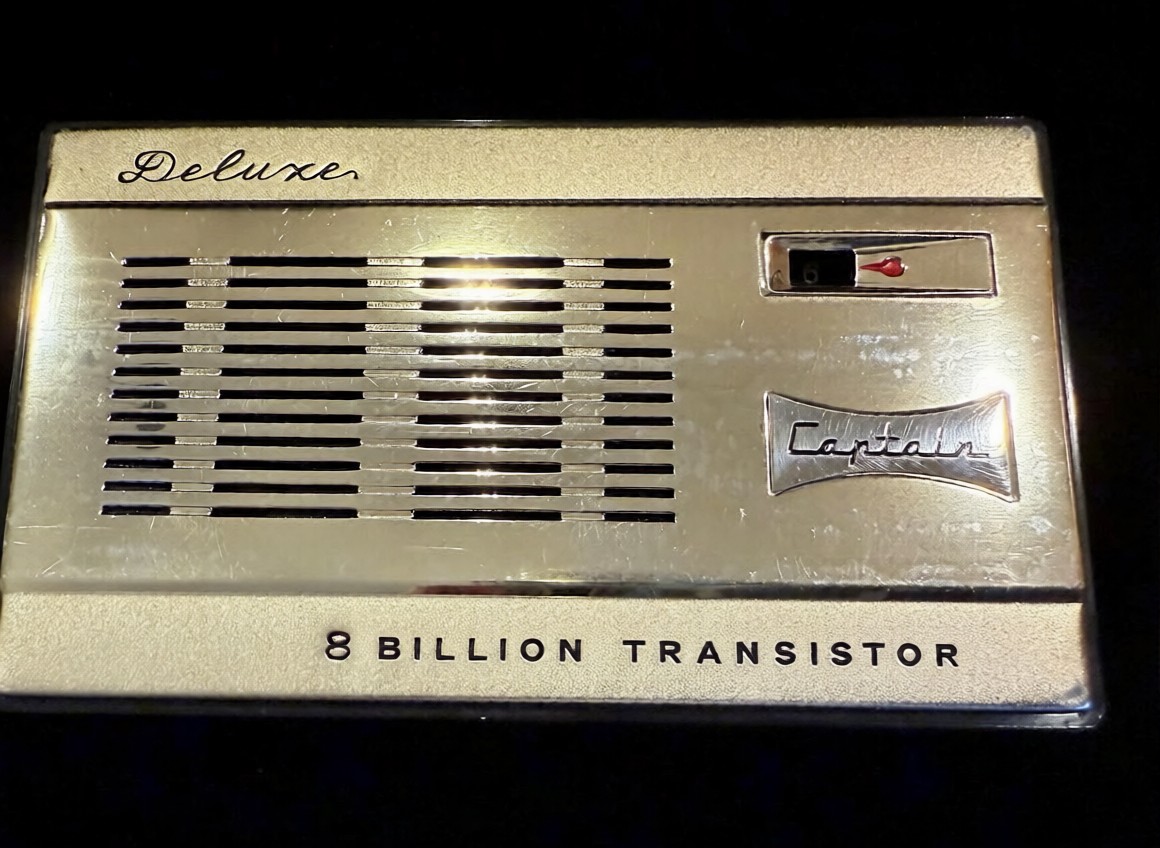
That it’s now also much easier to purchase the new Gründig Sputnik 880 as an official product with authorized firmware from Malahiteam’s new Chinese manufacturer obviously did it for me too, and it may speak even more to people who have really been waiting for an affordable, actual step-up from their first 473x-chip radio for so long that they bought 5 more of those in the meantime. I promise it may be quite an upgrade from any radio that looks similar, and I even deem it pretty user-friendly. However, it’s technically and conceptually still a Malahit and as such much closer to any other SDR hard- and software made to cater to the exotic desires some outspoken radio enthusiasts have, than to anything it is made to look like.

Unfortunately, this is really clashing with very frugal documentation and unusual technical secretiveness about what’s in there; people have to figure out many things on their own and fail at it, and I feel the mimicry is also fueling unrealistic expectations.

Chapter Two: Technical Notes

The “technical secretiveness” extends to filing the markings off most chips, so little is known about the innards of this receiver.  Russian YouTuber Alexey Igonin suspects a single-conversion SDR on shortwave (up to 27 MHz) becoming a dual-conversion radio above. The FM broadcast range appears to be a separate tuner active between 65 and 107.999 MHz and another VHF tuner from 108-165 MHz; both tuners are then downconverted to the high IF of the SW receiver. This abstract string of words explains to the initiated why oddities may be seen here and there, for example, when you tune to 108.00MHz

Operating concept

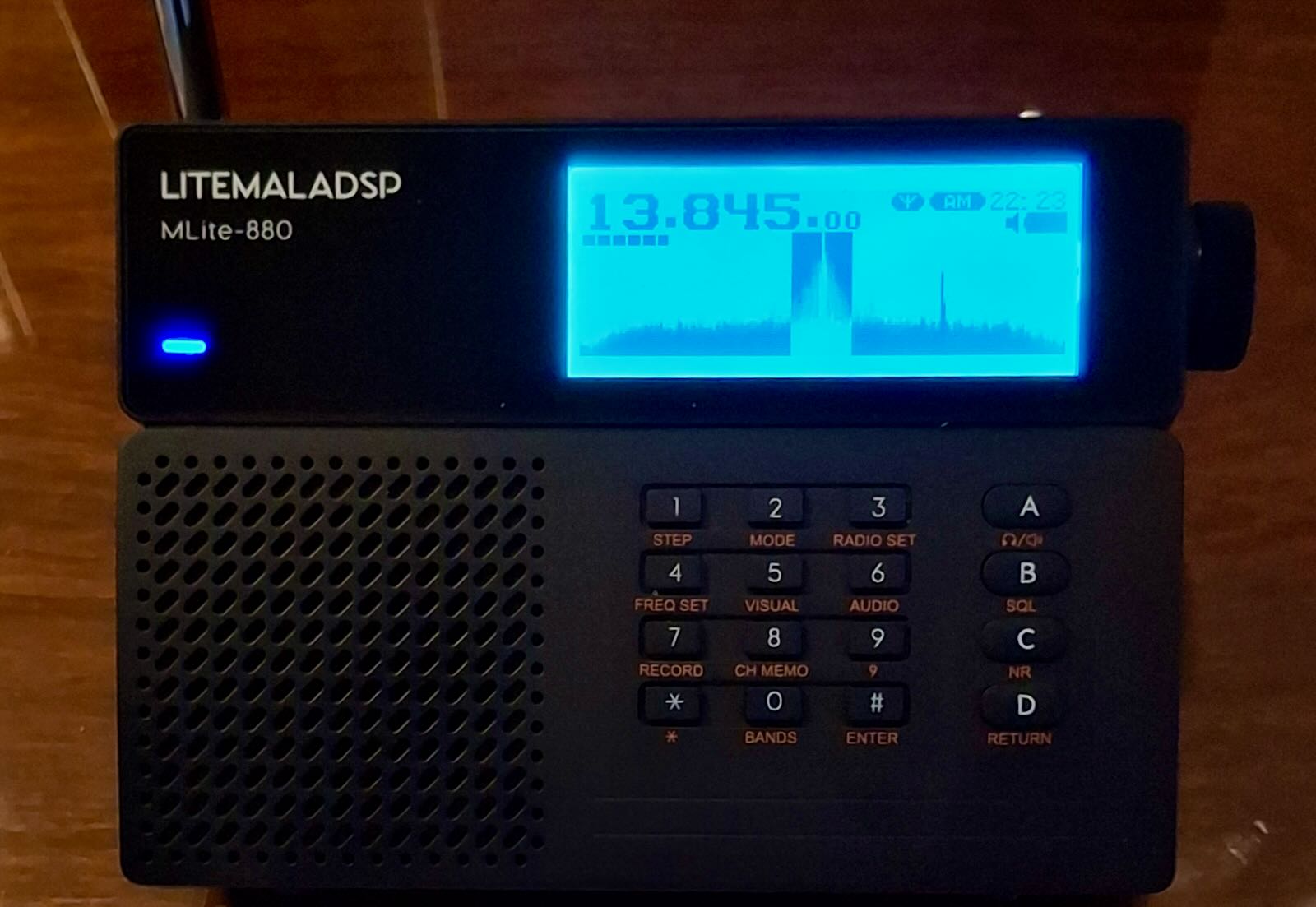
For a general description of the radio, menus, and general operation of the MLite, please refer to Dan Robinson’s and all the other excellent reviews. I want to sell you on the general concept centered around the telephone keypad, making it strangely not such a big deal for me that it has only one encoder knob and 16 buttons. It’s quite different from all button portables I have met:

Each function menu has its own button, assigned to 9 of the 12 buttons on the phone keypad.  Each function in these menus has a number, too.  That means you can memorize access to your frequently used functions by a 2-digit number, one for the menu, the other for the item you want, and in many cases, that’s all. Dial 25 for AM, 26 for SAM, 21 for USB without further action, 61 is the number of the IF filter warehouse expecting your orders via the knob (unless it isn’t), you get the idea. That means most functions on this radio have 2 buttons you need to tap, but they all have their own 2 buttons right on the front panel.

Direct frequency input is activated by button [4] and is accepting a couple of ways to enter a frequency followed by button [A] for kHz and [B] if you want MHz, e.g. “123*125 [B]” or “123125 [A]” take you to the same frequency, or just hit “123 [B]” to go to 123 MHz and tune up a little. Some even recent radios are much less tolerant and made me give up on typing in frequencies; this is not one of those.

Such an anachronistic flashback to early digitally controlled commercial radios/machines/things or DOS computers seems to be almost ironic on the face of this bundle of latest digital wonders.  But I think it could easily run circles around nested menus on a tiny touchscreen if you can adapt to it. The keys are not backlit but if you could dial 911 in the dark on an old landline telephone like the victim in an old crime show episode, you can position your fingers on the keypad to type “4-27555-A-21” (hyphens for clarity, it’s actually 42755A21), if you have firmware 1.5 or higher this will take you to the CB “highbander” calling channel in USB, hopefully entertaining you until the ambulance arrives.

Unfortunately, there are also multi-page menus like the [AUDIO] page with your filters, so “61” doesn’t always work, and e.g., the steps menu changes its buttons according to the mode, so the “mental phonebook” method becomes a little more involved. Still, when you exit and return to a menu it will still have that previously selected function assigned to the encoder to speed up things and it memorizes that for each menu individually, long press of the SQL [B] or NR [C] button (while they’re on!) takes you directly to their intensity setting in the menu…in short, things have been laid out very well and after a few days that became part of the fun this radio is. Summary: It’s a real asset because it allows you to fly this radio blind, for example, when you’re legally blind or just legally supposed to have your eyes on the road.  

Antenna Input, Impedance Switch, and Bias-T:
An understandable common misconception seems to be that the antenna switch [3][1] is toggling between the whip and the 1/8″ phone-type antenna jack. What actually happens when you insert a phone plug is that the whip is getting disconnected, and the switch is toggling between high and low input impedance. It seems rather important to understand that this high impedance input is provided by the additional amplifier needed for the whip; it remains in the signal path when you use the antenna jack.

In general, switching impedance allows for external antenna configurations that would otherwise not work well, and in the presence of high local noise levels, the shielded input is highly preferable over open wires alligator-clipped to the whip in lieu of a missing Hi-Z input. Besides matching different antenna types, switching impedance can also increase the number of “good” frequency bands on the same (passive) antenna. Most antennas, including simple passive wire antennas like endfeds etc. exhibit a wild up and down of impedances over the wide range of wavelengths we SWLs use them on. When the impedance mismatch happens to be at its most loss-inducing extremes in the band of our choice, switching the input impedance may or may not improve reception:
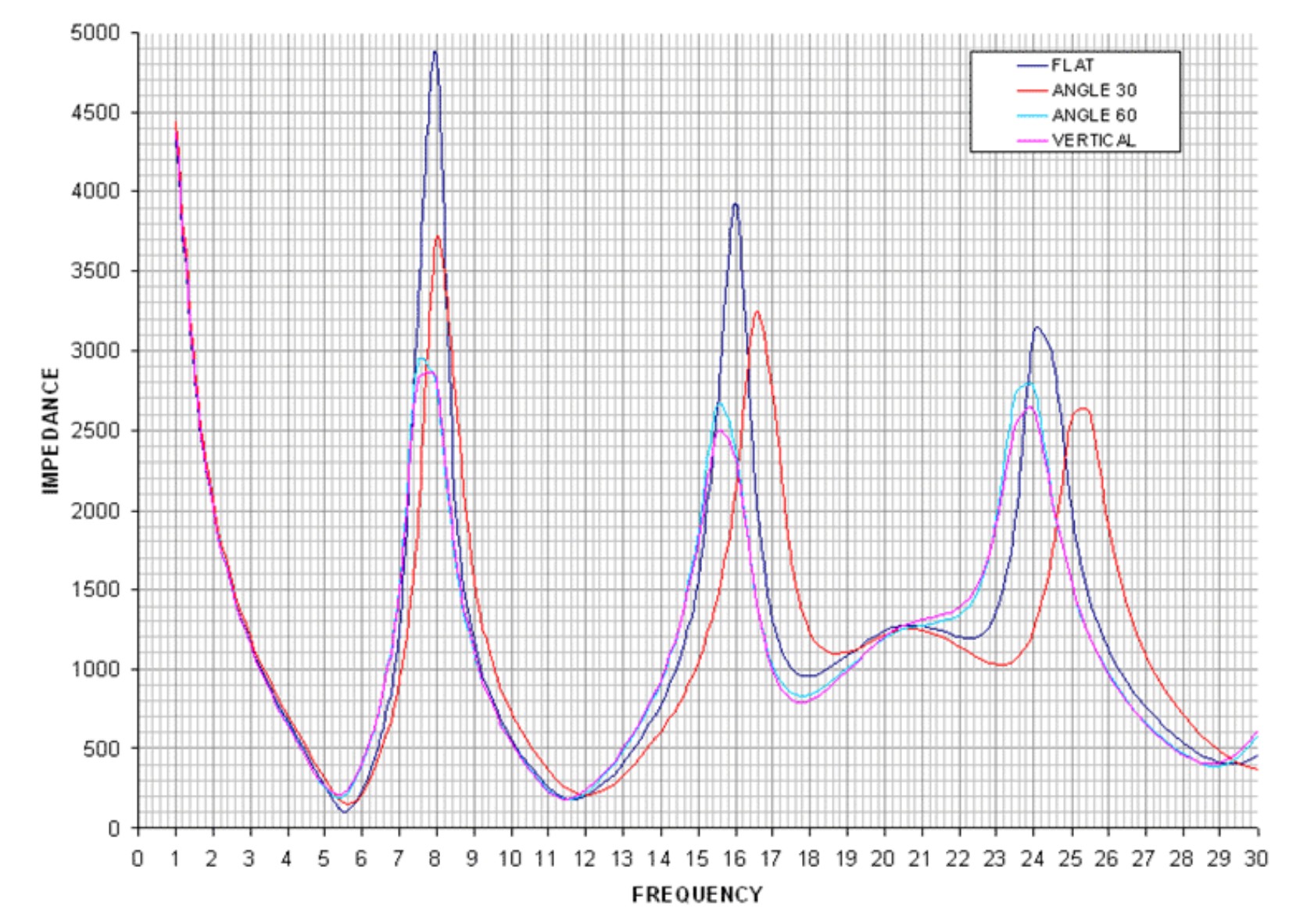
VK6YSF’s impedance vs. frequency plot for an endfed antenna in different orientations

For example, a simple magmount whip on the car roof is often all you’d need for a bit of quality mobile SWLing, but impedance mismatches between the external whip, the cable, and the input can suck the life out of it on many frequencies. My “Little Wil” CB magmount doesn’t work well on 20m…switching to Hi-Z can fix this. In other bands, this will not improve anything, and the MLite is kind of giving a clue on this bad constellation by becoming very noisy when you switch to Hi-Z in these cases.

The additional amplifier helps with these small, lossy antennas, but that advantage can turn into the opposite when it gets overloaded by “full-size” antennas, and the simple logic “Hi-Z antenna works best on Hi-Z input” doesn’t always work anymore. Leaving this for everyone to figure out on their own is provoking bad results and bad rep.
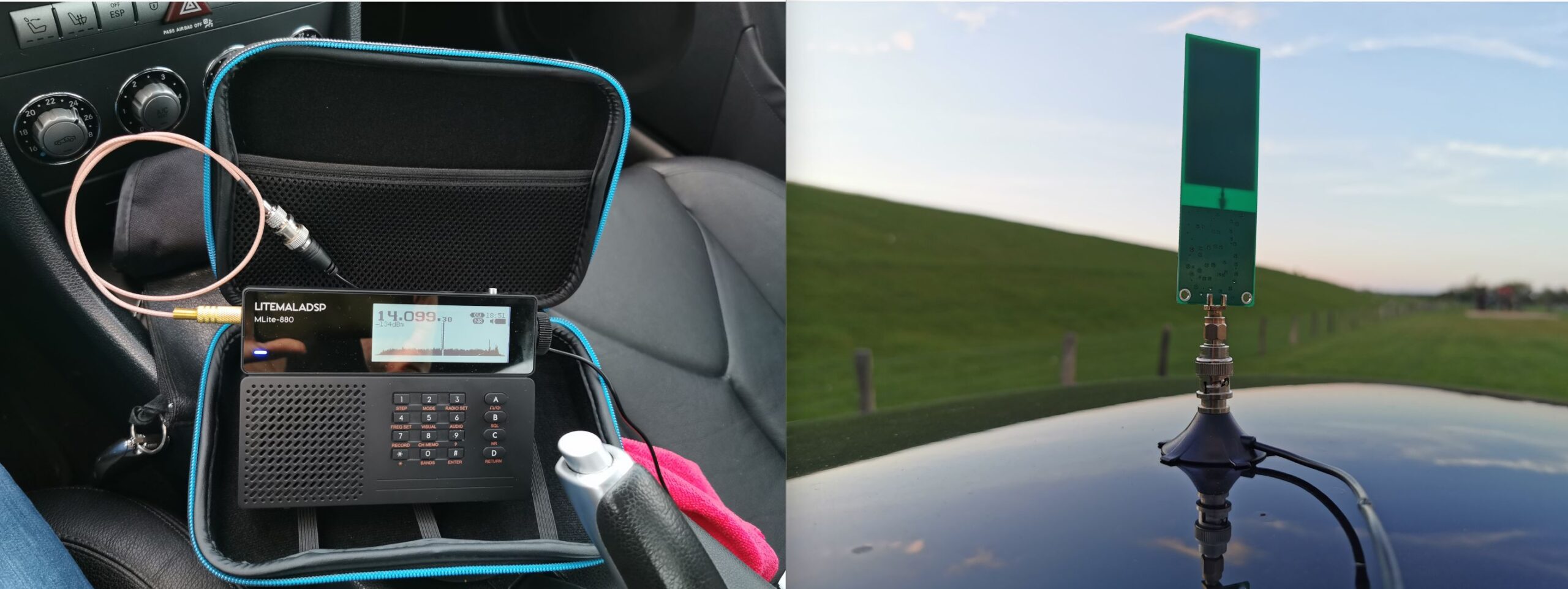
This radio offers to pass the (unregulated, drops during discharge!) battery voltage to the antenna jack for active antennas and LNAs at no extra fees. I could finally try if a tiny miniwhip could be a worthwhile low-profile solution for the car roof, one that gets enough shortwave in while keeping the considerable electromagnetic racket within the car out. Turns out the 15 bucks drawer-queen miniwhip PCB that was once powered up for 10 seconds 10 years ago seems to be pretty happy with sitting on a car roof, it works almost as well as a 47″/1.20m telescopic whip while theoretically giving a very low profile, avoiding the RC-car looks. Too bad nobody makes an autobahn speed compatible, magmount miniwhip for cars, hint, hint, nudge, nudge.

Spectrum Display

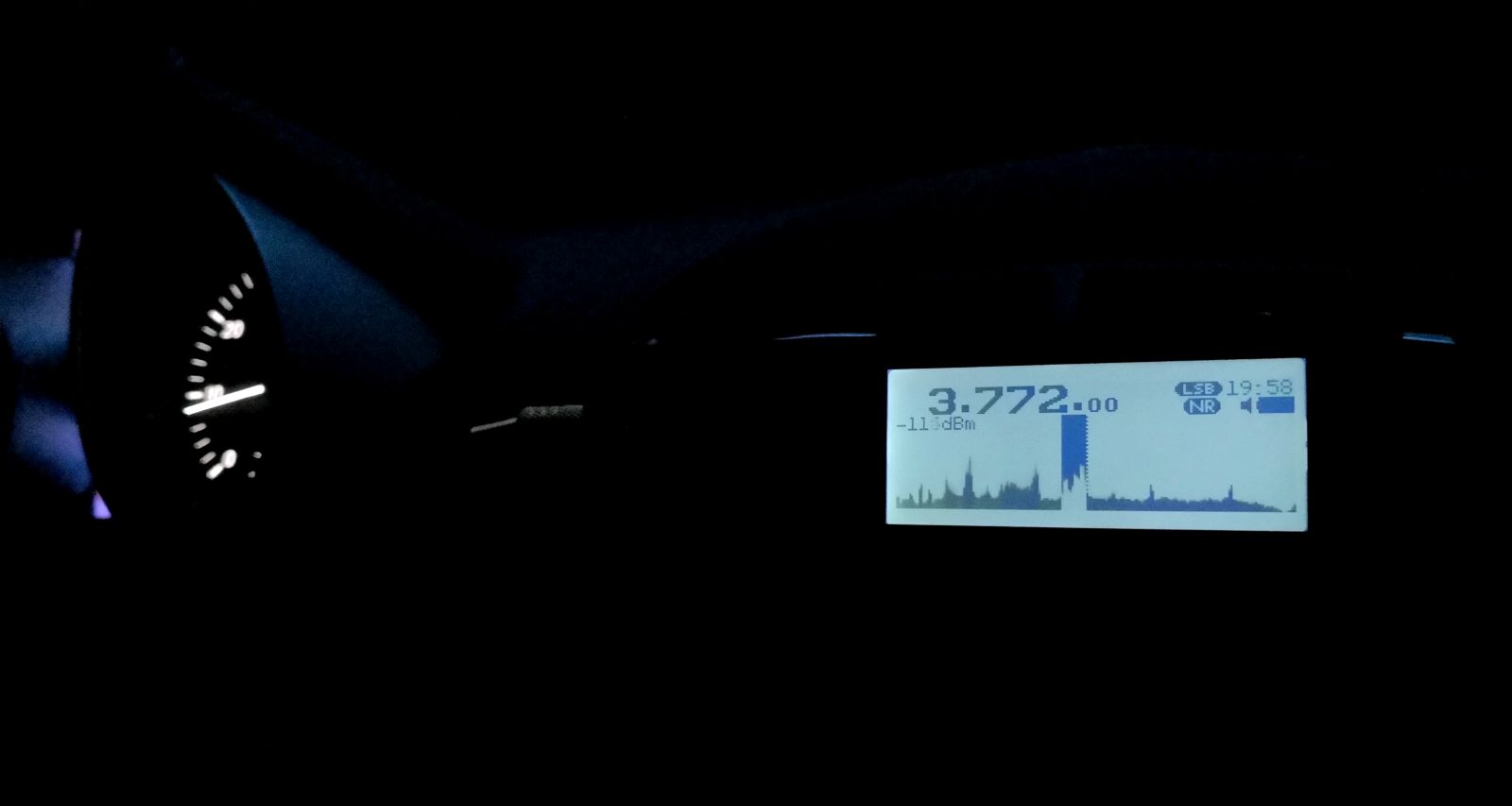
If the Panicsonic RF-KGB-65 is your first radio with a spectrum display, welcome or welcome back to the world of radios that have something nice to look at. I appreciate the feature too, and maybe it’s a good thing that it doesn’t overwhelm people with information, but a spectrum graph line without scale/grid to tell how wide, far apart and strong signals are on that spectrum does not provide very much information beyond revealing the pure existence of something left and right of your tuned frequency. Still a great thing to have and a mesmerizing and instructive eye catcher and only a white cat can make you look more like someone out of a James Bond movie while consuming almost no battery.
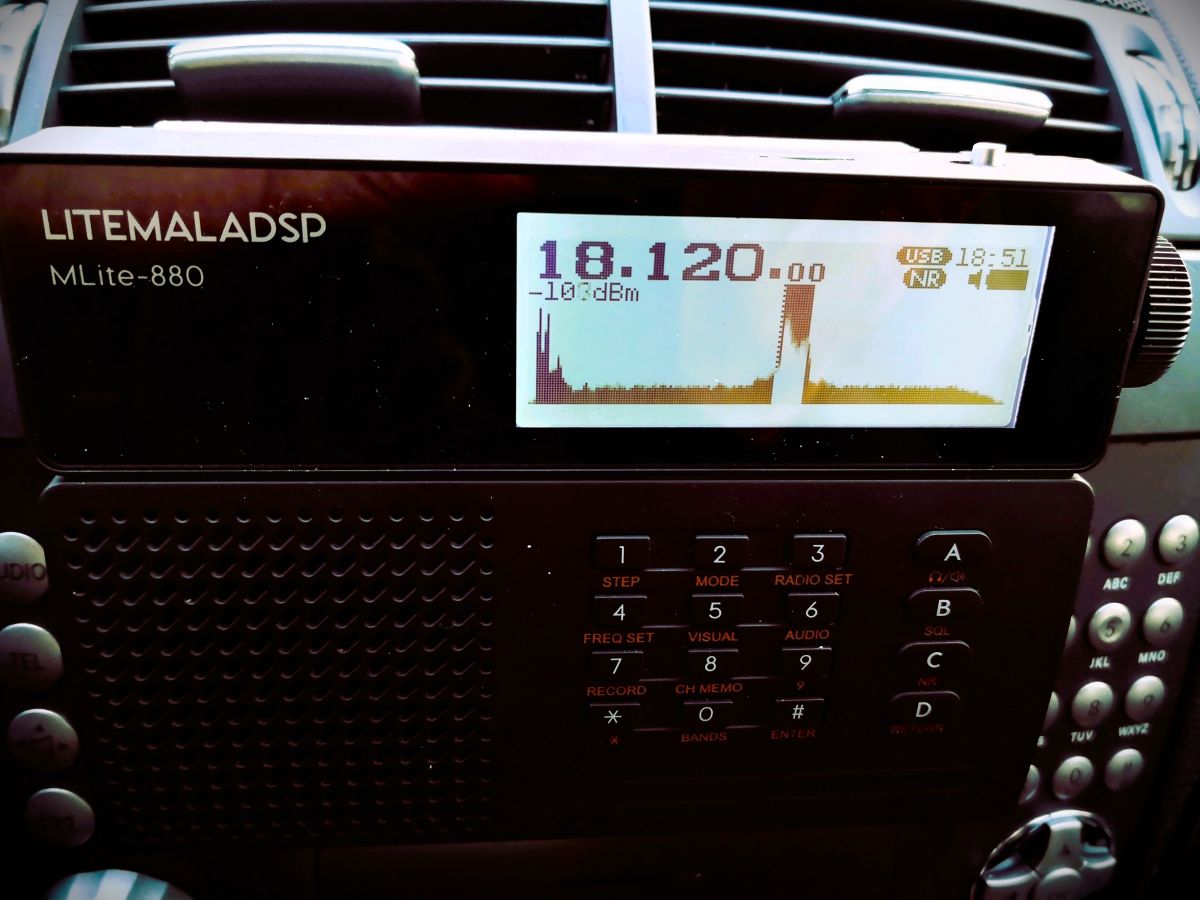
How much of the spectrum you can see depends: What you actually get anywhere on AM/SW/VHF is a 40 kHz portion of the band, and you can’t zoom in or out, likely because that’s how much you can reasonably expect to show on a low-resolution dot-matrix display, expecting narrowband signals on the band. Narrow signals are also why the spectrum line should be filled, or unmodulated carriers/CW will be represented by a single, hard-to-see dot instead of a full single line. In WFM we get roughly 600kHz of spectrum from that display, which is just the FM equivalent of “not an awful lot”. On the plus side, you almost never have to bother with spectrum settings (which can be a rabbit hole, trust me).

Averaging means that the height of each dot in the spectrum line is calculated off more samples, the more samples, the longer they live on the display, too. This allows the display (and us) to differentiate between weak signals and noise. I found the most useful averaging settings in the upper half of the range 50-99, not quite as good as a waterfall display (= a history of spectrum plots), but ’99’ will allow you to blink very slowly and not miss an activity, at the cost of display responsiveness. Too little averaging also makes you miss fast events on the “bandscope” even when they’re loud.

To alleviate you from more settings, the radio is automatically scaling the levels of the spectrum line. If a strong station comes up within the spectrum passband (not necessarily within the 40 kHz display range), the scaling changes and the visual noise floor drops. This looks confusingly the same as if the AGC was “pumping” and radio would be actually desensitized by that station. This can actually happen, but then you will also clearly hear the AGC “pumping” the noise floor as the display seems to indicate. That scaling also means that the visual noise floor does not reflect the actual level or proportion of the noise floor; deriving SNR differences from the graphical representation is not always possible.

Both spectrum and signal meter displays seem to indicate frontend input levels pre-AGC; changing the gain in the radio does not affect the display (the built-in attenuator does, of course). Besides the spectrum, the display has the usual status indicators but the very limited display space may not allow for all indicators people could wish for. The bargraph signal meter can be switched to an alphanumeric dBm display aligned with the classic S-meter 6 dB/step scale (not dB/?V) as indicated by the meter refusing to measure signals beyond -73dBm (S9), in which case it just notifies you of the surplus level by adding a ‘greater than’ sign to the value, “>-73dBm”. Still, the numerical measurement is pretty averaged/integrated and therefore nicely readable below that. Which is good because the meter does indicate the noise floor.

Controlling Gain, AGC, and ATT:

Most of the radios the MLite-880 is cosplaying have an AGC that doesn’t require any interaction and many of them just have a “one size fits nobody” response curve for AM and SSB. Likewise, most portables don’t have gain control beyond a “Local/DX” switch on the side. The MLite AGC, on the other hand, offers 4 release speeds with variable ‘Gain’ and ‘Limit’ parameters, plus a manual gain control option.

Of course, I’m pulling this out of the nose since it’s all not documented, based on my observations and similar arrangements: In very simple words, ‘Limit’ sets how loud you want the loudest stations to be, and ‘Gain’ is how loud you need to have the weakest station, particularly in SSB.

To elaborate on that, ‘Limit’ sets the threshold level where a signal causes gain reduction, and ‘Gain’ is basically the “RF gain” control some people think is missing on this radio, giving remarkable gain reserves (60dB). Use ‘Gain’ to bring weak stations closer to the ‘Limit’ threshold. “Limit” defaults to “75dB” and it looks like signals around S9 are going to be, well, limited to that, which means raising that is lowering the overall AGC action as much as decreasing gain while it increases the volume. The closer these two values get to each other, the more compressed, noisy, and “pumping” the channel will sound. Keep in mind that gain does not equal sensitivity, and avoiding AGC action is often preferable over the convenience of not needing to touch the volume knob. Matching gain to the conditions and signal you want to receive is also a prerequisite to make the most out of the noise reduction. This old clip demonstrates the difference it can make when you can control gain to avoid getting loud signals squeezed by AGC and the noise floor not being pulled up unnecessarily (same transmission received on a D-808 (no gain control) vs. a Belka (has gain control), recorded simultaneously):

A sound like this is the sign that you may want to reduce ‘Gain’, or use the attenuator (dial “33”) to that effect.

I’m not sure I understand or experience all of the issues some seem to have with the AGC; other than that, it does not default to the hottest gain settings it is capable of, which adds to a different problem with this radio – the harsh drop in volume in SSB/CW and WFM modes compared to AM/SAM/NFM. That also might be pushing people towards increasing gain beyond reasonable values to compensate.

The ATT can be set to 36dB of attenuation in 6 dB-steps, but for some reason, I can see at best 15dB of it on signals anywhere on the S-meter scale, high or low, which seems as strange as the fact that it didn’t help in the only overload situation I had with this radio. If this is your first ATTenuator, it’s supposed to decrease the signal in front of all amplifier stages, unlike most RF gain controls, it is often the radio’s only reliable (onboard) way of keeping the radio’s first transistors from overloading in the presence of very strong signals. Please note that it says “Attenuator for SW” for a reason: It does not work on VHF, which in this radio seems to start circuit-wise on 27.000 MHz so the 10m-band has to make do without.

Noise Blanker

Unlike most portables, this one has a noise blanker, and of course, it’s not only an on/off switch like in the old days. Invented 100 years ago to mitigate engine ignition impulses, nowadays they can be used to mitigate impulses from electric fences, OTH radar, or local PLC modem (!) impulses, which is why you can often adapt the timing parameters. Of course, this one is hurtfully undocumented again, I assume that the 3 modes of the NB relate to bandwidth presets. The other dimensionless control seems to set the timing of the countermeasure, but it always seems to work best or at all at the minimum value. Since I assume this radio attracts many buyers unfamiliar with these things, be advised that wrong and even the default settings in modes 1 and 3 can cause distortion in the demodulation when you don’t expect it, so it’s better not to leave that permanently on.

Here’s a short video showing how it works on a strong OTH radar, the noise blanker is acting in/before the IF stage so its effect also reflects in the spectrum display:

IF filters:

A big giveaway that the 880 is not to be confused with a radio is that it visually alludes to are “the filters”. Of course, in SDR, there are no physical IF filters and barely any limits to their number, shape, or properties, and it shows:

The [AUDIO] menu has 3 slots for your own filter settings named “narrow”, “normal” and “wide” and in each you can define low and a high cutoff frequencies, so that’s 3 variable filters so far. But of course, each mode has its own set of 3 “filters” you can define to your liking. The MLite-880 is one-upping this by giving AM and SAM, USB and LSB each an individual set of 3, too. WFM has 4, that’s 22 (!) places to set filter bandwidth. That’s not mandatory, of course, but still one nice source of confusion for elderly people like me and something to keep an eye on for a while.

The filter shape itself is fixed, it has less rounded shoulders than what I have in the Belka and the IC-705 in “sharp” mode, with the same quality and perceived stopband rejection of those, and that alone would be enough to lift the long-term reception experience with the MLite way above and beyond the 473x chip radios, or even the best of their small analog ancestors from Japan.
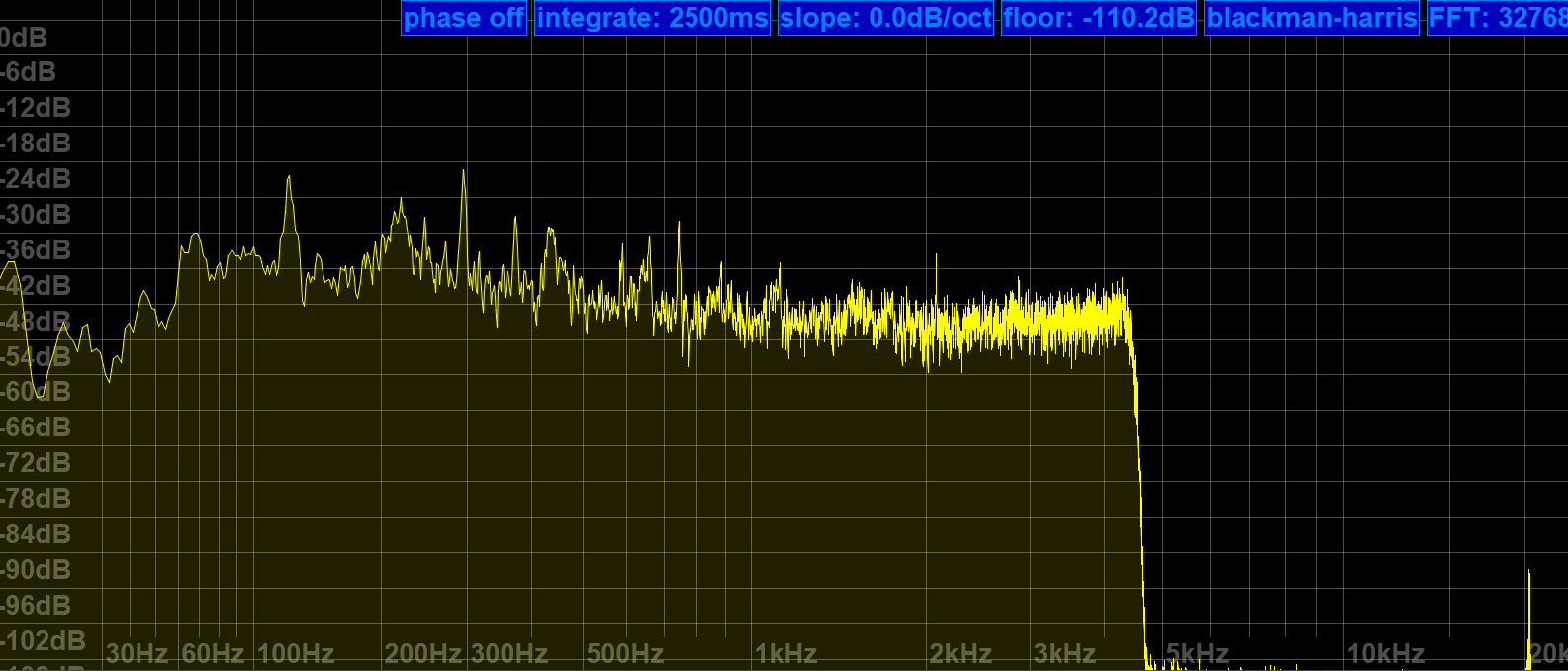
Nice upper filter slope (lower filter frequency = 0) to claim all of a 9kHz ITU region 1 mediumwave channel and still keep the neighbors out.

25m band scan on a 10m vertical at the dike. It also demonstrates that the 4.5 kHz filter setting shown above is keeping the signals 10 kHz to each side of NHK on 11,625 kHz in check (NHK also received on 11,860 kHz, both direct from Yamata).

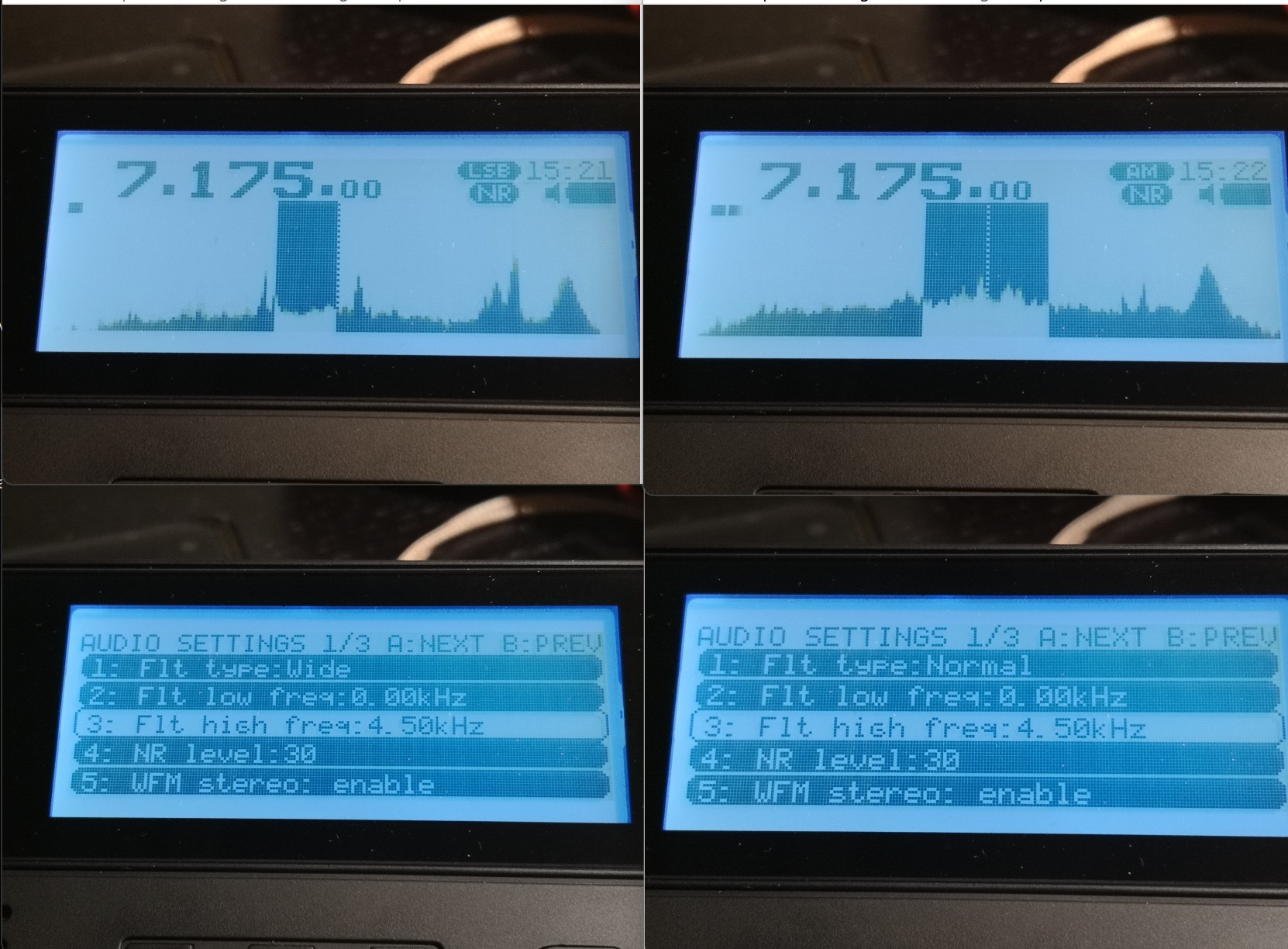
As for the mildly important question, what bandwidth is meant when you set the filters in AM – this is once again “per sideband” in AM, like on the Tecsuns: 4.5 kHz means 4.5 kHz audio bandwidth, the old-school physical IF ladder filter equivalent for that kind of passband would be labeled “9 kHz” if you want to compare that with some old rig. What sets this apart from e.g. my Icom is the possibility of having very wide sidebands up to 15 kHz for 30 kHz wide experimental AM broadcasts, also in SSB. The MLite reflects the IF filter equivalent in the width of the “dial pointer”:
The properly narrow (>200Hz) and SNR-increasing CW filters are what make this ????? Trans-Okhotsk and the Belka the only receive-only portables with proper CW reception and a price tag around $200. Since FW 1.5, it also does CW “offset compensation”, so you don’t have to go through the hardships of subtracting your adjustable CW pitch frequency to correctly tune to a published frequency like in the Middle Ages anymore.
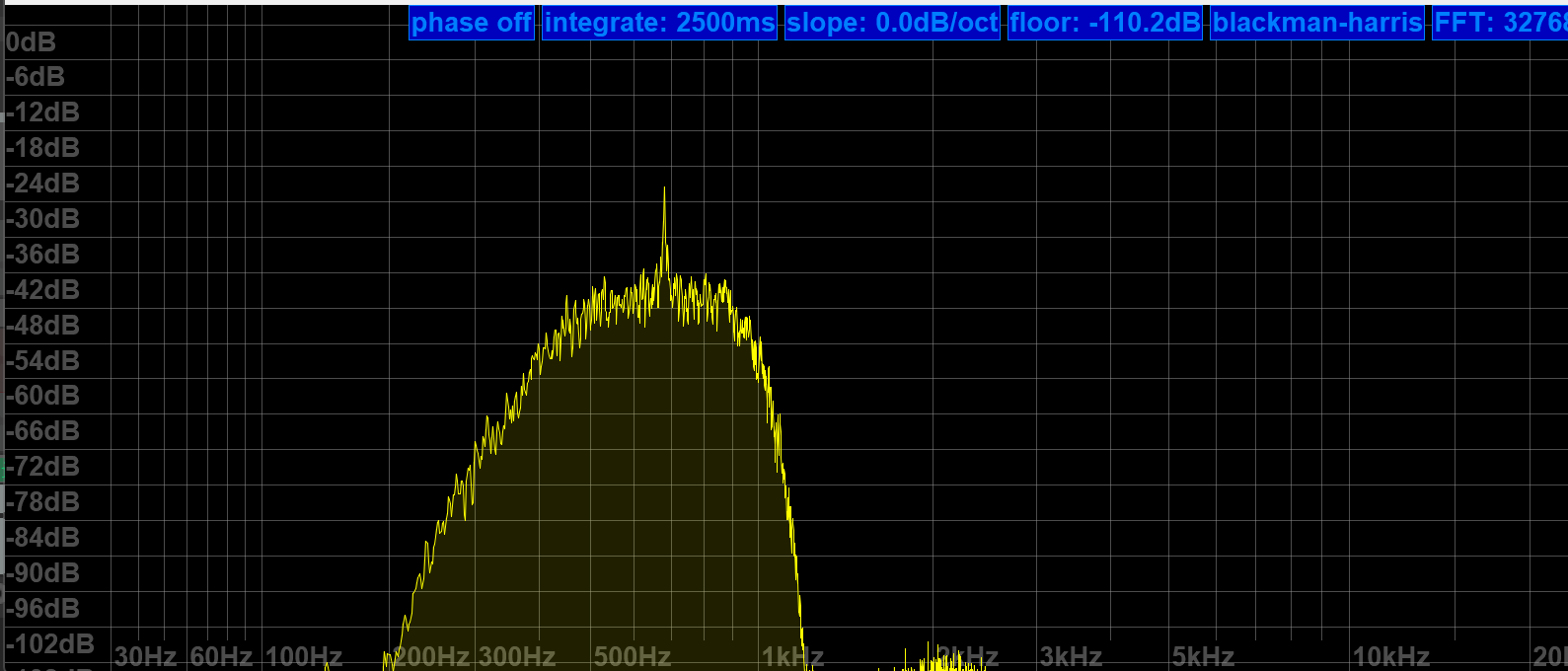
MLite 500Hz CW filter more or less centered at the CW signal at 700Hz

Frequency Calibration and Stability:

You can skip this section if you’re not much into SSB, and the following is not a complaint, just an observation and generally not a big deal, or rather part of the deal: The MLite-880 is not perfect <gasp> and it has “Lite” in the name for a reason:

Besides more obvious things, it lacks the automatic notch filter and the TCXO (temperature-compensated crystal oscillator) of the “big” Malahits. It has to make do with an XO and a lot of XOXO, and with that, it can’t quite match the linearity and temperature stability of the Belka, which is 99% on par with the IC-705. Most people are probably familiar with the need to calibrate their radios, and a few less have a radio that lets them do this, but not needing to do this is understandably one of the expectations people have with this SDR. But unlike the SW range, which is generally close enough to the nominal frequencies for most buyers, the separately calibrated VHF range seems to be in need of an initial calibration on many shipped radios; it was several kHz off in the VHF marine band on mine, too. I just tapped [3][5] and turned the knob until the station showed up right. Easy enough.

On shortwave, I’m talking about very small but occasionally inconvenient offsets/non-linearity in the tens of Hz range, nothing that makes you want to find your pocket calculator even if you’re a heavy SSB/utility listener. Calibration on digital receivers means you can fine-tune the master oscillator conveniently in a menu, and “non-linearity” means an offset varies over the course of the frequency range and does not plot a straight line. The offset is different in different bands, and you may or may not want to recalibrate there.

Calibration procedure (may not work on analog receivers!): Find a frequency standard station  (like WWV, BPM, or RWM) or just a regular station with no (or a published) offset. Tune 1kHz lower than this frequency and switch to USB to create a 1kHz het. Put that in a memory slot.  Tune 1kHz higher and switch to LSB to create a het again from the other side.  Now get your cellphone with a free spectrum analyzer app like Spectroid or Phyphox on it so you can easily measure the frequency of the het: It should be close to 1kHz in both USB and LSB. Starting technically at 27.000 MHz, the VHF range has its own calibration setting when you go there and you ideally want to find a calibration station near the top end of the range, like a 2m repeater or something.
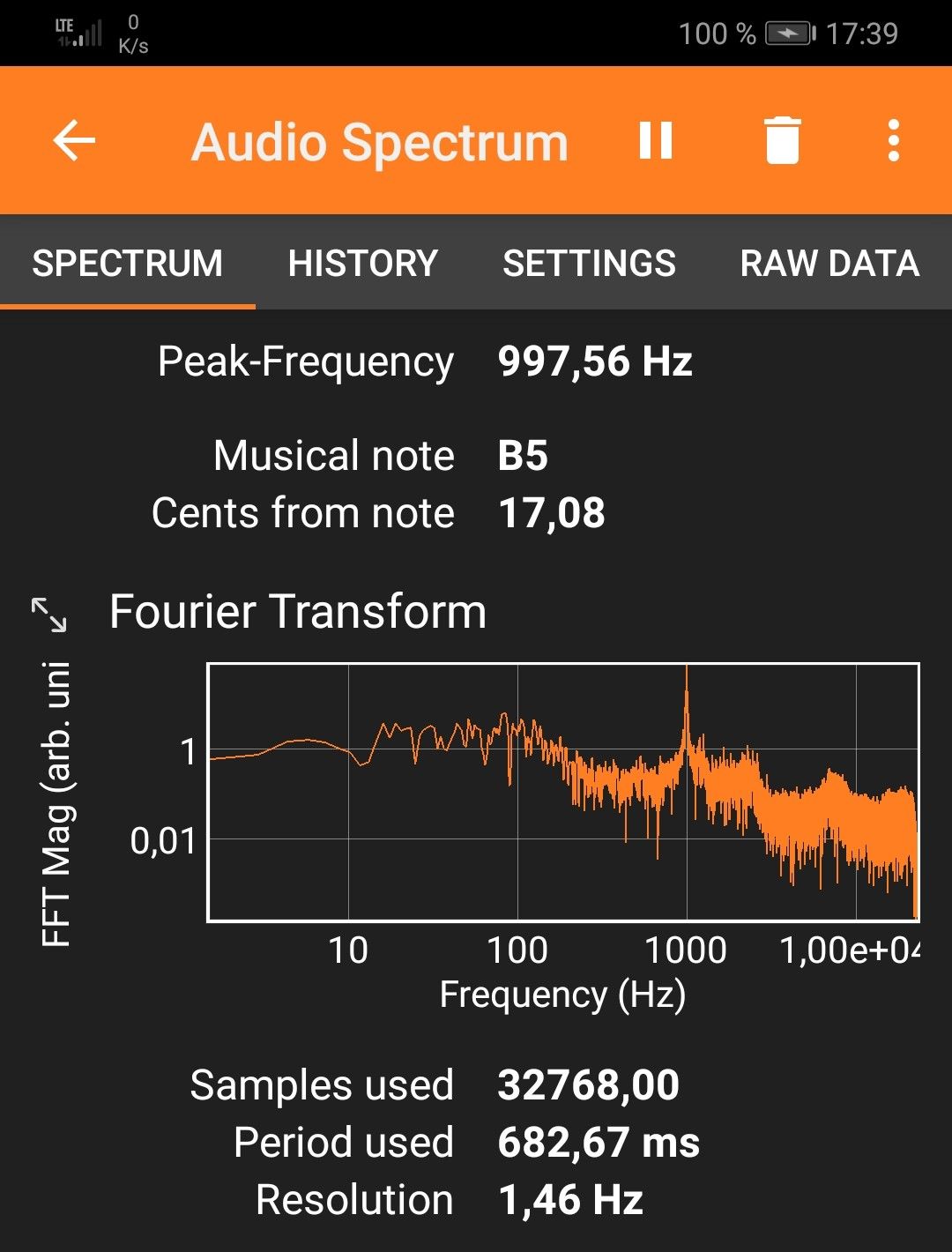
For example, the needed offset on 5 MHz is -5 on my radio, on 10 MHz it’s +64, and +72 on 15 MHz at a cozy 25°C. That means I can calibrate for a negligible deviation in the 10 and 15 MHz signals and live with a somewhat bigger offset on 5 MHz, or I can make them all within +/- 30 Hz off, which is still awesome by analog radio standards and not terrible for a modern radio, but requires fine-tuning when you need it better than that. Calculating the indicated vs. actual offsets it dawned on me that the unit used on the shortwave side is still “x0.1ppm” and the math doesn’t math, that should read “x0.5ppm” as well.

The best I can get without 5MHz being off too much – good enough!

On top of the general offset, there’s also a noticeable (at 10-15°C differential) temperature drift, making the calibration efforts less persistent outside than I’d wish for. +72 for 15MHz at home to 120×0.5ppm at 15MHz equals 24Hz of temperature drift, adding to whatever offset was there before, which can amount to “too much” and there seems to be some “ripple” in the deviation curve: Here’s a recording of CHU on 14,670 kHz somehow ending 80Hz off right after calibrating the radio on 15 MHz:

Again, not great but not terrible in the grand scheme of things because deviations below 100 Hz are only ever a factor in SSB, and it may even add to the odd charme of this radio that it is very analog and old school within a tolerable margin in this regard.  But if you try ECSS reception with music, your ideal deviation is none and 10Hz at the end of “tolerable”.

Fixing the tuning emergencies when your fav song is playing and sounds terrible in SSB is done by dialing (think nine) [1][1], the useful number of the fine(st) tuning step in all modes, or just hit [3][5] and use the calibration function as “RIT” knob until it sounds right, and you will be good. It’s not a calibrated Rohdow & Shwartzkiy lab instrument, you can’t break anything, and it provides the needed fine resolution you’d need for true “zero-beating” but yes, it does feel very luxurious to switch to sideband when a $5 TCXO makes sure you can rely on the radio being spot-on in SSB when the station is, on any frequency, even in winter.

Synchronous Detector

…can’t be missing on a decent SW portable and this one seems to be a (non-selectable sideband) “PLL”-type detector and gives SDR-typical results: Remember that AM and SAM have individual filter settings so you want to make sure you match them when you compare that, but this detector is as unspectacular in a good way as it could be, it has super-solid lock and does absolutely nothing, zero, nada to the signal other than keeping the multipath distortion in check, which it seems to do very well.

31m band scan (antenna; car roof whip) with a brief demonstration of the sync detector at 0:16 seconds into the video. Note how the piano distorts when I turn it off again. Continue reading
A different way to listen to the radio – the CCrane CCWiFi3


By Jock Elliott, KB2GOM

I don’t know about you, but my goals when I switch on a radio are not always the same. Sometimes I want to communicate, to send and receive information, such as on the Commuter Assistance Network through ham radio. At other times, I want to gather information passively from first-hand sources, like the road condition reports that I can hear through the scanner from the highway crews on the New York State Thruway. And still other times, in the pre-dawn hours, my greatest desire is to hear the farthest possible station on the medium wave frequencies.

And sometimes, I simply want to hear something different . . . different from the usual fare that comes across medium wave, FM, or even shortwave. Hold that thought for just a moment.

The other day, an email popped up in my inbox from the CCrane Company, inviting me to check out their CCrane CCWiFi3. “Listen to Thousands of Radio Stations from Around the World With Clear Reception – No Static, No Fade, No Apps,” it promised.

I was intrigued and sent an email to CCrane asking if they would like me to do a review, and they sent me a CCWiFi3 without charge.

To cut to the chase, the CCWiFi3 really does deliver what the marketing copy says: you can “Listen to Thousands of Radio Stations from Around the World With Clear Reception – No Static, No Fade, No Apps.” No kidding! And no frustration in setting it up either. It is easy and fun to use.

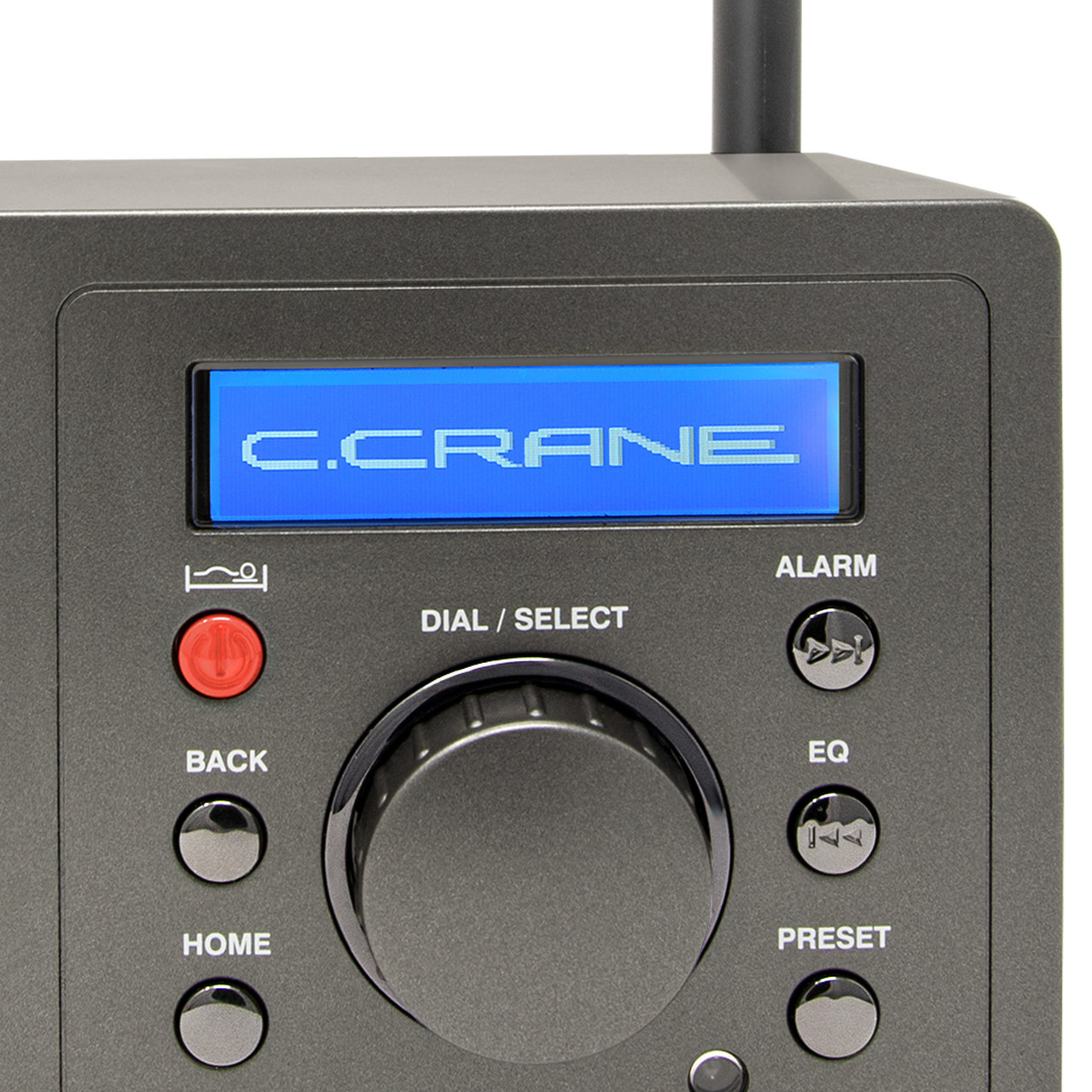
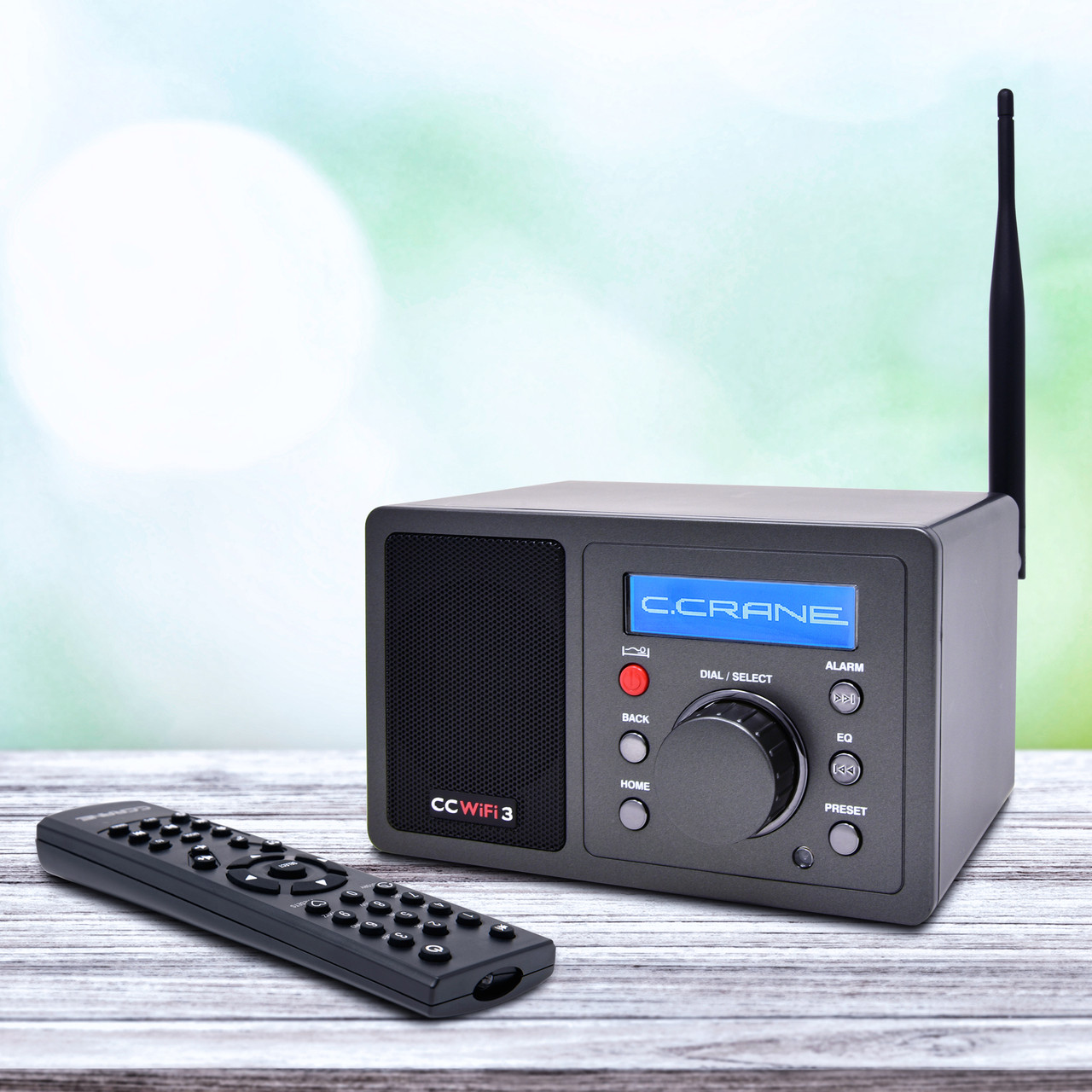
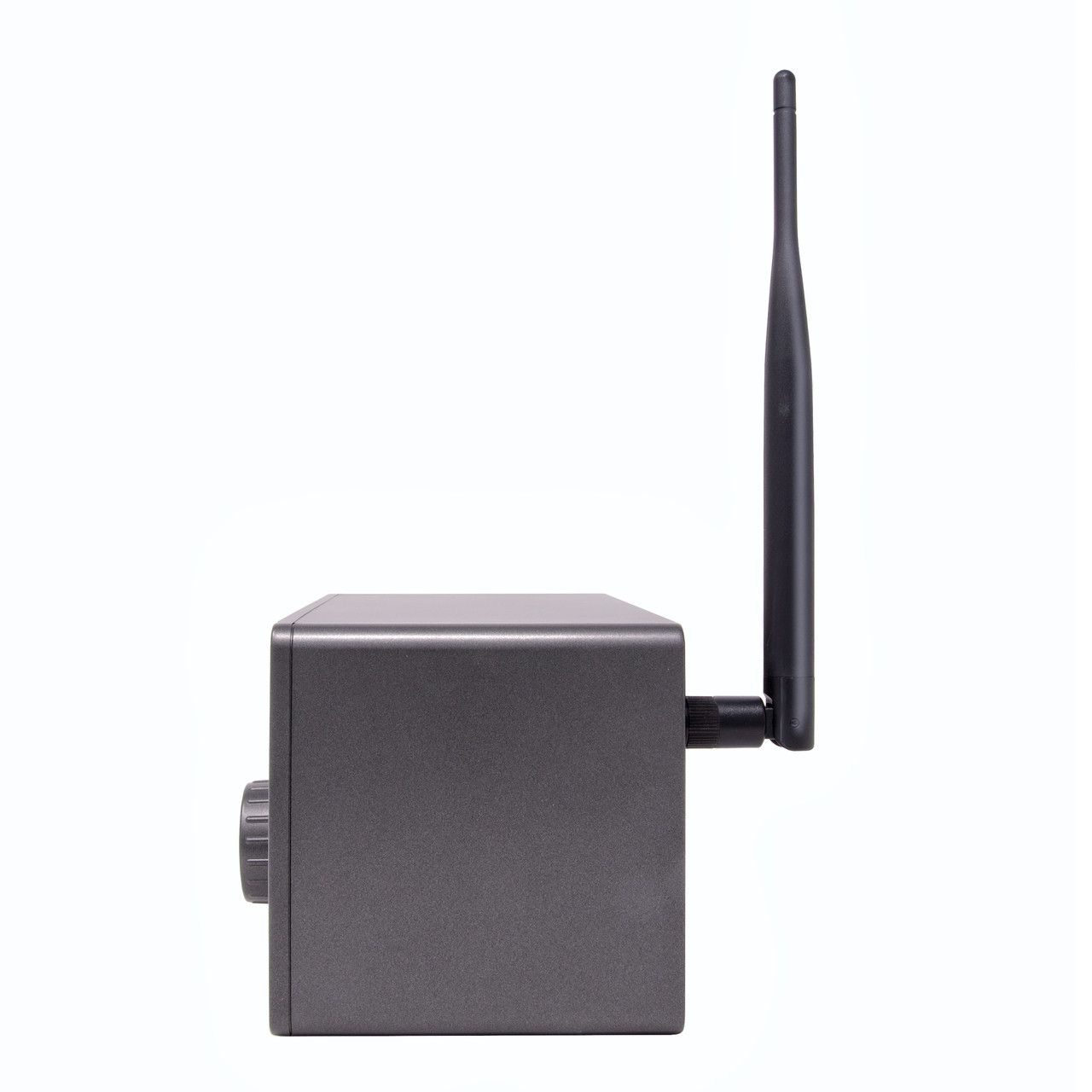
The CCWiFi3 measures roughly 6.5 inches by 4 inches by 4 inches. On the front are six buttons, a knob, a speaker grill, and a small digital display. On the bottom are four rubbery white feet to keep it from sliding around on tables. On the back panel is a connector for a WiFi antenna (included), a line out socket, a headphone socket, and a socket for plugging in an external power supply. The unit comes with a remote control that can select stations, boost and lower volume, mute the audio, and much more.

Setting up the CCWiFi3 is super easy: attach the antenna, plug in the external power supply. It will then warm up, and the display will ask for your preferred language. Make your selection, push in the central knob to confirm it, and the CCWiFi3 will then search for WiFi networks. Select the one you want, put in your password (using the central knob to select and confirm the letters and numbers), and you are good to go. (A tangential but important note: the unit is very light, so moving it from room to room, so long as you have a place to plug in the power supply, is no big deal.)

In a sense, the hardest thing about using the CCWiFi3 is choosing from the dizzying number of stations available. At the top of the menu for internet radio stations is: Most Popular (US), By Genre (World), and By Location. Click on any one of these, and you begin drilling down into the possibilities. For example, click on By Location, and your next set of choices includes Africa, Americas, Asia, Europe, Internet Only, the Middle East, and Oceania. Click on Oceania, and up pops a list beginning with Australia, Bermuda, and the Cook Islands. Want to hear news/talk in Finnish? You can. The possibilities seem endless.

I clicked on By Genre, then Talk-based, scrolled down to Old Time Radio and Suspense, and within minutes had Amazing Tales, Western Old Time Radio, and the Best of Art Bell saved to my station presets. You can access 10 easy presets using the remote and over 100 presets in the sequence list. As is typical of CCrane, the manual is clear, well-written, and easy to follow.

Even better, the audio coming through the speaker or headphones is pleasant.

Don’t get me wrong: I still love my antenna-to-antenna radios, but whenever you have the itch for something different from the radio, the CCWiFi3 delivers almost endless possibilities in a way that is enjoyable, easy to operate, and pleasing to the ears.

UPDATE: A couple of additional comments that I was unable to post until now.

1. Using the CCWiFi3, on St. Patrick’s day, I was able to hear Irish fiddle music, direct from Ireland on Radio Siamsa. The station’s website says: Radio Siamsa is the only Irish radio station specializing in traditional Irish music, with no ads and high-fidelity sound. Listen to Irish tunes and songs from Dublin, 24 hours a day, on your smartphone, tablet, or Amazon Echo device.

2. There is a function on the CCWiFi3 that allows searching by keyword. It’s a little clunky, since you have to select each letter separately using the main dial, but a search for “bluegrass” quickly turned up a couple of dedicated stations that had me happily enjoying banjo, guitar, fiddle and mandolin. That puts a smile on this old banjo picker’s face!

Click here to check out the CC WiFi-3 at C. Crane.

The Deepelec DP-666: A very interesting radio

By Jock Elliott, KB2GOM

My friend Andy, who is an expert medium wave DXer, calls it his “weapon of choice” and a “DX machine.” In fact, just a night ago, using a YouLoop passive antenna hanging from a birdfeeder on his porch in upstate New York, he snagged a couple of tiny Mexican stations above 1600 kHz at a distance of over 2000 miles. He was surprised the stations were there, and it was a bit of a hunt on the internet to find their livestreams and ID them.

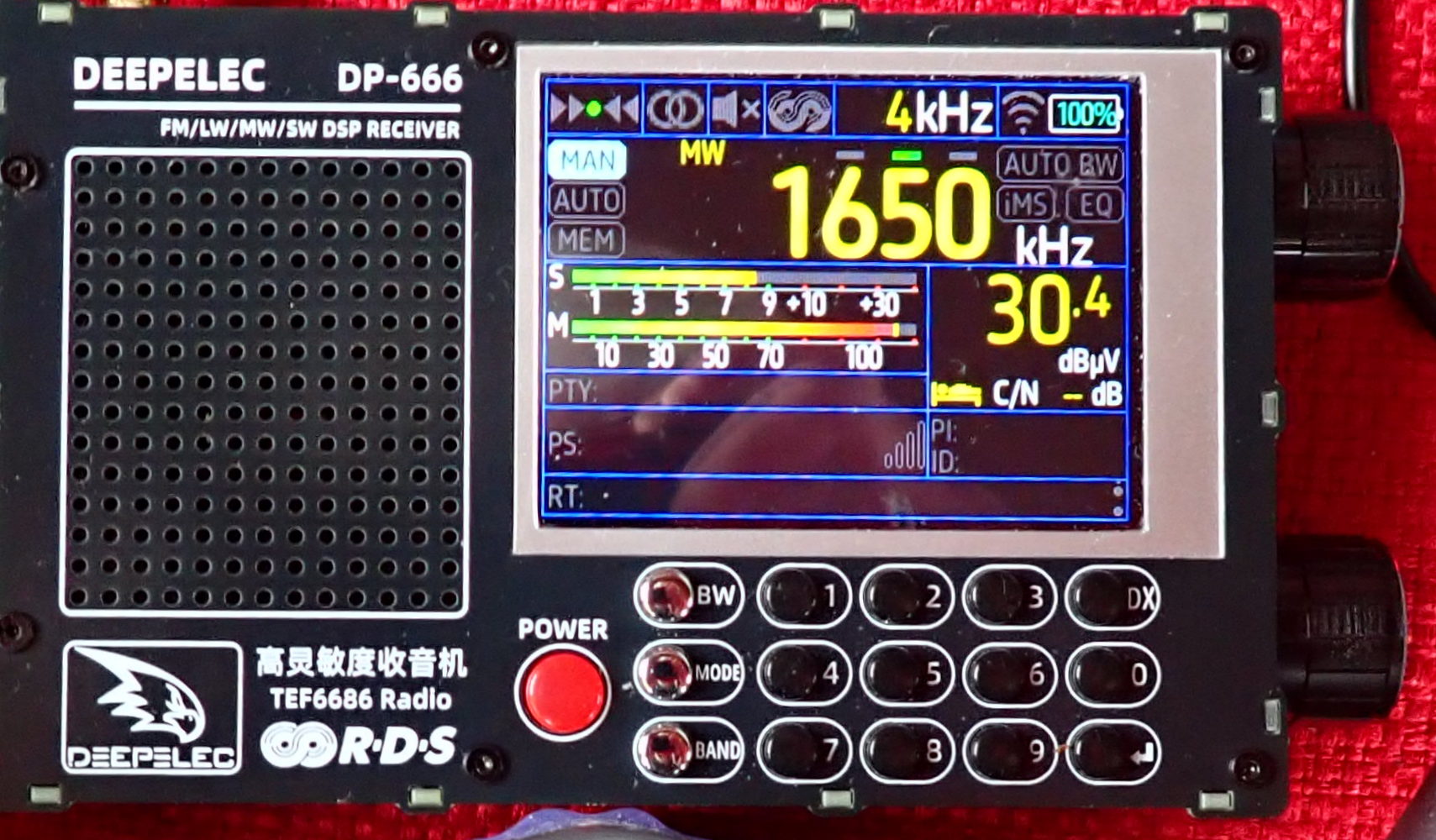
The radio that made hearing these diminutive stations possible is the Deepelec DP-666, a radio based on the high-sensitivity, high-selectivity TEF6686 chip which is used in automotive radios. The DP-666 measures 5 inches wide (excluding knobs) by 3 1/8 inches high by 1 1/8 inch deep. On the front panel are a speaker grill, a 2.8-inch color display, and 15 buttons for various radio functions (including a full numeric keypad for direct frequency entry) and a red power button. On the right side are tuning and volume knobs. On the bottom panel is a master switch for power. On the left panel are a 1/8-inch headphone socket and a USB-C port for a communication interface and for charging the 5000 mAh rechargeable battery, which is not user-accessible.

The DP-666 can receive FM (from 65-108 MHz with various frequency ranges selectable for different parts of the world and over a dozen different bandwidths), SW (from 1700-27000 kHz), MW (522-1791 kHz, 9 kHz steps; 520-1720 kHz, 10 kHz steps) and LW 144-513 kHz. In AM mode, 3/4/6/8 kHz bandwidths are available. The DP-666 does not offer single-sideband reception.

You won’t hear anything, however, unless you connect an antenna to the standard SMA female connector on the top panel of the radio, because the DP-666 has no internal antenna. The DP-666 comes with a 29 ½ inch whip antenna that does a yeoman job of receiving MW and FM. For MW DXing, Andy prefers the passive YouLoop, and he uses the DP-666/YouLoop combo frequently. “It’s quiet,” he says.

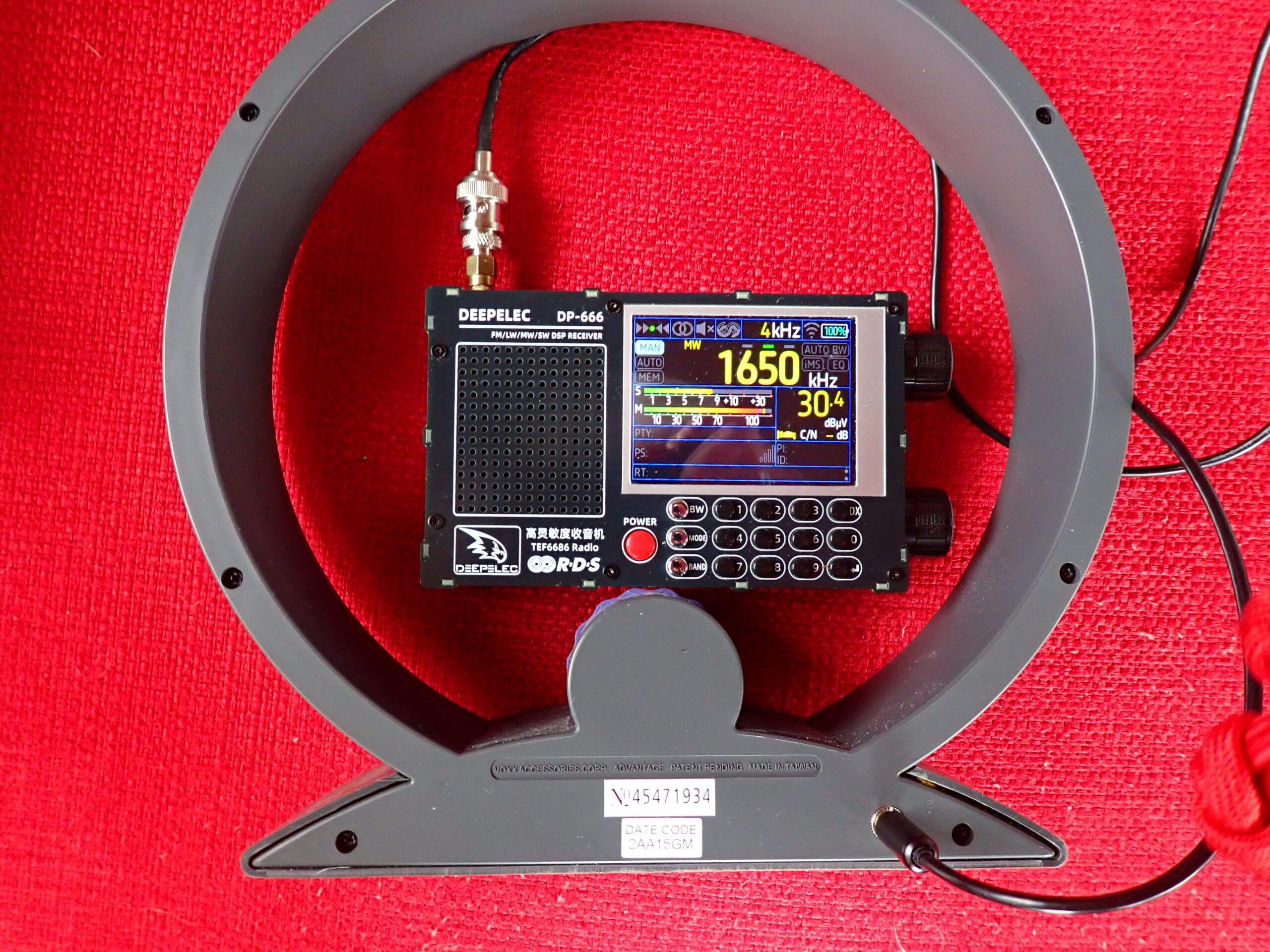
For MW reception, I like a direct cable connection between the DP-666 and a Terk AM Advantage, which is an un-amplified loop antenna with capacitive tuning. I can hold the Terk antenna in my left hand (which allows me to rotate it from side to side and even tilt it for improved reception), and with my thumb, I can rotate the antenna’s tuning wheel for peak reception. At the same time, I hold the DP-666 in my right hand and operate the tuning knob with my thumb and forefinger. It looks a little weird, but works really well.

For FM reception, I use a scanner antenna, a Comet W100RX extended to about 31 inches. The DP-666 display offers a full complement of RDS information if transmitted by the FM station. I am not, by any means, an expert FM DXer, but it seems to be a “hot” receiver.

For SW reception, the DP-666 also works pretty well with the whip antenna that comes with it. When connected to my 50-foot indoor horizontal room loop antenna, it detected a lot of shortwave stations on auto-scan. My guess is that dedicated shortwave DXers will be pleased with this pocket-sized radio.

In addition to its excellent electrical performance on MW, SW, and FM (I did not test LW), there are a couple of things about the DP-666 that I really love. The first is that, straight out of the box, the DP-666 is easy to use without consulting the manual. However, if you want tons, and tons, and TONS of customizability, press and hold the MODE button to access the MENU screens, where you can “fiddle the bits” to your heart’s delight. I have never used any of these settings, but they are there if you want them. (I think I consulted the manual just once to learn how to store stations in memory.) The well-written manual can be downloaded in PDF format here: https://deepelec.com/files/dp-666/DP-666_Product_Manual_EN.pdf .

The second thing that delights me about the DP-666 is that it is a quiet radio to operate. The clicks from the buttons are soft, and the tuning knob has detents that are felt, not heard. With headphones on, I can seek distant stations without disturbing others in the room.

Bottom line, the Deepelec DP-666 is a sensitive and easy to use radio that delivers pleasing results on MW, SW, and FM. I would be delighted to hear from others who have used it, particularly with high-performance antennas.

MLite-880 Review: Advanced SDR Performance in a Traditional Portable Design

Many thanks to SWLing Post contributor Dan Robinson, who shares the following review:


MLite-880 Spectrum Display Portable:  Advanced SDR Performance in Traditional Portable Clothes

by Dan Robinson

For years, radio listening hobbyists (as many of us who are still around in 2026) have had numerous choices when it comes to portable receivers.  Those of us who got our start as DX’ers/SWLs in the 1960’s (some earlier) or 1970’s have seen a lot of hardware come around the corner.

Some years ago, the Malahit/DSP receivers, firmware, and hardware designed and made in Russia appeared.  There was the Belka, amazingly small but a superb receiver that many of us still use.  Although shortwave broadcasting has generally been on the decline, we were lucky that companies such as Tecsun, Sangean (reported to have now stopped all production of SW portables), and other China/Taiwan-based companies continued to make impressive portables.

ICOM, Yaesu and Kenwood began putting spectrum scopes in displays a long time ago.  ICOM’s IC-R9000 (produced 1989 to 1998) was the first to bring that feature. The more recent Icom 7300, 8600, and 9500 demonstrated far more advanced spectrum displays, as did Kenwood.  Ten Tec in its original form put rudimentary spectrum display capability in its RX-350/Jupiter receiver/transceiver.

Today, we’re seeing a number of HT units with some kind of spectrum display.  The Radtel 950Pro is one example of this.  ICOM’s IC-R30, discontinued but a superb wide band unit, also has a spectrum option though quite limited.  Various China-based companies started putting spectrum displays into the ATS series of receivers, and scope displays became standard on transceivers by Xiegu and others.

Malahiteam in Russia licensed firmware out to a range of China-based manufacturers.  The China-made “ATS” portables available from AliExpress and Banggood have been through numerous versions, including the ATS25 Pro + AIR desktop, the ATS25 Ultra, ATS25 XF (see https://www.youtube.com/watch?v=LJC-pAu4nUk), and these are increasingly emphasizing the spectrum option on the display. There have been some very interesting front panel designs such as the DP-666 based on the TF6686 chip, and the AMNVOLT ESP138, the first with dual 4732/6686 architecture (see:  https://www.youtube.com/watch?v=m1njJskDSUI&pp=ygUMZXNwMTM4IHJHzGlv)

What we had not seen until recently was anyone putting a spectrum display into a “traditional” portable cabinet (some years ago, I had suggested to County Comm/Maratac which has carried a re-badged Tecsun PL-368 that they consider doing so. At one point I received from them a photo of a prototype which looked like a PL-368 with a spectrum display at the top.  But to my knowledge nothing was done to advance that to market).

WHAT IS THE MLite-880?

There have been a number of reviews/demonstrations on YouTube of the MLite-880, including by Tech Minds (see:  https://www.youtube.com/watch?v=cmO8TIr_VFo).  One of the most extensive is a nearly hour-long review by a Russian YouTuber RADIOCHIEF.RU (see:  https://www.youtube.com/watch?v=ut6cY2jZv7Q&t=1065s) and another excellent overview by Radio Bunker here:  https://www.youtube.com/watch?v=wgcRoha-mfM).

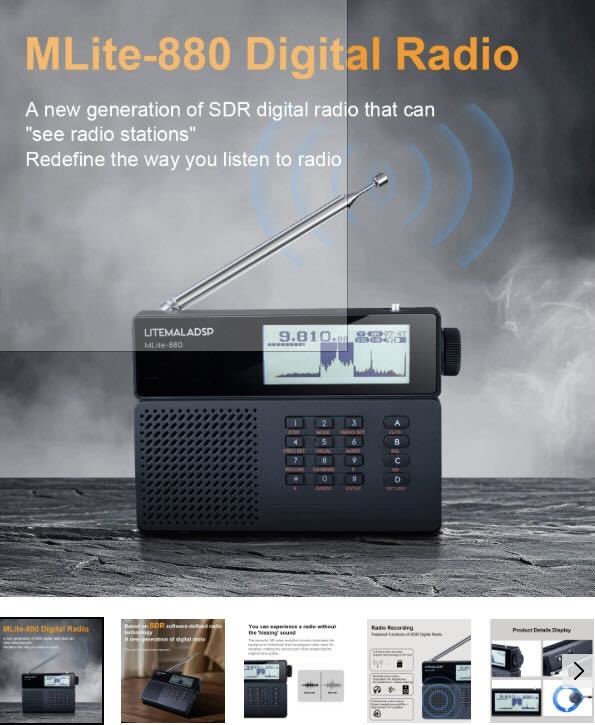
The major feature can be seen at power on.  Instead of just a digital/numerical display of frequency we see the frequency AND below, a 40 kHz slice of spectrum.  As the advertising description on the Elecevolve.com website states:

“A new generation of SDR digital radio that can “see” radio stations” . . . and “the radio in people’s impressions stays in the last century.” 

The message that Malahiteam wants to convey is clear:  this is a major step forward from portable design of the past.

The radio is very light, with a back-stand and a fairly robust whip antenna which stands at an angle when the receiver is being used with the back-stand (unfortunately, the antenna base does not allow it to go vertical).

Around the cabinet, there are a minimum of controls:  on top, we have a simple power-on/off switch and a microSD slot (more about that later).  USB-C and headphone jack are on the right, and an external antenna jack on the left.  The frequency display module of the radio looks like just that — it’s on top above the multi-function keypad and ABCD keys.  As for mode displays, there are battery and Bluetooth lights below and next to the LITEMALADSP letters.  On the back, we find the 21700 battery compartment, and on the back-stand, we find information about the receiver, but no “Made in…” information whatsoever.

From the videos, and certainly from the name of the radio (LITEMALADSP) we have the impression that the MLite-880 is a cost-reduction version of the Russian DSP/2/3 receivers.  Neither 4732 nor TEF 6686 chips are used.  While one video review states that an MSI-SDR-M1 chip is inside, Georgiy at Malahiteam states that this is not so.

There was obviously a deliberate choice of the 21700 battery rather than 18650 used in Tecsun, Choyong, and other portables.  First adopters say that so far, this battery keeps the receiver going for hours, something I can confirm.  Anyone unfamiliar with professional type batteries like this should invest in a good standalone charger; if you already own a Tecsun PLxxx or D808 portable you will be familiar with 18650 and similar cells.  [UPDATE]:  Larger size 21700 battery does not fit — the battery provided with the radio is a EVE INR21700/50E

The inclusion of a backstand is very welcome, since Russian DSPs and China-made SDR portables often lack one.  The whip antenna is not thin and flimsy like those found on some China-made small portables.  There’s a mini to SMA adapter included in the box.

One reviewer notes that high-speed microSD cards are needed because files are recorded in WAV format.  Georgiy at Malahiteam states that 16 and 32 GB cards have worked, BUT one user reports a 256GB card worked.  Recording capability is a feature seen on other portables like the Raddy RF919.  A good sized speaker is on the left.  The tuning knob has a dual push-pull function for volume and frequency change.

And the radio has Bluetooth capability, which worked fine when I first tried it with a Bluetooth speaker.

In menus under “About” we see “Designed in Russia/Made in China.” I recommend that readers view the various videos available online.  While I was in the process of writing, I was surprised when the MLite-880 I had ordered from Banggood showed up on my doorstep.  So, I’m able to provide initial impressions, and when a second unit arrives here, I’ll do some unit-to-unit comparisons.  [NOTE:  Testing done using only the onboard whip antenna]

VIDEO: UNBOXING AND DEMO

Click here to view on YouTube.

“LITE” BUT NOT LIGHT ON FEATURES

If this is supposed to be a “Lite” version of the Malahit DSP receivers, whether the original Russian-made units or those from China, that would not be apparent to someone using this receiver for the first time.  Numerous options are brought over from the Malahiteam DSP.  We have synchronous reception (but see below) and the ability to correct calibration variations.  Recalibration and BFO fine adjust is something we see on Tecsun portables, and China-made SDRs, and the AFEDRI SDR.

I won’t list everything, but we also see Hi-Z/50 Ohm, BiasT, Attenuation, and options for adjusting display brightness, spectrum average, spectrum fill, and RDS view.  That is quite a lot of flexibility and reminds me of what we find on receivers costing thousands of dollars.  Under Audio settings, we see Filter Type, Filter Low Freq, Filter High Freq, and variable Noise Reduction.  One reviewer asserted that NR “works significantly better than on the Russian-made DSP-3, which costs near $500,” and based on my first tests, I agree.  NR runs from 0 to 15 and, once set, can be quickly activated by pressing the C button on the right labeled NR.  Overall filtering ranges:  0 to 8 Hz, 0 to 12 Hz, 0 to 15 Hz for the three designated filter positions.

AGC settings include AGC limit, AGC gain, and manual control, all settable in dB.  On a third page of options, we find NB Mode, NB Threshold, Equalizer Type, Key Beep Level, and SQUELCH Threshold.  Recording is accomplished with a direct access button (NOTE:  I had some problems getting record working with a 1GB microSD but switched to a FAT32 8 GB and it worked).  A quite nice printed manual shows the modes: USB, LSB, CW, DSB, AM, SAM, NFM, WFM.  Steps are listed as:  100 Hz, 500 Hz, 1 kHz, 2.5 kHz, 5 kHz, 6.2 kHz, 8.3 kHz, 9 kHz, and 10 kHz.

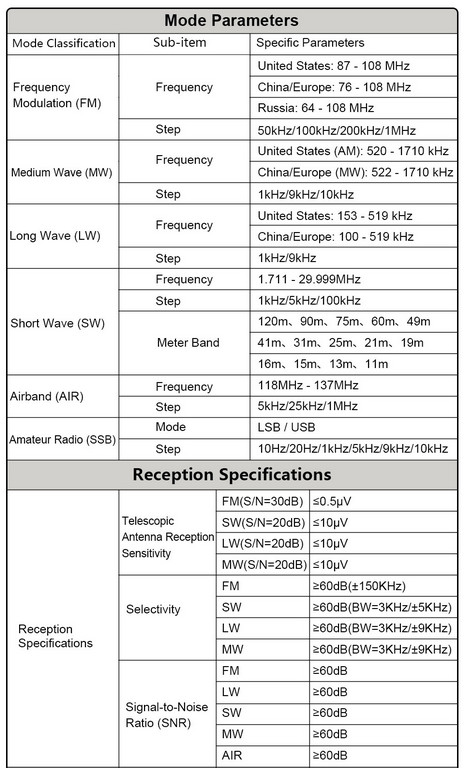
The MLite-880 contains band ranges selected by pressing the appropriate key and then A/B to scroll through those ranges.  Coverage is from 100 kHz to 519 kHz, from 520 kHz to 1710 kHz, and up to 29,999khz.  But one can directly enter any frequency in this entire range, regardless of the ranges.  Under AMATEUR BANDS, we find 135.70 kHz to 137.80 kHz (2200m), 472 kHz to 479 kHz (630m), 1800 kHz to 2000 kHz, 3500 kHz to 3800 kHz, 5351.5 kHz to 5366.5 kHz, 7000 kHz to 7200 kHz, and on up to 29.700 kHz, with 70 mHz to 70.5, and 144 mHz to 148 mHz.  Finally, FM/VHF bands include 65.9 mHz to 74 mHz (OIRT), 76 mHz to 108 mHz, and AIR band 118 to 137 mHz.

The spectrum display on the MLite-880 is 40 kHz.  For most people, especially those coming from a portable with just a digital numerical readout, I don’t think this is going to be a problem.  The 880 obviously has a smaller spectrum display than the full Russian DSP or Chinese-originated portables.  Under VISUAL settings, we have choices of:  BRIGHTNESS LEVEL, BRIGHTNESS OFF TIME, SPECTRUM AVERAGE, SPECTRUM FILL.

I have not opened my MLite-880, but RADIOCHIEF.RU on YouTube shows the cabinet back removed (around the 29-minute mark).  We see extensive shielding with metal covers over key sections. Very impressive, and it finds me wishing that other manufacturers would have done this.  How much better the short-lived “Elite Satellit” by Eton might have been with better internal shielding.

What remains to be seen is the extent to which the MLite-880 monochrome display throws off interference, a well-known issue with the original Russia-made Malahit units and China-made portables.  See my interview with Georgiy of Malahiteam, who notes that not all noise is gone.  “We weren’t able to completely eliminate the noise,” he says, adding that “it still occurs in places, mostly on the long and medium wavelengths. However, significant attention was paid to the screening, and turning off the display completely solves the issue.”  The screen shutoff he mentions is accomplished as of now by pressing the “9” key.

We learn from the few available YouTube reviews that the main microcontroller in the MLite-880 is the STM32H743, which one reviewer says is “about the same as the older version in the Malahit DSP-3”.  And he adds:  “It’s a full-fledged SDR like the DSP-3 that is, unlike all sorts of superhet Tecsuns and DEGENs on chips with all sorts of soft mutes, the Malachite works just as well but significantly better. . .”

Unfortunately, so far we see that firmware updating is accomplished using the STMCube program used by the Russia and China units and the excellent AFEDRI.  I find STMCube to be clunky and often frustrating, though it seems straightforward when explained in the ML-880 manual.

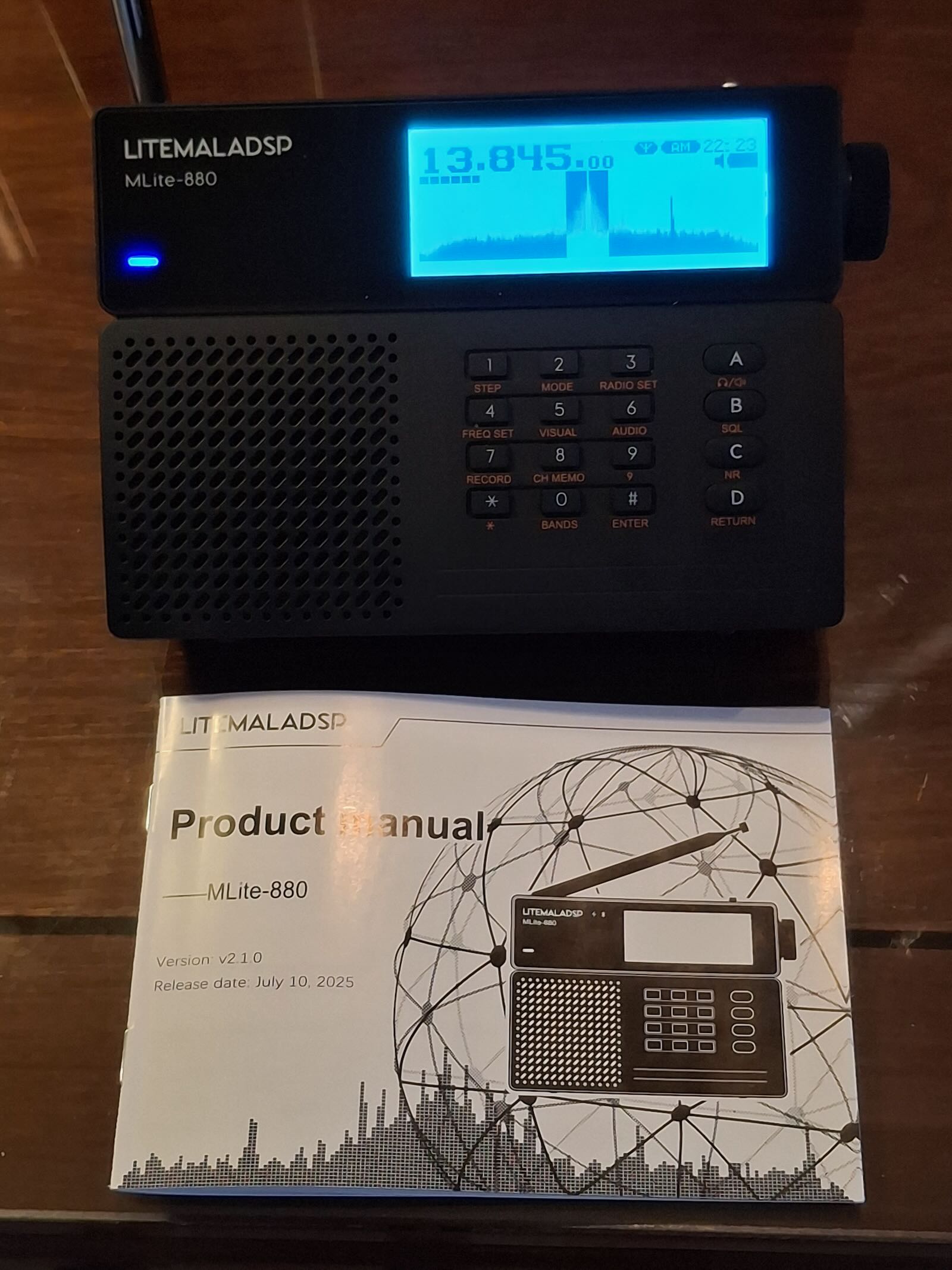
RADIOCHIEF.RU on YouTube provides a demonstration of the MLite-880, comparing it with an ICOM IC-R20 and a DSP-3.  He notes that while there are flaws in the 880 they appear to be fixable via  firmware upgrades.  In the downloads section of the elecevolve website we see version 1.2 dated 6 February 2026.  The unit delivered here has 1.1  The printed manual shows “v2.1.0 Release date July 10, 2025”.  I’m not aware of videos or other online presence of the ML 880 before January 2026.

WHAT’S THE BIG DEAL?

SWLing Post readers, whether SWLs or amateur operators, may be asking what the big deal is with the MLite-880.  That’s understandable, but let me explain the significance.  Much as the Choyong LC-90 became the first receiver to provide HF and Internet radio in a traditional radio cabinet (though without any spectrum display), the 880 shows that placing such a display in a traditional portable cabinet has been quite possible for some time — it just took someone to go ahead and do it. Continue reading
Don Pushes Portable Antennas Further: Loop Size, Performance, and Real-World Limits (Part 2)

Many thanks to SWLing Post contributor Don Moore–noted author, traveler, and DXer–who shares the following post:


Two Portable Antennas for Remote DXing (Part Two)

By Don Moore

Don’s traveling DX stories can be found in his book Tales of a Vagabond DXer [SWLing Post affiliate link]. If you’ve already read his book and enjoyed it, do Don a favor and leave a review on Amazon.

In my initial comparison of the PA0RDT mini-whip and the MLA-30+ MegaLoop, the mini-whip performed best on medium wave and the lower shortwave bands, while the loop worked better on the higher bands. But, I wondered, why should the MLA-30+ be restricted to that small steel loop? The wire loops I use with my Wellbrook ALA-100LN typically range from twenty to fifty meters in circumference.

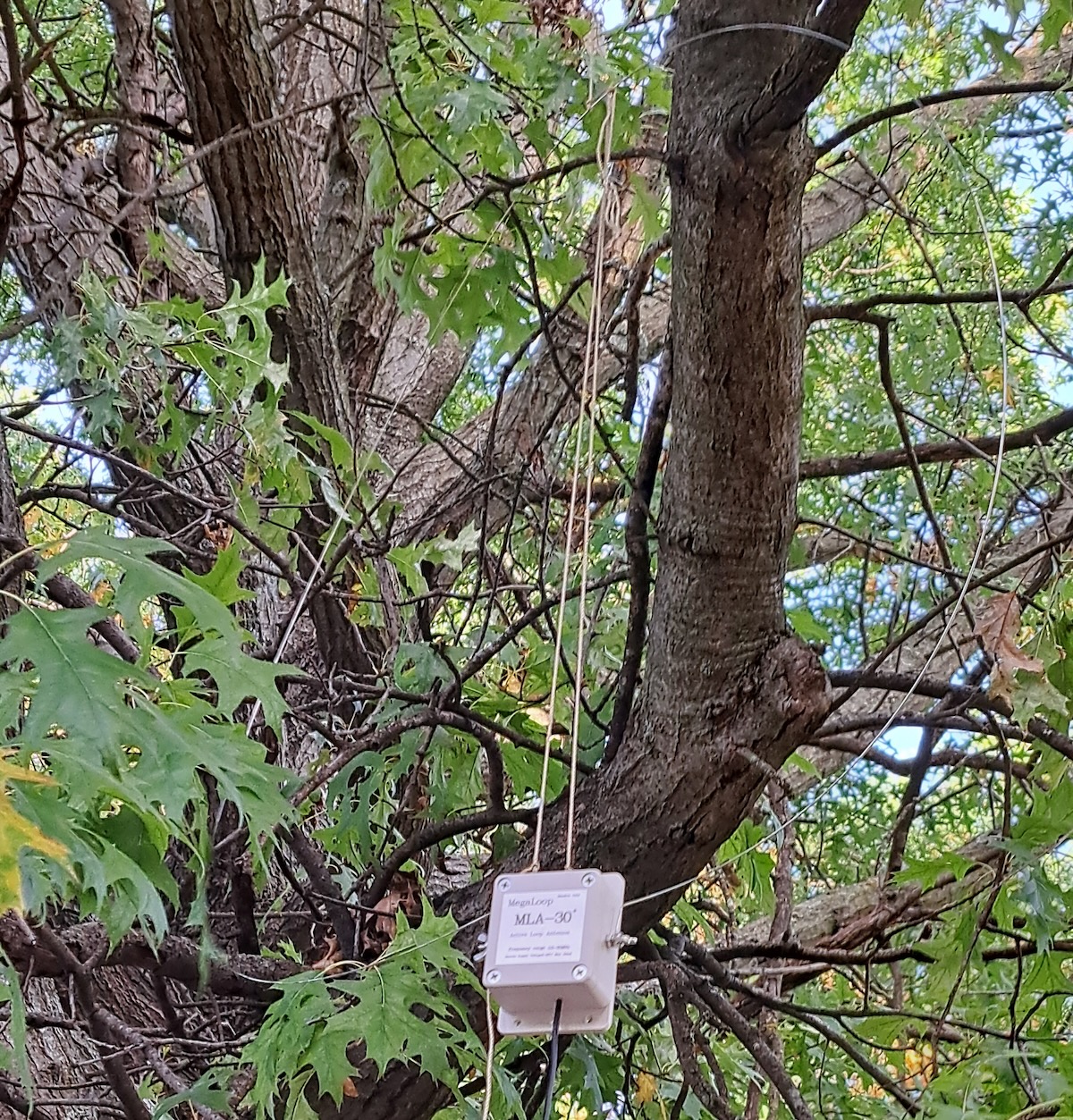
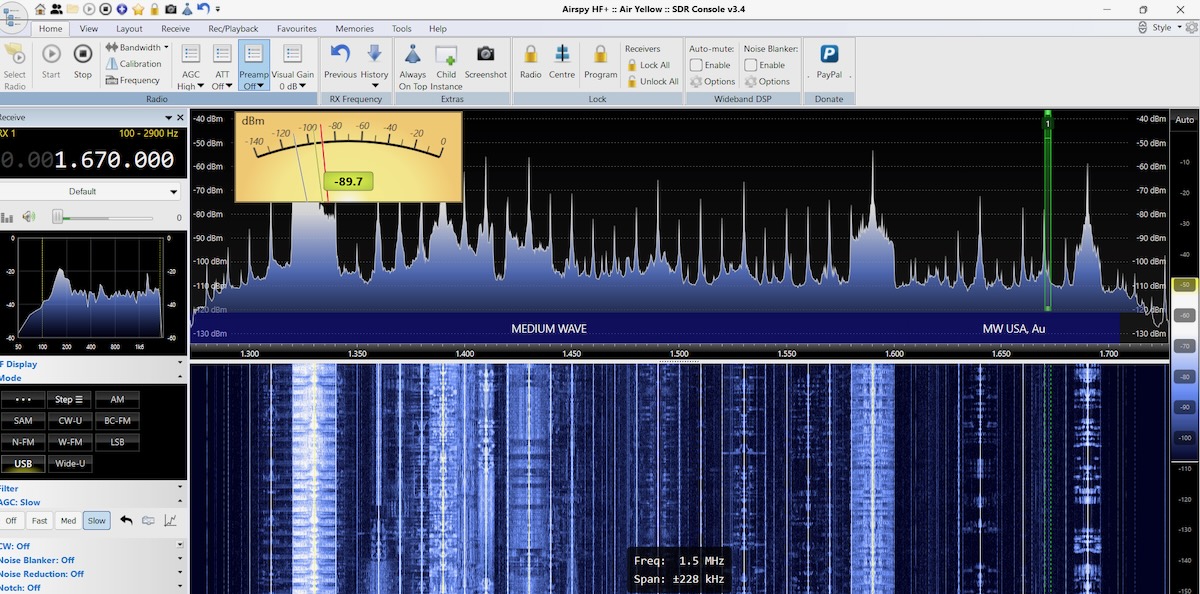
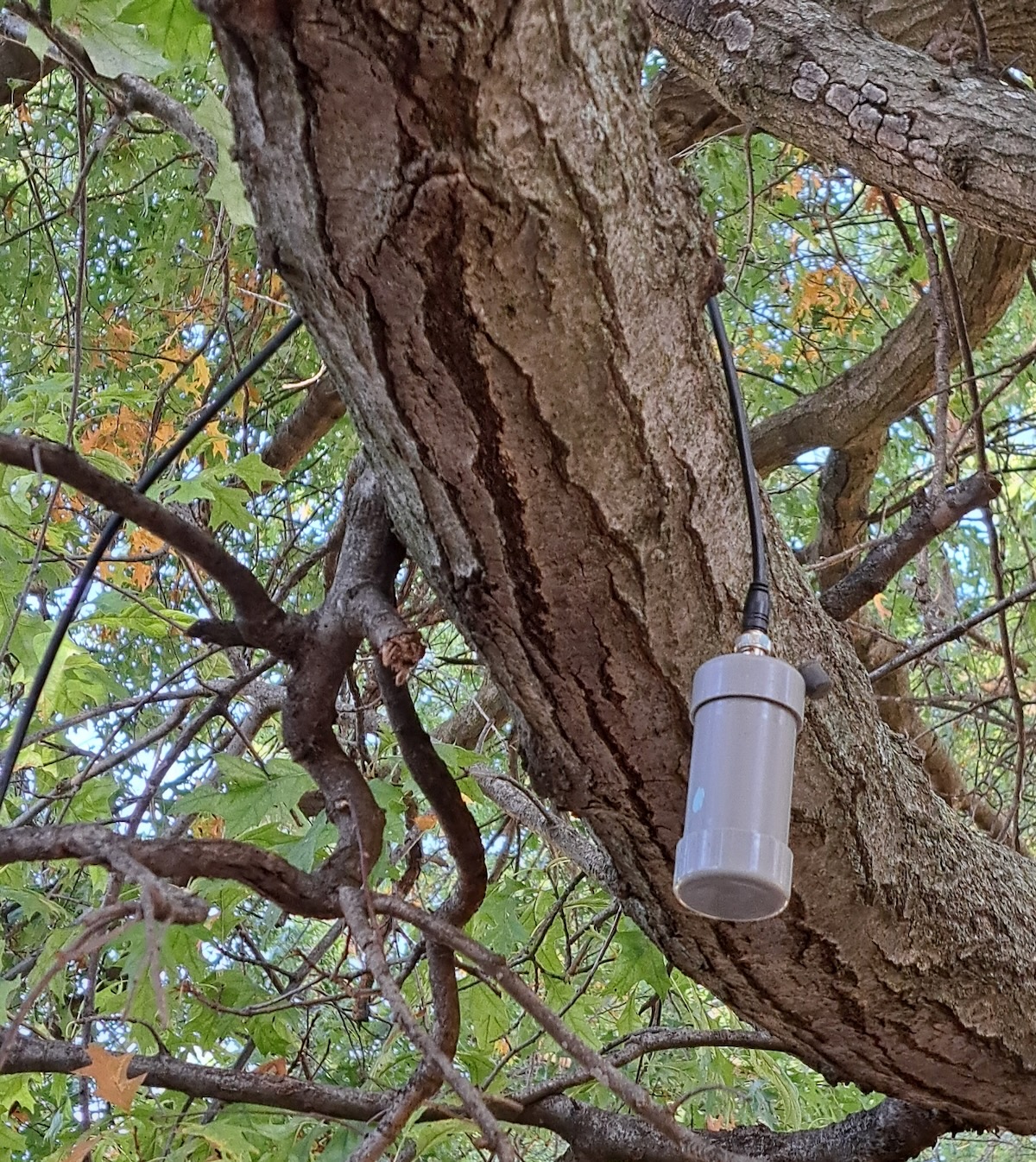
I threw a twenty-five-meter wire over a tree branch and formed it into a delta with the MLA-30+ in the bottom center. Remember, I was testing in the northern Chicago suburbs. My SDRs were completely overloaded. Medium wave was useless and I had strong MW stations all over the shortwave bands. The MLA-30+ doesn’t have the same strong-signal handling capabilities as the Wellbrook. And there are a lot of strong medium wave signals in the Chicago suburbs.

So I took that wire down and replaced it with a loop of twelve meters circumference.

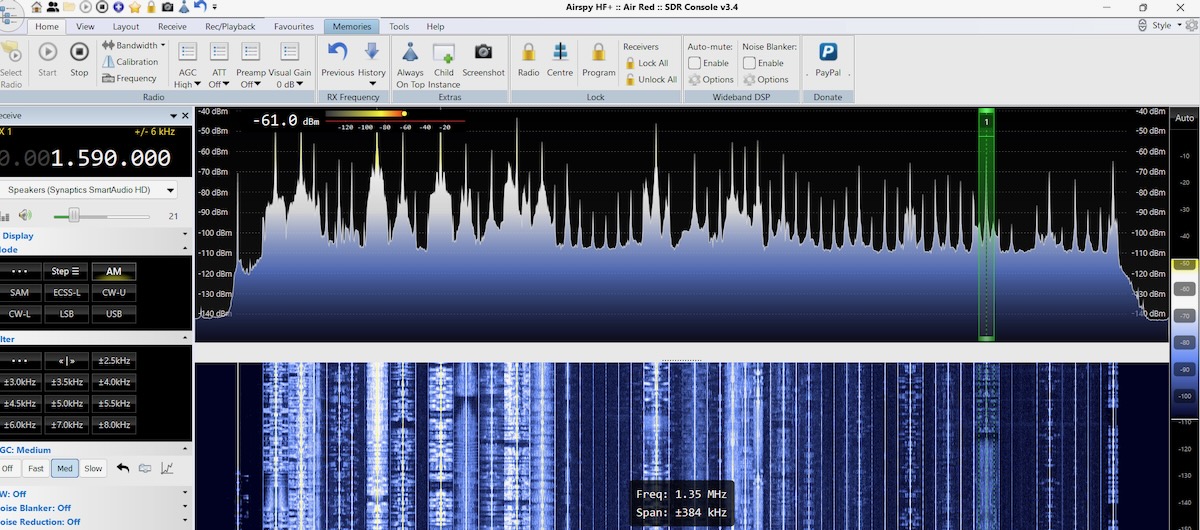
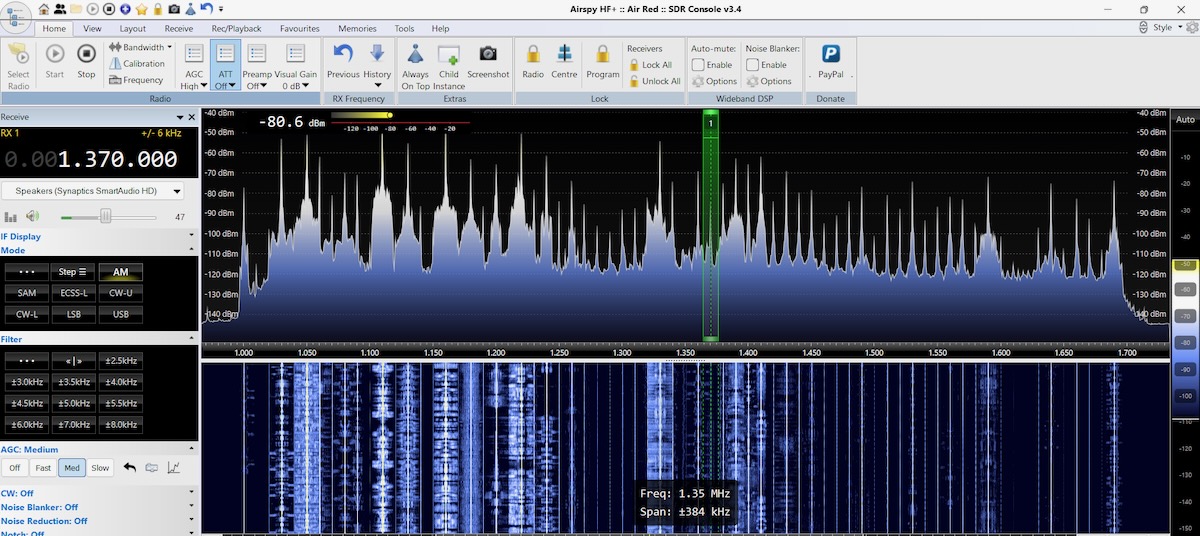
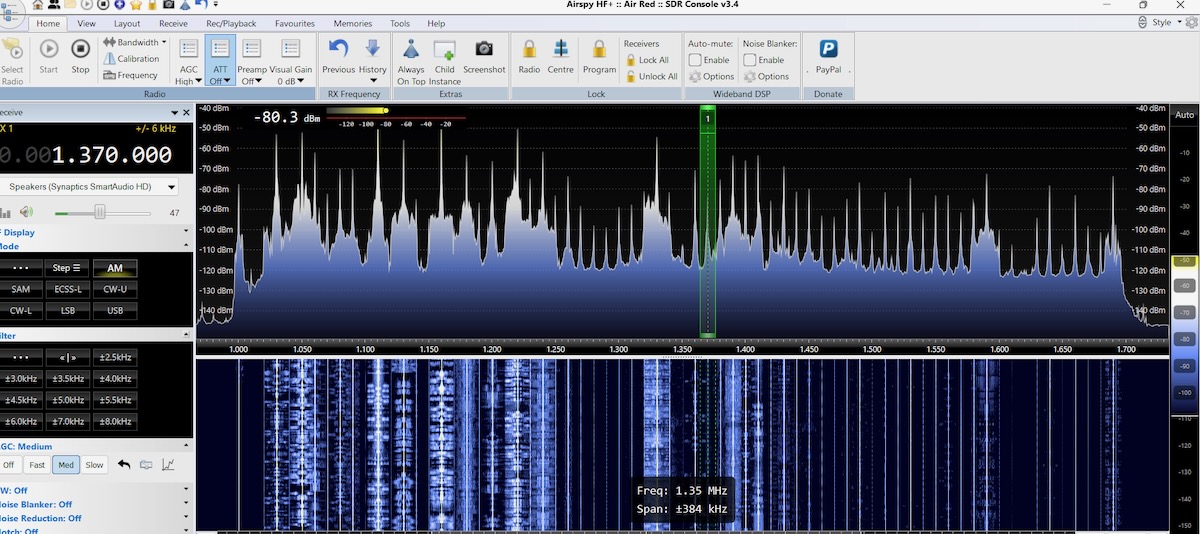
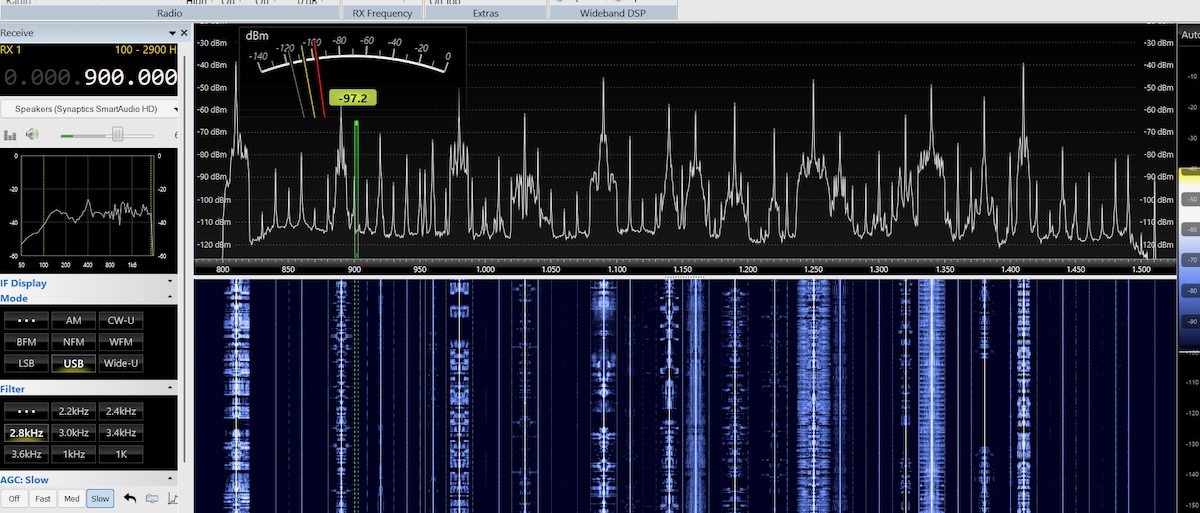
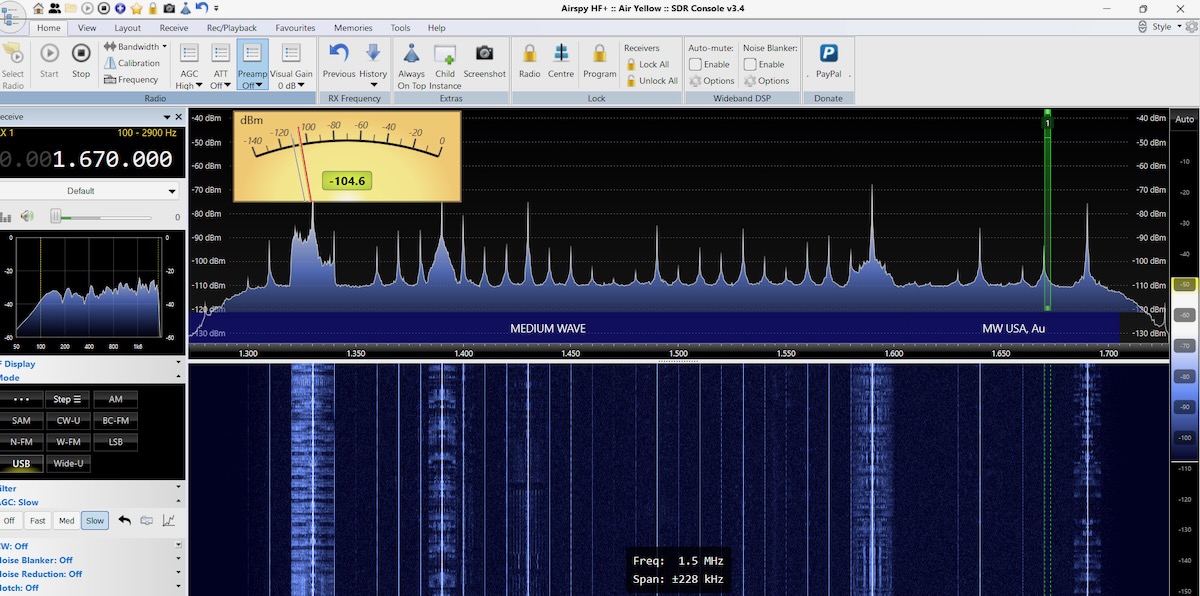
That did the trick. I had lots of signals on medium wave without the overloading. Here’s what the upper end of the MW band now looked like with the MLA-30+.

For comparison, here’s the same wire loop using the Wellbrook ALA-100LN. The Wellbrook has a slightly lower noise floor but otherwise the signals are about the same.

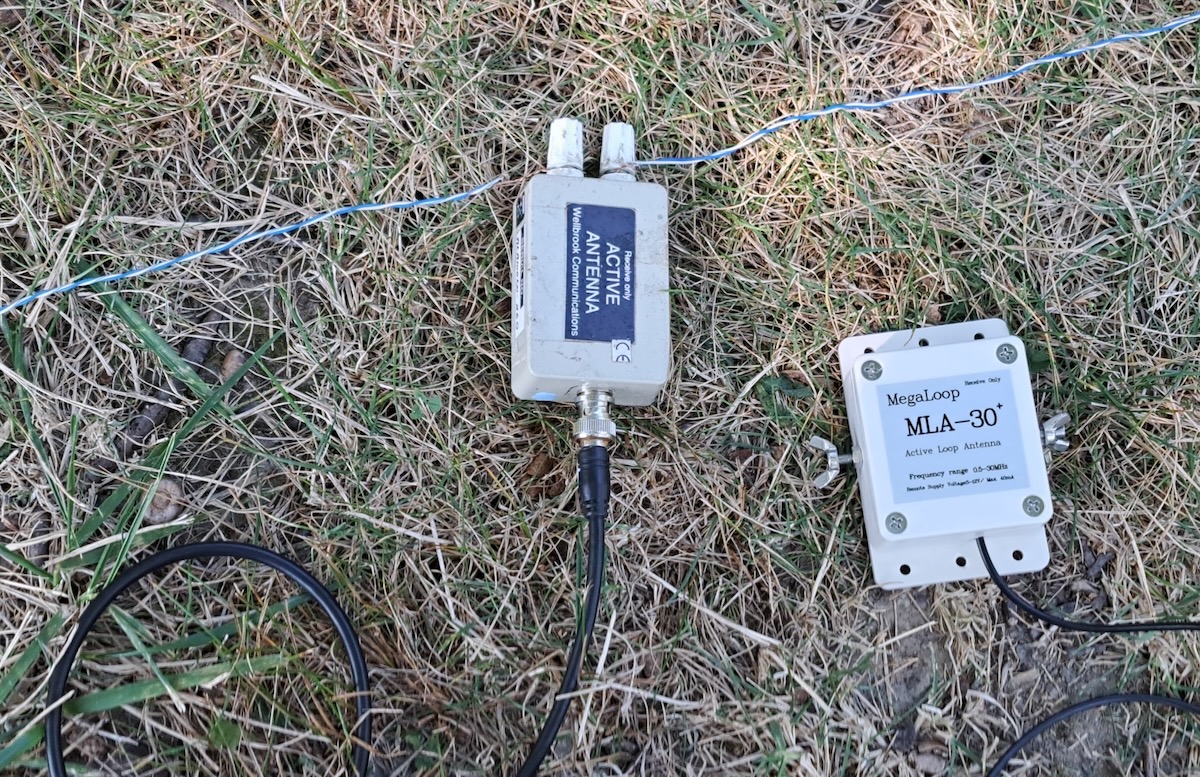
Out of curiosity, I replaced the Wellbrook power unit with the Bias-T from the MLA-30+ but left the Wellbrook antenna head unit in place. With this hybrid setup there’s no visible difference with the full Wellbrook.

I was satisfied with my findings but I still wondered how much wire the MLA-30+ could handle. A few weeks later I ran some more tests in Kansas, where I knew the dial wouldn’t be as crowded. The MLA-30+ easily handled a 25-meter delta loop without overloading.

Two weeks after doing the Kansas tests I was at a DXpedition in rural western Pennsylvania. The MLA-30+ worked fine with a 40-meter circumference loop, other than being a tad noisier than the Wellbrook with the same wire. So how much wire you can use with the MLA-30+ components depends on how strong your local medium wave stations are.

Findings

From the SDR images above it would be easy to conclude that with the right length of wire an MLA-30+ is just as good as a Wellbrook ALA-100LN even though it is significantly cheaper. But that’s not the full picture. Back in the 1990s my Drake R-8 cost about three times what my Sony ICF-2010 did.  All other things being equal, I would say that 95% of the DX heard on the Drake could have been heard equally well on the Sony. I wanted the Drake for the other five percent.

I have no doubt that if I did a very careful head-to-head comparison of the two units under serious DX conditions on the same wire that the Wellbrook would get things the MLA-30+ couldn’t. But I suspect the difference would be around that five percent mark. I’m willing to accept that tradeoff for an effective cheap light-weight travel antenna. And the MLA-30+ is like having two antennas in one. I can use it with the steel loop in limited space situations or with a larger wire loop when I have access to some garden space with a tree. Together, the MLA-30+ and the PA0RDT make the perfect DX travel antennas.

The only thing I didn’t like about the MLA-30+ was that pre-attached coax cable. It’s not the best quality and I’d rather carry my own cable. I’m not very handy with a soldering iron in tight spaces but at our recent DXpedition my friend Bill Nollman replaced the coax with a BNC jack for me.

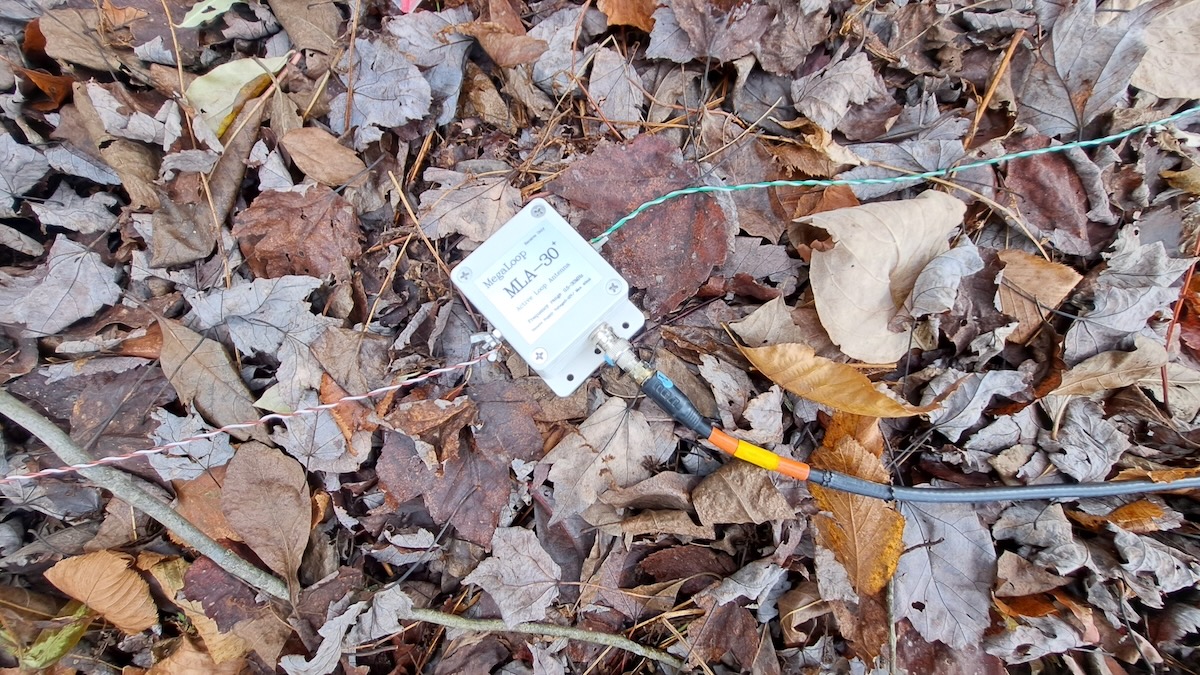
The MLA-30+ now looks like this when connected to a wire loop.

Finally, I should address powering the MLA-30+ via USB. While it can be connected to a spare USB port on your laptop, I found doing that sometimes introduced a tad more noise. Instead I’ve been using one of those battery packs used for recharging cellphones. Mine is rated at 6700 mAh and it can power the MLA-30+ for over 48 hours before needing a recharge. But be sure to test yours before doing any serious DXing. I’ve read that some power packs have a minimum required power draw and will automatically shut off if the draw is too low.
Another Option?

While I was finishing this article I heard about another option from my friend Guy Atkins.  This antenna is a combination of the YouLoop with a low-priced Chinese made clone of the LZ1AQ amplifier. Some users say it’s better than the MLA-30+. Guy says it works well on shortwave up to 16 meters but he hasn’t tried it on medium wave. Guy says it’s a “low price, good value” antenna. I’m traveling in Southeast Asia for the winter but will definitely have to try this antenna when I get back to the USA. So maybe there will be a follow-up article next summer.
Links

[Note: Amazon links are affiliate and support the SWLing Post at no cost to you.]

Info on ordering a quality PA0RDT from Roelof Bakker. (Other cheaper versions have had issues with quality control.)

https://dl1dbc.net/SAQ/miniwhip.html

There are various versions of the MLA-30+ and the original MLA-30. This is the version that Mark Taylor recommended and that I bought.

https://amzn.to/3MEKjPY

There are numerous YouTube videos on using and modifying both versions of the MLA-30+. This one shows how to replace the coax with a BNC jack.

https://www.youtube.com/watch?v=OAqh2Lawwdc

Here’s the Amazon link for the YouLoop/LZ1AQ antenna that Guy has.

https://amzn.to/4s1RB09

And the same antenna on Ali Express.

https://www.aliexpress.us/item/3256808527623276.html

Portable Antennas for Serious DXing: Don’s Field Tests from Parks to the Open Road (Part 1)

Many thanks to SWLing Post contributor Don Moore–noted author, traveler, and DXer–who shares the following post:


Two Portable Antennas for Remote DXing (Part One)

By Don Moore

Don’s traveling DX stories can be found in his book Tales of a Vagabond DXer [SWLing Post affiliate link]. If you’ve already read his book and enjoyed it, do Don a favor and leave a review on Amazon.

Once upon a time, I had a traditional DX shack with an L-shaped desk and shelves of receivers, radio gadgets, and DX books. Everything I wanted or needed as a DXer was right at hand. Then I retired and was finally able to pursue my lifelong itch for serious travel. But there was no way to carry that DX shack along with me. Fortunately, modern technology was there to help. SDRs are significantly more travel-friendly than my old Sony ICF-2010 (let alone the Drake R-8). Instead of books and bulletins, my DX reference materials are websites and PDF files on my laptop.

I spend several months a year traveling internationally with just a suitcase and knapsack. That doesn’t leave much room for DX equipment. Several years ago I described my approach to vagabond DXing in an article here.

https://swling.com/blog/2019/03/radio-travel-a-complete-sdr-station-for-superb-portable-dxing/

Since writing that article in 2019, I’ve continued to work on making my portable DX shack better and more compact. Recently, I replaced the Elad FDM-S2 with three Airspy HF+ Discovery SDRs. Not only are they smaller and lighter, but I can record three different band segments at once. Next up was rethinking my travel antennas. A wire loop with the Wellbrook ALA-100LN is still, in my opinion, the best travel antenna. But the components are heavy and are now irreplaceable since they are no longer made. So over the summer, I set about testing and comparing both old and new options. But you don’t have to wander the globe for my findings to be useful to you. This can be just as helpful for DXing from a nearby park. That’s how I did my testing.

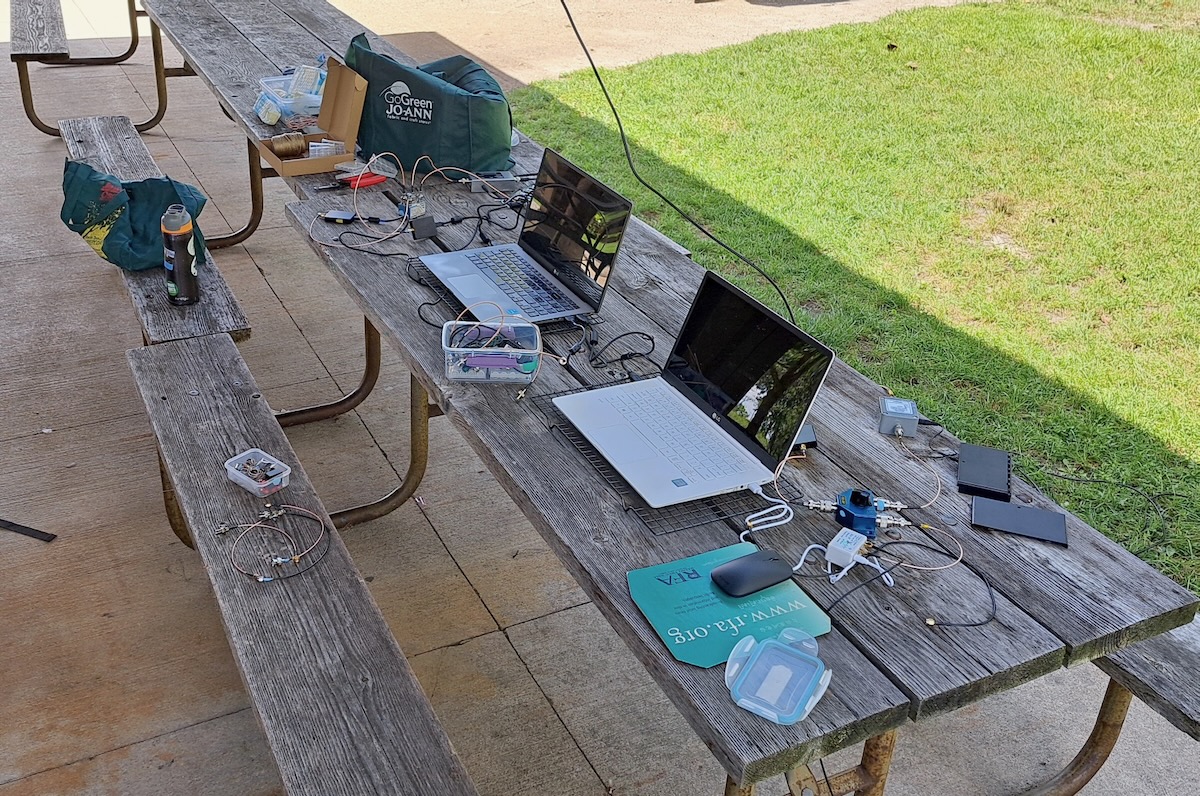
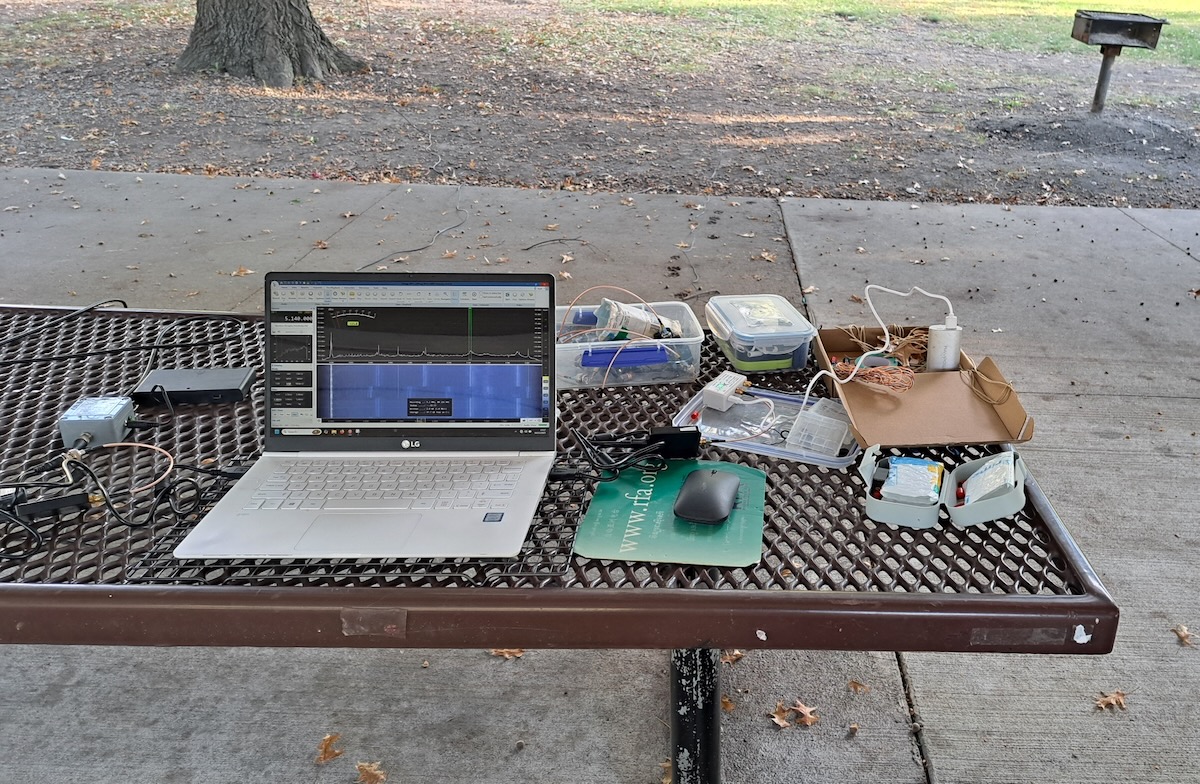
I spent the past summer staying at an AirBnB in the north Chicago suburbs. I wanted a better location for testing so I checked out parks in the area and finally settled on Preserve Shelter B (42.26797, -87.92208) at the Old School Forest Preserve, east of Libertyville in northern Illinois. The shelter was entirely wood, with standard asphalt shingles (rather than steel), and had no nearby power lines. I made four daytime DXpeditions there to do some utility DXing and to run my tests. Here’s a photo of my setup.

I decided I should rerun the tests at least one other location. So while driving across the US in mid-October, I stopped for a few hours one morning at Park Shelter A (39.11144, -94.86629) in Wyandotte County Park, just west of Kansas City, Kansas. There, I just had a minimum setup.

The Antennas

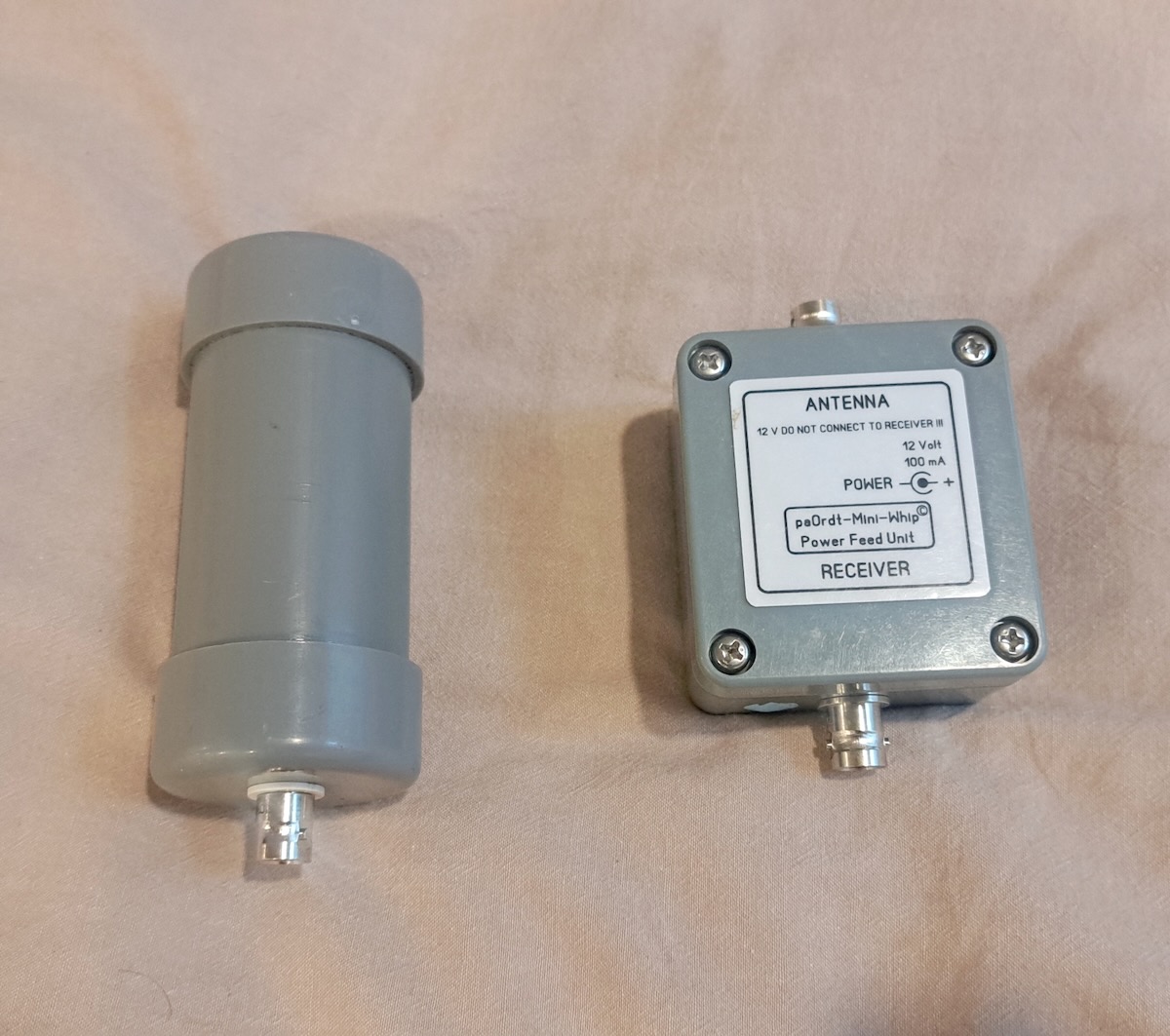
So, what were the antennas I was testing? The first was the tried-and-true PA0RDT mini-whip from Roelof Bakker. The PA0RDT is described in my 2019 article and is probably the most portable quality antenna you can get. To power it I use a battery box and eight rechargeable lithium-ion AA cells.

 For the traveling DXer, setting up the PA0RDT is as easy as it comes. I just attach the coax cable and throw it over a support, such as a picnic shelter beam or a tree branch.

But I’ve always believed that the best antenna is another antenna. That is, every antenna works differently, and therefore the more options you have, the more likely you will have something that works well in any situation. So if I wanted to leave the Wellbrook at home, what might complement the PA0RDT? I contacted my friend Mark Taylor, who I knew had a large collection of the various inexpensive Chinese-made amplified loops. With his help, I settled on the MLA-30+ MegaLoop from DmgicPro.

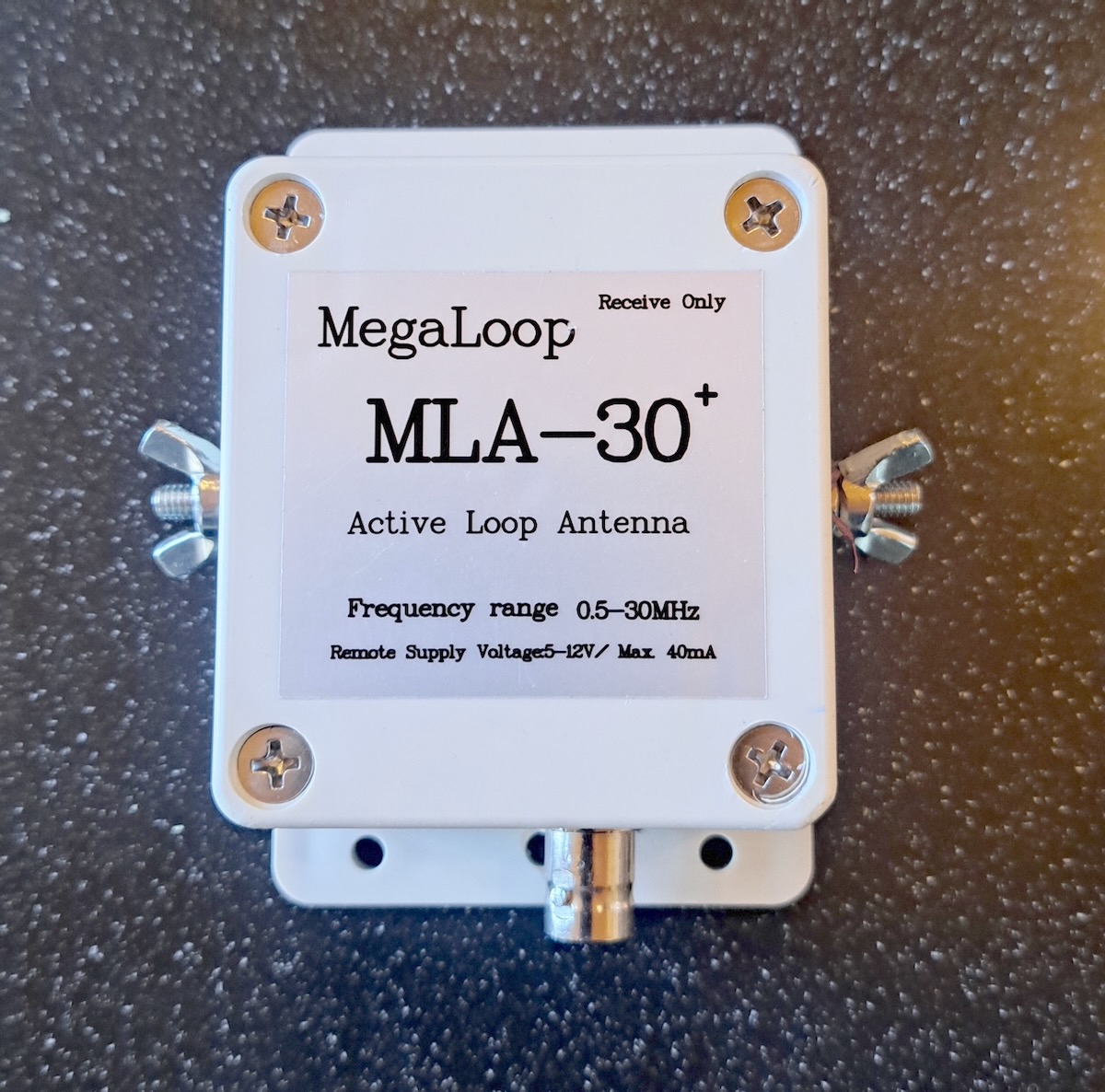
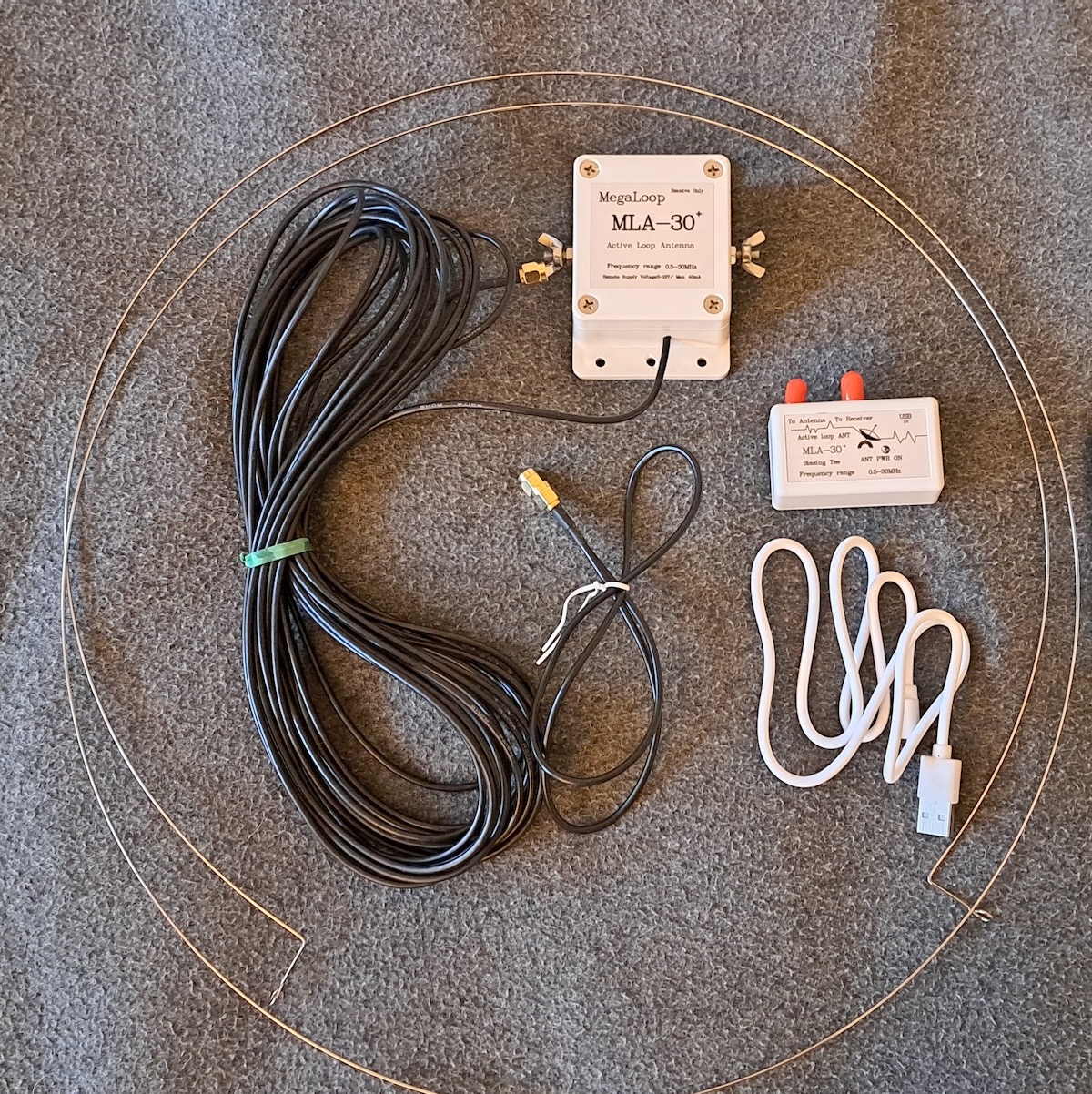
This antenna consists of a steel wire loop that connects to terminals on the amplifier box. The amplifier has a ten-meter coax cable, which in turn is connected to a small bias-T power supply, which gets its power via a USB connection. The MLA-30+ is designed to be used in a permanent installation with some sort of vertical support, such as a PVC pipe. Some users replace the wire loop with copper tubing.

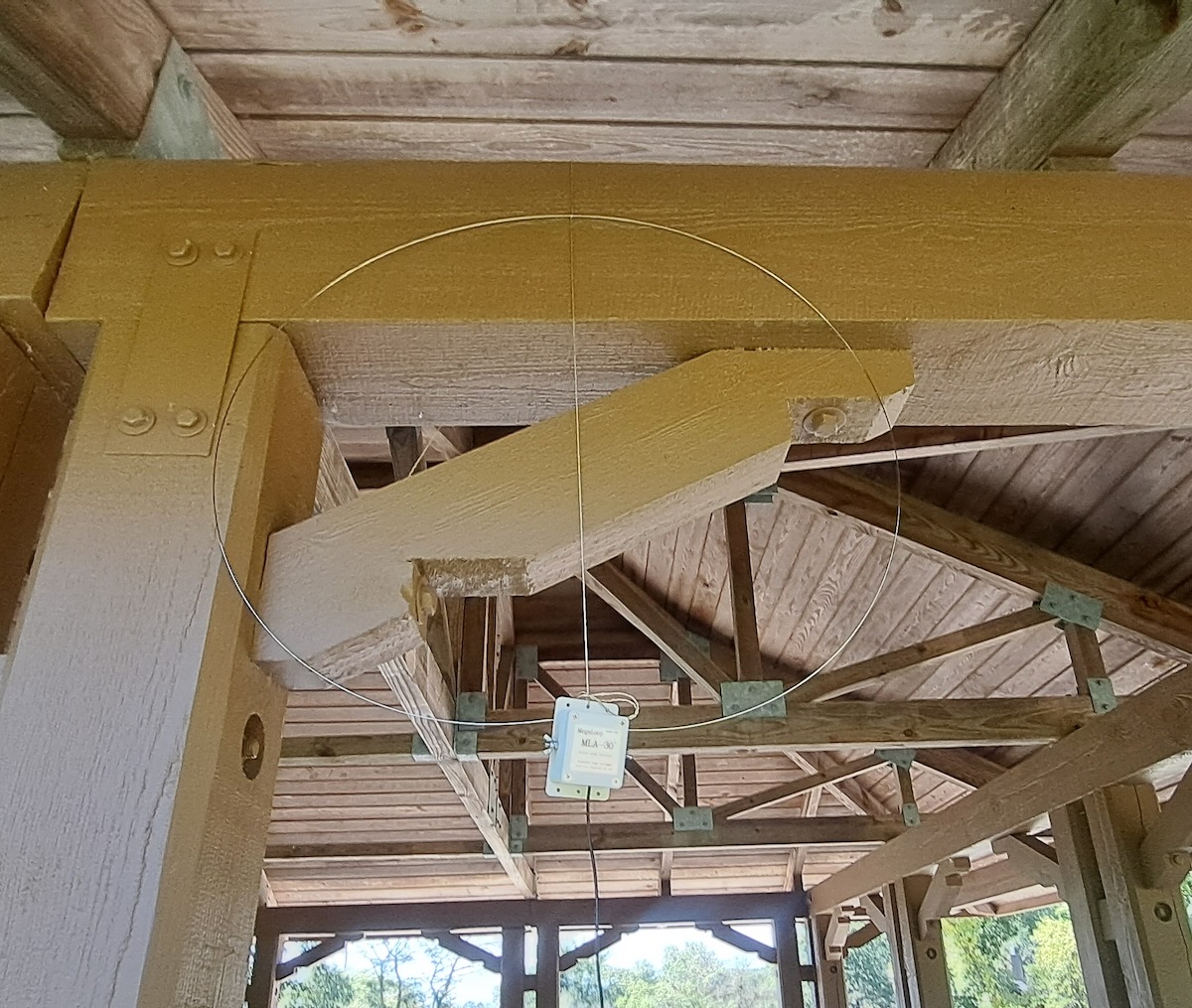
Those options aren’t practical for me, and simply hanging the antenna from the top would cause the steel loop to stretch and deform. So I came up with the idea of tying a strong cord from the top to the bottom of the loop so that the cord, and not the loop, bears the weight. To hang the antenna, I throw the cord over the support, attach the antenna, and then pull it up into place. That works well if you have rear support to hold it in place, such as the beams of a picnic shelter.

It’s a bit more difficult to mount the MLA-30+ in a tree.

Comparing the Antennas

I ran comparisons between the antennas several times at Old School Forest Preserve and then again at Wyandotte County Park. The results were practically the same every time. The images below were made at Old School unless otherwise stated.

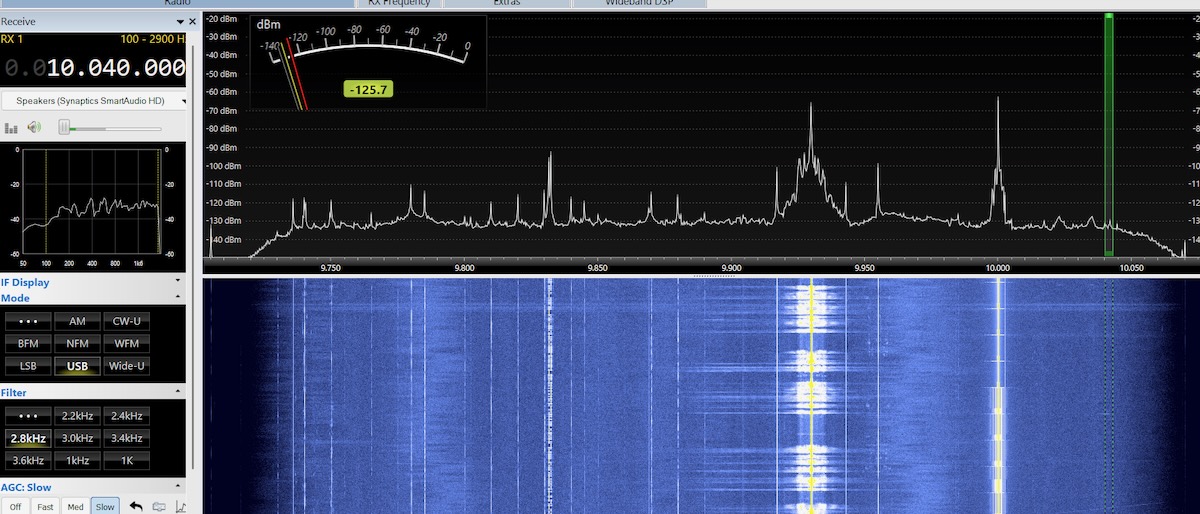
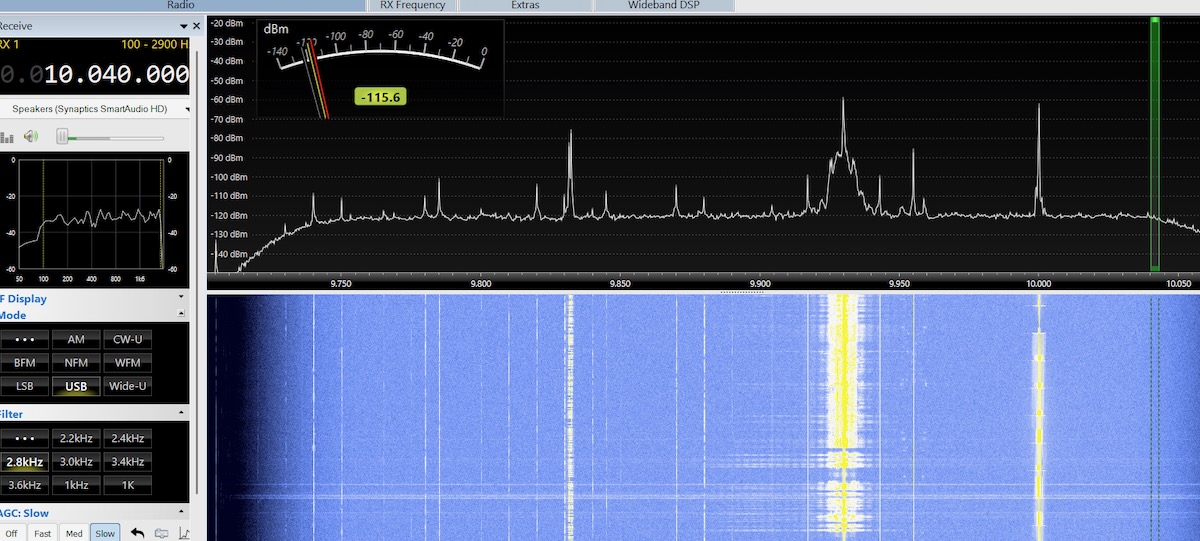
The PA0RDT was designed to be a good performer on longwave and medium wave. Unsurprisingly, it shows a lot of signals on the upper end of the medium wave band, even during the daytime. Except for being non-directional, the PA0RDT is an excellent MW antenna.

The MLA-30+, on the other hand, isn’t good for much beyond hearing the strongest local signals on medium wave.

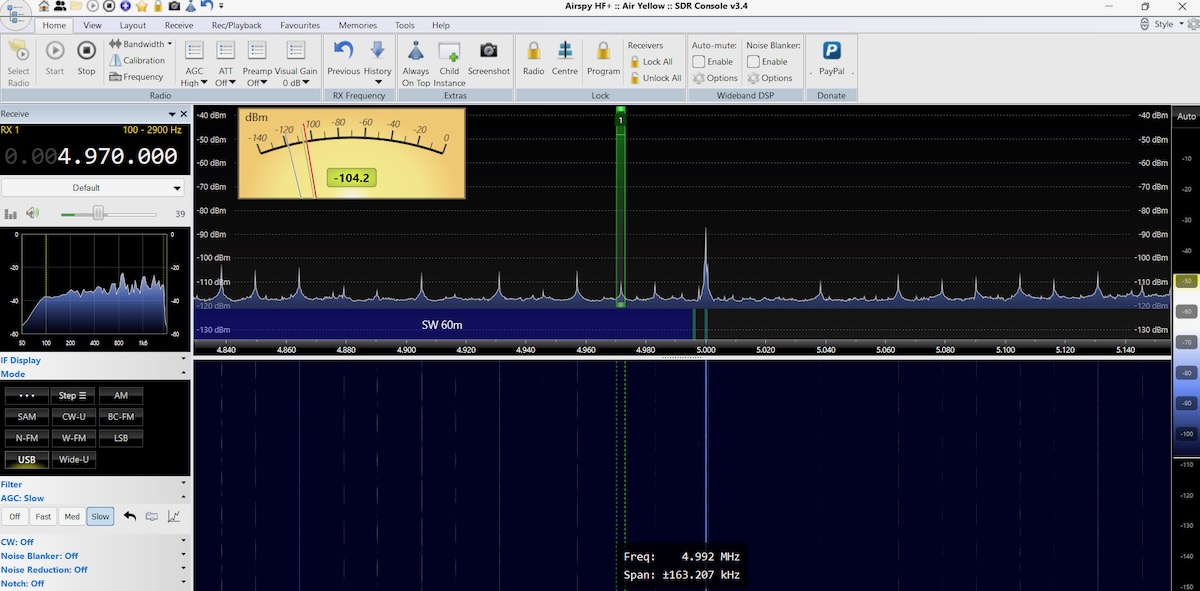
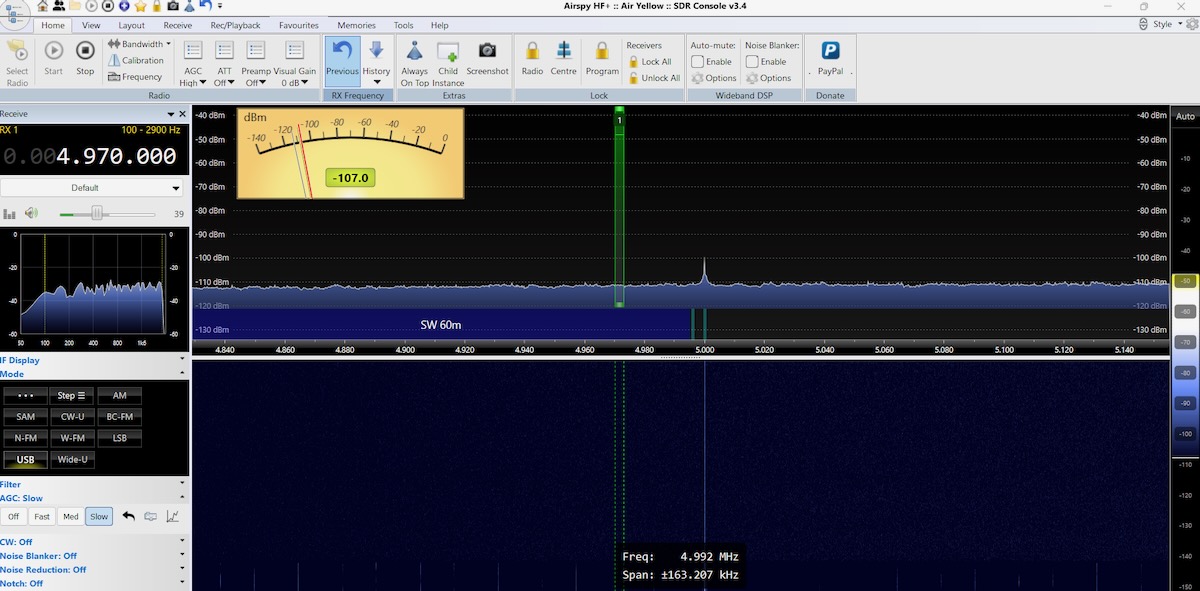
When I ran these tests in the late morning, WWV on 5 MHz was the only signal in the 60-meter band. It had a very listenable signal on the PA0RDT.

But on the MLA-30+, WWV was barely there.

Likewise on 49 meters, CFRX on 6070 kHz was very clear on the PA0RDT but barely listenable on the MLA-30+. But when I moved up to 31 meters, the difference between the antennas mostly disappeared, as in these images made in Kansas. The PA0RDT is top and the MLA-30+ on the bottom.

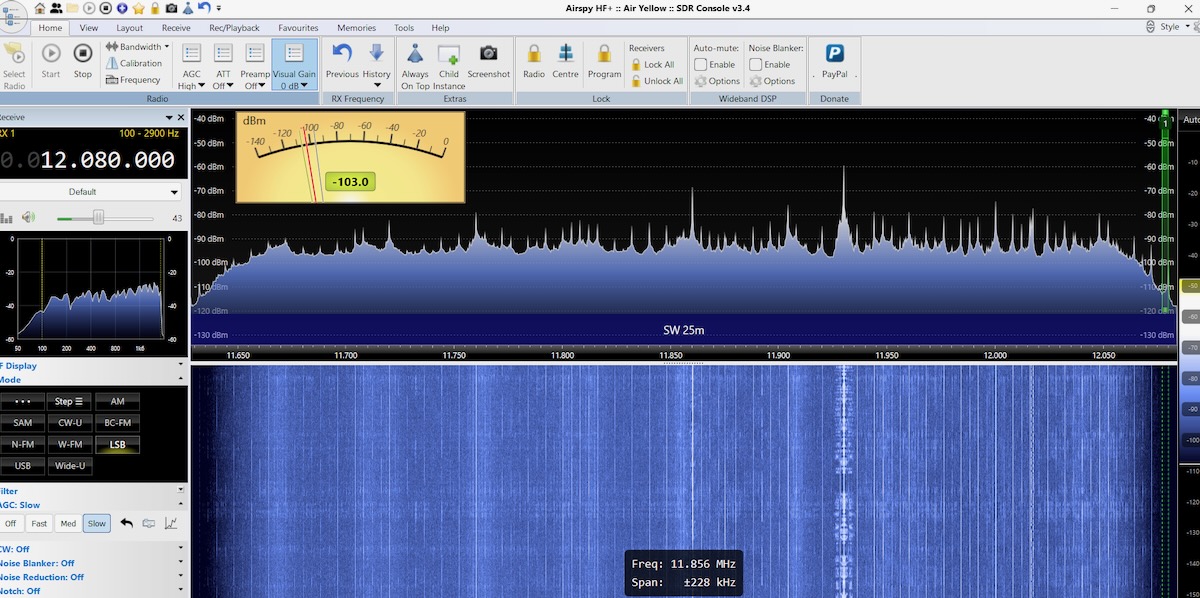
On 25 meters, the PA0RDT is picking up a lot of noise and the signals are not that strong. Nor were signals very strong on 19, 16, 0r 13 meters.

However, on 25 meters with the MLA-30+ there isn’t much noise and the signals are booming in. And 19, 16, and 13 meters likewise had strong signals.

So the PA0RDT is clearly the best antenna for MW and the lower shortwave bands, but it doesn’t do as well on the higher bands. This wasn’t a surprise to me as I’ve always felt that the PA0RDT underperformed above nine or ten Megahertz. The MLA-30+ was abysmal at the lower frequencies but worked better or just as well in the middle and higher shortwave bands. The best antenna is another antenna. Each one performs better in different situations. But I couldn’t help but wonder … was the problem with the MLA-30+ that small steel wire loop?

Look for Don’s Part 2 article next weekend on the SWLing Post!

Rediscovering Simple Radio Joy with the XHDATA D-219

by Thomas (K4SWL)

It’s been a long while since I’ve written a receiver review. Years ago, I cranked them out several times a year and genuinely loved the process–evaluating performance, quirks, economics, and overall user experience. Writing reviews is, to this day, one of my favorite things to do.

But over the past four years, my reviewing work shifted more toward amateur radio and portable operations, especially as my QRP activities ramped up. And as many of you know, the SWLing Post now has an incredible group of contributors who regularly write thoughtful reviews, taking some of the pressure off of me.

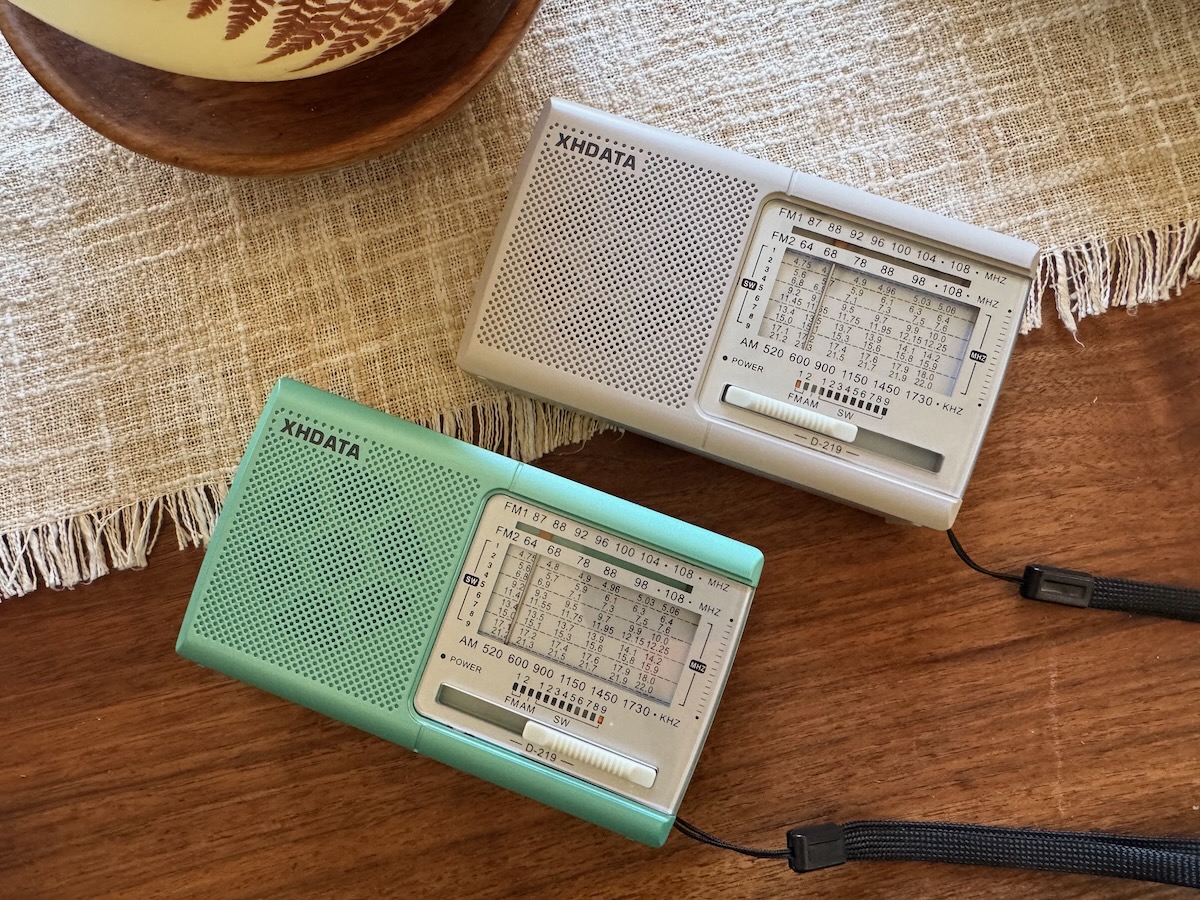
So when my contact at XHDATA reached out a few weeks ago asking if I wanted to try two new color variants of their ultra-affordable D-219, I surprised myself: instead of passing it along to one of our contributors, I decided I wanted the chance to revisit the world of simple, inexpensive portables firsthand.

Why? Because I’d been hearing surprisingly positive things about this little radio—and because it reminds me of the DX-397, a tiny analog portable I used for years after working at RadioShack right out of college.

This review, then, is less about testing a product and more about rediscovering the joy of having a simple, super-basic radio at hand.

Disclosure: XHDATA is a generous long-time sponsor of the SWLing Post. They sent both of these D-219 radios free of charge. Honestly, I don’t know many companies that would send out a sub-$20 product as a review loaner–it probably costs them more in shipping.

As always, I’ll be gifting these units back out once I’m finished. And in this case, I’ll also be buying three more myself for Christmas gifts… one of those, I’ll keep.

Design & First Impressions

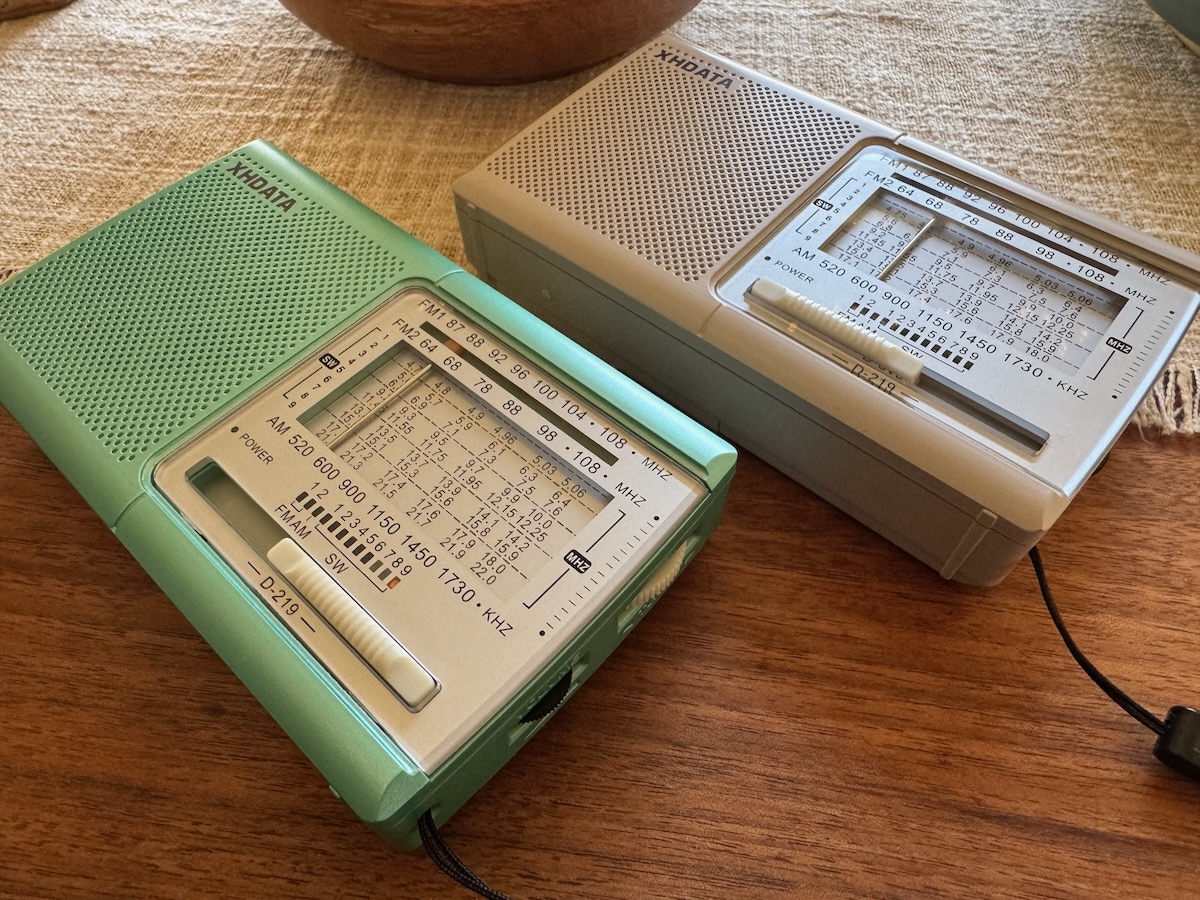
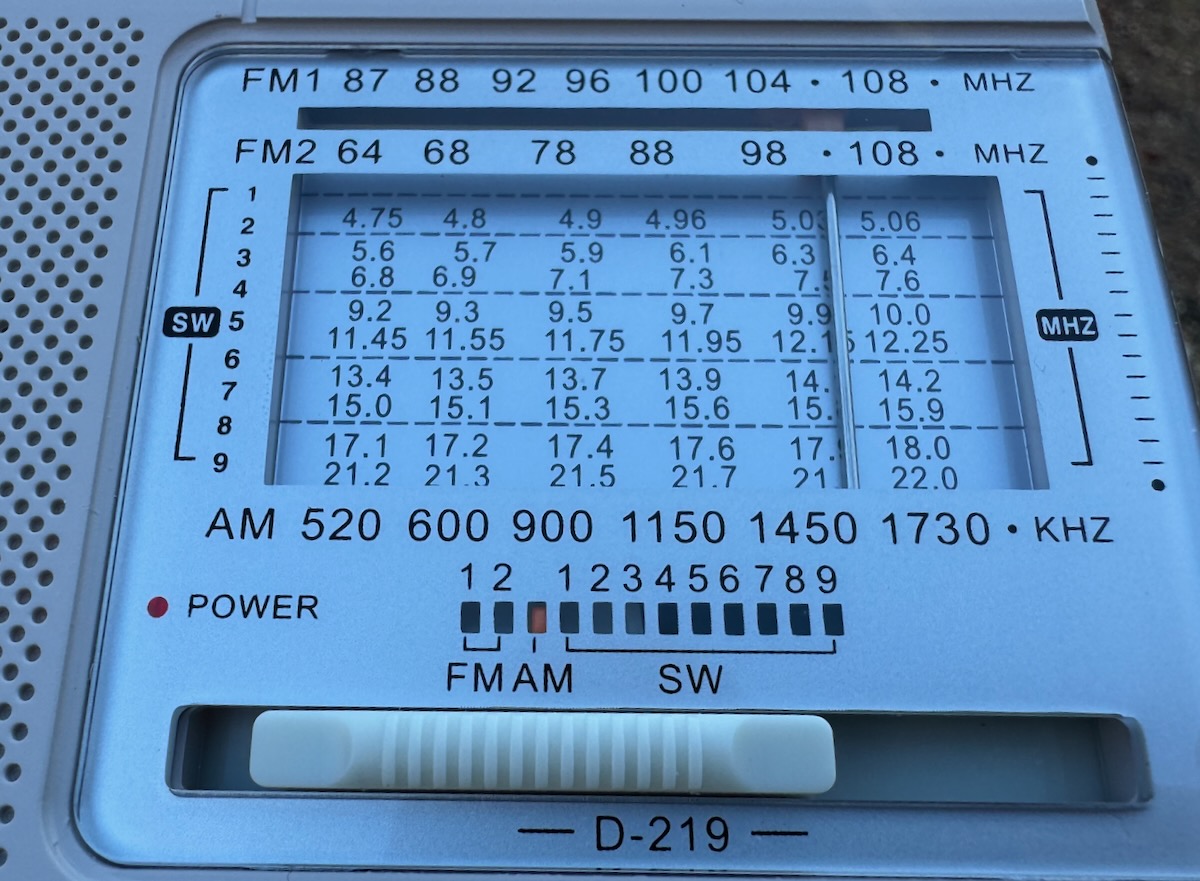
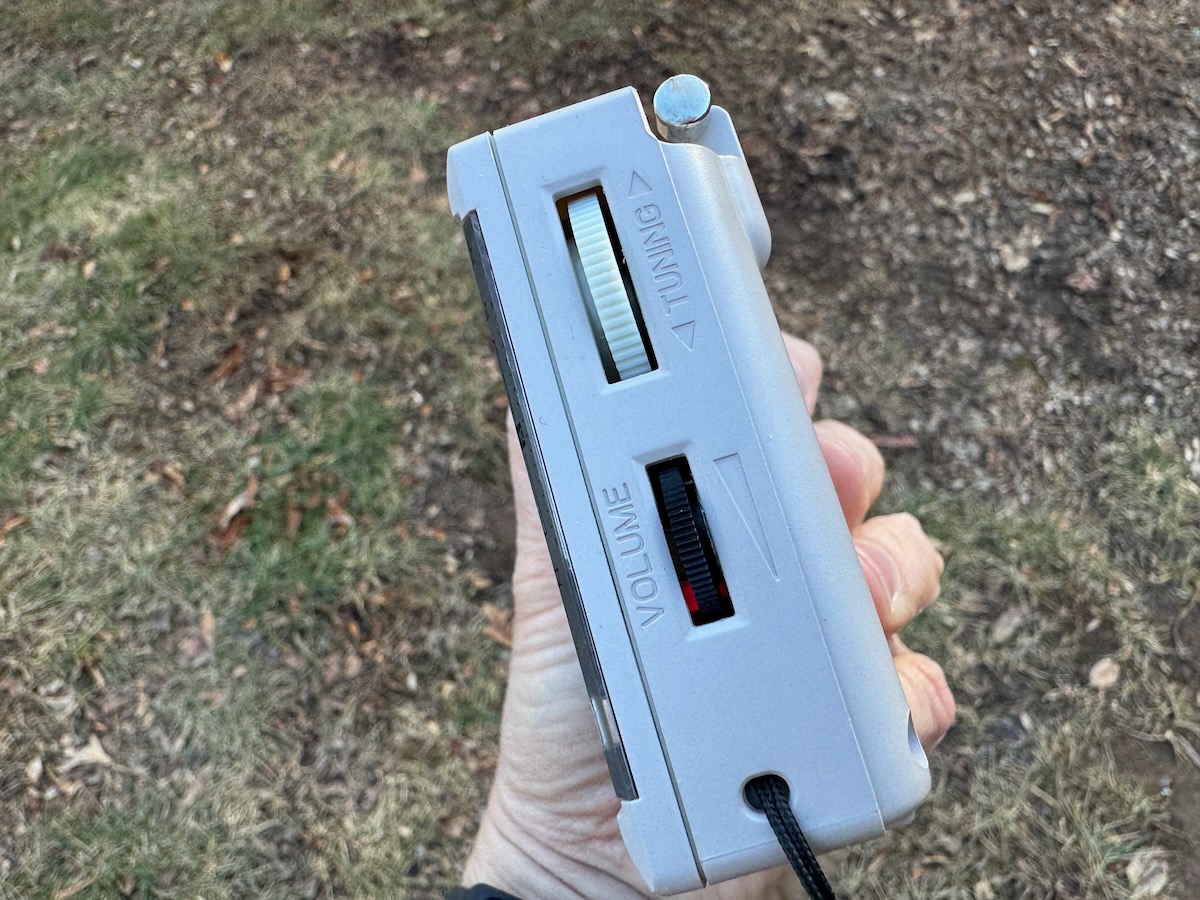
Let’s be clear: the D-219 is a simple radio. It looks like something straight out of the mid-1990s, with:

  • an analog tuning dial
  • band-switching sliders
  • a dedicated on/off switch on top
  • a small, lightweight plastic enclosure

But inside, it’s very much a modern radio. The D-219 is based on the Silicon Labs Si4825-A10 DSP chip, meaning that although tuning feels analog, you’re actually listening to a DSP-based receiver stepping through the band in predetermined increments.

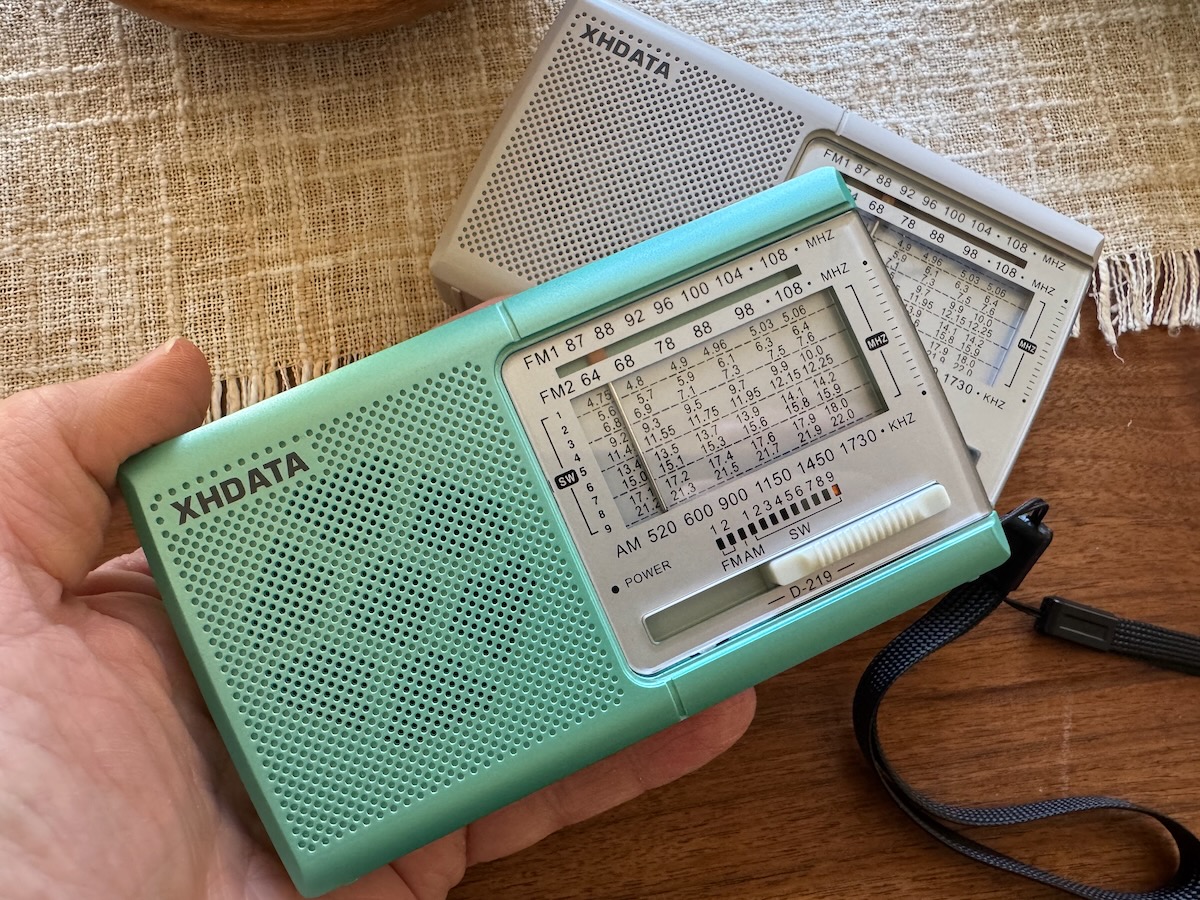
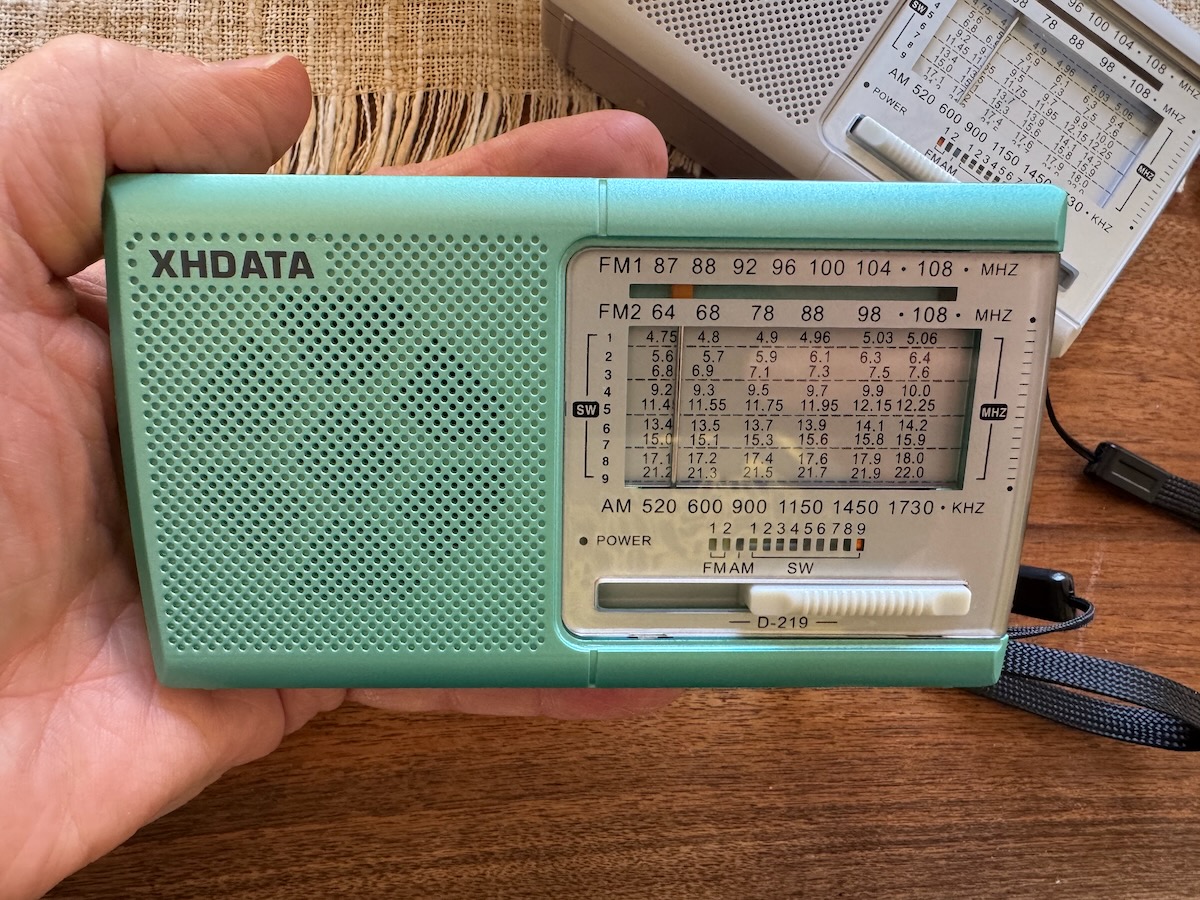
XHDATA sent me two new color options: off-white and light silver-green. Both look great in person.

Using the D-219 Outdoors

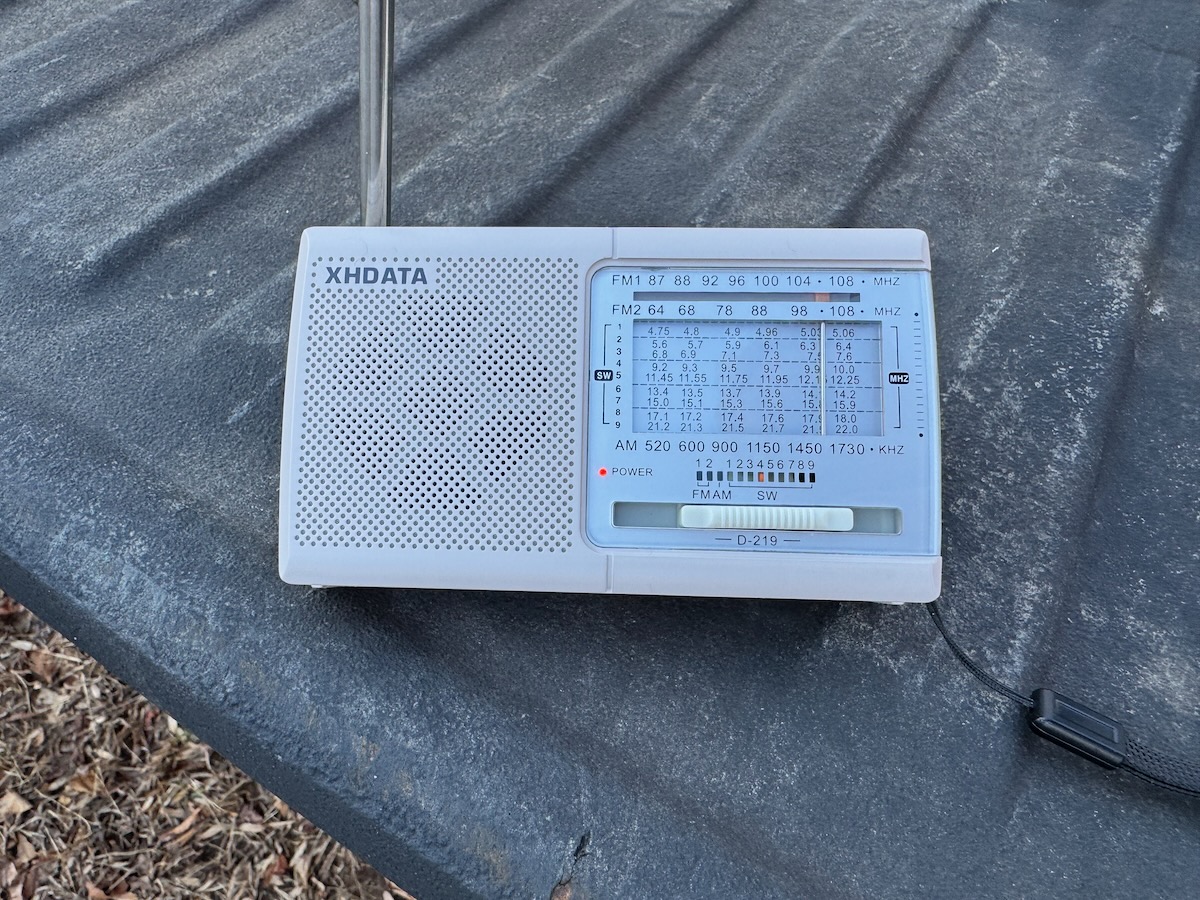
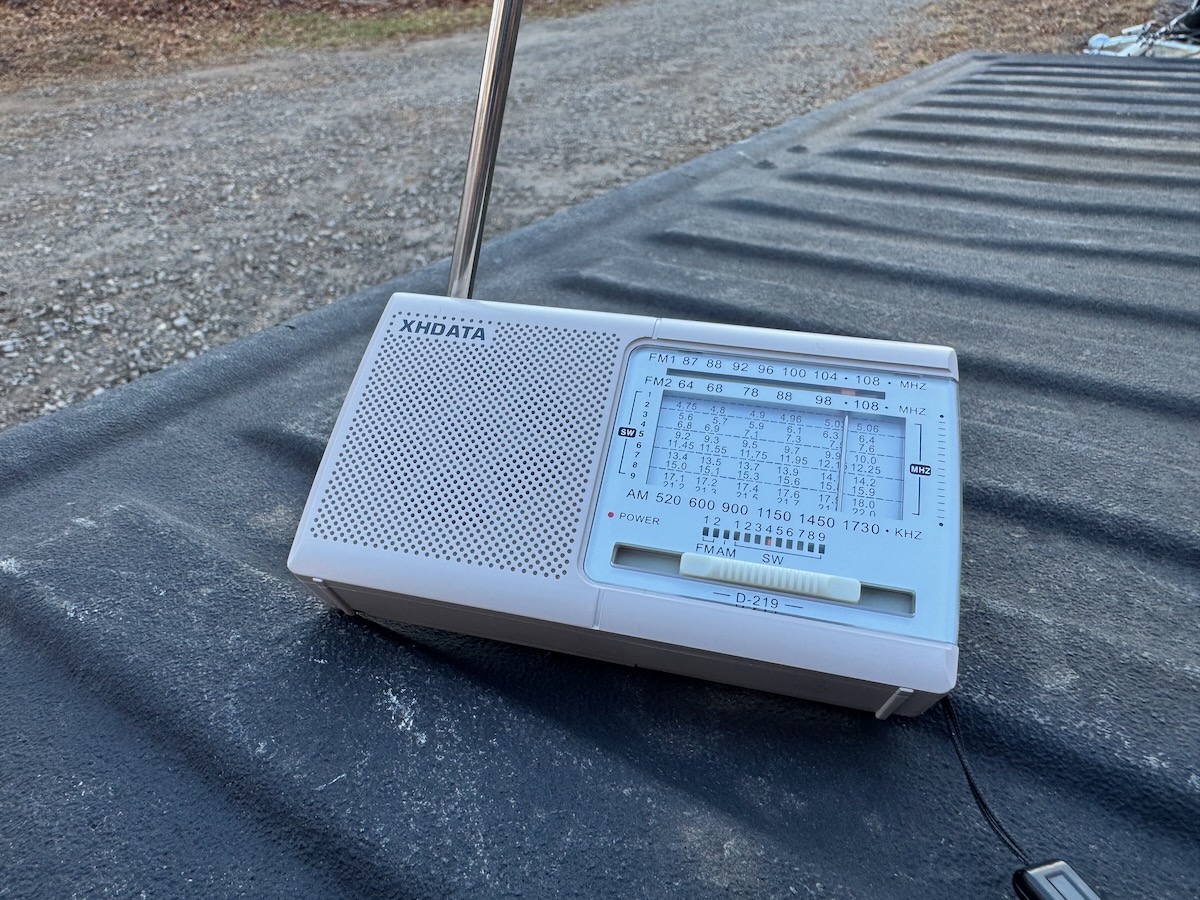
I used my truck tailgate to hold the D-219 while stacking firewood.

Over the past couple of weeks, I’ve been doing a lot of work outside—stacking firewood, yard projects, general winter prep. The D-219 became my little companion radio during all of it.

I mostly listened to:

  • Mediumwave
  • A bit of shortwave
  • and FM radio

Audio Quality

The audio surprised me. It’s a tiny speaker, so don’t expect brilliant fidelity, but it’s perfectly listenable and cuts through outdoor noise when the volume is up.

Performance

FM performance is excellent—far better than I expected. I have a handful of “benchmark” distant FM stations that many small portables struggle to hold onto. The D-219 locked onto them easily. DSP chips often shine in FM, and this was no exception.

Mediumwave was the biggest surprise. I have a regional AM station–WTZQ 1600 kHz–that I enjoy during the day, especially around the holidays. Only about half of my small portables receive it well enough to be pleasant.

The D-219 locked it in better than most of my other inexpensive portables.

That alone impressed me.

Shortwave performance is quite good for the price. Sure, it lacks an adjustable filter, and tuning steps mean you don’t get that smooth, fluid band-scanning experience like a proper analog receiver. But overall, it works pretty well.

On 31 meters, for example, tuning felt natural and not cramped–something many ultra-cheap shortwave radios struggle with. It helps that the selected shortwave bands have enough tuning bandspread that you don’t have to use micro adjustments during tuning (I’m looking at you, XHDATA D-220!).

Back in the Cold War era, when the bands were jammed shoulder-to-shoulder, a radio like this would have been harder to use. But today, with fewer simultaneous signals, it’s totally workable.

Real-World Utility

In the aftermath of Hurricane Helene, I’ve become even more vocal about keeping at least one AM/FM/SW radio as part of your personal preparedness kit. The D-219 checks many boxes:

  • Runs on AA batteries
  • Very low power draw
  • Lightweight and pocketable
  • Small enough to disappear into a backpack or glove compartment

I’ve been using mine heavily for two weeks on a pair of Eneloop rechargeables and haven’t had to recharge yet.

Two of the D-219s I’m buying will be stocking stuffers for my daughters, just so they always have a reliable source of news and info while at university–even if the power or internet goes down.

Why This Radio Works

The band spread is generous compared to the D-220

I’m sure own more than three dozen portable radios here at SWLing Post HQ—from high-end benchmarks to tiny ultralights. Normally, I advocate for buying a good-quality receiver instead of “throwaway” electronics.

But I don’t think the D-219 is a “throwaway” radio; being based on the Silicon Labs DSP architecture, it doesn’t have an insane component density–inside, its board is almost roomy. Looking at it, I think I could make modest repairs myself as long as the chip still functions.

Sometimes simple designs translate into long life rather than an early landfill destiny. Of course, only time will tell, and I will post an update if my radio experiences any issues.

This is why I’m comfortable giving them to my daughters as everyday radios. And frankly, I’d much rather they lose or break a $13 D-219 than my old Panasonic RF-65B, PL-660, or ICF-SW7600GR–some of my most cherished (and irreplaceable) legacy portables.

The D-219 is also a perfect glove box radio. One to grab and listen to when you’re waiting on your spouse/partner to finish a yoga class, or waiting on your kids at schoool.

In Summary

If you’re looking for a true benchmark portable, obviously, this isn’t it.

But if you want:

  • a fun, capable, ultra-affordable little radio
  • something to give as a holiday stocking stuffer
  • a simple preparedness radio that uses AA batteries
  • a pocketable MW/FM/SW companion
  • a “leave-it-in-the-car” radio

…the XHDATA D-219 genuinely delivers for well under $20 each.

And as someone who hates e-waste and often avoids ultra-cheap electronics, I’m betting this radio will age better than most. Its internal design is refreshingly simple and built around the reliable Si4825-A10 DSP chip. There just isn’t much inside to fail.

For the price, performance, and sheer fun factor? The D-219 is a solid option.

Purchase options: