Category Archives: Portable Radio

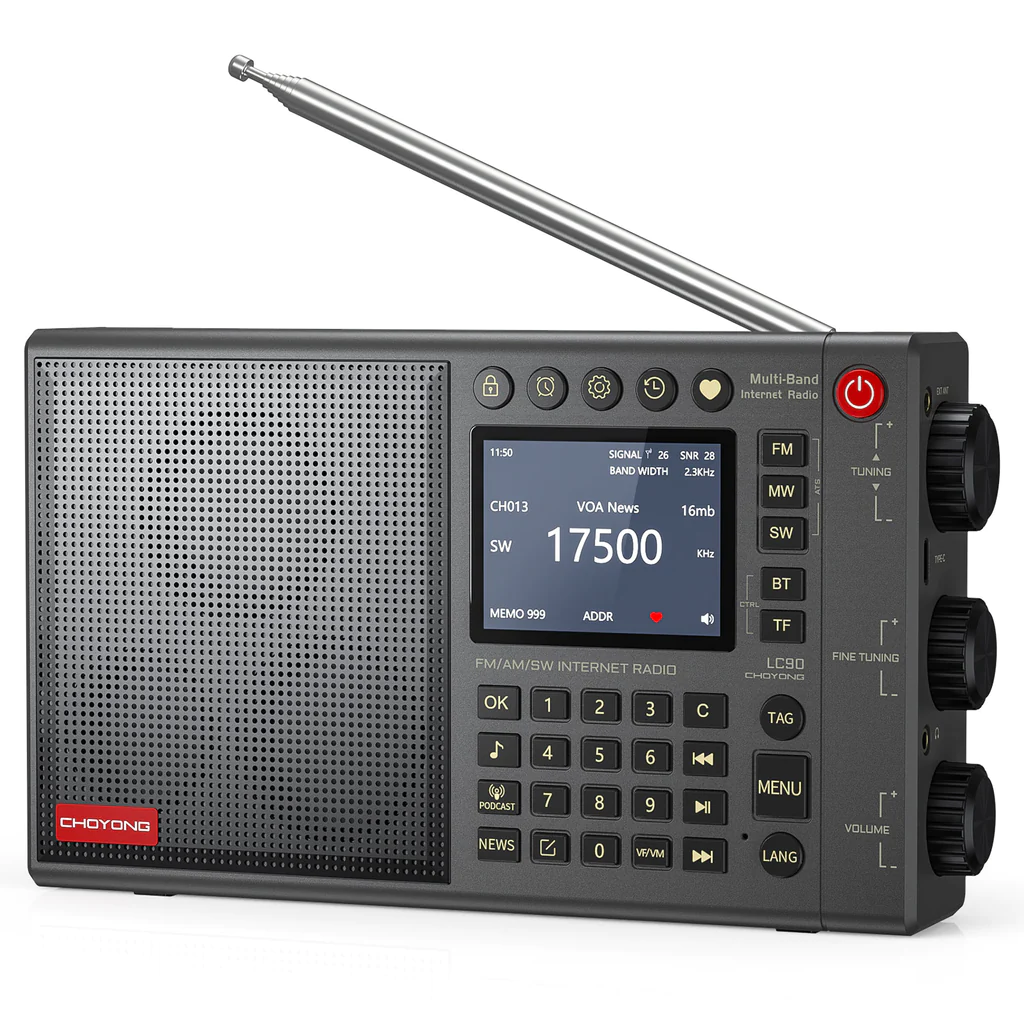
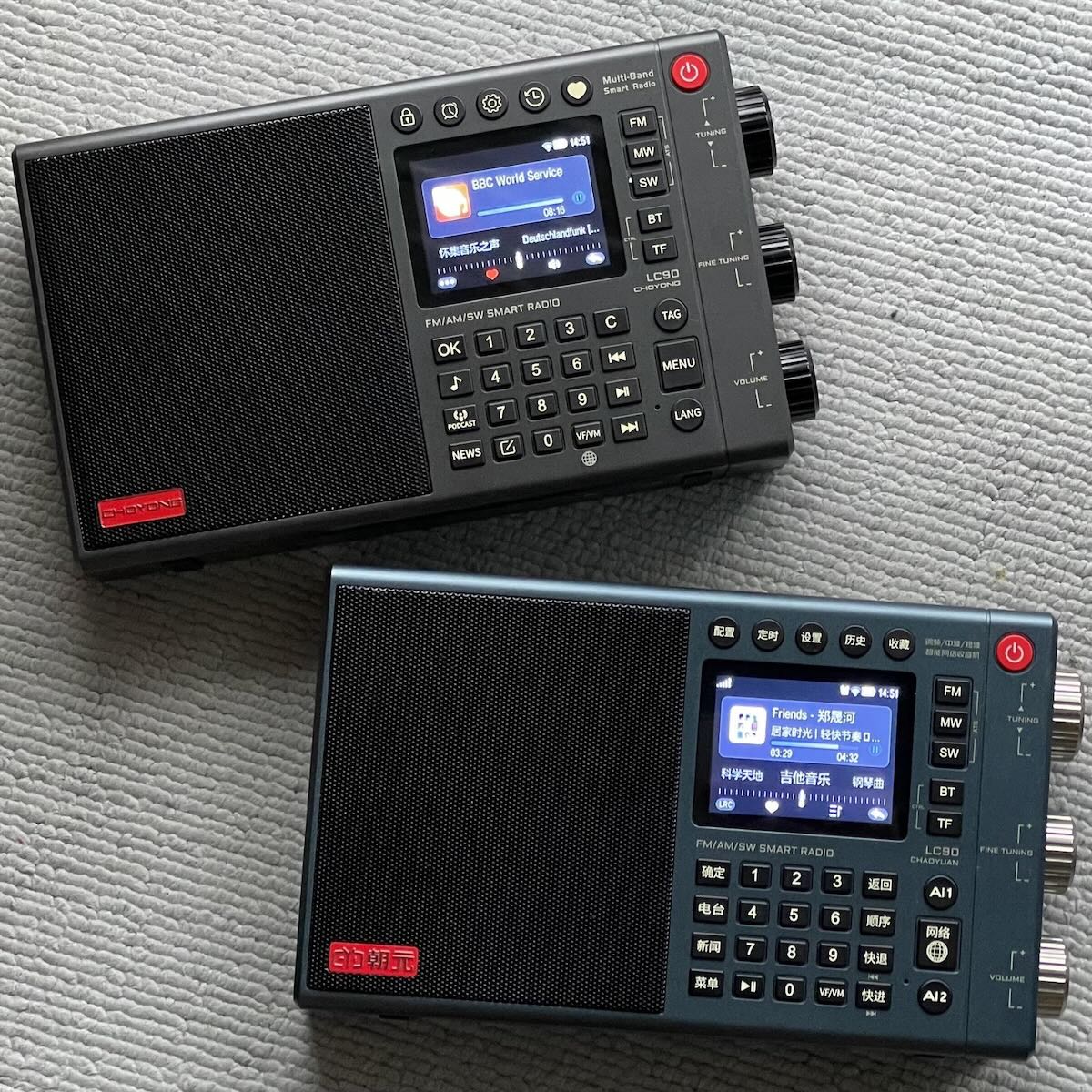
Michael compares the Choyong LC90 Export and Chinese Versions

Many thanks to SWLing Post contributor, Michael Ye (BD4AAQ), for the following guest post:


Twins, Yet Each One Unique – A Comparison of the Worldwide Version of LC90 with its Chinese Counterpart

by Michael Ye (BD4AAQ)

The export version of the LC90 is now available in the market [affiliate link]. Previously, we examined the Chinese version, which has been in the China market since early 2023. Instead of a review of the export version, this article will focus on the similarities and differences between the two LC90 versions – the version that has just started to be distributed outside China and the version that is already being sold in China. A link to my previous article can be found by clicking here.

One thing to note is the name of the manufacturer. In my previous review, I used Chaoyuan, the “pinyin” phonetic of the Chinese characters of the name of the company. As it turned out, the westernised spelling that the company uses is Choyong, or Choyong Electronics.

The LC90, a hybrid radio that combines the Internet radio with the traditional radio, is a bold move and seems to be well-received by shortwave listeners and beyond. Let’s explore what these two versions of the same model have to offer.

Appearance

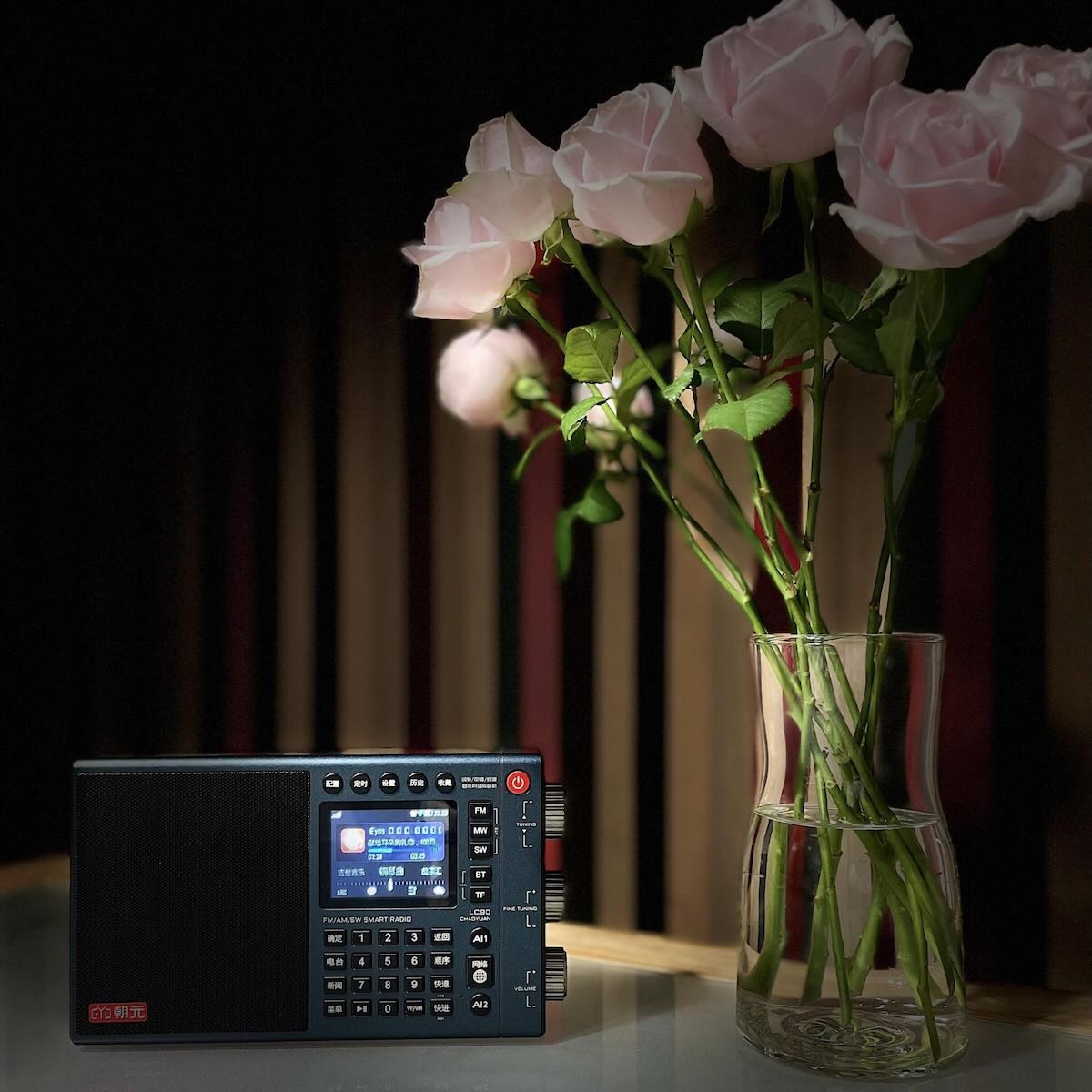
The two versions of the radio look the same in appearance. However, upon closer inspection, you will notice the language on the buttons differs. The export version has all the buttons labeled in English, while the buttons of the Chinese version have a mixture of Chinese and English.

Traditional Radio

I do not find differences between the FM, MW and SW features of the two versions. Both versions have the specifications as follows: FM: 64-108 MHz, MW: 522-1710 kHz and SW: 2.3-26.10 MHz. Shortwave performance remains excellent. However, for the export version, you could toggle the MW tuning step between 9 kHz and 10 kHz, and the FM tuning step as well, through the setup (gearbox) button, but it does not seem possible to change any tuning step on the Chinese version – this seems to be a matter of software upgrade and so is not really an issue.

On both versions, press MW again to enter LW (153-279 kHz).

Internet Radio

In terms of the stations that can be heard, the Internet radio exhibits significant differences from that of the Chinese version. The Chinese version is designed to exclusively feature Chinese language stations (and a few English language stations) in China. If we were to liken the Chinese Internet radio to a closed system such as iOS, it would be stable, reliable but restrictive. In contrast, the export version could be compared to Android, offering more open, inclusive and customisable user experience.

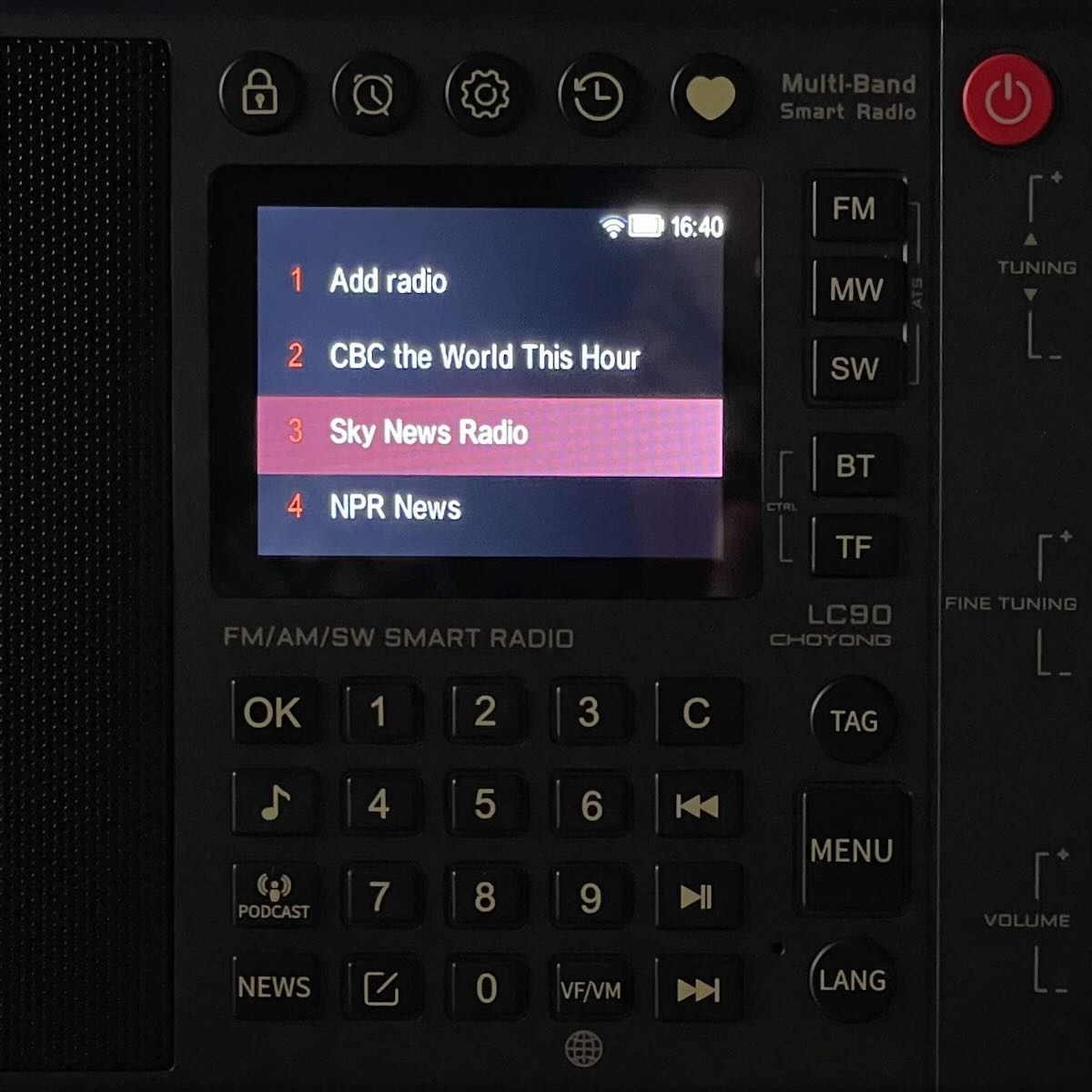
On the export version, the MENU button provides access to the main menu, which begins with the six continents (excluding Antarctica) and allows users to navigate to the desired country and then select a specific station. Additionally, shortcut keys are available for direct access to MUSIC, PODCAST, NEWS, TAG and LANG (languages).

TAG and LANG for Ai1 and Ai2 Buttons

On the Chinese version, two buttons, Ai1 and Ai2, serve as voice assistants. Activate and speak to them and the radio directly plays the content (Ai1) or displays search results for users to choose from (Ai2). They come in handy when you look for a specific item, for instance the title of a song or a talk show. On the export version, however, the voice assistants have been removed and replaced with shortcuts TAG and LANG.

Add Your Own Stations

The Chinese version has about 1000 Chinese Internet stations built-in. On the worldwide version of the radio, there is a vast number of Internet stations available, literally tens of thousands of them, in different languages, and from different corners of the world. The number is updated from time to time. And that is not all. A really cool feature is the ability to add stations of your choice and it is easy to do with the help of a mobile phone. Unfortunately, this feature for adding your own stations is not available in the Chinese version.

Nano SIM card

The Chinese version comes with a built-in nano SIM card that is prepaid and provides Internet data. To continue using it, simply add credit to the card. In contrast, the export version does not include a prepaid, data-enabled SIM card for the user. Still, the user can use a WI-FI connection or purchase a 4G nano SIM card to insert into the device’s slot.

Some Features Not Discussed Previously

Both versions have the following features:

  • Keyboard backlight;
  • IPS LCD with backlight;
  • Type-C charging cable supplied;
  • TF card supported (to store and play your own music); and
  • Bluetooth for the radio to serve as a Bluetooth speaker.

The integration of high-tech gadgets and advanced devices into our daily routines has become indispensable in this age of the Internet. It is essential to adapt to the ever-evolving nature of the times.

Bottom Line

The Choyong LC90 is an exceptional radio that combines traditional radio features with modern Internet capabilities. It is available in both domestic and worldwide versions. The revolutionary design of the LC90 allows for excellent overall performance in both over-the-air radio reception and online streaming/podcasting.

There is no difference in traditional radio reception and performance between the domestic and worldwide versions of the LC90. However, the Internet features are drastically different, as the worldwide version serves audiences around the world, while the Chinese version is dedicated to the audience in China.

Overall, the Choyong LC90 offers a unique combination of traditional radio and modern Internet capabilities, making it a versatile and high-performing device for radio enthusiasts and music lovers.

Wish List

Is SSB decoding necessary? Well, it depends. The radio primarily caters to broadcast listeners, but both hardcore amateur radio hobbyists and general listeners may find it appealing. While adding SSB decoding can enhance its functionality, it will increase costs and may require additional space, considering it already combines two radios in one device.

There are two switches, the red button (upper right) and the volume/sleep knob (lower right side). Is it really necessary to have both?

On the export version, the “network error” message may occasionally pop up, and the radio would become quiet until human intervention steps in. Is it feasible for the radio to automatically resume play after the network error is cleared?

For some users, the antenna jack is a bit too close to the tuning knob. In most situations, this proximity does not impact the radio’s operation. However, if you need to connect an antenna using a connector, you may encounter difficulty or even find it impossible to plug it in.

Click here to check out the Choyong LC90 (export version) on Amazon.com.

Note that this Amazon link supports the SWLing Post at no cost to you. Thank you!

GE Superadio: Purchasing Used Models for Restoration and a New Groups.io Discussion

Many thanks to SWLing Post contributor and supporter, Chuck Rippel (K8HU), who shared the following comment on this post regarding his excellent Superadio restoration services. I wanted Chuck’s comment to get more visibility, so I am reposting it here (hope you don’t mind, Chuck!).

Chuck comments:

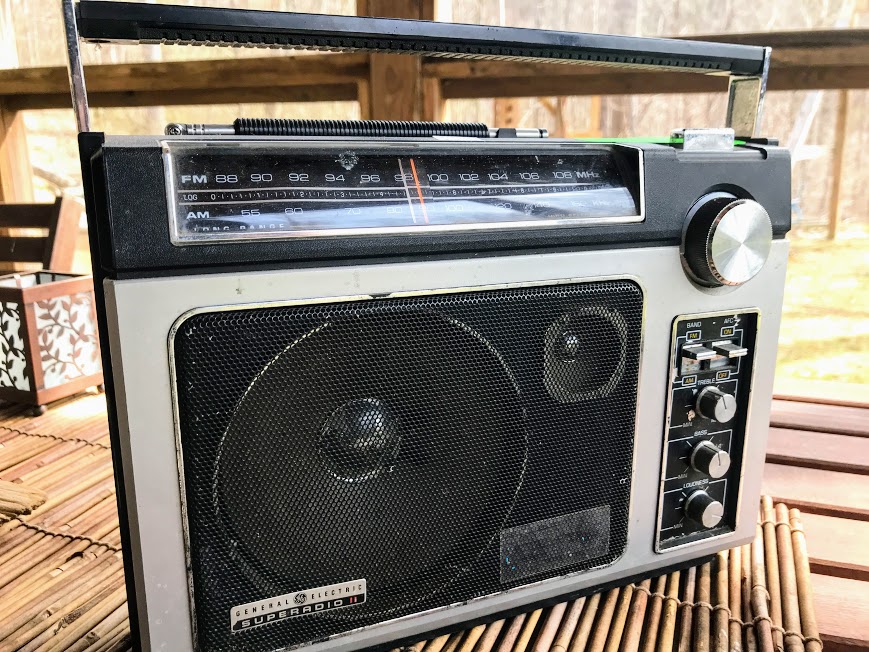
A number of folks have written, asking if I have any radios to sell. Every now and again, there is a model 1 or model 2 (they are electrically identical) that I offer for sale.

However, there is a better approach to obtaining a restored SR-1 or 2. Go up on E-Bay and look for a nice GE SR and have the seller ship it to me after you purchase it. Make SURE the seller encloses a note with your purchase with your name and contact information so I know to whom the radio belongs.

This one caught my eye and would be a worthy candidate for restoration and to add to a collection:

https://ebay.us/Mx7VEW

[Note: the eBay Partnership link above supports the SWLing Post at no cost to the buyer]

It’s also an excellent example of a decent SR being sold 2nd hand.

Couple things to watch for:

Shipping charges in excess of $20. Save for coast to coast or a rural area, $20 is about the reasonable limit. Many of the radios are picked up by people wandering through estate sales, thrift shops, garage sales, etc…. who have no idea what they are buying. Many see “GE Super Radio” and put it on E-Bay simply because the radio carries the “Super Radio” label. I would guess that is why there are so many Super Radio model 3’s on E-Bay. Those were made by RCA with a GE label printed on them but their performance is sub-par to the model 1 or 2.

Finally, if you have a SR-1 or 2 you’d like me to work on, drop a note and I’ll send you back a 2 page FAQ. It outlines what will be done, how to ship it and pricing which includes a couple of options from which to choose. Please read and understand the FAQ before shipping. If you decide to send it, please do it promptly and let me know it’s coming. I ask you to include your POC information with the radio and that’s best done on a word processor or note pad then printed. Sometimes, handwritten script is a bit difficult to read.

I’ve gotten radios with no return address or POC sent from a UPS store, (who does that go back to?). There are a few options from which to choose and I strongly recommend 1, having Conformal Coating applied to the solder side of the PCB’s. Solder is hydroscopic and can absorb moisture over time and we won’t get into battery acid. My conformal coating is similar to the “MFP” process used on certain mil-spec electronics save that unlike MFP, I only apply coating to the solder side of the board. A board treated to MFP has both sides coated.

Ok, now a general question:

I created a Groups.io page where those interested in the 2 GE Super Radios can share their experiences. The initial invitations went out, give it a couple days but if you did not get one and are interested, drop me a note. My e-mail address is in several location on this blog [including in this post].

CCrane’s new C. Crane CC Skywave 2 . . . and the OODA loop

By Jock Elliott, KB2GOM

A software glitch at a power station, a tree branch rubbing against a transformer, a geophysical incident, a weather event, even a civil society misadventure . . . It doesn’t take much for things to rapidly go to blazes. So what do you need when Really Bad Things happen?

Back in the 1970s, Colonel John Boyd, an air warfare strategist, came up with the idea of the OODA loop. Originally designed for air combat, the OODA stands for: Observe, Orient, Decide, Act. In other words, see what’s going on, understand how it relates to your situation, figure out what to do, then do it.  OODA . . . got it?

So when really bad stuff happens, once you get clear of immediate physical danger (if any), you (or me or anyone involved) need to do your OODA loop: see what’s going on, understand how it relates to your situation, figure out what to do, then do it.

And to execute your OODA loop, you need information, right?

Soooo, when the lights are out, the internet is down, and maybe cell phones aren’t working, you need an emergency radio to find out what’s going on. Rob, W4ZNG, endured three weeks without electricity on the Mississippi gulf coast as a result of Katrina. In Rob’s case, during Katrina, all of the local broadcasters were wiped out. There was a local low-power FM broadcaster who got permission to increase power to 1,000 watts and was broadcasting where to get food and water. There was a New Orleans AM station that was on the air, but all of its coverage was “New Orleans-centric.” After a few days, some local FM broadcaster, working together, cobbled together a station that they put on the air and began broadcasting news. Rob also began DXing AM stations at night to get additional news. I don’t think it is an exaggeration to say radio was Rob’s lifeline to what was going on.

So, at the most basic level, an emergency radio needs to receive AM and FM stations. If you live in the U.S. or Canada, you also want NOAA weather radio channels, and, if things are really horrible, the ability to receiver shortwave radio might be useful.

Recently I had a look at an excellent candidate for an emergency radio.  CCrane has brought out a new and improved version of their super-versatile pocket-sized Skywave radio, and they sent me one for review without charge.

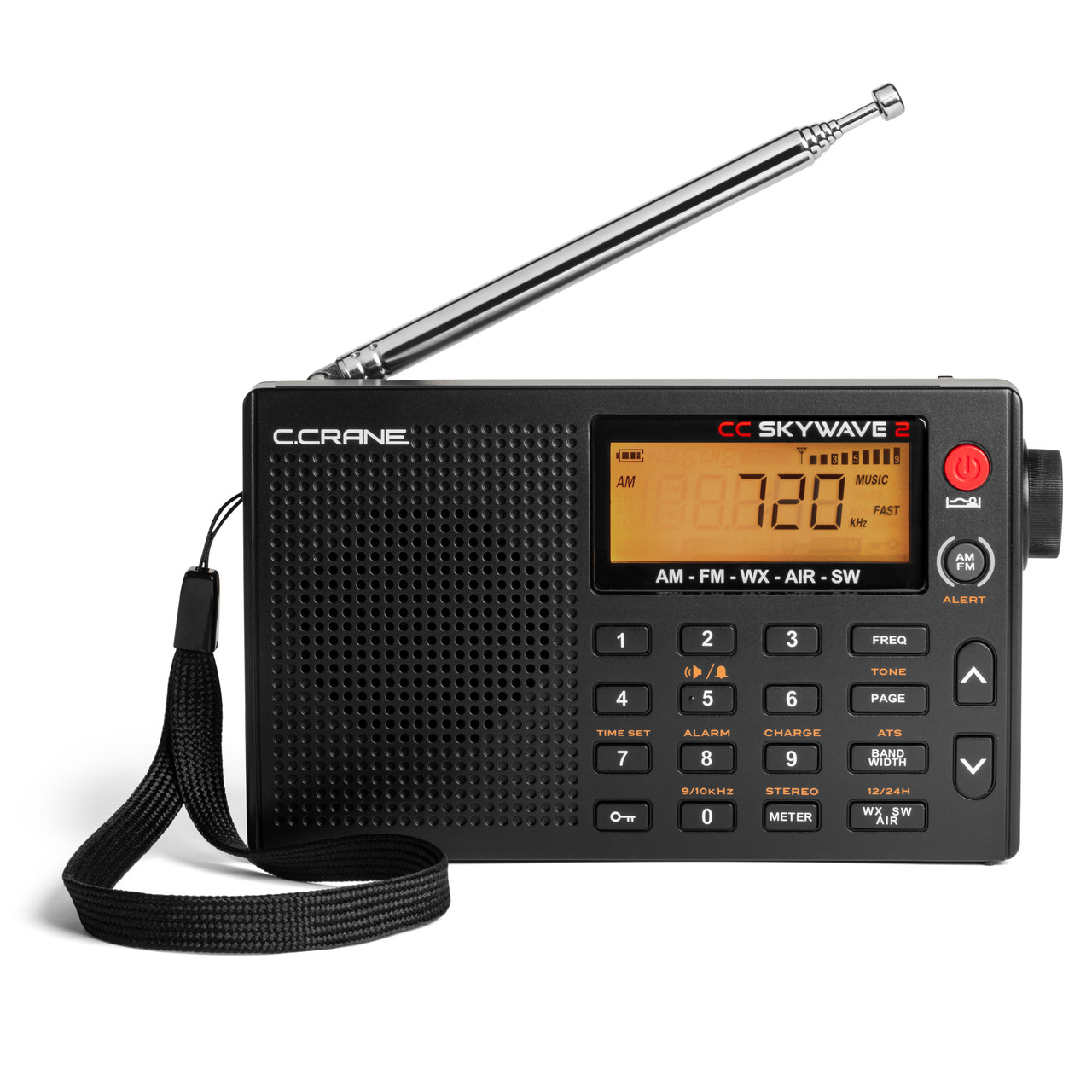
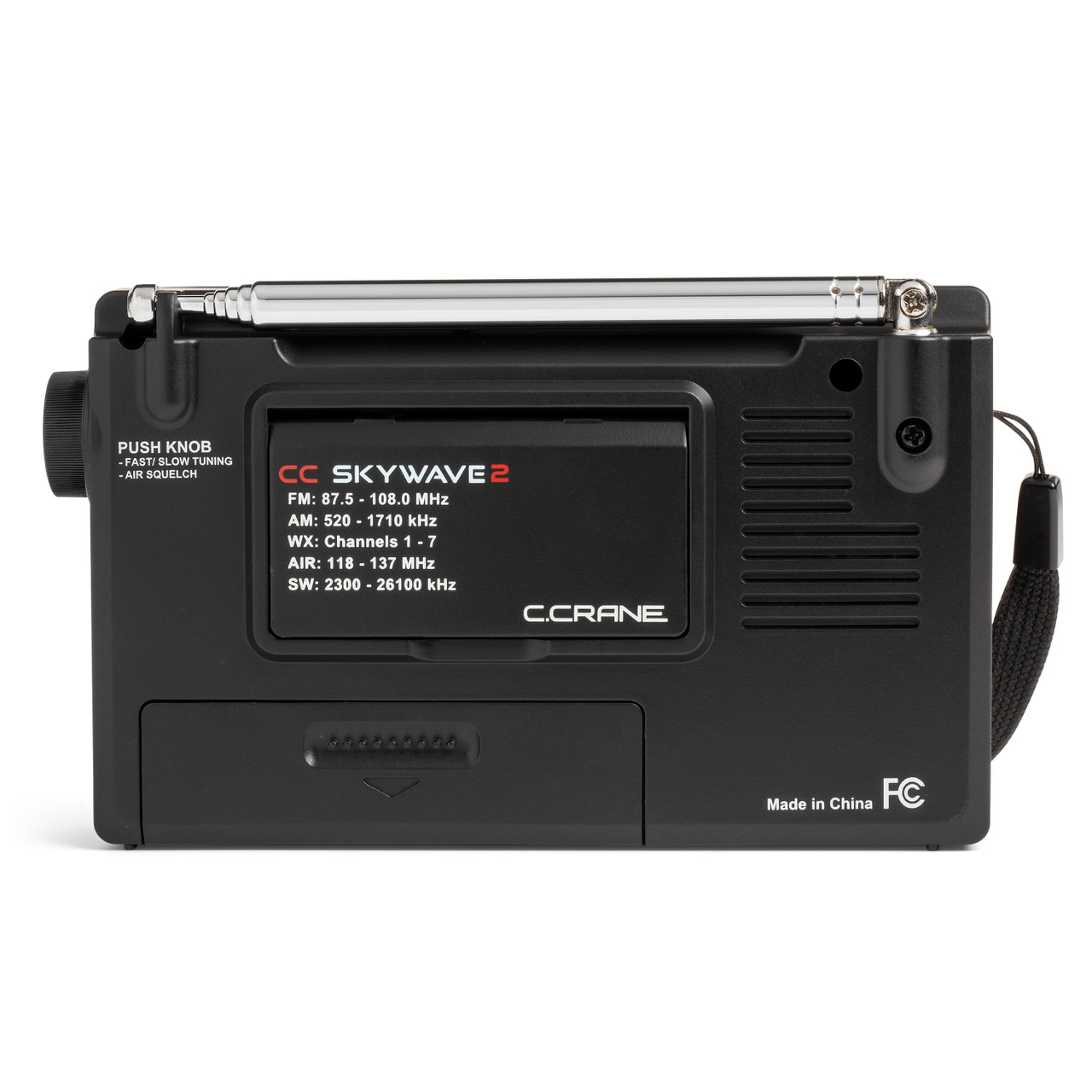
The new radio, the CC Skywave 2, covers FM from 87.5-108.0 MHz, AM from 520-1710 kHz, National Weather Radio Channels 1-7, air band from 118-137 MHz, and shortwave from 2300 to 26100 kHz. Small enough to fit in a shirt pocket, the Skywave 2 measures 3 inches high, 4.75 inches wide, and 1.1 inches deep and weighs about five and one-half ounces before you insert 2 AA batteries. (It can also be run off an optional CCrane power adaptor that can charge optional NiMH batteries. The manual warns: DO NOT USE LITHIUM BATTERIES).

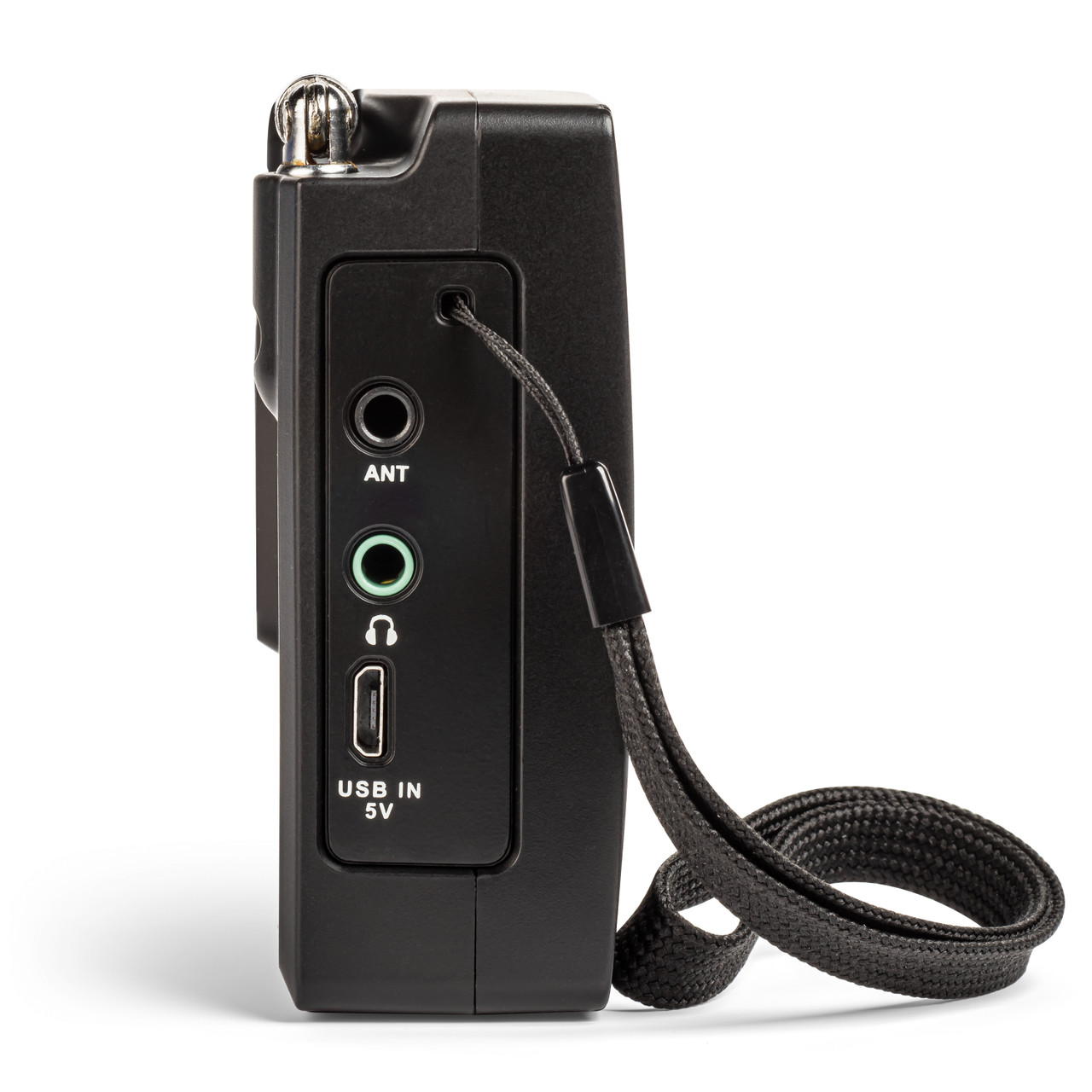
According to CCrane, improvements to the Skywave 2 include a new micro-USB connector for external power and battery charging, a better speaker with slightly more amplification, circuit noise reduction, long feet for better stability, and a socket for plugging in an optional wire antenna adaptor available from CCrane.

I found the Skywave 2 really easy to operate. At the simplest level, select a band, then press one of the up or down buttons, and the Skywave 2 will scan to the next strong station. There is also an ATS (automatic tuning system) that programs all receivable AM, FM, or shortwave stations to memory buttons. Just select the band you want (AM, FM, or shortwave), press the ATS button, and the ATS system will scan the entire band and automatically set all available stations in sequence 1-10. If there are more than 10 stations are available, then the remaining stations will be stored on the next memory page and so forth. Each band has its own set of memories.

Everything is clearly labeled, and a gold label above a button indicates that if you press and hold that button, the function labeled in gold will be activated. If you want to directly enter a frequency (once you have selected the band you want), you must press the FREQ button first, then punch in the numbers. Otherwise, pressing any of the number buttons will activate the memory assigned to that number. To store a station in memory, press and hold any number button for two seconds.

Although I have no equipment for formally measuring things like ultimate receiver sensitivity, I found the performance on all bands to be typical of what I have come to expect of CCrane radios: excellent.

Full points to CCrane for writing a superb manual. In fact, I’ve found that the manuals for all the CCrane radios I have owned or tested have been well-written. I don’t know who is writing those manuals, but a big thumbs-up for clear manuals that are easy to use. The Skywave 2 manual even includes a section on “Hidden Settings” . . . ya gotta love it! Well done.

One other thing deserves mention: the Skywave 2 comes with CC Buds Earphones. I found they fit my ears comfortably and sound great . . . waaay better than the cheap-o earbuds I bought at a big box store.

The bottom line is: the Skywave 2 is a pint-sized powerhouse, and I can easily recommend it for anyone who needs an emergency radio, a travel radio (it has an alarm you can set), a weather radio with alert, or an ultralight MW DXing radio, or who simply wants to have a lot of fun with radio in a small, easy-to-handle package (An aside, listening to air band is pretty entertaining).

I found the performance to be excellent (for the radio’s size) on all bands, comparable to the CCrane Skywave SSB 2 that I own. In addition, with the new model (and the optional adapter), you can now plug in an external long-wire antenna for longer-range reception. That’s just great and could prove really useful.

The chief difference between the Skywave 2 and the Skywave SSB 2 is that the Skywave SSB 2 receives single sideband signals, making it possible for the listener to hear amateur radio and utility signals (like transoceanic flight control) that operate in upper or lower sideband mode. In addition, the SSB 2 includes (as well as the radio, carry case, and ear buds) a shortwave antenna and the CC wire terminal antenna adapter. In addition, the SSB 2 also has some software capabilities not available on the Skywave 2. For example, on the SSB 2, the Automatic Tuning System can also be used on the AIR band, and once AIR band frequencies have been stored, the SSB 2 can scan them. You can find my review of the Skywave SSB 2 here: https://swling.com/blog/2022/11/checking-out-the-new-c-crane-cc-skywave-ssb-2/

To conclude: I sincerely hope you never have to “do” your OODA loop, particularly not when things are going to blazes, but if you do, the CCrane Skywave 2 just might be helpful in getting the information you need. And, in the meantime, it is a very enjoyable radio to use, and I can recommend it without reservation.

Click here to check out the C. Crane CC Skywave 2 at C. Crane.

For more of my musings regarding the CCrane Skywave radios, please consult:


Guest Post: A review of the Chaoyuan LC90 Hybrid Shortwave/4G/Internet Radio

Many thanks to SWLing Post contributor, Michael Ye (BD4AAQ), for the following guest post:


The LC90, a Great Radio Spanning Two Worlds

by Michael Ye (BD4AAQ)

It is an awkward era for radio receivers. Although technology becomes more and more advanced and increasingly sophisticated radios are made, there are fewer and fewer stations to listen to. But hardcore radio hobbyists, mostly hams and shortwave listeners, would not give up the hobby. They continue to look for and enjoy stations among noises in the airwaves. Although Internet radios have been around for a long time, I never thought seriously about them. Perhaps I was stubborn, but in my mind, radios were noises and noises were radios and it’s the stations among the noises that I enjoyed. Receivers without noises were hardly real radios.

Until I got my first full band radio with Internet features. The LC90 was a pleasant surprise, completely changing the way I look at radio receivers. The LC90, or “full band smart Internet radio”, is my first shortwave radio AND Internet radio in one. There may be other radios with Internet features, but I have heard of few receivers that integrate the traditional radio (shortwave in particular) and the Internet. The LC90 was launched in China in early 2023, and quickly became popular among hobbyists thanks to the unique combination. News has been confirmed that the overseas version of the LC90 will be launched later this year. It provides more options for users at a time when shortwave broadcasters continue to shut down transmitters and bid final farewell.

Chaoyuan Company

The manufacturer of the LC90 is Chaoyuan, an electronics company based in Shenzhen, China, known for mobile phone design and Hi-Fi equipment. In recent years they started to design and make radios. And they are serious about the business, too.

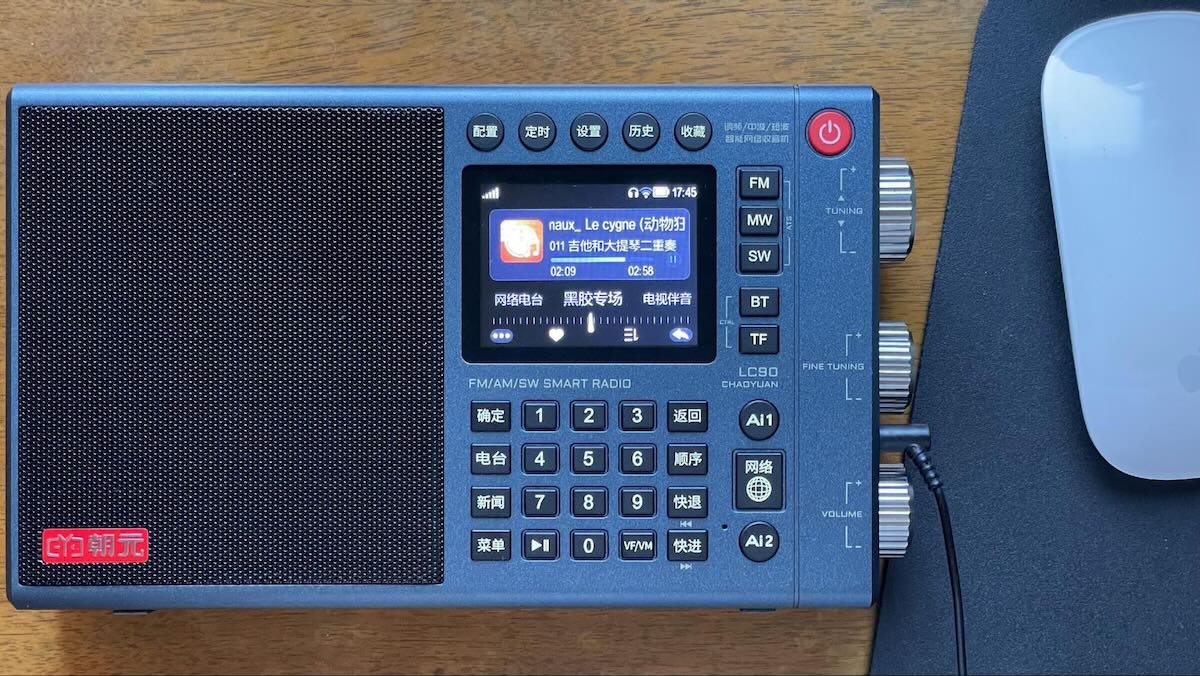
The LC90 full band smart Internet radio

The Radio at a Glance

The radio is of regular size. A computer mouse is placed in the picture above, so you have an idea of not only the radio’s looks but also its size. The exact dimensions are 200x122x40mm. Its weight is 640 grams. The radio has a built in 4G SIM card, with 3G prepaid data. You have to add credit to the card in time by scanning a QR code on the screen before the built-in SIM card expires. You can also use your own SIM card by inserting it to a slot at the bottom of the radio. And of course, you could use Wi-Fi at home.

Although the radio is a combination of the traditional radio and the Internet, it is very ingeniously designed and does not put off the user with too many bells and whistles – you could press the tuning button to change the shortwave band and the fine tuning button to change the band width. The tuning button also serves as an “enter” key. These are clever designs that effectively save extra buttons. I have not seen a similar design in other radios.

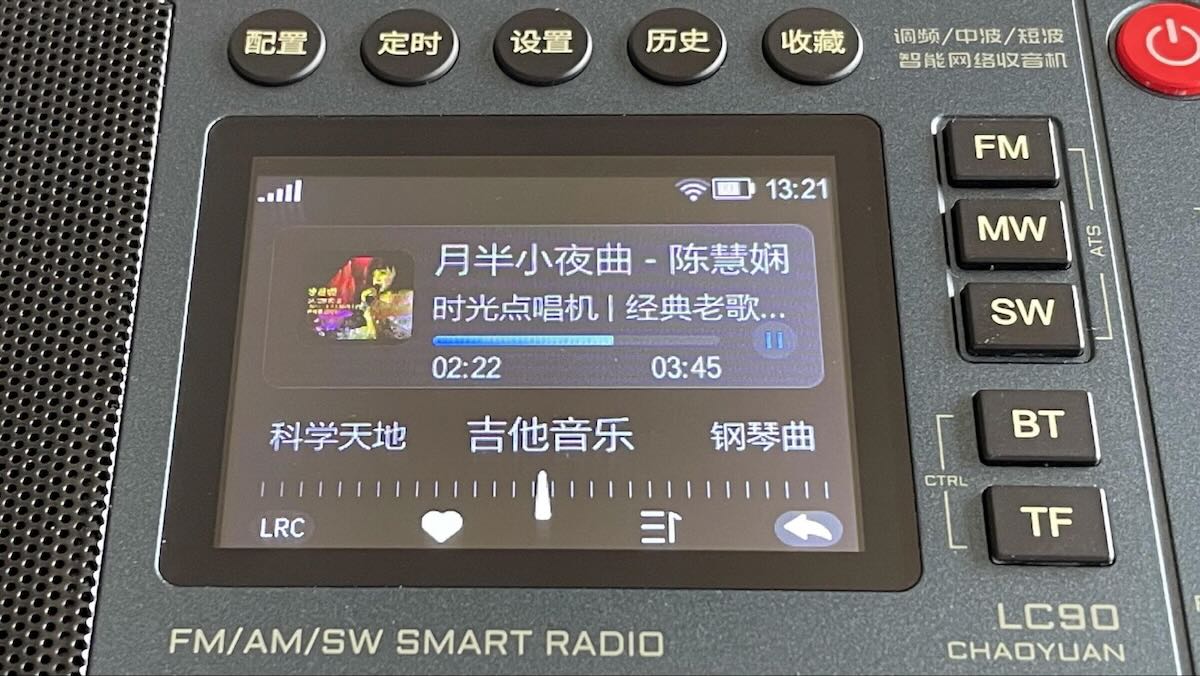
For those who do not read Chinese, the upper five buttons are, roughly, “Configure”, “Timer”, “Setup”, “History” and “Favorites”. The four buttons on the left: “Confirm”, “Stations”, “News” and “Menu”. The four buttons on the right: “Back”, “Sequence”, “Rewind” and “Fast Forward”. The button with a globe says “Internet”.

The radio has excellent audio quality, rich bass, with a well-balanced frequency response. It is powered by two 18650 rechargeable lithium batteries. The radio has no back stand.

Traditional Radio

All three modes (or bands) are available, FM, MW and SW, as shown in the three buttons on the upper right (to get LW just press MW again). The FM band covers 64-108MHz, which includes Japan’s FM band. During the FMDX season you could have stations from Japan and other countries to explore. The SW band covers 2300-26100KHz, continuous, almost the entire shortwave band, more than enough for broadcast listening. The antenna jack works for all three modes (or bands).

Excellent Shortwave Performance

As a shortwave listener of many years, I am most interested in the radio’s performance in shortwave reception. Well, it is indeed very good in terms of sensitivity, selectivity and audio quality, with no compromise although the radio has an Internet section which requires additional space and resources.

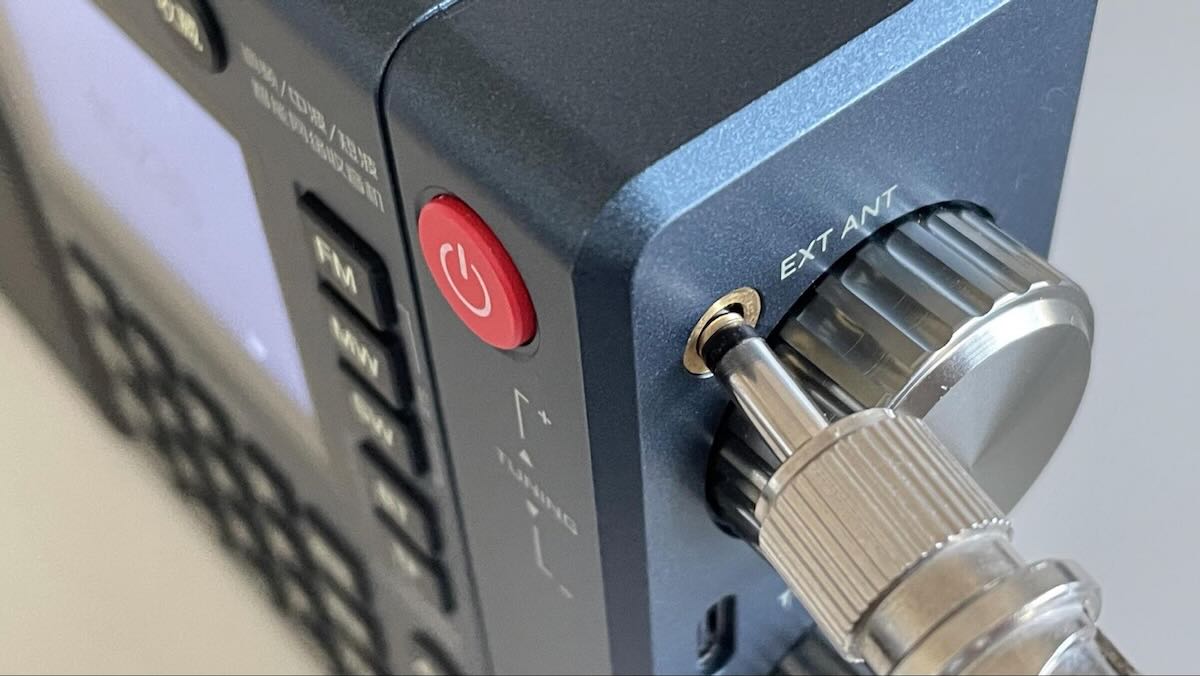
When you use the radio indoor, reception could be poor and you can insert an external antenna to the antenna jack. Unfortunately, I cannot connect my AOR LA400 loop antenna to it as the antenna jack is too close to the tuning knob and so there is not sufficient space for the plug (see picture). Generally, a 3.5mm plug with a wire should work well if you extend the wire outside.

The external antenna jack

If there is a disappointment, its shortwave reception does not decode SSB signals. If the user is not a ham radio hobbyist, SSB reception may not be really needed anyway and the buttons, circuits and space can be saved accordingly.

Fair FM Reception

FM reception is good, but there is no obvious improvement of reception when an external plug is inserted in the antenna jack.

Mediocre MW Work

Reception on the lower bands, e.g., the medium wave band, is always a challenge in cities. It is not surprising that medium wave performance of the LC90 is mediocre at best. I don’t do much MW DXing but nowadays for each MW frequency there is almost always an FM frequency. Let’s face it – we should perhaps forget about medium wave reception in cities where there is excessive low band EMI.

However, if you go outdoor with the radio, medium wave reception can still be a lot of fun. And, contrary to FM reception, an external antenna significantly improves its performance!

Internet Radio

Admit it or not, the best days of traditional radio are gone, and while we continue to have fun on the old time radio, we should not hesitate to embrace newer technologies such as the Internet. By launching the LC90 and combining the two, Chaoyuan has made a significant move.

The Internet radio is an integrator of many online stations on the Internet, and more. It is completely different from the traditional radio which receives radio signals transmitted on air. The Internet radio, which relies on the Internet, provides much better audio quality, no noise, customizable and replay-able.

If you want to kill time and look for signals from noises, turn to shortwave and enjoy DXing. If you feel like listening to solid content or enjoying noise-free music, the Internet radio is there for you. This Internet radio integrates major web stations in China and on that basis the user can further select and configure their own favorites. Among apps that are built-in is Ximalaya FM, the leading audio platform in China. Due to requirements of policies and regulations in China, the user does not have much discretion to include foreign stations in the radio. However, Chaoyuan has indicated that they are working in an effort to secure authorizations from Spotify, Alexa and Pandora which they hope could be incorporated in the overseas version of the LC90. The future overseas version is expected to give the user more discretion to include online stations of their own choice.

A closer look at the display of the Internet Radio

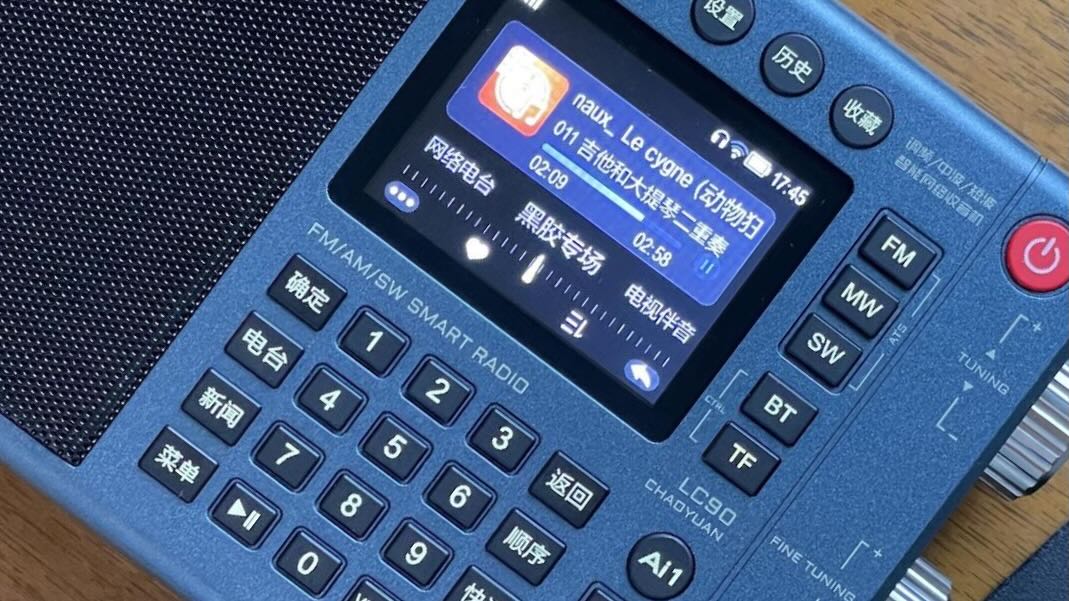
Two buttons, Ai1 and Ai2, are voice assistants. Activate and speak to them and the radio directly plays the content (Ai1) or displays their findings for you to choose from (Ai2).

Finally, this is a radio with the most accurate time. There is no need to set the time for it, as it is based on the Internet.

RADDY RF320

A review of the Radioddity RADDY RF320

(Almost) All-in-One in a Box

By Robert Gulley K4PKM

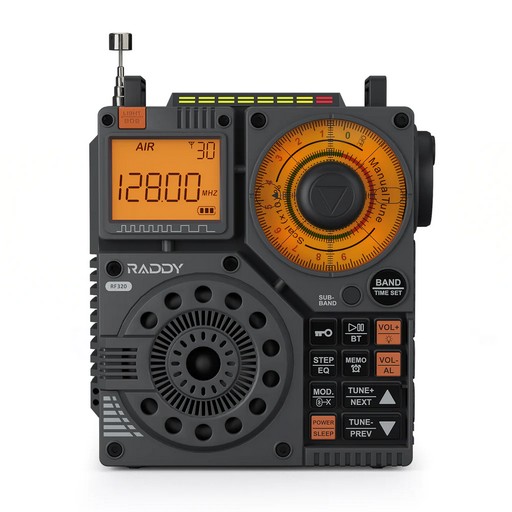
The RADDY RF320 is a rather attractive, if not slightly curious-looking radio, which breaks from the more recent offerings from Raddy and other small portable radios. Compact, but not pocket-sized, the radio comes in at roughly 3-3/4” x 4-1/2” almost square (not counting the tuning dial on the side, the slightly raised antenna on top, or the light on the side).

The radio can receive AIR, FM, VHF, MW(AM), SW, and Weather Band signals. (For those interested in the U.S. Aircraft Band, this model does feature AM modulation, so civil aircraft can be monitored). While the radio does have AM SWL bands, there is no SSB reception. SW bands run from 90m thru 13m, with tuning in 5kHz single steps and scan mode.

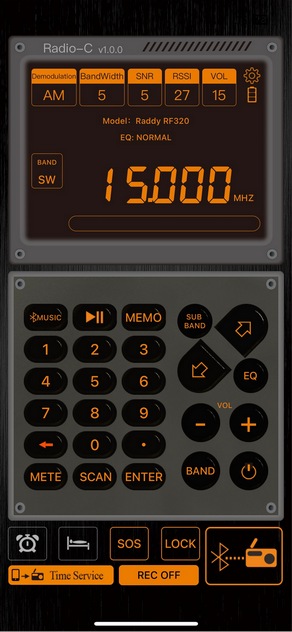
IOS APP

This is the IOS version of the Bluetooth App. Clean layout, keyboard frequency entry and radio control

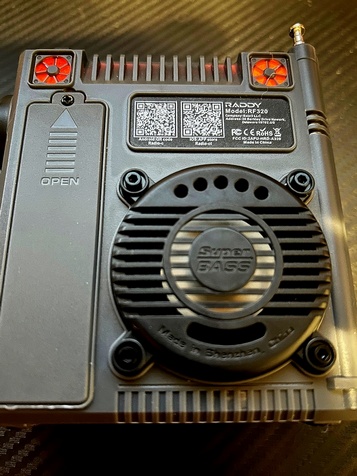
There are four tuning methods if the user includes the Apple or Android app which feature direct keyboard entry in addition to the three modes found on the radio. As a rather cool feature, the QR scan codes are imprinted on the back of the radio for both IOS and Android apps, so if you are out and about you can easily download the app to your phone or tablet. A nice touch! No having to type an esoteric web address or search for the app. (I tried both codes and they worked just fine.)

In addition to the usual tuning methods, the RF320 has what they refer to as “fine tuning knobs” on the side and front of the radio, with the knob on the side a continuous tuning within a band mode. The knob on the front is something, well, a bit unusual. While it is a fine-tuning knob, it is designed to manually tune in search mode. A little explanation is in order.

Most radios which feature a search mode, this one included, allows the user to long-press a directional button or rotate a tuning dial a given distance to activate a search mode. When the typical radio finds a station, it may stop momentarily or completely, depending on the design. The search modes in this radio all do the latter- they stop completely. However, unlike most radios, this radio features three different methods of searching. The up/down arrows can be pressed for a second or two to start a search, or the tuning knob on the side can be rotated some distance quickly, and a search will begin. The third method is the tuning knob on the front. By manually turning the knob the radio will attempt to find the next signal within the current band or sub-band without stepping through each 5kHz frequency (of course it is doing this internally, but it is not really obvious visually).

For example, when in FM mode, this tuning method will jump to the next usable station. In SW mode, in a given sub-band (13m, 90m etc.), this knob will jump to what it senses as the next usable signal, rather than scanning every 5 kHz as done in the other modes. This allows for a very quick check of a given band (or sub-band).

As with any search mode on a radio like this, there will be false positives. Life is not fair – static crashes and birdies and digital signals can all fool a radio’s search mode.

Bass Boost, Back Lights, QR Codes

Changing lights, Bass Boost, and QR Codes for Downloading Android or IOS Apps

The radio features excellent sound for its size, with a rather large front-facing 5W speaker, and a bass port on the back. I can crank the volume louder than I would ever want in a room and the audio remains clear.

Reception on all the bands is quite acceptable, keeping up with typical portables its size, and even ones with longer antennas and larger ferrite bars for AM reception. This is not a Panasonic RF-2200 or a GE Superadio, but for what it is designed to do, it does quite well.

The radio also has an abundance of memories, allowing you to save up to 995 stations, including 199 each for AIR, FM, VHF, MW, and SW.

Like some of the other radios from RADDY, this one has Bluetooth connectivity to Android or IOS for the App functionality, and takes a TF memory card to allow for playing music, podcasts etc., as well as having a flashlight and S.O.S. capability. There is a headphone jack and Aux. jack, as well as a USB-C charging port for the replaceable 18650 2000mAh battery (whoo-hoo!). Sleep mode, timer, wake to music and six sound effects are added features.

Lights, lights, and more lights. ‘Nuff said! (See images)

Pros and Cons

Pros: Good audio, AM receive for aircraft band, good sensitivity, multiple ways to tune, excellent App connectivity on my iPhone with direct frequency entry, good form factor, unit seems solid, replaceable battery, 18-month warranty(!), carry strap, aux. input to allow the radio to act as a speaker, included wire antenna and charging cable.

Cons: Telescoping antenna a bit frail, side tuning knob feels a bit wobbly (but I experienced no problems), back colored lights seem unnecessary (nit-picking and just a personal opinion, YMMV), EQ effects seem weak as only a few seem to make much of a difference (and not needed in my opinion, since the standard audio is quite good), no SSB (not a problem for me but will be a deal-breaker for some), and typical for this type of radio soft muting while tuning.

Conclusion

This is a good, solid radio with lots of options in terms of modes and bands, as well as extras which make it an almost all-in-one radio. This is a radio one could take to the beach or a park, or use in an office or on the coffee table or night stand. It is small, portable, packed with features, and controllable from your phone or tablet. At a price well under $100 ($71.99 special price from Radioddity at the time of publication), this may well be the radio you have been looking for to fill that portable niche!

Note: Using this link to purchase the Raddy RF320 will include a $15 discount for you and a small commission to the SWLing Post.

Guest Post: Here Come the Lithiums

Many thanks to SWLing Post contributor, Bob Colegrove, who shares the following:


Power Play – Here Come the Lithiums

by Bob Colegrove

I have belonged to several radio-oriented user groups in recent years and can’t help noticing how often the subject of batteries comes up.  It’s almost a sub-hobby within the hobby.  There are a couple of reasons for this, first is the unending quest for the ultimate cost-effective, everlasting battery, and second, it’s a rare opportunity for most of us to tinker in an increasingly complex world of technology.

Lithium batteries offer a sustainable voltage output well into their discharge cycle and can deliver a higher rate of current than alkaline batteries.  They are somewhat lighter in weight than alkaline batteries – 2.5 oz. versus 5 oz. for D-cells.

Considering the fast pace of technology, lithium batteries have been with us for a comparatively long time, this in the form of cell phone and camera power, not to mention a host of electric appliances.  Most of these batteries have limited purpose, that is they have been developed and packaged for just a few applications, thus resulting in an incredible variety of sizes and shapes, and no doubt a host of frustrations due to obsolescence.  It’s somewhat reminiscent of the early days of transistor radios which ran on a wide array of zinc-carbon batteries.

Perhaps I have been asleep at the wheel, but it has only come to my attention recently that lithium chemistry has begun to backfill the standard battery sizes we have long been familiar with, namely AAA, AA, C, D, and even the PP3 standard 9 volt.

I have been running along quite successfully for more than 10 years on AA NiMH technology on several portable radios.  Although these run at a slightly lower cell voltage of 1.25 Vdc, the one-for-one substitution of these for alkaline chemistry has seldom been a problem in terms of performance.  In most cases, newer radios are provided with an alkaline/NiMH-NiCad setting to compensate for the difference in voltage.  Even the venerable Sony ICF SW7600GR, for which alkaline batteries are assumed, seems to operate equally well either way.

My problem has always been the larger power consumers running on D-cells – the Sony ICF 2010 and Grundig Satellit 800 to cite two examples.  A fresh set of NiMH batteries put the 2010 on the cusp of poor performance.  Lithium batteries having a sustainable single-cell voltage of 1.5 Vdc now provide a possible alternative to a steady diet of costly alkaline cells.  Even more attractive, some are equipped with a USB-C connector and can be recharged without a dedicated charger.

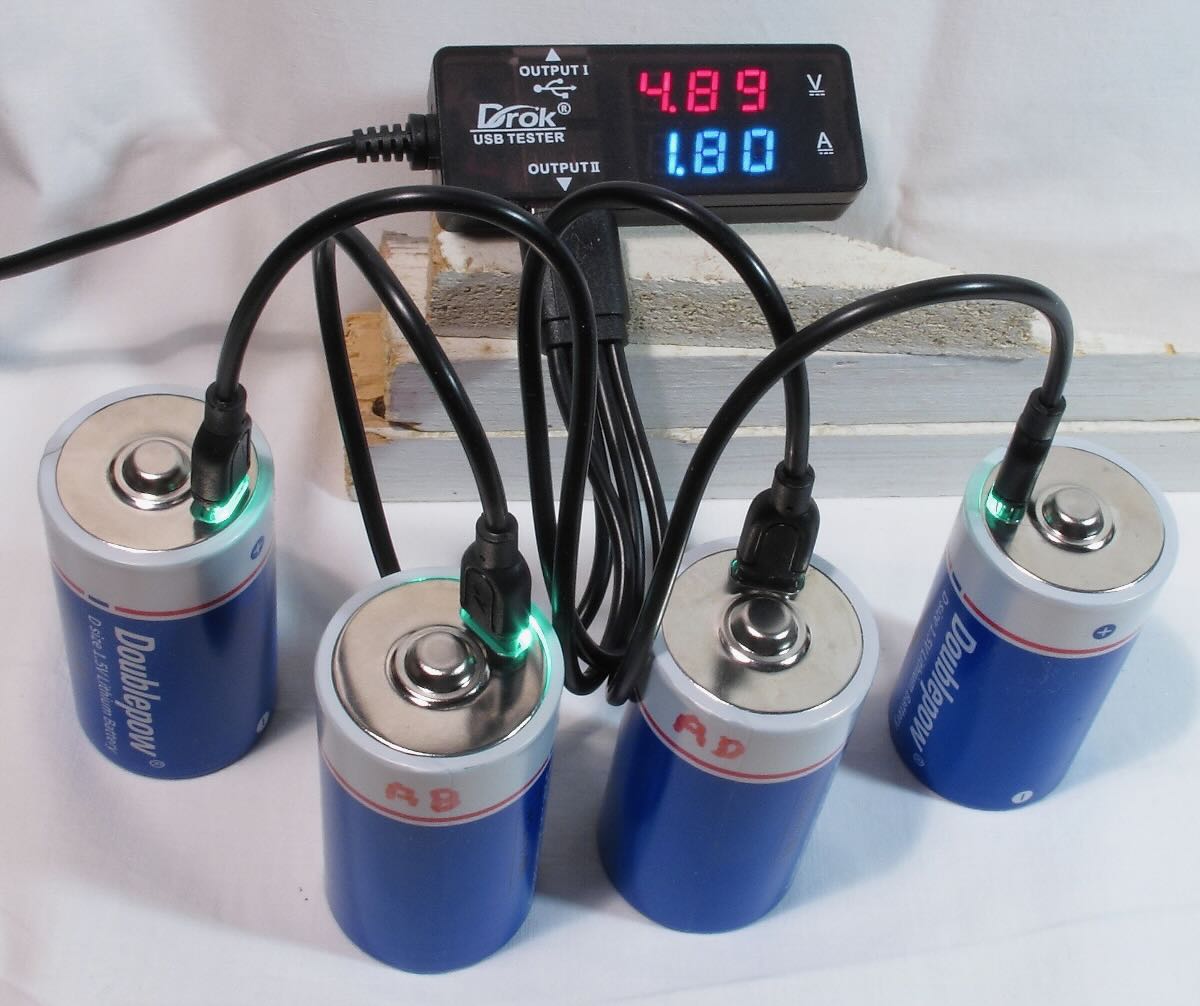
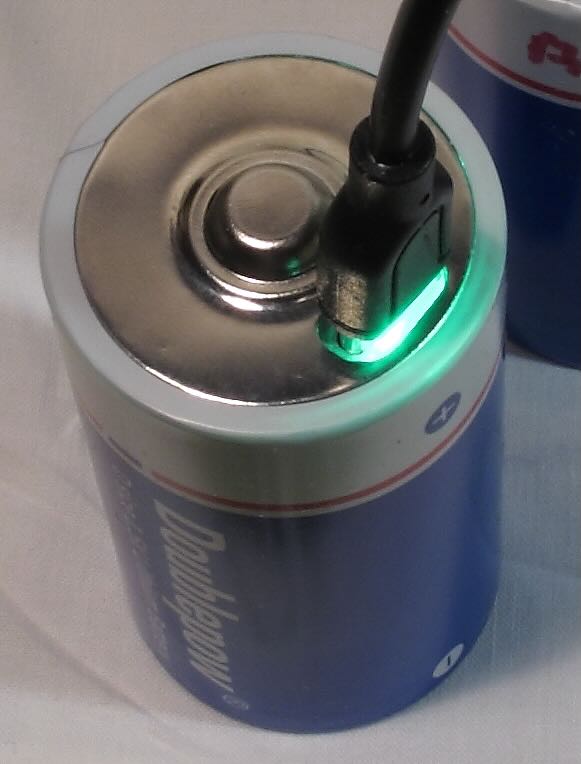
In the figure above, a set of four lithium D cells are connected simultaneously through a 4-lead USB-C harness and USB charger (not shown).  Many of the brands include the harness with a set of batteries.  I have added a USB multimeter, which I find very useful to monitor the progress of the charge, but this is not necessary.  This particular meter can also show accumulated capacity.  However, it should be noted that, unless batteries are charged one at a time, charging rate and capacity will show the total values for the number of batteries being charged.  I would also recommend that the USB charger be rated at least 3 amps.  In the figure below, one of the USB-C leads is connected at the top of the battery.  The built-in LED flashes during charge and remains on when the charge is complete.

Cost is an equally important consideration.  There is a lot of hype in the marketing department about how many times these batteries can be recharged.  The key compound preposition here is “up to,” and as long as they use those words, they can make the number anything they want to.  That said, it simply won’t take more than a few cycles for the cost-benefit cusp to be reached in favor of lithium batteries.

I am just getting started with this.  Although the batteries came highly recommended for the portable radio application, I can make no judgment at this time as to their ultimate quality or convenience.  It just seems like the next logical way to go.

There are some things to remember when choosing lithium batteries.  Not all lithium batteries are rechargeable, particularly smaller sizes.  Some do not come with the built-in USB-C charging jack, so a separate charger intended for lithium batteries will be required.  D size batteries are also available at 3.6 Vdc/cell.  There may be other options, so watch out.  Be sure to thoroughly check the features of any batteries you consider.

I would close by warning that lithium batteries come with safety caveats regarding their transport, handling, use, charging, and disposal.  These precautions are all well stated in the literature, which should be followed with an abundance of caution.  Of note is the fact that not all chargers support lithium batteries, and their capability should be checked as well.


Click here to check out these Lithium D Cells on Amazon.com (SWLing Post affiliate link), or explore other brands.

Jack examines the C.Crane CC Skywave SSB 2

Many thanks to SWLing Post contributor, Jack Kratoville, who shares the following guest review:


CC Skywave SSB 2: Thoughts and impressions

by Jack Kratoville

I had no intention of purchasing this radio. I already own two of the original Skywaves and, not big into Ham communications, saw little need for the upgrade. But as I was looking at the new SSB 2, my wife walked by and said, “Don’t you already have that one?” I told her it was the updated model and it’s on sale. “You should get it,” she replied. Sometimes it is best to listen to your wife.

My curiosity in the SSB 2 was the “slightly improved” audio and other updated features. It was shipped to my home for $149 complete and I eagerly opened the box. Putting it through the initial paces, I was highly disappointed. Some buttons didn’t work, and the “slightly improved” audio was harsher than the original. It was going back. In a final desperation, I stuck a paper clip in the reset hole and all functions came to life. While I still wasn’t impressed with the overall audio, I would spend more time with it. I’ll address the audio later, but let’s look at what this radio was intended for and how it stacks up to that challenge. This is a communication device, designed specifically for people looking for interesting and far away signals. As far as I can tell, it’s the only radio with “SSB” in its name – so let’s start there.

I have the Digitech AR1780 and the Eton Executive Satellit with SSB capability. I’ve explored both upper and lower sidebands on both. It always seems like too much work; pressing multiple buttons multiple times adding that the Digitech is a notoriously slow scanner. I enjoy them both, but SSB seems like an afterthought. The Skywave SSB 2 is far easier to track down and tune in signals. CCrane includes some tips in the booklet, and I find myself hunting for Ham conversations almost nightly. I haven’t had to attach an external antenna as of yet as I find something without them. If the primary purpose of this radio is to bring a capable SSB portable to your pocket on any adventure, CCrane has scored big. I’m still not a hard core listener, but this radio is very satisfying and I tend to check out the side bands much more frequently.

Next up is the SW band. The SSB2 has a longer antenna and I think it serves well pulling in more distant signals. First thing I noticed is that the SSB2 scans slower than the original Skywave. Perhaps this is due to the ability to detect single side band signals, but I’m not so sure. The original is quite speedy, the SSB 2 seems more normal. The best features are the external antenna options and the hardware provided in the box. Wherever you travel, you can easily hook up an antenna directly into the radio, simply using wire that attaches to the accessories in the box. There is a provided reel antenna, so your options are plentiful. I don’t get any overload, but I’m also not on top of any local signals. I have to say, as a communications device, this radio is designed to please.

Aircraft also benefits from a longer whip and external options. I can just get the feed from my local airport (about 5 miles away). The SSB2 gets the airport weather service clearly. There’s an updated scanner that is perfect for monitoring 2-3 signals at a time. This is a big improvement.

The weather band is one of my favorites and have always enjoyed it on the Pocket and Skywave. Here we have one step forward and one back. I understood why the original Skywave didn’t employ the tone switch on WX. There’s not a lot of dynamic audio here. But the SSB2 does which makes it a bit clearer and certainly louder. Very happy with that update, however when I push the presets on the SSB2, nothing! On the original, pushing 1 through 7 moved you to that WX channel. Now you have to slew through signals using the knob or buttons. Why would they omit this? At my home location, I receive 1, 4 & 7 and would simply press the preset I wanted to hear. Losing this capability makes no sense at all.

AM/MX. This band is always a CCrane strength and the SSB2 will not disappoint. Excellent sensitivity, filtering and scanning options makes this a top tier pocket portable.

FM. Better antenna, better reception. I think it’s a hair more sensitive and selective than the original Skywave, but listening to the FM band leads me into my biggest gripe, the audio.

“Slightly Improved” is a way of saying “don’t expect too much.” At first, I was highly disappointed. Even on “Voice,” the FM band sounded shrill and fatiguing. I almost returned it that first day. I decided that it was better to give time and put it through various paces and locations. Here’s my personal assessment. While audio dynamics is as personal as one’s favorite color, I must start by saying they did make a sizeable effort to improve this radio’s sound – to a degree. Excluding FM, the audio is louder and fuller. I would go as far to say it’s a bigger improvement than they give themselves credit for, especially with SW, SSB and WX. But with FM, they could have trimmed that high end 1-2db and it would have been so much better. U.S. FM signals are overprocessed to begin with and this radio highlights that flaw immensely. (The PL-310et does as well, but with slightly better low end to balance the sound). I’ve brought the radio outside, listened to the non-commercial locals and various low key programming – when the high frequencies are more muted, this model sounds much better than the original. OK, admittedly people are not laying out $160 for this radio to listen to the Zombies, U2 or even Doja Cat, but I don’t think it would have taken much to make this radio audibly more pleasant on all bands.

Where the audio does suffer is at low, low levels. This is not for listening in bed late at night. The improved amplifier has to send more energy to the speaker and that creates a low-level hiss – even when the volume is at zero. This is not a Skywave SSB2 issue, it is an issue with most audio devices trying to pump more into a smaller speaker. Most radios suffer from this to a degree (the original Skywave does not), but some are better than others. The SSB2 is very noticeable.

I honestly feel CCrane put in a big effort trying to please their core base with multiple adjustments to this radio. The screen light is better dispersed. When you shut the unit off, it gives you the time before the light extinguishes. Switching on and off or between bands, the audio fades up and down – better than unexpected loudness. The tuning knob is vastly improved with satisfying clicks and no jumping over frequencies. The volume knob is stiffer with less play. The buttons are better, and the adjusted layout is extremely intuitive. I’m not a huge fan of the current style, but it makes sense. CCrane designed this radio to be more in line with the CC Pocket, giving their portable lineup familiarity between models. I’d prefer the page and memory numbers to remain on screen, but it’s extraneous information. I don’t listen through the earbuds, but they are working on whatever clicking problems occur when switching between bands.

No radio will ever be perfect nor please everyone, but I remain a fan of CCrane. For Ham and SW enthusiasts on the go, this radio is worth your consideration. You can buy cheaper, but you will only get what you pay for. My original Skywave, purchased in 2015, continues working like it did brand new and remains my #1 travel companion. Well, number two behind my wife.

Click here to check out the Skywave line at C.Crane.