Shortwave listening and everything radio including reviews, broadcasting, ham radio, field operation, DXing, maker kits, travel, emergency gear, events, and more
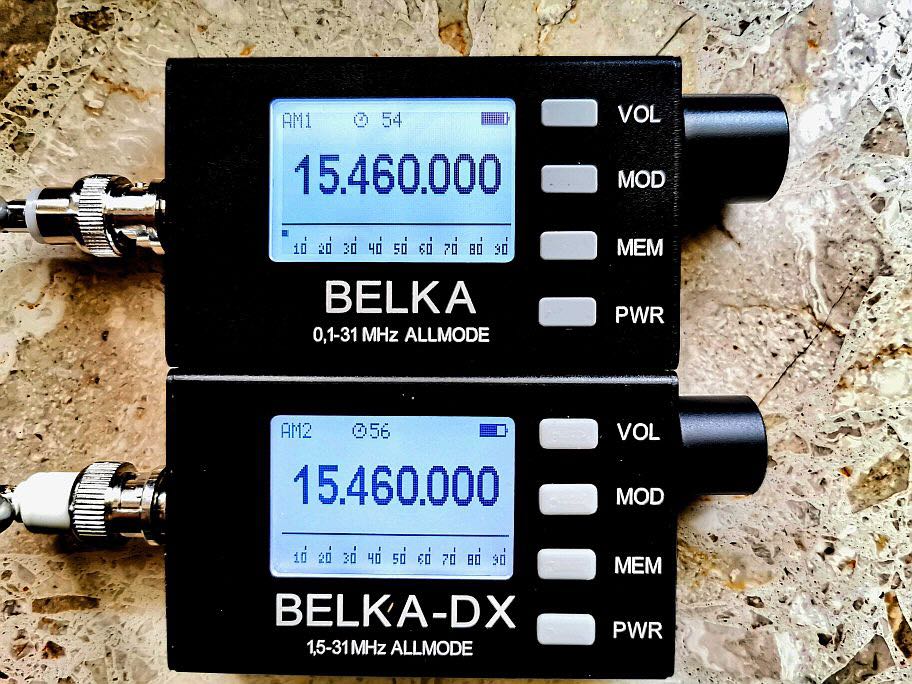
Following up on the article I recently wrote about the MLite-880, I still had a comparison with a reference radio on a proper antenna on my to-do list. I wasn’t in a hurry because I got pretty fascinated with exploring what I can get out of various magmounts on my car with this radio, which is quite a lot and it never gave me the feeling of missing out on something. I was also a bit hung up on the idea of comparing the MLite with the Belka because, you know, same price level and all, but that’s a bit iffy with my little passive splitter and 2 different input impedances.
Then a claim was made on the interwebz that the MLite-880 would be just a mediocre radio that would not stand scrutiny without its outstanding noise reduction, to summarize that in my own words. My experience is obviously very different and it made me curious how much truth could be in this claim. So I just took the ingenious Icom and the mediocre MLite to the dike to slip in a little shootout and then maybe give the loser a Viking funeral on a little raft I improvised out of flotsam and jetsam while making a lot of recordings to give my findings a whiff of evidence.
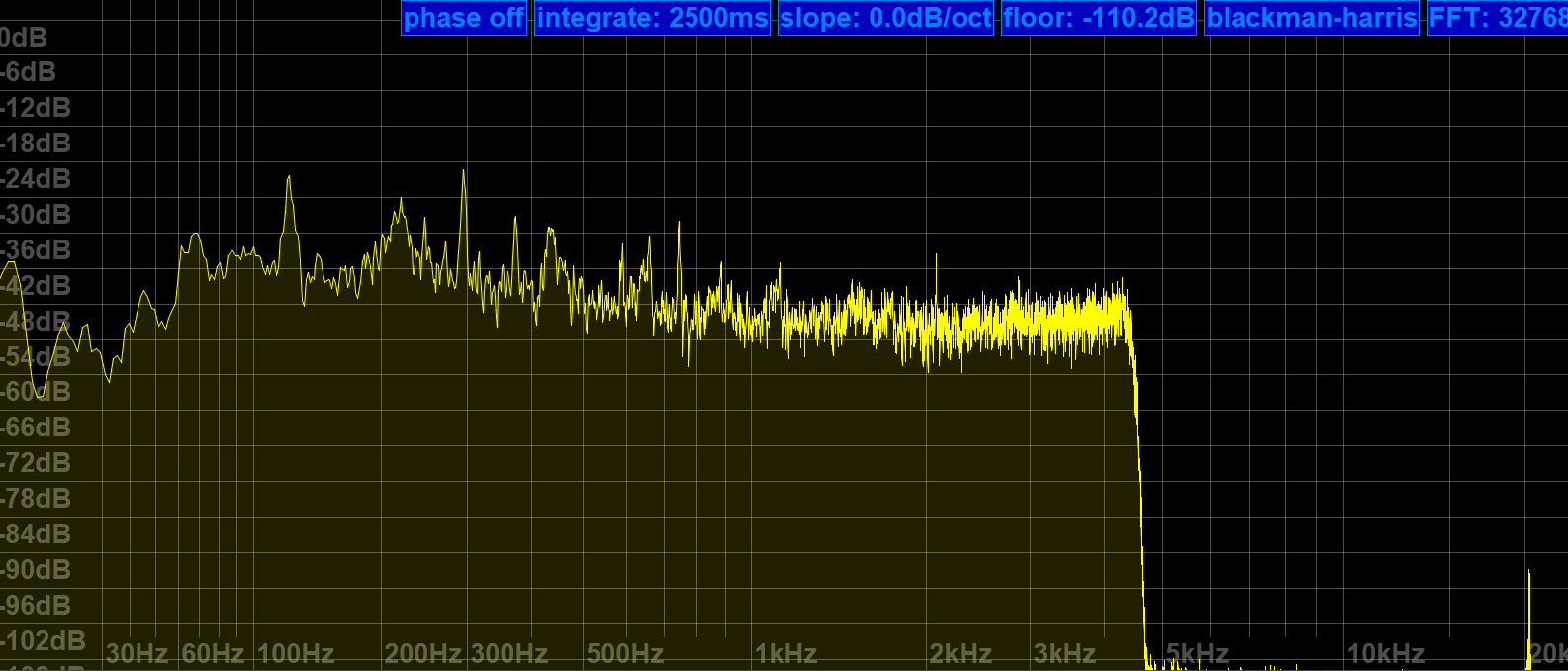
Both radios were connected to my lazy 10m/33′ monopole antenna via a Diamond SS-500 splitter and 15m double-shielded and common-mode choked coax. Both were recording to their own SD cards, but unfortunately, the recorded audio from the Icom does not represent the live audio off the radio on AM recordings because it records to an SD card with an 8 kHz sample rate, and that limits the audio bandwidth to at best 4 kHz. The deciding thing to listen to in these recordings is the noise and sometimes the pure existence of a signal, though, and lower bandwidth is almost an advantage in this context.
oznorWO
Sensitivity Test
Since the question is really the practical sensitivity and, therefore, how dependent this radio is on its noise reduction to get good results, I’ll start with the IBP beacons, which were recorded without NR, of course. To spot and quantify SNR/sensitivity differences you can use the four -10dB stepped (100W, 10W, 1W, 0.1W) dashes the IBP beacons transmit after their callsign.
The most grassrootsy first: OA4B in Peru (10,800km/6,700mi) on the 17m-band. MLite first, then the Icom. Both radios receive the second (10W) dash as faintly as the 100W dash, but with too little SNR left.
5Z4B beacon in Nairobi, Kenya (6,600km/4,100mi with a 3rd dash = 1W!) informing a silent 15m band about the opportunity around sunset. MLite starts again, then the Icom. The latter has the 3rd dash faintly but clearly and the former leaves some more ambiguity about that. Demonstrates again the minuscule difference.
5Z4B again, but on 20m with a 4th dash to count, whether or not the last one is really from 5Z4B or just interference doesn’t matter; what counts is that both radios heard it. The 1W dash was clearly received by both, starting with the MLite.
Here’s one where only the MLite heard an interference, and I’m not sure it imagined it (absolutely unavoidable pun) – VK6RBP in Australia for the 10,000 miles bragging rights.
I think the conclusion here is that we could probably agree on “same ballpark”, right? I don’t know about you, but imagine my surprised Pikachu face!
The AF SNR difference, which is probably all that counts in sensitivity tests, is within 3dB between the two, not to be confused with RF power decibels (but reflected on the RF side in comparably small amounts). For the interested:I did take day/night variations of the noise floor above 10MHz into consideration, with a decreased noise level around midnight on 21MHz, the MLite still matches the Icom, which is all that counts in this comparison (not absolute measurements) context.
The magic button
Another claim was made about the noise reduction, that it would only work with signals of a certain strength. While it is technically correct that it needs a minimum SNR to improve upon, my experience is that it is effective with almost any remaining SNR, provided the signal is fed into the NR with sufficient levels, and it exceeds all my expectations at that. Here are a few recordings of CHU demonstrating both points:
CHU 14670 kHz in Ottawa (5,800km/3,600mi) in bad enough conditions. The same announcement from the IC-705, then the MLite with NR at ? of its range. Note how difficult the French announcement at the end of the transmission is for both radios. I will miss that station. The noise, not so much.
This is just the announcement a minute earlier, when the signal dipped below the noise floor. Nothing gets really recovered, but nothing gets lost either, and what’s left stands out more:
However, if you only look at its inability to cheat physics, you could be missing the point of a good noise reduction in this particular “shortwave radio” context. Restoring fidelity, removing masking noises and generally increasing the SNR and thus ease of listening is having a massive impact on how at least I can enjoy programs or conversations and there’s more: After a few decades many of us (particularly 2-way) radioheads have gotten their auditory cortices hardwired to make a connection between noise and signal strength and then pushing this NR button might feel like witchcraft when it makes a bloke driving around on the other side of the globe sound like he’s just passing your local highway intersection.
In the following sound clips you will hear both radios taking turns in 5-second chunks as if I switch forth and back between them, in some of them I will play the same bit of transmission twice, first from the one, then the other radio so you can e.g. make out differences quite precisely. Continue reading →
After all the recent buzz and watching and reading every video, review, and discussion thread/group I could find about this radio, as per usual, I knew I had to buy one in order to find out if I want one…again. This is not a review, but taking notes while getting acquainted with it and gathering the technical information I couldn’t find, I started thinking that sharing this might be at least entertaining for other MLite owners, maybe helpful to elaborate on a few things for newcomers to complex radios and SDRs on the way and also to tell the undecided why I started calling it names so I had to keep it. Sounds terrible and very much like a review, so let’s get on with it.
Chapter One: What is this thing anyway?
I couldn’t help noticing the higher-than-usual pile-up of “game changer”, “new era,” or “the radio <brand name> never made” expressions coming with this one, and I was confused. Sure, it is another small, self-contained SDR, functionally more or less just a mildly simplified Malahit redesign with a much simpler display in a more familiar shape, but the Malahits have been around for years, and they’re neither the first nor the only radios with this job description. I couldn’t quite understand what fueled the sudden interest, just because it doesn’t look like Spock’s preschool tricorder and more like the offspring of an Asian travel radio and a Scandinavian business phone? Really? Then I found the price tag and the light came on.
That it’s now also much easier to purchase the new Gründig Sputnik 880 as an official product with authorized firmware from Malahiteam’s new Chinese manufacturer obviously did it for me too, and it may speak even more to people who have really been waiting for an affordable, actual step-up from their first 473x-chip radio for so long that they bought 5 more of those in the meantime. I promise it may be quite an upgrade from any radio that looks similar, and I even deem it pretty user-friendly. However, it’s technically and conceptually still a Malahit and as such much closer to any other SDR hard- and software made to cater to the exotic desires some outspoken radio enthusiasts have, than to anything it is made to look like.
Unfortunately, this is really clashing with very frugal documentation and unusual technical secretiveness about what’s in there; people have to figure out many things on their own and fail at it, and I feel the mimicry is also fueling unrealistic expectations.
Chapter Two: Technical Notes
The “technical secretiveness” extends to filing the markings off most chips, so little is known about the innards of this receiver. Russian YouTuber Alexey Igonin suspects a single-conversion SDR on shortwave (up to 27 MHz) becoming a dual-conversion radio above. The FM broadcast range appears to be a separate tuner active between 65 and 107.999 MHz and another VHF tuner from 108-165 MHz; both tuners are then downconverted to the high IF of the SW receiver. This abstract string of words explains to the initiated why oddities may be seen here and there, for example, when you tune to 108.00MHz
Operating concept
For a general description of the radio, menus, and general operation of the MLite, please refer to Dan Robinson’s and all the other excellent reviews. I want to sell you on the general concept centered around the telephone keypad, making it strangely not such a big deal for me that it has only one encoder knob and 16 buttons. It’s quite different from all button portables I have met:
Each function menu has its own button, assigned to 9 of the 12 buttons on the phone keypad. Each function in these menus has a number, too. That means you can memorize access to your frequently used functions by a 2-digit number, one for the menu, the other for the item you want, and in many cases, that’s all. Dial 25 for AM, 26 for SAM, 21 for USB without further action, 61 is the number of the IF filter warehouse expecting your orders via the knob (unless it isn’t), you get the idea. That means most functions on this radio have 2 buttons you need to tap, but they all have their own 2 buttons right on the front panel.
Direct frequency input is activated by button [4] and is accepting a couple of ways to enter a frequency followed by button [A] for kHz and [B] if you want MHz, e.g. “123*125 [B]” or “123125 [A]” take you to the same frequency, or just hit “123 [B]” to go to 123 MHz and tune up a little. Some even recent radios are much less tolerant and made me give up on typing in frequencies; this is not one of those.
Such an anachronistic flashback to early digitally controlled commercial radios/machines/things or DOS computers seems to be almost ironic on the face of this bundle of latest digital wonders. But I think it could easily run circles around nested menus on a tiny touchscreen if you can adapt to it. The keys are not backlit but if you could dial 911 in the dark on an old landline telephone like the victim in an old crime show episode, you can position your fingers on the keypad to type “4-27555-A-21” (hyphens for clarity, it’s actually 42755A21), if you have firmware 1.5 or higher this will take you to the CB “highbander” calling channel in USB, hopefully entertaining you until the ambulance arrives.
Unfortunately, there are also multi-page menus like the [AUDIO] page with your filters, so “61” doesn’t always work, and e.g., the steps menu changes its buttons according to the mode, so the “mental phonebook” method becomes a little more involved. Still, when you exit and return to a menu it will still have that previously selected function assigned to the encoder to speed up things and it memorizes that for each menu individually, long press of the SQL [B] or NR [C] button (while they’re on!) takes you directly to their intensity setting in the menu…in short, things have been laid out very well and after a few days that became part of the fun this radio is. Summary: It’s a real asset because it allows you to fly this radio blind, for example, when you’re legally blind or just legally supposed to have your eyes on the road.
Antenna Input, Impedance Switch, and Bias-T:
An understandable common misconception seems to be that the antenna switch [3][1] is toggling between the whip and the 1/8″ phone-type antenna jack. What actually happens when you insert a phone plug is that the whip is getting disconnected, and the switch is toggling between high and low input impedance. It seems rather important to understand that this high impedance input is provided by the additional amplifier needed for the whip; it remains in the signal path when you use the antenna jack.
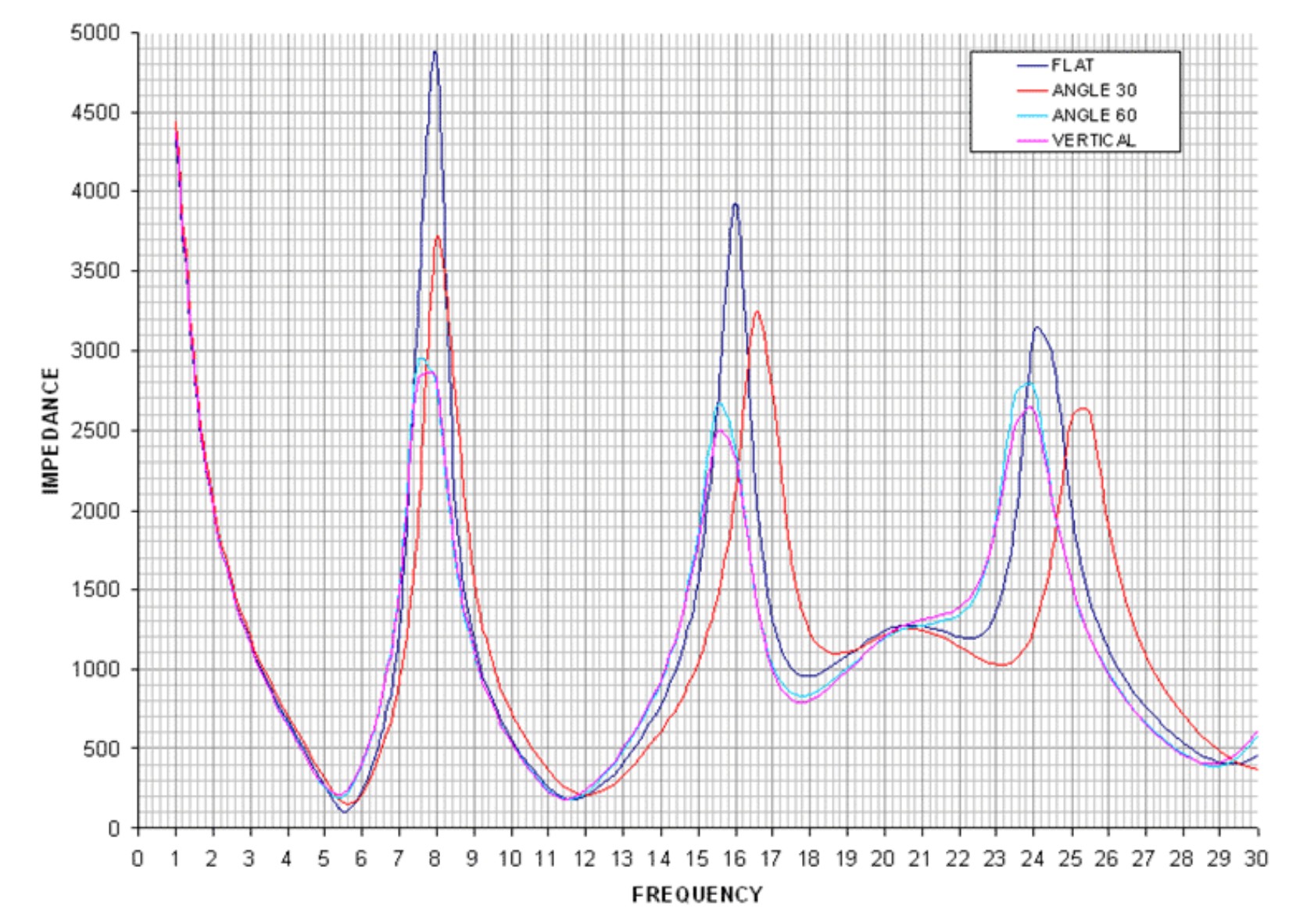
In general, switching impedance allows for external antenna configurations that would otherwise not work well, and in the presence of high local noise levels, the shielded input is highly preferable over open wires alligator-clipped to the whip in lieu of a missing Hi-Z input. Besides matching different antenna types, switching impedance can also increase the number of “good” frequency bands on the same (passive) antenna. Most antennas, including simple passive wire antennas like endfeds etc. exhibit a wild up and down of impedances over the wide range of wavelengths we SWLs use them on. When the impedance mismatch happens to be at its most loss-inducing extremes in the band of our choice, switching the input impedance may or may not improve reception:
VK6YSF’s impedance vs. frequency plot for an endfed antenna in different orientations
For example, a simple magmount whip on the car roof is often all you’d need for a bit of quality mobile SWLing, but impedance mismatches between the external whip, the cable, and the input can suck the life out of it on many frequencies. My “Little Wil” CB magmount doesn’t work well on 20m…switching to Hi-Z can fix this. In other bands, this will not improve anything, and the MLite is kind of giving a clue on this bad constellation by becoming very noisy when you switch to Hi-Z in these cases.
The additional amplifier helps with these small, lossy antennas, but that advantage can turn into the opposite when it gets overloaded by “full-size” antennas, and the simple logic “Hi-Z antenna works best on Hi-Z input” doesn’t always work anymore. Leaving this for everyone to figure out on their own is provoking bad results and bad rep.
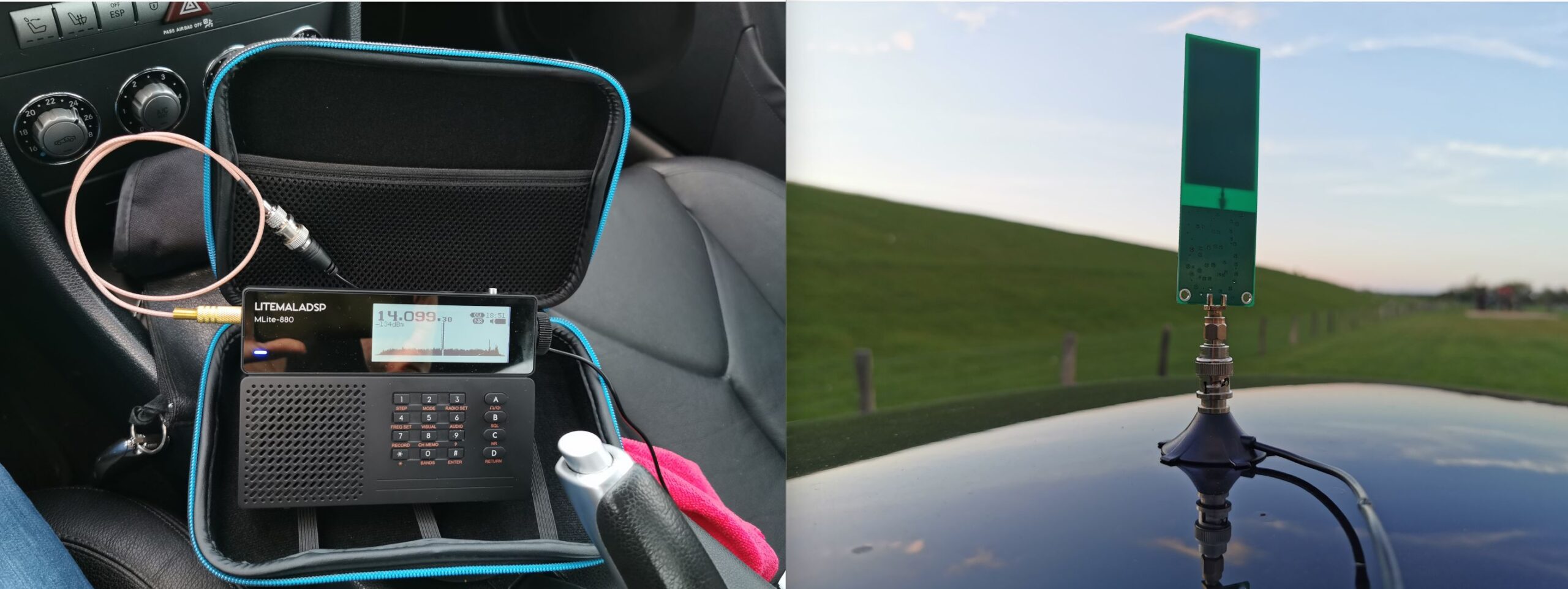
This radio offers to pass the (unregulated, drops during discharge!) battery voltage to the antenna jack for active antennas and LNAs at no extra fees. I could finally try if a tiny miniwhip could be a worthwhile low-profile solution for the car roof, one that gets enough shortwave in while keeping the considerable electromagnetic racket within the car out. Turns out the 15 bucks drawer-queen miniwhip PCB that was once powered up for 10 seconds 10 years ago seems to be pretty happy with sitting on a car roof, it works almost as well as a 47″/1.20m telescopic whip while theoretically giving a very low profile, avoiding the RC-car looks. Too bad nobody makes an autobahn speed compatible, magmount miniwhip for cars, hint, hint, nudge, nudge.
Spectrum Display
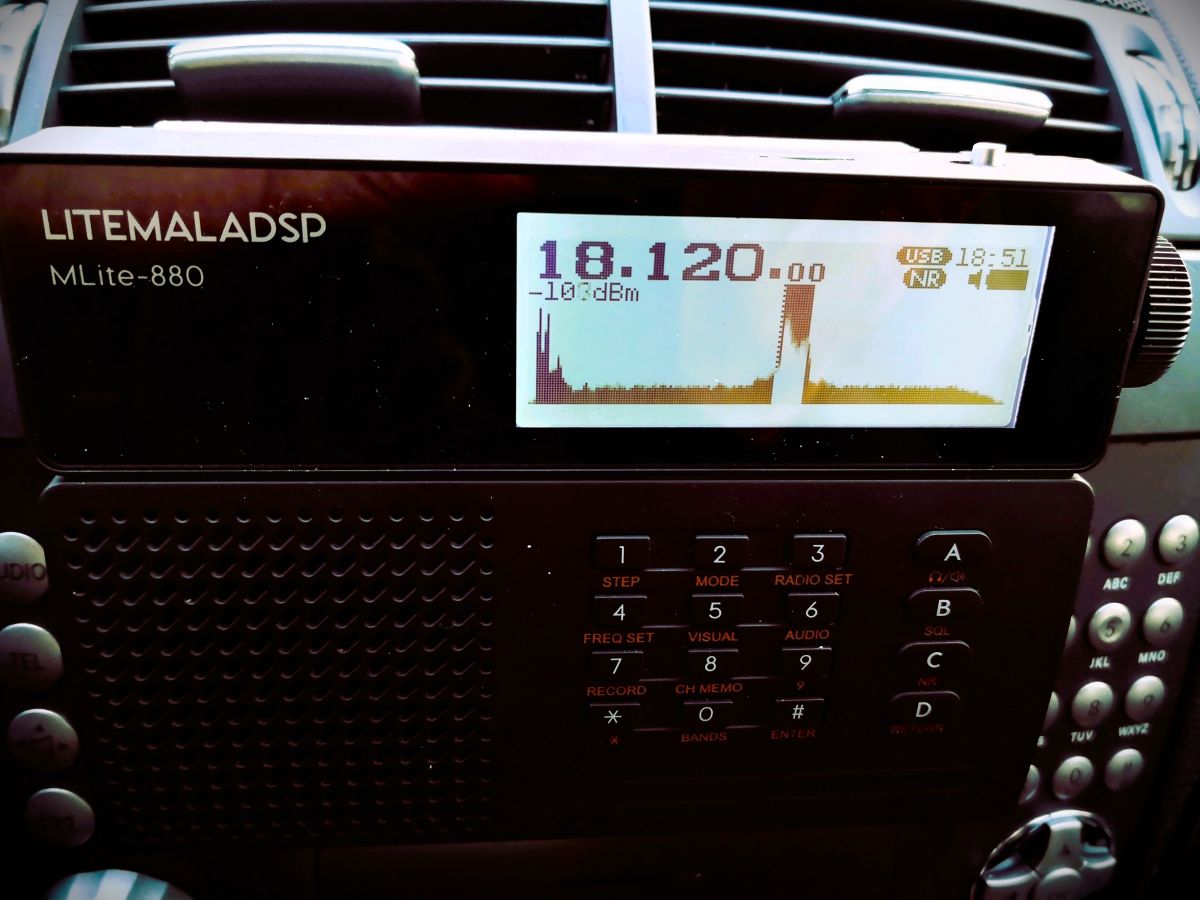
If the Panicsonic RF-KGB-65 is your first radio with a spectrum display, welcome or welcome back to the world of radios that have something nice to look at. I appreciate the feature too, and maybe it’s a good thing that it doesn’t overwhelm people with information, but a spectrum graph line without scale/grid to tell how wide, far apart and strong signals are on that spectrum does not provide very much information beyond revealing the pure existence of something left and right of your tuned frequency. Still a great thing to have and a mesmerizing and instructive eye catcher and only a white cat can make you look more like someone out of a James Bond movie while consuming almost no battery.
How much of the spectrum you can see depends: What you actually get anywhere on AM/SW/VHF is a 40 kHz portion of the band, and you can’t zoom in or out, likely because that’s how much you can reasonably expect to show on a low-resolution dot-matrix display, expecting narrowband signals on the band. Narrow signals are also why the spectrum line should be filled, or unmodulated carriers/CW will be represented by a single, hard-to-see dot instead of a full single line. In WFM we get roughly 600kHz of spectrum from that display, which is just the FM equivalent of “not an awful lot”. On the plus side, you almost never have to bother with spectrum settings (which can be a rabbit hole, trust me).
Averaging means that the height of each dot in the spectrum line is calculated off more samples, the more samples, the longer they live on the display, too. This allows the display (and us) to differentiate between weak signals and noise. I found the most useful averaging settings in the upper half of the range 50-99, not quite as good as a waterfall display (= a history of spectrum plots), but ’99’ will allow you to blink very slowly and not miss an activity, at the cost of display responsiveness. Too little averaging also makes you miss fast events on the “bandscope” even when they’re loud.
To alleviate you from more settings, the radio is automatically scaling the levels of the spectrum line. If a strong station comes up within the spectrum passband (not necessarily within the 40 kHz display range), the scaling changes and the visual noise floor drops. This looks confusingly the same as if the AGC was “pumping” and radio would be actually desensitized by that station. This can actually happen, but then you will also clearly hear the AGC “pumping” the noise floor as the display seems to indicate. That scaling also means that the visual noise floor does not reflect the actual level or proportion of the noise floor; deriving SNR differences from the graphical representation is not always possible.
Both spectrum and signal meter displays seem to indicate frontend input levels pre-AGC; changing the gain in the radio does not affect the display (the built-in attenuator does, of course). Besides the spectrum, the display has the usual status indicators but the very limited display space may not allow for all indicators people could wish for. The bargraph signal meter can be switched to an alphanumeric dBm display aligned with the classic S-meter 6 dB/step scale (not dB/?V) as indicated by the meter refusing to measure signals beyond -73dBm (S9), in which case it just notifies you of the surplus level by adding a ‘greater than’ sign to the value, “>-73dBm”. Still, the numerical measurement is pretty averaged/integrated and therefore nicely readable below that. Which is good because the meter does indicate the noise floor.
Controlling Gain, AGC, and ATT:
Most of the radios the MLite-880 is cosplaying have an AGC that doesn’t require any interaction and many of them just have a “one size fits nobody” response curve for AM and SSB. Likewise, most portables don’t have gain control beyond a “Local/DX” switch on the side. The MLite AGC, on the other hand, offers 4 release speeds with variable ‘Gain’ and ‘Limit’ parameters, plus a manual gain control option.
Of course, I’m pulling this out of the nose since it’s all not documented, based on my observations and similar arrangements: In very simple words, ‘Limit’ sets how loud you want the loudest stations to be, and ‘Gain’ is how loud you need to have the weakest station, particularly in SSB.
To elaborate on that, ‘Limit’ sets the threshold level where a signal causes gain reduction, and ‘Gain’ is basically the “RF gain” control some people think is missing on this radio, giving remarkable gain reserves (60dB). Use ‘Gain’ to bring weak stations closer to the ‘Limit’ threshold. “Limit” defaults to “75dB” and it looks like signals around S9 are going to be, well, limited to that, which means raising that is lowering the overall AGC action as much as decreasing gain while it increases the volume. The closer these two values get to each other, the more compressed, noisy, and “pumping” the channel will sound. Keep in mind that gain does not equal sensitivity, and avoiding AGC action is often preferable over the convenience of not needing to touch the volume knob. Matching gain to the conditions and signal you want to receive is also a prerequisite to make the most out of the noise reduction. This old clip demonstrates the difference it can make when you can control gain to avoid getting loud signals squeezed by AGC and the noise floor not being pulled up unnecessarily (same transmission received on a D-808 (no gain control) vs. a Belka (has gain control), recorded simultaneously):
A sound like this is the sign that you may want to reduce ‘Gain’, or use the attenuator (dial “33”) to that effect.
I’m not sure I understand or experience all of the issues some seem to have with the AGC; other than that, it does not default to the hottest gain settings it is capable of, which adds to a different problem with this radio – the harsh drop in volume in SSB/CW and WFM modes compared to AM/SAM/NFM. That also might be pushing people towards increasing gain beyond reasonable values to compensate.
The ATT can be set to 36dB of attenuation in 6 dB-steps, but for some reason, I can see at best 15dB of it on signals anywhere on the S-meter scale, high or low, which seems as strange as the fact that it didn’t help in the only overload situation I had with this radio. If this is your first ATTenuator, it’s supposed to decrease the signal in front of all amplifier stages, unlike most RF gain controls, it is often the radio’s only reliable (onboard) way of keeping the radio’s first transistors from overloading in the presence of very strong signals. Please note that it says “Attenuator for SW” for a reason: It does not work on VHF, which in this radio seems to start circuit-wise on 27.000 MHz so the 10m-band has to make do without.
Noise Blanker
Unlike most portables, this one has a noise blanker, and of course, it’s not only an on/off switch like in the old days. Invented 100 years ago to mitigate engine ignition impulses, nowadays they can be used to mitigate impulses from electric fences, OTH radar, or local PLC modem (!) impulses, which is why you can often adapt the timing parameters. Of course, this one is hurtfully undocumented again, I assume that the 3 modes of the NB relate to bandwidth presets. The other dimensionless control seems to set the timing of the countermeasure, but it always seems to work best or at all at the minimum value. Since I assume this radio attracts many buyers unfamiliar with these things, be advised that wrong and even the default settings in modes 1 and 3 can cause distortion in the demodulation when you don’t expect it, so it’s better not to leave that permanently on.
Here’s a short video showing how it works on a strong OTH radar, the noise blanker is acting in/before the IF stage so its effect also reflects in the spectrum display:
IF filters:
A big giveaway that the 880 is not to be confused with a radio is that it visually alludes to are “the filters”. Of course, in SDR, there are no physical IF filters and barely any limits to their number, shape, or properties, and it shows:
The [AUDIO] menu has 3 slots for your own filter settings named “narrow”, “normal” and “wide” and in each you can define low and a high cutoff frequencies, so that’s 3 variable filters so far. But of course, each mode has its own set of 3 “filters” you can define to your liking. The MLite-880 is one-upping this by giving AM and SAM, USB and LSB each an individual set of 3, too. WFM has 4, that’s 22 (!) places to set filter bandwidth. That’s not mandatory, of course, but still one nice source of confusion for elderly people like me and something to keep an eye on for a while.
The filter shape itself is fixed, it has less rounded shoulders than what I have in the Belka and the IC-705 in “sharp” mode, with the same quality and perceived stopband rejection of those, and that alone would be enough to lift the long-term reception experience with the MLite way above and beyond the 473x chip radios, or even the best of their small analog ancestors from Japan.
Nice upper filter slope (lower filter frequency = 0) to claim all of a 9kHz ITU region 1 mediumwave channel and still keep the neighbors out.
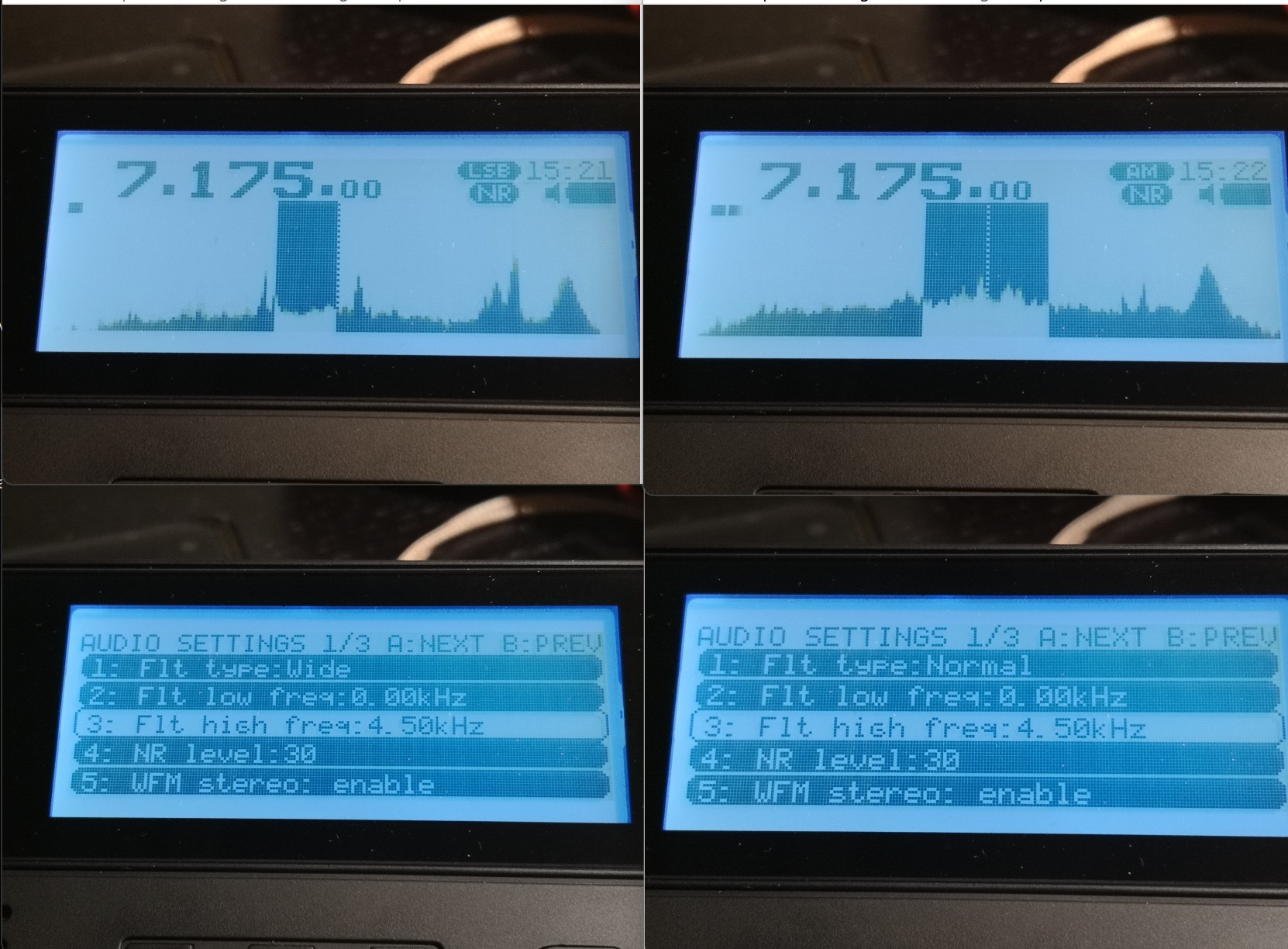
25m band scan on a 10m vertical at the dike. It also demonstrates that the 4.5 kHz filter setting shown above is keeping the signals 10 kHz to each side of NHK on 11,625 kHz in check (NHK also received on 11,860 kHz, both direct from Yamata).
As for the mildly important question, what bandwidth is meant when you set the filters in AM – this is once again “per sideband” in AM, like on the Tecsuns: 4.5 kHz means 4.5 kHz audio bandwidth, the old-school physical IF ladder filter equivalent for that kind of passband would be labeled “9 kHz” if you want to compare that with some old rig. What sets this apart from e.g. my Icom is the possibility of having very wide sidebands up to 15 kHz for 30 kHz wide experimental AM broadcasts, also in SSB. The MLite reflects the IF filter equivalent in the width of the “dial pointer”:
The properly narrow (>200Hz) and SNR-increasing CW filters are what make this ????? Trans-Okhotsk and the Belka the only receive-only portables with proper CW reception and a price tag around $200. Since FW 1.5, it also does CW “offset compensation”, so you don’t have to go through the hardships of subtracting your adjustable CW pitch frequency to correctly tune to a published frequency like in the Middle Ages anymore.
MLite 500Hz CW filter more or less centered at the CW signal at 700Hz
Frequency Calibration and Stability:
You can skip this section if you’re not much into SSB, and the following is not a complaint, just an observation and generally not a big deal, or rather part of the deal: The MLite-880 is not perfect <gasp> and it has “Lite” in the name for a reason:
Besides more obvious things, it lacks the automatic notch filter and the TCXO (temperature-compensated crystal oscillator) of the “big” Malahits. It has to make do with an XO and a lot of XOXO, and with that, it can’t quite match the linearity and temperature stability of the Belka, which is 99% on par with the IC-705. Most people are probably familiar with the need to calibrate their radios, and a few less have a radio that lets them do this, but not needing to do this is understandably one of the expectations people have with this SDR. But unlike the SW range, which is generally close enough to the nominal frequencies for most buyers, the separately calibrated VHF range seems to be in need of an initial calibration on many shipped radios; it was several kHz off in the VHF marine band on mine, too. I just tapped [3][5] and turned the knob until the station showed up right. Easy enough.
On shortwave, I’m talking about very small but occasionally inconvenient offsets/non-linearity in the tens of Hz range, nothing that makes you want to find your pocket calculator even if you’re a heavy SSB/utility listener. Calibration on digital receivers means you can fine-tune the master oscillator conveniently in a menu, and “non-linearity” means an offset varies over the course of the frequency range and does not plot a straight line. The offset is different in different bands, and you may or may not want to recalibrate there.
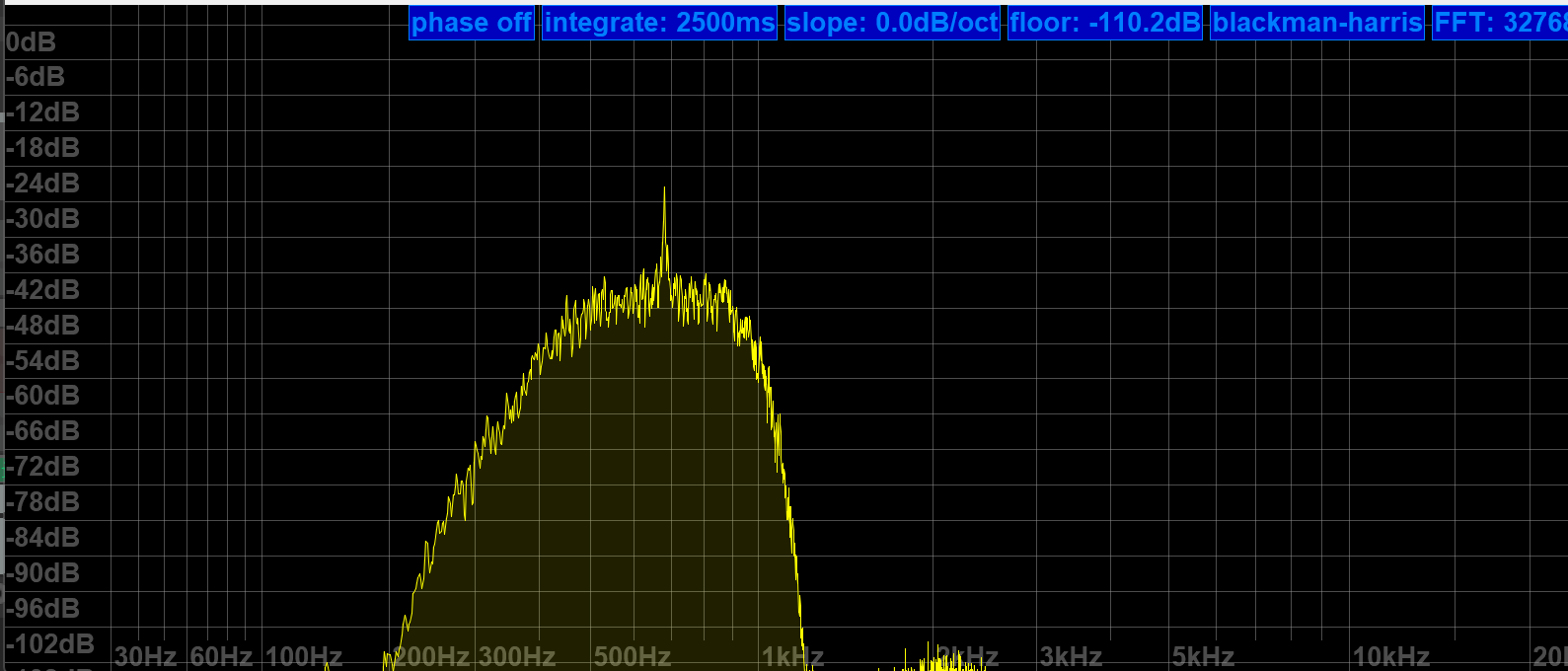
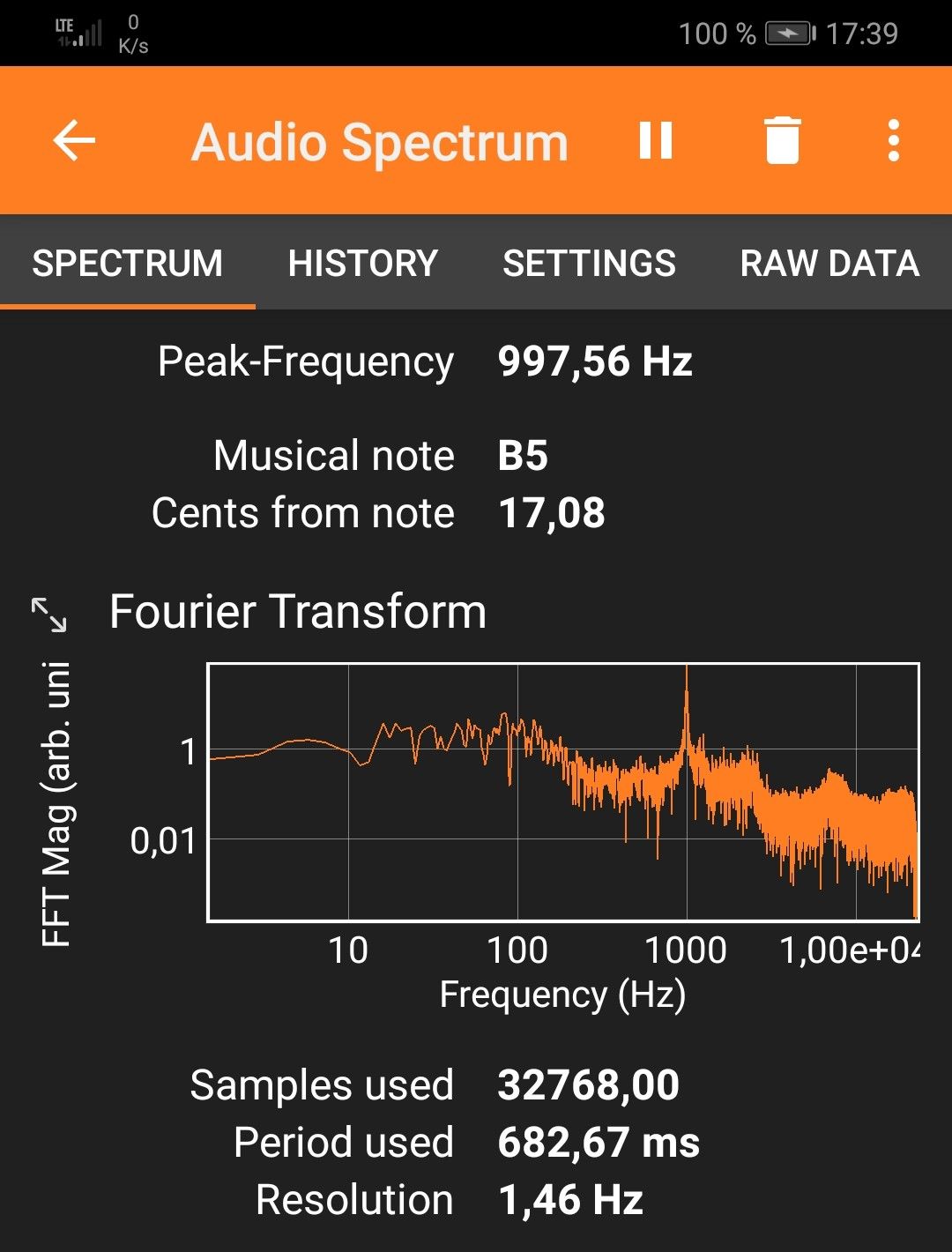
Calibration procedure (may not work on analog receivers!): Find a frequency standard station (like WWV, BPM, or RWM) or just a regular station with no (or a published) offset. Tune 1kHz lower than this frequency and switch to USB to create a 1kHz het. Put that in a memory slot. Tune 1kHz higher and switch to LSB to create a het again from the other side. Now get your cellphone with a free spectrum analyzer app like Spectroid or Phyphox on it so you can easily measure the frequency of the het: It should be close to 1kHz in both USB and LSB. Starting technically at 27.000 MHz, the VHF range has its own calibration setting when you go there and you ideally want to find a calibration station near the top end of the range, like a 2m repeater or something.
For example, the needed offset on 5 MHz is -5 on my radio, on 10 MHz it’s +64, and +72 on 15 MHz at a cozy 25°C. That means I can calibrate for a negligible deviation in the 10 and 15 MHz signals and live with a somewhat bigger offset on 5 MHz, or I can make them all within +/- 30 Hz off, which is still awesome by analog radio standards and not terrible for a modern radio, but requires fine-tuning when you need it better than that. Calculating the indicated vs. actual offsets it dawned on me that the unit used on the shortwave side is still “x0.1ppm” and the math doesn’t math, that should read “x0.5ppm” as well.
The best I can get without 5MHz being off too much – good enough!
On top of the general offset, there’s also a noticeable (at 10-15°C differential) temperature drift, making the calibration efforts less persistent outside than I’d wish for. +72 for 15MHz at home to 120×0.5ppm at 15MHz equals 24Hz of temperature drift, adding to whatever offset was there before, which can amount to “too much” and there seems to be some “ripple” in the deviation curve: Here’s a recording of CHU on 14,670 kHz somehow ending 80Hz off right after calibrating the radio on 15 MHz:
Again, not great but not terrible in the grand scheme of things because deviations below 100 Hz are only ever a factor in SSB, and it may even add to the odd charme of this radio that it is very analog and old school within a tolerable margin in this regard. But if you try ECSS reception with music, your ideal deviation is none and 10Hz at the end of “tolerable”.
Fixing the tuning emergencies when your fav song is playing and sounds terrible in SSB is done by dialing (think nine) [1][1], the useful number of the fine(st) tuning step in all modes, or just hit [3][5] and use the calibration function as “RIT” knob until it sounds right, and you will be good. It’s not a calibrated Rohdow & Shwartzkiy lab instrument, you can’t break anything, and it provides the needed fine resolution you’d need for true “zero-beating” but yes, it does feel very luxurious to switch to sideband when a $5 TCXO makes sure you can rely on the radio being spot-on in SSB when the station is, on any frequency, even in winter.
Synchronous Detector
…can’t be missing on a decent SW portable and this one seems to be a (non-selectable sideband) “PLL”-type detector and gives SDR-typical results: Remember that AM and SAM have individual filter settings so you want to make sure you match them when you compare that, but this detector is as unspectacular in a good way as it could be, it has super-solid lock and does absolutely nothing, zero, nada to the signal other than keeping the multipath distortion in check, which it seems to do very well.
31m band scan (antenna; car roof whip) with a brief demonstration of the sync detector at 0:16 seconds into the video. Note how the piano distorts when I turn it off again. Continue reading →
High Noon: Belka MW shootout part 2, with a review of the AFA200C active MW ferrite antenna
by 13dka
When I reviewed the updated Belka (gen3, 2022) for its MW/LW performance in October last year, I just wanted to know if it’s any good with just the whip antenna and used the XHDATA D-808 as a reference radio because it’s a Jay Allen 2.5-star average performer on MW and my expectations were not high for MW reception on a short whip. To my surprise that average bar turned out way too low for the Belka!
That was sure asking for a comparison with the most sensitive MW radio I have and gave me hope to use the Belka for ultra-portable MW DXing on the move. The omnidirectional whip doesn’t allow me to null out unwanted co-channel interference though, therefore I wanted to find a reasonably sized loopstick antenna to pair with the Belka. Continue reading →
Get it while you still can: The Luxemburg-Gorky effect
by 13dka
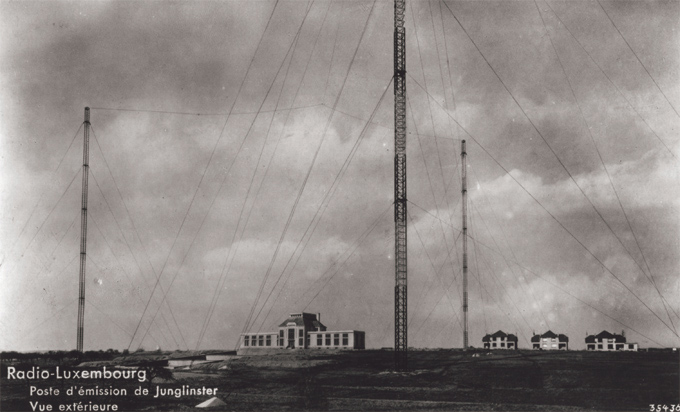
The Radio Luxembourg longwave transmitter Junglinster in the 1930s [RTL Group]
“In radiophysics, the Luxemburg-Gorky effect (named after Radio Luxemburg and the city of Gorky (Nizhny Novgorod)) is a phenomenon of cross modulation between two radio waves, one of which is strong, passing through the same part of a medium, especially a conductive region of atmosphere or a plasma.” (Wikipedia)
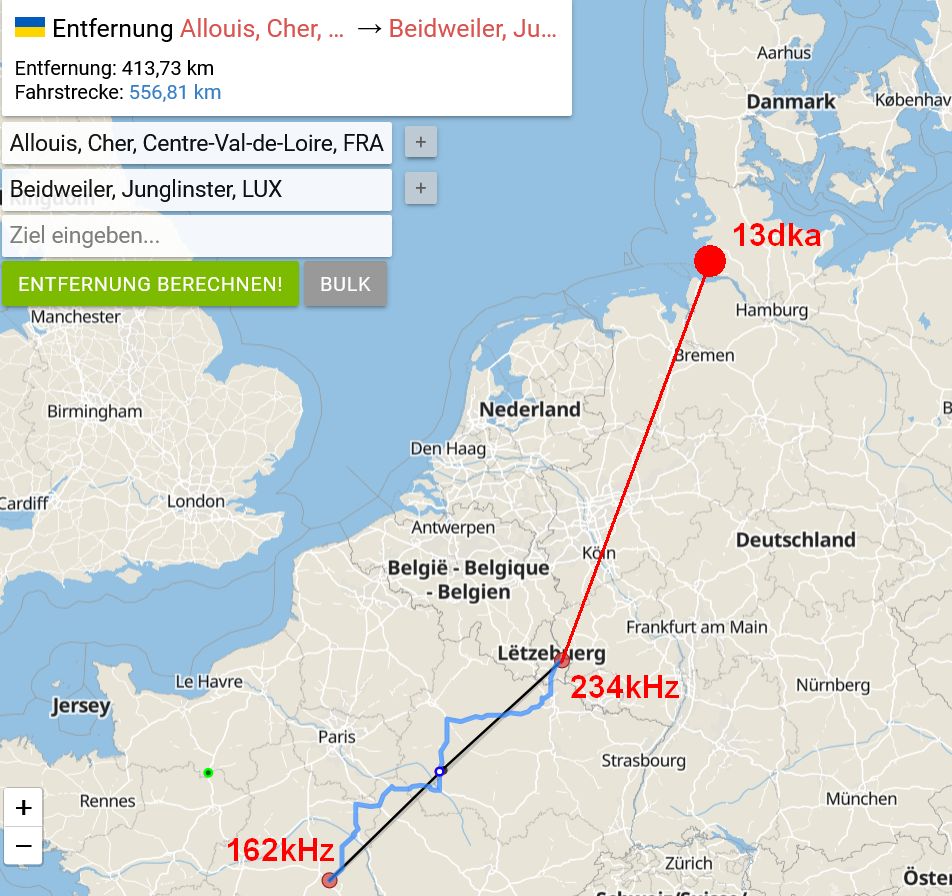
That sounds pretty abstract, right? In my own words, imagine your radio is tuned to a station on let’s say 162 kHz, 500 miles away. Somewhere in the middle between your receiver and the 162 kHz transmitter is a station transmitting on a different frequency, let’s say 234 kHz. The Luxemburg effect is that you can hear the modulation of the 234 kHz transmitter in the middle, on the 162kHz station you are receiving. The effect is not depending that much on the frequency/wavelength though, the longwave station could affect medium wave stations and it has been created using shortwave frequencies far apart.
It was observed first in 1932, when listeners of the Swiss Beromünster 60kW medium wave station built just one year prior also heard a bit of Radio Luxemburg’s longwave transmitter (250kHz) on the Beromünster frequency (653kHz until 1934). Of course this was assumed to be some kind of crosstalk within the receivers and probably drove radio engineers insane until 1933, when Bernhard D.H. Tellegen, a Dutch electrical engineer and inventor suggested the true origin of the effect: The new (1932) 150kW Radio Luxemburg longwave transmitter in Junglinster was directly modifying the ionosphere hundreds of kilometers above, it “heated” the ionosphere in a way that it made the plasma’s charge and reflectivity follow the amplitude modulation of Radio Luxemburg, thus modulating waves of other wavelengths crossing this part of the ionosphere.
Practical demonstration
Even if you’re living in Europe, you may never have witnessed that effect and according to this article by Paul Litwinovich, chances to observe this in the US are rather slim, due to the relatively low power of the stations. I’m in Europe but never noticed it either – until recently: Continue reading →
The new 2022 “Belka” (generation 3) general coverage receiver
by 13dka
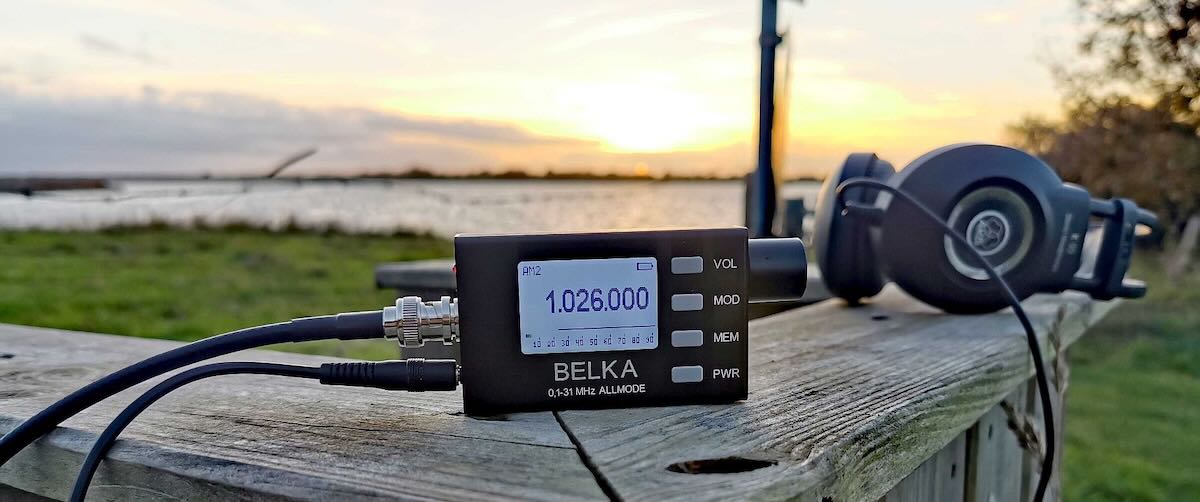
Since its introduction in 2019, the super-tiny Belka (back then called “Belka DSP”) shortwave receiver sure gained an enthusiastic followership among SWLs and hams. The main reason for this is certainly the way how the Belka is incredibly small yet playing in a different league than the various consumer grade, Chinese mass-production radios, particularly the DSP-based ultraportables: The Belka is an all-mode shortwave communications receiver with a completely different (direct conversion SDR) architecture, developed and produced by a radio enthusiast (Alex, EU1ME) in a small mom&pop shop in Belarus.
In case you’ve never heard about it amidst all the buzz about more popular brands, here’s the skinny:
The Belka offers true allmode (including NFM and CW) reception with a proper 400 Hz CW filter and individual settings for the low and high filter slopes for AM, FM and SSB. It has an AM sync detector and comes with a 0.5ppm TCXO-controlled local oscillator for absolutely spot-on, calibration-free frequency precision and stability, which makes SSB or ECSS reception of broadcast stations a pure joy. The second iteration “Belka DX” brought a slightly extended coverage down to 1.5 MHz and an I/Q output for panadapter display and/or processing via your favorite SDR software.
All Belkas are quiet and very sensitive radios with a surprisingly robust front end, the filters are better and its AGC works like you’d expect it from a communications receiver, without the artifacts and distortion the DSP radios are infamous for, and of course smooth, non-“muting” tuning in variable steps down to 10Hz.
The Belkas have no built-in speaker (available as option tho) but really excellent audio on headphones and external speakers and they actually give my Icom IC-705 a run for its money in terms of reception quality, and they do that for up to 24 hours on a single charge of the internal Li-Ion battery. This stunning feature set is crowned by the best performance on a telescopic whip antenna ever – the Belkas have a high-impedance (>10 kOhm) antenna input optimized for this whip and taking it on a walk is (really!) like having a big rig with a big antenna in tow…
Despite all this goodness setting the Belka(s) quite fundamentally apart from most (if not all) current and former, even much higher priced portables and simultaneously putting it solidly into pricey tabletop territory, it hasn’t put Tecsun et al out of business for a couple of reasons: One reason is that it can only be obtained from Alex in Belarus, which is now often assumed to be impossible (it isn’t, more on that later). Another reason is that it doesn’t try to compete with aforementioned multiband radios from China, so there is no FM broadcast band and – until now – no AM BC band, but most owners and potential buyers particularly in the US really wished it had at least the latter. Well, Alex obviously heard us! After the Belka DSP and the Belka DX, the new Belka is just called “Belka”, so in order to avoid any ambiguity I’m going to refer to this model as “Belka 2022”.
What’s new?
The most prominent addition to the Belka 2022 is the extended 0.1-31 MHz coverage, the previous version only started receiving at 1.5 MHz. With LW and MW included, its “pseudosynchronous” detector (as featured in venerable radios from Harris, Racal or Drake), the great filtering and the great frequency precision for hassle-free ECSS reception are promising that the “squirrel” is now an ultra-ultraportable companion for MW DXers as well.
This wideband unidirectional antenna is an outstanding and innovative development for the portable DXer. I love the fact that it came to fruition via a collaboration between Grayhat and 13dka: two amazing gents and radio ambassadors on our SWLing.net discussion board and here on the SWLing Post. So many thanks to both of them!
Please enjoy and share Part 3:
Part 3: SULA Q&A
by 13dka
Q: Where can I ask questions, discuss all aspects of the the SULA or collaborate in its further development?
Q: Since the antenna is “lossy”, what’s the point of having a “beam”?
A: The answer is once again “SNR”: First off, remember that the LNA is there to make up for most of the losses. Secondly, this is all about the noise pickup, 20dB less gain/more losses outside the main lobe means also a reduction of atmospheric/cosmic/whatnot QRN and of course everything manmade from all these sides. The wide horizontal lobe is more or less one hemisphere horizontally, but the flat-ish vertical pattern makes that only a slice of it. In other words, there will be less QRN and QRM pickup from the back and the top. The idea is that the SNR will ideally increase more than the preamp’s noise figure will cost and it often sounds like this is what actually happens. Of course it’s also nice that you can turn an unwanted signal down using the more or less pronounced notch in the backside pattern up to 21 MHz – also very helpful for direction finding.
Q: Do I need a rotor?
A: It depends. If you are one of the lucky few still having a low-QRM-environment at home and you want to put it in the backyard, you really may want to be able to turn it remotely. If you’re using it portable you can simply rotate the mast manually. If you have local QRM or can’t mount it very far away from your or other houses, you may want to rotate the back of the antenna towards that source, leave it at that position forever and enjoy what’s coming in on the pretty wide main lobe of the antenna. The horizontal lobe covers more or less half of the horizon, depending on your stations of interest and location you could get away with never turning the antenna at all.
Q: Is it better than the XYZ loop?
A: Hey, that’s exactly what I wanted to ask you! 🙂 Even though the SULA is very similar in appearance and performance to a good SML working in ideal (ground conductivity) conditions, the SULA is a pretty different animal with a different behavior: Regular small loops, besides being bidirectional, can lose quite a bit of their low angle sensitivity over “poor” ground while the SULA is supposed to be retaining its properties better over any type of ground. Also, while many SMLs are tuned for VLF through the lower portion of the shortwave, the SULA complements those with quite uniform (good) properties up to 30 MHz and beyond.
Q: I have an end-fed random wire or dipole strung up from the house to a tree etc. – can the SULA beat that?
A: That’s quite possible. To get low takeoff angles from horizontal wire antennas you need to string them up at least 1/2 wavelength high, that’s 20m/66ft on 40/41m, 10m/33ft on 20m and so on. If you can’t do that, the SULA may be your ticket to listen farther beyond the horizon. Also, wire antennas are often strung up to match space restrictions or avoid QRM vectors and that way you may end up with some directionality in directions you don’t want, or no directionality at all when the wire is too low. Another noteworthy point is the ground: For most horizontal antennas, better ground means a considerable higher takeoff angle so the dipole needs even more height for low angles. The SULA’s takeoff angle benefits a little from the better ground and only gets a little worse over poor ground.
Q: Do I really need an LNA?
A: I hope so? Of course it depends… if you are going to try this antenna in a very noisy environment, the LNA may have little to no benefit. The noise is limiting your “radio horizon” to very loud signals anyway and for those you may not need an LNA, ever. On the other hand, the antenna is very lossy and in a quiet environment where noise is not an issue at all, weak signals may drop below the sensitivity threshold of your receiver without the LNA. The less noise you have, the more you’ll be able to benefit from an LNA. You will also need one when your radio isn’t all that sensitive, similar to the requirements to run a YouLoop. Andrew kept the loop impedance as constant as possible in order to allow any low impedance coax preamp to work behind the Balun. Any LNA with 20dB of gain should do, as per usual, better stuff may bring better results.
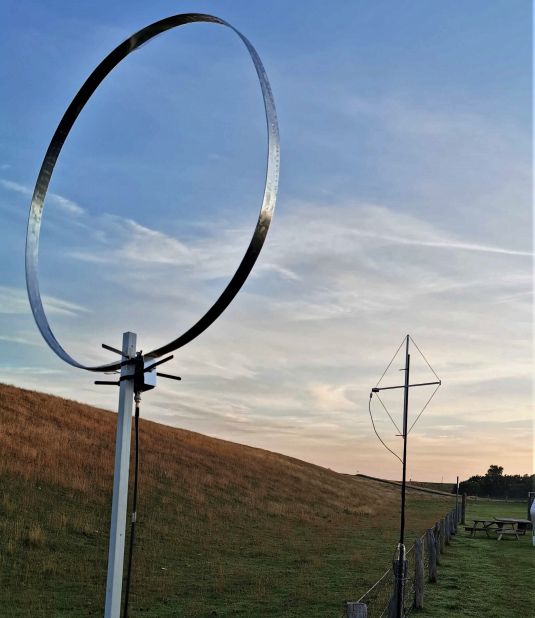
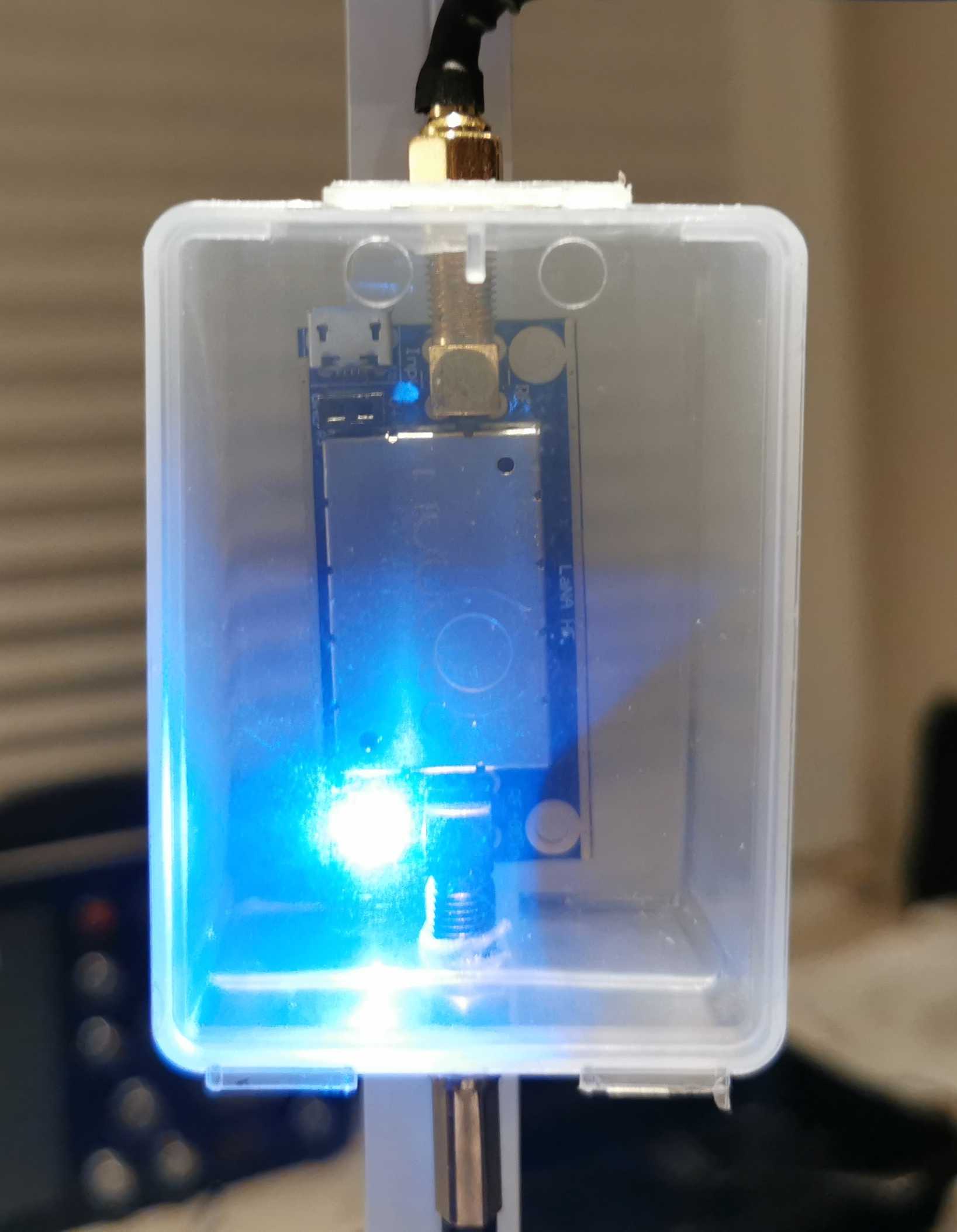
Among the sparse offers for decent shortwave LNAs, the NooElec LANA HF seems to be the only decent LNA sold via Amazon. It’s comparatively low-cost and unlike the other offers on Amazon, ready to be powered via Bias-T or even via Micro-USB and therefore happy with 5V. Since I also had the balun from the same company I could simply connect that all with a couple of these cute little SMA plumbing bits and it worked. The downside is its unknown but perceivably low resilience against intermodulation (low 3rd-order intercept point), this is usually not a problem with such a small loop but it can be in the presence of nearby transmitters.
If you do have nearby transmitters and don’t mind sourcing an LNA from Europe, Andrew recently pointed me to preamps from here. They offer a moderately priced preamp with a 2N5109 transistor (based on the W7IUV design) for a high IP3 value and low noise, which is also available in PCB-only and fully assembled versions including a compartment. They also offer Bias-T boxes.
Q: What is special/different about this antenna? There are already very similar designs!
A: It’s supposed to be simpler and more compact/portable, and it seems to deliver more consistent results over the entire coverage range in different usage environments than similar designs. The SULA was designed to be made with things that are particularly easy to obtain, or which were already obtained — many of us SWLs have some of that Nooelec stuff in our drawer anyway, even when (or because) we’re not habitual antenna builders and balun winders. Now making a better balun and buying a better preamp is not hard and could even bring better results but the point is that you don’t have to. In summary, this is not meant to be a miracle antenna, just number of compromises re-arranged to create a particularly uncomplicated, small, unidirectional loop antenna that aims for DX, for apartment dwellers and DX nomads like me.
Many thanks to SWLing Post contributor extraordinaire, 13dka, who brings us Part Two of a three part series about the new SULA homebrew antenna project. This first article describes this affordable antenna and demonstrates its unique reception properties. This second article focuses on construction notes. The third and final article will essentially be a Q&A about the SULA antenna. All articles will eventually link to each other once published.
This wideband unidirectional antenna is an outstanding and innovative development for the portable DXer. I love the fact that it came to fruition via a collaboration between Grayhat and 13dka: two amazing gents and radio ambassadors on our SWLing.net discussion board and here on the SWLing Post. So many thanks to both of them!
Please enjoy and share Part 2:
Part 2: SULA Construction notes
by 13dka
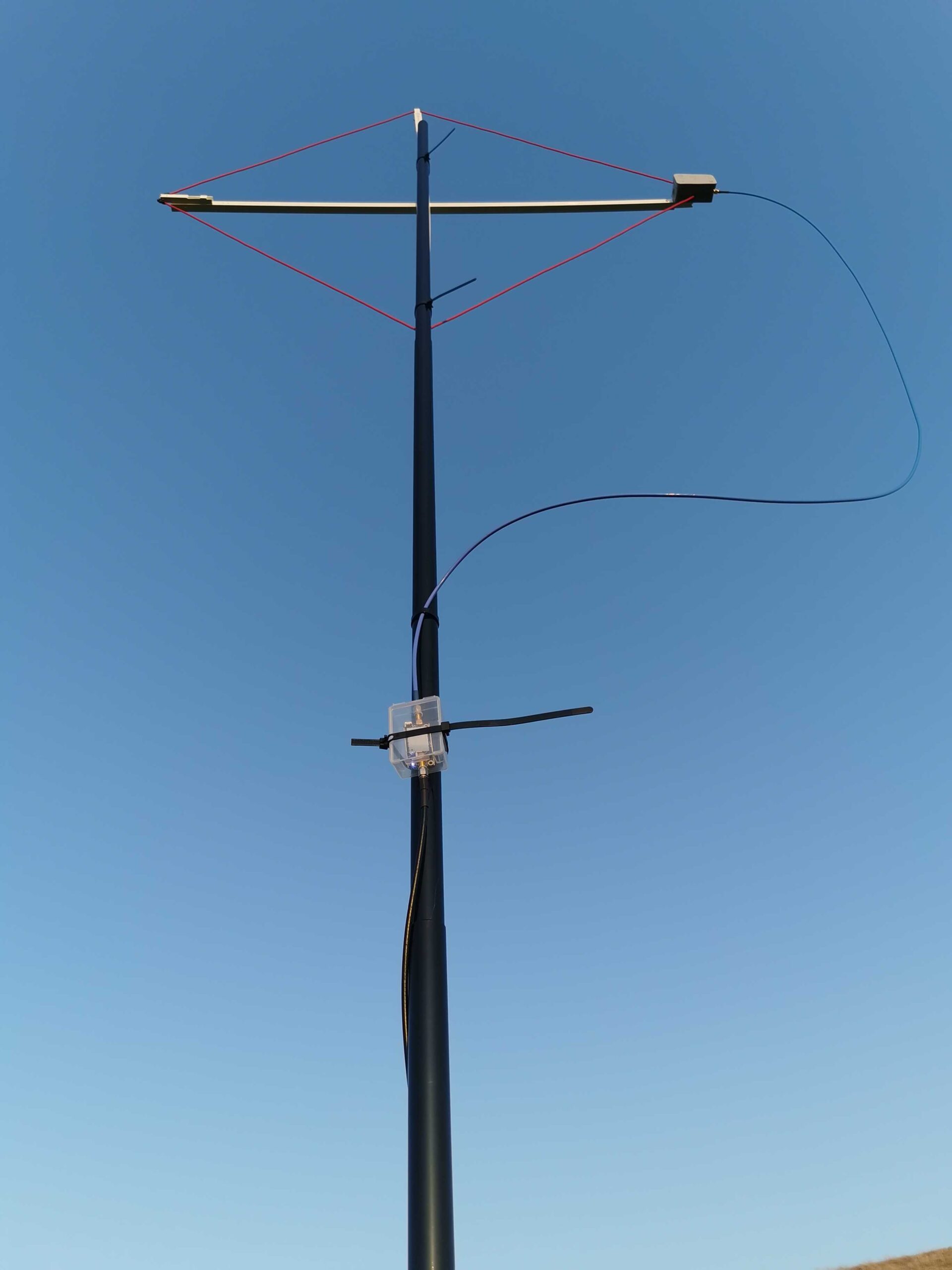
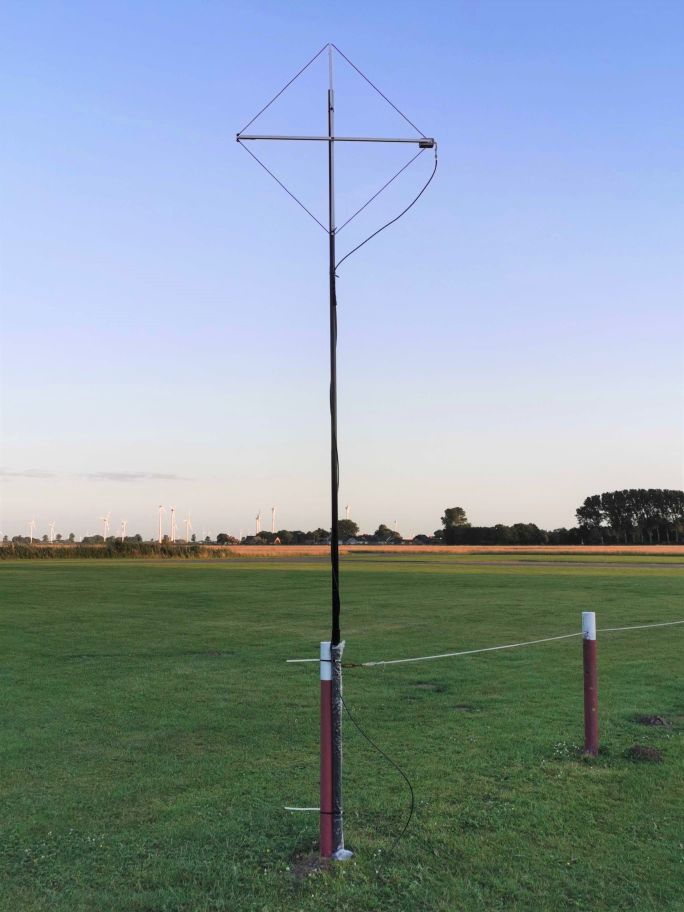
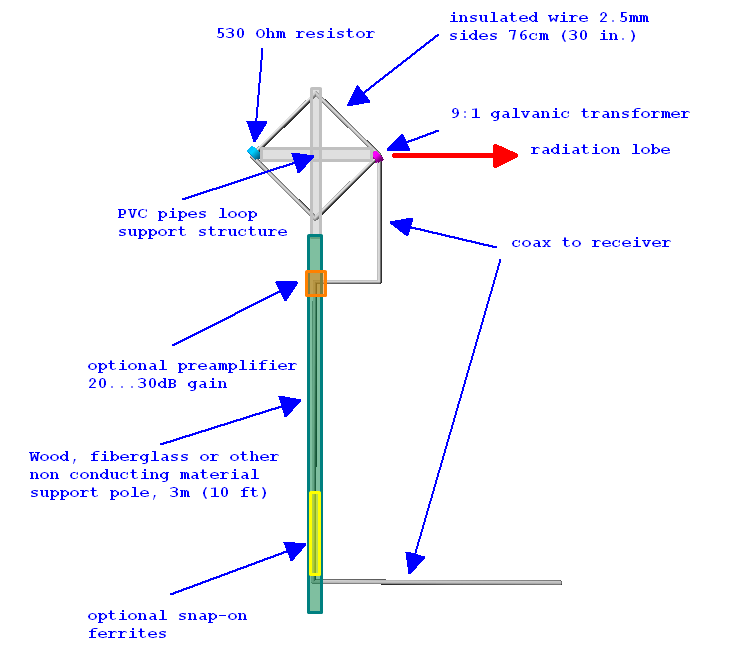
The drawing [above] has all you need to know. You basically need to put up a symmetrical wire diamond starting with a balun at the one end and terminating in a resistor at the other end of the horizontal boom, the sides are supposed to be 76cm/29.92″ long so you need to make yourself some…
Support structure:
I used 0.63″/1.6cm square plastic square tubing/cable duct profiles from the home improvement market to make the support structure. You can use anything non-conductive for that of course, broom sticks, lathes… The plastic profiles I used had the advantage of being in the house and easy to work on with a Dremel-style tool and everything can be assembled using the same self-tapping screws without even drilling. The profiles are held together with 2 screws, for transport I unscrew one of them and put that into an extra “parking” screw hole on the side, then I can collapse the cross for easy fit into the trunk, a rucksack etc.
These profiles are available in different diameters that fit into each other like a telescoping whip. This is useful to make the support structure variable for experiments and to control the loop shape and tension on the wire. The booms end up at 1.075m each, the profiles come in 1m length, so that’s 4 short pieces of the smaller size tube to extend the main booms by 37mm on each side
On the resistor end of the loop that smaller tube isn’t mounted in the “boom” tube but to the side of it in order to keep the wire running straight from the balun box on the other side.
Mast/mounting:
You can use anything non-conductive to bring it up to height. On second thought that is indeed bad news if you were planning on putting that up on your metal mast…and we have no data on what happens when you do it anyway. I don’t know if the smallest (4m) telescoping fiberglass poles would suffice for portable operation, but I’m a fan of just using the big lower segments of my 10m “HD” mast for the stiffness they give me (3 segments for the height, the 4th collapsed into in the base segment for easy rotation). Telescoping masts also give you easy control over…
Height:
The published patterns are for 3m/10′ feedpoint height over “average” ground. Increasing height further has no expectable advantage, instead it will deteriorate the favorable directional pattern of the loop. Flying it lower, or even a lot lower in windy weather on the other hand is causing a surprisingly moderate hit on performance.

 By 13dka