Tag Archives: Reviews

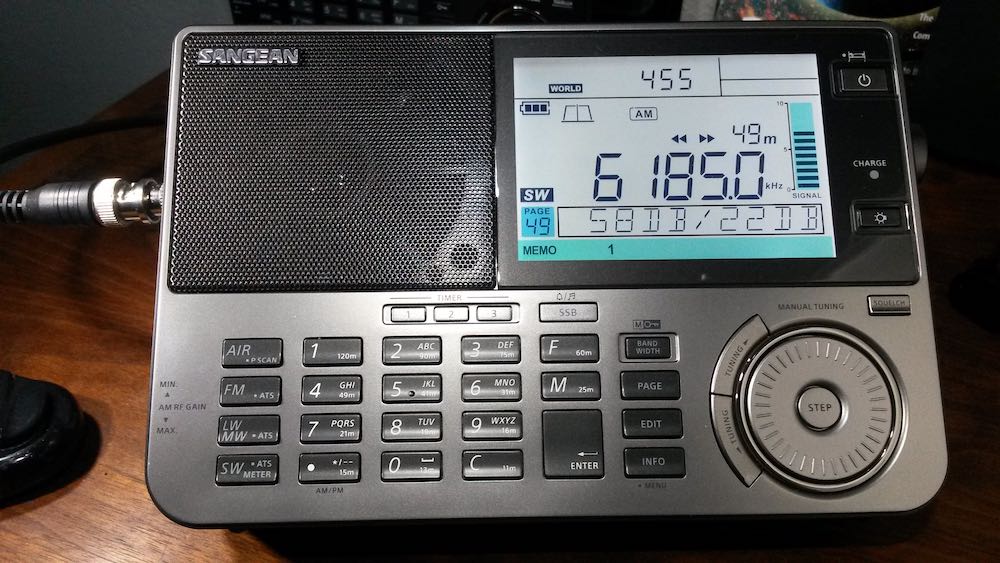
Dan’s first impressions of the new Sangean ATS-909X2

Many thanks to SWLing Post contributor, DanH, who shares the following guest post:


Sangean ATS-909X2 First Impressions

by DanH

A few hours spent tuning a new radio are enough to make me feel confident that I know most of the new features and how to use them. Then several days, weeks or months later I discover overlooked features and I figure out new ways to operate the radio. Sometimes I actually read the operating instructions again. Understand that I received my new Sangean ATS-909X2 only three days ago so this early report is hardly a comprehensive review nor was it intended as such. At this point I’m looking mostly at shortwave and medium wave performance.

My first experience with the new Sangean ATS-909X2 was online at the Amazon shopping site. On December 16, 2020 I pre-ordered the radio for US $459.99 (list price). The radio didn’t ship and the prices dropped a couple of times. Each time I cancelled the order before it shipped and ordered it again at the lower price. In the end I ordered my 909X2 for $297.95 and paid for it with credit card bonus points and a little more that I had on my Amazon gift card.

The 909X2 arrived on Friday afternoon, February 19. I devoted the first 24 hours to tuning around on SW and a little MW only. I deliberately made no videos at this time and devoted my radio time to exploring the bands. The latest addition to the ATS-909 series is a well thought out evolution of the radio and much more than a 909X with a cosmetic facelift. The 909X2 retains the excellent speaker sound of its predecessor, the tuning knob is unchanged from late production 909X, the solid build quality remains the same as does the general layout, performance, size and weight. SSB audio for the 909X2 remains at a lower level than for AM, like 909X. I don’t like having to turn the radio volume up for ECSS or SSB. Like 909X, the new radio excels with external antennas and is not easily overloaded by a lot of wire antenna.

Like 909X, 909X2 occupies an interesting niche in the portable multiband world. It is a little too large and heavy for a travel radio but over the years I have packed it many times in my carry-on bag. Sometimes I am willing to sacrifice extra clothes if it means bringing the best radio. These radios excel on a desk or radio room work station. The radio is big and powerful enough to provide top notch sound for all modes. Late at night I run mine with Sennheiser HD 280 Pro headphones. With 909X2 you get top performance in a small package. It is an over-used metaphor but think of a 1950 – 60’s communications receiver in a small package, plus VHF air band and FM. The speaker audio sounds better for broadcasts than many Amateur rigs.

There are many new features with the 909X2. Instead of charging NiMH batteries like Eneloop in series the 909X2 monitors each cell individually and identifies failing cells for you. SSB resolution is now selectable 10 – 20 Hz, auto-bandwidth control may be used on all bands except SSB on HF. There are many more memory slots available in three separate banks. The LCD has dimmer settings, soft muting is switchable for FM and the keyboard beeper may be shut off! Instead of hidden features the 909X2 has an INFO/MENU button for customizing your operating options.

The new bandwidth choices make a real improvement in LW, MW, SW, FM and VHF airband signal quality especially when adjusted in tandem with the audio tone control. Automatic bandwidth control selects the bandwidth that offers the best signal-to-noise ratio. Now I understand why the 9090X2 shortwave bandwidths are relatively closely-spaced: auto control shifts quickly between multiple bandwidths. Too much space between bandwidths would sound jarring. The auto bandwidth control is most useful during heavy fading and has improved my ability to copy words on poor AM broadcast signals. This feature does add an odd effect to fading signals: the audio tone quality will shift as different bandwidths are selected. This feature is not something that I would leave ON as a default for shortwave listening but it is definitely a welcome tool when needed.

MW performance is as good as the 909X but with improvements made possible with more bandwidth and memory slot availability. I found that 909X2 LW is generally better than 909X with fewer MW images. I am hearing substantially more LW beacons on 909X2. LW activity is very limited here on the US West Coast.

10 Hz SSB resolution means that ECSS is excellent on the 909X. I can tune a shortwave music broadcast on the 909X2 without warble. This was impossible with the 909X 40 Hz resolution.

The 909X sold near US $220 for most of the last five years with a few rare Amazon holiday sales at the $190 level. Then the prices jumped another $30 post-Covid 19, as did prices for other radios in this range.

Is 909X2 worth the additional money right now? I say yes! Mine is a keeper.

I do not believe that there will be significant improvements coming along any time soon. Sangean is a private Taiwanese company with its own factory located in PRC. 20 pre-production units delivered to Europe in January are not the same batch as the retail production units released by Sangean USA this month. Sangean USA has two of the pre-production units. They did not offer these for sale. The first retail production units arrived at Sangean USA in mid-February before the Lunar New Year. If there are significant changes for 909X2 we won’t see those radios for at least another 6 – 8 weeks. I can’t see much need for significant changes anyway.

Believe it or not I have been very busy with the Sangean ATS-909X2 and haven’t tried FM or VHF air band on it yet!

This video is a companion to my first impressions written here. Hearing and seeing video is hard to beat. SW and MW features are shown in real-life reception conditions. I test for the dreaded LCD/hand capacitance internal noise and have a look, listen and comparison for telescopic whip performance. And you will hear DX too, not just Brother Stair. You need to see and watch auto bandwidth control to believe it.

Wow! Thank you so much for sharing this, Dan. Very encouraging. We look forward to publishing your updates as you get to know the 909X2 even better! 

Sangean ATS-909X2 Retailers:

All prices are current at time of posting (22 Feb 2021).

A comprehensive review of the Mission RGO One general coverage 50 watt transceiver

The following review was first published in the November 2020 issue of The Spectrum Monitor magazine:
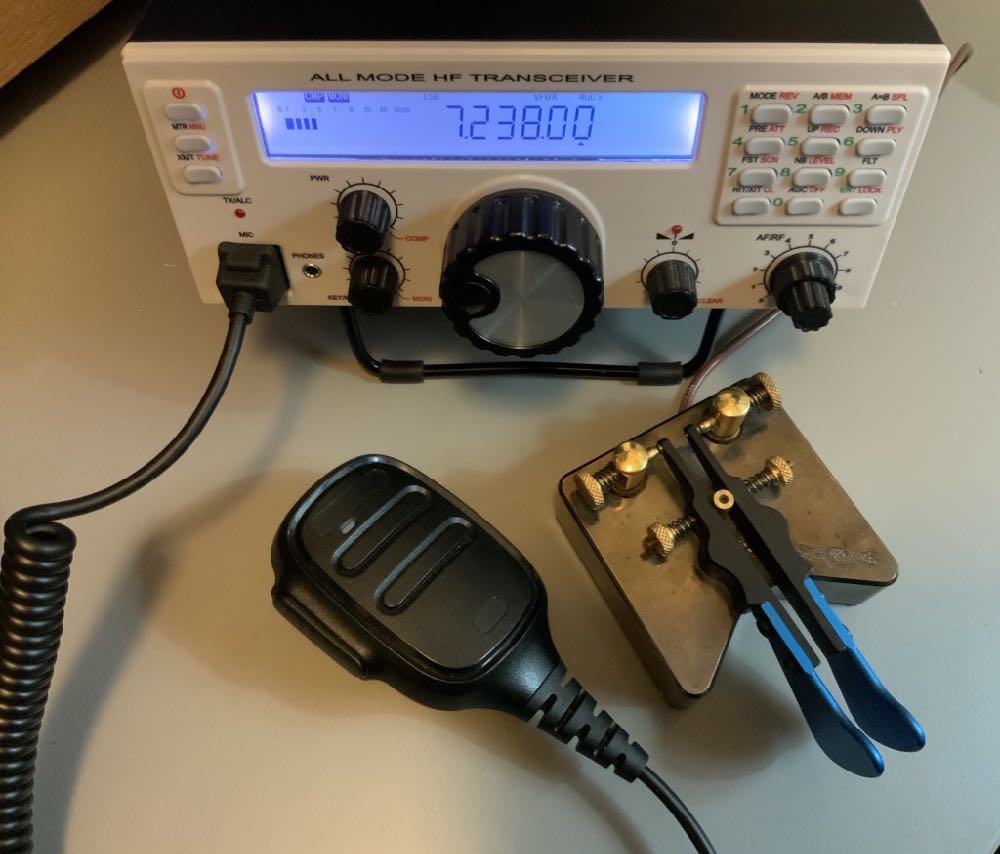

A review of the Mission RGO One ham radio transceiver

by Thomas (K4SWL / M0CYI)

Wow…I love this!

If I am perfectly frank, that would sum up my initial impression of the Mission RGO One.

It was the 2018 Hamvention in Dayton, Ohio, and I had just met up with radio engineer Boris Sapundzhiev (LZ2JR) who was debuting the prototype of his 50-watt transceiver kit, the Mission RGO One. With its clean, functional design and simple front face, large weighted encoder, and enough tactile buttons and multi-function knobs to keep one’s most needed features within reach, the kit was certainly pushing all the right buttons for me.  Without a doubt, I was impressed from the start.
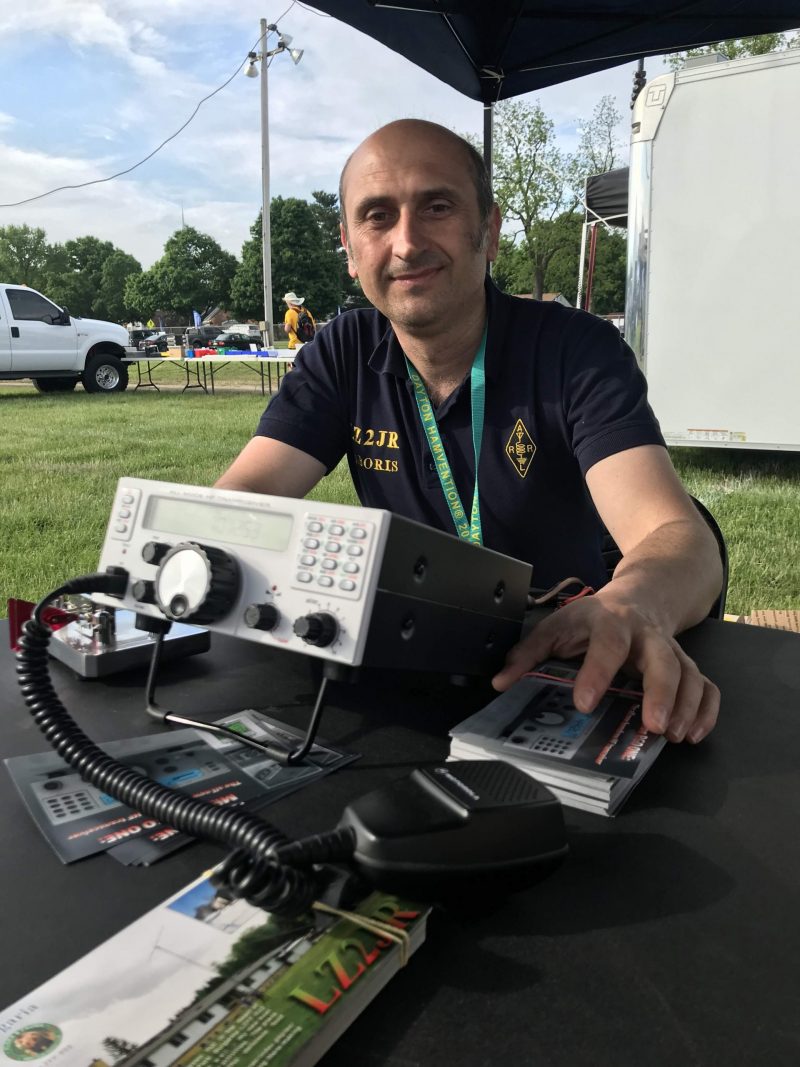
Boris (LZ2JR) the designer and engineer of the Mission RGO One.

To my mind, the RGO One smacks of classic 1990s-era transceivers:  a traditional tabletop front-facing panel, a large fold-out bail, and a unfussy backlit LCD display that’s large enough to read in the field and viewable at any angle.
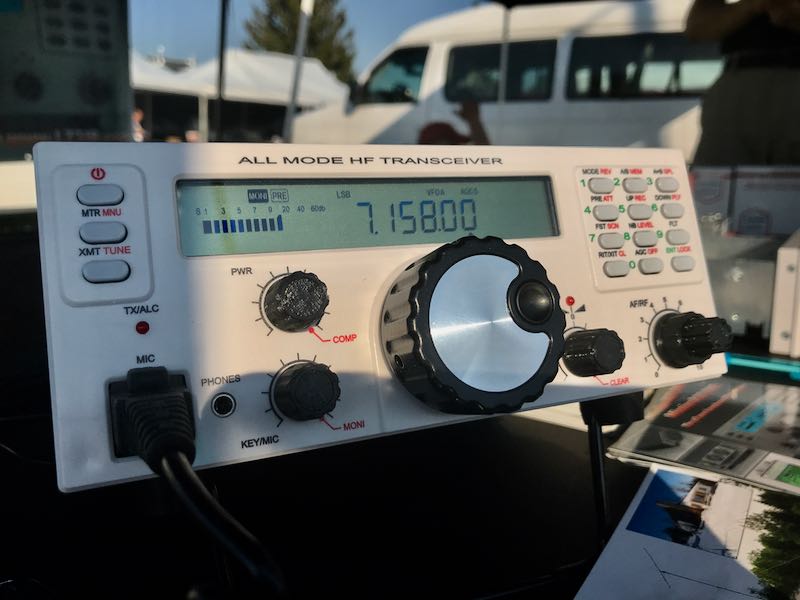
Perhaps it’s only because I can’t turn off the innate radio reviewer, that I was rapidly checking mental boxes in this first encounter with the RGO One.  Indeed, when I first set eyes on any new radio, I do skim through my mental “operations checklist” to see how difficult the rig might be to use at home and/or in the field. Specifically, I’m looking for the following controls:

  • Encoder
  • AF Gain
  • RF Gain
  • Mode switch
  • Power output adjustment
  • Tune/Xmit button
  • Preamp/Attenuator
  • VFO A/B
  • Split and A=B
  • Mic gain and keyer speed
  • RIT
  • Filters
  • Band switching and direct frequency entry
  • Key and encoder lock

Of course, these days it’s fairly rare that radios actually contain all of these functions without the user having to dig into layers of menus, multi-function controls, or touch-screen options to access them.
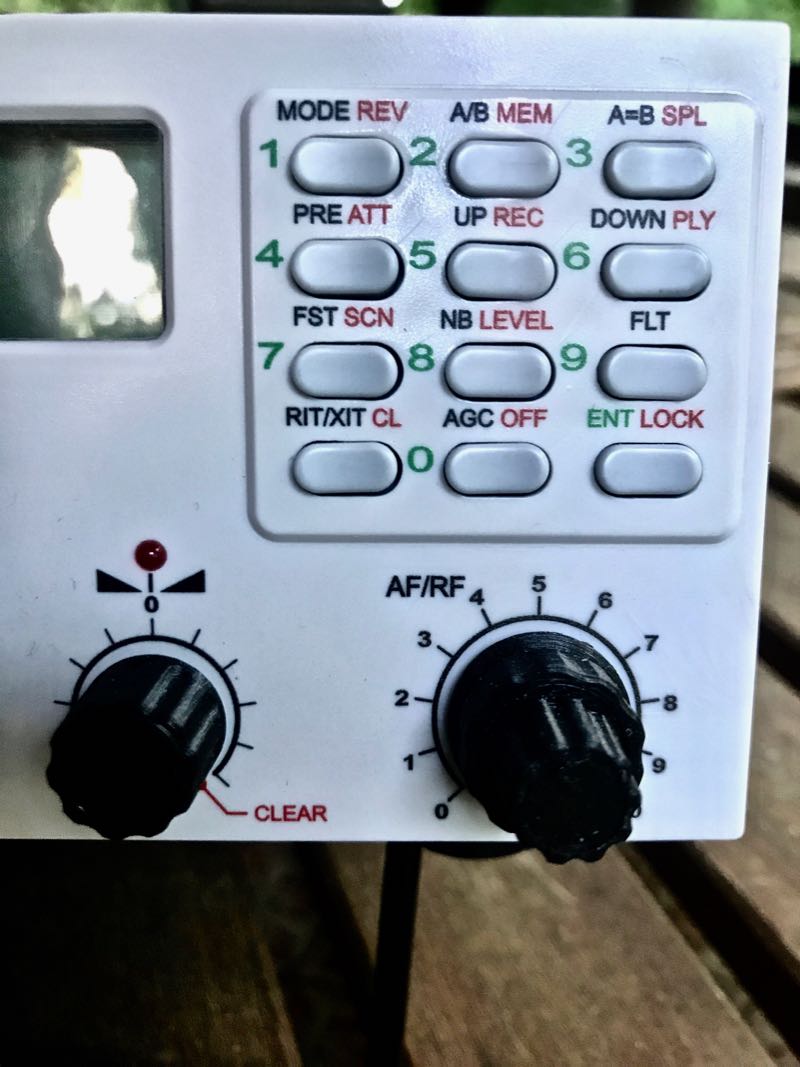
Remarkably enough, the Mission RGO One, despite simple design, manages to include all of these features on the front panel without the need of embedded menus. In contrast with some of the radios I’ve tested and evaluated over the past several years, I could tell by the layout alone that the Mission RGO One was developed by an active ham radio operator and DXer: the controls are that intuitive.

Alas, the tantalizing prototype on Boris’ table in the 2018 Hamvention flea market was for show only.

Boris promised that he’d have fully-functional models available at the 2019 Hamvention. Because of this, following that first meeting in 2018, I kept in touch with Boris; we arranged to meet again at the 2019 Hamvention so I could take a second, much closer look at the RGO One––especially since he intended to start shipping the first very limited, early-production-run rigs shortly afterward.

So…did Boris deliver?  And more importantly: did the RGO deliver––?  Let’s find out.

On The Air
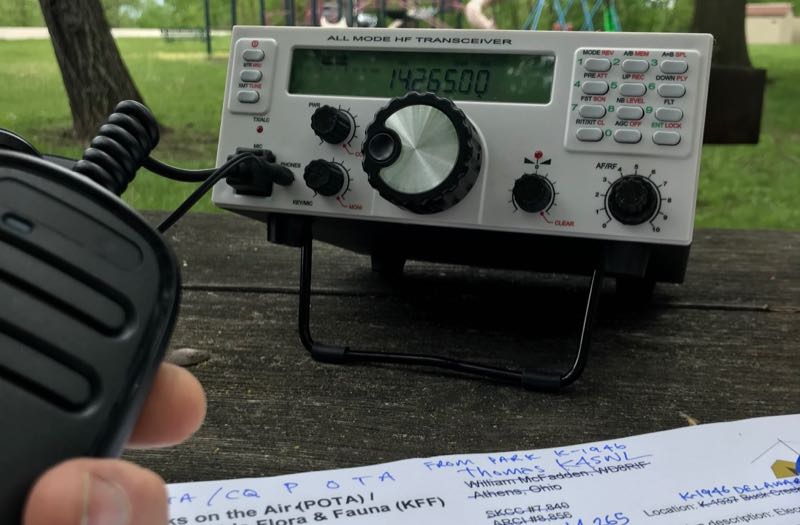
Within hours of taking delivery of the prototype radio, I had it in the field activating parks.

It was May 2019 when Boris delivered on his promise, handing me a loaner prototype RGO One. He did so with the understanding that the prototype was still a little rough around the edges. I acknowledged this, thinking in terms of a late Beta-test model since he welcomed reports of any bugs or anomalies I encountered and was fully prepared to address them.

After taking the initial RGO One to the field, I did note a few bugs, but nothing major.  All of my field notes were then sent to Boris and turned into action items.

Then, in July of 2020, Boris sent me a fully-upgraded Mission RGO One with the new internal ATU and optional adjustable filter. This radio represented the “fully-grown” production model, and in preparation to put it through its paces, I returned the prototype.

Although there are planned hardware upgrade options and, of course, firmware upgrades, the RGO One has now reached full maturity as a transceiver.

However, it was one thing to have ham-friendly ergonomic controls. The real question was, how did the RGO One stack up against the competition? It was time to find out.  After all, this is the danger of a “love at first sight” radio encounter––it often leaves the door open for disappointment, and of this I was well aware.

What follows is my full review of this 2020 Mission RGO One transceiver. Let’s take a deep dive into this rig…

Features and specifications
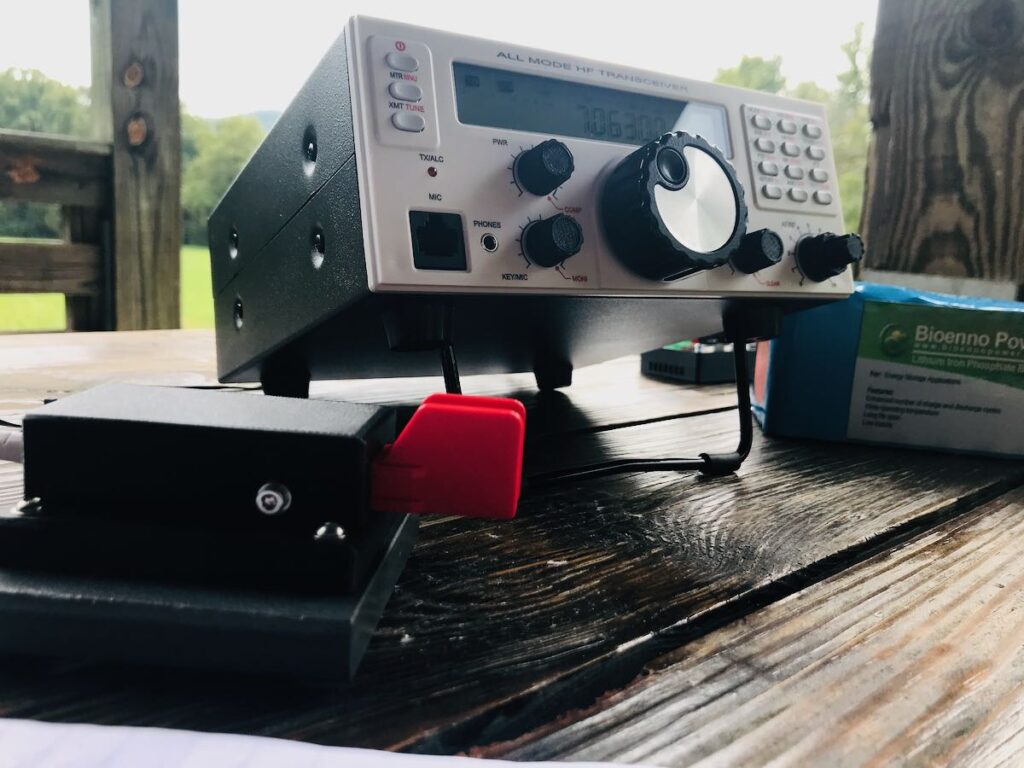
 

What follows are some of the RGO One features and highlights as written in the product manual (PDF):

  • QRP/QRO output 5 – 50W [can actually be lowered to 0 watts out in 1 watt increments]
  • All-mode shortwave operation – coverage of all HAM HF bands (160m/60m optional)
  • High dynamic range receiver design, including high IP3 monolithic linear amplifiers in the front end, and diode ring RX mixer or H-mode first mixer (option)
  • Low-phase noise first LO – SI570 XO/VCXO chip
  • Full/semi (delay) QSK on CW; PTT/VOX operation on SSB. Strict RX/TX sequencing scheme with no “click” sounds
  • Down conversion superhet topology with popular 9MHz IF
  • Custom-made crystal filters for SSB and CW and variable crystal 4 pole filter – Johnson type 200…2000Hz
  • Fast-acting AGC (fast and slow) with 134kHz dedicated IF
  • Compact and lightweight body, only 5 lbs
  • Custom-made multicolor backlit FSTN LCD
  • Custom-molded front panel with ergonomic controls
  • Silent operation with no clicking relays inside – solid state GaAs PHEMT SPDT switches on RX (BPF and TX to RX switching) and ultrafast rectifying diodes (LPF)
  • Modular construction – Main board serves as a “chassis” also fits all the external connectors, daughter boards, plus inter-connections, and acts as a cable harness
  • Optional modules – Noise Blanker (NB), Audio Filter (AF), ATU, XVRTER, PC control via CAT protocol; USB UART – FTDI chipset
  • Double CPU circuitry control for front panel and main board – both field programmable via USB interface
  • Memory morse code keyer (Curtis A, CMOS B); 4 Memory locations 128 bytes each

Build quality
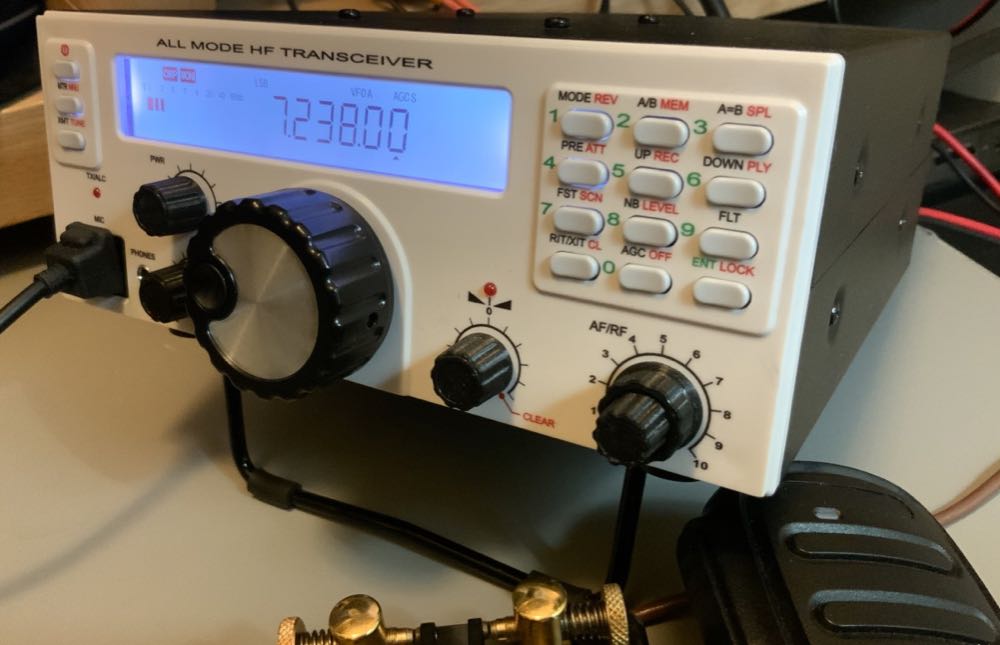
First impressions proved accurate in terms of construction.  I’m very pleased with the build quality of the Mission RGO One. Keep in mind, however, you might note from the photos that some items––like the volume and multifunction knobs––are 3D printed, and I’m not certain if they’ll ever have custom knobs manufactured.  But I really don’t even think this is necessary, as the 3D printed ones are very nice, indeed––moreover, should a replacement ever be needed, I love the idea I could simply print one myself!

The RGO One main optical encoder/tuning knob is just brilliant. It’s weighted properly for the right amount of “heft” while tuning. I’m very pleased with the overall feeling and quality. It’s substantial, yet silky-smooth in operation, just what I look for in a tuning knob.

On the back of the unit, there is an externally-mounted heat sink with two small fans. These fans are quiet and efficient.
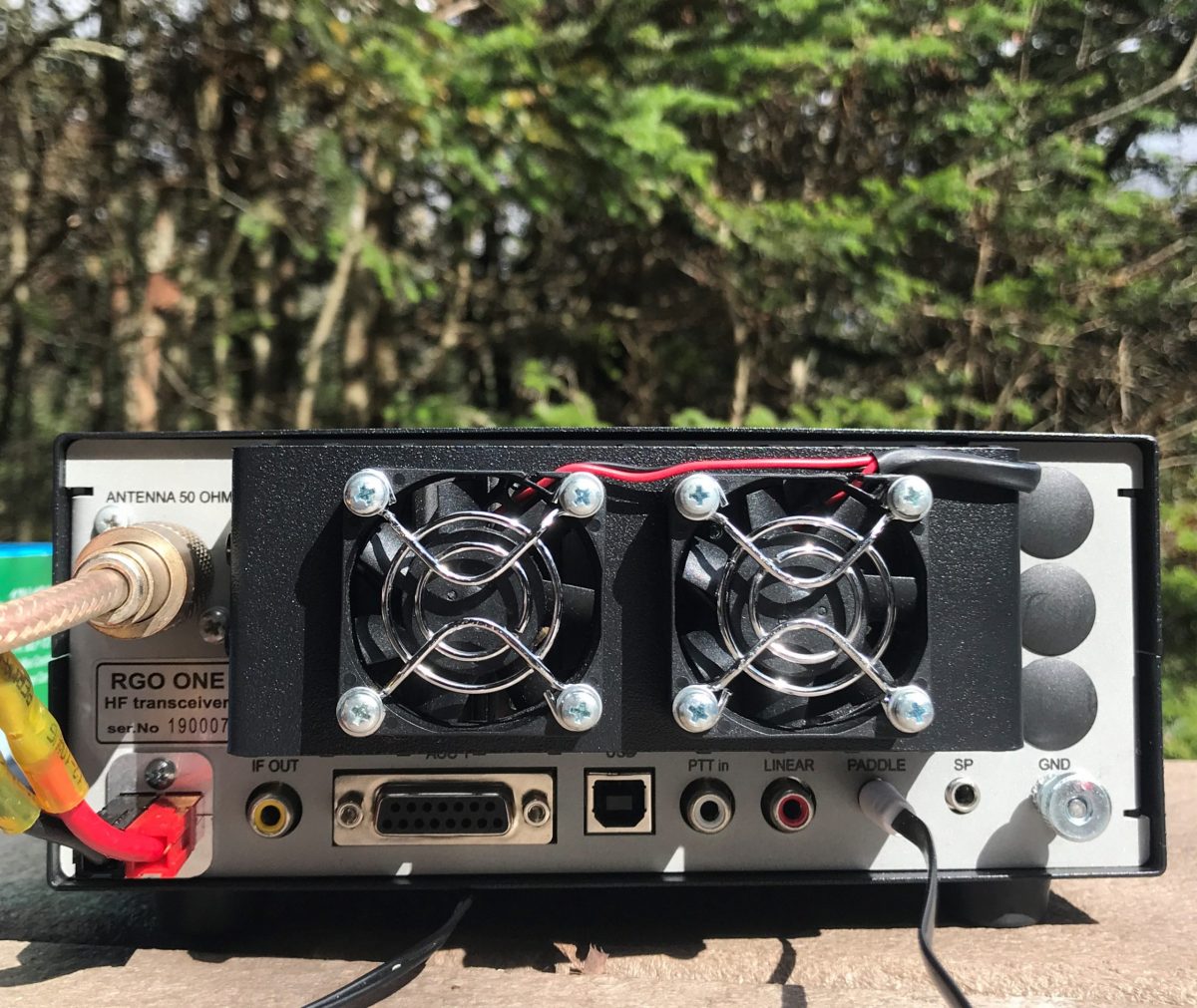
The chassis and bail are both top-shelf quality and should withstand years of field use. Just do keep in mind that like almost every other amateur transceiver currently on the market (save the recently reviewed lab599 Discovery TX-500), the chassis is neither water-proof nor weather-proof, so will require common-sense care to protect it from the elements.

Portability

The Mission RGO is relatively compact, lightweight (only 5 lbs without the ATU), and has a power output of up to 55 watts, even though the specs list just 50 watts. As a point of comparison, most other rigs in this class have a maximum output of 10 to 20 watts, and require an external amplifier for anything higher. The form factor is very similar to the Elecraft K2.

The light weight of the rig and the extra power makes the RGO One a capable and versatile field radio. Although the RGO One is configured like a desktop radio (with a front-facing panel), it’s still relatively compact and can easily be set up on a portable table, chair, or on the ground. Unlike field-portable rigs with top-mounted controls (think the Elecraft KX3 or KX2), obviously, it would be tough to do handheld or laptop operation.

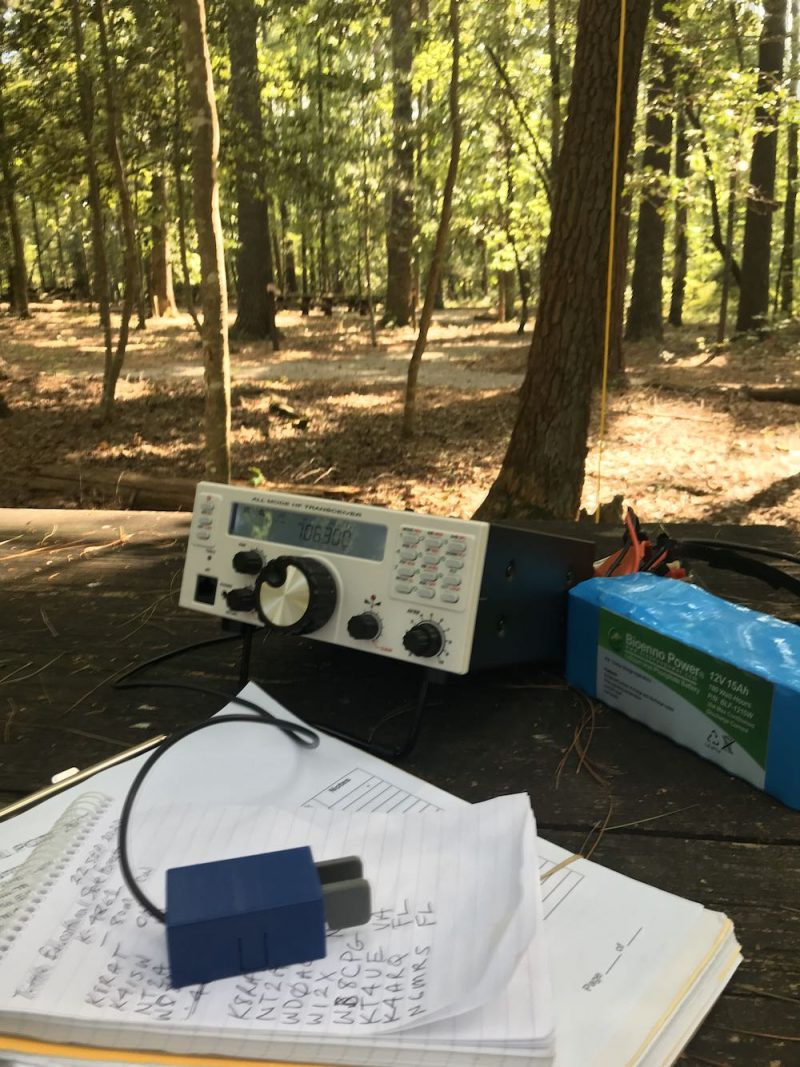
The RGO One should also play for a long time on battery power as the receive current drain is a respectable 0.65A with the receiver preamp on. It’s not as efficient as, say, an Elecraft KX3 or the new Icom IC-705, but keep in mind the RGO One can provide 50 watts of output power and has a proper, internally-mounted, amplified speaker. The popular 100 watt Yaesu FT-891, in comparison, has a current drain closer to 1.75 to 2.0 amps [update: actually the specifications indicate 2 Amps in receive, but user reports are less than half that amount].  I pair the RGO One with my larger 15 aH Bioenno LiFePo battery. When fully-charged, I can operate actively for hours upon hours without needing to recharge.
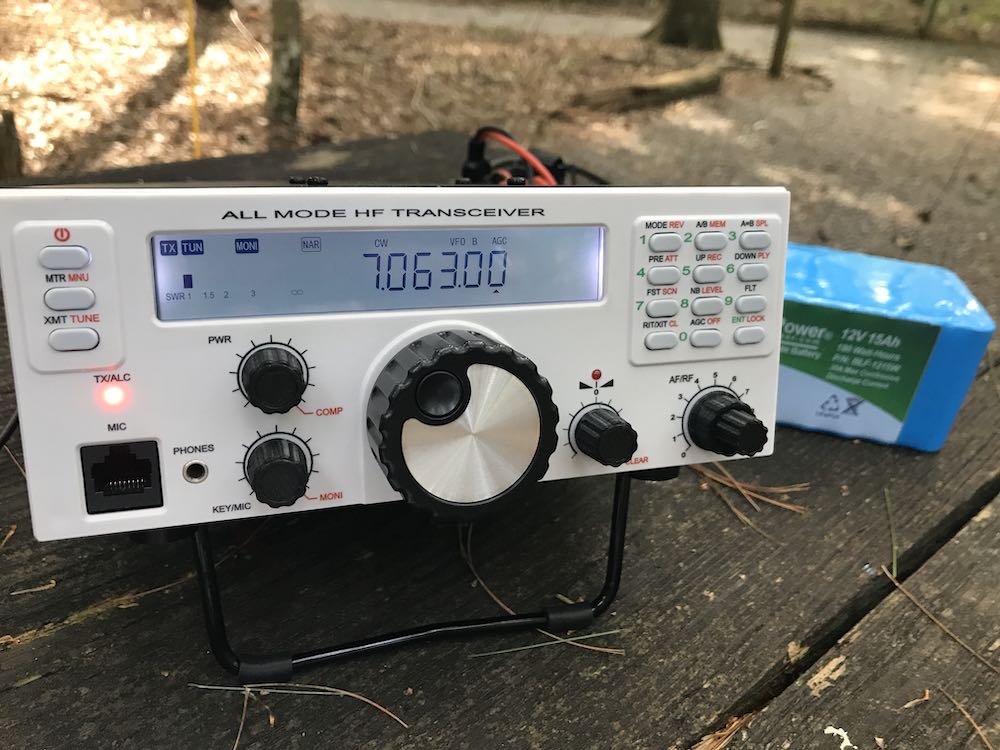
Mission RGO One Bioenno LiFePo

The Bioenno 15aH battery powers the Mission RGO One for hours at a time in the field.

If it’s any indication of how much I wanted to take this rig to the field, when Boris handed me the prototype RGO One on Saturday at the 2019 Hamvention, I had it on the air that same day doing a Parks On The Air activation at an Ohio State Park.

Since then, I’ve easily taken the Mission RGO One on 30 or more park activations.

Performance
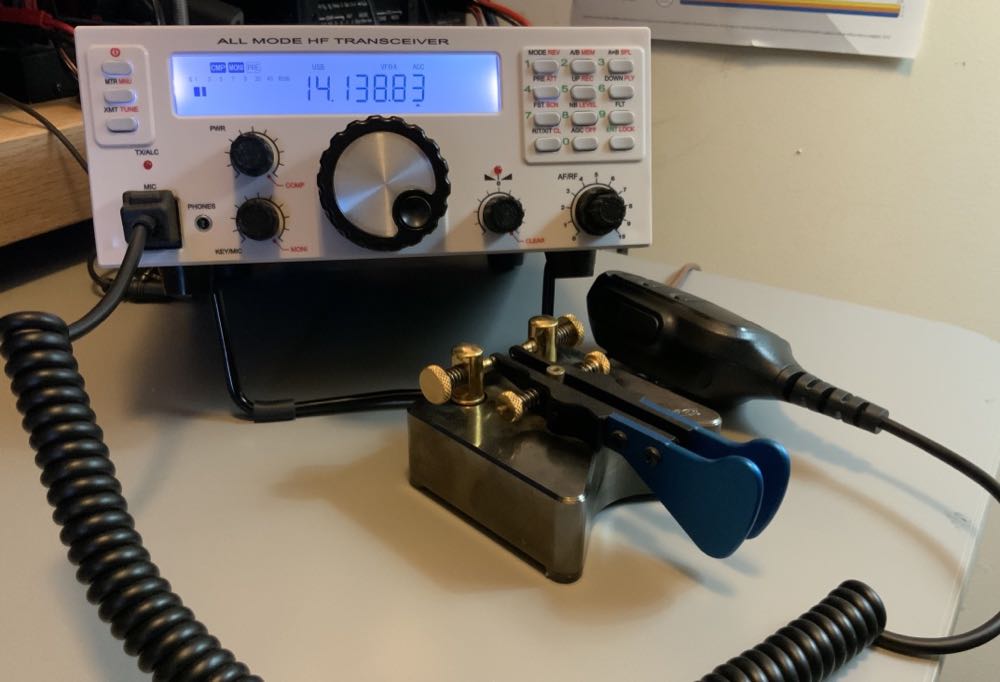
What’s most striking and obvious about the Mission RGO One’s receiver from the moment you turn it on is the low noise floor. It’s incredibly quiet. So much so that more than once, I’ve double checked to make sure RF gain hadn’t been accidentally altered as I started a field activation. I’d call CQ a few times, though, and when stations return they literally pop out of the ether. The RGO One currently has no digital noise reduction (DNR) but frankly, I don’t miss it like I might in other transceivers. Indeed, the RGO One is a radio I’ve reached for when the bands are noisy because the AGC and receiver seem to handle rough atmospheric conditions very well.

The RGO One’s built-in, top-mounted speaker provides ample audio levels for the shack, but in a noisy field environment, I wish it had a little more amplification. I’ve also used my Heil Pro headset and even inexpensive in-ear earphones connected to the front panel headphones jack in the field. The audio via headphones is excellent.

Let’s take a look at how well the RGO One performs by mode:

CW
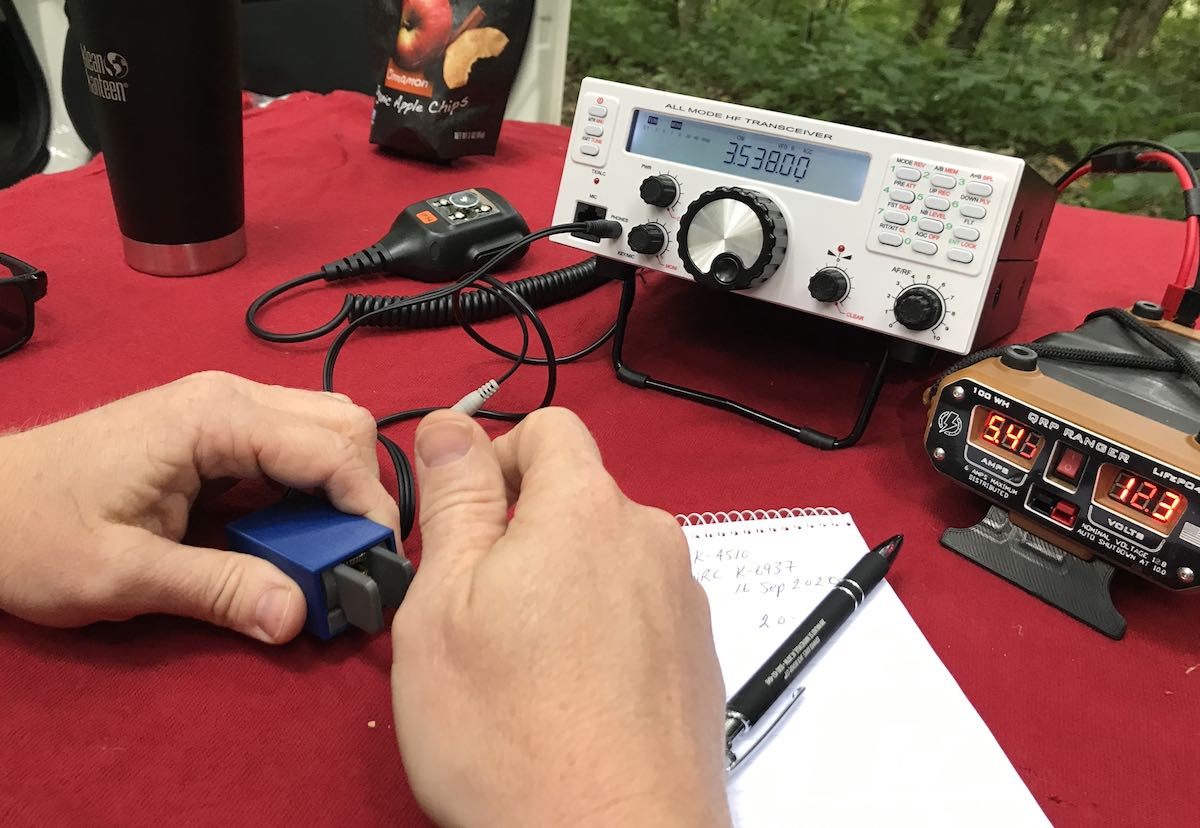
First and foremost, CW operators will appreciate the RGO One’s silky-smooth full break-in QSK. The  RGO One employs clickless and quiet pin diode switching–a design feature I’ve become particularly fond of as traditional T/R relays can be noisy and distracting when not using headphones.

The RGO One also has a full compliment of adjustments for the CW operator including adjustable delay (default is 100ms), iambic mode, weight ratio, hand key/paddle, adjustable pitch, and sidetone volume.

The key jack is a standard three conductor 1/8” jack found on most modern transceivers. It’s located on the back of the radio.

My review unit has the optional variable width narrow filter which I highly recommend if operating in crowded conditions. I’ve used the RGO One on ARRL Field Day and found that it easily coped with crowded band conditions. Even after a few hours on the air, I had very little listener fatigue.

I also find that, as I mentioned earlier, CW signals just seem to “pop” out of the ether due to the low noise floor and excellent sensitivity/selectivity.

The RGO one also sports four CW keying memories where you can record your CQ, callsign, or even contest exchange. I’ve become incredibly reliant on memory keying to help facilitate my workflow in the field—while the radio is automatically sending my CQ or my regards and callsign to an station I’ve just worked, my hands are free to log the contact, adjust the radio, or even eat lunch!

Memory keying does require one long-press of the “6” button followed by either the “1,” “2,” “3,” or “4” button to play a message. Occasionally I won’t hold the 6 button long enough and accidentally move my frequency down one meter band since the 6 button is also the band “down” button. While it doesn’t happen often, it’s frustrating when it does but I think it could easily be fixed in the firmware as it’s really a timing issue.

SSB
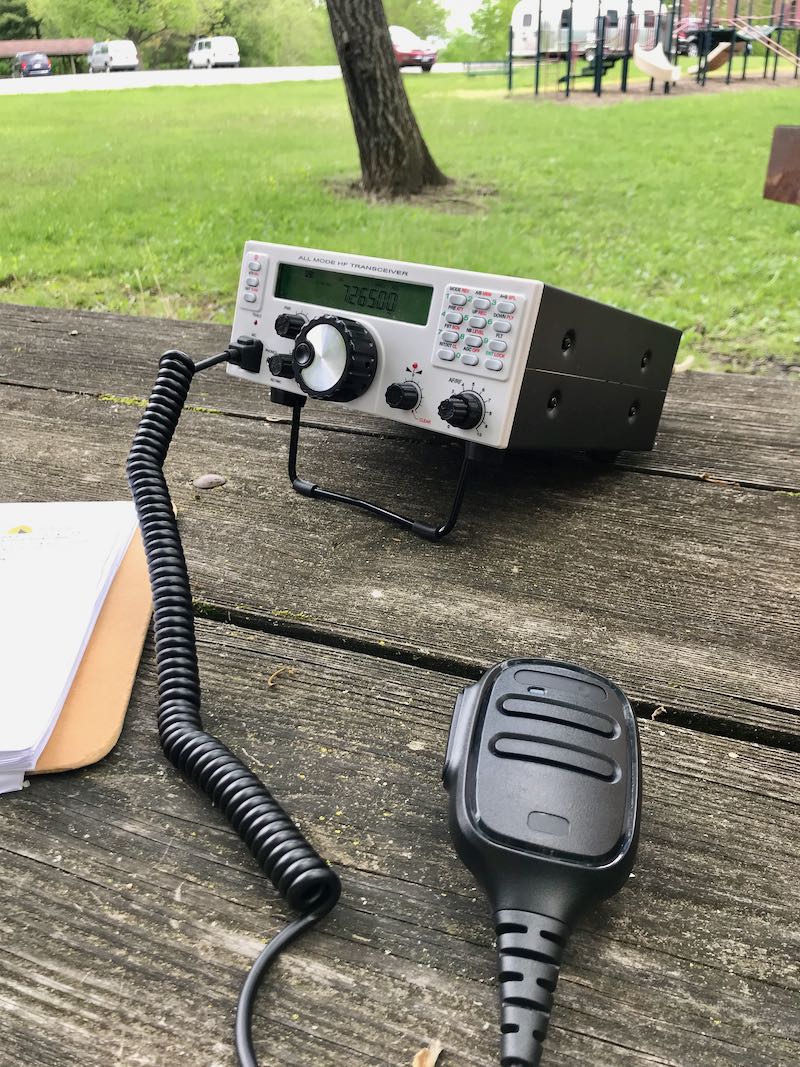
Likewise, phone operators will be very pleased with the Mission RGO One. During all of my testing, I’ve only used the microphone supplied with the radio mainly because I don’t currently own another radio with an RJ-45 type microphone connector.

I do love the fact the microphone port is on the front panel of the radio—it’s very easy to connect and disconnect (in contract to the recently released Icom IC-705, for example). I’ve gotten excellent audio reports with the RGO One in SSB mode and have even monitored my own tests and QSOs via the KiwiSDR network.

Compression, gain, and VOX controls are easily accessible. One missing feature at present is a voice memory keyer. For field operators activating sites for the POTA, WWFF, or SOTA program, voice memory keying is huge as it saves your voice from calling “CQ” over the course of a few hours. I understand Boris does plan to implement voice memory keying in a future speech processor board.

AM Mode

Since the RGO One has general coverage receive and since I’m a shortwave broadcast listener, I was disappointed to find that there is presently no AM mode. Boris told me he does plan to add AM mode, “to be implemented in future versions of the IF/AF board only on RX.”

With that said, I can always zero-beat a broadcaster and use a wide SSB filter to listen to broadcasts which is more than I could do, for example, with my (ham band only) Elecraft K2.

At the end of the day, the RGO One is a high-performance, purpose-built ham radio transceiver, so the current lack of AM mode isn’t a deal-breaker for me, but I would love a wide AM filter on this rig.

ATU

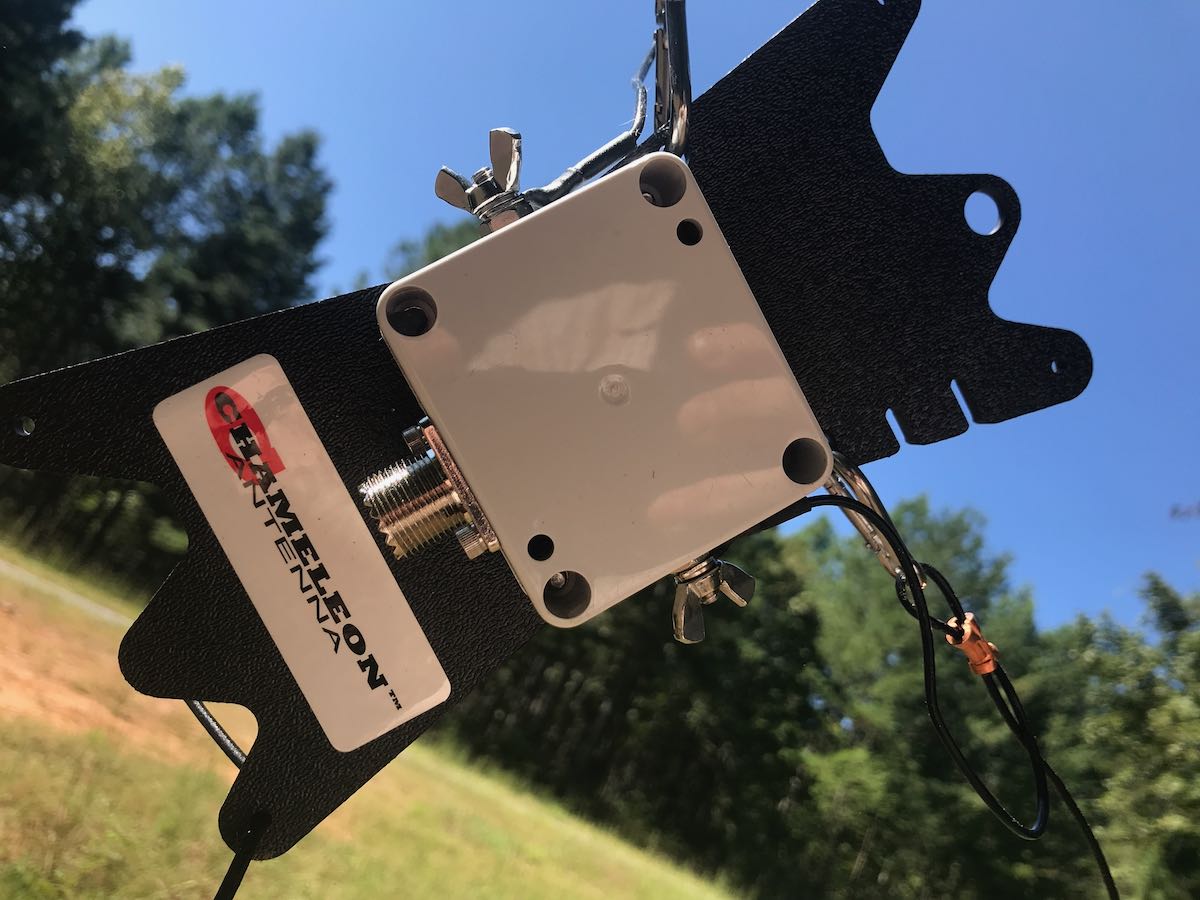
The 2020 review model I received has the internal automatic antenna tuner which I feel is a worthy upgrade/addition. In the field, I’ve paired the RGO One with my Chameleon CHA Emcomm III Portable random wire antenna which requires an ATU in order to find matches across the bands. The pairing has been a very successful one because the Emcomm III can handle up to 50 watts power output in CW and covers the entire HF band when emptying the RGO One ATU.


Even though it’s a minor thing, I also like the fact that the RGO One ATU operates so quietly, even though with the present firmware it takes longer than some of my other ATUs to find a match.

Power

One thing I’ve found very useful in the field and, no doubt others will as well is the power output. In many ways, the RGO feels like a larger QRP radio (think Ten-Tec Argonaut V or VI) but it’s actually able to pump out 55 watts (often five watts more than specified). In single sideband mode, this is a meaningful amount of power output compared to, say, 5 or 10 watts. When I activate a rare park, or an ATNO (All Time New One), I’ve been taking the RGO One more times than not in order to get the best signal possible and maximum amount of contacts. Running full power, the rig never feels warm—heat dissipation is superb—and the fans on the back of the heat sink are super quiet.
I actually feel like the 50 watts of output power gives the RGO One a market niche since it sports top-shelf performance as you might expect in the venerable Elecraft K2, for example, but  not being a 10 watt or 100 watt radio, rather something in between which saves a little weight and also the need for heftier heat dissipation.

Other unique features

The RGO One has some interesting features not found in similar radios.

For one, there are no less than ten color options for the custom backlit LCD display, along with adjustable contrast and backlighting intensity.

The RGO One team also documents how to access hidden admin menus for granular adjustments to transceiver parameters, but of course you’d want to adjust those with caution and note values prior to changing them. When you receive your RGO One, Boris includes a sheet with all default values to make stepping back much easier.

Hands-on philosophy

At the end of the day, the Mission RGO One is a kit that can eventually be purchased in kit form, or as a fully assembled transceiver. It’s modular: you can add and upgrade features as you wish. Some field operators, for example, may wish to omit the ATU to save a little extra weight or cost. I actually love this philosophy and I think it’s one that’s made Elecraft such a successful manufacturer.

The process of upgrading firmware is slightly more involved than you might find with, say, an Elecraft, Icom, or Yaesu product. It’s a two stage process where one upgrades both the front panel and the main board separately. I completed a firmware update only a few weeks prior to publication. It took me perhaps 15 minutes with my PC as I followed Boris’ step-by-step instructions (http://lz2jr.com/blog/index.php/rgo-one-firmware-update-procedure/).

There is also an active email discussion group for the Mission RGO One (https://groups.io/g/RGO-ONE/) where participants share experiences, modifications, and even any glitches or bugs that are discovered. This group is closely monitored by the RGO One team, so items are addressed very quickly. I highly recommend joining this discussion group if you see an RGO One in your future.

Also, I’ve gotten great customer support from Boris (LZ2JR) and have heard the same from group members. He’s very much open to critical customer feedback.

Summary
Mission RGO One POTA

Every radio has its pros and cons. When I begin a review of a radio, I take notes from the very beginning so that I don’t forget some of my initial impressions. Here is the list I formed over the time I’ve spent evaluating the 2020 production model Mission RGO One.

Pros:

  • Excellent sensitivity and selectivity
  • Very low noise floor
  • Excellent, clean audio (see con)
  • Silky-smooth QSK
  • Full compliment of CW and SSB features and adjustments
  • CW memory keyer
  • Superb ergonomics with no need to access embedded menus for common features
  • 50 watts output power with effective quiet heat dissipation
  • Lighter weight compared with comparable transceivers
  • Direct frequency entry
  • Standard Anderson Powerpole power port on rear panel

Cons:

  • No voice keyer memory (at time of posting, but is planned in upgrade)
  • No notch or auto notch filter (at time of posting, but is planned)
  • No 6 meter option
  • No AM mode (at time of posting, but is planned)
  • Firmware updates are a two stage process
  • Would like slightly more audio amplification while using internal speaker in noisy outdoor environments

Conclusion

If you can’t tell, I’m impressed with the Mission RGO One because it does exactly what it sets out to do.  The RGO One is designed for an operator who appreciates rock-solid performance with simple, intuitive ergonomics.

While teaching an amateur radio course to our homeschool cooperative high school students last year, I picked the RGO One as the best field radio for HF demonstrations.
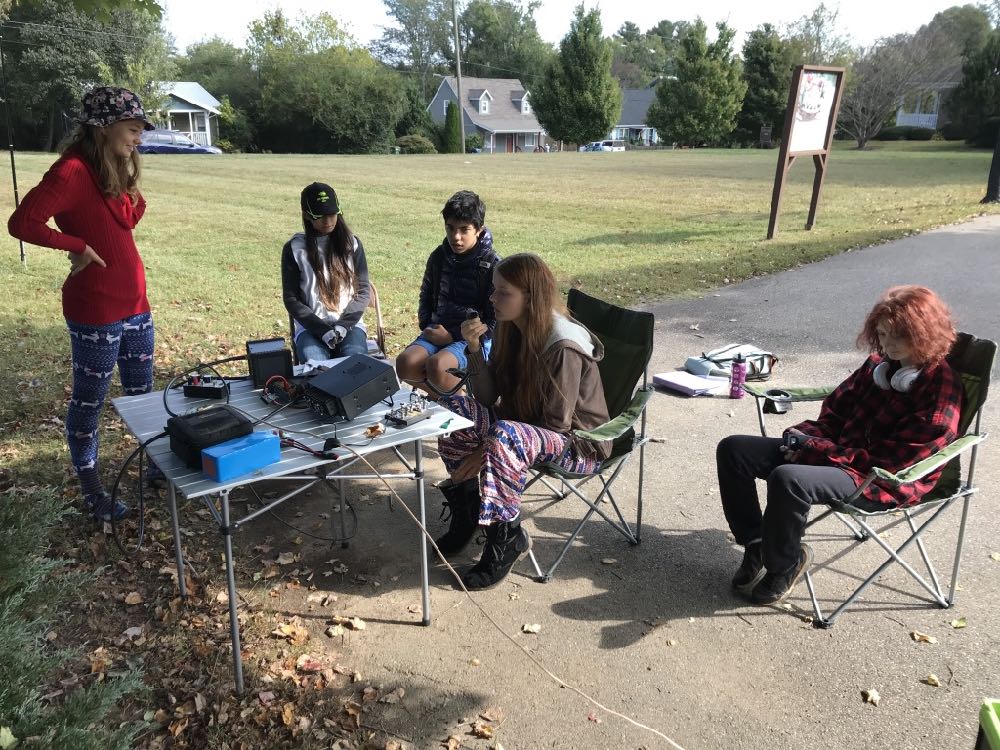
I’ll never forget setting the (prototype) RGO One for the first time on a folding table outside the classroom under a large tree. I had the students erect both an end-fed resonant antenna and a simple 20 meter vertical. I picked the RGO one because all of the adjustments we had talked about in the classroom—AGC, Filters, A/B VFOs, Direct Frequency Entry, Pre Amp, Attenuation—are on the front panel and one button press away.

We hopped on the air with one of my students calling CQ single sideband on the 20 meter band.  Her very first contact was with a station in Slovenia—and she simply beamed with excitement. All of my female students that term passed their Technician exam by the end of the term.

The RGO One is a very inviting radio.

I’ve had the luxury of testing, evaluating, and working with everything from one of the first prototypes to the latest updated version of the RGO One. It’s rare that I’m able to evaluate a radio over such a long period of time.

Even with the very early, bare-bones prototype, I was impressed with this transceiver’s performance characteristics. I’m not the only one either. It’s almost become routine new discussion group members join prior to receiving their radio, then announces how blown away they are with its performance. Check out eHam reviews, too—at time of posting, it’s a solid five stars at time of posting.

The RGO One reminds me of simple, classic radios of the 1980s and 90s, but underneath, it’s packing state-of-the-art performance.

Is it perfect? No radio is perfect, but I must say that for what it offers, it really hits the sweet spot for this radio operator.  It’s a joy to use.
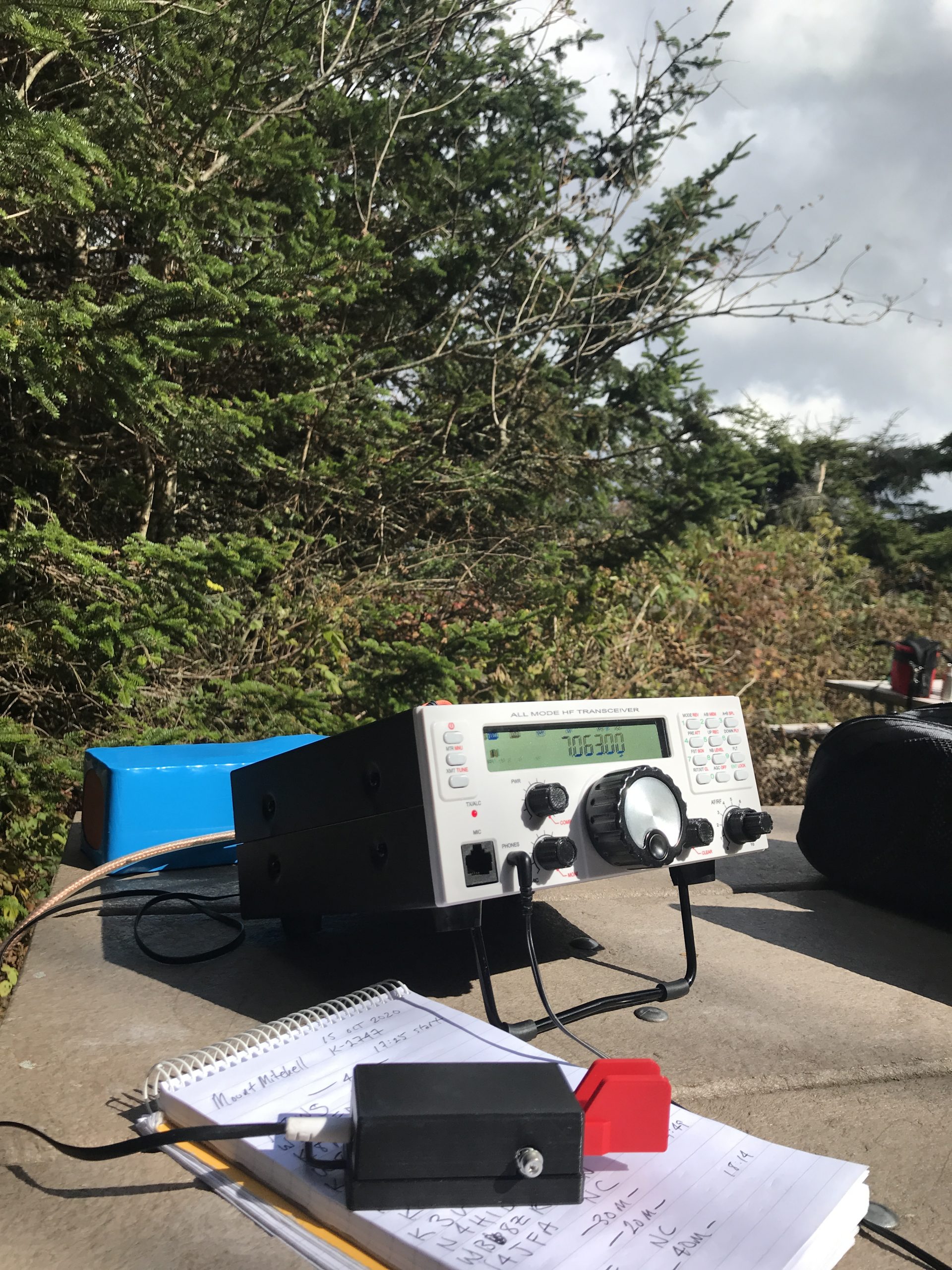
There are still features in the works that will either be implemented with future firmware updates, or with future boards. In terms of performance and appearance, it reminds me of the Ten-Tec Eagle and Elecraft K2—both benchmark rigs in my world. And like the Eagle and K2, the RGO One is happy in the field, at home, or even on a DXpedition. It’s a simple radio that beckons to be on the air.

If you’re interested in the Mission RGO One, check the following web page for the pre-order form and pricing list. The RGO One is produced in batches, so you’ll need to reserve your model.

Click here to view the Mission RGO One order page.

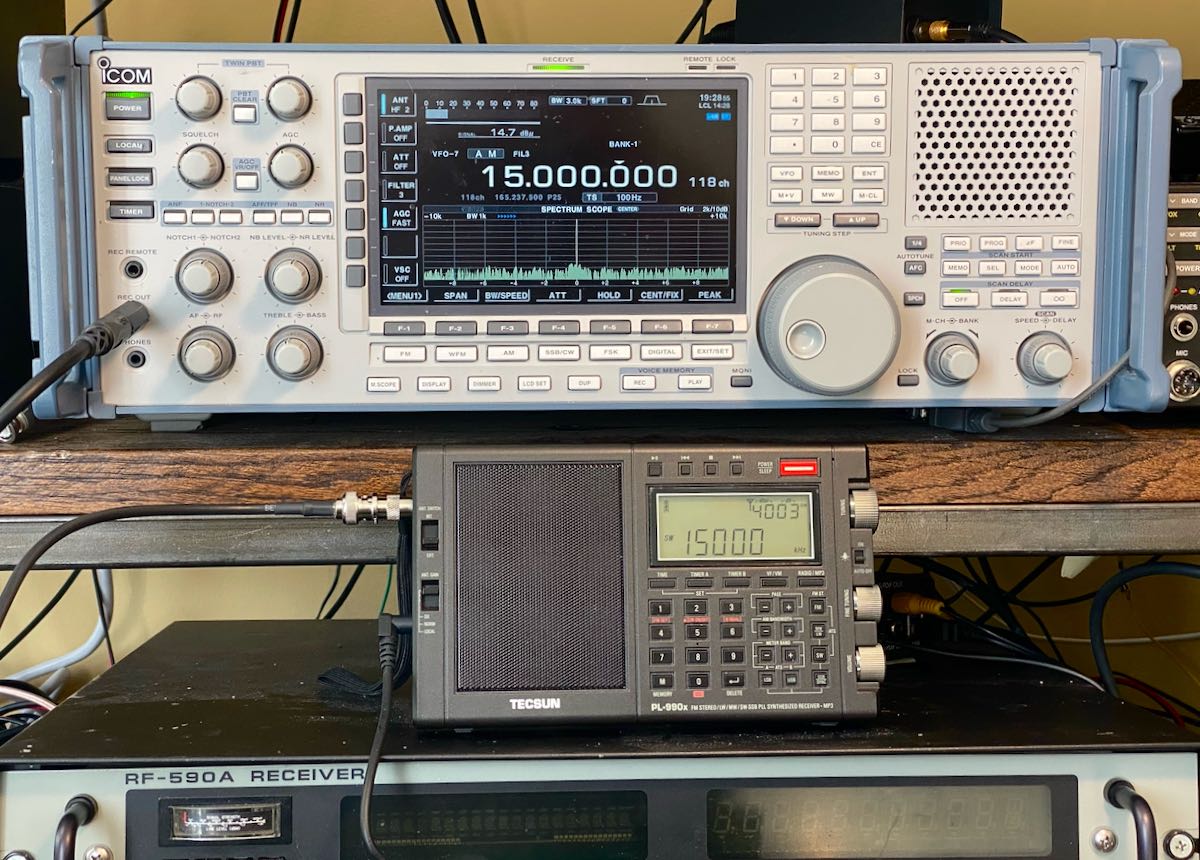
Matt compares the Tecsun PL-990 to the Icom IC-R9500 on an external antenna and the results are surprising

Many thanks to SWLing Post contributor, Matt Blaze, who shares the following comparison of the new Tecsun PL-990x and the benchmark Icom IC-R9500 communications receiver.

Matt’s excellent comparison  is in audio form. I highly recommend listening with headphones or, at least, an audio device with separate left/right channels as his comparison takes advantage of this.

I love not only how he set up this comparison with both radios sharing an identical antenna, but his evaluation also explores how well the PL-990 handles a proper external antenna via its external antenna jack.

Click below to listen to Matt’s piece, or right click here to download the audio:

Thanks for sharing this, Matt. You’ve inspired me to do similar narrated audio comparisons!

myNoise: possibly the best ambient sound generator on the planet

My wife has an amazing ability: when she’s deep into research, writing, editing, or creating something, she has a laser-focus like none other: she can tune out the world around her to the point that it’s honestly hard to get her attention. She can work in almost any environment, and tune out (nearly!) all distractions. It’s quite impressive. She credits this ability to focus in distracting surroundings to our children, who at a young age developed the less-rare ability to generate noise, both wide in variety and sometimes quite intense in volume.

Me? Completely the opposite.

When I’m writing or working on a project––indeed, whenever I need to concentrate––I either have to work in a controlled environment where I have few interruptions, or I have to artificially create that controlled environment.  I usually do this through the use of an ambient noise or instrumental (non-vocal) music. It’s rare that I’m working in an environment with no interruptions, so being able to manufacture my own audio space is important for my productivity.

When I’m here at SWLing Post HQ, I’ll often tune to an HF frequency that has no signal occupying the space. In other words, I’ll listen to shortwave radio static that might include the odd ionosonde sweep and occasional static crash….it creates a white noise that, in essence, nulls out everything else around me. Plus, as a radio geek, I confess to feeling quite at home in that static.

To help me catch some zzzs when I travel, I’ll often do the same: simply tuning to an unoccupied HF frequency and letting it play through the night. I find that it nulls out hotel hallway traffic, like doors banging and loud talking, allowing me to get some needed rest.

Photo by Jp Valery

I also turn to noise generators and numerous YouTube channels that specialize in long ambient field recordings, because finding a reliable (unoccupied) radio frequency doesn’t always work due to garrulous local radio interference or simply a lack of free space on the FM band.

Introducing myNoise

This year at the Winter SWL Fest my friend, David Goren, recommended a website––and accompanying application––called MyNoise.net. As an audio engineer and radio producer, David has a finely-tuned ear and can notice looped sounds, audio irregularities, and poorly-made recordings. So I knew if David Goren was impressed with this collection of ambient noises, they would be first-class.

MyNoise.net is the product of Dr. Stephane Pigeon, a man with an impressive CV that includes consultant work for Roland Corporation and numerous audio websites and applications.

What makes his site so unique is: 1) the sheer number and variety of ambient soundscapes, and 2) the ability to finely-tune and customize each sound in a remarkable number of ways.

Want to travel to a pebble beach, a primeval forest, a Japanese garden, or fall asleep on the bridge of a starship? Yeah, you’re covered––really. And not with, as is typical, short hiccuping loops with background muck imbedded: the MyNoise collection (at time of this post) contains over 200 customizable sound generators, with lengthy live field recordings, and they’re clean. The real deal…high fidelity at its best.

If you like ambient audio, his site provides an incredibly rich deep-dive…

But don’t take my word for it.  Listen for yourself!

Radio Soundscapes

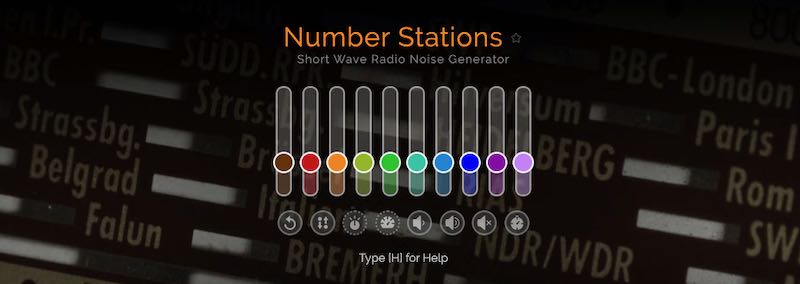
myNoise slider controls allow you to change the level of audio tracks and loops.

When David first introduced me to myNoise, he pointed out two soundscapes in particular: one was called “Shortwaves,” the other, “Numbers Stations.” (Now that’s what I’m talking about!) Every night of the SWL Fest, I listened to these two noise machines as I slept. It was wonderful.

With permission, I have made a couple one-minute audio recordings of the two radio-specific soundscapes from myNoise.net. Keep in mind that these recordings were set at a preset level and left alone; in other words, I did not move the control sliders during the recording. In reality, the sounds can be tailored to your listening pleasure via the sliders and generous array of controls. By the way, I suggest wearing headphones.

Sample of “Shortwaves”

Sample of “Numbers Stations”

While I love these two radio sound generators, I have to say, I’ve truly enjoyed exploring the more than 200 sound generators also available on myNoise.

How to listen

MyNoise.net is a free website supported by user donations.  (Donations, by the way, can unlock an array of extra features and sounds.) Even though I have the app (see below), I still sent a bit of extra support though their website; after all, this is just the sort of project I love supporting.

MyNoise is also available as an iOS or Android app. If you have a mobile device or tablet, I highly recommend downloading the app and purchasing the full set of recordings for a mere $10.

A screenshot of the myNoise app running on my iPad

Stephane also has a YouTube Channel with a number of soundscapes.

Click here to check out myNoise.net.

A review of the Red Oxx Hound EDC Pack

Long-time SWLing Post readers know that I geek out about a number of things: radio, of course, but also travel and packs. No doubt my love of backpacks and carry bags stems from my love of travel…and the need to have a radio or two along. In the past, I’ve reviewed a number of backpacks, travel pouches and cases. What follows is a new pack review.

Introducing the Red Oxx Hound

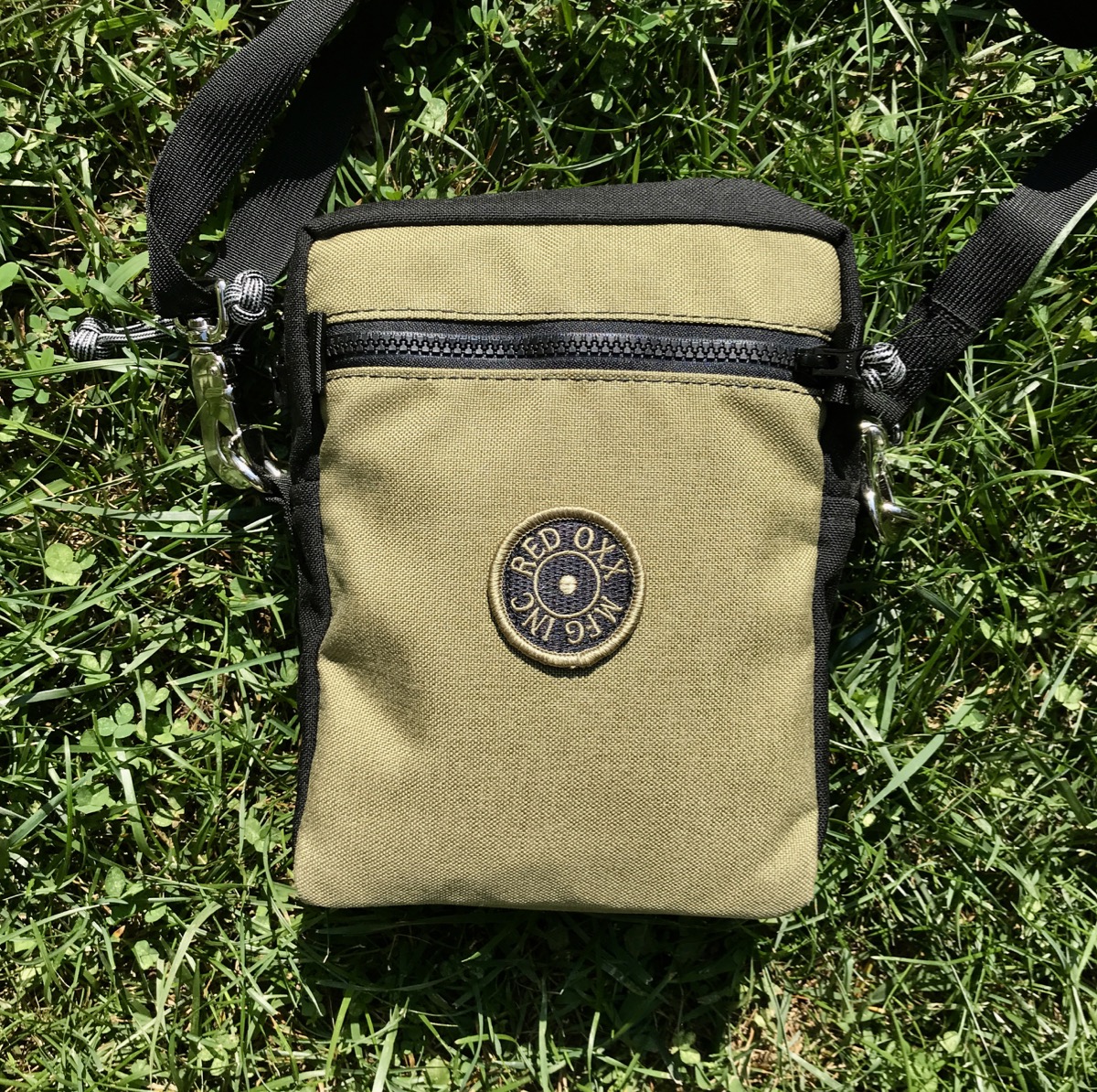
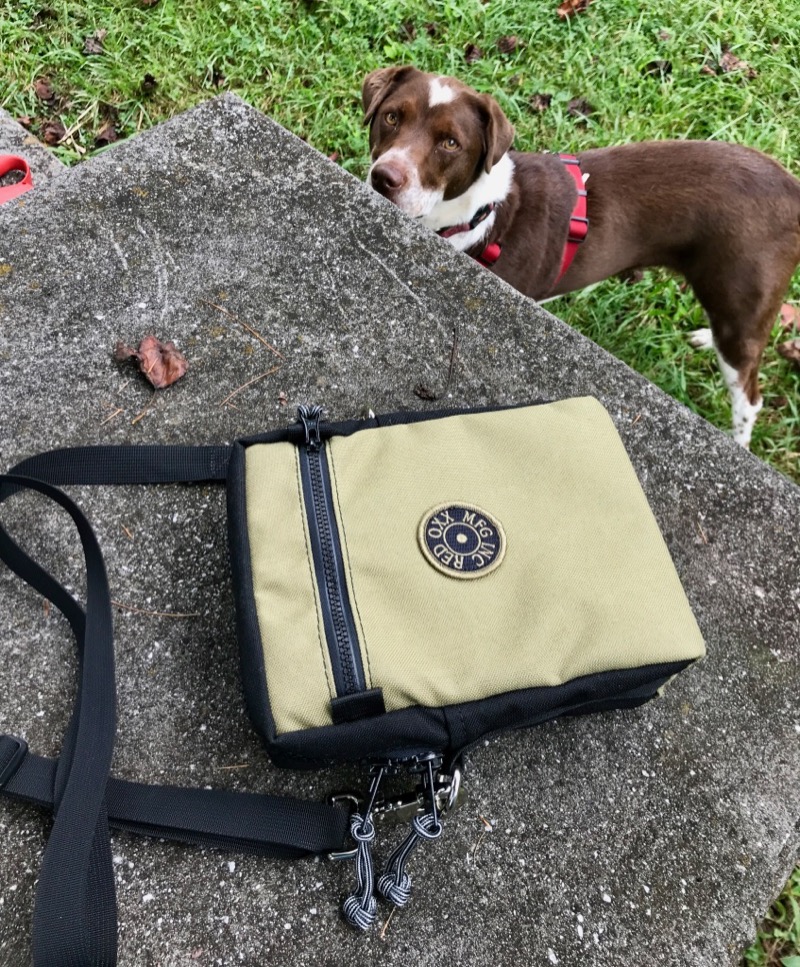
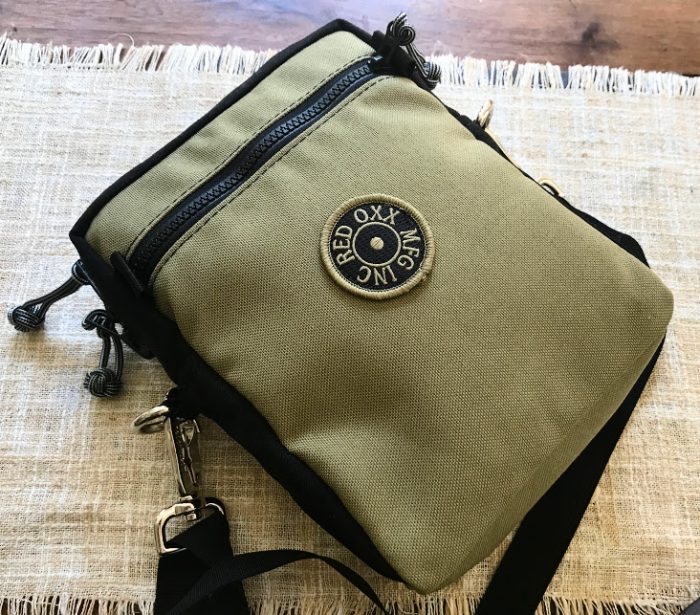
Last month, Montana-based company Red Oxx sent me their latest small carry bag for evaluation and review. This small crossbody bag, affectionately known as The Hound, is made to stay by your side and carry your important gear––just as you’d expect of man’s (or woman’s) best friend.

Red Oxx is not a new name here on the SWLing Post. In the past, I’ve reviewed the Red Oxx Lil’ Roy and helped Red Oxx  evaluate and review their first-generation Micro Manager pack. I also travel frequently with my Red Oxx Mini Boss, one of my favorite one-bag travel packs. I have several other Red Oxx brand accessories and travel cubes. All of which hold up very well, indeed.

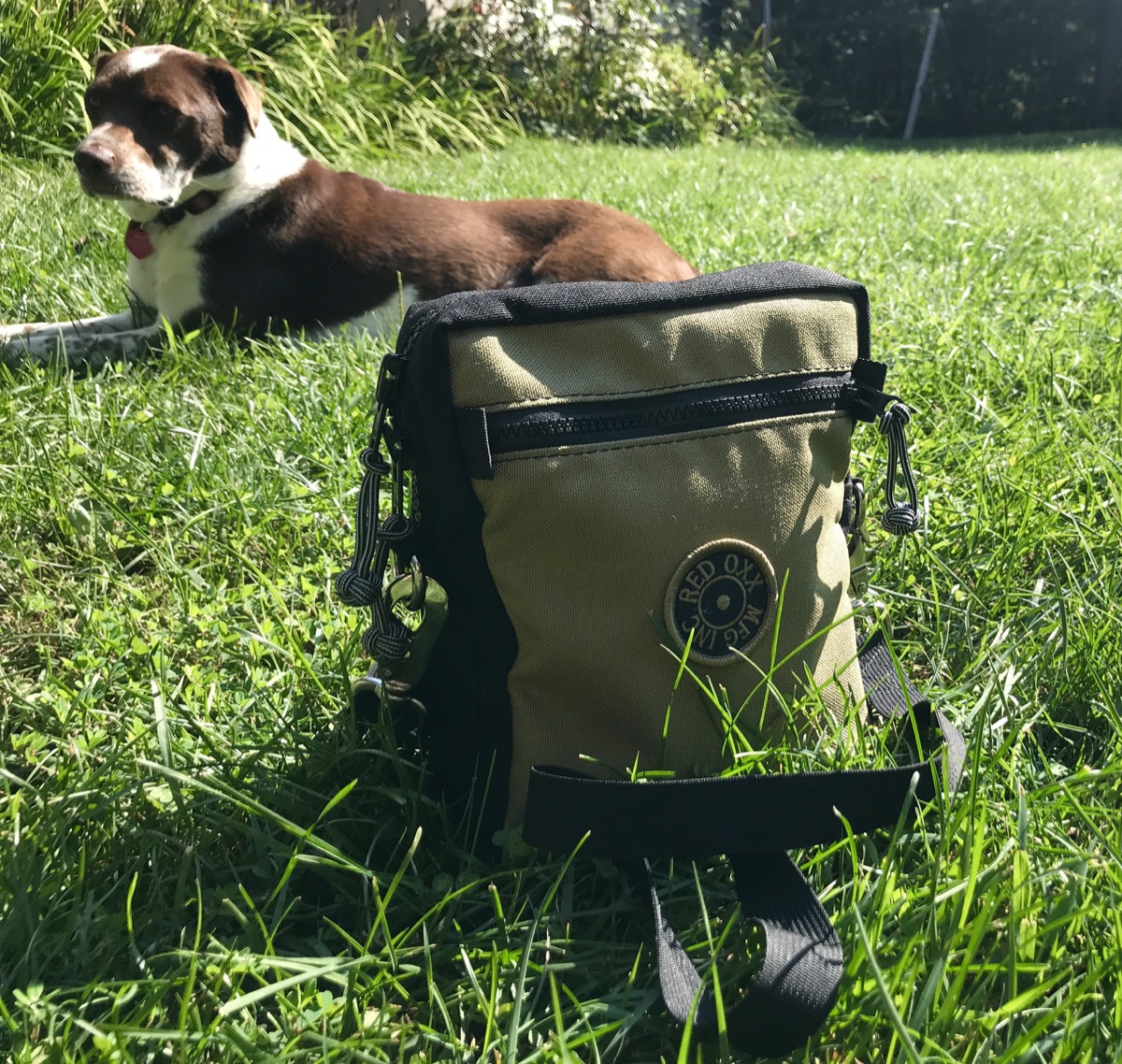
Hazel thinking, “Seriously? Another pack?…Okay, I like the name, but are there any treats in there?”

In the spirit of full disclosure, this pre-production pack was sent to me at no cost for comment, evaluation, and eventual review, assuming no design changes are made before production.

So what is the Hound? I would describe it as a small padded EDC pack with a carry strap, designed to be a stand-alone, to function as a travel pouch––and/or to moonlight as a packing cube, since it easily fits inside another travel pack.

In terms of size, the Hound is somewhere between the Red Oxx Lil’ Roy and Micro Manager. It’s roughly 9” tall, 7” wide, and 3” deep, by my measurements. It’s not quite big enough to hold my Microsoft Surface Go tablet, but it holds my eReader and my wife’s iPad Mini with room to spare.

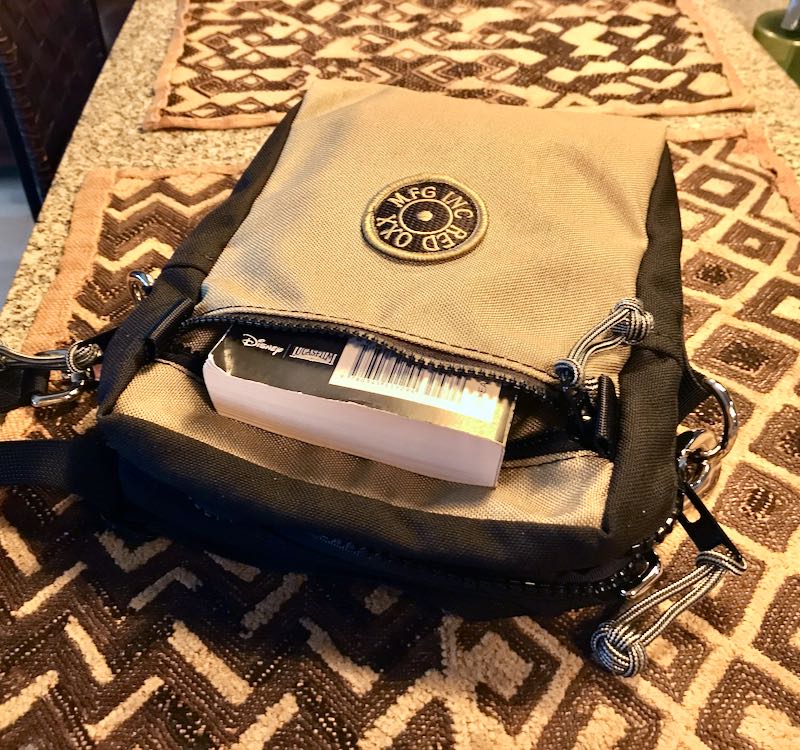
On the front exterior panel, you’ll find a zippered pocket. While this pocket isn’t pleated, the pack is forgiving and flexible, so it’ll easily hold a thick paperback book as long as the main compartment isn’t packed out densely.

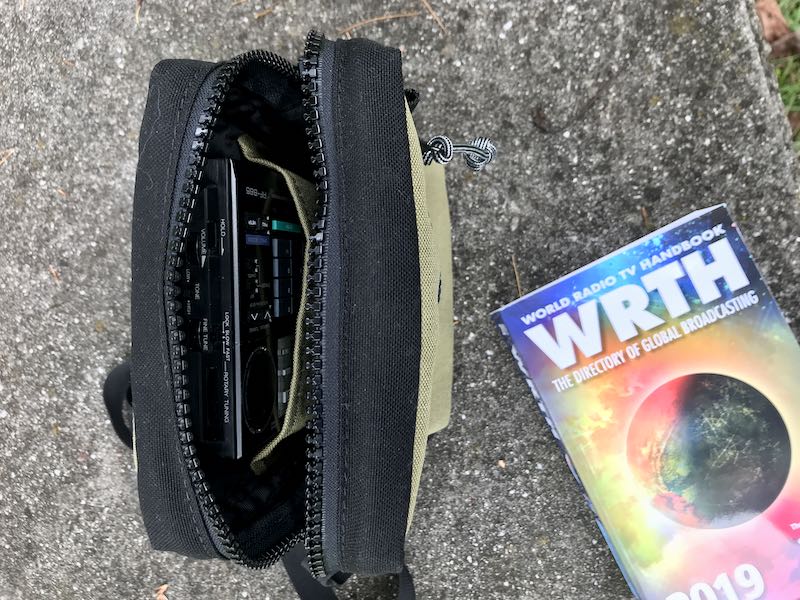
On the inside of the Hound, you’ll find one main compartment with one open pocket opposite the side panel of the external pocket.

The floor and two 7”x 9” side panels are padded and do a great job protecting contents. I like the new super-thin Hyper-Cel padding Red Oxx uses for the Hound because it gives the bag’s contents padded protection without making it too rigid, thick, or unforgiving, if you want to cram a little something extra in.

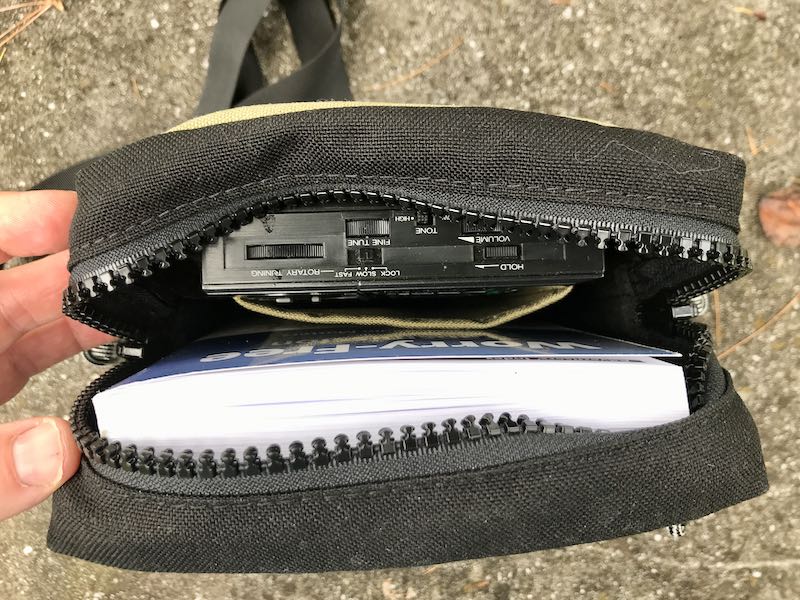
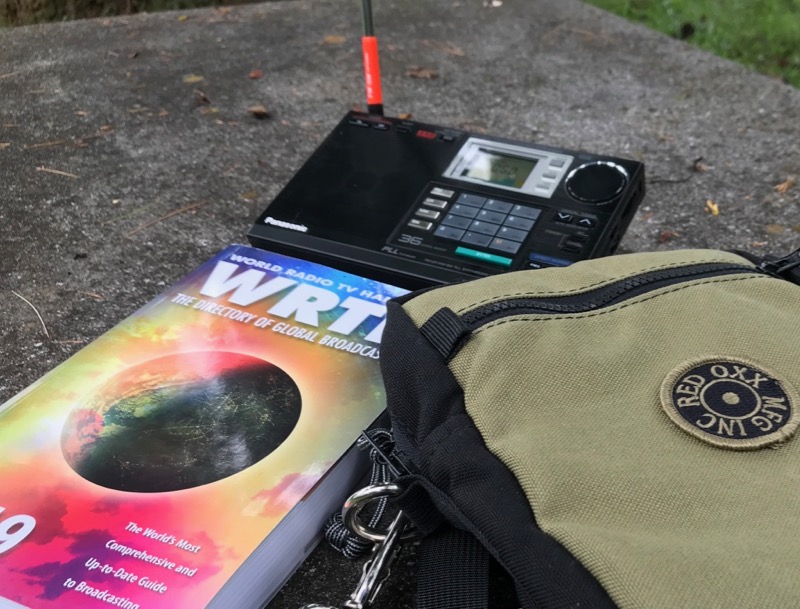
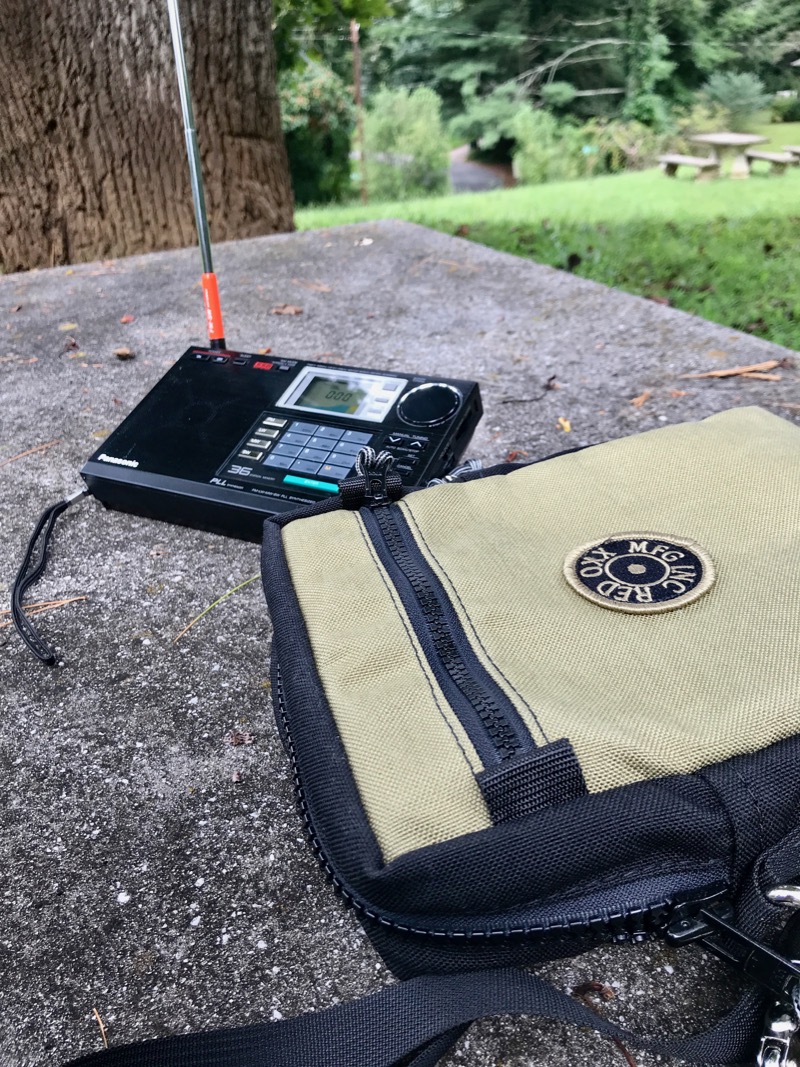
I posted a small teaser a few weeks ago when I took one of my favorite radios (the Panasonic RF-B65) and a copy of the WRTH to a local park for some relaxed radio listening. Both the Panasonic and WRTH fit inside with just a little room to spare for small accessories like earbuds, spare batteries, a wire antenna, and a snack. The radio fits perfectly in the interior open pocket and is essentially protected on all sides, save the top, which is no problem if you’re carrying it with the strap.

Like all Red Oxx packs, the Hound’s exterior sports 1000-weight Cordura nylon material that’s available in twelve solid color combos (plus 4 extra “Red Eye” colors for a limited time) . This is a proven, incredibly durable material that will surely outlast this bag hauler’s handling.

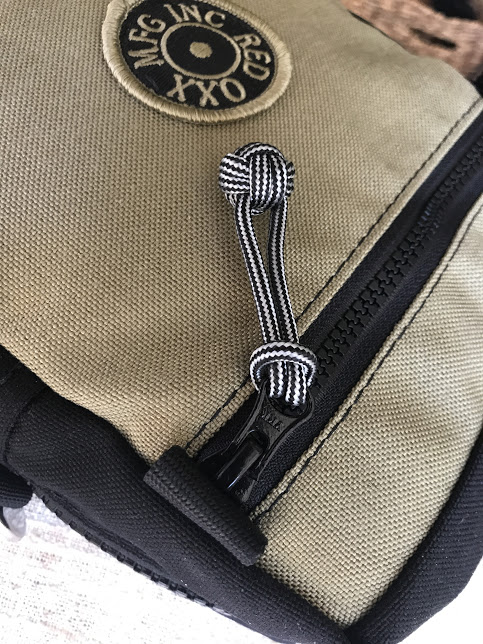
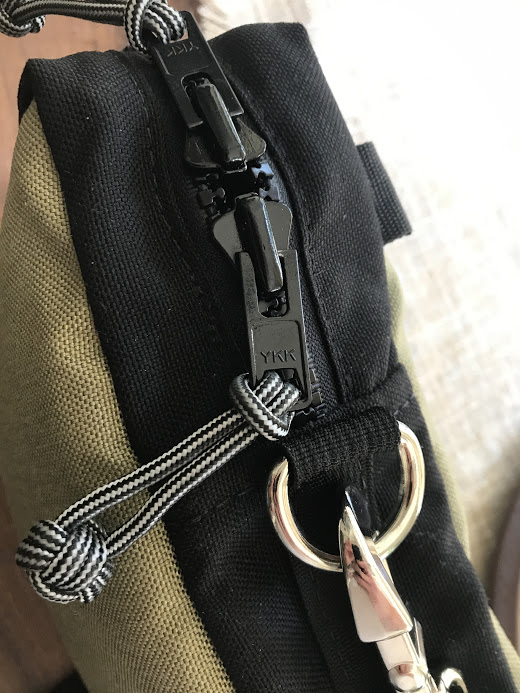
The Hound also features the Red Oxx standard #10 YKK Vislon zipper on the main compartment, and a #5 zipper on the front pocket. These beefy zipper pulls also have attached “monkey fist” knots made from nylon cording that permit easy zipper operation.  The Hound is designed for and ships with a shoulder strap made of durable webbing. Two D-rings on opposite sides of the main zipper insure balance on the shoulder.

Taking the Hound for a walk

The Hound makes for a great bag to protect your portable tech, but also accommodates other items in your everyday carry (EDC).

In fact, if you’re a bit of an EDC minimalist (ahem…not quite me) you likely don’t want a full backpack or shoulder bag to carry your gear. Something the size of the Hound would make for an ideal lightweight carry companion.

Red Oxx went through a couple iterations of this bag before adopting its current dimensions; the result is an incredibly useful and accommodating pack.

The Hound packed in the top of my GR1

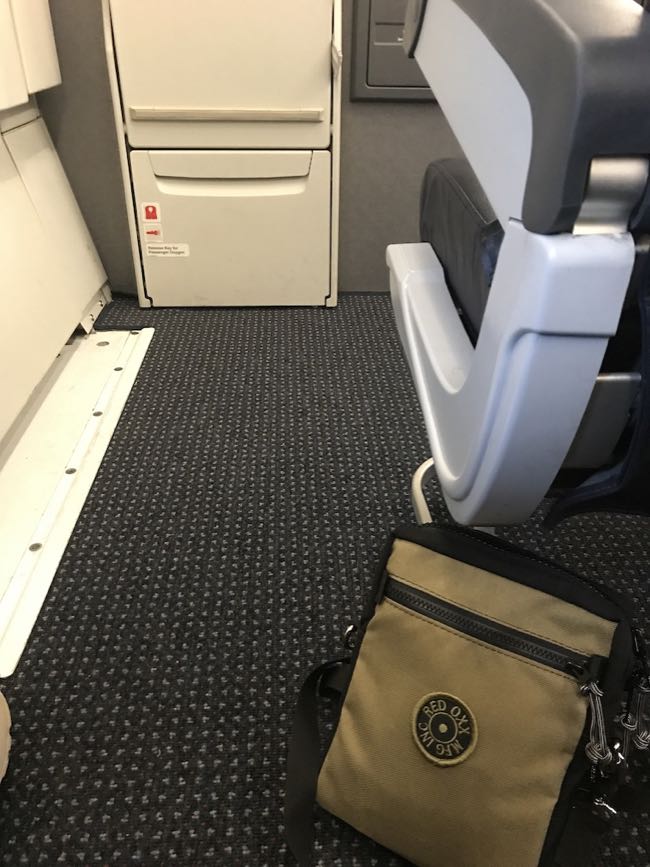
One function I find the Hound ideally suited for is as an in-flight kit bag. Being a one-bag traveler when I fly, I only carry one main travel pack that can fit under the seat in front of me. Having this flexibility means that I don’t have to worry about being first during a boarding call to grab that limited overhead bin space, because I know I’ll always have space for my bag.

Thing is, when my bag is stowed under the seat in front of me or especially in an overhead bin, the last thing I want to do is reach for it during a flight to grab a book, protein bar, water bottle, and the like. That’s why I always pre-pack a removable bag for the flight. When I get on the aircraft, first thing I do is open my backpack, pull out my in-flight bag, stow the pack, and keep the in-flight bag at my seat.

On a recent cross-country trip I packed out my GoRuck GR1 backpack and left room at the top to stow the Hound. The Hound made for an ideal in-flight pack. It carried my reading glasses, a book, a Kleen Kanteen water bottle, granola bars, pencil, pen, paper, earphones, adapters, my iPhone, a small battery pack, and an assortment of cables.  And there was room to spare.

The Hound taking its inaugural flight on an Airbus A321!

Another benefit of carrying a bag-within-a-bag? Say you buy your kiddos or spouse some gifts, or someone gives you a cool item that you plan to carry back home––let’s say, a shortwave radio. By having a separate pack, you can always carry the Hound outside your pack freeing up capacity for the new item(s) in your pack. Since the Hound is designed to be carried over the shoulder, your hands are still free.

You could even use the strap to tie the Hound to your main bag. Since the Hound is so small, you won’t get charged extra, even by unforgiving low-cost carriers.

If you’re into radio gear, then the Hound should easily accommodate most full-featured portable radios (like the Grundig G3, G5, Satellite, Sony ICF-SW7600GR, Tecsun PL-660, etc.) It’s also large enough to hold any HT (handy talkie) on the market, although you might remove long antennas unless you close the zippers around it. No worries, no antenna will poke through this bullet-proof fabric.

And of course, women readers:  the Hound would also make a great casual crossbody purse that would be as comfortable on a hike as touring a European city.  In fact, after I received the Hound, my wife nearly walked off with it. I could tell, she was already mentally sorting out how all her gear would fit inside. Likely the only thing keeping her from declaring this one hers is the fact that this bag is khaki––if it were her favorite shade of Red Oxx red, I’d likely have already been forced to surrender it!

Is the Hound for you?

If this simple, super-sturdy bag is the size and configuration you’ve been looking for to haul your radios and other EDC (or, let’s face it, dog owners:  biscuits and baggies) around with you, then I can recommend it without reservation.

While I truly enjoy doing product evaluations, beta testing and reviews, my time is very limited. I’m picky about what I choose to invest my time in. When Red Oxx contacts me about gear evaluations, I make time. Why?  Because their products have never disappointed me.

Red Oxx build and materials quality is second to none. All their gear is designed and manufactured in Billings, Montana––yep, in the good ol’ US of A–– and will last a lifetime.  Or potentially longer.

Plus: in the unlikely event your Red Oxx gear is damaged due to rough treatment (or even neglect), Red Oxx will fix it. For freeand for life!  Their “No Matter What” warranty requires no receipt and no explanations. No doubt, this is one of the reasons why used Red Oxx gear appears on sites like eBay with prices near what you’d pay for it, brand new. These bags not only hold your gear, but they also hold their value:  a bit of a rarity in today’s disposable world.

This top-notch workmanship comes at what most of us would consider a premium, when compared with mass-produced gear you’ll find on Amazon or a big-box store. But for me, I still find incredible investment value in Red Oxx gear. On top of that, I feel like I’m supporting a company that takes pride in their their simple-but smart innovations, their good work, and their hard-working employees who do it.

The Hound was announced by Red Oxx yesterday, and they’ll be taking pre-orders until September 23, 2019. The price is $95 US, including shipping.

Click here to check out the Hound at Red Oxx.

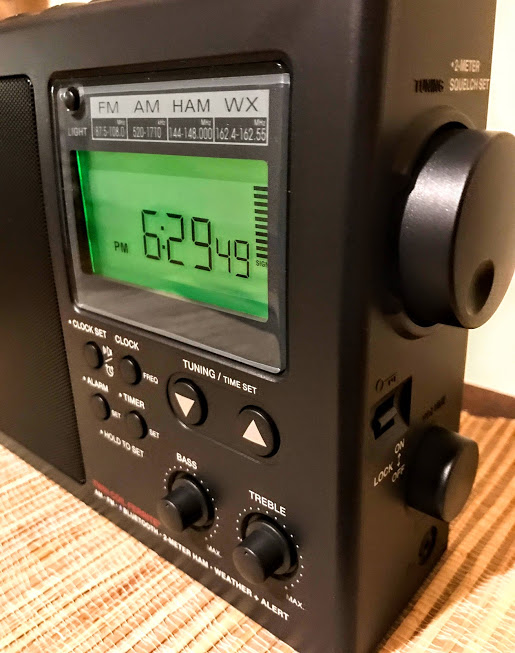
Preview: The C. Crane CCRadio3 AM/FM/WX and 2 Meter receiver

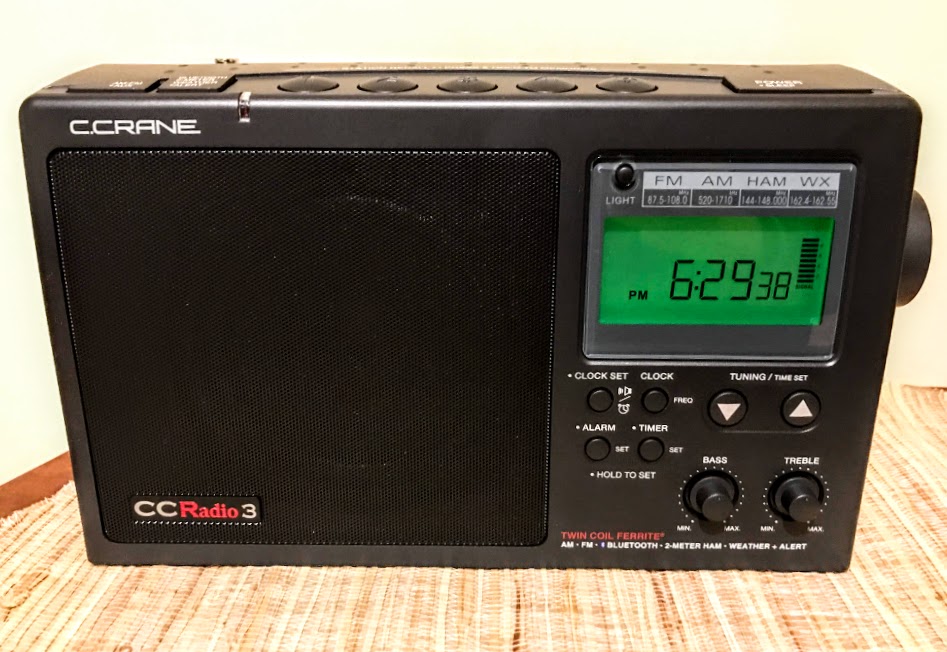
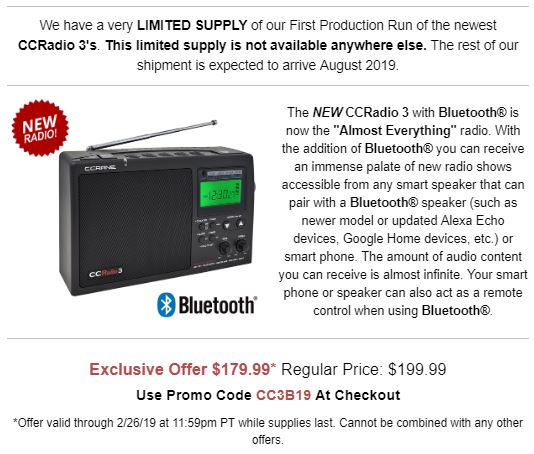
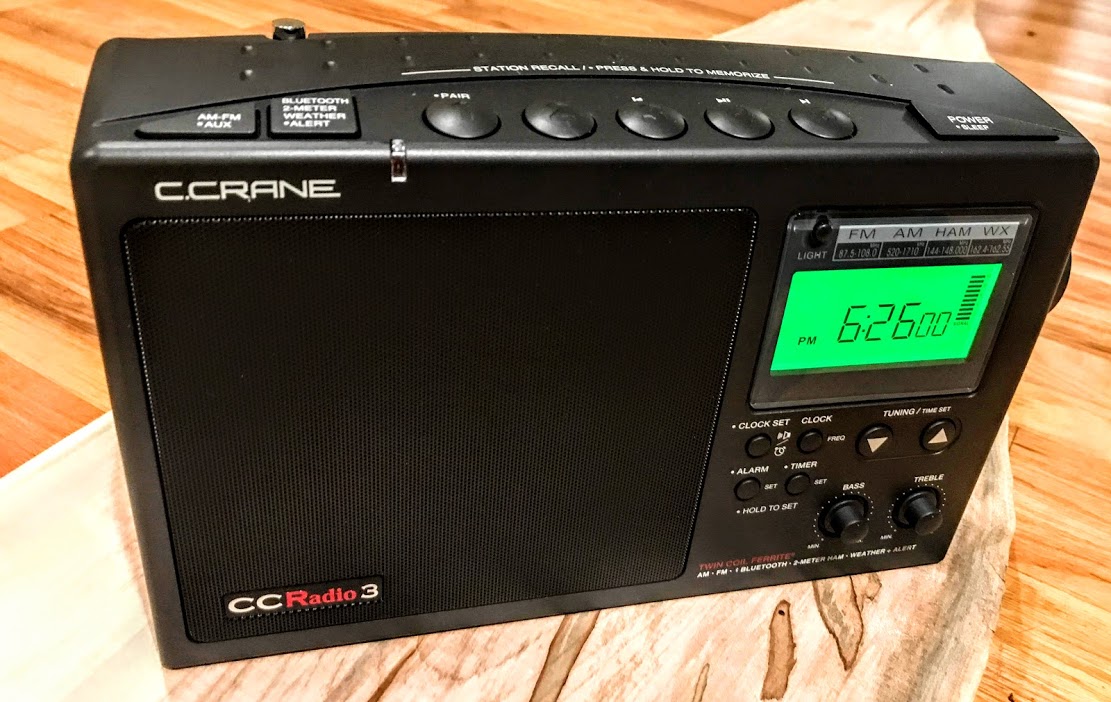
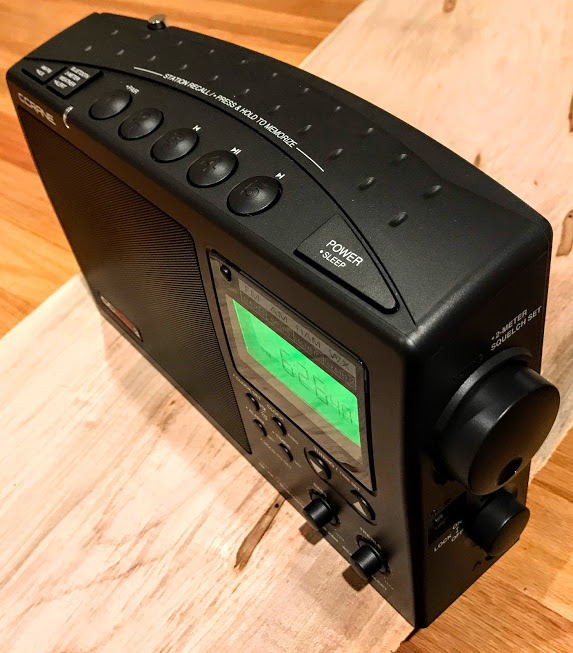
In early January 2019, C. Crane sent me a pre-production unit of their latest radio for evaluation: the C. Crane CCRadio3.

Since I received the CCradio3, I’ve had it on the air and have been evaluating it in real-life listening conditions, searching for any potential quirks that C. Crane should address before a full production run of the radio hits the market.

Yesterday, C. Crane announced the CCRadio3 in their email newsletter:

So now, finally, I can break my silence to inform you all about this latest iteration of the venerable CCRadio. And, indeed, I have a lot to tell…

CCRadio3 Preview

What follows is a preview of the CCRadio3 based on my time with the pre-production unit. I will not refer to this as a “review” of the CCRadio3, since this is a pre-production unit.  I’ll obtain a first production run unit when available and post a full review at that time.

In the meantime…here are some of my impressions based on the pre-production unit, organized by feature.

Bluetooth

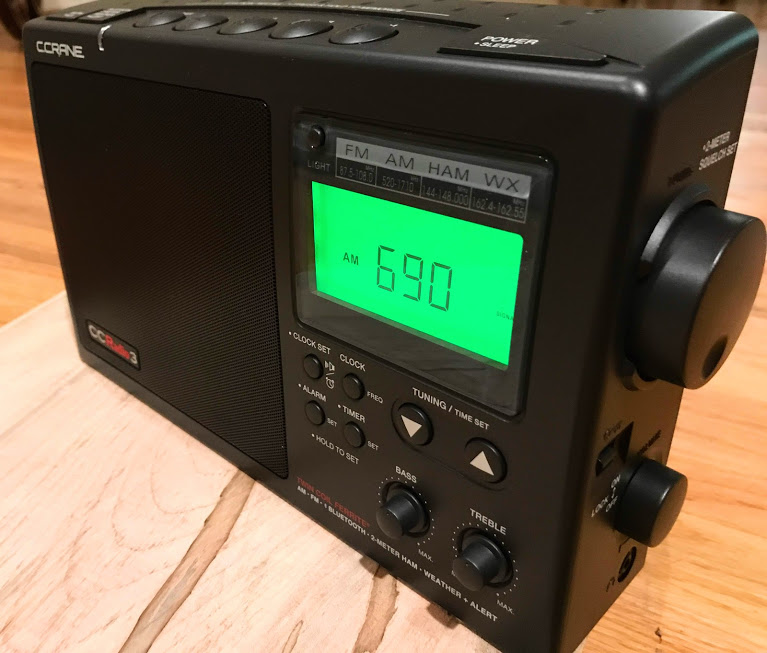
What’s new with the CCRadio3? The major upgrade is the addition of Bluetooth connectivity. In fact, that’s the only obvious upgrade other than the fact you can now toggle between AM/FM band rather than scroll through all the bands on one band button.

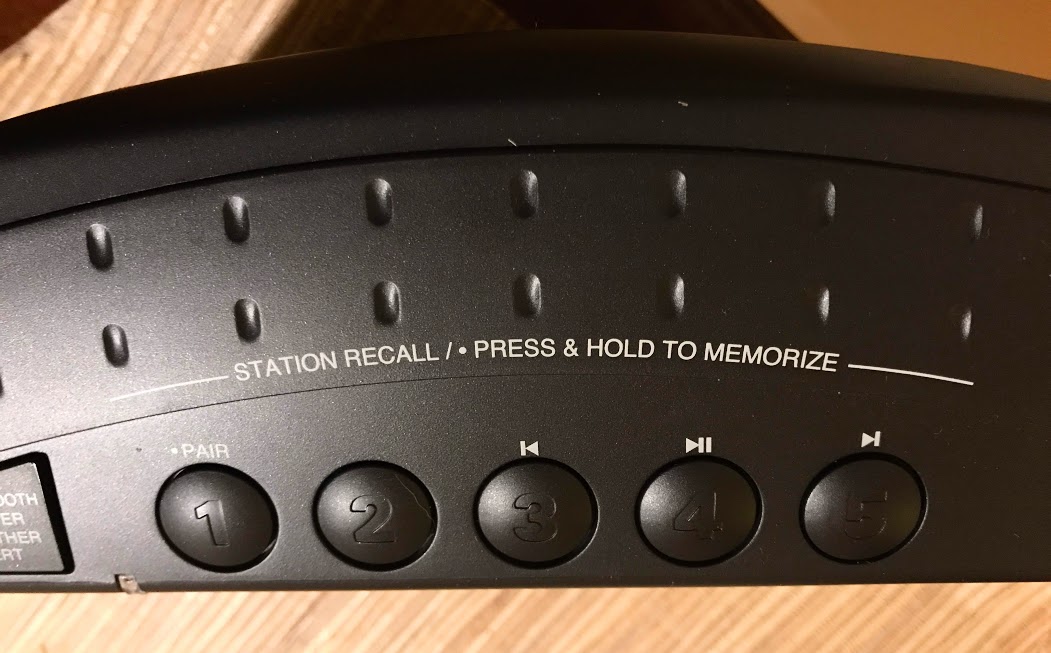
With Bluetooth connectivity, you can pair with your smart phone, tablet, laptop, PC or any other Bluetooth device, and use the CCRadio3 as your Bluetooth speaker.

How many radios do you know that include simple operation instructions on the chassis? Very simple.

The pairing is incredibly simple and Bluetooth connectivity most impressive. I find that no matter where I go in my house, the CCRadio3 maintains a solid Bluetooth connection with my iPhone. Most of my other Bluetooth devices will lose connectivity if I put a couple walls between my iPhone and the receiver, but not the CCRadio3.

Audio

The internal speaker on the CCRadio3 provides room-filling audio with clear, rich fidelity. The separate bass and treble controls do help tailor the sound based on the audio source. It reproduces music brilliantly in FM and Bluetooth modes.

2 Meter Ham Radio Band

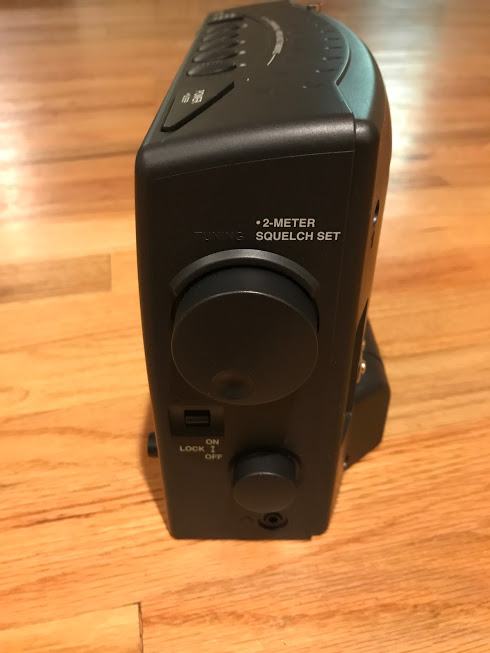
One unique feature of the CCRadio series is 2 meter ham band reception. This is a great way to monitor local amateur radio repeater traffic.

In truth, I’ve spent comparatively little time with the CCRadio3 on 2 meters thus far, having focused instead on the AM/FM and WX bands, but I have verified that I can receive local repeaters and the squelch functionality is quite effective.

I’ll spend more time on this band in my upcoming full review.

Weather Radio (WX) Band

The CCRadio3 can receive all seven NOAA/Environment Canada radio frequencies.

And here’s something that really surprised me: this pre-production CCRadio3 has the best weather radio reception of any radio I’ve ever tested to date. Normally, at my home, I can receive two NOAA stations with the average weather radio. The best of my weather radio receivers might hear a total of three. The CCRadio3, with antenna fully-extended, can receive five NOAA stations! I can almost WX DX with this rig!

I’m so pleased C. Crane places an emphasis on WX band performance. Their CC Skywave and CC Skywave SSB also have best-in-class weather radio reception.

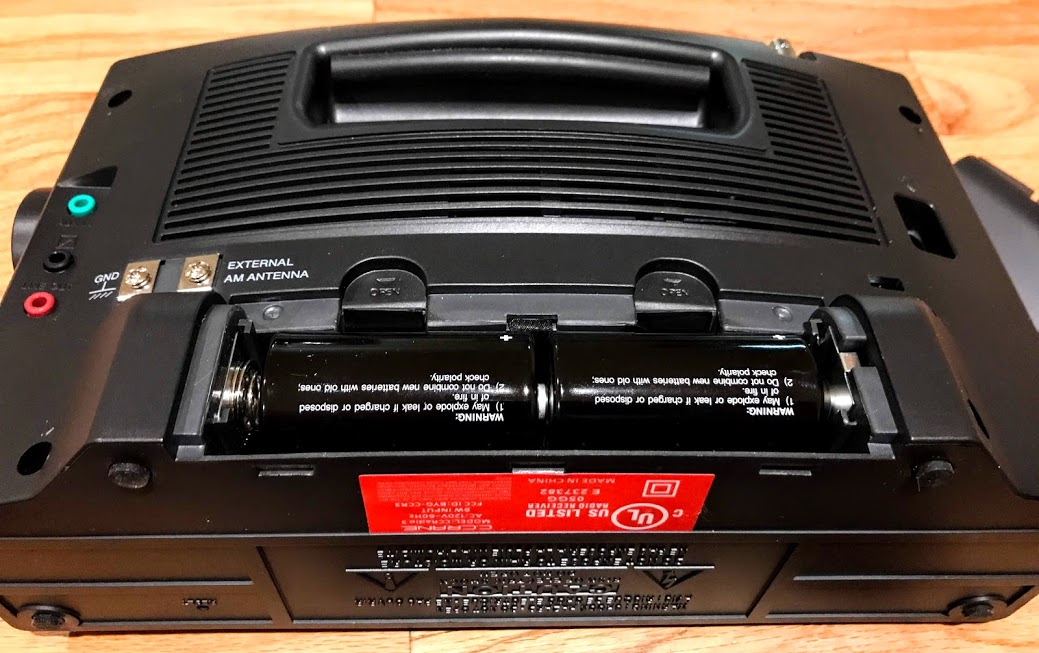
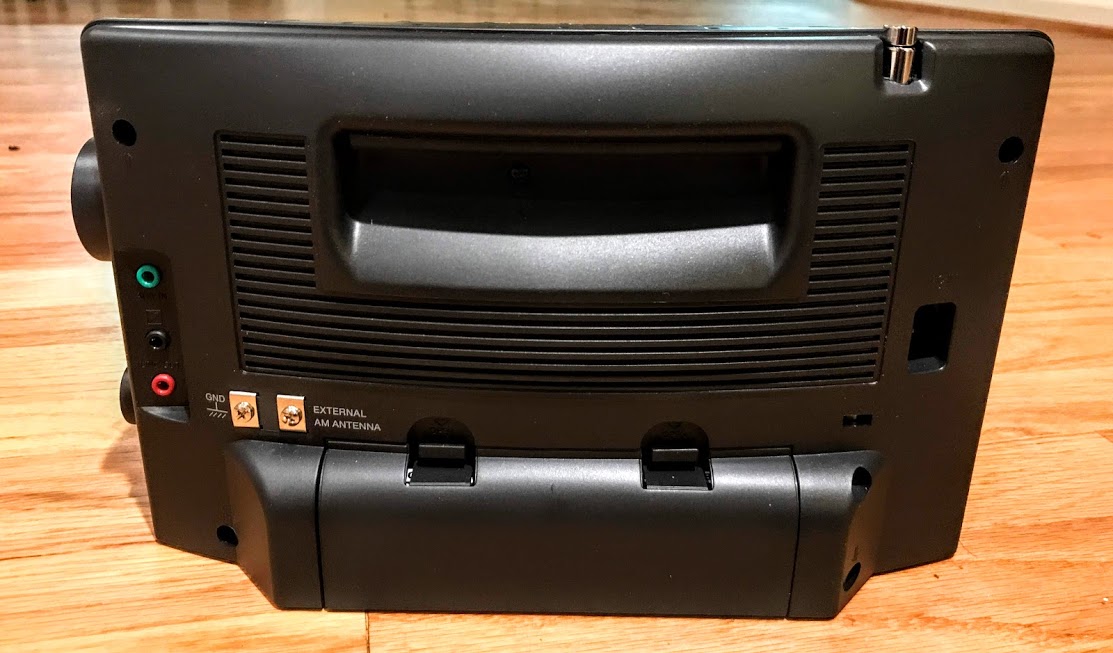
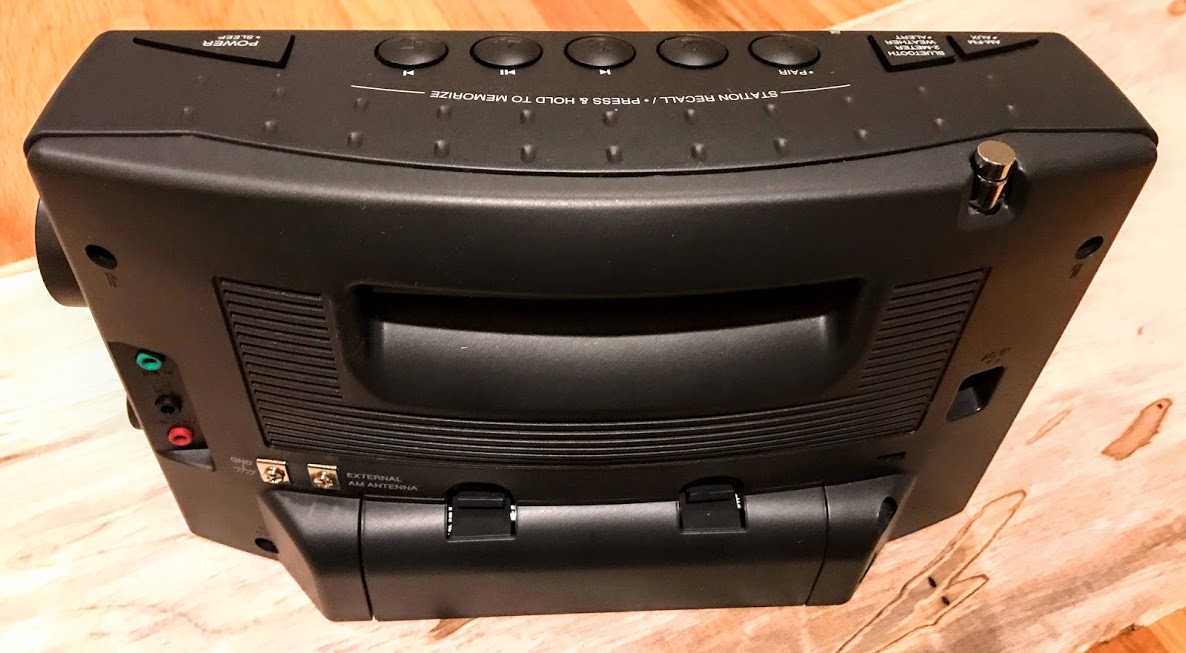
Like the CCRadio2E, the grab handle is built into the back of the radio.

The CCRadio3 uses four D cells for battery operation which should yield about 120 hours of AM broadcast listening at moderate volume.

FM

Thus far I’m very pleased with FM performance. I’ve noted that the CCRadio3 receives all of my local and distant benchmark stations with ease. I believe it would certainly be an FM benchmark receiver. As I mentioned earlier, audio fidelity is excellent via the internal speaker.

AM/Mediumwave

I consider the CCradio3’s predecessor––the CCRadio2E––to be one of the finest AM broadcasting listening portables currently in production. I’ll admit that when I heard the CCRadio3 added Bluetooth, I feared somehow that would equate to possible noise somewhere in the audio chain…Fortunately, this fear was entirely unfounded. In fact, looking at the CCRadio3 announcement, I note that C. Crane took this concern seriously:

“The CCRadio 3 is one of the few high-performance radios with Bluetooth® that has no detectable noise and some of the best reception available.”

When I first turned on the CCRadio3 and tuned to the AM band, I did what I always do when testing mediumwave performance: In the early morning, as the sun was rising (i.e., grey line propagation), I tried to pull my benchmark station––WAIZ, a 1,000 watt station about 95 miles away as the crow flies––out of the muddle. The CCRadio3 was able to do it; in fact, I could hear the station’s morning crew doing their “Wacky Wake-Up” shenanigans. Turning the radio body, I also gathered, rather quickly, that the CCRadio3’s Twin Coil Ferrite Bar antenna does an excellent job of nulling out unwanted stations.

An impressive start of the evaluation.

Comparing the CCRadio3 with Panny RF-2200

Looking around SWLing Post HQ, I picked up my recently re-capped and refurbished Panasonic RF-2200. I wanted to see how the CCRadio3 would stack up against what I consider one the finest AM broadcast portables ever produced…

I’ve tested the CCRadio3 and ‘2200 at various locations––in the morning, midday, and at night––and can say that not only does the CCRadio3 give the RF-2200 a run for its money, but it even outperforms the RF-2200 at times, in terms of weak station intelligibility.

In fact, I think the CCRadio3 may possibly have a very slight edge on the RF-2200 in terms of sensitivity, as well.

However, note that there are two factors that make this comparison a tough call:

  • First of all, I find that the RF-2200’s AGC is smoother than that of the CCRadio3––the peaks and dips in audio are not as strong when listening through AM flutter. Most of the time, this makes it a little easier for me to discern weak signal audio. I believe the CCRadio3’s AGC and soft mute may be making the troughs in AGC a little deeper, as well. It would be amazing if C. Crane could allow users to disable soft mute like recent Sangean models have.
  • Secondly, the RF-2200 has two AM bandwidth settings: narrow and wide. I almost always use the RF-2200 with the wide bandwidth setting. I find the narrow filter is a little too narrow unless I need it to block an adjacent signal.  In general, I use wider AM filter settings than many DXers because I find that the filter between my ears does a better job of discerning signals with a little more audio information.

The CCRadio3 has only one bandwidth. I’m guessing––based purely on my listening experience––that it’s 4 to 6 kHz in width.  (I’ll try to confirm this with C. Crane).   Obviously this is narrower than the RF-2200’s wide filter. In side-by-side comparisons, the RF-2200’s AM fidelity therefore sounds much richer, especially when music is involved.

That this is so really shouldn’t be a surprise, as the Radio3 and its predecessors were designed around spoken word intelligibility––in other words, making it easy for the listener to understand what’s being said. And, frankly, it works. Most of the time, I find that the CCRadio3 does a better job of making weak signals “pop” out of the static. It’s a little easier catching weak signal station IDs with the CCRadio3, even if you have to listen through a more active AGC/soft mute tug.

So…is the CCRadio3 (at least, this pre-production unit) better than the RF-2200 at weak signal DXing? In some respects, yes. In others, not quite. Yet the fact that it can even compare with the RF-2200 speaks volumes…no pun intended. I would have never guessed that it would have a sensitivity edge on the RF-2200.

Of course, the CCRadio3 has both AM antenna and ground terminals.

I made a few early afternoon videos comparing the CCRadio3 with the RF-2200. In the first video, I’m tuned to a station approximately 20-25 miles away. You’ll note how the RF-2200’s audio fidelity, with the wide filter engaged, is hard to match:

Click here to view on YouTube.

In the second video, I’m tuned to 1290 AM (WHKY), a 50,000 watt station about 95 miles away. [Note that I erroneously give an inaccurate mileage figure in this video; not sure what I was thinking!  Sorry about that, folks.]

Click here to view on YouTube.

In the third video, I’m tuned to 630 AM (WAIZ), again, a 1000 watt station about 100 miles away. As you can imagine, it’s very weak and both radios struggle to receive any intelligible audio through the ocean waves of fluttering radio jumble. [Again, please ignore the distance I give in the video; this station is actually a little over 95 miles away.]

Click here to view on YouTube.

I also did a late afternoon comparison video around sunset using one of my favorite AM radio stations ever: CFZM in Toronto–about 980 miles distant. Here’s the video:

Click here to view on YouTube. 

In these video comparisons, the radios are nearly side-by-side.  I found this had little to no effect on reception. When comparing these radios off camera, I had them spaced at least 40″ apart and always, of course, oriented the antennas identically.

Conclusion

Again, this is merely a preview of the pre-production unit of the CCRadio3. I thought I’d touch on reception and a few of the key points that might help some of the CCRadio3’s early adopters make a purchase decision. I have yet to do testing with headphones or external antennas and still wish to compare it with even more radios, to make my review as thorough as I’d like.

And I’m really looking forward to reviewing the production unit of the CCRadio3, because this pre-production receiver has certainly surpassed my expectations!

This latest iteration of the CCRadio should remain king of AM radio reception, compared with any other portable radio currently in production.

C. Crane has announced that they have a very limited number of first-production-run units available for order right now.  If you order one, use the coupon code CC3B19 at checkout, so that, as the above ad suggests, you can snag it for $179.00–$20 off the future retail price. I suspect this first run will sell out fast.

Click here to check out the CCRadio3 product/order page.
Eager for the full review of the C. Crane CCRadio3? Stay tuned!


Do you enjoy the SWLing Post?

Please consider supporting us via Patreon or our good old Coffee Fund!

Your support makes articles like this one possible. Thank you!

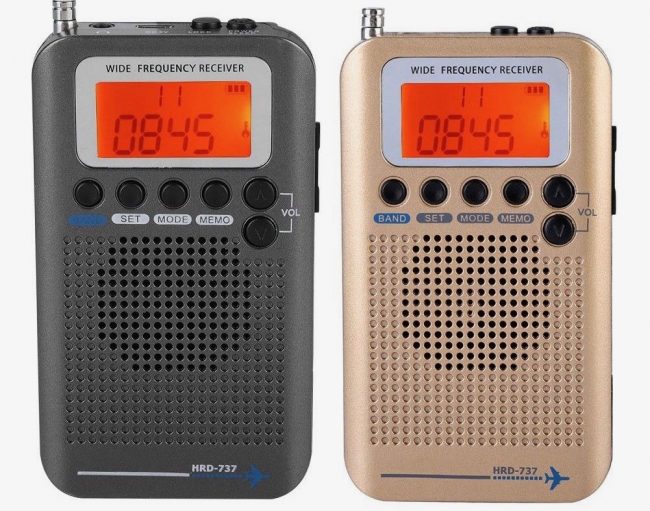
Critical reviews of the $37 HanRongDa HRD-737 shortwave radio

Many thanks to SWLing Post contributors Glen and James Fields who shared their experience after  publishing a post about the HannRongDa HRD-737 portable radio.

Glen writes:

I received one Saturday I had ordered from Aliexpress. In one word, avoid. The performance is really terrible everywhere except the FM broadcast band. Reception there is OK, but it is prone to overload more than my other radios. Aircraft reception is terrible. Only very strong shortwave signals are present. Same with AM broadcast. VHF performance is abysmal. To illustrate, my closest NOAA transmitter is so strong it trips the “close signals” quick scan in my Whistler TRX-1. On the HanRongDa, the NOAA signal is present, but it’s weak. All my other weather band receivers can get signals on all 7 frequencies. The HanRongDa hears only the very close one. This is easily the worst receiver I’ve ever gotten. Perhaps it’s defective. Eager to hear experiences from anyone else.

James Fields writes:

Received mine yesterday. Have only tested in my office which is a challenging, RFI-rich environment, so trying to withhold final judgement. However so far my experience matches Glen’s. Can only pick up the strongest shortwave signals. MW AM so far terrible. FM broadcast passable but not at all remarkable, and most stations have a LOT of hiss in the background. Have yet to pick up AIR band transmission on frequency that I can get on every other receiver I have. Nothing on CB yet. Cannot receive any NOAA frequencies, including two that I get solidly on other radios. Interestingly I can receive local police dispatch frequency pretty well.

Construction is pretty cheap.

Positives? I got mine for $37 shipped from a reseller on Ali Express . If I had paid over $40 I would feel worse about the value. And it really is a shirt-pocket portable. Super small and light.

At this time I cannot recommend this for anyone, for any purpose.

Thank you for sharing! I think I’ll pass on the HanRongDa HRD-737!