Tag Archives: Software Defined Radio

Using and setting up the Alinco DX-R8T/E receiver as an SDR (software defined radio)

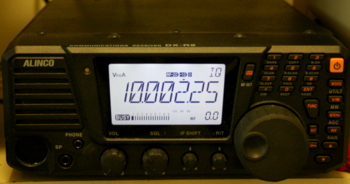
The Alinco DX-R8T (DX-R8E in Europe) can be used as a traditional tabletop or as a software defined receiver

Some time ago, I posted a review of the Alinco DX-R8T–a surprisingly capable, flexible and affordable dedicated tabletop receiver.  In that review, I explored its capabilities as a tabletop unit, and was favorably impressed.

But I knew then that one of the virtues of the DX-R8T is that it’s more than a typical tabletop:  the control head (or, front panel) can literally be detached, and with an extension cable, can be moved as far away as 16 feet from the rest of the receiver. Also, with the optional ERW-7 cable and a shielded audio patch cord, you can connect the Alinco to your PC, converting it to a software-defined radio (SDR).  Just to be fair, I wanted to further check out this alternative operation mode, and review it independently.

I’ve recently had an opportunity to explore the Alinco DX-R8T/E as an SDR, and here’s what I’ve discovered.

As it took some time to figure out how to get KGSDR, the Alinco control software, communicating with my DX-R8T, it’s fair to state that the Alinco’s SDR functionality is not exactly “plug-and-play.”  Nor does Windows seem to find the USB driver automatically.  You must download a USB driver for your computer, as well as download KGSDR from external sites.  It’s also important to note that the Alinco website is not easy to navigate–at least, the relevant links are somewhat buried in large portions of site content.

When I first attempted to set up my receiver as an SDR, I had to use a combination of the printed owner’s manual, the Alinco website, external sites, and simple determination.

Before reviewing the actual performance of the Alinco DX-R8T/E as an SDR, I’ll simplify setting it up as an SDR with a step-by-step process, below. (I wish this was clearly outlined in the owner’s manual, however.)

How to convert your Alinco DX-R8T/E into a Software Defined Receiver
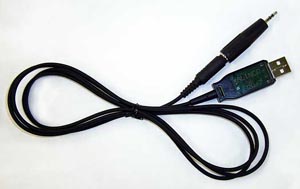
The ERW-7 is the cable that connects your Alinco DX-R8(T) to your computer.

1.) Connect the ERW-7 cable and download the  driver

The ERW-7 is the USB cable that connects your Alinco DX-R8T with your computer. Specifically, it allows your computer to tune and control the DX-R8T; it does not carry audio. If you wish to have full control of your receiver via your PC, you will need to purchase the ERW-7.

You simply plug one end of the cable (the one that looks like an 1/8″ audio connector) in the “clone” port on the back of your Alinco, the other end into an available USB port on your computer.

The download page–at FTDI Chip, the manufacturer of the Alinco cable–has versions of the USB driver for most OS platforms. If you have Windows, you can save a little time by downloading the USB setup tool that will attempt to automatically load the USB driver. Otherwise, you can download and manually install the drivers for the Windows 32 bit version or Windows 64 bit version.
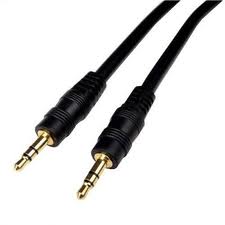
You will need a shielded audio patch cord with 1/8″ stereo plugs on both ends

2.) Connect an audio patch cord

The Alinco DX-R8T/E sends the received IQ signal to your PC via a shielded audio patch cord. This is a standard audio cable that you can purchase at most electronics retailers. It needs to have 1/8″ stereo connectors on both ends, and it must be shielded.

One end of the patch cord is plugged into the IQ port on the back of the receiver, the other is plugged into the microphone input on your computer.

3.) Tell your DX-R8T/E to send the IQ audio to your computer
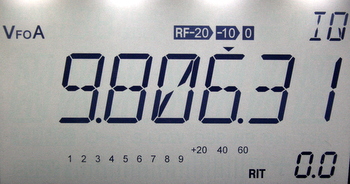
Your computer will need to “hear” the IQ (spectrum) audio produced by the Alinco DX-R8T/E. The receiver will only send the IQ audio to your computer if you tell it to do so. Fortunately, this is easily done:  simply press the MODE button on the front panel of your receiver until FM appears. Then, simply press the FUNCTION button, then the MODE button.  Your Alinco should now display “IQ” on the main display. You can feel confident the audio is now being sent to your PC.

4.) Install KGSDR

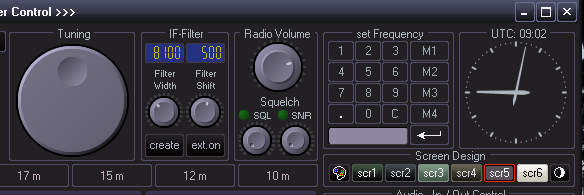
The KGSDR controls are very similar to those of the Ten-Tec RX-320D

KGSDR is a software-defined radio application built specifically for the Alinco DX-R8T/E receivers. A third-party software developer maintains the download page for the KGSDR. Click here to download the setup software for Windows. (If this link doesn’t work, you can also download a zipped copy by clicking here.) To my knowledge, there are no updates to the software–as of time of this post, the current version is 1.0.0.

Installation is simple and only requires that you extract the contents of the zipped folder, then run the KGSDR executable file.

If all has been installed correctly, and the IQ signal is being sent to KGSDR, then you should be able to hear the received audio via your computer.

I have actually installed KGSDR on three different computers. On my laptop, I had to troubleshoot and tweak the settings to get KGSDR to work. On the other two computers, it worked the first time.  All of them were running a 64 bit version of Windows 7.

Troubleshooting tips

If you change the tuned frequency on KGSDR from, say 5,000 kHz to 10,000 kHz, but your Alinco receiver does not change frequencies (it still displays the centered frequency on the front panel), then the USB driver has not been installed or configured properly.

If the receiver tunes, but the audio is garbled or non-existent, you will need to check the audio cord connections. First of all, make sure it’s plugged into the microphone input on your computer (not the speaker/headphone port!) and the IQ port on the back of the Alinco. You cannot plug the patch cord into any other port port on the DX-R8T/E. The plug will fit in the headphone jack, for example, but the IQ port is the only one that sends interpretable analog information to your PC.

Review:  the Alinco DX-R8T/E as an SDR
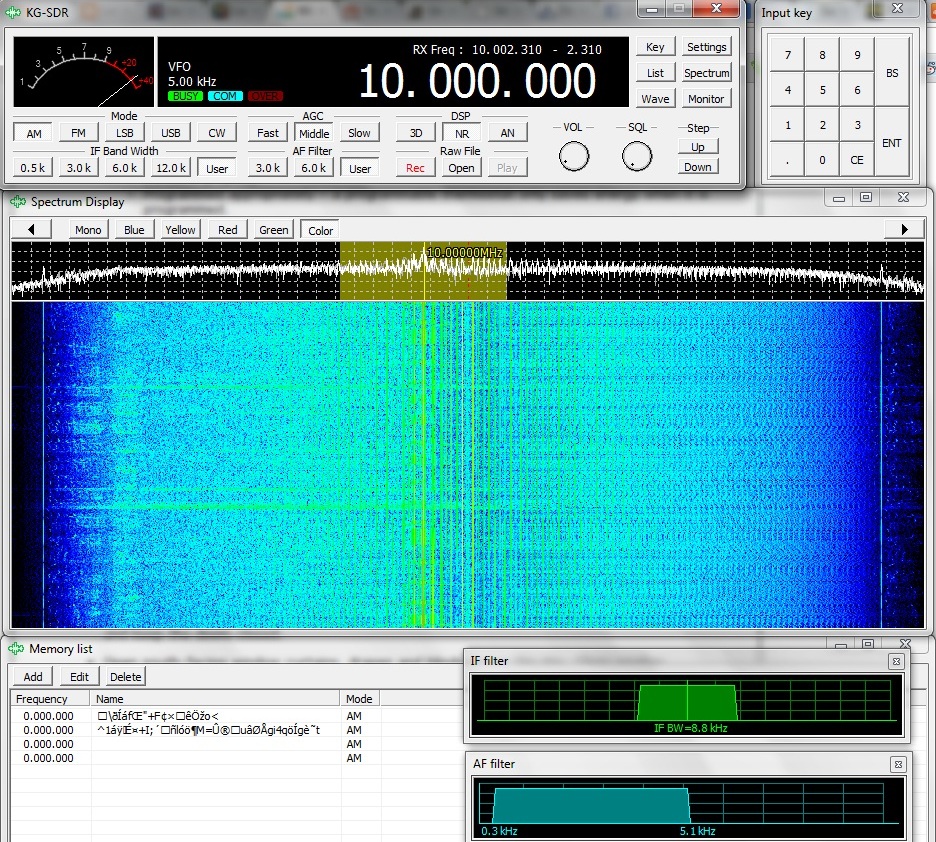
KGSDR comes with a spectrum and waterfall display (Click to enlarge)

I have read reports of people achieving remarkable results with their Alinco functioning as an SDR…I wish I could report the same.

While the Alinco DX-R8T/E is a very capable tabletop receiver, I find that the SDR functionality adds very little, performance-wise. In fact, in many respects this function seems to compromise the performance of the DX-R8T/E. Still, there are some positives:

Pros

  • Affordable – the EWR-7 USB cable is about $45 US, and you can easily buy a shielded audio patch cable for under $10. For about $55 US, you can unlock the SDR functionality of your receiver.
  • With KGSDR, you can see a bit of the surrounding spectrum on a waterfall display
  • KGSDR is a very lightweight program, not likely to tax even older PCs.
  • KGSDR allows for variable filter control–a true compensating factor since the DX-R8T/E only has a wide/narrow filter on AM (see review)
  • You get the basic benefits of typical SDR receivers:
    • Spectrum/Waterfall display
    • Recording at the push of a button (.wav only)
    • Practically unlimited memory slots
    • With practice, you can import frequency databases
    • A basic DSP filter
  • Simple “lightweight” application that should work on any Windows-based PC (see con)
  • With a DRM decoder, you will be able to receive and decode DRM transmissions (see con)

Cons

  • Performance is underwhelming–not as good as the DX-R8T as a stand-alone tabletop receiver
    • Images of strong stations several kilohertz above the source
    • DX-R8T/E sensitivity is somewhat compromised in SDR mode
    • Selectivity is mediocre
  • Audio patch cord transfers computer/shack RF noise more easily than SDRs which use a digital IQ output via USB
  • Audio fidelity, in general, is not as good as the stand-alone receiver will provide
  • KGSDR has only the most basic of SDR features
  • KGSDR does not allow the spectrum display to be expanded vertically
  • Requires tweaking and repeated efforts in order to function properly
  • Owner’s manual and website are confusing and lack vital information about the installation and trouble-shooting process (hopefully our guide above can help the average user)
  • DRM mode is not native; you will have to use a program like DREAM (see pro)

 Summary

So, is it worth it?  Well, yes––and no.

Yes

If you have $55-60 US dollars to spare, it’s a real bargain. I believe the extra SDR features  and functionality are worth the price. I have not yet tested this in a DXpedition setting, where there are a limited number of RF noise-producing devices around. If you have an RF-“quiet” location in which to use the Alinco as an SDR, you may find you have better results than I describe above.  I imagine you will still suffer from some imaging of stronger signals, however.

Plus, KGSDR is so lightweight, I believe you could use it on a netbook. Moreover, I have heard of owners who’ve actually used other open source SDR applications to drive the Alinco DX-R8T/E.  Additionally, though I have not yet tested it, N4PY makes a software controller that would be far superior to the KGSDR–I base this on the fact that N4PY’s RX-320D software was such an improvement over the standard OEM package.

No

If you wish to enhance the performance (not features) of your Alinco DX-R8T/E, I do not think it’s worth it to put your Alinco into service as an SDR.  Again, I find that it somewhat compromises the performance of what is otherwise an excellent tabletop radio.

If, like me, you have other SDRs in the shack, you’ll find that you’ll seldom use the Alinco as an SDR. Your other digital IQ-based receivers or IF receivers will most likely run circles around it.

Thanks, Alinco

I think it’s pretty cool that for under $500, you can purchase an excellent tabletop receiver like the Alinco DX-R8T/E. Its price tag is significantly lower than its top two competitors (the Icom R75 and Palstar R30A). Still, even with this price edge, Alinco added bonuses like a detachable face plate and SDR functionality, making this a “Swiss Army Knife” of a receiver. So, again,I’ll say…thanks, Alinco!

What do you think?

If you are using the Alinco DX-R8T or E as an SDR and feel you are achieving better performance than I’ve described, or would like to share any other thoughts/suggestions, please comment below. Note that my Alinco is a very early-release–perhaps from the first production run. It is possible that some of the issues I mention above have been resolved  in later production, or that I simply have not finished properly tweaking settings.  I await your responses!

 

Advances in Software Defined Radios could (will) change our wireless world

(Photo Source: New Geography)

Note that I’m not speaking strictly of the HF spectrum here. But mark this:  a radio revolution is, right now, in the making. ARS Technica just last week published an article entitled, “How software-defined radio could revolutionize wireless” in which the authors argue that software defined radios (SDRs) might not only open the door to new uses for our radio spectrum–uses we can’t currently fathom!–but also open the door to unlimited free innovation.  Innovation in the form of experimental hacking, much of which could simply fall below or outside of the FCC and other spectrum governing bodies, could become the province of literally anyone who wants to give it a go.

The article takes the reader through the evolution of SDRs and introduces a company manufacturing a product that could be to the radio spectrum and wireless communications what Apple became to personal computing.

I typically quote my favorite parts of an article, but this one is so very well-written and comprehensive, you really will want to read it in its entirety.  Click here to read, “How software-defined radio could revolutionize wireless“–and let your imagination take flight.

A Review of the Bonito 1102S RadioJet 24 bit IF Receiver

Bonito’s Dennis Walter at the Bonito booth in Hara Arena at the 2012 Dayton Hamvention

At the Dayton Hamvention this year, I met Dennis Walter, who is with Bonito, German manufacturer of the 1102S RadioJet. Dennis was kind enough to loan us a radio for review on SWLing.com. I have been evaluating the Bonito 1102S RadioJet over the course of eight weeks and have formed some impressions about its performance. And while I haven’t made any A/B comparisons yet with either the Microtelecom Perseus or the WinRadio Excalibur–both on my review table at the moment–I have taken the time to get to know this lean, high-performance IF receiver.

First impressions

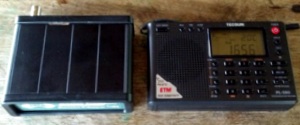
The RadioJet box (left) is about the size of the highly portable Tecsun PL-380 (right)

When I first held the RadioJet, I was amazed at how small and sturdy the unit is. It’s built quite well; I expect you would have difficulty putting a dent in its aluminium body. It has a very small footprint on the desktop and fits very easily in my suitcase. Specifically, the RadioJet box is about the size of the highly portable Tecsun PL-380—in fact, the PL-380 is slightly wider than the RadioJet.

And though I knew about this feature in advance, what really stands out is its lack of dependence upon a power cable or a DC-in jack on the back of the unit.  Indeed, the only two connections are a USB port and a female BNC connector for the antenna. The RadioJet derives its power directly from the USB cable. This is a major plus, providing additional freedom, as there’s no need for an external power supply or “wall-wart” type DC adapter. With the radio and USB cord, you’re ready for radio on-the-go—as I was on my recent DXpedition family vacation, when I reviewed the RadioJet.

Plug and play

Installing the RadioJet is very simple. You simply plug the receiver into your computer via the supplied USB cable, then install the RadioJet software via the supplied installation disc. As far as I know, the RadioJet software only works with Windows PCs. I tested the RadioJet with my Toshiba Satellite 64 bit Intel core i3 laptop computer.

I had no difficulty getting the RadioJet running.  Indeed, it worked after the first software install. In my experience, it was true plug-and-play.

Is the RadioJet an SDR?

To be clear, the RadioJet is technically not an SDR, it is an IF receiver, more like the Ten-Tec RX-320D. I’ve certainly been guilty of calling it an SDR in the past as it’s easily to lump it in the same category. Within this review, I do compare RadioJet features with SDRs currently on the market since it is software (PC) controlled, has many of the same features as an SDR and directly competes with them.

Software and Usability

Unquestionably, the Bonito 1102S RadioJet’s software offers the most flexibility of any Software Defined Radio (SDR) or IF receiver I’ve ever reviewed.

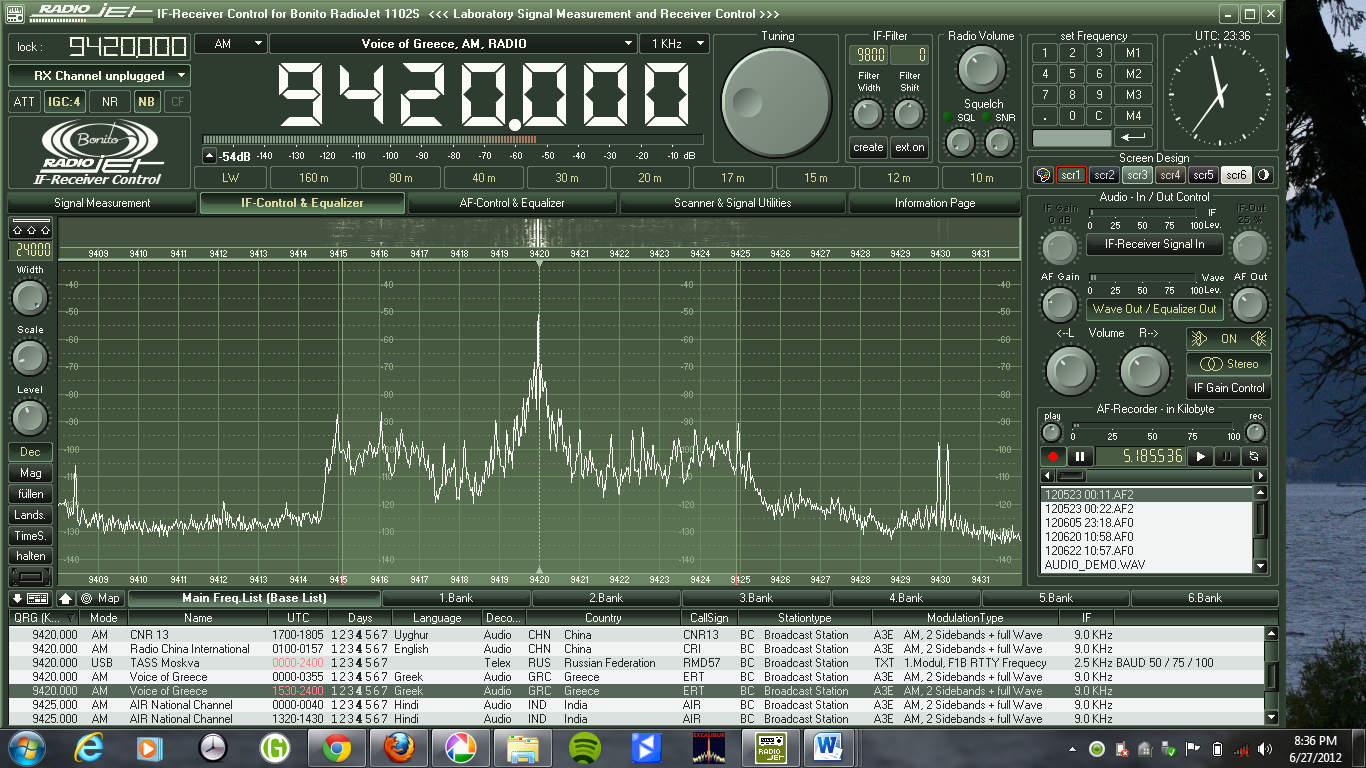
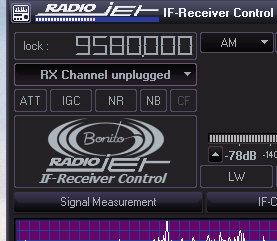
A screen capture from my Toshiba Satellite Windows 7 laptop (click on image to enlarge)

Having used several SDRs and IF receivers–including the Microtelecom Perseus, Ten-Tec RX-320D, RFspace IQ and WinRadio Excalibur—I can state that the basic functions of the RadioJet are comparatively easy to locate.  The graphic user interface (GUI), however, could appear somewhat complicated, particularly if you are new to software based receivers.   While I like options and the ability to customize a user interface to best match my preferences, having a GUI that is both highly-adaptive and full-featured can be a double-edged sword until you become accustomed to it.

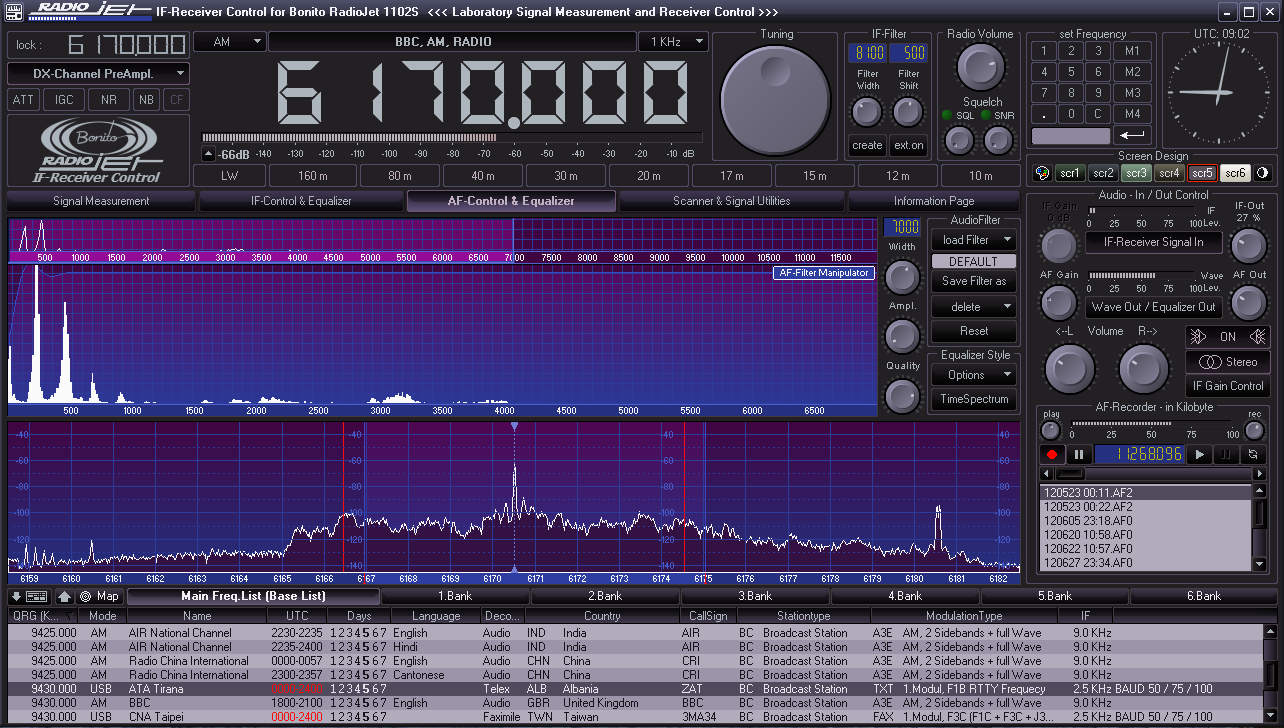
On one hand, you can customize the RadioJet GUI more completely than any other SDR I’ve ever used:  you can change the window size, layout, spectrum display, and color palette; you can also load pre-designed screens to help with signal measurement, IF control, and AF control.  Indeed, the RadioJet’s designers have also included a unique “Scanner and Signal Utilities” screen for working with utility reception.

On the other hand, there is a learning curve in both customizing the GUI and familiarizing yourself with the radio’s controls. This is why I wish the RadioJet had a proper owner’s manual. Early in my experience with the unit, while making setting modifications during a broadcast, I found I could lose my place within the control settings or accidently alter a setting that would result in degraded reception (such as the WAV volume, AGC, DSP or attenuator).  I thought that the RadioJet was malfunctioning, only to discover that I had a setting adjusted incorrectly.  Note that Bonito’s online support, however, has been very responsive in helping me when this happens.

The RadioJet GUI is the most flexible and adaptable of any software radio I’ve used

Fortunately, Bonito is fully aware that many listeners could be overwhelmed by the various options the RadioJet offers, and have designed the GUI so that if you minimize the window (as you would any Microsoft Windows “window”), only the basic receiver options will display.

The only major drawback I’ve observed with the RadioJet, as fellow reviewer Fenu mentions in his comprehensive review, is that its software still has a few trouble spots to be ironed out.  This is not surprising, considering that is very new to the market. To be clear, software is a very important part of an SDR or IF receiver’s usability: after all, its interface is software defined. An SDR or IF receiver without the software is merely a small paperweight–but with it, becomes highly functional radio with a performance that can be enhanced with upgrades over time.

The success of the RadioJet over time will be directly tied to the responsiveness of Bonito to customer feedback. Like Fenu, my experience with Bonito is quite encouraging in this regard—Bonito has even provided remote desktop help sessions for individuals, and I can personally vouch that I’ve benefitted from this support. Bonito also closely attends to discussions on the RadioJet Yahoo Group, indicating that the company is listening to their customers. Bonito has been updating the software regularly—in fact, they’ve just added a noise blanker to the software which, I hear, effectively deals with electrical pulse noises like those produced by electric fences.

Tuning around

Though not required, if you don’t already have a mouse with a scrolling wheel, you will want one to tune and adjust the RadioJet. Band-scanning is pretty straightforward and there are a variety of methods to adjust the frequency:

  • Hover your mouse over the tuning knob and click to rotate clockwise or counter-clockwise
  • Hover over the digital frequency display and use the mouse scroll wheel to adjust each digit of the frequency up or down
  • If the display is expanded, there is also a number pad where you can click on each number to adjust
  • In the current revision of the software–much like with the Perseus–you cannot directly key in the frequency with the number pad of your computer

With the scroll wheel of the mouse, you can easily adjust most settings and filter controls of the RadioJet. It acts, in a sense and in most cases, as a proxy for a tangible knob you would have on a traditional radio. I imagine there are other (perhaps even better) peripherals that would work, too.

I do find the controls a bit frustrating to manipulate if you do not have at least a mouse with a scrolling wheel. I did not bring a mouse on my recent DXpedition and later regretted the decision. The track pad on my Toshiba laptop does not offer the accuracy and scrolling features needed to fluidly operate the RadioJet GUI.

Recording

The RadioJet audio recording and playback panel

Unlike a lot of SDRs on the market, the RadioJet does not have the ability to record large chunks of HF spectrum. For example, the WinRadio Excalibur and Microtelecom Perseus can record 2,000 kHz of spectrum; the RadioJet, however, is limited to 24 kHz. I asked Dennis at Bonito about this and he said that when designing the RadioJet the designers focused on the performance of the received signal and the radio’s overall efficiency rather than upon having a wide IQ output.

Bonito is catering to the discriminating DXer who is seeking the highest quality signal upon receiving, even among weak signals, but who is less interested in spectrum recording. Personally, I like to record and archive spectrum, but I do appreciate this focus upon delivering the best possible received signal, even with a very modest computer. Indeed, unlike most other SDRs on the market, the Bonito 1102S RadioJet reportedly works well on Netbooks with Atom processors. I can say that my Intel Core i3 laptop runs the RadioJet beautifully. I do plan to try the RadioJet on my netbook soon, as well.

RX and DX modes

One unique and highly-promoted feature of the Bonito 1102S RadioJet are the RX and DX “Channels” or operating modes.  On the Bonito site, they show an example of a very weak signal showing up on the spectrum display, almost totally hidden in the band noise. When the user switches to the “DX Channel,” however, the noise floor drops and the received signal pops out, and becomes armchair listening.

Here is the video:

I have found that the DX Channel is indeed very effective at pulling a weak signal out of the noise. The RX Channel, on the other hand, does an even better job of receiving stronger broadcasts signals. The channels appropriately balance AF and RF gains along with the raw IQ to deliver the receiver’s very best under prevailing conditions.

The RadioJet RX/DX channel selection panel

I find that I switch between the two channels rather frequently, and tend to do so manually. There is a setting in which the RadioJet will automatically determine what settings should be used to best hear the target broadcast—it switches very quickly between the RX and DX Channels and even makes small adjustments to the AGC and other settings.  Though quite effective, I still prefer to manually adjust these features to enjoy greater control of them.


Digital Radio Mondiale (DRM)

This is perhaps one of the most fluid and flawless features of this radio.  Though I have not had an opportunity to record DRM yet, I have decoded several broadcasts with great success (REE, Vatican Radio and RNZI).

In fact, if you are looking for a an excellent DRM receiver, the RadioJet may be your best bet.  Unlike many SDRs on the market, the RadioJet decodes DRM natively:  in other words, you simply tune to a DRM signal and change the mode from AM to DRM. That’s all. Your software already has a built-in, paid-in-full decoder (no need for a costly plugin or DREAM license). It’s the best implementation I’ve ever tried.

Summary

When I begin a radio review, I keep a checklist of pros and cons as I discover them. In this way, I can remember my initial discoveries.

Here’s my list from the Bonito 1102S RadioJet:

The RadioJet derives its power from the supplied USB cable, the only two connections are the USB port and the antenna (BNC)

Pros:

  • Excellent sensitivity and selectivity
  • Low noise floor
  • Excellent DRM implementation
  • Customizable filters—some can actually be hand-drawn with the computer mouse to accomodate received signal conditions
  • Though I haven’t done an A/B comparison with the Perseus yet (coming soon!), but like Fenu, I expect the sensitivity and selectivity to be very similar
  • Operates without a separate, external DC power supply
  • Software and GUI are extremely customizable—the most flexible and resizable I have used (see con)
  • Audio fidelity, once adjusted, is excellent
  • Two modes of listening (RX and DX channels) allow for either manual or automatic settings for strong or weak signals (see con)
  • Technicians and support representatives from Bonito have been responsive to customer requests and feedback
  • Software updates are frequent and occasionally include new features
  • Since the RadioJet doesn’t use or have to process wide IQ, (see con) its 24 kHz bandwidth targets one broadcast and places emphasis on clean RX performance
  • Doesn’t require robust PC processing power, will even run smoothly on a netbook (per manufacturer—though I will test soon)
  • Scroll wheel on a standard PC mouse acts as a nice proxy for the many control knobs on the RadioJet GUI (see con)

The RadioJet software even has a unique map display of broadcasting schedules

Cons:

  • Software has some bugs and is not yet fully mature
  • Software and GUI are so customizable that they reqire a learning curve—could be a negative for SWLs seeking simpler functionality (also see pro)
  • No IQ output like the Perseus, WinRadio and RFspace SDRs, which allows for wide spectrum recordings (also see pro)
  • Software occasionally crashes
  • Sometimes when switching between RX and DX Channels, WAV volume settings are altered and not returned to original settings, resulting in a “splattered” or “hot” audio sound
  • Software controls are frustrating to use without a mouse—or by using a laptop track pad only (see pro)
  • Lack of a proper owner’s manual

Final thoughts

Overall, I like the Bonito RadioJet; I would certainly recommend it for the shortwave radio listener and DXer, especially one who wants:

  • raw performance
  • flexibility
  • portability
  • robust receiver control software package
  • good value for performance

I would also recommend the RadioJet to those who don’t want a receiver to task their computer’s processor excessively.

If you are looking for a mature, simple software defined radio—or if you need wide spectrum recording–you may want to check out a true software defined radio (SDR) from WinRadio, RF Space or Microtelecom.

In my opinion, the only drawback to the RadioJet, as of time of this review publication, is that the control software is not yet refined and still has a few bugs. None of these limitations have affected my ability to use the RadioJet, but they have proved annoying at times.

My impression of Bonito and their staff is that they are trying in earnest to respond to customer feedback and focus on delivering an effective receiver for the DXer and for those wishing for excellent performance on a budget.

If this attentiveness continues, the RadioJet should only improve with time.

The US price tag for the Bonito 1102S RadioJet is $689 through Universal Radio. This is fully $300 less than the Microtelecom Perseus. If you want serious performance, from a lightweight, rugged, flexible software controlled receiver, you should be pleased with the RadioJet.

UPDATE: Want to hear a broadcast recorded on the RadioJet?  Check out my previous post on the final broadcasts of RNW. The RadioJet did an amazing job pulling this station out of the static.

Follow our tag “RadioJet” for updates to this review and future A/B comparisons with other receivers.

Keep in mind…

SWLing Post regulars know that I don’t post highly technical or “laboratory” reviews. Take this review as my experience as an experienced shortwave radio listener, where I focus on usability, receiver quality, and audio fidelity, and provide general operating notes. I also focus on helping consumers make purchase decisions, as I outline the pros and cons of each receiver.  For a more technical review, I would refer you to previously-mentioned Fenu’s review and–potentially upcoming–Rob Sherwood’s receiver performance data.

Universal Radio has priced the Bonito 1102S RadioJet very competitively

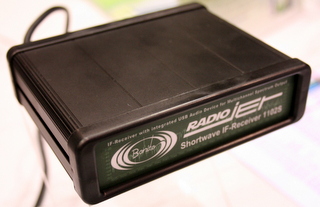
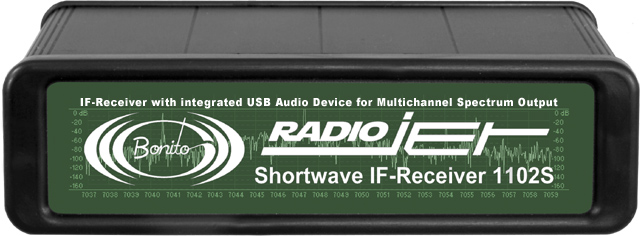
The Bonito 1102S RadioJet - Click to Enlarge

Universal Radio has published the price of the Bonito 1102S RadioJet at $699.95 US and they are taking orders.

Universal’s price is  $300 less than that of the Microtelecom Perseus ($999.95 US) and the $200 less than the WinRadio Excalibur ($899.95 US).

After reading Fernando’s review of the RadioJet–where he compared it to the Perseus–this may be one of the best SDR performers for the price. We will be reviewing the Bonito 1102S RadioJet in the near future as well.

To follow all updates of the Bonito 1102S RadioJet, please follow our tag: RadioJet

Update: Bonito 1102S RadioJet has FCC approval

Screenshot of the RadioJet GUI - click to enlarge

I just received the word from Dennis at Bonito.

The Bonito 1102S RadioJet SDR (software defined receiver) now has FCC approval.  This means that the RadioJet will be available for purchase in the US.

We will be reviewing the RadioJet in the near future.  I, for one, can’t wait–especially after reading Fenu’s review. If it has Perseus performance at a much lower price point, this could be a very competitive receiver.

Want updates? Follow our tag: RadioJet

List price of Bonito 1102S RadioJet for US

Universal Radio has published the “List Price” of the Bonito 1102S RadioJet at  $784.00 US.

This could make the RadioJet a very strong competitor to other SDRs on the market in North America. The list price (not necessarily the final price Universal will announce–which could be lower) is  $216 less than that of the Microtelecom Perseus ($999.95 US) and the $116 less than the WinRadio Excalibur ($899.95 US).

After reading Fernando’s review of the RadioJet–where he compared it to the Perseus–this may be one of the best SDR performers for the price. We will be reviewing the Bonito 1102S RadioJet in the near future as well.

To follow all updates of the Bonito 1102S RadioJet, please follow our tag: RadioJet

Fernando’s review of the Bonito 1102S RadioJet software defined receiver

The Bonito 1102S RadioJet - Click to Enlarge

SWLing Post reader and fellow SW radio reviewer, Fernando, has apprised us of his review of the Bonito 1102S RadioJet. While his site is in German, which we don’t read or speak here, Google Translate gives us English speakers a fair idea of his findings, and Fernando helps us with the rest.

To summarize, his comparison of the Bonito 1102S RadioJet with his Microtelecom Perseus concludes that the two perform well, running about neck-and-neck–in other words, offer almost identical performance characteristics.  There were some differences, though. I outline a few key review points that Fernando was kind enough to clarify for us:

  • The noise floor between the Perseus and RadioJet is more or less the same, in his tests.
  • He finds that the Perseus is slightly more sensitive on higher frequencies (above 22Mhz). This comparison is made with the “DX Channel” on the Bonito 1102S RadioJet (a feature only found on the Radiojet–see note below).
  • Fernando believes the sensitivity and selectivity of both radios to be very similar. He told us that he could not hear a great difference.
  • The Perseus software is, of course, very stable and mature in comparison with that of the new Radiojet. This is quite typical of new SDR products on the market, as it takes time and user feedback to eliminate bugs and quirks. Fernando expresses his confidence, however, that the software engineers at RadioJet will be quick to respond to patches and upgrades.
  • Overall, he believes that RadioJet will be able to provide a very stable product in short order.

Since Fernando has been a beta tester for the Bonito 1102S RadioJet, he’s familiar with the company and their attentiveness to feedback, and he’s impressed.

One feature unique to the RadioJet is the “DX Channel.” You can see this in action in a video the company released last year:  in essence, when activated on a weak signal, the noise floor drops, and the signal seems to pop out of the static. I asked Fernando about this feature and he told me that, when the DX Channel is activated, the software lowers the IP3+ and increases the sensitivity. This is the default channel or mode on the software.

The normal “RX Channel” is used for strong signals and is better for in-band interference. The DX Channel has a higher IP3+. He mentioned that the software can automatically determine which channel should be used, and auto-switches it for the user. Fernando said that this function works quite well.

Like to hear the difference for yourself?  Fernando’s website Fenu-Radio.ch has a page dedicated to audio comparisons between the Perseus and RadioJet. The first 15 seconds of each audio clip feature the Perseus, the second 15 seconds features the RadioJet.  Click here to go to the audio page.

By the way–Fernando’s website is most impressive. He has a long list of receiver reviews, comparisons and audio files. I encourage you to spend some time there, whether or not you read German.

Thanks for sharing your review, Fernando!