Shortwave listening and everything radio including reviews, broadcasting, ham radio, field operation, DXing, maker kits, travel, emergency gear, events, and more
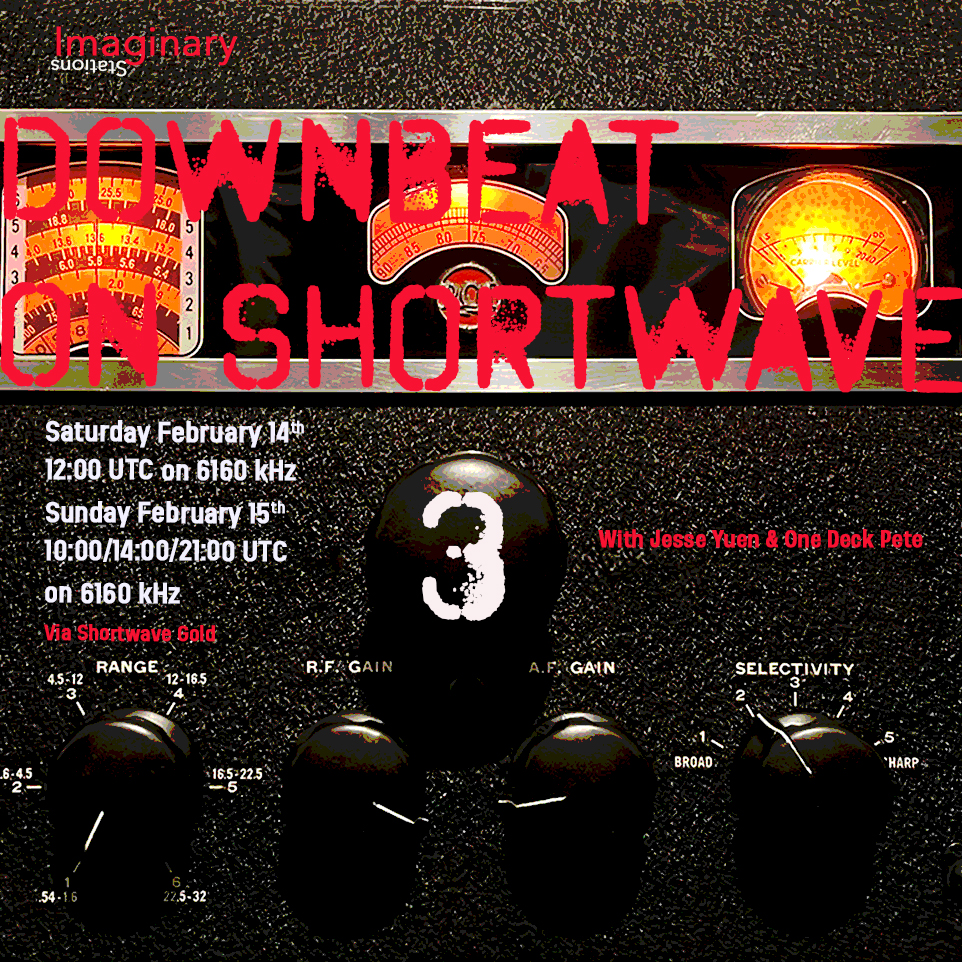
Greetings all SWLing Post community! Imaginary Stations brings you another Downbeat on Shortwave on Saturday 14th February at 1200 hrs UTC on 6160 kHz and then again on Sunday 15th February at 1000/1400/2100 hrs UTC on 6160 kHz (via the services of Shortwave Gold). Guest DJs Jesse Yuen and One Deck Pete bring you two 15-minute downtempo mixes each of some downtempo vibes to help you drift away this weekend.
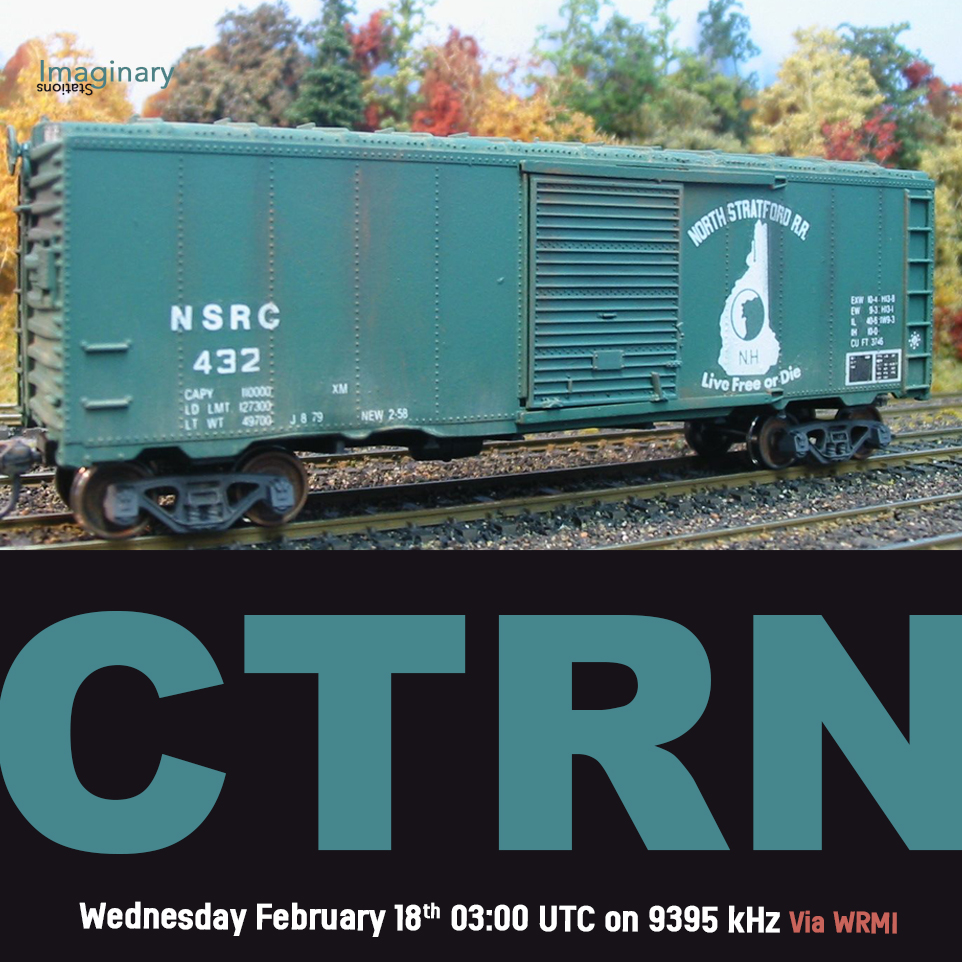
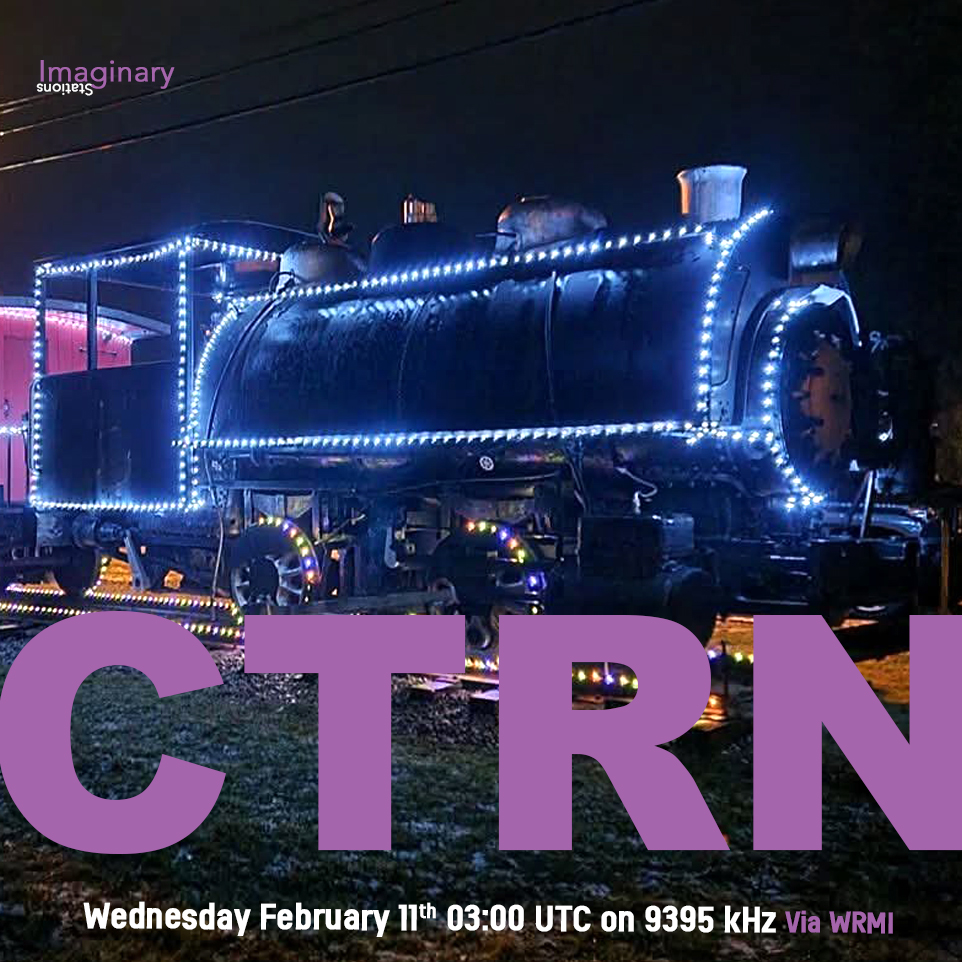
And on Wednesday 18th February 2026 at 0300 UTC on 9395 kHz via WRMI it’s “ALL ABOARD again!” with another episode of CTRN for all your railroading and freight-hopping needs. Ride the rails of adventure with no need for a ticket, just your shortwave radio.
For more information on all our shows, please write to us at [email protected] and check out our old shows at our Mixcloud page here.
Many thanks to SWLing Post contributor Don Moore–noted author, traveler, and DXer–who shares the following post:
A Beginner’s Guide to ALE: Part One
By Don Moore
Don’s traveling DX stories can be found in his book Tales of a Vagabond DXer[SWLing Post affiliate link].If you’ve already read his book and enjoyed it, do Don a favor and leave a review on Amazon.
To me, part of the excitement of DXing has always been logging new stations. From the very beginning (over fifty years ago), I went after shortwave broadcast (SWBC), medium wave, and voice utility DX. Up until the mid-90s, I usually averaged logging one new SWBC station per week. Today, it’s hard to add more than one or two each year. There are also far fewer voice utility stations on the air today. At least medium wave is still going strong. Several years ago, my quest for logging new stations on the shortwave frequencies got me involved in DXing digital utility stations. I wrote an article here on monitoring DSC stations: https://swling.com/blog/2022/11/guest-post-monitoring-digital-selective-calling-dcs-with-yadd/).
But DSC is just one of several digital modes that I’ve been playing around with. The one that I’ve found most interesting – and the one that has yielded hundreds of new stations in numerous countries – is ALE.
Now, I am not an expert at monitoring ALE. I’m just an advanced beginner. But I think I know enough to help other beginners get started. And if you are an ALE expert reading this, I welcome your additions, corrections, and even criticisms to the comments section. I still have a lot to learn, too.
What is ALE?
Ever since the early days of radio, one of the most important uses of the shortwave spectrum has been two-way communication. It provides a means for an organization’s far-flung offices or bases to communicate without relying on external infrastructure. That remains true even today because satellites can malfunction and evil powers can cut undersea cables.
But shortwave isn’t consistent. The frequencies that work best between any two points will vary by time of day, time of year, solar conditions, and a host of other factors. In the old days, radio operators had to understand radio propagation to make an educated guess as to the best frequency to use to reach a particular distant station. Sometimes they guessed wrong, and stations would struggle to communicate or maybe not even connect. ALE, or Automatic Link Establishment, was designed to make two-way shortwave communication as simple as making a telephone call. Depending on your point of view, it has taken the guesswork out of frequency selection … or made it so easy that any dummy can be a radio operator.
In an ALE system, each station is assigned a unique identifier and the network has a set of preconfigured frequencies spaced throughout the shortwave spectrum. For example, here’s a partial list of frequencies and stations for the United States Air Force, one of the most active ALE networks.
The key to the system is a piece of software called the ALE controller. At periodic intervals, the ALE controller at a particular station, say PLA, will loop through the frequencies and send a “sounding” out on each one. That’s just a short digital identification burst saying “This is PLA!” Here’s a recording of an ALE sounding.
That’s not the kind of signal that anyone would enjoy listening to all day. Fortunately, no human being has to do that. Instead, all the other controllers in the network are monitoring every frequency and automatically make note of how well PLA is received (or not) on each channel. Now, if someone at Offutt Air Force Base needs to send a message to Lajes, they just go to their ALE controller and enter “PLA.” The system will select the best frequency to use based on the most recent observations. That’s the basic explanation. If you want to understand more, see the links at the bottom.
Monitoring ALE
You can’t DX ALE with your ears. A computer program has to do it for you. There are several hobby programs that do the job, and I’m going to look at two of them. The first one will get you started, and the second one will take your ALE DXing to the top.
I began with Sorcerer, a free program that decodes several dozen digital modes. See the links below for downloading. The program doesn’t need to be installed. Just unzip the file and place the executable in a suitable location. Next, you need an SDR and an SDR application. I prefer SDR-Console for digital work, but any SDR program will work if you can feed the audio into a virtual audio cable. And that’s the other thing you need – a direct audio connection from the audio output of your SDR application to Sorcerer. There are several similar products available, but I recommend VB-Cable. Your first VB-Cable is free, and you only need one to run Sorcerer. If you want to expand, you can buy more VB-Cables later.
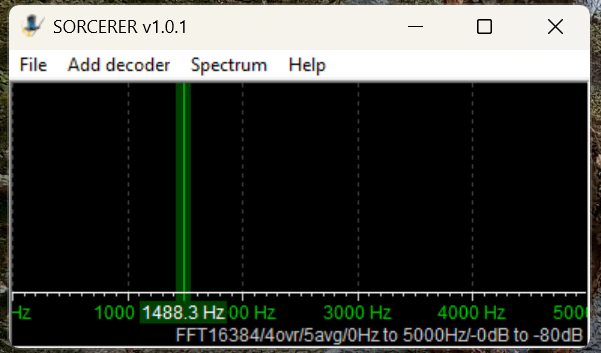
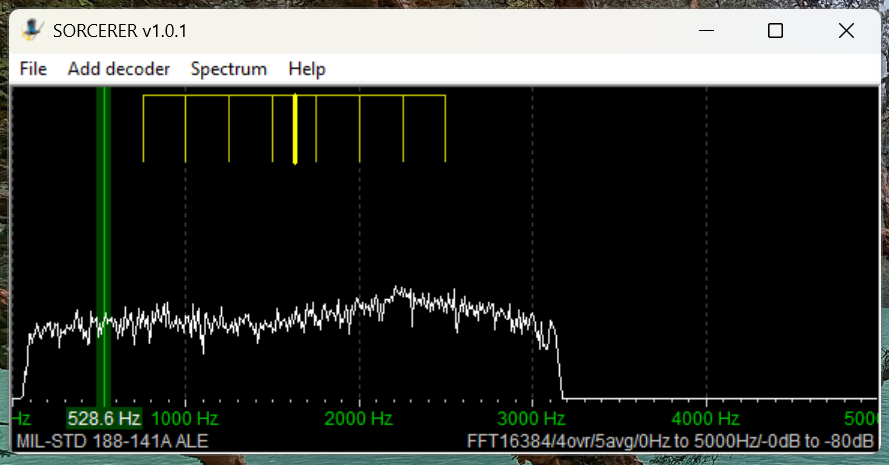
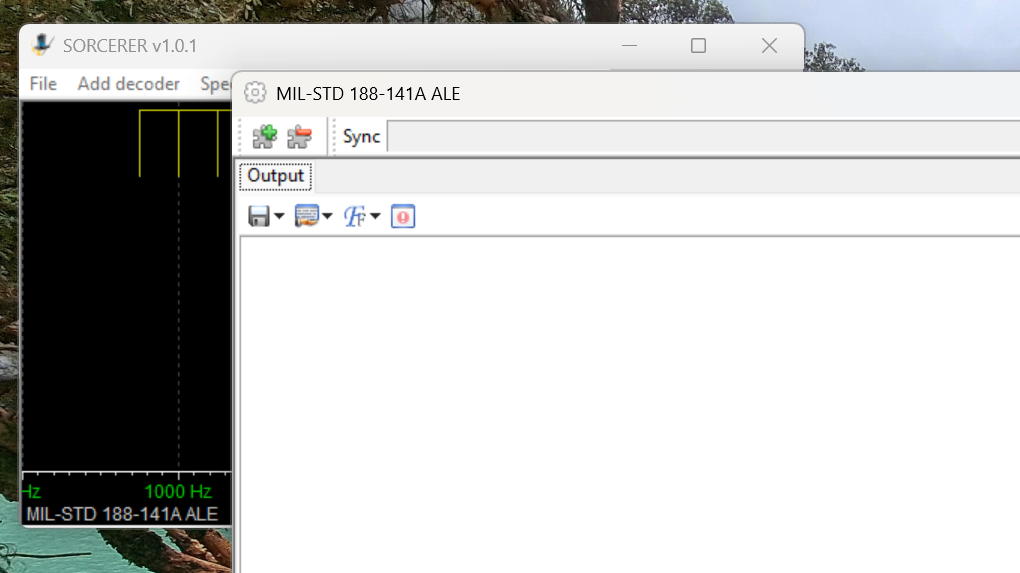
Here’s the main window that opens when you start Sorcerer.
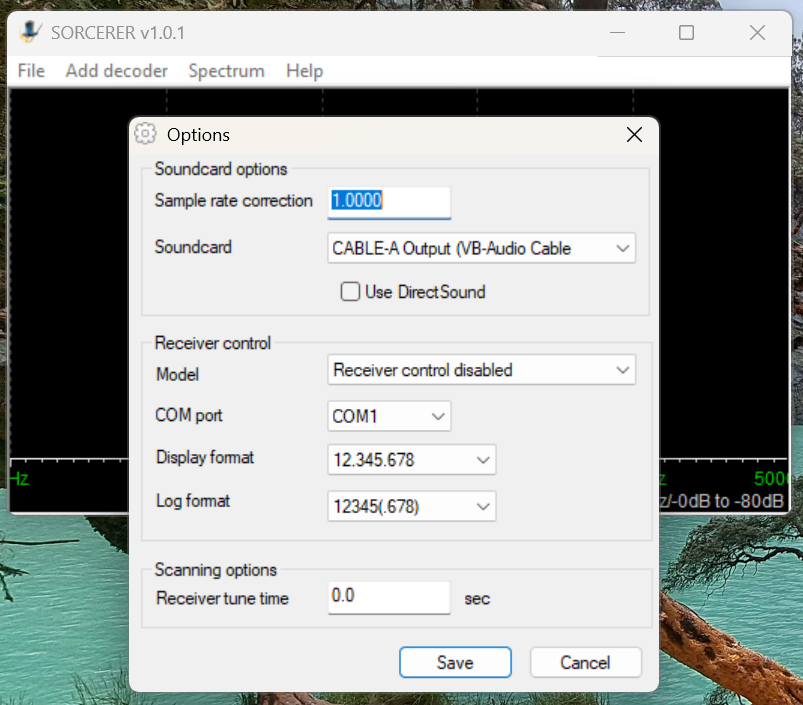
The first time you use Sorcerer you will need to connect it to your VB-Cable. On the menu select File then Options. Find the cable under the Soundcard list and save.
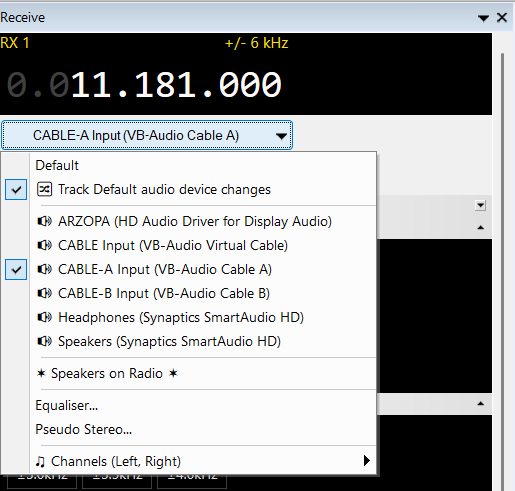
Open your SDR application and tune it to 11181 kHz. Set to USB mode with a filter value of around 2.8 kHz. That is one of the most heavily used frequencies by US Air Force bases around the world. Wherever you are, something should be received. Next, set the audio output of your SDR application to go to VB-Cable. In SDR-Console that’s done by a drop-down box under the current frequency. Next, slide the volume level all the way up.
Now go back to Sorcerer and confirm you are getting audio from the SDR application.
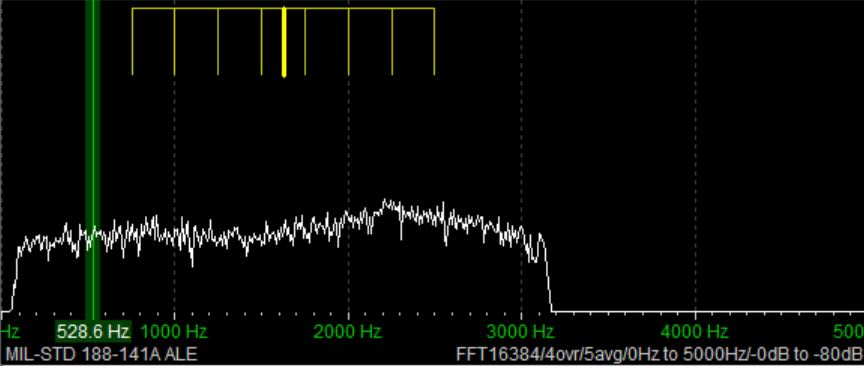
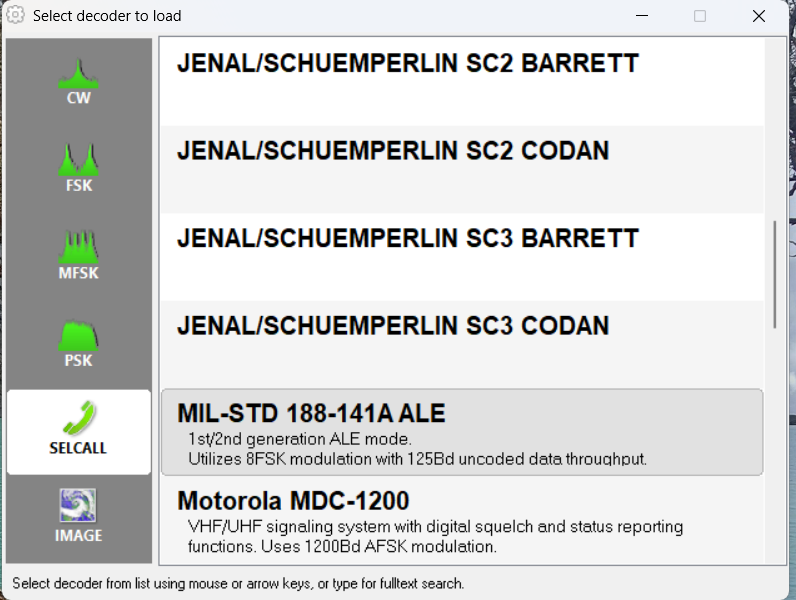
Now select Add Decoder from the top menu in Sorcerer. Then select SELCALL on the left side and scroll down and double-click to select MID-STD 188-141A ALE from the options.
That will open a large decoder window, which you can resize as needed.
Now, go get a cup of coffee and come back in about thirty minutes.
Sample Sorcerer Output
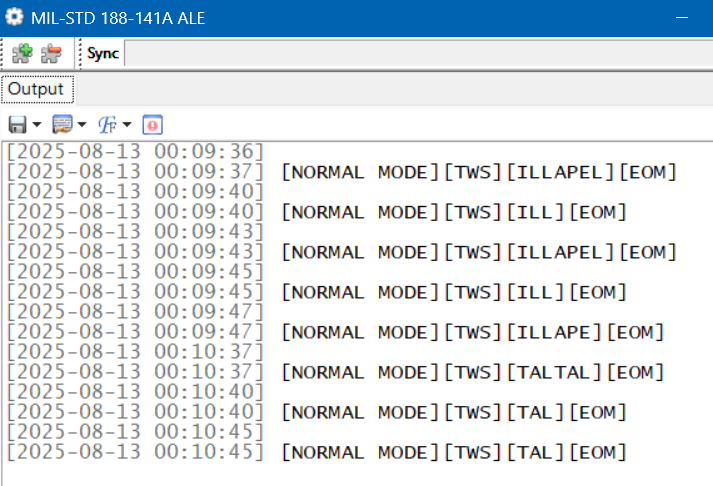
Let’s take a look at some sample output from Sorcerer. These loggings were made on 7915 kHz, a frequency used by the Carabineros (National Police) in Chile. First, Sorcerer shows the time and date the decoding was done per the current time on the laptop. If you are monitoring live, those are the correct date and time of the reception. For the record, I was decoding from SDR spectrum recordings in these examples, so the times and dates are not the real ones. (I got the real ones from the spectrum recordings.) TWS stands for “This Was” and EOM for “End Of Message.” ILLAPEL and TALTAL are the station identifications, which in this case correspond to two Chilean cities. Note that sometimes the end of the ID can be cut off if reception isn’t clear.
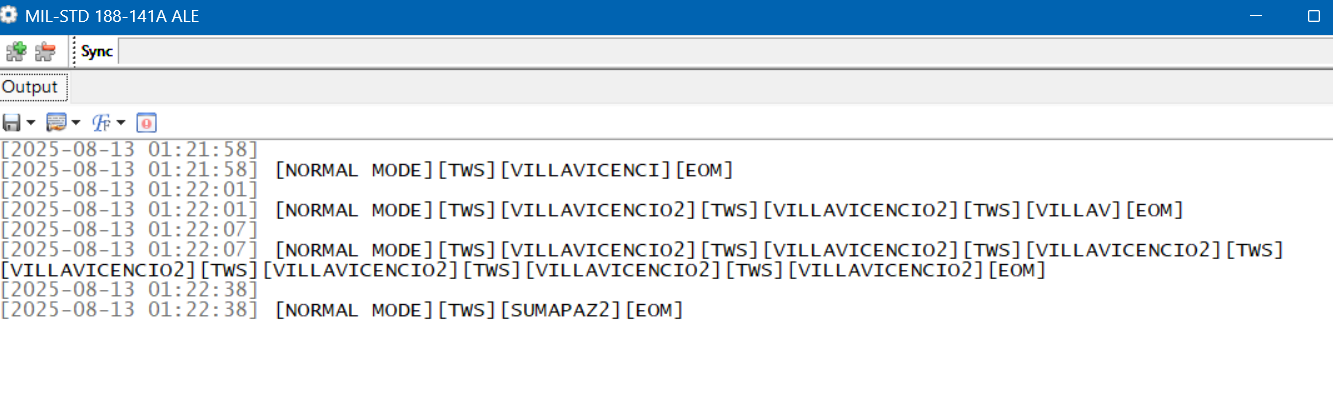
These next loggings are from the national police of Colombia on 7560 kHz. Villavicencio is a city east of the Andes, and Sumapaz is a national park in the remote mountains south of Bogotá.
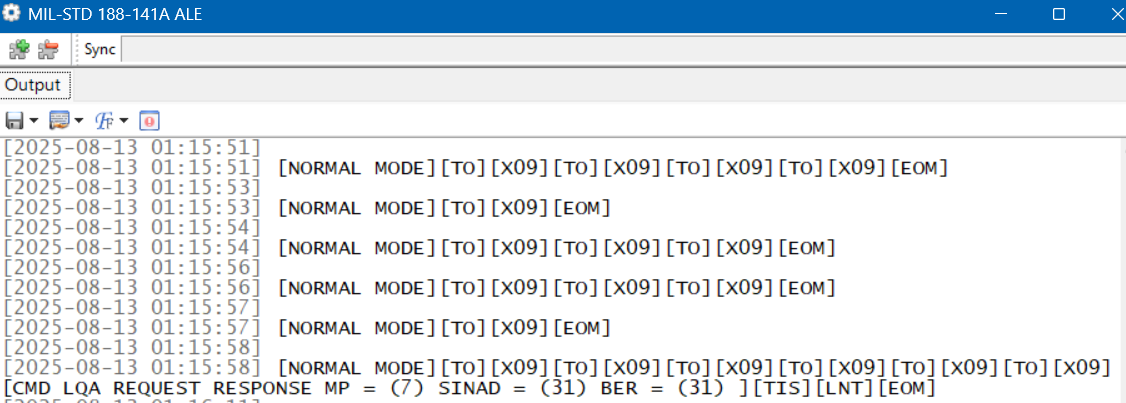
Here is a string of loggings on 7527 kHz, a frequency used by the US Coast Guard and other US government agencies. But here we have a TO, which means someone is trying to call X09. That happens to be a C-27J Spartan, a medium-range surveillance aircraft used by the US Coast Guard. Who’s doing the calling shows up in the final line. TIS (“This Is”) is a variation on TWS. LNT is the identification for CAMSLANT, the big US Coast Guard station in Portsmouth, Virginia.
The Limits of Single Frequency Monitoring
DXing live and monitoring one highly active frequency at a time with Sorcerer makes for a good introduction to ALE. However, if you just stick to monitoring easy frequencies like the USAF ones, you’ll get a lot of logs, but it won’t take long until you feel as if you’ve gotten everything. There are hundreds more ALE frequencies out there, such as the Chilean and Colombian police ones. But those are less active and might only be received at your location when conditions are just right. If you go after those by live monitoring with your SDR parked on a single frequency, you’ll spend a lot of days without getting a single hit.
What is needed is a way to cast a wide net to catch all the activity in a particular band. The idea I came up with was to use the Spectrum Analyzer feature of the SDR-Console program. See my article on this highly useful feature for an understanding of how this works.
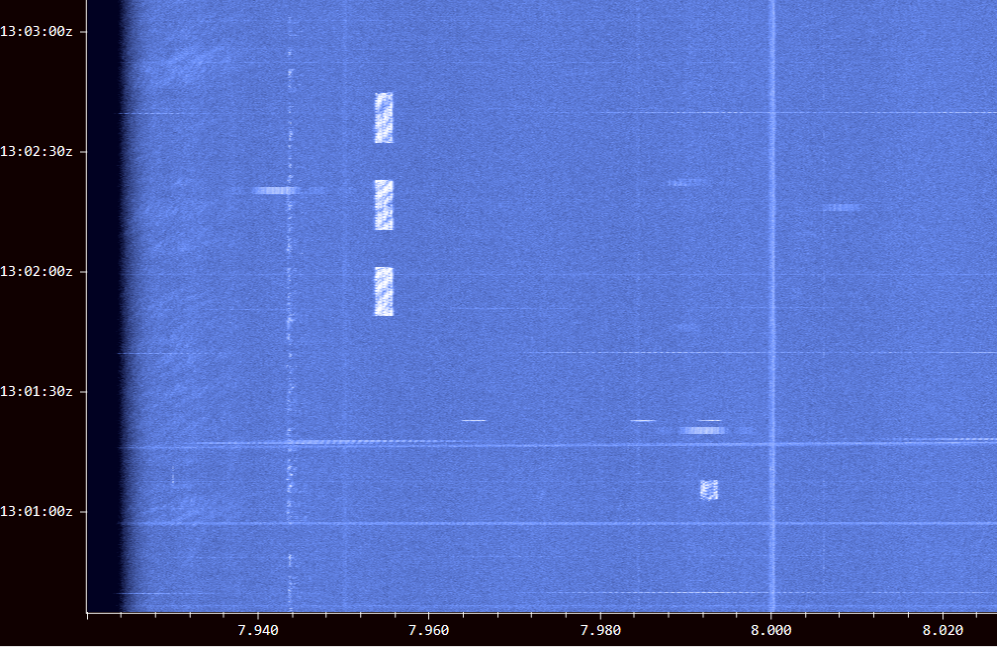
Using an Airspy HF+ Discovery, I would make several hours of spectrum recordings and then use the Spectrum Analyzer to visually find the ALE signals. Here’s a string of three long ALE bursts on 7953 kHz and a single weaker one on 7991 kHz. (Some other digital modes look the same on screen.)
I just had to click on a signal to play it into Sorcerer to get the ID. The process worked really well, and I found a lot of stations this way. But it was also tedious and time-consuming. I wanted something better … something that did the hard work for me. That’s what technology is for, right?
Stay tuned for Part Two …
Links
Sorcerer Download. Be sure to only download from this link and not from one of the many public download sites. Some years ago there were instances of Sorcerer infected with malware on public sites: https://www.kd0cq.com/2013/07/sorcerer-decoder-download/
VB Cable Download. Note, it is also possible to use Sorcerer by feeding the audio output from a traditional receiver into the audio input of a laptop. https://vb-audio.com/Cable/
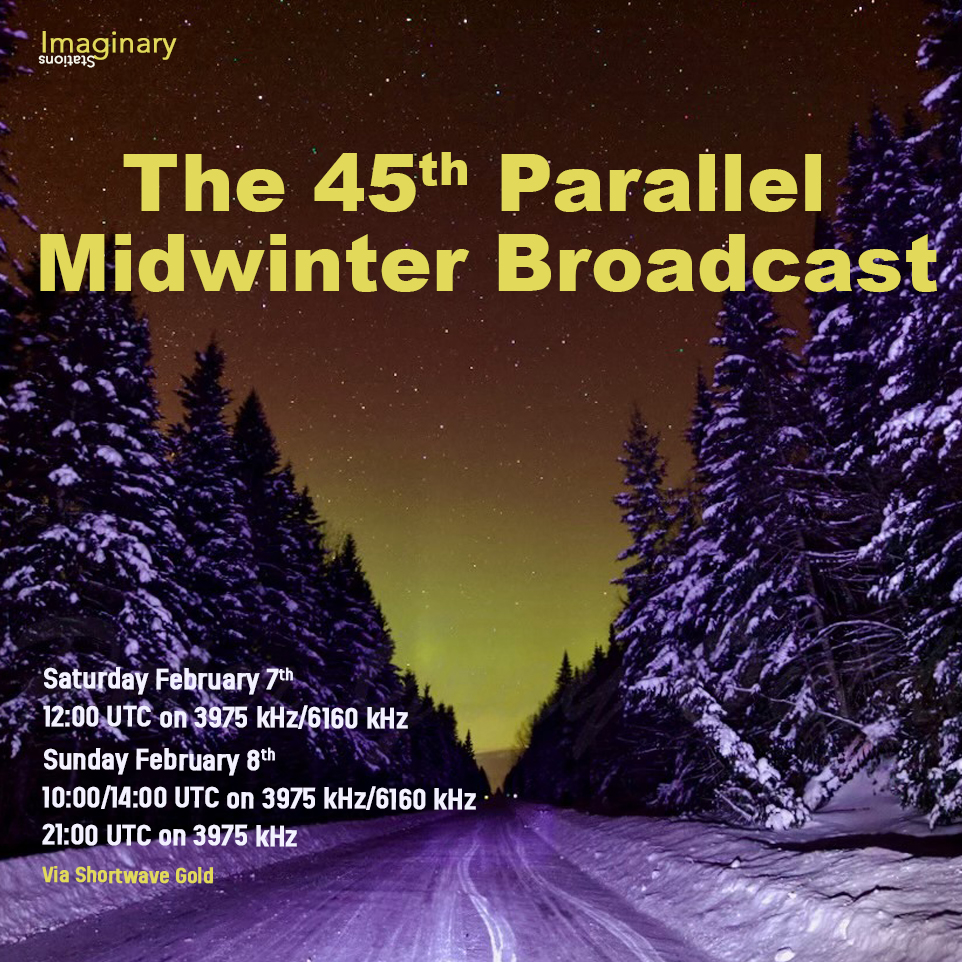
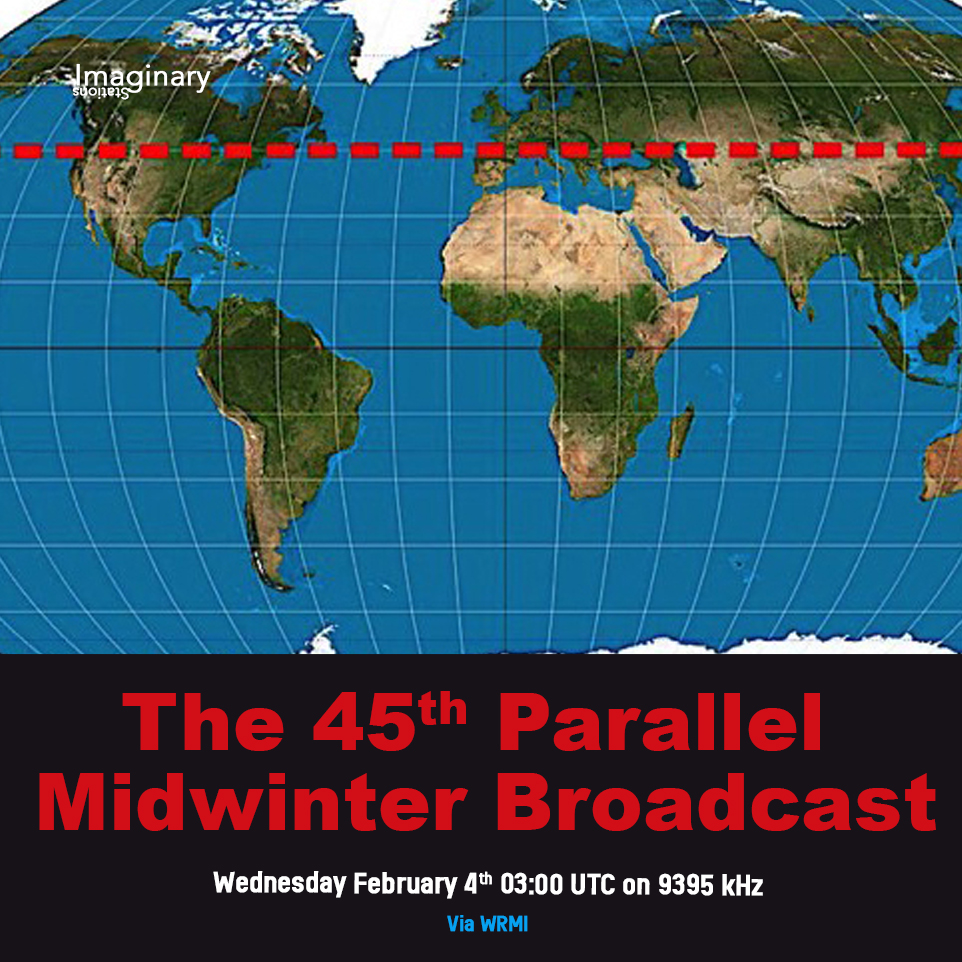
Greetings all SWLing Post community! This week Imaginary Stations takes you back to our secret shortwave laboratory along the 45th Parallel for our Annual Midwinter broadcast. No matter where you are on the planet, we’re halfway there. Great tunes are coming to you via the ionosphere from shortwaveradio.de on Saturday 7thFebruary 2026 at 1200UTCon 3975 kHz and 6160 kHz. In case you miss Saturday’s broadcast, there are additional transmissions on Sunday8thFebruary2026at 1000/1400 hours UTC on 3975 kHz and 6160 kHz and 2100 UTC on 3975 kHz.
And on Wednesday 11th February 2026 at 0300 UTC on 9395 kHz via WRMI it’s “ALL ABOARD!” with CTRN for all your railroading, hobo-ing, and freight-hopping needs. Ride the rails of adventure with your shortwave radio.
For more information on all our shows, please write to us at [email protected] and check out our old shows at our Mixcloud page here.
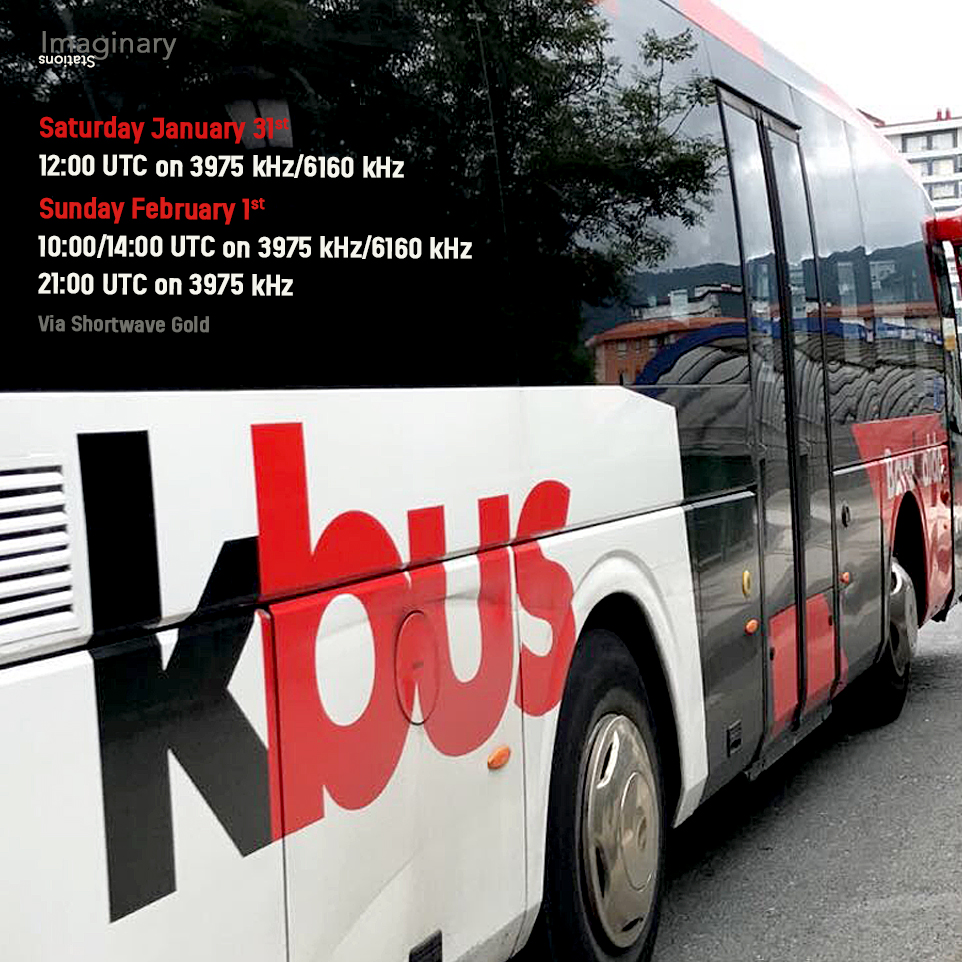
Greetings all SWLing Post community, This week Imaginary Stations takes you on another journey with KBUS through the ionosphere via shortwaveradio.de on Saturday 31st January 2026 at 1200UTC on 3975 kHz and 6160 kHz. In case you miss Saturday’s broadcast, there are additional transmissions on Sunday 1st February 2026 at 1000/1400 hrs UTC on 3975 kHz and 6160 kHz and the new time of 2100 UTC on 3975 kHz. Make sure you’re at the bus stop on time, have the right change handy or your bus pass at the ready!
And on Wednesday 4th February 2026 at 0300 UTC on 9395 kHz via WRMI we bring you another midwinter journey to the 45th Parallel from our Secret Mountain Laboratory. We’re calling all listeners along, above, and below the 45th parallel for a dx musical expedition to the wild North.
For more information on all our shows, please write to us at [email protected] and check out our old shows at our Mixcloud page here.
Greetings all SWLing Post community, Imaginary Stations bring you WLIS (We Love Imaginary Stations 2) through the ether this week via shortwaveradio.de on Saturday 25th January 2026 at 1200 hrs UTC. Then there’s the second transmission on Sunday 26th January 2026 at 1000/1400 hrs UTC on 3975 kHz and 6160 kHz and (the new time of) 2100 UTC on 3975 kHz.
As the first programme a couple of weeks ago, the show is a homage to imaginary, fictitious or fabricated radio stations that have appeared in films, books and music. Use your shortwave radio or an online SDR to tune into radio stations that may or may not exist. It’s going to be an interesting show so tune in!
And on Wednesday 28th January 2026 at 0300 UTC on 9395 kHz via WRMI we bring you OHIO. We’re talking about songs about Ohio. Could Crosby, Stills, Nash & Young be in there? Randy Newman? And REM? Who knows, you have to tune in and find out, but it will be a great show no matter what.
For more information on all our shows, please write to us at [email protected] and check out our old shows at our Mixcloud page here.
Greetings all SWLing Post community, Imaginary Stations bring you POST (The Shortwave Postal Service) through the ether this week via shortwaveradio.de on Saturday 17th January 2026 at 1200 hrs UTC. Then there’s the second post on Sunday 18th January 2026 at 1000/1400 hrs UTC on 3975 kHz and 6160 kHz and (the new time of) 2100 UTC on 3975 kHz.
We’ll be pushing the (audio) envelope and be playing songs about stamps, post masters, postmen and women, and the humble post-box in all its free-standing glory (unless it is mounted into a wall). So put the imaginary overstuffed mailbag on your shoulder and listen to some sorted and possibly redirected tunes by the power of shortwave.
And on Wednesday 21st January 2026 at 0300 UTC on 9395 kHz via WRMI we bring you WARM. It may be cold where you are now, but we at Imaginary Stations will be sitting in front of a roaring fire dreaming about the change in the seasons and that magical time when the sun comes out again and playing some tunes with warmth to cheer you up. Tune in and listen to tunes that raise the temperature.
For more information on all our shows, please write to us at [email protected] and check out our old shows at our Mixcloud page here.
Don’s traveling DX stories can be found in his book Tales of a Vagabond DXer[SWLing Post affiliate link].If you’ve already read his book and enjoyed it, do Don a favor and leave a review on Amazon.
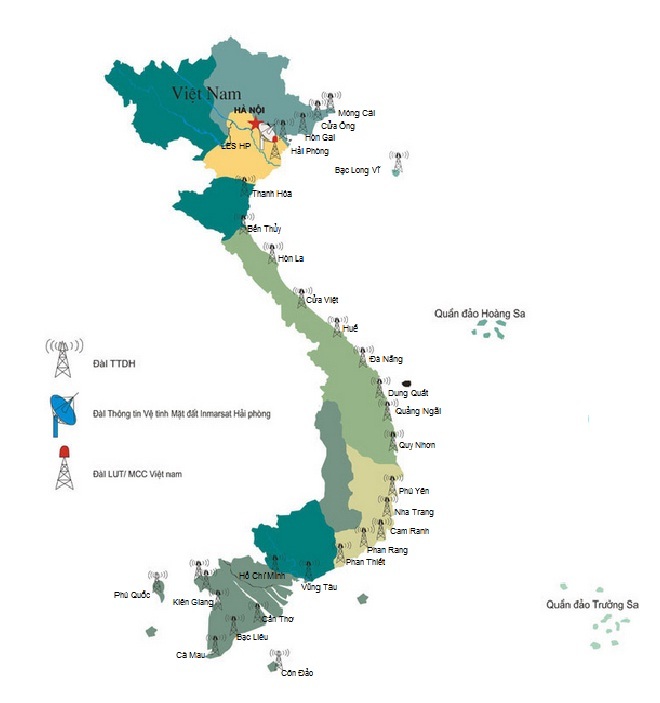
First, thanks to California DXer Ron Howard for his Internet sleuthing. Ron found a PDF file that specifically lists 8101 kHz as being used by the Hai Phong station in the Vishipel network, the Vietnam Maritime Communications and Electronics Company. This is a government-owned company that provides various services to the maritime industry. One of those services (and the one we’re interested in) is a network of thirty marine radio stations strung along the Vietnamese coast from north to south. The stations provide two-way marine radio communication and twice-daily scheduled weather broadcasts. All the stations use VHF and seventeen also use HF.
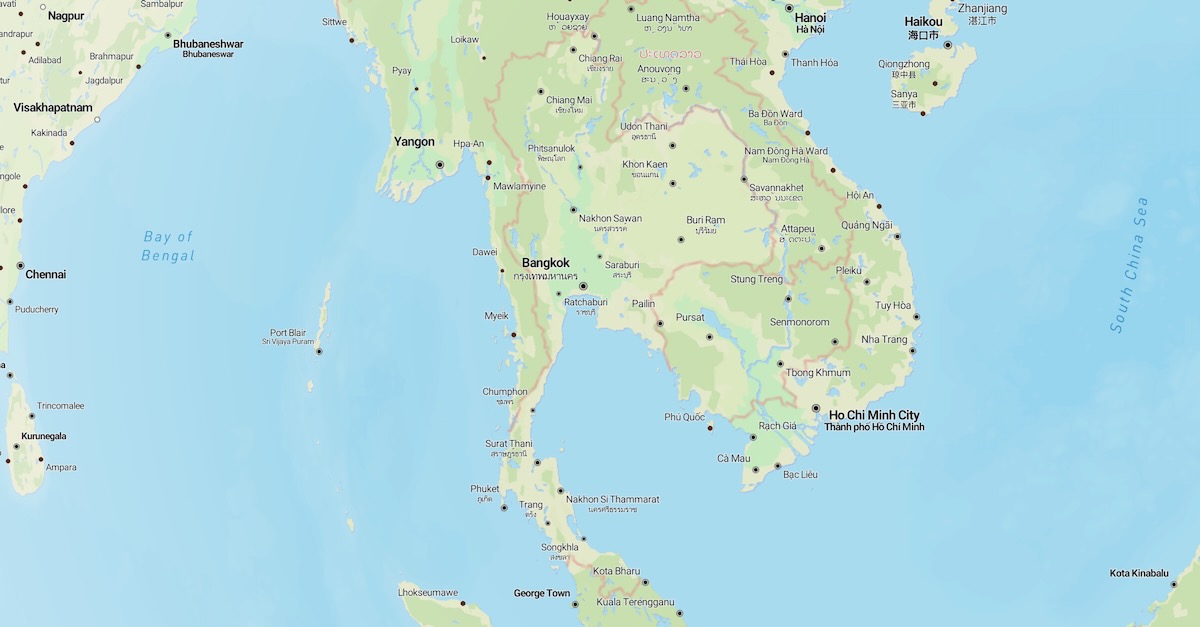
Vishipel’s weather broadcasts are listed on the DX Info Centre website and I had been monitoring those in my travels here in Southeast Asia. I suspected Vishipel was connected to this station but Ron found definitive proof that they use 8101 kHz and that the frequency comes from their station in Hai Phong. He also found this map showing all the coastal stations in the Vishipel network.
I’ve been wanting to record the station again, but my current location is not suitable for DXing. Since December 15th, I’ve been staying in the old city in Chiang Mai in northern Thailand. But a few days ago, I made a two-day DXpedition to a rural location outside the city and made a terabyte of spectrum recordings with my three Airspy HF+ Discovery SDR receivers.
It will take me a while to go through all that DX, but I’ve already checked for Duyen Hai. I had a very good signal from it on 8101 kHz at 1214 UTC on 08 January 2026. This broadcast was eleven minutes long, which is a few minutes shorter than the ones previously monitored. Here’s a recording of the entire broadcast.
The reception was good enough that Google Translate had no problem turning the spoken Thai into written English. The program was about new EU requirements around animal welfare. But the broadcast content wasn’t my focus. This was the first time I had good copy of the entire broadcast and I wanted to hear the ending. Here is a translation of the sign-off announcement.
Hello, ladies and gentlemen, today’s broadcast is over. Thank you for your attention, fishermen and audience. Our program is broadcast daily on the frequency 8101 kHz at 07:05, 19:05, and on the frequency 7996 kHz at 12:05. People can also contact their families and relatives via these two frequencies on all days of the week. I wish you all safe and effective sea trips. Hello, and see you again.
The wording is important for those of us who like to neatly categorize things. It proves that this is an intentional scheduled broadcast to an audience and not just a utility station unofficially relaying a broadcast. It’s the difference between whether it can be counted as a shortwave broadcast (SWBC) station or as a utility station. This ticks all the requirements to be counted as SWBC. Indeed, as a broadcast from Vietnam in Thai to a Thai audience it could even be considered as an international broadcaster!
The times in the announcement are local for Southeast Asia and correspond to 0005 and 1205 UTC on 8101 kHz and to 0505 UTC on 7996 kHz. I also found the program in my spectrum recordings coming on at 0019 UTC on 09 January. Obviously, they don’t care too much about beginning on time. Every broadcast I’ve monitored has begun ten to fifteen minutes late.
Unfortunately, I can’t check for the 0505 UTC broadcast as I didn’t make any spectrum recordings in that frequency range at that time (local noon). I’ll be sure to get some at my next opportunity. I also have questions about the 7996 kHz frequency. It isn’t listed in the Vishipel PDF, but it was listed as being used by the Nha Trang station in the 2017 Klingenfuss Utility Guide (the most recent I have).
Unless you’re in Southeast Asia, you won’t get a signal as good as the recording. But the Duyen Hai always uses the same woman announcer and the same musical interludes. Even if you just have a weak static-ridden signal, you should be able to match the music to that in the recording. So, can you catch this one at your location?
LINKS
Schedule of HF marine voice weather broadcasts at DX Info Centre. The Vietnamese listings are found under frequencies 7906 and 8294 kHz. https://www.dxinfocentre.com/marineinfo.htm
PDF file with full schedule for Vishipel stations. Times are local (Southeast Asia) times. Subtract seven hours to get the UTC time. This also includes the frequencies such as 8101 kHz that are normally used for two-way voice communication. https://vishipel.com.vn/pic/general/files/Bang%20Tan%20so%20TTDH.pdf