
Tag Archives: Don Moore

Google Translate as a DX Tool

by Don Moore

More of Don’s traveling DX stories can be found in his book Tales of a Vagabond DXer [SWLing Post affiliate link]. If you’ve already read his book and enjoyed it, do Don a favor and leave a review on Amazon.

I still remember an email I received from a DX friend in 1996. I had occasionally helped him translate things from Spanish, and he had just gotten a message from a South American DXer. But this time was different. My friend had already run the message through a new online translation website. He sent me both the original Spanish and the English translation. The translation got the meaning across even if the wording was awkward and unnatural. There was just one thing that puzzled my friend. Why, at the very bottom, did the sender finish with the short phrase “I graze?”

I immediately knew what had happened. The South American DXer was named Francisco but went by the nickname Paco. The Spanish verb for “to graze” is “pacer”. If you know even basic Spanish you know what happened, too. The first-person present form of pacer is paco. Without any sense of context, the translation software had seen the name as a verb and translated accordingly.

Translation software has developed astronomically in the last three decades. Not only has the quality of the translations gotten better, but so has the number of languages that can be translated on websites or in apps. Launched in 2006, Google Translate is the best-known and translates the most languages. But there are many others. Some offer far fewer languages but concentrate on offering better quality translations. Others offer languages that Google doesn’t have. You’ll need to use Bing Translate for Upper Sorbian.

I don’t remember when I first used a translation website or which ones I may have used. Google Translate has been my go-to site and app for years. It’s an easy way to look up Spanish words I don’t know. But my biggest use of Google Translate has nothing to do with translation. When writing messages in Spanish, I often use it even though I know exactly what I want to say. Instead of writing in Spanish, I compose my message in English and then give it to Google. The translation puts in all the accent marks and tildes that are awkward to type on my English-language keyboard. And the fact that 90% of the time the Google translation exactly matches what I would have written makes me feel good about my Spanish.

Before leaving on my trip to Southeast Asia last November, I downloaded Indonesian, Lao, Malay, Tagalog, Thai, and Vietnamese to my phone. In my travels, I’ve found it very useful for understanding text on signs, product labels, and museum displays. I had translated stuff from Albanian, Portuguese, French, Croatian, and a few other languages that way, and I knew I would find plenty of use for the app in Southeast Asia. Google Translate can also understand spoken language. You may have seen videos of people who don’t speak one another’s language having conversations that way with the app translating everything. I had never done that but figured I might give it a try.

Trying It Out On DX

My DX goal for the trip was to make lots of SDR spectrum recordings along the way and then later use the spectrum analyzer tool to DX them. (I’ll be writing about the places I DXed from in an upcoming series of articles.) After five weeks of travel, I arrived in Chiang Mai, Thailand, for a one-month stay, and I started DXing recordings I had made in the Philippines, Vietnam, and Laos. The utility bands were filled with voice broadcasts in lots of languages that I couldn’t even recognize. That’s when I got the idea – why not use Google Translate to see what these stations were saying and maybe identify some of them?

Did it work? Well… sort of.

With any block of written text in an unknown language (even in a different writing system), if you plug it into Google Translate and it’s in their system, the app will quickly identify which language is being used and translate the text. But the documentation at that time pointed out that identifying which language is being used in an audio stream took too much processing power to be practical. Instead, the user had to specify which language was being translated. In most cases, that wouldn’t be a problem. If you’re in Japan and trying to understand a waiter, he’s probably speaking Japanese. But I had no idea what language I was listening to on any of these broadcasts.

My solution was simple. Pick a strong signal and select one of the regional languages to translate from. If it didn’t start translating after about sixty seconds, then I’d switch to a different language. In a few minutes’ time, I could try all the major languages spoken in the region.

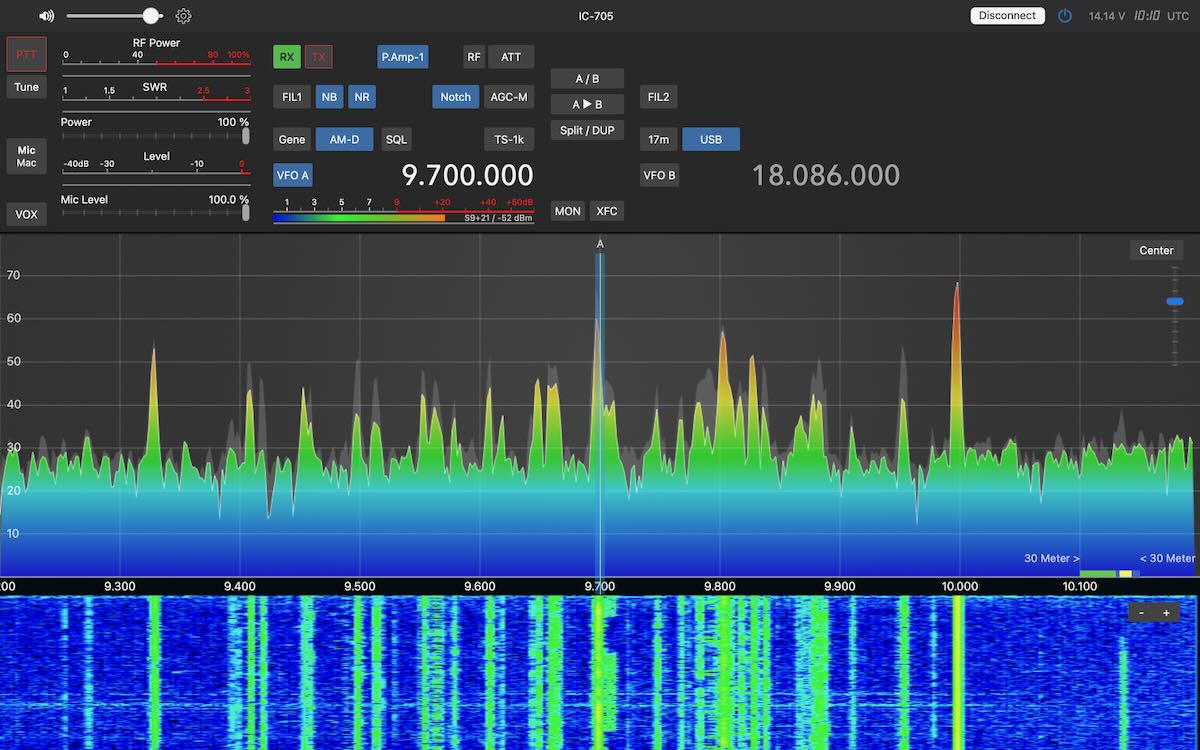
The first thing I tried doing this with was an unusual program-like broadcast I had found in the 8 MHz marine band. I set Google Translate to Thai to start, and a few moments later it started translating to English. That turned out to be the Duyên Hi broadcast from Vietnam that I reported in January. It seemed odd to me that they were broadcasting in Thai, but that was the first language I tried, and the app translated everything easily. But after publication of my article, a DXer of Vietnamese ancestry pointed out in the comments that the language being used was Vietnamese, not Thai. That made more sense and, indeed, when I set the app to Vietnamese, the app translated everything equally well. And it continued to do so when set to Thai.

Thai and Vietnamese are as different from one another as are Spanish and Russian. I even reproduced the issue with other broadcasts and other languages. If the app understood the audio, it would translate even if the selected language was different. And it wouldn’t do anything to indicate what the correct language was. So what was happening? I think I now know. In preparing this article, I found out that in December 2025, Google introduced automatic language detection for audio streams. My app hadn’t been updated yet in January, so it didn’t have the feature. However, the translation of the audio streams takes place on Google’s servers. So I think Google was correctly identifying and translating at their end, but the app wasn’t capable of correcting the displayed language name.

The Big News

The big news is that Google Translate can now automatically detect and identify over seventy different languages. And it works very well. I tested it using four different radio web streams, and within five seconds it correctly identified and began translating from Chinese, Hindi, Bulgarian, and Zulu. These were crystal-clear Internet streams, not DX signals. Still, I think we can all see the potential for this in our hobby.

The How-To

Let’s dive into how to use the app. If you don’t already have Google Translate on your phone, you can download it from the App Store. You may see some minor differences in the layout. These images are from my new Samsung S-26+, and it is slightly different from my old Samsung A53, even though the app version numbers are the same.

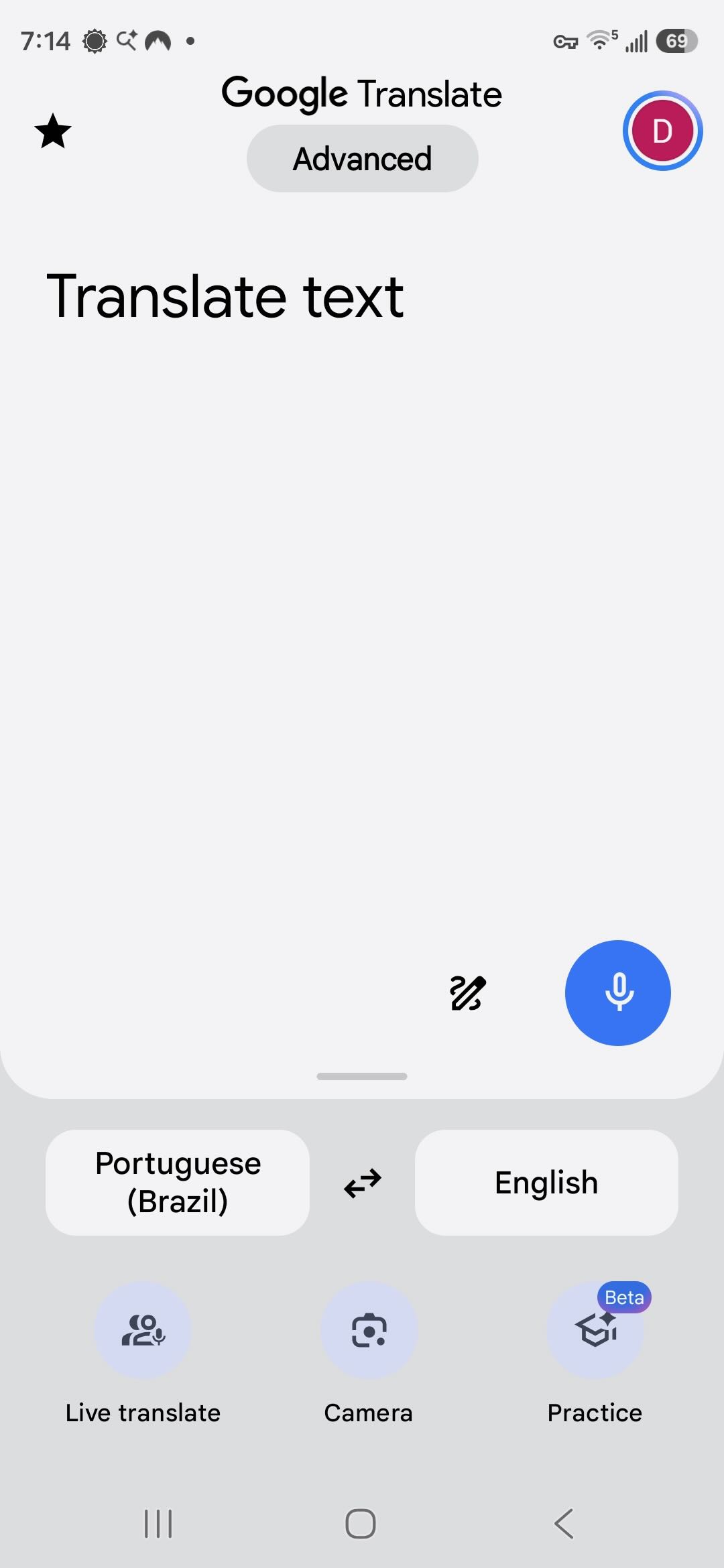
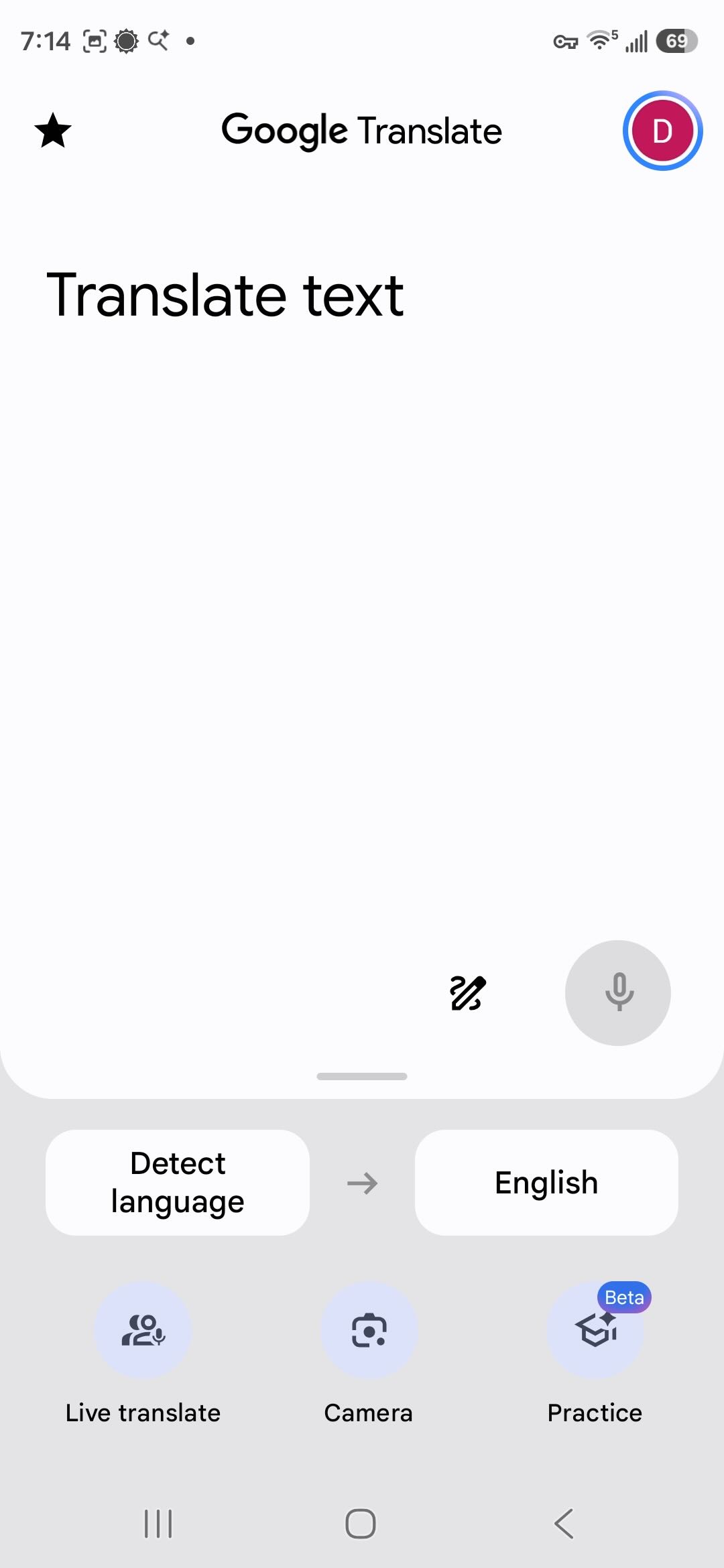
Upon opening, the app looks like this. The selected languages on either side are changed by just tapping on the button. I tap on Portuguese to get the selection screen.

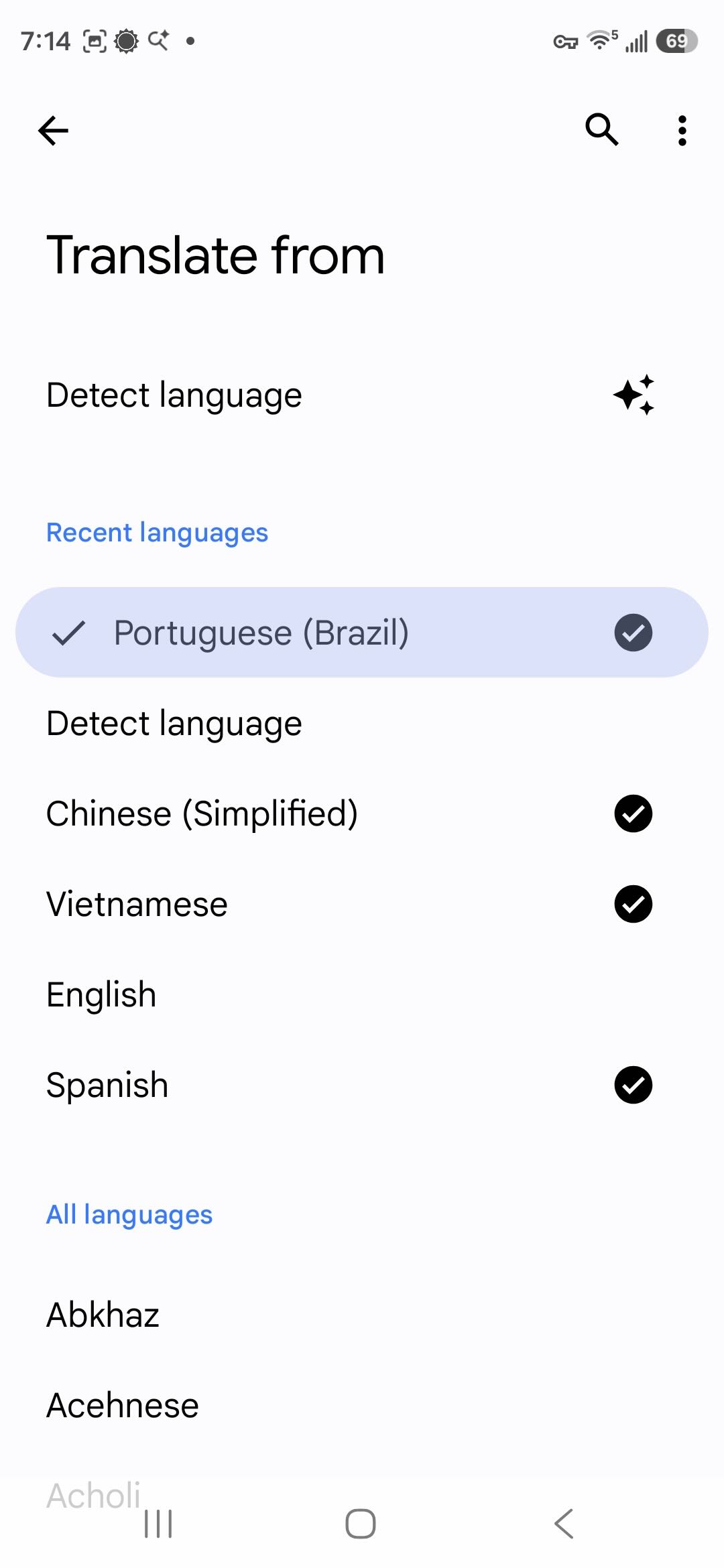
There is now a Detect Language choice that wasn’t there before. Below that, it lists the languages I’ve downloaded and then all available languages. Downloading languages allows you to translate written text even if you are offline. Translating audio requires an active Internet connection. Here I can select the language being spoken if I know what it is. I don’t, so I select Detect Language.

Now back at the first page, I tap Live Translate at the bottom.

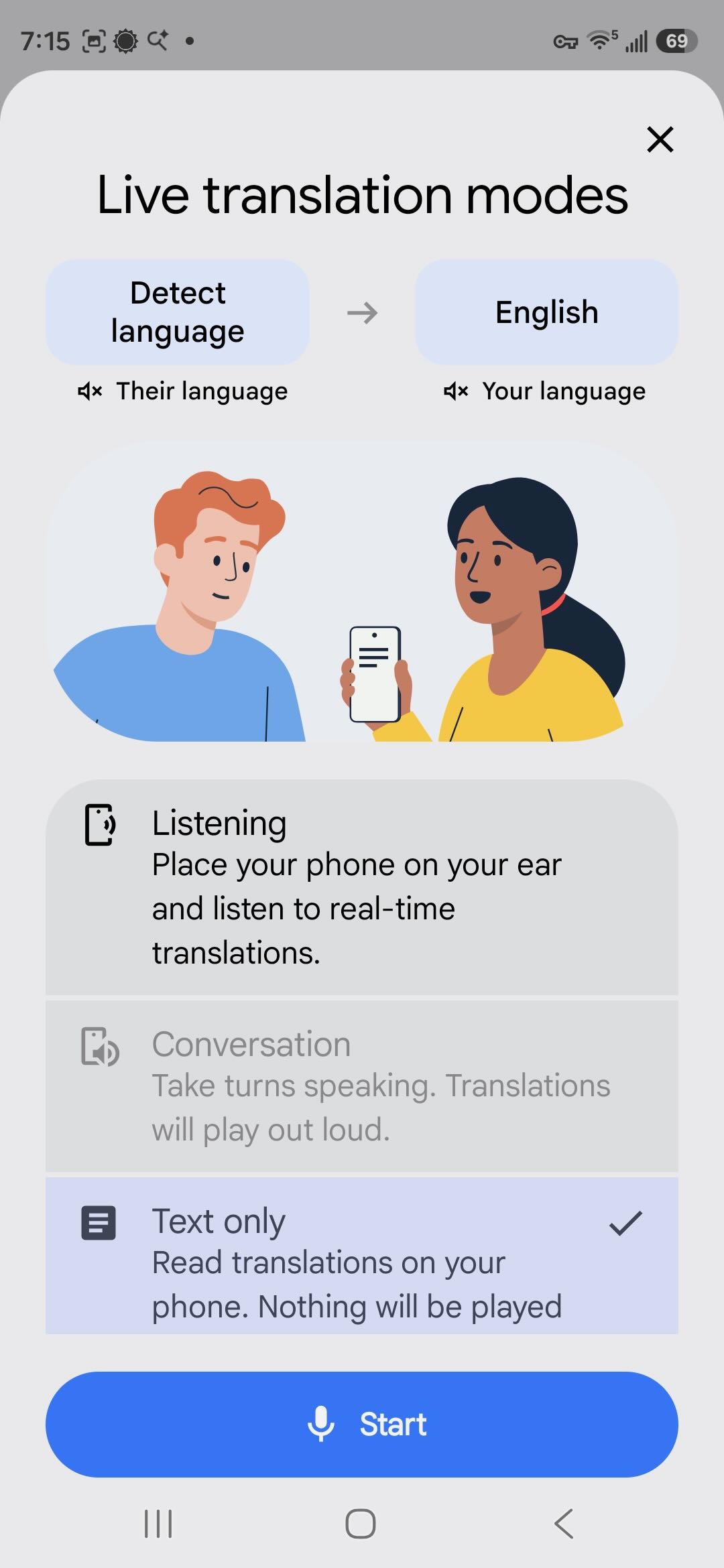
Now I select the mode. I select the text only option so that I can easily scroll back and read what was said. Conversation mode is only enabled when both languages are known. Now I tap on Start.

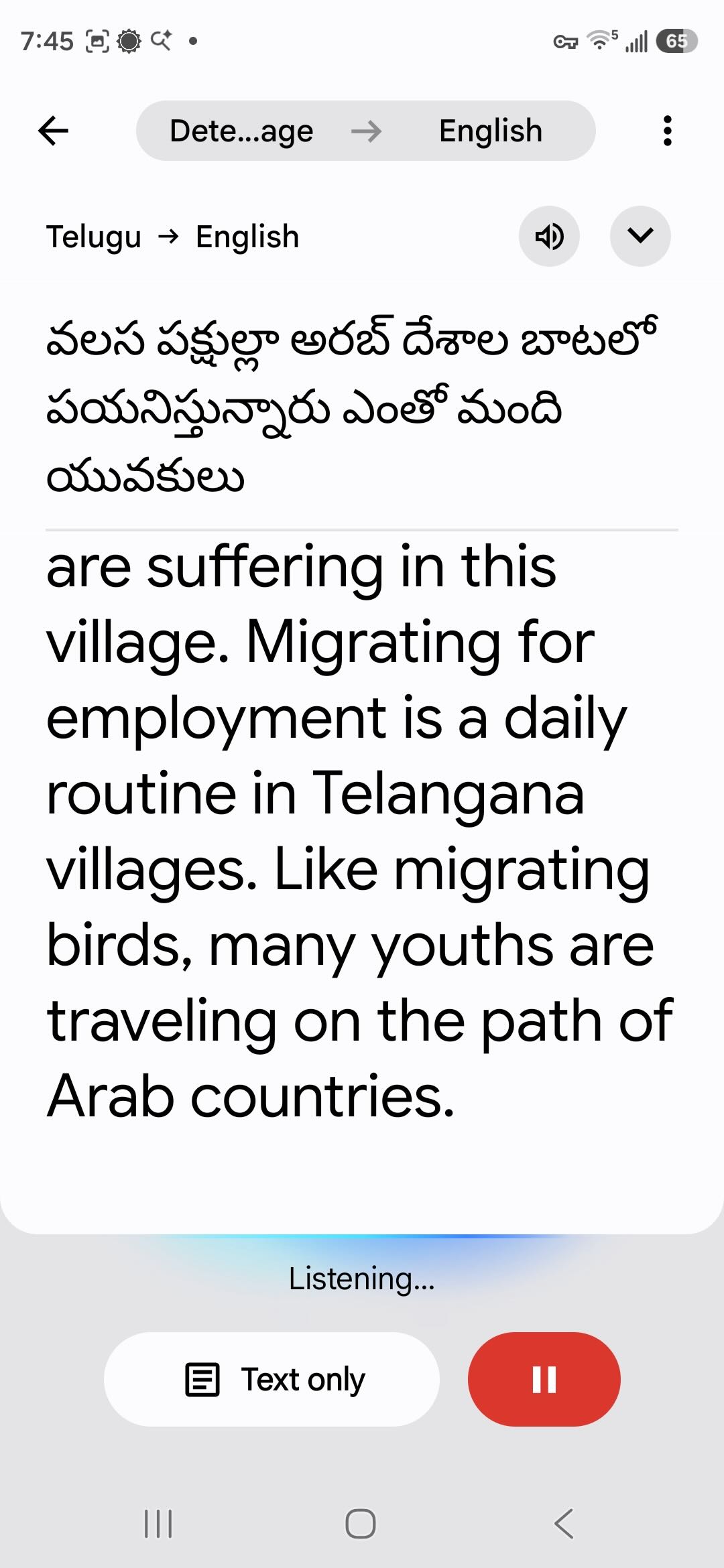
The audio I’m playing is from a YouTube video. Within a few seconds, the app identifies the language as Telugu, spoken in India, and begins translating.

Back to DXing

If you’ve been seriously DXing for a few decades, your ears are well trained at picking out station IDs from very noisy signals or signals mixed in with several interfering stations. Google Translate is not a DXer. Translation works best with clear, noise-free audio. As noise and interference creep up, success will go down. Sure, the app is designed to work if you’re trying to talk to a waiter in a crowded restaurant. But that’s a different noise environment. The AI hasn’t been trained on DX signals. However, it does very well on clear signals, such as this marine weather report from Nha Trang Radio in Vietnam.

Vietnam operates a large network of marine stations, and I made extensive use of Google Translate to log all the stations and even to find unlisted frequencies and broadcasts. The network will be the subject of my next article. I found that over time the Vietnamese translation actually got better on signals with slight and even moderate noise. The AI is supposed to learn from experience, so maybe I was training it to DX in Vietnamese!

In the video, you may have noted how the app will first create a tentative translation in gray text and then correct that with black text. Language translation is not a simple matter of exchanging one word for another in order. Grammar rules and word order vary, especially so between unrelated languages such as Vietnamese and English. Slang and idiomatic expressions can cloud meaning. And then there’s context. If I say, “John’s at the bank now,” you would assume he’s doing a financial transaction … unless you happen to know he was going fishing this afternoon. Having studied the complexities of linguistics, I find it amazing how well automated translation works.

If your first language is something other than English, you should know that English is always at the center of Google Translate, with just a few very specific exceptions. When translating Vietnamese to Arabic, Google will first translate the Vietnamese to English and then translate the English to Arabic. That extra translation step increases the chance for ambiguity to creep into the result. So if something doesn’t seem right, you may want to switch to translating to English and then translate that to your own language yourself.

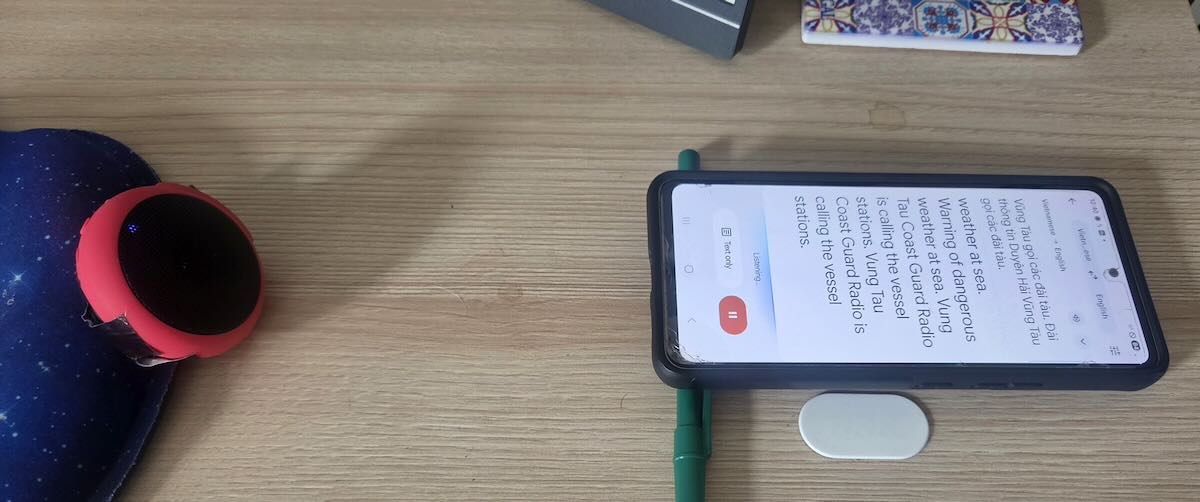
Using Google Translate on radio broadcasts couldn’t be simpler. Getting good results, as we will see, is another matter. To get started, I recommend picking strong, clear signals. I get better results with an external speaker. Laptop speakers are rarely the best, and the app will pick up extra noise if the fan is running. I get good results using this pocket Bluetooth speaker with my phone a short distance away and angled up so that the bottom microphone is pointing towards the speaker.

Translation never starts immediately. On a perfectly clear audio stream, it may start in a few seconds. But even a little noise can delay that from several seconds to a minute. Then the first few sentences may not get translated. That’s a problem because many broadcasts, especially from utility stations, begin with the identification announcement, and you may miss it. So, for DXing, Google Translate is best used with recordings rather than live broadcasts. I do all my DXing from SDR spectrum recordings. Once the translation starts working, I quickly reset the playback to the beginning of the audio. Even then, it may take several tries to get the translation to catch right from the start. And if all I have is a short phrase, it likely won’t work at all. The AI seems to need at least a couple of sentences.

After I thought I was finished with this article, I decided to go back and do some more experimenting by placing my old A53 and the new S-26+ side-by-side. Unless I played perfectly clear audio, the two rarely produced identical translations. And it wasn’t just differences in wording. When playing slightly noisy signals, sometimes one phone would work but not the other. Or one would get a few sentences and then hang, but maybe the other would pick up and start translating. Together, they gave me more information than either of them did alone. So, the most productive way to use this on DX signals is to use two (or more?) phones to do the translation and to play a recording back several times to piece together the message.

For example, I had a 90-second broadcast in Tagalog on 7828.5 kHz that I knew was the Philippine Coast Guard, apparently from a place named Cape San Augustin. I pulled that back out, and after playing the recording several times on both phones, I figured out that it was the Philippine Coast Guard vessel BRP Cape San Augustin in the harbor in Masinloc on Luzon Island. Besides identifying the ship and location, the operator gave the call sign MRRV-4408. However, he preceded it with the English phrase “call sign,” and that was throwing off the translator, as it was expecting Tagalog. As a side note, the broadcast was a storm warning and, per the translation, he was telling the fishermen to “go hide.” A better translation would be to take shelter.

A few more observations. Using this for a while – like an hour straight – can really heat up a phone. It’s a good idea to occasionally take a break and turn off the display. It also drains the battery more quickly. And remember, the app is sending the audio stream back to Google’s servers to do the real work. If you’re not on Wi-Fi, it might be a heavy user of data, although I haven’t tested for that.

How Useful Is It?

So just how useful is this to DX hobbyists? On the shortwave broadcast bands, automatic translation makes it possible to monitor stations even if they don’t broadcast in a language that you speak. It also makes it possible to compare what a specific station is telling its different audiences. What is China Radio International’s Swahili service saying? It can be a tool for medium wave DXing if you are in a place where there are stations in multiple languages.

I was primarily interested in translation for utility DXing, and it worked well for communications from official organizations. Google Translate was indispensable for DXing the Vietnamese marine stations, and it also helped me translate and identify scheduled marine broadcasts from China, Japan, and Indonesia, and to log that Philippine Coast Guard vessel.

But what I was really interested in was the two-party and multi-party conversations in numerous languages that fill many of the utility bands. My hope was to translate those and, in the process, identify and log some really unusual stations. It didn’t work anywhere near as well as I had hoped. For one thing, the users of those stations know one another by voice or by nicknames, so there aren’t ID announcements, and rarely do they say anything to indicate exactly where they are located. But the real problem was still language.

My Spanish is very good, and I have no trouble following weather forecasts from the Colombian Coast Guard. But when they start taking messages from local fishermen, I’m lucky if I can pick out a third of what the fishermen are saying. And it’s no better in my native language. I perfectly understand weather reports from the Canadian Coast Guard in Newfoundland, but I struggle with Newfoundland fishermen.

Google Translate can deal with dialect differences – say between Colombian and Argentine Spanish or between English as spoken in Alabama versus Scotland. But in any language, people with less education or less status or far from the centers of commerce and learning are less likely to speak the language according to expected standards. Grammar rules aren’t followed, and pronunciation gets muddled. Localized slang and expressions get used. (It would be wrong, however, to say these people don’t know how to speak their own language. For more on this, read up on prescriptive versus descriptive linguistics.)

Language translation AI is trained on official sources and what is available on the Internet. Not much of that comes from the least educated and most remote speakers of any language. That is precisely the problem I had in trying to DX the two-way chatter on the utility bands. Even with a strong, clear signal, the app would struggle with the translation and only get phrases here and there. Sometimes the translation didn’t make sense because the AI seemed to be literally translating local slang expressions. But occasionally I got something useful, such as two Indonesian stations that gave their locations as Bandung and Kendari, even if I had no idea who they were.

How useful automatic translation is for DXing depends on what you want to use it for. And, of course, how clear the signal is that you want to translate. If nothing else, it’s fun to play with, and I recommend giving it a try.

Links

How Do They Say That? Using Text-to-Speech for Foreign Language DX Identification

By Don Moore

More of Don’s traveling DX stories can be found in his book Tales of a Vagabond DXer [SWLing Post affiliate link]. If you’ve already read his book and enjoyed it, do Don a favor and leave a review on Amazon.

When I first discovered shortwave radio way back in 1971, right from the start I was both a listener (looking for interesting content) and a DXer (trying to hear as many different places as possible). But my DXing had a problem in that I only spoke English. Sure, lots of countries had international broadcasters with programs in English. But how was I going to log the many that didn’t?

In July 1972, I ordered a sample copy of FRENDX, the bulletin of the North American Shortwave Association. It was the first time I had seen a DX bulletin, and I learned a lot. The most eye-opening thing I found out was that other North American DXers were routinely identifying and logging radio stations using languages that they didn’t themselves speak. I was genuinely surprised by this. But if they could do it, then I could, too.

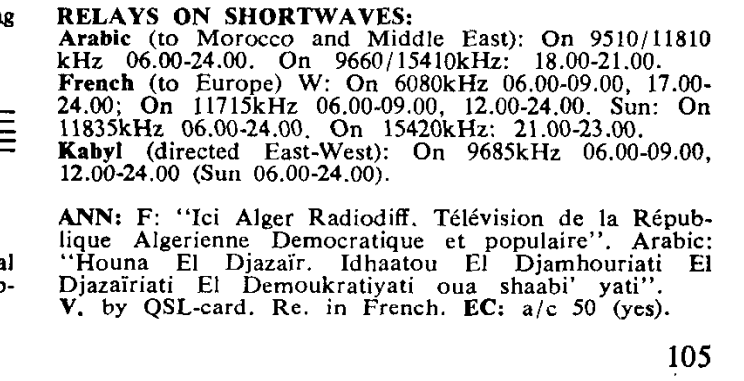
I began by going after Spanish-language broadcasters. I had started studying Spanish in school, so I knew the pronunciation rules even if I didn’t yet understand much. Some station names, like Barquisimeto and Bucaramanga, were even fun to say. I soon branched out to DXing stations in Portuguese, Arabic, and French and eventually to other languages like Russian and Indonesian. One thing that helped was that in those days the World Radio TV Handbook included transcriptions of standard ID announcements from many stations, such as in the image below of Radiodiffusion Television Algerienne in the 1972 WRTH. But whatever the language, the difficulty was always the same. What my English-centered brain thought the words in a book should sound like didn’t always match how the native speakers of the language actually said it.

The anecdote, of course, was experience. Over time I developed an ear for the various languages used by lots of DX stations. Even so, long words could still trip me up. Sure, my knowledge of Spanish made Barquisimeto and Bucaramanga easy. But words like Tanjungkarang and Manokwari in Indonesian and Itatiaia and Goiânia in Portuguese still gave me headaches.

The Reasons Why

In the late 1980s I went back to school to get a master’s degree in Applied Linguistics with the goal of teaching English as a Second Language. One of the first classes I had to take was phonetics – the study of how our mouths make the sounds that turn into words. It’s more complex than you might think. The International Phonetic Alphabet has 107 symbols for distinct vowel and consonant sounds. I had to learn to audibly recognize each of them. (Just don’t ask me to do it now.) Each of those sounds can be further modified in various ways, and it’s those sounds with modifications that produce the unique phonemes that make up each language. Standards of measurement vary, but the best estimates put the total number of phonemes in all the world’s languages at around eight hundred. Most languages only use around forty. English has 44 phonemes.

So that station name spelled out on a printed list may not only sound different than you expect, but it likely also contains sounds that you don’t even know. And when the sounds get chained into words, there’s the issue of which syllable gets the stress (consider photograph versus photography). Many languages help by using accent marks when stress differs from the standard. As words get chained into sentences, the connections also affect pronunciation, such as how “got to” becomes “gotta” in colloquial English. Other languages do the same thing. And I’m not even going to go into the use of tones in languages like Mandarin, Vietnamese, and Thai.

If you think English is an easy language, you are wrong. In terms of how the pronunciation of a word matches the spelling, English is one of the worst. There are historical reasons for the inconsistencies, but about 20% of English words are pronounced significantly differently from how they are spelled. And we don’t use accents or other diacritic marks to indicate when the sound differs from what’s standard. That makes English a difficult language to learn to speak and to understand. My linguistic DX heroes are any non-native English speakers DXing American medium wave stations. Local people do not pronounce places like Louisville (Kentucky) or DuBois (Pennsylvania) the way you would expect.

So there are all types of reasons why that station identification may not sound like we think it should sound.

But There’s a Solution …

I didn’t lead you all the way here just to complain about how complicated it all is. We now have a solution.

Text-to-speech is the process of presenting a computer program with a word or phrase and having it generate the sounds. For most of us, our first experience with this probably happened two or three decades ago when calling an automated phone system that used a mechanical voice to read back unique information that couldn’t be prerecorded by a human. It was pretty bad, and text-to-speech of the era deservedly got a bad reputation.

But the good news is that, like so much technology, text-to-speech has gotten a lot better. Some of it is so good that it’s become difficult to distinguish computer-generated speech from real human speech. Of course, the ways that can be misused also make it scary, but that’s a topic for other forums. Dozens of companies provide text-to-speech software in dozens of languages. And most of them have websites where you can try out their software for free.

I do a lot of DXing of stations in languages that I don’t understand or know well. And sometimes I hear what seems to be an ID but doesn’t match what I would expect from the spelling of any listed station. Then I go to one of those text-to-speech websites and plug in the station name to create a sample audio file. I compare that file with what is being said in my DX recording to see if they match.

I’ve been using this method for several years with Brazilian medium wave stations, Russian airports, and Indonesian marine stations, among others. I’ve confirmed numerous IDs this way that otherwise I wouldn’t have figured out, or at least not have been as comfortable that I had gotten the logging right. A couple of times it’s even saved me from making mis-logs on similarly spelled station names on the same frequency.

Most text-to-speech generators offer multiple voices, including both male and female. I always pick the gender that matches that of the ID I’m comparing to. For the most widely spoken languages, some companies offer multiple dialects, like Nigerian English or Argentine Spanish. So if you’re trying to ID a Colombian station, pick Colombian Spanish, not Argentine.

And, very important, be sure to use the correct spelling when pasting in the station name to check. That means including all the accent marks, tildes, umlauts, cedillas, etc. They are there to indicate how the word is pronounced, and if you omit them you will not get the right result. To make sure I have the correct spelling with all the proper diacritic marks, I usually copy/paste from Google Maps, a Wikipedia article, or some other webpage.

Finally, be aware that some local pronunciations are so unusual that the speech engines still may not get it right. I grew up near DuBois, Pennsylvania, and not one of the text-to-speech sites I tested said “DuBois, Pennsylvania” the way the people who live there do. They call their town “DO-boys.” To any native French speakers reading this, I sincerely apologize for what we Pennsylvanians have done to your language.

Links

A quick way to find a TTS engine is to do a web search for “<language name> text to speech”. Here are a few of the better ones.

Don Moore’s Photo Album: Old Radios in Salamanca

By Don Moore

More of Don’s traveling DX stories can be found in his book Tales of a Vagabond DXer [SWLing Post affiliate link]. If you’ve already read his book and enjoyed it, do Don a favor and leave a review on Amazon.

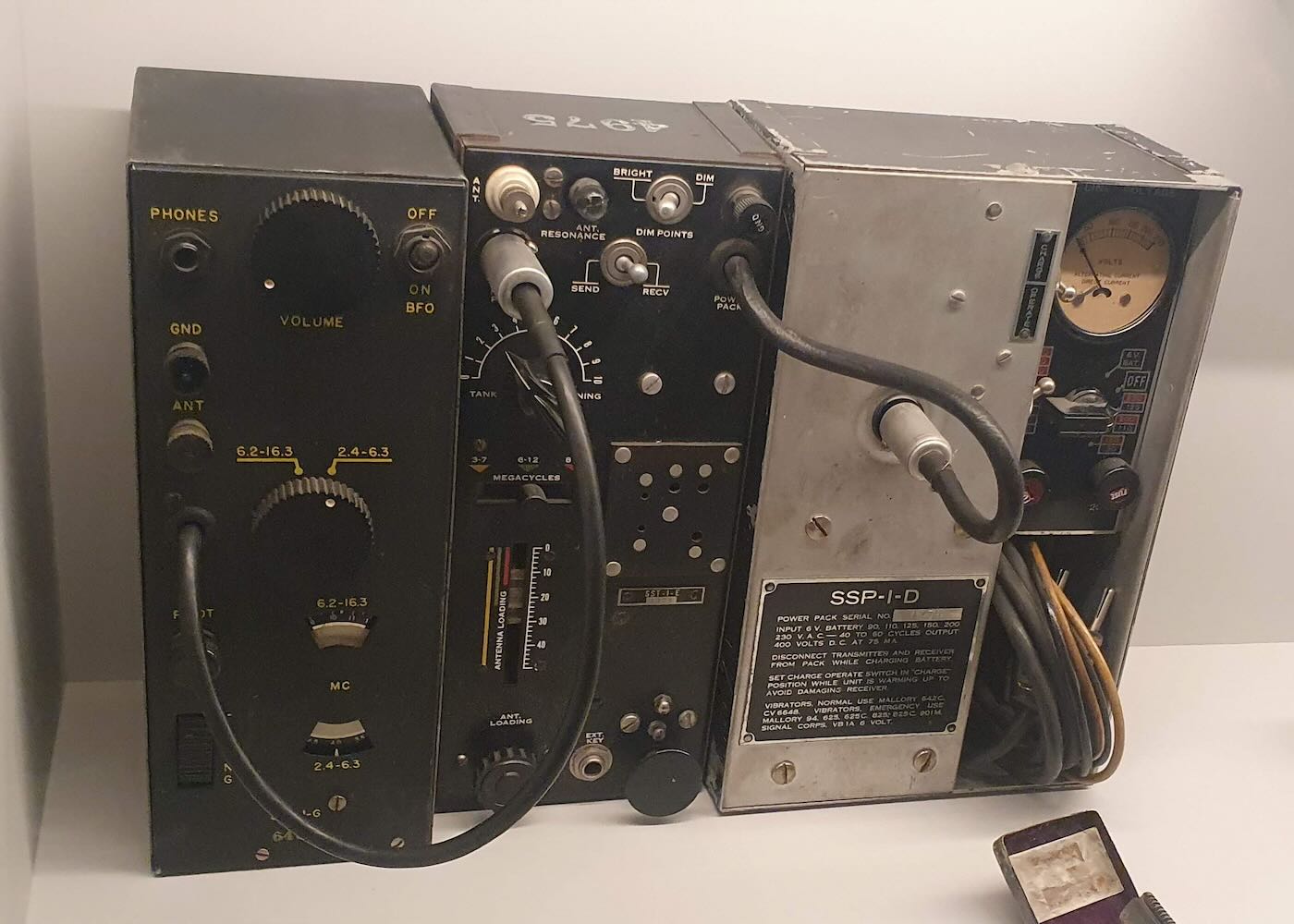
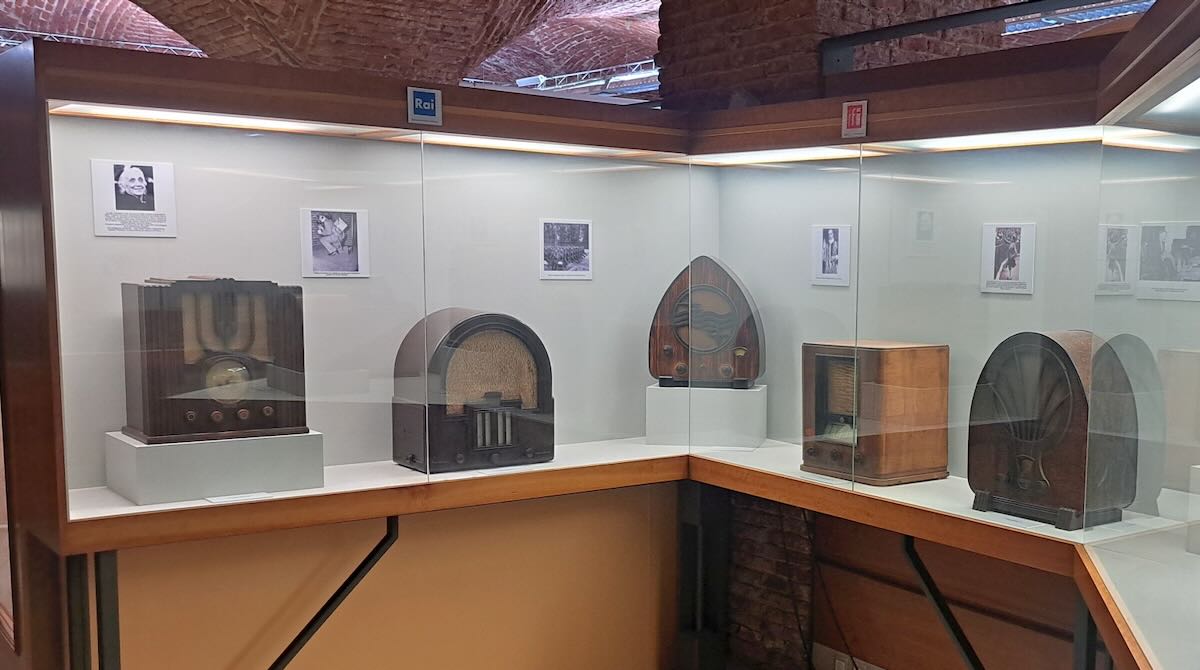
I’m spending April and May wandering around northern Spain and northern Portugal. My goal is to visit places I haven’t been to before, but I also have to return to Salamanca. I had been there twice before, but Salamanca is the kind of place that draws a person back. I love to wander the back streets of the old city. I also wanted to find some things I hadn’t done before, and that’s how I came across the Museo del Comercio (Commerce Museum) in a modern neighborhood east of downtown. That may not sound very interesting, but I knew immediately that I would have to go. One of the two main permanent exhibits is a collection of old radios.

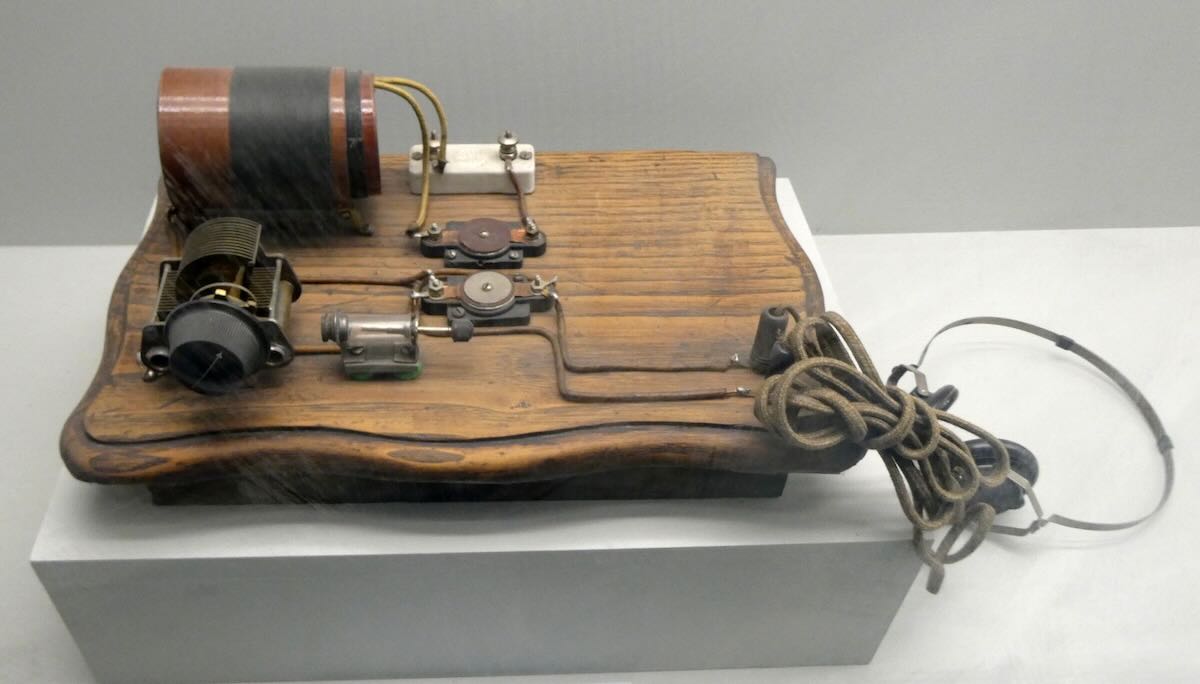
Most of the items on display came from the collection of Agustín De Castro. Agustín was born in Salamanca in 1928 and began building radios when he was eight years old. Here’s one of his early radios.

As a young man, he went into electronics and eventually operated his own radio store and radio repair business in Salamanca. He donated his vast collection to the city in 2002, and in 2006, it became part of the new Museo del Comercio, which was opened in Salamanca’s old underground brick water cistern.

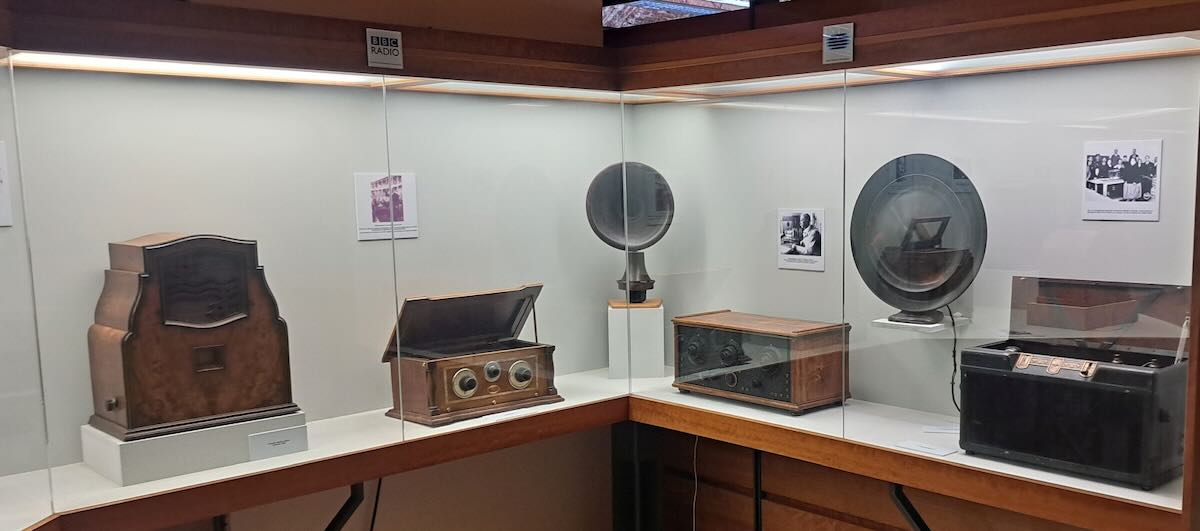
I might only DX on modern SDRs these days, but I still love looking at old radios. Everything here is in excellent condition and is kept in glass display cases to keep it that way. Unfortunately, that does make it harder to get good photos without getting glare or reflections. But I think these came out pretty well.

Let’s start with a closer look at a few of the more usual pieces.

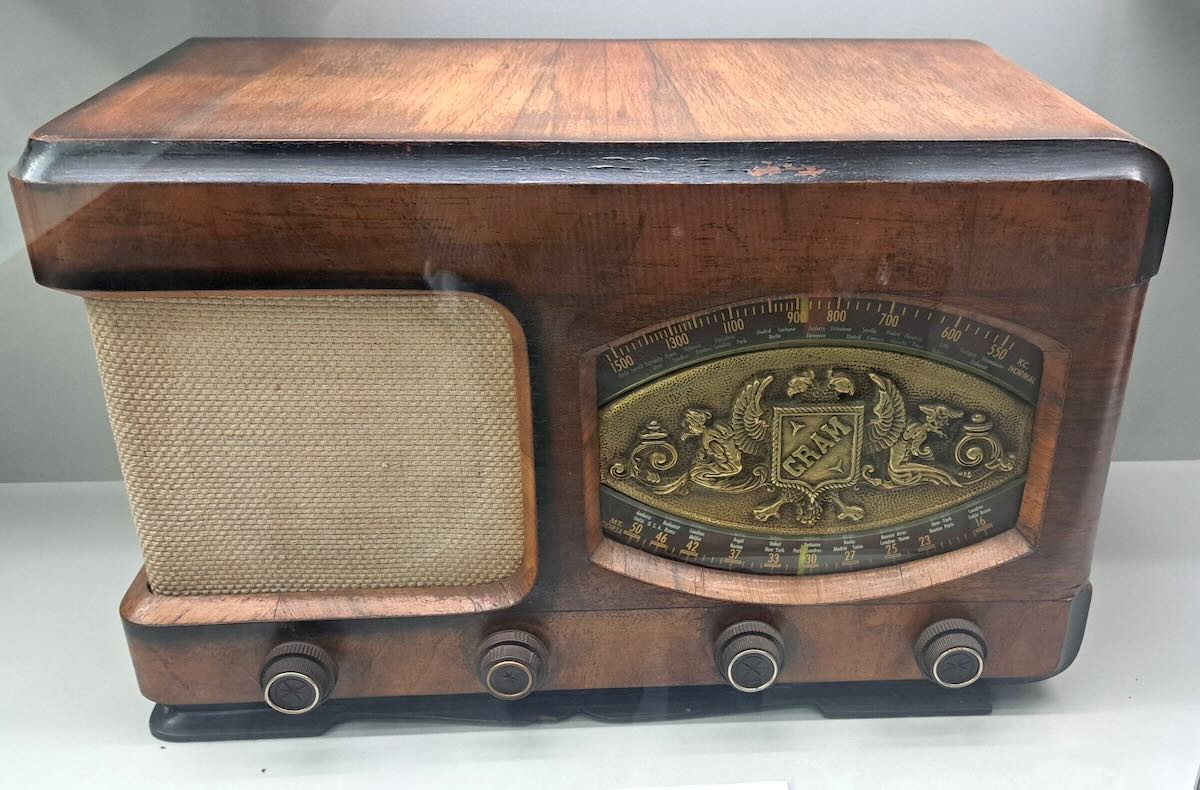
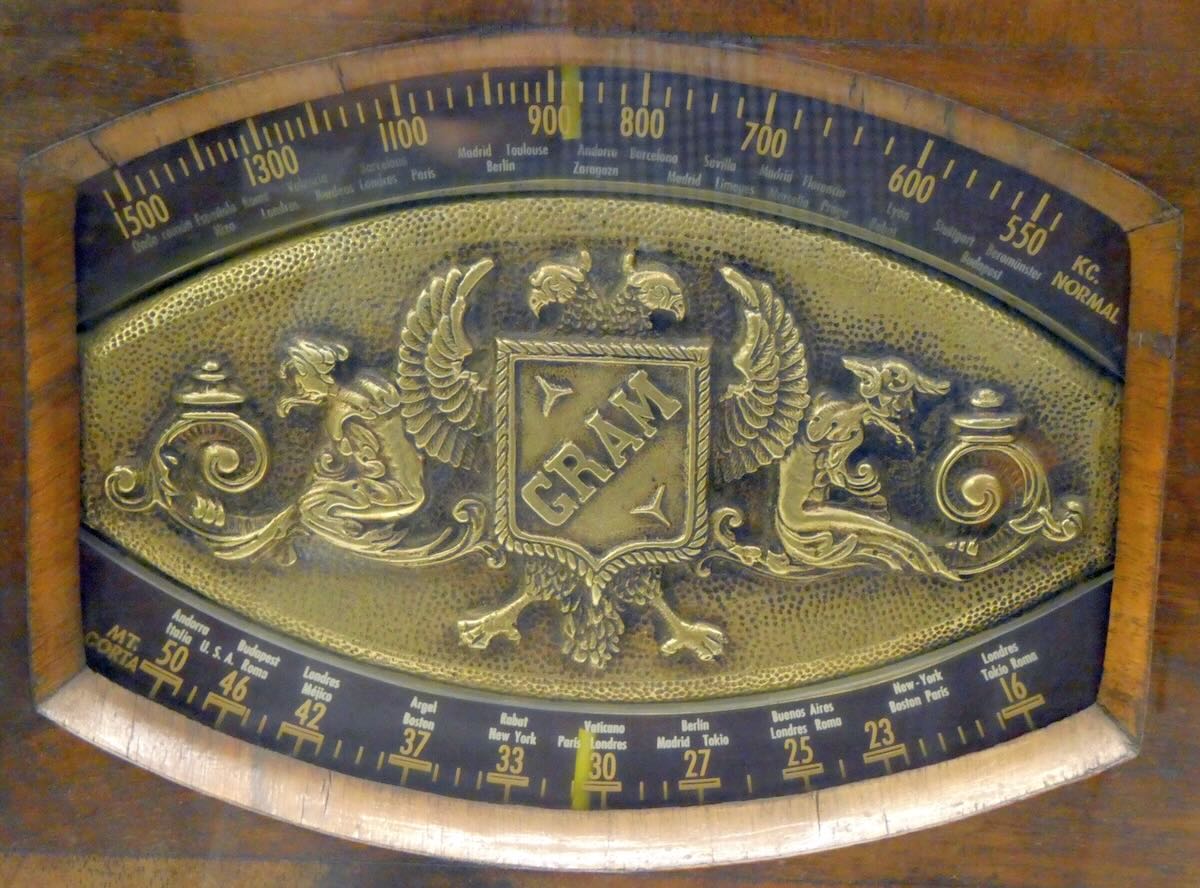
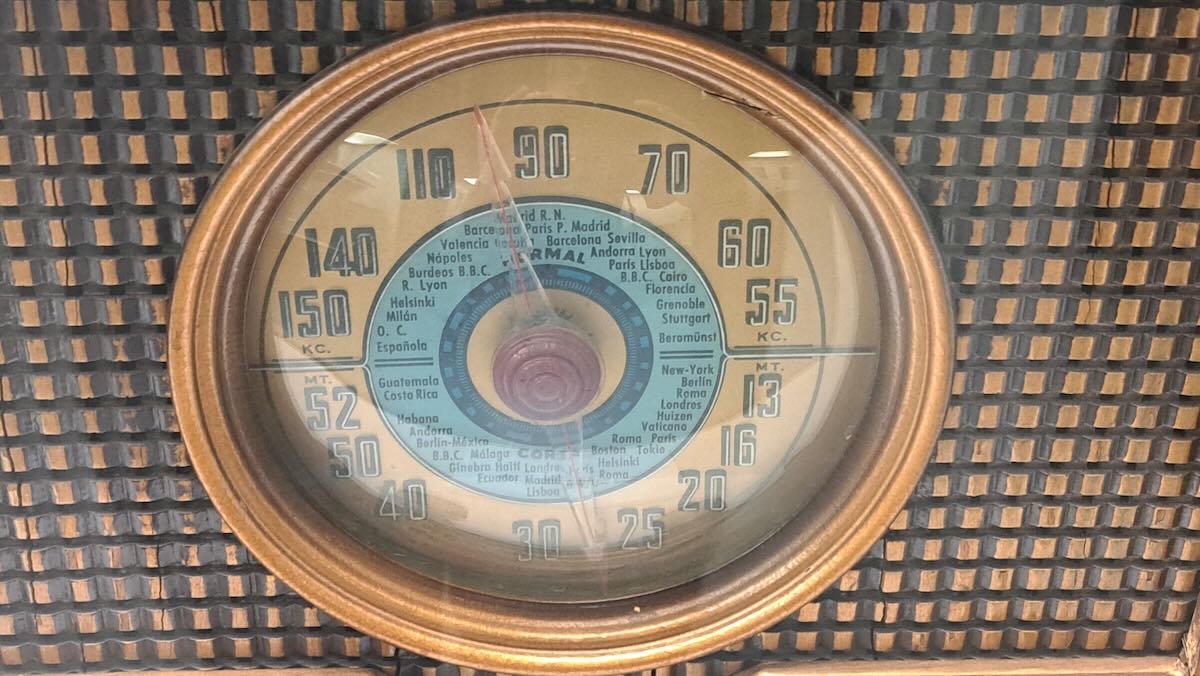
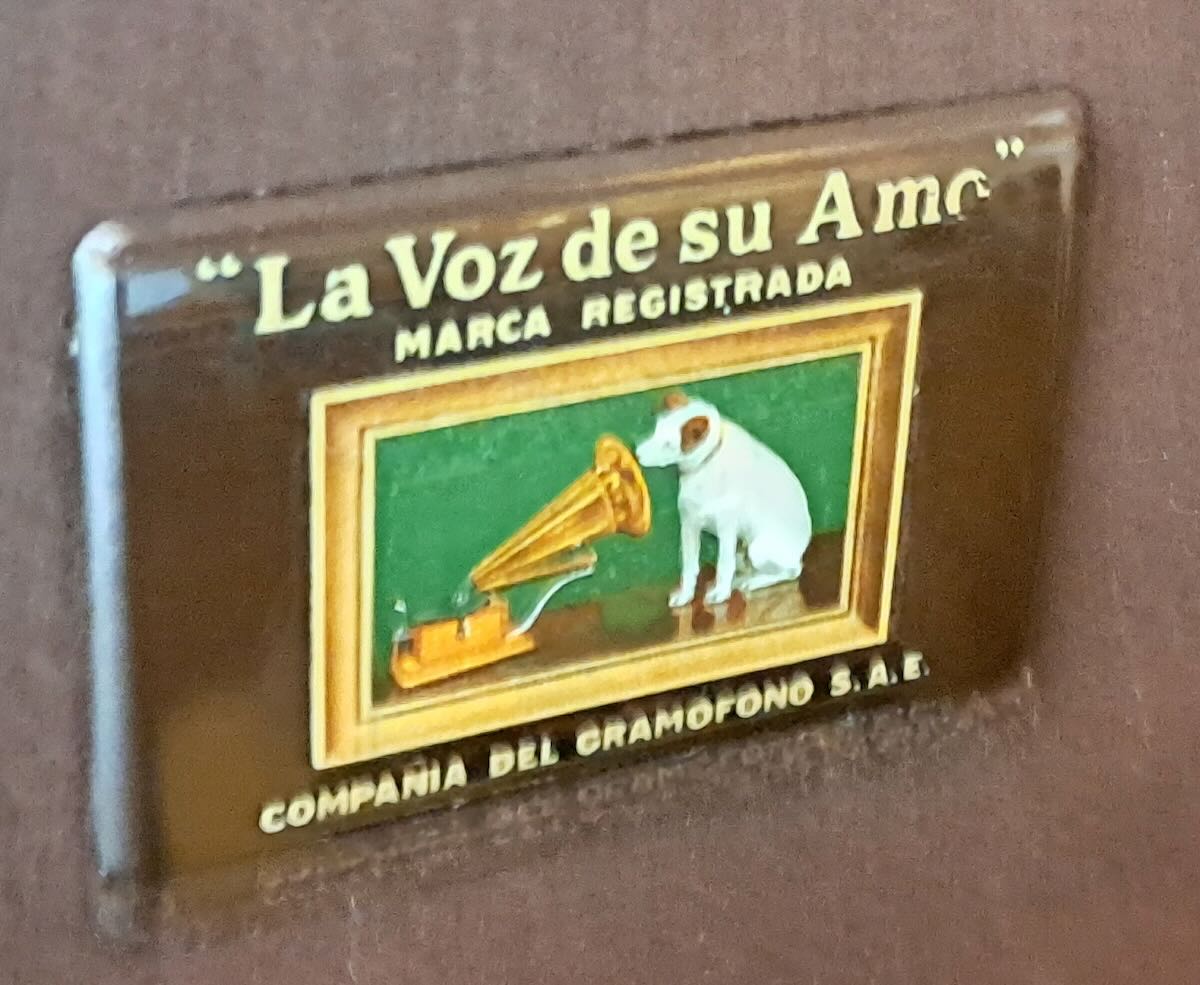
The Gram Model 157 was built in Spain in 1947. I liked this one for the fancy logo on the dial. Note that while the medium wave band at the top is marked in kilocycles, the shortwave band at the bottom still used meters.

The Fono model 140 was also made in Spain in 1945. Again, the dial used kilocycles for medium wave and meters for shortwave.

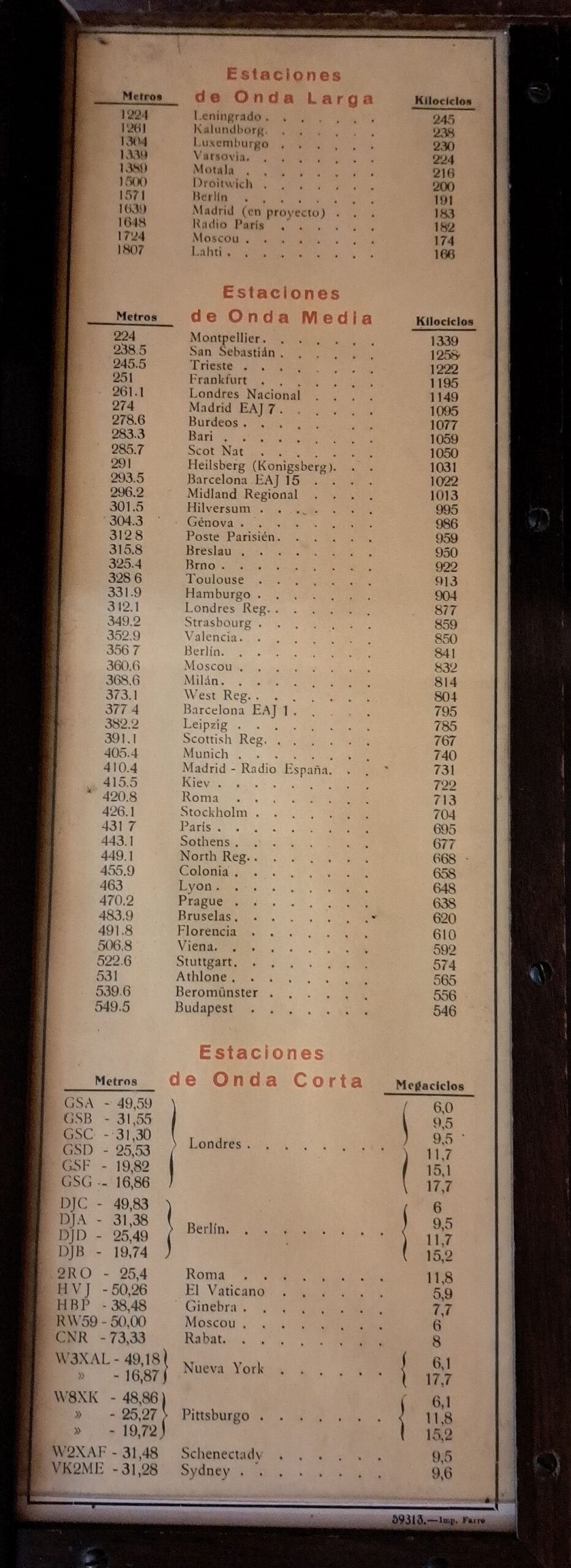
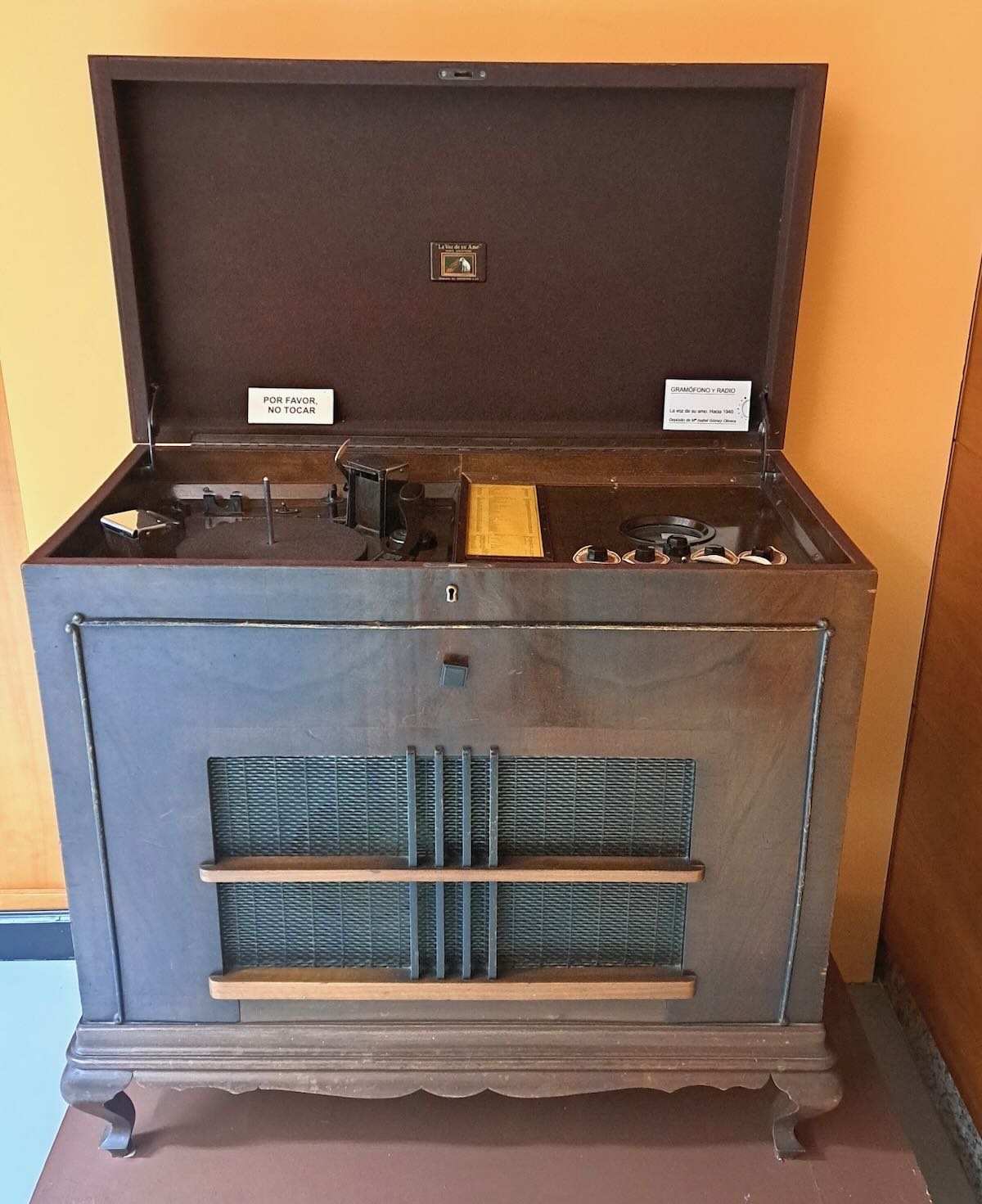
This 1940 RCA radio/phonograph is one of the few items that didn’t belong to Agustín De Castro. What caught my eye was the original station list inside.

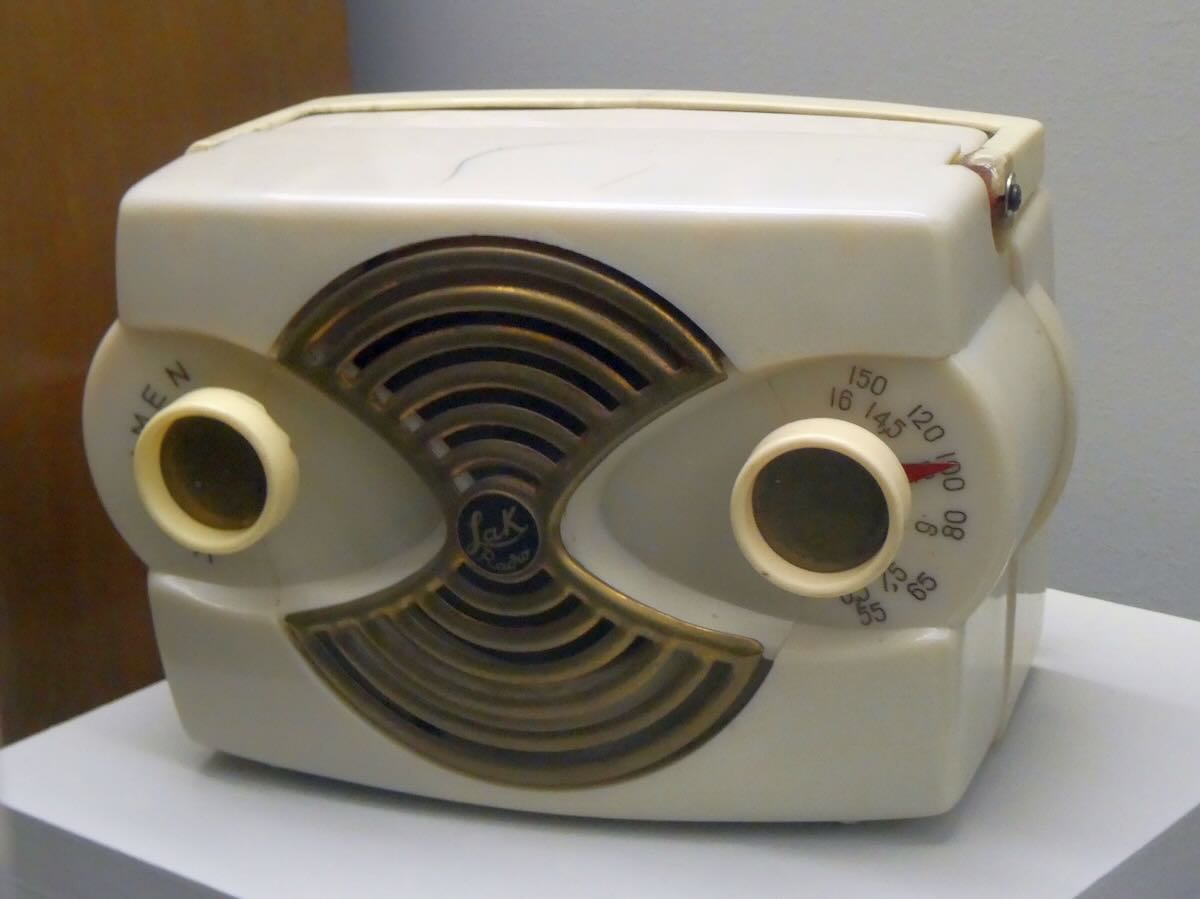
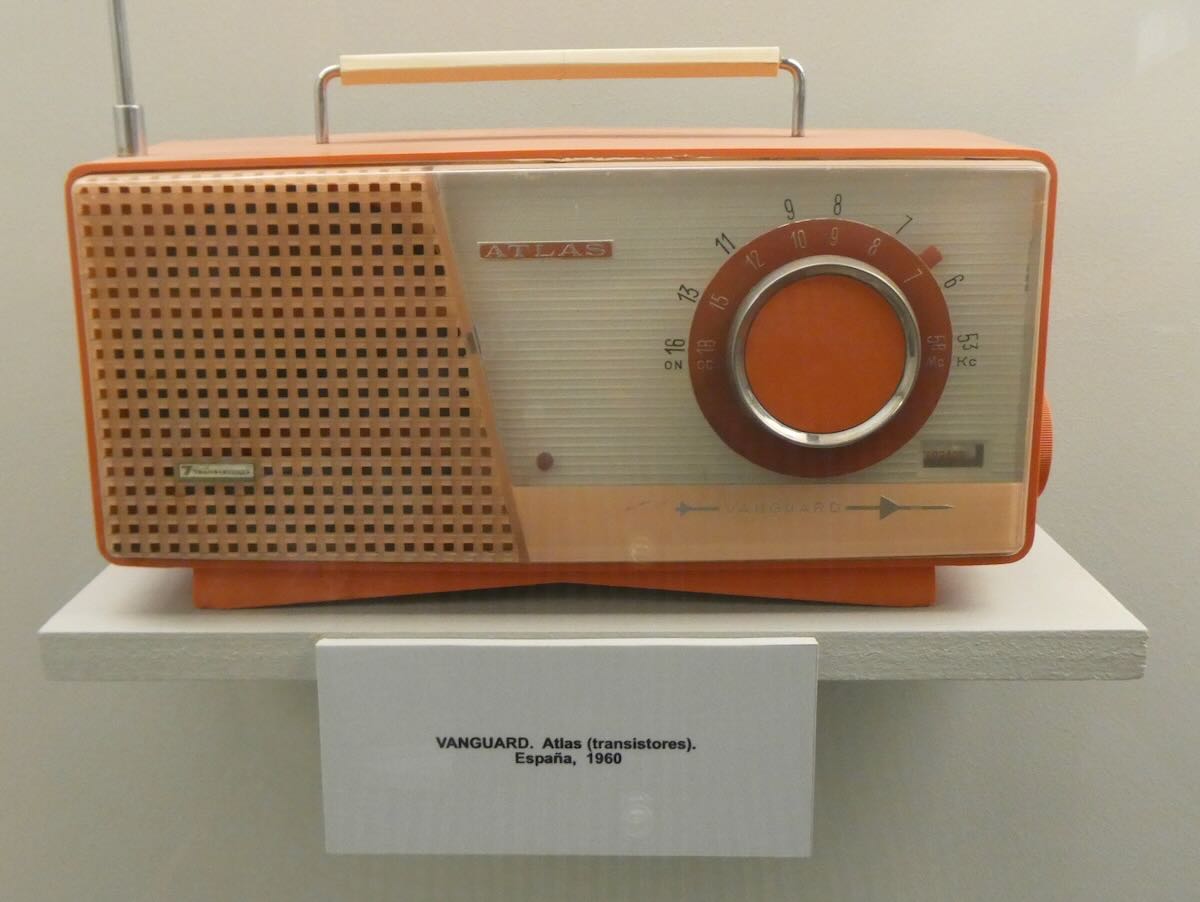
The LAK Radio was a small set made in Spain in 1950. It’s also medium wave and shortwave, but now the shortwave dial has frequencies instead of wavelengths. Likewise, the 1960 Vanguard Atlas from Spain uses only kilocycles.

Two Unusual Designs

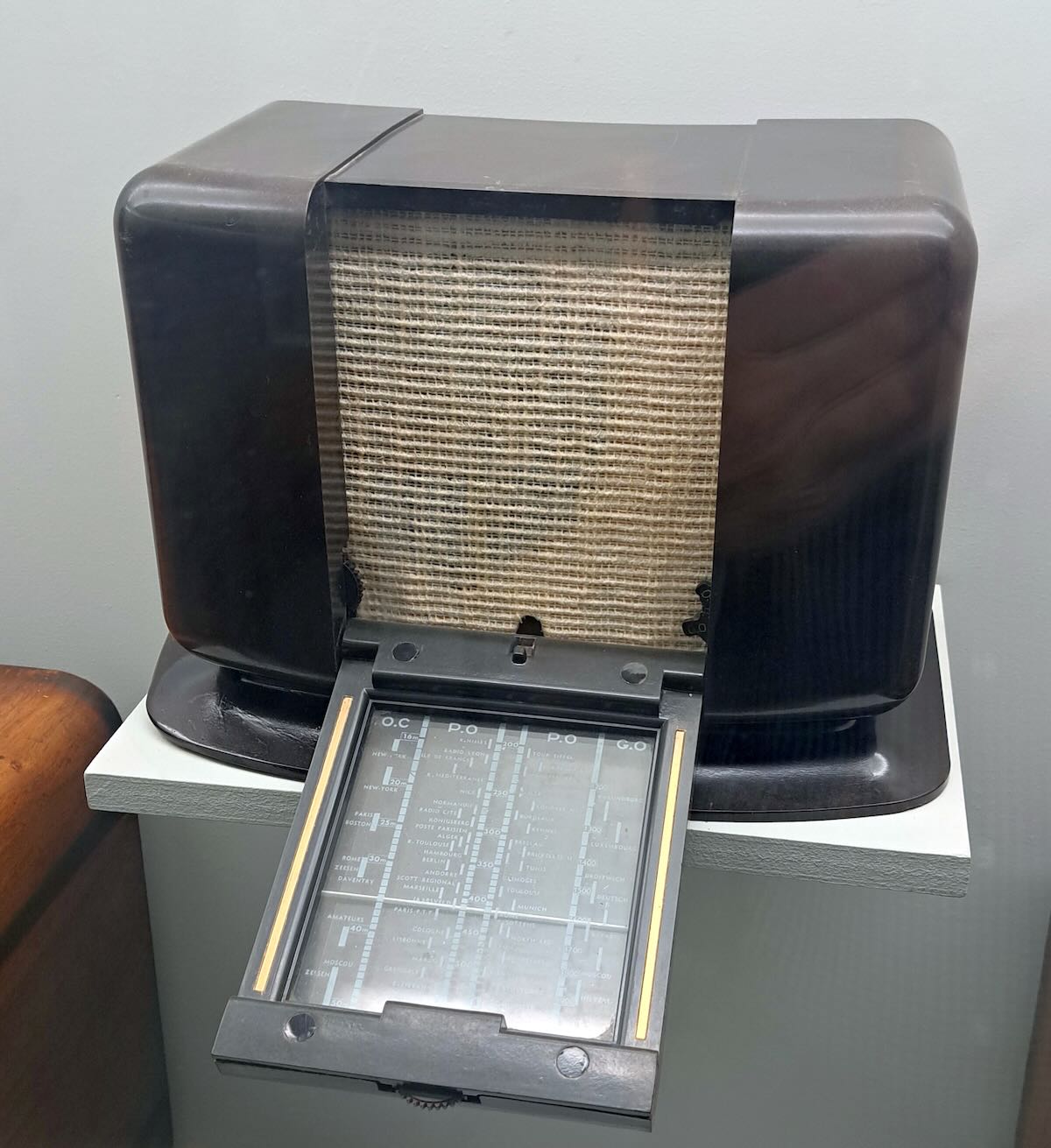
The next two sets will show that there were some rather unusual designs coming out of France. This first set is a Philips A-48-U made in France in 1942. The dial is on a panel that folds down when the radio is being used and then snaps back up when it’s not in use. I think the idea is to give the user a way to put the radio away without having to move it. Notice that the knobs are also mostly hidden. The tuning knob just barely sticks out from the front of the fold-down panel. Two other knobs are at the bottom of the speaker grill on either side.

I wish I could have gotten a better picture of the dial markings on this, but there was too much glare at other angles. The A-48-U was only produced in 1941-42 in Paris, which would have been under Nazi occupation at the time. Nevertheless, the dial still lists Daventry, London, and Droitwich, although it would have been illegal to listen to those British stations in occupied France. The dial also shows New York, Boston, and Moscow, but it’s possible the plates were made before the USA and USSR were part of the war. Continue reading
Part Three: A Beginner’s Guide to ALE

Many thanks to SWLing Post contributor Don Moore–noted author, traveler, and DXer–who shares the following post:


A Beginner’s Guide to ALE: Part Three

By Don Moore

Don’s traveling DX stories can be found in his book Tales of a Vagabond DXer [SWLing Post affiliate link]. If you’ve already read his book and enjoyed it, do Don a favor and leave a review on Amazon.

In the first two parts [Part 1 and Part 2] we looked at software used to decode ALE signals. Now let’s look at the stations and countries waiting to be logged.

If you’ve read the first two parts of this series then you know that there is no listening involved in ALE DXing. I know some traditionalists who would claim it’s not real DXing if you aren’t sitting next to the radio listening to a speaker or headphones. To me, DXing is having fun by logging new and interesting stuff. With ALE, the fun comes from researching the callsigns and frequencies to figure out what was logged. Every DX session produces numerous puzzles.

Identifying ALE stations may not sound hard. After all, one of the best things about monitoring ALE is that the stations are constantly identifying themselves. What could be easier? Unfortunately, it’s not always that easy to match up the callsign with what organization is behind it. Obvious location identifiers like ILLAPEL and VILLAVICENCIO2 are the exception, not the rule.

Around a third of the callsigns I decode stay complete mysteries as to who is behind them and where they are from. For about another third, the organization may be known (and, by extension, the country), but not the transmitter site. Only about a third of my ALE catches can be pinpointed exactly on a map as to where they came from. I wish it were more than that, but that doesn’t mean I haven’t logged some really interesting and unusual places.

Actually, it is surprising that I can pinpoint as many as I do. After all, every ALE network I’m aware of belongs to a government agency, a military, or some other government-affiliated organization. Bureaucracies like those are typically very careful about how they share information even when there is absolutely no security risk involved. Nevertheless, the utility DX community has gathered some excellent information over the years. While some of it is researched from public sources, I understand that some of it comes from inside sources that certain DXers have with people who install the networks. I don’t ask questions about where the information comes from and I’m glad to have the references and lists, which you can find in the links below.

Join the UDXF

The best source of ALE information is the Utility DXers Forum. The UDXF website has a lot of great utility resources that anyone can download. The best information, however, is the members’ loggings. To see those, you have to join the mailing list, where you can see member logs reported in the daily messages. But what you want to do is download the log compilations from the Files section (at Groups.io). Those go all the way back to the UDXF’s founding twenty years ago.

The first zip file is a compilation of all the logs from 2006 to 2019. After that, the logs are compiled into files for each year from 2020 to 2025. Download all of these and unzip them into a single folder. And periodically check back for newer files. At the beginning of each month, there will be a compilation for the previous month. Those will be compiled into a single file for 2026 at the beginning of next year. Finally, you need a way to search within the contents of an entire folder of files. A good text editor, such as Notepad++ for Windows, will do the job.

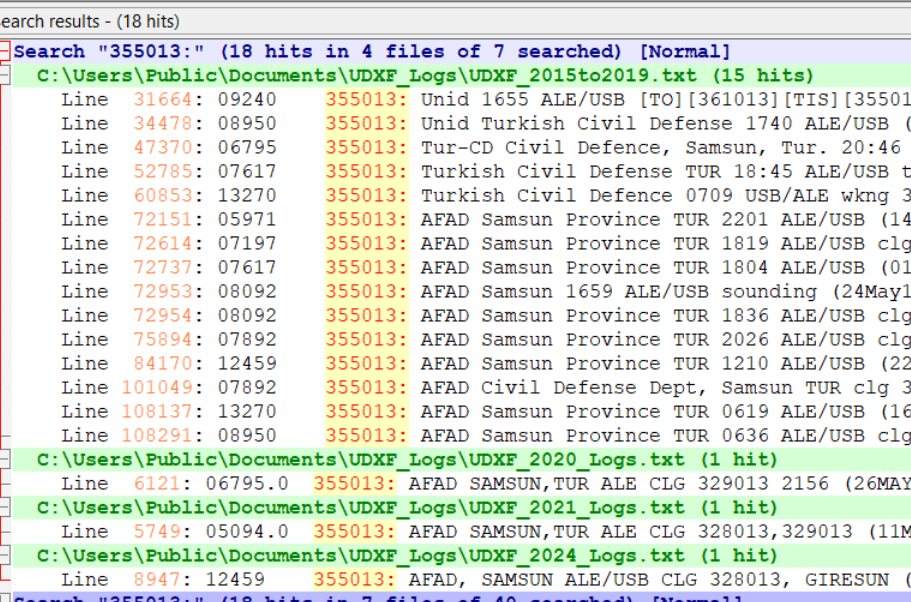
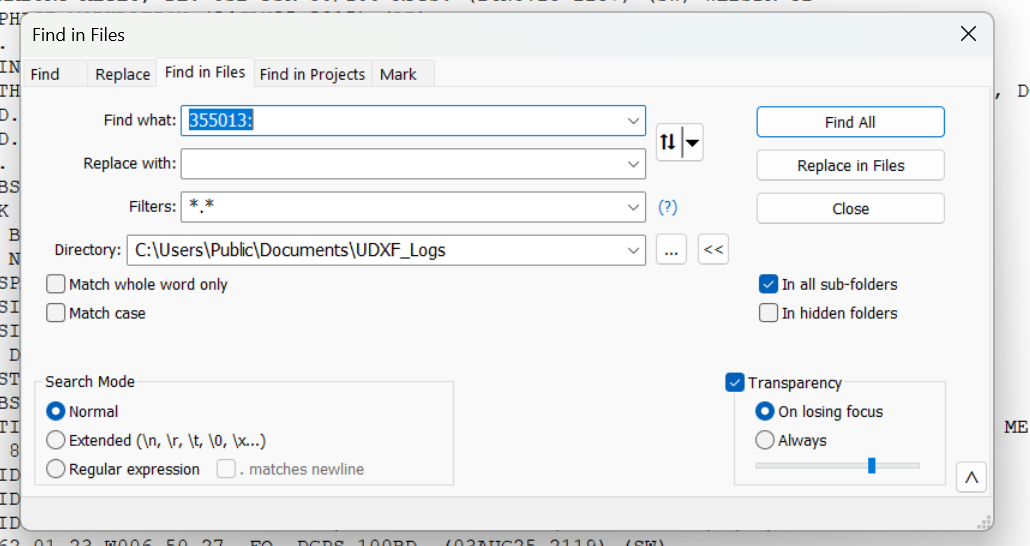
So let’s say I have a logging with the ID of 355013 on 8092 kHz. That really doesn’t tell me a thing about who could be behind the signal. Lots of organizations use six-digit strings as identifiers. I open up the Find in Files feature in Notepad++ and point it at the folder of UDXF logs. Now I type in the ID followed by a colon. Why a colon? Because in the UDXF logs, IDs are followed by a colon. By including the colon in my search term, I can eliminate any other random places that the same string of characters might be. (That’s more important when searching for shorter ID strings, such as three-digit numbers.)

I click Find All and get back a listing of every line in those logs that contains my search string. I can click on any line to open that file at that point. In the frequency column here, I see two hits for this ID on 8092 kHz. I think I can be certain that this is the Turkish Civil Defense station in Samsun province.

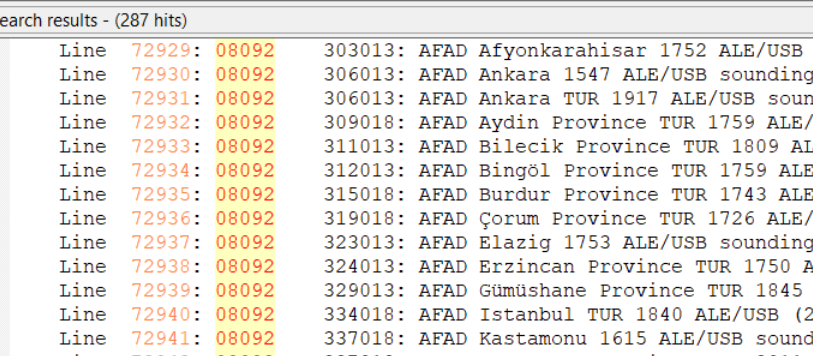
But what if I got these same results, but without any reports on 8092 kHz? That wouldn’t prove that I had logged Samsun even though the six-digit ID is a match on other frequencies. There are other organizations that also use six-digit numbers as IDs, such as UN Peacekeepers in several African countries. What I would do then is run a search for the frequency of 08092 (no colon) to see what other stations have been reported there. That turns out to be an important frequency in the AFAD network, so I could still safely assume that I had logged Samsun.

If the identifier doesn’t show up in the UDXF logs then there are some other resources (listed below) that can be checked. Sometimes the UDXF has complete network lists that include stations not yet reported in the logs. Another thing to do is look to see just what has been reported on that frequency. If there are lots of logs from a particular organization and the IDs follow the same pattern as the one you logged (e.g., six digits beginning with a ‘3’), then you likely got an unknown station in the same network.

If I get this far and still have no idea who is behind the station, then I have two options. I can delete the log and forget about it. Or I can put it in a ‘check later’ list, which I go through every year or so. I’ve identified a number of stations that way, especially from new networks. To be honest, which one I choose to do depends on how I feel that day!

Now let’s take a look at some of the places that stations can be logged from.

North America

The US government heavily uses ALE and there is no question that you will log more stations from the USA than from any other country.

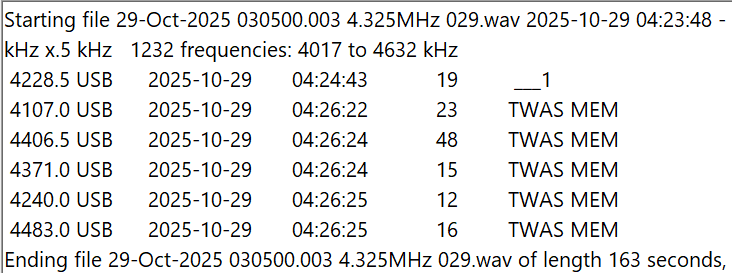
The most widely used set of frequencies by the US government includes 7527, 8912, 10242, 11494, 12222, and 15867 kHz. These frequencies are shared by several organizations, including the US Coast Guard, the FBI, the DEA (Drug Enforcement Agency), and the Customs and Border Patrol. The USCG is an especially heavy user, and it’s easy to log not only USCG bases but also USCG cutters at sea, as well as USCG aircraft. Another heavy user of these frequencies is the COTHEN network, or Cellular Over-The-Horizon Enforcement Network.  This is a network of various law enforcement agencies and includes stations in some unusual places such as Limestone, Florida, and Lovelock, Nevada. Here is a string of Black Cat loggings on five different frequencies by MEM, the COTHEN station in Senatobia, Mississippi.

Another large US government ALE network is run by FEMA (Federal Emergency Management Agency), which operates stations at each of its ten regional offices. The callsigns include the region number, e.g. FC4FEM1 from the region four office in Thomasville, Georgia. If you are in North America, it won’t take long to log all ten regions. Much rarer are the stations in individual state offices, such as SD8FEM in South Dakota and TN4FEM in Tennessee.

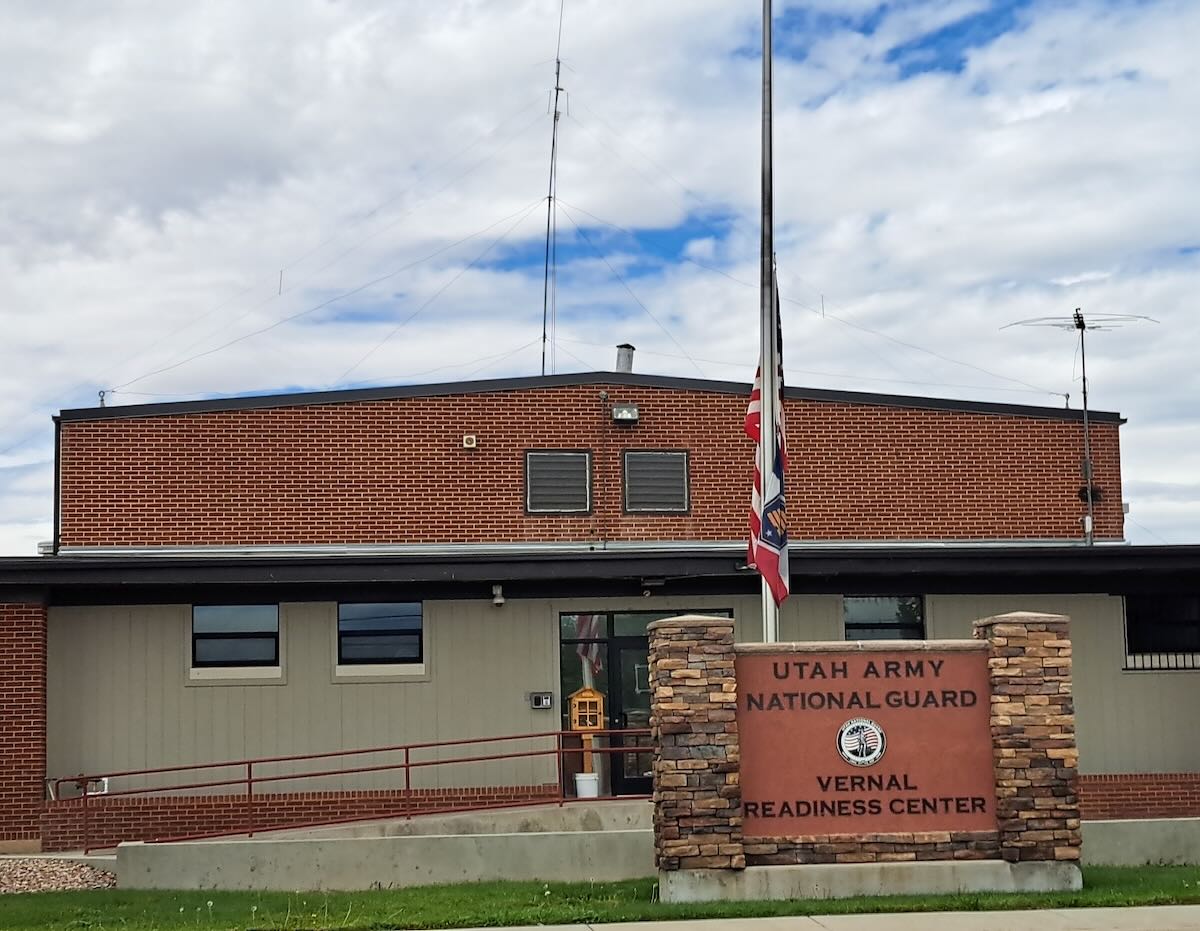
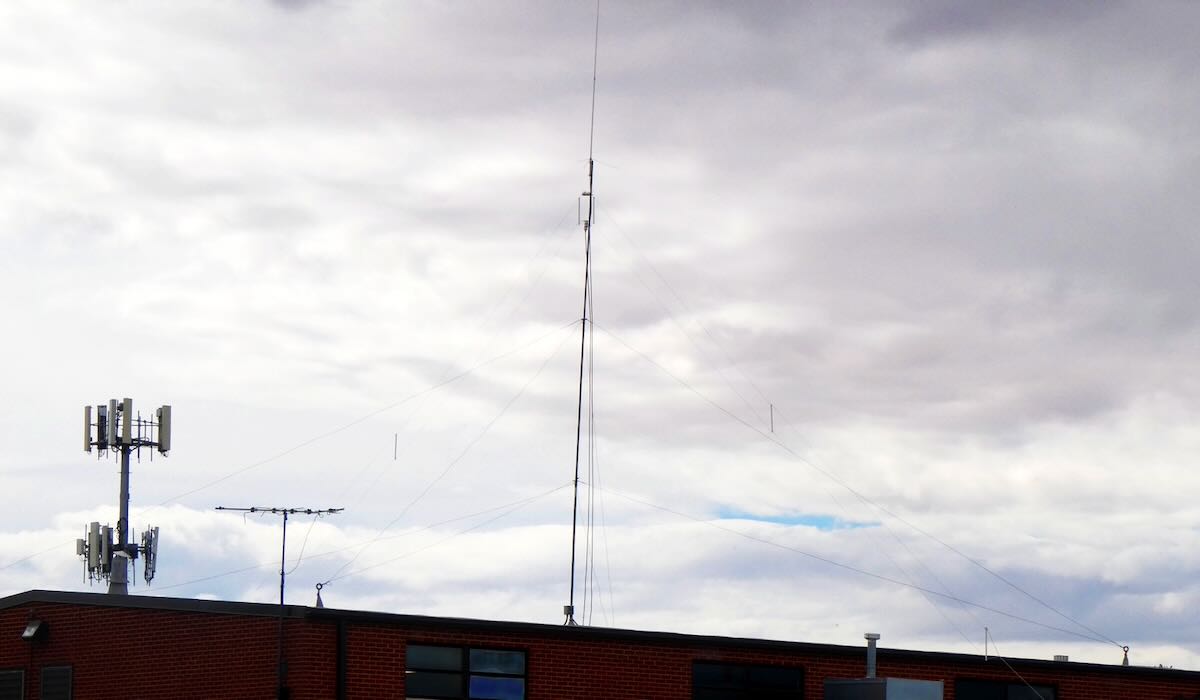
Some state National Guard units also operate on ALE, but by far the most active are the Wyoming and Utah National Guards. These can be logged on several frequencies, including 7805, 7932, and 8065. The Wyoming stations mostly identify by the full town name, e.g. LARAMIE or GILLETTE, while the Utah stations use the first three letters of the local base, e.g. AME for American Fork or TOO for Toole. In September, I passed through Vernal, Utah, and took these pictures of the Vernal National Guard center and the HF antennas on the roof.

Finally, there are several regional government and quasi-government organizations that can be logged. The most active network is probably the Bonneville Power Administration in the Pacific Northwest. It operates a handful of stations with calls including 1121BPA and 1351BPA. Unfortunately, there is no information as to where the individual stations are located.

US government ALE transmissions are not confined to the continental USA. As noted in part one of this series, the US Air Force operates from bases around the world. The US Coast Guard operates from Puerto Rico, Guam, Alaska, and Hawaii. The DEA has a station in Nassau, Bahamas. Finally, the US State Department operates from many consulates and embassies around the world.

The Canadian military has a few ALE stations on the air. Aside from that, to my knowledge, there is no ALE activity from Canada, Mexico, or any of the countries in Central America and the Caribbean, except for that done by the US government.

South America

The militaries of Brazil, Colombia, and Venezuela all operate ALE networks. The Brazilians seem to be particularly active. The police networks of Chile and Colombia, as mentioned in part one, are the most interesting as they identify with the station location. However, logging the Chileans in the northern hemisphere will require good conditions. I’ve only managed to get a few when DXing in the USA, although I have logged several more while DXing in South America.

Africa

Algeria is the heaviest user of ALE from Africa. The Algerian Air Force and Army operate from bases throughout this huge country, and in many cases, the exact locations of the stations are known. One of my favorite ALE logs is CM6 from Tamanrasset in the heart of the Sahara in southern Algeria. Sonatrach, the Algerian national oil company, also has a huge network of stations using four-digit numbers as identifiers. Unfortunately, there is no information as to the exact location of any of those stations.

Morocco, Mauritania, and Tunisia are three other countries with large ALE networks operated by their militaries and/or national police. Finally, United Nations Peacekeepers operate from several countries, including Mali, the Central African Republic, and South Sudan.

Europe and the Middle East

The United States may have the most ALE stations, but without a doubt, the most active ALE callsign is XSS from Forest Moor, England. Operated by the British military, this station pops up on dozens of frequencies throughout the shortwave spectrum. The previously mentioned Turkish AFAD operates what is probably the largest ALE network in this region. Another large network is Italy’s Guardia di Finanza, a sort of combination coast guard and tax enforcement agency. It’s hard to receive in North America, but I did once get one of their patrol boats. ALE is used by the militaries and border patrols of several other countries in this region. My best ALE catch from Europe is getting the Polish UN Peacekeepers in Kosovo. That’s my only logging of any type in that small country.

Asia and Pacific

Australian state police run an ALE network with 10505 kHz being a favorite frequency. To my knowledge, there is no other significant ALE activity in the region aside from that of various US government organizations.

That’s just a general overview of the major users of ALE, but there is a lot more to be logged that I didn’t mention. Unlike a lot of things on HF, the use of ALE is expanding, not contracting. For example, the Colombian police network didn’t even exist two years ago. So, give ALE monitoring a shot. I think you’ll find it to be one more way to make the DX hobby challenging and fun. I do.

Links

Part Two: A Beginner’s Guide to ALE

Many thanks to SWLing Post contributor Don Moore–noted author, traveler, and DXer–who shares the following post:


A Beginner’s Guide to ALE: Part Two

By Don Moore

Don’s traveling DX stories can be found in his book Tales of a Vagabond DXer [SWLing Post affiliate link]. If you’ve already read his book and enjoyed it, do Don a favor and leave a review on Amazon.

In the first part of this series, I explained what the digital ALE mode is and looked at an easy way to get started monitoring ALE stations. In part three, I’ll look in detail at the dozens of countries and hundreds of stations that can be logged in ALE mode. But first, let’s look at a way to let software do the hard work in adding those hundreds of stations.

The Black Cat Approach

Run by longtime DXer Chris Smolinski, Black Cat Systems is a provider of over two dozen quality software programs for radio hobbyists. The one we’re interested in is the Black Cat ALE Vacuum Cleaner. The name describes exactly what it does. The user feeds it a large number of SDR spectrum recordings, and the Vacuum Cleaner sucks up the ALE DX and lists them in a file.

Let’s step through the basics of using the program. But first, you need at least an hour or two of SDR spectrum recordings covering frequencies with lots of ALE traffic. Some of my favorite ranges are 7500-9200 kHz, 10100-11500 kHz, and 15500-16500 kHz.

Here’s the main screen on the Vacuum Cleaner:

I recommend you check both USB and LSB. In the logs reported to the Utility DXers Forum, about 97% of all ALE transmissions are in USB mode. From my experience, if LSB is unchecked, the Vacuum Cleaner will step through the files about twenty percent faster, but you will miss a tiny number of stations.

The kHz settings determine how finely the application will tune in looking for ALE signals. I recommend just checking x.0kHz and x.5kHz. Almost all ALE signals on shortwave are transmitted on frequencies that end in either point-zero or point-five kilohertz. The main exception is the US Department of State, which uses frequencies ending in point-six kilohertz (e.g., 8058.6 kHz). Fortunately, the one-hundred Hertz difference from the point-five kilohertz setting isn’t enough to make a difference except maybe with the weakest of signals.

The next step is the Settings, which are found under the Edit menu. Most values can be left at the defaults.

At the top, the number of decoding threads should be no more than the number of cores that your CPU has. Check the Auto Log box, then enter a destination path to record logs to a file. (Otherwise, the logs that show up in the window will be gone when you close the program.) Next, select the file format of the SDR program used in making the I/Q recordings. Finally, set the file format for your logs. I prefer the single tab format so that I can later import the logs into Excel and sort by frequency.

Now it’s time to decode. Under the File menu, select Open I/Q Files and browse to a folder of spectrum recordings to decode. Click on Open in the file selection box, and the Vacuum Cleaner will start decoding the files. Now take a break and come back in fifteen or twenty minutes. The main screen should look like this.

The current settings and the frequencies being scanned are displayed at the top, under the settings checkboxes. There are actually only 1232 distinct frequencies in that range, but the number is doubled as each one is being checked in both LSB and USB. Below that, the output window lists each file as it is being scanned and ALE logs as they are found. (But be sure you are also recording these to a text file.)

To see a list of files still in the queue, select File > Show I/Q Files Awaiting Processing. After a few files have been processed, this will also show an estimate of how much time is needed to complete the queue. To add additional files to the queue, select File > Pause Processing, add the files, and then select File > Resume Processing. Note that the Vacuum Cleaner processes files in date/time order. If you add files that were recorded earlier, they will go to the front of the queue.

How Long Does This Take?

In the above image, notice that after each file is finished, the time taken to decode it is displayed. These files were all exactly 326 seconds long, and the first one took 262 seconds to decode for a speed of 1.24x actual time. That may not seem important, but it depends on how much you have to decode. In a couple of days of serious DXing with my three Airspy receivers, I can easily accumulate a couple of terabytes of spectrum recordings.

Processing time depends on several factors. The first is the bandwidth/sampling rate. Those files above were recorded with SDR-Console at 768 kHz wide. All other things being equal, a narrower sample will process faster and a larger one more slowly. Depending on the band being monitored, I sometimes record with my Airspys at the 912 kHz bandwidth. Those typically take about 25% longer to decode than 768 kHz files.

Another factor is whether or not the Vacuum Cleaner has to share processing power with other running applications. That slows things down. I mostly decode overnight or at times when I’m not otherwise using the laptop. Under those conditions, my 768 kHz files decode at 1.75x and my 912 kHz ones at 1.45x. But those numbers are for my nearly four-year-old main laptop. An older laptop I have at home tops out at around 1.40x on 768 kHz files with nothing else running. If you have a high-performance gaming laptop, you should get much better numbers than I.

Then there are differences between the various SDR applications in how they store data. I won’t go into the technical details that Chris explained to me, but SDR-Console is more efficient in this regard. In my own testing, I found that files of similar bandwidth and time length recorded with SDR-Console decode at least fifty percent faster than those recorded with the default Elad and Perseus software. I’m satisfied with SDR-Console, so I haven’t tried any other programs. If you have other favorite SDR applications, I suggest doing some comparison tests to see what works best for you.

One application that you shouldn’t use is HDSDR. Chris didn’t have good documentation on the file format for this one and wasn’t fully successful in reverse-engineering it. The Vacuum Cleaner will work with HDSDR, but almost all the callsigns that it finds will be errors. And that brings us to an important question.

How Accurate Is It?

When I started using the Vacuum Cleaner, my main concern was whether it would miss valid signals. There was only one way to find out, so I ran several tests. I would give the Vacuum Cleaner a few hours of I/Q recordings to decode, and then I would process the same recordings manually using Sorcerer, as described in part one. Black Cat not only correctly identified every single ALE transmission that I found with my eyes but went way beyond that. It also found and decoded weak and noise-covered signals that I couldn’t see in the Data Analyzer window but were there when I played them back.

As Chris points out in his documentation, the emphasis on weak signal detection does cause the application to sometimes falsely report bogus callsigns. Some of these are produced by random noise, fooling the system. Others come from poorly received signals. He could have taken a ‘high confidence’ approach and only presented callsigns that had been clearly received. But that would have meant some valid callsigns not being reported. Instead, he went with displaying everything. It’s up to the user to weed those out.

If the decode doesn’t contain any of the keywords (TO, TIS, and TWAS) then it’s probably an error. But poorly received signals can cause partial and incorrect callsigns to be reported with a keyword. Spotting those just takes the knowledge and practice that comes from using the program and ALE reference materials. (That’s the topic of part three.)

Is It Worth the Price?

Black Cat ALE Vacuum Cleaner is a high-quality software available for Windows and macOS, and you can try it before buying. The cost is $99.99.

Is it worth it? If all you want to do is sample what ALE is all about, then probably not. But if you get serious about ALE monitoring and want to add hundreds of ALE stations to your logbook, this is the way to do it. I am 100% satisfied with the Black Cat ALE Vacuum Cleaner. I’ve decoded several thousand hours of I/Q files with it over the past few years. (When running multiple SDRs at a DXpedition, it’s easy to accumulate seventy or eighty hours per day.) The program also has a few other tricks I haven’t covered. For example, it is possible to actively monitor a folder and decode I/Q recordings as they are created.

In part three of this series, I’m going to take an in-depth look at the countries and stations that can be logged in ALE mode. Once you’ve seen how much DX there is to log, you might just be convinced, like me, that the program is worth the price. And you married guys can tell the wife that you’re buying a new vacuum cleaner that only you will use, hi!

The Vacuum Cleaner isn’t the only program that Chris has for ALE monitoring. Black Cat ALE is a different program that does live monitoring of up to twenty-four ALE frequencies simultaneously with SDR-Console, assuming your laptop has the resources to handle that.

Finally, Chris tells me that he’s been experimenting with using the Vacuum Cleaner with wide-bandwidth I/Q recordings on high-end laptops. On his M4 Max MacBook Pro, he’s able to process 32-MHz wide recordings at about 0.50X real time and 16-MHz wide recordings at about 0.97X real time. As he says, it won’t be long until it will be possible with the right equipment to monitor the entire HF spectrum for ALE signals in real time. And that will be fun!

Links

Part One: A Beginner’s Guide to ALE

Many thanks to SWLing Post contributor Don Moore–noted author, traveler, and DXer–who shares the following post:


A Beginner’s Guide to ALE: Part One

By Don Moore

Don’s traveling DX stories can be found in his book Tales of a Vagabond DXer [SWLing Post affiliate link]. If you’ve already read his book and enjoyed it, do Don a favor and leave a review on Amazon.

To me, part of the excitement of DXing has always been logging new stations. From the very beginning (over fifty years ago), I went after shortwave broadcast (SWBC), medium wave, and voice utility DX. Up until the mid-90s, I usually averaged logging one new SWBC station per week. Today, it’s hard to add more than one or two each year. There are also far fewer voice utility stations on the air today. At least medium wave is still going strong. Several years ago, my quest for logging new stations on the shortwave frequencies got me involved in DXing digital utility stations. I wrote an article here on monitoring DSC stations: https://swling.com/blog/2022/11/guest-post-monitoring-digital-selective-calling-dcs-with-yadd/).

But DSC is just one of several digital modes that I’ve been playing around with. The one that I’ve found most interesting – and the one that has yielded hundreds of new stations in numerous countries – is ALE.

Now, I am not an expert at monitoring ALE. I’m just an advanced beginner. But I think I know enough to help other beginners get started. And if you are an ALE expert reading this, I welcome your additions, corrections, and even criticisms to the comments section. I still have a lot to learn, too.
What is ALE?

Ever since the early days of radio, one of the most important uses of the shortwave spectrum has been two-way communication. It provides a means for an organization’s far-flung offices or bases to communicate without relying on external infrastructure. That remains true even today because satellites can malfunction and evil powers can cut undersea cables.

But shortwave isn’t consistent. The frequencies that work best between any two points will vary by time of day, time of year, solar conditions, and a host of other factors. In the old days, radio operators had to understand radio propagation to make an educated guess as to the best frequency to use to reach a particular distant station. Sometimes they guessed wrong, and stations would struggle to communicate or maybe not even connect. ALE, or Automatic Link Establishment, was designed to make two-way shortwave communication as simple as making a telephone call. Depending on your point of view, it has taken the guesswork out of frequency selection … or made it so easy that any dummy can be a radio operator.
In an ALE system, each station is assigned a unique identifier and the network has a set of preconfigured frequencies spaced throughout the shortwave spectrum. For example, here’s a partial list of frequencies and stations for the United States Air Force, one of the most active ALE networks.

USAF Common Frequencies: 4721, 5684, 5702, 6715, 6721, 8968, 9025, 11181, 11226, 13215, 15043, 17976, 18003, 23337, 27870 kHz

Most Active USAF Stations

  • ADW Andrews Air Force Base, Maryland, USA
  • AED Elmendorf Air Force Base, Alaska
  • CRO Croughton Air Base, United Kingdom
  • GUA US Air Force Base, Guam
  • HAW Hawthorn Air Force Base, Ascencion Island
  • HIK Hickman Air Force Base, Hawaii
  • ICZ US Air Force Base, Sigonella, Sicily, Italy
  • JDG US Air Force Base, Diego Garcia Island
  • JNR US Air Force Base, Salinas, Puerto Rico
  • JTY US Air Force Base, Tokyo, Japan
  • MCC Beale Air Force Base, California, USA
  • OFF Offutt Air Force Base, Nebraska, USA
  • PLA Lajes Field, Azores

The key to the system is a piece of software called the ALE controller. At periodic intervals, the ALE controller at a particular station, say PLA, will loop through the frequencies and send a “sounding” out on each one. That’s just a short digital identification burst saying “This is PLA!” Here’s a recording of an ALE sounding.
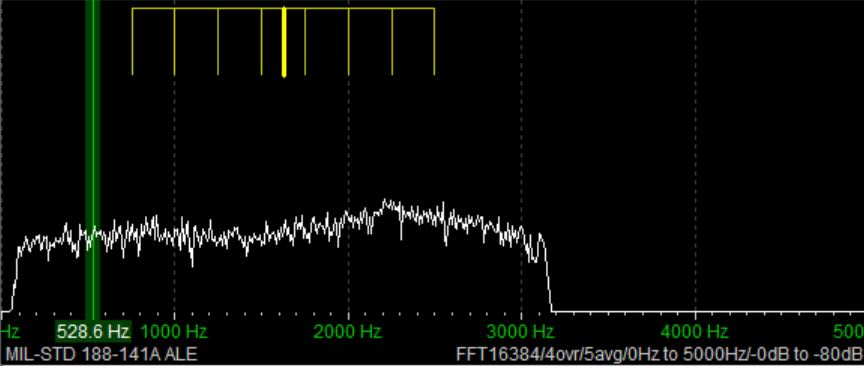
That’s not the kind of signal that anyone would enjoy listening to all day. Fortunately, no human being has to do that. Instead, all the other controllers in the network are monitoring every frequency and automatically make note of how well PLA is received (or not) on each channel. Now, if someone at Offutt Air Force Base needs to send a message to Lajes, they just go to their ALE controller and enter “PLA.” The system will select the best frequency to use based on the most recent observations. That’s the basic explanation. If you want to understand more, see the links at the bottom.
Monitoring ALE

You can’t DX ALE with your ears. A computer program has to do it for you. There are several hobby programs that do the job, and I’m going to look at two of them. The first one will get you started, and the second one will take your ALE DXing to the top.

I began with Sorcerer, a free program that decodes several dozen digital modes. See the links below for downloading. The program doesn’t need to be installed. Just unzip the file and place the executable in a suitable location. Next, you need an SDR and an SDR application. I prefer SDR-Console for digital work, but any SDR program will work if you can feed the audio into a virtual audio cable. And that’s the other thing you need – a direct audio connection from the audio output of your SDR application to Sorcerer. There are several similar products available, but I recommend VB-Cable. Your first VB-Cable is free, and you only need one to run Sorcerer. If you want to expand, you can buy more VB-Cables later.

Here’s the main window that opens when you start Sorcerer.

The first time you use Sorcerer you will need to connect it to your VB-Cable. On the menu select File then Options. Find the cable under the Soundcard list and save.

Open your SDR application and tune it to 11181 kHz. Set to USB mode with a filter value of around 2.8 kHz. That is one of the most heavily used frequencies by US Air Force bases around the world. Wherever you are, something should be received. Next, set the audio output of your SDR application to go to VB-Cable. In SDR-Console that’s done by a drop-down box under the current frequency. Next, slide the volume level all the way up.

Now go back to Sorcerer and confirm you are getting audio from the SDR application.

Now select Add Decoder from the top menu in Sorcerer. Then select SELCALL on the left side and scroll down and double-click to select MID-STD 188-141A ALE from the options.

That will open a large decoder window, which you can resize as needed.

Now, go get a cup of coffee and come back in about thirty minutes.

Sample Sorcerer Output

Let’s take a look at some sample output from Sorcerer. These loggings were made on 7915 kHz, a frequency used by the Carabineros (National Police) in Chile. First, Sorcerer shows the time and date the decoding was done per the current time on the laptop. If you are monitoring live, those are the correct date and time of the reception.  For the record, I was decoding from SDR spectrum recordings in these examples, so the times and dates are not the real ones. (I got the real ones from the spectrum recordings.) TWS stands for “This Was” and EOM for “End Of Message.” ILLAPEL and TALTAL are the station identifications, which in this case correspond to two Chilean cities. Note that sometimes the end of the ID can be cut off if reception isn’t clear.

These next loggings are from the national police of Colombia on 7560 kHz. Villavicencio is a city east of the Andes, and Sumapaz is a national park in the remote mountains south of Bogotá.

Here is a string of loggings on 7527 kHz, a frequency used by the US Coast Guard and other US government agencies. But here we have a TO, which means someone is trying to call X09. That happens to be a C-27J Spartan, a medium-range surveillance aircraft used by the US Coast Guard. Who’s doing the calling shows up in the final line. TIS (“This Is”) is a variation on TWS. LNT is the identification for CAMSLANT, the big US Coast Guard station in Portsmouth, Virginia.

The Limits of Single Frequency Monitoring

DXing live and monitoring one highly active frequency at a time with Sorcerer makes for a good introduction to ALE. However, if you just stick to monitoring easy frequencies like the USAF ones, you’ll get a lot of logs, but it won’t take long until you feel as if you’ve gotten everything. There are hundreds more ALE frequencies out there, such as the Chilean and Colombian police ones. But those are less active and might only be received at your location when conditions are just right. If you go after those by live monitoring with your SDR parked on a single frequency, you’ll spend a lot of days without getting a single hit.

What is needed is a way to cast a wide net to catch all the activity in a particular band. The idea I came up with was to use the Spectrum Analyzer feature of the SDR-Console program. See my article on this highly useful feature for an understanding of how this works.

Using an Airspy HF+ Discovery, I would make several hours of spectrum recordings and then use the Spectrum Analyzer to visually find the ALE signals. Here’s a string of three long ALE bursts on 7953 kHz and a single weaker one on 7991 kHz. (Some other digital modes look the same on screen.)

I just had to click on a signal to play it into Sorcerer to get the ID. The process worked really well, and I found a lot of stations this way. But it was also tedious and time-consuming. I wanted something better … something that did the hard work for me. That’s what technology is for, right?

Stay tuned for Part Two … 

Links

Mystery Station … Solved

By Don Moore

Don’s traveling DX stories can be found in his book Tales of a Vagabond DXer [SWLing Post affiliate link]. If you’ve already read his book and enjoyed it, do Don a favor and leave a review on Amazon.

About two weeks ago I reported a mystery station identifying as the Duyen Hai Vietnam Information Station broadcasting in Thai on 8101 kHz. There is now enough information to identify who is behind the station and where it is coming from.

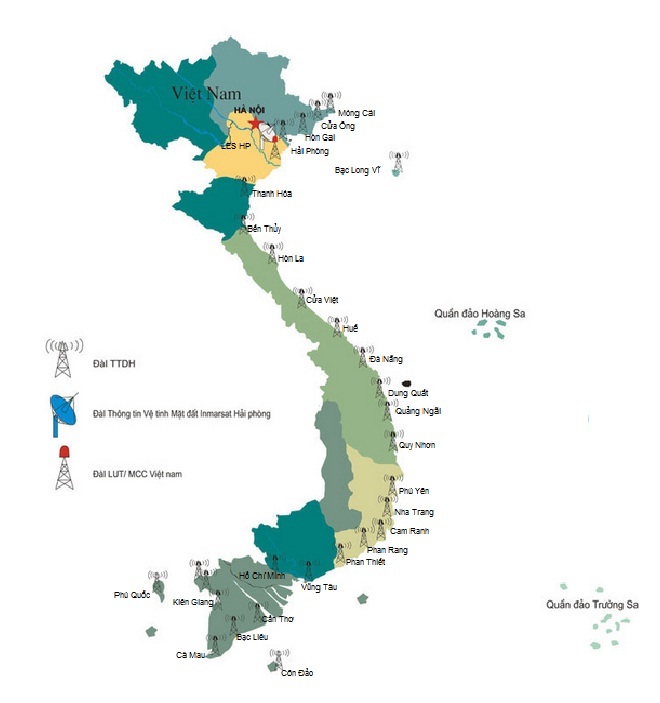
First, thanks to California DXer Ron Howard for his Internet sleuthing. Ron found a PDF file that specifically lists 8101 kHz as being used by the Hai Phong station in the Vishipel network, the Vietnam Maritime Communications and Electronics Company. This is a government-owned company that provides various services to the maritime industry. One of those services (and the one we’re interested in) is a network of thirty marine radio stations strung along the Vietnamese coast from north to south. The stations provide two-way marine radio communication and twice-daily scheduled weather broadcasts. All the stations use VHF and seventeen also use HF.

Vishipel’s weather broadcasts are listed on the DX Info Centre website and I had been monitoring those in my travels here in Southeast Asia. I suspected Vishipel was connected to this station but Ron found definitive proof that they use 8101 kHz and that the frequency comes from their station in Hai Phong. He also found this map showing all the coastal stations in the Vishipel network.

I’ve been wanting to record the station again, but my current location is not suitable for DXing. Since December 15th, I’ve been staying in the old city in Chiang Mai in northern Thailand. But a few days ago, I made a two-day DXpedition to a rural location outside the city and made a terabyte of spectrum recordings with my three Airspy HF+ Discovery SDR receivers.

It will take me a while to go through all that DX, but I’ve already checked for Duyen Hai. I had a very good signal from it on 8101 kHz at 1214 UTC on 08 January 2026. This broadcast was eleven minutes long, which is a few minutes shorter than the ones previously monitored. Here’s a recording of the entire broadcast.

The reception was good enough that Google Translate had no problem turning the spoken Thai into written English. The program was about new EU requirements around animal welfare. But the broadcast content wasn’t my focus. This was the first time I had good copy of the entire broadcast and I wanted to hear the ending. Here is a translation of the sign-off announcement.

Hello, ladies and gentlemen, today’s broadcast is over. Thank you for your attention, fishermen and audience. Our program is broadcast daily on the frequency 8101 kHz at 07:05, 19:05, and on the frequency 7996 kHz at 12:05. People can also contact their families and relatives via these two frequencies on all days of the week. I wish you all safe and effective sea trips. Hello, and see you again.

The wording is important for those of us who like to neatly categorize things. It proves that this is an intentional scheduled broadcast to an audience and not just a utility station unofficially relaying a broadcast. It’s the difference between whether it can be counted as a shortwave broadcast (SWBC) station or as a utility station. This ticks all the requirements to be counted as SWBC. Indeed, as a broadcast from Vietnam in Thai to a Thai audience it could even be considered as an international broadcaster!

The times in the announcement are local for Southeast Asia and correspond to 0005 and 1205 UTC on 8101 kHz and to 0505 UTC on 7996 kHz. I also found the program in my spectrum recordings coming on at 0019 UTC on 09 January. Obviously, they don’t care too much about beginning on time. Every broadcast I’ve monitored has begun ten to fifteen minutes late.

Unfortunately, I can’t check for the 0505 UTC broadcast as I didn’t make any spectrum recordings in that frequency range at that time (local noon). I’ll be sure to get some at my next opportunity. I also have questions about the 7996 kHz frequency. It isn’t listed in the Vishipel PDF, but it was listed as being used by the Nha Trang station in the 2017 Klingenfuss Utility Guide (the most recent I have).

Unless you’re in Southeast Asia, you won’t get a signal as good as the recording. But the Duyen Hai always uses the same woman announcer and the same musical interludes. Even if you just have a weak static-ridden signal, you should be able to match the music to that in the recording. So, can you catch this one at your location?

LINKS