Category Archives: QRM

A swimming pool, RFI and a lightning strike: My SWLing Story

by Troy Riedel

New readers will not recognize my name.

Longtime readers may not recognize my name, but chances are you may remember my story.

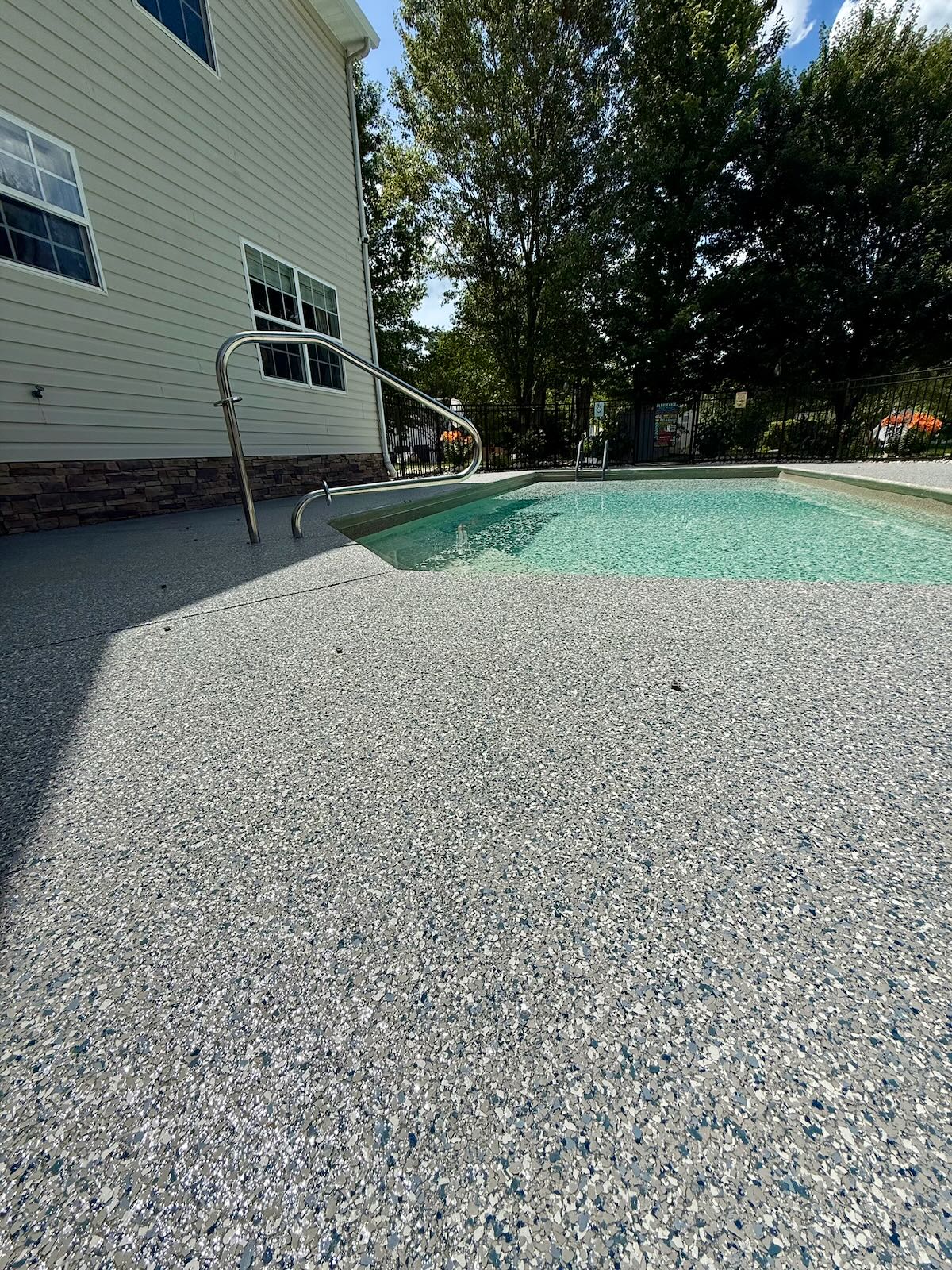
I once contributed posts to this Blog … until … ‘the swimming pool’. During COVID, my wife decided she wanted an in-ground swimming pool. The construction started in May 2020 and was completed in May 2022 (note: my pool contractor is now out of business; he ruined another company’s business as a ‘partner’, has many lawsuits filed against him, and I know he’s served time in jail under work release – all subsequent to our project).

No exaggeration.

If you’re interested in reading the entire story of my problem, I’ll refer you to my last two posts here:

For those who don’t have time to catch up, here’s an overview:
Late in the pool construction after the bonding was installed and the concrete deck was poured, I turned on my collection of portable shortwave radios, and I experienced the worst, most horrendous EMI/RFI imaginable. Nothing – and I mean nothing – on the shortwaves was intelligible. 100% uninterrupted static.

The SWLing Post Nation was great. I must have had three dozen? … four dozen? … people comment and offer advice (both on and off the Blog). And I received very detailed opinions, suggestions, and analyses via my personal email. Unfortunately, nothing mitigated my problem. My actions:

  • I hired an independent electrician at an hourly rate to check the pool & the entire house – he could not find the problem.
  • I called the power company (Dominion). To Dominion’s credit, they dispatched an expert and a ladder truck, but they confirmed the source was not from the main power line nor from their transformers.

So approximately 5-years ago, I was forced to abandon the SWLing hobby. Early on, I’d turn on my radios every two months to see if my issue abated. After a while, I checked quarterly. Then semi-annually. In the last year or two, I’ve turned on my radios every winter to check and every time, I still had the horrendous and almost incomprehensible EMI/RFI issue rendering my SW radios as paperweights.

Fast forward to recent history.

In late June 2026, my house suffered a direct lightning strike. The bolt struck the metal chimney cap. My wife & I were sitting in the room with the fireplace and the entire room glowed! There was no fire, but I had a hole in the siding. One of my six security cameras was blown off the side of the house. Flames literally shot out of one electrical outlet on the opposite side of my house. In total, I suffered over $13,900 in damage (thank you, Allstate Insurance).

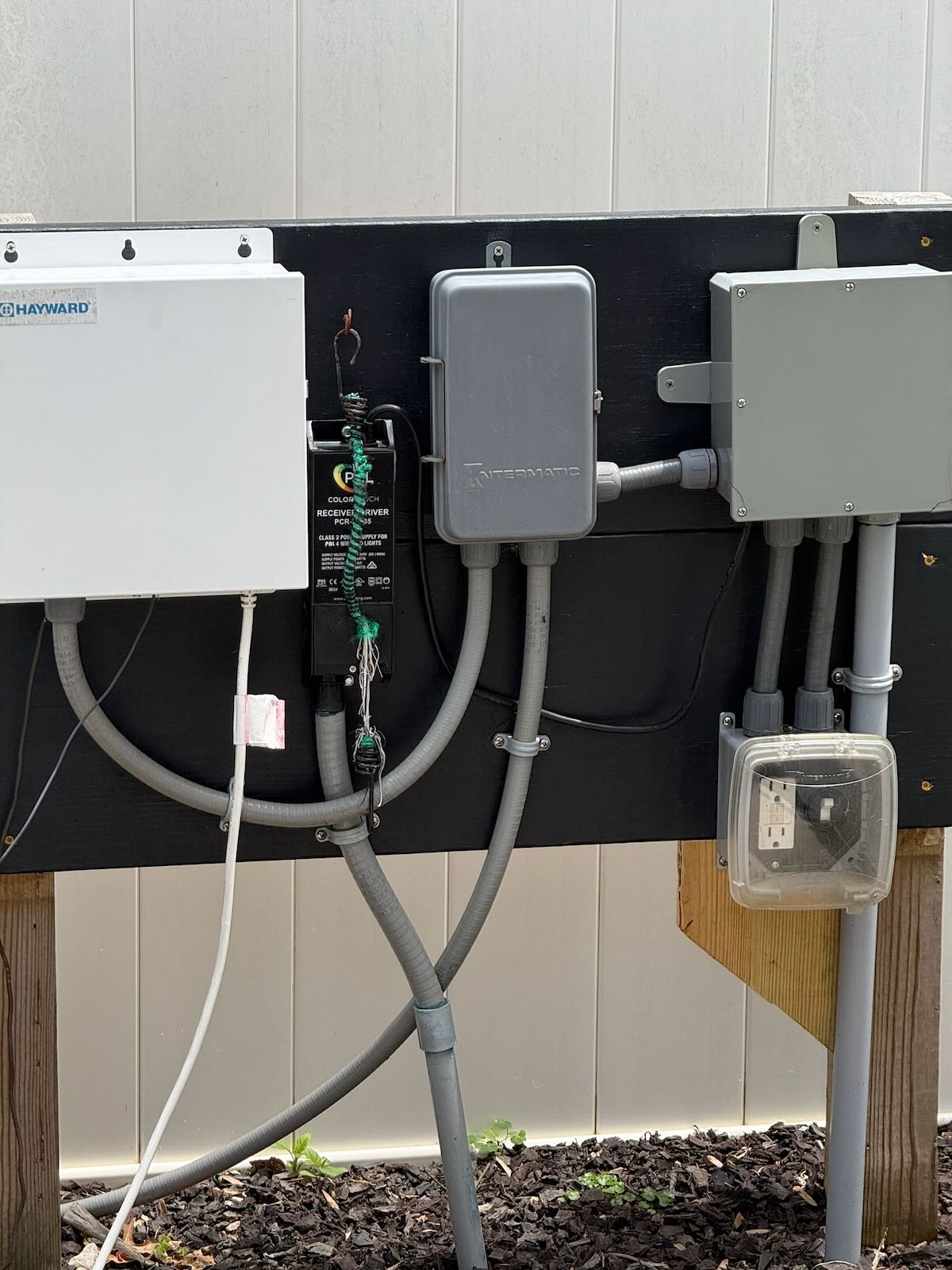
The pool suffered two damaged items: an outdoor ground fault outlet and the pool light were both fried (the light and the connected transformer for the light both connect to the ground fault circuit outlet).

One of the SWLing Nation friends that I made five years ago is Ken English. Every so often he’ll send me a text message, and we’ll have a friendly chat. Last Saturday Night, he reached out and we text chatted. During the chat I mentioned the lightning strike. He replied, ‘Did it [the lightning strike] change your interference problem?’

Hmm, great question. Did it? How could it? But wait, maybe somehow it did!

I turned on my radios and guess what? The interference is gone! And I now know the source of this five-year problem that knocked me off the shortwaves. The pool light!
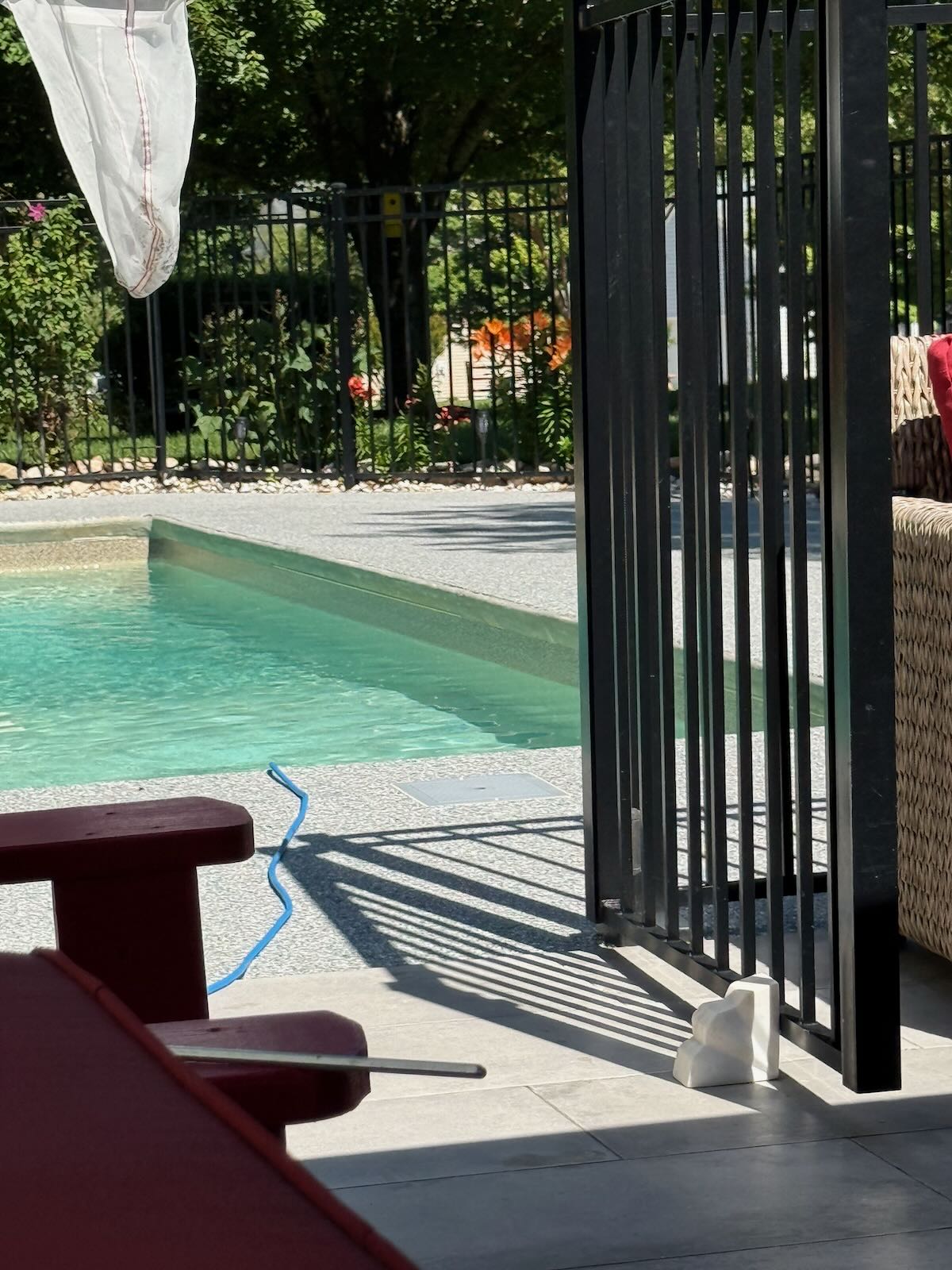
The pool light is underwater. The power cord to the light runs underground for 80-feet where it connects to the transformer, which is on the ‘outdoor power panel’ that runs the pool electronics and equipment. I had a professional replace the light and transformer which required snaking 80’ of power cord out and replacing it with a new 80’ power line.

I’m not an electrician. I can’t explain the dynamics behind it. But a direct lightning strike that caused over $13,900 of damage has me back on the shortwaves!

Thank you, lightning. And thank you, Ken, because without your Saturday Night text, I would not have discovered that my 5-year problem was mitigated until – probably – some cold, cloudy December night.
Taming the Noise: Don Moore’s Simple, Cheap Filter Solution for Traveling DXers

Many thanks to SWLing Post contributor Don Moore–noted author, traveler, and DXer–who shares the following post:


A Cheap and Simple Noise Filter

By Don Moore

Don’s traveling DX stories can be found in his book Tales of a Vagabond DXer [SWLing Post affiliate link]. If you’ve already read his book and enjoyed it, do Don a favor and leave a review on Amazon.

My DXing career started over fifty years ago in an upstairs bedroom in tiny Milesburg, Pennsylvania. I had a consumer-grade multi-band radio and some copper wire strung from the roof to a nearby tree.  It was a simple setup but it worked very well. Do you know what I didn’t have? A noise problem. The only time I remember noise ruining my DX was when my mother was using the electric mixer and that meant she was making cookies or a cake. I never complained.

Times have changed, haven’t they? What DXer doesn’t complain about noise these days? I know people who have left the hobby because the place they lived at and DXed at for decades gradually became so noisy they couldn’t DX anymore.

Unsurprisingly, a lot has been written about how to find and eliminate noise in your home. However, most of my DXing is done as I wander the globe. I try to find places to stay at that should be good for DXing. But no matter how good a place looks beforehand, there’s no way of knowing what the noise level will be until I get there.

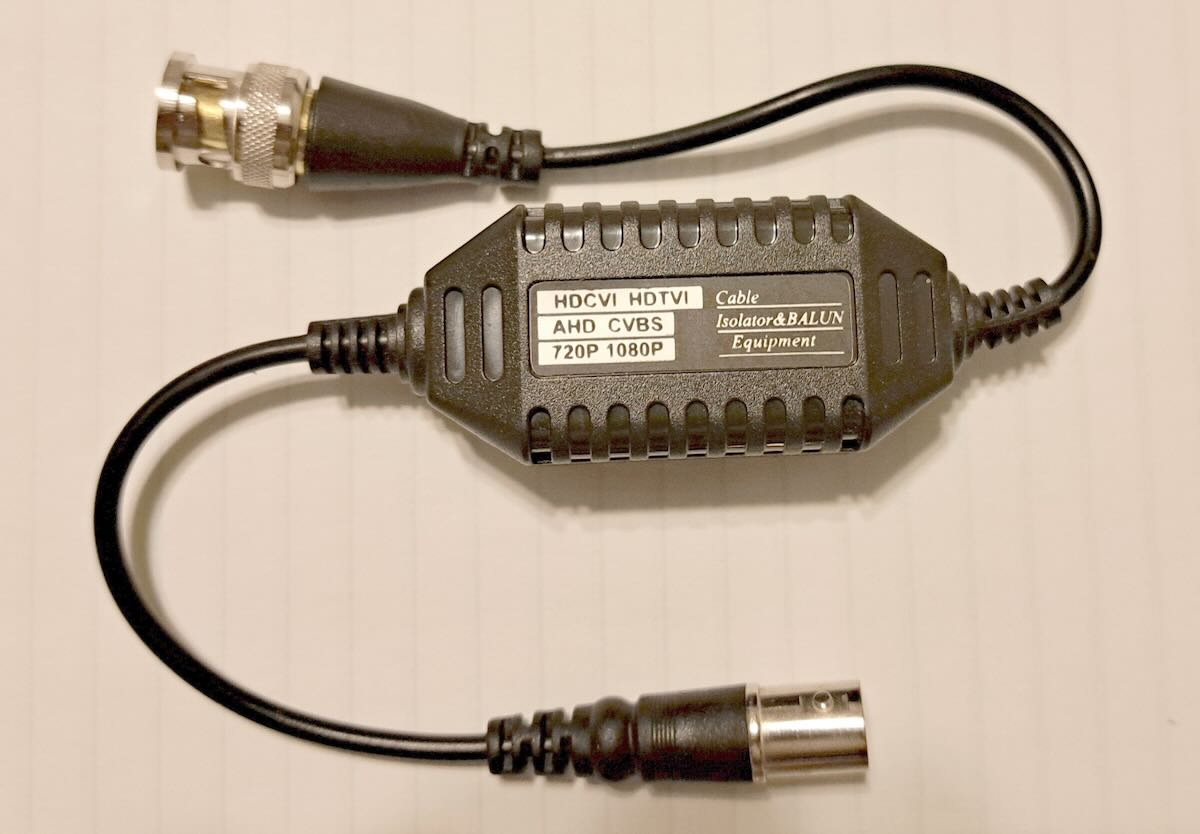
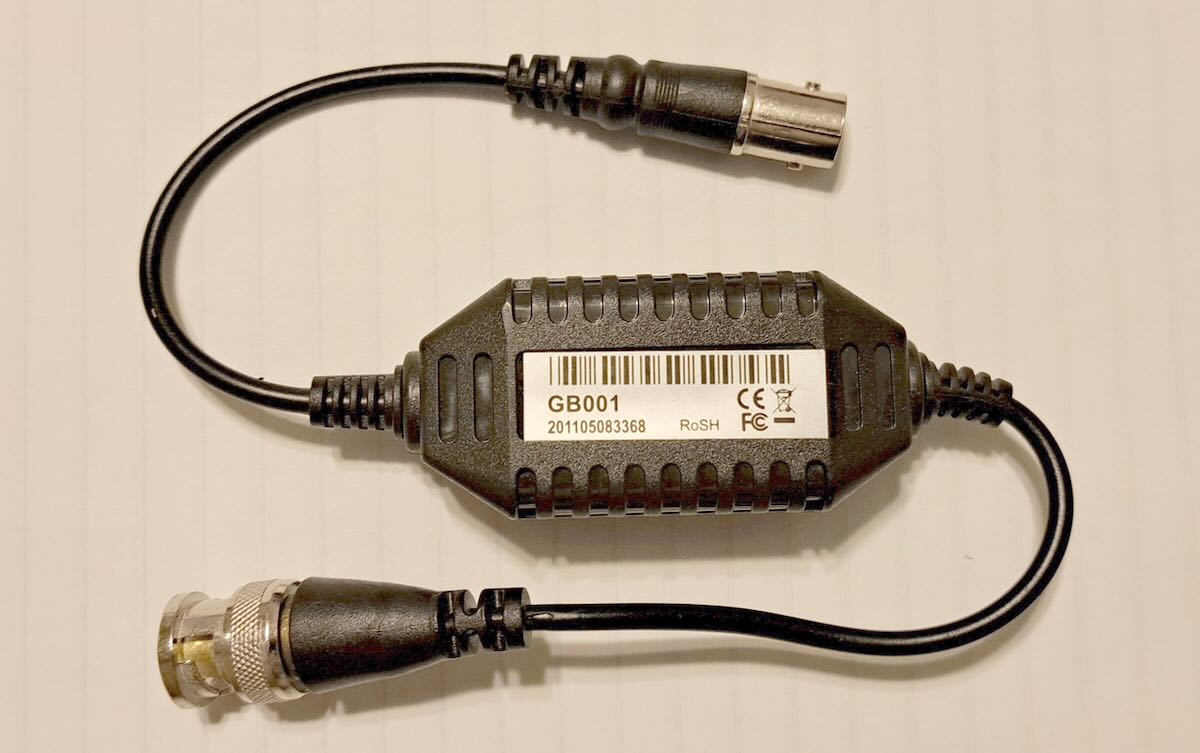
As a traveling DXer, I need quick, easy, and compact noise solutions. The best solution I’ve found are these CCTV distortion filters (ground loop isolators) that Brett Saylor recommended to me several years ago.

No, these weren’t designed for radio use. And they aren’t a miracle solution that will eliminate all the noise that plagues DXers. Sometimes they’re no use at all. But I’ve DXed in dozens of locations over the past ten years and there have been multiple occasions where one of these filters has turned what would have been a disappointing stay into a good DX session. I don’t go anywhere without two of these packed in my mobile DX shack.

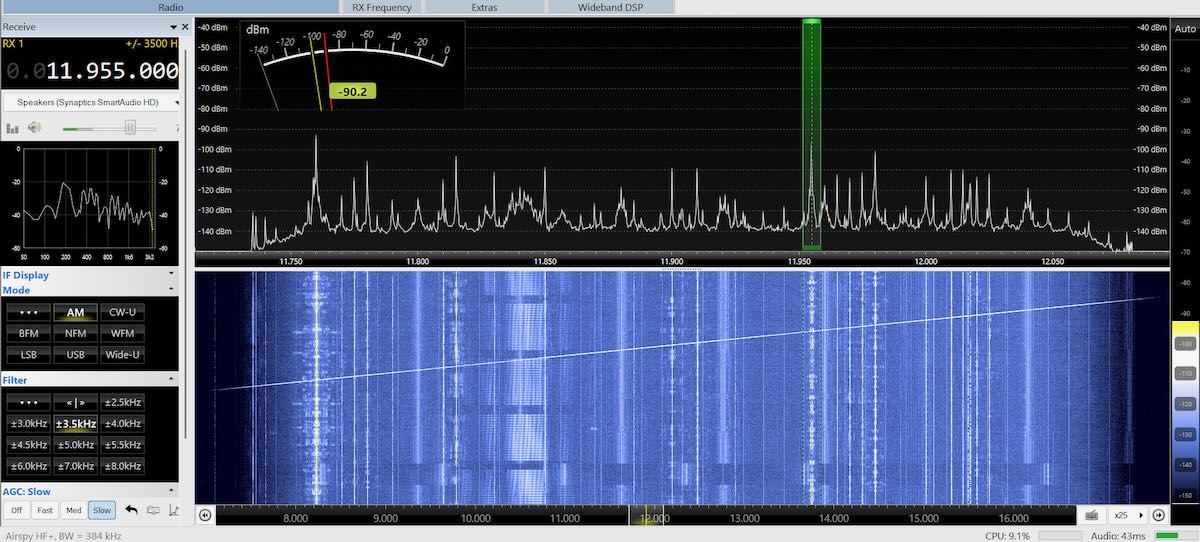
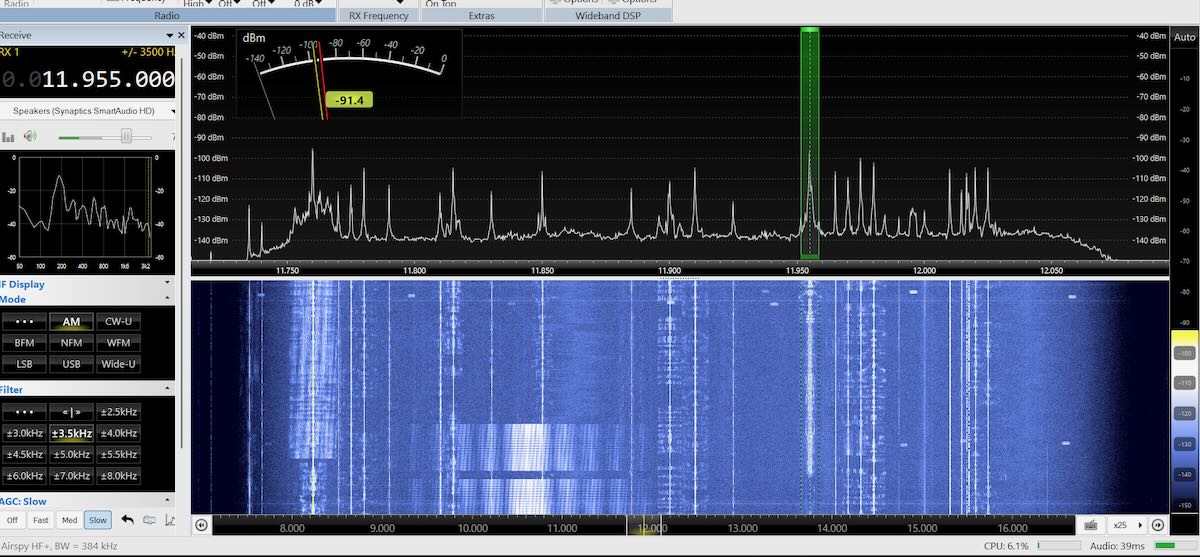
But let me show you some results. All of these SDR screenshots were made with SDR-Console using an Airspy HF+ Discovery SDR connected to a PA0RDT mini-whip antenna.

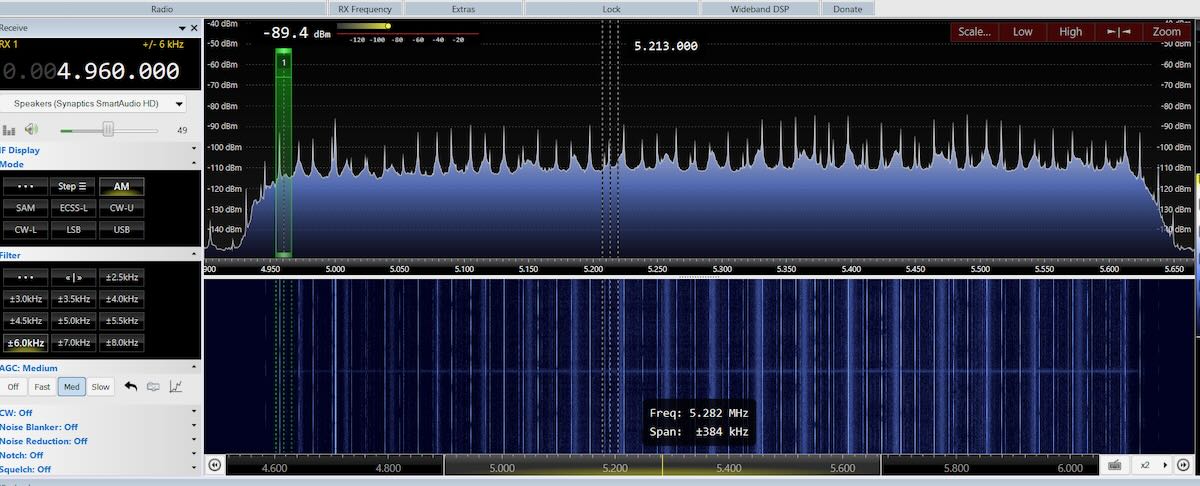
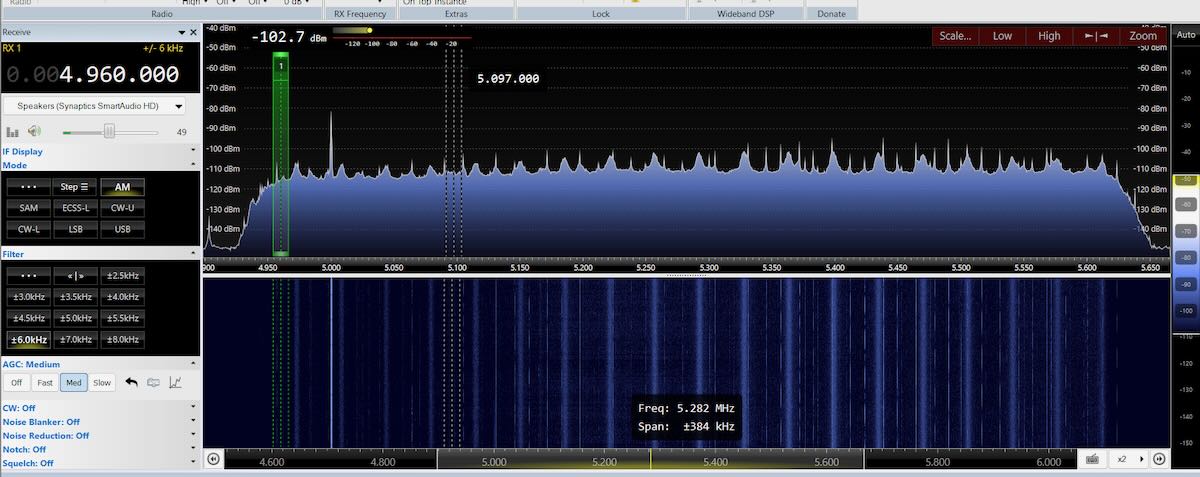
I spent last summer in the north suburbs of Chicago and several times went to a park to test my DX equipment. Around midday, the lower shortwave frequencies were filled with noise peaks. On this first image, it’s hard to pick out WWV on 5 MHz from all the noise peaks. In the second image the filter hasn’t totally eliminated the noise, but WWV’s signal is now strong and clear.

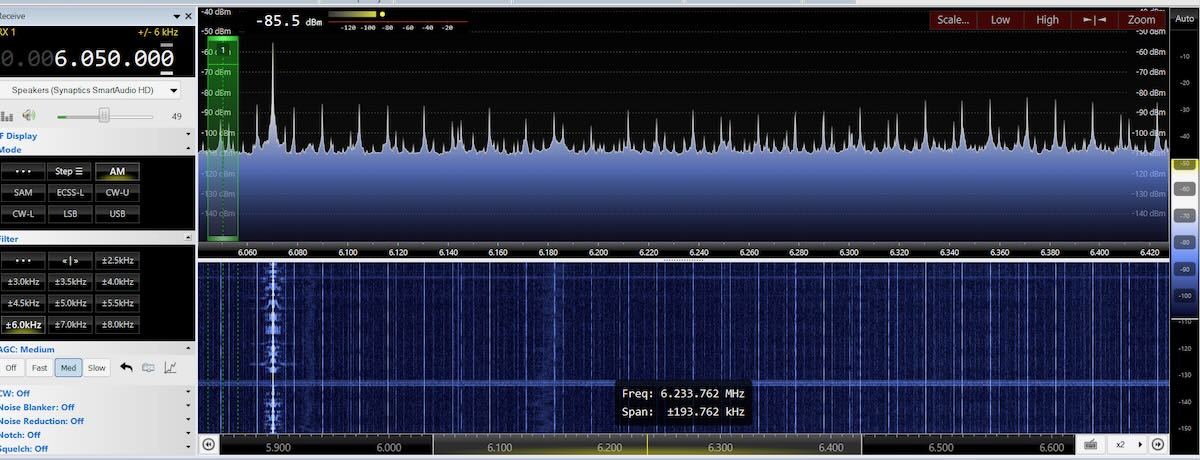
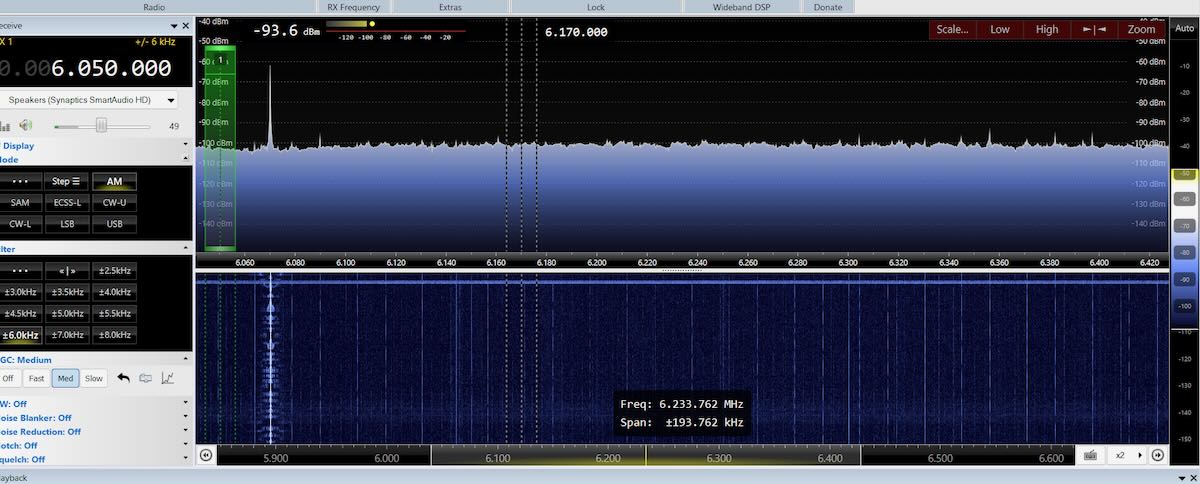
The noise was nearly as strong on 49 meters but the filter almost totally eliminated it. CFRX’s signal on 6070 kHz was slightly weaker with the filter, but it was significantly more listenable without the noise.

Which frequencies noise affects can vary between locations. At that park the noise was gone above about 11 MHz.  While traveling across the US in mid-October, I stopped at a park just west of Kansas City to do some more DXing and equipment tests.  The noise there was bad in the middle shortwave bands, such as in the 25 meter band.

But the filter did a good job cleaning it up.

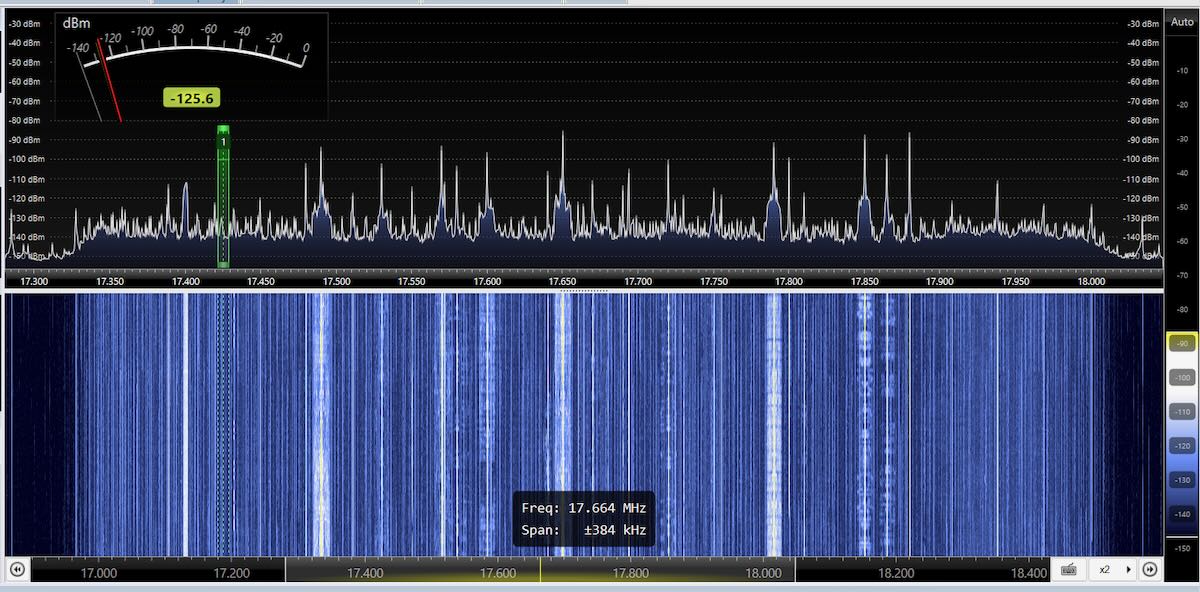
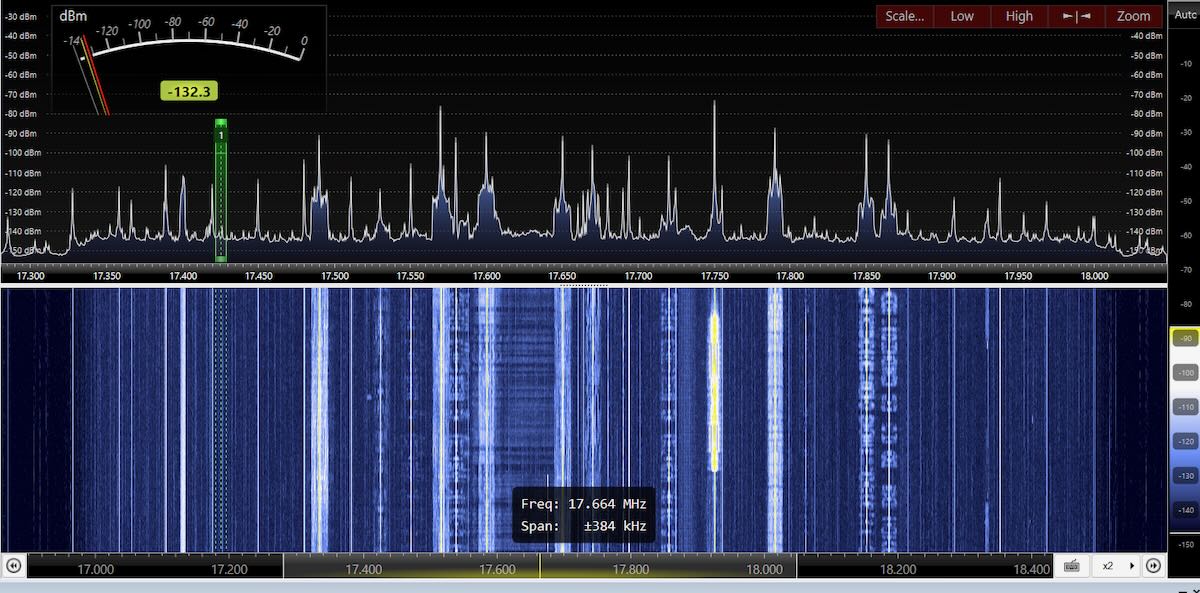
Finally, about two years ago when I was DXing in Rafina, Greece, the noise was bad on the higher bands. Here are before and after screen shots on the 16-meter band.

These filters should work with any coax-fed antenna. I’ve used them with beverages, Wellbrook loops, the PA0RDT, and the MLA-30+ loop. If the antenna has an interface, such as the last three mentioned, the filter goes between the interface and your receiver (and not between the interface and the antenna).  I’m not sure what the impedance on these is, but I’ve used them with both 50- and 75-ohm coax cable.

Sources of the Filters

An Internet search for “CCTV Ground Loop Isolator” brings up all kinds of products. They are probably all the same but I have no way of knowing that. So I recommend getting the exact ones that I have purchased. Just compare the product to the pictures of mine.

Here are links to three current sources for these exact ones on Amazon. They can also be found on eBay and other sites. [Note that all of these links are affilliate links that support the SWLing Post at no cost to you.]

A Few More Ideas

At just a couple dollars each, every DXer should have a few of these filters in their shack. But types of noise vary and at several places I’ve DXed from using one of these filters made no difference at all. When that happens I have a few other solutions to try.

The first thing I try is to either move the antenna or, if it’s directional, to point it in a different direction. On several occasions that’s all it has taken to totally eliminate what at first seemed like an impossible noise problem.

If the noise is coming in through the power lines, unplugging the laptop and DXing off of battery power might do it. (I only use SDRs powered off the USB connections on my laptop.)  If you do that, be sure to unplug the cord from the outlet and move it away from the wall.  If you unplug the cord from the laptop and leave the other end plugged into the outlet, it may act as an antenna and radiate the noise from the power lines into your SDR. And, yes, I learned that lesson the hard way!

Do you have any interesting experiences or solutions to the DX noise problem? Please leave them in the comments section. 

Radio World: John Kean Examines Modern AM Interference Challenges

Many thanks to SWLing Post contributors Dennis Dura and Frank Howell for sharing this article from Radio?World, which examines the persistent and growing problem of AM?band interference. In “John?Kean Explores AM Interference Issues,” Kean outlines how noise from switching power supplies, urban clutter and even future EV wireless-charging technology are threatening reception quality for AM broadcasters — and offers pathways for engineers and regulators to maintain AM viability.

You can read the full article at Radio World by clicking here.

Noise-Reduction Ideas via Hackaday & Electronics Unmessed

Many thanks to SWLing Post contributor Dennis Dura for sharing this excellent Hackaday feature: Quieting That Radio. If you’ve ever struggled to hear weak signals through modern RFI, this piece, featuring content from Electronics Unmessed, is well worth checking out. It explores the hidden interference SDR setups often face and offers simple, practical/inexpensive fixes—like adding a counterpoise or ferrite choke—that can make all the difference in pulling in those hard-to-hear stations. This is advice we’ve recommended in past articles, but it’s brilliant to see demonstrated improvement.

Click here to read on Hackaday.

Radio World: NRSC Studies RF Noise on Various Roadway Types

Many thanks to SWLing Post contributor, Dennis Dure, who shares the following item from Radio World:

NRSC Studies RF Noise on Various Roadway Types (Radio World)

Radio World asked Cris Alexander to read the report and comment

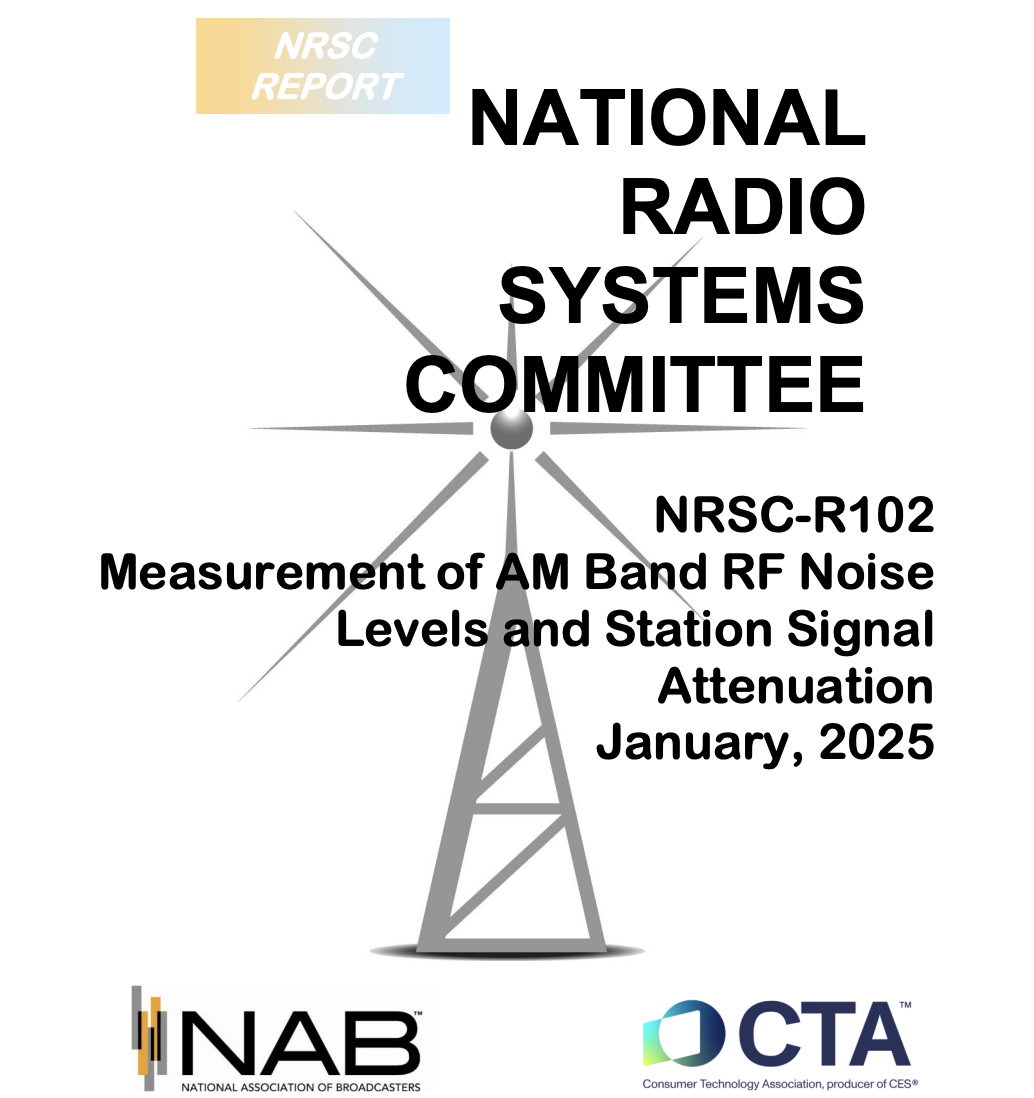
The National Radio Systems Committee recently published the results of a study on AM band noise.

The report, principally authored by John Kean, is titled NRSC-R102, “Measurement of AM Band RF Noise Levels and Station Signal Attenuation.” It was released in January.

The study consisted of several measurement series conducted along roadways both in urban and rural areas, measuring the signal strength of three different Baltimore/Washington 50 kW AM stations as well as the RF noise on three different unoccupied AM band frequencies.

Measurements were made across five environments: rural, rural-suburban, suburban, urban and dense urban. The results were mostly as one would expect, but there were a few surprises. [Continue reading…]

Click here to download the NRSC PDF report.

Kostas presents the NR-1 Noise Blanker!

Many thanks to SWLing Post contributor, Kostas (SV3ORA), for sharing the following post which originally appeared on his website:

Update (19 Dec 2024): ELISYS  now sells Kostas’ NR-1 noise blanker and ships worldwide. Check it out by clicking here.


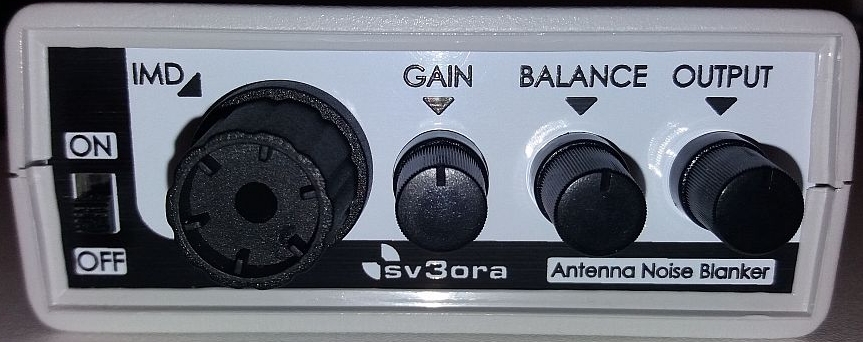
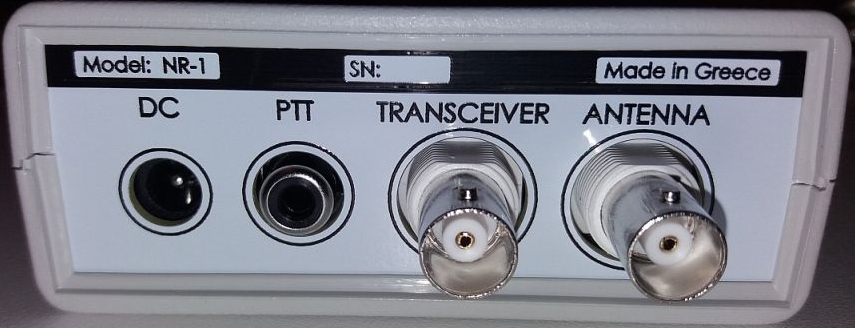
The NR-1, a revolutionary noise blanker that works directly on the antenna!

I designed my own noise blanker because:

    • I was tired of that HF noise that could not be beaten otherwise.
    • I wanted to remove it before it gets into my transceiver.
    • I could not install a separate “noise” antenna/coaxial for diversity.
    • I wanted to remove noise interference from any direction.

NR-1 is a revolutionary Noise Blanker which is the result of two-years of development and extensive testing by Kostas sv3ora.

NR-1 works directly at the antenna. This has significant advantages over the classic noise blankers which work at the intermediate stages of the receivers. It does not require a second “noise” antenna for its operation.

Furthermore, it is not based on cutting-off of amplifiers, unlike common noise blankers
do.

Because of these, the NR-1 is superior, compared tocommon internal Noise blankers of radios:

    • NR-1 removes noise before it even reaches the receiver. Thus, the front-end RF
      stages of the receiver are unaffected by noise, unlike a common noise blanker
      which removes the noise after it has first passed through the internal circuits
      of the receiver.
    • NR-1 removes high-level, high-repetition-rate noises that common noise blankers
      usually cannot cope with.
    • NR-1 is not affected by strong near-by signals. Instead, common noise blankers
      perform poorly when there are strong near-by signals and they distort the signal of the station we want to listen.
    • NR-1 can be used by many radios. Because it is an external device, it can be
      connected to various radios/receivers without the need to modify them.
    • NR-1 has a built-in 8-band preselector and helps eliminate intermodulation (birdies)
      caused by strong local medium and shortwave stations, on RF direct sampling
      radios (eg IC-7300). The preselector is relatively wideband and does not affect
      the sensitivity or the waterfall spectrum in the amateur radio bands.
    • NR-1 has built-in variable gain preamplifier and variable attenuator. Preamplification is
      particularly useful in the high frequency bands, where some radios have limited
      sensitivity. Variable attenuation helps to reduce band noise for more
      comfortable listening to mid/high strength stations.

Comparison of the NR-1 with other noise removal systems (eg. QRM eliminator, X-phase etc):

    • NR-1 does not require a second (noise) antenna/coaxial-line to operate. Unlike QRM
      eliminators, NR-1 does not require an additional “noise” antenna and
      therefore no second coaxial cable out of the shack. The main transmit and
      receive antenna you are already using is sufficient.
    • NR-1 is easy to set up. In contrast, QRM eliminators require systematic testing of
      various noise antennas in different locations to perform satisfactorily.
    • NR-1 removes noise from every direction simultaneously. In contrast, QRM
      eliminators, depending on the noise antenna setup and their configuration,
      remove noise from one direction only each time. If the noise originates or
      “travels” through cables and reaches the antenna from different
      directions, QRM eliminators do not perform well.
    • NR-1 removes more than one noise source simultaneously because its principle of
      operation is not related to the phase of the noise.
    • NR-1 does not require constant adjustment. Once set for one band, it usually does not need to be reset. In contrast, QRM eliminators require resetting every few tens of KHz or so.

Kostas has documented all the details of the NR-1 for his own future reference in his page.

He has also created some YOUTUBE videos as demonstrations of the operation and the effectiveness of this antenna noise blanker.

Frans experiments with the MFJ-1026 Noise Canceling Signal Enhancer

Many thanks to SWLing Post contributor, Frans Goddijn, who writes:

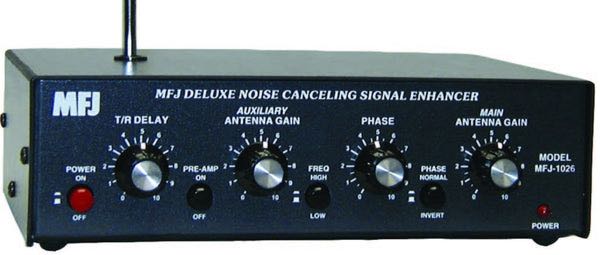
“Last week I purchased the MFJ-1026 ‘noise canceling signal enhancer’ and I posted two blogs with video about it. Initially the device seemed as useless as it is good looking but then I found a configuration where the device is not only pleasant to have but also useful for radio listening.”

Here are Frans’ reports which he kindly shares from these two posts originally published on his blog, Kostverlorenvaart:

Part 1: MFJ-1026 deluxe noise canceling signal enhancer

Using a GRAHN antenna, (a VENHORST wire antenna for noise reference), the iCOM R8600 radio and optional bhi DSP audio noise canceling, trying to see what’s the best way to cancel noise — on the antenna entry point of the radio or at the speaker output end.

In this case the MFJ-1026 seems ineffective. The DSP at the audio output end works well and easy.

I have also tried two GRAHN antennas on the MFJ-1026, one for MAIN and one for AUX but that was also not noticeably effective yet.

I will also try the little whip antenna that MFJ supplied with the box. Further tweaking may turn out to be helpful on some other frequencies / signals.

Before installing the MFJ i used the little TECSUN H-501x to scan the room for any devices producing radio noise. It turned out that the two Apple Homepods sit in a dense cloud of radio noise, the Macbook Pro also radiates noise, EVE smart plugs controlling lights also produce radio noise, two little label printers s well and the HP printer/scanner too. So I moved those to the other end of the toom or to another room. Continue reading