Author Archives: Thomas

SDRplay announces the launch of the RSPdx

(Source: SDRplay)

SDRplay Limited has announced the launch of a new Software Defined Radio product – the RSPdx.

The RSPdx is a replacement for the highly successful RSP2 and RSP2pro SDR receivers, which have been extensively redesigned to provide enhanced performance with additional and improved pre-selection filters, improved intermodulation performance, the addition of a user selectable DAB notch filter and more software selectable attenuation steps . The RSPdx , when used in conjunction with SDRplay’s own SDRuno software, introduces a special HDR (High Dynamic Range) mode for reception within selected bands below 2MHz. HDR mode delivers improved intermodulation performance and fewer spurious responses for those challenging bands.

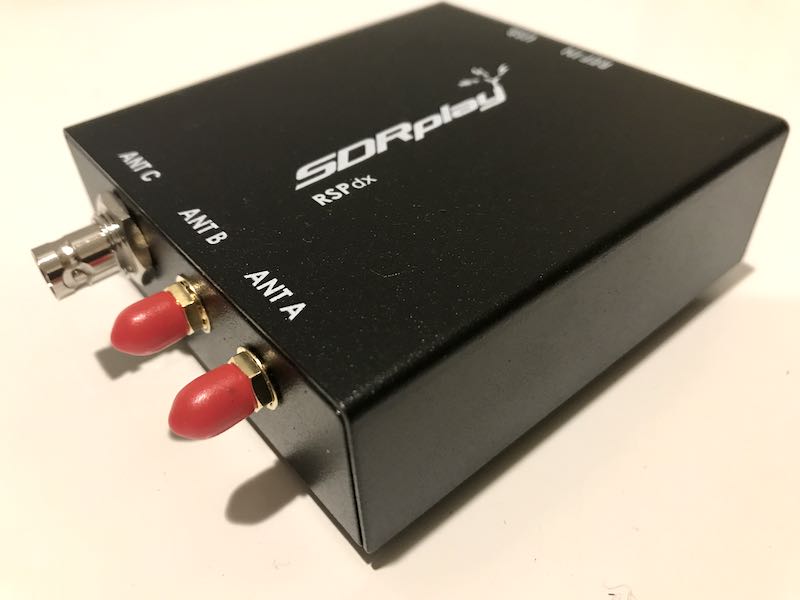
The SDRplay RSPdx is a single-tuner wideband full featured 14-bit SDR which covers the entire RF spectrum from 1kHz to 2GHz giving up to 10MHz of spectrum visibility. It contains three antenna ports, two of which use SMA connectors and operate across the full 1 kHz to 2 GHz range and the third uses a BNC connector which operates up to 200MHz.

The RSPdx also features a 24 MHz ‘plug and play’ reference clock input which allows the unit to be synchronised to an external reference clock such as a GPS disciplined oscillator (GPSDO)
Due to its exceptional combination of performance and price, the RSP family of receivers have become very popular, and the RSPdx builds on the learning and feedback from many thousands of users across the amateur, scientific, educational and industrial SDR community.
As was the case for the other RSP family members, SDRplay will work with developers of the popular third party SDR receiver software packages to maximise compatibility. SDRplay will also provide multiplatform driver and API support which includes Windows, Linux, Mac, Android and Raspberry Pi 3 and 4.

The RSPdx will be available to purchase in the next few weeks and is expected to retail at approximately £159 GBP or $199 USD (excluding taxes).

For more information visit the SDRplay website on www.sdrplay.com About SDRplay:
SDRplay limited is a UK company and consists of a small group of engineers with strong connections to the UK Wireless semiconductor industry. SDRplay announced its first product, the RSP1 in August 2014

FCC to consider allowing AM broadcasters to transition to digital

(Source: Radio World)

All-Digital on the AM Band? The FCC Might Allow It Soon

AM radio station operators in the United States may soon have the option of switching their transmissions to all-digital.

It’s not a done deal; but the concept is about to take a step closer to reality, because the Federal Communications Commission will consider a proposal at its next meeting that would start a process. It will take comments on whether to allow AM band licensees to make the switch if they want.

Ben Downs, VP/GM of Bryan Broadcasting in Texas, petitioned the FCC in March to initiate a proceeding to authorize the all-digital mode of HD Radio.

Allowing stations to use all-digital transmission is an idea that some broadcasters feel could give business-challenged AM stations in the United States new life or at least another option. Turning off their analog signals would mean that most existing receivers could no longer pick up that signal; but many AM broadcasters are currently heard on FM translator simulcasts now. And adding the all-digital AM option could open up new possibilities for them as the number of digital receivers in the marketplace continues to grow.

[…]Chairman Ajit Pai described the proposal in a blog post Monday: “Just as the FCC is trying to keep pace with changes in the market, so are AM radio operators, and the commission wants to give them as much flexibility as possible to compete in the digital age,” Pai wrote.[…]

Read the full article at Radio World.

Click here to read the proposal (PDF) that will be discussed at the November FCC meeting.

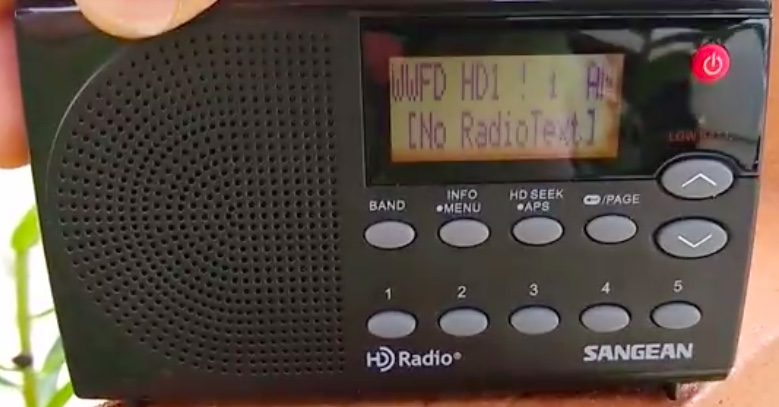
The Radio World article mentions WWFD in Frederick, MD–a station that has been broadcasting AM digital for over a year. We posted a note about this last year and I even included a short recording/video with reception when traveling through the area.

The new C.Crane catalog cover

Many thanks to SWLing Post contributor, Ed, who writes:

SWLing Post readers might enjoy your reporting about the brilliant
cover of the new 2020 C.Crane catalog. Have you seen it? I think
you’d agree it’s brilliant:

Here’s Bob Crane’s message about the cover:

This year our catalog cover is based on one of the most famous TV
commercials of all time. It was the day Apple® announced Macintosh
computers during the 1984 Superbowl. . . the first iPhone® was released in
2007. Now that we are all significantly attached to our brilliant pocket phones,
maybe it’s gone too far? As a tool the Internet is hyper-revolutionary, but the
pace of incoming polar information is intense and beyond anyone’s faculty to
follow. . . radio is far less invasive and does not know who you are.
Radio continues to ring a big bell with a surprising percentage of dedicated
listeners by reaching more people every week than any other media type. We
all need reflective time to rediscover who we are. While a cell phone demands
your focus, the simplicity of radio sparks creativity, regardless of the signal
source. Walking, gardening or any activity that does not require conscious
attention allows you to mentally focus on a specific problem to gain wisdom
and promote insight. We are here to support you in your resistance to
distraction with great radio products . . . including Internet radio. Please peruse
our custom radios and earphones to see if one rings a bell with you.
It has become important to have WiFi available in every corner of your house
and property including a guest house, greenhouse, barn or a garden. While
inexpensive repeaters work in most circumstances, please check out our
extended range WiFi repeaters to create a new WiFi zone up to 1/2 mile away.
. . we love making weak signals strong and bringing radio everywhere YOU
want to go.

Click here to check out the new C.Crane catalog (PDF).

Thank you for sharing this, Ed. I agree–I think this is a brilliant cover! If you’d like to see the 1984 commercial that inspired this design, click here to view on YouTube or watch below:

Halloween: A playground for shortwave pirates!

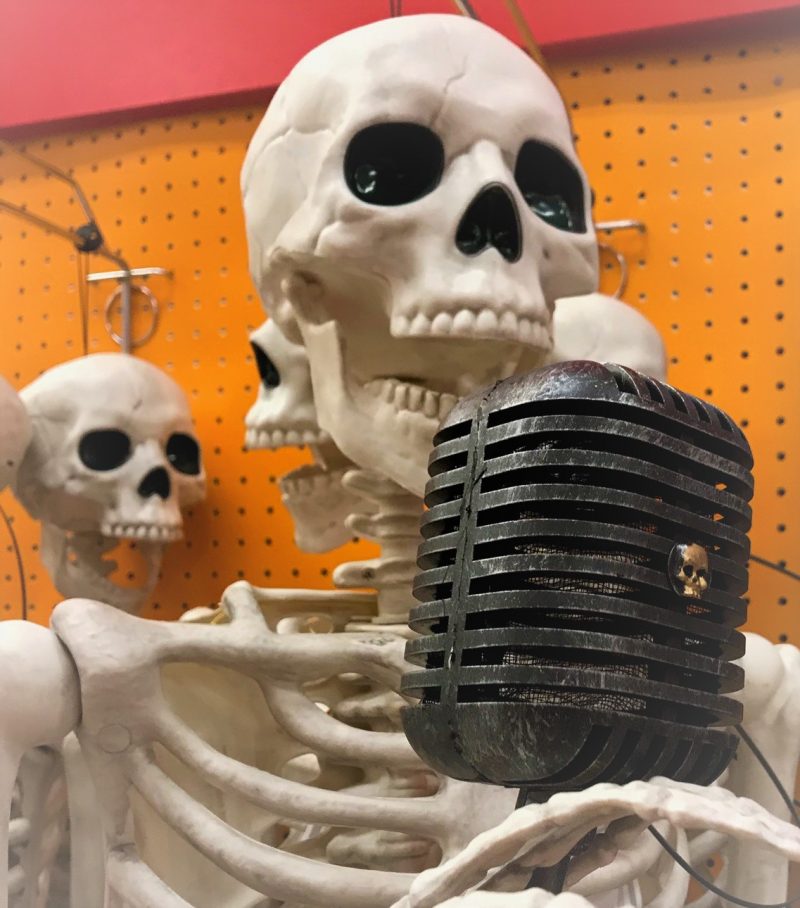
Halloween is typically the most active day of the year for shortwave pirates. Halloween falls on Thursday, October 31st, and although this is the middle of the week, expect pirates to emerge like The Great Pumpkin!

Here are three things you’ll want to do Halloween night:

1. Hobby Broadcasting Blog

Check out Andrew Yoder’s pirate radio blog ,the Hobby Broadcasting blog.

Andrew is the author of the Pirate Radio Annual and a guru on shortwave pirate radio. Andrew has already logged some Halloween stations this weekend.

2. HF Underground

hfunderground

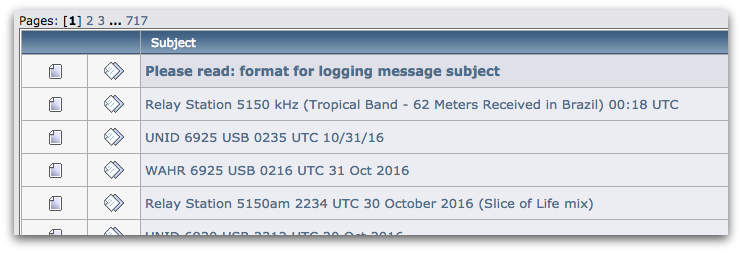
Follow real-time pirate radio spots and loggings on the HF Underground discussion forum. Chris Smolinski at HFU typically posts post-Halloween pirate stats on the SWLing Post as well–always a fascinating overview.

3. Listen!

Photo by Bill Patalon

Listen for pirate radio stations today and throughout the weekend!  Turn on your radio anytime today, but especially around twilight and tune between 6,920 – 6,980 kHz. Pirates broadcast on both AM and SSB; you’re bound to hear a few. If you’re brand new to pirate radio listening, you might read my pirate radio primer by clicking here. I will be listening until late in the evening.

Happy Halloween to all! 

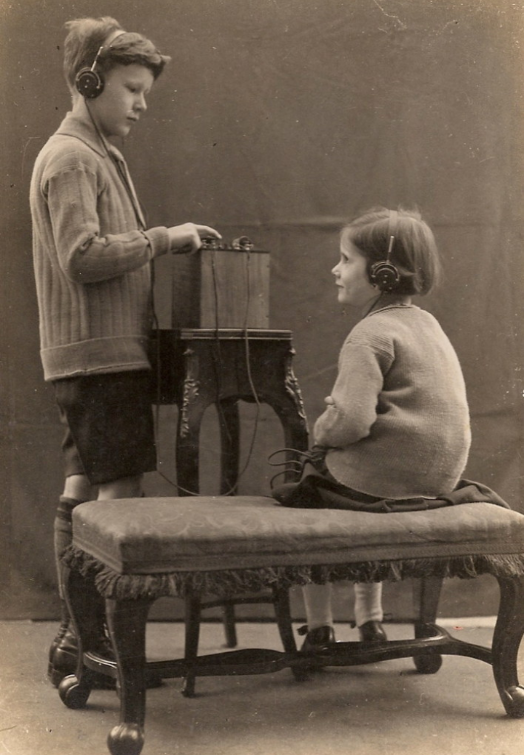
Help Paul identify this antique radio device

Many thanks to SWLing Post contributor, Paul, who writes:

I hope you’re well. Thanks for all you do with SWLing Post etc. I’m so grateful to you for the consistency with which you update that site. Almost every day there’s something of interest to me.

I wanted to see if this might be something you and your wonderful army of readers could help with?

There’s this family photograph of my granddad (see above). It would have been taken in London in about the late 1920s or early 1930s, and it looks kind of like it’s posed or in a studio. But they seem to be listening to a radio device, and I wondered if anyone out there might be able to identify it? Perhaps there’s a whole genre of studio photographs of the era which showcased new technology? Or maybe not…? Any ideas would be so welcome!

Kind regards,
Paul

Post readers: If you can help Paul, please comment!

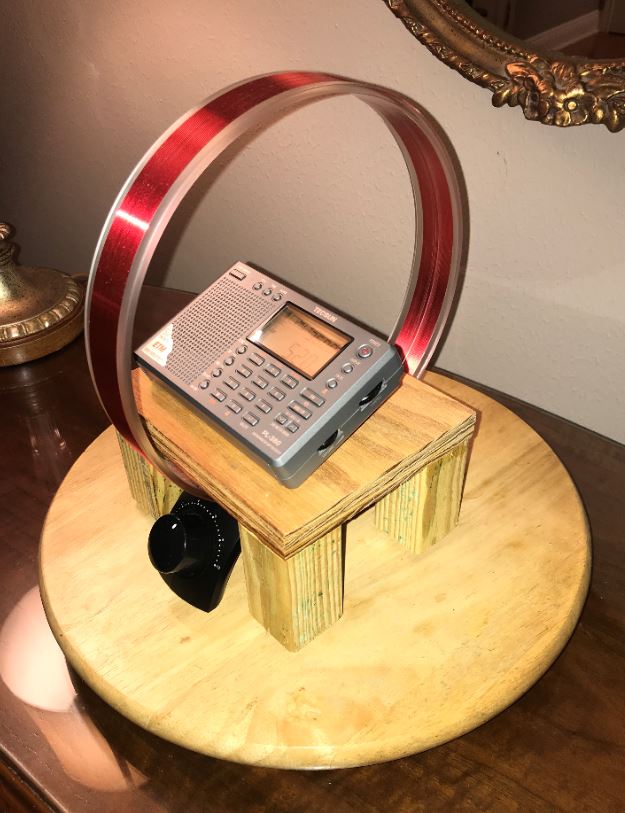
Jack’s Mediumwave Lazy Susan Mag Loop System

Many thanks to SWLing Post contributor, Jack Blanke (WB5LVP), who writes:

I stole this idea from another SWLing Post contributor and I hope he won’t mind.

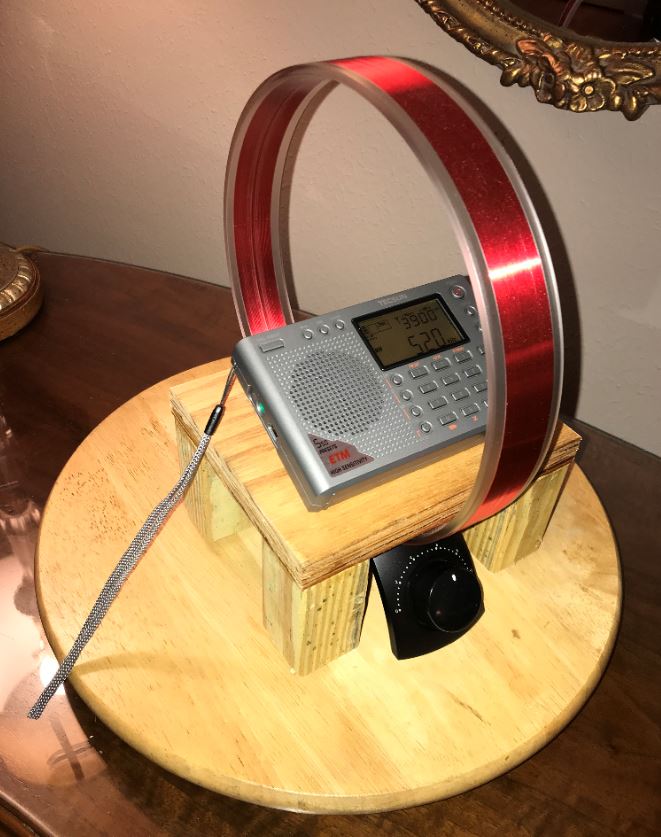
However, placing the Ferrite Antenna near the center of the loop does enhance its performance and the Lazy Susan was something I had been using long ago to quickly re-orient the radio azmuth to accommodate the signal source. But, like my mentor, minor improvements like this can really enhance performance of smaller portables on medium wave. He used cardboard and I used scrap wood from the work shop. Either way, not much money was involved in this minor enhancement.

These inexpensive additions to the listening post really make the PL380 and the AN200 combo provide hours of enjoyment from medium wave DXing. Now,if only I can find the gent’s name who came up with this little gizmo, I’d love to thank him!!

73’s!

Thanks for sharing your setup, Jack! I can assure you that Rich Stahl (WR3V) will be happy you “stole” his idea. That’s what it’s all about–helping each other! I love the little table/stand you built for the portable and how it perfectly accommodates the loop. Great job!


Do you enjoy the SWLing Post?

Please consider supporting us via Patreon or our Coffee Fund!

Your support makes articles like this one possible. Thank you!

DXtreme Monitor Log 12 released

(Source: DXtreme via Southgate ARC)

DXtreme Software™ has released a new version of its popular logging program for radio monitoring enthusiasts – DXtreme Monitor Log 12 – which lets listeners and DXers log the stations they’ve heard using features that enhance their monitoring experiences.

User’s Choice of Country Formats

When starting Monitor Log 12 the first time as a new user – or when creating a new secondary database – users can select the country format they want to use: NASWA Countries or ARRL Entities. Country information is fully editable when changes occur.

Finding Broadcast Stations to Monitor

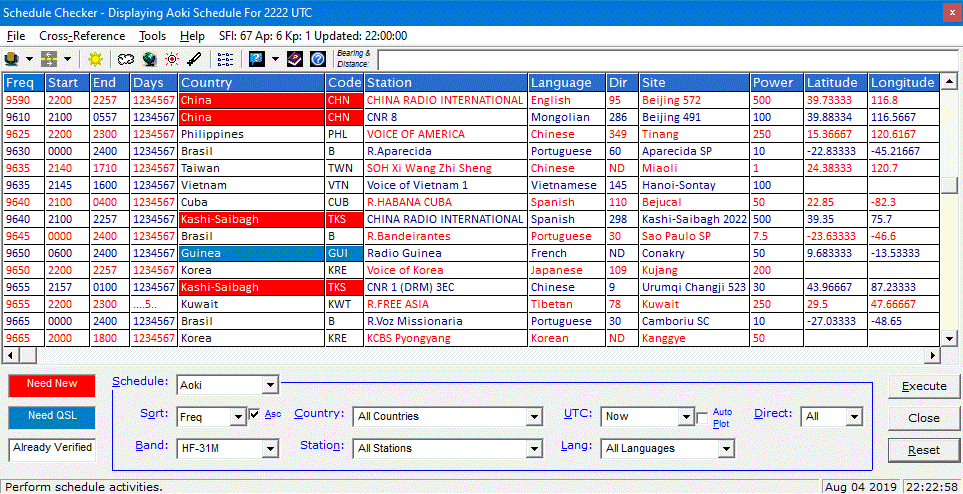
The Schedule Checker lets users import schedules from Aoki, EiBi, and FCC AM web sites and display schedule data according to the filter criteria they specify. A list box lets users switch between schedule types. And users can filter schedule information by band, frequency, station, country, time of day, language, and more.

When the What’s On Now? function is activated, the schedule refreshes automatically at the top of each hour for Aoki and EiBi schedules.

For each schedule item, Schedule Checker queries the Monitor Log 12 database to let users know – through user-defined, foreground and background display colors – whether they need to monitor a station for a brand-new or verified country. Schedule Checker also displays bearing and distance, runs optional Afreet Ham CAP propagation predictions, draws optional Afreet DX Atlas azimuth plots, tunes supported radios to schedule frequencies when users double-click schedule items, and starts log entries for scheduled stations monitored.

Finding Amateur Radio Stations to Monitor

Monitor Log 12 integrates with optional Afreet Band Master to let users see, on its graphical interface, where hams are operating. Monitor Log 12 supplies Band Master with an Entity Needed List based on the user’s Monitor Log database, making it possible for Band Master to indicate the stations whose entities (countries) users need to monitor.

Finding Utility Stations to Monitor

A Links menu provides convenient access to user-specified blogs and web sites that can inform users as to where utility and other stations may be operating.

Logging Stations

Monitor Log 12 lets users log all kinds of stations – radio, television, broadcast, Amateur Radio, utility, military, and more! And it lets users log stations across the radio spectrum – from long wave, to medium wave, to short wave, and beyond. Users can also select the display of kHz or MHz frequencies.

The Last Log Entries Grid on the Monitor Log window shows up to 5000 of the most recent log entries added. Its records can be sorted, and double-clicking records displays detailed data on the Monitor Log window. Users can resize the grid columns and scroll horizontally to columns that do not appear initially. Users can also display a larger, resizable Last Log Entries window. A Properties window lets users change the order of columns, the number of log entries to display, and the font and color attributes of grids and other program components, such as: Content Tabs for describing the content monitored, Script Editor for creating and editing scripts, Direct Tune interface for tuning radios, and Comments for typing ad hoc comments.

Reporting Reception

Users can create customized paper and e-mail reception reports for sending to stations plus club report entries for reporting catches to clubs and magazines.

When users add or display a log entry, Monitor Log 12 prepares a post announcing their DX catch and displays it on the Social Media Post tab. From there, users can drag the post to their favorite social media web sites to share their catch with others.

Using the Script Editor window, users can create and edit scripts that format reception reports, eReports, and social media posts to their liking. The software prompts users to select the script they want to use. Dozens of scripts come with Monitor Log 12.

Users can also print SWL and Address labels on industry-standard label stock, and send eQSL requests to hams automatically via the popular https://www.eqsl.cc site.

Imaging

Improv Imaging lets users associate ad hoc images with log entries using Capture,Scan, and Clipboard functions. Captures of stations received on digital applications, waterfall displays, facsimile and Amateur TV pictures are popular. The Improv Imaging tab and Application let users view images anytime, and an Improv Image Explorer lets them peruse their entire collection and display associated log entries. A QSL Imaging facility functions the same as Improv Imaging for associating QSLs.

Other Features

Rig Control – Retrieves the frequency and mode from supported radios and permits tuning from the Schedule Checker and Direct Tune interface. Rig control is provided through integration with Afreet Omni-Rig and SDR applications like HDSDR, SDR Console, and SDRuno.

Audio Archiving – Lets users maintain an audio archive of stations heard.

Reporting and Searching – Produces Performance, Stations, and Log Entry reports that track the performance and progress of the user’s monitoring station in its entirety. The software lets users tailor the appearance of reports plus FTP them to user-provided Web space for remote access and sharing. Reports can integrate with Afreet DX Atlas to create pin maps. Searches allow access to all monitoring data in a variety of formats.

ADIF Import – Lets users import ADIF-formatted log entries into their database.

eQSL.cc Inbox Update – Updates user’s database with eQSL.cc Inbox verifications.

Documentation – Context-sensitive Procedural Help, Field Help, and Microhelp are accessible per window to provide instructions quickly. A web-based Information Center is accessible from the Help menu for late-breaking assistance, and Installation Instructions and a Getting Started Guide are delivered in PDF format with the software.

Operating Systems, Pricing, Contact Information DXtreme Monitor Log 12 runs in 32- and 64-bit versions of Microsoft® Windows® 10, 8.1, 8, 7, Vista®, and XP. It retails for $94.99 USD worldwide for electronic distribution.

Pricing for CD versions and upgrading users is available on our Web site. All prices include product support by Internet e-mail. For more information, visit https://www.dxtreme.com or contact Bob Raymond at [email protected].

SWLing Post readers should note that DXtreme was one of our first company supporters. Their ad revenue helps bring the SWLing Post to you daily. Thanks, DXtreme!

Click here to check out DXtreme Monitor Log 12.