Category Archives: New Products

European hams announce NEW RADIO – a dual-band, multi-mode radio to support DMR, D-STAR and C4FM

NEW RADIO, DMR, D-STAR, C4FM, System Fusion, mobile, radio, ham radio, amateur radio, VA3XPR, dual-band, multi-mode, FM, chassis

An announcement has been made by Kurt, OE1KBC and reported by concerning a multi-mode radio combining various digital modes. The radio/computer is called simply NEW RADIO and is a joint initiative of the ÖVSV, DARC and IARU R1. As stated in Don’s article:

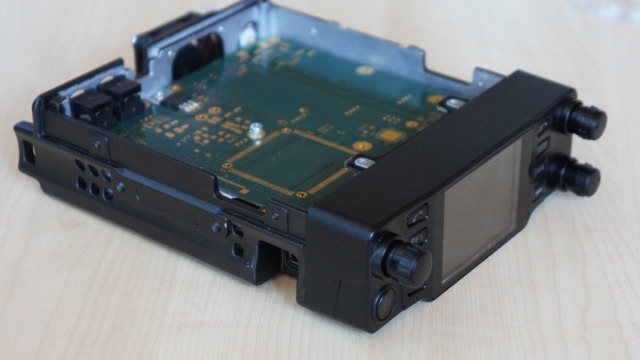
the “NEW RADIO” that will operate on the 2m & 70cm bands and support the most common ham digital modes, including DMR, D-STAR and C4FM (System Fusion), plus analog FM. As reported in the article, the NEW RADIO has been created by hams for the ham radio community will feature a colour touch screen display, 50W of power output, a 1.8 GHz processor, a Linux operating system, plus dual AMBE+ vocoders, allowing for full-duplex, cross-band operation. Also, one of the biggest features of the NEW RADIO is that it will include a built-in LTE wireless modem and SIM card allowing it to be Internet connected while on the go. Apparently, with it being Internet connected, the NEW RADIO will be able to automatically download frequencies, offsets, contacts and other configuration information on the go, allowing for instant updates for users. (The full article may be found here.)

I certainly hope this radio really is “ready for Prime Time” soon as it might very well fill a big need by allowing use of multiple systems without the need to carry around a radio for each digital mode. I suspect many hams have hesitated to jump on the digital bandwagon simply because of not knowing which standard would have dominance. Nobody wants to relieve the VHS/Beta experience! (Yes, I am dating myself here!)

If anyone gets a look at this radio at Dayton I hope you will share with us your impressions!

Robert Gulley, AK3Q, is the author of this post and a regular contributor to the SWLing Post. Robert also blogs at All Things Radio.
 

Video: Listening to Radio Australia via the BST-1 car shortwave radio

Car-Shortwave-Radio

I’ve been evaluating the BST-1 car shortwave radio for a review that will soon appear in The Spectrum Monitor magazine.

I must admit: it’s mighty fun to be able to listen to shortwave broadcasters through my vehicle’s audio system.

Last week, the BST-1 saved my sanity, too. You see, I was in a rush to get to a morning appointment in town when Murphy’s Law stopped me dead in my tracks!

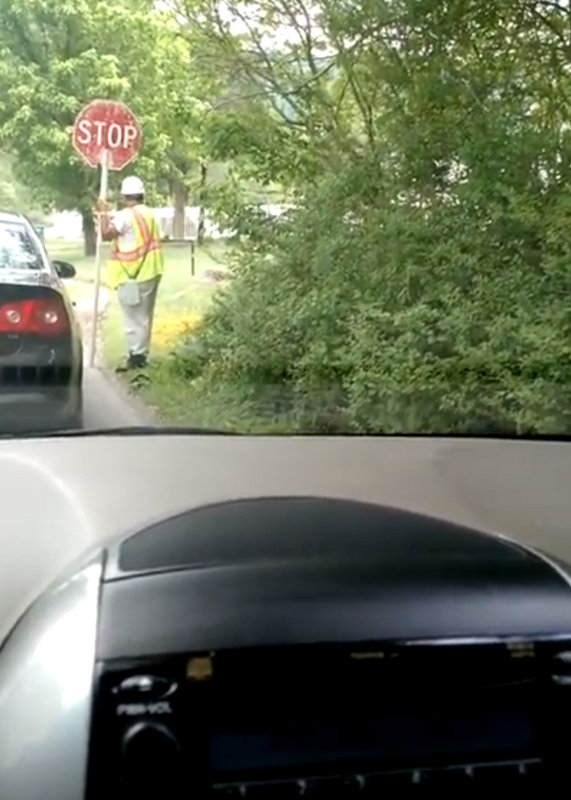
A construction crew began resurfacing a two mile (unavoidable) stretch of asphalt road on my route. As the road crew set up their gear, I was forced to wait a full 20 minutes (!!!!) before being allowed to pass.

Fortunately, I remembered that I had the BST-1 hooked up in the car. I tuned to 9580 kHz and there was Radio Australia. Somehow, hearing my staple broadcaster soothed my nerves. I accepted that I would be late for my appointment and simply enjoyed the moment. In your face, Murphy–!!!!

Here’s a very short video I made while stopped:

Click here to view on YouTube.

The new LNR Precision LD-11 transceiver is essentially general coverage

LNR-Precision-LD-11

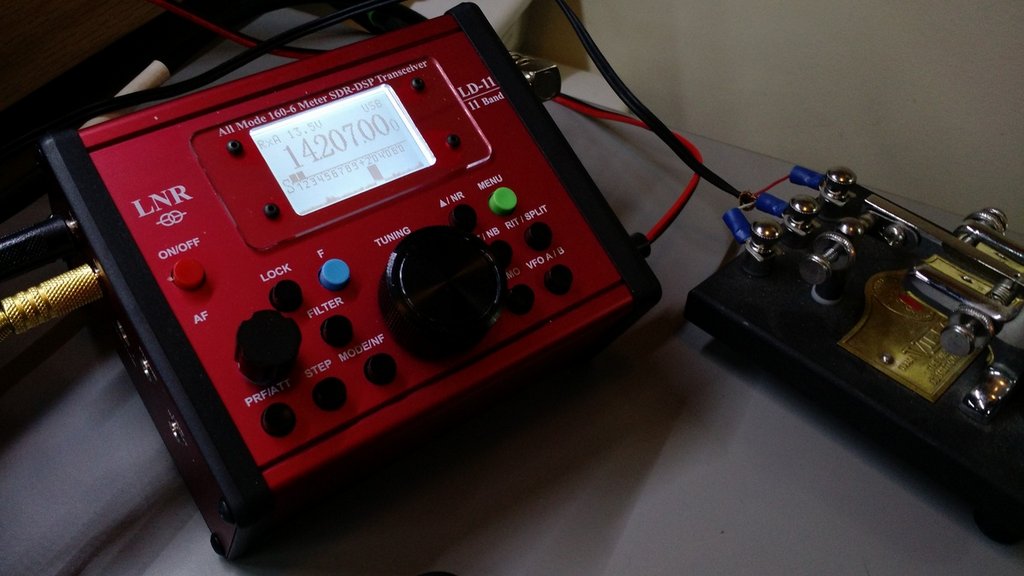
A couple weeks ago, LNR Precision sent me their new LD-11 Digital Direct Conversion QRP transceiver on loan for review.

The LD-11 is basically a small, tabletop SDR transceiver. It’s like a miniature, simplified version of the Icom IC-7300 I’ve also been evaluating.

The LD-11 is an all-mode and all-band transceiver–meaning, it includes SSB, CW, CW-R, Digi, AM and FM modes on all amateur radio bands (160 – 10 meters).

Though the LD-11 isn’t advertised as having a general coverage receiver, it will indeed tune the entire HF band.

You do this by entering the LD-11’s administration mode. LNR describes this in the LD-11 product manual, but suggests you contact them for help the first time you do this. In the admin panel, you’ll find functions that allow you to set the band edges on each amateur radio band.

For a preliminary test of broadcast reception, I moved the lower band edge of the 30 meter ham radio band to 8.2 MHz.

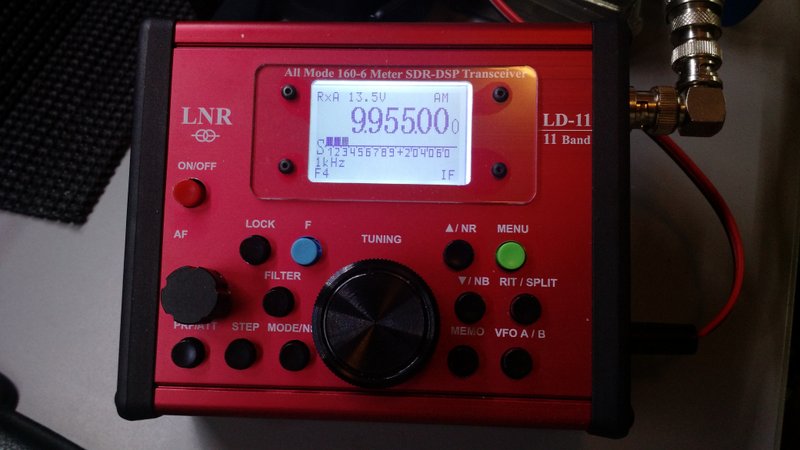
LNR-Precision-LD-11-front panel

After saving the settings and re-starting the LD-11 in normal operation mode, I could then tune the entire 31 meter broadcast band on the LD-11.

Hypothetically, you could either widen each amateur radio band to include adjacent broadcast bands, or you could simply set one of the ham bands to include the entire HF spectrum. To make it easier to navigate and tune through the bands, I’m choosing the former method over the latter.

Since the LD-11 has a proper AM mode, broadcasts sound great–especially via headphones!

Proper AM filters for broadcast reception!

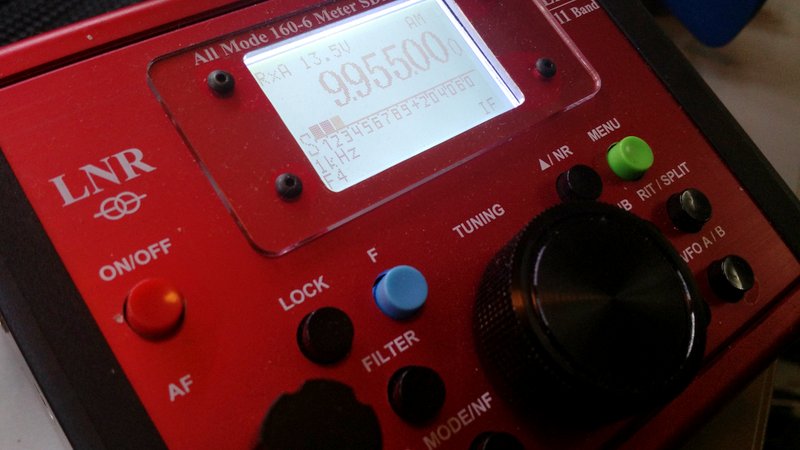
Better yet?  The AM filter width can be widened to an impressive 9.6 kHz! Woo hoo!

LNR-LD-11-Shortwave-AM

The LD-11 has four filter slots: F1, F2, F3 and F4.

The F1-F3 slots can be set to a fixed user-defined widths (common widths are default).

F4 can be altered to any available filter width without having to enter the admin mode of the transceiver. Simply press the “F” (blue function button) and the FILTER button simultaneously and use the encoder/tuning knob to specify the filter width in .1 kHz steps. Pressing the F and FILTER button simultaneously again, will save your filter width for the F4 position.

I’ve been using the F4 filter position for widths between about 8.2 and 9.6 kHz in AM.

It’s still early days with the LD-11, but I’m enjoying this little transceiver immensely. It reminds me of one of my favorite QRP transceivers of yesteryear: the Index Labs QRP Plus (though the LD-11 is much smaller, more versatile and has a much better front end than the QRP Plus!).

LNR Precision sold out all of their first run LD-11 units within moments of having announced availability. I’m willing to bet they’ll bring a few LD-11s to the upcoming Dayton Hamvention, though.

Check inventory status and view LD-11 details on LNR Precision’s website. 

SDRplay: Updated ADS-B for Raspberry Pi 2 and Pi3

Image Source: FAA.gov

Image Source: FAA.gov

Many thanks to Jon Hudson with SDRplay who shares the following announcement:

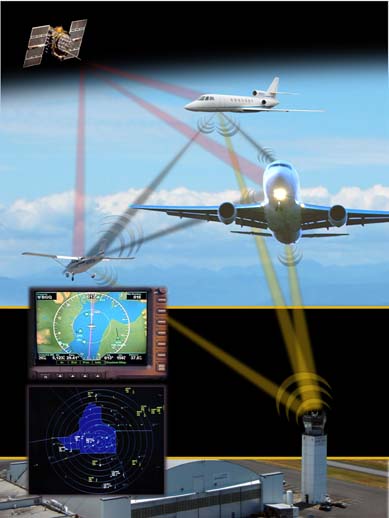
We now have an updated beta version of ADS-B for both the Raspberry Pi 2 and 3. This is based upon the 16bit Mutability version of dump1090 developed by Oliver Jowett and unlocks the full 12 bit performance of the RSP1. People should see a significant performance improvement over the dump1090_sdrplus version, which was based upon 8 bit code. The latest beta version can be downloaded in binary form from http://www.sdrplay.com/rpi_adsb.html .

Should anyone have questions or feedback, please contact [email protected]

Section 1 is how to load a brand new image onto an SD card

Section 2 should be straightforward – 2 commands – one to get the software and another one to run it. 

Though I don’t live in a metro area with a lot of air traffic, I am often in the flight path of a couple major airports. I’ve been looking for a simple way to try ADS-B (and ACARS). As soon as I locate a dedicated monitor and keyboard for my Raspberry Pi 3–and a little dedicated time–I will give the ADS-B app a go. Thanks again, Jon!

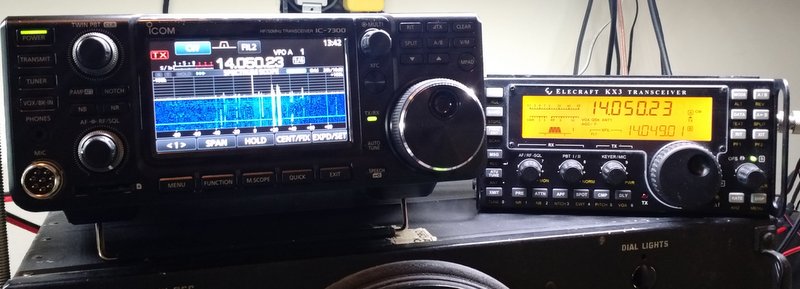
The Icom IC-7300 vs. Elecraft KX3: Which do you prefer for CW/SSB?

IMG_20160424_105444629

[UPDATE: Read the full review of the IC-7300, along with listener survey results, by clicking here.]

Many thanks to all of you who participated in our last survey comparing the new Icom IC-7300 with the WinRadio Excalibur SDR. We had over 100 responses (!!!)–the results will be posted in the forthcoming IC-7300 review.

Before completing my review, I thought I might fit in one more quick comparison–this time, comparing the Icom IC-7300 to my Elecraft KX3 and focusing on SSB and CW reception.

Recording notes and disclaimers

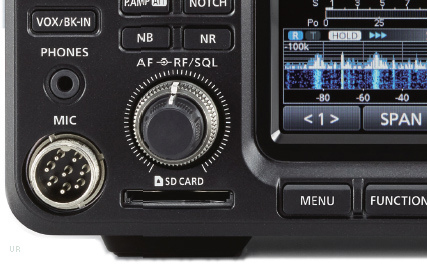
The Icom IC-7300 offers native digital audio recording, which means that it records both transmitted and received audio to an inserted SD card.

IC-7300The Elecraft KX3 does not have a built-in recorder (indeed, most transceivers do not) thus I made in-line recordings using my Zoom H2N digital recorder.

I did no post-processing of the audio other than converting .wav files to .mp3.

Both receivers shared my large outdoor omni-directional horizontal delta loop antenna for each test.

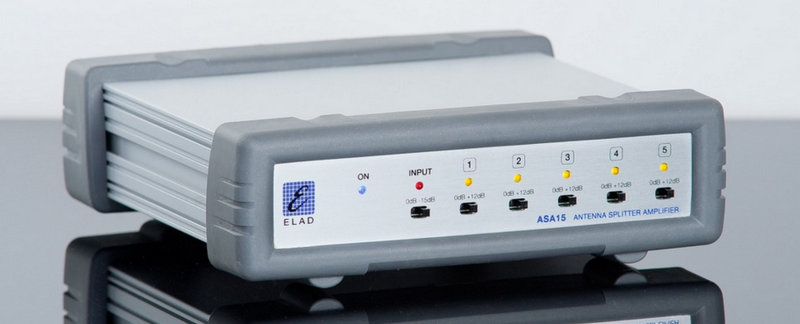
The Elad ASA15 Antenna Splitter Amplifier

The Elad ASA15 Antenna Splitter Amplifier

To keep the comparison on as equal footing as possible, the receivers shared the same antenna through my Elad ASA15 antenna splitter amplifier. Though the ASA15 has both 12dB amplification and –15dB attenuation, I employed neither.

The ASA15 allowed me to make the following recordings simultaneously.

In each case, I tried to set up both radios using the same filter widths, AGC settings, and (as much as possible), audio level. I didn’t engage a noise-reduction feature on either rig.

I also didn’t employ any type of audio equalization on either rig–still, you’ll note that one radio produces a more “flat” response than the other.

Please vote!

At the end of this post, I have an embedded a survey in which you can vote for the sample recordings you like best. Each recording is clearly labeled to denote that it’s either from “Radio A” or “Radio B” (chosen at random).

And now…here are the recordings:


Audio Clip 1: CW (20 meter band)

Radio A

Radio B


Audio Clip 2: Weak Signal CW (20 meter band)

Radio A

Rado B


Audio Clip 3: Weak/Strong SSB
(Sable Island working Asia/Pacific on 20 meter band)

Radio A

Radio B


We want to hear from you!

Use the form below to vote for the recordings you prefer in each section.

I’ll close voting at 12:00 UTC on Wednesday April 27, 2016. Thank you in advance for your participation in this survey!

Video: SDR Touch demo on Android device using SDRplay RSP

Fullscreen capture 4242016 10946 PM

(Source: SDRplay via YouTube)

Click here to view on YouTube.

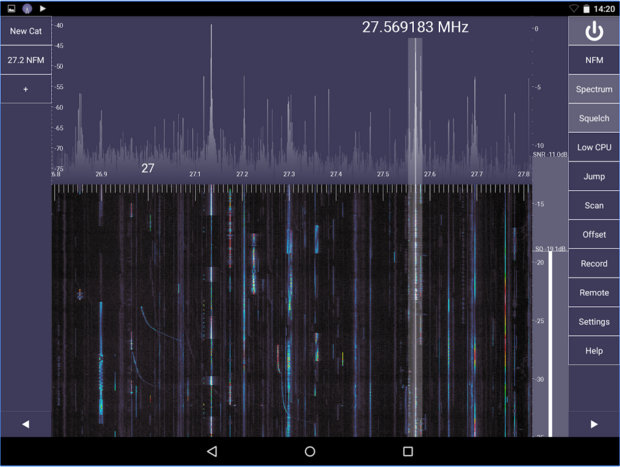
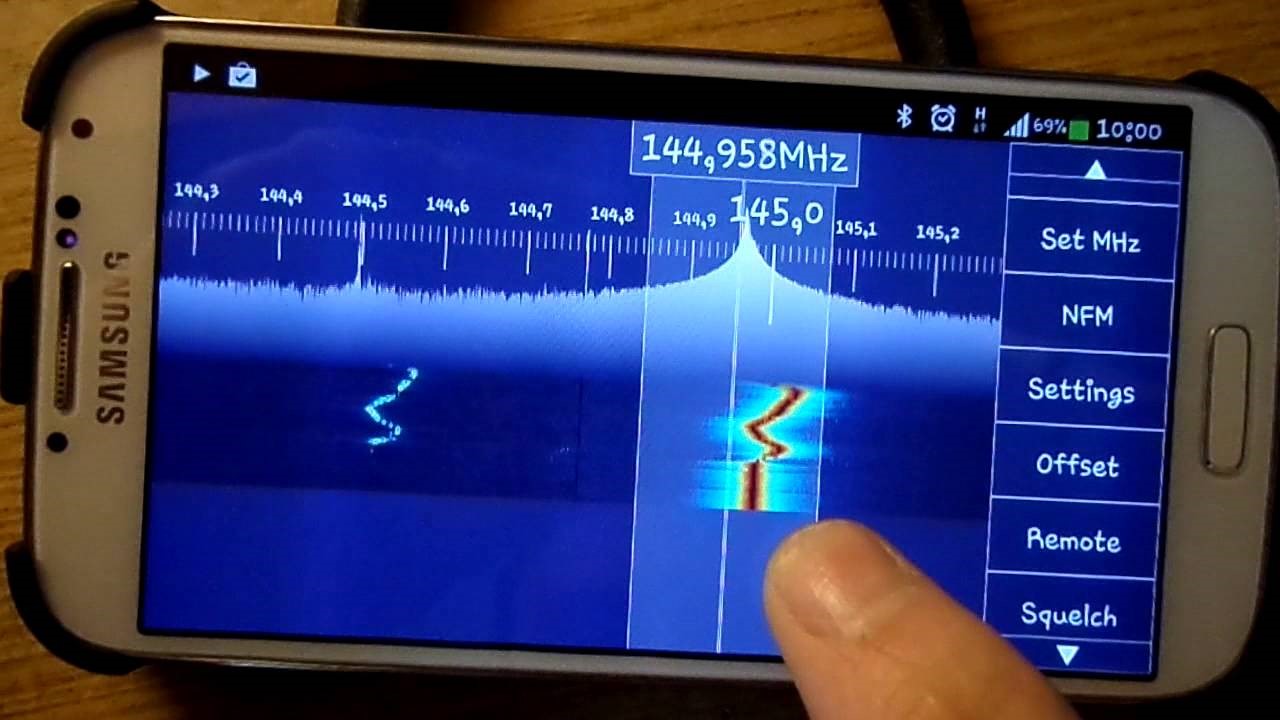
This demonstrates turning an Android Tablet (or Android Phone) into a highly portable comms receiver or spectrum analyzer operating from Long Wave to Microwave (10kHz to 2GHz) – using SDR Touch and the SDRplay RSP www.sdrplay.com

To be a beta tester simply go to https://play.google.com/apps/testing/ and follow the instructions – the SDR Touch author welcomes feedback on https://www.facebook.com/SdrTouch/ – your chance to influence the way this amazing software can get better and better.

SDR Touch now supports the SDRplay RSP in Beta release

sdrtouch

(Source: SDRplay Blog)

Good news for Android users – SDR Touch have released a beta version of their software with SDRplay RSp functionality – go to https://play.google.com/apps/testing/com.sdrtouch.sdrplay to sign up as a beta tester.

SDR Touch works on most recent Android Phone or Tablet devices.