 Jeff, over at the excellent Herculodge blog, shares this link to an interesting article in Slate about the future of AM/FM radio in the age of podcasts.
Click here to view the full article and check out Jeff’s excerpts on the Herculodge.

Jeff, over at the excellent Herculodge blog, shares this link to an interesting article in Slate about the future of AM/FM radio in the age of podcasts.
Click here to view the full article and check out Jeff’s excerpts on the Herculodge.
 (Source: WRMI press release)
OKEECHOBEE, FLORIDA, USA – America’s most powerful radio signal will carry previews and highlights of some of the world’s top sporting events throughout 2015. WRMI (Radio Miami International) will provide exclusive shortwave coverage from the USA for more than two dozen leading events in sports, including hockey’s Stanley Cup finals, baseball’s World Series, football’s Super Bowl and international tournaments involving soccer, cricket and rugby.
WRMI sports director Bruce Baskin provided daily reports on last weekend’s Army-Navy football game (won by Navy, 17-7) and is presently providing updates on soccer’s Club World Cup, which features seven of the globe’s top sides converging in Morocco. “This will be different from our WRMI Scoreboard,” says Baskin. “Rather than giving scores and short stories from several sports per day, we’re going to focus on specific events for days at a time. In essence, we’re going from a ‘miles-wide, inches-deep’ approach to the opposite.”
After purchasing and moving to the former Family Radio broadcasting site in central Florida one year ago, WRMI now possesses twelve 100,000-watt transmitters (with a 50,000-watt backup) along with 23 antenna systems on a 660-acre complex, making it America’s farthest-reaching radio station. WRMI first signed on in 1994 and has been managed throughout its duration by Jeff White, a past president of the National Association of Shortwave Broadcasters.
175 Fontainebleau Blvd, Suite 1N4, Miami, Florida 33172 USA
Tel +1-305-559-WRMI Fax +1-863-467-0185 E-mail [email protected] Website www.wrmi.net
WRMI 2015 Sports Coverage Calendar
JANUARY (2)
12 NCAA Football Playoff Championship
18 NFL AFC/NFC Championships
FEBRUARY (2)
2 NFL Super Bowl
22 NASCAR Daytona 500
MARCH (2)
12 F1 Miami E-Prix
23-29 ICC Cricket World Cup
APRIL (2)
4-6 NCAA Final Four
9-12 PGA The Masters
MAY (3)
2 TRA Kentucky Derby
16 TRA Preakness Stakes
24 IRL Indianapolis 500
JUNE (3)
6 TRA Belmont Stakes
8-18 NHL Stanley Cup Finals
18-21 PGA U.S. Open
JULY (2)
10-13 ITF Wimbledon Finals
16-19 PGA British Open
AUGUST (2)
13-16 PGA PGA Championship
22-24 LLB Little League World Series
SEPTEMBER (2)
13-14 ITF U.S. Open Finals
18-31 IRB Rugby World Cup
OCTOBER (2)
3 NCAA Air Force-Navy football
21-31 MLB World Series
NOVEMBER (2)
7 NCAA Army-Air Force football
26-30 ITF Davis Cup finals
DECEMBER (2)
12 NCAA Army-Navy football
20 FIFA Club World Cup Final
175 Fontainebleau Blvd, Suite 1N4, Miami, Florida 33172 USA
Tel +1-305-559-WRMI Fax +1-305-559-8186 E-mail [email protected] Website

(Source: WRTH Facebook Page via contributor, Mauno Ritola)
“According to information from Radio Australia, there will be a drastic cut to their shortwave schedule starting 1st February 2015.
Only these transmissions from Shepparton will remain to the Pacific:
- 2100-0900 UTC on 15240, 15415, and 17840 kHz
- 0900-2100 UTC on 6080, 6150, and 9580 kHz
Their web site hasn’t yet been updated:
http://www.radioaustralia.net.au/international/
Radio Australia is a staple news source for many in the Pacific islands. Fortunately, RA plans to maintain shortwave services 24 hours per day via the frequencies above. I’m happy to see that 9580 kHz–which is a morning blowtorch signal into much of North America–will still be transmitted.
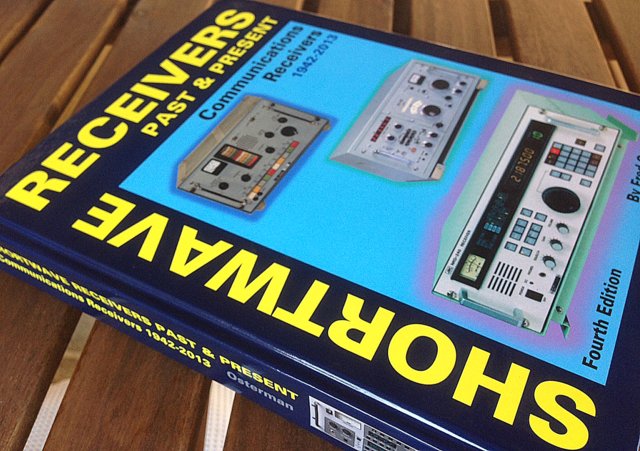
Last month, I received an unexpected–and most welcome–package: a copy of Fred Osterman’s Shortwave Receivers Past & Present, now in its fourth edition. My copy was a signed version, sent to those who contributed to the volume. Although my contributions to this impressive and highly comprehensive work are quite modest, I was grateful nonetheless; author Fred Osterman is not only a good friend, but a radio mentor. He’s also a supporter of my non-profit, Ears To Our World (ETOW); indeed, without his warm encouragement, I doubt I would have launched that enterprise so successfully. Fred continues to support ETOW in innumerable ways. And more than anyone else I know, Fred is a guru of all that is shortwave radio. As the president of Universal Radio, he has the good fortune of seeing a number of new/used radios appear on his doorstep every day, many of which are quite rare. In short, Fred Osterman knows his stuff.
But what a pleasure, to be able to recommend whole-heartedly this book, not because my long-time mentor penned it, but because it is…well, good. Really good. The first time I opened Shortwave Receivers Past & Present, I couldn’t put it down for nearly an hour.
Why? First of all, to say that this reference is chock-full of information about shortwave receivers is an understatement. It catalogs virtually every model of any significant receiver about which I’ve ever heard; that alone is fascinating. But there’s more. This volume lists receivers–and even manufacturers–that are entirely new to me. Clearly, if you’re intrigued by all things shortwave, this book has much to teach…
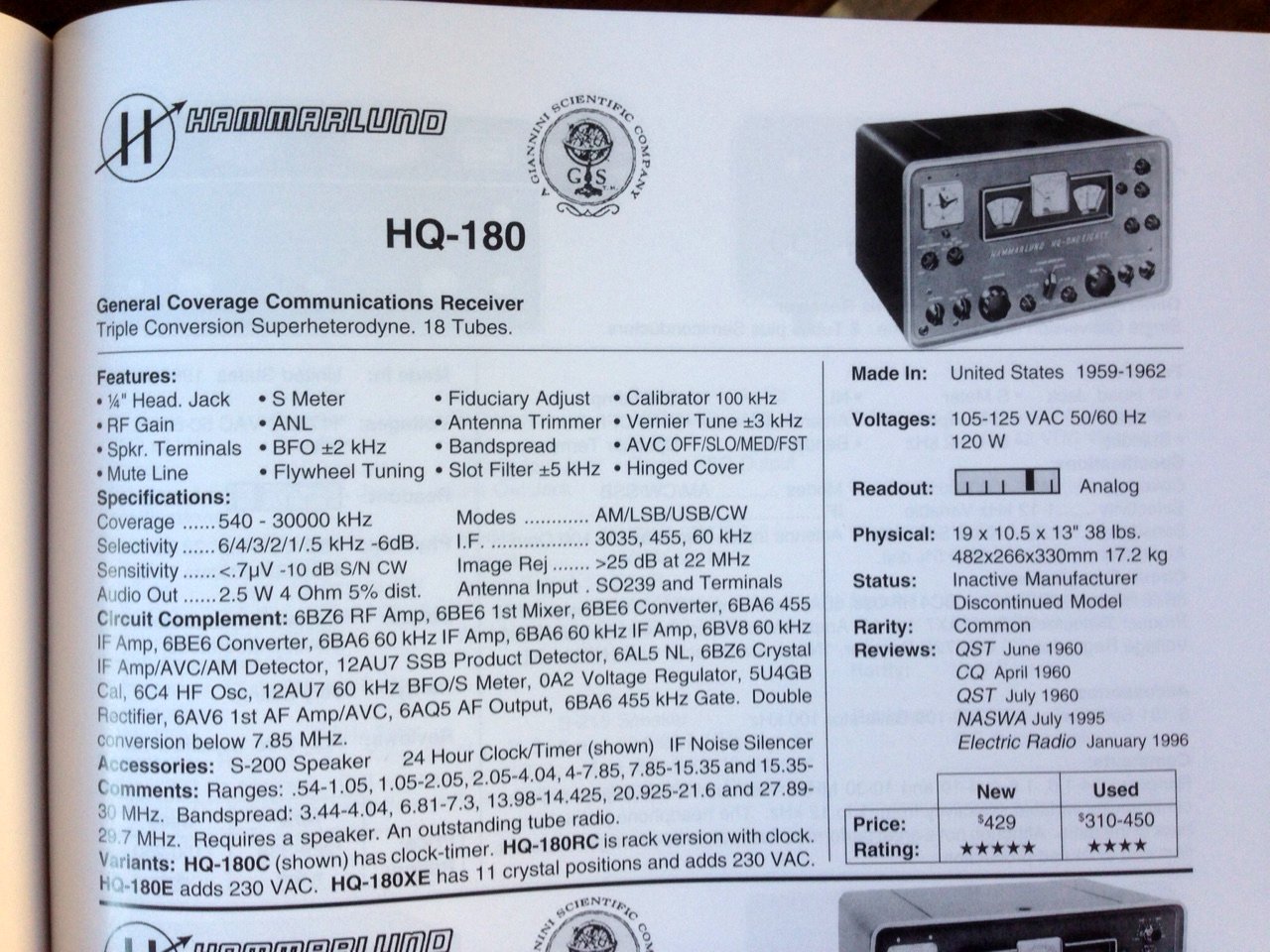
Each section of Shortwave Receivers Past & Present lists the most relevant information about each receiver model–features, specifications, internal components, accessories, readout type, physical dimensions, review notes, current pricing. (Click to enlarge)
The book is logically laid out by manufacturer and model; each section devoted to a particular model and all of its iterations are noted. As you can see in the example above, in-depth information including the author’s comments are provided, as well as the vitals on each rig–features, specifications, internal components, accessories, readout type, physical dimensions, review notes, current pricing–all beautifully and clearly presented. Clear black-and-white pictures of the radios as well as manufacturer logos are also shown.
While one can, of course, research radios online, rarely can you find all the information you seek so complete; this book has done all the painstaking work for you, and made it infinitely more convenient.
Secondly, Shortwave Receivers is a quality publication. Back in the 1990s, I had the good fortune to work in university archives for a period of time; since then, I notice things others might overlook–binding, paper, quality of print. This book feels like the archival volume it is, with heavy, glossy pages, a robust binding and sturdy spine. It feels like one of those heavy encyclopedias you might have found in libraries in the past, created to endure many page turns and, indeed, stand the test of time.
As heavy as this book is–and it is very heavy, I admit–I think I might start carrying it to hamfests, especially to those with antique radios (i.e. “boat anchors”) on offer. With this work in tow, not only could I determine, on the spot, if a particular model of radio is a bargain, but also tell at a glance if it’s rare, if the components can be sourced readily, and anything else noteworthy I really ought to know about it. This would give me a leg up when bargaining, not to mention, make the whole radio experience more fun.
Indeed, if you collect or restore vintage shortwave receivers, or dream of doing so, this book is an absolute must. That’s the power of a proper reference book with an author who is as passionate about these receivers as the readers.
In short: I highly recommend Shortwave Receivers Past and Present. At $49.95 US, it’s pricier than most individual books; however, considering its role as an all-in-one encyclopedic reference, it’s a value that will serve you for decades.
But if you do obtain a copy of Shortwave Receivers, I leave you with a warning: if you’re like me, you may find it just about impossible to put this book down.
Purchase Shortwave Receivers Past and Present, Fourth Edition at Universal Radio.
[Note to international readers: international shipping costs are substantial on this book, no doubt due to its significant weight and dimensional size. Just make sure you note shipping costs prior to purchasing.]
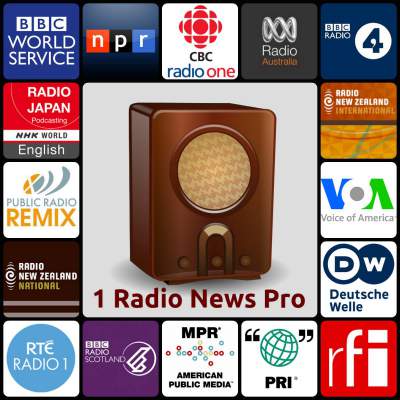 After publishing a post about the new 1 Radio News app, developer Steven Clift commented:
Thanks for the mention!
I had a private email in my draft box for Tom … here, I’ll share with all:
Thomas, Ken Reitz suggested you would be a good person to reach out to about my app.
In the days before the Internet, I can remember taking my shortwave radio up to my Grandparents in far northern Minnesota. I’d have the time to be “closer to the world” by listening global broadcasters like the BBC World Service and be intrigued by Cold War broadcasts from the Soviet Union and Cuba giving a decidedly different view.
As my Uncle gave me my first shortwave radio, what might one give to a teen today to easily expose them to the world of truly global news. Now there is an app for that: http://1radionews.com 🙂
In 1993, when I first went online, my novice thought was this might be like “reception clear shortwave.” Going to the world.
I had forgotten that early thought until a few days ago when I added 30+ live English news streams from broadcasters around the world into the pro version of my 1RadioNews.com Android radio app.
I started channel surfing … what’s on here, fun, OK how about this station. What are Radio Sputnik and Radio China International up to … oh and Wisconsin Public Radio has some great original programming. So now I can go even deeper in my explorations of the voices around the world. I could discover radio, discover the world again through the power of sound and the human voice right on my mobile – quickly and easily.
FYI – “Pro” version has 3 times more – curated and well tested – streams, but the free ad-supported version has some classics like the BBC World Service. I tied to make the app “thumbable” meaning you can just hold the phone and swipe and press a button to play. Super simple and a lot quicker than apps with literally ten of thousands of stations. Saving ten seconds to switch the station matters!”
Many thanks for the insight, Steven! Since most of us SWLs are international “news junkies,” we appreciate having a curated, simple interface to hear top of the hour news from our favorite broadcasters.
By the way, Steven, I have added 1 Radio News to our list of the best apps for Shortwave and Ham radio enthusiasts–one of our most popular all-time posts. Good luck and we look forward to hearing about any future developments!
 Regarding the new 1 Radio News App for Android devices, SWLing Post reader, Erica comments:
“I too wish 1 Radio News were available for iPhone. The nearest thing I know of however is an app called Hourly News. It allows you to listen to latest news bulletins from various news outlets.
Most news sources included are American broadcasters, but it does have Deutsche Welle, RTHK and VOA. You can also add podcast feeds to expand what you can hear. I hope this is useful to you all.
Many thanks, Erica. I use an iPhone when I’m on the move, so I’ll give this app a try!
Many thanks to SWLing Post contributor, Richard Cuff, for sharing the following article from TwinCities.com. The following is an excerpt:
Twin Cities developer creates ‘shortwave radio’ app for world news
By Julio Ojeda-Zapata
Smartphone users have no shortage of radio-style apps that will stream news-and-information programming to them over the Internet.
But app developers are always in search of niches within well-populated app categories, and Twin Cities resident Steven Clift thinks he’s found one.
He’s released an app called 1 Radio News that provides news-related audio from around the world for English speakers who are eager to keep up on the latest global happenings.
But, unlike other such apps like TuneIn Radio and iHeartRadio that are crammed with hundreds or thousands of audio sources, 1 Radio News aggressively culls options to just a few dozen.
[…]Clift is known in local Internet circles as the executive director of E-Democracy.org, a network of neighborhood forums that also has served as an election-information site. This is Clift’s first foray into app publishing.
[…]Clift’s app is no Android blockbuster yet, but he said he’s seen interest from all over the world — notably of late from unexpected locales like Malaysia, Nigeria and Pakistan.
For Clift, the app is in a way the realization of a childhood dream. When he was growing up in Winona, Minn., the geography where he lived made TV reception problematic. But he had little trouble pulling in short-wave radio signals from around the world.
Now, his app “turns a phone into a global short-wave radio filled with high-quality news sources from all over the world,” he said.
Read the full article on TwinCities.com.