Shortwave listening and everything radio including reviews, broadcasting, ham radio, field operation, DXing, maker kits, travel, emergency gear, events, and more
Many thanks to SWLing Post contributor, Ivan (NO2CW), who writes:
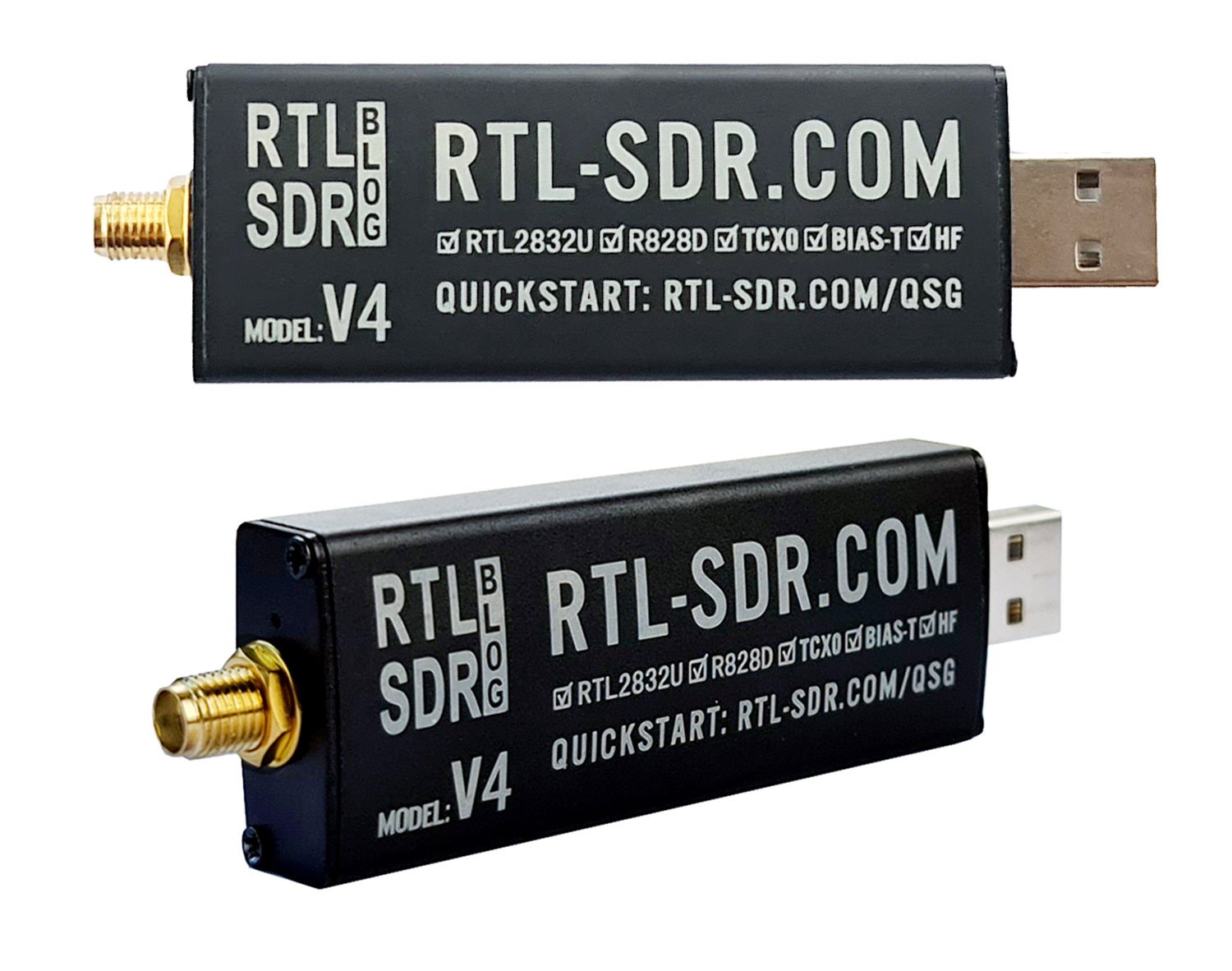
I ran a test of weak signals RTL-SDR v4 against Airspy HF+ Discovery. Using sdr # and a few gain adjustments particular to each of the receivers. I ran the test at approximately 9 pm local time using the same W6LVP loop antenna from my location near Miami Florida and I was intentionally looking for barely readable weak signals. The RTL-SDR v4 is a great budget SDR receiver!
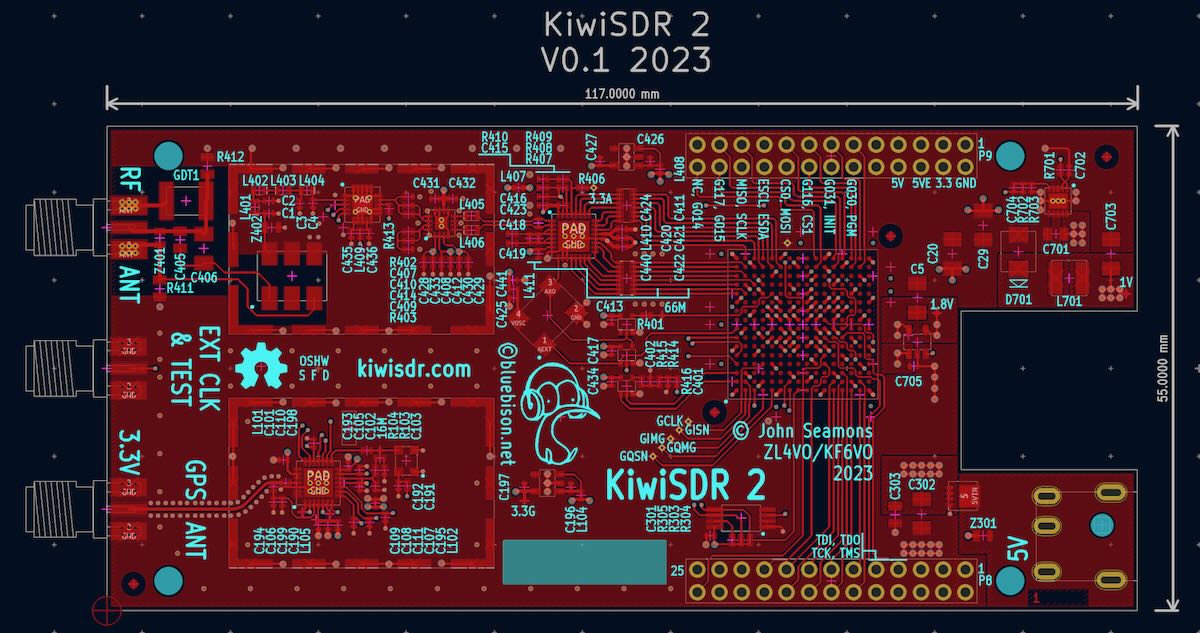
A number of SWLing Post readers have shared a link to this post by KiwiSDR creator John Seamons on the KiwiSDR forum. In it, he (somewhat reluctantly) describes a new version 2 of the KiwiSDR that is in the works.
Image source: KiwiSDR Forum
John writes:
I don’t like to announce something before it’s ready. But my hand is being forced.
So please consider this a pre-announcement. There are no guarantees.
The PCB and bill-of-materials (BOM) are finished and ready for prototype construction.
The problem is I don’t know WHO is going to build this or HOW. So I don’t know WHEN it might be available. And most importantly I don’t know what it might COST.
If YOU have specific ideas about these questions please email me. I’m especially interested in full-service manufacturing and distribution outside of China.
KiwiSDR 2 Goals:
Minimal changes. Fastest time-to-market with lowest possible risk. BUT since the PCB is going to be re-spun fix some of the known limitations that don’t add too much risk:
New RF front-end:
Balanced input via balun transformer
Digital attenuator (per the advisory group: pSemi PE4312, 0 – 31.5 dB, 0.5 dB steps)
Gas discharge tube (GDT) across input in addition to TVS diodes
Static drain resistors (100K) from input connections to ground
External ADC clock brought out on third SMA connector
Self test loopback mode using a short cable between this SMA and antenna input
New GPS chip to replace current one which is now EOL
Reverse polarity protection (via P-FET) on 5V DC input
TVS diode across 5V input
I have an email advisory group. Many, many other changes and additions were considered and deferred. They have been put onto a list for the future.
Additional info as things progress.
Thank you.
Readers: If you have suggestions for John regarding a manufacturing and distribution facility outside of China, please connect with him on the KiwiSDR forum.
In my opinion, the KiwiSDR has been the most accessible and effective web-based SDR platform out there. I’m looking forward to version 2 and hope it becomes a reality in the near future.
We’re happy to announce the first release of our new RTL-SDR Blog V4 dongle which is based on the R828D tuner chip. The pricing is US$39.95 for the V4 dongle with antenna set, and US$29.95 for the dongle only, including free shipping to most countries.
Currently we are only shipping this model from our warehouse in China and the initial production batch is small and so we are limited in stock. However, now that we have confirmed that production of the first small batch of V4 has gone very well, we will be ramping up production, and stocking Amazon USA within 1-2 months as well.
The V4 comes with several improvements and changes that are listed below.
Improved HF Reception. Now uses a built in upconverter instead of using a direct sampling circuit. This means no more Nyquist folding of signals around 14.4 MHz, improved sensitivity, and adjustable gain on HF.
Improved filtering. The V4 makes use of the R828D tuner chip, which has three inputs. We triplex the SMA input into three bands, HF, VHF and UHF. This provides some isolation between the three bands, meaning out of band interference from strong broadcast stations is less likely to cause desensitization or imaging.
Improved Filtering x2. In addition to the triplexing, we are also making use of the open drain pin on the R828D, which allows us to add simple notch filters for common interference bands such as broadcast AM, broadcast FM and the DAB bands. These only attenuate by a few dB, but may still help.
Improved phase noise on strong signals. Due to an improved power supply design, phase noise from power supply noise has been significantly reduced.
Less heat. Due to the improved power supply design the V4 uses slightly less current and generates slightly less heat compared to the V3.
Cheaper price! The price of the R860 chip which is used in the V3 and most other RTL-SDR brands increased significantly at the beginning of 2023 which is part of the reason as to why RTL-SDR dongles have been increasing in price recently. For the V4 we are making use of an existing stockpile of R828D chips which are now priced cheaper than new productions of the R860. In a time when high inflation keeps pushing prices up this is incredibly welcome.
There are some other minor changes including a new bias tee LED and a small cutout hole in the enclosure so it’s easy to tell when the bias tee is on.
Of course the same innovations that we brought in with the V3 are still implemented such as the sleek conductive black metal enclosure which works as a shield and doubles as a heatsink, a thermal pad to sink heat away from the PCB, 1PPM TCXO, SMA connector, USB noise choking and improved ESD protection.
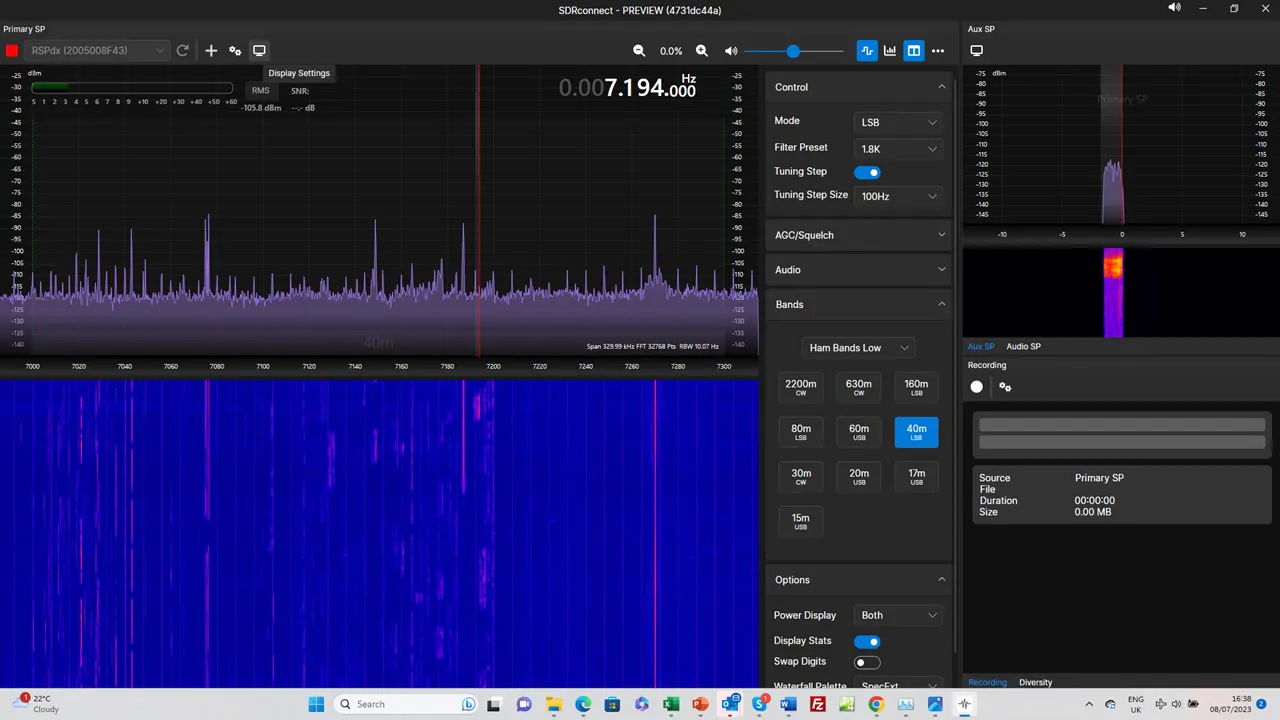
Many thanks to a number of SWLing Post contributors who’ve noted that SDRplay’s new multi-platform SDR application, SDRconnect, is now available to download as a preview!
Many thanks to SWLing Post contributor, TomL, who shares the following guest post. Click here to check out all of the posts in this Audio Plugin series:
Audio Plugins For Radios, Part 2 – SDR Recording
by TomL
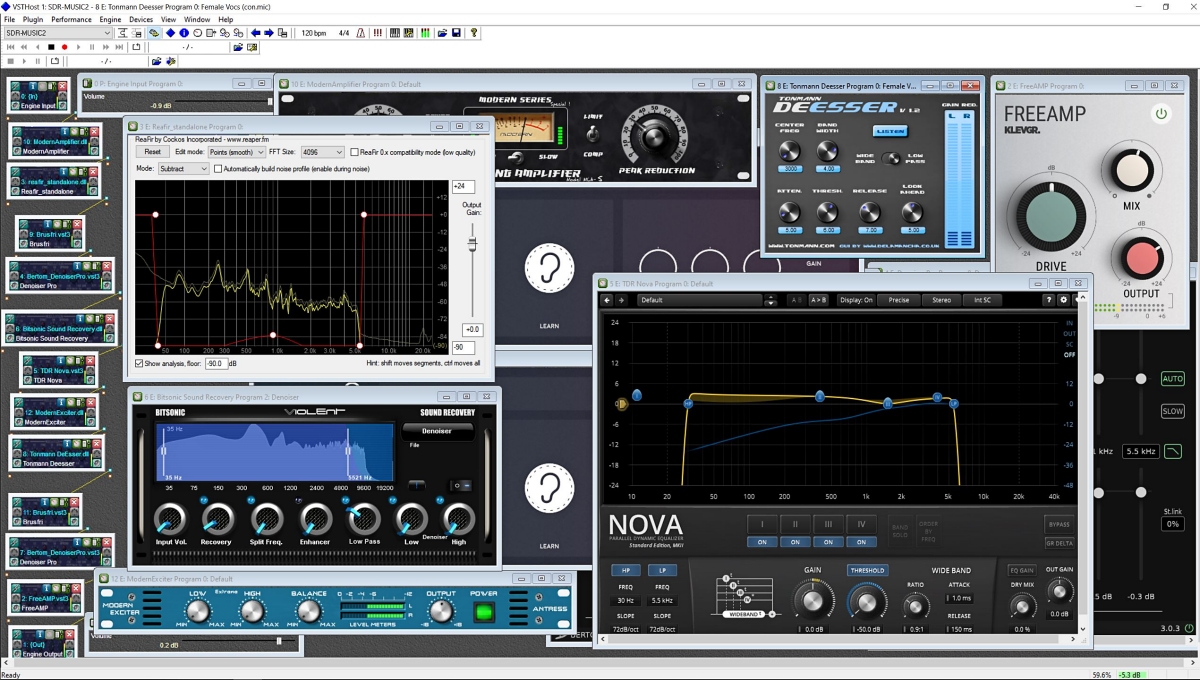
I started investigating using the old Kenwood transceiver to send audio to my laptop and process the receive audio using VST Host for a number of functions: Noise reduction, Equalization, reduce Sibilances and fading distortion, increase presence of vocals without sounding boxy, etc. It was a qualified success depending on what VST apps I used, in what order they were used, and what settings each of them were set to. In this episode of ongoing discovery, I will attempt to show how easy it is to OVER-process the shortwave broadcast audio plus comparisons to my regular Audacity post-recording treatment.
Audio Examples
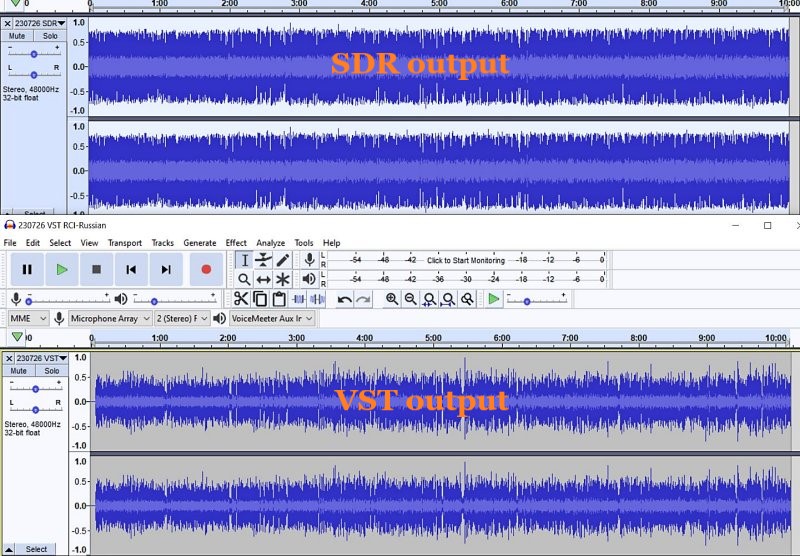
I noticed for the first time that the SDR creates a somewhat compressed file which can be seen when comparing the Waveforms of SDR vs. VST Host output files. This means that the unprocessed SDR file will always appear to sound louder because of this compression. This loss of Dynamic Range makes it harder to do the comparison. Therefore, the Audacity-only examples below are reduced 3dB or 5dB to maintain apparent loudness.
Example 1: KBS Weekend Playlist – S6-S9 signal, somewhat severe fading and moderate polar flutter.
SDR Console 3.2 using my usual NR4 set to 2dB Reduction, 30% Smoothing, and 3dB Rescale plus a Blackman-Harris-7, 5.3 kHz filter.
AUDACITY file is using my usual Audacity noise reduction:
VST version 2: Used my first set of VST apps. Sounds harsh with hash-noise and overdriven:
VST version 3: Used way too much bass, too much grunge, attenuated highs, still overdriven:
VST version 4: Using a different order to the Denoiser apps, added in Modern Exciter app, cut back on some bass but still too much, and overly forward sounding midrange:
VST version 5: My current Baseline setup. Adjusted the Denoiser apps, less extreme bass & treble, adjusted the De-Esser app, set the midrange to be less forward with just a single setting:
To my ears, Audacity processing is nice but as discovered before, sounds compressed and does not reduce some of the other problems inherent in shortwave signal fading and loss of musicality. It sounds utilitarian. Also, the noise is a bit more gnarly.
Versions 2-5 go through iterations of listening to the exact same segment over and over (and over) and trying different VST apps and settings. I think my comments are mostly accurate next to each version. However, you may think differently and perhaps prefer the sound of one of the other versions?
Example 2: Encore Classical Music, WRMI (fading S9 signal) – Audacity vs. Version 5 VST settings. VST is quieter and sounds less harsh than the Audacity version. A generally more smooth sound.
Example 3: RCI in Russian, S7-S9 with moderate polar flutter – 7kHz filter in SDR Console but VST Host is using BritPre, an analog preamp using a 6 kHz low pass filter to try to reduce DSP filter “ringing”. It shows some interesting possibilities.
Example 4: RCI in Russian – Music from the same broadcast and VST Host setup in Example 3. The screeching flute is under more control and strings more defined in the VST version.
Conclusions
I like the results of the audio processing that eventually ended up with “version 5” (plus the possibilities at 7kHz, too). It is not Earth-shattering but is an incremental improvement in my opinion (there is always room for improvement). I can use it in a simple Workflow anytime I want to record something off of the SDR. Also, I had already been using Voicemeeter Pro, a software audio mixer. It is setup with different profiles to do SDR, Ham, FM Broadcast, and now, VST Host audio routing. This process took a long time but seems satisfactory to use as a Baseline setup, which then can be tweaked slightly depending on various types of audio coming from the SDR. These changes in VST Host can be stored as their own unique profiles for audio processing.
However, a word of warning! Messing with Windows audio Sound settings and mixer software is potentially a confusing process and one can easily end up with a spaghetti-pile of conflicting connections, no audio output, doubled echo output, distortion, way too loud, way too soft, etc. If you start this experimentation, make sure to write down your current Windows Sound settings, both the Playback and the Recording settings for each item listed.
Having an SDR radio + Voicemeeter + VST Host is a very flexible setup. I can now safely say that the only thing I need Audacity for is to Normalize the peak audio to the -1 dB broadcast standard volume, which is a HUGE time saver. The SDR Console IQ files can be scheduled and processed from there at a later time. Also, the use of Voicemeeter Pro allows me to switch when to use VST Host anytime I feel like it, and Voicemeeter Pro comes with its own (manually engaged) Recorder.
Part 3 of this series will discuss Technical details for my setup. Your setup may need different settings or you may find a better way than I did. This will take some dedicated time.
The FCC seeks comments on a proposal to use HF spectrum for financial data
The FCC is taking public comment on a proposal to revise the rules governing the frequencies above 2 MHz and below 25 MHz.
The Shortwave Modernization Coalition thinks the 2-25 MHz band is underused and wants to use it for the long-distance transmission of time-sensitive data from fixed stations. The users would be companies working with certain kinds of financial transactions; the proposal would prohibit voice transmission and mobile operations.
The firms in the coalition are “market makers and liquidity providers” for exchange-traded financial instruments.
This high-frequency trading industry has in fact been using shortwave links for several years to send trading data between U.S. and foreign exchanges, but it has done so under experimental authorizations. [Continue reading…]
Many thanks to Bill Pietschman who notes that the book “QTC: I Have a Message for You” has now been published on Archive.org for all to read and download free of charge. Bill writes:
I knew Ray Redwood, and besides being a Professional radio operator, he was indeed a Ham’s Ham. You will find here not just the story of radio, but a detailed analysis of the Titanic, from a radioman’s point of view. Part documentary, part autobiography, and part technical, it’s a great read. I’m so glad that his work has been preserved here. Future radio historians will, I am certain, find it to be a valuable record of the Ship Radio Officers Era, and Ray’s insights at the dawning of the Global Maritime Distress and Safety System as we have today which utilizes satellite technology.
There was a time, some 50 years ago when cell phones didn’t exist and computers were only owned by large corporations, that people learned of the world around them by listening to shortwave radio. This is a journey back to that time to hear the sounds and see the correspondence from shortwave stations from all over the world. Sit back, listen and enjoy!

 Many thanks to SWLing Post contributor, Ivan (NO2CW), who writes: