Category Archives: Travel

Guest Post: Anil reviews the FiFi-SDR receiver kit 2.0

Many thanks to SWLing Post reader, Anil Raj, for sharing his review of the FiFi-SDR receiver kit 2.0:

FIFi4-TravelKit-001

The perfect radio for business travellers?

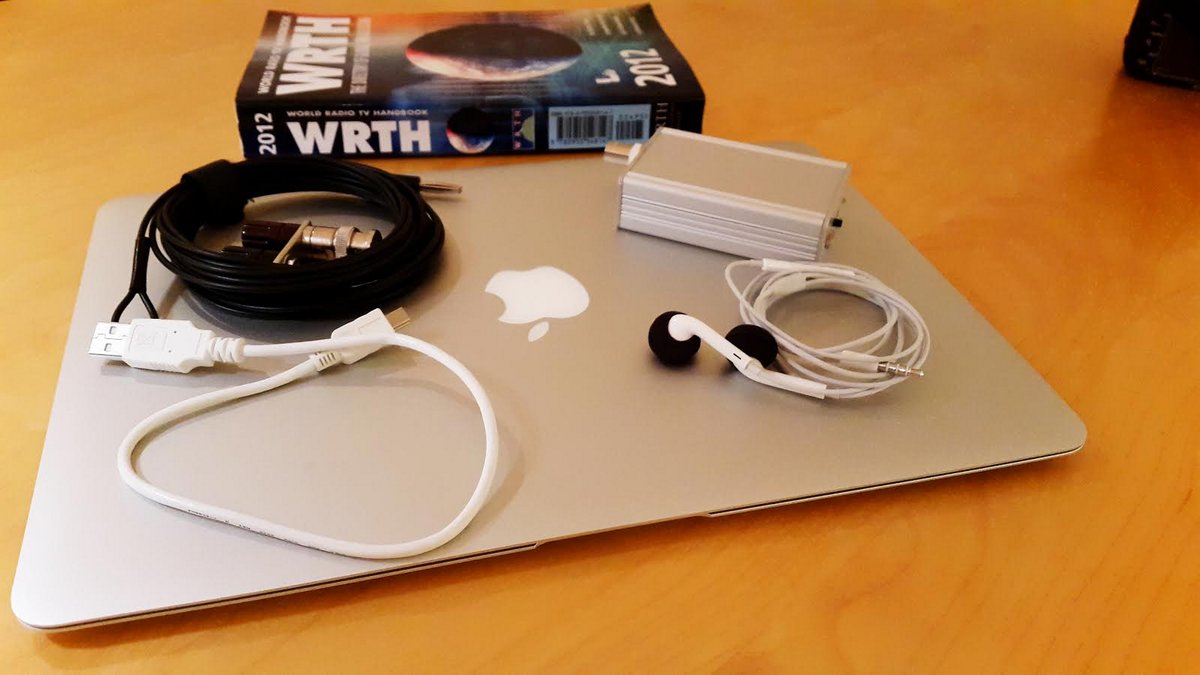
I travel regularly, or should I say commute between Europe and Asia, and have been on the lookout for a small receiver with good performance that would be easy to carry with me. I never travel without my laptop so an SDR would be the sensible thing to look for. A few weeks back the tiny FiFi SDR receiver caught my interest as I was browsing the website of Funkamateur http://www.box73.com/ the excellent German ham radio magazine. It looked promising as it had an impressive bank of filters covering all the way from LF to HF. Also, the front end is designed to emphasize sensitivity, so that it can work well with short wire antennas. It also had a built in sound card which would make interfacing to my computer a simple job.
Fifi5


The price was certainly right – $ 169. I ordered it, and it showed up in my mailbox a few days later. It is offered as a “kit” though in practice all that needs to be done is to solder a couple of connectors and sockets. All the surface SMD components are pre-soldered, and the rugged extruded case has die cut holes for the connectors and controls making the mechanical assembly very simple. The entire exercise took me about 20 minutes until the receiver was plugged in and powered up.

Fifi1-001

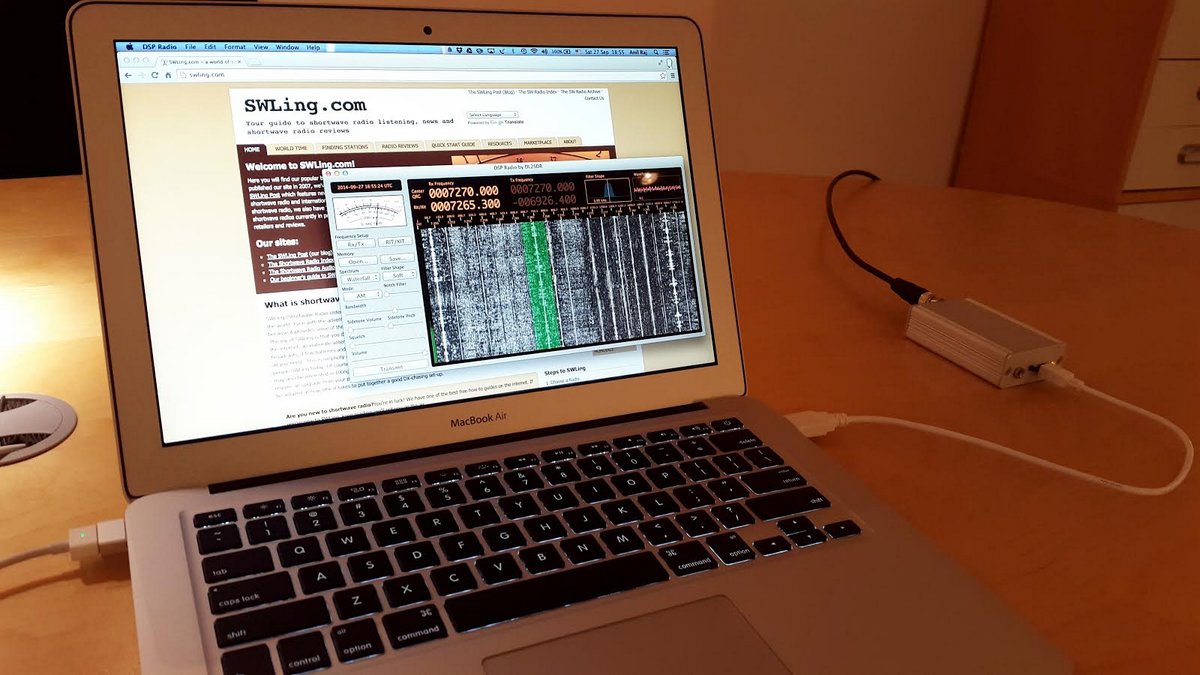
Since I use a Mac the choice of SDR software is a lot more restricted than that for Windows. I did however find free software called SDR Radio (http://dl2sdr.homepage.t-online.de/) developed by DL2SDR which does a great job of partnering with the FiFi and my Mac.

SDR Radio is still in development, so the UI can a bit rough at the edges at times. Also, configuring the Audio and MIDI settings on my Mac took a bit of work, but DL2SDR Sebastian was quick to reply to my mails requesting help when I got stuck.

So how does it all sound? While I am sure that there may be better performing SDR radios out there, what this little matchbox sized receiver does is simply amazing. Users running Windows will have access to much more sophisticated applications than the simple programs available for Mac and will be better able to compare this radio. However, it does an outstanding job of handling both AM broadcast as well as CW and SSB utility and Ham signals. While SDR Radio does not offer a lot of bells and whistles at present, the continuously variable bandwidth which can be dialled in to almost zero, and effective notch filter get the job done very well. In empirical testing and comparisons with the Palstar R30C, the FiFi easily outclassed the older analog radio (and the Palstar is no slouch, especially on the lower frequencies).
Fifi3-TravelKit

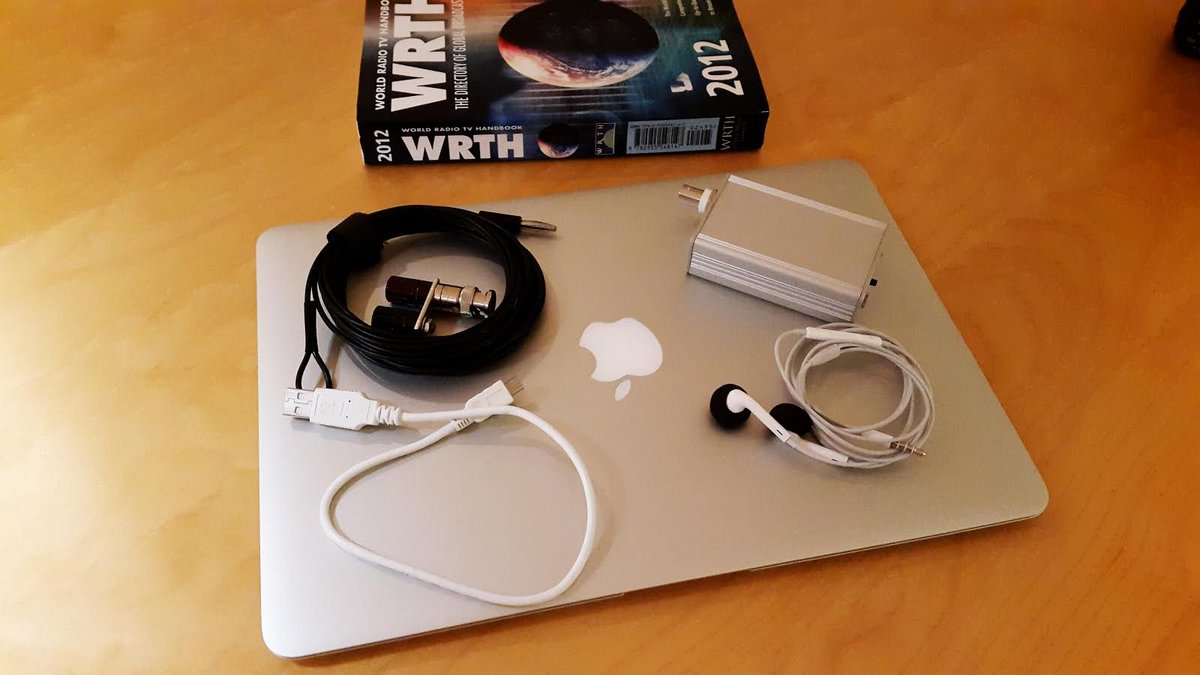
In summary, this is going to be the radio that I will be taking with me on all my travels from now on. It is tiny, ruggedly built, and has excellent RF performance, especially at lower frequencies.


Many thanks for your review, Anil!

The FiFi SDR does indeed sound like an ideal SDR for travel. Like you, I am usually limited by the SDR applications available on the Mac OS. While I use a Windows 7 PC at home, on the road, I travel with the MacBook Air (a superb laptop!).

Click here to view details and purchase a FiFi SDR ($169 shipping included).

Virtual radio challenge II: two years, off grid in the Himalayas

BhutanShortwave listeners are interesting, creative people who do interesting, creative work: they’re scientists, veterans, corporate employees, students, retirees, volunteers, politicians, musicians, inventors, entrepreneurs, engineers, humanitarians, reporters, artists, researchers, sailors, pilots, pirates…and most seem to be travelers. But to say the least, they’re very diverse. The joy of the SWLing Post, for me, is the fascinating readers here and the great variety of questions and comments I receive from you.

Pack your bags! We're going on an assignment!

Pack your bags! We’re going on an assignment!

On this blog, I often write about selecting the “right” radio for home, boating, preparednessoff-grid living, and of course travel–but sometimes I like to go through the mental exercise of imagining a scenario a little more extreme.

Indeed, I occasionally receive such “extreme” questions from our readers, questions that push the limits of the hobby, demanding highly specific needs in a radio. And, I readily admit, I thoroughly enjoy these questions!  They give me a chance–and good excuse, really–to be imaginative and innovative, to push beyond mere practical or monetary constraints to consider unique environments, weather conditions, durability needs, power requirements, and/or resource availability…great fun.

If you enjoy this kind of brain game, too, check out our virtual challenge that follows:

Should you agree to take it on, you’ll need to complete it within two weeks. Why the time constraint? Let’s imagine that your flight leaves May 15th, and you’ll need to make sure you’ve received, tested, and packed all of your supplies by that date.

[By the way, this scenario is based on an actual reader question.]

Here’s your challenge…

Bhutan-001

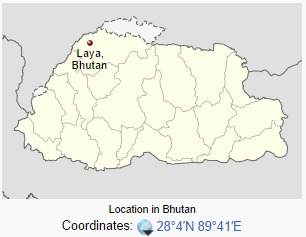
Laya-Bhutan-Location-WikipediaLocation: LayaBhutan

Accommodation: A one room house

Electricity: Your village is completely off the electrical grid

Internet: You have no access to the Internet in the small town where you will be living. As a teacher you can use the Internet at any school in Bhutan, though you’ve been told there is no internet access in remote Laya.

Your budget: $1,200 US–which must cover all of your radio requirements (radio, antenna, batteries, and all accessories)

Flag_of_Bhutan.svgScenario: You’re serving a two year assignment as an English and Science school teacher in the extremely remote community of Laya, Bhutan. Your logistics, travel and living expenses will all be covered for you by the agency which arranges the teacher assignment.  That being said, your total amount of luggage cannot exceed the maximum amount of luggage allowed by your airline: one carry-on and two check-in bags, both of no more than 60 kg (132 lbs), total. There will be some winter weather clothing made for you locally in Laya. You’ve been told that Laya is “several days” walk from the nearest maintained road.

Once you arrive, you will primarily travel regionally within Bhutan on an infrequent basis.

View of Laya, Bhutan (Source: Roro Travel)

View of Laya, Bhutan (Source: Roro Travel)

Bhutan is a beautiful land-locked, mountainous country, nestled in the Himalayas. You will work and live in the town of Laya, Bhutan (population 3,000) as an English and Science teacher. Laya’s altitude is 3,820 meters or 12,533 feet.

Once you’ve settled in, ordering a new radio or accessories will not be an option. Repairing your radio will also be very difficult as you expect no access to electronic repair facilities. An emphasis on quality equipment is a must. You might be wise to consider a small, back-up radio as well.

You’ve allowed yourself a rather generous budget since this is such a long-term assignment. You’ve allocated $1,200 US –the price of a good laptop computer. You do not plan to bring a laptop, but you do plan to bring a lightweight tablet PC or smart phone for use when you travel regionally, in hopes that you will find internet access in other towns. Your main limitations will be:

  • Being completely off the grid
  • Weight and size of equipment
  • Allowance for alternative power supplies (how will you charge your batteries at home?)

Your small, one room stone cottage is attached to another similar cottage.  You will be able to string a wire antenna outside, and you understand that there is even “a small tree” outside the window. Weather, at this altitude, can be extreme at times.

We’ll assume you’re starting from scratch, that you have neither radio nor accessories.

Your goal is to have the best shortwave listening set-up possible for your budget and for this location.

If you are a ham radio operator (or plan to become one), you may chose a general coverage transceiver for this assignment. There is, however, no guarantee that you will be able to successfully procure a Bhutanese license, but there is some promise. (I can assure you that if you do get on the air, you’ll need to be familiar with operating split and working pile-ups!)

Obviously, the more you understand the unique geography and infrastructure of Bhutan and its limitations, the better choices you’ll make for your gear.

Limitations:

  1. You’re limited to a (virtual) budget of $1,200 US to procure your supplies; ideally, this includes shipping costs of the purchase
  2. You can select used gear, but must base your choices on reality (i.e., actually find item(s) online and document the price and time of availability). If you “shop” eBay, make sure you’re using the final price, not the current or opening bid. If you do locate something used on eBayQTH.com, QRZ.com or at Universal Radio, for example, include the link! (Just to add to the fun.)
  3. Your main objective is to listen to international broadcasters, and do a little DXing.
  4. Remember, you’ll be stuck with this radio for two full years! So choose something you’ll love to operate, and don’t forget your vital accessories.

Note that the limitations of this exercise are simply to level the playing field for everyone as well as to make the challenge a little tougher (and thus more fun!). Of course, they’re open to interpretation, but do try to honor the spirit of the game.

If you participated in our last challenge, it will be interesting to see if this one will have you opting for different equipment.

Up to the challenge? You’ve got two weeks–!

GrundigG3To participate, just comment on this post with your suggested set-up, any links, and a brief explanation for your choices.

You’re also welcome to email me directly with your response.

We’ll select some of the most interesting and relevant responses and post them in two weeks, on October 3, 2014.

Have fun!  We can’t wait to read the responses…!

CommRadio CR-1: a superb travel radio

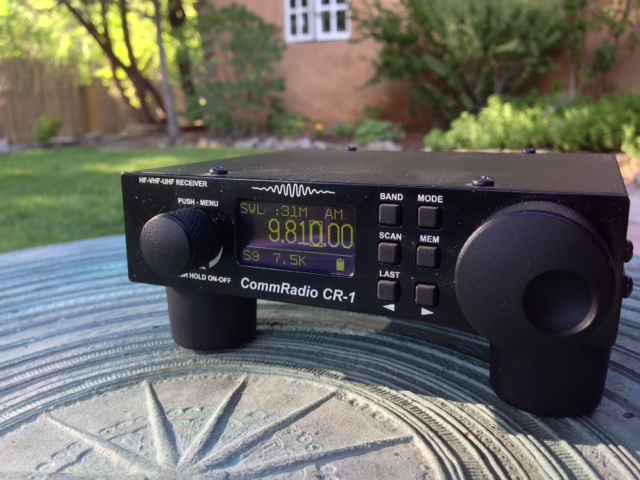
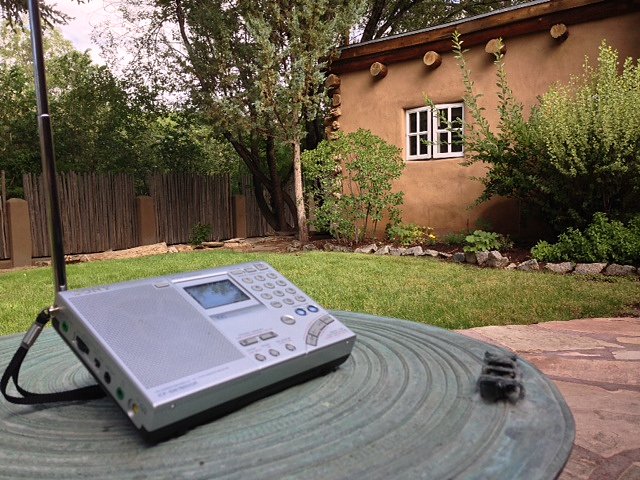
The CommRadio CR-1 in Taos, New Mexico

The CommRadio CR-1 in Taos, New Mexico

If you’re a regular reader, you’ll know that I’ve been on the road for the past three weeks, and have enjoyed some quality radio time in New Mexico and Colorado. While I brought four portables along (the CommRadio CR-1, the Sony ICF-SW7600GR, the Tecsun PL-380, and the Tecsun R1212A), when conditions were favorable and I wanted to chase a little DX, I chose the CommRadio CR-1.

I’ve sung the praises of the CR-1 as a great travel radio in the past, when it accompanied me on several shorter trips, but this particular road trip afforded me some quality time with this little rig.

What makes the CR-1 such a great radio for travel?

  • Excellent sensitivity and selectivity
  • Wide frequency coverage (150 kHz – 30.000 MHz, 64.0 – 260.0 MHz, 437.0 – 512.0 MHz)
  • Internal battery powers the CR-1 for hours at a time (meets FAA regulations, too; you can pack it and fly with confidence)
  • Charge or power the radio from a generic phone USB charger or 12 V power supply (indeed, the CR-1 can be powered from a variety of sources–anything from 6-18 Volts)
  • Mil Spec tested and tough
  • Compact footprint; this one is as small as most shortwave portables
  • Lightweight
  • OLED display that works from a variety of viewing angles
  • Resin feet can even be removed if packing space is severely limited
  • Very quick to deploy
CommRadio_CR1_Keysone2

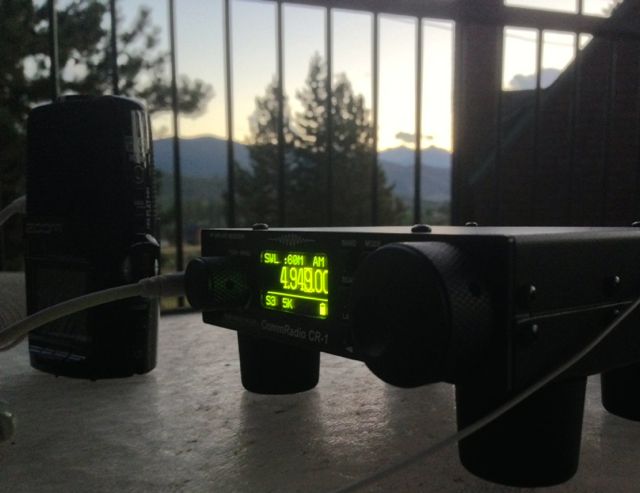
The CR-1, hooked up to my Zoom H2N digital recorder,  on the balcony of our Keystone, Colorado condo

One con of the CR-1 is that its front panel function buttons are not backlit. Fortunately, there are only six buttons, so it was easy to commit them to memory: I did so much outdoor nighttime listening, I can now operate the CR-1 in the dark.

Although the CR-1 is basically a tabletop SDR, it reminds me very much of the Palstar R30C I once owned and Lowe receivers I’ve used in the past–simple and effective.

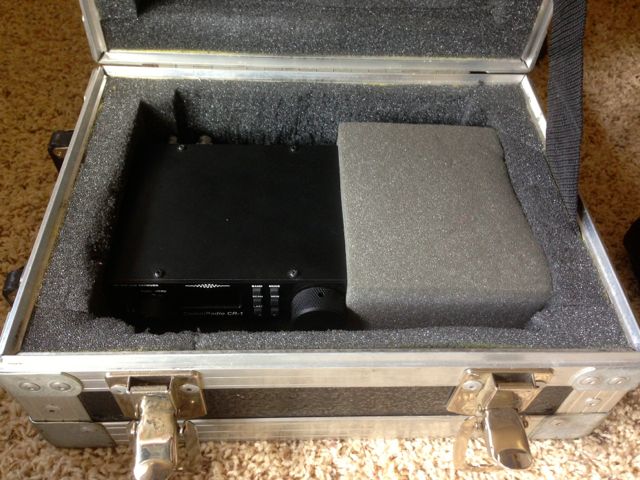
The photo at the top of the post was taken in the back garden of a friends’ home in Taos, NM. Though you can’t see this in the photo, it was hooked up to a Par Electronics EF-SWL wire antenna at the time. It took five or so minutes to hang the EF-SWL in a tree, but took me only a few seconds to pull the CR-1 from a small flight case, plug in the antenna, and have it on the air. I charged the CR-1 prior to the trip so I didn’t even need a power supply. In fact, the internal battery powers the CR-1 long enough, I only charged it perhaps twice on the whole trip.

A flight case I purchased for $3 at a charity store holds the CR-1, the Sony ICF-SW7600GR and the Tecsun PL-380. The case is pretty much bullet proof and protects its contents even if dropped or heavy items placed on top.

A flight case I purchased for $3 at a charity store holds the CR-1, the Sony ICF-SW7600GR and the Tecsun PL-380. This  case is fairly bullet-proof, protecting the contents even if dropped or heavy items are placed on it.

 The CommRadio CR-1a

CommRadio recently introduced the CR-1a, identical to the CR-1 in every respect but with the addition of a USB I/Q output, making it a very capable SDR when connected to a PC–and simplifying the update process to one step (the CR-1 requires two steps).

In conclusion? My appreciation for this rig has grown.  If you’re searching for a capable travel receiver, certainly consider adding the CommRadio CR-1 or the CR-1a to your list of considerations.

Radio Australia: SWLing in the Colorado Rockies

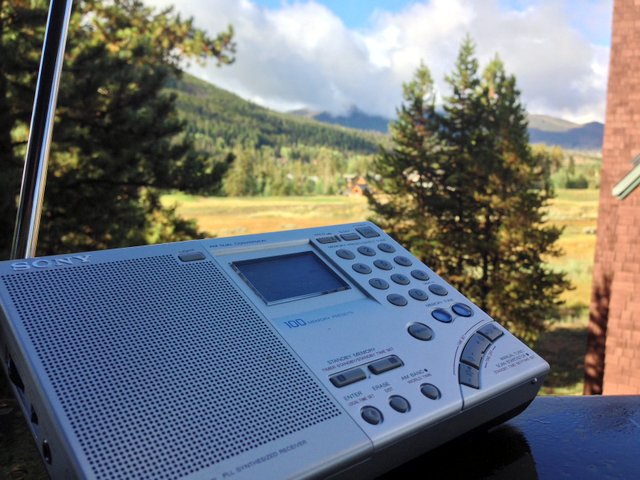
Sony-ICF-SW7600GR-RA-CO I’m in Keystone, Colorado at about 9,300′ (2,835 M) above sea level; mornings are crisp and chilly (38F/3C), but that doesn’t stop me from putting on a jacket, heading to the balcony and listening to Radio Australia on 9,580 kHz. Despite flaky solar conditions (flaky, frankly, is an understatement) I managed to snag RA Wednesday morning (13:58 UTC) on my Sony ICF-SW7600GR. There was a little fading, and a little local noise, but overall signal quality was quite good.

gnav_logoThis recording starts a couple of minutes before the top of the hour; you’ll hear the TOTH news brief and then triple ja brilliant show dedicated to new Australian music.

Click here to download the recording as an MP3, or simply listen via the embedded player below:

London Shortwave refines his tablet-based portable SDR

IMG_0248 (1)

One of the great things about the SWLing Post is that readers share their varied–and highly creative–methods of playing radio.  A few weeks ago, SWLing Post reader, London Shortwave, shared his portable SDR set-up with us; he uses this outdoors to mitigate London’s heavy radio interference. Dennis Walter, president of Germany-based Bonito, commented, and later posted an alternative portable SDR solution using the Bonito RadioJet IF receiver.

Below, London Shortwave shares a guest post (also viewable on his blog) which describes in detail his design for his portable SDR around the FunCube Dongle Pro+ and an 8″ Windows tablet, and explains how effectively it works for him. This post includes recordings and a video; it’s an excellent tutorial:


DESIGNING A PORTABLE SDR SYSTEM

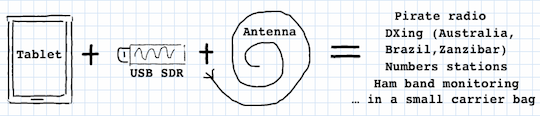
This article is a follow up to the submission I made to the SWLing Post a little while ago. In short, the idea was to combine the FunCube Dongle Pro+ USB-based software defined radio (SDR) with an 8″ Windows tablet running SDR# to have a portable, on-the-go SDR solution.

The original inspiration

The original inspiration

Tablet radio interference

At the outset, I thought that all that was necessary was a tablet (I chose Toshiba Encore 8″), the FunCube dongle itself and just some antenna wire. This turned out to be a naive assumption because the tablet’s USB interface injected enormous amounts of radio frequency interference (RFI) into the SDR, making listening on some shortwave frequencies essentially impossible. Just to be sure that I wasn’t being plagued by a defect of my chosen tablet model, I tried out the same set-up on a Dell Venue 8, with identical results.

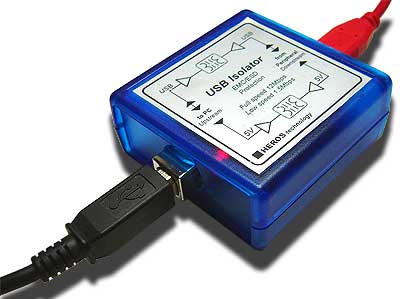
To deal with the issue of tablet-generated RFI, I bought a galvanic USB isolator, which, in essence, is a box that breaks the electrical connection between the USB dongle and the tablet’s USB interface while allowing USB data to pass through in both directions.

Heros Technology galvanic USB isolator

Heros Technology galvanic USB isolator

Additional power for the SDR

Connections

The isolator resolved the RFI issue completely, but created another problem altogether: the device specifications state that the isolator’s power output is restricted to 100mA at 5V. This is sufficient for USB devices that are self-powered but not for the FunCube dongle that draws all of its power from the USB port to which it is connected.

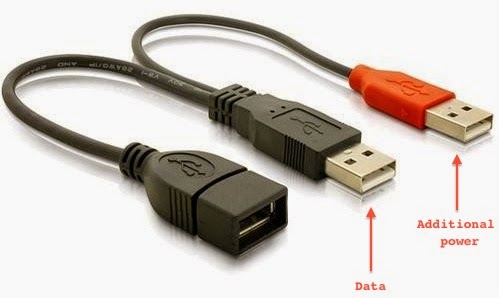
USB Y cable

USB Y cable

One way to supply extra power to a USB device is to use a “Y-cable”. Such cables have one extra USB plug that can be attached to a source of additional power (for example, a USB power bank). This solution is commonly used to connect power-hungry items, such as large hard disks, to low-power, portable computing devices (laptops and tablets). Having bought this cable, my next step was to find/improvise a battery that meets the USB power specifications (5V, 500mA).

Yet more interference

My first thought was to use the mobile USB power bank that I use to charge my iPhone while on the go. After all, it already has a USB port and supplies power with the right voltage. Once again, my expectations were confounded and RFI reared its ugly head! The power bank radiates significant interference into the circuit because it uses a switching regulator to maintain steady voltage. Luckily, I came across Gomadic’s portable AA battery pack with regulated 5V output that emits way less interference than any of the other USB batteries I tried (my intermediate solution used 4 rechargeable AA batteries and a makeshift USB connector, and although this resulted in zero additional interference I decided that it’s not safe to supply the SDR with unregulated voltage that doesn’t match the rest of the circuit). I used the handy passthrough USB voltmeter I bought in Maplin to check that Gomadic’s nice-looking gadget does indeed give out 5V as advertised.

So, what can one do with the remaining RFI from the additional power supply? It turns out that it can be mitigated quite effectively by inserting a balun (item 10 on Figure 2) between the SDR and the antenna wire (item 12). The balun is connected to the SDR with a coaxial cable (the “feed line”, item 11). Additionally, ferrite choke rings (item 9) attached to the feed line help reduce this RFI further: winding the feed line through the choke rings several times is sufficient. However, neither the balun nor the chokes are effective enough to replace the USB isolator! It appears they only help with the noise generated by the power supply, which is relatively minor anyway.

 Cost vs Portability

When SWLing Post published the details of my intermediate solution, Dennis Walter – one of the engineers behind Bonito RadioJet – popped up in the comments section and suggested that my setup is too tedious, as it involves lots of cables, and that his SDR is superior in terms of portability and the supplied software. While I haven’t had the chance to evaluate RadioJet, I pointed out that the cost of his radio is significantly higher than that of all of my components put together. I also mentioned that the free SDR# software I use is superb: it sounds excellent and offers a number of features that many software packages and conventional radios don’t have. So, having finalised my design, I thought that it might be time to tally up the cost and listen to the results.

Below is the full component list:

1) Toshiba Encore 8″ tablet $194

2) On The Go USB host cable for Toshiba’s micro USB connector: $7

3) Heros Technology USB Isolator: $125

4) USB Y cable with two males + 1 female plugs: $8

5) Gomadic Portable AA Battery Pack with regulated 5V output: $20

6) Gomadic female USB connector tip: $6

7) FunCube Dongle Pro+: $208

8) USB volt-meter (optional): $33

9) 2 ferrite choke rings: $10

10) Wellbrook HF Balun: $50

11) Feedline cables $7

12) 6 metres of thick copper antenna wire: $8

Adding up the prices of items 2 – 12 (and excluding the optional voltmeter) brings the total cost to  $449 vs. Bonito RadioJet’s $689. For the price difference you can throw in the Toshiba tablet at $194 and still have some change, enough to buy a carrier bag and perhaps even a nice pair of headphones!

Figure 1. Radio components

Figure 1. Radio components

Figure 2. Antenna components

Figure 2. Antenna components

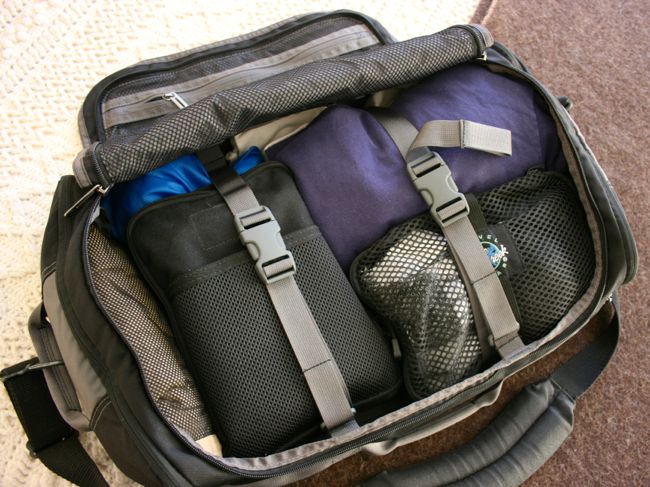
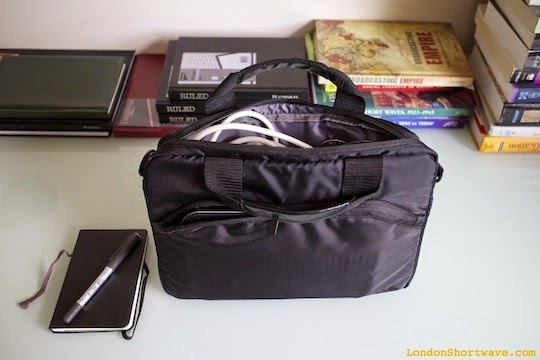
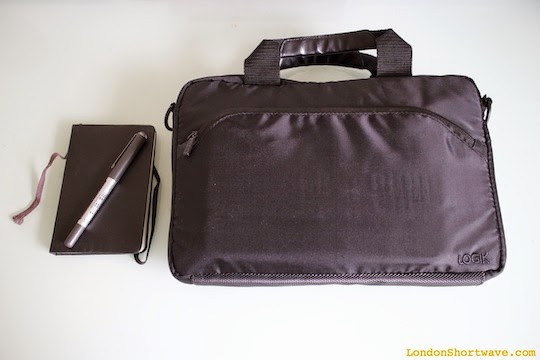
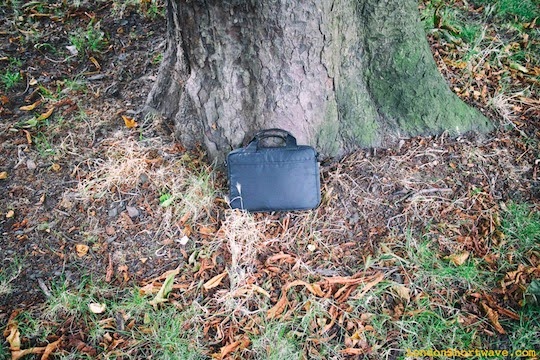
In terms of portability, the entire setup fits nicely into an 11″ laptop carrier bag.

Figure 3. Packing the components into an 11" carrier bag

Figure 3. Packing the components into an 11″ carrier bag

Figure 4. Ready to go

Figure 4. Ready to go

Setting things up in the field is not particularly cumbersome, either:

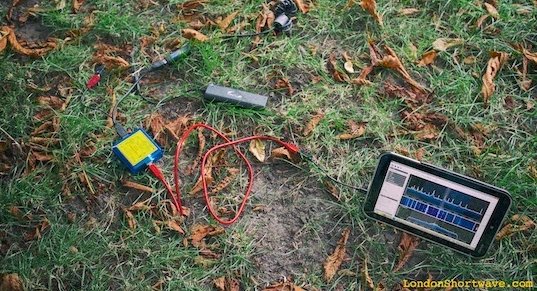
Figure 5. Portable SDR setup in action in a local park

Figure 5. Portable SDR setup in action in a local park

As for the results, listen to the below snippets and be the judge. The only thing I will say is that none of my other portable radios have ever given me this kind of performance, not even with the long wire antenna attached:

And while we’re at it, here’s a demo video:

Portable SDR on Toshiba Encore 8″ Tablet from London Shortwave on Vimeo.

At one point I wanted to build an enclosure to house the FunCube dongle, the power supply and the USB isolator in a single tidy unit, but I no longer see the need. It’s easy to pack all of those items into the carrier bag and also they are all useful individually: the USB isolator can be paired with other SDRs, and I recently discovered a neat additional use for the Gomadic battery pack.

Well, that brings me to the end of this post. I hope my design will inspire you to come up with your own portable SDR system, and that you will share your results with me in the comments section. Happy listening!

IMG_0241

SWLing in New Mexico: Radio Australia

Sony-ICF-SW7600GR

This morning, I was very happy to tune to Saturday Night Country on Radio Australia (9,580 kHz). RA’s signal was booming into Taos, New Mexico, where my travels have taken me this Saturday morning.

It was a welcome relief to hear RA; the shortwave bands have been in terrible shape the past three days or so. The ionosphere has been so disturbed that the only broadcasters I’ve been able to hear have been Radio Havana Cuba and a few domestic religious broadcasters.

I hope to take the CommRadio CR-1 out later today and perhaps test a couple of outdoor antennas…Stay tuned!

Picnicking and SWLing by the lake

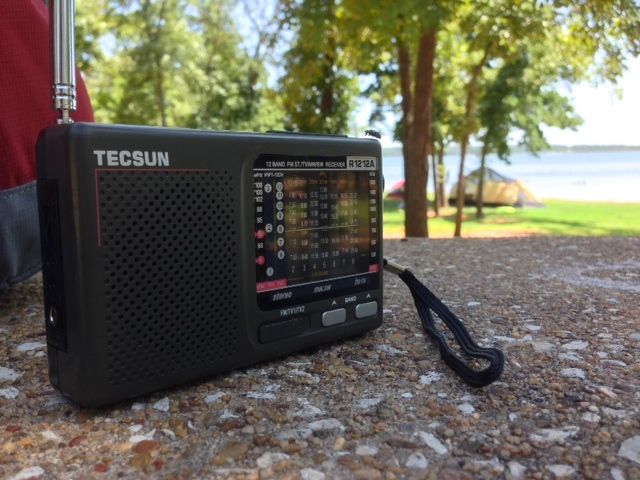
Tecsun-R1212a

Yesterday, while traveling near Oklahoma City, I stopped by Lake Thunderbird State Park for lunch and a little shortwave listening.

Blue sky above, sparkling water below, and a tasty homemade lunch in an RFI-free environment were ideal conditions for portable SWLing. I used my little Tecsun R1212A which was easily packed in the picnic bag. Many broadcasters in the higher bands; most notably, Deutsche Welle’s Hausa service, which was quite strong.

As always, my motto: “Have radio, will travel!”