Shortwave listening and everything radio including reviews, broadcasting, ham radio, field operation, DXing, maker kits, travel, emergency gear, events, and more
It’s quite difficult to hear Papua New Guinea these days now that nearly all their shortwave transmitters have closed and moved to FM. BUT….In the last day or so, PNG’s National Broadcasting Corporation has been transmitting on shortwave with two new outlets. NBC is the host broadcaster of the 15th Pacific Games, being held in the capital Port Moresby. The games begins tomorrow July 4 and runs through till July 18. The following schedule was noted from on-air announcements as follows:
6075 kHz – 1900 to 2159 UTC
9860 kHz – 2200 to 0959 UTC
6075 kHz – 1000 to 1400 UTC
12025 kHz – 2200 to 1000 UTC (to Pacific Island communities)
Many thanks for sharing this news, Rob!
Nigel Holmes also sent an update confirming that the transmitter site is Brandon and that the transmitter can run a 20 kW carrier. Nigel notes:
The aerials are HR 2/2/ 6-12 MHz arrays so about -6 dB cf. the arrays at Shepparton.
[…]The broadcasts have a power of 20 kW AM up from 10 kW when the site carried Radio Australia programming.
As of time of posting, I can hear the games here in the eastern US on 6,075 kHz, but the signal is very weak and the propagation window will close soon. I will also listen on 12,025 and 9,860 kHz.
The following review originally appeared in the May 2015 issue of The Spectrum Monitor magazine.
Good things often come in small packages. But not all of these things are…well, affordable.
Ironically, earlier this year, just after I began to evaluate and review the superb TitanSDR Pro, a robust military-grade SDR, I was approached by the UK-based manufacturer of the SDRplay RSP software-defined radio and asked to review their receiver. I was instantly intrigued––and, truth be told, just a bit amused, considering the difference between these two receivers. And what, exactly, separates the SDRplay RSP from the TitanSDR? At least $1350.
The SDRplay RSP is one of the recent generation of economical wideband SDRs based upon innovative, inexpensive chipsets; in the RSP’s case, based upon the Mirics MSI3101 SDR chip, and a MSI001 tuner. Priced at a mere $149 US (plus shipping), the SDRplay RSP is one of the least expensive, yet full-featured SDRs which actually include the HF bands and below, and which require no extra upconverter. Preliminary reviews of the SDRplay RSP were quite positive, so when the folks at SDRplay requested that I review an RSP on loan, I immediately seized the opportunity.
Unboxing and connecting
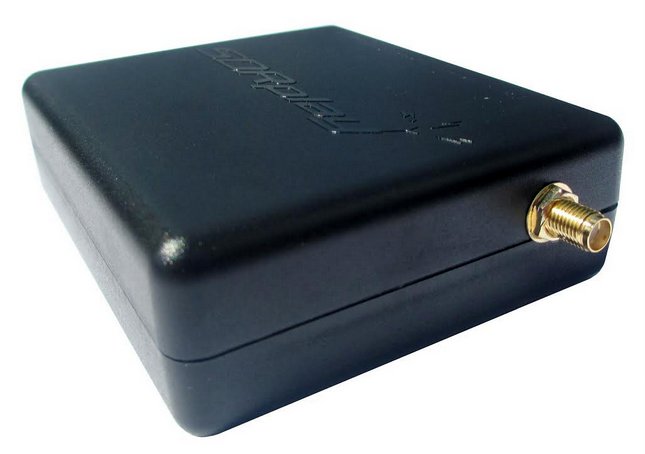
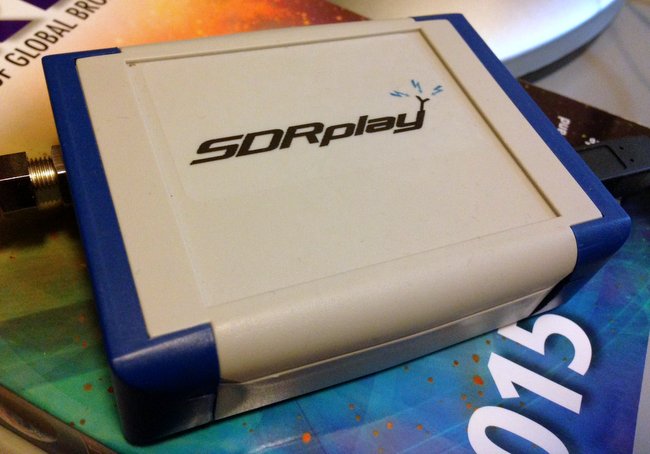
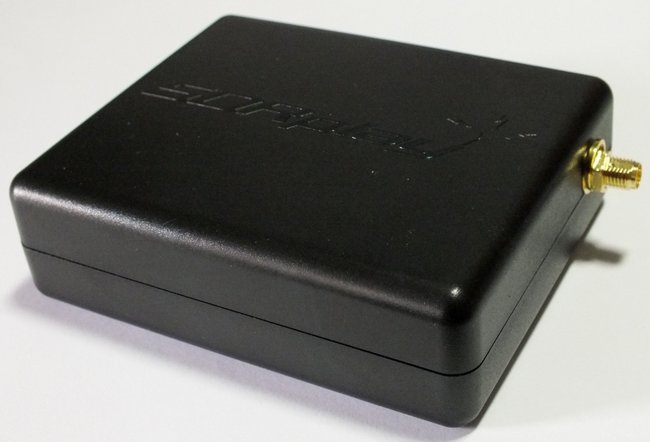
My review unit of the SDRplay RSP has blue ends caps and an F style connector. All current production units have the new back case and SMA connector.
My SDRplay RSP arrived in a modest well-padded box. And what was inside? Only the SDRplay RSP and a small F-to-BNC adapter. You’ll need to supply a USB cord, as it’s not provided by SDRplay. If you’re like me, though, you already have a number of these around; I prefer USB cables with ferrite chokes (click here for an example).
Note that shortly after I received my review unit, SDRplay made two design changes to the RSP:
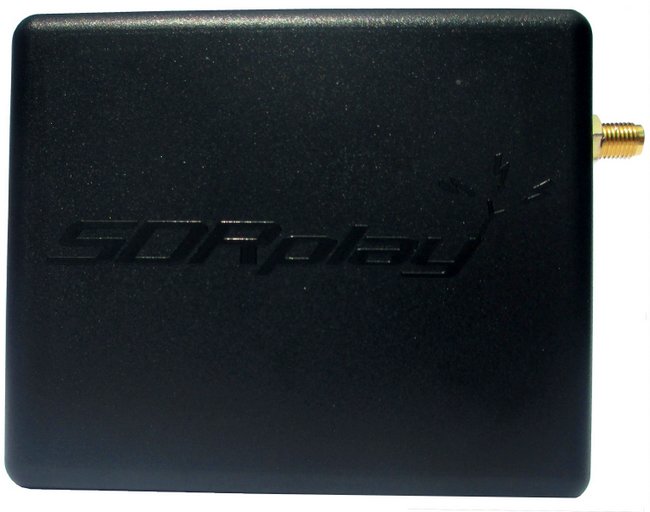
1) the F style antenna jack has been replaced with the more common SMA connector, and 2) the chassis color has been changed to black.
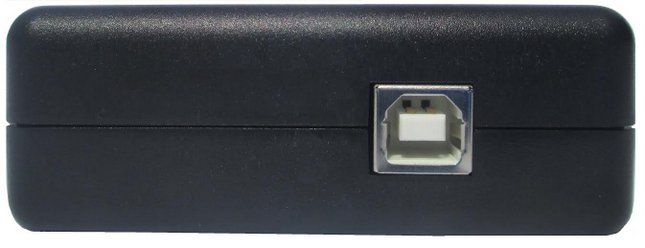
There are only two ports on the RSP: the antenna port, and on the other side of the box, a USB B-Type port (see photo above). Connecting it to your computer and antenna are a cinch.
The RSP’s chassis is made of a strong, lightweight plastic. A very simple design, and one that, I expect, would easily survive the rigors of my favorite brand of one-bag air travel to international DX destinations.
Software Installation
Unlike many of the other SDRs I’ve reviewed in the past (see the Elad FDM-S2 and TitanSDR), the SDRplay RSP does not come with a proprietary (OEM) SDR application. Meaning, the SDRplay company does not make their own SDR application that controls the RSP. Instead, SDRplay provides an API to allow application and demodulator development. There are already plug-ins for third-party SDR applications (like SDR# and HDSDR, for example); once installed, these plug-ins create an excellent compatibility bridge with the RSP.
But note that since the SDRplay RSP relies on third-party applications, the installation process isn’t exactly plug-and-play; you must typically download USB drivers, then the SDR application of your choice, and finally (typically) a dedicated plug-in for the software. Yet it’s not a complicated process by any means; SDRplay’s website has links to all of the necessary downloads (http://www.sdrplay.com/downloads.html) and installation manuals (http://www.sdrplay.com/documentation.html). No intimidation factor here.
Advantages and disadvantages of third-party applications
I should also note that I’ve always been a fan of SDR manufacturers offering open compatibility with third-party applications; in fact, when hardware manufacturers have approached me in the development stages of product design, I always suggest they leave room for third-party development.
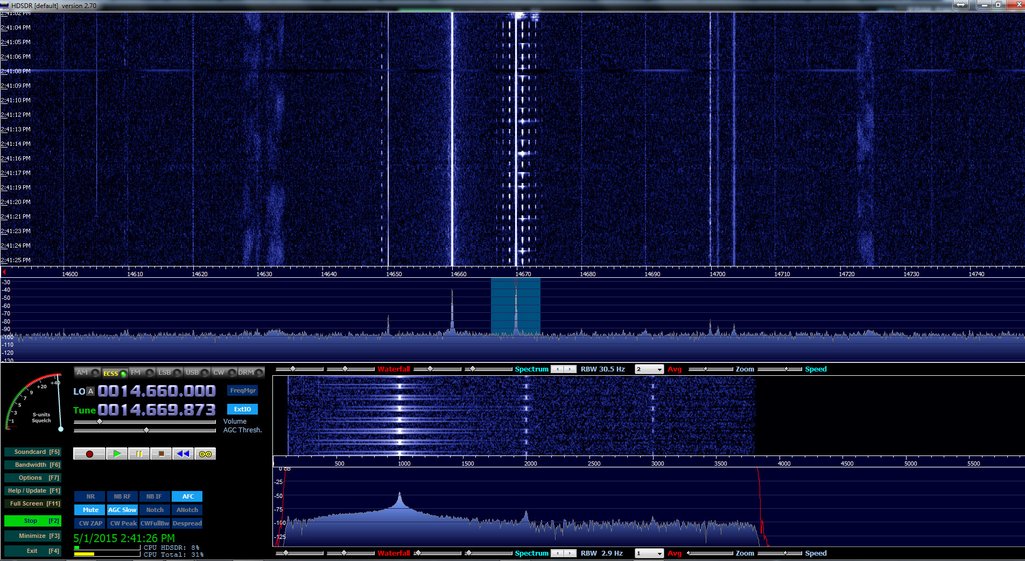
HDSDR running the SDRplay RSP (Click to enlarge.)
Why? First, as free SDR apps are so widely used in amateur, scanner, as well as shortwave radio circles, there is already a very large user-base for support when you have compatibility issues. Additionally, third-party applications often work on multiple platforms, like Windows, OSX, Linux and even Android/iOS; OEM application tend to work only on Windows OS. Secondly, if you’re already using, for example, HDSRDR to control a radio, adding the SDRplay RSP is very easy, and as a bonus, you’ll already be familiar with the user interface––there’s hardly any learning-curve involved. Finally, I find I’m much less concerned about product obsolescence when hardware is designed to work in such an open-development environment, thus indicating greater potential for forward-compatibility.
Of course, on the flip side, not having an OEM application means that troubleshooting is often more difficult. If you encounter a problem you’ll have to determine whether the problem lies with OS, computer/tablet, USB driver, SDR application, or hardware––or whether the problem is in a combination of two or more of these, or the communication between them.
Fortunately, I’ve been very pleased with the SDRplay support team; this group has promptly addressed any questions or concerns I’ve had. Moreover, the RSP also has an active forum of users (http://www.sdrplay.com/community/).
Scope of review
In most reviews, I focus the majority of my SDR review upon the pros and cons of the application’s user interface. In this case, since the SDRplay RSP is using widely-distributed third-party applications, I can focus primarily on the SDR’s performance, instead.
The SDRplay RSP is currently compatible with the following third-party SDR applications:
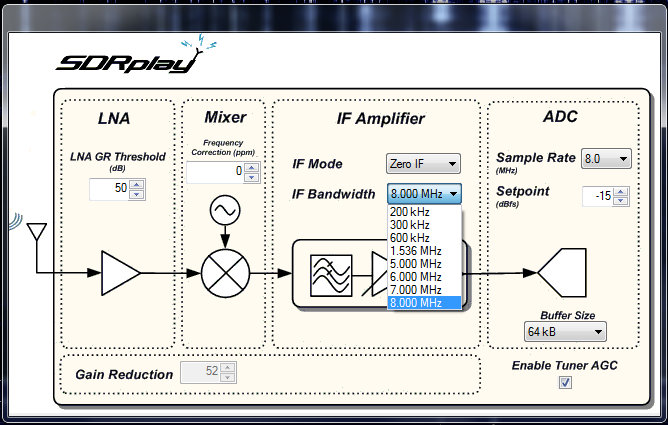
The ExtIO screen–available in your application of choice via the RSP plugin–allows you to change the RSP’s IF Bandwidth/Mode, LNA GR Threshold, Mixer and ADC settings.
Indeed, when I asked the SDRplay support team about a comprehensive list of supported SDR apps, they responded:
“We should be compatible with any SDR application that supports the EXTIO library––this is what we are using for SDR# and HDSDR. [We] should also be compatible with any Linux application that uses the gr-osmosdr interface library (such as GQRX and Gnu-Radio).
We have just released it and I’m in the process of writing up the installation instructions. We have also had this running on a Raspberry Pi 2.”
…A Raspberry Pi 2 application? I, for one, can’t wait to try this in the near future––!
For this review, I used two favorite apps with which I’m familiar: SDR# and HDSDR.
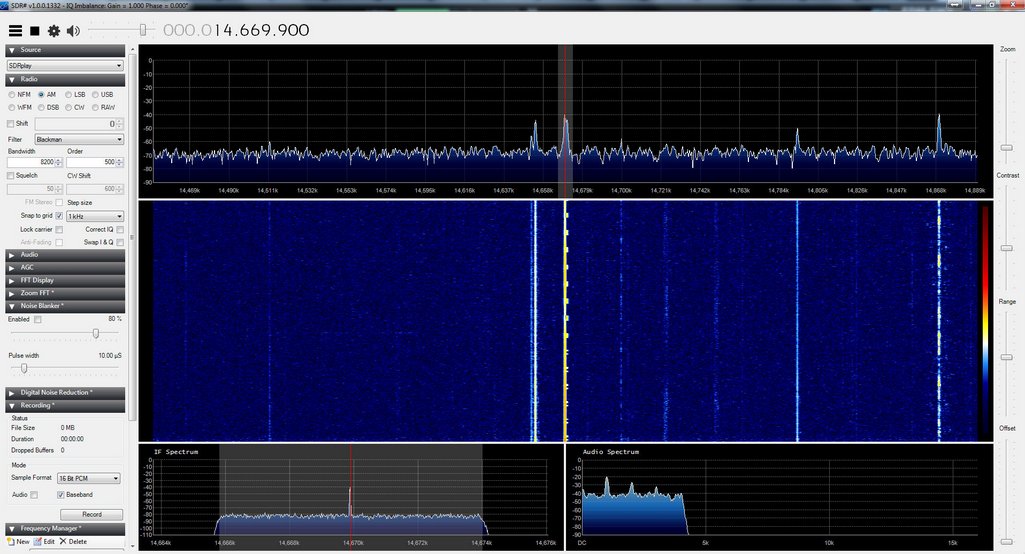
SDR# running the SDRplay RSP (Click to enlarge.)
Wideband
I should note here that the SDRplay RSP also has an exceptionally wide frequency range covering from 100 kHz to 2 GHz, with only a narrow gap between 380 MHz and 430 MHz. With the appropriate software, you can use the RSP for a number of applications, for example, scanning, FM DXing, and possibly even radio astronomy.
Performance
So, how about receiver performance?
I’ll going to cut to the chase here: For the $149 price tag?I’m very impressed.
Keep in mind, this is the first SDR I’ve ever reviewed––or even spent more than a few hours exploring––that costs under $400. My only other experience with a low-cost SDR was a few hours spent with the Funcube Dongle Pro+––a popular wideband SDR dongle that also covers the HF spectrum. Frankly, I was disappointed with the Funcube Dongle Pro+, which I found subject to unwanted noises and even some imaging, which I assumed might be indicative of this class of SDR. Fortunately, I’ve not experienced this sort of thing with the SDRplay RSP.
In short: I fully expected $149 performance out of the RSP, but was very surprised to find performance on par with a receiver two or three times this cost.
So for comparison purposes, I chose the Elad FDM-S2 as the benchmark. I currently have three other SDRs in my shack, but the FDM-S2 is the next-lowest in price (currently listed at $539). But to be quite clear: the FDM-S2 is a pretty high benchmark, as I consider it a superb receiver for its price class.
When I first turned on the RSP and tuned through the HF bands, I was quite amazed at the relatively low noise floor of this receiver. Stations seemed to “pop” out of the static. I had assumed that the SDR# application had some sort of DSP noise reduction engaged, but this proved not to be the case––I confirmed the same low noise floor level via the HDSDR application.
SDRplay actually gave the RSP to me on an extended loan, so I’ve had the opportunity to use it both in quiet winter conditions and more unsettled, noisier conditions indicative of spring and summer here in the US. I used the RSP almost exclusively for two weeks in an effort to uncover its most notable strengths and weaknesses. But by the end of the two-week period, I began to suspect that the RSP might actually have sensitivity on par with my other SDRs. To answer this question, I turned to A/B comparisons with the FDM-S2.
Sample audio
I believe the following is a good representative comparison between the SDRplay RSP and the Elad-FDM S2.
The following recordings are of Radio Riyadh on 15,225 kHz. Riyadh’s signal is quite weak and voice levels are barely above the noise floor. Both the Elad FDM-S2 and SDRplay RSP (via HDSDR) were set to a slow AGC, AM sync, and a 8.2 kHz bandwidth.
In this representative sample––and pretty consistently throughout all my comparisons––the FDM-S2 was able to pull voice and music out of the noise better than the RSP. In weak signal DXing, this is important, especially when you’re listening for a station ID.
So would I ever replace my FDM-S2 with the RSP? No.
Still, for a $149 receiver?This performance is most impressive!The RSP is only a little less sensitive than my much pricier SDRs.
Summary
Invariably, all radios have strengths and weaknesses; here is a list of my notes from the moment I put the RSP on the air:
Pros:
Excellent performance for price
Good sensitivity and selectivity
Low noise floor
Compatible with multiple open source SDR applications
Very wide frequency range (frequencies above 30 MHz not tested in this review)
Works with multiple operating systems
Selectable USB/LSB sync detection via supported third-party applications
8 built-in switched preselectors that cover various portions of the RSP’s entire bandwidth
Compatible with a number of excellent third-party SDR applications (see con)
One of the few low-priced SDRs that doesn’t require a converter for HF coverage
Exceptional value
Cons:
No OEM SDR app (see pro) SDRuno is now SDRplay’s OEM/native application for the RSP line
Some moderate overloading on very strong stations (though a little tweaking of SDR applications settings can largely remedy this)
Via the current offerings from third-party apps, no multi-channel audio recordingsSDR Console allows for multi-channel recordings with the RSP
Conclusion:
I walked into this product review expecting to be…well, disappointed. As I have some benchmark SDRs on my desk at all times, I hadn’t investigated inexpensive SDRs because I felt they would simply be redundant.
Fortunately, the SDRplay RSP really impressed me from the beginning with its low noise floor, variable IF bandwidth options, and relative ease of installation. Since the RSP only requires one USB cable for both data and power, it’s also an ideal portable SDR.
Up to this point, I’ve always hesitated suggesting that those interested in a beginner’s SDR invest in any sub-$200 SDR, unless they simply want to get their feet wet and aren’t interested in performance. But at $149 US––the price of a good shortwave portable radio––I can confidently recommend at least the SDRplay RSP to those readers who want to start out with a good-quality rig. Indeed, for many, it might out-perform other receivers in their shack.
I see the RSP having a place in my shack as well, especially on my portable shortwave listening adventures. If you’re looking for a quality first SDR, or, like me, are interested in a supplemental or remote receiver that won’t break the bank, the RSP is just the ticket. And at just $149, you simply can’t lose.
Meanwhile, what’s next for me? I plan try the RSP via the Raspberry PI 2 and my newly acquired Dell Venue 8 tablet.
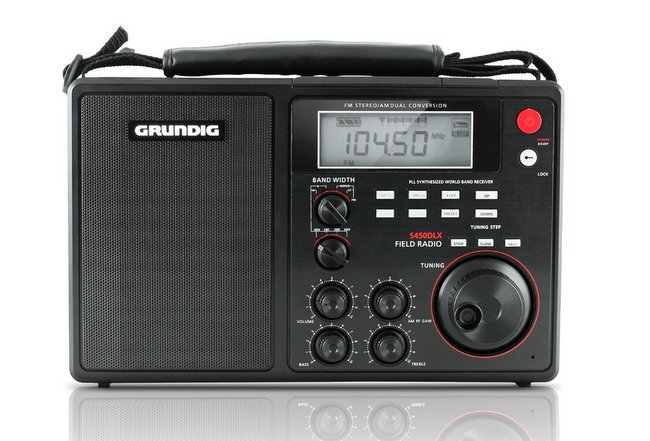
I’ve never reviewed the S450DLX, but I have used one for several days. Shortwave reception is average (perhaps, at best) but this portable radio certainly produces robust audio from its large internal speaker. AM (Medium Wave) and FM reception are quite good–at least on par with other radios in its price class.
I decided to record the leap second on as many shortwave time station frequencies as possible. The only viable options for me–based on time of day and my reception location–were the WWV frequencies 10, 15, 20, and 25 MHz, and CHU frequencies 7,850 and 14,670 kHz.
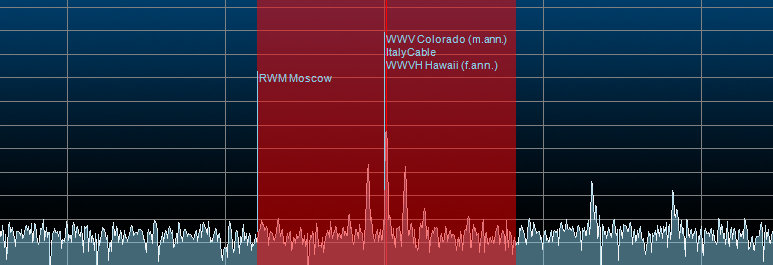
I was able to monitor four different time station frequencies simultaneously on the TitanSDR Pro. (click to enlarge)
Unfortunately, HF propagation was very poor yesterday, so the higher WWV frequencies–20 and 25 MHz–were completely inaudible, as was CHU on 14,670 kHz. There were numerous thunderstorms in our area, so static crashes were prevalent.
Still, since this was a first attempt to record a “leap second,” I didn’t want to take any chances. I had the Titan SDR Pro monitoring and recording two CHU and two WWV frequencies [screenshot], the Elad FDM-S2 recording WWV on 15 MHz [screenshot], and the WinRadio Excalibur on WWV’s 10 MHz frequency, as well as recording the whole 31 meter band spectrum [screenshot].
In the end, the strongest frequencies I captured were CHU on 7,850 kHz and WWV on 15,000 kHz. WWV on 10,000 kHz was much weaker than normal and the band was quite noisy–still, it’s readable, so I included this recording, too. Recordings follow…
Recordings
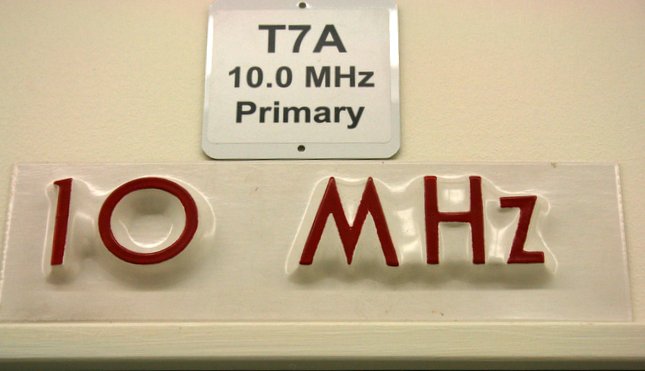
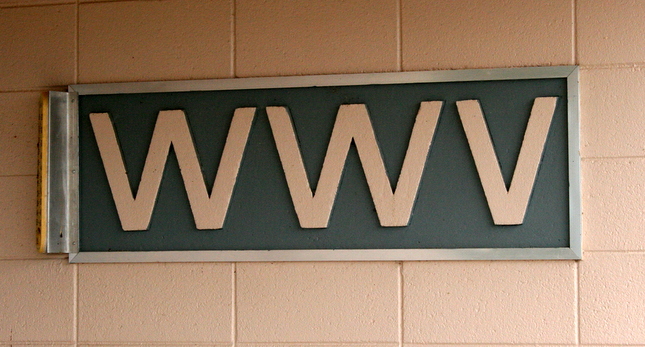
The sign above WWV’s primary 10 MHz transmitter (2014).
All of the recordings start just before the announcement of 23:59 UTC.
WWV added the extra second and higher tone, then continued with their top of the hour announcements, including a note about leap second (which begins after the 00:04 announcement). CHU simply injects a one second silence before the long tone.
One interesting note about the 10 MHz WWV recording above: I believe I may be hearing BPM China in the background. I’m curious if anyone can confirm this because I don’t know BPM’s cadence/pattern well enough to ID it.
Other recordings…?
Did you record a shortwave time station as leap second happened? If so, please comment, and feel free to share a link to your recording!
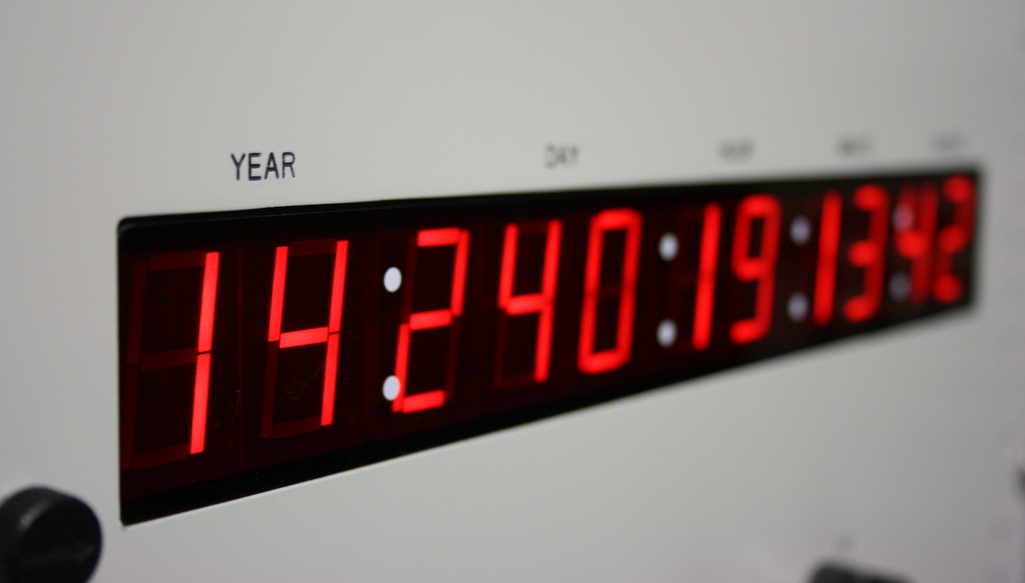
One of four WWV time code generators in late August, 2014
Tonight, for the first time in three years, we will experience a leap second. What is a leap second? Wikipedia provides a concise explanation:
A leap second is a one-second adjustment that is occasionally applied to Coordinated Universal Time (UTC) in order to keep its time of day close to the mean solar time, or UT1. Without such a correction, time reckoned by Earth’s rotation drifts away from atomic time because of irregularities in the Earth’s rate of rotation. Since this system of correction was implemented in 1972, 25 such leap seconds have been inserted. The most recent one happened on June 30, 2012 at 23:59:60 UTC. A leap second, the 26th, will again be inserted at the end of June 30, 2015 at 23:59:60 UTC.
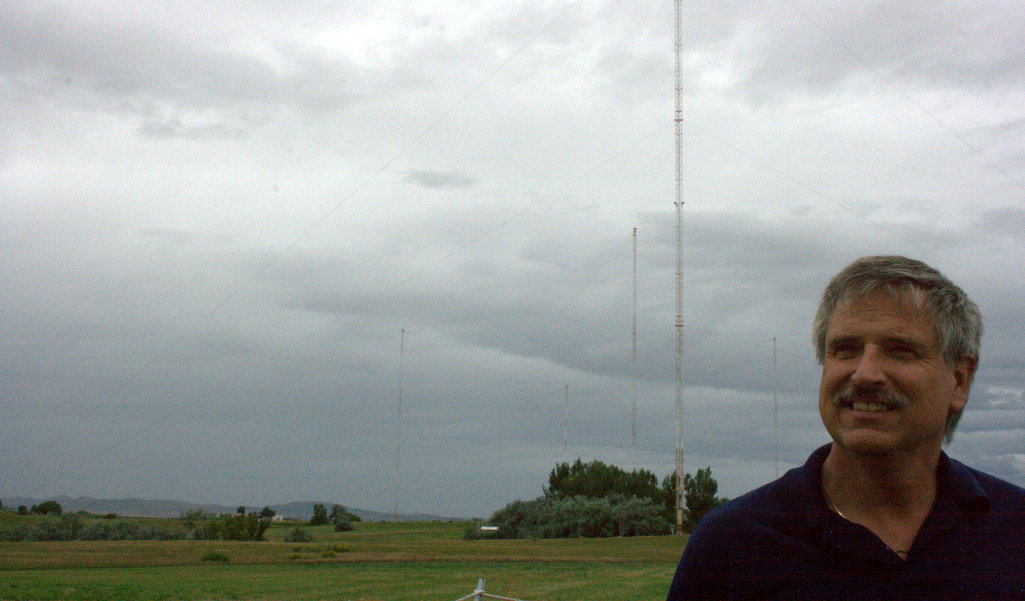
I had the honor of visiting the facility last year (yes, photo tour still forthcoming!). During the tour, my guide and Chief Engineer at WWV and WWVB, Matthew Deutch, told me that he’s always going to be on site come Leap Second!
WWV’s Matthew Deutch with WWVB antennas in background
I wrote Matt this morning to ask what were his plans tonight? His reply:
“The leap second happens at 0000 UTC tonight, which is 6:00 pm here in Fort Collins. All of the programming took place at the beginning of the month, so the equipment is armed…we just sit back and watch for the leap this evening.
Even though it is automated I hang around the station to make sure everything goes smoothly at the critical moment…”
Matthew closed his message by wishing me a “Happy Leap Second.”
Back at you, Matt! We hope that second leaps as smoothly as you’d like!
Not to put Matt on the spot, but you can listen to WWV (or the atomic clock of your choice) make the leap second tonight at 00:00 UTC. As for me, I’ll hop on 10 MHz and 15 MHz to hear (and hopefully record) the extra “tick.” At the end of this post, I’ve provided a list of time stations for your convenience.
Happy Leap Second!
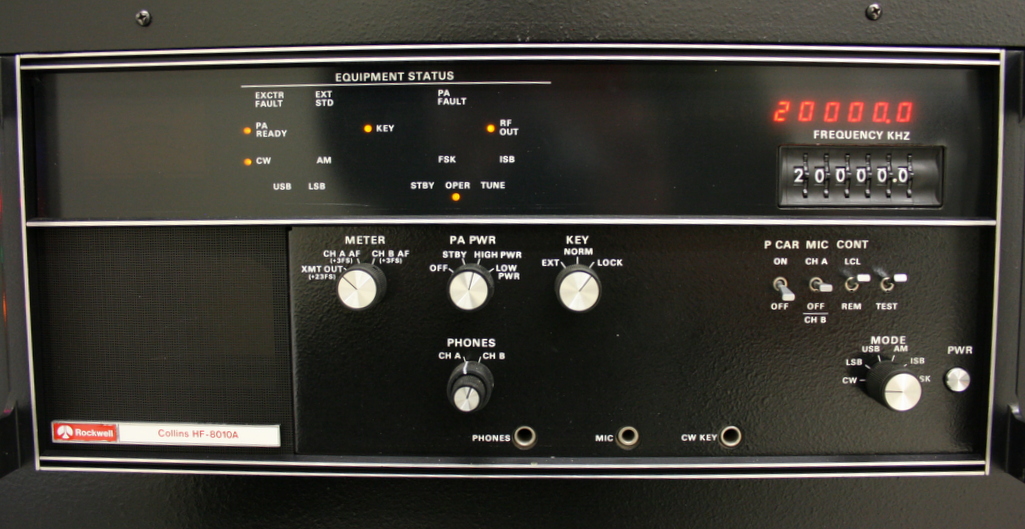
WWV 20 MHz Collins transmitter
List of shortwave radio time stations
CHU Canada: 3330 kHz, 7850 kHz, 14670 kHz
BPM China: 2,500, 5,000, 10,000, and 15,000 kHz
HLA South Korea: 5,000 kHz
BSF Taiwan: 5,000 and 15,000 kHz
WWV (Ft. Collins)/WWVH (Hawaii) United States: 2,500, 5,000, 10,000, 15,000, 20,000 and 25,000 kHz
This was recorded on 29 June 2015 starting around 01:50 UTC on 9,420 kHz using my WinRadio Excalibur and my horizontal delta loop external (wire) antenna.
I’m very pleased with this off-air recording because it contains several minutes of multi-language station IDs in the last 10 minutes or so of the broadcast.
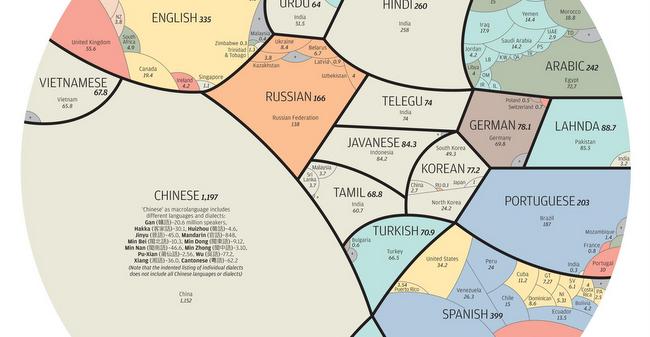
This beautifully illustrated infographic (above), designed by South China Morning Post’s graphics director Alberto Lucas Lopéz, shows the most spoken known languages in the world and where they’re spoken by the 6.3 billion people included in the study.
Based on records collated from the database Ethnologue, the infographic illustrates the wide-ranging facts and figures of the world’s living languages catalogued since 1951.
“There are at least 7,102 known languages alive in the world today. Twenty-three of these languages are a mother tongue for more than 50 million people. The 23 languages make up the native tongue of 4.1 billion people,” says Lopez on his infographic.
“We represent each language within black borders and then provide the numbers of native speakers (in millions) by country. The colour of these countries shows how languages have taken root in many different regions,” added Lopez.
You can see the full pie chart in all its technicolor glory here.
Please support this website by adding us to your whitelist in your ad blocker. Ads are what helps us bring you premium content! Thank you!

 SWLing Post contributor, Rob Wagner, has shared the following update on his blog: