Category Archives: Digital Modes

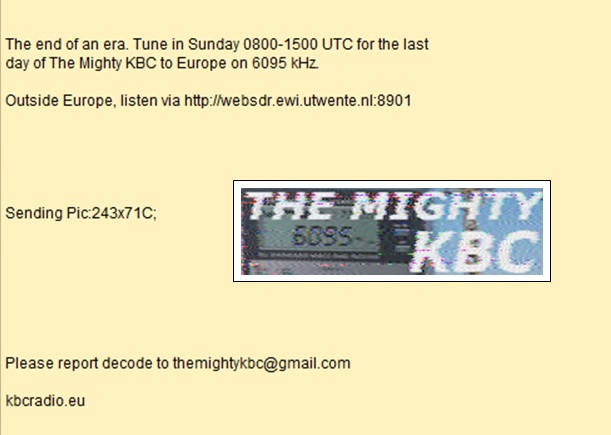
Steve notes the end of The Mighty KBC on 6,095 kHz

MightyKBCTruck

Many thanks to SWLing Post contributor, Steve Yothment, who writes:

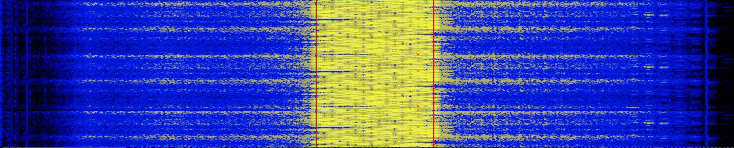
[Below, you’ll find] my reception report for the digital decode of the Fldigi message by Dr. Kim Elliott on The Mighty KBC (6040 kHz) Saturday night:

noname

I took Kim Elliott’s suggestion and listened to The Mighty KBC on 6095 kHz on Sunday morning using the Utwente WebSDR which receives signals in Enschede, in the Netherlands.

The Mighty KBC finished their last broadcast on 6095 kHz at 11:00AM our time. I recorded their program, but the file is big. So, attached is the last 4 minutes of their program (click here to download), as received by the WebSDR:

It’s too bad that The Mighty KBC is shutting down!

Many thanks for both your decoded message and your recorded audio, Steve! I agree: it is too bad the KBC had to shut down their 6095 kHz broadcast.

Note that The Mighty KBC will continue on their AM frequency, DAB and streaming. Check out the KBC website for details.

DigiDX: a new digital broadcast via Channel 292

DigiDXMany thanks to SWLing Post contributor, Stephen Cooper, who shares the following news about the new DigiDX broadcast:

DigiDX is a 30 minute MFSK32 broadcast covering shortwave and DX news, radio related reviews, schedule information and listeners letters and after a success test broadcast to Europe, a broadcast for North America is planned for 0200 UTC Sunday.

Broadcasting from Channel 292 in Germany on 6070 kHz the time has been chosen to maximise chance of reception on the East Coast of North America and beyond.

The programme features the majority of the broadcast in MFSK32 but around 10 minutes of the broadcast is in the slower Olivia 64-2000 mode to test for resilience against bad propagation to North America and interference on 6070.

The tests to Europe on Channel 292 earlier this week showed good reception and near perfect decodes despite Radio China International and Vatican Radio being on the same frequency during some of the test.

To decode use FlDigi, MultiPSK or the Tivar Android app, just putting your radio next to the PC microphone or phone/tablet is enough to decode the broadcast. If you have decoded the VOA Radiogram before, DigiDX uses the same digital modes.

Please send reception reports and decodes of the text/images in the broadcast to [email protected], an e-QSL will be sent by email and on the next broadcast an e-QSL card will be broadcast over the air in MFSK32 mode as well.

For European listeners the second edition of DigiDX with an include e-QSL card from the last episode will be broadcast on 6070Khz at 1100 UTC. For information on further broadcast times like DigiDX on Facebook (https://www.facebook.com/digidx/) or follow on Twitter (https://twitter.com/Digi_Dx)

This is brilliant, Stephen! I’ll attempt to log DigiDX this weekend if conditions are fair!

Chris has developed an easy way to run the RTL-SDR dongle on a Mac

RTL-SDR-001

Many thanks to Chris Smolinski who writes:

I wanted to run SdrDx, and other SDR apps on my Mac with an RTL SDR Dongle. So I wrote this server app, that makes it appear like a networked SDR.

No need to install any RTL libraries, or compile any code.

Just run the app on your Mac, configure it and your SDR app, and you’re all set.

The app is free, and should work with Mac OS X 10.6 through 10.11.

Chris has kindly allowed me to share his full post here on the SWLing Post below–you can read the original at RadioHobbyist.org:


Running an RTL SDR USB Dongle On Your Mac The Easy Way With Cocoa RTL Server

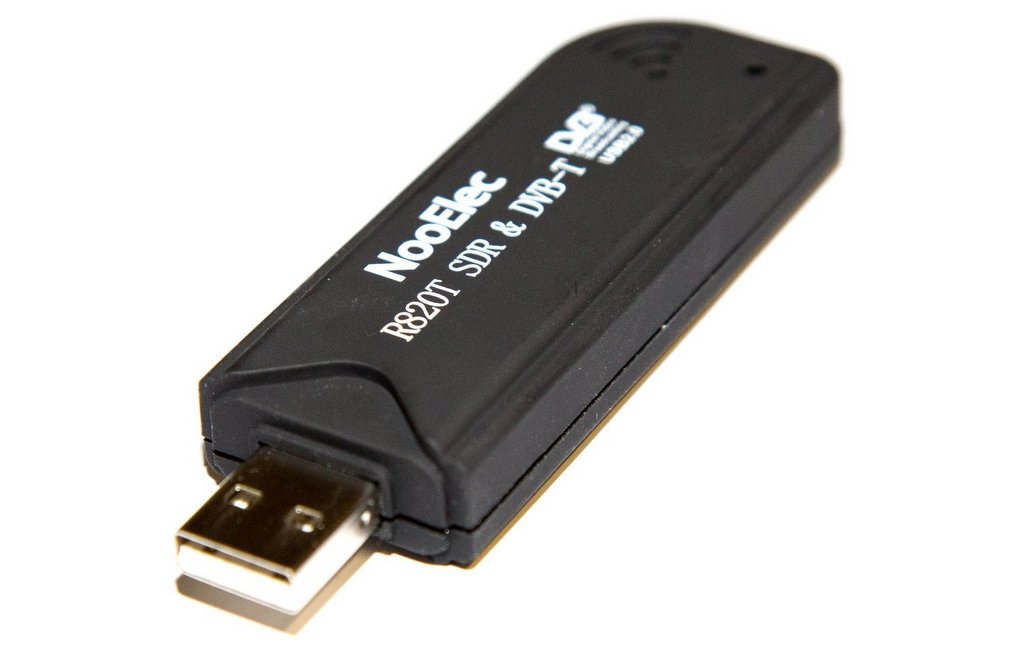
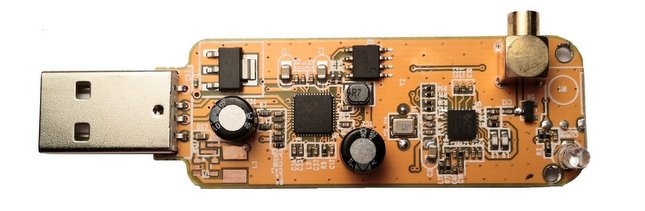
I’ve had a few of the RTL radio tuner dongles for a while. These are USB devices that were originally made for use as TV tuners overseas, but it turns out that you can access the I/Q data stream, and turn them into an SDR (Software Defined Radio). They can be tuned roughly over a range of 25 to 1700 MHz, and sometimes even higher, depending on the tuner IC chip inside the particular dongle.RTL-SDR


I previously posted about how to get the RTL dongle working on the Mac here: An SDR for $17 – The R820T USB RTL-SDR DVB-T Dongle and here: An SDR for $17 – The R820T USB RTL-SDR DVB-T Dongle – Part 2. These posts were from 2013, and I did the installation on a Mac running OS X 10.6, using some pre-built libraries.

Fast forward to the present day. I got a new Mac running OS X 10.11 El Capitan, and I wanted to be able to use the RTL dongles with my favorite SDR software on the Mac,SdrDx. Enter Cocoa RTL Server.

Cocoa RTL Server is a stand alone app that interfaces with an RTL dongle. It does not require you to build or install any drivers or libraries. It just works. It’s based off of an open source app called SoftShell, that I heavily extended. Cocoa RTL Server also acts like a networked SDR, following the RF Space protocol. That means it works with SdrDx, as well as any other SDR app on the Mac that supports RF Space SDRs like the netSDR. You can download a copy of the app from the Cocoa RTL Server page. Source code is included, however I am not offering any support for the project or final app.

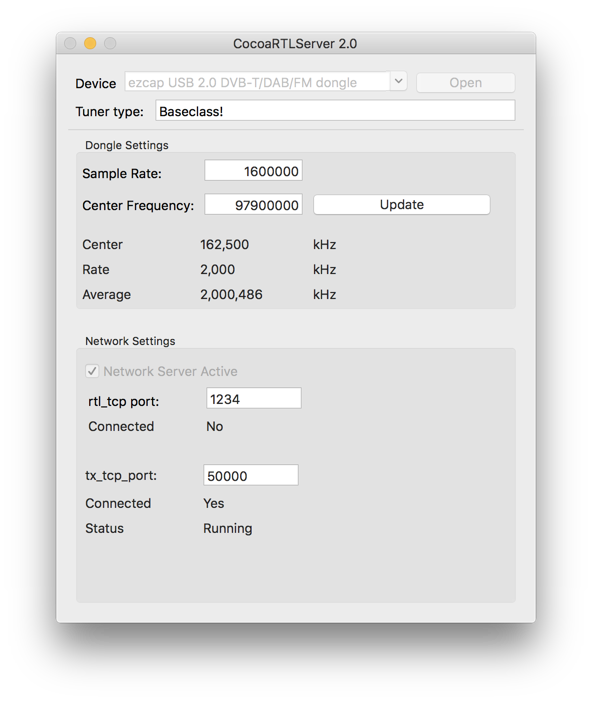
Here’s a screenshot of the app running:

Chris-Screen-Shot

Getting up and running is easy:

1. Plug in your RTL device
2. Run CocoaRTLServer 2.0
3. Select the device from the popup menu (usually it is already selected)
4. Change the rtl_tcp or tx_tcp port values if needed
5. Click Open
6. Configure your SDR app (set the correct TCP port) and run it

I’ve run it under Mac OS X 10.6, 10.10 and 10.11, It should run under 10.7-10.9 as well.

Using SdrDx, I can tune a large portion of the FM broadcast band, click to view full size:

Chris-Screen-Shot-2


In this case I am tuned to 97.9 MHz. To the left of the signal meter, you can see it has decoded the station ID from the RDS data. Yes, SdrDx decodes RDS.

If you look at the lower right corner, you see the scope display of the demodulated FM audio. There are markers for the portions of interest:
You can see the main audio above the green marker to the left.
The stereo pilot at 19 kHz (red marker).
The stereo subcarrier (aquamarine)
The RDS data (orange)
The 67 kHz SCA subcarrier (purple)
The 92 kHz SCA subcarrier (yellow)

Cocoa RTL Server also includes a server that emulates rtl_tcp, so it works withCocoa1090 which decodes aircraft transponders that transmit on 1090 MHz. It should also work with any other app that gets data from rtl_tcp. Here’s a screenshot of Cocoa1090 running:

Chris-Screen-Shot-3


Thanks so much for developing this app, Chris!

I think I might go ahead and pull the trigger on an RTL-SDR as it would be great to run one on my Mac. I think your app will make the process much easier.

Readers: make sure you check out Chris’ blog RadioHobbyist.org.

All India Radio DRM: Dan notes two simultaneous feeds

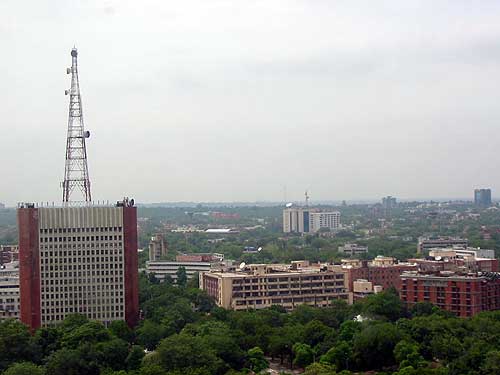
All India Radio (AIR) Headquarters in Dehli, India. Photo courtesy of Wikipedia.

All India Radio (AIR) Headquarters in Dehli, India. Photo courtesy of Wikipedia.

Many thanks to SWLing Post contributor, Dan Srebnick, who writes:

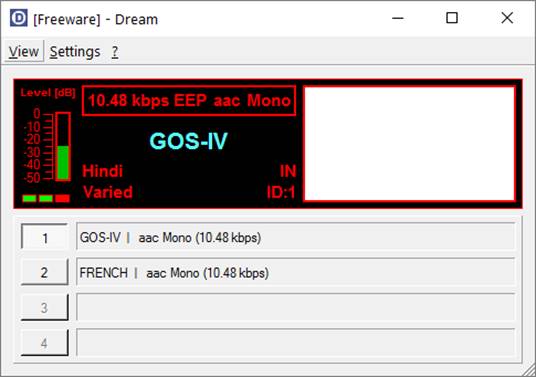
While DRM (Digital Radio Mondiale) has long been pronounced DOA (dead on arrival), All India Radio seems to be taking it pretty seriously. Here’s a screenshot of not one, but two simultaneous feeds going out over the same 10 kHz wide 40 meter frequency (7,550 kHz) at 2027 UTC today. The signal on my Perseus was just a tad under S9+5db using my ham band Alpha Delta DX-CC antenna.

image001So what’s the twist, aside from the 2 feeds on 1 frequency? Even at +5 over S9, the feed was only strong enough to occasionally flutter in with some decoded audio. Mostly, it was silence.

[I had] about a 98% successful decode by 2051 UTC when the signal rose to S9+10 db. I could switch between streams by clicking channel button within Dream!

Dan wrote the message above yesterday, I asked him if he could record AIR  today and he kindly sent the following:

AIR DRM recorded today with announcements @ 1930 UTC. Some dropouts as a
great example of the dropout/echo effect heard on DRM when signals are quite
strong enough. This decode was done at S9 signal strength.

Dan actually calls the DRM dropouts, the Max Headroom Effect.”  That is the best description I’ve ever heard, Dan.  Thanks for sharing your notes and recording!

How to decode maritime broadcasts in RTTY, Sitor B, and NAVTEX

(Photo Credit: NOAA)

(Photo Credit: NOAA)

Many thanks to SWLing Post contributor, Mario Filippi (N2HUN) for the following guest post:


Maritime Broadcasts in RTTY, Sitor B, and NAVTEX.

By Mario Filippi, N2HUN

(All photos below are courtesy of the author. Click each image to enlarge.)

Non-voice high seas weather broadcasts and safety messages to mariners can be found by spinning your VFO dial to 8.472 MHz USB courtesy of WLO from Mobile, AL, which provides these transmissions continuously. Here on the East Coast it is received with regularity due to it’s strong signal.

Those of you who are neophytes to RTTY or just want to dabble then this is the place to be to try your hand at an old and venerable digital mode. The RTTY (RadioTeleTYpe) parameters used by WLO transmissions are 45.45 bauds, 170Hz shift. These are most commonly used by amateur radio ops too. If you’ve roamed the bands for RTTY signals you’ll find that most are encrypted with a few exceptions, one of which is WLO which is transmitting continuously.
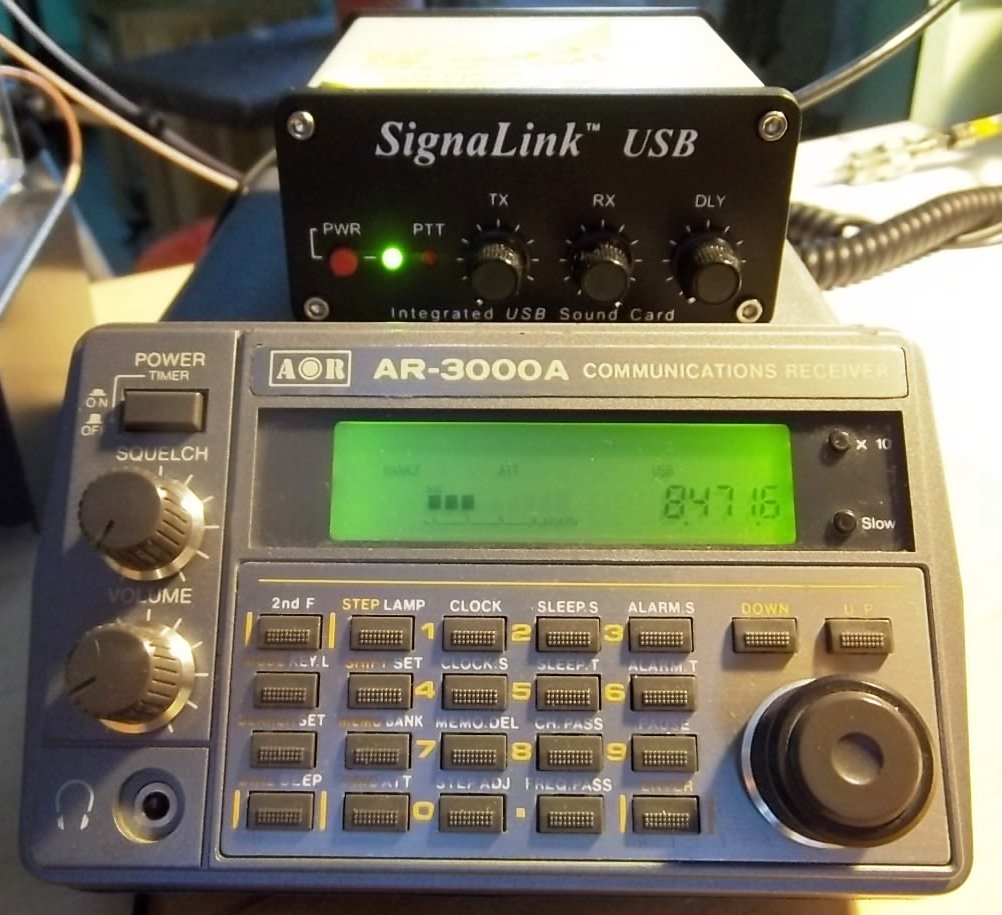
Tabletop SW radio set to WLO; SignaLink USB links radio to computer for decoding.

Tabletop SW radio set to WLO; SignaLink USB links radio to computer for decoding.

On 8.472 MHz you’ll receive weather information from different latitude/longitudes, along with other pertinent information to mariners such as high seas pirates (not radio pirates!) and naval maneuver areas that are important for ships to avoid. It makes for interesting copy.

To decode RTTY signals you’ll need a shortwave receiver with a BFO (Beat Frequency Oscillator), a way to pipe your radio’s audio into your computer’s sound card, and decoding software. There are several RTTY software packages out there, free, and my favorite is MMTTY. More info on MMTTY is at: http://hamsoft.ca/pages/mmtty.php . Old timers will find this software a snap to use, but newcomers will have to fiddle with the controls to get the decoding going. Below is a snapshot of MMTTY decoding a typical weather broadcast.
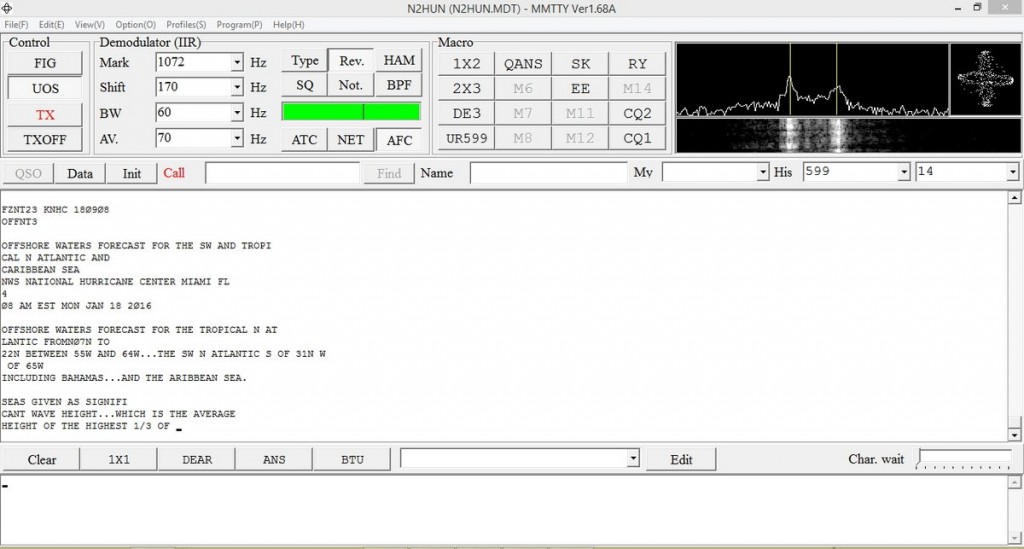
MMTTY dashboard with WX info. Cross-like indicator on upper right aids in tuning signal.

MMTTY dashboard with WX info. Cross-like indicator on upper right aids in tuning signal.

Another software available for decoding RTTY is Fldigi. Again, you’ll have to input the correct RTTY parameters such as baud rate and shift into the program along with adjusting your VFO carefully. It takes practice, but when the decoding is successful you’ll see Fldigi doing it’s thing as shown below. Both MMTTY and Fldigi have waterfalls displaying a visual image of the received signal. With practice you’ll be able to distinguish the different common RTTY shifts just by looking at the waterfall.
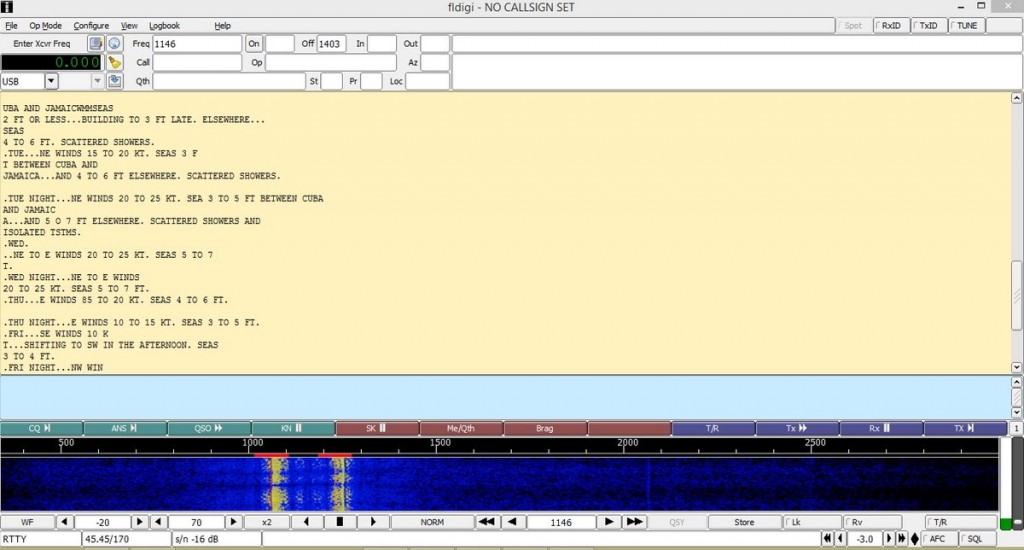
Fldigi in action with split screen; RTTY text above, waterfall below.

Fldigi in action with split screen; RTTY text above, waterfall below.

Now to Sitor B (Simplex Teletype Over Radio Mode B), another non-voice mode we can use to decode WLO transmissions. Sitor B sounds a lot like RTTY to the human ear, but requires different decoding software. WLO transmits weather information via Sitor B immediately after RTTY transmissions, switching back and forth, which makes for even more fun! Software that decodes Sitor B is available on the ‘Net as free downloads. One is MultiPSK, the other is YaND.

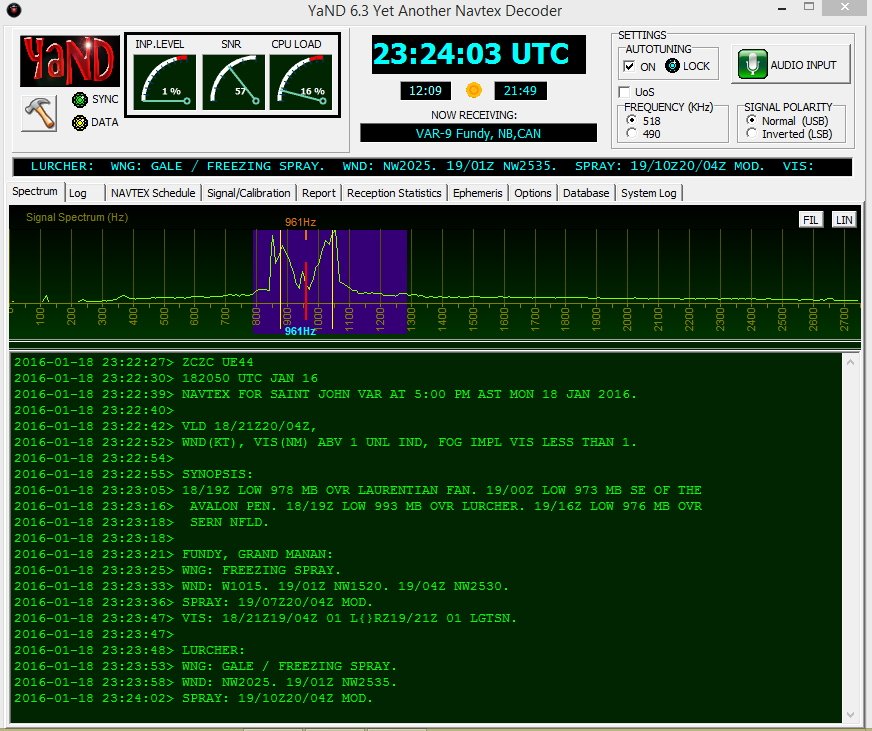
I like YaND (Yet another Navtex Decoder) which is used to decode NAVTEX (Navigational Telex) transmissions commonly found on 490 KHz and 518 KHz, but it works well for decoding Sitor B. There is a difference in the way messages are processed in NAVTEX versus Sitor B and for further information perform a Google search. But the fastest and easiest way to decode Sitor B transmissions from WLO is to fire up YaND. Below is a recent NAVTEX HF broadcast capture.
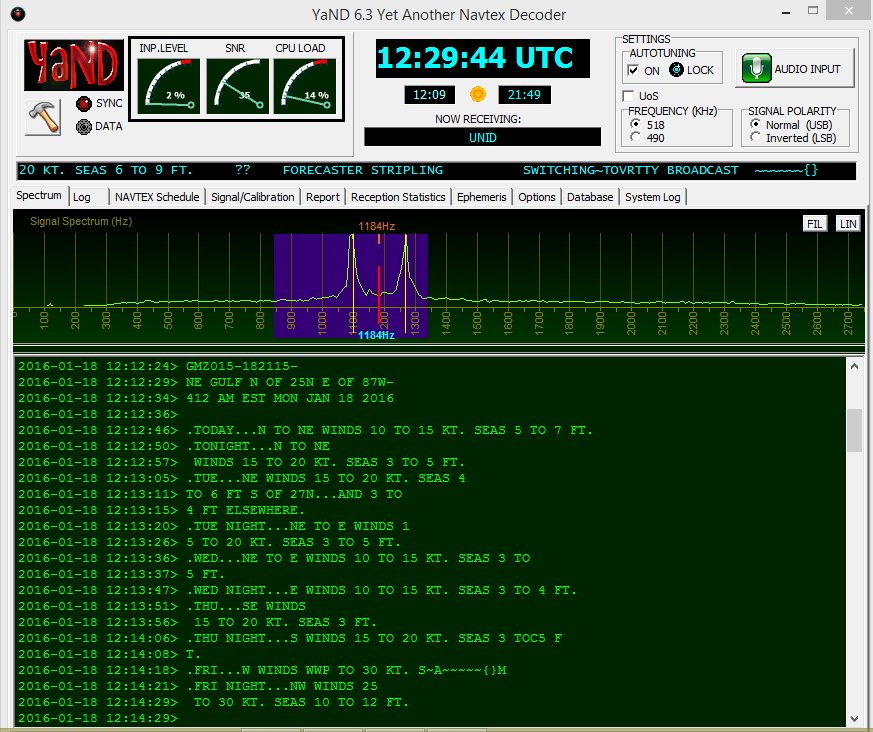
WLO HF WX broadcast for NE Gulf on 1/18/16 .

WLO HF WX broadcast for NE Gulf on 1/18/16 .

Well, hopefully some of you will be inspired to check out maritime weather/safety information found on WLO using RTTY/Sitor B/NAVTEX software. However, RTTY can also be found on the ham bands and on shortwave frequencies. Several RTTY stations from Germany are found on frequencies such as 11.039MHz and 14.467MHz. Their weather information format is quite different and will give you an idea of European weather conditions and allow you to practice your German. When not sending weather info they run a RTTY message loop below at 50bauds/425Hz shift.
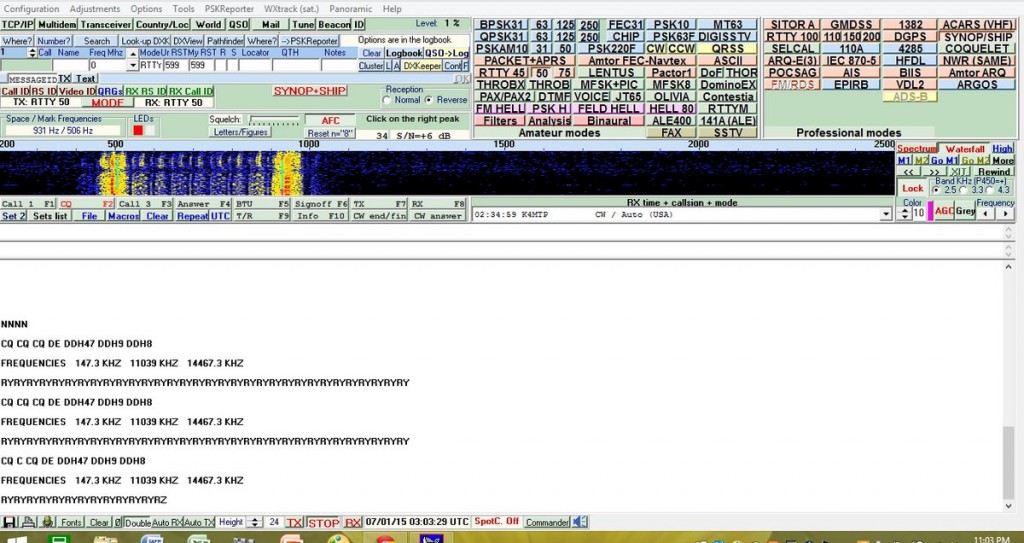
German RTTY station with message loop. Deciphered via MultiPSK.

German RTTY station with message loop. Deciphered via MultiPSK.

In closing, make sure to also check out the NAVTEX broadcasts found just below the AM broadcast band on 490 and 518 KHz; using YaND or MultiPSK you’ll be able to receive these transmissions, but remember you’re not on HF, you are on MW (medium wave), where signal distances are shorter and present a greater reception challenge. YaND software has a NAVTEX broadcast schedule built in as seen below; you have to identify your specific NAVAREA or navigational area, then look at the times and frequencies to determine when to listen in. My QTH is in NAVAREA 4. Lots of interesting information is passed in these NAVTEX transmissions so listen in and have fun!
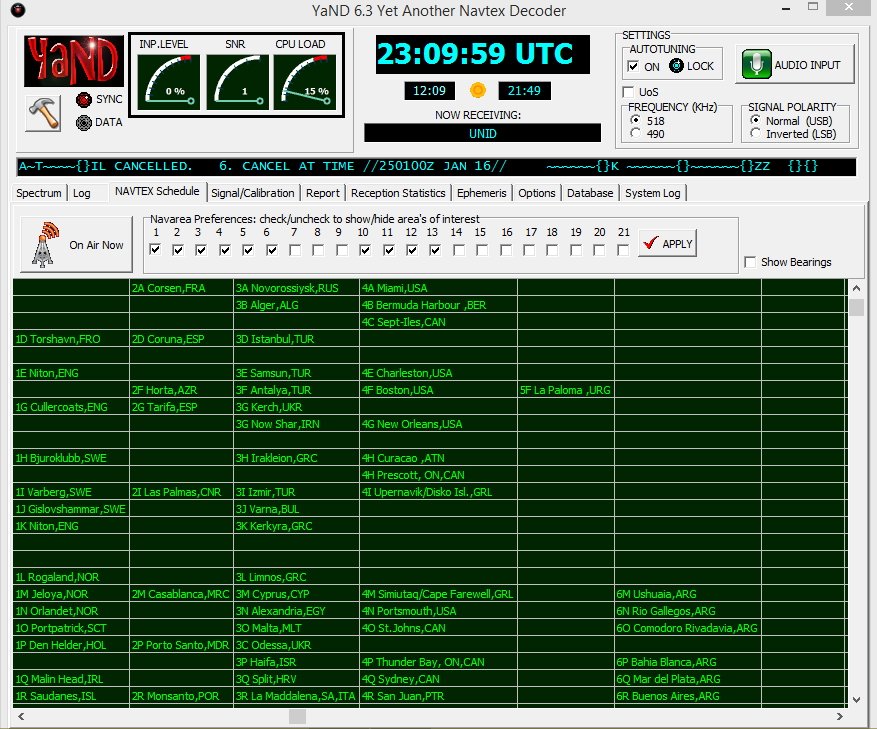
YaND NAVTEX schedule for various NAVAREAS.
YaND NAVTEX schedule for various NAVAREAS.

NAVTEX on 518 KHz from station VAR-9, New Brunswick, CAN. Messages begin with “ZCZC.”

NAVTEX on 518 KHz from station VAR-9, New Brunswick, CAN. Messages begin with “ZCZC.

Mario Filippi (N2HUN), is the author of this post and a regular contributor to the SWLing Post. Click here to read Mario’s guest posts.

Bill recommends the Signal Identification Wiki

31meterband-waterfall

Many thanks to SWLing Post reader, Bill, who shares a link to this Signal Identification Guide:

http://www.sigidwiki.com/wiki/Signal_Identification_Guide

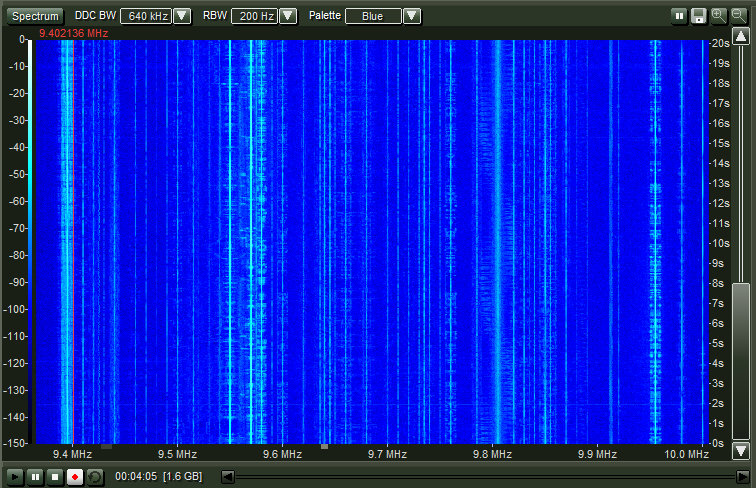
Curious if any readers have been using this guide–seems like a convenient resource to ID those numerous signals on the bands. Entries show what each signal looks like on a spectrum waterfall display and provides audio clips.

Thanks for the tip, Bill!

A Review of Multipsk Software for Digital Modes and More

http://ak3q.com/wp-content/uploads/2016/01/MPSK2.jpg

Over the last year or so I have been using a really full-featured digital mode software called Multipsk, and it has become my go-to software for most digital modes. Back in September 2015 I wrote an extensive review of the software for The Spectrum Monitor (TSM) which Owner/Editor Ken Reitz has graciously allowed me to post on my blog at All Things Radio. Thomas has written numerous articles for TSM, and will attest to its emphasis on so many aspects of the radio hobby. If you are not a subscriber already you really do not know what you are missing!

The program boasts over 75 modes, not counting some of the many sub-modes or variations, and new modes are being added all the time. There is a free version and a registered version, with the paid mode costing around $45 (U.S.) The free mode will handle a lot of really great modes, but I confess, it was the additional “professional” modes which really made purchasing the registered version a must for me. Whichever way you go, you will not be disappointed. As I have noted on my blog and in the article itself, I consider the registration fee some of the best money I have ever spent for computer software.

As an added bonus, the free or registered version can be run on as many computers as you have in your home, and multiple instances of the program can be run on the same computer provided they are in separate directories. This is a great feature, and it means there is basically nothing going into the Windows registry file–the program runs right from the directory. My only problem is not having enough antennas to have as many instances of the program running as I would like!

I hope you will take time to read my review and then get the program–I think you will be suitably impressed as I was! (I have it running on XP machines through Win10, so compatibility should not be an issue.)

Robert Gulley, AK3Q, is the author of this post and a regular contributor to the SWLing Post. Robert also blogs at All Things Radio.