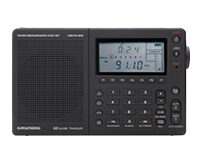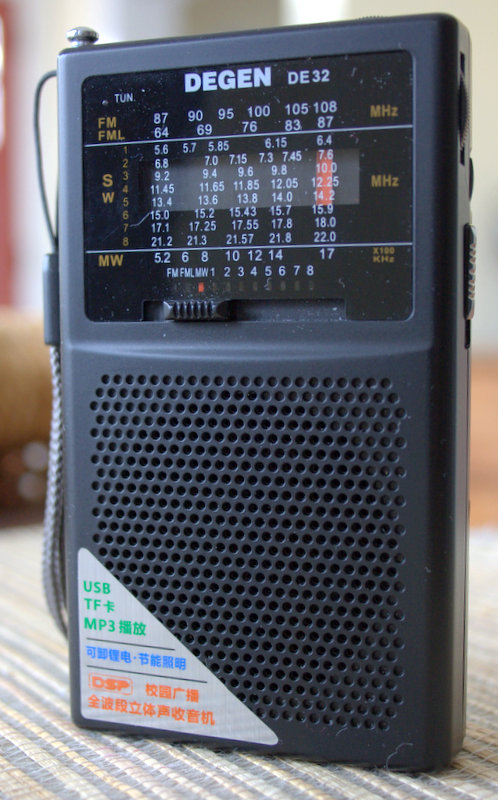
The Degen DE32 (Click to enlarge)
The Degen DE32 is one of the latest DSP-based analog radios to hit the market. In the past, I have reviewed two others: the Degen DE321 and the Kchibo KK-9803. Tecsun had announced a version of their own–the Tecsun R-2010–which I had eagerly anticipated, but I now believe it’s been dropped from their future offerings. [Update: Not true–the Tecsun has been released as the R-2010D, see review].
I purchased my Degen DE32 from this China-based seller on eBay. To my knowledge, eBay
is the only place the DE32 can be purchased, at time of posting. As with the other radios mentioned above, my expectations were quite low for this little radio. After all, at $27 US (shipped), you can’t expect top-notch performance characteristics.

The DE32 un-boxed (Click to enlarge)
The DE32 comes with a carry strap, USB cable, a carry pouch, slim rechargeable battery, and operating instructions in Chinese. It does not come with a USB wall adapter (you’ll have to plug it into a USB port on your PC or other USB wall charger) and it does not come with a Micro SD card (for digital audio playback).
Audio
The DE32 has a small built-in speaker. The sound is a bit tinny, but is actually better than I expected from a speaker of this size. It makes for comfortable listening at close range–especially of spoken-word broadcasts. Happily, plugging in a good set of earphones helps audio fidelity tremendously. This is the only way I would listen to music on the DE32 for an extended period of time. On FM, in fact, audio via earphones is surprisingly good (again, for a $27 radio–check out the audio sample below).

(Click to enlarge)
Performance
The DE32 covers three radio bands: medium wave (AM), FM and shortwave (5.6-22 MHz). Performance between bands varies greatly. The best band, by far, is FM. Again, no surprise here, as the DE321 and KK-9803 performed quite well on FM.
Here’s a 20+ minute audio sample of a local classic rock radio station I recorded, 95.7FM The Ride:
From my home, I can pick up my benchmark distant NPR station quite easily if I hold the radio in my hand. If I place the radio in a window sill, its performance degrades somewhat and contains more static as the extra grounding (from holding the radio) made a positive difference. The audio, though, is still perfectly intelligible. Local FM stations come in quite clear and fidelity (through headphones) is excellent.
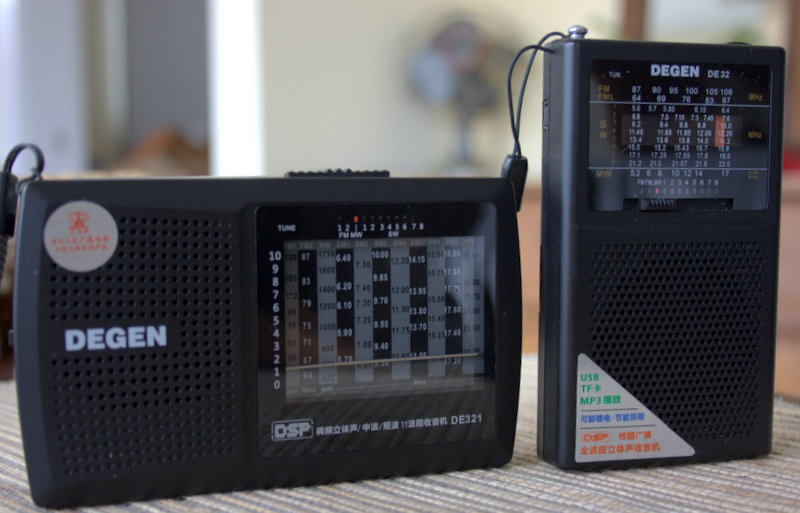
The Degen DE321 (left) and DE32 (right)
I found that strong local medium wave (AM) stations sound quite good on the DE32–better than its cousin, the DE321, by a small margin.
While traveling over the holidays in December, I recorded extended samples of local station (630AM WAIZ) with both the DE32 and the DE321. You can listen to audio samples below, but first it’s important to note that I recorded these (and the FM sample above) with my Zoom H2N digital audio recorder, with radios at a comparable volume and via an audio patch cord.
Note that these recordings represent what each radio sounds like via headphones, not their internal speakers.
This is WAIZ on the Degen DE32:
Compared with WAIZ on the Degen DE321:
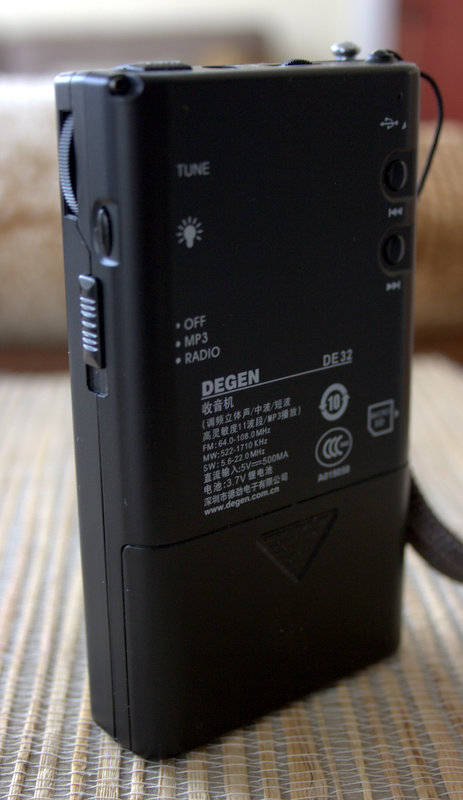
(Click to enlarge)
You’ll note that the DE32 sounds a little fuller than the DE321, but reception is nearly identical on this local strong medium wave (AM) station. I also found that the DE32 was quite effective at nulling out local RFI (electrical noises) on medium wave. At the beginning of the recordings, above, you’ll hear the static increase and fade as I null out the noise by turning the body of the radio. The DE321 couldn’t null out the local noise quite as effectively as the DE32.
For medium wave DXing, though, you’re better off finding a different ultralight radio. The AGC simply can’t handle marginal signals. Indeed, the same AGC problems plague the shortwave bands as well. DXing would be very unpleasant as the AGC circuit simply can’t cope with weak signals or fading. All in all, as with medium wave, shortwave radio reception is fine for most strong signals.
Tecsun PL-380: What a difference an extra $23 makes
On shortwave, I decided to also compare the DE32 ($27) to the Tecsun PL-380 ($50). I tuned to a Radio Australia broadcast on 11,945 kHz. The comparison between these three portables is interesting:
Both the DE32 and DE321 struggled to receive the Radio Australia signal. In fact, if you really wanted to hear those broadcasts and had to listen on either radio for 30+ minutes it would be frustrating and fatiguing. Notice, however, the difference when listening to the same broadcast with the Tecsun PL-380:
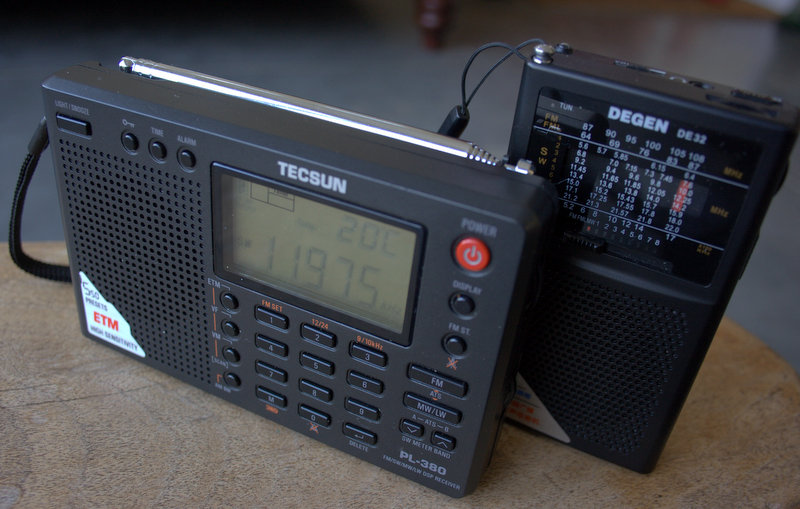
The Tecsun PL-380 receives circles around the DE32 and DE321 on shortwave and medium wave (Click to enlarge)
There’s no comparison, really. In other words, you can hear it. The PL-380 has a lower noise floor, a fuller sound and no AGC problems as with the DE32 and DE321. Hence the reason I always take the PL-380 while travelling–and as a back-up if I plan to record a broadcast on-the-go.
On the shortwaves, as with medium wave, the DE32 is respectable when tuned to a strong signal. For comparison to the weaker signals above, here is a short recording of the DE32 tuned to Radio Havana Cuba:
Not too bad, really. Keep in mind, though, that in my part of North America, Radio Havana broadcasts are so strong that I can pick them up without even extending the whip antenna on most portables.
Conclusion:

The DE32 has a built-in LED flashlight (Click to enlarge)
I haven’t tested the digital audio playback on the DE32 yet, although I expect the audio to be pleasant enough. Of course, it lacks a display to show any information about the audio you’re playing, but it would be great to load a few podcasts or audio books on.
In summary, I’ve tabulated the pros and cons below from the moment I took the DE32 out of the box, below. Note that these pros and cons take into account the $27 price level of this radio:
Pros:
- Very portable and lightweight
- With micro SD card, storage for hours of pre-recorded content (though not tested in this review)
- Adequate shortwave coverage (5.6 to 22 MHz) (see con)
- Good audio fidelity, via headphones, on strong stations, slightly better than the DE321
- Above average FM reception
- Great nulling ability on medium wave (AM)
- Features a built-in LED light (see con)
- Overall build quality seems to be acceptable
- Standard analog volume control (not digitally incremented levels)
- Red LED tune light (see con)
Cons:
- Shortwave sensitivity and selectivity are poor
- Shortwave coverage lacks the lower tropic bands
- Bandwidth is not adjustable and too broad for crowded conditions
- AGC (as with many DSP portables in this class) cannot deal with weaker DX stations
- Medium wave (AM) imaging on the shortwave bands if strong local station present
- Antenna slightly loose in antenna hole when fully extended
- No battery level indicator
- No back stand
- Tinny sound from tiny built-in speaker
- To operate LED flashlight, you must press a button continuously to keep illuminated and LED bulb orientation does not help with reading display in dark (see pro)
- No option for standard AA or AA batteries–only included li-ion rechargeable pack
- LED tuning light only works with very strong stations (see pro)
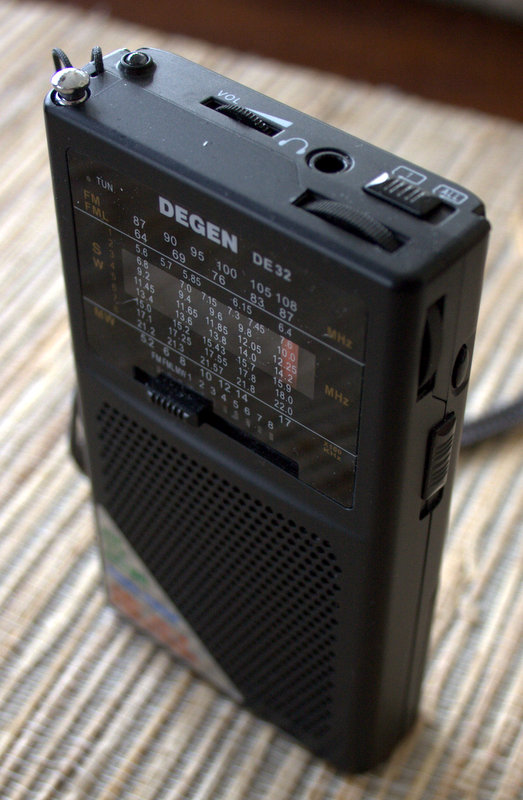
Conclusion? Though slim, lightweight and inexpensive, I wouldn’t find the DE32 DSP radio/digital audio player a useful radio in my collection.
If I were you, would I buy it?
If you’re looking for a very inexpensive MP3/Digital Audio player with AM/FM and shortwave, and your expectations are fairly low, the Degen DE32 is a reasonable $27 piece of kit. Especially if you only plan to use the FM band.
If the digital audio playback abilities are not important to you, I would go with the cheaper ($18 US) Degen DE321.
But if you really want performance on medium wave and shortwave, and you could care less about digital audio playback, spend the extra $23 ($50 total) and buy the Tecsun PL-380, instead. As you can hear above, it’s a much, much better receiver.
 Though not available for the shortwave bands, Google Play reviews are mostly positive for the new software defined radio application that will run on your Android phone or tablet:
 Yesterday, when I attempted to start my WinRadio Excalibur software, I received an error message from Windows 7. No matter if I restarted my PC, re-installed the control software or the USB driver, I simply could not get the Excalibur software to launch.