Category Archives: Shortwave Radio

W9IMS: Chance for a Commemorative Certificate and QSL Card

Indy 500 Week Offers the Chance for a Commemorative W9IMS Certificate and/or QSL Card

By Brian D. Smith, W9IND

Your chance to obtain the 2020 W9IMS Checkered Flag Award – or at least a QSL card commemorating this year’s Indianapolis 500 – unfolds in the coming week. And both amateur radio operators and SWLs are welcome to try.

This year’s certificate is easier than ever to earn. Normally the Indianapolis Motor Speedway’s three major races take place on three different weekends, but this year, because of Covid-19 concerns, two races were consolidated into one weekend – and in turn, two W9IMS special events merged into one.

For anyone who bagged that two-in-one event, you can seal the deal on the certificate by catching the station again between now and Sunday, Aug. 23. The Indy 500 operation will conclude at midnight local time (0400 UTC) Monday, Aug. 24. (Note: Indianapolis is on EDT or New York time.)

Even if you succeed in snaring W9IMS only once, you can still claim the corresponding QSL card. All certificate and QSL designs are brand-new each year.

How to find W9IMS? The station’s two transmitters will operate on three bands – 20, 40 and 80 meters – and may appear at any time of day or night until the final signoff at 0400 UTC Monday.

However, the best bet is to catch the station during prime time – 2200 through 0200 UTC on weeknights (6 to 10 p.m. Indy time). W9IMS operators will frequently activate 20 meters on weekdays between 8 a.m. and 2 p.m. (1200-1800 UTC); and will cover all three bands at various times throughout the weekend starting at 10 a.m. (1400 UTC) daily.

If you still haven’t caught W9IMS by 11 p.m. Sunday in Indianapolis (0300 UTC Monday), operators commonly conduct their own “happy hour” – working stations in rapid contesting style – during that final hour of the special event. But W9IMS has also been known to pull the plug a little early on Sunday evening if no stations are calling.

Here are tips for locating the station:

  • Go to the W9IMS web page (www.w9ims.org), find the “2020 Operating Schedule” heading, and click on the link to “Indianapolis 500.” Although some W9IMS operators make unscheduled appearances, you’ll have better odds looking for the station during the hours and bands reserved with a name and a callsign.
  • Even so, never assume that W9IMS is off the air. Check DX Summit (www.dxsummit.fi) for spots that identify the station’s current frequency (or frequencies), if any. Type “W9IMS” in the search box and you can customize it to show reports for only that station.
  • Preferred frequencies for W9IMS are 3.840, 7.245 and 14.245 MHz, so the station can usually be found there or within 10 kHz.

For further details, consult the W9IMS web page. Feel free to submit your requests for the 2020 QSL cards plus certificate in the same envelope, and if you don’t have your own QSL card, a printout of your W9IMS contacts or reception reports will suffice.

Remember to include $5 for the certificate plus two cards; or an SASE for one or both of the cards alone — the house rule is “No SASE, no W9IMS card, no exception!”

Andy builds a genius companion control display for the Yaesu FT-817 transceiver

Many thanks to SWLing Post contributor, Andy Webster (G7UHN), who kindly shares the following guest post:


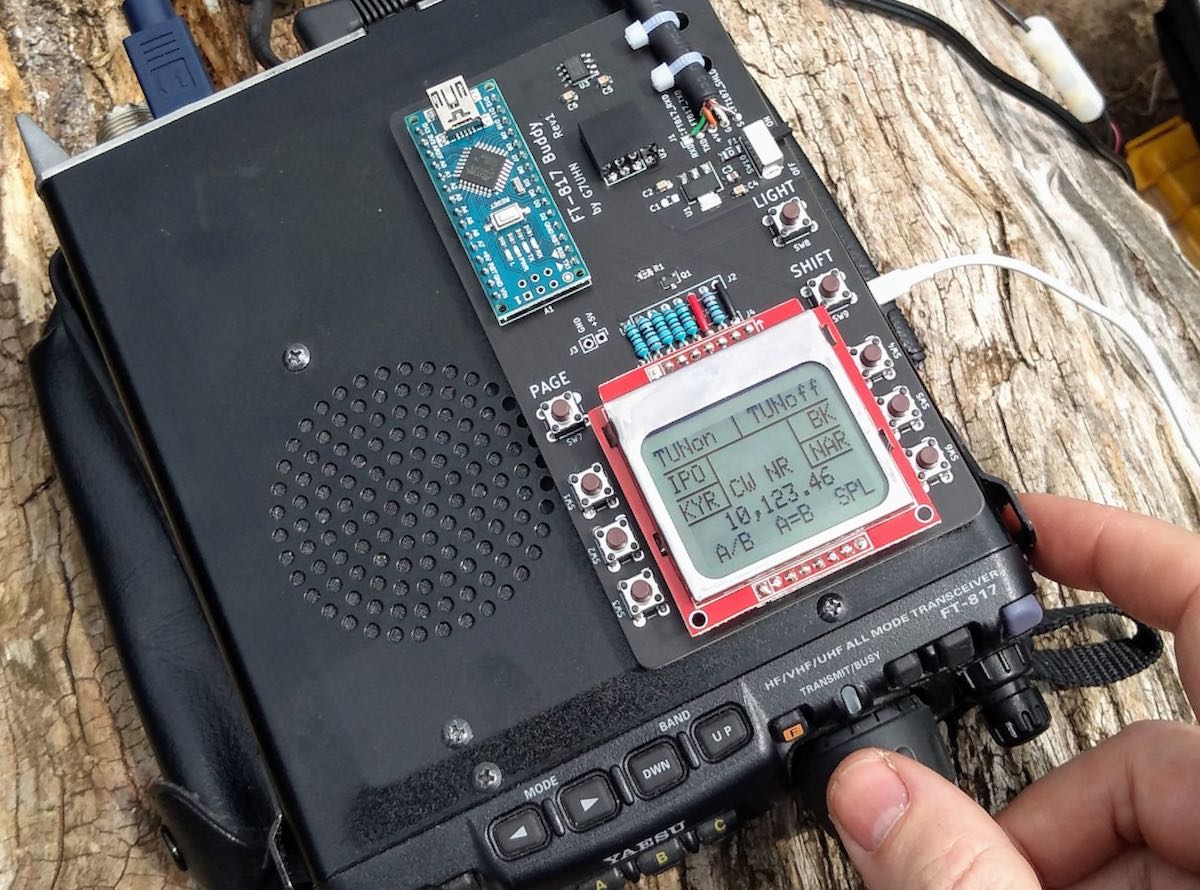
Yaesu FT-817 companion display

by Andy Webster (G7UHN)
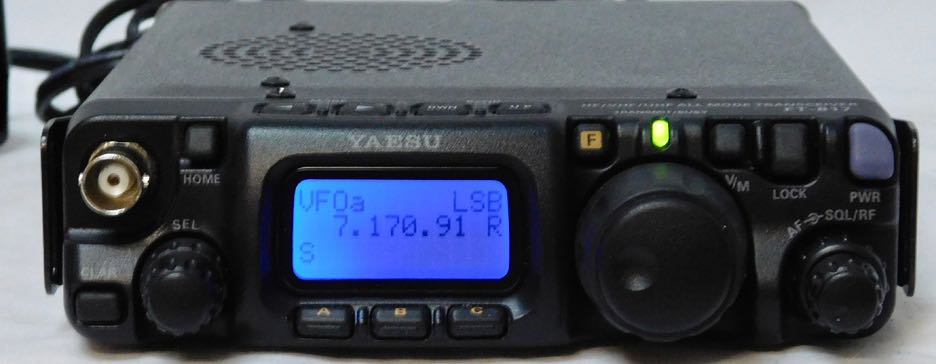
 

Like so many I love getting out portable with my FT-817 but I do seem to spend so much of my operating time fiddling through the soft-keys because my most used functions (CW narrow filter, power and keyer settings to tune an ATU, A/B, A=B, etc.) are spread across different “pages” of the A,B,C assignments. Compared to the sublime experience of using my Elecraft K2 the FT-817 can be a little frustrating!

Last month, inspiration struck and I thought I could cobble together a small microcontroller and a little OLED display with some buttons to provide some extra soft-keys for the radio using the CAT serial port. Nothing particularly original here (I’ve seen articles of people using PICs for this purpose) but it seemed like a nice sized project for me to play with and build some experience doing PCBs (I’ve only done this once before at home). A little bit of discussion with Michael G0POT (FT-817 and SOTA guru), some Google searching and we were looking over KA7OEI’s excellent reference page (http://www.ka7oei.com/ft817_meow.html) and thinking about our favourite FT-817 commands…
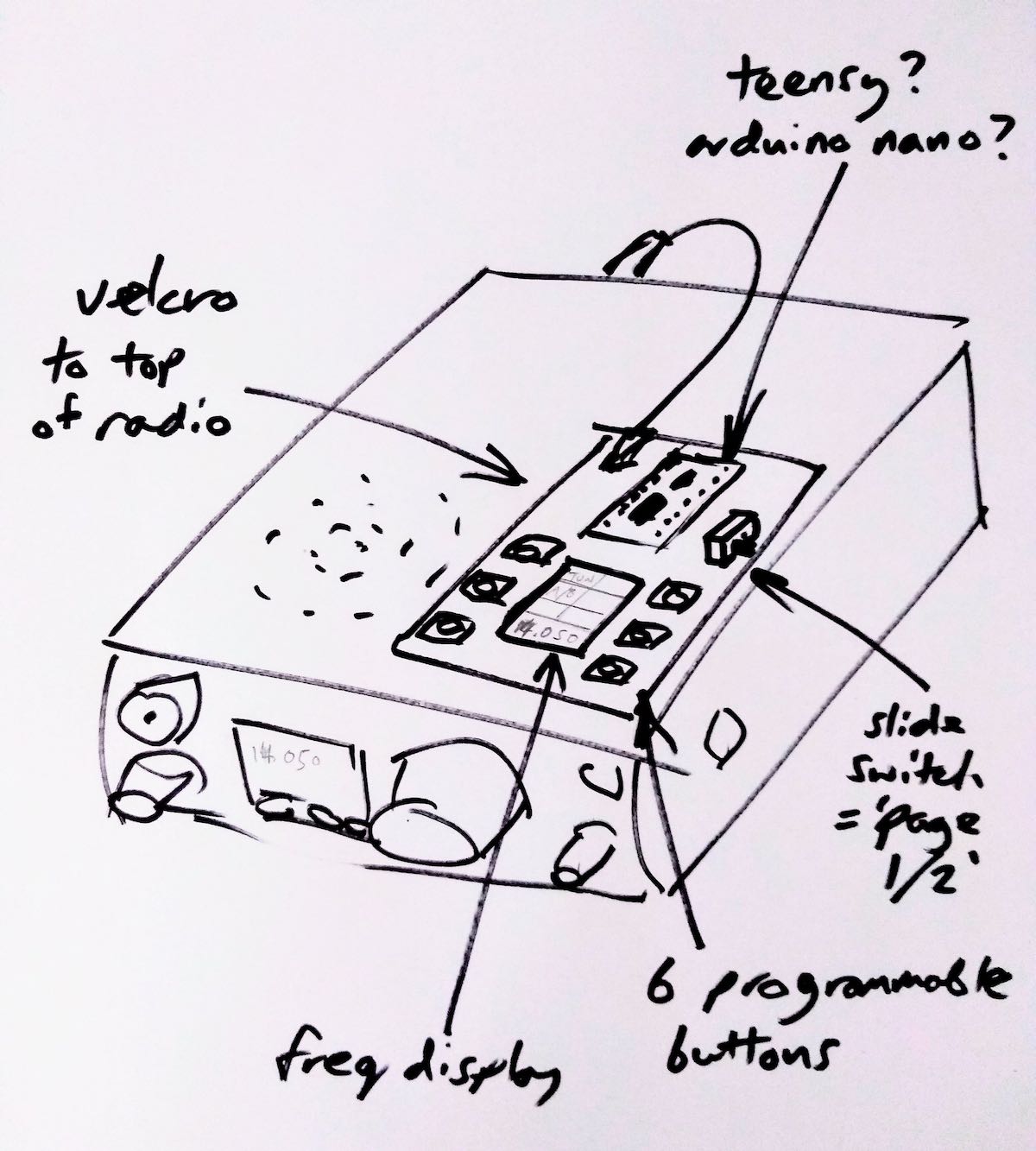
 

As it happened I was lucky to have the right bits (Arduino Nano, small OLED display, buttons, prototype board and an 8-pin mini DIN cable) lying around the house to see “first light” from my FT-817’s serial port that evening. The Arduino Nano is a good place to start because it works at 5V so can work directly with the FT-817 levels on the ACC port. What followed next was some late nights of hacking on Arduino code to send and receive the data for my favourite commands and more experimentation on prototype board.
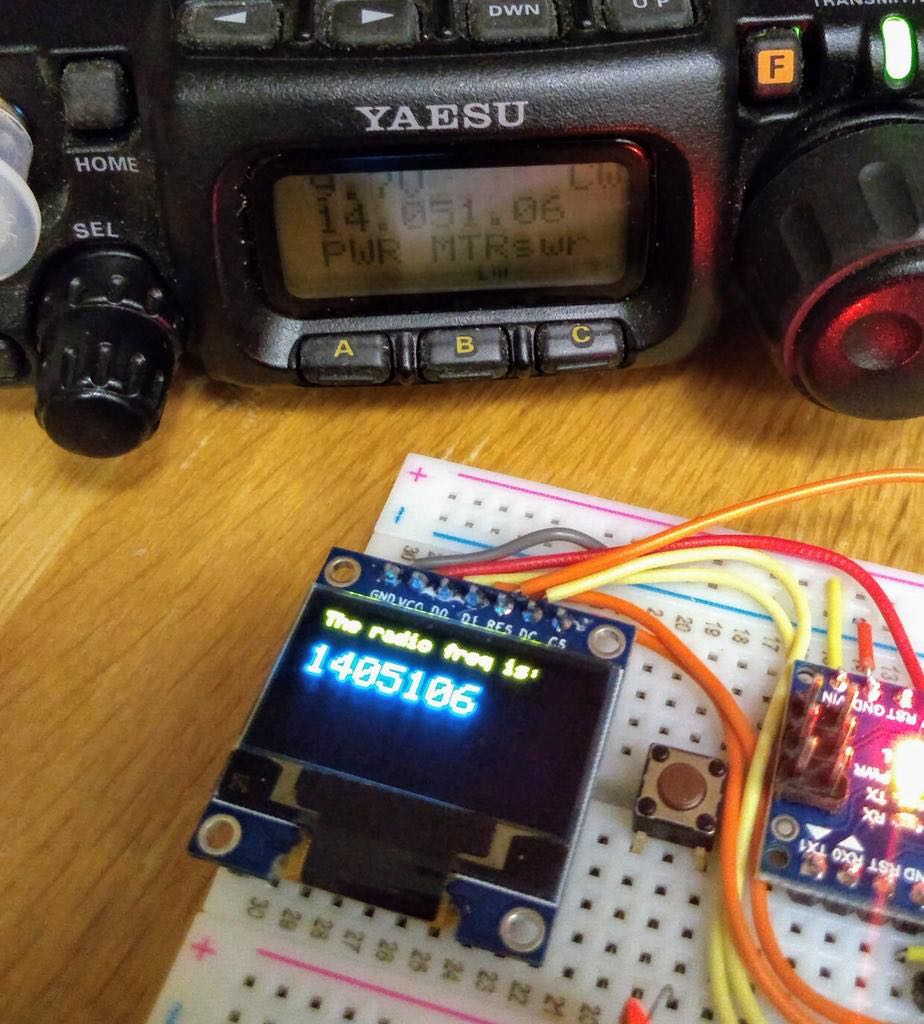
I tried a couple of cheap OLED displays and they look great indoors but weren’t quite up to the job in full sunlight which is fairly typical in my portable operations.
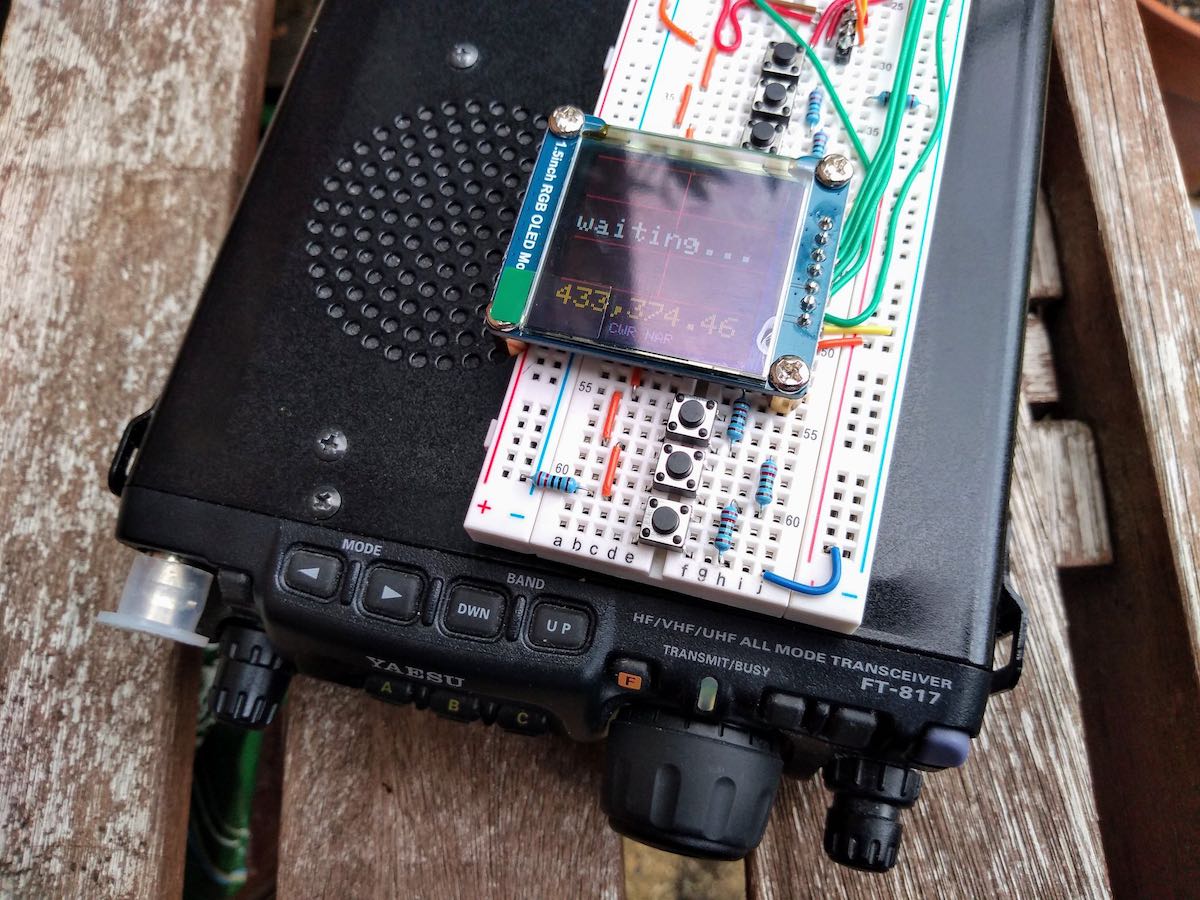
Daytime readability issues with an OLED display

By this point I had also realised the utility of having an auxiliary display on top of the radio as a much easier thing to view than the 817’s own display on the front panel. I’d also experienced some interference from the unshielded prototype board coming through as clicking sounds on the radio’s receiver so it looked as though some isolation between radio and my circuit might be necessary. Guided by many Internet tutorials, I switched to using a Nokia 5110-style LCD for better daylight readability and lower power consumption. Adding an ADUM1201 digital isolator and a B0505S-1W isolated DC-DC converter to the prototype board (modules acquired very quickly from eBay suppliers) gave me some isolation and lowered the interference which I guessed would disappear when I made the design on PCB with good ground planes around the signal lines.
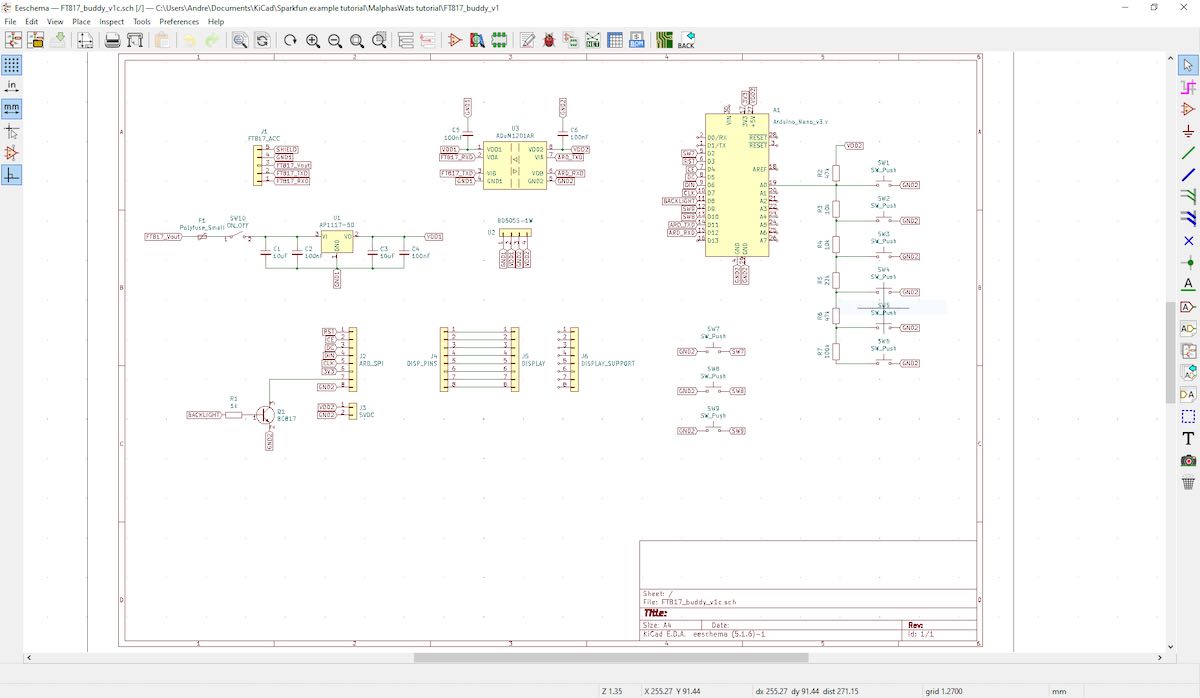
Screen capture showing the schematic (click to enlarge)

With a (mostly) working prototype it was time to hammer the Internet tutorials again, this time to learn how to use KiCad, a free open-source PCB design tool available on Linux, Windows and Mac. I’ve done one PCB for home projects before using Autodesk EAGLE and I found learning Eagle pretty hard going, it seems like it carries 20 years worth of baggage and dogma in the user interface. In fact I started using EAGLE on this project but spent 3 hours on the first evening just trying to change the labels on the ADUM1201 chip that I couldn’t find in an EAGLE library… so I gave up and thought I’d try KiCad which I’d seen some recent good reports on. I’m happy to say after finding an excellent tutorial on KiCad I had drawn the schematic and my PCB layout in about 15 hours working time spread over a few evenings.
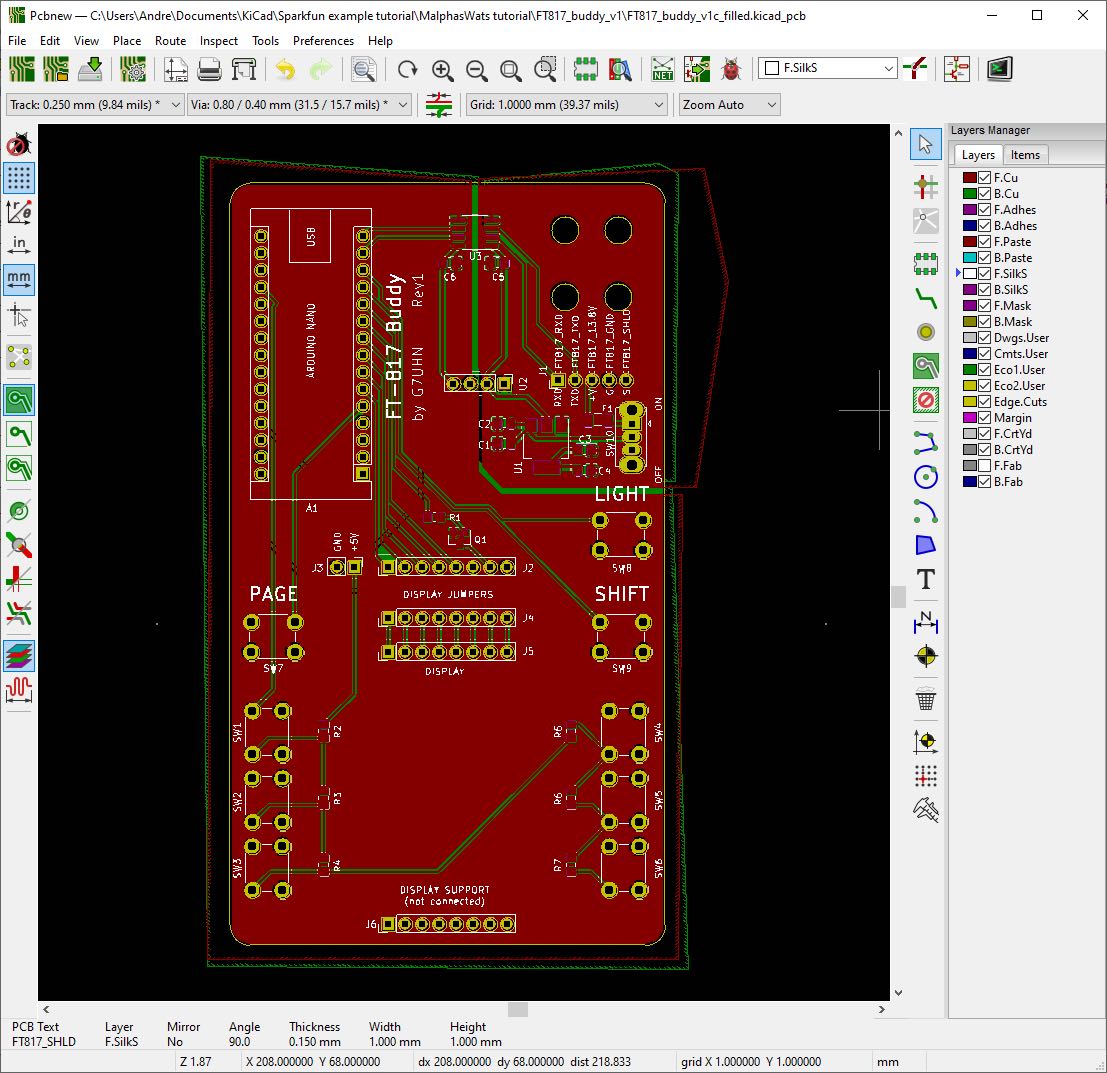
I should add that the 15 hours of KiCad time did include several hours of agonising over the choice of slide switch so a PCB can be done much quicker than that once you’ve got your favourite parts sorted!

That’s pretty impressive for my first go with KiCad as a near-beginner to PCBs, I heartily recommend it, it was so much easier than EAGLE and quite an enjoyable tool. Right, PCB design done and uploaded to JLCPCB for manufacture. 5 PCBs with DHL shipping cost me less than £20 and arrived from China within 5 calendar days. Other PCB fabs are available… 🙂
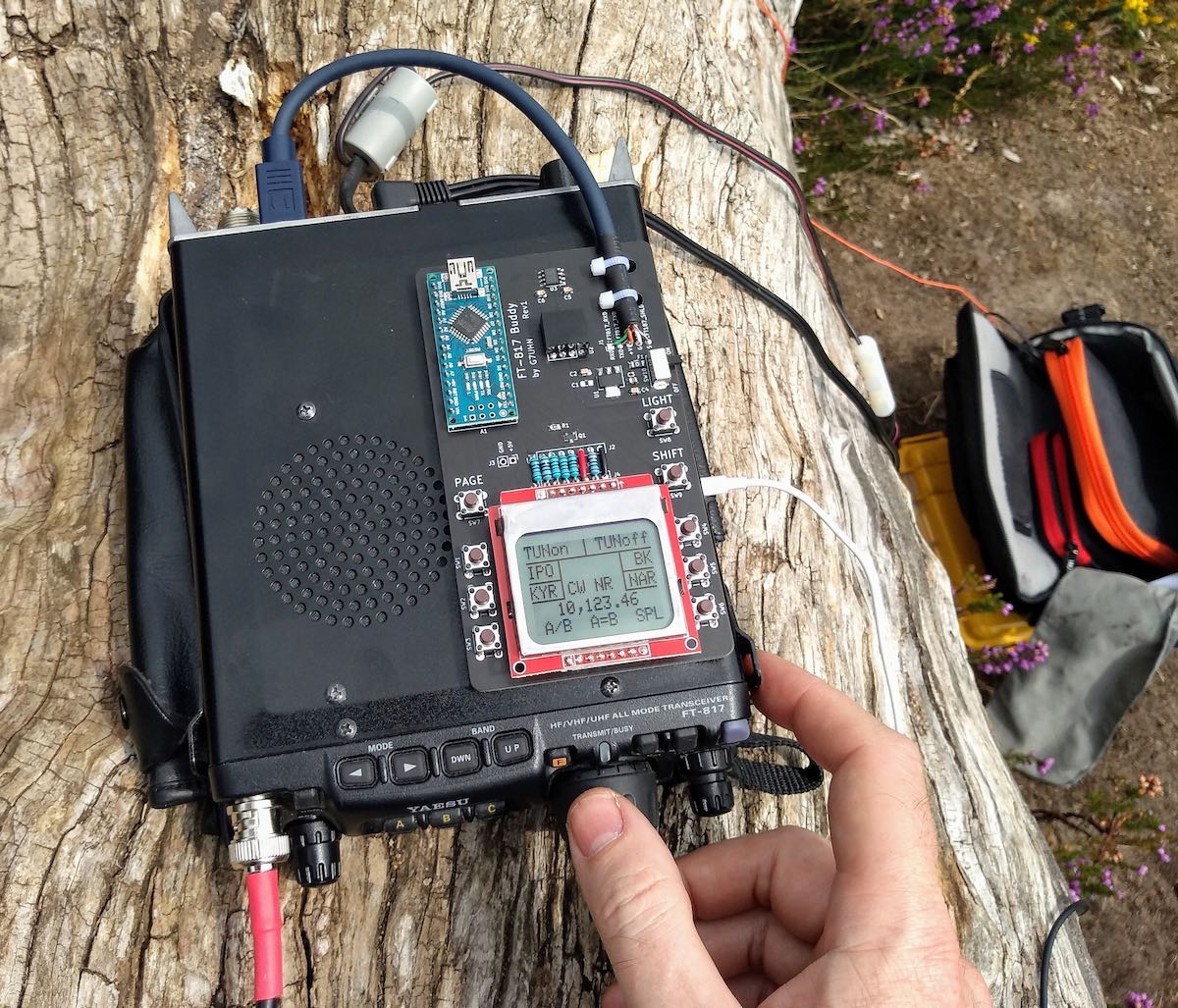
Click to enlarge

So that brings us to today, pretty much. The PCB was assembled very quickly (!) and there is no sign of noise from the serial data lines creeping into the 817’s receiver now it’s on PCB. Some lessons have been learned through the construction (e.g. brown 6mm push buttons are less “clicky” than the black ones and that’s a good thing!) and I now have my companion FT-817 display/buttons in field trials. I’ve no plans to sell this, it’s a trivially simple design, but it does make a great home project to polish your skills in microcontrollers, PCBs and construction. I’ll post a write-up on my website in due course.

In use, the device works just as I’d hoped, I can do everything I want to on my FT-817 without having to fiddle through the awkward button presses. The frequency display is also in a much better position for me now (as most FT-817 owners will know as they jealously eye the KX2, KX3, etc…!) and I think I used it for the whole session when I took it to the field on Saturday. If only my CW had been so slick!

Next steps are to work on the Arduino code. My code is pretty rubbish (my coding style involves a lot of Stack Overflow and copy/paste!) and not safe for public consumption. There are also some health warnings to be noted in manipulating the FT-817’s EEPROM (required for some of the functions I wanted), explained on KA7OEI’s page but there have been a few volunteers on Twitter to help with the software which is great. Also I may do a “Rev 2” board with an Arduino Pro Mini to lower the drain on the FT-817 battery before sharing the PCB files. Other than that it’s now time to get back outdoors and enjoy the new improved interface to my smallest radio! 😀

73
Andy G7UHN


Andy, I absolutely love this project! A wonderful addition to the FT-817/818 and I’d hardly call it a “trivial” design–!

I purchased the original FT-817 shortly after it was introduced. At the time, I was living in the UK and travelled extensively throughout Europe. I loved the ability to simply throw this little rig into my carryon and play radio pretty much anywhere my work travels took me. In the end, I did less ham radio work with the FT-817 and more SWLing.

Still, I eventually sold my FT-817 for the very same reason that motivated you to build a companion display: the front panel is too small and my most used functions require too much menu digging. 

Your companion board is an elegant homebrew solution. I love the Nokia LCD screen–superb readability in the field. 

Thank you again and once you do a write-up on for your website, we’ll be sure to link to it on the SWLing Post!


Do you enjoy the SWLing Post?

Please consider supporting us via Patreon or our Coffee Fund!

Your support makes articles like this one possible. Thank you!

Bruce compares two homebrew NCPL antennas to the Airspy Youloop

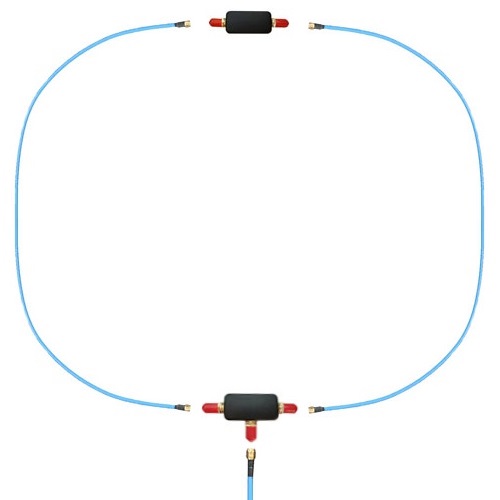
The Airspy Youloop

Many thanks to SWLing Post contributor, Bruce (VE3EAR), who writes:

I decided that more testing of the Noise-Cancelling Passive Loop (YouLoop) antenna was needed, but I wanted to start with a clean page.

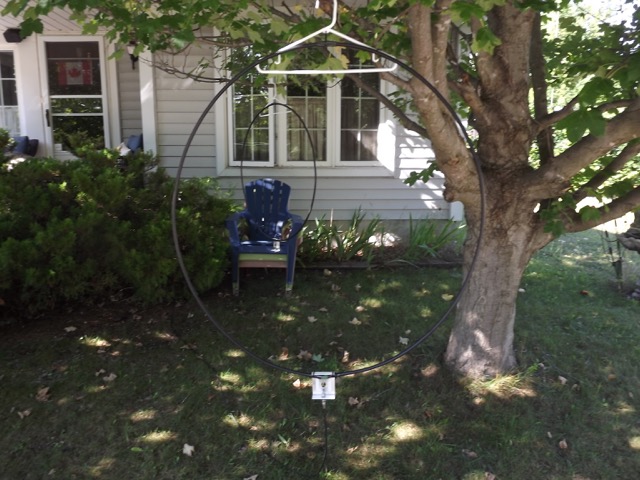
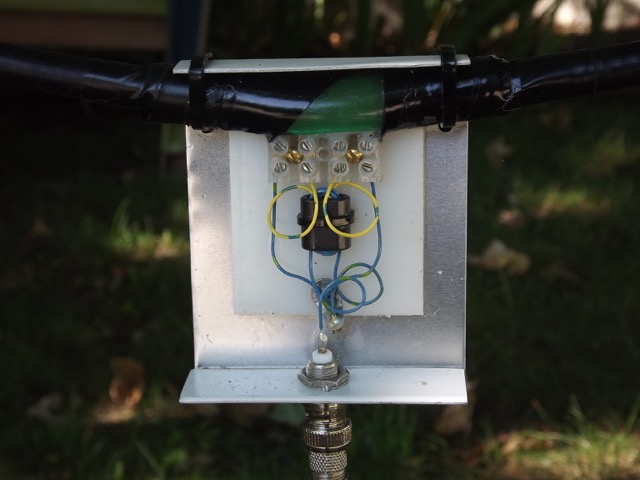
I built two identical loops using some 3/8 inch heliax scraps I had on hand. Both are one metre in diameter and employ the same feed arrangement, with a balun wound on a half inch square binocular core of type 75 mix. There are four turns on the antenna side and eight on the feed line side, of #24 gauge plastic insulated wire. The feed line shield connects to the antenna shields. The only difference between the two antennas is at the top of the loop, opposite to the feed point. One has a simple one inch gap in the shield, with the centre conductor passing across the gap, while the second one uses the crossover connection of the YouLoop design.

I’ve been running some A-B comparison listening sessions, both mid-day and in the evenings after local sunset. The testing is done outside, with the antennas hanging on a low limb of a maple tree in front of the house. The feed line is about twenty feet of coax which connects to my Realistic DX-440 receiver on the front porch. Testing is done listening to the AM broadcast band and the 160, 80, and 40 metre ham bands, with the loop aligned both E-W and N-S and about one loop diameter off the ground.

Both loops work well, but I do have to give the nod to the YouLoop (by Airspy), which produces a stronger signal of two S-units higher than the conventional loop. It also has deeper and sharper nulls, which can sometimes produce total nulling of the station!

73, Bruce, VE3EAR

Thank you so much, Bruce, for sharing your findings with us! I, too, have found that the Youloop generally outperforms my homebrew NCPL antenna. I believe one of the reasons for this as Youssef at Airspy once told me is because the Youloop has a lower loss transformer than anything that can be wound by humans (0.28 dB)–this improves gain.

Click here to read our review of the Youloop and click here for step-by-step instructions on building your own Noise-Cancelling Passive Loop antenna.

WBCQ purchases World Harvest Radio (WHRI)

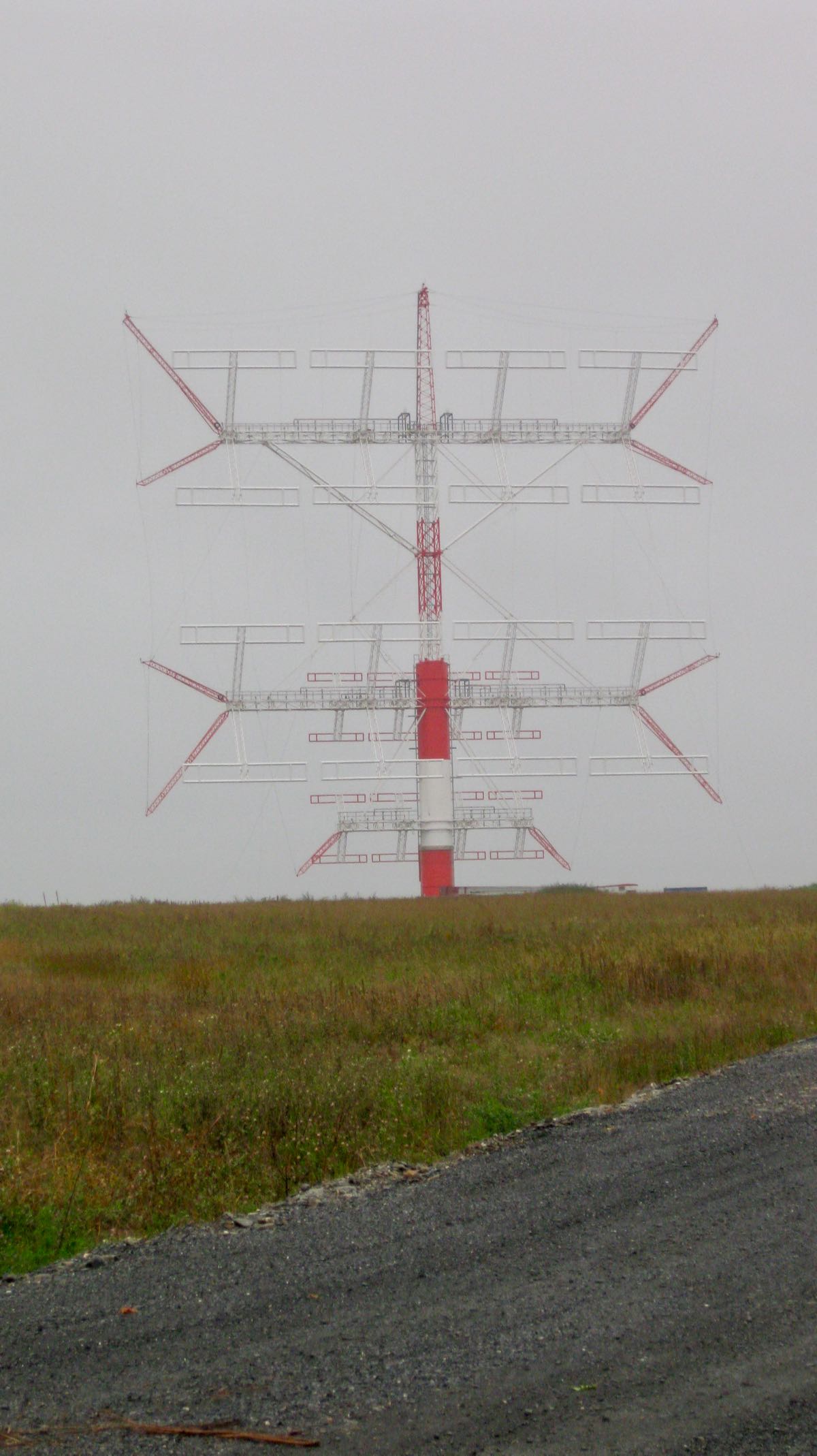
WBCQ’s Ampegon antenna at the Monticello transmitting site.

Many thanks to SWLing Post contributor, Benjamin, who shares the following news tip via Radio Insight:

Family Broadcasting Corporation is selling shortwave Christian “World Harvest Radio” WHRI Furman SC to Allan Weiner for $1.25 million. Weiner also owns shortwave Talk “The Planet” WBCQ Monticello ME as well as Talk/Rock 780 WXME/98.3 W252DW and Classic Country “Kixx 94.7” WBCQ-FM Monticello. The seller owns multiple Christian television stations as well as Christian AC “Pulse-FM” 103.1 WHME South Bend IN, 96.9 WHPZ Bremen IN, and 92.1 WHPD Dowagiac MI.

Click here to read this item at Radio Insight.

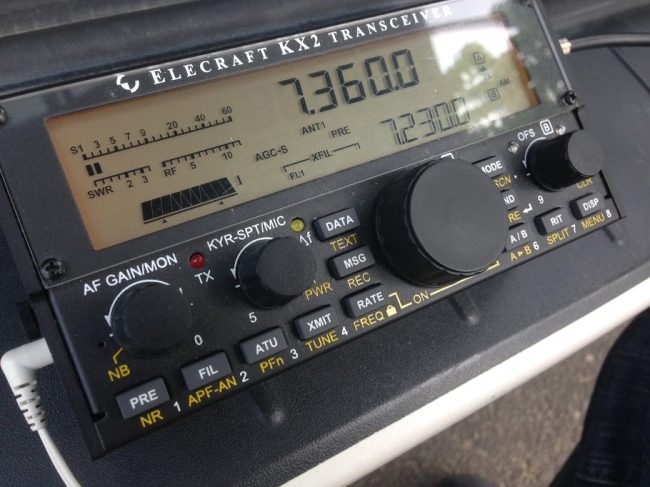
Elecraft KX2 3D model tour with Wayne Burdick (N6KR)

Wayne Burdick (N6KR) was one of the QSO Today Expo presenters this year and he took his audience on a very deep dive into the design philosophy behind the Elecraft KX2 (click here to read our KX2 review). The presentation is absolutely fascinating!  If you want geek-out on radio design, I highly recommend you take a look:

TX Factor Episode 26

Many thanks to SWLing Post contributor, Eric (WD8RIF), who notes that the 26th episode of TX Factor was recently released. Here’s the show summary:

A post-lockdown special – well, not really! Just a bumper edition of TX Factor that was planned for March 2020, but due to the Covid-19 restrictions never quite happened! We hope you are all safe and well and enjoying the summer opportunities for amateur radio despite the various restrictions upon us.

Back in February we dropped in for tea and biscuits at the new(ish) QTH of Tim Kirby GW4VXE to learn more about his passion for all things VHF / UHF. Also in February, Bob and Mike fitted a Radio Analog PTRX-7300 RF interface module into Bob’s beloved IC-7300, and, yes, can it be possibly true . . . bang up-to-date, Bob reviews one of the first Icom IC-705 SDR QRP all-mode transceivers in the country. We hope you enjoy the show!

Click here to view on YouTube or on the TX Factor website.

Giuseppe’s cross-loop experiments

Many thanks to SWLing Post contributor, Giuseppe Morlè (IZ0GZW), who shares the following:

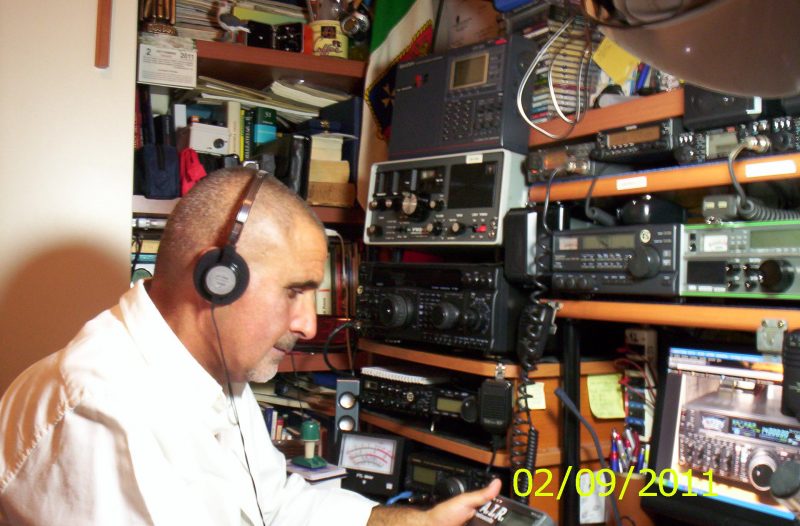
I’m Giuseppe Morlè from Formia, central Italy, on the Tyrrhenian Sea.

I wanted to share with you and friends of the SWLing Post community this antenna project of mine dedicated to those who do not have enough space on the roof or in the garden to install antennas.

These are two separate loops, with two different diameters, one 60 cm, the other 90 cm, each with two variables for tuning … the system is able to receive from 3 to 30 MHz.

I joined these two loops in an opposing way, better to say crossed that can communicate with each other due to the induction effect that is created between the two small coupling loops that are placed one under the other at the top.

In the videos you will be able to see how the antenna system receives. I can use one loop at a time, to detect the direction of the signal or I can use them together for a more robust signal and in an omnidirectional way.

I really like experimenting with the induction effect and you can see that even when closed at home the two loops do a great job.

From my YouTube channel:

I’m not a technician but I really want to experiment to try to listen as well as possible.

Thanks to you and CIAO to all the listeners of the SWLing Post community.

Giuseppe Morlè iz0gzw.

Very cool, Giuseppe! I must say I’ve never tried dual loop experiments like this where one can experiment with the induction interplay. I imagine this could give you some interesting nulling capabilities if you have an unwanted station interfering with a target low-band signal. Thank you again for sharing!