Many thanks to Jonathan Marks, who shares this short video about the history of the Skelton HF Transmitting Station:

Many thanks to Jonathan Marks, who shares this short video about the history of the Skelton HF Transmitting Station:
 Sometimes when browsing eBay you’ll come across a hot item that wasn’t even on your wish list or Followed eBay Searches. This was the case for me early last month when I spotted a new listing for a Zenith Royal D7000Y-2 Trans-Oceanic that’s arguably the best performing T-O ever made. It’s not the most collectable (the final R7000 series has that distinction), but is the final model with the desirable band spread tuning arrangement. The D7000Y is also the last of the hand-wired Trans-Oceanics. Some claim this model has the best audio of the transistorized T-Os, too.
I have a soft spot in my heart for Zenith Trans-Oceanics, as the co-author of the “Royalty of Radios” reference book, the late Prof. John Bryant, was my best friend for many years. John also wrote books on Zenith’s corporate history and other models of Zenith radios. The transistorized Zenith Trans-Oceanics were unobtainable dream receivers for me when I was a teenager in the mid-1970s.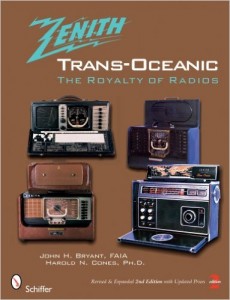
I watched this Buy-It-Now auction for three days and was very surprised it remained available, especially after noticing its superior condition compared to other auctions for the same model. Finally on the third day I pulled the trigger–I’m not a collector of vintage radios but I couldn’t miss the chance to let this fine old Zenith follow me home. At a Buy-It-Now price of $219 including cross-country shipping, it seemed like a no-brainer decision.
When the radio arrived–packed extremely well–it was in ever better condition than pictured and described (I’d call it 9.8 on a 10 scale). The package included the original hang tag, QA stickers, owners manual, service manual, marketing literature and even the original monaural earphone and AC power cord. All dial lamps and the chart light worked fine. The previous owner said the T-O was fully aligned a year ago, and indeed I found that the reception quality on the built-in whip antenna is great. I’d love to know where this receiver was stored for the last 38 years; it was clearly someone’s gently used, cherished Zenith.
________________________________
A folder of high resolution photos of this receiver can be viewed here.
Besides simply enjoying receivers I get a kick out of comparing them against each other, and against various other ones owned by my radio hobby friends. Thanks to the loan of a vintage Sony CRF-320, I was able to directly compare it to my Zenith Trans-Oceanic Royal D7000Y-2 receiver. My friend’s CRF-320 is the equal of my Zenith in condition and quality. Each of us would like to own both of these radios!
This is an interesting pairing, since the Zenith was among the last of the premier, USA manufactured portable receivers (analog only, all hand-wired chassis), and the CRF-320 was an equally prestigious portable receiver of the “latest technology”–digital/analog readout with printed circuit board construction.
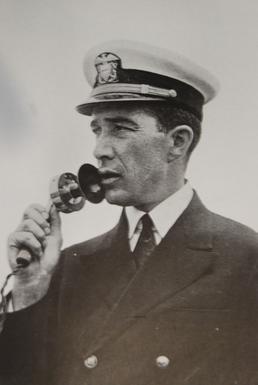 Once a leading receiver brand, Zenith did not react quickly enough to changing trends and business climate after the death of its founder, Commander Eugene F. McDonald. The 40 year old (1942-1982) proud line of Trans-Oceanics gave way to new, semi-automated methods of building receivers with inexpensive labor from Asia.
After an initial production run of the next (and last) R7000 series, manufacturing was moved to Taiwan. The receiver was built just as well as the previous Royal D7000, but used PCBs inside and the useful band spread frequency ranges were done away with (at the expense of ease of tuning). Still, Zenith T-Os couldn’t compete on price or performance against the Sony CRF-320, and the R7000 Trans-Oceanics were the last (and now most collectible) versions.
This YouTube video compares reception of these two vintage receivers with mid-morning signals on the 31 meter band, from the Seattle area:
Both radios were used with their built-in whip antennas although I couldn’t extend the Zenith’s its final four inches due to ceiling height in the room.
In my opinion, the CRF-320 is superior in keeping signals steady with its AGC, but the D7000Y-2 excels in audio quality and is neck-and-neck in most other respects. The Zenith may have performed a bit better with weak signals if the ceiling in my kitchen was a few inches higher! (Both radios have substantially long built-in antennas, and each are very well matched to their circuitry for excellent reception.)
There are many references around for the Zenith Trans-Oceanic series, but not a lot has been published on the CRF-320. Here is one page with good details on the Sony: http://www.shortwaveradio.ch/radio-e/sony-crf320-e.htm
Jay Allen’s excellent article on restoring a Zenith T-O Royal D7000 has very clear photos of the receiver’s interior: http://radiojayallen.com/zenith-royal-7000/
I’ve been active on eBay since 1998. As with garage sales, the chances of an excellent “find” increase with the time spent in the pursuit. Sometimes you just get lucky though and find a very desirable item remaining unsold for days, such as this Trans-Oceanic! It’s all about being in the right place at the right time. Since I’ve bought the receiver I’ve yet to see any other D7000s of equal or better quality, despite some with Buy-It-Now prices of up to $450 plus shipping (edit 12/16: I spotted one that appears in equal condition to mine, but for a Buy-It-Now of $675 + $40 S/H).
Guy Atkins is a Sr. Graphic Designer for T-Mobile and lives near Seattle, Washington. He’s a regular contributor to the SWLing Post.
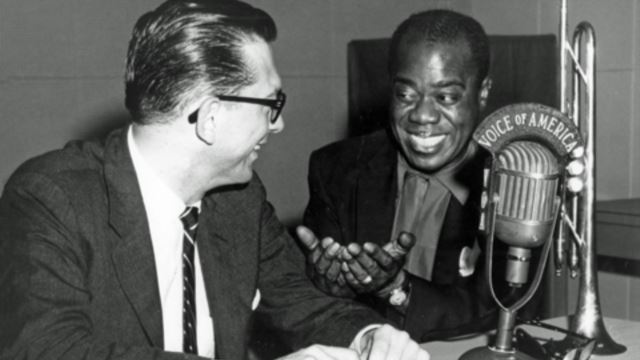
(Photo source: Inside VOA)
Thanks to the endeavors of Maristella Feustle at the UNT Music Library, five hours of recently-restored Louis Armstrong interviews with Willis Conover are now online and free to download/listen.
Kudos to the UNT archives for making these amazing recordings so accessible! What a treasure trove.
Click here to view links to all five hours of recordings at the UNT Archives’ website.
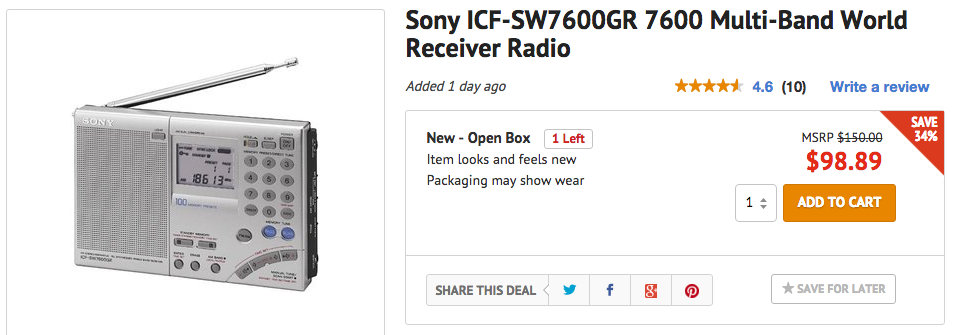
Blinq.com has an “open box” deal on one of my favorite shortwave portables: the Sony ICF-SW7600GR. Though this receiver has been on the market for many years, its AGC, synchronous detector, and selectivity are still benchmark. Check out how it was favored by readers in this blind comparison. The ‘7600GR also has a dedicated and stable line-out port; one of the reasons it’s still my receiver of choice for field recordings. Ergonomics and the lack of a tuning wheel/knob are my only real complaints about the ‘7600GR.
I almost snatched this deal up–if for no other reason than to have a spare unit–but I’d rather give someone here in the SWLing Post community a chance to add this to their collection. The ICF-SW7600GR typically sells for $130-140 new and $90-110 used. It appears there’s only one in stock.
Actually, if you’re clever (!) you can buy this ‘7600GR for $89.90 shipped…
If you’ve never visited Blinq.com, or if you open their website in a private/incognito window, Blinq will typically pop up a window offering 10% off for new shoppers as long as you subscribe to their newsletter. You then receive a coupon code via email you can use with the first order.
Click here to view the open box Sony ICF-SW7600GR on Blinq.com.
Many thanks to SWLing Post reader, Bill (W8LV), who writes:
I hope the SWLing Audience out there is familiar with WBCQ, and owner Allan’s Show: Allan Weiner Worldwide. It is broadcast on WBCQ 7.490 every Friday at 8 PM EST. It’s a Free Form Show with an email and call in number.
Allan talks about anything that crosses his mind, and of course that includes radio with every show. All of the shows are also archived at www.wbcq.com, as are many of the other offerings of WBCQ.
I also want to mention that Former Pirate JP Ferraro has a show there called Shortwave Saturday Night.
There are also many other shows, both live and archived on the WBCQ website! Ham radio, Marion’s Attic with the old cylinder records, etc…
And, the merriment of Former NYC Pirate Johnny P. Lightning is heard on WBCQ every other Sunday from 8PM EST till 11PM, frequently with a pre-show that starts at 7:30PM. John also takes emails and calls. You can also catch John’s Show: Radio New York International, a.k.a. A Little Bit of Radio Everything Radio Extravaganzo live encores, with archived ALBORE
shows at the 11L Network site:
www.johnlightning.comThese are real radio people, folks. And WBCQ is such a wonderful station, currently broadcasting on three frequencies from Monticello, Maine.
I hope you tune in!
Bill, you’re right: WBCQ is an amazing independent shortwave broadcaster! WBCQ staff are all true die-hard shortwave listeners as well. A great bunch. I also tune to the shows you mentioned above–another one I love is beHAVior Night on WBCQ every Friday at 5:00 PM EST.
Thanks again, Bill!
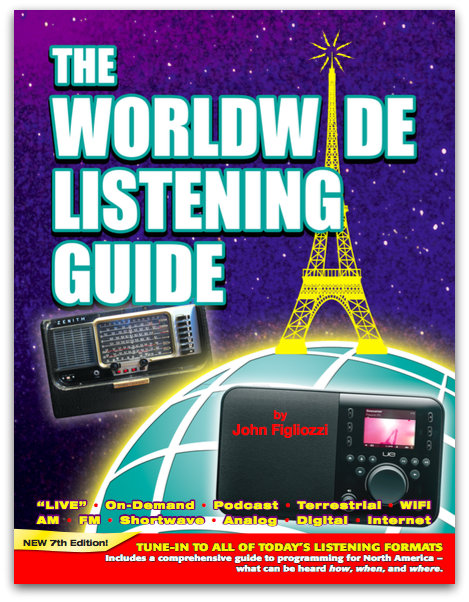
Many thanks to SWLing Post contributor, Thomas Ally, who notified me that he has just purchased a copy of the WWLG 7th edition through Amazon.
Here’s the description of the new edition:
New, fully-updated 7th edition provides a complete guide to listening to radio in all of today’s formats: “live,” on-demand, WiFi, podcast, terrestrial, satellite, internet, digital, and of course analog AM, FM, and Shortwave.
The introductory section explains all of the newest delivery methods for radio, and the devices used to access broadcasts from around the World at any time of day or night. Listening to programs from distant lands is no longer a late-night activity dependent upon shortwave propagation conditions. There are thousands of radio stations worldwide that use the Internet to stream their broadcasts. Traditional radio is being augmented by computers, tablets, smartphones, satellites, WiFi receivers, and multiplexed digital transmission methods, greatly enhancing the listening experience.
The Worldwide Listening Guide shows you how to access all of this audio content using these different delivery platforms. The Guide is focused on English language broadcasts that can be heard in North America. There is a comprehensive listing of more than 3500 programs. These are then placed in separate categories by program type, such as news, music, talk, current affairs.
The WWLG 7th edition is also available from Universal Radio, the W5YI Group and Ham Radio Outlet.
Whereas the WRTH–also just released–is a guide to stations and broadcasts, the WWLG is a guide to content and programming. I always have copies of both in my shack.
Thanks, Tom Ally, for the tip!
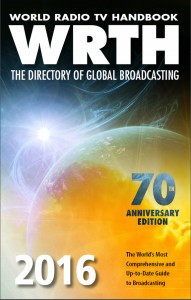 I’m very happy to see this notice from Nicholas Hardyman, Publisher of the World Radio TV Handbook:
We are delighted to announce the publication today of the 70th edition of WRTH.
For full details of WRTH 2016 and to order a copy please visit our website at www.wrth.com where you can also order the B15 WRTH Bargraph Frequency Guide on CD and as a download.
WRTH 2016 is also available for pre-order, for readers in the USA, from Amazon or Universal Radio in Ohio.
I hope you enjoy using this new edition of WRTH and the new CD.
Best regards
Nicholas Hardyman
Publisher