Category Archives: Shortwave Radio

Pirate Radio Recordings: Captain Morgan Shortwave

Saturday night, I had a chance to record three pirates on 6925 kHz: North Woods Radio, Captain Morgan Shortwave, and Undercover Radio. For tagging, I’m posting each individually.

The second station I recorded Saturday night was Captain Morgan Shortwave.

Captain Morgan was broadcasting in AM starting around 01:42 UTC on May 13, 2012. The signal was strong. You can listen to the entire broadcast in the player embedded below, or by downloading the mp3 here.

In Zimbabwe, “if you want to hear the truth…listen to Shortwave Radio Africa…listen to VOA”

This is a brilliant piece on the lack of press freedom in Zimbabwe and the importance of shortwave radio. It was broadcast yesterday on Weekend All Things Considered. Links to the show and audio are below.

(Source: NPR)

In Seke, a rural community 40 miles outside Harare, James Chidakwa and his father eat roasted nuts and cornmeal inside a small brick hut. They’re farmers who rely heavily on maize and chickens to survive. James Chidakwa says that like many, his family refuses to listen to government TV or radio broadcasts.

“They always lie to the people,” he says. “Everything they say is a lie.”

So at 6 p.m. most evenings, they turn on a battery-powered, short-wave radio and tune in to a “pirate radio station.” Chidakwa says Shortwave Radio Africa and Voice of America are their favorites.

“If you want to hear the truth, wait for the end of the day to listen to Shortwave Radio Africa, to listen to VOA,” he says.

The stations, which are based in the U.K. and the U.S., send their signals through radio towers in countries that border Zimbabwe. That means Zimbabwean officials — who claim these broadcasts are illegal — have little recourse. In the past, they’ve confiscated short-wave radios. Chidakwa says that forces some people to listen undercover.

“Some of them, they will take the radios into their bedrooms and, low volume, they listen to the news. But the truth is, there is fear in them,” he says.

But for Chidakwa and his father, it’s a risk they are prepared to take.

The stations, which are based in the U.K. and the U.S., send their signals through radio towers in countries that border Zimbabwe. That means Zimbabwean officials — who claim these broadcasts are illegal — have little recourse. In the past, they’ve confiscated short-wave radios. Chidakwa says that forces some people to listen undercover.

“Some of them, they will take the radios into their bedrooms and, low volume, they listen to the news. But the truth is, there is fear in them,” he says.

But for Chidakwa and his father, it’s a risk they are prepared to take.

You can listen to the full story from Weekend All Things Considered, by clicking here (mp3), or read the transcript on this page.

This is just one more story we’ll file under “Why Shortwave Radio.”

RCI, and others, I wish you were listening. Those in Zimbabwe certainly are.

North Korea: Jamming shortwave radio 18 hours a day

(Source: Times Union)

[…]Martyn Williams, who writes the blog NorthKoreaTech.org, said that the government’s intense use of its scant resources and electricity to jam foreign news broadcasts reflected its concern about the impact of outside media.

North Korea targets between 10 and 15 frequencies used by international short-wave broadcasters, such as U.S.-funded Radio Free Asia and stations operated by South Korea’s government, for up to 18 hours a day, and on major occasions like the April centennial, it jams radio signals around the clock, Williams said.

The North appears to have recently installed more sophisticated transmitters acquired from a Chinese company, although jamming operations have been up and down this year, likely because of technical problems or power shortages, he said.

Read the full article, the bulk of which deals with social media and mobile phones, on the Times Union website. Obviously, North Korea feels that shortwave radio is a threat to those in power. They should be afraid–shortwave radio signals easily cross their fortified borders. This article will be filed under why shortwave radio.

“Shortwave listening like a fishing expedition”

(Source: Ventura County Star)

Shortwave listening like a fishing expedition
Trading clicks for turns, clarity for static … and really loving it

It starts with a high-pitched squeal followed by a burst of static.

[…]We’re living in the richest time the world has ever known when it comes to the availability of information from around the globe. But much of it arrives filtered – downsized into sound bites and a few seconds of video carefully selected and massaged by an editor. Almost everything you see and read has been interpreted and edited by professionals.

But when I spin the dial on my shortwave I travel to the source. Perhaps it’s the voice of an airline captain over the Atlantic reporting his position to an operator in New York. Or I may happen on music from a country I couldn’t even begin to spell. At other times I’ll come across news broadcasts from around the world — news that is told with the built-in biases and prejudices of the originating country. It’s all unfiltered, all coming to me as it happens. It’s such a random smorgasbord of information that there would be no way to duplicate it with a television or computer.

Unlike TV or the Web, shortwave listening is a lot like fishing. You never know what you’ll catch. Those who try it for the first time often find satisfaction and even excitement as they troll these waters and make their own catches for the first time.

Read the full article at the Ventura County Star.

How to decode WBCQ’s digital message

Last night, WBCQ’s sent a digital message about ten minutes before the end of the Allan Weiner Worldwide show. If you missed the broadcast, no worries; we recorded the show, and you can download the audio (below) to try decoding the message for yourself.

The digital message can be decoded using a variety of free software packages. The package we used–and which we use for many other digital modes–is FLDIGI, which can be found at http://www.w1hkj.com/Fldigi.html.

Downloading and installing FLDIGI is straightforward. But although this is a simple program, there is a slight learning curve involved.  Below, we explain how to use FLDIGI to decode the message.

1. Download the mp3 recording by clicking here (right-click, then save file).

2. Download and install FLDIGI.
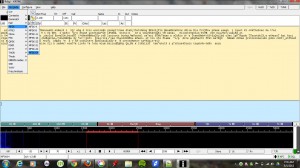
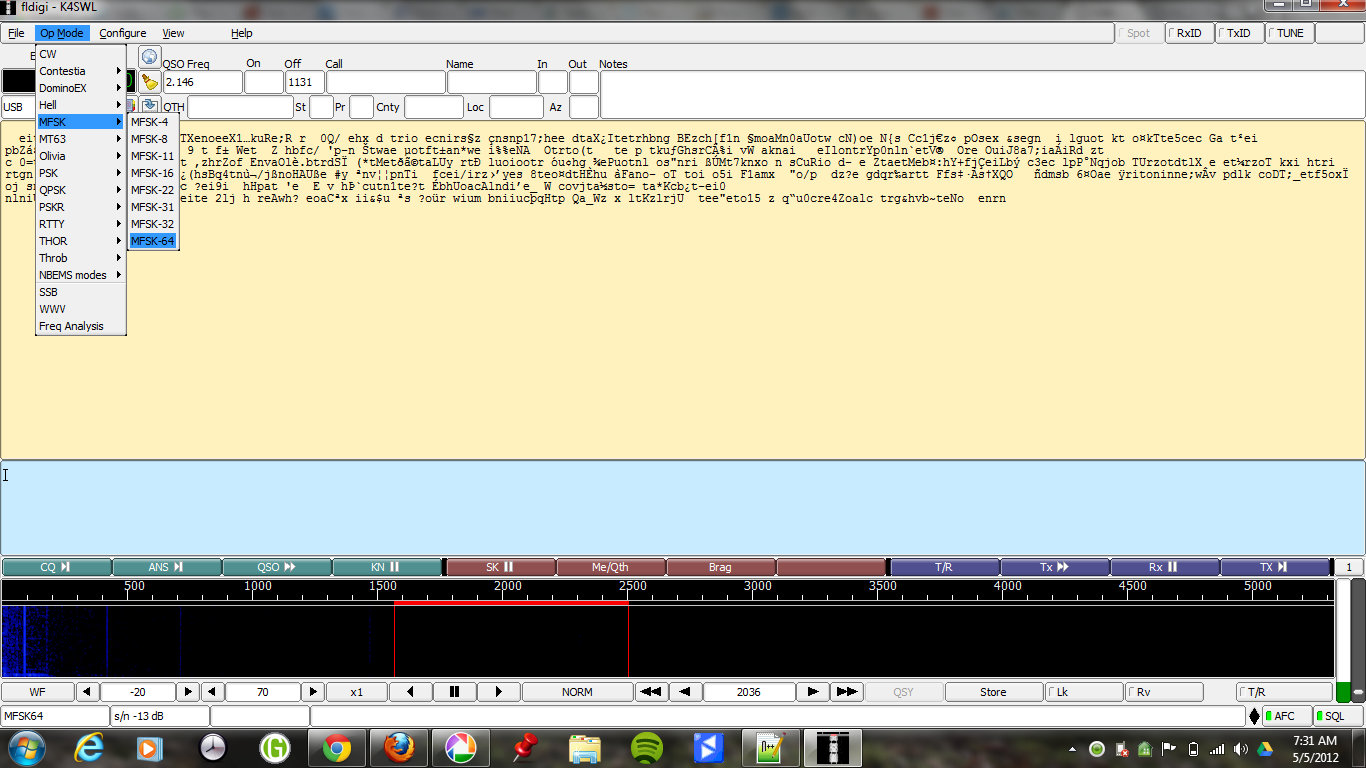
Screenshot of digital mode being selected in FLDIGI. Click image to enlarge.

3. Launch FLDIGI and tell it that you wish to decode the digital format MFSK-64. Do this by selecting the menu items “Op Mode” –> “MFSK” –> “MFSK-64.”

4. Play the audio so FLDIGI can decode the message.

There are a few simple ways to play the audio:

  • If your computer has a built-in microphone, simply play the pre-recorded audio file from an mp3 player with a built-in (or amplified) speaker. Hold the speaker near the computer’s microphone. FLDIGI can decode the digital signal from the computer’s buit-in microphone if the mp3 player volume and microphone gain are adequate. FLDIGI is reasonably forgiving, but you should try this in a low-noise environment.
  • Better yet, if you have a way to feed the audio directly from your mp3 player into the line-in (or microphone input) on your computer–say, with a shielded audio patch-cord–this will insure a clean signal into FLDIGI. Note that you should lower the volume of your mp3 player to do this. In some cases, you can actually damage your sound card if you feed it audio at a high volume.
  • Another method would be to play the mp3 file on your computer and use a program such as Virtual Audio Cable to link the audio to FLDIGI.
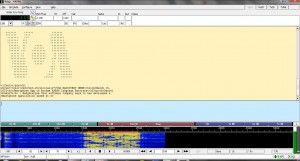
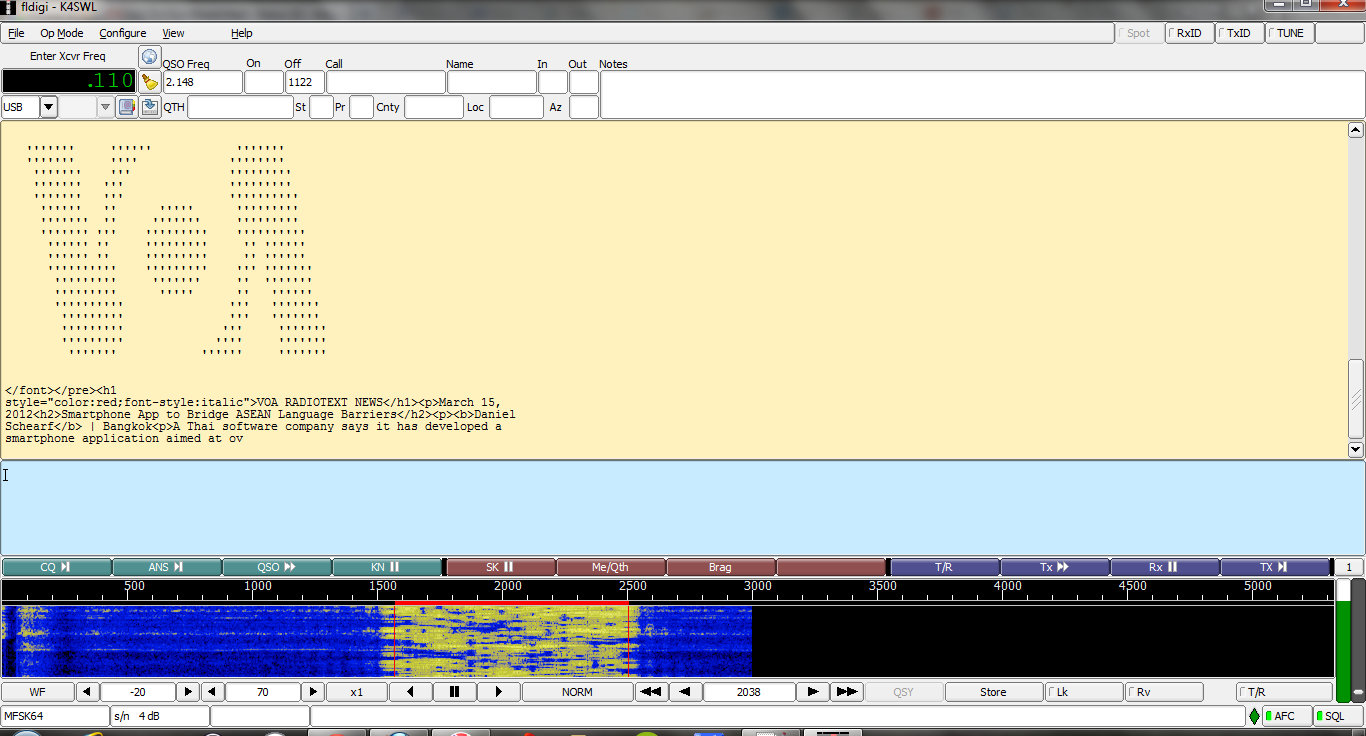
FLDIGI capturing the digital message and decoding. Note the solid block of color in the waterfall display. Use your pointer to click in the middle of this block in order to tell FLDIGI where to decode. Click image to enlarge screen capture.

Note that in our recording we include several seconds of normal audio before and after the digital message. When you watch the “waterfall” display on FLDIGI, you will see a solid block of coloring indicating the digital message when it begins (see screenshot on right). When the hosts are talking, this block will not be visible.

5. When the digital message begins, use your pointer to click in the middle of the block of color that represents the digital message in the waterfall display of FLDIGI. This tells FLDIGI where to find the digital message in the audio.

6. Your decoded message will appear in the text area of FLDIGI (as in the screenshot).
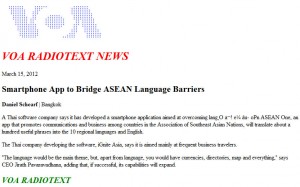
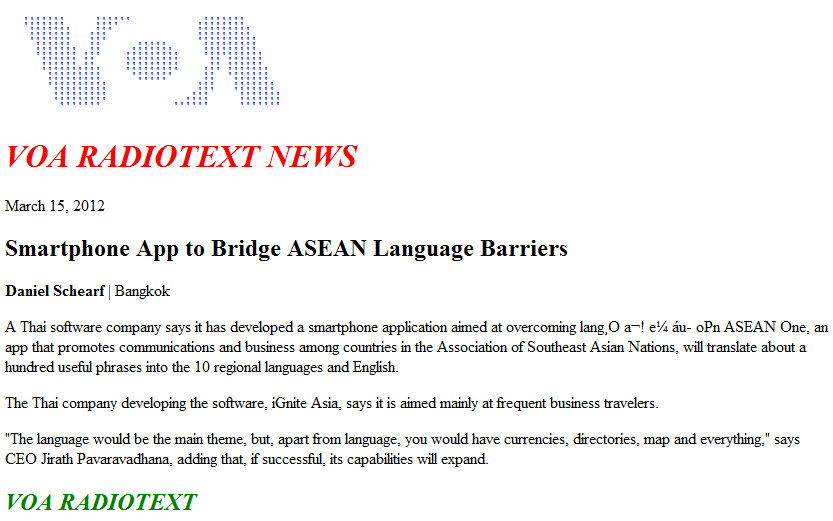
Image of decoded message as an HTML page. Note that copy was excellent, save one small error in the text. These minor errors are fairly normal in a digital broadcast. Click to enlarge.

7. Copy the decoded text to your PC’s clipboard, and paste into Notepad (or Word, OpenOffice, etc) and save the file as HTML by giving it a “.htm” or “.html” file extension.

Now the message should appear.

See, that wasn’t so difficult! This digital message could be decoded without purchasing any special software or other accessories. Most of us have everything we need to decode the bulk of the digital messages on the shortwave bands–and there are many, many more out there.

Please leave a comment if you successfully decoded this message, or if you have any other tips for decoding it.


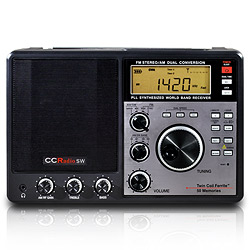
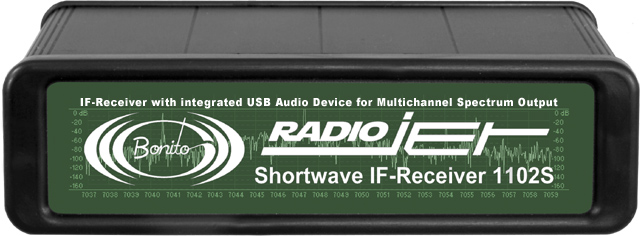
Universal Radio has priced the Bonito 1102S RadioJet very competitively

The Bonito 1102S RadioJet - Click to Enlarge

Universal Radio has published the price of the Bonito 1102S RadioJet at $699.95 US and they are taking orders.

Universal’s price is  $300 less than that of the Microtelecom Perseus ($999.95 US) and the $200 less than the WinRadio Excalibur ($899.95 US).

After reading Fernando’s review of the RadioJet–where he compared it to the Perseus–this may be one of the best SDR performers for the price. We will be reviewing the Bonito 1102S RadioJet in the near future as well.

To follow all updates of the Bonito 1102S RadioJet, please follow our tag: RadioJet

WBCQ to send digital message over shortwave tonight

Update: Missed this broadcast? No worries–not only did we record the digital message, but we’ll teach you how to decode it.

(Source: WBCQ on Facebook)

On Friday, May 4, 2012, during Allan Weiner Worldwide (8pm US eastern time, 0000 UTC), we will be presenting an experiment in the transmission of text messages in digital formats. During the show, we will transmit a brief message in MFSK64 format. This message consist of text that listeners can save to a file with an .htm suffix, then open and view it in a web browser.

The message can be decoded using a variety of free software packages. One such package is FLDIGI, which can be found at http://www.w1hkj.com/Fldigi.html.

Thanks to Kim Andrew Elliott, audience researcher at the International Broadcasting Bureau, for coordinating this test.

You can find Allan Weiner Worldwide on 5,110, 7,490 and 9,330 kHz tonight (Friday, May 4th) at 00:00 UTC (20:00 in Eastern US)