Category Archives: Software Defined Radio

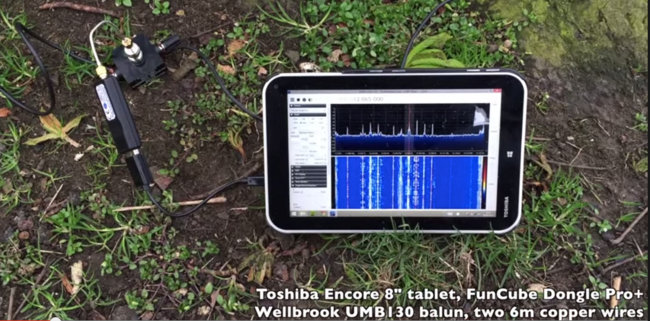
An inexpensive Windows tablet for portable SDRs?

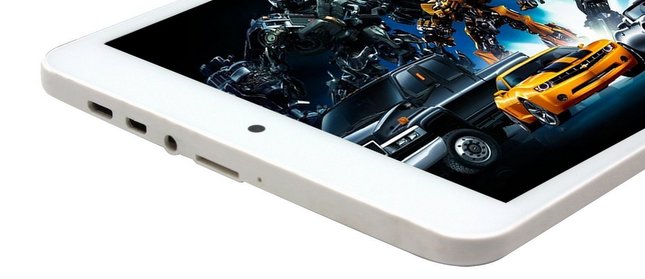
A tablet with two USB ports would be ideal.

I’ve never been a fan of tablet PCs. I have an old Android tablet that I occasionally use to watch Netflix and read eBooks, but when I want to interact with a computer, I typically want the convenience of a proper keyboard and the precision of a mouse or large track pad.

With that said, this year at the Winter SWL Fest, I was co-host of a forum called: “Time Travel, Teleportation & Spectrum Hoarding for the Contemporary DXer.” My good friend and co-host, Mark Fahey brought his Windows tablet PC and we used it to demonstrate how easily and effectively SDRs can be taken to the field and spectrum recordings can be reviewed practically anywhere. Indeed, Mark tunes through his spectrum recordings while taking the train to work! (How cool is that!?!)

This week, I reviewed a guest post about portable SDRs by London Shortwave; afterward, I decided that I must begin the search for a Windows tablet. Since I would only use this tablet for portable SDR work, I really want to keep it as affordable as possible ($200 US or less).

It appears to me that there are a few things that you must overcome in a portable SDR package including: mitigating internal noise produced by the tablet and accessories, and the ability to power the tablet and the SDR at the same time.

Windows Tablet Wishlist:

  • Inexpensive (less than $200)
  • Enough speed and memory to run SDR applications and record spectrum to an internal SD card or external portable drive
  • Separate USB and power ports or the ability to power both the tablet and SDR at the same time

My choices so far:

Readers: Your recommendations and advice are most welcome! Please comment especially if you have experience using tablet/SDR combos.

Roundup of software defined radios


RTL-SDR

Many thanks to several readers (including Mike and Greg) who have shared a link to RTL-SDR.com’s Roundup of Software Defined Receivers. The list gives an excellent, comprehensive overview of SDRs currently on the market. I encourage you to check it out.

Indeed, while you’re at RTL-SDR.com, take a look at their active blog and forum to get the most out of your RTL-SDR dongle!

Wyn compares the SDRplay RSP and Airspy

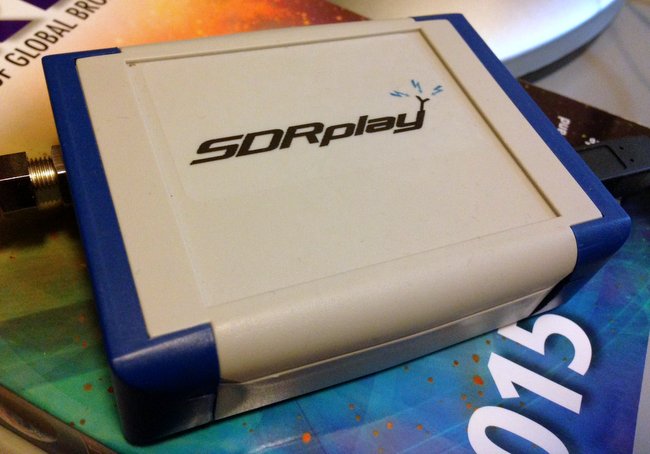
SDR-PLay-RSP

After posting about the price reduction in the SDRplay RSP, Wyn Evans commented with his comparison of the SDRplay RSP and Airspy (another popular low-cost wideband SDR). Wyn writes:

I have both and Airspy and the SDRplay RSP. I like them both, but on balance I prefer the RSP. The pluses of the RSP over the Airspy for me are:

1. Sensitivity – At least with my Airspy, I find the sensitivity a bit disappointing. The RSP is on the other hand excellent. I read on another forum one user claiming that the difference between the two was as much as 3 dB. I can’t verify the number, but I would not be surprised if it were about right

2. HF support – Absolutely fantastic, no up-converter needed

3. ZIF or Low IF. In ZIF mode, with calibration, you can get image free reception

4. Programmable filters. You can change the selectivity from as low as 200 KHz to the full bandwidth of 8 MHz, This is a huge plus for DX-ing if you live in an area with very strong local stations

The plus for the Airspy is that there is does cover the gap between 380 MHz and 430 MHz, with the RSP doesn’t. For some people, this is a really big deal.

Both seem to have about the same dynamic range, which isn’t surprising as despite using different tuners, the ADCs seem to be virtually identical.

So in summary, I think both are pretty good products with pluses and minuses, but at this new price point, as long as you don’t need to use 380 – 430 MHz, there is really only one I would choose now.

Many thanks for your comparison, Wyn. As I stated before, my impression of the SDRplay RSP is quite good so far. I live in a very RF quiet area–I am curious if anyone has used the SDRplay in urban areas, near local broadcast stations and experienced any overloading or serious imaging.

Software Defined Receivers (SDRs) for the visually impaired listener

Spectrum Display 31 Meters on the WinRadio Excalibur

At the 2015 Winter SWL Fest, I co-hosting a forum on Software-Defined Radios.  Afterwards, a radio friend–who happens to be visually impaired–approached me to ask:

“What is the best SDR for those who are blind or visually impaired?”

I’d never been asked the question before, and replied that I’d have to do a little research. In truth, I suspected that research would turn up very little that was useful:  after all, SDRs require a lot of pointing and clicking, and some of the interfaces are rather complicated. Spectrum and waterfalls displays, often at the heart of the SDR app, are visual displays.

But I kept thinking of my friend’s question. Upon my return, I set out to do a little research and possibly pose the question here on the SWLing Post.  Then assistance stepped in…in the form of medium wave DXer Tore Johnny Bråtveit.

If Mr. Bråtveit’s name sounds familiar, that would be because I recently posted a link to an Oregon Public Broadcasting interview with him. In the interview, he mentioned that he uses SDRs to chase MW DX, and that he is visually impaired.

I reached out to Mr. Bråtveit via his website and asked for any advice he could give about SDRs for those who are blind or visually impaired.  His enlightening response:

“In the interview I mentioned screen reader software and the need to find SDR software that plays well along with such screen reader software. For those visually impaired who have some eyesight, this aspect may not apply, since many of them are well helped by a screen magnifier software package.

For those without eyesight at all, or with so little left of the eyesight that they cannot make practical use of the screen, there are these screen reader software packages. They all do the same, but they solve the job in a somewhat different way and are good at different tasks.

I began using SDRs back in 2007. First I used some [RFspace] SDR-IQs for a few years, until I purchased a Winradio G31DDC in 2010. The user experience with Winradio was so good that I have stayed with those radios since then, using both G31DDC and G33DDC receivers at my remote listening places.

I think I can say that all the software packages delivered with SDRs have issues and challenges when it comes to using them along with a screen reader. The worst example of unusable native software I have seen so far, is the software package delivered with the [Microtelecom] Perseus. I had a thought purchasing one some years ago and make some scripts for my screen reader JAWS to see if I could make the Perseus possible to use effectively, but I dropped the idea at that time in favor of Winradio.

The SpectraVue software delivered with SDR-IQ was usable, but I had to script it quite extensively, especially to be able to use the timeline when playing back recordings. Also the frequency selector was a bit tricky, so I had to assign some hotkey combinations to it. Otherwise it worked fine.

The Winradio software for the G3x series works quite fine right out of the box. They have apparently thought [through] keyboard operation, and there are shortcuts for almost everything. Such shortcut keys are necessary, as navigating the program interface with a screen reader can be a bit too complicated, especially for those only using speech output from the screen reader to access the screen content.

I personally am living in a country where we have good access to refreshable Braille displays, which gives me the opportunity to turn off the speech entirely if I want and only use Braille output. This way I can navigate the program interface quite effectively to understand how things are laid out.

The only real issues I have had with Winradio software, is:

1. Changing shortcut keys:
Normally, the Tab key is used to move between elements on a screen, so it would be natural to think that pressing the Tab key will bring me to the next shortcut key definition. Not in Winradio. Tab can be defined as a shortcut key itself, so trying to navigate the shortcut keys dialog with that key gives you a number of options, all connected to the Tab key. My way around this was to navigate with the Braille display until I found the shortcut key definition I wanted to change, focus on it by pressing a cursor routing key in that position and changing the definition. Then navigate further down to the OK button and activate it.

2. The timeline:
The timeline used when playing back recordings can be hard to locate when using a screen reader, and even more difficult to work with, since when you press a cursor routing key on the Braille display to simulate a mouse click on it, the focus often moves to somewhere else on the screen. Then you have to work hard to locate back to that timeline again. My solution here was to script my screen reader with a hotspot at the timeline with a shortcut key assigned to it, so that I could move focus back there by pressing a key.

Among the third-party software packages developed for SDRs, I have found few that I can recommend. The only one I can think of, is HDSDR. Especially in the current version from November 2013, there are a number of useful shortcut keys, and the program seem to work very well. I have used it a bit with an AFEDRI SDR I have, and have also used it to play back older SDR-IQ recordings.

So, if nothing else works, Iwould say that HDSDR is the solution, since it is both easy to use and have support for a number of receivers. And it is free, as you certainly know.

[…]Please write back if I can help you any further”

Brilliant!  What a treasure trove of information for our visually-impaired SDR listeners and operators.  Thanks so much, Mr. Bråtveit, and please keep in touch with us here at the SWLing Post.  73s!

SDRplay RSP: now $149 or £99

SDR-PLay-RSP

I just received the following tweet from @SDRplay:

We’ve been able to reduce the SDRplay RSP price to $149 or £99 (approx €149 ) + tax/shipping. See

I’ve just started reviewing the SDRplay RSP for the June 2015 issue of The Spectrum Monitor Magazine. Preliminary impressions of this SDR are quite positive–especially for a receiver in this price class. At $149 US, the SDRplay RSP is now less expensive that the Funcube Dongle Pro+. Indeed, the RSP is even less expensive than portables like the Tecsun PL-880 and Sangean ATS-909X.

Over the next two months (as I get to know the RSP better) I will post the occasional broadcast recording using the SDRplay RSP with HDSDR and SDR#.

Pulling Radio Santa Cruz out of the interference

BoliviaI recorded Radio Santa Cruz early this morning around 05:00 UTC on 6,135 kHz using the TitanSDR I currently have under review.

Radio Santa Cruz‘s 10 kW signal from Santa Cruz, Bolivia, was very much audible here in North America, though RSC was competing with another station on-frequency at the time. Actually, Radio Santa Cruz was broadcasting slightly off-frequency–6134.8 kHz instead of 6,135 kHz. In this case, the fact that RSC was slightly below frequency helped me delineate the station’s audio from that of a competing station.

Fullscreen capture 272015 54241 PM

In the screen-grab of the narrowband channel from the Titan SDR (above–click to enlarge) you can see two distinct carriers spaced only .2 kHz apart (represented by the two peaks in the spectrum display and two parallel vertical lines in the waterfall display).

Here is what the audio sounds like in normal AM mode when we center on the Radio Santa Cruz frequency of 6,134.8 kHz:

You hear a hetrodyne and garbled noise from a competing station. Not pleasant audio.

If we change from the AM mode to eLSB mode (essentially, the TitanSDR’s version of synchronous detection on the lower sideband) we are ignoring all of the noise in the upper sideband, allowing the desired signal of RSC to pop out.

Fullscreen capture 272015 54317 PM

You can see in the screen-grab above that now only the lower sideband of the RSC signal is highlighted. Here’s a 21 minute recording:

Makes quite a difference!

It’s easy to see competing signals and interference on an SDR’s spectrum display, but if you hear something similar on your portable, try the techniques above to see if it clears up the signal.

If your receiver lacks a selectable synchronous detector, much of the same results can be gained by zero-beating (tuning in) the desired signal in lower sideband mode. Of course, if you have a receiver that lacks SSB mode, the best you can do is tune slightly below frequency in AM, in which case the results will not be as dramatic.

Conclusion? Listening in single-sideband or with a selectable sync detector might be all you need to dig a signal out of the interference.