Category Archives: AM

Initial Impressions of the Tecsun S-2200X

By Jock Elliott, KB2GOM

Bob Colegrove inspired this, with his excellent post “Pressing Buttons. Twirling Knobs and Throwing Switches.” If you haven’t read it, go do so now.

And it was our Maximum Leader, Thomas, who some time ago was asked “What’s the best shortwave radio?” His response (if I recall correctly): “The one you enjoy using.” That’s worth taking to heart. It doesn’t matter if you have the highest, techiest, super zoot receiver or SDR with the best lab numbers, if you don’t enjoy using it, how much will you really use it?

Given my age and my radio experience, my belief is that a real radio has a knob or button or switch for just about every function and a real tuning knob that doesn’t snap, crackle or pop as it changes between tuning increments.

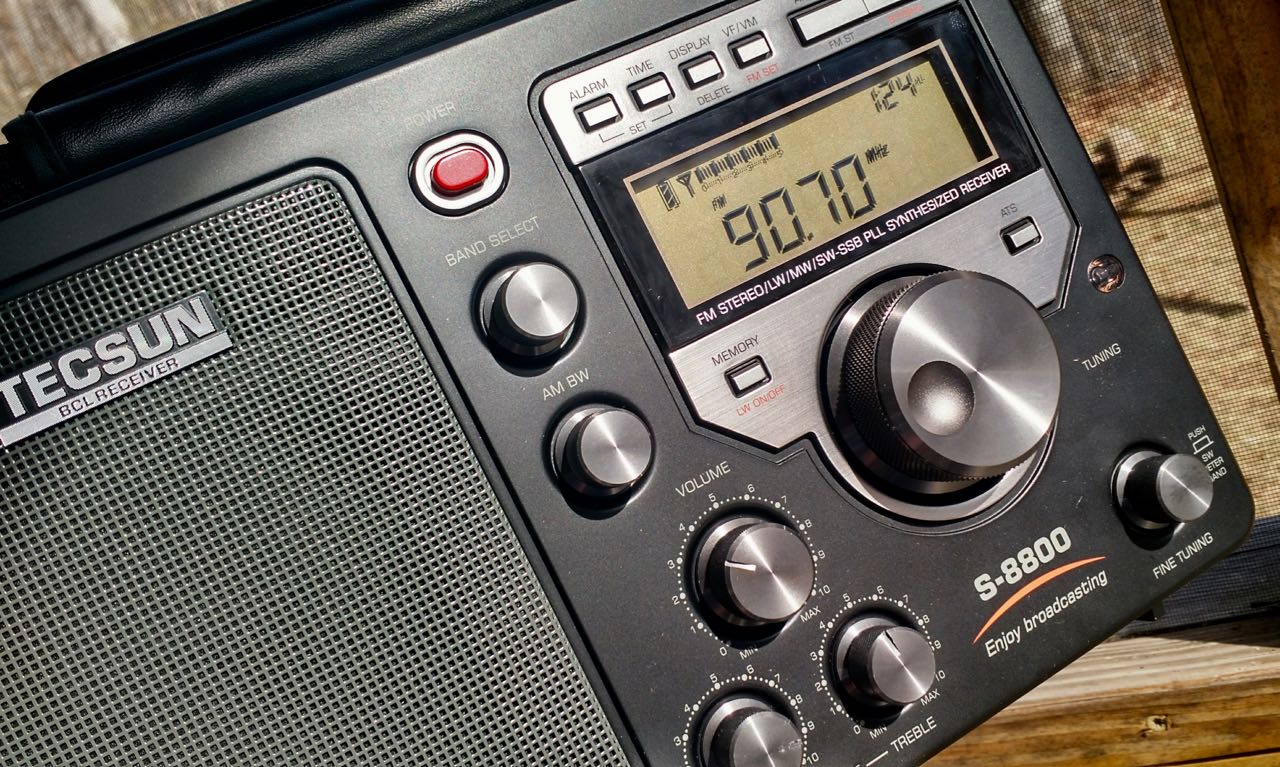
The photos show the Tecsun S-2200X is studded with knobs and buttons, enough to satisfy an old retrocrank, but how would it perform? Dan Robinson had already reviewed it here. I respect his reviews, but I had to see for myself. With some trepidation I ordered the Tecsun S-2200X.

It arrived a couple of days ago. First impression: it’s a large radio – measuring approx. 15 inches wide, 7 inches tall, and 5 inches deep. It can run off 4 D batteries or 2 18650 rechargeable batteries, so technically it is a portable, but you’ll probably want something like a gym bag or backpack to transport it.

The fit and finish are pleasing, what you would expect from a radio in this price range. The front panel is studded with (if I am counting correctly) 33 buttons for activating various functions, 7 knurled metal knobs, a lighted analog signal strength meter, and a 3.5 inch by 1.5 inch (approx..) lighted liquid crystal display that serves as information central for the S-2200X.

On the right side are two BNC antenna connectors (one for FM and airband, the other for shortwave), a pair of clips for attaching a shortwave wire antenna, and a switch for selecting between internal and external antennas.

On the back are two hatches for installing batteries and inside one of the hatches, a switch for choosing between powering the receiver with D cells or the 18650 batteries. Also on the back, stereo line-out sockets.

On top, there are a retractable carry handle, a rotatable LW/MW antenna with a connector on the backside for an external LW/MW antenna, and a pull-up telescoping whip antenna for SW, FM, and air band.

On the left side is a port for plugging in the charging cable for the 18650 batteries.

Ease of Use

The S-2200X is straightforward to operate for basic operations (Memory operations will require consulting the well-written manual). On either side of the tuning knob are buttons for selecting FM, MW/LW, SW and Air bands, as well as selecting memory pages. Prolonged pressing of certain band buttons will activate Auto Tuning Storage of frequencies in that band, and these buttons are clearly labeled.

For shortwave, there are two buttons: SW+ and SW-, and, if you are in AM mode, these are used for incrementing between shortwave bands. However, if you are in either upper or lower sideband mode, these buttons will increment between amateur radio HF bands.

Below, and to the right of the tuning knob is a small button for switching between memory mode and frequency mode. A long press of this button will activate scanning of whatever band or memory page is active. To the lower left of the tuning knob is a button for changing tuning steps.

Below the signal strength meter is a 12-button keypad, and to the left of this are buttons for selecting synchronous detection, USB, LSB, and bandwidths. Volume and tone controls are knobs below the speaker grill.

As they used to say in the old sports car magazines: “The controls fall readily to hand.” If your goal is to pop in some batteries and start using the S-2200X right away, I found it easy to do. I particularly enjoyed the smooth tuning – both mechanical and audio – provided by the large, dimpled, tuning knob. On the unit I purchased, the tuning knob, though solidly mounted, wobbles a tiny bit.

Performance

The S-2200X acquits itself well. FM is top notch and the stereo audio is pleasing through headphones, which I routinely use to listen.

The MW performance was also satisfying, and I enjoyed using the rotatable LW/MW antenna to peak signals . . . it works! I tried plugging a Terk AM Advantage loop antenna into the jack on the backside of the rotatable antenna and found no discernable improvement in signal. To be fair, if you want the ultimate in MW DX performance, there are “hotter” MW receivers available, but I was not disappointed. I did not test LW performance.

Airband performance was average. An ATS scan of airband found five active frequencies in my area, and there is the ability to scan stored memories, stopping at each one for about five seconds.

On SW, the S-2200X delivers satisfying performance through its telescoping whip antenna. Using time stations as standards for testing, and switching between the whip and a 45-foot indoor wire loop antenna, the signal strength meter showed signals received on the whip often equaled or were only slightly less strong than those from the loop. Note well: if you conduct this experiment for yourself, there is a noticeable – perhaps one second – delay in the signal strength meter reacting to the change in antennas. If you are a SW  program listener, there are a variety of bandwidths and tone controls to fine tune the signal to your liking. I tried using the synchronous detection, and it sharpened the audio but introduced a pulsing quality to the signal that I did not like.

Most of my HF listening concentrates on single-sideband voice signals: the HF ham bands, Coast Guard weather forecasts, aeronautical voice communications, and the like. Here the S-2200X also delivers satisfying performance with impressive sensitivity on the whip antenna, a variety of bandwidths to choose from, and a fine tuning knob for dialing in the signal.

Noise Control

Now here is where the S-2200X got really interesting.

Not long ago, I became aware of a technique used by some of the experienced old hands. They would tune up on an SSB signal, then reduce the RF gain to remove as much noise as possible while preserving an intelligible signal. It made listening much more enjoyable and less fatiguing.

I tried this on my Icom IC-706 MkIIG and found that it was indeed an effective technique, but I wanted a radio I could park bedside so I could listen SSB signals on headphones while the Better Half drifts off to sleep. The Icom requires a separate power supply and an external antenna, and that seemed impractical for a bedside radio. Further, none of my portables have RF gain control.

The S-2200X does have a gain control. Here’s what the manual has to say about it: “When listening to longwave, medium wave, or shortwave, use the RF Gain control knob to adjust the gain for signals of different strengths and obtain the best reception.” I tried it on a SSB signal and it reduced the noise a little, but not nearly as much as the Icom IC-706.

Then I idly tried the squelch knob below the RF gain knob, and – tah dah! – substantial noise reduction, rendering the signal much more pleasant in my ears. The manual says: “Using the squelch control knob may reduce or suppress background noise when listening to LW, MW, SW, and airband.” As they say in the informercials: it really, really works!

Yes, but is the S-2200X really better than the other Tecsun radios that have similar basic circuitry but don’t have RF gain or squelch controls? The short answer is a definitive YES. Doing A/B comparison with my Tecsun PL-880, I found the two radios sounded about the same on a noisy band. But when I activated the RF gain and squelch controls on the S-2200X, it demonstrated a substantial advantage in “listenability” over the PL-880 with no RF gain or squelch controls.

Bottom line: based on my usage so far, I can heartily recommend the Tecsun S-2200X, particularly if you are interested in using it as a communications receiver for monitoring ham and utilities SSB signals.

Check out the Tecsun S-2200x at Anon-Co.

Bob’s Radio Corner: Buttons, Knobs, and Switches

Source: The Great International Math on Keys Book, Texas Instruments Inc., Dallas, Texas, p. 4-7, 1976.

Pressing Buttons. Twirling Knobs and Throwing Switches

By Bob Colegrove

Move along.  Nothing informative to read here, just the wandering of an idle mind scheming with meandering fingers on a keyboard.  On the other hand, if your curiosity can’t be controlled, consider that a significant amount of enjoyment in this hobby is the mere operation of the radio – seeing what all the buttons, knobs, and switches do, both separately and in combination.  It’s always been this way.  Beginning in the Amplifiozoic Epoch there was continual rotation of the knobs.  This occurred before the discovery of ganged capacitors, when each circuit had to be tuned independently to resonate at the proper frequency.  Otherwise, nothing.

It could be quite confounding for a non-radiofile trying to break into the sport.  Just getting some sound out of a two-knob radio could be a challenge.  My late mother solved this problem on all our radios by painting a dab of red nail polish at the points on the dial where each local station came in.

The Complexities of Shortwave

Later, with the humble entry-level shortwave “set” there was conundrum in the way the bandspread interacted with the main tuning control, and the curious effect of the BFO switch.  Even the venerable Hallicrafters Company, which catered to the hams and SWLs of the time, recognized the problem. They tried to solve this by prescribing a default setting in installation and operating procedures for model S-40 receiver, The Hallicrafters Company, Chicago, USA, p. 4, 1946:

“NOTE. – Some of the control markings are in RED. This is an added feature incorporated for the convenience of the listener who is not familiar with radio terminology as an aid in setting the controls most used for the reception of standard broadcast stations.”

That was the nice way of saying it.  After many years, I still chuckle to myself thinking of an old ham radio mentor of mine who insensitively explained that the purpose of these markings was for certain members of the household who could not otherwise make the radio work.  On my S-40B, the “convenience” markings are white dots.

Modern Radios

Modern radios have many buttons, which can work in different ways.  A short press will do one thing while a long press will do something else.  Some buttons do one thing with the radio turned off and another thing with the radio turned on.  On many radios you can lock the buttons and knobs, in which case they won’t do anything.  You must get it right.

Hidden Features

Today, the possibilities with all these variables are boundless, even beyond the control of the manufacturers who incorporate the complex TEF6686 30-pin IC chips in their designs.  Qodosen has set the bar high by making a plethora of user-adjustable functions available on the DX-286.  An uncommonly informative 40-page manual has been included with each radio and is highly recommended as an essential tool to assist with its operation.

In recent years, Tecsun has capitalized on this by incorporating “hidden features” in some of their models; that is, their operation and even their very existence are not revealed in the manual.  In computer gaming parlance, these features are called “Easter eggs” for which one must hunt.  Originally, the inclusion of hidden features may not have been intentional, but with the introduction of the PL-880 in 2013 they became a veritable sensation, as testified by the countless owner postings on the PL-880 Yahoo users’ group of that time.  A prize of unbounded esteem and self-satisfaction went to the intrepid listener who discovered and solved a hidden feature.  This interest went on for several months as Tecsun tweaked the firmware and the “features” migrated somewhat.  But unfortunately, a spoiler has been introduced.  Hidden feature data sheets are now packaged with current models.  In case you are missing any, here is a sampling.

For the Tecsun PL-368 see https://swling.com/blog/2021/08/troys-tecsun-pl-368-hidden-features-quick-reference-sheet/

For the Tecsun PL-990 see https://swling.com/blog/2020/10/johns-pl-990-hidden-features-quick-reference-sheet/

For the Tecsun PL-880 see https://swling.com/blog/2019/10/40072/

For the Tecsun S-8800 see https://swling.com/blog/2018/08/bill-discovers-a-number-of-tecsun-s-8800-hidden-features/

SDR

The complexity of radio operation is compounded still further by the advent of SDR, wherein combinations of various hardware and software components result in a host of possibilities.  Features and their placement seem endless as they are distributed on multiple menus.  As my personal experience is limited to WebSDR, I leave the pursuit of this point to others.

Manual Power Generation

Finally, the inclusion of some elementary form of leverage and dexterity is present in some radios.  Isn’t the hand-powered crank on today’s emergency radio akin to the vintage treadle-operated transcription machine pictured at the beginning of this posting?  Perhaps we have come full circle.

Conclusion

Today’s radios are a sort of Rubik’s cube which can continually be manipulated to provide many hours of discovery and complement the listening and DXing experiences.  So, the next time you crawl underneath the headset and unconsciously tune to the object frequency, zero beat on the necessary sideband, and adjust the proper bandwidth and volume, reflect on all the time and practice it took you to develop this useful skill.

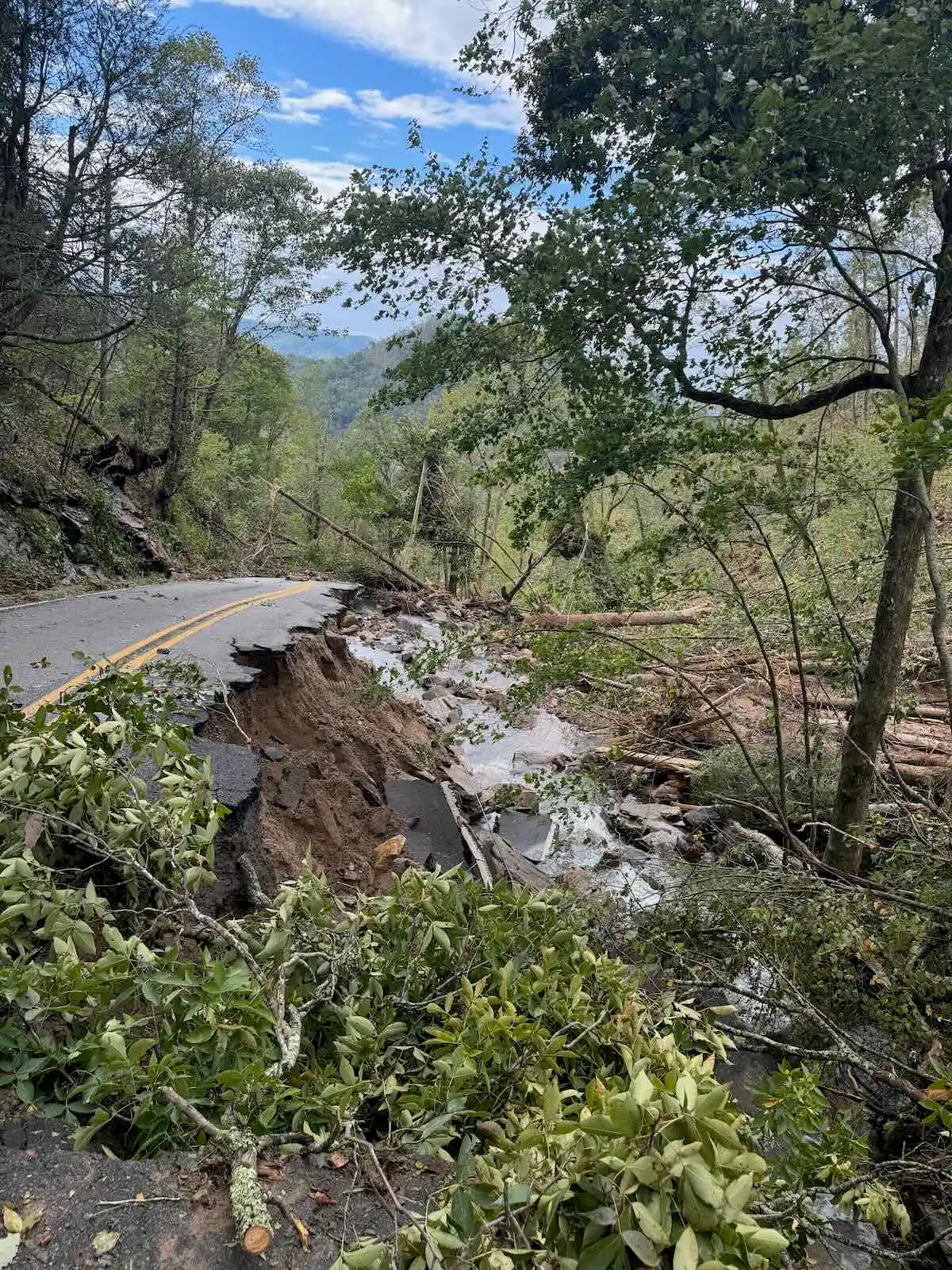
Eye On America: NC radio station becomes voice of recovery after Hurricane Helene

From CBS Evening News:

After Hurricane Helene devastated western North Carolina, a couple of radio broadcasters played a critical role in keeping residents informed. Now, six months later, they have taken on a new role in the recovery. Skyler Henry reports.

Click here to view on YouTube.

Having experienced the devastation of Hurricane Helene firsthand, I can confirm that this radio station, along with its FM relay, delivered crucial community updates when both internet and mobile phone services failed.?Never underestimate the power of local radio. — Thomas

Geerling Engineering’s Take on the FCC’s “DELETE, DELETE, DELETE” Docket

Jeff and Joe Geerling provide a quick but insightful overview of the FCC’s “DELETE, DELETE, DELETE” docket, offering their thoughts on its implications—especially from Joe’s perspective as a broadcast engineer. Their discussion is a great starting point for understanding how these regulatory changes could impact radio and wireless communications.

Click here to view on YouTube.

I should note that a couple weeks ago I submitted a public comment on the FCC site regarding the importance of the amateur radio service—while this isn’t specifically about deregulating the amateur radio service, I believe it’s always worth reinforcing the value of maintaining our spectrum allocations. Click here for more information on the FCC website.

Simple Wire Antenna: Giuseppe’s Mediumwave DXing Adventures from the Tyrrhenian Sea

Many thanks to SWLing Post contributor, Giuseppe Morlè (IZ0GZW), who writes:

Dear Thomas and Friends of SWLing Post,

I am Giuseppe Morlè from Formia, Central Italy, on the Tyrrhenian Sea.

This time, I want to share a very simple antenna setup for listening to and attempting extreme DX on Medium Waves.

I first saw this antenna in several videos, and many DXers have used it during various expeditions.

For my setup, I used a 15-meter-long wire. At around 11 meters, I formed a small coil with 8 turns, then continued the wire for another 3 meters.

I began with some tests on my balcony by laying the wire flat along the ground for its entire length. I used my small Sony SRF-37V as a receiver. By placing the receiver within the coil of turns, I immediately noticed a significant difference compared to the built-in ferrite antenna.

In the early afternoon, I tuned into a Chinese language broadcast on 1377 kHz. You can watch a video of this experiment on my YouTube channel:

Encouraged by the excellent results, I decided to head to the tourist port of Caposele di Formia the next day in the early afternoon. I set up on the pier overlooking the sea. This time, I laid the wire in an eastward direction — towards the night, where the sun had already set, while it was still high for another two hours on my side.

Once again, I achieved amazing results.

I was able to hear the same Chinese station on 1377 kHz, but this time with much clearer audio than from my balcony, where electrical noise interfered. By the sea, the signal was clean and strong.

After a while, I tuned into VOA broadcasts from Thailand on 1575 and 1395 kHz, both with surprisingly good audio quality. You can see this second experiment here:

Sometimes, all it takes is a bit of wire and a small coil to create an excellent, ground-level antenna — in this case, oriented eastward.

I also tried using my loop cassette and a Tecsun PL-660 but couldn’t hear anything. Yet the little Sony SRF-37V proved itself to be a true “DX killer” on AM — truly impressive.

I even caught a segment of the VOA program “World Today,” discussing the Chinese economy and Southeast Asia.

As the sun set, the DX signals faded, making way for closer European and Asian broadcasters.

I will definitely return with a longer wire to see if this surprising setup can be improved even more.

A warm greeting to all the Friends who follow SWLing Post and to you, Dear Thomas.

73, Giuseppe IZ0GZW

More Reception Videos:

Don Moore’s Photo Album:  Guatemala (Part Four) – To the Western Highlands

Many thanks to SWLing Post contributor Don Moore–noted author, traveler, and DXer–for the latest installment of his Photo Album guest post series:


Lago de Atitlán con el pueblo de Panajachel de fondo (Photo by Larissa Gomez via Wikimedia Commons)

Don Moore’s Photo Album:
Guatemala (Part Four) – To the Western Highlands

More of Don’s traveling DX stories can be found in his book Tales of a Vagabond DXer [SWLing Post affiliate link]. If you’ve already read his book and enjoyed it, do Don a favor and leave a review on Amazon.

If anyone deserves recognition as the first tourists to visit western Guatemala it would be the American John Lloyd Stephens and Englishman Frederick Catherwood. In the 1820s and 1830s, Stephens traveled extensively in Europe and the Middle East and published several books about his journeys. On one of those trips he met Catherwood, an accomplished artist who traveled around the Mediterranean making drawings of archaeological sites.

The pair decided to visit Central America after coming across accounts of ruins in the region by the Honduran explorer Juan Galindo. Their trip received official support when U.S. President Martin van Buren appointed Stephens as a special ambassador to Central America.  The two men wandered the region for several months in 1839-40 visiting known Mayan sites and rediscovering many others. Stephens wrote two books about their travels, Incidents of Travel in Central America, Chiapas and Yucatán and Incidents of Travel in Yucatán while Catherwood published a book of his drawings, Views of Ancient Monuments in Central America, Chiapas and Yucatan. All three books became immediate bestsellers.

Frederick Catherwood’s 1840 lithograph of the central plaza in Quetzaltenango, Guatemala. 

The three books introduced the Mayan civilization to the rest of the world for the first time, bringing new visitors to the region. Some came to do serious research. Others were just curious adventurers. But the numbers that came were small as only a few wealthy people had the time and money to journey to exotic places.

Then the 1960s brought a new kind of tourist – the hippie. Many young people in Europe and North America saw flaws in the materialism of their own societies and became interested in experiencing non-western cultures. The Mayan region of Guatemala was a perfect destination. It was exotic, relatively easy to get to, and cheap.

That qualification of cheap was especially important. The hippies weren’t big spenders staying in classy hotels and eating at pricey restaurants. They found rooms in basic hospedajes and ate everyday local food cooked by indigenous women at roadside comedores. In many ways that was better. The money went directly to local working people instead of to the wealthy owners of fancy establishments.

The 1960s and 1970s became the era of hippie tourism in Guatemala. Most of visitors went to the area around Lake Atitlán, drawn by the lake’s natural beauty and the region’s year-round springlike climate. The epicenter of it all was the little lakeshore village of Panajachel.

Clouds of War

To anyone wandering the shoreline of Lake Atitlán in the mid-1970s, Guatemala seemed to be a peaceful place. In reality, a guerilla war was raging just a hundred kilometers away. In 1954, a CIA-sponsored coup overthrew Guatemala’s elected government and ushered in a long period of repressive military regimes. With the military showing no signs of relinquishing power, around 1965 a few leftist activists went into the remote mountains of northern Huehuetenango and Quiché departments with hopes of repeating Fidel Castro’s success in Cuba.

By all appearances, this should have been a minor footnote in Guatemala’s history. The would-be revolutionaries, after all, were city people without the skills to survive in the remote mountain highlands. But they recruited a few Mayans to their movement and then a few more until the Mayans dominated the guerilla movement. Yet the Mayans were never guided by ideology. The guerilla movement was a way of fighting back against centuries of repression, discrimination, and poverty. As one observer put it, “They’re Communists because of their stomachs, not because of their heads.”

As the guerilla movement grew the combat zone gradually moved south and into other regions. And the war became less a political revolution than an ethnic conflict. The military was dominated by Spanish-speaking ladinos who knew nothing of Mayan culture or the Mayan languages. All Mayans were seen as potential enemies, as was anyone who attempted to improve the Mayans’ lives. That lead to the formation of military-run death squads which targeted small town mayors, teachers, social workers, church leaders, and anyone else who dared to speak up. By 1981 over two hundred non-combatants were being kidnapped, killed, and dumped by the side of the road every month.

In 1976 the Lake Atitlán region had been seen as a peaceful place. A few years later the combination of active military death squads in the villages along the lake and a widening guerilla war elsewhere had put an end to that image. The era of hippie tourism in Guatemala was over. Continue reading

Bob’s Radio Corner: Pairing a Phone or Tablet with a Radio

Pairing a Phone or Tablet with a Radio

By Bob Colegrove

The Internet is full of resources for radio listeners and hobbyists.  There are numerous examples of general information, frequency, and schedule lists.  There are also WebSDR sites, which allow you to compare reception experiences from around the world.  All of these can be accessed quickly and easily by having them loaded on your phone or tablet operating side-by-side with your radio and having Wi-Fi or cellular access.  We never had any of this when I was starting out.

I realize there are other ways to go about what I have described below, for example, merging station listings with SDR.  This posting is for folks like me who are SDR-challenged.  I listen to plain old radios.  My modern-day experience with newfangled technology has been limited to hitchhiking on WebSDR sites for the last few years.  It has served me well.

Ideally, I would like to generalize this topic to simply cover all phones and tablets.  In truth, my experience has been limited to an iPhone and Kindle Fire tablets.  They have worked very well as I shall explain.  Perhaps you have paired a different phone or tablet with your radio, in which case, feel free to share your experience.

The choice of a phone or tablet is yours.  Either works well.  Your decision will be affected by what you have available and what is easier to use.  If you intend to buy a new device and associate it with your radio, cost will be an additional factor.

A noteworthy device (the one I tend to favor) is a Kindle Fire.  Mainly, they are cheap.  The regular price of a 7-inch model is just under $60 and can often be purchased for less during Black Friday and Prime Day sales.  It is versatile, possessing all the usual functions except for cellular access.  Perhaps most importantly, it is virtually noise-free.  For a while I struggled using Internet sources on a laptop computer.  Even a good one located about 10 feet away from the radio antenna generates noise.  On the other hand, I have taken a 7-inch Kindle Fire in hand and placed it against the resonant coil of a loop antenna.  This abuse generated no more disturbance to the antenna than if it were a block of pinewood.  I have noticed some slight noise from the 11” Kindle when the antenna is exposed this way, but when that tablet is held at arm’s length from the antenna, all is well.  Recently, I have expanded this application to my iPhone and found its noise immunity matches that of the Kindle Fire 7.

Broadcast Schedules

The most useful Internet resources are the broadcast schedules.  These are the comprehensive frequency-time-station listings that tell us where and when to tune.  There are many good ones.  My favorites are the EiBi listing http://www.eibispace.de/, and Dan Ferguson’s https://groups.io/g/swskeds/topics.  For the latter you will need to request membership.  SWskeds merges EiBi, Aoki (https://www1.s2.starcat.ne.jp/ndxc), HFCC (https://new.hfcc.org/index.php), as well as other sources into a single list.

Processing

The EiBi listing comes as a CSV-formatted text file, which can be imported into a spreadsheet. I have done some processing using spreadsheet functions to produce a customized listing.  Processing the frequency-time-station lists is most conveniently done using a computer rather than the phone or tablet.   Processing includes selecting, arranging, or filtering the downloaded data tailored to your needs.  This might include adding a filterable column to indicate only stations that are on at the current time.  Some users might favor filtering by country or station. The heavy lifting processing is done automatically whenever a new listing is published by simply dropping the new file into the existing spreadsheet.  No, the functionality of a spreadsheet and ease of editing are not as good on a tablet as with the mouse and keyboard of a computer.  My processing on the computer includes measures to optimized the screen view to the most essential information thus minimizing the amount of scrolling on the tablet.

After the files are downloaded and processed, they can be loaded on the phone or tablet in a couple of different ways.  They can be directly transferred over a USB cable, or they can be transferred using a cloud server.  The USB cable-transfer method may be difficult on some devices, particularly iPhones.  The Kindle seems to be the more convenient device.  Being an obedient Microsoft customer, I can also transfer the files from my computer to OneDrive, then pick them up on the Kindle or iPhone using the OneDrive and Microsoft 365 apps which are available for both phone and tablet.

Examples

The screenshot below shows an EiBi example at 0014 UTC.  Although the “ON” column filter is set to show only transmissions currently “ON,” it had not been manually updated on the Kindle for a couple hours and thus includes listings from a previous time.  The EiBi database does not include transmitter power or beam information.  However, the identification of countries and transmitter sites is extensive.  These are determined by downloading and printing the README.TXT file on the EiBi site.

The SWSkeds listing is available in both CSV and Excel formats.  It contains several additional data fields, very importantly including transmitter power and beam direction when available.  For this list, I make the simple conversion of the existing Excel data range tab, “COMBINED” to a table so I can easily apply filters.  The screenshot below shows an example at 1750 UTC with the “ON” column filtered to “ON.”

Not to be left out, the complete medium wave broadcast station list for Region 2, the Americas, is easily downloadable at https://www.fcc.gov/media/radio/am-query.  The entire database is formidable and contains nearly 600 pages in a printable format.  Much of this bulk is due to the doubled size necessitated by giving both daytime and nighttime power separate entries for each station.  A number of marginally useful data columns can be eliminated in spreadsheet processing.  I have added formulas to calculate the azimuth heading and distance from my listening post (blanked out in the example below).

A variation of the downloadable file format is the direct-query site, SHORT.WAVE.INFO.  Here you can simply enter queries by station, language, frequency, or band, and produce listings which match your criteria.  Any listings which are currently on the air will be highlighted in red.

WebSDR

Finally, I would like to mention the WebSDR sites.  While not used explicitly for broadcast schedules, these sites are great for anyone wanting to compare how well they are receiving signals relative to what others are experiencing.  Granted, location and time of day are big factors that affect reception, but it is still useful to make these relative comparisons.

Home base is http://websdr.org/ which presents a catalog of many WebSDR sites by location.  At the bottom of the page is a world map which pinpoints the location of each site.  Most of these sites cater exclusively to hams; however, The University of Twente, Enschede, Netherlands (http://websdr.ewi.utwente.nl:8901/) covers 0.000 to 29.160 MHz unabridged.  The screenshot below shows the tablet/phone version of the U. of Twente site.  There are also two sites on the US East Coast which cover some non-hamband portions of the SW spectrum:  http://na5b.com:8901/ in the Washington, DC area and http://websdr.k3fef.com:8901/ in Milford, Pennsylvania.  The SHORT.WAVE.INFO and WebSDR sites can be directly accessed and queried over the tablet’s browser and a Wi-Fi or cellular connection.

Using the System

In my relentless pursuit to log the Nibi-Nibi Islands, I will load up one of the frequency-time-station listings and start my DX session.  This typically includes a scan of a particular band, checking signals I can receive against the lists.  If my interest peaks on a particular catch (usually a weak one), I will switch the tablet over to a WebSDR site to see how it is being received in Europe or along the East Coast of NA.

In summary, ready access to these Internet resources using a phone or tablet next to the radio has notable advantages:

  • The frequency-time-station listings provide quick, reliable signal identification in most cases.
  • The WebSDR sites confirm that my antennas are doing their job.

Am I done?  I hesitate to stop here.  The process of discovery is a marvelous human experience.  The foregoing are merely starting points.  Other applications might include sunrise-sunset calendars or maps or propagation forecasts.  There are certainly other ways to do all this depending on your druthers.  I know I am erring by omission and neglecting many other good resources.  Let’s hear about yours.