Shortwave listening and everything radio including reviews, broadcasting, ham radio, field operation, DXing, maker kits, travel, emergency gear, events, and more
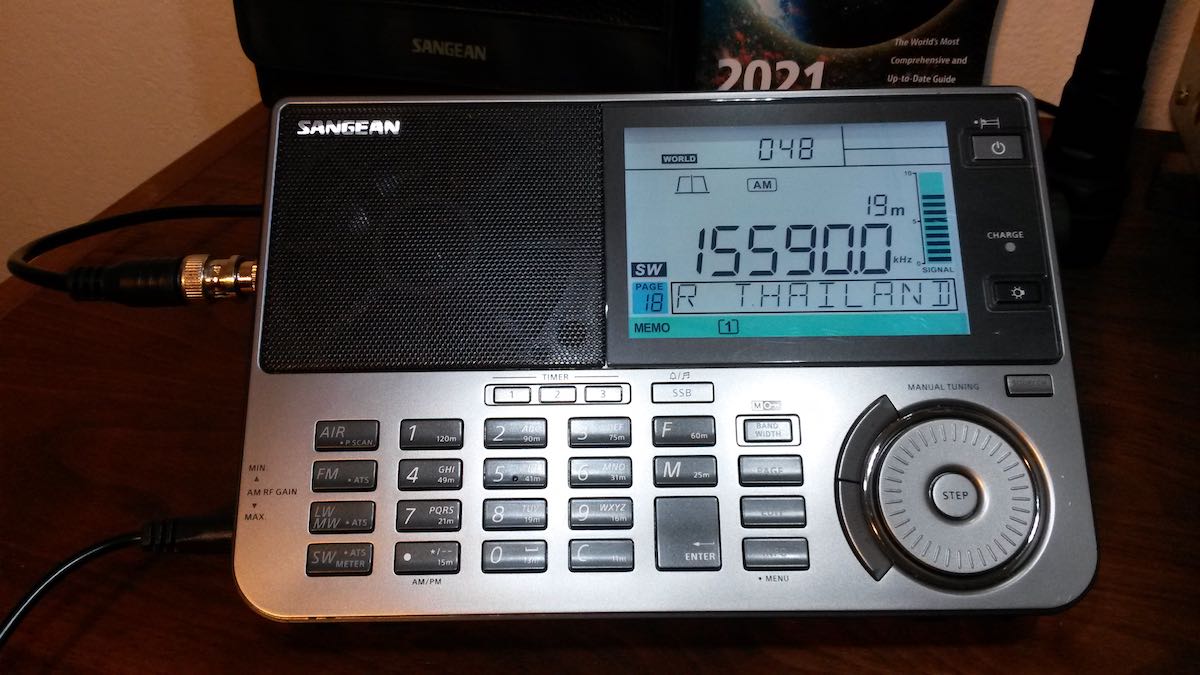
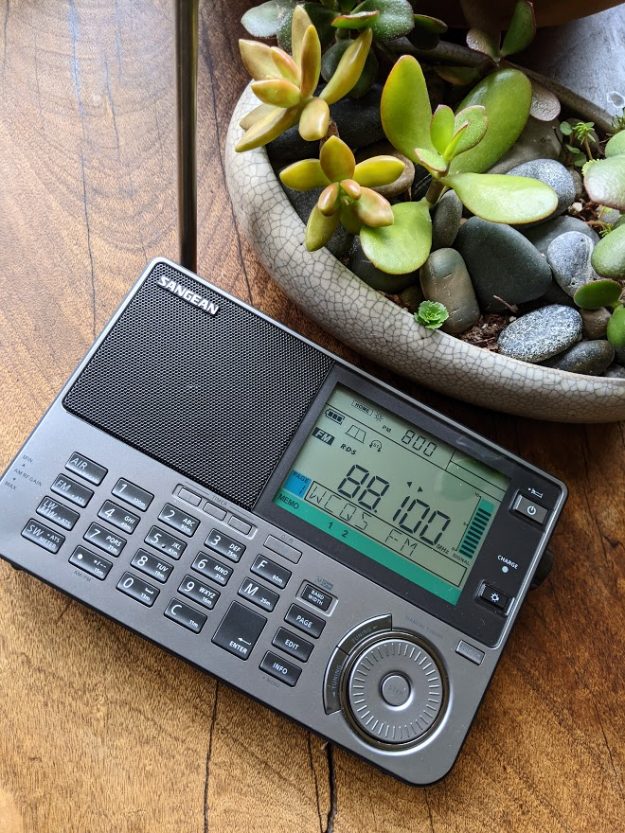
Many thanks to SWLing Post contributors, Toy Riedel and Robert Gulley, who note that the price of the Sangean ATS-909X2 has dropped to $259.49 on Amazon.com.
Amazon pricing is dynamic, so could change without warning. If you’ve been waiting to pull the trigger, now is a good time!
Many thanks to SWLing Post contributor, Dan Robinson, for the following guest post and review:
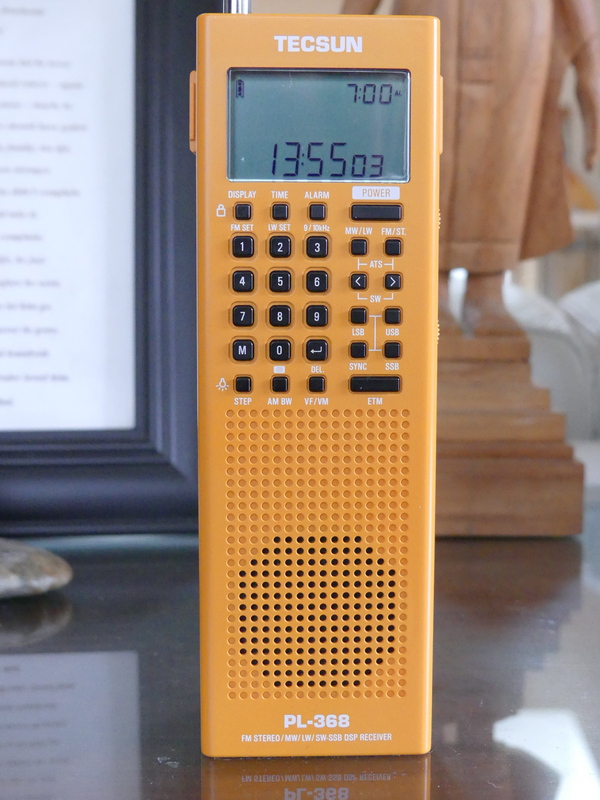
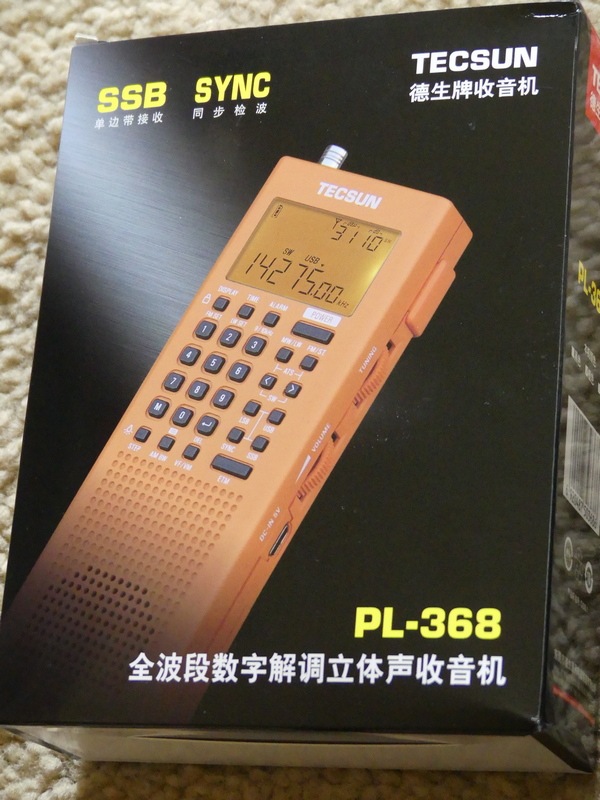
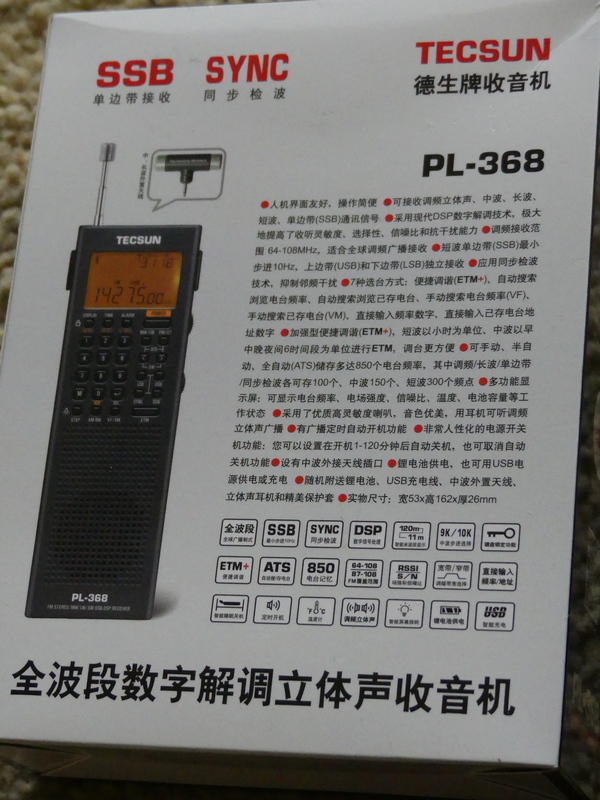
Tecsun PL-368: Large Receiver Features In Smaller Vertical Handheld
by Dan Robinson
It was back in 2020 that the first photos surfaced online of the PL-368 – posted on Facebook by someone attending the electronics fair in Shanghai, China.
Photos showed the successor to the PL-360/365 receivers – and also the PL-990, successor to the PL-880, as well as the new king of the hill for Tecsun, the larger dual speaker H-501.
Things looked promising, and it was pretty exciting. Tecsun designers upgraded the PL-365 which had become a favorite of preppers and SWLs, but which was hobbled by the lack of a keypad, to the re-named PL-368.
The PL-365 and PL-360 before it were plagued by the problem of being overly sensitive to the touch – when holding the radio, reception was fine, but remove your hand and signal levels plummeted. Usually, a full hand grip was necessary to obtain full sensitivity and any variation in grip reduced sensitivity – this was noticed mostly in shortwave mode.
Previous 360/365 models were known for the included small rotatable ferrite
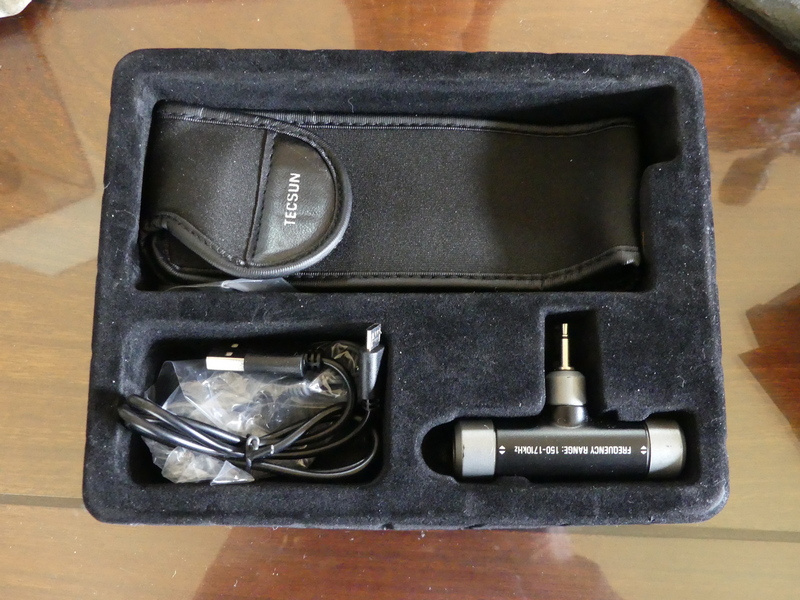
AM amplified antenna which performed miracles in nulling mediumwave stations – for those who still like to listen to the AM band. The 368 also comes with this additional ferrite antenna.
And the 365/360 (which were and still are sold by CountyComm as the GP-5) used AA batteries, making it very easy to find replacements anywhere the radio is being used in the field. Tecsun changed that on the 368.
After the photos appeared, I contacted Benny Zhao, who had posted them on one of the Facebook groups and asked if he could send me a sample of the PL-368. He obliged and a 368 was sent on its way.
The radio was sent without the BL-5C flat lithium battery which was prohibited in postal shipments. It took a long, long time (3 months, apparently the package was sent by snail mail) but it finally arrived here and I have been putting it through some tests.
The PL-368 that I received has the notation “2020.12 VER 1” so it’s clearly a first version from 2020 production.
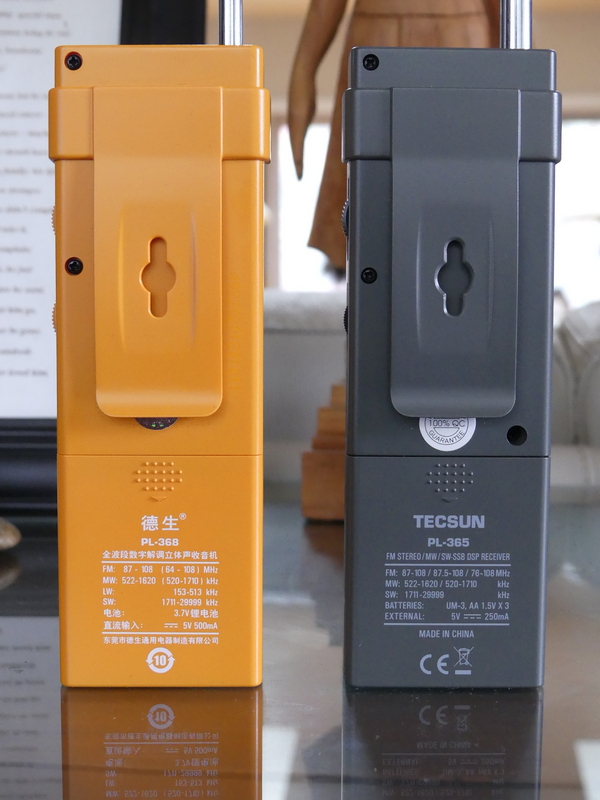
Like the models before it is a great, handy, portable to grab if you’re going on a trip. It is lighter than the older 360/365s. The change from three AA batteries to the flat BL-5C explains some of that. There is a heft to the older models that the 368 doesn’t have. I am not sure about differences in thickness of the 368 cabinet. Perhaps we will find out more from Tecsun (see notes below regarding issue of tapping the front of the 368 cabinet).
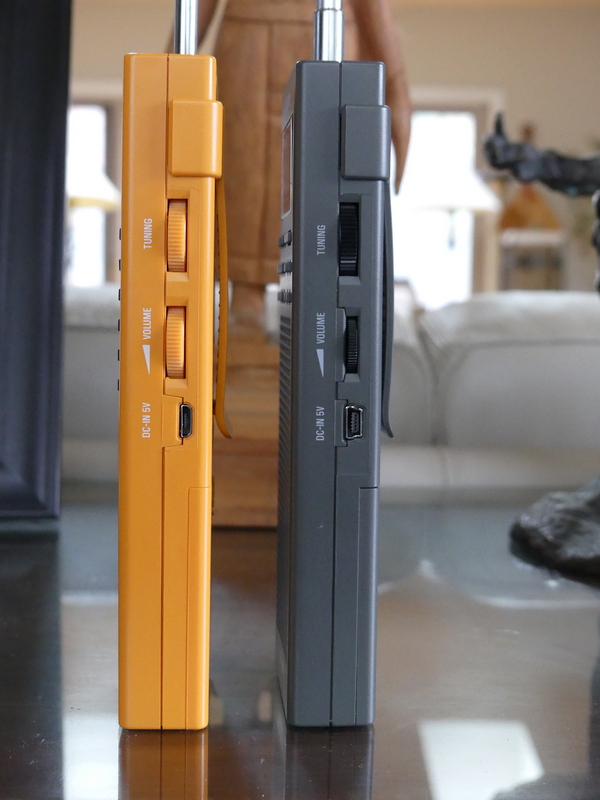
The 368 retains the two multi function adjustment wheels on the right side, one for Volume, the other for Tuning. These are also used for time and bandwidth control.
Tecsun PL-368 (left) and PL-365 (right)
On the 360/365 radios, I never found the tuning wheel approach to be particularly efficient since it was limited to a certain number of kHz per turn, either 5 or 1 kHz depending how fast you turned.
On the 368 it appears you can obtain up to 40 kHz from a single turn of the wheel, while on the 360/365 that was limited to 15 to 20 kHz depending on the speed you were turning.
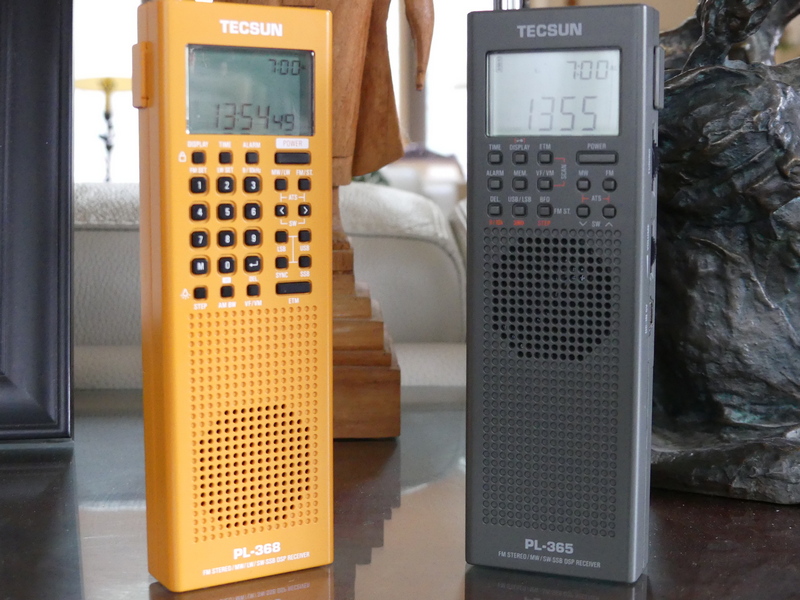
Tecsun PL-368 (left) and PL-365 (right)
The antenna on the 368 is thinner, but 8 inches longer than the 360/365 models, and in the box you will find the included and very effective rotatable ferrite antenna for mediumwave that inserts in a jack on the top.
On the 368 the volume wheel has detents, whereas on the 360/365 the wheel had smooth turning.
We have gone from 14 buttons on the old PL-360/365 models to 28 buttons on the PL-368, including addition of the keypad.
UPGRADES
Tecsun has upgraded the 368 in line with improvements seen in the PL-990x and H-501 receivers. There are now adjustable bandwidths – a particularly useful tool. These bandwidths also operate in SSB, something that the new Sangean ATS-909×2 doesn’t offer. Bandwidths are: LW/MW 2.5, 3.5, 9.0 SW: 2.5, 3.5, and 5.0 SSB: 0.5, 1.2, 2.2, 3.0 and 4.0 kHz
Also in the 368 is now synchronous detection, a feature left off Sangean’s 909×2. And you get the same intelligent tuning features seen in the 909x/501x models as well as the previous PL-880.
Tecsun added a control that enables activation of the light – this is located on the same button as the Step control which adjusts the tuning steps.
The 368 display now has the ability to tune in 10 Hz increments, an overdue upgrade from the 360/365 models.
Charging of the BL-5C battery can be carried out by connecting a DC 5V/0.5A adapter to the micro-USB port on the side of the radio. The English manual notes that when charging, the charging time is displayed at the top right corner of the display while the “Charge” indicator flashes.
Adjustments for 9/10 kHz mediumwave, Longwave, and FM frequency range can be found on the 1, 2 and 3 keys.
The manual notes that in addition to the internal ferrite bar antenna, the external supplied MW/LW ferrite antenna can be connected to the antenna socket on top and rotated to obtain optimum reception.
Addition of the keypad makes the PL-368 far more useful than its predecessors for instantaneous frequency access. This was the major drawback of the 360 and 365 receivers. This can’t be emphasized enough.
This is a day versus night difference and vastly improves the attractiveness of the 368 over previous models.
There are 850 memory presets, 100 for FM/LW, 150 for MW, 300 for SW, and 100 each for SSB and SYNC.
ATS tuning, like the 990x and 501 receivers enables ATS within all meter bands by holding the [<] or within a selected meter band by holding the [>]. The manual also notes the ability to auto scan all stored stations within a frequency band or mode (SYNC/SSB) staying on each station for about 5 seconds before resuming.
The 368 has what Tecsun now calls Enhanced Tuning Mode (ETM+) – as explained in the manual, this allows auto tune and storing of FM, LW, MW and SW stations into ETM memory. Unlike ATS, scanned stations will not be stored into regular memory (VM) – in this way, when in a different city or country, ETM+ can be used to auto search new stations without overwriting any previously stored stations.
FM De-emphasis Time Constant – as explained in the manual, while receiving FM broadcasts, long pressing [4] will adjust the de-emphasis setting for Europe, Australia, Japan (and most other locations), or for Americas and South Korea.
Add Seconds to the Clock – with the device powered off, press and hold [8] to add seconds to the clock.
Sleep Timer – as with its predecessors, the 368 has a Sleep Timer, with an indicator on the LCD display.
Alarm – and like earlier models, there is also an Alarm function, which allows the radio to turn on at a preset time. It’s possible to select a specific frequency to be used with the Alarm.
RE-CALIBRATION – I have not been able to determine yet if the 368 has a re-calibration function as can be found on the PL-330, 909x, and H-501.
PROBLEMS
Let’s get one headline out to start: The 368, as with the 909x and H-501 all have the useful Synchronous Detection mode. However, SYNC continues to be hobbled, showing distortion and loss of lock.
As I have mentioned in reviews of the 330, 990x, and 501x any successful use of SYNC requires a delicate dance involving careful selection of various bandwidths while in SYNC mode and fine tuning.
The 368 manual contains 3 pages of explanation of SYNC noting that it can “eliminate distortion generated in the IF filter due to local fading, slight offset, modulation overshoot, as well as inter-channel interference and cross-talk modulation, and can also reduce noise interference.”
The problem with all of the Tecsun DSP chip receivers after the PL-880, which had a hidden SYNC feature that was the worst of the bunch, is the extent to which SYNC still suffers from distortion and loss of lock that renders the feature far less useful than it could be.
Ideally, one would want SYNC to match the capability achieved in such older receivers as SONY’s ICF-2010, SW-100S, SW-07, 7600GR. You’re not going to get that with Tecsun receivers.
Like its predecessors, the 368 is still sensitive to touch. I noticed this immediately on the old 360/365 receivers, especially when using the radios
at the beach. If I was recording a station on shortwave, and left for a few minutes, I would return to find that sensitivity had dropped because the radio was not still being held in the hand, which rendered the recording useless.
I am continuing testing of the 368 to try to determine if this issue has been reduced to any extent and will update this review with any further findings. This sensitivity issue is not specific to the 368 – it can be seen on other older and newer receivers.
Many older portables (the SONY ICF-SW55 comes to mind) were constructed with robust cabinets that were less sensitive to touch. Touching the whip antennas on some older receivers improved reception, while on others touching the whip antenna actually reduced sensitivity.
URGENT ATTENTION FOR TECSUN: My initial testing of this particular China market unit of the PL-368 – again, it is marked as December 2020 Version 1 production – identified an additional issue.
When in SSB modes or SYNC, tapping on any area of the keypad and LCD display produces a warbling/distortion effect in the audio. One can only surmise that this is attributable to insufficiently robust construction of the PCB board underneath.
(Video shows problem created when physically tapping front of PL-368 cabinet.)
This is NOT a problem seen with my PL-365 when it is in SSB mode.
I hope that Tecsun gives this the attention it needs and corrects the problem in future production runs.
SUMMARY
Were it not for the major problems detailed above, the PL-368 would be an automatic must-buy receiver in my book.
Addition of the keypad is a night and day improvement and when combined with additional features such as multi-bandwidth options and the still-to-be-perfected synchronous detection, the 368 would be a killer portable.
But as with the PL-330, 909x and 501x the problem with SYNC mode is still a major drawback on a feature that is supposed to lift Tecsun receivers out of the pack of portables that are on the market in 2021.
One can live with the issue of cabinet sensitivity – but the additional issue I identified where there is instability introduced when tapping on the front panel/keypad/LCD is a QC problem that simply must be addressed by Tecsun.
But as I have said in reviews of other Tecsun receivers, let’s back up a bit. Imagine if we had had portable receivers with the capabilities that these have, back in the 1960’s or 1970’s.
It’s one of the great ironies of the radio listening hobby, that in 2021 any company is willing to continue producing receivers of this caliber as use of shortwave by major broadcasters continues to decline.
The obvious other killer feature to include in portables such as this would be to somehow integrate DRM into them. However, I have a feeling that will never happen
Many thanks to SWLing Post contributor, DanH, who provides his final evaluation of the new Sangean ATS-909X2:
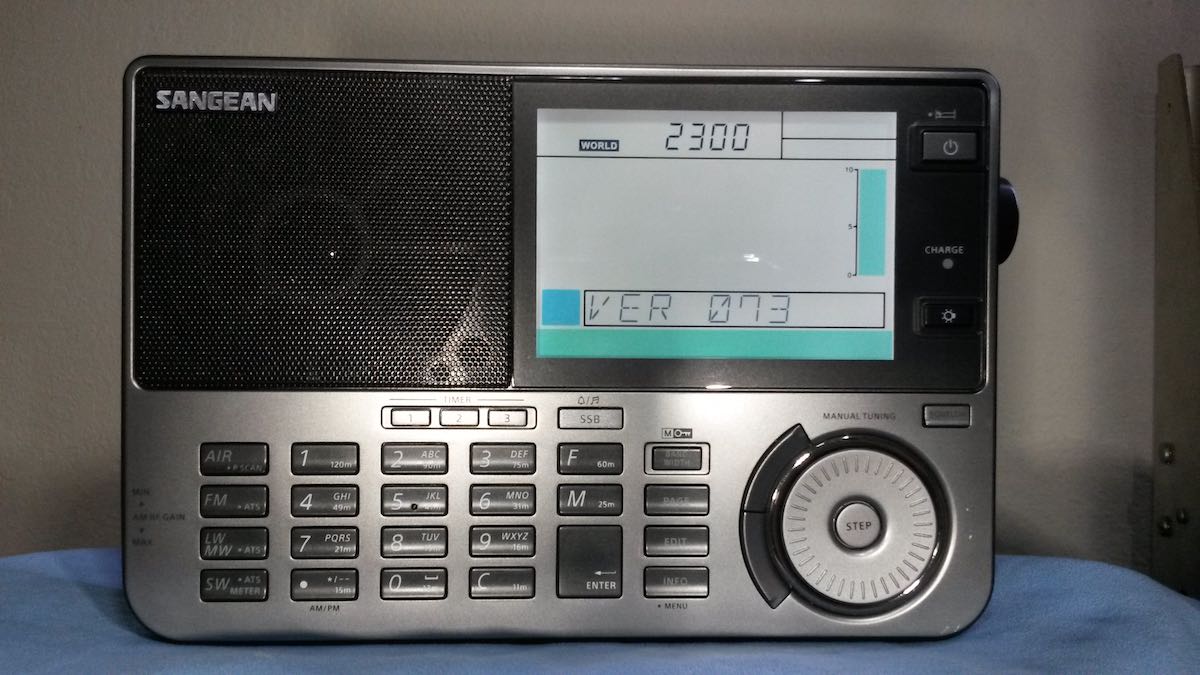
This should be the last update for my multi-part introduction to the new Sangean ATS-909X2. I am not expecting major new factory revisions or modifications for this fine radio. I received the 909X2 from Amazon on Sunday, February 21, 2021. This radio had VER 070 firmware installed. About a month later Sangean America offered a free upgrade to VER 073. I packed up my 909X2 and sent it away on March 29. My original radio with the original serial number was returned to me on Friday, April 9 following the firmware upgrade.
The 909X2 was away from home for eleven days but I had the 909X to keep me busy on shortwave. Time after time I reached for the new bandwidth controls on the older radio which were, of course, not there. This told me a good deal about how quickly I had become dependent upon some of the new 909X2 features.
As of this writing I have listened to the 909X2 VER 073 for several days. Let me tell you that in spite of my best efforts I could not find many differences between the two firmware versions. The later version was reported to correct some bugs encountered while using memory features. I can’t confirm this. I deliberately avoided making memory entries with my 909X2 VER 070 before I returned it as I understood that those presets would be lost with the firmware update. I gave the 909X2 memory a real workout last weekend but experienced no bugs during this mostly repetitive inputting session. More about that later.
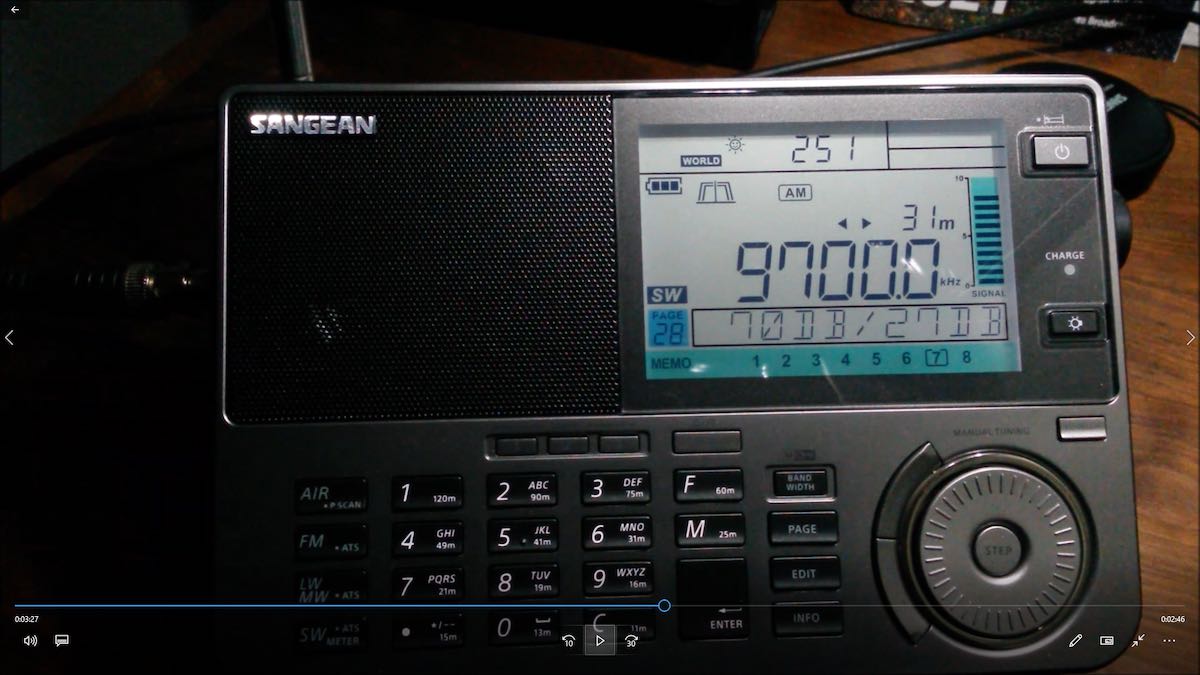
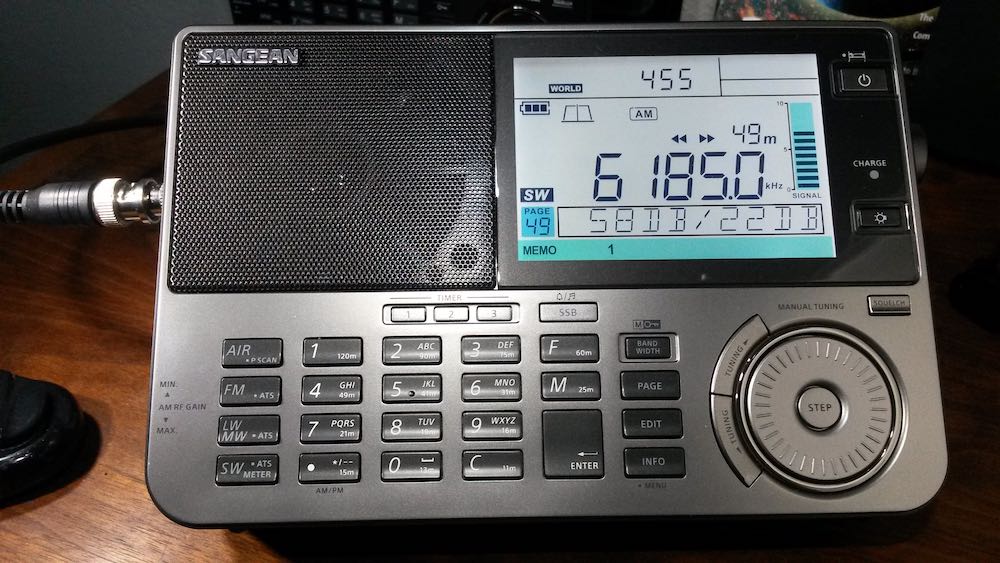
One of the oddities of VER 070 firmware was a nice feature, actually. Cycling the INFO button would bring both radio signal strength (RSSI) and signal to noise ratio (SNR) up on the display at the same time. This feature was not described in the instruction book. With VER 073 you can toggle between one or the other but can’t see both at the same time. You can see this deleted feature below and watch it on my video:
I have tried to bring this feature up on VER 073 without success.
I found one small gremlin that seems to thrive on both 909X2 firmware versions. 909X2 indicates selection of fast or slow tuning rates by showing delta symbols on the display. Switching shortwave bands with the SW button followed by selecting a BAND button will result in a band change and disappearance of the delta symbols. Using the tuning STEP button will make the delta symbols return. Switching shortwave bands by using the “F” frequency button followed by number key entries and the ENTER button is slower for changing bands but does not cause the tuning step indicators to disappear.
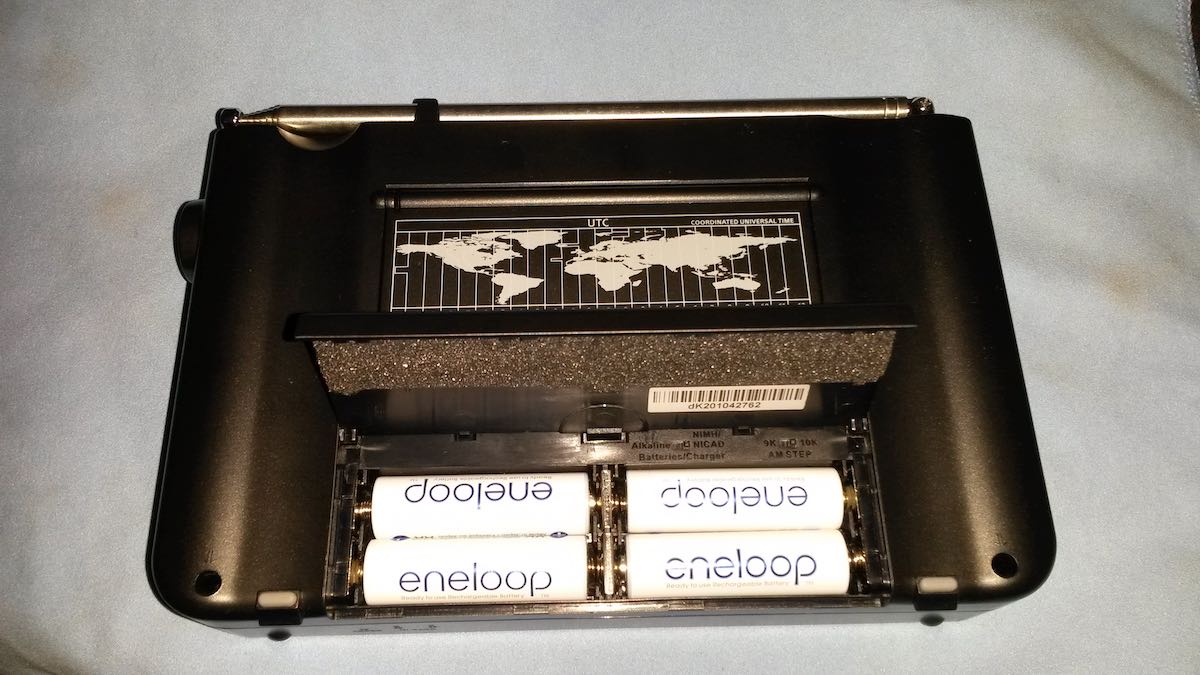
909X2 charging and power supply design was much improved for the 909X2. 4xAA NiMH cells are individually charged and monitored. Charge times are faster, as well. The radio will identify cells that are defective, aging or wearing out. Each cell now has a separate slot in the battery bay. This contributes to longer battery life cycles, less waste heat production and improved rechargeable battery safety. This is a worthwhile but not very obvious upgrade from the 909X. The most noticeable outward change is the wider battery bay door.
Early production 909X wall wart power adapters are AC/AC center pin negative. Late 909X and 909X2 adapters are AC/DC center pin positive and feature in-line RF chokes. Both of my 909Xs contributed more RFI to shortwave reception when operated with AC power than the new 909X2. The upshot was that when I listened to shortwave at the desk with a 909X I would run it off batteries even if a wall outlet was handy for running AC power, much like any other multiband portable with shortwave. The 909X2 on AC power is so quiet that I usually have it on AC power when I have it at the desk. I can hear a little hum when using 909X2 under AC power when an external antenna and headphones (Sennheiser HD 280 Pro) are in use. I don’t hear this hum at all when using 909X2 speaker audio probably owing to the better bass response of my ‘phones. 909X2 will not initiate battery charging after every use. It charges only when needed. I now disconnect the 909X2 from AC power only when listening to shortwave with headphones or when using it as a cordless portable.
I have written earlier about the 909X2 MANUAL/AUTO bandwidth features. I normally use manual bandwidth filter selection for shortwave but with rough voice signals I sometimes find that 909X2 auto bandwidth plus the correct audio filter choice can do a better job than ECSS… and the 909X2 does ECSS and SSB very well. Auto bandwidth is excellent for less demanding conditions too, like keeping a radio tuned to a local MW or FM station that may fade lightly over the course of a day.
For FM the combination of great audio quality, RDS and now auto bandwidth makes the 909X2 hard to beat by any other multiband portable with shortwave.
The 909X2 is not my first radio with bandwidth filters provided by Silicon Labs DSP. I have long suspected that these filters are actually much wider than described by most manufacturers of portable multiband radios. The widest filter available for shortwave on 909X2 is identified as a 4 kHz bandwidth filter. This surprises me because the filter actually seems to accomplish attenuation somewhere between 3 and 4 kHz away from the carrier. This means the widest filter for shortwave is actually 6 to 8 kHz wide. This makes complete sense to me as to my ears this filter sounds closer to an 8 kHz bandwidth, which isn’t a bad choice for strong SW stations without interference.
I am an enthusiastic user of shortwave station memories. The 909X memory capacity is nearly too small for my current usage. The 909X2 has many more memory presets available and divides those into three memory banks. Something that many people did not understand about the ATS-909X is that when released in 2011 it never featured ATS for shortwave because it lacked the memory to do the job. Now, 909X2 memory banks may be reserved for favorite station pages or set aside for ATS scans.
Manual entry of shortwave pages and presets is relatively easy and fast on the 909X2 and is substantially unchanged from 909X. You may title pages alphanumerically any way you wish. 909X2 adds an additional feature: you may now change the position of a memory preset to another position on the same page or another page.
Setting up the new memory for the 909X2 took me the better part of an evening but good memory function is a huge advantage for anyone wanting to do shortwave station searches. There are many sample shortwave memory presets provided with the stock 909X2. If you enter your own pages and presets into 909X2 memory I suggest deleting all of the sample entries first (page names and presets) before starting your inputting. This will save you a great deal of time.
Each of my custom memory pages has a shortwave broadcaster name followed by a letter if I use more than one page for a single broadcaster. The 909X2 can scan preset frequencies on each page individually and land on the frequency with the strongest signal. If the location of saved station entries in specific memory banks isn’t sufficient deterrent for accidental erasure (like running an ATS scan on top of preset stations) the new 909X2 MEMORY LOCK feature will allow you to lock presets individually.
This may be the last update that I will post for the new Sangean ATS-909X2 but I will check the box at SWLing Post that allows me to see notifications of comment activity for this post for the foreseeable future. I’ll be happy to answer any questions regarding the Sangean ATS-909X2 addressed to me in the comments, if I can. For more 909X2 videos, see my YouTube channel at: Willow Slough DX
I will be adding to these as the new shortwave season advances. Happy listening!
DanH
Thank you so much for sharing your final evaluation, Dan!
If you would like to read all of DanH’s notes and reviews of the Sangean ATS-909X2, click here.
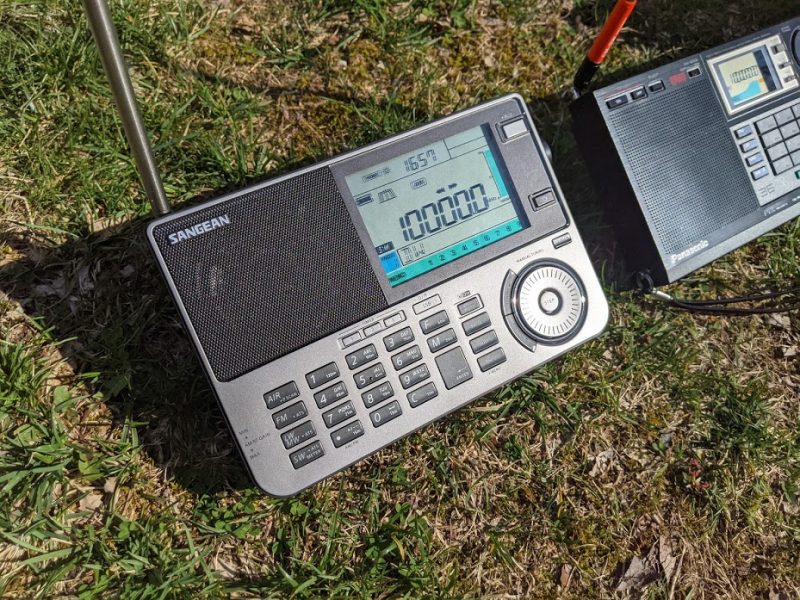
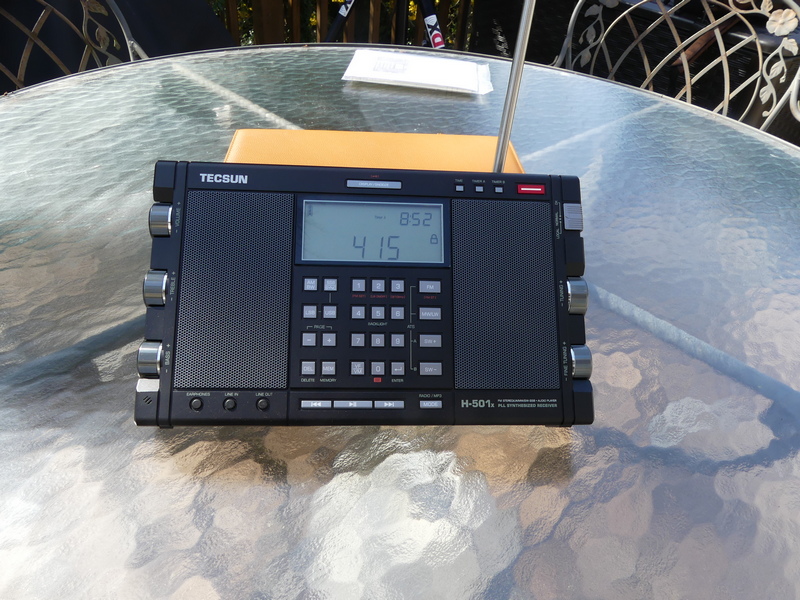
I took delivery of the Tecsun H-501x yesterday morning and the Sangean ATS-909X2 last week.
I’ve been waiting for these portable receivers for what seems like ages, and both arrive within one week of each other.
My initial impressions are positive for both radios, but I know it’s time to start some proper comparisons.
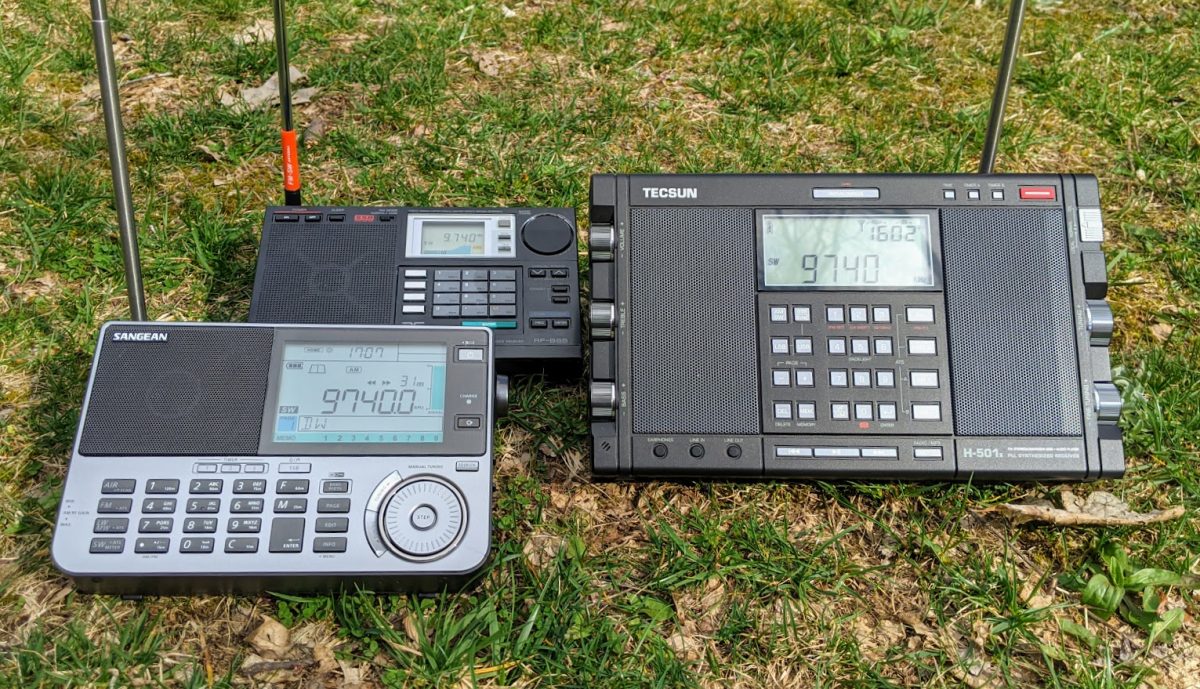
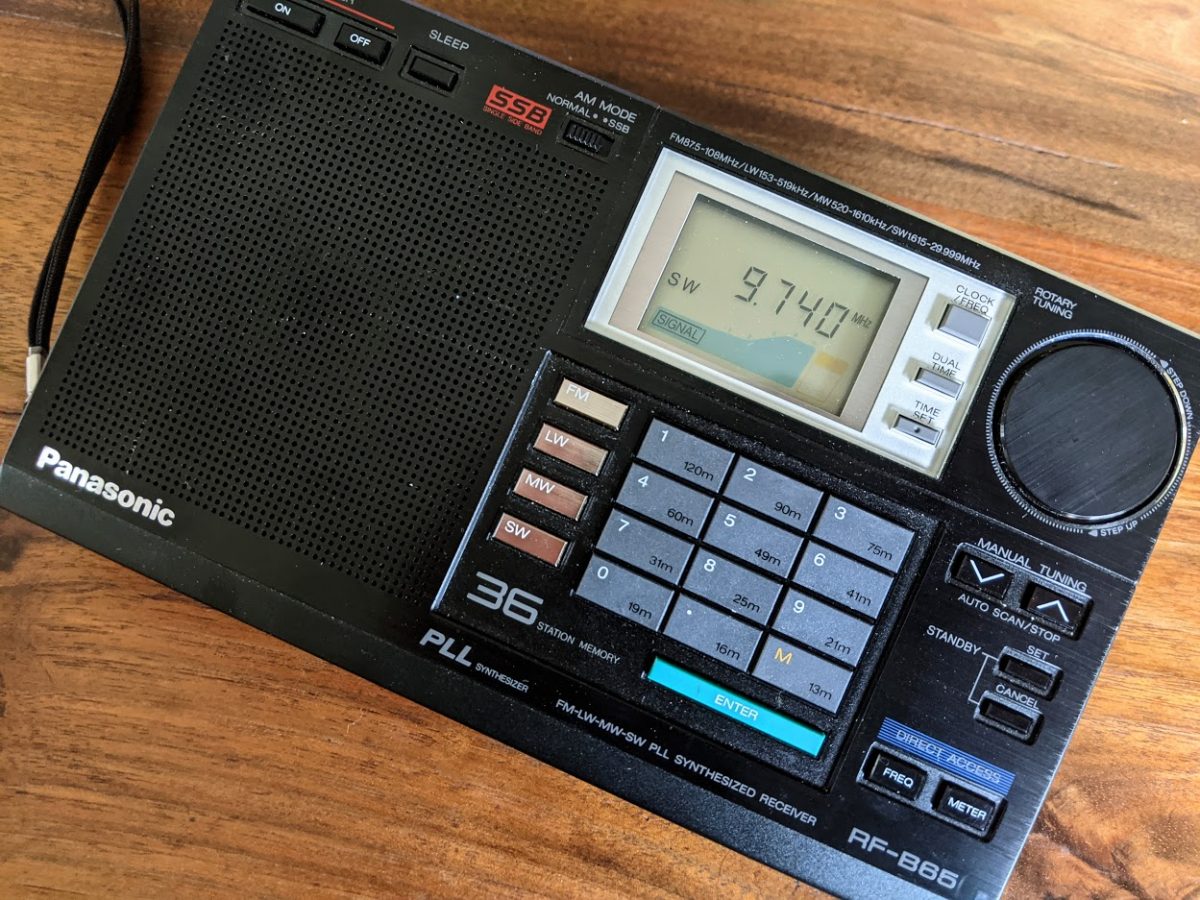
These portables are arguably the flagships of both manufacturers, so I decided to pit them against a “legacy” portable that has a reputation for eating other receivers for lunch: the Panasonic RF-B65.
“Nom nom nom…”
I fully expect the RF-B65 to emerge as the leader of this pack on shortwave in AM mode. No kidding. That’s why it’s a benchmark. If you can out-perform the RF-B65, you’re a five-star, Holy Grail portable and that’s the end of the story.
Where both the H-501 and ATS-909X2 will have an advantage is in audio fidelity. Both have excellent built-in speakers.
In addition, while the Panny RF-B65 is a great AM mode radio, it has very basic BFO controls and fine tuning for SSB. No doubt, I’ll likely pull out a different receiver for SSB comparisons.
DanH expects his ATS-909X2 back from firmware update soon and I look forward to his evaluation.
I plan to write a review of the Sangean ATS-909X2 for the June 2021 issue of The Spectrum Monitor magazine. My Tecsun H-501x review may appear in TSM as well.
I will post updates here on the SWLing Post and possibly some comparison audio/reception examples.
Tecsun H-501x availability
SWLing Post contributor, Troy Riedel, received word from Anna at Anon-Co that they hope to have their first batch of H-501x units available to ship by the end of April 2021. Pricing has not yet been firmed up.
Many thanks to SWLing Post contributor, Dan Robinson, for the following guest post and review:
The H-501: Jewel in the Tecsun Crown, With Some Attractive Features
by Dan Robinson
Since 2020, there has been one Tecsun receiver I have been most looking forward to reviewing, and that is Tecsun’s H-501.
Videos showing the pre-production and mainland China versions of the 501 started appearing online at least a year ago. There are also numerous videos showing comparisons between the H-501 and PL-990x as well as the PL-330.
What I will do here is provide an assessment of the 501 informed by my use of a H-501 just received, the other two Tecsun receivers, and my decades of experience using a wide range of portable receivers. This review is based on initial tests of a H-501x, among the first production units.
Video: Unboxing
HOMAGE TO RECEIVERS OF THE PAST
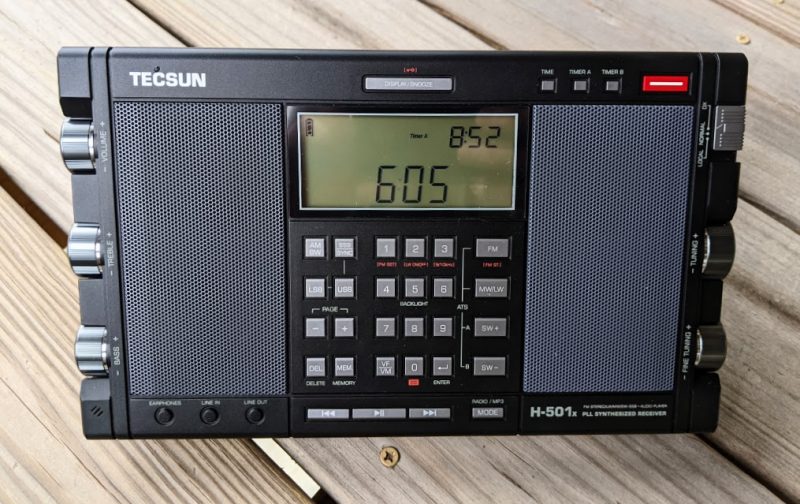
The elephant in the room with the 501 is, of course, its two large left and right speakers. This reminds one of another Tecsun DSP portable, the PL-398BT with a similar left-right speaker arrangement.
On the left of the H-501, from the top, are the Volume, Treble, and Bass knobs which like the PL-880 and 990x has obvious lineage back to the famous Grundig portables of the 1990’s – the Satellit 500 and 700. Both of those were limited to two bandwidths. Only the 700 had anything approaching usable synchronous detection.
Each of the left hand control knobs on the 501 contains a dot to indicate where you are in the Maximum/Minimum range. At the bottom of the left side is a micro-USB port for when the receiver is used as a computer speaker – quite a nice feature!
On the right side of the 501 you find ports for AM and FM antennas, each with a rubber traction cap, similar to what is found on the PL-990x. There is also a three position sensitivity sliding switch for Local, Normal, and DX modes – that’s one more than usually found.
Knobs on the right side are the Main tuning and Fine tuning, again similar to the PL-990x. At the very bottom of the right side is the 5v 1.0 amp micro-USB charging port.
ERGONOMICS
NEGATIVE: Here I discuss one of two major negatives with the 501. The tuning knobs are embedded quite far into the radio body. Each has a round piece of rubber covering on the knob end surface designed obviously to provide traction, possibly also as a protective measure.
The reality is that on the 501, more seriously on the PL-330, embedding of the knobs so far into the cabinet makes it virtually impossible to undertake rapid tuning using those knobs if you are just placing your finger on the top barrel part of the knob itself!
As you will see in photos and video accompanying this review, holding a finger against the rubber on the end of each knob, or closer to the center, to achieve more rapid tuning. But it’s kind of annoying. On the PL-990x the knobs are somewhat different – extending a bit farther out of the cabinet, but also with the rubber coverings.
So, this is a design point for Tecsun to consider. Surely, it should be possible to come up with slightly different knobs for the 501 that make it more comfortable to achieve rapid tuning. As it is, the knobs on the 501 barely extend beyond the cabinet edge, including the end and rubber cap.
The same goes for the PL-330 – which has knobs that only one half inch in depth, and extending only about 1/16 of an inch beyond the cabinet edge. Part of the attractiveness of the 330 is its compact size and I doubt Tecsun will be moving to put slightly larger knobs on that radio anytime soon. But as it is, using the main and fine tuning controls on the 330 gets you maybe 10 kHz in tuning range.
[UPDATE] I realized after further use of the 501x that Tecsun clearly intended for the rubber knob cap covers to act as traction for tuning. The problems I see: after significant use over time, those rubber covers will lose their stickiness and thus their ability to help tuning will be reduced. Also, the fine tuning knob is smaller — and even using the rubber cover on the knob for more traction, it is somewhat difficult to achieve rapid tuning in 1 kHz mode. Tecsun could help 501x owners on the issue with the tuning knobs by including spare rubber knob caps. But it’s uncertain how the existing rubber knob covers are attached to the original knobs and how easy it would be to replace them when they lose their stickiness.
H-501 IMPRESSIVE FRONT PANEL
At the top of the H-501 radio above the LCD display can be found the Display/Snooze/Lock button. On an older Tecsun radio, the PL-880, this button doubled as the calibration adjust control. On the PL-990x this triple function button is located on the top of the radio.
LCD DISPLAY
POSITIVE: One of the big positives of the 501 is the large LCD display. The number digits are absolutely huge and make it easy to read frequencies.
Thanks Tecsun! The display contains numerous bits of information about receiver operation, the signal strength meter, etc.
Below the display is the keypad, with special dual keys for 9/10 kHz mediumwave, Longwave activation, and FM range adjustment. Backlight activation is on the 5 key. At the bottom you have the VF/VM key to select between frequency tuning and memories. To the right are the FM, MW/LW, and SW + and – buttons. These put the radio into shortwave mode and as is the case with the PL-990 and other receivers, activate ATS/ETM tuning.
At the very bottom of the front panel can be found PLAY/PAUSE, RR, and FF buttons for control of SD card audio when using the microSD card, which like on the 990x is located on the bottom of the receiver. According to the manual, by the way, the microSD slot accepts cards of up to 128 GB. Included in the box is a 16 GB SanDisk Ultra card. A reset hole is also on the bottom of the radio.
Finally, at the bottom of the 501 face are rubber covered input ports for Earphones, Line In, and Line Out.
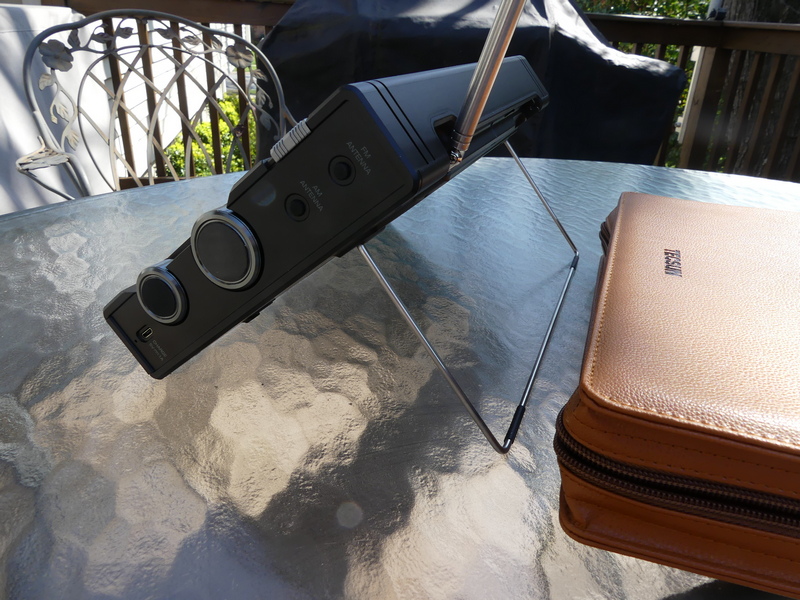
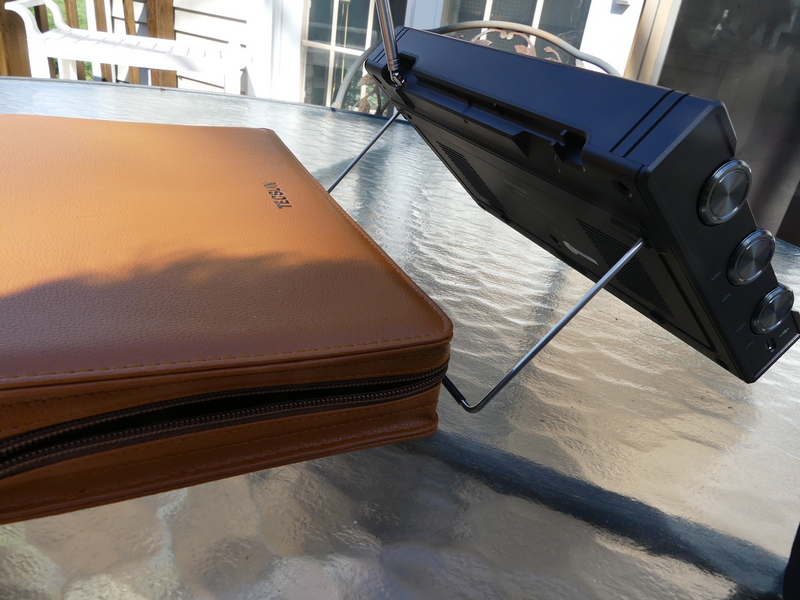
METAL TILT BAIL
POSITIVE AND NEGATIVE: On the back of the receiver, you find the metal tilt bail which folds down and locks into two plastic tabs and can be lifted easily with a finger from an indentation in the cabinet.
This was a good design move by Tecsun, with the following observations: there are no incremental positions on the metal bail as you find on, say, a Microsoft Surface or similar tablet type PC. The only fully stable position is to have the metal bail fully extended back. That places the 501 in a great position if you’re standing or even sitting to a degree. But if you try to place the bail in any middle position you’re in danger of having the radio become unstable. Tecsun should definitely give some thought to a re-design, though the bail is better than the flimsy plastic stands found on the PL-990 and PL-880 and some older portables.
Still on the back of the radio, intelligently, Tecsun marks a screw hole which can be used to remove the telescopic antenna (marked as ANT SCREW). The other screw holes for removal of the back of the radio are also clearly marked. Thanks Tecsun!
However, one additional partial negative – there are no rubber pads on the bottom back edge of the 501x which will be contacting whatever surface the radio is sitting on while the metal bail is in use. So, if you don’t want that bottom back edge to be scratched, place the radio on something to cushion it.
BATTERY CHARGING
POSITIVE: Another interesting feature not found on other radios: Tecsun has created a dual charging system for the 501 which uses two 18650 batteries.
In viewing numerous videos, I have not seen this discussed much. Basically, this enables you to use the receiver’s internal charging capability to choose which battery you are charging. The manual states that the battery contains space for a “spare” battery. The charging indicator on the LCD display will flash while charging is underway – there does not appear to be a separate display for battery A or B. However, and this is quite a unique capability – while you are using the 501x, the switch changes which battery the radio is using.
It’s not clear to me whether the receiver while powered on is taking energy from one or both batteries simultaneously. As I note in my reviews, and this is amplified in the manual, do not expect to be able to charge a battery internally and listen to the radio at the same time because there WILL be noise.
HUGE WORLD MAP AND RADIO DIAGRAM INCLUDED
Tecsun includes a huge – and I mean HUGE – World Amateur Radio map in a plastic pouch with the manual. On the back of this is a large photo of the 501 with clear English guide points to each and every feature of the radio. In this, Tecsun is really going out of its way to make owning the 501 a special experience.
In the box (see photos) Tecsun includes 2 18650 lithium batteries, a 5 volt double USB A charging cube, a mini to mini cord, a USB charging cable, and to boot, a pair of fairly high quality wired earphones complete with spare ear tips.
PERFORMANCE
Anon-co advises that the H-501x uses a different IC than the PL-990x. No further details were available as of the time of this writing.
This is clearly a sensitive radio, as is the PL-990X. In these days of declining use of shortwave, almost any receiver is going to be able to hear “stuff” all over the bands and the 501x and 990x as well as the 330 are all quite capable in this regard.
In the video, I tune some familiar stations, including Voice of Greece and BBC
and move through the excellent bandwidth options. This is where the 501, with its large dual speakers, excels because if you’re on a strong station – Greece is a great example because of its great music programs – and you have that wider option, it’s really pleasant to listen to.
NEGATIVE: However, one has to puzzle over the decision to limit bandwidth to 6 kHz when in shortwave mode. On mediumwave (AM) you have a 9 kHz option which provides some fine listening. Perhaps Tecsun felt that there are few stations using shortwave these days that would benefit from having a significantly wider option? I would urge Tecsun to make 9 kHz available in shortwave.
SYNCHRONOUS DETECTION
NEGATIVE: I really had some hope that Tecsun would go farther toward
solving the problem of unstable/distorted SYNC mode with all of these recent radios. Unfortunately, it was not to be.
Using SYNC on these radios – though this was not the case with the PL-660 and 680 – involves a delicate dance, requiring using a combination of bandwidth filters and LSB/USB. SYNC works fairly well with some stations, but it really depends on signal level, and to an extent signal level of any station close to the frequency you are on.
There is a 1 kHz fine tune spread when using SYNC after which lock is lost. And still, lock is often lost even when you’re on center frequency and not using
fine tune in SYNC – the signal just becomes distorted. Not fun. The PL-990x has the same issues.
Now, Tecsun has definitely made progress since the horrendous implementation of SYNC on the PL-880, which wasn’t even an official feature. But it’s disappointing that given the design features in the 501, especially the wonderful dual speakers, a way has not been found to resolve this issue which obviously involves the DSP chip that is the brain of the receiver.
Video: Detailed testing of Tecsun H-501x
ANTENNA
NEGATIVE: One of the things the folks at SONY, Panasonic and some other manufacturers did so well was design radios with antennas that nested inside the radio and could be pulled up and out of the cabinet, and because of this, there was clearance from the top of the radio so the antenna can achieve vertical position. Tecsun has not done the same. Antennas on the H-501x, PL-990x, PL-330 swivel but cannot take up vertical position, and of course they are nested on the top of the radio. One would have thought that after years of producing portables, and coming to dominate the portable market, someone at Tecsun would have recognized the importance of antenna re-design. NOTE: the antenna on the 501x is sufficiently long, but on the PL-330 for example, seems to be not long enough.
BLUETOOTH
POSITIVE: Hooray for Tecsun in integrating BT capability into the 501x and 990x. This was such an obvious move and thanks to Tecsun for really hitting it out of the park. Unfortunately, we don’t get the ability to record audio from the radio on to microSD cards – that would truly have been a major step forward
CALIBRATION
The H-501 has the same re-calibration adjustment feature as is seen in the PL-909x and the PL-330. This involves going into LSB or USB mode, holding down the USB or LSB keys until a flash appears, then using the Fine Tuning knob to achieve zero beat on WWV or strong station that is known to be on frequency, then holding down USB or LSB again to have the radio re-zero itself. This is a fine feature that we have seen since the PL-880.
When I first received the H-501 it appeared that the receiver was fairly on zero beat from mediumwave up through 25 meters shortwave. Further testing revealed that re-calibration was necessary, but the degree of error from mediumwave up through 19 meters was not as significant as I have seen on the PL-990x. Re-calibrating at a mid-point of 25 meters appears to be a good mid-point choice, but inevitably, doing re-calibration on shortwave will throw the receiver off by a bit down on mediumwave.
A cautionary note: when undertaking this calibration function be sure to give the radio time to confirm it’s in calibration mode with the FLASHing LCD. Sometimes, the readout will jump a full 1 kHz above or below the frequency you’re zeroing on – if that happens use the MAIN TUNING knob to get yourself back (i.e. 9,704 to 9,705.00) and complete the zero beat operation with the FINE TUNING knob, then hold down LSB or USB to complete.
All of this may be overkill for most people – I am just among those who obsess over having receivers as exactly on zero beat as possible. That’s more difficult or impossible to achieve with older receivers that have no calibration function, such as the ICF-2010 or SW-55 without literally taking those radios apart to access internal points of adjustment. The fact that Tecsun provides this capability in these portables is something we should all be very grateful for.
CIRCUIT LOCKUP
All of the Tecsun radios have a “reset” hole to be used if the receiver is not functioning properly. I had one occasion of lockup with this sample of the H-501x. Rather than using the reset hole, I decided to remove one of the two 18650 batteries, which of course reset the receiver. I have alerted Anon-co to this issue, but it’s hard to tell whether it’s a major problem without having other H-501 units to compare to.
CARRYING CASE
POSITIVE: The H-501 that I received for review from Anon-co came with a beautiful faux leather case complete with a convenient carrying handle. My understanding is that this matches mainland China versions that have been widely seen in videos online.
Anon-co advises that the first batch of 501x to be carried by them will come in a gift box with this PU leather case, possibly to be followed at some later point by a hardcover carrying case. Indeed, a photo can be found online showing the H-501 in a hardcover carrying case similar to the cases for the PL-880 and PL-990x kits.
As of early April, Anon-co advises that while the price for 501x is not set yet, it’s expected to be somewhere in the $310 – 330 range including shipping to the U.S.
AM/MEDIUMWAVE AND FM PERFORMANCE
Not much to say here – I find FM performance on the 501x to be superb, and mediumwave reception is more than satisfactory.
CONCLUDING THOUGHTS
As I noted earlier, these days amid declining use of shortwave by remaining broadcasters, almost any DSP or older portable receivers are capable of producing excellent results for shortwave listening.
Facebook groups devoted to shortwave (they have become the new gathering place and information exchanges for those of us who still love the hobby) are
full of newcomers inquiring about which Tecsun, Degen, or other portables are best.
Often, my advice is to consider older portables that are still quite competitive, especially considering the reduction in the number of stations still on shortwave. These would include such classics as the Grundig Satellit 700/500, the SONY
ICF-2010(2001D), SONY ICF-SW77, and ICF-SW55, along with the venerable Panasonic RF-B65 and SONY ICF-SW100S in the smaller category.
What Tecsun has done with what we have to assume may be the final group of DSP receivers it produces is come up with small (PL-330), medium (PL-990x), and large (H-501) radios that combine extremely attractive features and excellent audio. The H-501x, in effect, is a Grundig Satellit 700 re-born for the 21st century and the path to it was paved by the PL-880.
Though implementation of SYNC in each of these receivers still leaves much to be desired, having this feature is enough to push prospective buyers to choose one or more of these Tecsun units over older portables.
Note that Sangean, which is now producing its ATS-909×2 (though the radio has growing pains and is having its firmware updated by Sangean) seems to have taken note of Tecsun’s dominance of the market and provided multi-bandwith capability, and an improved and enlarged LCD display on the 909×2 along with finer frequency resolution.
In a strange but perhaps understandable decision, Sangean left SYNC mode off of its new flagship receiver. Whether this had more to do with production costs or a decision that synchronous detection really brings little to the game these days, or both, along with other factors, remains a puzzle. It does appear, from early reviews, that Sangean may have improved sensitivity on the 909×2, though this too remains unconfirmed.
But again, even with the negatives I noted here about the H-501x, what Tecsun has accomplished is significant. It has given remaining potential buyers of multi-band portables three superb receiver choices. There are others in the Tecsun line such as the S-8800 and S2000, but of these only the S8800 is something I would recommend.
As I noted in a recent review of the PL-330, had we enjoyed a situation back in the golden days of shortwave in the 1960’s/1970’s/1980’s where a portable provided multiple bandwidths, advanced memory operations, and synchronous detection, DXing would have been even more of an enjoyment than it was. Certainly those Country Heard/Country Verified totals would have been higher!
The H-501x could easily be considered the crown jewel in the Tecsun group with its killer looks, large speakers, and performance equaling the PL-990x. Each of these receivers is arguably an easy choice as a “daily driver” for traveling, though where air travel and TSA issues are concerned, the PL-330 would be a better choice.
RECOMMENDATION: Of the negatives I discuss in this article, only one I would consider fairly huge, and that is the ongoing issue with synchronous detection. If the 501x, like the 990x and 330, were to have this issue resolved that would make it easy to recommend any of the three radios. As it is, the attractiveness of the 501x lies with its beautiful two speaker design. Even with the annoying SYNC issue, I would recommend the radio to anyone who understands the SYNC issue and doesn’t mind and who wants a nice, larger version of the 909x.
Many thanks to SWLing Post contributor, DanH, who provides the following update and news as he evaluates the new Sangean ATS-909X2:
I have a few items to report after hitting the six weeks mark with the new Sangean ATS-909X2.
My radio was equipped with firmware VER 070. I have been on the lookout for gremlins that could be attributed to this firmware version. I found only one. There are delta symbols on the display that indicate whether FAST or SLOW tuning speeds have been selected. These symbols disappeared after I switched shortwave bands by using the SW button + SW meter band button command. The symbols returned if the STEP button was used.
The Sangean auto bandwidth feature seems to be a first in multiband portable radios. This feature is very promising. It is most effective for shortwave and MW reception when listening to spoken word programming and when an optimal tone control setting has been chosen. The audio filter for NEWS highlights the conversational voice range. If you are having difficulty copying words from a demanding signal the auto bandwidth and audio filter combination may provide just the extra punch that you are looking for.
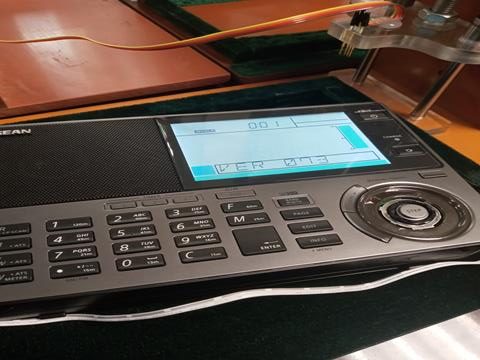
I am currently without a 909X2 and have gone back to using my 909Xs. I returned the 909X2 to Sangean America at Santa Fe Springs in California this week for an upgrade to firmware VER 073. I received an email from Sangean’s service technician this afternoon saying that my 909X2 accepted the firmware update! He included a photo of my radio on the bench next to the purpose-built jig provided for this upgrade by Sangean headquarters in Taiwan.
Owners of a Sangean ATS-909X2 that was distributed by Sangean America may contact them regrading an update to firmware VER 073.
This offer applies only to the 909X2 model that has software VER 070 installed (not VER 073). Sangean America will provide you with a product recall form including return instructions and a prepaid mailing label.
I’m looking forward to the return of my 909X2. I held off from making station memory entries so I’ll be manually entering them from my 909Xs soon. The new A21 frequencies are here!
Thank you so much for the update and tips regarding VER 073 firmware updates, Dan!
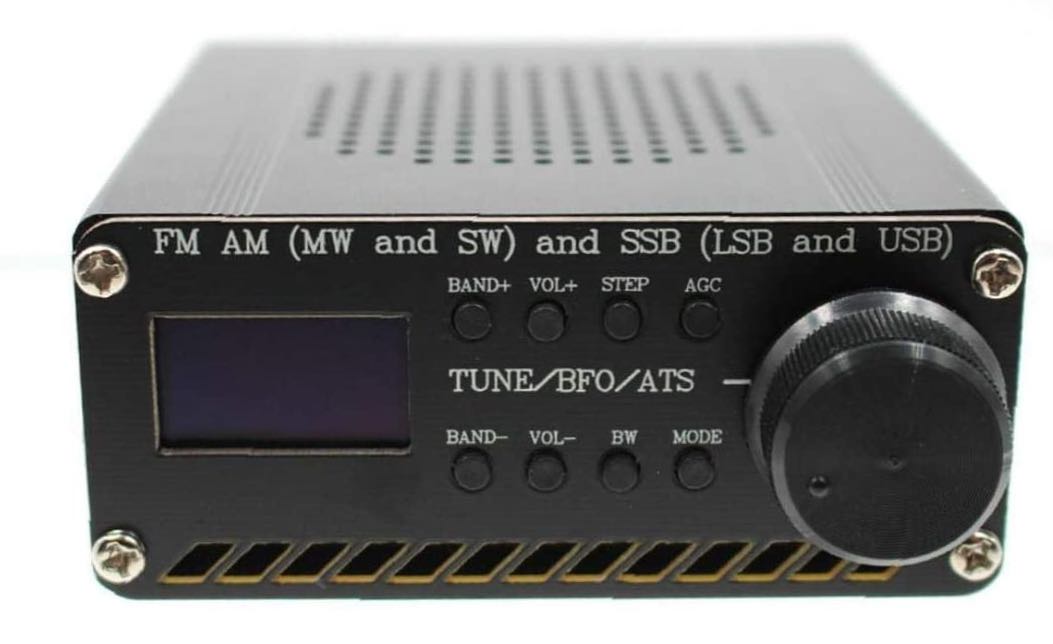
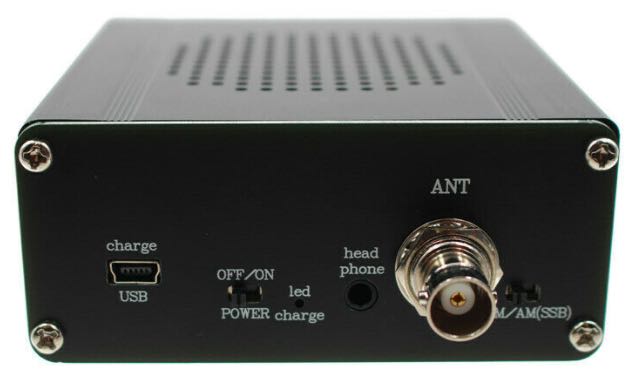
I’ve received a number of inquiries from SWLing Post readers lately regarding an inexpensive Si4732-based mini stand-alone receiver being sold on Amazon and eBay for around $56-66 US shipped.
The radio is based on the Silicon Labs Si4732 DSP chip which provides the following frequency coverage:
FM (64–108 MHz) with RDS
AM/Mediumwave (520–1710 kHz)
Shortwave (2.3–26.1 MHz)
Longwave (153–279 kHz)
It appears the bandwidth selections are 0.5, 1.0, 1.2, 2.2, 3, and 4 kHz.
If 4 kHz is the widest AM bandwidth, that is a bit unfortunate. The radio does have a BFO for tuning SSB and CW signals.
If I’m being honest, even though the price is a no-brainer, I’ve been hesitant to buy it simply because, due to my limited free time, I really do seek enthusiast-grade receivers for review these days. I’m less interested in radios that are cheaply made and lack the sensitivity, selectivity, noise floor, and features an SWL would desire. In other words, I’m a bit skeptical this receiver will be a proper performer.
The frequency range is certainly adequate and Silicon Labs chips are a quality product, but as we know the Si4732 is only as good as its implementation (click here to read the PDF data sheet).
I’m curious if any SWLing Post readers can comment with their experience using one of these Si4732-based receivers. Did it live up to your expectations? How does it compare with, say, an XHDATA D-808 or Tecsun PL-330? Is it sensitive with the supplied whip antenna? Does it have many birdies or other internally-generated noises? Please comment and let me know if this radio is worth checking out!

 Many thanks to SWLing Post contributors, Toy Riedel and Robert Gulley, who note that the price of the Sangean ATS-909X2 has dropped to $259.49 on Amazon.com.