Shortwave listening and everything radio including reviews, broadcasting, ham radio, field operation, DXing, maker kits, travel, emergency gear, events, and more
I returned home last night from my week-log Dayton Hamvention trip around 8:30 PM.
The Hamvention actually ended at 1:00 PM on Sunday, May 22, but my buddy Eric McFadden (WD8RIF), his son Miles (KD8KNC) and I stayed Sunday night in Dayton, and Monday night at Eric’s home in Athens, Ohio.
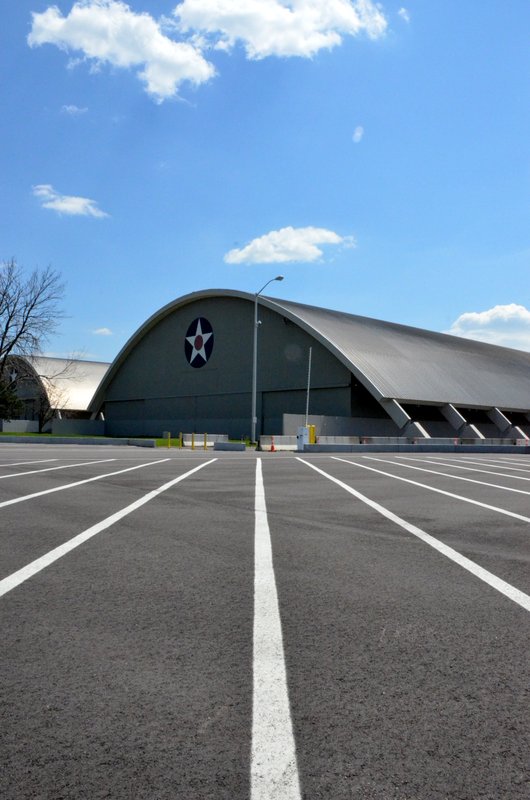
After packing up our Hamvention booth (for Ears To Our World) on Sunday, we made our way to the nearby National Museum of the USAF–the largest aviation museum in the world. We visit the museum every year–and every year I discover something new.
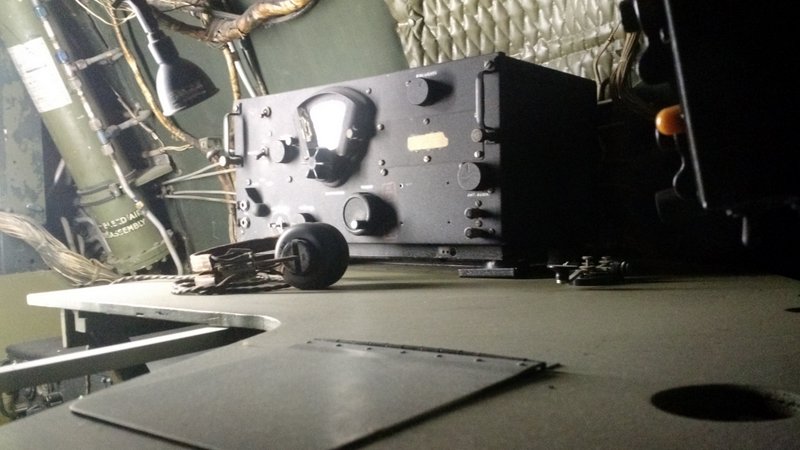
This BC-348 can be found in one of the museum’s B-29 displays.
In June, the Air Force museum is actually opening a fourth building which will house an additional 70 aircraft in four new galleries.
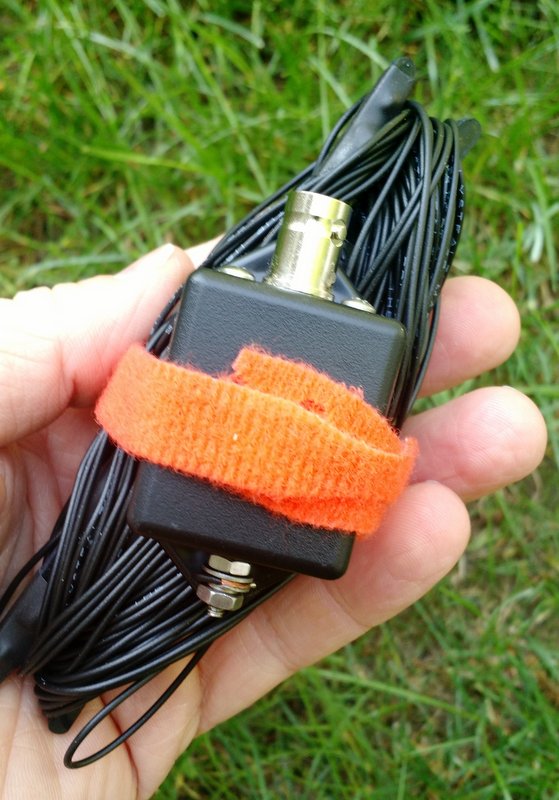
For all of my Monday NPOTA activations, I used the EFT Trail Friendly antenna I purchased at the Hamvention:
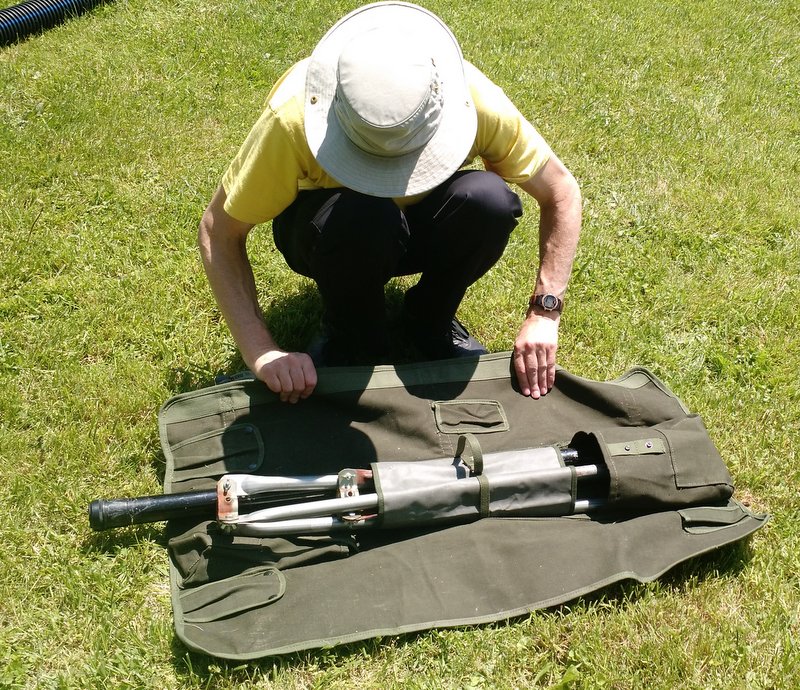
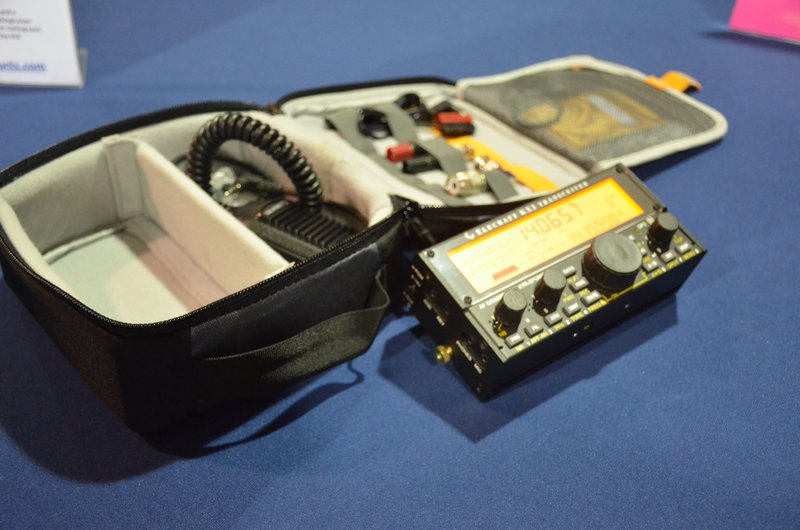
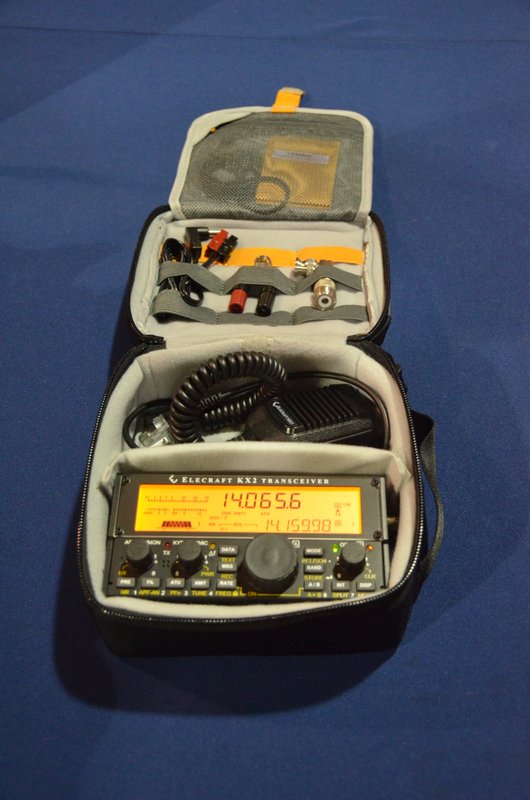
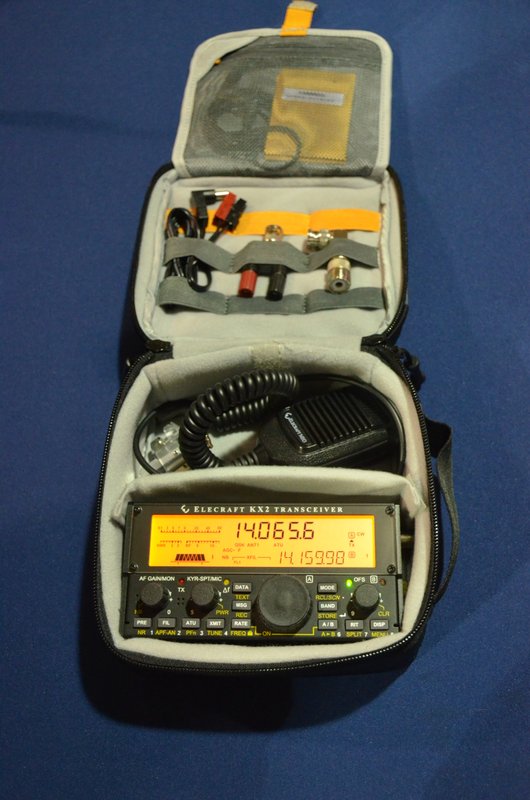
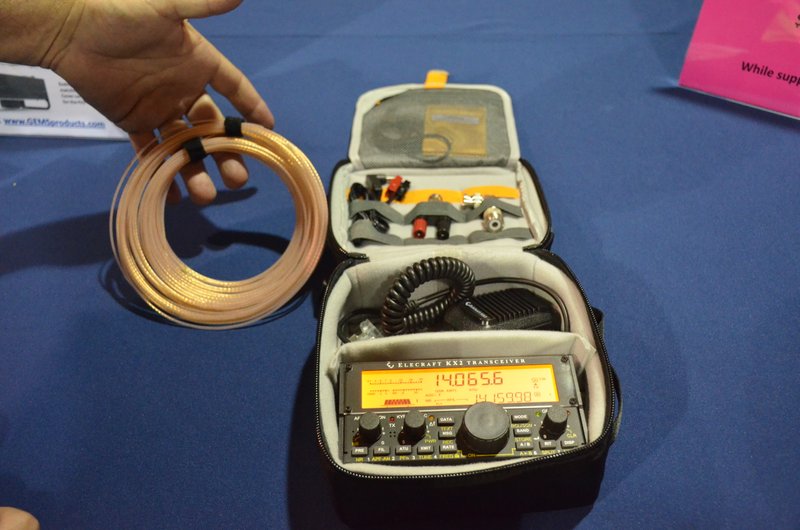
The EFT Trail Friendly Antenna made set-up a breeze: simply throw a line into a tree, hang the end of the antenna, then hook up the other end to the feedline/transceiver. No antenna tuner is needed for 40, 20 or 10 meters once the antenna is tuned for resonance. It packs up into a small bundle that easily fits in my radio go-kit (see photo above).
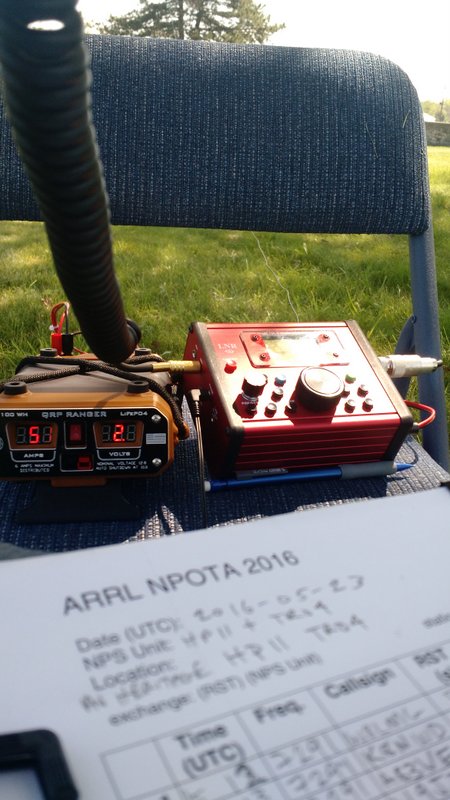
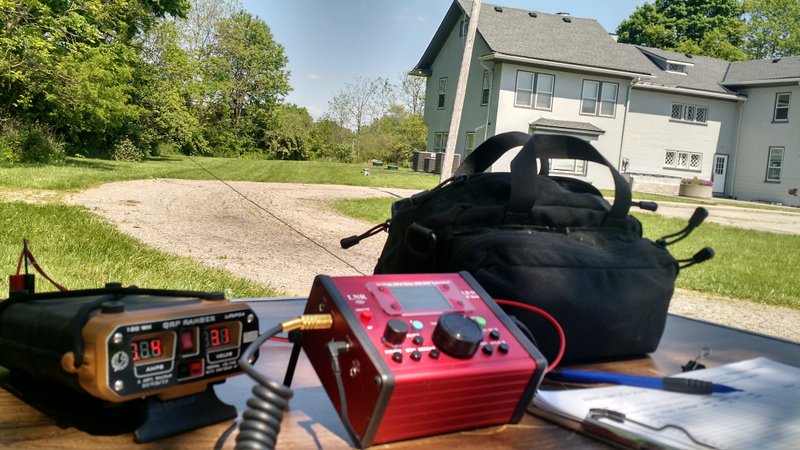
The LD-11/QRP Ranger/EFT antenna combo worked amazingly well and made for very quick deployment.
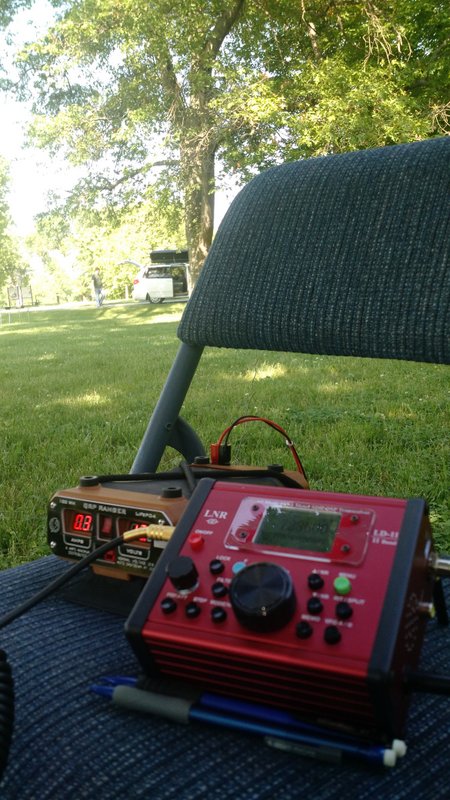
I can easily fit the LD-11 transceiver and QRP Ranger on a foldable metal chair (my make-shift field table!).
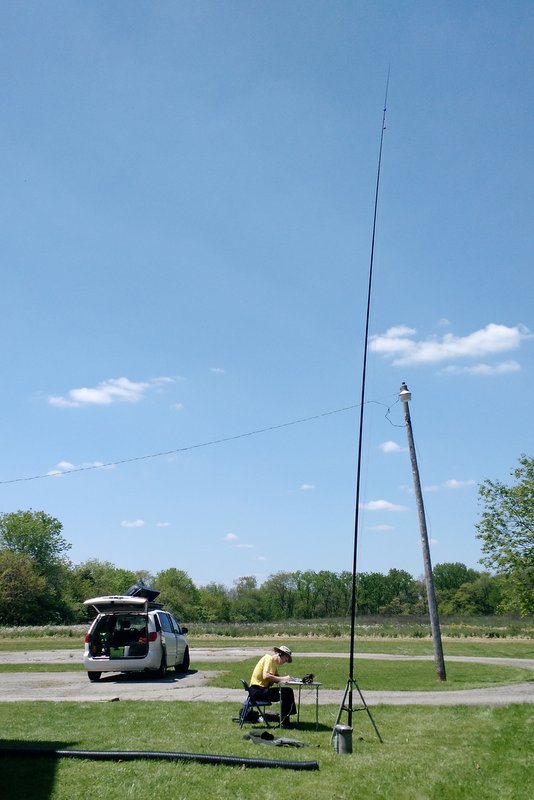
My buddy Eric, I should mention, is typically on the leaderboard for NPOTA as he’s an avid QRP field operator.
Eric (WD8RIF) operating NPOTA with his field-portable vertical HF antenna.
Despite not having my antenna very far off the ground (my antenna line fell down one branch in the process of hanging) I still managed to work a pile-up of stations from Georgia, North Carolina, Ohio, Illinois, Connecticut, Michigan and Indiana. After Eric and I racked up a number of QSOs, we packed up our site in haste and made our way to the final activation of the day: the Hopewell Culture National Historical Park (HP15). We arrived as the Park Ranger was getting in his car to leave for the day!
At Hopewell, I managed to deploy the EFT antenna much higher off the ground. I worked a small pile up of stations from all over the region which, to my surprise, included two radio friends (Ed and Eileen) in Franklin, NC. Eric also worked blogging buddy John Harper, AE5X on 20 meters CW (got your message, John!).
All in all, it was a fantastic day to be outdoors and on the air.
Of course, a side benefit of doing National Parks On The Air activations is that you get to check out all of these amazing park sites.
Without a doubt, this was one fun-filled and radio-centric Hamvention week! It couldn’t have been better.
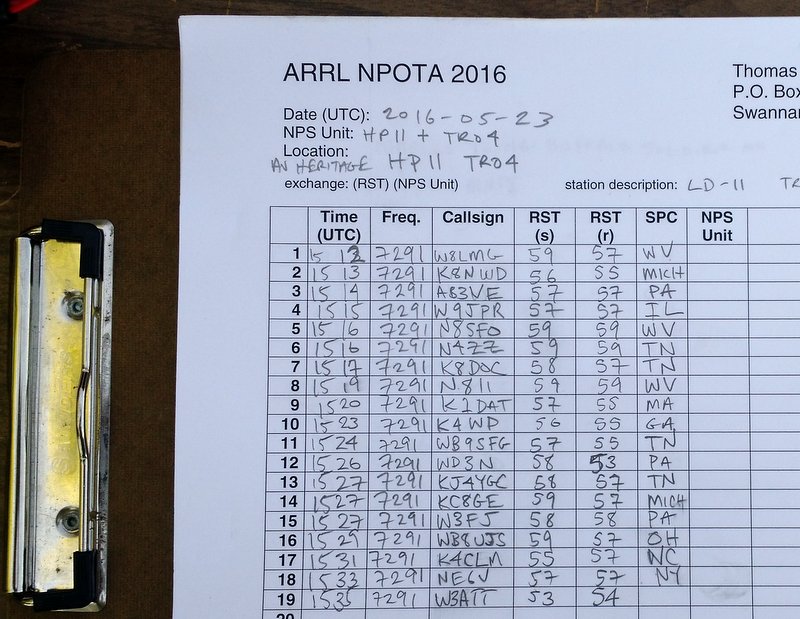
Part of my log sheet for NPOTA HP11 and TRO4 “Two-Fer” activations. Not bad for such a tight schedule!
Thank you
Many thanks to my friends Eric (WD8RIF), Miles (KD8KNC), Mike (K8RAT) and Christine (KM4PDS) for volunteering to manage our Hamvention booth for Ears To Our World. It was a record year for collecting donations. Many thanks to all of you for the support!
I’d also like to thank the SWLing Post readers who stopped by to visit our new location in the Silver Arena–it was great seeing everyone!
Now that I’m back home, I essentially have one week of emails and comments in my backlog to sort before hitting the road again rather soon. I appreciate your patience as I catch up. If you don’t hear back from me soon, it’s okay to give me a nudge! 🙂
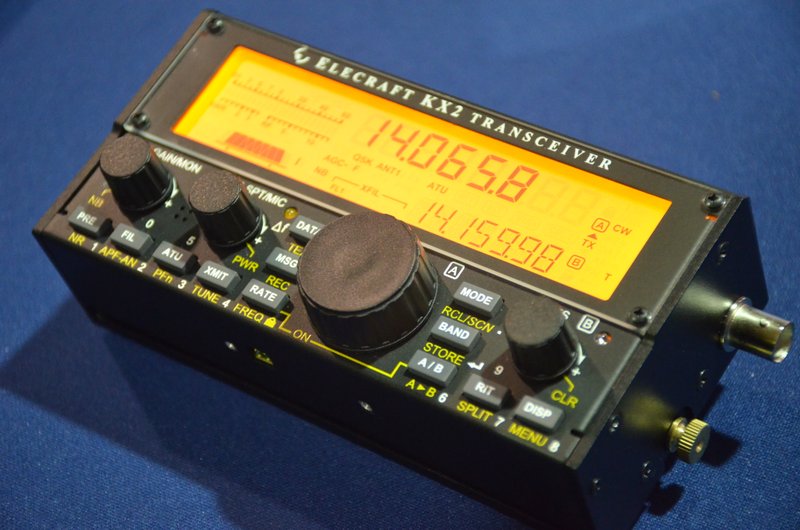
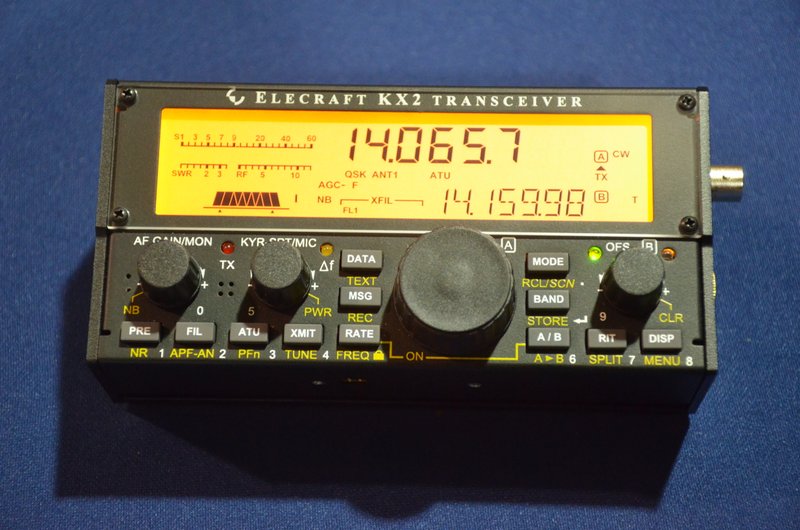
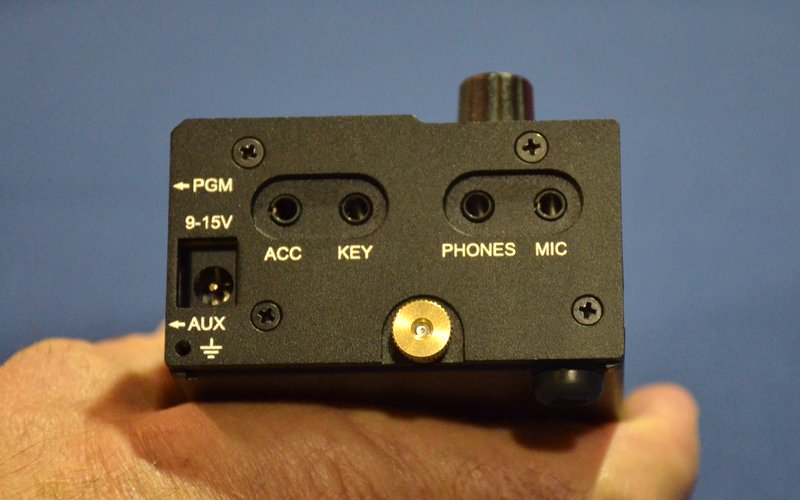
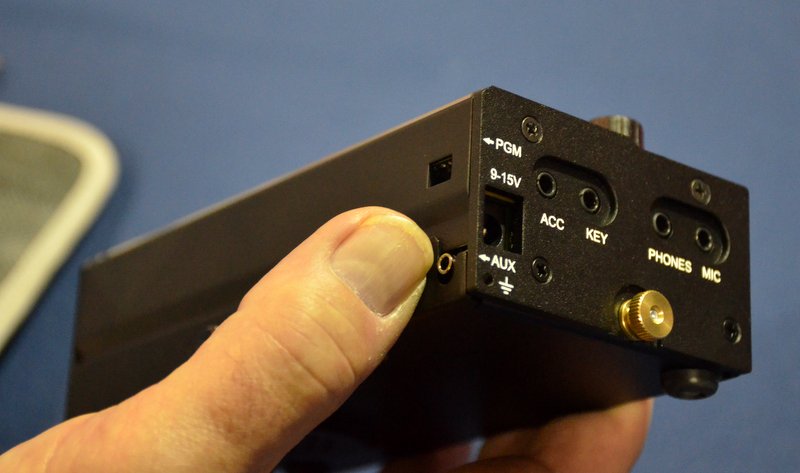
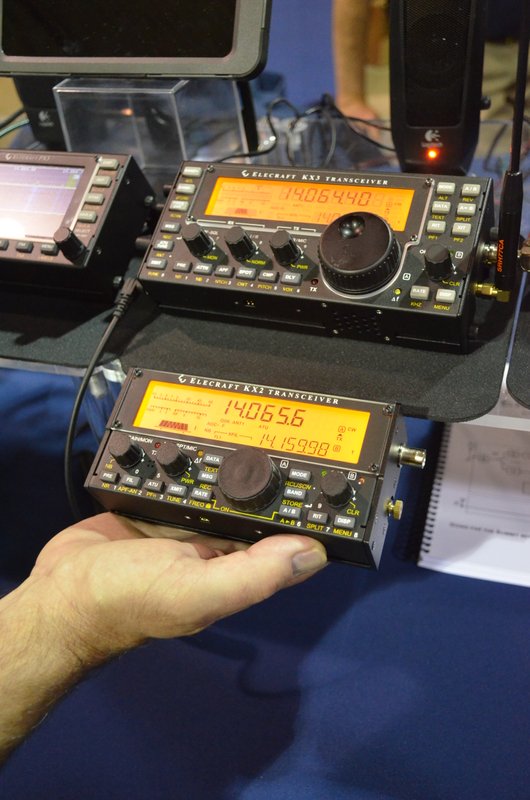
One of the benefits of being an inside exhibitor at the Dayton Hamvention is the ability to visit with vendors and exhibitors on Thursday, prior to all of the traffic that happens on Friday, Saturday and Sunday. Elecraft’s booth is always epically busy during the Hamvention–and this year will be no exception, I’m sure. It was nice to visit and get one-on-one time with the KX2 with no crowds.
Many thanks to the staff at Elecraft–especially David Shoaf–who gave me a quick tour of the KX2 and allowed me to take a few photos.
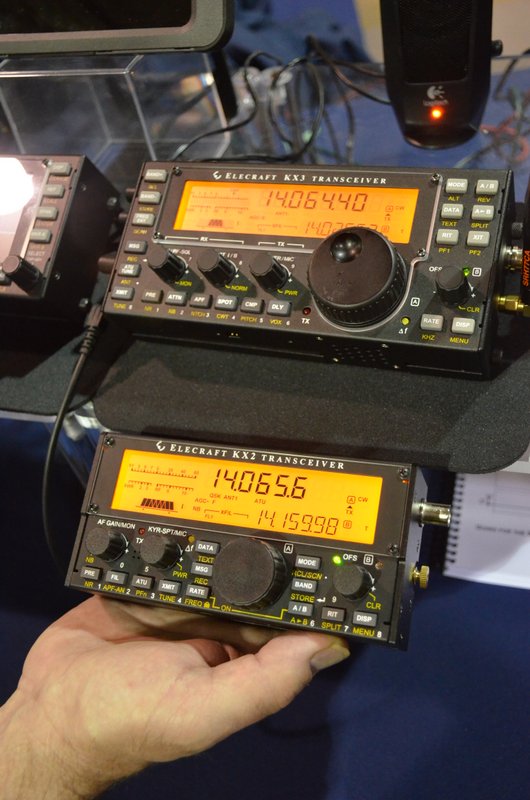
The KX2 is smaller than it even appears in most of the photos Elecraft has published. It’s roughly the size of the KX1, but somehow manages to fit the same backlit display of the KX3. They’ve done a pretty good job of designing this rig to accommodate a lot of features–but to be clear, it doesn’t have as many features of it’s “bigger” brother, the KX3.
The KX2 is actually much smaller than the KX3.
I am very tempted to purchase a KX2 for review, but may hold out for a few months. I would like to review it after my summer travels, though.
In truth, I love my KX3 and it serves me well: since I like the KX3 form-factor, it covers more bands than the KX2 and has a great general coverage receiver with AM mode for SWLing, I have no need for the KX2. The price point for a KX2 is a tough one, as well: after adding an internal ATU and paying taxes, you’re staring at $1,000 US.
Still: if you want almost all of the features of the KX3, yet something even more compact–something that can even be operated as a handheld!–the KX2 will serve you well. It’s certainly a clever piece of kit.
On my way this morning to FDIM and the 2016 Dayton Hamvention.
Since I own the Elecraft KX3, Elecraft K2 and the Elecraft KX1, I’m excited to see that Elecraft has announced a new addition to their product line: the Elecraft KX2. Elecraft will feature the KX2 at Four Days In May (FDIM) and the Dayton Hamvention.
I am attending vendor’s night at FDIM and the full Dayton Hamvention. I will post photos of the KX2 here–follow updates by bookmarking the tag KX2.
Full details from the Elecraft press release, via Southgate ARC, below:
New KX2 radio to be announced this Thursday at the Dayton Hamvention 2016
Hello to all,
We are please to announce a new radio to complement the KX3 and the KX-Line. Here are the details.
What: Elecraft announces the KX2, Ultra-portable radio When: Thursday, May 16th, 1300Z Where: Four Days In May QRP event, part of the Dayton Hamfest activities
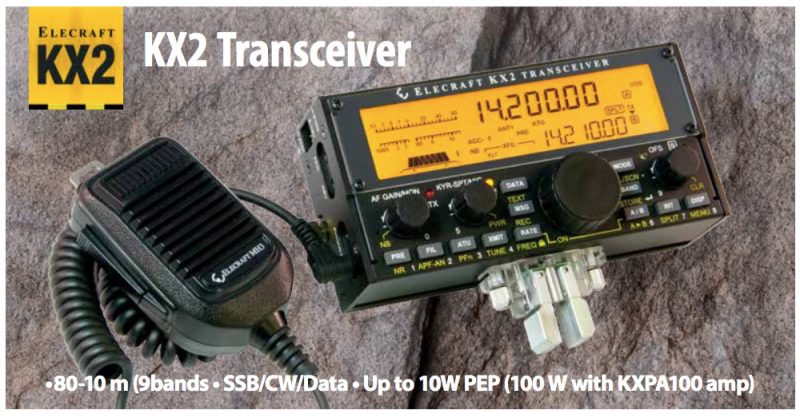
Elecraft is excited to announce a new radio targeting the Ultra-portable market with a Fit-In-Your-Pocket size. Please see the attached brochure for details.
Pricing – KX2: $749.00
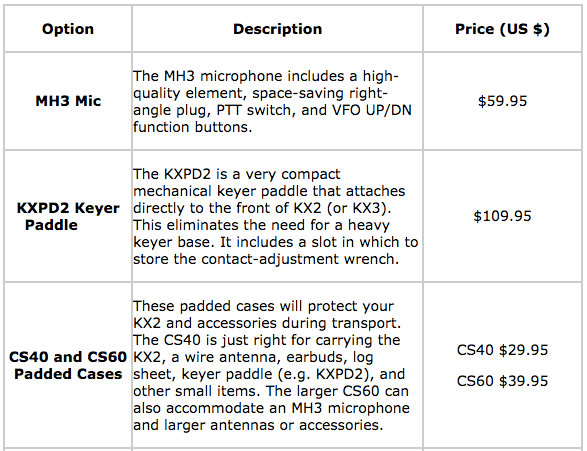
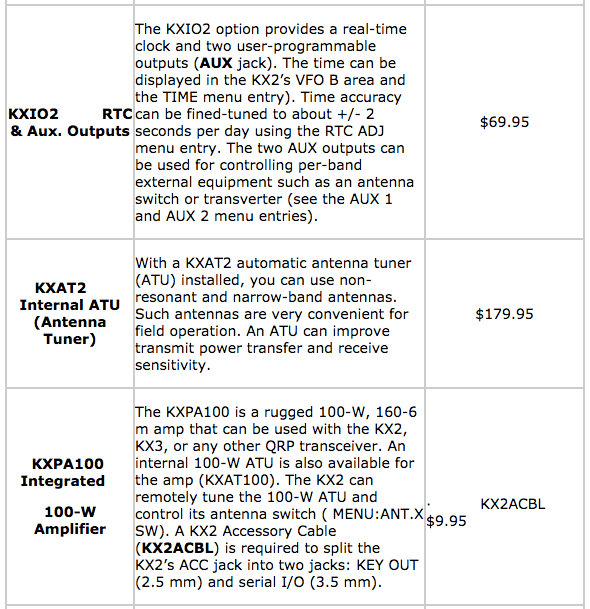
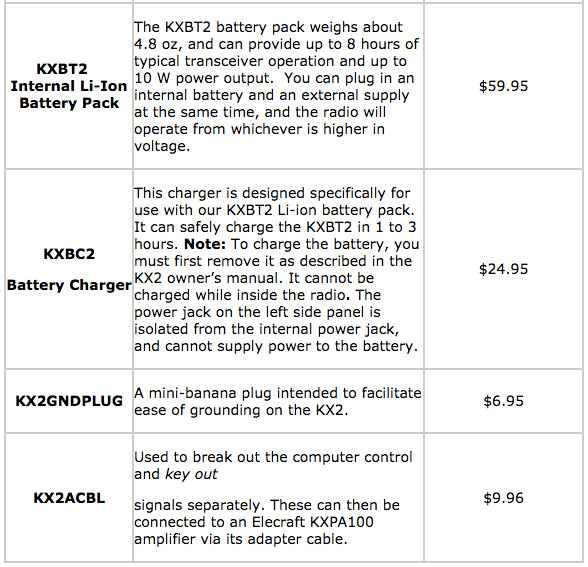
– Options and accessories: Please see the table below for pricing. Also see the FAQ for details.
Ordering/Availability
Distributors are encouraged to order both the KX2 and accessories now. The KX2 is already in production and early ordering will ensure your position for deliveries.
Note that the KX2 will be available in full, factory-built form only. There will be 2 internally-installed options available immediately. See the FAQ for more details.
Marketing Collateral Available
You will find a new section in the Elecraft Egnyte repository that contains:
– The attached brochure in editable form for you to translate and convert to local printing formats. – A KX2 Date Sheet – A KX2 Frequently Asked Questions (FAQ) in editable form – Hi Resolution images for use with your marketing and web site content
Special Note on the new KX2 Battery and Charger system
– Elecraft will be stocking the KXBT2 (Li-ion Battery) and the KXBC2 (Li-ion Charger) for your to order. – We have also arranged for you to purchase both items directly from our supplier, Tenergy (www.tenergy.com) – Please see the attached document, KX2 Battery info v1.0, with the details.
Along with many of the Elecraft team, I’ll be in Dayton to launch the KX2 but will be able to answer questions as needed.
Again, we are excited to offer you increased business opportunities with the KX2 launch!
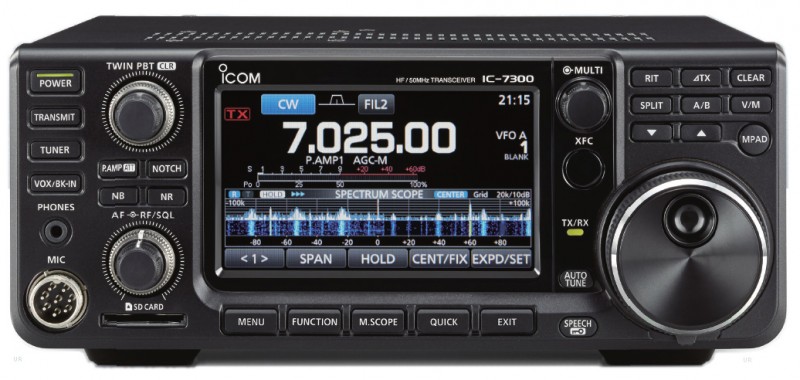
In August 2015 at the Tokyo Hamfair, Icom debuted a new type of transceiver in their product line––one featuring a direct RF sampling receiver. Essentially, it was an SDR tabletop transceiver.
At about the same time that the IC-7300 started shipping around the world, Icom pulled their venerable IC-7200 off the market. Yet the IC-7200 was established as a well-loved product, due to its highly sensitive receiver, its relatively robust front end, and its quality audio. Moreover, it was simple to operate, which made superb as a Field Day or radio club rig.
Therefore, even though the IC-7300 promised much more versatility than the IC-7200, for its price point it had a tough act to follow.
So, of course––even more so than with any other radio Icom has introduced in the past few years––I was eager to get my hands on a IC-7300. I’m very fortunate that my good friend, Dave Anderson (K4SV) was one of the first purchasers of the IC-7300, and that he didn’t mind (after only having the rig perhaps one week!) allowing me to borrow it for a several weeks for evaluation.
Note: I should state here that since this rig was loaned to me, I evaluated it based on the firmware version it shipped with, and made no modifications to it.
This review primarily focuses on the receiver’s performance, functionality and usability.
Introducing the Icom IC-7300
In recent years, the “big three” ham radio manufacturers have been using color displays, and––Icom most especially––touch screens. While I’m no fan of backlit touch screens in mobile applications, I think touch screen displays make a lot of sense in a base radio. If carefully designed, a touch screen can save an operator from heavily-buried menus and decrease the number of multi-function buttons on the front panel.
The challenge, of course, is making a display with intuitive controls, and one that is large enough, and with sufficient resolution, to be useful to the operator. In the past, I’ve been disappointed by many displays; the most successful have been incorporated in DX/Contest-class (i.e., pricier) transceivers, meanwhile, entry-level and mid-priced transceiver displays often seem half-baked. While the graphics may be crisp, spectrum displays at this price point are often too compressed to be useful, and if not a touch display, force the user to pause operation in order to find the correct knob or button to change settings. In such cases, I find myself wondering why the manufacturer went to the expense of a color display at all––?
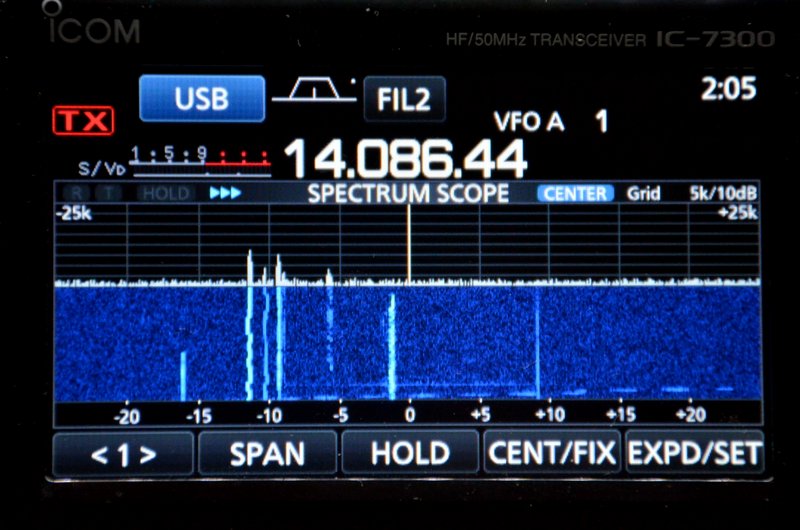
But what about the C-7300 display? I’m thoroughly pleased to report that Icom did a fantastic job of balancing utility and function in design of the IC-7300’s color touch display and front panel. There are number of ways you can chose to display and arrange elements on the screen–since I’m an SDR fan, I typically chose a display setting which gave the waterfall the most real estate. Of course, one can chose to give the frequency display priority or a number of other arrangements.
User interface
I can tell that Icom built upon their experience with the IC-7100––their first entry-level touch screen display transceiver.
I was able to get the IC-7300 on the air in very little time. Within five minutes of turning on the IC-7300, I was able to:
change the display to feature a spectrum waterfall;
change the span of the waterfall display;
adjust the TX power output;
change the filters selection and the transmit mode;
change bands and make direct-frequency entries;
adjust notch, passband, and filter width;
adjust AF and RF gain;
set A/B VFOs and operate split;
change AGC settings;
turn on Noise Reduction/Noise Blanker, and
adjust compression.
Basically, I found that all the essential functions are clearly laid out, accessible, and highly functional. Impressive.
The IC-7300 ships with a manual–– aptly titled, the “Basic” manual––and a CD with the full and unabridged operations manual. The Basic Manual covers a great deal more than the manual which accompanied the Icom ID-51a, for example. If you read through the manual, you’ll readily familiarize yourself with most of the IC-7300’s higher function operations, and especially, you’ll be able to adjust the settings to your operation style. The Manual is written in simple language, and includes a lot of diagrams and graphics.
If you’re like me, you will find you’ll also need to reference that unabridged manual, so hang on to the CD, too.
Still, I imagine there’s a large percentage of future IC-7300 owners that will never need to reference the manual––especially if they don’t care about tweaking band edges or similar settings. Yes, believe it or not, it’s that easy to use.
Operation
While I spent a great deal of time listening to CW and SSB in various band conditions and at various times of day, I spent less time on the air transmitting.
With that said, all of my transmitting time was in CW since the IC-7300 mic was accidentally left out when my friend loaned me the rig.
I’m please to report that CW operation is quite pleasant. All of the adjustments––RF Power, Key Speed, and CW Pitch––can be quickly modified using the multi-function knob. While in CW mode, you can also toggle full break-in mode, which is quite smooth, via the function button and touch screen.
SSB functions are similar. While in SSB mode, the multi-function knob allows you to change the tx power, mic gain, and monitor level. The function button opens an on-screen menu with VOX, compression, TBW, and the monitor toggle.
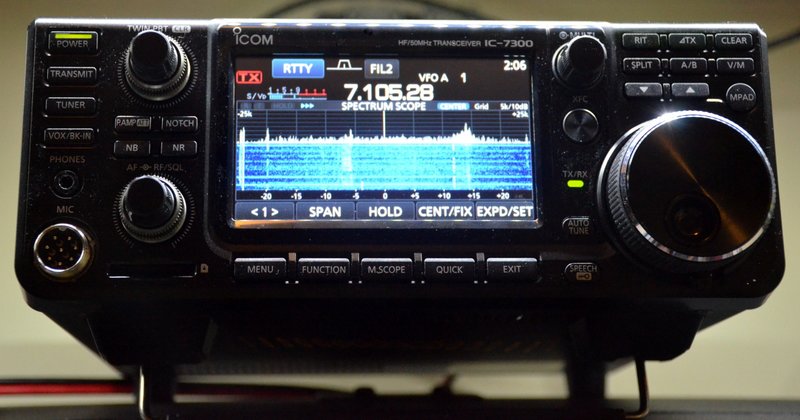
Of course, my smartphones’s microphone can’t accurately reproduce the audio from the IC-7300, but you probably get the idea.
The only annoyance I noted––and perhaps I’m more sensitive to this, being primarily a QRPer––is that the 7300’s cooling fan starts up each time you key up. It even comes on when transmit power is at its lowest setting. I find this a little distracting in CW. Fortunately, however, the 7300’s fan is fairly quiet and operates smoothly.
Receiver performance and reader survey results
Since our radio comparison shoot-outs have been particularly popular (and useful; check out our shoot-out between top portables, and ultra-compact radios, and others), I decided it would make sense to invite our informed readership to evaluate the Icom IC-7300’s performance in a series of blind, informal tests. (For information about these surveys, please read the first survey.)
Below, I’ve matched the labels (Radio A/Radio B) with the radio models. I’ve also included pie charts which show the results from the survey.
Based on listener comments, those of you who preferred the ‘7300 did so because the CW was more interpretable and stable.
Some of you noted that I didn’t quite have CW at the same pitch on both rigs. I believe this is because the IC-7300’s calibration was ever so slightly off. This has since been addressed.
This result was almost tied. The Excalibur’s audio––without any adjustments––has a fuller and “bassier” sound. The ‘7300 can be adjusted to have similar characteristics, but the default EQ settings produce very flat audio. Many of you commented that the IC-7300 more faithfully produced audio optimized for SSB.
Shortwave Broadcast recordings
The following recordings were made on the 31 meter broadcast band in the evening. Both radios had the same filter width: 9 kHz and 8.2 kHz.
Weak Shortwave AM (Radio Bandeirantes 31 meter band)
There was a noticeable preference for the WinRadio Excalibur in this particular audio set. Even though the Excalibur’s audio splattered a bit, the content was more interpretable. The IC-7300’s audio sounded flat in comparison––again, something that can be adjusted quite easily in the ‘7300’s audio settings.
Strong Shortwave AM (Radio Romania International, French 31 Meter Band)
Once again, the Excalibur won favor, but I imagine results would have been closer had I adjusted the ‘7300’s audio EQ.
Mediumwave Broadcast recordings
Note that the following mediumwave recordings were made during the morning hours (grayline). The strong station is the closest AM broadcaster to my home; it’s not a blow-torch “Class A” type station, merely the closest local broadcaster.
In the “weak” sample, I tuned to 630 kHz where multiple broadcasters could be heard on frequency, but one was dominant.
In this particular example, the IC-7300 could not pull the strongest broadcaster out of the pile as well as the WinRadio Excalibur. In fairness, the Excalibur was using AM sync detection, something the IC-7300 lacks.
Icom IC-7300 vs. Elecraft KX3
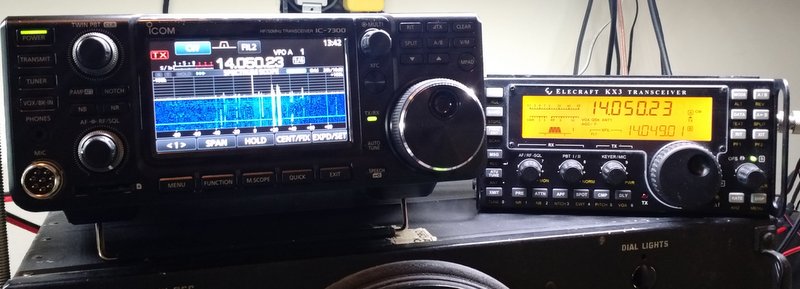
I also decided to pit the IC-7300 against my well-loved Elecraft KX3.
These results were spilt in the middle. Again, I believe this comes down to personal preference in the audio. And again––in both radios––the audio EQ can be adjusted to suit the operator.
Receiver performance summary
I enjoy producing audio clips for readers to compare and comment upon. Each time I’ve done so in the past, I’ve had listeners argue the virtues of a particular audio clip while others have the complete opposite reaction to that same clip. Not all of us prefer our audio served up in the same way. No doubt, there’s a great deal of subjectivity in this sort of test.
I’ve had the IC-7300 on the air every day since I took possession of it. I’ve listened to SSB, CW, and lots of AM/SW broadcasters.
And here’s my summary: the IC-7300 is an excellent receiver. It has a low noise floor, superb sensitivity and excellent selectivity. I even slightly prefer its audio to that of my Elecraft KX3, and I’m a huge fan of the little KX3.
I’ve written before about how difficult it is to compare SDRs; the problem is that there are so many ways to tweak your audio, filters, AGC, noise reduction, etc. that it’s hard to compare apples with apples.
In the audio samples above, the IC-7300 and WinRadio Excalibur were both set to their default audio settings. In SSB and CW, the IC-7300 excels, in my opinion. CW seems to pop out of the noise better and SSB is more pleasant and interpretable. The Excalibur has a better audio profile for AM broadcasters, though. Its default audio simply sounds fuller–more robust.
The audio from the IC-7300 on AM sounded absolutely flat. However, if I tweak the audio of the ‘7300, adding more bass, it instantly sounds more like a dedicated tabletop receiver.
I should also mention that while the IC-7300’s built-in digital recording is a fantastic and effective feature, it doesn’t produce audio true to what’s heard through headphones live. This is especially the case when you add more bass and treble response as in the RRI example above. When the audio EQ is set to a default flat, it’s quite accurate.
Cooling fan immediately starts up on CW/SSB transmit at any power setting (see pro regarding fan noise)
Occasionally you may get lost in deeper customized functions
Supplied printed basic owner’s manual, while well-written, doesn’t fully cover the IC-7300s functions and options; you must explore the digital owner’s manual in supplied CD.
Conclusion
In a nutshell: Icom has hit a home run with the IC-7300.If I didn’t already have an Elecraft KX3 and K2, I would buy the IC-7300 without hesitation.
Though the price point is a little high for an “entry level transceiver,” it’s worth every penny, in my opinion. For $1500 US, you get a fantastic general-coverage transceiver with an intuitive interface, nearly every function you can imagine, and performance that would please even a seasoned DXer.
Though I haven’t done and A/B comparison with the IC-7200, I imagine the IC-7300 would prevail in a test. The IC-7300 would certainly wipe the floor with it’s more economical brother, the IC-718.
Radio clubs, take note:
In my view, the IC-7300 has the makings of an excellent radio club rig in which performance, functionality, as well as ease of use are important. I expect that the IC-7300 will not only cope very well with crowded and crazy Field Day conditions, but it will also give any newcomers to the hobby a little experience with a proper modern transceiver. The fact that you can view signals so easily on the spectrum display means that it will be easier to chase contacts and monitor bands as they open and close. Indeed, what better way to mentor a newly-minted ham in modes, contacts, carriers, QRN, QRM, and so forth, than to simply point these out on the IC-7300’s bright, clear display––?
If your club is considering a transceiver upgrade or purchase, do seriously consider the IC-7300. I think you’ll find this rig is up to the task.
And for home? The Icom IC-7300 may be all of the rig you’ll ever need.
An announcement has been made by Kurt, OE1KBC and reported by Don Trynor, VA3XFT concerning a multi-mode radio combining various digital modes. The radio/computer is called simply NEW RADIO and is a joint initiative of the ÖVSV, DARC and IARU R1. As stated in Don’s article:
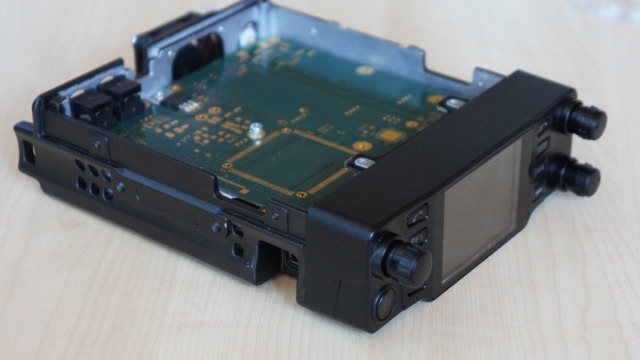
the “NEW RADIO” that will operate on the 2m & 70cm bands and support the most common ham digital modes, including DMR, D-STAR and C4FM (System Fusion), plus analog FM. As reported in the article, the NEW RADIO has been created by hams for the ham radio community will feature a colour touch screen display, 50W of power output, a 1.8 GHz processor, a Linux operating system, plus dual AMBE+ vocoders, allowing for full-duplex, cross-band operation. Also, one of the biggest features of the NEW RADIO is that it will include a built-in LTE wireless modem and SIM card allowing it to be Internet connected while on the go. Apparently, with it being Internet connected, the NEW RADIO will be able to automatically download frequencies, offsets, contacts and other configuration information on the go, allowing for instant updates for users. (The full article may be found here.)
I certainly hope this radio really is “ready for Prime Time” soon as it might very well fill a big need by allowing use of multiple systems without the need to carry around a radio for each digital mode. I suspect many hams have hesitated to jump on the digital bandwagon simply because of not knowing which standard would have dominance. Nobody wants to relieve the VHS/Beta experience! (Yes, I am dating myself here!)
If anyone gets a look at this radio at Dayton I hope you will share with us your impressions!
I must admit: it’s mighty fun to be able to listen to shortwave broadcasters through my vehicle’s audio system.
Last week, the BST-1 saved my sanity, too. You see, I was in a rush to get to a morning appointment in town when Murphy’s Law stopped me dead in my tracks!
A construction crew began resurfacing a two mile (unavoidable) stretch of asphalt road on my route. As the road crew set up their gear, I was forced to wait a full 20 minutes (!!!!) before being allowed to pass.
Fortunately, I remembered that I had the BST-1 hooked up in the car. I tuned to 9580 kHz and there was Radio Australia. Somehow, hearing my staple broadcaster soothed my nerves. I accepted that I would be late for my appointment and simply enjoyed the moment. In your face, Murphy–!!!!

 I returned home last night from my week-log Dayton Hamvention trip around 8:30 PM.