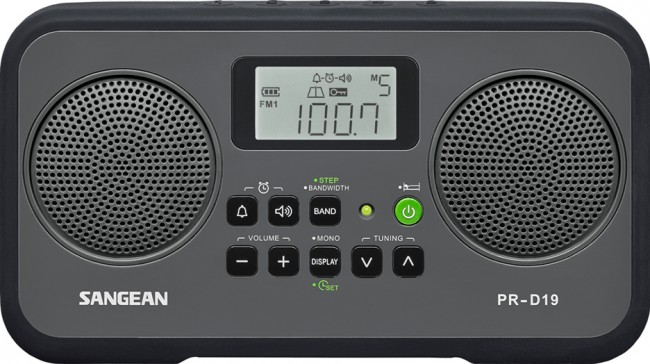
 Many thanks to Jeff, over at the Herculodge for sharing information about the new Sangean PR-D19 AM/FM radio which is now available at Universal Radio and Amazon.
The new Sangean PR-D19 AM/FM radio
Leave a reply

Many thanks to Jeff, over at the Herculodge for sharing information about the new Sangean PR-D19 AM/FM radio which is now available at Universal Radio and Amazon.
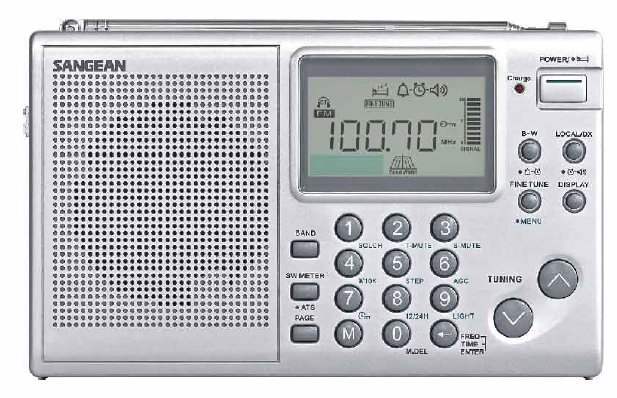 SWLing Post reader, Mike, writes:
Keith Perron’s review of the new Sangean ATS-405 appeared in the last show of Media Network Plus. There is an archive of the show on the PCJ website for you to listen:
http://www.pcjmedia.com/medianetworkplus
The review’s at the beginning of the episode and Keith had multiple complaints about performance, build quality and the radio’s overall engineering. I don’t remember him having anything positive to say about it. Sad because I had hoped this new Sangean would be better.
Thanks for the link, Mike. For what it’s worth Jay Allen was actually mostly impressed with the ATS-405.
I’ll receive an ATS-405 later this week; and I’m very interested to see how it compares to other portables like the Tecsun PL-310ET, CC Skywave, and Tecsun PL-660. I’ll certainly report on what I find.
Here’s the audio from the Media Network Plus review:
The following review originally appeared in the May 2015 issue of The Spectrum Monitor magazine.
Good things often come in small packages. But not all of these things are…well, affordable.
Ironically, earlier this year, just after I began to evaluate and review the superb TitanSDR Pro, a robust military-grade SDR, I was approached by the UK-based manufacturer of the SDRplay RSP software-defined radio and asked to review their receiver. I was instantly intrigued––and, truth be told, just a bit amused, considering the difference between these two receivers. And what, exactly, separates the SDRplay RSP from the TitanSDR? At least $1350.
The SDRplay RSP is one of the recent generation of economical wideband SDRs based upon innovative, inexpensive chipsets; in the RSP’s case, based upon the Mirics MSI3101 SDR chip, and a MSI001 tuner. Priced at a mere $149 US (plus shipping), the SDRplay RSP is one of the least expensive, yet full-featured SDRs which actually include the HF bands and below, and which require no extra upconverter. Preliminary reviews of the SDRplay RSP were quite positive, so when the folks at SDRplay requested that I review an RSP on loan, I immediately seized the opportunity.
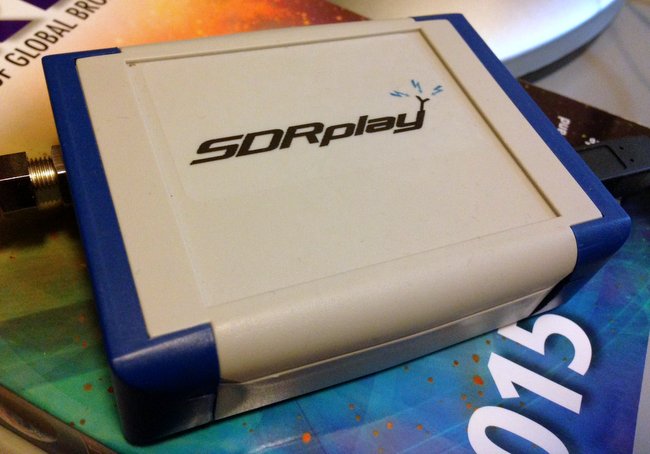
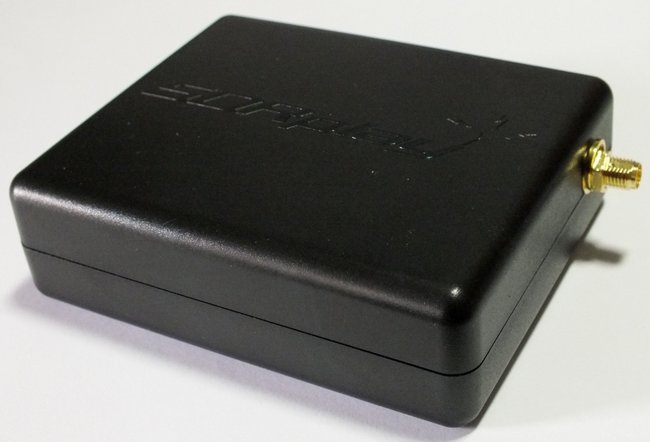
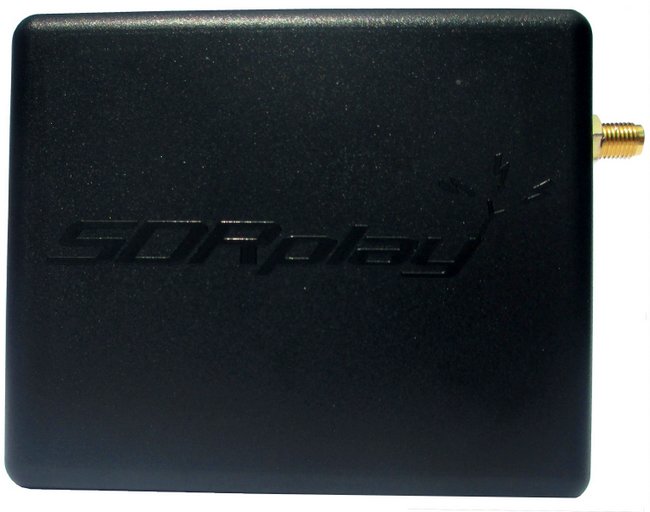
My review unit of the SDRplay RSP has blue ends caps and an F style connector. All current production units have the new back case and SMA connector.
My SDRplay RSP arrived in a modest well-padded box. And what was inside? Only the SDRplay RSP and a small F-to-BNC adapter. You’ll need to supply a USB cord, as it’s not provided by SDRplay. If you’re like me, though, you already have a number of these around; I prefer USB cables with ferrite chokes (click here for an example).
Note that shortly after I received my review unit, SDRplay made two design changes to the RSP:
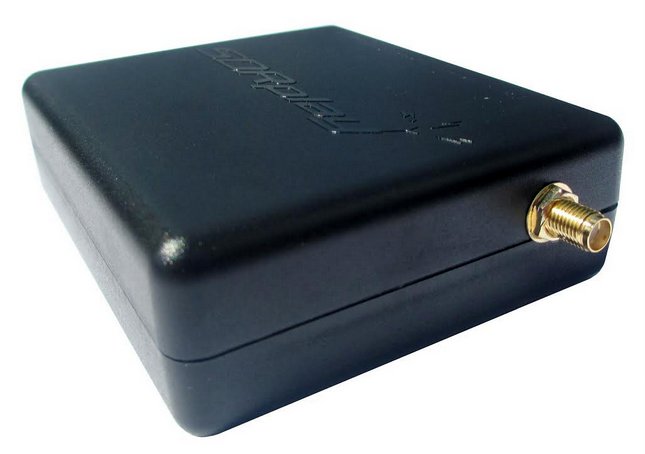
1) the F style antenna jack has been replaced with the more common SMA connector, and 2) the chassis color has been changed to black.
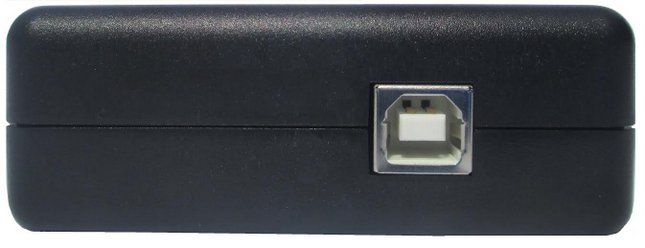
There are only two ports on the RSP: the antenna port, and on the other side of the box, a USB B-Type port (see photo above). Connecting it to your computer and antenna are a cinch.
The RSP’s chassis is made of a strong, lightweight plastic. A very simple design, and one that, I expect, would easily survive the rigors of my favorite brand of one-bag air travel to international DX destinations.
Software Installation
Unlike many of the other SDRs I’ve reviewed in the past (see the Elad FDM-S2 and TitanSDR), the SDRplay RSP does not come with a proprietary (OEM) SDR application. Meaning, the SDRplay company does not make their own SDR application that controls the RSP. Instead, SDRplay provides an API to allow application and demodulator development. There are already plug-ins for third-party SDR applications (like SDR# and HDSDR, for example); once installed, these plug-ins create an excellent compatibility bridge with the RSP.
But note that since the SDRplay RSP relies on third-party applications, the installation process isn’t exactly plug-and-play; you must typically download USB drivers, then the SDR application of your choice, and finally (typically) a dedicated plug-in for the software. Yet it’s not a complicated process by any means; SDRplay’s website has links to all of the necessary downloads (http://www.sdrplay.com/downloads.html) and installation manuals (http://www.sdrplay.com/documentation.html). No intimidation factor here.
Advantages and disadvantages of third-party applications
I should also note that I’ve always been a fan of SDR manufacturers offering open compatibility with third-party applications; in fact, when hardware manufacturers have approached me in the development stages of product design, I always suggest they leave room for third-party development.
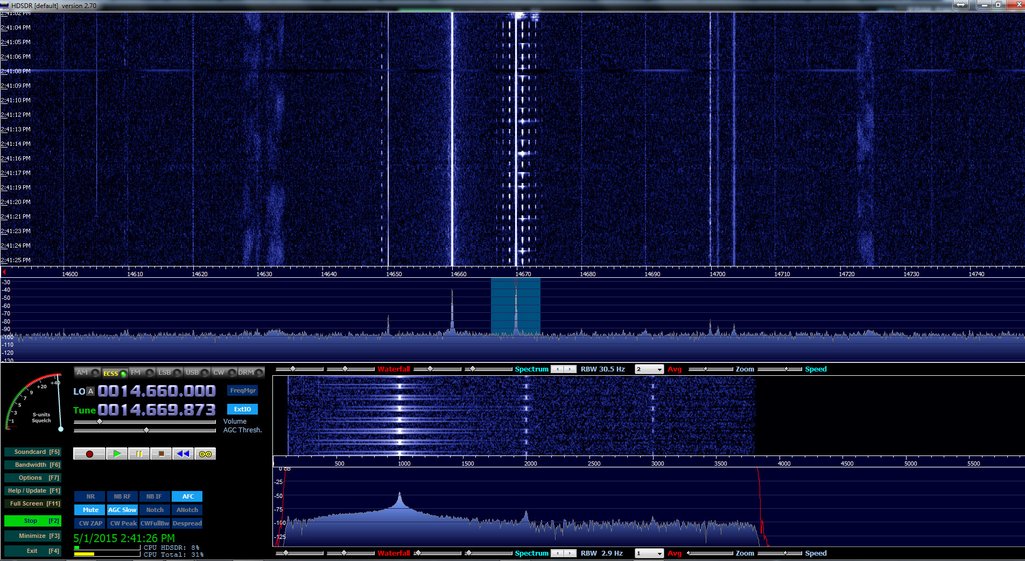
HDSDR running the SDRplay RSP (Click to enlarge.)
Why? First, as free SDR apps are so widely used in amateur, scanner, as well as shortwave radio circles, there is already a very large user-base for support when you have compatibility issues. Additionally, third-party applications often work on multiple platforms, like Windows, OSX, Linux and even Android/iOS; OEM application tend to work only on Windows OS. Secondly, if you’re already using, for example, HDSRDR to control a radio, adding the SDRplay RSP is very easy, and as a bonus, you’ll already be familiar with the user interface––there’s hardly any learning-curve involved. Finally, I find I’m much less concerned about product obsolescence when hardware is designed to work in such an open-development environment, thus indicating greater potential for forward-compatibility.
Of course, on the flip side, not having an OEM application means that troubleshooting is often more difficult. If you encounter a problem you’ll have to determine whether the problem lies with OS, computer/tablet, USB driver, SDR application, or hardware––or whether the problem is in a combination of two or more of these, or the communication between them.
Fortunately, I’ve been very pleased with the SDRplay support team; this group has promptly addressed any questions or concerns I’ve had. Moreover, the RSP also has an active forum of users (http://www.sdrplay.com/community/).
In most reviews, I focus the majority of my SDR review upon the pros and cons of the application’s user interface. In this case, since the SDRplay RSP is using widely-distributed third-party applications, I can focus primarily on the SDR’s performance, instead.
The SDRplay RSP is currently compatible with the following third-party SDR applications:
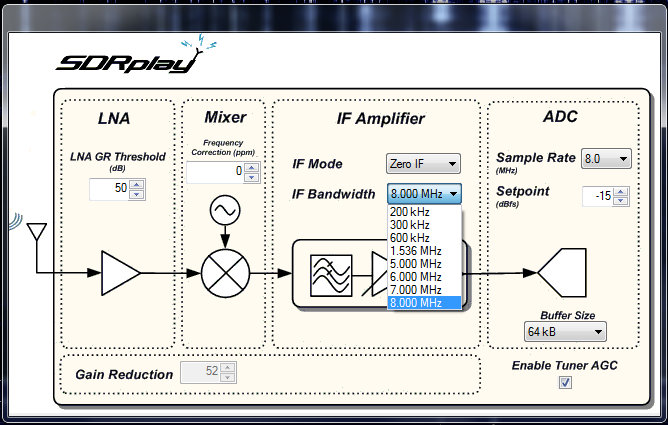
The ExtIO screen–available in your application of choice via the RSP plugin–allows you to change the RSP’s IF Bandwidth/Mode, LNA GR Threshold, Mixer and ADC settings.
Indeed, when I asked the SDRplay support team about a comprehensive list of supported SDR apps, they responded:
“We should be compatible with any SDR application that supports the EXTIO library––this is what we are using for SDR# and HDSDR. [We] should also be compatible with any Linux application that uses the gr-osmosdr interface library (such as GQRX and Gnu-Radio).
We have just released it and I’m in the process of writing up the installation instructions. We have also had this running on a Raspberry Pi 2.”
…A Raspberry Pi 2 application? I, for one, can’t wait to try this in the near future––!
For this review, I used two favorite apps with which I’m familiar: SDR# and HDSDR.
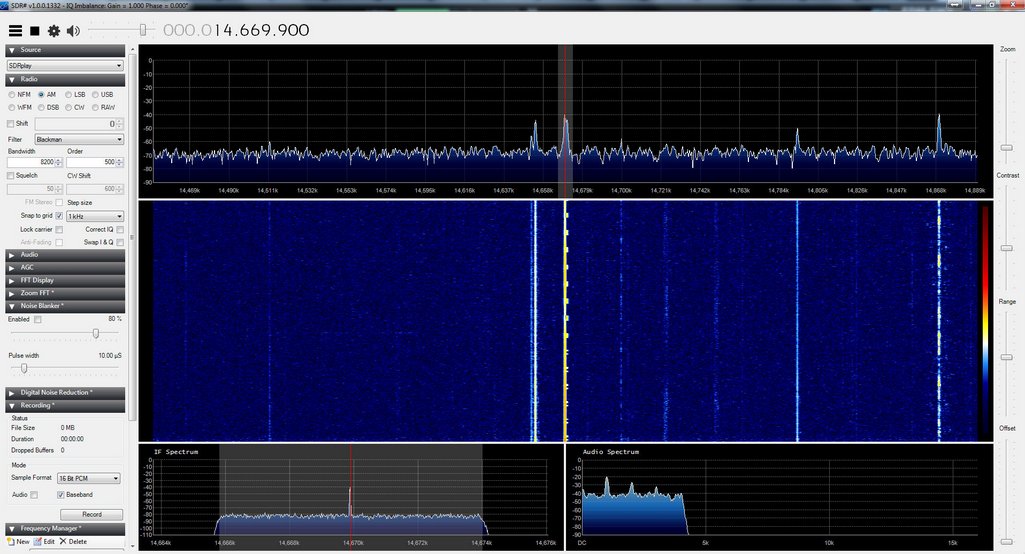
SDR# running the SDRplay RSP (Click to enlarge.)
Wideband
I should note here that the SDRplay RSP also has an exceptionally wide frequency range covering from 100 kHz to 2 GHz, with only a narrow gap between 380 MHz and 430 MHz. With the appropriate software, you can use the RSP for a number of applications, for example, scanning, FM DXing, and possibly even radio astronomy.
So, how about receiver performance?
I’ll going to cut to the chase here: For the $149 price tag? I’m very impressed.
Keep in mind, this is the first SDR I’ve ever reviewed––or even spent more than a few hours exploring––that costs under $400. My only other experience with a low-cost SDR was a few hours spent with the Funcube Dongle Pro+––a popular wideband SDR dongle that also covers the HF spectrum. Frankly, I was disappointed with the Funcube Dongle Pro+, which I found subject to unwanted noises and even some imaging, which I assumed might be indicative of this class of SDR. Fortunately, I’ve not experienced this sort of thing with the SDRplay RSP.
In short: I fully expected $149 performance out of the RSP, but was very surprised to find performance on par with a receiver two or three times this cost.
So for comparison purposes, I chose the Elad FDM-S2 as the benchmark. I currently have three other SDRs in my shack, but the FDM-S2 is the next-lowest in price (currently listed at $539). But to be quite clear: the FDM-S2 is a pretty high benchmark, as I consider it a superb receiver for its price class.
When I first turned on the RSP and tuned through the HF bands, I was quite amazed at the relatively low noise floor of this receiver. Stations seemed to “pop” out of the static. I had assumed that the SDR# application had some sort of DSP noise reduction engaged, but this proved not to be the case––I confirmed the same low noise floor level via the HDSDR application.
SDRplay actually gave the RSP to me on an extended loan, so I’ve had the opportunity to use it both in quiet winter conditions and more unsettled, noisier conditions indicative of spring and summer here in the US. I used the RSP almost exclusively for two weeks in an effort to uncover its most notable strengths and weaknesses. But by the end of the two-week period, I began to suspect that the RSP might actually have sensitivity on par with my other SDRs. To answer this question, I turned to A/B comparisons with the FDM-S2.
Sample audio
I believe the following is a good representative comparison between the SDRplay RSP and the Elad-FDM S2.
The following recordings are of Radio Riyadh on 15,225 kHz. Riyadh’s signal is quite weak and voice levels are barely above the noise floor. Both the Elad FDM-S2 and SDRplay RSP (via HDSDR) were set to a slow AGC, AM sync, and a 8.2 kHz bandwidth.
In this representative sample––and pretty consistently throughout all my comparisons––the FDM-S2 was able to pull voice and music out of the noise better than the RSP. In weak signal DXing, this is important, especially when you’re listening for a station ID.
So would I ever replace my FDM-S2 with the RSP? No.
Still, for a $149 receiver? This performance is most impressive! The RSP is only a little less sensitive than my much pricier SDRs.
Invariably, all radios have strengths and weaknesses; here is a list of my notes from the moment I put the RSP on the air:
Pros:
Cons:
 I walked into this product review expecting to be…well, disappointed. As I have some benchmark SDRs on my desk at all times, I hadn’t investigated inexpensive SDRs because I felt they would simply be redundant.
Fortunately, the SDRplay RSP really impressed me from the beginning with its low noise floor, variable IF bandwidth options, and relative ease of installation. Since the RSP only requires one USB cable for both data and power, it’s also an ideal portable SDR.
Up to this point, I’ve always hesitated suggesting that those interested in a beginner’s SDR invest in any sub-$200 SDR, unless they simply want to get their feet wet and aren’t interested in performance. But at $149 US––the price of a good shortwave portable radio––I can confidently recommend at least the SDRplay RSP to those readers who want to start out with a good-quality rig. Indeed, for many, it might out-perform other receivers in their shack.
I see the RSP having a place in my shack as well, especially on my portable shortwave listening adventures. If you’re looking for a quality first SDR, or, like me, are interested in a supplemental or remote receiver that won’t break the bank, the RSP is just the ticket. And at just $149, you simply can’t lose.
Meanwhile, what’s next for me? I plan try the RSP via the Raspberry PI 2 and my newly acquired Dell Venue 8 tablet.
The SDRplay RSP can be purchased directly from SDRplay via their online store: http://www.sdrplay.com/purchase.php
Resources:
 [UPDATE: Click here for a full review of the Sangean ATS-405]
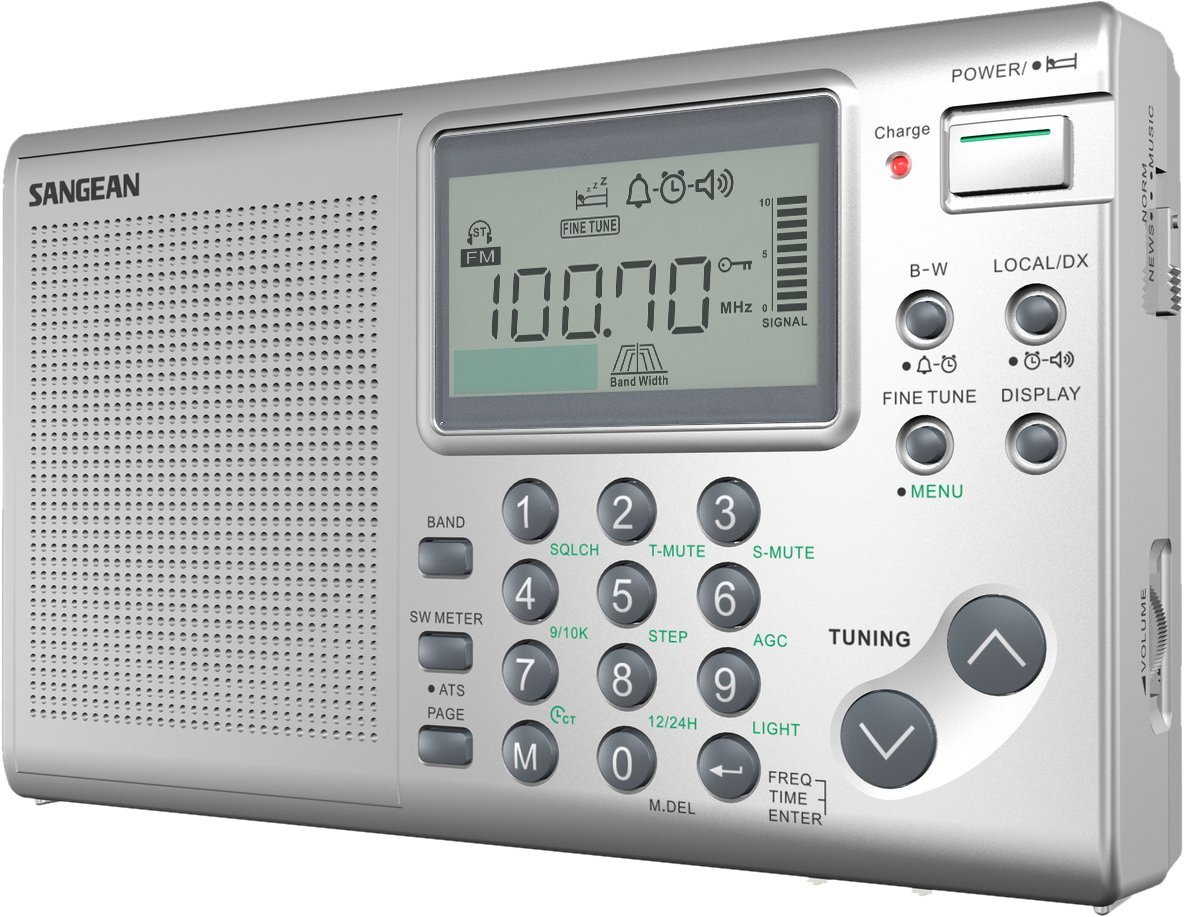
Many thanks to SWLing Post contributor, Aaron Hyde, who reports that Sangean has a new travel radio on the market: the Sangean ATS-405.
Aaron writes:
“While looking around the internet today, I came across a new DSP shortwave radio called the Sangean ATS 405. The 405 looks a lot like its 404 predecessor except that it includes 3 bandwidths, 148 memories, a squelch control and comes along with some other interesting features.”
The ATS-405 came as very much a (welcome) surprise to me as Sangean hasn’t introduced a new shortwave radio in years. This radio is obviously based on a DSP chip and has three selectable bandwidths–I hope its AGC circuit is well suited for weak DX. I am a little disappointed the ATS-405 doesn’t have a tuning wheel. Still, I hope this will be a winner.
The ATS-405 owner’s manual (download here) lists the following features:
I will plan to purchase an ATS-405 in the near future and review it in due time. Please comment with your impressions if you’ve purchased one!
The Sangean ATS-405 is available from the following sellers from $89.00 to 95.00 US:
Many thanks agin, Aaron, for the tip!
Dennis Walter at Bonito has just informed me about two new product’s they’re offering: high and low pass filters. From the Bonito blog:
LP060 Low Pass Filter
The elliptically-formed low pass filter LP060 from NTi suppresses all frequencies above 60 MHz. Highly effective antennas combined with near-by strong FM stations often overburden the input of the radio and cause interference and phantom signals.
The LP060 was developed aiming at the highest possible suppression in the 88MHz – 108 MHz FM band, whereas as the 6m amateur radio band at 50MHz is still totally within the pass band. For the greatest possible effectiveness, the low pass filter should be inserted directly before the receiver input.
Attenuation values (typ.):
52MHz: -1dB
60MHz: -3dB
80 MHz: -55dB
88-110 MHz: -90dB
110-150MHz: -75dB
150-200MHz: -70dB
200-400MHz: -65 dBDimension: 88mm x 31mm x 25mm (3,46 x 1,22 x 0,98 inch)
Input and output are DC-blocked (max. 50V DC)
Attention: Only suitable for reception, high HF (>10dbm) will cause permanent damage! When using end-fed active antennas: Because the filter is DC-blocked, it has to be inserted between the receiver input and the power inserter.
Successfully tested with: Elad FDM-S1 and FDM-S2, FiFi-SDR1.0 and 2.0, PM-SDR, Winradio Excalibur, RFSpace SDR-IQ
HP0020 High Pass Filter
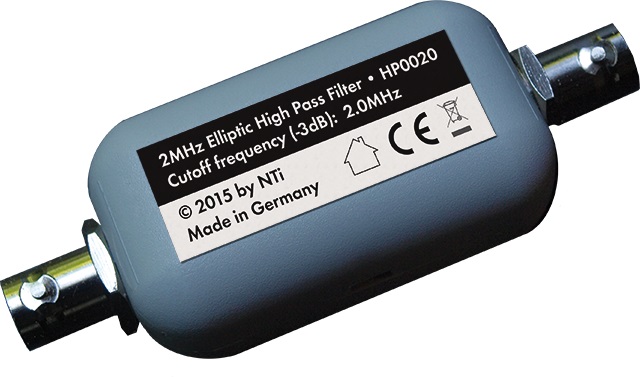
The elliptically-formed high pass filter HP0020 suppresses all frequencies below 2 MHz. Strong or near-by transmitters in the long- or medium wave range can cause interferences and intermodulation in the shortwave range, which can effectively be suppressed with this filter. The HP0020 filter is very steep, so that signals in the upper medium wave range are already suppressed effectively. For the greatest possible effectiveness, the low pass filter should be inserted directly before the receiver input.
Attenuation values (typ.):
<0.50 MHz:-55dB
1.0MHz: -45dB
1.6 MHz:-35dB
2.0MHz: -3dB
>2.5 MHz: -1dBInput and output are DC-blocked (max. 50V DC)
Dimensons: 88mmx31mmx25mm (3,46 x 1,22 x 0,98 inch)
Attention: Only suitable for reception, high HF (>10dbm) will cause permanent damage!
Because the filter is DC-blocked, it has to be inserted between the receiver input and the power inserter.
Click here to read the full press release on Bonito’s blog, or purchase via Bonito’s web store. I imagine Universal Radio will start stocking these soon as well.
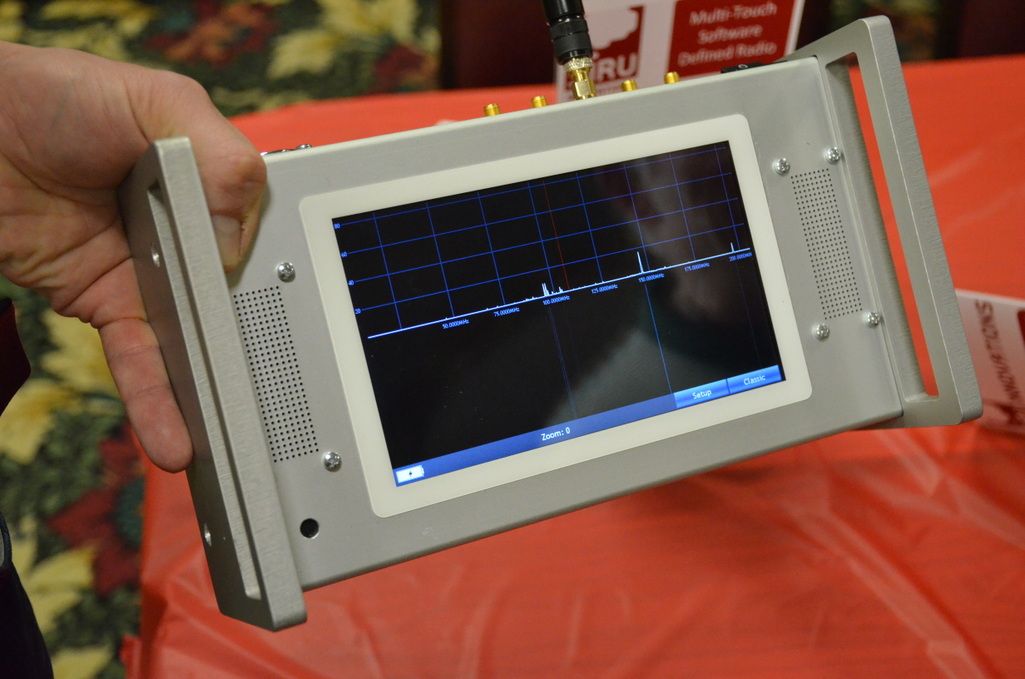
A few weeks ago, at the Four Days In May conference (held alongside the Dayton Hamvention) I met Jarkko Mäkivaara from the Finnish company Siru.
Jarkko was demonstrating the SDR20: a radio that immediately grabbed my attention from across the room. The SDR20 is a fully portable, robust, multi-touch portable SDR transceiver.
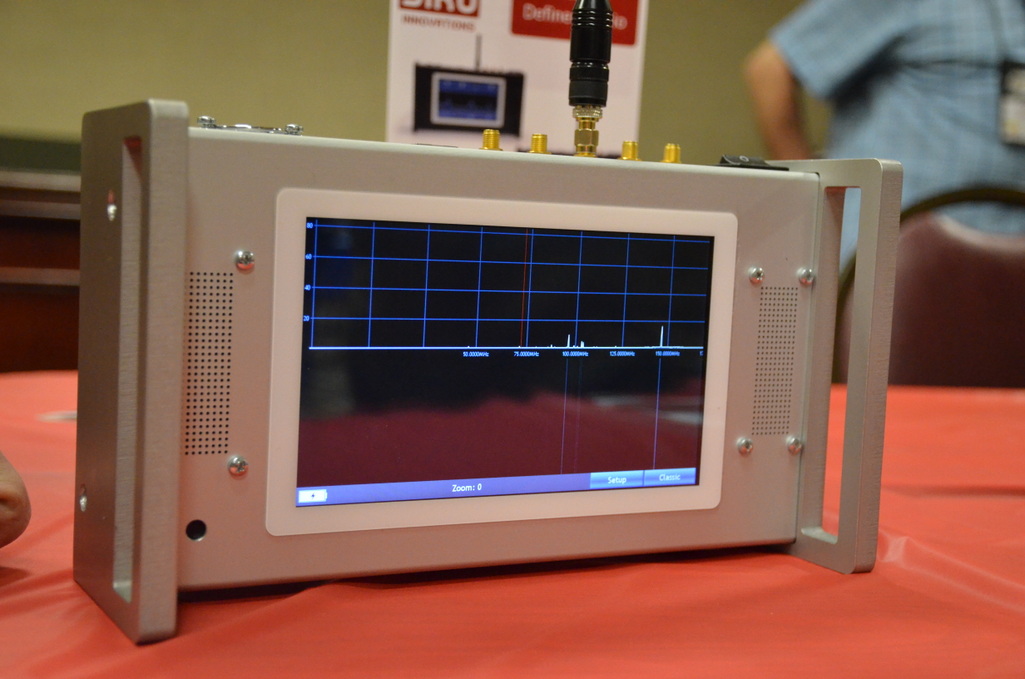
The screen on the SDR20 is as responsive as an iPad and fully developed around SDR functionality. While Jarkko didn’t have an HF signal of any sort inside the hotel convention room, I was able to play with the interface a bit, which I found rather intuitive.
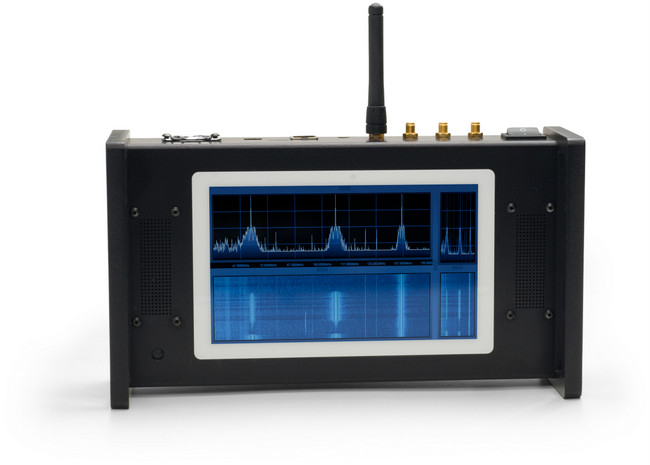
(Source: Siru)
The SDR20’s product brochure lists some of its features:
Of course, the SDR20 is truly designed for industrial and government/military applications, thus it carries a price tag reflective of those markets: €3,395.00 (about $3,800 USD).
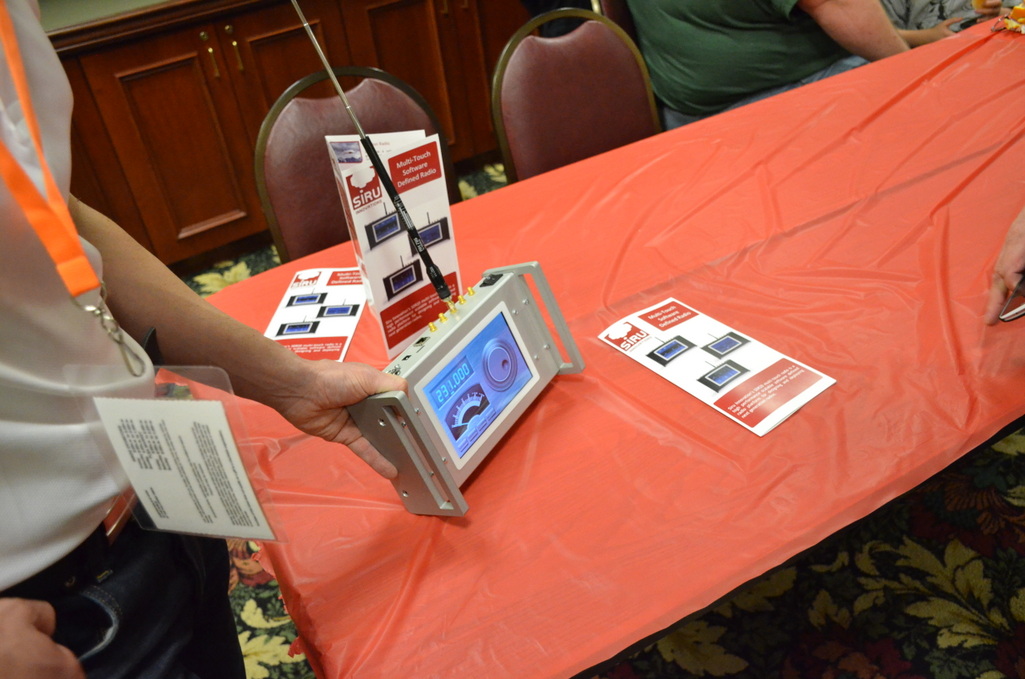
Still, seeing the SDR20 gives me hope that multi-touch, portable SDRs will become more commonplace as capacitive screens, processors, DSP chips and solid state storage continue to decline in price. Indeed, I wouldn’t be surprised if Siru is able to lower the price on future iterations of their portable SDR line.
If you would like to take a look at some of the SDR20’s specifications, check out this PDF product sheet and the video embedded below. Of course, you’ll find even more information and updates on Siru’s website. The SDR20 has shipped to Beta testers and should begin full production in the fall.
https://vimeo.com/122629896
The following review originally appeared in the May 2015 issue of The Spectrum Monitor magazine.
It’s no secret…I’m a bit of an SDR geek. Yes, after discovering the power of software-defined radios a few years ago, I’m hooked: SDR listening represents nearly 95% of my home listening and monitoring. And I love it.
As a result, I’m always looking at new SDR technologies to note advances that could improve both my at-home and on-the-road listening––not to mention, satisfy my appetite for spectrum and broadcast recordings.
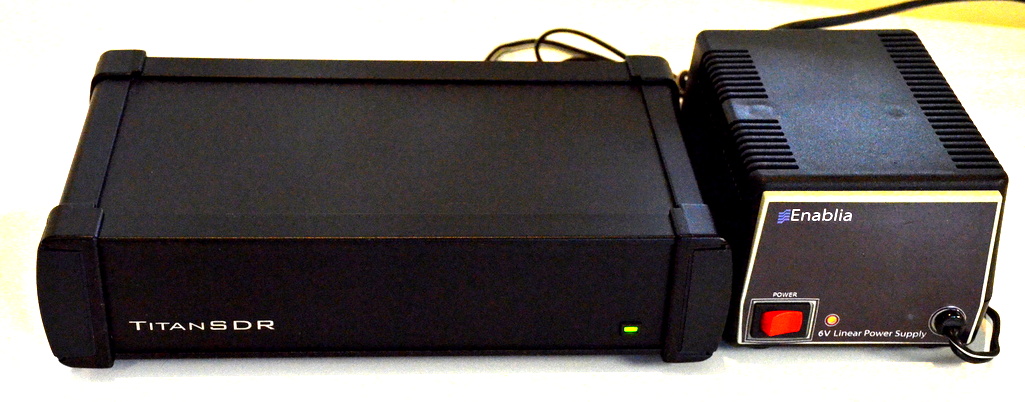
A few months ago, I heard about a new military-grade SDR called the TitanSDR. Being eager to check it out, I reached out to the Italy-based manufacturer, Enablia; they kindly lent me a TitanSDR Pro for review.
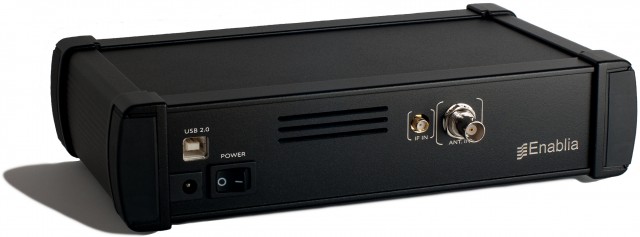
TitanSDR back panel (Photo: Enablia)
But here I must insert a disclaimer. Even though I love SDRs, I always find myself hesitating slightly when it comes to writing a review of one––simply because, when compared with tabletop and portable radios, SDRs tend to be so very complex. While I’m fairly well versed in what to expect of an SDR application, the learning curve (and sometimes even installation curve) can be formidable. And the TitanSDR seemed especially daunting: since it’s designed for heavy, full-duty, multi-channel SIGNET and military use, I expected to need a at least a few days to both install the device and, more significantly, to learn the ropes of the application which drives the SDR.
Fortunately, my fears were unfounded. The TitanSDR and I were in sync almost before I knew it, hinting favorably about an accessible user interface.
The TitanSDR ships in a box with the following components: the Titan SDR “black box” receiver, a TitanSDR installation DVD, a printed installation manual, a USB memory stick with a license key, USB cable with chokes on both ends, and a separate regulated power supply.
Not purely a plug-and-play device, the TitanSDR requires a proper three-step installation. Fortunately, the installation manual walks you through the process, which is actually quite simple. Within a mere five minutes, I had the TitanSDR installed and on the air.
The application which runs an SDR is your interface to all of the radio’s capabilities. A top-notch SDR paired with a confusing SDR application will greatly diminish usability and, frankly, sheer enjoyment.
Fortunately, this is where the TitanSDR comes up trumps. To be clear: the TitanSDR has one of the best user interfaces of any SDR I’ve ever tested. While SDR interfaces are subjectively evaluated––some prefer a more dense, involved GUI––I always appreciate simplicity and overall usability over lots of (visible) bells and whistles.
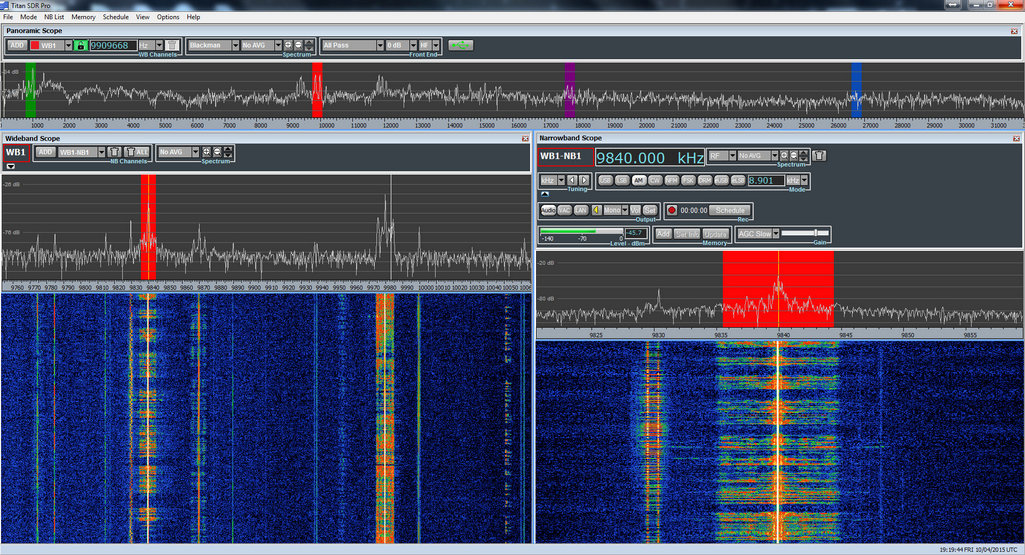
Click to enlarge
I’m especially impressed with how easily the TitanSDR app is designed to cope with multiple band windows, both wide and narrow, while many SDR manufacturers struggle with making an intuitive interface for merely one wideband and one narrowband window, each.
The user interface is divided into three major components: the panoramic scope, the wideband scope, and the narrowband scope. Let’s take a look at each.
Panoramic Scope

TitanSDR Panoramic Scope. Click to enlarge.
When you first open the Titan application and connect the SDR, the panoramic display, which spans the top of the window, comes to life. If hooked up to an antenna, you’ll see spectrum peaks across the display, but you’ll hear no audio because you must first select a wideband and then a narrowband window.
Wideband Scope
At the upper left portion of the panoramic scope, you’ll find a button that allows you to add a wideband selection/channel. After clicking the “add” button, you’ll need to choose the width of your wideband slice. Your choices:
After selecting your wideband width, the wideband scope will appear with the spectrum and waterfall in action. At this point, you’ll still hear no audio, but you’ll see a wideband swatch of frequency represented by your selection.
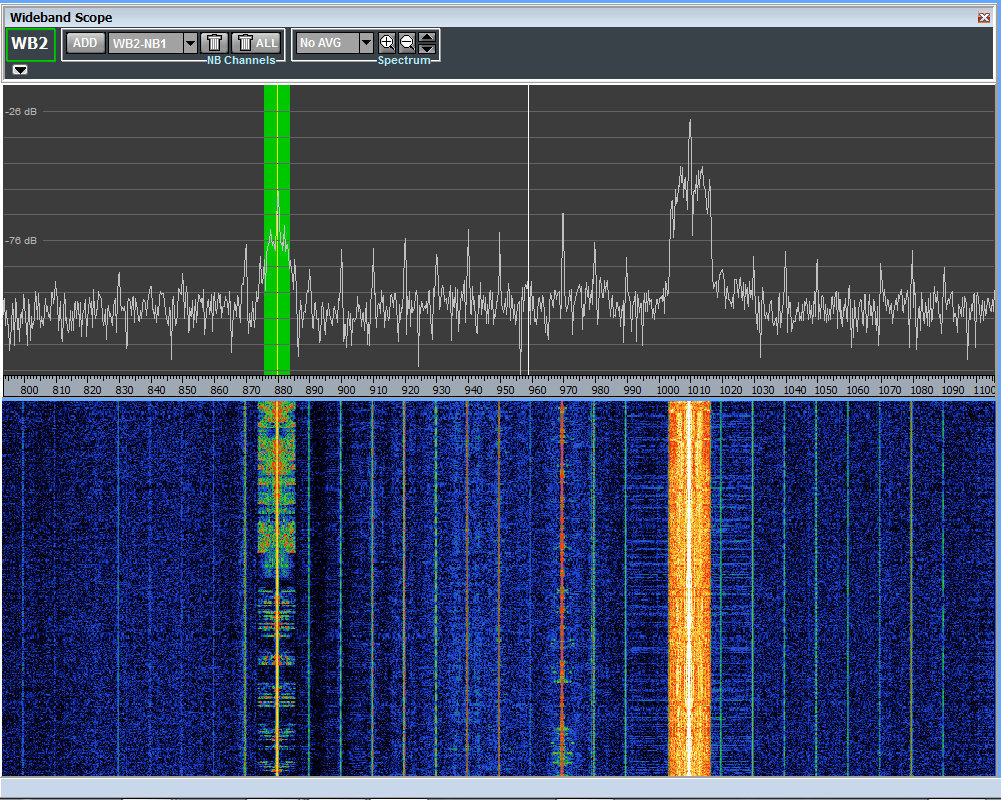
New wideband selections default with a beginning frequency of 0 kHz. To place the wideband selection into the part of the shortwave spectrum you want to hear or record, you simply click and drag the appropriately colored wideband swatch within the panoramic display to the part of the HF spectrum you wish to monitor.
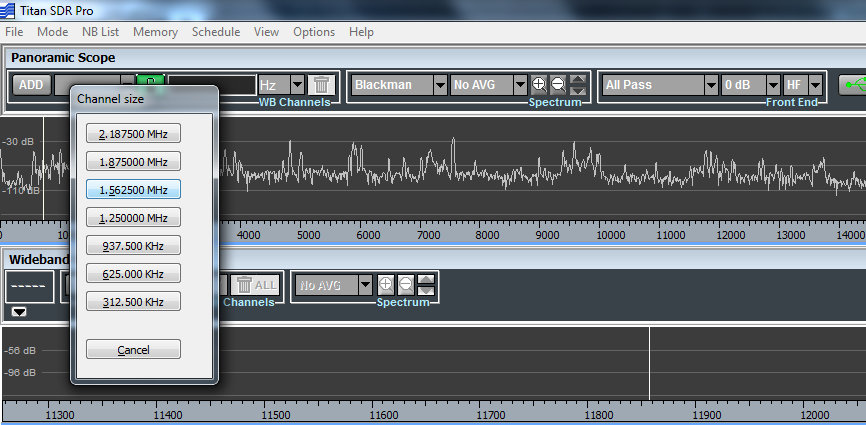
Selecting a Wideband channel size. Click to enlarge.
Your first wideband selection is labeled in red, the second in green, third in blue, fourth in purple. While there are limits to the number of wideband selections you can make, based on the total bandwidth of your selections [the TitanSDR owner’s manual provides a matrix of possible combinations], each is readily identifiable by color in the panoramic display.
After you’ve created a wideband selection and placed it where you’d like to listen, you’ll now need to make a narrowband selection in order to begin tuning and listening.
Narrowband Scope
Creating a narrowband channel is similar to creating a wideband channel: at the top of the wideband scope window, simply click on the “add” button, and then click within the wideband scope spectrum display to place the narrowband channel where you want it.
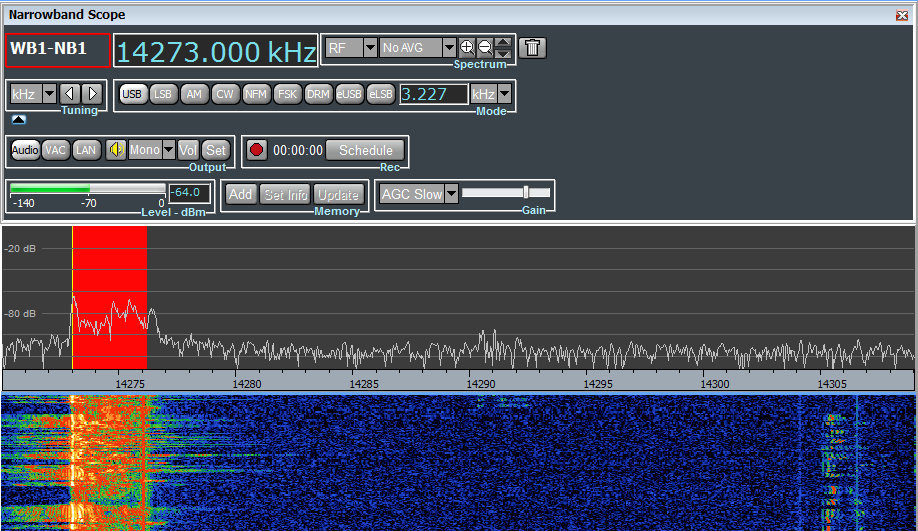
Once placed, this new narrowband scope will be visible in the lower right portion of the TitanSDR application window. You’ll also hear audio for the narrowband selection.
The narrowband selection defaults in USB mode, but you can quickly change modes by selecting one from the panel above the narrowband spectrum. Your choices:
Tuning
After using the TitanSDR for only a couple of days, I found I was quite comfortable tuning through the bands. Every SDR application has its own quirks; the TitanSDR app gives you several tuning options.
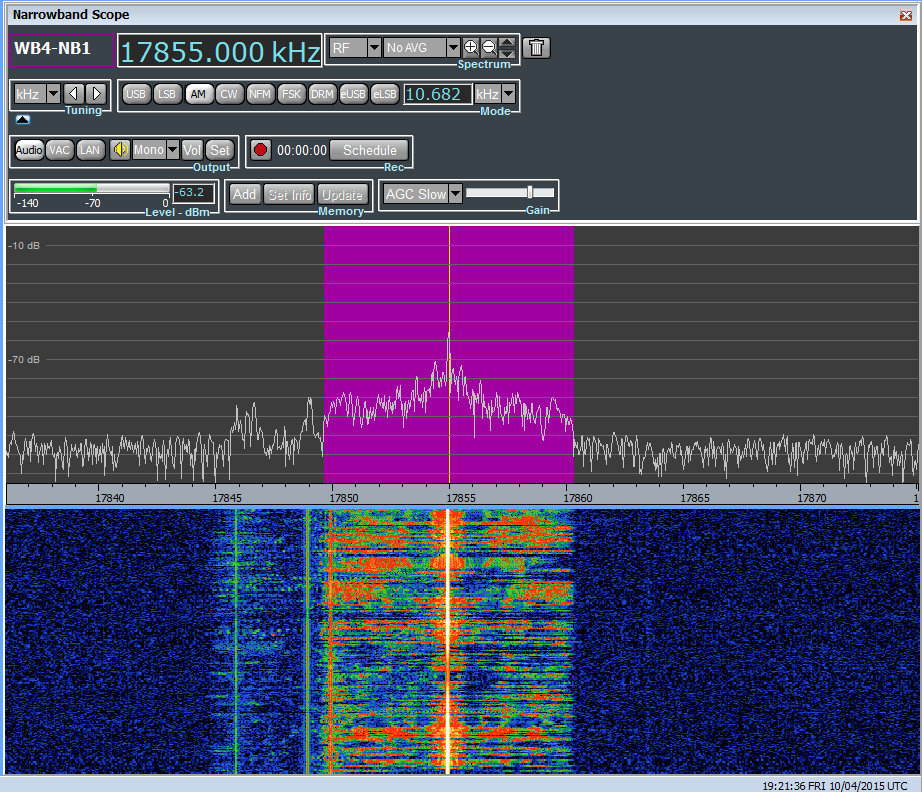
Within a narrowband window, you may tune by:
Tuning within the wideband scope is as simple as clicking and dragging the narrowband shaded area.
Of course, wideband areas can be moved to different parts of the HF spectrum by simply clicking on the shaded wideband area within the panoramic scope and moving it to a different location. But you can only do this if there are no active narrowband channels within the selected wideband channel.
With the ability to load multiple wideband channels with multiple embedded narrowband channels, you might think tuning and manipulating the various channels would get confusing. But this is just not the case. Herein lies the excellent user design behind the TitanSDR.
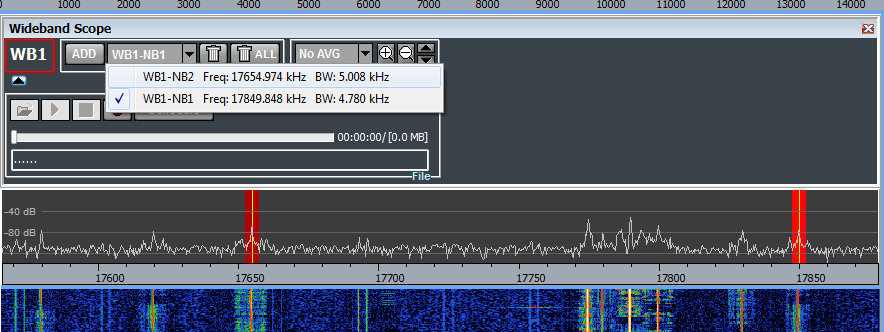
The software engineers at Enablia obviously put time into designing their application for users who routinely use multiple channels. Each channel is clearly color-coded across the scopes, and selecting them is a simple process: one of four wideband channels via the panoramic display, and one of many narrowband channels via the wideband display. Indeed, TitanSDR produced a brief video (http://youtu.be/XDdilGykSuY) describing how to use the TitanSDR application interface. The concept of selecting and manipulating the various channels is so easy, I actually knew how to do it prior to receiving and installing the software…and all from this eleven-minute video tutorial.
Without a doubt, the TitanSDR user interface is one of my favorites among the numerous SDRs I’ve evaluated.
Speaking of multiple channels, if you have a particular combination of wideband and narrowband channels that you like to load each time, you can save the full configuration and reload it at startup, preserving every frequency and channel. Brilliant.
Recording
For shortwave archivists (like the author of this review!), the TitanSDR is very enticing. Even the most basic version of the TitanSDR allows for 4 wideband channels and 8 narrowband channels of simultaneous recording. This means that you can record a wideband channel and as many as eight individual live broadcasts consecutively. While rarely needed, it’s an impressive feature. Quite often I’ve wanted to record as many as three broadcasts simultaneously; my WinRadio Excalibur, for example, allows for as many as three consecutive broadcast recordings, but limited within a 2 MHz bandwidth. The TitanSDR has no such limitation. You could load four wideband channels across the spectrum––say, one within the mediumwave band, one on 41 meters, one on 31 meters, and one on 10 meters––and record or listen to up to eight individual broadcasts within those channels. The TitanSDR pro will even allow for up to 40 consecutive narrowband channels of recording.
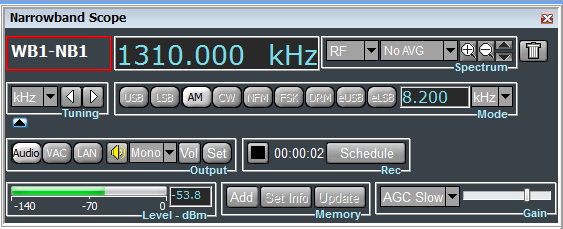
The record and schedule functions are prominent in the narrowband scope window (above) and the wideband scope window.
What’s more, the TitanSDR has one of the most versatile automatic file naming systems I’ve ever used. Not only can it embed the date, frequency, and mode, but also the start time and end time. It also has a user-defined string which allows for more file name customization. And another nifty feature: the Titan can be set to embed either local or UTC time in the filename.
Yet another feature the archivist in me delights in? You can schedule narrowband and wideband recordings within the application––no need for an external program or macro.
Missing features?
As a product designed specifically for military and government applications, the Titan application currently lacks many of the features you might expect in a $1000+ software defined receiver. The version of the TitanSDR application (at time of publishing this review) lacks a variable notch filter, 90 second waterfall review, and an embedded time stamp––features one might well expect from a receiver in this price class.
Prior to publishing this review, I contacted Enablia with a list of features I thought should be included, and they agreed that these features should be added to appeal to the ham radio and shortwave listening customer base. Indeed, within a matter of two weeks, I was sent a new version of the Titan application with the addition of a number of keyboard shortcuts that I recommended. A few weeks later, I received another update which included the ability to set the maximum size of spectrum recording “chunks” to anything between 50MB and 2GB. Enablia plans to add more of the features for the radio hobbyist in time, but after this review has been posted.
If you’re seriously considering purchasing the TitanSDR, you might contact Enablia first to see if and/or when these features are to be added. I’m confident they will be added in time.

When I begin a radio review, I keep a checklist of pros and cons as I discover them to remind myself of my initial discoveries.
Here’s my list from the TitanSDR:
Pros:
Cons:
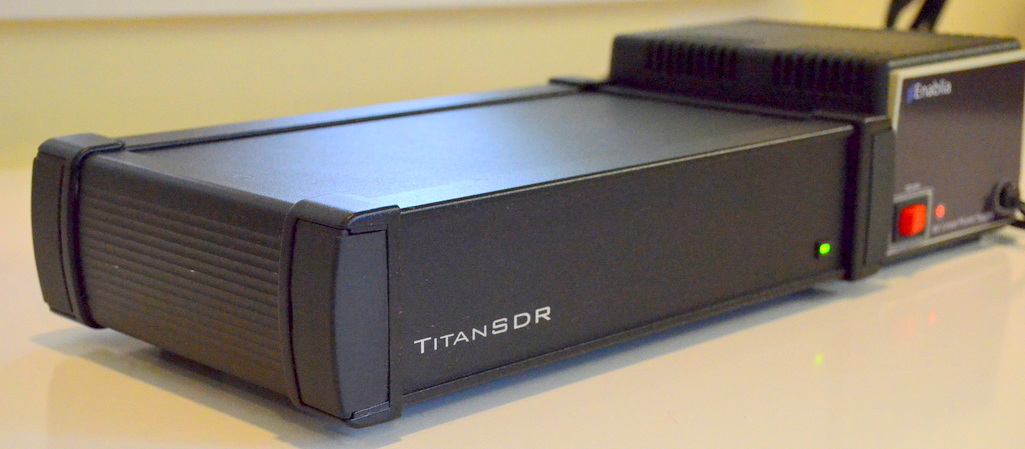
No doubt, I’m impressed with the TitanSDR, performance-wise. It’s as sensitive and selective as any SDR I’ve ever tested. Serious weak-signal DXers will be pleased with this rig.
Of course, there’s the daunting price tag of the TitanSDR, which makes it clear that this was a receiver designed for government and commercial use: the basic version of the TitanSDR retails for 1380 EUR, the TitanSDR Pro for an even heftier 1970 EUR.
This pricing places it well above the Microtelecom Perseus, WinRadio Excalibur and Elad FDM-S2, all of which can be purchased for $1000 or less.
Who might benefit from the extra cost of the TitanSDR? Those who need a receiver with a very robust front end. With no less than 16 pre-selectors, the TitanSDR is a great choice for those living in the vicinity of blowtorch radio stations. If you’re looking for a stable, easy-to-use flagship SDR with a rock-solid application to support it, you might just splurge on this impressive SDR.
I always ask myself at the end of a review if I would purchase the equipment I’ve spent a couple of months evaluating. I can honestly say that if I had the money, I would not hesitate to purchase the basic version of the TitanSDR. With its four wideband and eight narrowband channels, it would more than suit my receiver needs as a broadcast archivist.
1,380 EUR buys the basic version of the TitanSDR – With four WB (Wideband) channels, eight NB (Narrowband) channels (to be allocated on WB channels) and VAC (virtual audio) interfaces to third party SW decoders, this is a solid and adaptable SDR.
1,970 EUR buys the TitanSDR Pro – With four WB channels, 40 NB channels (to be allocated on WB channels), VAC interfaces to third party SW decoders, basic LAN control and plug-in software interfaces (by LAN Ethernet) to software decoders CODE300-32 by Hoka Electronic (http://www.hoka.net/products/code300-32.html) and Krypto500 by Comint Consulting (http://www.comintconsulting.com/k500.html), this SDR can sing and dance.
View TitanSDR purchasing information and options on Enablia’s website: http://www.enablia.com/titansdr-receiver.html