Shortwave listening and everything radio including reviews, broadcasting, ham radio, field operation, DXing, maker kits, travel, emergency gear, events, and more
Many thanks to SWLing Post and SRAA contributor, Dan Greenall, who shares the following off-air shortwave radio recording and writes:
In all of the recordings of Radio Botswana’s famous barnyard interval signal I can find, the barnyard sounds are accompanied by the sound of cowbells. There is usually a rooster crowing and cows mooing too.
Today, while revisiting some raw tape from an old cassette dated 1973, I came across a short [off-air] recording of some similar barnyard sounds, chickens clucking and cows mooing. No sign of the cow bells here, but perhaps they started up farther into the interval signal?
If this recording is from Radio Botswana, perhaps they were only using the animal sounds in 1973? Maybe someone out there can help with this? Sorry but I have no other info. Many thanks!
Dan Greenall
London, Ontario Canada
Thanks for sharing this, Dan.
If you can shed some light on this recording and if Radio Botswana’s interval signal has changed over the years, please comment with details! Thank you!
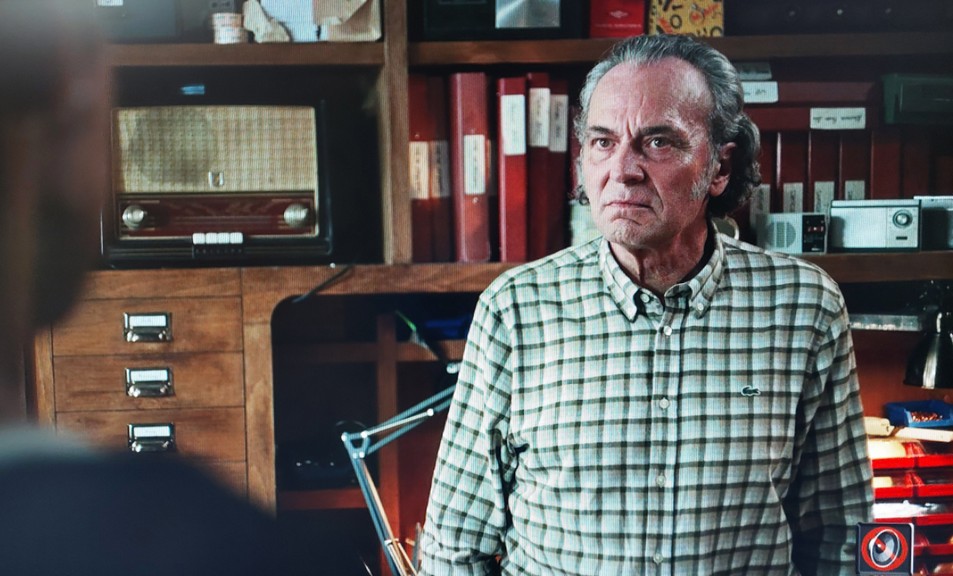
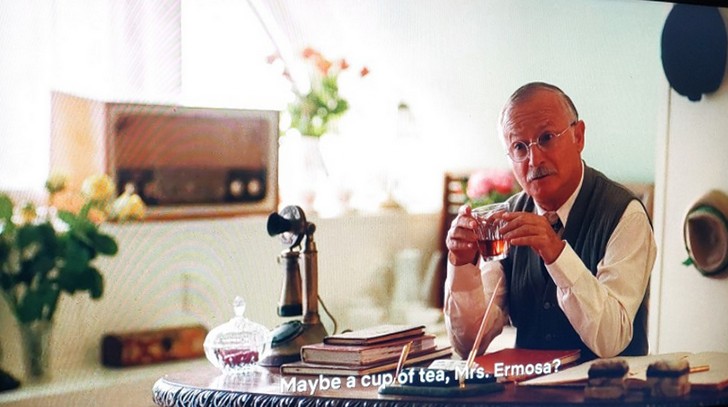
In Beauty Queen of Jerusalem, a wonderful old tube set appears in a scene set in a shop in old Jerusalem (the left of the shopkeeper).
Someone in Spain must be in love with old classic radios because we see a number of them in different scenes — primarily on a shelf in the shop of one of the main characters, along with a few portable radios. The large radio could be Grundig or any one of a number of other European sets — perhaps SWLing experts can provide the answer.
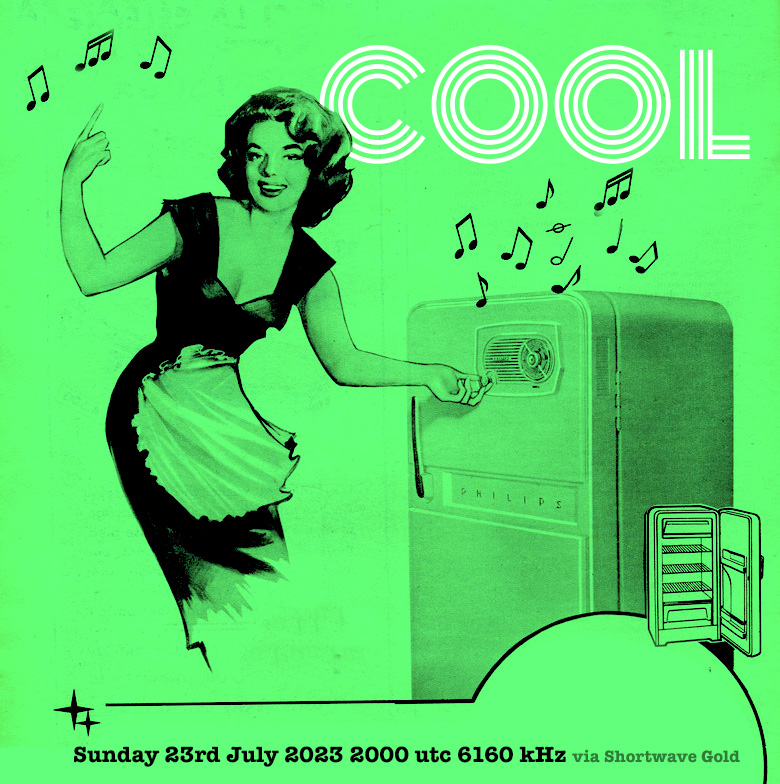
Hi all, Fastradioburst23 here letting you know about a couple of instances of the Imaginary Station COOL on the shortwaves this Sunday 23rd July 2023. The first show will be beamed to Europe via the services of Shortwave Gold in Germany at 2000 utc on 6160 khz.
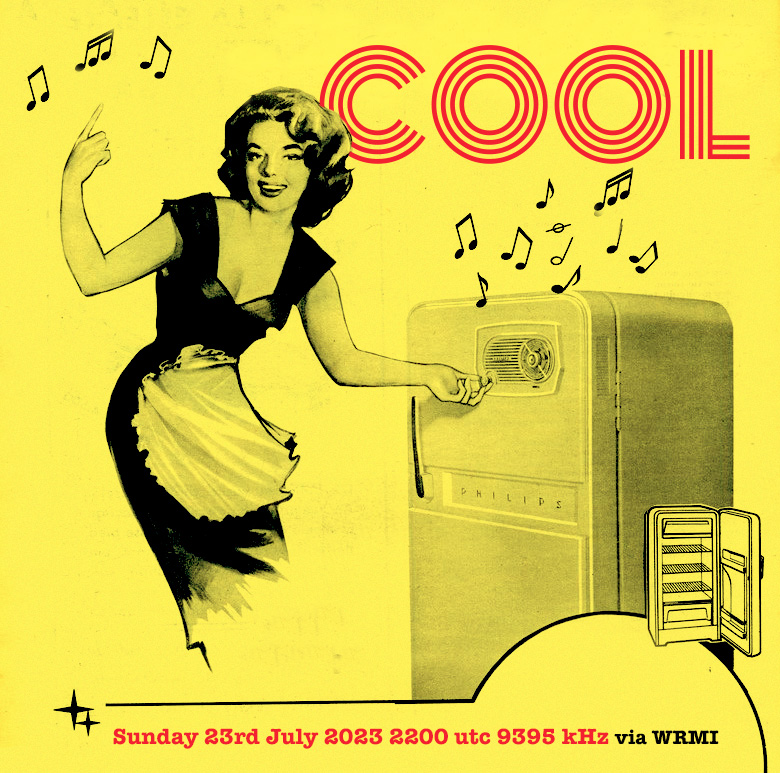
Then later at 2200 hrs UTC on 9395 kHz the show returns in a remix form via WRMI. On both transmissions expect some cool tunes for surf, sun and summer breezes and for the shortwave spectrum of course. For more information on the shows email Imaginarystations (at) gmail (dot) com
Many thanks to SWLing Post contributor, TomL, who shares the following guest post:
Using Computer Audio PlugIns with Older Radios
by TomL
Older radios have a way to get audio out to speakers or another audio input device, usually just a headphone jack. Software for processing audio are plentiful and very useful tools, called VST’s. Furthermore, most Plugins were made for Musicians needing full frequency spectrum capability. I will use my Kenwood TS-590S amateur radio as a test case. I have used its speaker output to a cheap Behringer UCA-202 RCA to USB converter (it has its own volume control to keep it from overloading).
My Windows 10 Sounds Properties sees this audio as “3-USB Audio CODEC” which I have enabled on a physical USB hub with individual power switches for each port. Thanks to Steve (K1GMM) and his YouTube channel (K1GMM Green Mountain Maniac) for describing how to use Windows plugins for processing either Receive or Transmit audio. This article only focuses on Receive audio.
For my simpler needs, I have chosen to use VST Host. It will run the small “apps” that usually have a file extension of .VST or .DLL. I downloaded it right from Steve’s website:
I then downloaded a number of plugins suggested by Steve on his web site (“More” Menu pulldown, DAW’s/VST DOWNLOADS). Each VST file can be copied to a central directory/folder on your computer and all read from the same place inside the VST Host. Most of these are Windows types but there are some for Linux if that is something you use. I found that VST Host does NOT like a write- protected directory, so it and the VST’s reside in my top-level Documents directory.
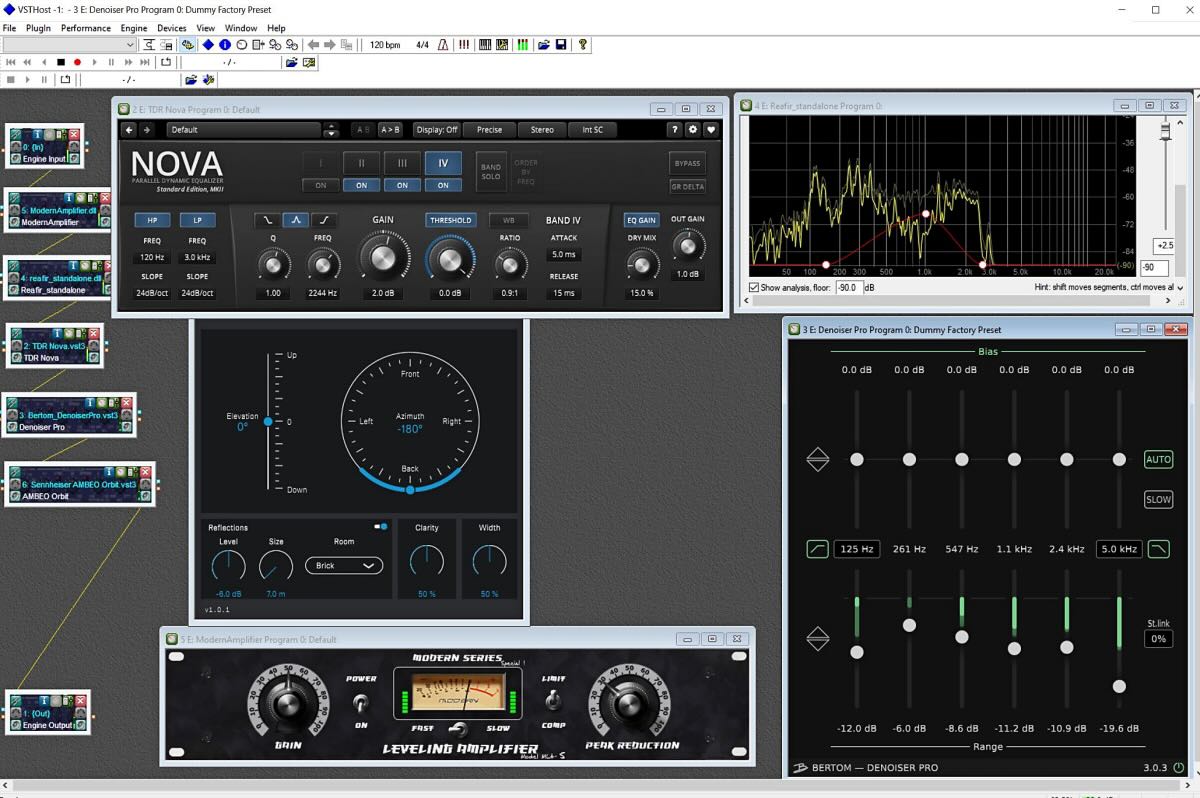
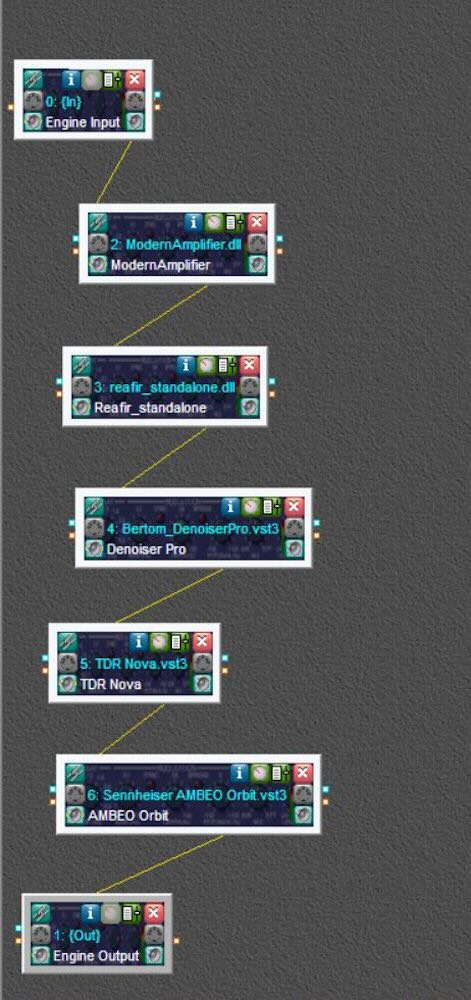
My resulting “chain” of VST’s process the audio from my 3-USB Audio CODEC in a sequential manner, which are:
ModernAmplifier (a Limiter to keep strong signals from overloading the processing)
ReaFir (an interesting “Subtract” feature where I cut down on the “roar” around 800-1200 Hz)
Bertom Denoiser Pro (EXCELLENT static & background noise reducer)
TDR Nova (a powerful, well-made Compessor & DynamicEQ combo)
Sennheiser-AMBEO-Orbit (a Binaural soundscape).
Once VST Host is installed, create a separate folder for the VST files. Now just copy the VST3 or DLL file for each of the apps downloaded like the ones I list above. If you have a 32-bit version of Windows, you will have to use the VST’s that are 32-bit, not 64-bit.
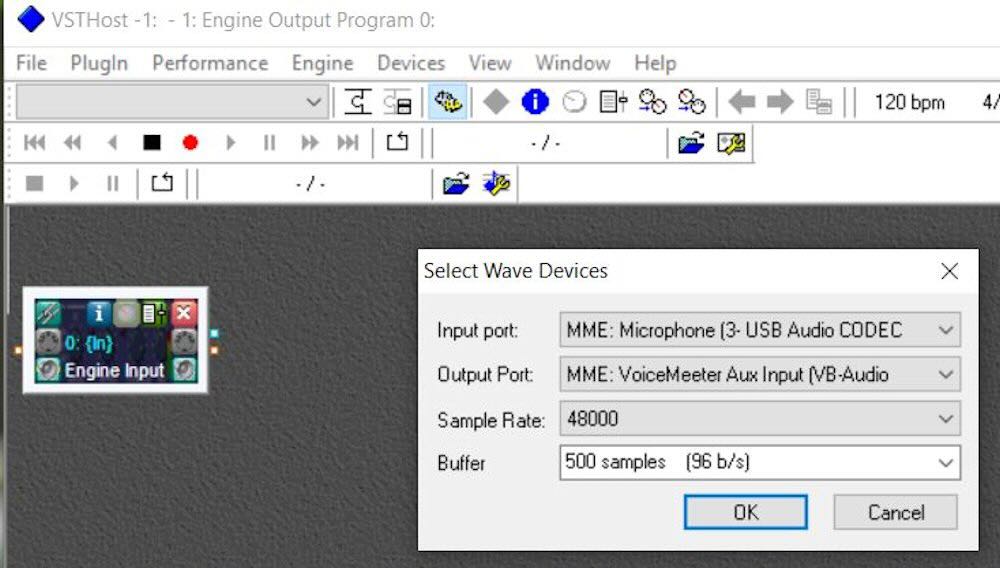
In VST Host, set the Wave Input and Output and sampling rate (Menu: Devices—Wave). In my case it is the aforementioned 3-USB Audio CODEC for (Microphone) Input Port and VoiceMeeter Aux-Input for the Output Port. The sampling rate is set to 48000 (You can choose Output to your “Default Speakers” which should be in the list if you do not use an extra mixer software like I do).
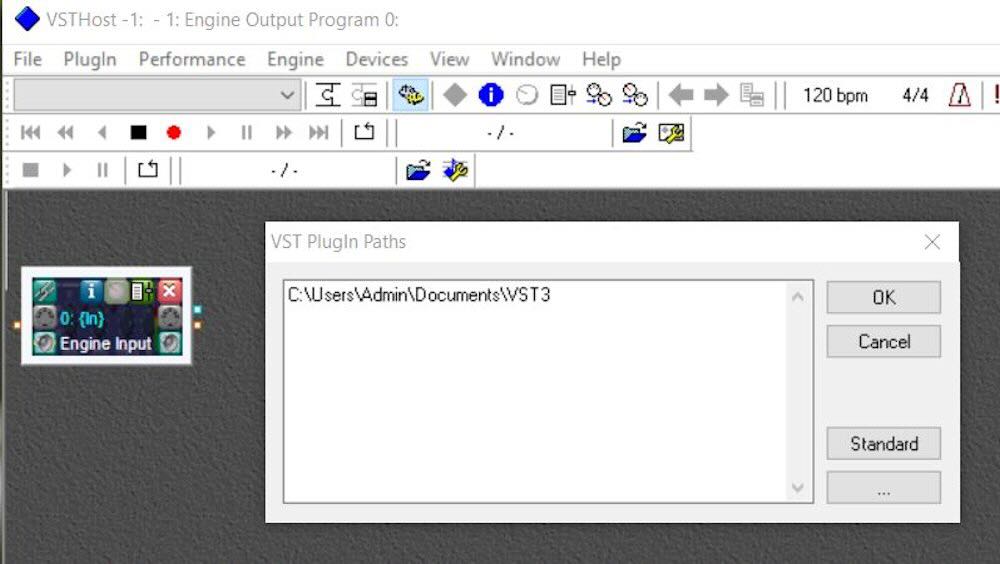
Now, go to Menu: File, Plugins and load each plugin that you want to use. The VST3 or DLL files should all be in the same directory that you made earlier. You may have to tell VST Host where to find them by setting the Plugin Path (Menu: File, Set Plugin Path…).
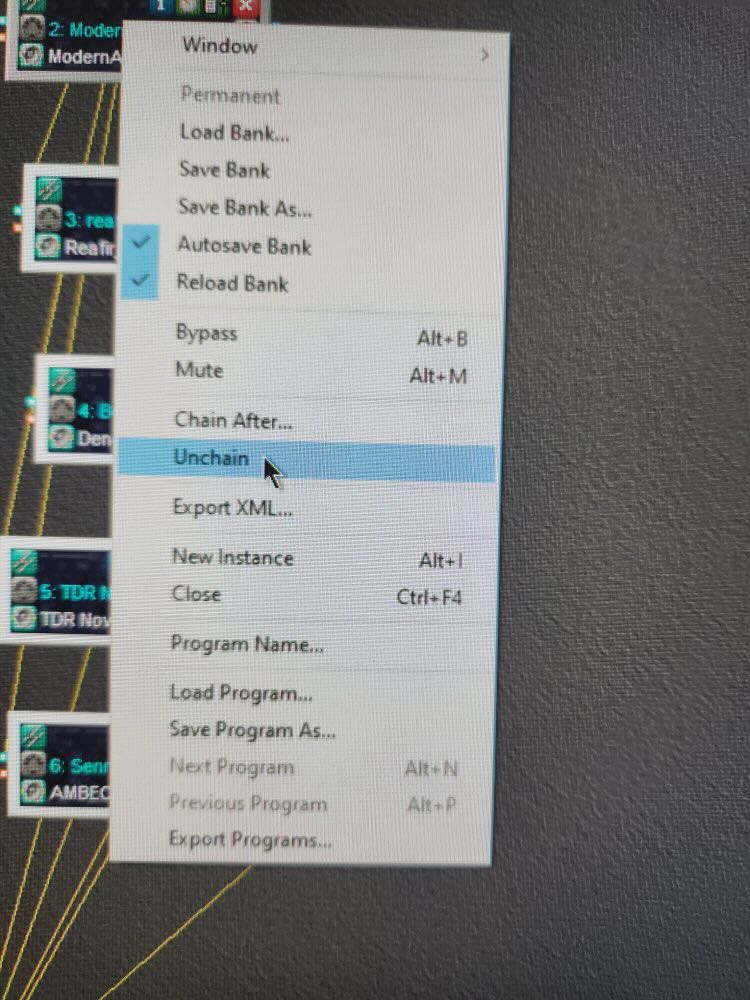
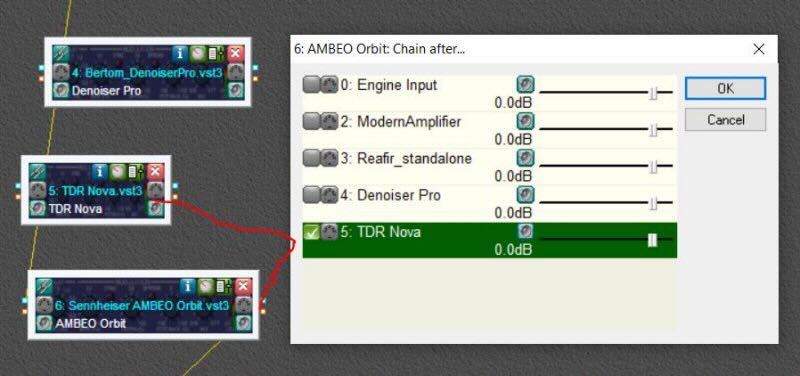
Now, once you have all the VST apps opened, you will notice that all of their individual outputs go directly to the VST Host Output. Not good, since your computer will not have enough cores to parallel-process all of these apps at the same time. So, Unchain them all by right-clicking on each app and choosing “Unchain”.
Now you will see all of the yellow connecting lines gone. Arrange (click/drag) each app in sequential order on the screen. Starting from the bottom up, right click on the app just above VST Output and choose Chain After…
Repeat up the chain, choosing the one above it to Chain After until you are left with a Daisy-Chain of apps, each output going to the Input of the next app in your desired order of processing:
Now turn on the radio to get audio going through the chain of apps. Tweaking each app is part of the tedious process of learning if an app will help or not. Just replace and Chain After in the order you want with other VST apps that you find more helpful. Tinkering with this should yield some satisfactory results if you do not overdo applying features in each app. To save the layout and VST settings, go to Menu: Performance, Save As and give it a name to store in the data file shown (just a name since it will put it into the default line 000 for you). You can choose this in future sessions from the main pulldown Menu below File. (Note: It is called “Performance” because this stuff was written for Musicians to save their home studio music along with the settings for shaping the music tracks; 99% of planet earth calls this a “Layout”, a la, Microsoft Office)
Here are two examples of sound from the radio without processing and then adding in each app over a few seconds.
LZ1AA from Bulgaria. Processing 10 secs., off 15 secs., on again 8 secs.
CHU Canada. Processing on, space, processing off. Notice a little “water” effect since AM Broadcast needs quite different settings compared to SSB Ham Radio.
You can check out Steve’s “Green Mountain Maniac” YouTube channel and see for yourself what can be done with sound processing for Radio. Some of his techniques can be used with old shortwave radio receivers as long as it has a working headphone jack or AUX Out jack:
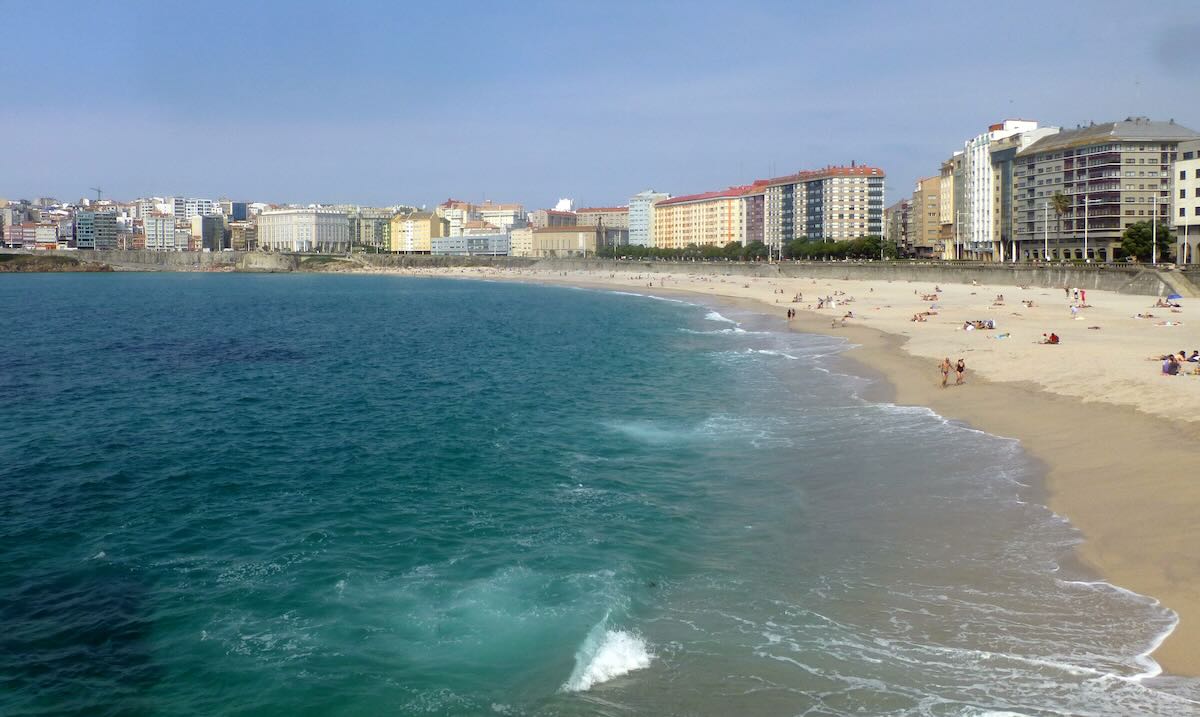
Some of my favorite sites to visit while traveling are historical, marine, and military museums. I’ve always been interested in those subjects and sometimes those kinds of museums have a few old radios on display. That makes a nice bonus to the visit. Last year, I spent May and June traveling all over Spain (with some short excursions into neighboring countries). One of my favorite regions was Galicia, where I stayed for five nights in the capital of A Coruña and six days in a rural village to the east. And the museums of Galicia had some of the most interesting radio-themed items I’ve ever seen.
Galicia is that small region of northwestern Spain directly north of Portugal. It was part of the Celtic world (along with Brittany in France and the British Isles) and the coastline was home to Phoenician and Greek settlements. It later came under Roman rule along with the rest of the Iberian Peninsula.
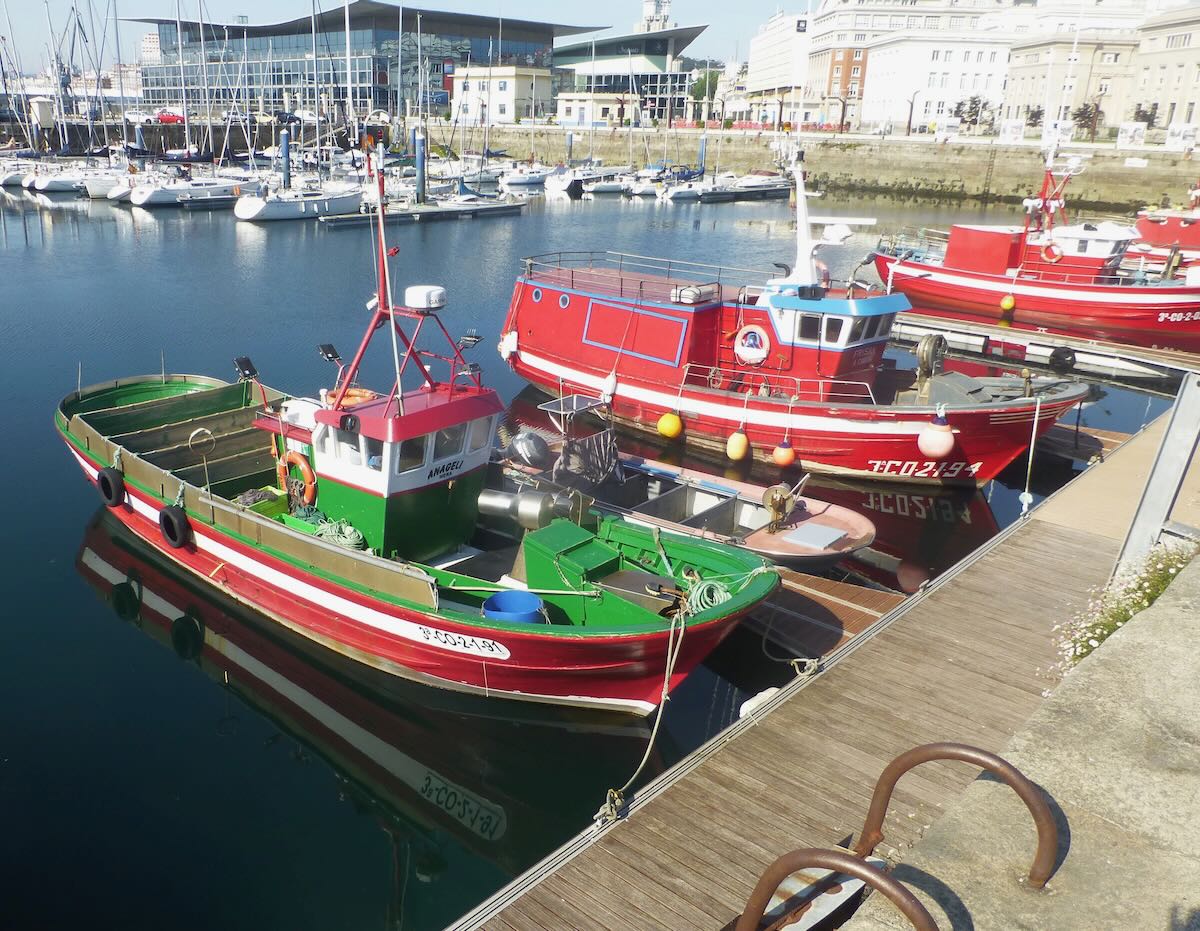
A Coruña Fishing Boats
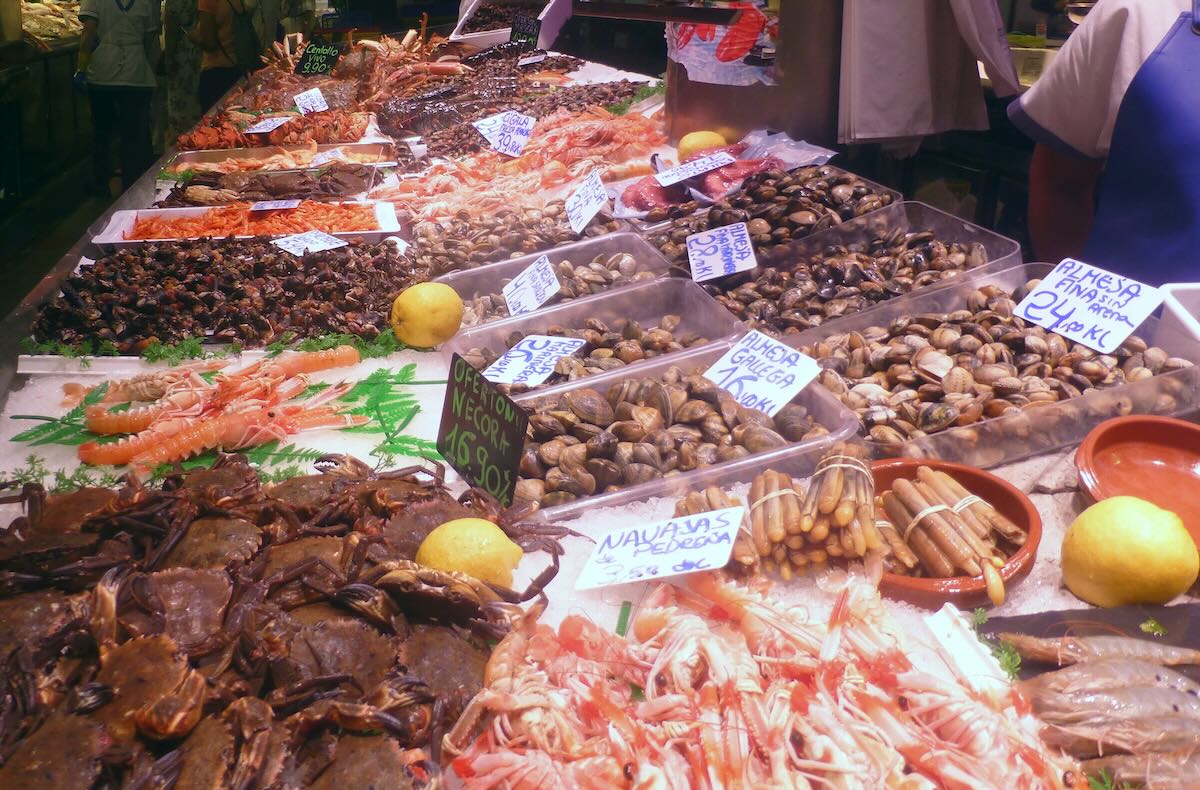
A Coruña Fish Market
Spanish is spoken everywhere but the people are proud of their native language, Galician or Gallego. The language looks and sounds like Portuguese with a lot of Spanish influence but is actually older than either of those. Some linguists believe that Portuguese was derived from Galician.
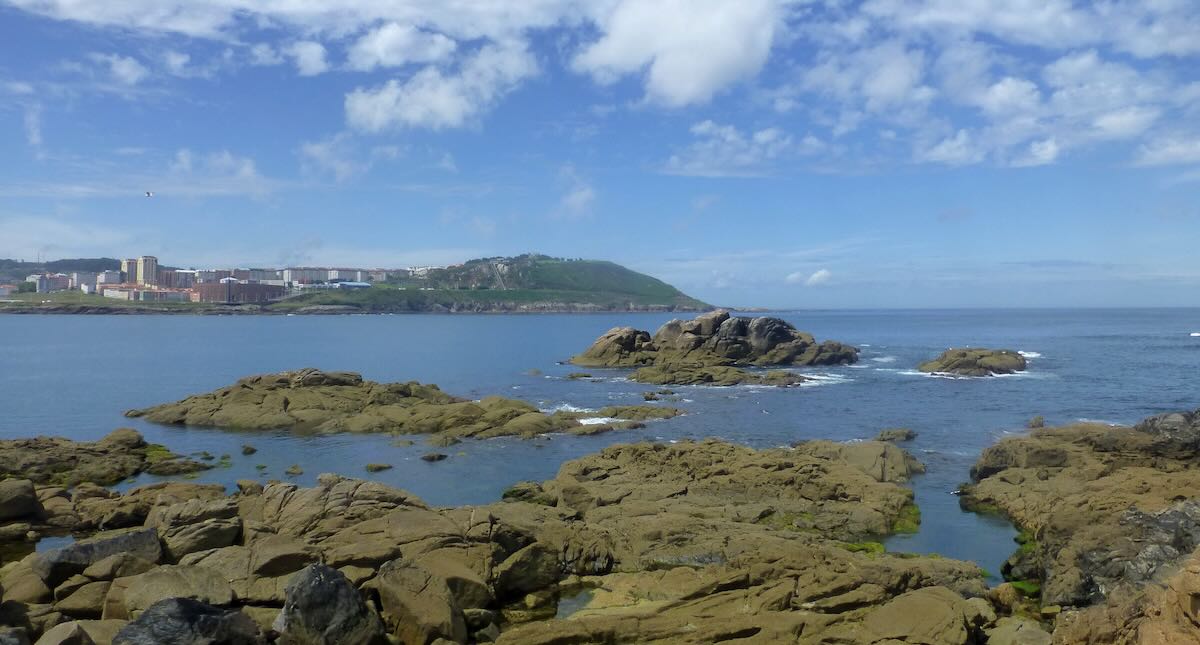
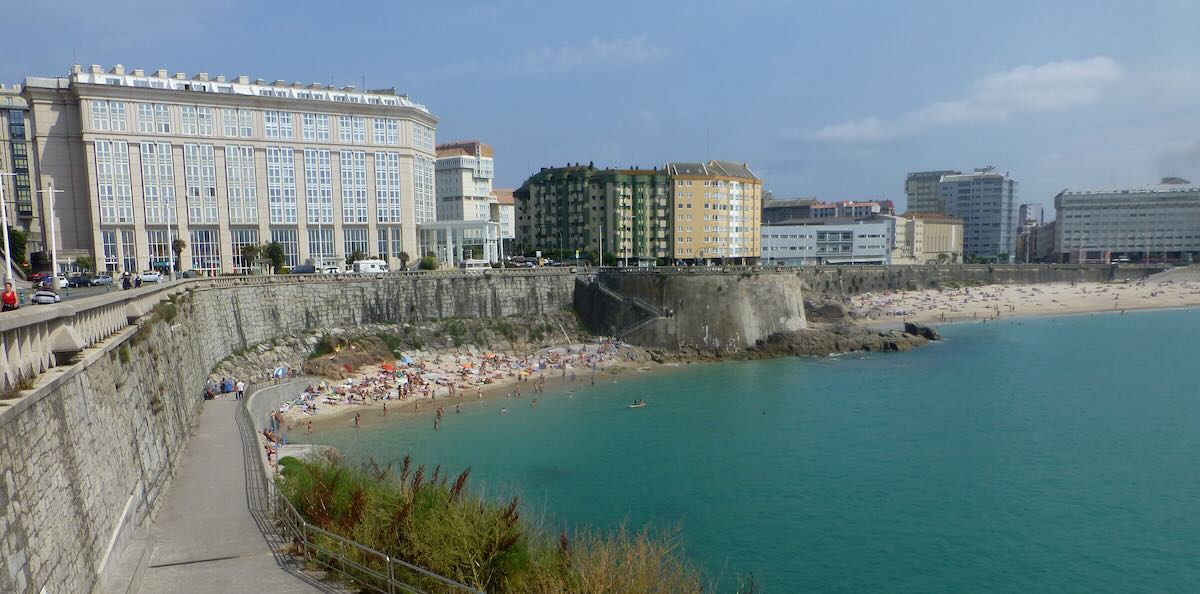
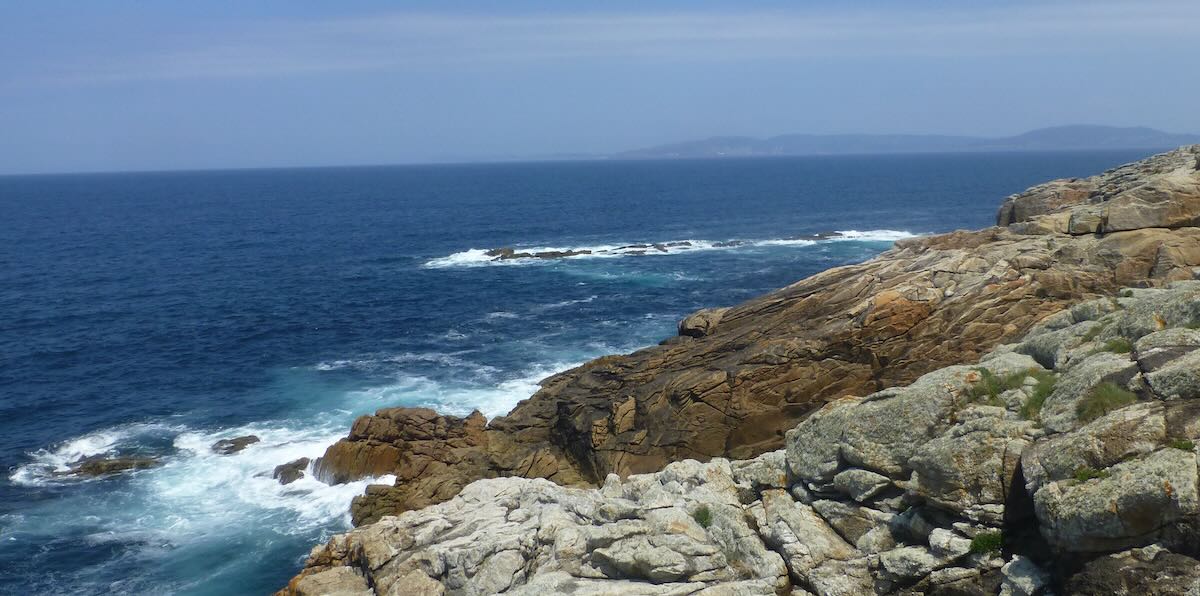
The rugged Galician coast is one of the most beautiful I’ve ever seen with its numerous bays, estuaries, steep hillsides, and rocky shore. Most of Spain is arid but Galicia is one of the rainiest parts of Europe so the countryside is green and lush. And because of the neighboring cold Atlantic Ocean, temperatures remain comfortable even when the rest of Spain (and places further north) are baking in the summer heat.
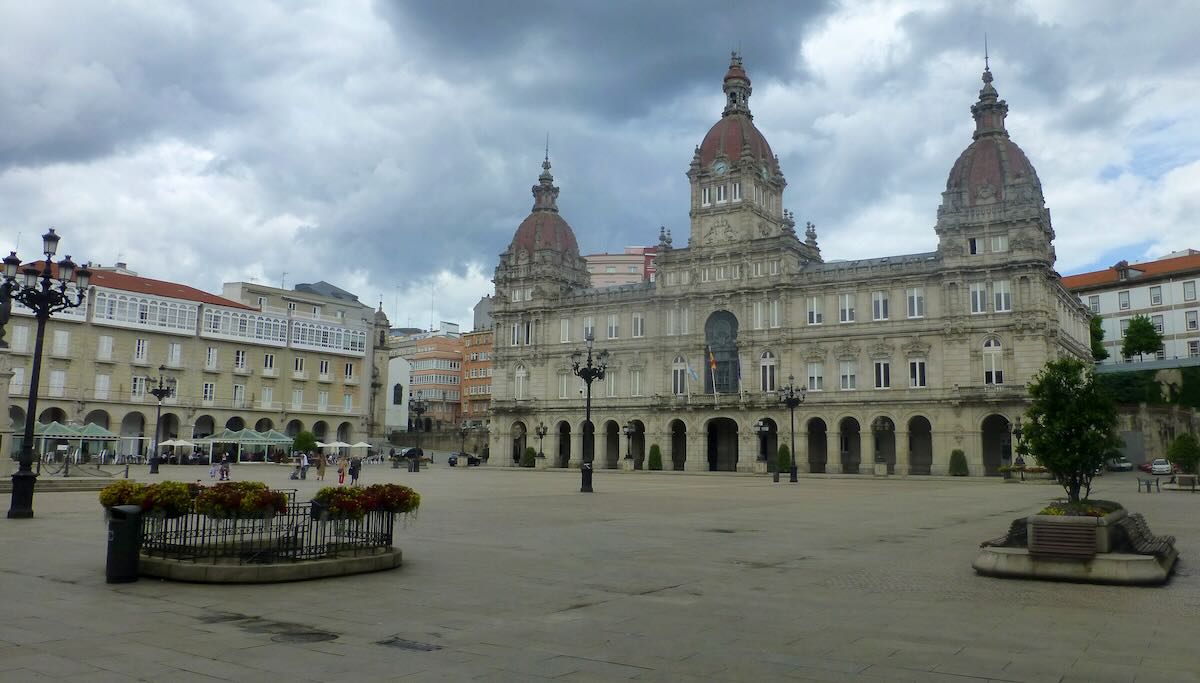
A Coruña City Hall
MOON RADIO
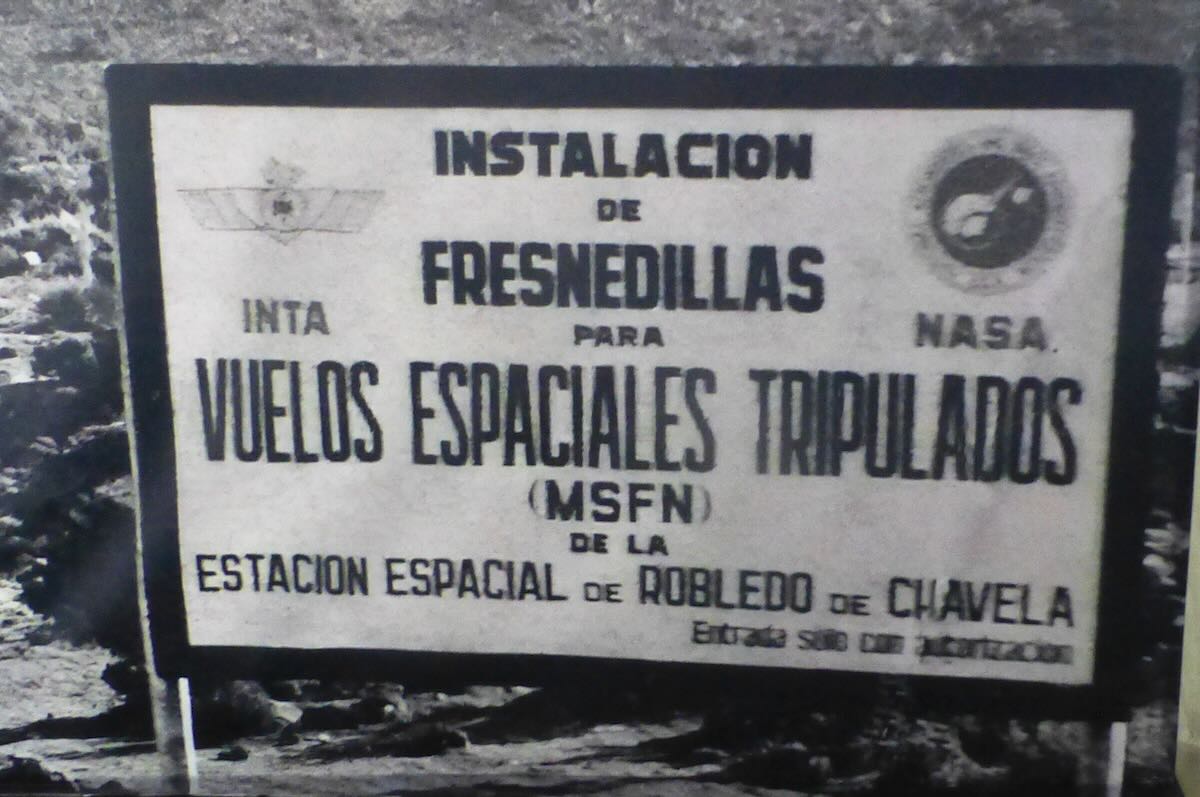
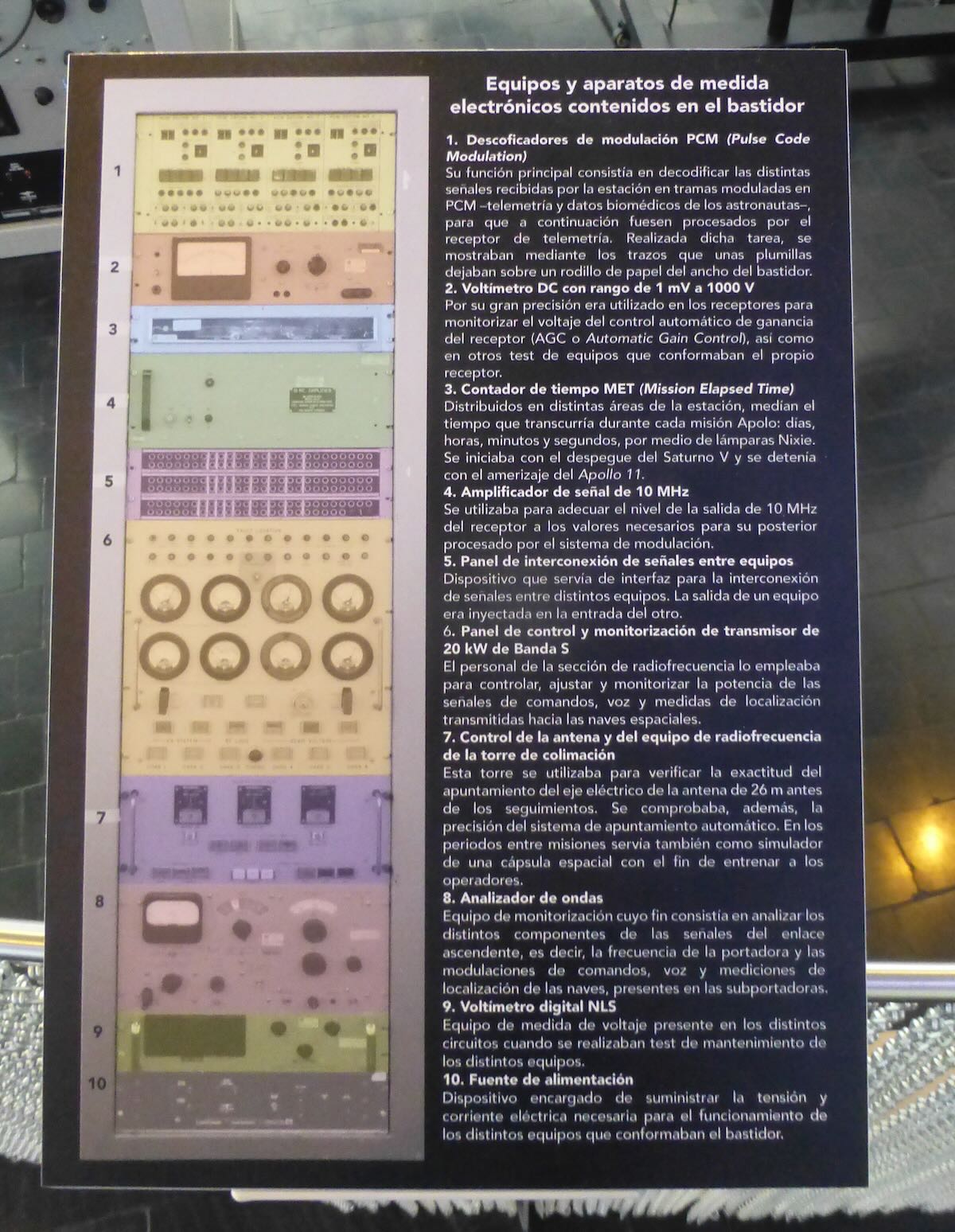
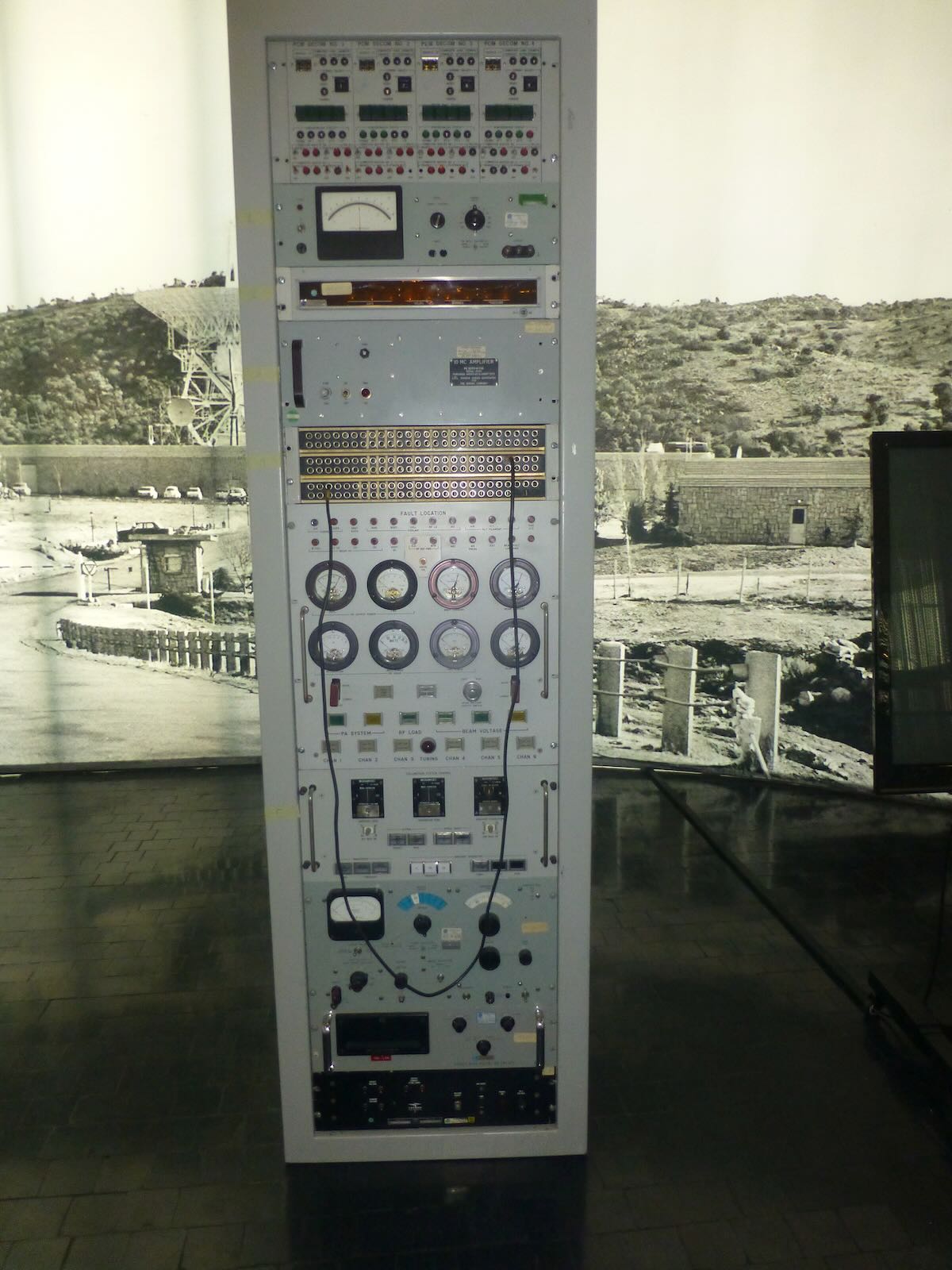
One of the first places I visited in A Coruña was the Museo Nacional de Ciencia e Tecnología on the west side of the harbor. The very first display in the museum is a piece of radio history like no other. In the 1960s NASA set up a network of communication stations around the world to maintain constant contact with the Apollo moon missions. The primary stations were located in rural California, near Canberra in Australia, and in the little village of Fresnedillas outside Madrid. When Neil Armstrong and Buzz Aldrin landed on the moon in 1969 Madrid was facing towards them and received the first radio transmissions from the surface of the moon. This museum has one of several redundant radio racks that were used to receive that historic broadcast.
After visiting the museum I wandered uphill to Monte de San Pedro Park, the best place in A Coruña to view the city and harbor. Those heights were also once vital to the city’s defenses and the park contains several mothballed gun turrets built in the 1930s. Continue reading →
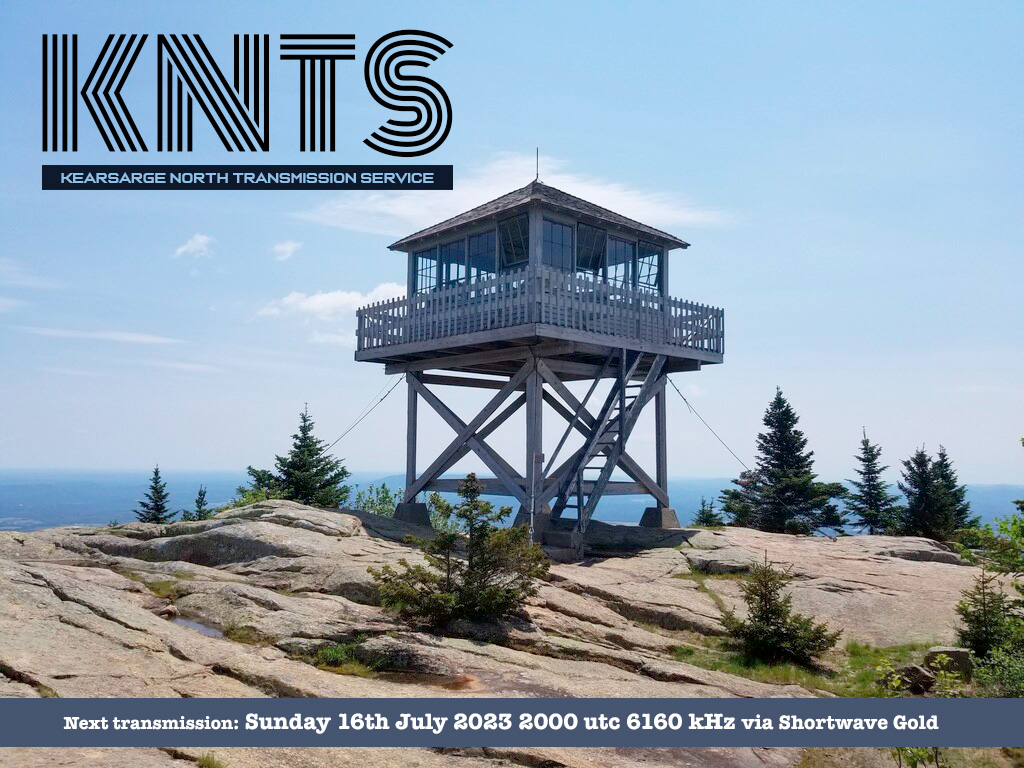
Hi all, Fastradioburst23 here letting you know about a couple of transmissions on the shortwaves this Sunday 16th July 2023. The first show will be KNTS (Kearsarge North Transmission Service) from the Imaginary stations crew beamed to Europe via the services of Shortwave Gold in Germany at 2000 utc on 6160 khz. Expect lots of shortwave and ham related sounds and a couple of instrumentals containing CW.
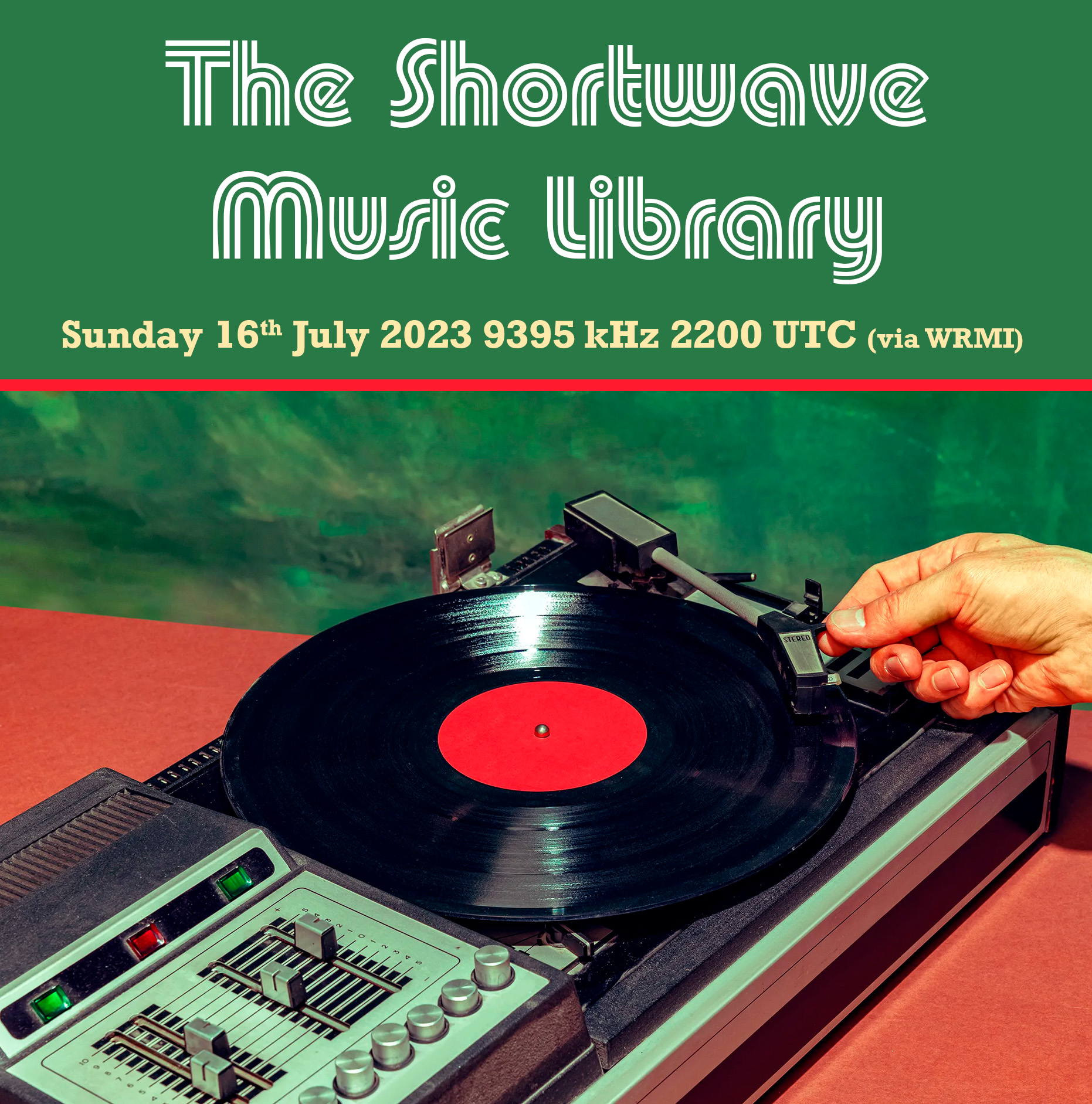
Then later at 2200 hrs UTC on 9395 kHz the great Shortwave Music Library returns via WRMI. DJ Frederick digs through his across the board record collection taking a few requests, pulling out some tunes and giving them an airing over the shortwaves. Sit back and relax as it’s Shortwave Music Library time again! For more information on the shows email Imaginarystations (at) gmail (dot) com
The FCC seeks comments on a proposal to use HF spectrum for financial data
The FCC is taking public comment on a proposal to revise the rules governing the frequencies above 2 MHz and below 25 MHz.
The Shortwave Modernization Coalition thinks the 2-25 MHz band is underused and wants to use it for the long-distance transmission of time-sensitive data from fixed stations. The users would be companies working with certain kinds of financial transactions; the proposal would prohibit voice transmission and mobile operations.
The firms in the coalition are “market makers and liquidity providers” for exchange-traded financial instruments.
This high-frequency trading industry has in fact been using shortwave links for several years to send trading data between U.S. and foreign exchanges, but it has done so under experimental authorizations. [Continue reading…]
Many thanks to Bill Pietschman who notes that the book “QTC: I Have a Message for You” has now been published on Archive.org for all to read and download free of charge. Bill writes:
I knew Ray Redwood, and besides being a Professional radio operator, he was indeed a Ham’s Ham. You will find here not just the story of radio, but a detailed analysis of the Titanic, from a radioman’s point of view. Part documentary, part autobiography, and part technical, it’s a great read. I’m so glad that his work has been preserved here. Future radio historians will, I am certain, find it to be a valuable record of the Ship Radio Officers Era, and Ray’s insights at the dawning of the Global Maritime Distress and Safety System as we have today which utilizes satellite technology.
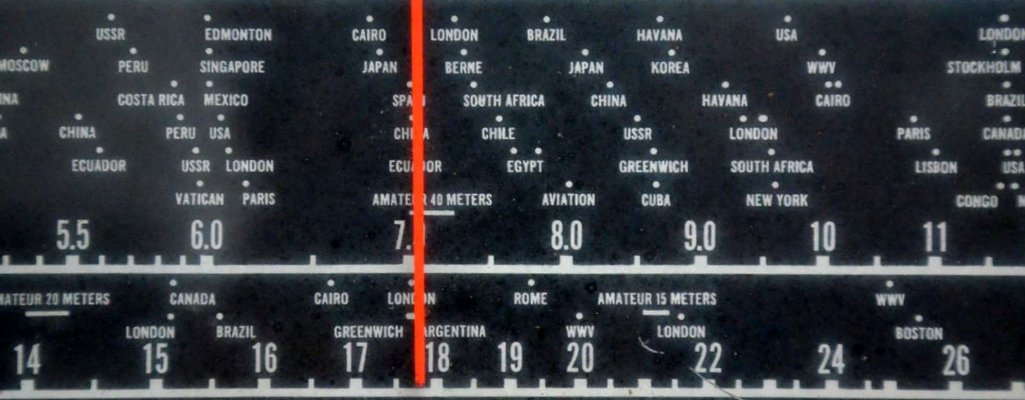
There was a time, some 50 years ago when cell phones didn’t exist and computers were only owned by large corporations, that people learned of the world around them by listening to shortwave radio. This is a journey back to that time to hear the sounds and see the correspondence from shortwave stations from all over the world. Sit back, listen and enjoy!

 Many thanks to SWLing Post and SRAA contributor, Dan Greenall, who shares the following off-air shortwave radio recording and writes: