Tag Archives: Guest Posts

Dan Robinson reviews the Sangean ATS-909X2

Many thanks to SWLing Post contributor, Dan Robinson, for the following guest post and review:


Sangean v Tecsun in the Battle of Late Shortwave Era Portables:  The ATS909x2

by Dan Robinson

Some years ago – actually more than a decade – I decided to give Sangean a shot at winning me over in the shortwave portable category.

I had and still do use numerous portables with a bias toward the classic SONY, Panasonic, and Grundig sets.  The ones that made an impression stayed, often in multiples, as anyone can see if they visit the radio shack here in Maryland.

These include, for those interested:  the Panasonic RF-B65, SONY ICF-SW77, ICF-2010, ICF-PRO80, ICF-7600D, ICF-7700, ICF-SW1000T, ICF-SW55, ICF-SW100s, ICF-SW07, Grundig Satellit 500, to which were added in more recent times the Toshiba  RP-F11, XHDATA D-808, and Tecsun portables ranging from the PL-365 and new PL-368 to the PL-880, PL-990x, H-501x, and S-8800.

Sangean has generally not been on that list. There’s a good reason – I just never considered Sangean to be competitive when it comes to portables, though they did have some excellent larger sets such as the ATS-803A that made the first forays into multiple bandwidth options.

My last experience with Sangean was with the ATS-909.  I liked the looks and capabilities of that receiver, and even went to the point of having mine modified by Radio Labs.  But those mods were underwhelming, in my view, and the original 909 always seemed to me to be deaf when using the whip antenna.

That issue continued unfortunately with the 909x.  Some of you may have seen a video I did a few years ago in which I set a 909x against a SONY SW-07 and Panasonic RF-B65.  This was done barefoot with only the whip antennas, but near a window.  In short, the other two radios wiped the floor with the 909x.

It took a surprisingly long time for Sangean to update the 909x with the 909×2, during which companies asked valid questions about the need for further development of world band portables.

Eton turned the market on its head when it introduced the still superb E1/XM which competed with the very end of SONY portable production, and co-designed with R.L. Drake added such superb features as Passband Tuning and three selectivity positions.

Meanwhile, Tecsun plugged away, introducing an impressive array of portables including the PL-600 series, then the 880 and now the 990x and H-501 portables.

So, now the 909×2 is here and with its 073 firmware upgrade has become a bit of a holy grail for portable receiver users.  There have been a number of excellent reviews, including Dave Zantow’s deep dive, and some others here on SWLing Post.

I’m going to give you my impressions, using the really detailed Zantow review as a base.  I received my 909×2 from Amazon just today – it is a 073 firmware which confirms that new supplies have the upgrade.

SENSITIVITY ON WHIP

First, let’s get the elephant in the room out of the way.  Although I have not undertaken detailed technical testing of the 909×2 – nor do I have the equipment to carry this out – it does seem that Sangean may have finally tackled this crippling flaw that rendered the old 909x nearly useless when using it only on the whip.  I’ll undertake further testing and comparisons with some of my other portables to confirm this.  The whip antenna itself is robust – solid and long, something that Tecsun could take note of.

AIR BAND
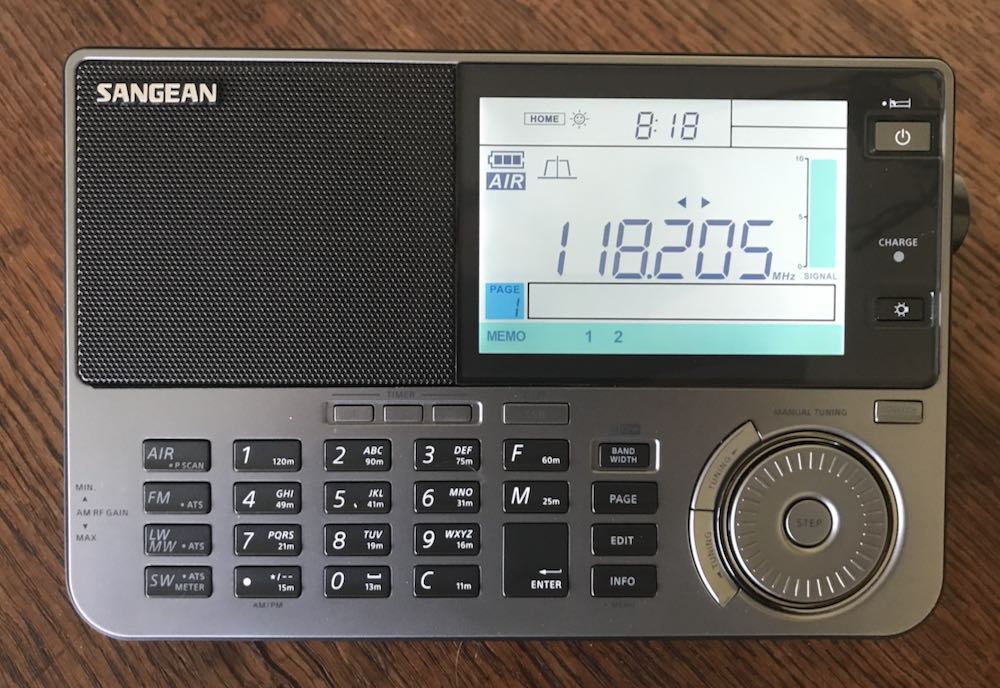
Inclusion of air band on this radio is a major selling point for those interested in this type of monitoring.  My initial tests showed the 909×2 to be quite sensitive and useful – I managed to pick up no fewer than five airport comms frequencies in my area here in Maryland.

SELECTIVITY / AUTO-BANDWIDTH

The 909×2 really shines with FIVE available selectivity options that are easily selectable in shortwave mode.  It would have been nice to be able to actually see the values of each filter as one scrolls through, but that’s a minor point.  Think about it – in shortwave AM mode, this is the number of selectivity positions that one finds on such power house communication receivers as a Drake R8.  Amazing that we now have that in a portable.  On the negative side, I find the auto-bandwidth feature on the 909×2 to be nearly useless, as useless as the similar feature found on Tecsun receivers. The automatic switching is distracting and annoying. My advice to users: forget this, and stick with manual bandwidth control.  My advice to Sangean – I wish they had left this feature out but given us multiple bandwidths in SSB.

LCD AND BRIGHTNESS
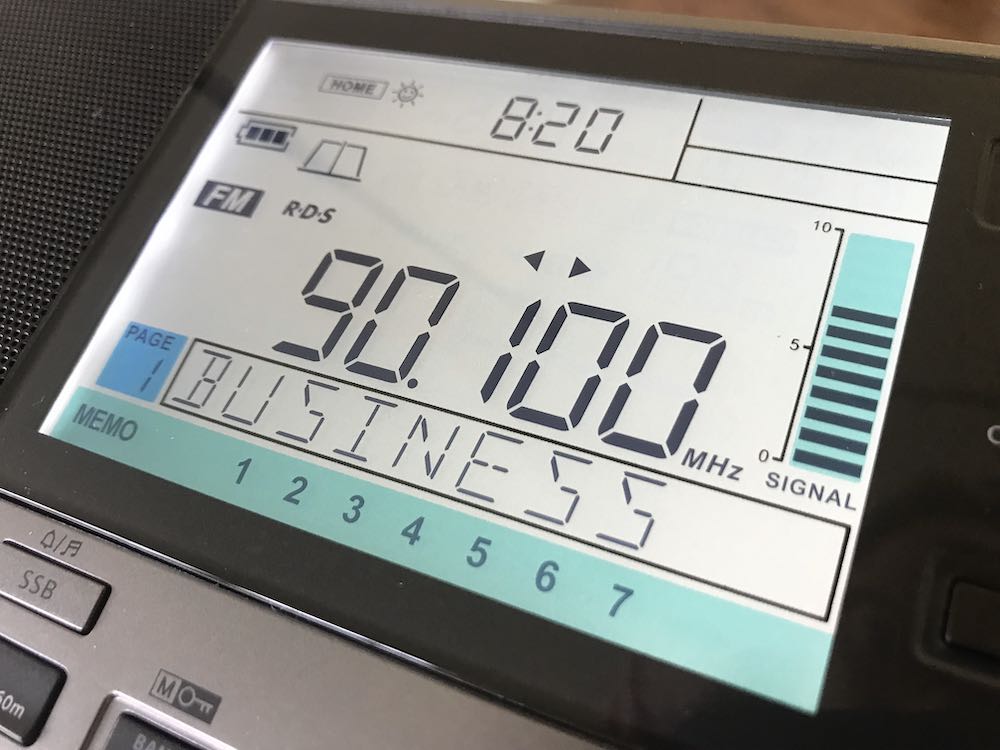
Sangean hits it out of the park with this multi-stage lighting for the display.  Simply superb and the kind of quality we could only hope for from other manufacturers.

MAIN TUNING / DETENT CONTROL

I found the detents on the old 909x to be annoying – indeed, modifications have been available that could remove this feature.  But Sangean being Sangean, the detent wheel remains in the 909×2 and it is not a deal killer.

AUDIO QUALITY

The radio retains the excellent audio of the 909x – I am not sure the 909×2 exceeds what one hears from a Tecsun 990x or H-501x but it’s right up there and competitive.

POWER SUPPLY
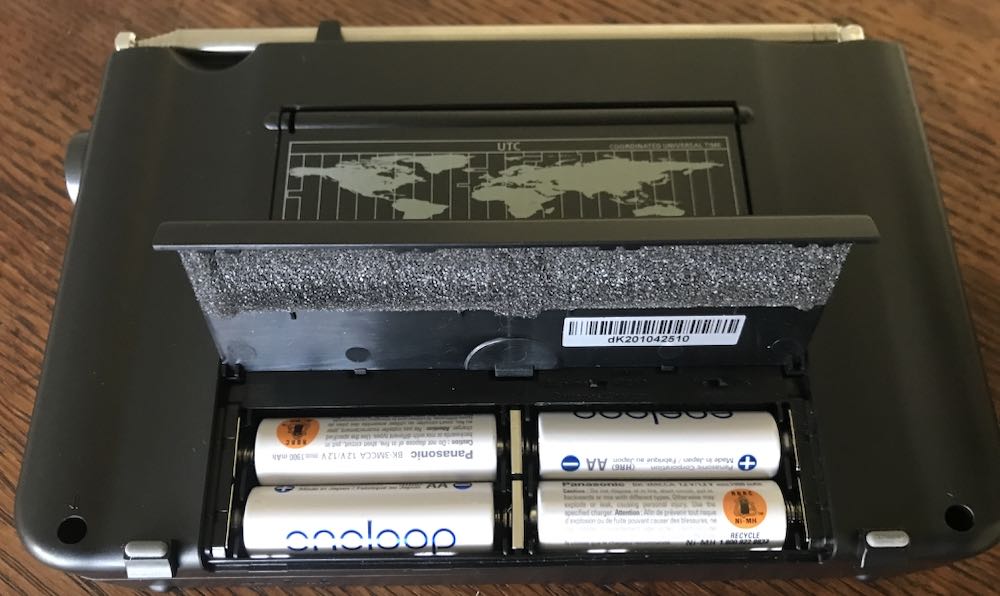
As others have noted, thanks to Sangean for sticking with AA cells.  Together with internal charging when using Ni-Mh cells this is a major selling point.  On the other hand – competitor Tecsun went a step farther with its H-501x which though it uses 18650 lithium batteries, has dual batteries, one of which can be held in standby, and switchable charging.  That’s a design feature that you really have to respect.

VARIABLE RF GAIN

Again, as noted by others Sangean retained the extremely useful thumb wheel RF gain control.  This is an excellent feature.

KEYPAD
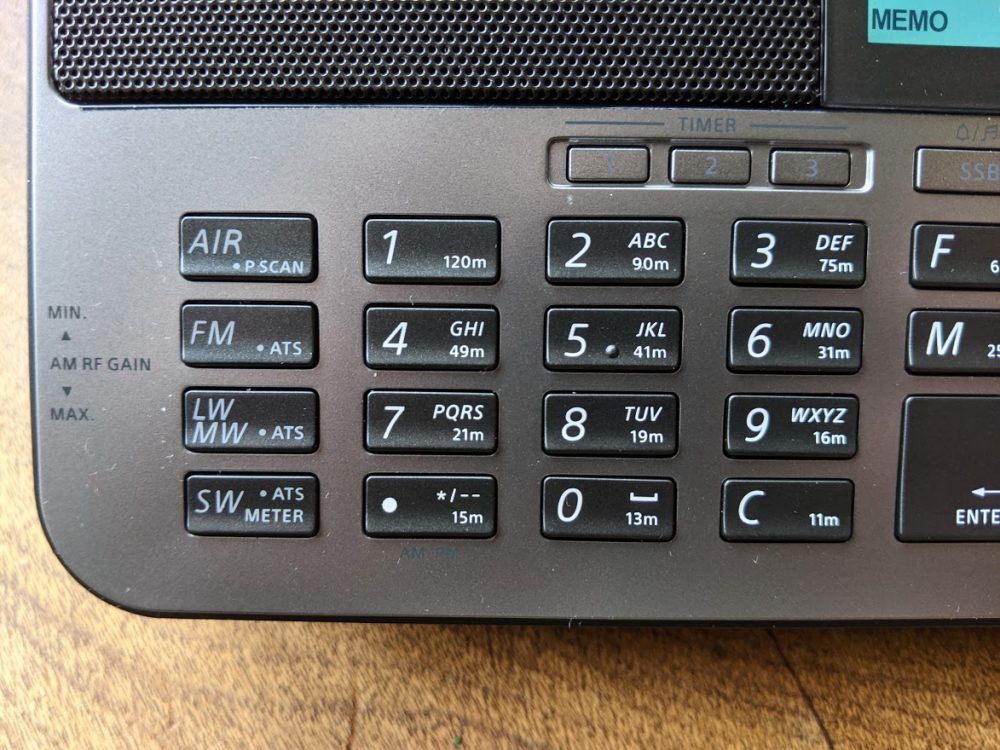
Another home run for Sangean when it comes to the keypads on the 909×2, which can be compared in this respect to the Tecsun H-501x which itself improves upon the 990x when it comes to front panel control.  Time will tell, however, and we shall see if the keys on these radios hold up in heavy use.

UP/DOWN SLEWING
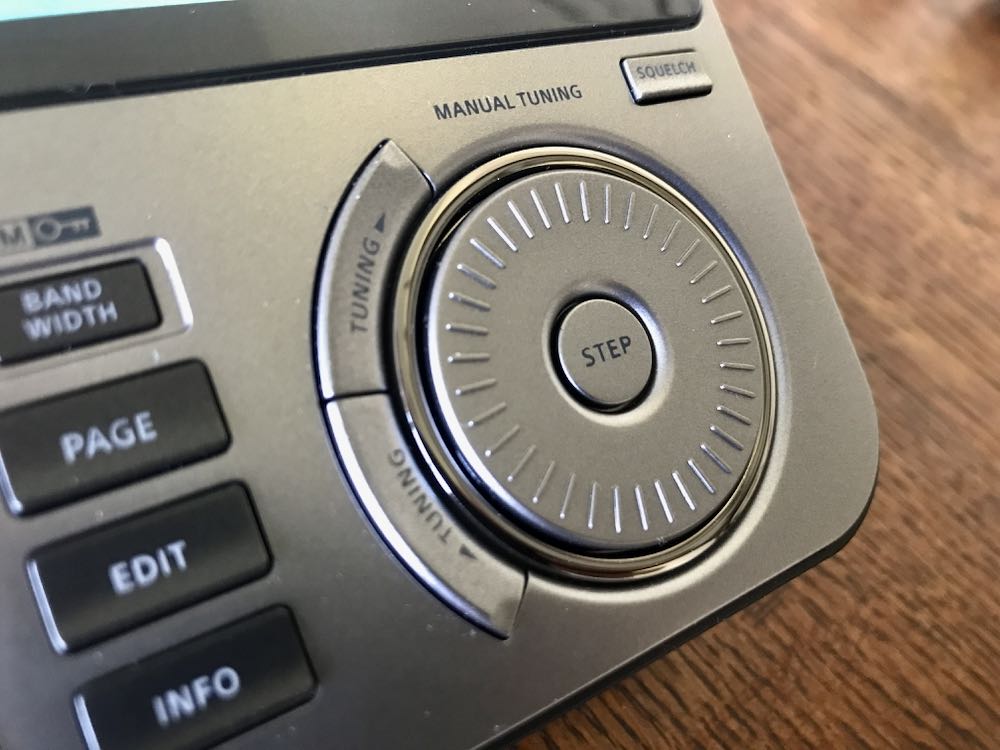
These controls which sit outside the circular main tuning knob are excellent, and reminds one of the slewing buttons on the SONY 7600GR, SW1000T and SW100.

S-METER / DISPLAY

RSSI and SN Digital Signal Strength Information are provided on the beautiful 909×2 display.  This is an improvement over the Tecsun signal strength/SNR meters that I wish would be redesigned, if in fact Tecsun has any intention of future modifications to their portables.

NO SOFT MUTING

Thank goodness we don’t have to deal with the annoying soft muting issue that is still seen in some other portables (the XHDATA D808 comes to mind along with the Eton Executive).  Soft muting quite simply ruins a listening session and it’s baffling that any manufacturer still puts it in.

NEGATIVES (I AM IN TEARS)

OK, close all airtight doors and prepare to dive!  Here are the negatives I see with the 909×2.  I held off obtaining one of these radios because I knew there would be issues.  And I was disappointed enough in the past with the 909x and 909 before it that I had almost decided not to go for it.

SIGNS OF LONGWAVE RECEPTION PLAGUED BY CROSS-MOD FROM MEDIUMWAVE 
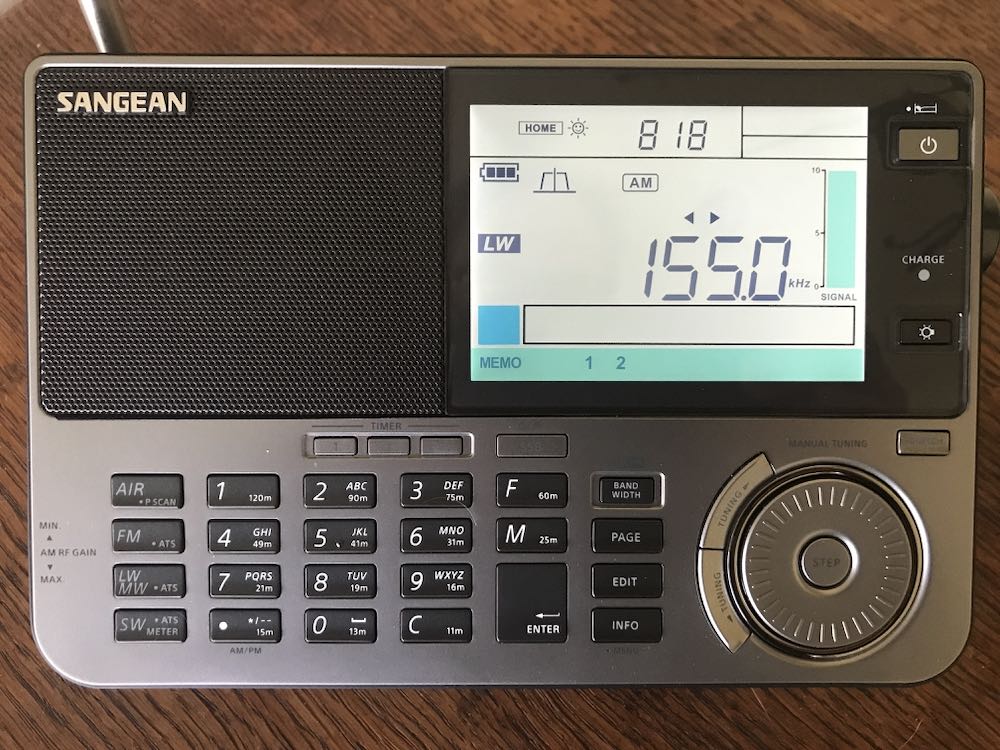
On my particular unit – it remains to be seen whether this is true for others – long wave seems to be near useless.  The band is filled with mediumwave stations bleeding through.  Turning down the RF obviously helps but I still hear AM stations here in the DC area, when I am in LW mode.

SSB PERFORMANCE

ALERT FOR SANGEAN AND ALMOST A DEAL BREAKERas mentioned in the Zantow review, and in other comments I have seen on the 909×2, the drop in level from AM to LSB is a killer negative.

This is less noticeable in MW.  But if you are in shortwave and have turned your volume up on any particular station, say a strong one such as Greece on 9,420 kHz or Spain, or an AM station, and you then switch to LSB it is like you have almost lost the signal.  This simply needs to be fixed.  Level on USB seems fine and acceptable, but LSB on shortwave requires immediate upwards adjustment of volume, only to have to reverse the process when returning to AM mode.  I find this problem to be sufficiently serious that I would recommend against obtaining a 909×2 until Sangean finds a way to fix it.  This issue is on the same level of BAD as the still unsatisfactory SYNC mode in all three of Tecsun’s shortwave portables.  In fact, I may return the 909×2 I obtained and wait until a fix for this emerges.

Example Video

In this video, I demonstrate the extent of the problem as seen on this particular unit of the 909×2, which carries a serial number dk201043181.

Dave Zantow says his unit does not have this issue, so there is a possibility this is due to unit to unit variation. As you can see, with a strong signal such as 12,160 kHz — switching from AM to LSB instantly reduces listenable level, and signal as measured on the 909×2 drops to zero bars or near zero. In USB, the reduction is less severe. Regardless, having to perform adjustments with main volume just to struggle to hear any signal in SSB is a bit ridiculous. This kind of thing is not seen on the Tecsun H-501x or 990x though as Dave correctly points out, Tecsun receivers are not exactly great performers in SSB. On Tecsun receivers, there is a slight processor pause while the receiver makes the switch into LSB or USB, without the sharp reduction in listenable level.

CALIBRATION ISSUES WITH NO WAY TO ADJUST

Imagine my joy when I first began using the x2.  Initially, it seemed to be smack on frequency – I tried this on WMAL, the powerhouse local AM station here in the DC area, and then again with stronger stations on shortwave, such as 12,160 kHz.  Ah, I said to myself, Sangean has some decent QC and paid attention.  About 30 minutes later, however, what I found matches the Zantow review.  Stations are consistently low of the tuned/displayed frequency by as much as 300 Hz.  The reason this is so disappointing is that I feel Sangean could have taken a clue from Tecsun and provided a re-calibration function (unless it exists and we aren’t being told about it).  On Tecsun radios, the re-calibration capability is the major counter-punch to poor synchronous mode – in my view, one can live with flawed SYNC on a 990x or H-501 or PL-330 as long as you can adjust and at least have zero beat or close to it across frequencies.  At the same time, as Zantow points out, no one should be expecting TCXO level performance from portables such as these.  However, it is a bit disappointing that after all these years and redesign of the 909x to add some really nice features, they’re still landing up to 300 Hz from a tuned frequency.  On the other hand, is this really any worse than one would see from an off-tuned SONY ICF-2010?  No, and adjusting those older receivers required surgery.

CONCLUSIONS
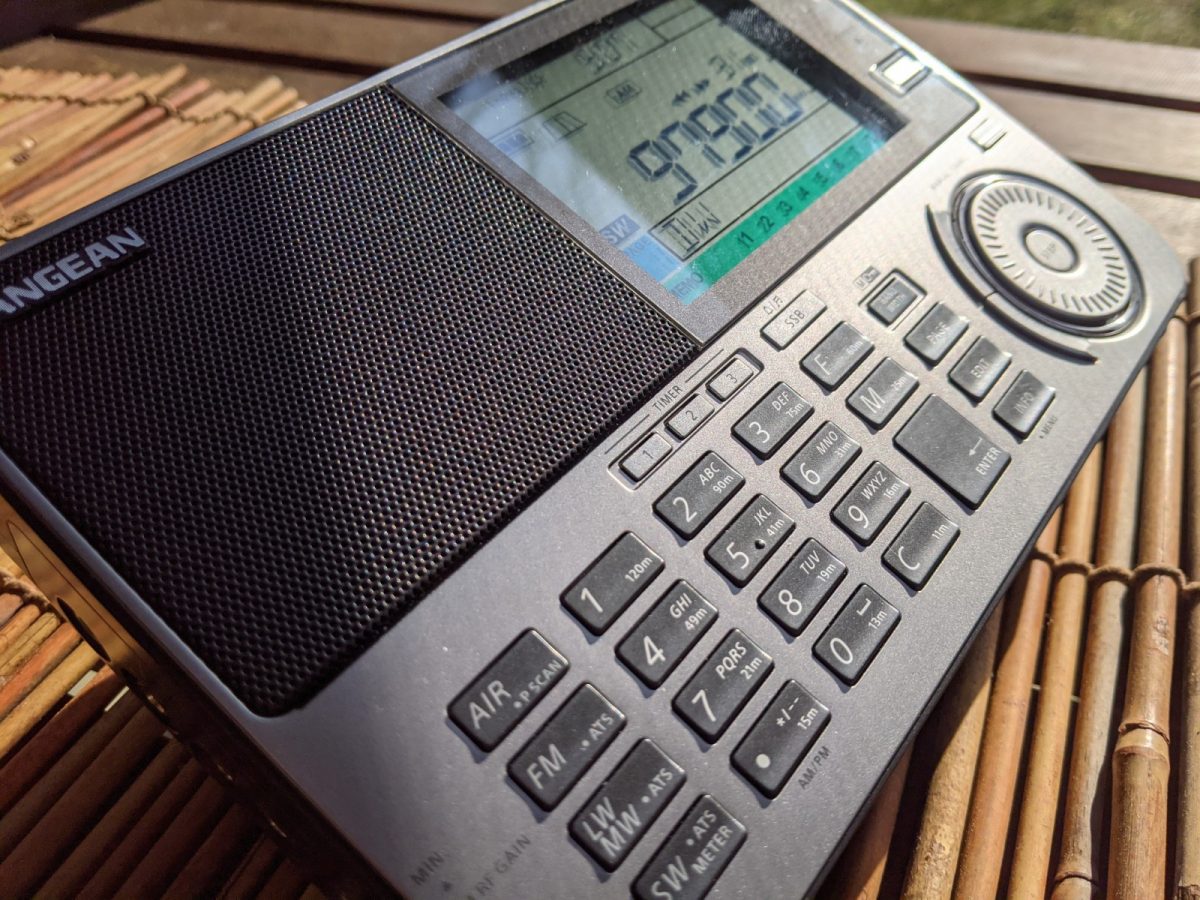
I really like the 909×2.  There simply is something about this design that Sangean knew was a winner when it first arrived on the market years ago, so it’s not surprising that Sangean stuck with it.  It’s clear that some hard thinking went into the step up from the old 909x, notably the larger LCD, addition of finer step tuning to make SSB easier, the robust antenna and the still pretty darn good audio through the wonderful speaker.  The 909×2 is a radio that you can imagine guests would comment on if it were sitting on your coffee table – it just looks THAT GOOD.

But then here in 2021, so does a Tecsun H-501x LOOK THAT GOOD.  As I noted above, where the Tecsuns fall down – with their still challenged synchronous mode – they make up for with the ability to re-calibrate.

That is a huge feature and one that Sangean struck out on, though surely Sangean designers had to know the 909×2 would appeal both to listeners and to hobbyists with obsessions about frequency accuracy.

To repeat, I really (really) like the 909×2.  But another area where the receiver strikes out is the problem with sharp reduction in LSB mode.  Seriously – you have to crank the volume control up to at least 50 percent to hear ANYTHING when you’re in LSB, whereas USB requires going only up to about 30 percent.  Then when you’re completing your carousel back to AM, you have to be sure not to still have the audio up at 50 percent or more to avoid blowing your speaker.

Again, as I said above, the calibration/drift issue on the 909×2 can be lived with.  The problem with LSB, in my opinion, cannot or should not be tolerated.  So, the question is, do you want to purchase a 909×2 now that still has that LSB audio issue, or wait a while until Sangean gets its act together?

These and other earthshaking questions are before us here in 2021.  We have some of the best portables ever made by anyone in a time of sharply declining shortwave use, but they each have their flaws.

I don’t usually do a star rating or RECOMMEND / NOT RECOMMEND for radios.  This time, I am going to make an exception and it links directly to the issue of the LSB problem on the 909×2.  These radios simply should not have been allowed to enter the market with this being as serious a problem as I think it is.  For that reason, I honestly cannot recommend a Sangean 909×2 until this is corrected.
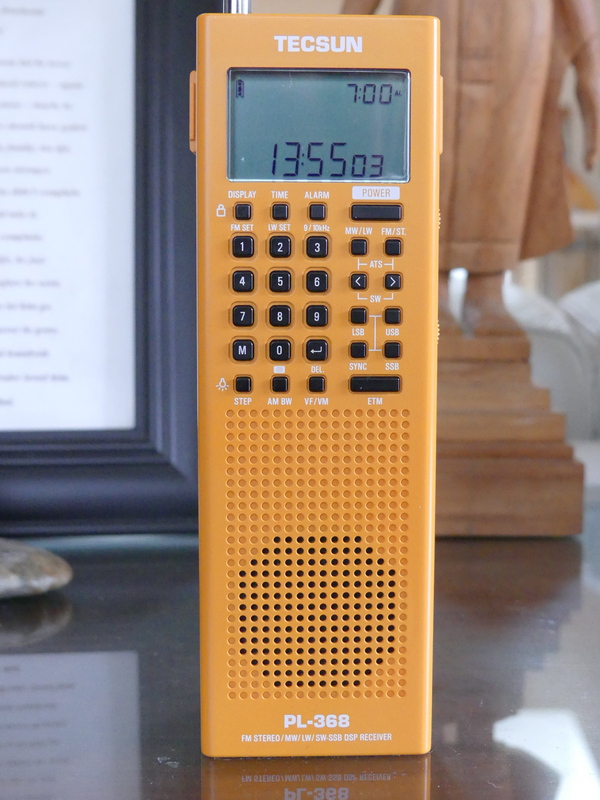
Dan reviews the Tecsun PL-368: “Large Receiver Features In Smaller Vertical Handheld”

Many thanks to SWLing Post contributor, Dan Robinson, for the following guest post and review:


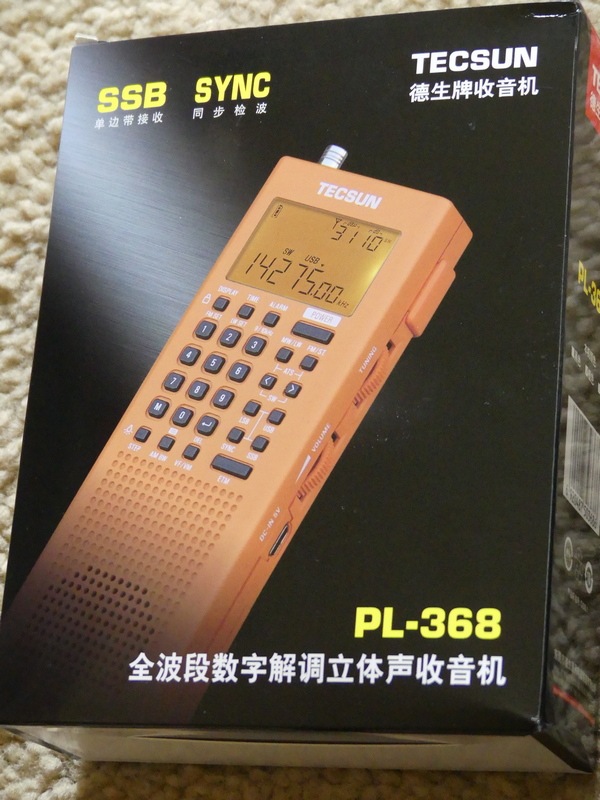
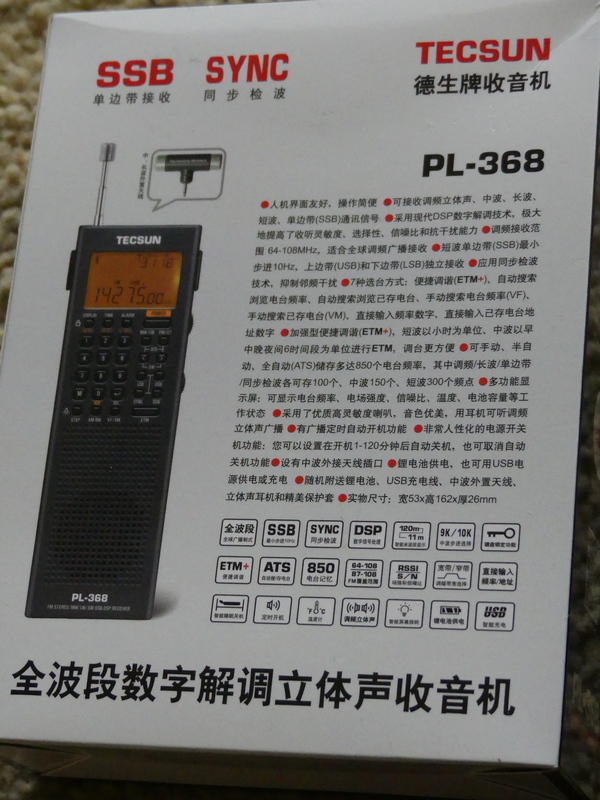
Tecsun PL-368Tecsun PL-368:  Large Receiver Features In Smaller Vertical Handheld

by Dan Robinson

It was back in 2020 that the first photos surfaced online of the PL-368 – posted on Facebook by someone attending the electronics fair in Shanghai, China.

Photos showed the successor to the PL-360/365 receivers – and also the PL-990, successor to the PL-880, as well as the new king of the hill for Tecsun, the larger dual speaker H-501.

Things looked promising, and it was pretty exciting.  Tecsun designers upgraded the PL-365 which had become a favorite of preppers and SWLs, but which was hobbled by the lack of a keypad, to the re-named PL-368.

The PL-365 and PL-360 before it were plagued by the problem of being overly sensitive to the touch – when holding the radio, reception was fine, but remove your hand and signal levels plummeted.  Usually, a full hand grip was necessary to obtain full sensitivity and any variation in grip reduced sensitivity – this was noticed mostly in shortwave mode.
Previous 360/365 models were known for the included small rotatable ferrite

AM amplified antenna which performed miracles in nulling mediumwave stations – for those who still like to listen to the AM band.  The 368 also comes with this additional ferrite antenna.

And the 365/360 (which were and still are sold by CountyComm as the GP-5) used AA batteries, making it very easy to find replacements anywhere the radio is being used in the field.  Tecsun changed that on the 368.

After the photos appeared, I contacted Benny Zhao, who had posted them on one of the Facebook groups and asked if he could send me a sample of the PL-368.  He obliged and a 368 was sent on its way.

The radio was sent without the BL-5C flat lithium battery which was prohibited in postal shipments.  It took a long, long time (3 months, apparently the package was sent by snail mail) but it finally arrived here and I have been putting it through some tests.

Tecsun PL-368

The PL-368 that I received has the notation “2020.12 VER 1” so it’s clearly a first version from 2020 production.

Tecsun PL-368

Like the models before it is a great, handy, portable to grab if you’re going on a trip.  It is lighter than the older 360/365s.  The change from three AA batteries to the flat BL-5C explains some of that.  There is a heft to the older models that the 368 doesn’t have.  I am not sure about differences in thickness of the 368 cabinet.  Perhaps we will find out more from Tecsun (see notes below regarding issue of tapping the front of the 368 cabinet).

Tecsun PL-368

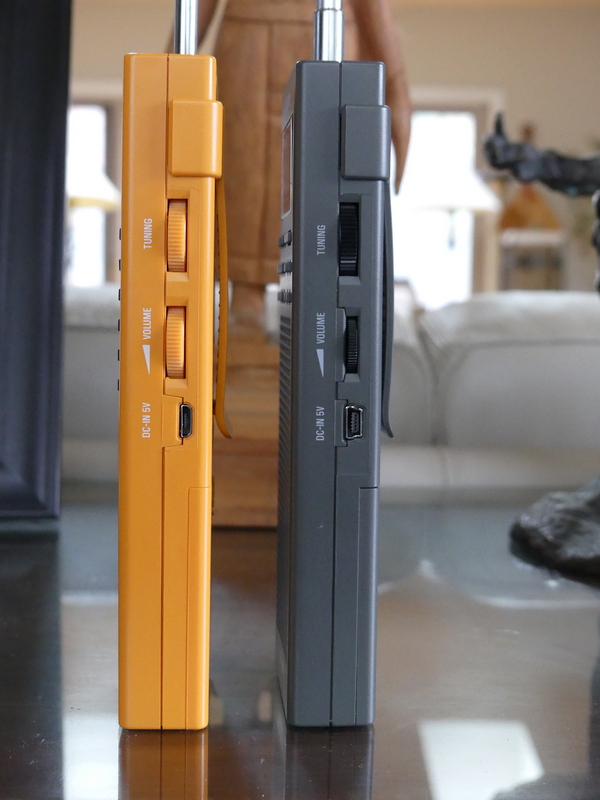
The 368 retains the two multi function adjustment wheels on the right side, one for Volume, the other for Tuning.  These are also used for time and bandwidth control.

Tecsun PL-368

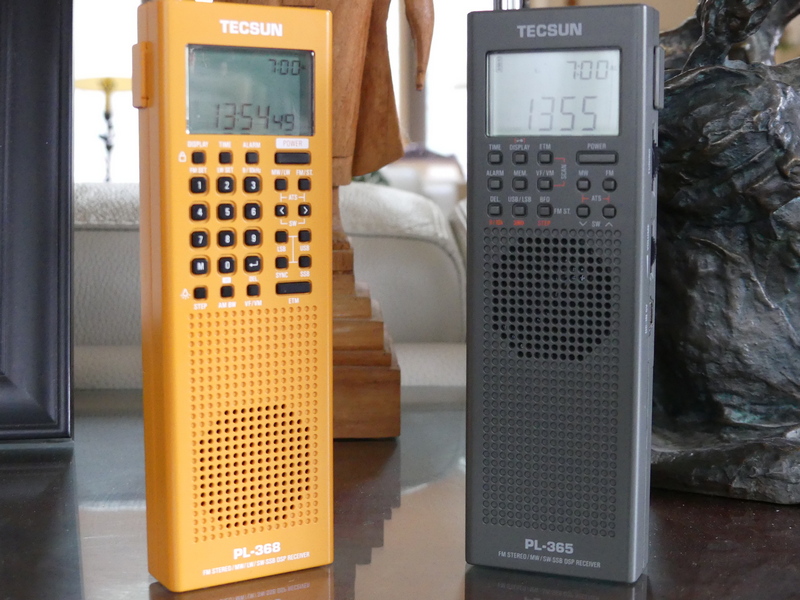
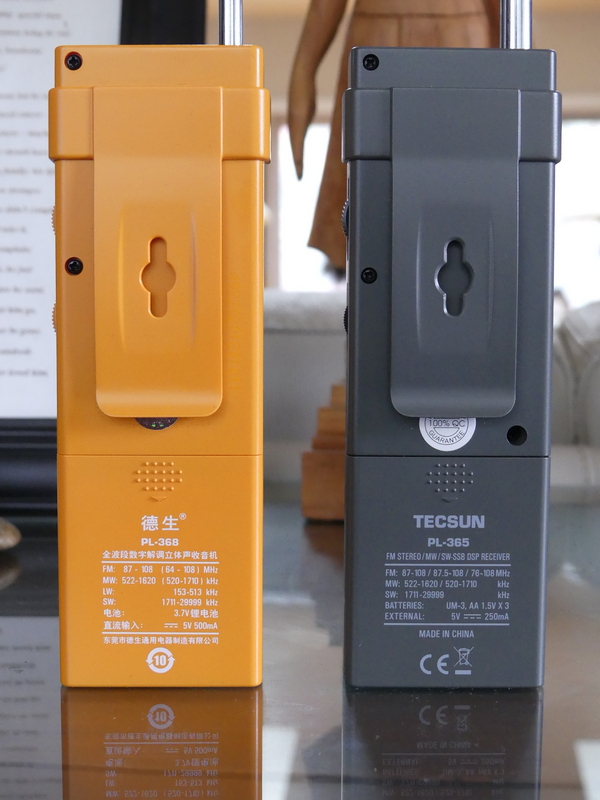
Tecsun PL-368 (left) and PL-365 (right)

On the 360/365 radios, I never found the tuning wheel approach to be particularly efficient since it was limited to a certain number of kHz per turn, either 5 or 1 kHz depending how fast you turned.

On the 368 it appears you can obtain up to 40 kHz from a single turn of the wheel, while on the 360/365 that was limited to 15 to 20 kHz depending on the speed you were turning.

Tecsun PL-368

Tecsun PL-368 (left) and PL-365 (right)

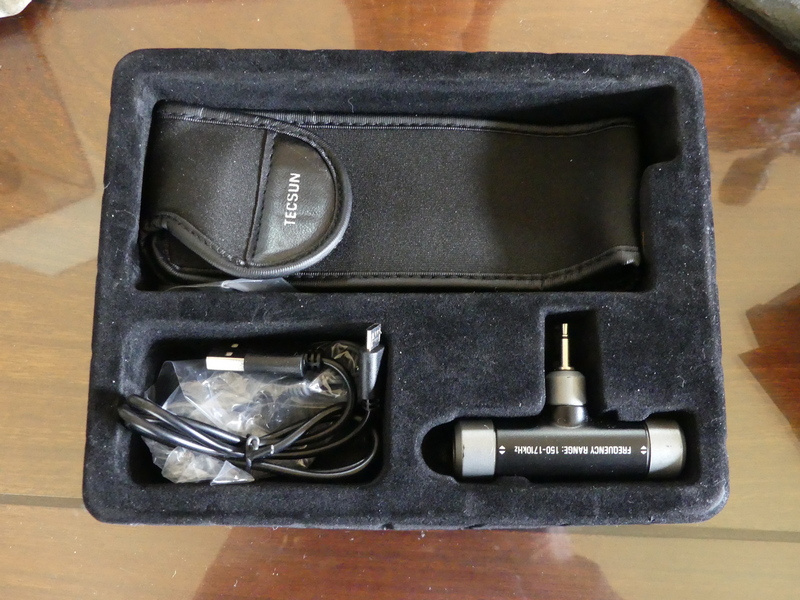
The antenna on the 368 is thinner, but 8 inches longer than the 360/365 models, and in the box you will find the included and very effective rotatable ferrite antenna for mediumwave that inserts in a jack on the top.

On the 368 the volume wheel has detents, whereas on the 360/365 the wheel had smooth turning.

We have gone from 14 buttons on the old PL-360/365 models to 28 buttons on the PL-368, including addition of the keypad.
UPGRADES

Tecsun PL-368

Tecsun has upgraded the 368 in line with improvements seen in the PL-990x and H-501 receivers.  There are now adjustable bandwidths – a particularly useful tool.  These bandwidths also operate in SSB, something that the new Sangean ATS-909×2 doesn’t offer.  Bandwidths are:  LW/MW 2.5, 3.5, 9.0  SW: 2.5, 3.5, and 5.0 SSB: 0.5, 1.2, 2.2, 3.0 and 4.0 kHz
Also in the 368 is now synchronous detection, a feature left off Sangean’s 909×2.  And you get the same intelligent tuning features seen in the 909x/501x models as well as the previous PL-880.

Tecsun added a control that enables activation of the light – this is located on the same button as the Step control which adjusts the tuning steps.

The 368 display now has the ability to tune in 10 Hz increments, an overdue upgrade from the 360/365 models.

Charging of the BL-5C battery can be carried out by connecting a DC 5V/0.5A adapter to the micro-USB port on the side of the radio.  The English manual notes that when charging, the charging time is displayed at the top right corner of the display while the “Charge” indicator flashes.

Adjustments for 9/10 kHz mediumwave, Longwave, and FM frequency range can be found on the 1, 2 and 3 keys.

The manual notes that in addition to the internal ferrite bar antenna, the external supplied MW/LW ferrite antenna can be connected to the antenna socket on top and rotated to obtain optimum reception.

Addition of the keypad makes the PL-368 far more useful than its predecessors for instantaneous frequency access.   This was the major drawback of the 360 and 365 receivers.  This can’t be emphasized enough.

This is a day versus night difference and vastly improves the attractiveness of the 368 over previous models.

There are 850 memory presets, 100 for FM/LW, 150 for MW, 300 for SW, and 100 each for SSB and SYNC.

ATS tuning, like the 990x and 501 receivers enables ATS within all meter bands by holding the [<] or within a selected meter band by holding the [>].  The manual also notes the ability to auto scan all stored stations within a frequency band or mode (SYNC/SSB) staying on each station for about 5 seconds before resuming.

The 368 has what Tecsun now calls Enhanced Tuning Mode (ETM+) – as explained in the manual, this allows auto tune and storing of FM, LW, MW and SW stations into ETM memory.  Unlike ATS, scanned stations will not be stored into regular memory (VM) – in this way, when in a different city or country, ETM+ can be used to auto search new stations without overwriting any previously stored stations.

FM De-emphasis Time Constant – as explained in the manual, while receiving FM broadcasts, long pressing [4] will adjust the de-emphasis setting for Europe, Australia, Japan (and most other locations), or for Americas and South Korea.

Add Seconds to the Clock – with the device powered off, press and hold [8] to add seconds to the clock.

Sleep Timer – as with its predecessors, the 368 has a Sleep Timer, with an indicator on the LCD display.

Alarm –  and like earlier models, there is also an Alarm function, which allows the radio to turn on at a preset time.  It’s possible to select a specific frequency to be used with the Alarm.

RE-CALIBRATION –  I have not been able to determine yet if the 368 has a re-calibration function as can be found on the PL-330, 909x, and H-501.

PROBLEMS

Let’s get one headline out to start:  The 368, as with the 909x and H-501 all have the useful Synchronous Detection mode.  However, SYNC continues to be hobbled, showing distortion and loss of lock.

As I have mentioned in reviews of the 330, 990x, and 501x any successful use of SYNC requires a delicate dance involving careful selection of various bandwidths while in SYNC mode and fine tuning.

The 368 manual contains 3 pages of explanation of SYNC noting that it can “eliminate distortion generated in the IF filter due to local fading, slight offset, modulation overshoot, as well as inter-channel interference and cross-talk modulation, and can also reduce noise interference.”

The problem with all of the Tecsun DSP chip receivers after the PL-880, which had a hidden SYNC feature that was the worst of the bunch, is the extent to which SYNC still suffers from distortion and loss of lock that renders the feature far less useful than it could be.

Ideally, one would want SYNC to match the capability achieved in such older receivers as SONY’s ICF-2010, SW-100S, SW-07, 7600GR.  You’re not going to get that with Tecsun receivers.

Like its predecessors, the 368 is still sensitive to touch.  I noticed this immediately on the old 360/365 receivers, especially when using the radios

at the beach.  If I was recording a station on shortwave, and left for a few minutes, I would return to find that sensitivity had dropped because the radio was not still being held in the hand, which rendered the recording useless.

I am continuing testing of the 368 to try to determine if this issue has been reduced to any extent and will update this review with any further findings. This sensitivity issue is not specific to the 368 – it can be seen on other older and newer receivers.

Many older portables (the SONY ICF-SW55 comes to mind) were constructed with robust cabinets that were less sensitive to touch.  Touching the whip antennas on some older receivers improved reception, while on others touching the whip antenna actually reduced sensitivity.

URGENT ATTENTION FOR TECSUN:  My initial testing of this particular China market unit of the PL-368 – again, it is marked as December 2020 Version 1 production – identified an additional issue.

When in SSB modes or SYNC, tapping on any area of the keypad and LCD display produces a warbling/distortion effect in the audio.  One can only surmise that this is attributable to insufficiently robust construction of the PCB board underneath.

(Video shows problem created when physically tapping front of PL-368 cabinet.)

This is NOT a problem seen with my PL-365 when it is in SSB mode.   

I hope that Tecsun gives this the attention it needs and corrects the problem in future production runs.

SUMMARY

Tecsun PL-368Were it not for the major problems detailed above, the PL-368 would be an automatic must-buy receiver in my book.

Addition of the keypad is a night and day improvement and when combined with additional features such as multi-bandwidth options and the still-to-be-perfected synchronous detection, the 368 would be a killer portable.

But as with the PL-330, 909x and 501x the problem with SYNC mode is still a major drawback on a feature that is supposed to lift Tecsun receivers out of the pack of portables that are on the market in 2021.

One can live with the issue of cabinet sensitivity – but the additional issue I identified where there is instability introduced when tapping on the front panel/keypad/LCD is a QC problem that simply must be addressed by Tecsun.

But as I have said in reviews of other Tecsun receivers, let’s back up a bit.  Imagine if we had had portable receivers with the capabilities that these have, back in the 1960’s or 1970’s.

It’s one of the great ironies of the radio listening hobby, that in 2021 any company is willing to continue producing receivers of this caliber as use of shortwave by major broadcasters continues to decline.

The obvious other killer feature to include in portables such as this would be to somehow integrate DRM into them.  However, I have a feeling that will never happen

Dan’s review of the flagship Tecsun H-501x portable shortwave receiver

Many thanks to SWLing Post contributor, Dan Robinson, for the following guest post and review:


The H-501:  Jewel in the Tecsun Crown, With Some Attractive Features

by Dan Robinson

Since 2020, there has been one Tecsun receiver I have been most looking forward to reviewing, and that is Tecsun’s H-501.

Videos showing the pre-production and mainland China versions of the 501 started appearing online at least a year ago.  There are also numerous videos showing comparisons between the H-501 and PL-990x as well as the PL-330.

What I will do here is provide an assessment of the 501 informed by my use of a H-501 just received, the other two Tecsun receivers, and my decades of experience using a wide range of portable receivers.  This review is based on initial tests of a H-501x, among the first production units.

Video: Unboxing

HOMAGE TO RECEIVERS OF THE PAST

The elephant in the room with the 501 is, of course, its two large left and right speakers.  This reminds one of another Tecsun DSP portable, the PL-398BT with a similar left-right speaker arrangement.

On the left of the H-501, from the top, are the Volume, Treble, and Bass knobs which like the PL-880 and 990x has obvious lineage back to the famous Grundig portables of the 1990’s – the Satellit 500 and 700.  Both of those were limited to two bandwidths.  Only the 700 had anything approaching usable synchronous detection.

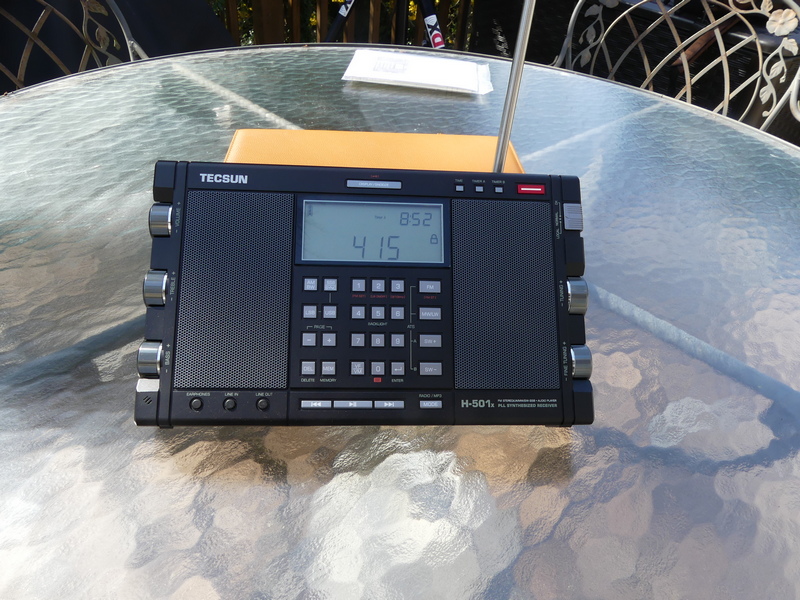
Each of the left hand control knobs on the 501 contains a dot to indicate where you are in the Maximum/Minimum range.  At the bottom of the left side is a micro-USB port for when the receiver is used as a computer speaker – quite a nice feature!

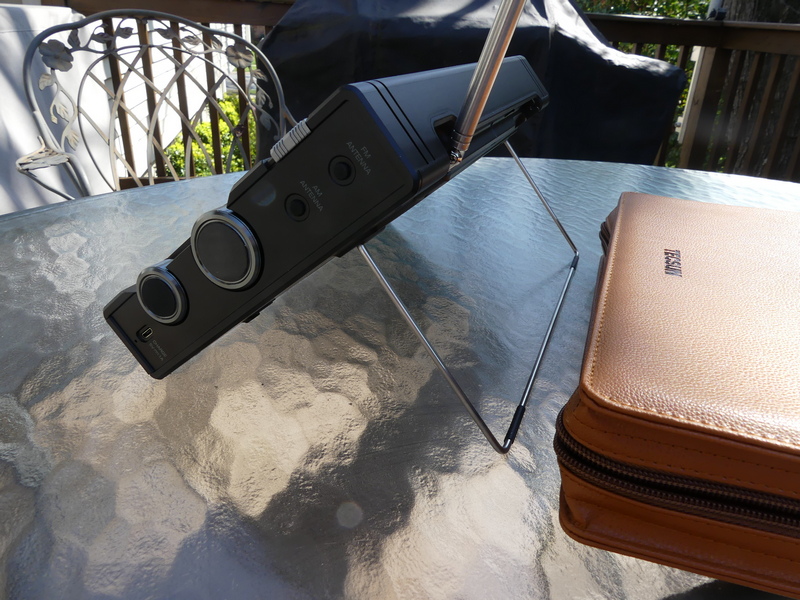
On the right side of the 501 you find ports for AM and FM antennas, each with a rubber traction cap, similar to what is found on the PL-990x.  There is also a three position sensitivity sliding switch for Local, Normal, and DX modes – that’s one more than usually found.

Knobs on the right side are the Main tuning and Fine tuning, again similar to the PL-990x.  At the very bottom of the right side is the 5v 1.0 amp micro-USB charging port.

ERGONOMICS

NEGATIVE:  Here I discuss one of two major negatives with the 501.  The tuning knobs are embedded quite far into the radio body.  Each has a round piece of rubber covering on the knob end surface designed obviously to provide traction, possibly also as a protective measure.

The reality is that on the 501, more seriously on the PL-330, embedding of the knobs so far into the cabinet makes it virtually impossible to undertake rapid tuning using those knobs if you are just placing your finger on the top barrel part of the knob itself!

As you will see in photos and video accompanying this review, holding a finger against the rubber on the end of each knob, or closer to the center, to achieve more rapid tuning.  But it’s kind of annoying.  On the PL-990x the knobs are somewhat different – extending a bit farther out of the cabinet, but also with the rubber coverings.

So, this is a design point for Tecsun to consider.  Surely, it should be possible to come up with slightly different knobs for the 501 that make it more comfortable to achieve rapid tuning.  As it is, the knobs on the 501 barely extend beyond the cabinet edge, including the end and rubber cap.

The same goes for the PL-330 – which has knobs that only one half inch in depth, and extending only about 1/16 of an inch beyond the cabinet edge.  Part of the attractiveness of the 330 is its compact size and I doubt Tecsun will be moving to put slightly larger knobs on that radio anytime soon.  But as it is, using the main and fine tuning controls on the 330 gets you maybe 10 kHz in tuning range.

[UPDATE]  I realized after further use of the 501x that Tecsun clearly intended for the rubber knob cap covers to act as traction for tuning.  The problems I see:  after significant use over time, those rubber covers will lose their stickiness and thus their ability to help tuning will be reduced.  Also, the fine tuning knob is smaller — and even using the rubber cover on the knob for more traction, it is somewhat difficult to achieve rapid tuning in 1 kHz mode.  Tecsun could help 501x owners on the issue with the tuning knobs by including spare rubber knob caps.  But it’s uncertain how the existing rubber knob covers are attached to the original knobs and how easy it would be to replace them when they lose their stickiness.

H-501 IMPRESSIVE FRONT PANEL 

At the top of the H-501 radio above the LCD display can be found the Display/Snooze/Lock button.  On an older Tecsun radio, the PL-880, this button doubled as the calibration adjust control.  On the PL-990x this triple function button is located on the top of the radio.

LCD DISPLAY

POSITIVE:   One of the big positives of the 501 is the large LCD display.  The number digits are absolutely huge and make it easy to read frequencies.

Thanks Tecsun!  The display contains numerous bits of information about receiver operation, the signal strength meter, etc.

Below the display is the keypad, with special dual keys for 9/10 kHz mediumwave, Longwave activation, and FM range adjustment.  Backlight activation is on the 5 key.  At the bottom you have the VF/VM key to select between frequency tuning and memories.  To the right are the FM, MW/LW, and SW + and – buttons.  These put the radio into shortwave mode and as is the case with the PL-990 and other receivers, activate ATS/ETM tuning.

At the very bottom of the front panel can be found PLAY/PAUSE, RR, and FF buttons for control of SD card audio when using the microSD card, which like on the 990x is located on the bottom of the receiver.  According to the manual, by the way, the microSD slot accepts cards of up to 128 GB.  Included in the box is a 16 GB SanDisk Ultra card.  A reset hole is also on the bottom of the radio.

Finally, at the bottom of the 501 face are rubber covered input ports for Earphones, Line In, and Line Out.

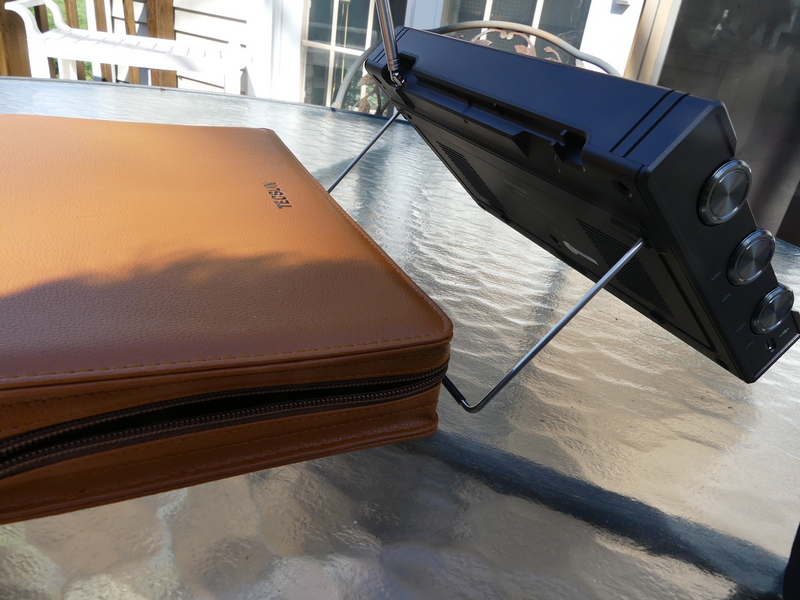
METAL TILT BAIL

POSITIVE AND NEGATIVE:  On the back of the receiver, you find the metal tilt bail which folds down and locks into two plastic tabs and can be lifted easily with a finger from an indentation in the cabinet.

This was a good design move by Tecsun, with the following observations:  there are no incremental positions on the metal bail as you find on, say, a Microsoft Surface or similar tablet type PC.  The only fully stable position is to have the metal bail fully extended back. That places the 501 in a great position if you’re standing or even sitting to a degree.  But if you try to place the bail in any middle position you’re in danger of having the radio become unstable.  Tecsun should definitely give some thought to a re-design, though the bail is better than the flimsy plastic stands found on the PL-990 and PL-880 and some older portables.

Still on the back of the radio, intelligently, Tecsun marks a screw hole which can be used to remove the telescopic antenna (marked as ANT SCREW).  The other screw holes for removal of the back of the radio are also clearly marked.  Thanks Tecsun!

However, one additional partial negative – there are no rubber pads on the bottom back edge of the 501x which will be contacting whatever surface the radio is sitting on while the metal bail is in use.  So, if you don’t want that bottom back edge to be scratched, place the radio on something to cushion it.

BATTERY CHARGING

POSITIVE:  Another interesting feature not found on other radios:  Tecsun has created a dual charging system for the 501 which uses two 18650 batteries.

In viewing numerous videos, I have not seen this discussed much.  Basically, this enables you to use the receiver’s internal charging capability to choose which battery you are charging.  The manual states that the battery contains space for a “spare” battery.  The charging indicator on the LCD display will flash while charging is underway – there does not appear to be a separate display for battery A or B.  However, and this is quite a unique capability – while you are using the 501x, the switch changes which battery the radio is using.

It’s not clear to me whether the receiver while powered on is taking energy from one or both batteries simultaneously.  As I note in my reviews, and this is amplified in the manual, do not expect to be able to charge a battery internally and listen to the radio at the same time because there WILL be noise.

HUGE WORLD MAP AND RADIO DIAGRAM INCLUDED

Tecsun includes a huge – and I mean HUGE – World Amateur Radio map in a plastic pouch with the manual.  On the back of this is a large photo of the 501 with clear English guide points to each and every feature of the radio.  In this, Tecsun is really going out of its way to make owning the 501 a special experience.

In the box (see photos) Tecsun includes 2 18650 lithium batteries, a 5 volt double USB A charging cube, a mini to mini cord, a USB charging cable, and to boot, a pair of fairly high quality wired earphones complete with spare ear tips.

PERFORMANCE

Anon-co advises that the H-501x uses a different IC than the PL-990x.  No further details were available as of the time of this writing.

This is clearly a sensitive radio, as is the PL-990X.  In these days of declining use of shortwave, almost any receiver is going to be able to hear “stuff” all over the bands and the 501x and 990x as well as the 330 are all quite capable in this regard.

In the video, I tune some familiar stations, including Voice of Greece and BBC

and move through the excellent bandwidth options.  This is where the 501, with its large dual speakers, excels because if you’re on a strong station – Greece is a great example because of its great music programs – and you have that wider option, it’s really pleasant to listen to.

NEGATIVE:  However, one has to puzzle over the decision to limit bandwidth to 6 kHz when in shortwave mode.  On mediumwave (AM) you have a 9 kHz option which provides some fine listening.  Perhaps Tecsun felt that there are few stations using shortwave these days that would benefit from having a significantly wider option?  I would urge Tecsun to make 9 kHz available in shortwave.

SYNCHRONOUS DETECTION

NEGATIVE:  I really had some hope that Tecsun would go farther toward

solving the problem of unstable/distorted SYNC mode with all of these recent radios.  Unfortunately, it was not to be.

Using SYNC on these radios – though this was not the case with the PL-660 and 680 – involves a delicate dance, requiring using a combination of bandwidth filters and LSB/USB.  SYNC works fairly well with some stations, but it really depends on signal level, and to an extent signal level of any station close to the frequency you are on.

There is a 1 kHz fine tune spread when using SYNC after which lock is lost.  And still, lock is often lost even when you’re on center frequency and not using

fine tune in SYNC – the signal just becomes distorted.  Not fun.  The PL-990x has the same issues.

Now, Tecsun has definitely made progress since the horrendous implementation of SYNC on the PL-880, which wasn’t even an official feature.  But it’s disappointing that given the design features in the 501, especially the wonderful dual speakers, a way has not been found to resolve this issue which obviously involves the DSP chip that is the brain of the receiver.

Video: Detailed testing of Tecsun H-501x

ANTENNA

NEGATIVE: One of the things the folks at SONY, Panasonic and some other manufacturers did so well was design radios with antennas that nested inside the radio and could be pulled up and out of the cabinet, and because of this, there was clearance from the top of the radio so the antenna can achieve vertical position.   Tecsun has not done the same.  Antennas on the H-501x, PL-990x, PL-330 swivel but cannot take up vertical position, and of course they are nested on the top of the radio.  One would have thought that after years of producing portables, and coming to dominate the portable market, someone at Tecsun would have recognized the importance of antenna re-design.  NOTE:  the antenna on the 501x is sufficiently long, but on the PL-330 for example, seems to be not long enough.

BLUETOOTH

POSITIVE:  Hooray for Tecsun in integrating BT capability into the 501x and 990x.  This was such an obvious move and thanks to Tecsun for really hitting it out of the park. Unfortunately, we don’t get the ability to record audio from the radio on to microSD cards – that would truly have been a major step forward

CALIBRATION

The H-501 has the same re-calibration adjustment feature as is seen in the PL-909x and the PL-330.  This involves going into LSB or USB mode, holding down the USB or LSB keys until a flash appears, then using the Fine Tuning knob to achieve zero beat on WWV or strong station that is known to be on frequency, then holding down USB or LSB again to have the radio re-zero itself.  This is a fine feature that we have seen since the PL-880.

When I first received the H-501 it appeared that the receiver was fairly on zero beat from mediumwave up through 25 meters shortwave.  Further testing revealed that re-calibration was necessary, but the degree of error from mediumwave up through 19 meters was not as significant as I have seen on the PL-990x.  Re-calibrating at a mid-point of 25 meters appears to be a good mid-point choice, but inevitably, doing re-calibration on shortwave will throw the receiver off by a bit down on mediumwave.

A cautionary note:  when undertaking this calibration function be sure to give the radio time to confirm it’s in calibration mode with the FLASHing LCD. Sometimes, the readout will jump a full 1 kHz above or below the frequency you’re zeroing on – if that happens use the MAIN TUNING knob to get yourself back (i.e. 9,704 to 9,705.00) and complete the zero beat operation with the FINE TUNING knob, then hold down LSB or USB to complete.

All of this may be overkill for most people – I am just among those who obsess over having receivers as exactly on zero beat as possible.  That’s more difficult or impossible to achieve with older receivers that have no calibration function, such as the ICF-2010 or SW-55 without literally taking those radios apart to access internal points of adjustment.  The fact that Tecsun provides this capability in these portables is something we should all be very grateful for.

CIRCUIT LOCKUP

All of the Tecsun radios have a “reset” hole to be used if the receiver is not functioning properly.  I had one occasion of lockup with this sample of the H-501x.  Rather than using the reset hole, I decided to remove one of the two 18650 batteries, which of course reset the receiver.  I have alerted Anon-co to this issue, but it’s hard to tell whether it’s a major problem without having other H-501 units to compare to.

CARRYING CASE

POSITIVE:  The H-501 that I received for review from Anon-co came with a beautiful faux leather case complete with a convenient carrying handle.  My understanding is that this matches mainland China versions that have been widely seen in videos online.

Anon-co advises that the first batch of 501x to be carried by them will come in a gift box with this PU leather case, possibly to be followed at some later point by a hardcover carrying case.  Indeed, a photo can be found online showing the H-501 in a hardcover carrying case similar to the cases for the PL-880 and PL-990x kits.

As of early April, Anon-co advises that while the price for 501x is not set yet, it’s expected to be somewhere in the $310 – 330 range including shipping to the U.S.

AM/MEDIUMWAVE AND FM PERFORMANCE

Not much to say here – I find FM performance on the 501x to be superb, and mediumwave reception is more than satisfactory.

CONCLUDING THOUGHTS

As I noted earlier, these days amid declining use of shortwave by remaining broadcasters, almost any DSP or older portable receivers are capable of producing excellent results for shortwave listening.

Facebook groups devoted to shortwave (they have become the new gathering place and information exchanges for those of us who still love the hobby) are

full of newcomers inquiring about which Tecsun, Degen, or other portables are best.

Often, my advice is to consider older portables that are still quite competitive, especially considering the reduction in the number of stations still on shortwave.  These would include such classics as the Grundig Satellit 700/500, the SONY

ICF-2010(2001D), SONY ICF-SW77, and ICF-SW55, along with the venerable Panasonic RF-B65 and SONY ICF-SW100S in the smaller category.

What Tecsun has done with what we have to assume may be the final group of DSP receivers it produces is come up with small (PL-330), medium (PL-990x), and large (H-501) radios that combine extremely attractive features and excellent audio.  The H-501x, in effect, is a Grundig Satellit 700 re-born for the 21st century and the path to it was paved by the PL-880.

Though implementation of SYNC in each of these receivers still leaves much to be desired, having this feature is enough to push prospective buyers to choose one or more of these Tecsun units over older portables.

Note that Sangean, which is now producing its ATS-909×2 (though the radio has growing pains and is having its firmware updated by Sangean) seems to have taken note of Tecsun’s dominance of the market and provided multi-bandwith capability, and an improved and enlarged LCD display on the 909×2 along with finer frequency resolution.

In a strange but perhaps understandable decision, Sangean left SYNC mode off of its new flagship receiver.  Whether this had more to do with production costs or a decision that synchronous detection really brings little to the game these days, or both, along with other factors, remains a puzzle.  It does appear, from early reviews, that Sangean may have improved sensitivity on the 909×2, though this too remains unconfirmed.

But again, even with the negatives I noted here about the H-501x, what Tecsun has accomplished is significant.  It has given remaining potential buyers of multi-band portables three superb receiver choices. There are others in the Tecsun line such as the S-8800 and S2000, but of these only the S8800 is something I would recommend.

As I noted in a recent review of the PL-330, had we enjoyed a situation back in the golden days of shortwave in the 1960’s/1970’s/1980’s where a portable provided multiple bandwidths, advanced memory operations, and synchronous detection, DXing would have been even more of an enjoyment than it was.  Certainly those Country Heard/Country Verified totals would have been higher!

The H-501x could easily be considered the crown jewel in the Tecsun group with its killer looks, large speakers, and performance equaling the PL-990x.  Each of these receivers is arguably an easy choice as a “daily driver” for traveling, though where air travel and TSA issues are concerned, the PL-330 would be a better choice.

RECOMMENDATION:  Of the negatives I discuss in this article, only one I would consider fairly huge, and that is the ongoing issue with synchronous detection.  If the 501x, like the 990x and 330, were to have this issue resolved that would make it easy to recommend any of the three radios.  As it is, the attractiveness of the 501x lies with its beautiful two speaker design.  Even with the annoying SYNC  issue, I would recommend the radio to anyone who understands the SYNC issue and doesn’t mind and who wants a nice, larger version of the 909x.

The “Signal Sweeper”: How to build a portable Wellbrook loop antenna

Many thanks to SWLing Post contributor, Matt Blaze, for the following guest post:


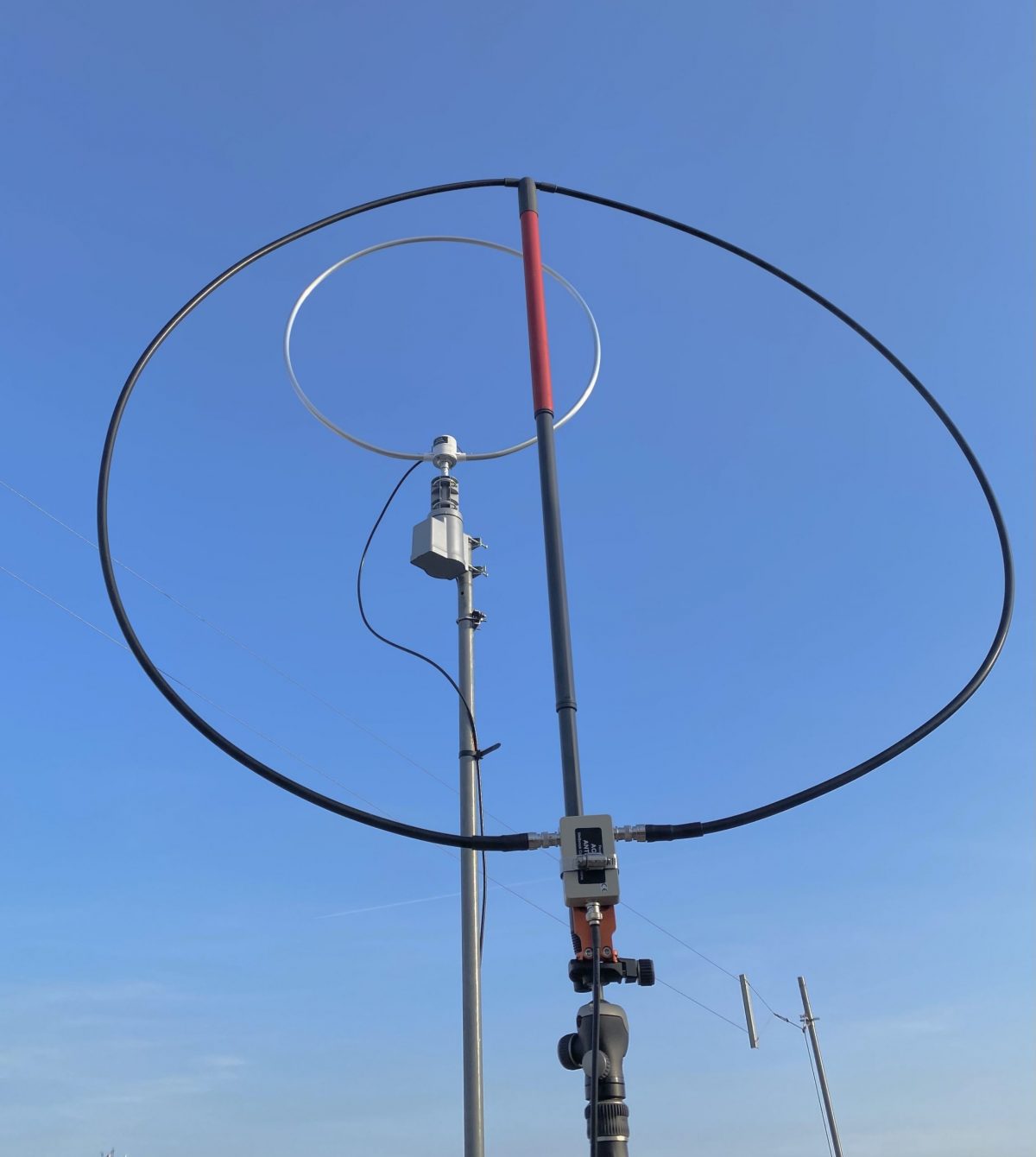
The “Signal Sweeper”, a portable Wellbrook antenna setup

by Matt Blaze

Here’s a very simple construction project that’s really improved my travel shortwave and mediumwave listening experience.

When I go somewhere interesting (whether a day trip on my bike or a longer excursion to an exotic locale), the two things I’m sure to want with me are my camera gear and at least one good receiver. Fortunately, there are plenty of good quality shortwave receivers to choose from these days; the hard part is packing a suitably portable antenna that can do justice to the signals wherever it is I’m going.

I’ve long had a Wellbrook antenna on my roof at home. These wide-band amplified loops famously enjoy a reputation for excellent intermod and noise rejection, as well as an almost magical ability to pull in signals comparable to much larger traditional HF and MF receive antennas. A portable Wellbrook – something I could pack in my luggage that performs as well as the one on my roof, would be just ideal.

Fortunately, Wellbrook sells a “flex” version of their antenna intended for just this application, the model FLX1530LN. It’s essentially just the amplifier of their fixed-mount antennas, equipped with a pair of BNC connectors for you to attach a user-supplied ring of coaxial cable that serves as the antenna loop. This way, you don’t need to travel with the awkwardly large 1 meter diameter ring of aluminum tubing that makes up the normal Wellbrook. You can just bring a compact spool of coaxial cable and configure a loop out of it when you arrive at your destination.

The tricky part is how to actually form a stable loop out of coaxial cable without needing lot of unwieldy supporting hardware. In particularly, I wanted something that could be set up on a camera tripod to be freestanding and easily rotated wherever I happened to find myself wanting to play radio. The key would be finding or making some kind of mostly non-metalic support for the coaxial loop that could be folded down or collapsed to fit in my baggage or backpack for travel.

And then I found it: a humble 3-section telescoping broom handle sold on Amazon for about $15 that’s exactly the right size: the “O-Cedar Easywring Spin Mop Telescopic Replacement Handle“. It collapses to 22 inches (just short enough to fit in my suitcase), and extends to 48 inches (comfortably long enough for a one meter diameter loop).

Normally, a wire loop would need both vertical and horizontal supports in a cross configuration, but by using a reasonably stiff coaxial cable, I figured I could get away with just using the broom handle vertically. I found that LMR400 (the basic kind, not the “Ultraflex” version) holds its shape quite well in a one meter loop supported this way.

At this point, it was just a matter of the details of attaching and mounting everything together into a portable package.

A one meter diameter loop, which is the ideal size for the Wellbrook amp, can be made from 3.14 meters of cable (ask your middle-school math teacher). That’s about 10 feet for Americans like me. High precision is not required here, so I just cut 10 feet of LMR400.

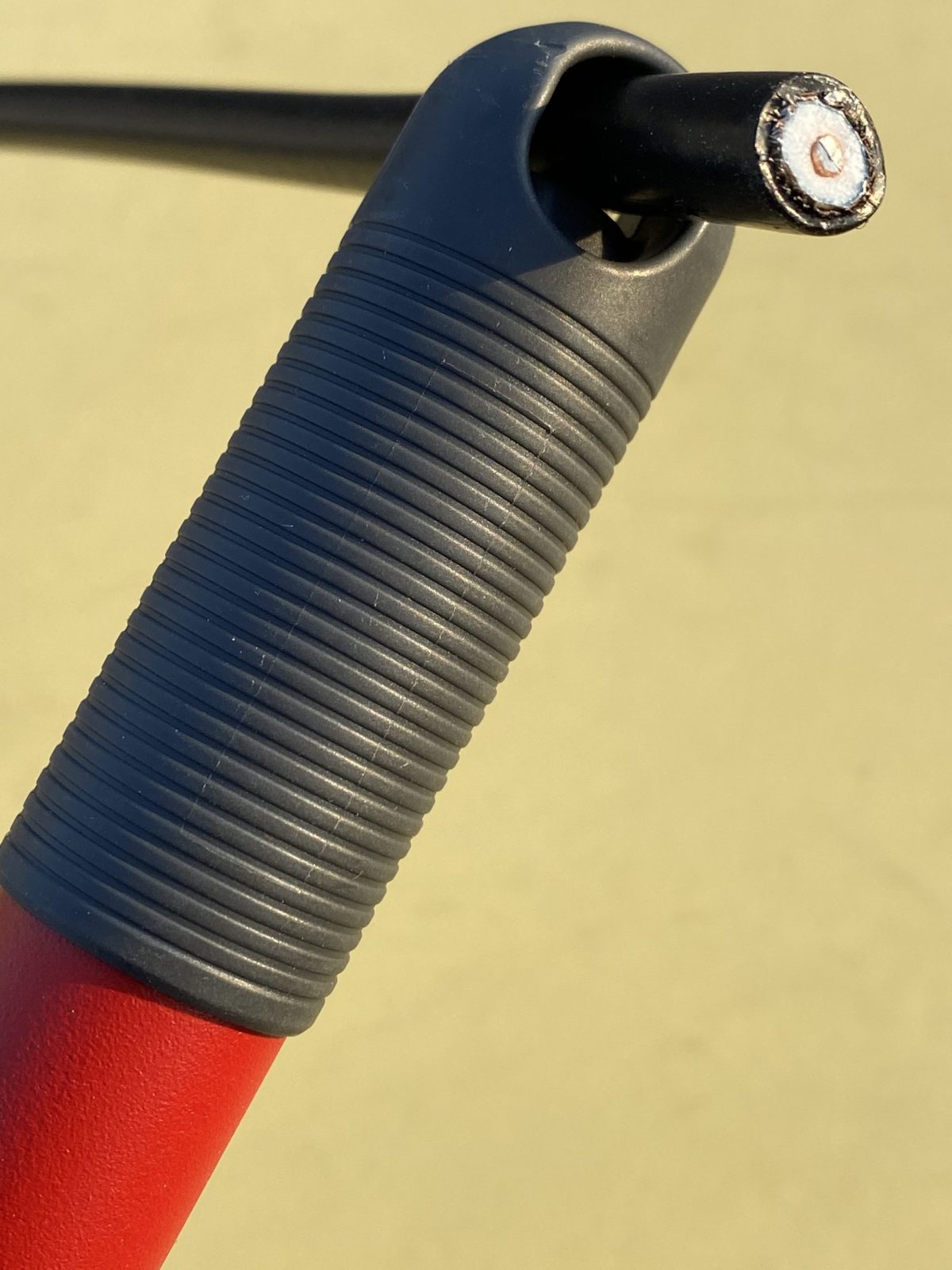
The next step is to attach the middle of the cable to the top of the broom handle. The O-Cedar handle has a loop at the end for hanging it on a hook in your broom closet. It happens to be just the right diameter for LMR400, but not with BNC connectors attached. So you’ll have to thread the cable through before you crimp or solder on the with connectors. (See photo above). I used the Times Microwave crimp-on BNC connectors, which I had some extras of lying around. I also put some shrink wrap on the cable at either side of the broom loop, just to keep it from slipping out and becoming unbalanced, but that was probably unnecessary.

Now I needed a way to to attach the Wellbrook amplifier to the other end of the handle, as well as some way of mounting the whole thing to a camera tripod. My first thought involved a lot of duct tape. But I wanted something more permanent and reusable.

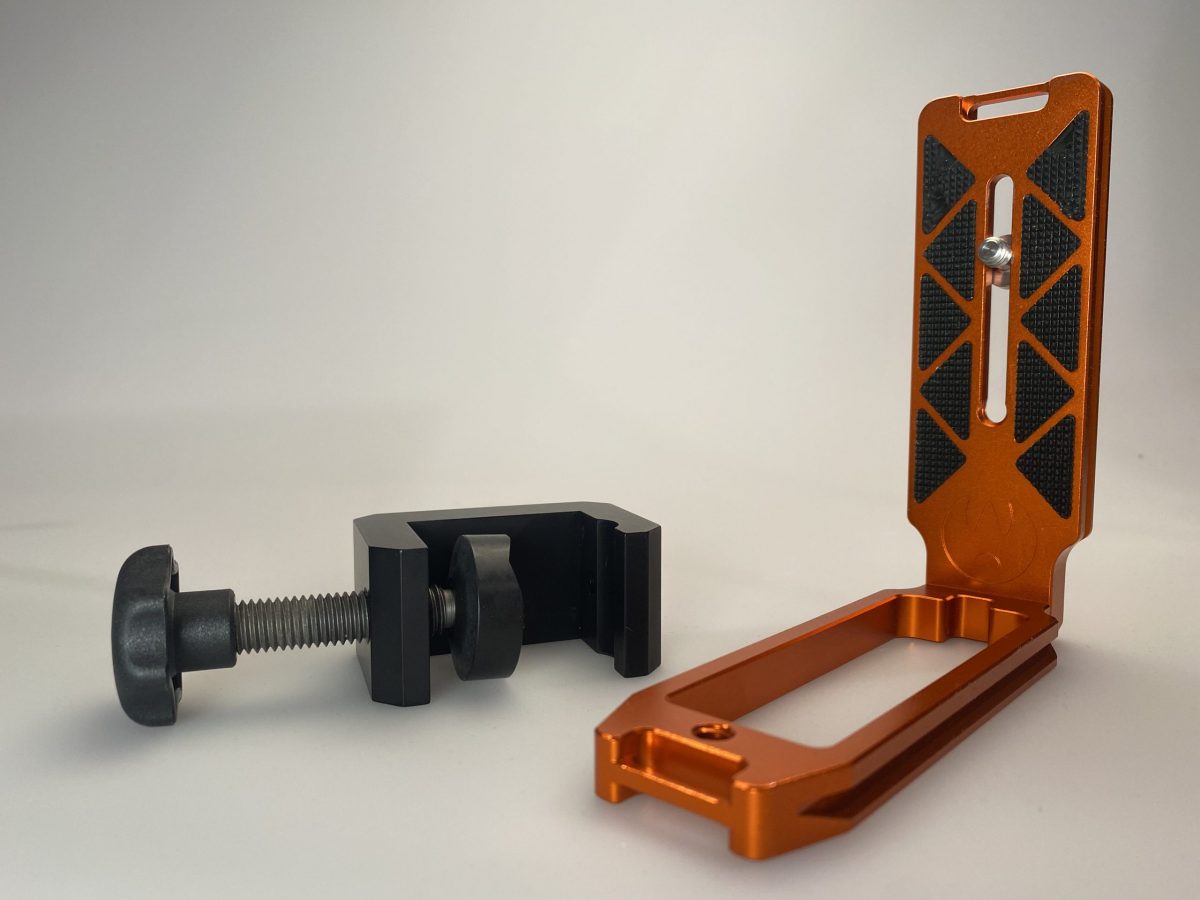
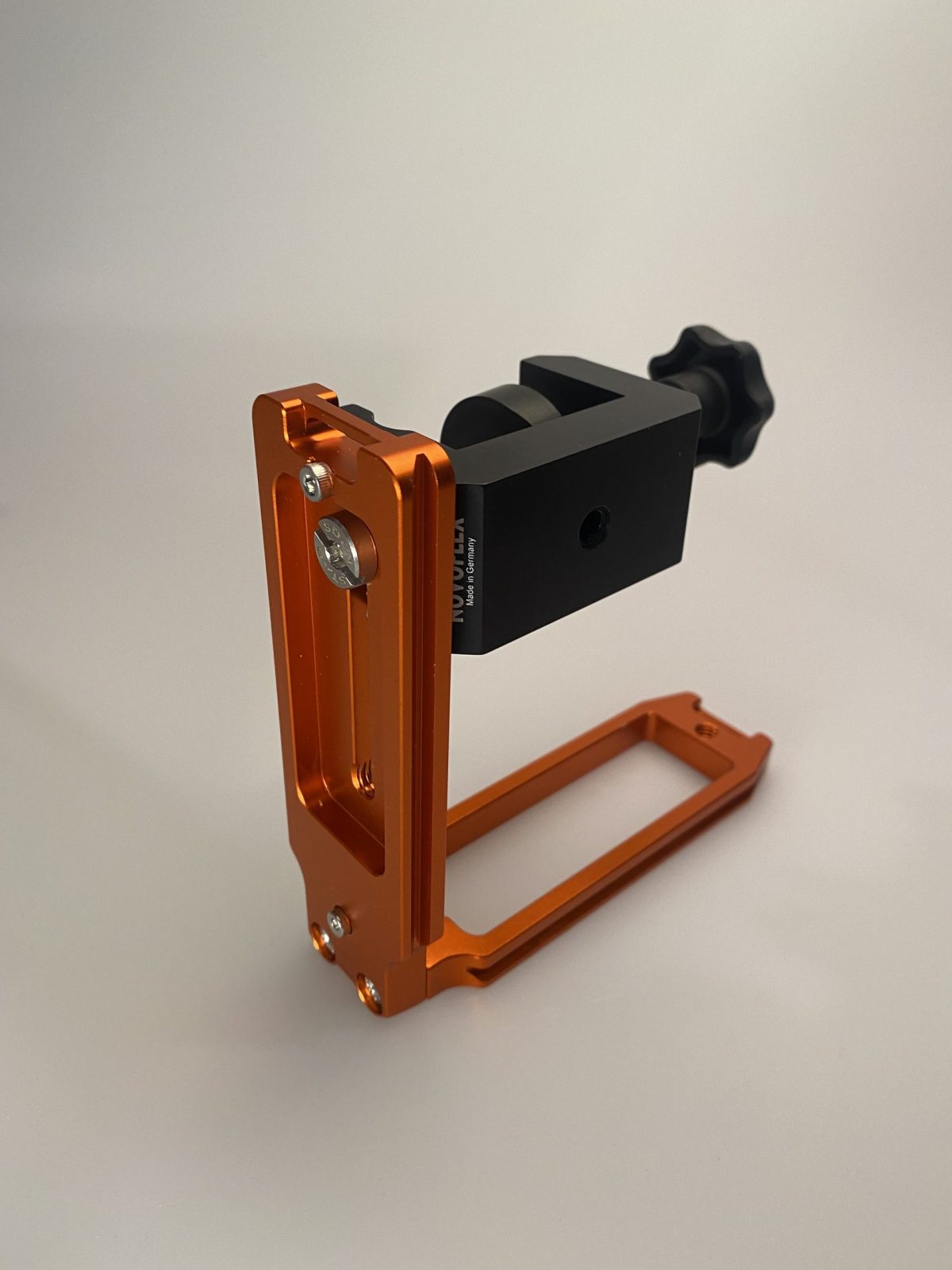
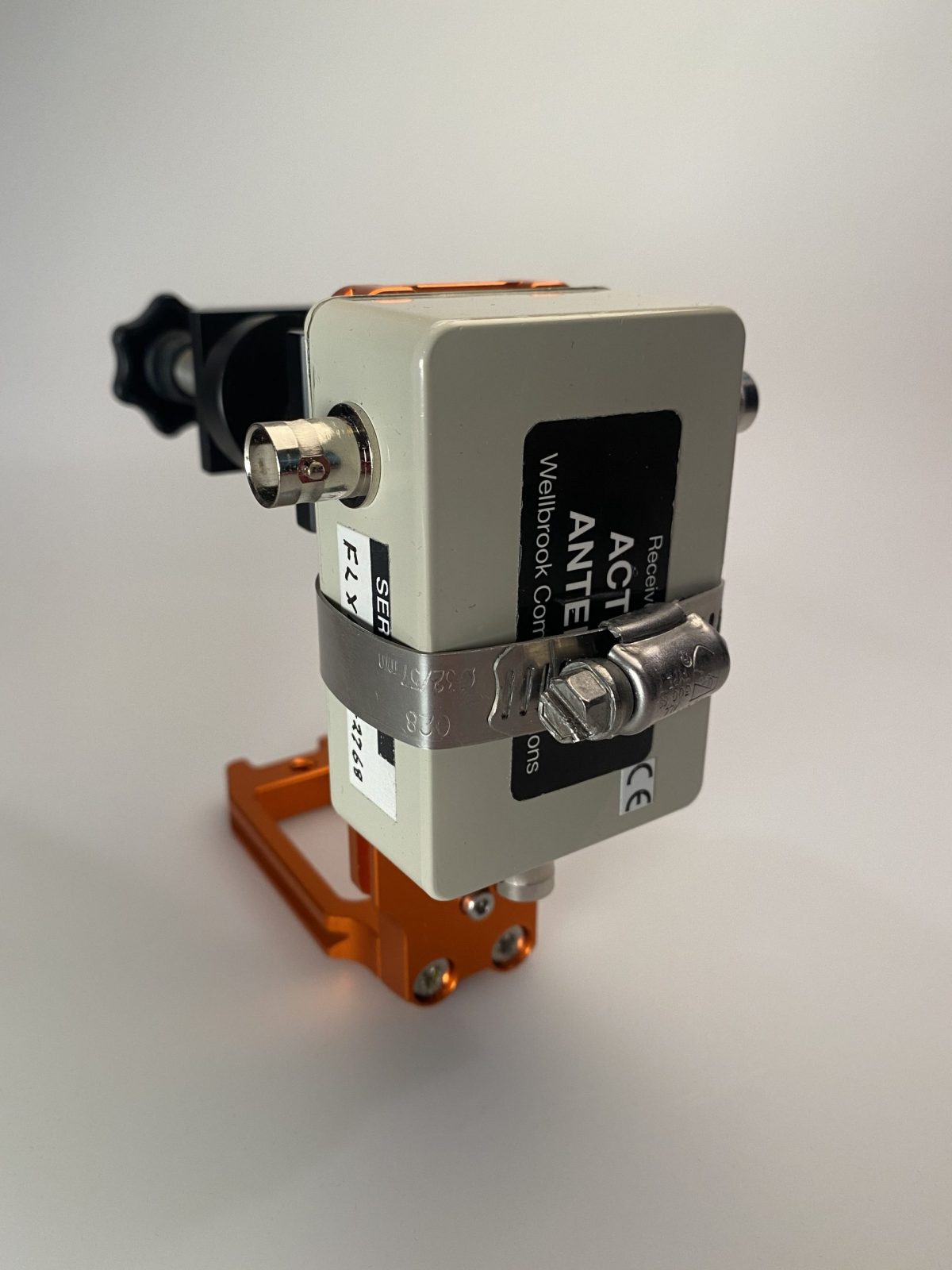
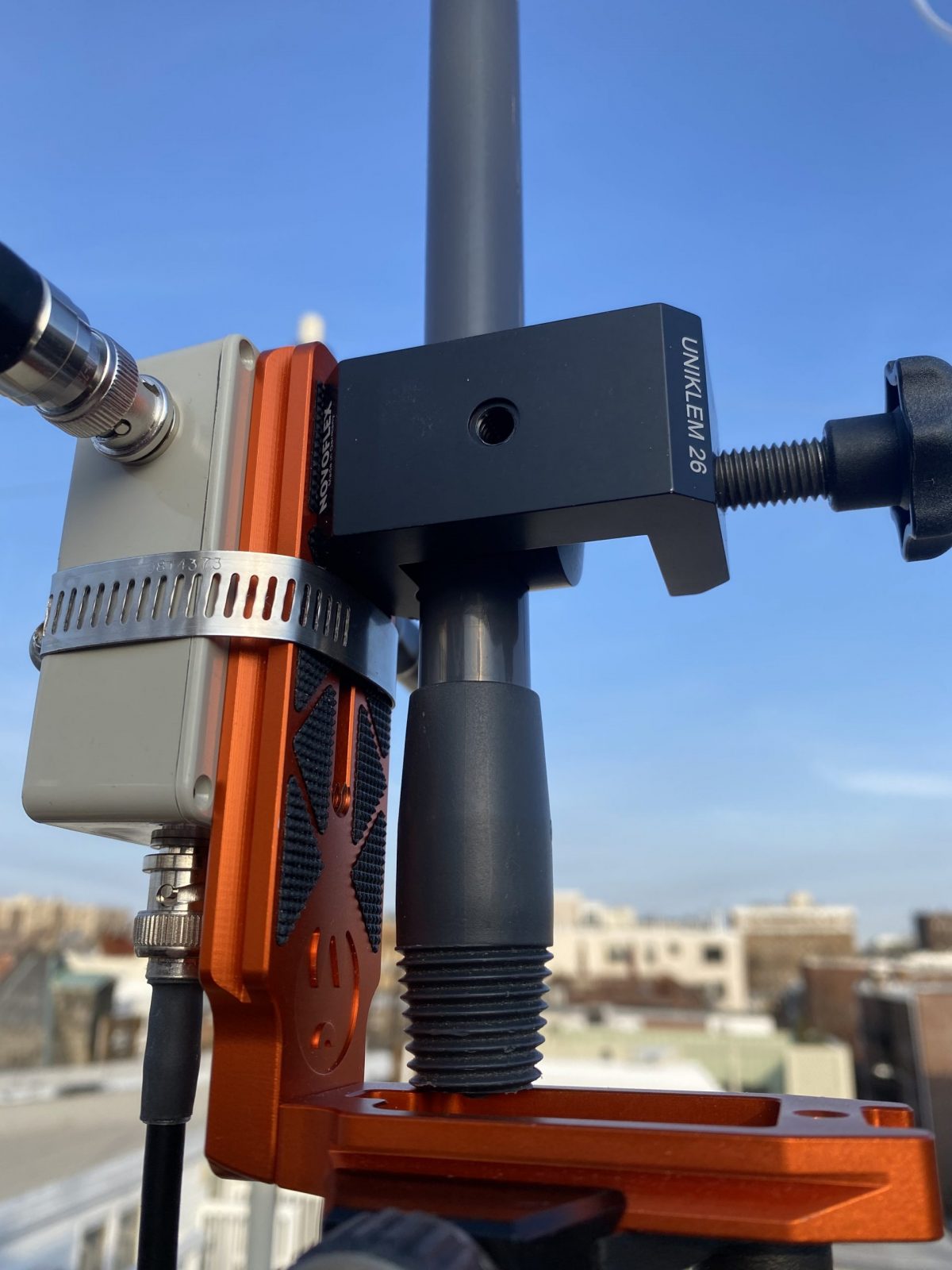
The key is something called an “L-Plate”, which is a piece of hardware intended to allow you to mount a camera to a tripod in either “landscape” or “portrait” mode. It’s basically two tripod dovetail mounts attached at a 90 degree angle. I used one that was in my junk box, but you can buy them new or used on eBay. I also needed a clamp to attach the L-plate to the broom handle. I used the Novoflex MiniClamp 26, which I got from B&H Photo. The clamp attaches to the inside of the L-plate with a captive screw. (See photos)

Next, I attached the amplifier to the other side of the L-plate using an ordinary screw-on hose clamp. Easy enough, and surprisingly sturdy.

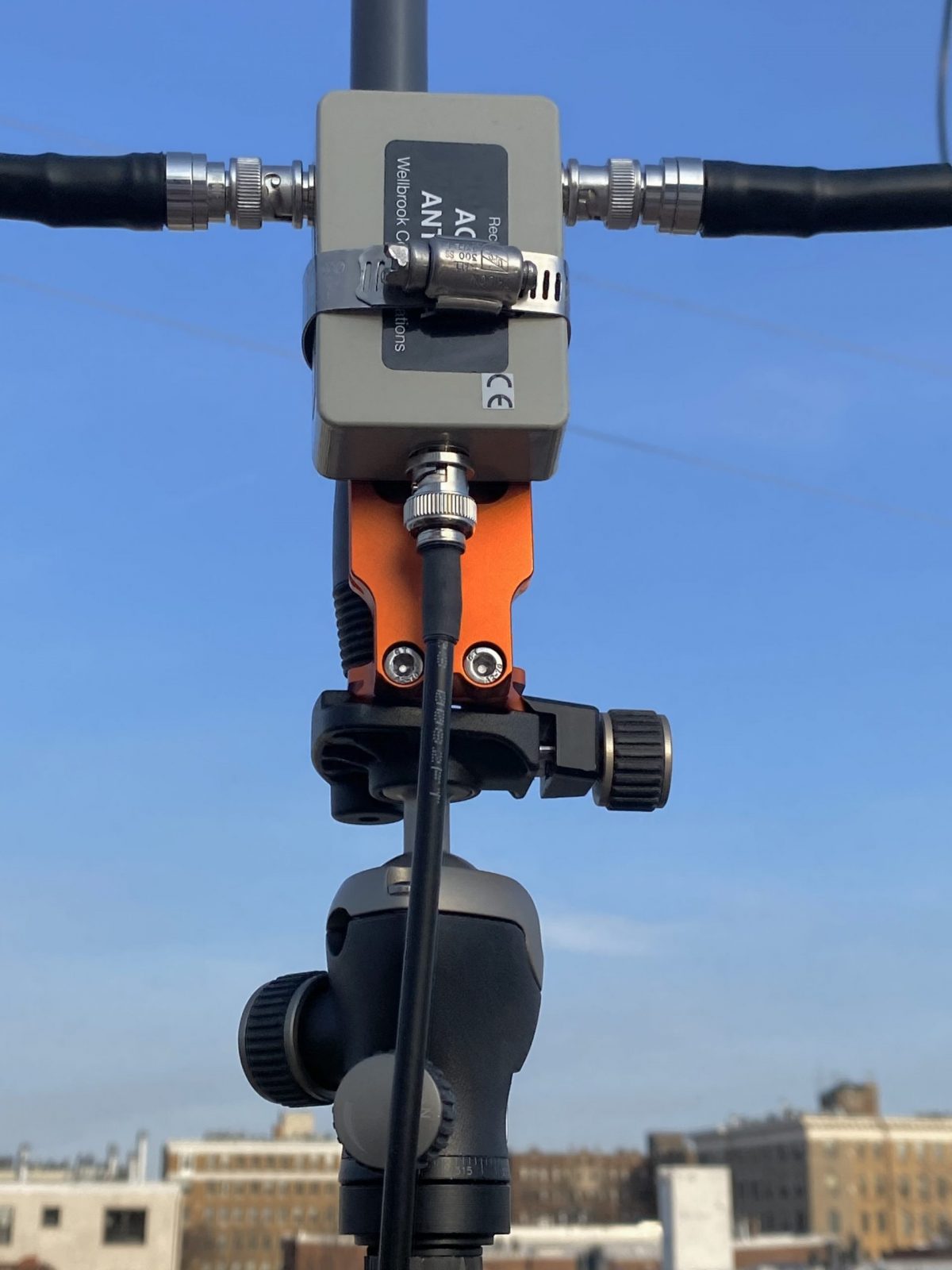
And that’s it. To assemble the antenna, just extend the broom handle to about one meter, allowing for a roughly one meter diameter loop that’s as round as you can make it with the amplifier at the bottom. Then clamp the L-plate to the bottom of the handle so that the handle is just above the base of the plate, and attach to the tripod. (See the photos).

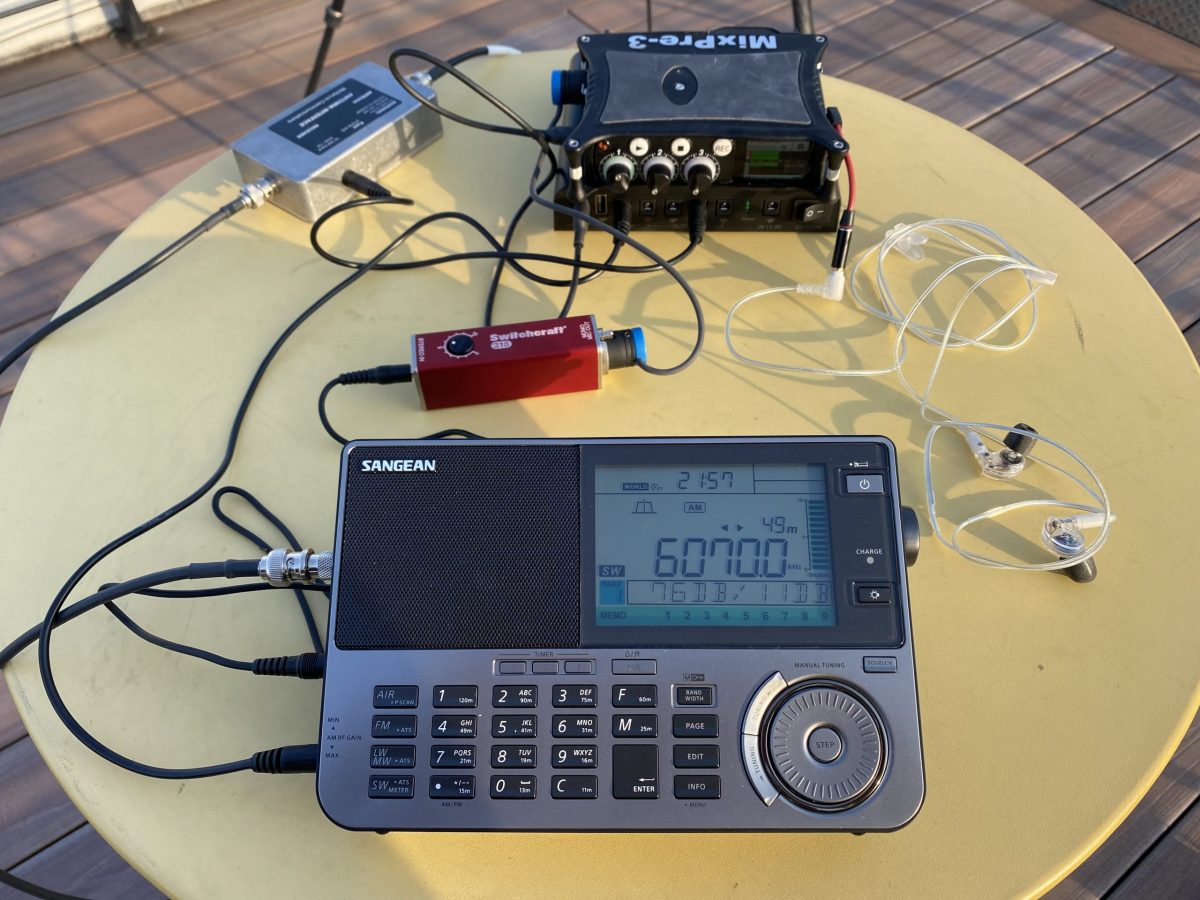
The Wellbrook is powered over the feedline with a 12VDC bias-T injector. So you need a clean source of 12 volts. I use a cheap Talent Cell battery pack (available on Amazon in various capacities). These actually deliver 11.1 VDC (3x 3.7V), rather than the 12V the Wellbrook calls for, but it works fine in practice. I can also use the same pack to power the radio and digital audio recorder.

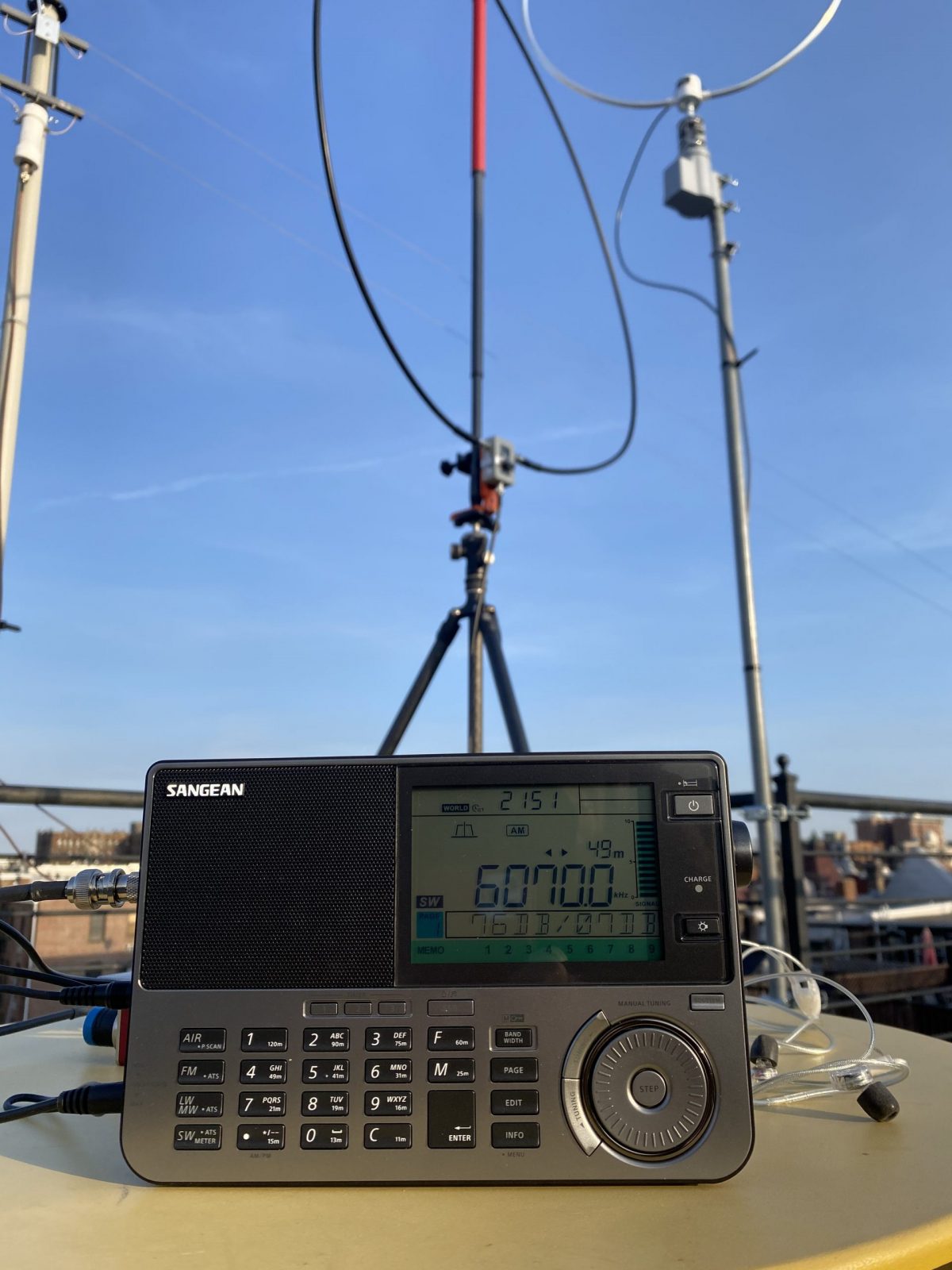
In the photos, you can see the finished antenna setup on my roof, with my permanent base Wellbrook on the rotor in the background. The performance of the two antennas is quite comparable.

(Note that there’s an eBay seller that makes a somewhat similar travel loop. The performance is quite good under normal conditions, but it is a bit more subject to MW overload when near a transmitter site. So I prefer the Wellbrook, which is much less susceptible to overload, I’ve found.)

My usual complete travel setup is either a Reuter RDR Pocket C2 radio or a Sangean ATX-909X (recently upgraded to the X2 model). Both these radios work well with the Wellbrook. I use a Sound Devices Mixpre 3 to record airchecks in the field. In the photos, I’m on a rooftop DXpedition listening to Toronto traffic and weather from CFRX on 6070 kHz on a warm later winter afternoon.

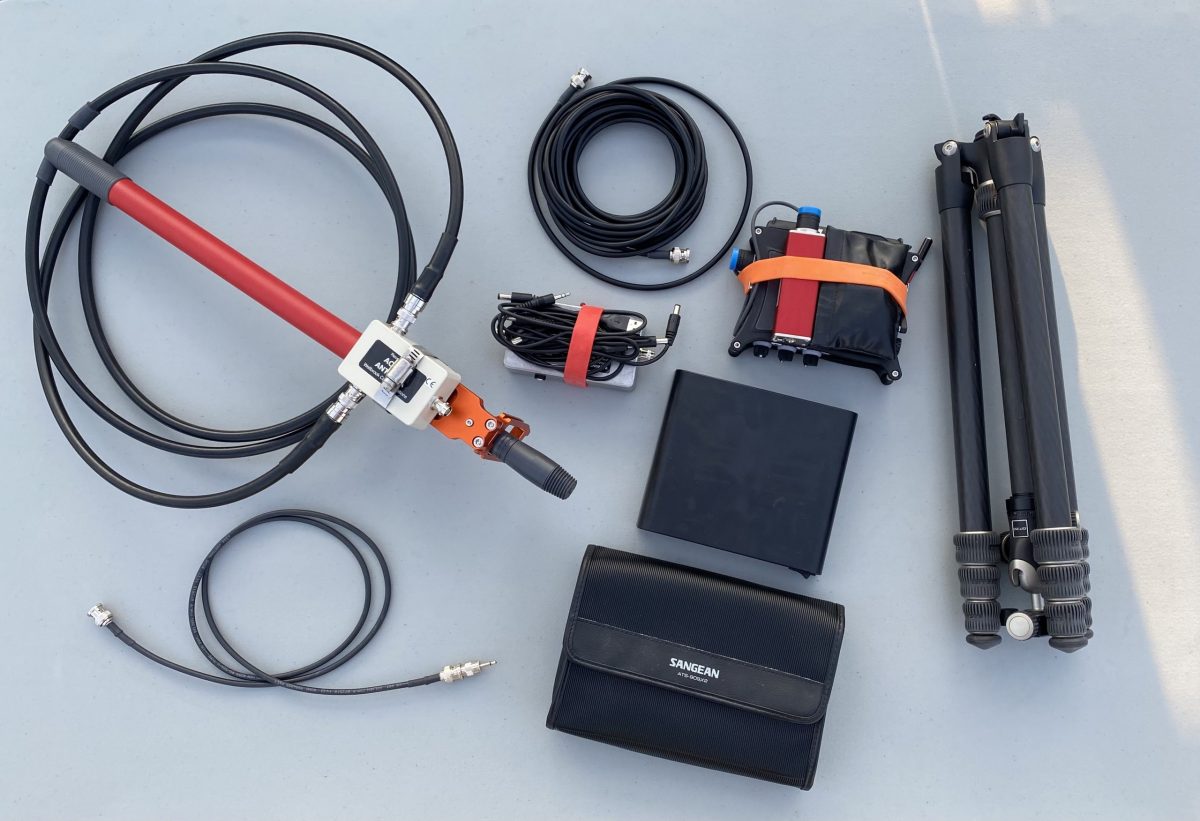
The whole setup breaks down for travel pretty easily, and fits easily in my suitcase, backpack, or bike bag (see photos). I usually bring a larger tripod than this if I’m also taking my camera.

The Wellbrook setup has really made bringing a receiver into the field a lot easier and less uncertain. There’s no worry about finding trees or other supports for wires, and packing and unpacking is quick and easy. Have fun!

Dan notes that premium receiver scammers are back on eBay

Many thanks to SWLing Post contributor, Dan Robinson, for the following guest post:


Premium Receiver Scammer(s) Back

by Dan Robinson

From time to time here on SWLing Post, we have alerted readers to scammers using multiple eBay addresses to attempt to rip off unsuspecting potential buyers and using old photographs of usually premium receivers to do so.

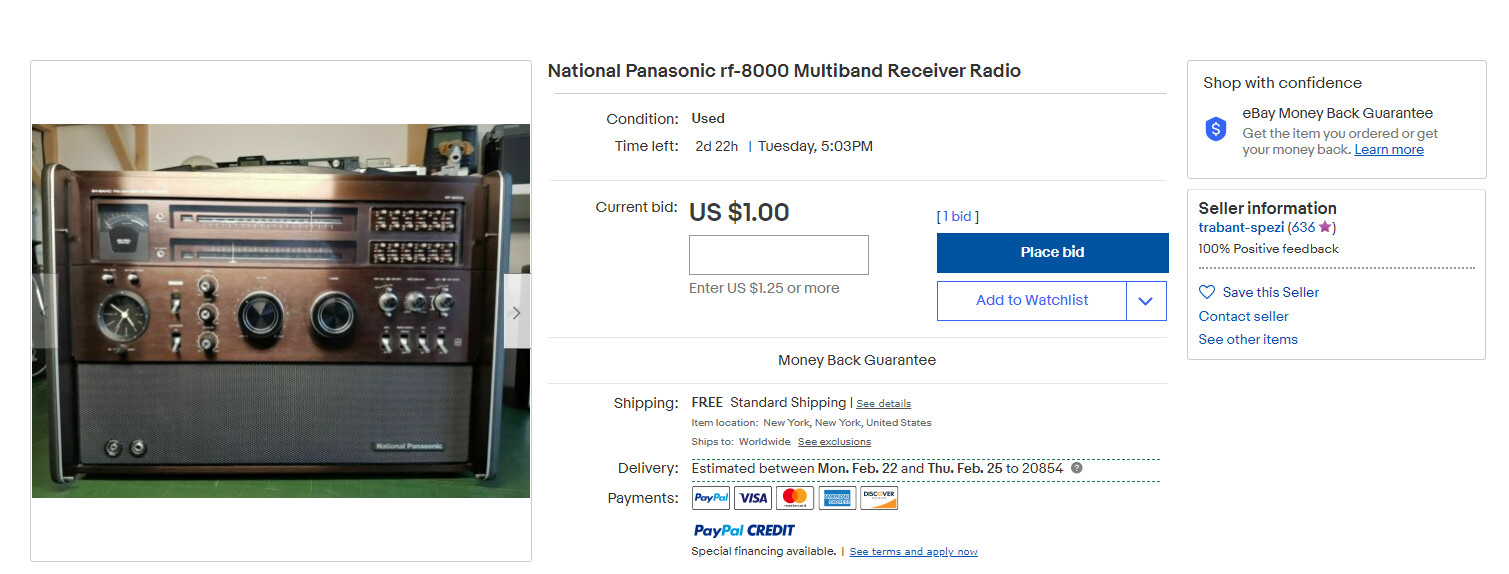
Well, whether this is one scammer or many, he is back. See the photos attached here, which show what is surely a fictitious eBay ID and what appear to be legitimate photos of a Panasonic RF-8000, one of the most sought after of the large portables from decades ago.

It’s not until the 4th photograph that this person provides that you see what’s involved in the scam, which is the scammer noting that he is “selling this on behalf of my company” and that the radio can be purchased “at the buy it now price only” The scammer then provides an email address to get around the standard eBay auction process, adding that he does not respond via Ebay messaging.

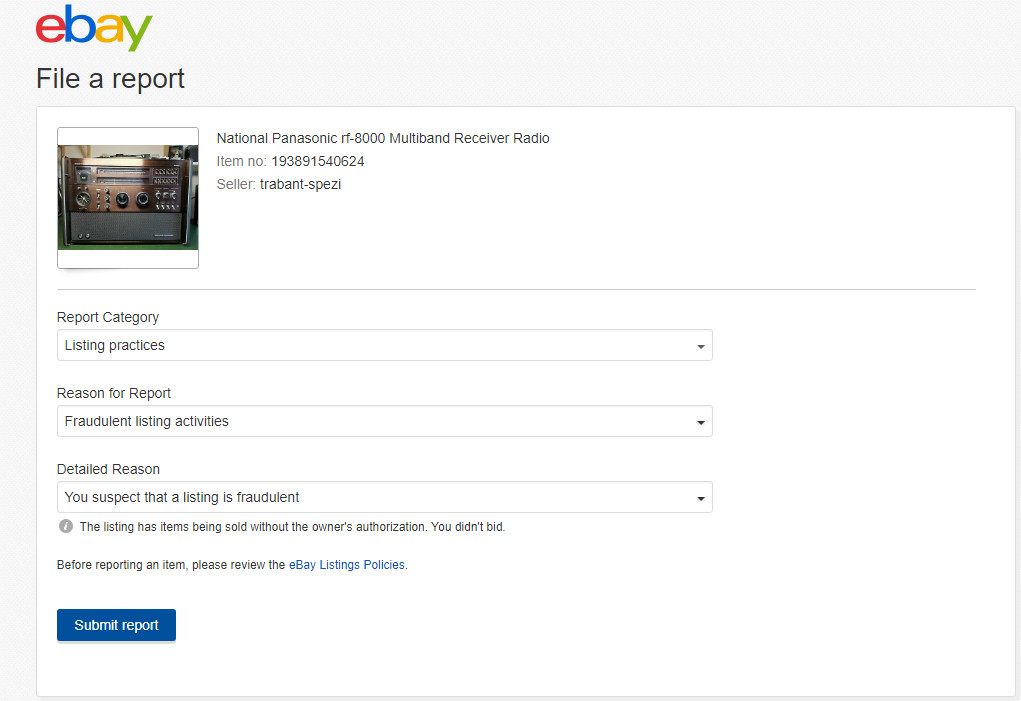
I have continued to alert eBay to these scams, and to their credit eBay has taken down many of these items in recent weeks and months, though occasionally eBay does miss these. eBay also does not make it immediately clear as to how to report items like this (HINT: you have to scroll down the page until you see a tiny REPORT link on the right side which takes you to multiple categories. These scam items fall under “LISTING PRACTICES” “FRAUDULENT LISTING ACTIVITIES” and “YOU SUSPECT THAT A LISTING IS FRAUDULENT”

If eBay has successfully already taken a scam item down, you will then see a confirmation page saying the item could not be found after refreshing the page. Very often, even after reporting an item, the identical item will show up within seconds or minutes under a completely different eBay ID (see the 2nd photo here on the Panasonic RF-8000 which shows a changed eBay ID)

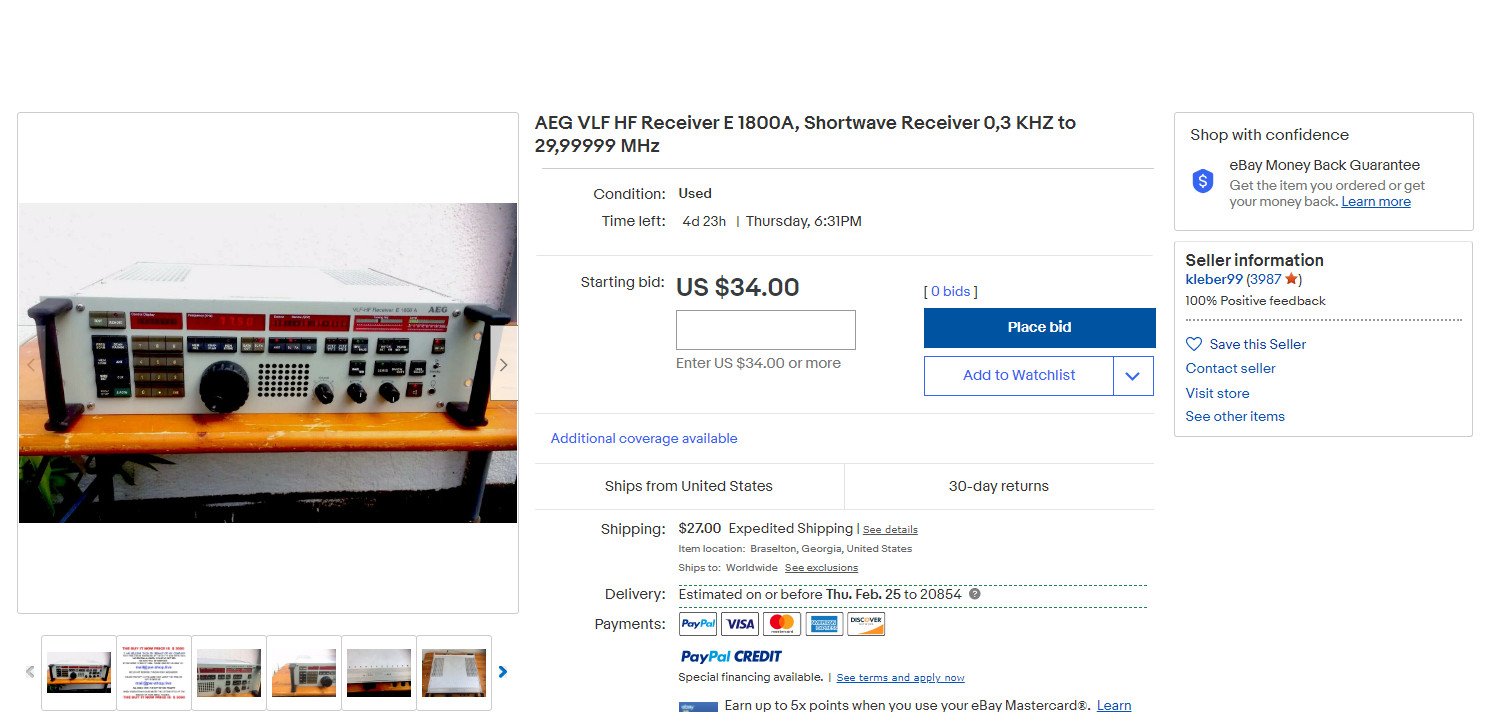
Receivers most often seen on these scams include: AEG 1800A, Panasonic RF-8000, and usually other premium sets, and the tip off to the scam is that the seller/scammer usually always starts the price at $1.00 or $34.00 or similar level. In the case of the AEG 1800A, the scammer consistently uses the exact same photo of this rare receiver, from a sale that completed years ago.

I would encourage eBay users to join me in reporting scams like this — eBay certainly appreciates it and if you have eBay “Concierge” level service, which I do, it’s sometimes a help to them to get online and chat with eBay about the item and your report, especially if the eBay algorithms have failed to spot and take down a particular scam.


Thank you for sharing this, Dan. We appreciate insight from radio enthusiasts like you and Paolo.  As Dan suggested, I encourage you to report listings that are obviously fraudulent to eBay. They will investigate the case and take action if it is a scam.

Guest Post: Using Carrier Sleuth to Find the Fine Details of DX

Many thanks to SWLing Post contributor, Nick Hall-Patch, for sharing the following guest post:


Using Carrier Sleuth to Find the Fine Details of DX

by Nick Hall-Patch

Introduction 

Medium wave DXers are not all technical experts, but most of us understand that the amplitude modulated signals that we listen to are defined by a strong carrier frequency, surrounded on either side by a band of mirror image sideband frequencies, containing the audio information in the broadcast.

Most DXers’ traditional  experience of carriers has been in using the BFO of a receiver, using USB or LSB mode, and hearing the  decreasing audio tone approaching “zero beat” of the receiver’s internal carrier compared with the DX’s carrier frequency as one tuned past it.  This was often used as a way of detecting that a signal was on the channel, but otherwise wasn’t strong enough to deliver audio.  Subaudible heterodynes,  regular pulsations imposed on the received audio from a DX station, could indicate that there was a second station hiding there, with a slightly different carrier frequency,  And, complex pulsations, or even outright low-pitched tones could indicate three or more stations potentially available on a single channel.

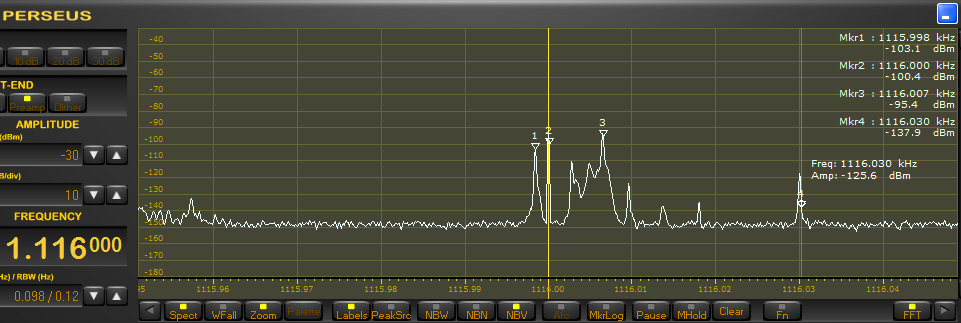
With the advent of software defined radio (SDR) within the last 10 years or so, the DXer has also been able to see a graphical representation of the frequency spectrum of the carrier and its associated sidebands.  (Figure 1)  Note that the carrier usually remains stable in amplitude and frequency, unless there are variations introduced by propagation, but that the sidebands are extremely variable.

Figure 1

Figure 2

In addition, by looking at a finer resolution of the SDR’s waterfall display, one might see additional carriers on a channel that are producing heterodynes (audible or sub-audible) in the received audio (Figure 2).  Generally speaking, a DX signal with a stronger carrier will be more likely to produce readable audio, although there are exceptions to that rule.

Initially, DXers wanted to discover the exact frequency of their DX, accurate to the nearest Hertz.  Although only a small group of enthusiasts were interested, they have produced a number of IRCA Reprints (https://www.ircaonline.org and click the “Free IRCA Reprints” button) over the years under the topic of “precision frequency measurement” (e.g. T-005, T-027, T-031, T-079, T-090) describing their use of some reasonably sophisticated equipment for the day, such as frequency counters.

So, why would this information be at all important?  In effect, the knowledge of the exact frequency of a carrier was used to provide a fingerprint for a specific radio station.    Usually, this detail was used by DXers who were trying to track down new DX, and wanted to determine whether a noisy signal was actually something that had been heard before, so would not waste any more time with it.  The process of finding this exact frequency has since been made much easier by being able to view the carrier graphically in SDR software, assuming that the SDR has been calibrated before being used to listen to and record the DX.   Playing back the recorded files will also contain the details of the exact frequency observed at the time of recording.  And, because the exact frequency of DX has become much easier to determine using SDRs, more and more DXers seem to be using this technique.

At present, Jaguar software for Perseus is the one being used by many to determine frequency resolution down to 0.1Hz, both in receiving and in playback.   But, if you have recorded SDR files from hardware other than Perseus, it is possible to get that resolution also, using software called Carrier Sleuth, from Black Cat Systems, available for both Mac and Windows, at a cost of US$20.

This software will presently take as input, sets of RF I/Q files generated by SpectraVue, SdrDx, Perseus (which includes files recorded by Jaguar), Studio One / SDRUno, Elad, SDR Console, and HDSDR.  It then outputs a single file with a .fft extension, that provides the user with a set of waterfalls, similar to those displayed by SDR programs.  The user decides ahead of time which frequency or set of frequencies (including all 9kHz or all 10kHz channels) will be output, and these will be displayed as individual waterfalls. one for each chosen frequency.  These waterfalls can be stepped through from low frequency to high frequency, or chosen individually from a drop down menu.

Let’s start by looking at a couple of output waterfalls and work out what can be done with them, then step back to find out how to generate them, and what other data is available from them.  Finally, we’ll do a quick comparison with two other programs that can produce similar output, and discuss the limitations in all three programs.

Example outputs from Carrier Sleuth

An example showing the original intent of Carrier Sleuth, determining precise carrier frequencies, is shown in Figure 3, a waterfall from 1287kHz on the morning of 28 November 2020.  At 1524UT, a woman mentions “HBC” and “Hokkaido” in the original recording, so, it’s JOHR, Sapporo.   Although there are a number of vertical lines representing carriers in this graphic, only one has a strong coloration, indicating at least 25dB more strength than any other carrier at the time of the ID, and about 50dB more than the background level.     The absolute values of time, signal strength, and carrier frequency precise to 0.1Hz, can be found by mousing over the desired point in the waterfall and then reading the numbers in the upper right corner of the display, (encircled in Figure 3).  In this case, the receiver’s reference oscillator had been locked to an accurate 10MHz clock, disciplined by GPS, so the frequency indicated in the software is not just precise, but should also be accurate.   Similar accuracy could be obtainable by the traditional method of calibrating the SDR to WWV on 10 or 15MHz.

Carrier Sleuth indicates 1287.0002kHz, within 0.1Hz of that observed by a contributor to the MWoffsets list about 7 weeks earlier (https://www.mwlist.org/mwoffset.php?khz=1287). If you look closely, there is a slight wobble on the frequency, but the display is precise enough that it can indicate that, despite the wobble, JOHR does not wander away from that frequency of 1287.0002kHz.

Figure 3

But let’s face it, tracking carriers to such accuracy is a specialist interest (though admittedly, the medium wave DXing hobby is full of specialist interests, and this one is becoming more mainstream, at least among Jaguar users).  However, if I played back a file from another morning, and found a strong carrier on a slightly different frequency from 1287.0002kHz, it might be an indication that some new Chinese DX was turning up, and that the recorded files would be worth a closer listen at that particular time.

Figure 4

In fact, I’ve found Carrier Sleuth to be useful in digging out long haul DX after it’s been recorded, as both trans-Arctic and trans-Pacific DX at my location in western Canada can be spotty at the best of times.  This means spotty as in a “zero to zero in 60 seconds” sort of spotty, because a signal can literally fade up 10 or 15dB to a readable level in 20 seconds, perhaps with identifiable material, then disappear just as quickly.   My best example so far this season was on 1593kHz, early in the UTC day of 16 November 2020, when a Romanian station on that channel paid a brief visit to my receiver in western Canada.  An initial inkling of that showed up in a Carrier Sleuth waterfall, a blotch of dark red at 0358UT, and indicated by the yellow arrow in Figure 4; that caused me to go back to the recorded SDR files that had generated these traces.

The dark blotch indicates a 10dB rise and fall in signal strength including about 60 seconds of rough audio, which turned out to be the choral version of the Romanian national anthem (RCluj1593.wav).  That one carrier and another one both started up at 0350UT, the listed sign-on time for Radio Cluj, which does indeed begin the broadcast day with that choral anthem.   Which one of the Radio Cluj transmitters was heard is still an open question, due to the lack of carrier sleuths (computerized or otherwise) on the ground in Romania,  but the more powerful one listed is a mere 15kw, so I will take either.

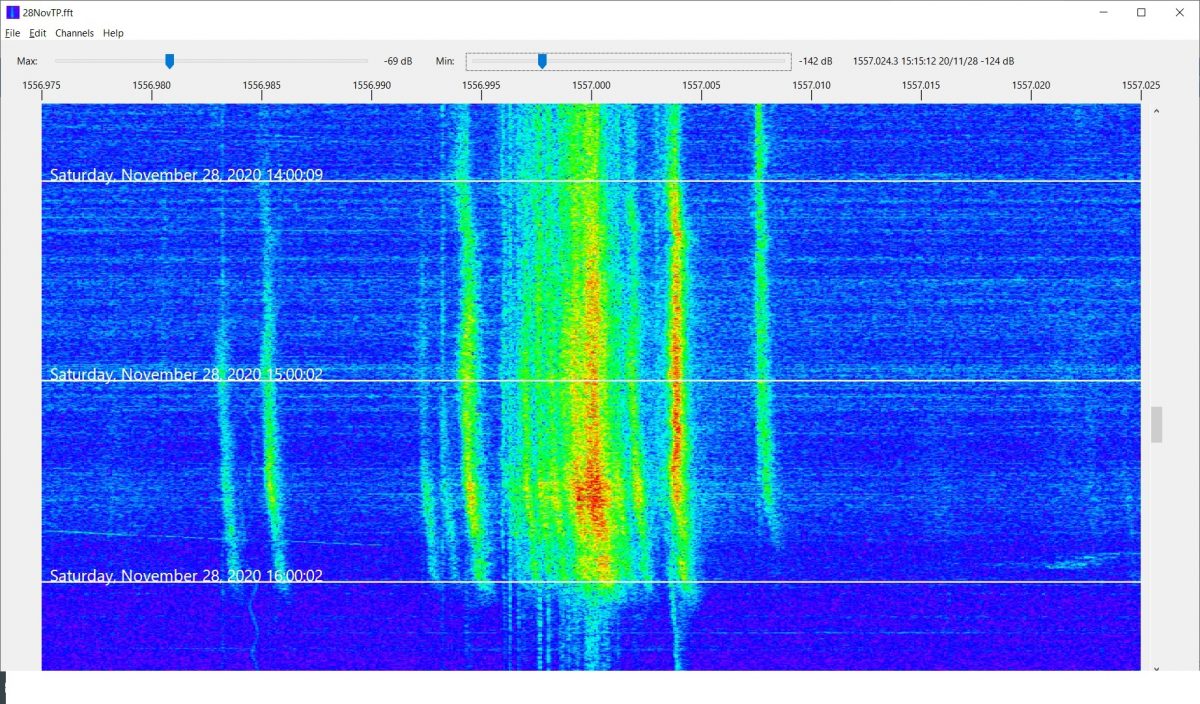
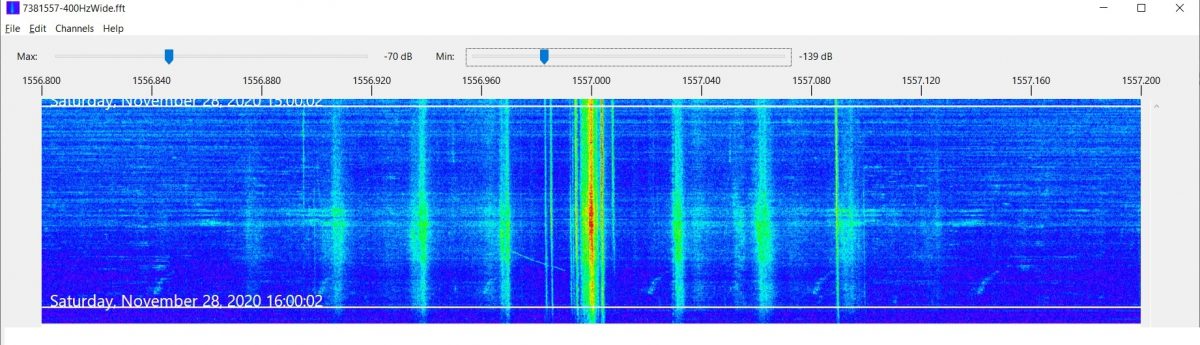
Finally, for those who have interest in radio propagation, the Carrier Sleuth displays can reveal some odd anomalies, for example, Figure 5 which displays both Radio Taiwan International (near 1557.000kHz on 28 November, but varies from day to day), and CNR2 (1557.004kHz)  carriers as local sunrise at 1542UT approached in Victoria, BC.

Figure 5

The diffuseness of the carriers is striking, as is their tendency to shift higher in frequency at local sunrise.  This doesn’t seem to be some strangeness in the original SDR recording, as there appear to be unaffected weak carriers on the channel.  For comparison, Figure 3 shows the same recorded time and date, but on 1287kHz, and JOHR’s carrier is pretty stable, but there are others on that channel that show the shift higher in frequency around local sunrise.  As one goes lower in frequency, these shifts became smaller and less common on each 9kHz channel, and disappear below about 1000kHz.    On later mornings, however, the shifts could be found right down to the bottom of the MW band.  Certainly, these observations are food for further thought.

Many of the parameters in Carrier Sleuth are adjustable by the user, for example, the sliders at the top of the screen can allow adjustment of the color palette to be more revealing of differences in signal strength.   The passband shown is also easily changed, and in fact, setting  the passband width to 400Hz, instead of my usual 50Hz , and creating another run of the program on 1557kHz, shows very clearly the sidebands of the “the Rumbler”, a possible jammer on the channel  (Figure 6).  Incidentally, a lot of the traces around 1557.000kHz in Figure 5 may well be part of “the Rumbler” signal as well, as filtering of the audio doesn’t seem to improve readability on the channel.

Although the examples here are taken from DXing overseas signals from western Canada, there is no reason why similar techniques may  not be applied to domestic DXing, particularly during the daytime, when signals can be weak, but can fade up unpredictable for brief periods.

Figure 6

How to create these waterfall displays in Carrier Sleuth?

So, how can you get these displays for yourself?  A “try before you buy” version of the program is available at http://blackcatsystems.com/software/medium_wave_carrier_display_app.html  and both the website and the program itself contain a quite detailed set of instructions.    However, the 25 cent tour can be summarized this way:

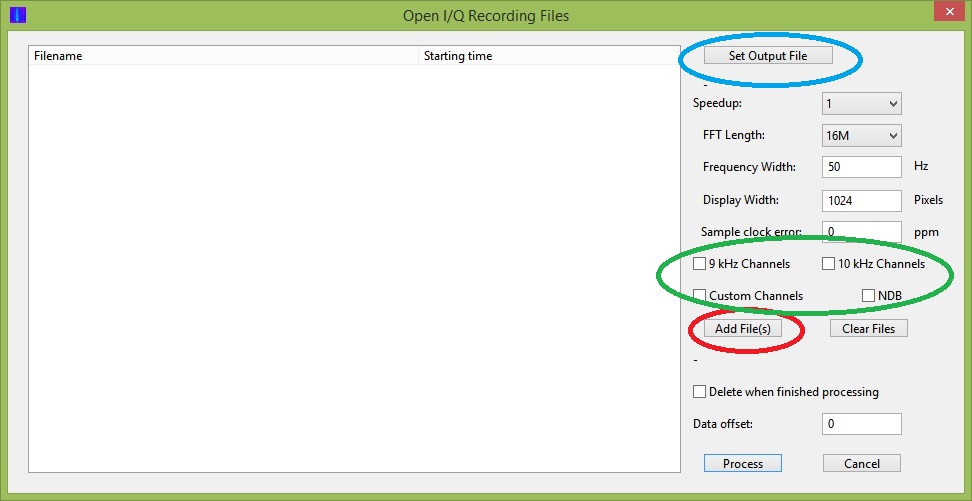
You start with a group of supported SDR data files, previously recorded, and use “Open I/Q data files” in the File drop down menu. Figure 7 shows the window that will open to allow you to choose any number of the files from your stored SDR files, by clicking the Add Files button  circled in red.  Then choose one of the options inside the green circle in Figure 7.  They are explained in more detail in the help write up; note that the “Custom Channel” can be specified to considerably more precision than just integer kHz values, e.g. 1205.952     The rest of the settings you will probably adapt to your needs as you gain experience.   Finally, set an output file name using the Set Output File button, and hit the “Process” button at the bottom of the window. There are a couple of colored bars in the upper right hand corner of the display that indicate progress, along with number of seconds left, although these are not always visible.

Figure 7

The generation of these waterfalls takes time.   A computer with a faster CPU and more memory will speed things up.  There is, however, an important limitation of the program.  It is specified for 32-bit systems, and although it will run with no problem on 64-bit systems, individual input I/Q files are therefore restricted to 2GB or less.   Many SDR users now choose to create larger files than this, and Carrier Sleuth will not handle them.  Another possible limitation can occur when processing 32M FFTs, which are useful for delivering very fine frequency resolution of the carriers displayed.   The program really requires in excess of 4GB of memory to handle the computation needed to deliver this fine a scale.  Unfortunately, both the 2GB file size limitation and insufficient memory limitation deliver generic error messages, followed by program termination, which leaves the inexperienced user none the wiser about the true problem.

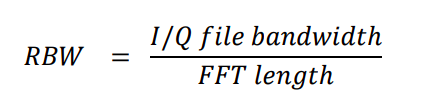
This might be a good place for a word about FFT size and Resolution Bandwidth (RBW).  The FFT is a mathematical computation that takes as its input the samples of digital data that an SDR generates (or those samples that  have been saved in recorded files), and generates a set of “bins”, which are individual numbers representing signal strength at a defined number of consecutive frequencies spaced across the full bandwidth being monitored by the SDR. You could think of these bins as a series of tiny consecutive RF filters, spread across the band, each delivering its own signal strength.   As we are trying to look at fine scale differences in frequency when using a program like Carrier Sleuth, it is important that these little “RF filters”, or bins, each have a very narrow bandwidth.  This value is called “Resolution Band Width” (RBW), and preferably should be a fraction of a Hertz to get displays such as those shown in Figures 3 through 5.

The “FFT Length” is the number of bins that the FFT display contains, and is equal to the number of I/Q samples (either from the SDR or recorded file) that are used for the input to its computation.  The relationship between FFT Length, the bandwidth of the SDR or of the original recorded I/Q file, and the RBW is fairly simple:

Because the MW DXer is usually looking at data with 1MHz or more bandwidth, this equation tells us that to get a smaller than 1Hz RBW, we will need to have an FFT length of well over  one million bins, so it would be wise to use an FFT length at least 8M(illion).   If you are looking at a recorded file that is from an SDR using a lower bandwidth, then a lower FFT length will do the job to get a smaller RBW.

A downside of using a long FFT length is that the time resolution of the FFT becomes poorer, resulting in a display in Carrier Sleuth that will appear to be compressed from top to bottom compared with what was seen when recording the SDR file, and with correspondingly less response to fast changes in signal strength.   However, using a 16M FFT Length on a recording of the MW band results in a time resolution of about 12 seconds, so it should not be a deal breaker for most.

Producing signal strength plots 

A further specialist activity for some DXers is recording signal strength on specific channels, and then displaying the progress of signal strength versus time, often to indicate when openings have occurred in the past  (say, at transmitter sunset),  and perhaps allowing one to predict such openings in the future.    But, the world has come a long way from the noting down of S-meter readings at regular time intervals, both in deriving signal strength and in plotting the results.  Read on for an example.

Figure 8

Carrier Sleuth recently added the capability of creating files containing signal strength versus time for specified frequencies, and, depending on the size of RBW, to deliver that signal strength as observed in a passband as narrow as 0.05Hz, or as wide as 10Hz.   The program extracts the signal strength information from one of the FFT files that it has already generated from a selection of SDR I/Q files.   In Figure 5, two stations’ signals, from Radio Taiwan International, and from CNR2, were featured in the display.   With roughly 4Hz difference between the two signals, it is easily possible with Carrier Sleuth to derive signal strength from each one, specifying a bandwidth of, say 1.2Hz, to account for the propagation induced drifts and smearing of the carriers, not to mention any drift in either the receiver or transmitter.

The program creates a .csv file (text with comma delimiters) of signal strength versus time for all the frequencies chosen from an individual FFT file, but does not plot them.  There are several programs that can create plots from CSV files   For example, an Excel plot generated from Figure 5 is in Figure 8, showing peaks in those signals that occurred both before and after local sunrise at 15:42UTC.   Note that the user is not restricted to the signals found on just one of the waterfalls that are found in the FFT file, but can pick and choose dozens of signals found anywhere in those waterfalls.    (Note also that one can choose locations on any waterfall where there is no signal trace, in order to provide a “background level versus time” in the finished plots, if desired)

The process used to generate this CSV file involves searching through the FFT waterfalls for signal traces that are likely candidates for adding to such a file.   On the first candidate found, the user right clicks the mouse on the trace, at the exact frequency desired; this will bring up an editable window.   The window will show the chosen frequency as well as any subsequent ones that will be chosen, then the overall selection is saved to a text file after editing, so that the user can move on to generating the CSV file.

That file is created by going to the File drop down menu, and choosing “Generate CSV File”, where the text file produced earlier can be chosen.  Once that file is selected, the CSV file is immediately generated, and can then be manipulated separately as the user chooses.

Are there comparable programs?

Displaying waterfalls in SDR programs playing back their own files is nothing new, though not that many can do it at as fine a scale as Carrier Sleuth does, and most programs are not optimized to handle such a variety of input I/Q files.

One that does read a fair number of different kinds of SDR files is the SDR Console program; this includes Data File Analyser (64-bit only) which also can display carrier tracks to a high resolution, so let’s take a quick look at what Analyser does.  If you are familiar with SDR Console, and are reasonably experienced with the way it handles your SDR or plays back files from your favored SDR software, then these online instructions https://www.sdr-radio.com/analyser will help you get started with Analyser

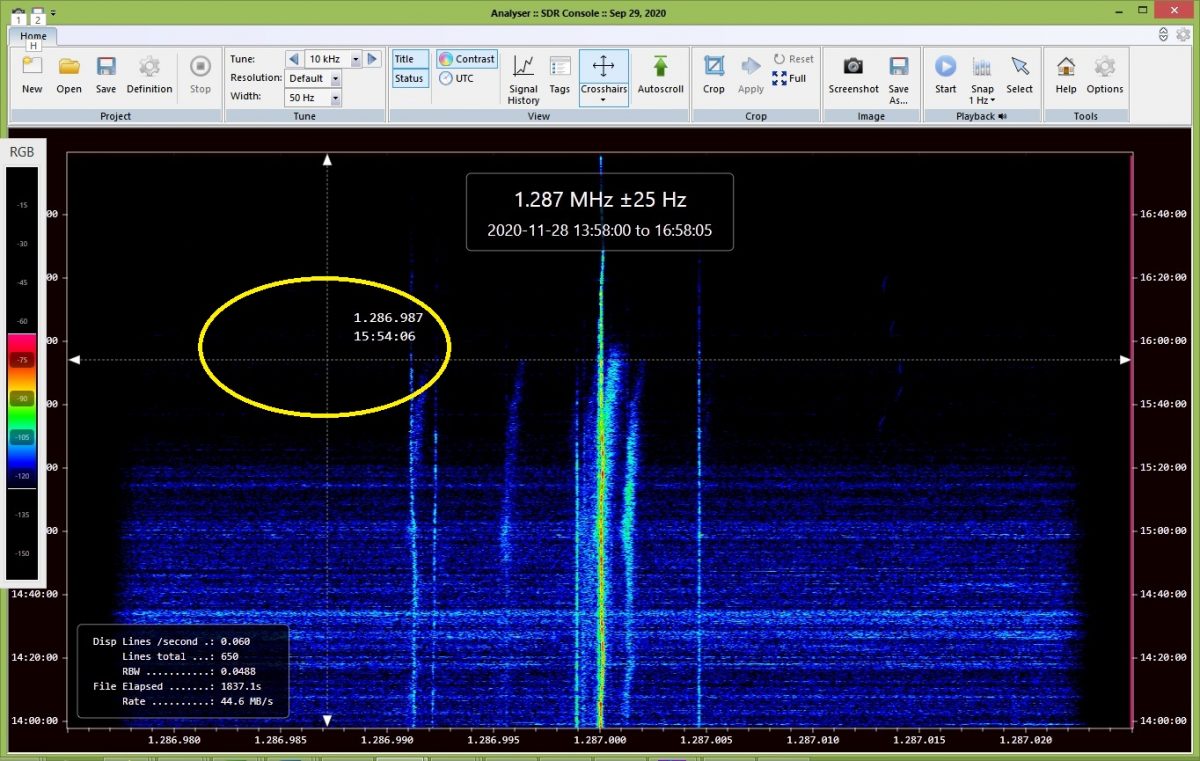
This program will input a group of SDR files, then display an equivalent to a single one of the waterfalls output by Carrier Sleuth, displaying the carrier traces in reverse order, with time running from bottom to top of the display. Figure 9 shows the equivalent of Carrier Sleuth’s display of the 1287kHz carrier traces shown in Figure 3.    Analyser has a convenient sliding cross hair arrangement (shown in the yellow oval) to reveal time and frequency at any point in the display, but the actual signal power available at that point must be derived from the rough RGB scale along the left hand border. Analyser is apparently capable of about 0.02Hz resolution when reading from full bandwidth medium wave SDR files, but the default is to display exact frequency only to the nearest Hertz. The “Crosshairs” ribbon item has a drop down of “High-Resolution”  which displays to the nearest milliHertz however, though that will be limited by the actual RBW of the generated display.   The graphic display can be saved as a project after the initial generation of the signal traces, which allows the user to return to the display without having to generate it all over again, equivalent to opening one of Carrier Sleuth’s FFT files.

A useful facility in Analyser is the ability to click “Start” in the Playback segment of the ribbon above an Analyser display, then mouse over and click on a signal trace; this action will play back the audio for that channel in SDR Console, at that point in time.

It is possible to generate a signal strength plot of signal strength versus time for any individual frequency in the waterfall display, and to save that plot as a CSV file (“Signal History”).   But, the signal strength is that found only in a +/- 0.5Hz passband around the chosen frequency, with no other possibilities.  If you want to generate a plot for another frequency on the same waterfall, then you will need to run the process again, and if you want a plot for another frequency in the SDR files, then you need to generate another waterfall, which, depending on your computer’s capability, could take some time.   On an i3 CPU-based netbook with 4GB of memory, it took 30 minutes to produce one frequency’s worth of traces from data files scanning three hours.  On the same machine, Carrier Sleuth could deliver all 9kHz channels in 1hr20min from the 3 hours of files.  However, it also took 1hr20min to play back just one channel in Carrier Sleuth, which is not so efficient. (further note:   Nils Schiffhauer has developed a technique to speed up Data Analyser processing, by first using Console’s Data File Editor on full bandwidth MW recorded files; details will likely appear at https://dk8ok.org)

To conclude then, SDR Console’s Analyser will produce a display of a single channel faster than Carrier Sleuth will, and will play back the audio associated with that channel, while also having the capability to plot and record signal strength for a single given frequency within that display, but only on 64-bit computers.  It can also handle SDR files larger than 2GB in size, and will run more quickly if a NVIDIA graphics card has been installed.   Analyser is also strict about sequence of files.  If there is the slightest gap between one file finishing, and the next file starting in time sequence, it regards that as a new set, that will need to be processed separately.

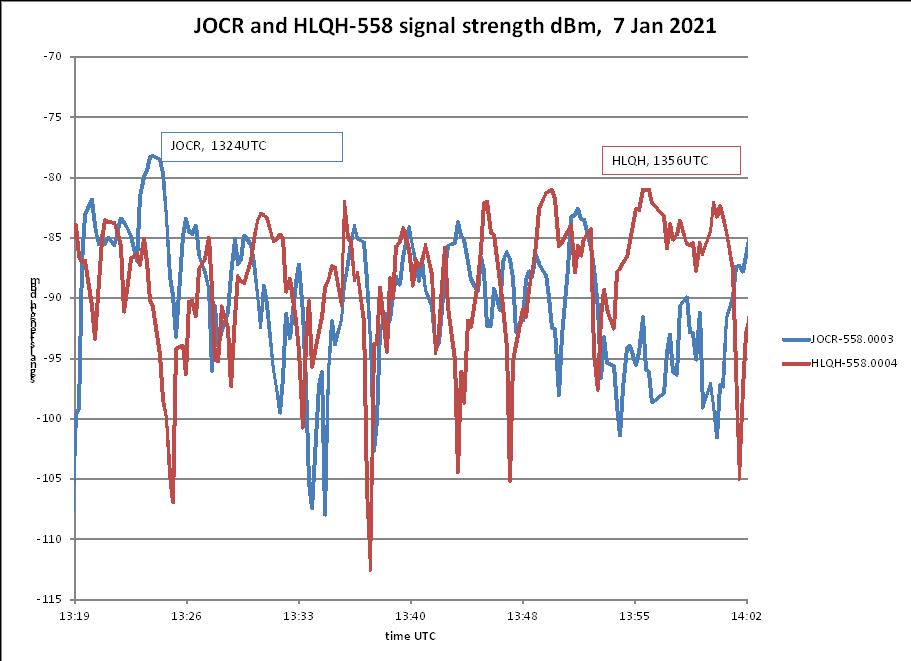
Where Carrier Sleuth is more useful is that once an FFT file has been generated, it is easy to quickly check multiple channels for interesting openings during the recorded time period. It can also provide very precise frequencies of carriers, and is able to generate a file of signal strengths versus time from multiple frequencies, including those frequencies that are separated by barely more than the RBW.  For the MW band, that can be near 0.1Hz, often beyond the capability of transmitters to be that stable.  See Figure 10, which shows signal strength traces from JOCB and HLQH both on 558kHz, and separated in frequency by 0.1Hz.    At 1324UTC, JOCR dominates with men in Japanese, and at 1356UTC, the familiar woman in Korean dominates, indicating HLQH.

Figure 9

Figure 10

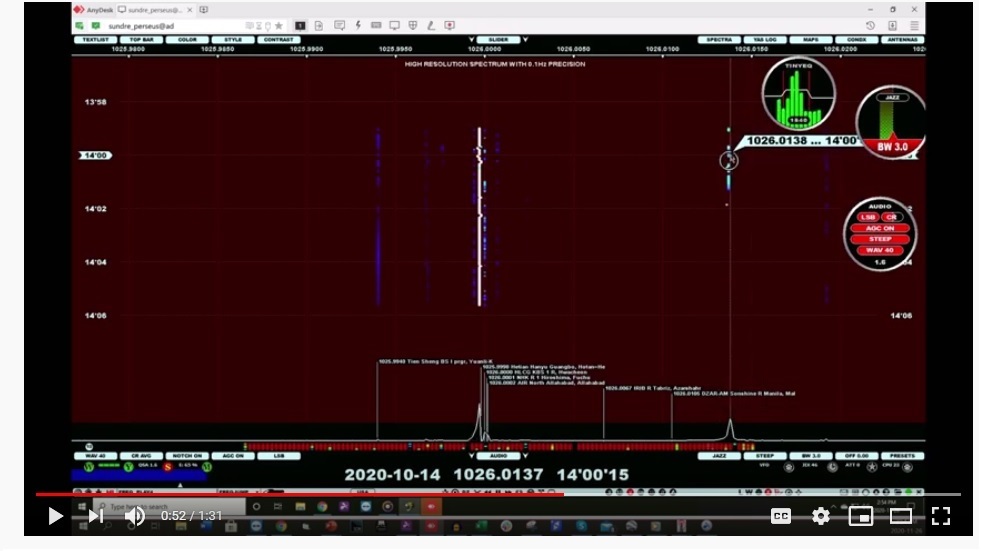
Incidentally, another program that seems to offer a similar functionality to Carrier Sleuth and SDR Console’s Analyser is, of course, Jaguar, which has made a point of displaying 0.1Hz readout resolution when using the Perseus SDR, and in playing back Perseus files, but…only Perseus.  There is a capability called Hi-Res in Jaguar Pro that can be applied when playing back files; this also displays fine scale traces of frequency versus the passage of time.  Steve VE6WZ, sent the example shown in Figure 11, zeroing in on his logging of DZAR-1026.  As with Analyser, clicking on a certain point in the display plays back the audio at that time, but it is unclear at this point whether the display can be saved, or whether it is generated only for one individual channel, and then is lost.

Figure 11

+   +   +   +   +   +   +   +   +   +   +   +

Availability

Carrier Sleuth  http://blackcatsystems.com/software/medium_wave_carrier_display_app.html

Analyser (SDR Console)   https://www.sdr-radio.com/download

Jaguar   http://jaguars.kapsi.fi/download/ (these are the Lite versions; to unlock the Pro version, purchase is needed)

(this article first appeared in International Radio Club of America’s DX Monitor)


Many thanks, Nick. This is amazing. What a brilliant tool to find nuances of a DX signal. I can’t help but marvel at the applications we enthusiasts have available today. Thank you for sharing!

Rob compares horizontal and vertical SWL random wire antennas

Many thanks to SWLing Post contributor, Rob Zingarelli, who shares the following guest post that originally appeared on his blog in October, 2020:


Shortwave Antenna: Vertical or Horizontal?

by Rob Zingarelli

This is a question that has circled around on the fringes of my consciousness for years now, but one that I’ve never quite found time to test.  And it is a simple question: When using a random wire antenna with a portable shortwave receiver, is it better to string the wire vertically or horizontally, or does it even matter? Mostly this is a question when out camping, because arranging a 19′ wire vertically is usually a good bit more involved than just stringing it out along some nearby bushes.

Before going any farther, I want to point out that this is an exercise in ordinary backyard shortwave listening with relatively inexpensive equipment.  There are many, many better-engineered and more costly solutions to the technical challenge of shortwave scanning, and this does not address any of those sophisticated approaches.  This is for the person who opens up the box and wonders about the best way to hang the included long-wire auxiliary antenna.

Equipment:  Tecsun PL-660 SW/AM/FM/Air Band receiver, with its included 19′ random-wire antenna.  Internal battery power used.

Conditions & Time: Clear local weather.  hamqsl.com’s nowcast of band conditions were fair from 3.5-14.35 MHz, and poor for higher frequencies, with SFI = 72, SN = 26, A = 5, K = 1.  Time was 21:00-21:30 UTC, or 4-4:30 pm local CDT.

Procedure:  Out in the backyard (typical residential neighborhood, well-spaced ~150′ between houses, above-ground power lines 125′ away), suspend random wire from ground to its full length.  This was achieved using a length of paracord over a tree limb, with the tree trunk ~30′ from the radio’s location.  With the PL-660’s antenna gain control set to “Normal” (i.e., the mid-setting of Local-Normal-DX) and the bandwidth set to narrow, use the receiver’s automatic scan function to see how many stations were received.  Make notes of the number of transmissions detected, reception characteristics and quality, and any perceived noise levels.  Re-orient the antenna to a low horizontal position, over two sawhorses approximately 3′ high (see picture), and repeat.

Sawhorses spaced ~17′ apart. Radio and notepad can be seen on ground in front of the near sawhorse.

Results:  For the vertical antenna orientation, 32 stations were detected between 5959 – 15730 kHz.  Nearly all were intelligible, with those at the lower end more steady and those a the higher end much more variable in strength.  For the horizontal antenna orientation, 21 stations were detected between 9265 – 1570 kHz.  Similar overall signal quality was heard for the received stations in either antenna orientation.  More noise was noticeable at the lower frequencies between the stations for the vertical antenna orientation.  However, this was significantly below the received signal levels, and not an issue in the overall listening quality.

Conclusions & Discussion:  Suspending the wire antenna vertically worked better, especially at the lower frequencies.  Getting a wire up 21’+ vertically is usually not as convenient as stringing it horizontally, but it may be worth the extra effort, depending on the location, campsite, nearby trees, etc.  The overall conditions were typical for fall camping weather, with fair-to poor radio propagation conditions, so this result should be broadly applicable for how SW portables are often used.  This result may change with propagation and radio noise conditions, both for atmospheric and local noise sources.  Testing will continue as propagation conditions improve with solar cycle 25 getting underway.

——-

Addendum, 10/12/20: While writing this up yesterday evening, it occurred to me that I hadn’t tested the PL-660’s built-in whip antenna.  This comparison is important, because sometimes the wire antenna is too cumbersome to deploy.  So, how does the whip antenna compare?

Conditions & Time: Overall, very similar to yesterday.  hamqsl.com reports fair conditions from 3.5–14.35 MHz, and poor for higher frequencies.  SFI = 72, SN = 26, A = 3, K = 1.  Same time of day as yesterday’s testing.

Procedure: Repeat of yesterday, with the whip antenna added to the test.  The whip was oriented vertically.

Results: For the vertical 19′ wire, 31 stations were found by the auto-scan function between 2380 – 15770 kHZ.  Electrical noise was low but audible in the 3 MHz region, fading to none at higher frequencies, and not a significant source of interference with any stations.  For the horizontal wire, 15 stations were found between 9265 – 13630 kHz.  Electrical noise was barely audible.  With the whip in use only 1 station was found.  Switching the antenna gain to its DX (most sensitive) setting, 6 stations were found.

Revised Conclusions:  Adding to yesterday’s conclusions, the whip antenna functioned but was vastly inferior to the wire antenna in either configuration, even with the gain set to DX.  Today’s results with the wire antenna were, unsurprisingly, very similar to yesterday’s, given that the ionospheric and weather conditions were nearly identical.  Noise was not a factor in receiving for any of these antennas or configurations, but did noticeably increase for the vertical wire antenna.


Thank you for sharing this, Rob! It’s experiments like this that help us determine, especially, what antenna setups work at our own particular locations since RFI characteristics can vary so much.  I’m guessing had your horizontal wire been elevated to even 20′ off the ground it might have produced better results, but sometimes this can be difficult to achieve. I like how you used the auto search function to determine the number of stations you could receive with each setup and it was a great addition to include the built-in telescoping whip.

Thank you again for sharing your results with us!