Category Archives: DX

Meeting WavViewDX Developer Reinhard Weiß, and Visiting Akihabara With Him (A Totsuka DXers Circle Article by Kazu Gosui)

Many thanks to SWLing Post contributor Nick Hall-Patch, who has kindly provided a translation of this article from the Japanese-language publication PROPAGATION by the Totsuka DXers Circle (TDXC). Here, Kazu Gosui recounts his meeting with WavViewDX developer Reinhard Weiß during his visit to Tokyo .


Meeting WavViewDX developer Reinhard Weiß, and Visting Akihabara With Him

by Kazu Gosui

I first learned about WavViewDX in January of this year on the mailing list of the American radio club IRCA. It was described as “analysis software compatible with I/Q WAV recordings created with almost all SDR software,” so I was intrigued. I quickly downloaded it and tried it out, and I was immediately impressed.

In early February, I emailed the developer, asking, “I’m amazed at how easy it is to use and how powerful it is. It works fine with PERSEUS and AirSpy HF+, but are there any plans to support WiNRADiO’s DDC format?” Reinhard Weiß (hereafter referred to as Reinhard) responded that same day, “I’m actually currently working on adding support for WiNRADiO’s G33DDC. I should be able to send you a test version tomorrow.” The email carefully explained the import procedure and important points to note.

The text, the web page description, and the tone of the expression conveyed a sincere and attentive personality. The next day, I tried out the sample version and reported some concerns. Reinhard quickly fixed them, and where he couldn’t immediately fix them, he supported me by sending files via the cloud or screen capture videos. As I continued to request things like adding a shortcut for switching receive modes, I gradually became fascinated with WavViewDX and, before I knew it, became a heavy user.

The first email also asked, “I’m planning to visit Japan in May or June. Are there any ham or BCL (Broadcast Listener; SWL) events in Japan around that time?” In response, I suggested that if Reinhard could come to Tokyo, we could hold an offline meeting with members of TDXC! Through our exchange, I realized that Reinhard is quite knowledgeable about Japanese affairs. He knows Akihabara very well, and even knows Hard Off as a good place to get BCL radios. He loves hot springs and enjoys talking about Japanese food. When I asked him, “Is your wife Japanese by any chance?” he replied, “Yes.” No wonder he’s so knowledgeable! He should have told me sooner! (lol) So, we made an appointment for an offline meeting in Akihabara, Tokyo, in late May.

On the day, we met at the Electric Town exit of JR Akihabara Station. Our four attendees were Hiroo Nakagawa, Satoshi Miyauchi, Fumiaki Minematsu and myself. When I arrived at the meeting point five minutes early, they were already there. When I asked him, “Excuse me, Reinhard-san?” he replied, “Yes, that’s right,” in Japanese. His Japanese was fluent! Up until now, emails had been in English, as I don’t speak German, so I had no choice but to communicate in English… I was completely surprised because I had been counting on the others and Google Translate on my smartphone to converse in English! You should have told me sooner, Reinhard! (lol) Needless to say, from then on, the entire conversation was in Japanese. The meeting venue was a pub near the station. He could read the Japanese menu, and thanks to his wife, who is apparently a good cook, Japanese food was also OK, so no problem.

We spoke about radio and BCL. Reinhard started medium wave DX about three years ago.  He has been interested in radio since he was a child and actually worked as a BCL radio broadcaster. He has had a long career. His job is developing debuggers for testing and verifying the operation of in-vehicle electronic devices and measuring instruments. He says that both his work and his hobby are focused on developing easy-to-use hardware and software integration. He developed WavViewDX while studying the programming language Python, and runs it at home using two PERSEUS devices.

He said he would be happy if many people use it. Currently, WavViewDX has 200 users, 25 of whom are active worldwide. Incidentally, the mailing list has 102 subscribers (as of June 10, 2025).

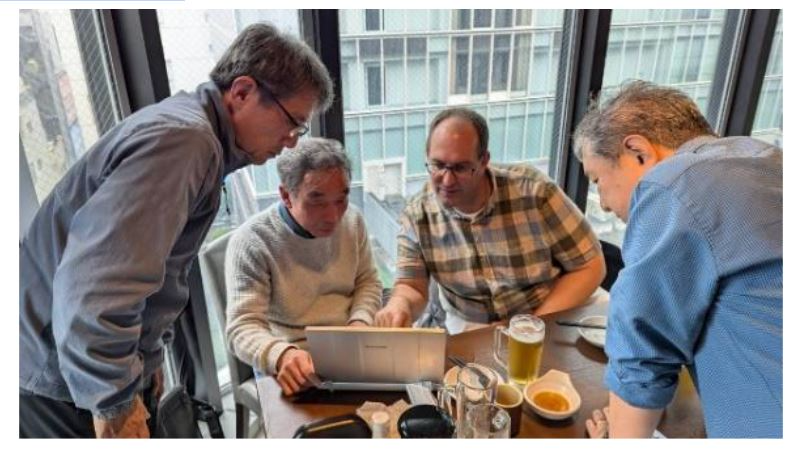
Over lunch, we had the opportunity to use WavViewDX on the PC we brought with us, and it was extremely valuable to have the developer himself explain how to use it, provide an overview of its functions, and explain the development concept.  We also received copies of the German BCL magazine “Radio-Kurier” (a radio delivery service?). This magazine apparently publishes an astounding 2,000 copies per month, demonstrating the depth of Germany’s BCL population. The most active BCLs are few, and 80% of the articles are written by one person. That’s impressive.

The second half of the meeting was a tour of Akihabara’s famous shops. We visited the Radio Center rental showcase, Uchida Radio, Radio Department Store, Rocket, Fuji Musen, and Akizuki Denshi. Reinhard has a keen interest in vintage Japanese BCL radios and boomboxes, and his eyes lit up as he looked at rare radios and boomboxes. At Uchida Radio, he even negotiated the price of a radio cassette player he was interested in.    Unfortunately, the deal fell through, but he apparently toured Hard Off stores around Tokyo the next day, so he must be a die-hard enthusiast. He also seemed to love the Fuji Wireless and Akizuki Electronics stores on the second floor, saying, “Their unique products are what keeps them going, and I can see why they’ve survived.” He bought a large breadboard (brand new!) for 50 yen on the second floor of Akizuki and then we took a break for tea in the cafe.

We had a great time chatting there, too. Reinhard is, in a word, a nice guy. A German who speaks Japanese, loves radio and BCL, and develops software for BCL—an extremely rare and valuable person. He’s fluent enough in Japanese to even tell jokes, and he’d laugh along with us at our old-man jokes. He was friendly and fun to talk to, and we shared the same values as fellow enthusiasts. It felt like we were old friends.

He apparently returns to Japan every year with his wife, but he hasn’t done a DX expedition yet. Maybe the next one will be the Chigasaki expedition?! So we parted ways, hoping to see each other again next year.

(l-r: Kazu Gosui, Satoshi Miyauchi, Hiroo Nakagawa, Reinhard Weiß, Fumiaki Minematsu) —Hiroo Nakagawa photo

(l-r: Kazu Gosui, Hiroo Nakagawa, Reinhard Weiß, Satoshi Miyauchi) —Fumiaki Minematsu photo


These English translations were prepared for IRCA’s DX Monitor, and are used with the kind permission of  IRCA as well as of the authors and the editor of the Totsuka DXers Circle publication, PROPAGATION.

Ultra Convenient, The Benefits of WavViewDX: Visualizing Reception Conditions (A Totsuka DXers Circle Article by Satoshi Miyauchi)

Many thanks to SWLing Post contributor Nick Hall-Patch, who has kindly provided a translation of this article from the Japanese-language publication PROPAGATION by the Totsuka DXers Circle (TDXC). In this piece, Satoshi Miyauchi explores how WavViewDX can revolutionize SDR analysis by making propagation and reception conditions instantly visible–and shares some remarkable reception examples.


“Ultra” Convenient, The Benefits of WavViewDX: Visualizing Reception Conditions 

by Satoshi Miyauchi

After recording bands using SDR’s such as Perseus or HF Discovery, I was informed by Kazu Gosui via email of a new program that’s “ultra” convenient for analyzing them. When monitoring in real time with Perseus, I have a general memory and notes of what was received at what time.  However, when recording reception data without real-time monitoring, such as during nighttime hours, verifying and analyzing the data across all frequencies takes time. Knowledge and intuition about where to listen are also important elements. While all of this is a skill, I believe that previous tools have been unable to provide a comprehensive view of the day’s conditions. Since I started using WavViewDX, I’ve been using it every morning, efficiently analyzing the SDR recordings I’ve collected.

By the way, recently I’ve been using a timer (the “Scheduler” of SDR Console) to check if the TWR-Africa signal transmitted from Benin, West Africa, is reaching me in the middle of the night. My analysis showed a significant reduction in the time required for confirmation that TWR-Africa was being received before and after WavViewDX was installed, and I’d like to share this with you.

Just to be clear, this article is not intended to be a tedious rehash of the user manual. Rather, it is intended to provide useful, pinpointed tips for use.

  1. I’ll introduce a method I think might be best based on my current setup.
  2. I’ll share some reception reports from my recent morning routine.
  3. I’ll touch on the mysteries of radio wave propagation, a realization I believe is unique to WavViewDX.

But first, a word about WavViewDX: seeing is believing. As shown in the sample image in Figure 5, it visually displays the status of stations received at each frequency, using green bars or white lines, in chronological order, from the lowest frequency band (left) to the highest (right). You can even customize it to analyze North and South America at 10 kHz intervals for TP reception.

The author is Reinhard Weiß from Germany (please see accompanying related articles).  It is an incredibly easy-to-use and intuitive software. Once you start using it, you’ll definitely want to keep it.

Figure 5

First, let’s assume you’ll be importing and analyzing data into WavViewDX.

1.) Timer Reception Tips, Using SDR Console

This is a backward-thinking approach based on the fact that WavViewDX can import files in “folders.” The golden rule is simply to store all files from a single session in a single folder. I’ve been using SDR Console as my primary SDR program for a while now, so when I register a scheduler (for timer scheduling), I click “Add date (yyyy-mm-dd) subfolder” under “Folder”, in Figure 6. This allows me to import the entire folder of recording files from that day into WavViewDX, saving me a lot of time. WavViewDX has a “Select Whole Folder” button, which allows me to import files into WavViewDX with a single click (Figure 7). How amazing! Incidentally, I set up bandwidth recording files to be stored in separate 1GB files. The moment I wake up, the files are instantly imported into WavViewDX, allowing me to quickly check the conditions from midnight to dawn before work.

Figure 6

Figure 7

2) TWR-Africa Reception Recording

Even on shortwave, it’s rare to see signals from Africa, let alone on mediumwave. Until a few years ago, I thought this was impossible. However, I discovered that I could record pre-dawn signals from Africa on my home K9AY loop, including the VOA of the Sao Tome and Principe relay on 1530kHz, as well as the famous TWR Africa (Benin) on 1476kHz. Of course, it’s not easy to receive signals every day, so I was not motivated to record them regularly However, after installing WavViewDX, I was able to easily grasp the pre-dawn conditions, and I set up a scheduler to record as many times as possible every day.

Then, one morning, right around 3:30 AM, on the morning of the March vernal equinox, I noticed a very clear bar on the 1476kHz using WavViewDX (Figure 8). By working in conjunction with WavViewDX, it automatically checks offsets in exact carrier frequency being received against the MWList database, and the > mark quickly lights up in WavViewDX, indicating that it’s TWR Africa! I was surprised when I heard the audio. I was impressed by the exceptionally clear reception. There was a slight beat, and it seemed like at least one other carrier was also in the mix. How such clear audio managed to reach and be heard across nearly 13,300 km as the crow flies is a mystery, but it’s still a moving experience.

Figure 8

I asked @lft_kashima LFT Kashima Fishing Radio, who regularly posts information on X, and he said that the signal wasn’t as good on that day at his location. Since we’re both in the Kanto region and a little farther apart, perhaps that’s the problem, or perhaps it’s just the antenna. He uses a north-south loop antenna, while I use a vertical AOR SA-7000.

While I don’t know the full reason or answer, one possible guess: – Wasn’t the arrival direction north-south? – Did it arrive through a duct somewhere? However, there’s no way to know why the duct ended up at this receiving point. It’s a wonder that I was able to receive such a DX station at this point in the solar cycle, when the number of sunspots is almost at its maximum and the A/K Index was far from calm. This makes daily reception all the more meaningful. It’s a moment that makes me admire nature, the work of radio wave propagation.  I was able to receive this station again in April, and the links to those two results from 1476kHz – TWR Africa are below:

3) The Mysteries of Radio Wave Propagation Discovered Only with WavViewDX

WaveViewDX already clearly shows the reception status on the vertical time axis, but just before the vernal equinox, a phenomenon in which the propagation conditions deteriorated simultaneously across multiple frequencies occurred, albeit for a short period of time. (Audio Sample https://youtu.be/XhXSQFiGQeo) What is this? Figure 9 shows the actual situation at my location on March 17, 2025, after 18:00 UTC.

Figure 9

  1. 1278kHz JOFR Fukuoka RKB Mainichi Broadcasting System 50kw (about 900km distance, 245°)
  2. 1287kHz JOHR Sapporo HBC Hokkaido Broadcasting System 50kw (about 1000km distance, 340°)
  3. 1332kHz JOSF Nagoya Tokai Broadcasting System 50kw (about 270km distance, 270°)

(*Note: The leftmost bar (1242kHz in the Kanto region) is attenuated with a notch filter)

One of the benefits of WavViewDX is that it visually showed the simultaneous drop in signal strength from domestic and international stations, which had been arriving almost smoothly until 18:00 UTC.

I asked Perplexity AI and searched the literature. These possibilities were listed:

“Regarding the phenomenon of simultaneous attenuation of radio signals in all directions for several minutes during nighttime propagation in the medium frequency band (MF band),” it is believed to be primarily caused by the combined effects of the following factors: –

  • Ionospheric Variation Mechanism Sudden E-Layer (Es-Layer) Formation A localized increase in electron density in the upper E-layer of the ionosphere (at an altitude of 100-120 km) at night. This thin ionosphere strongly reflects signals, blocking the normal F-layer reflection path. One measurement data showed signal attenuation of up to 20 dB when the Es layer occurred.
  • F-layer altitude fluctuations: When the F layer (altitude 250-400 km), the main nighttime propagation path, rapidly rises due to thermal expansion, the reflection angle changes, creating a “propagation hole” that causes signals to deviate from the receiving point.
  • Earth’s magnetic field fluctuations disrupt the electron distribution in the ionosphere, causing a sudden increase in absorption.
  • Instantaneous changes in solar activity: The emission of X-rays and charged particles associated with solar flares suddenly changes the electron density in the ionosphere, destabilizing the reflection coefficient and resulting in short-term propagation loss.

Although it was able to provide various possible explanations, I was unable to perform any further verification of these answers myself.


These English translations were prepared for IRCA’s DX Monitor, and are used with the kind permission of  IRCA as well as of the authors and the editor of the Totsuka DXers Circle publication, PROPAGATION.

Bob’s Radio Corner: It’s DX Season

Noted by Bob Colegrove

In the Northern Hemisphere the nights continue to get longer as we approach the winter solstice; we gain an hour of early evening darkness on Sunday, November 2nd; the summer atmospheric disturbances are nearly gone; propagation is better.  It’s time to set aside the activities of summer and once more dive underneath the headsets.

DXing is not the same thing as listening.  For listening you position yourself in a nice recliner with the radio on a table beside you.  You set the radio to ATS and scan the available fare.  You select one of the more interesting results and, together with your favorite beverage, listen to the programming.  DXing, on the other hand, requires well planned work and lots of patience.  Critics might say it also requires some imagination; however, I have always tried to be honest with myself and ask if what I am hearing is truly QSLable.

Sir Oswald Davenport, intrepid DXer and Chairman,
National Association of Armchair Adventurers

Don’t get me wrong, I listen a lot, but I also DX.  Living on the East Coast of NA, I often direct my antenna toward Asia and the Pacific hoping to hear Japan and New Zealand.  However, more often than not, these have proven to be illusive.  DXing is like fishing.  Often, you pull up an old boot or find the bait is gone.  Further, the sound quality of a true DX signal will have no appeal to an audiophile.  It is intentionally weak and subject to fading.

So, you get your wins when you can.  Last February I scanned the 49-meter band stopping at 6130 kHz to identify some faint pop/rock music.  There were two possibilities, a Chinese station and Radio Europe.  If you have never heard of Radio Europe, it is in Alphen aan den Rijn, The Netherlands, and has a rather imposing name for a modest 1 kW station.  It is targeted to Western Europe, and is listed in HFCC, B25.  The station is identified periodically in English by a dramatic baritone male announcer.  The recording was made at 0211 UTC on February 6, 2025.  The announcement begins 9 seconds into the clip; Radio Europe is mentioned at 23 seconds.

The curious thing is Radio Europe is not necessarily well received at the U. of Twente SDR site just 100 miles away.  Science notwithstanding, there is simply no accounting for propagation.

Well, Radio Europe is back this season as strong as I have heard it, and if you’re a NA East Coaster, you might give it a try from 2300 UTC on.  I see it was reported in Florida in 2023.  Using exalted carrier single sideband (ECSS) (SSB in simpler terms) seems to produce the best results.  Despite low power and long distance, it’s occasional stations like Radio Europe that keep this DXer fishin’.  For a clear sample, it streams here http://p.liveonlineradio.net/?p=radio-europe.

Good DXing ’25-’26.

Dexter D. Xer

An Introduction to WavViewDX SDR Playback Software (A Totsuka DXers Circle Article by Kazu Gosui)

Many thanks to SWLing Post contributor Nick Hall-Patch, who has kindly provided a translation of this article from the Japanese-language publication PROPAGATION by the Totsuka DXers Circle (TDXC). In this piece, Kazu Gosui introduces WavViewDX, an impressive SDR file playback and analysis tool developed by Reinhard Weiß of Germany.


About WavViewDX, SDR File Playback Software

by Kazu Gosui

Introduction

“WavViewDX,” developed by Reinhard Weiß of Germany, is SDR file playback software. It maps the received signals from SDR-recorded files into bar graphs, with time on the vertical axis and frequency (channel) on the horizontal axis, for each of the following channel separations: medium wave (9/10 kHz), short wave (5 kHz), and FM (50/100 kHz).  Clicking the cursor (blue crosshair) plays the received audio. By “visualizing the received signal” through mapping (see also the separate article by Satoshi Miyauchi), you can see at a glance the start and end times of broadcasts, fade in, fade out, channels you should listen to, and channels you don’t need to listen to.

Basic Usage and Screen Description

First, download and install WavViewDX from the WavViewDX webpage (https://rweiss.de/dxer/tools.html). The latest version is version was 1544 as of June 8, 2025, when this was written, but version 1662 is available in October 2025. When you launch WavViewDX, the Main Window (Figure 1) will appear, showing Analysis View, the Operation/Settings Panel, Logbook and Database.

Figure 1

To play back recorded files, you must import them. Click Import to display the Import SDR Recording settings screen. Source files can be selected as single or multiple files, or by folder. Set the reception location, time, channel separation, etc., and begin importing. A progress percentage will appear, and green and white bar graphs will appear on the Analysis View screen. Hovering the cursor over a bar graph and clicking will display a red circle, and the audio recorded for that channel and time will play. Scrolling the mouse will allow you to zoom in and out of the Analysis View.

When you import, a WVD format file is created. Once you’ve imported the files, you can simply load the corresponding WVD file at another time, and the files will be available to play immediately.

In addition to Import and Load, the following settings are available at the top of the Main Window.

  • Analysis: Allows you to select the file/folder and frequency separation when importing.
  • Carrier Views: Displays offset frequencies to identify and estimate the received medium wave station.
  • Database: Links with the MWLIST webpage (https://www.mwlist.org/ul_login.php) to identify and estimate the received medium wave station.
  • Logbook: For documenting stations heard, along with creation of audio recordings during playback.
  • More: Allows you to set multiple options, such as manual tuning and contrast setting.
  • Setup: Allows you to set the sound device and select the file format for recording audio clips during playback.
  • About: Allows you to select the software version, Help, etc.

The Main Window also displays the frequency list linked to the aforementioned Database and the Logbook.  The database frequency list can be selected by region, such as Europe or East Asia. The Logbook allows you to record reception records and associate recorded audio files.

The right side of the Main Window contains the operation and settings panel. At the top are the Frequency Display and Spectrum View. Hovering the cursor over Spectrum View allows you to select PBT (Pass Band Tuning) and NOTCH.

Below these are:

  • Spectrum Zoom (x1, x2, x4), which expands the spectrum;
  • Bandpass Bandwidth Presets ([2.5] etc.), which change the reception bandwidth;
  • Player Time Controls (Play/Pause; -30s etc.), which control the playback time;
  • Carrier View, which displays the offset frequency; (+/- 30Hz, and can be shifted above and below the nominal .000 frequency)
  • Demodulator Modes, which change the reception mode.

(Keyboard shortcuts are available for the above functions.)

  • The AF Highpass Filter adjusts the audio frequency passband to improve intelligibility.
  • The Spike Filter reduces popping during reception.
  • Phasing combines two synchronized recording files to reduce same-frequency interference and noise.
  • NCE (Neighbor Channel Eliminator) reduces interference from adjacent channels.
  • Binaural allows you to select the sideband of the AF output during playback.
  • The AF Audio Recorder allows you to record by clicking during playback. Recording formats include WAV, FLAC, and MP3.

As you can see, there are so many features it’s impossible to introduce them all. Detailed adjustments to each function make it even easier to use; it may seem tedious at first, but give the features a try. The user interface is intuitive, so you’ll quickly get used to it. If you’re unsure how to use something, just press the F1 key and refer to the Help.

Actual Usage 

Let’s try it out. The import settings are set to MW 9+10kHz Channel Analysis Configuration. Configuration, and other settings are set to default. (editor’s note:  “SDR Calibration” allows the use of reference carrier frequencies in the data, for those SDRs without a frequency standard, so that each carrier frequency in the passband will be displayed accurately.)   Once the import is complete, a bar graph will appear. Figures 2 and 3 show the analysis view of the actual file import from early May 2025, during the Hachijojima DXpedition showing evening reception; time is UTC.

Figure 2

Figure 3

9kHz separation is used in Figure 2. You can hear the audio from 630kHz at the time indicated by a circle. Black areas of the bar graph indicate no signal, while white to green indicates good signal reception. If you miss an ID during reception, press the up arrow key to rewind the time by 5 seconds and listen again.   Click Recording to record the ID.

As you can see, the bar graph color changes from black to white and then white to green over time. This indicates that as the day turns from daytime to evening and then nighttime, channels that previously had no reception begin to receive broadcasts. Sunset on this day was 9:29 UTC (18:29 JST), and the received signal fade in was between 8:30 UTC (17:30 JST) and 9:15 UTC (18:15 JST).

Next, click Analysis and switch to MW 10kHz channel analysis. The Analysis View after switching is shown in Figure 3. This shows the reception status with 10kHz separation. Most channels are black, with a few white spots. There is very little green. In this image, there are certainly no 10kHz channels with good audio, but by clicking on the white, we can see some with faint English talk and music. I checked the database and found that these channels appear to be Hawaiian stations (see orange circle marks in Figure 3) that have been active since around 8:30 UTC.

Also, Latin music was heard on 1230 kHz (Orange circle in Figure 3). This may be Radio Dos from Argentina. By visualizing reception status like this, I was able to determine where to listen and where not to listen. During the Hachijojima expedition in May, I was blessed with outstanding reception conditions from the evening through the early morning hours of the following day, and was able to track 187 overseas medium wave stations, including 165 in Australia, 5 in New Zealand, 2 in Papua New Guinea, Solomon Islands, Tonga, Marshall Islands, Kiribati, Palau, Fiji, Tuvalu, Indonesia, and the Philippines, achieving significant results. Playback and analysis took about a week, which was shorter than usual, thanks to WavViewDX.

Summary 

As mentioned above, WavViewDX has proven to be an efficient tool for analysis, allowing users to discover previously unnoticed stations. Since it can play files recorded with various SDRs, we hope that many DXers will use it. WavViewDX is compatible with multiple PC operating systems, including Windows, Linux, and macOS, and is freeware. According to Reinhard Weiß, additional features and enhancements are planned for the future, so we look forward to seeing its future developments. Finally, we would like to express our gratitude and respect to Reinhard Weiß for developing such useful and excellent software.

Reference Materials 

Table 1. Supported IQ Formats

ELAD FDM-SW2 Generic RAW recordings
GQRX recordings HDSDR
Jaguar Linrad RAW, single and dual-channel
recordings PERSEUS (*.wav)
PERSEUS P22 (*.P22) SDR#
SDR Console SDR Uno
SDRconnect SpectraVue
WiNRADiO DDC WiNRADiO RXW (only for G33)
Winrad

Trying WavViewDX on FM 

WavViewDX is primarily geared toward medium wave DX, but it seems like it can be used for FM DX as well. The image in Figure 4 shows reception from 79-87MHz using an RSPdx-R2 and an indoor YouTwin antenna. It supports stereo and has good audio quality. With an outdoor antenna, it could also be used for FM DX, such as with sporadic E and other short-lived propagation enhancements.

Figure 4


These English translations were prepared for IRCA’s DX Monitor, and are used with the kind permission of  IRCA as well as of the authors and the editor of the Totsuka DXers Circle publication, PROPAGATION.

Taming the Noise: Don Moore’s Simple, Cheap Filter Solution for Traveling DXers

Many thanks to SWLing Post contributor Don Moore–noted author, traveler, and DXer–who shares the following post:

A Cheap and Simple Noise Filter

By Don Moore

Don’s traveling DX stories can be found in his book Tales of a Vagabond DXer [SWLing Post affiliate link]. If you’ve already read his book and enjoyed it, do Don a favor and leave a review on Amazon.

My DXing career started over fifty years ago in an upstairs bedroom in tiny Milesburg, Pennsylvania. I had a consumer-grade multi-band radio and some copper wire strung from the roof to a nearby tree.  It was a simple setup but it worked very well. Do you know what I didn’t have? A noise problem. The only time I remember noise ruining my DX was when my mother was using the electric mixer and that meant she was making cookies or a cake. I never complained.

Times have changed, haven’t they? What DXer doesn’t complain about noise these days? I know people who have left the hobby because the place they lived at and DXed at for decades gradually became so noisy they couldn’t DX anymore.

Unsurprisingly, a lot has been written about how to find and eliminate noise in your home. However, most of my DXing is done as I wander the globe. I try to find places to stay at that should be good for DXing. But no matter how good a place looks beforehand, there’s no way of knowing what the noise level will be until I get there.

As a traveling DXer, I need quick, easy, and compact noise solutions. The best solution I’ve found are these CCTV distortion filters (ground loop isolators) that Brett Saylor recommended to me several years ago.

No, these weren’t designed for radio use. And they aren’t a miracle solution that will eliminate all the noise that plagues DXers. Sometimes they’re no use at all. But I’ve DXed in dozens of locations over the past ten years and there have been multiple occasions where one of these filters has turned what would have been a disappointing stay into a good DX session. I don’t go anywhere without two of these packed in my mobile DX shack.

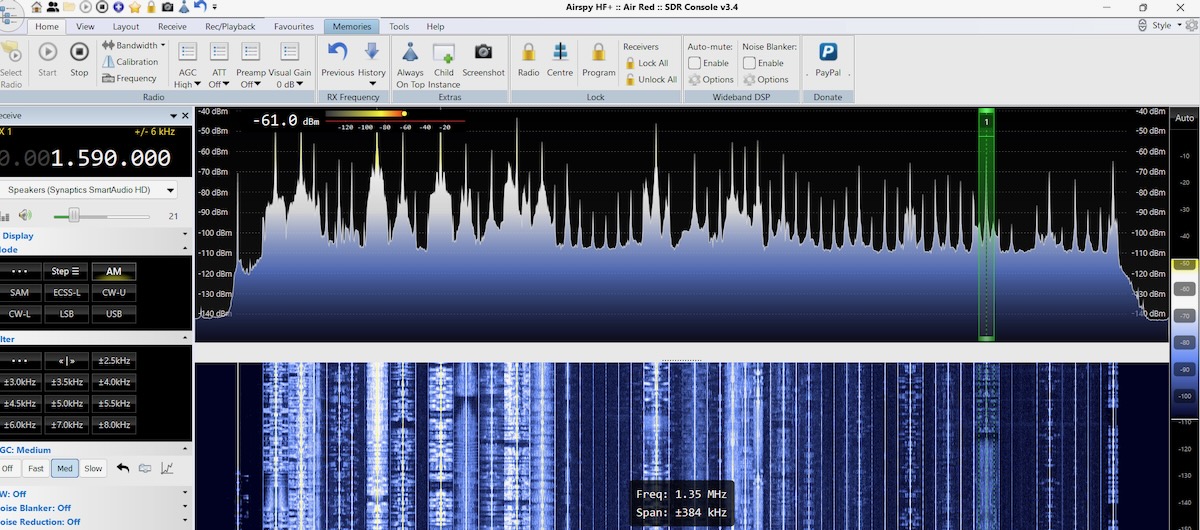
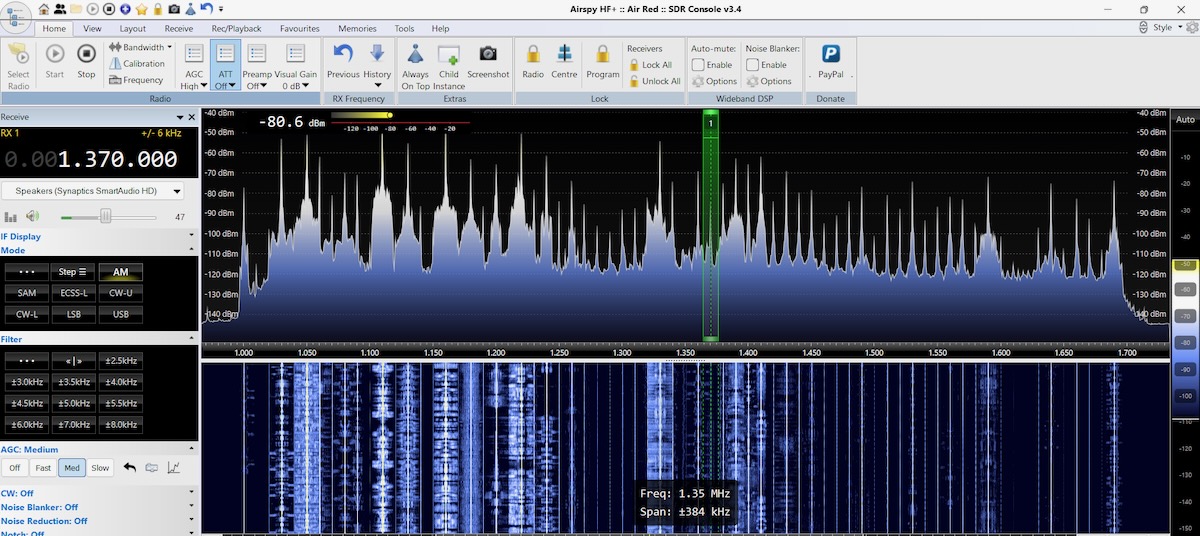
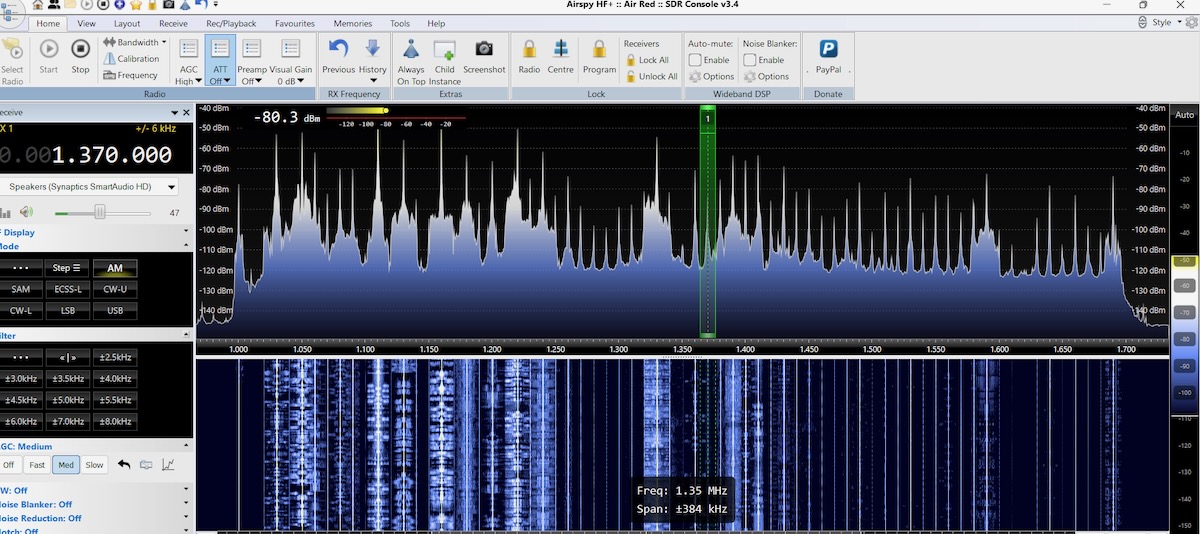
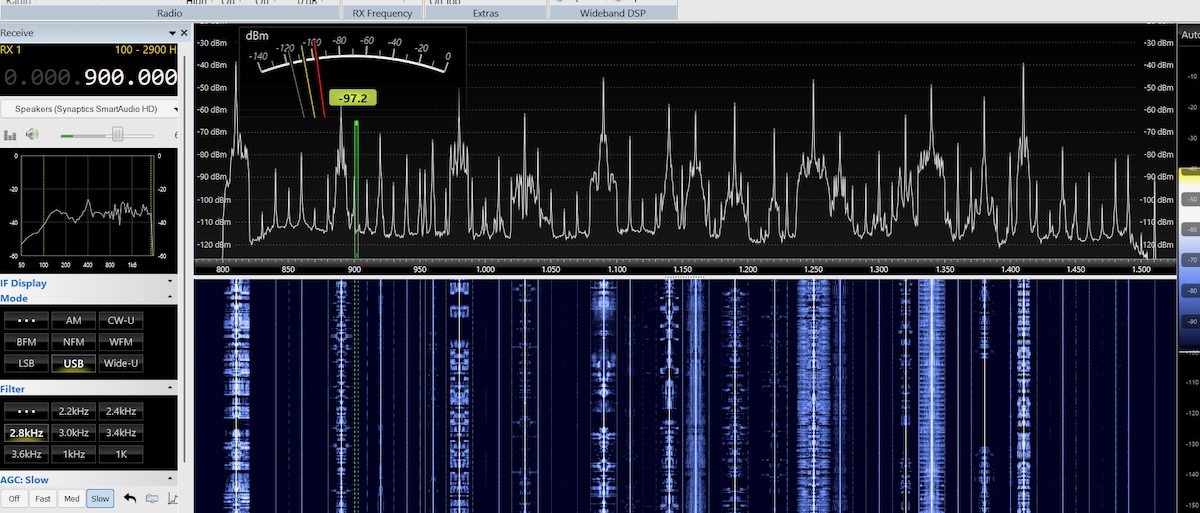
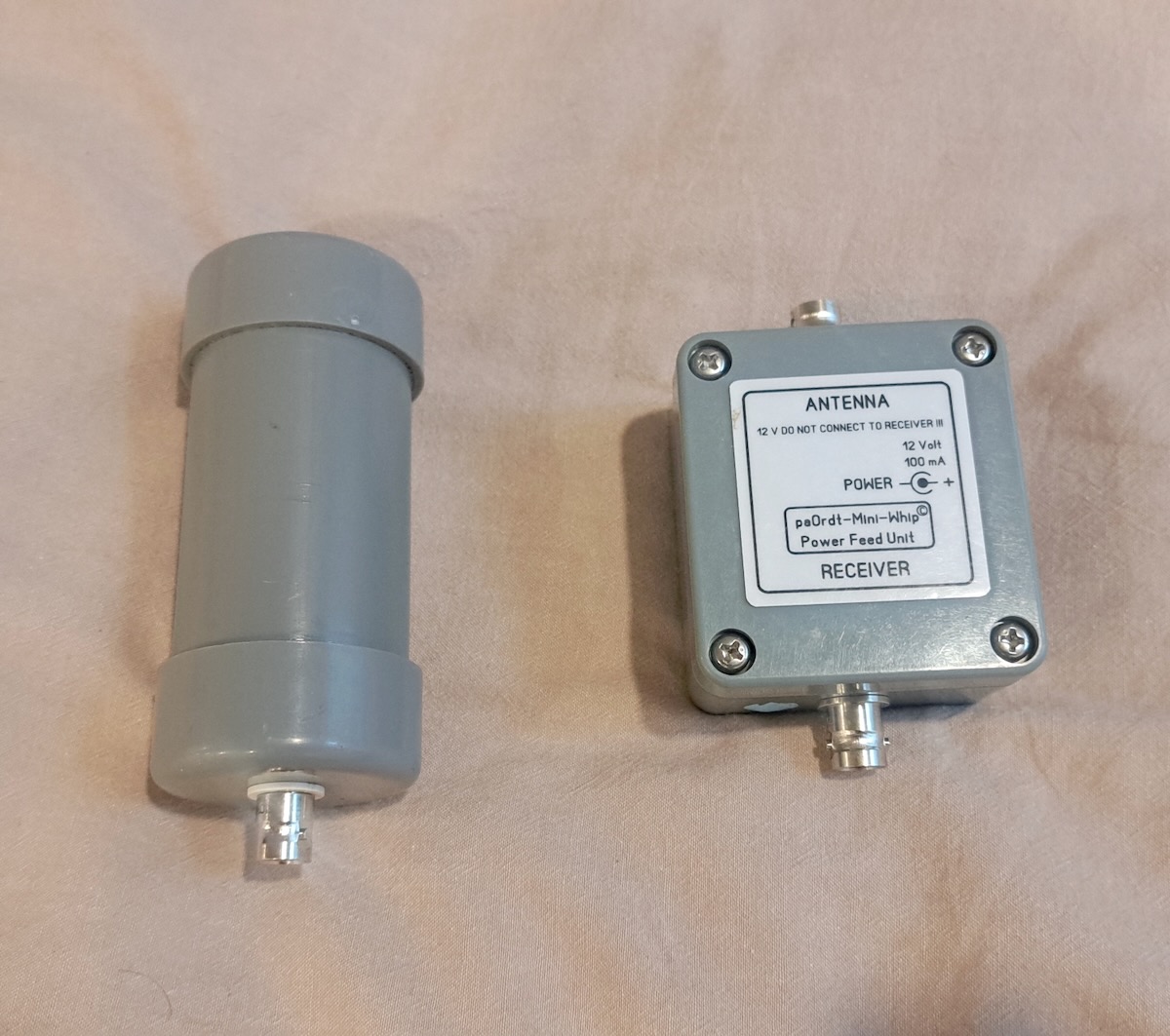
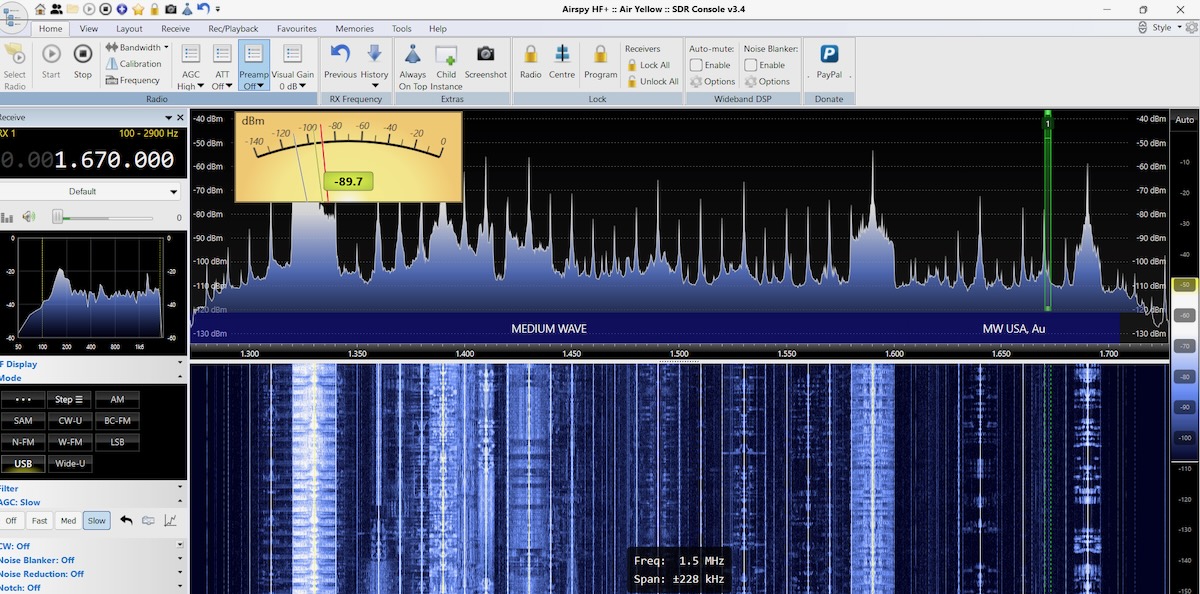
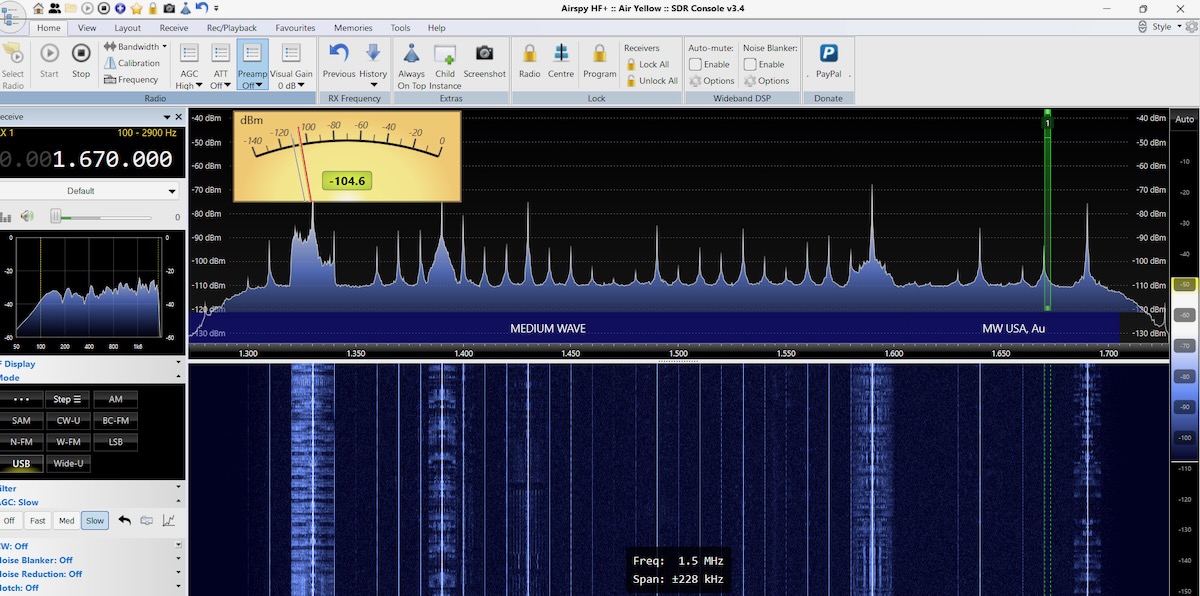
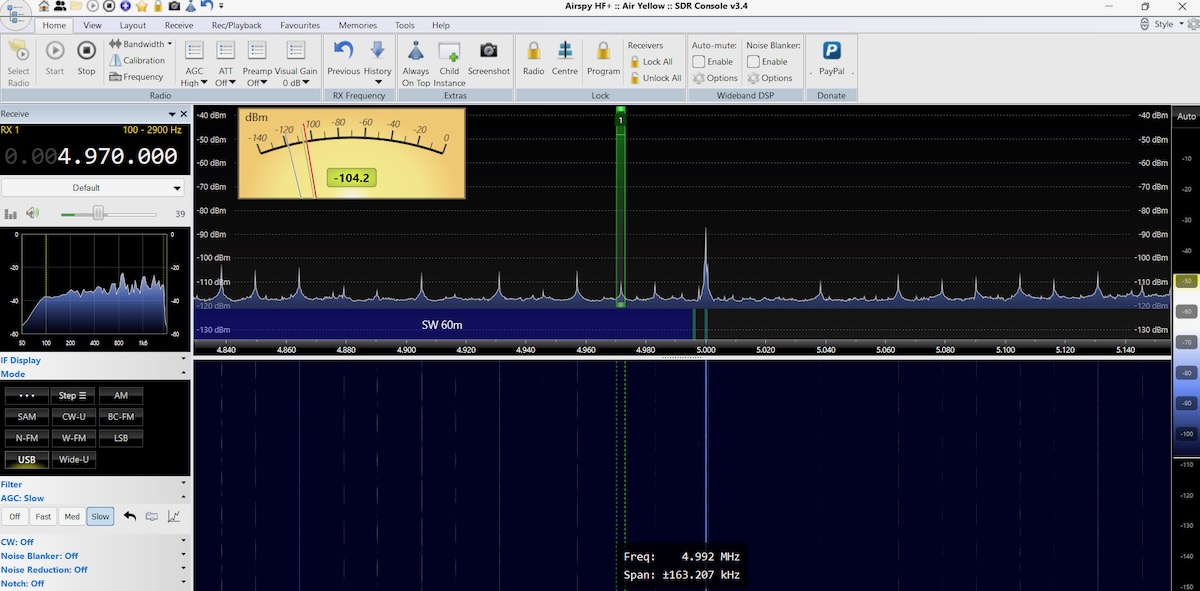
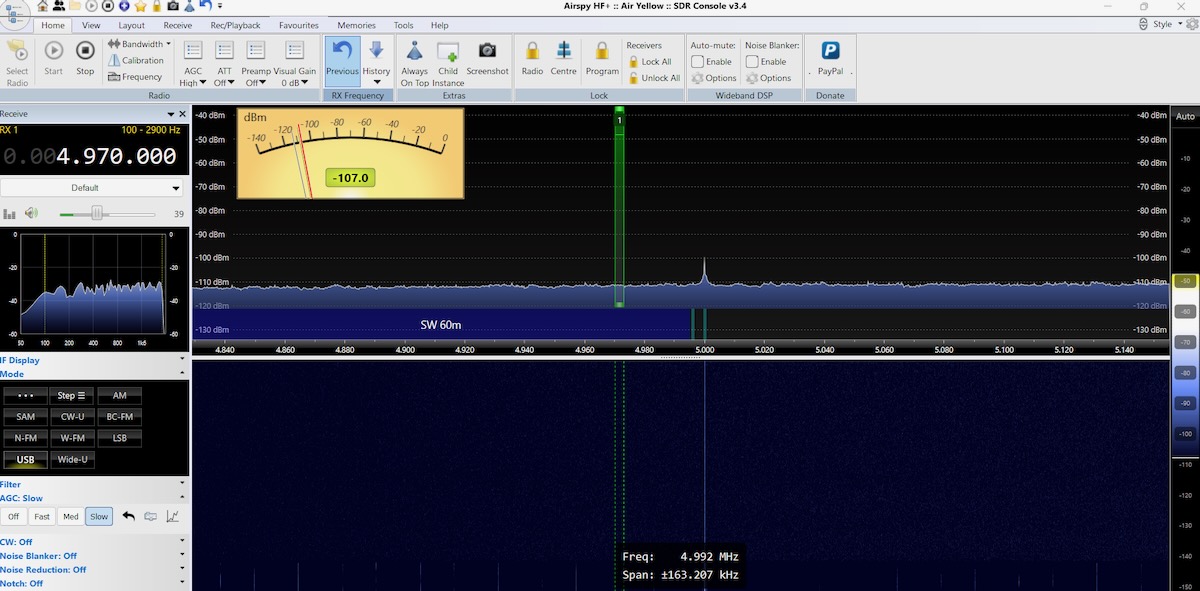
But let me show you some results. All of these SDR screenshots were made with SDR-Console using an Airspy HF+ Discovery SDR connected to a PA0RDT mini-whip antenna.

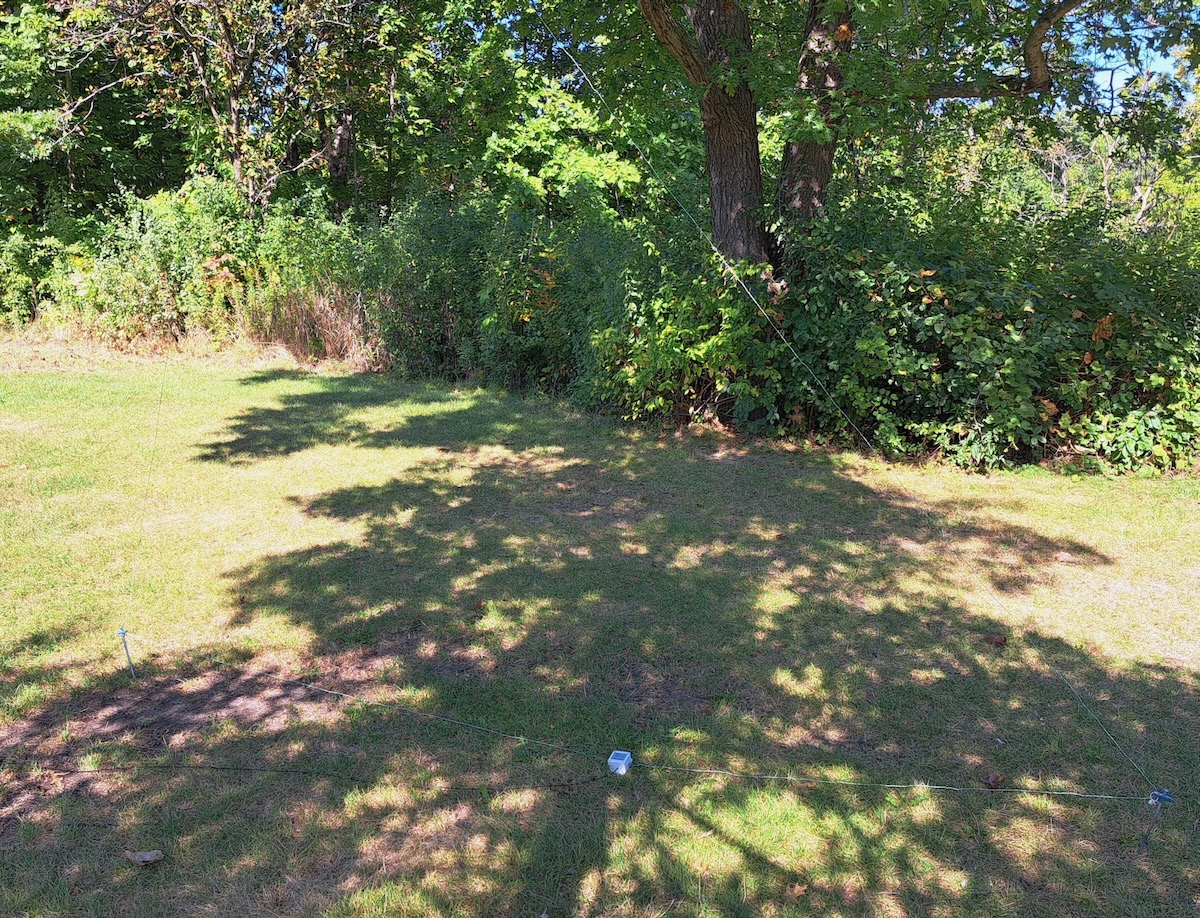
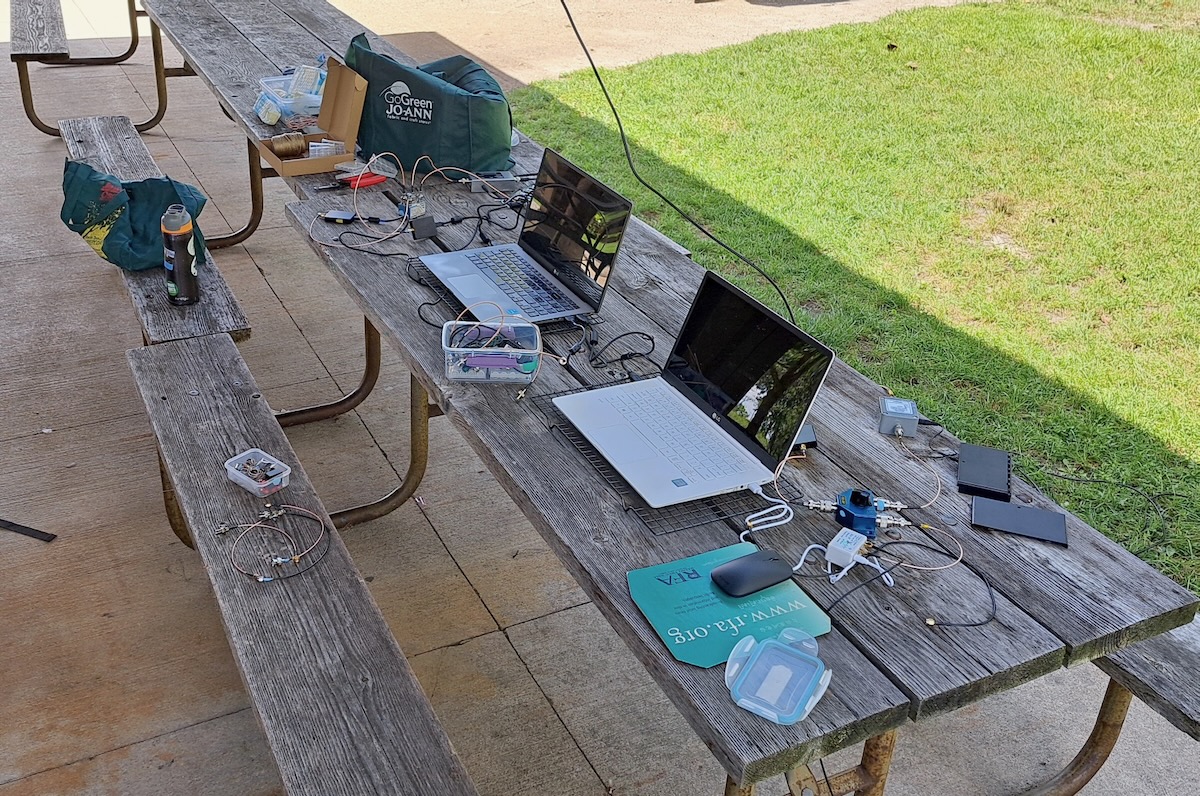
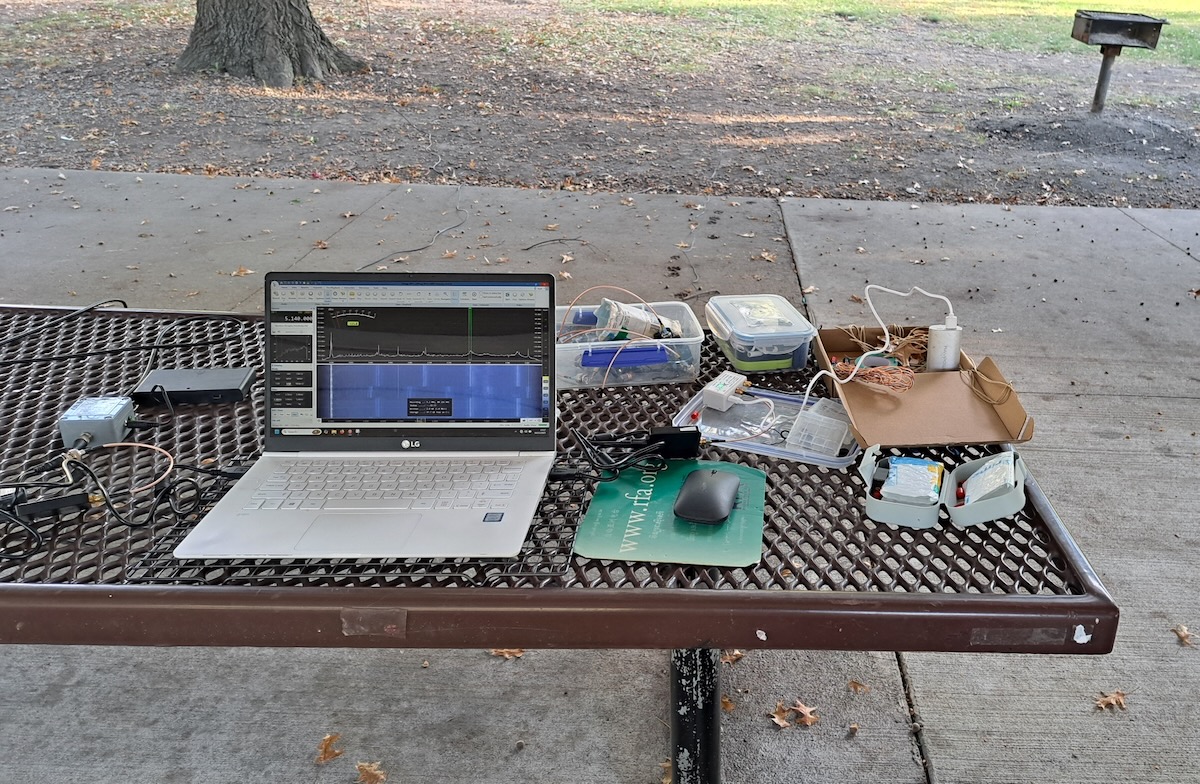
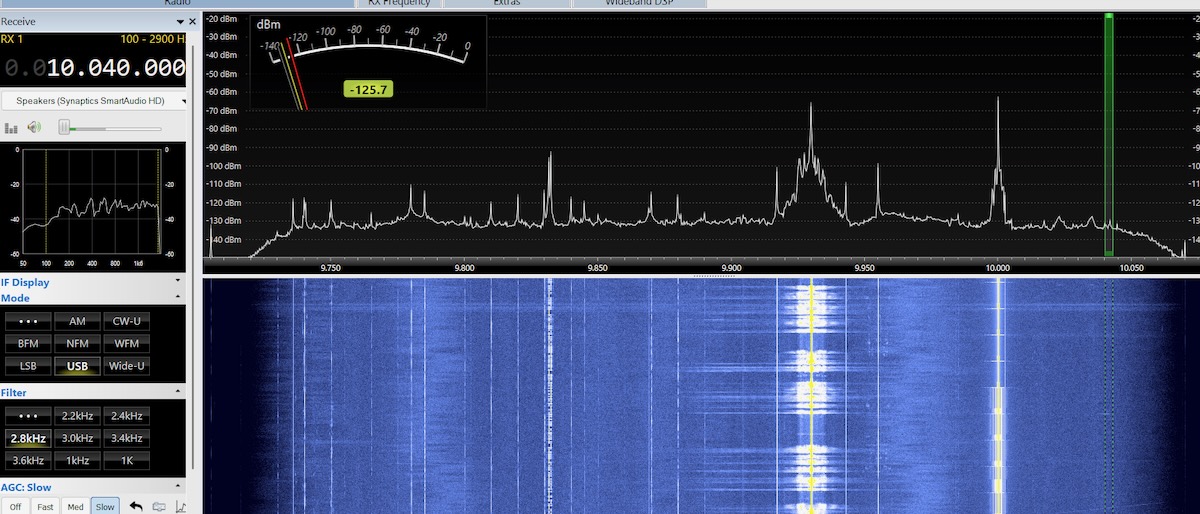
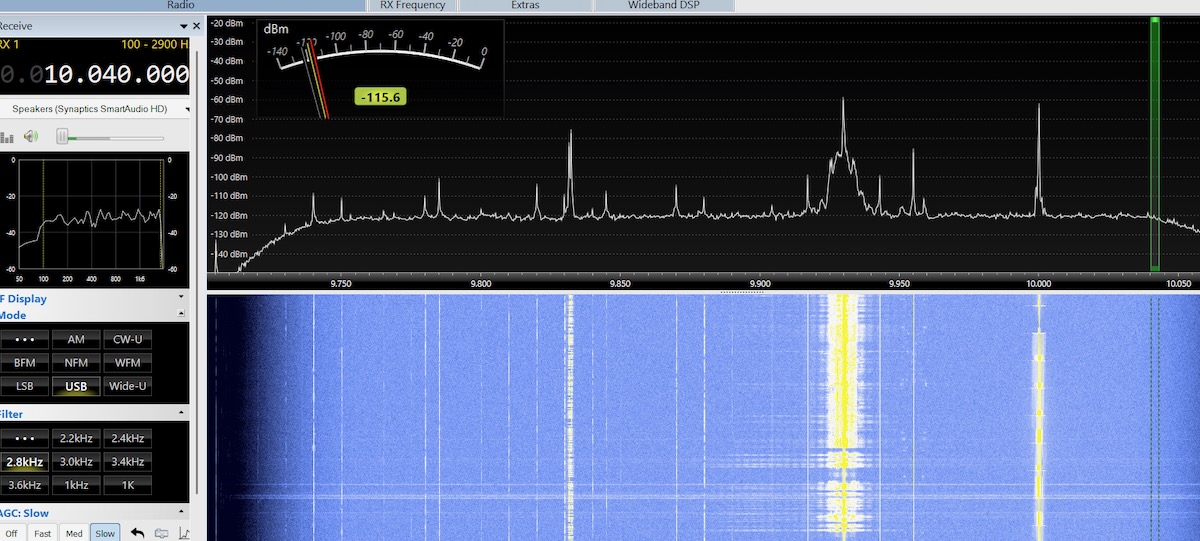
I spent last summer in the north suburbs of Chicago and several times went to a park to test my DX equipment. Around midday, the lower shortwave frequencies were filled with noise peaks. On this first image, it’s hard to pick out WWV on 5 MHz from all the noise peaks. In the second image the filter hasn’t totally eliminated the noise, but WWV’s signal is now strong and clear.

The noise was nearly as strong on 49 meters but the filter almost totally eliminated it. CFRX’s signal on 6070 kHz was slightly weaker with the filter, but it was significantly more listenable without the noise.

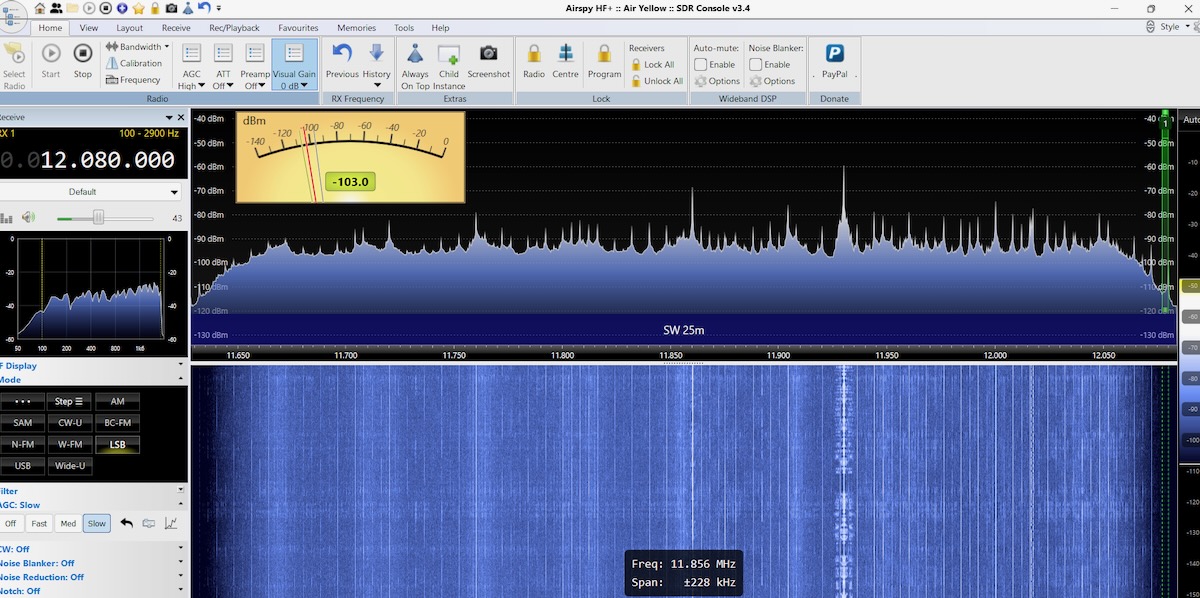
Which frequencies noise affects can vary between locations. At that park the noise was gone above about 11 MHz.  While traveling across the US in mid-October, I stopped at a park just west of Kansas City to do some more DXing and equipment tests.  The noise there was bad in the middle shortwave bands, such as in the 25 meter band.

But the filter did a good job cleaning it up.

Finally, about two years ago when I was DXing in Rafina, Greece, the noise was bad on the higher bands. Here are before and after screen shots on the 16-meter band.

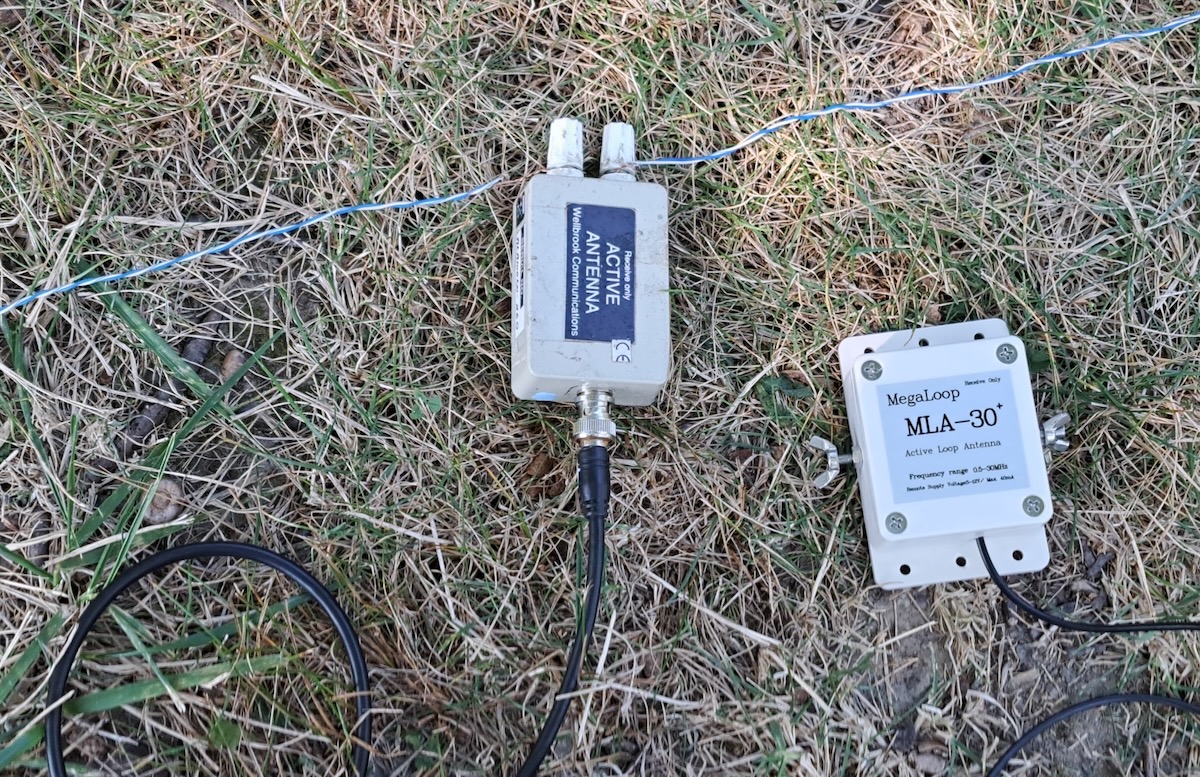
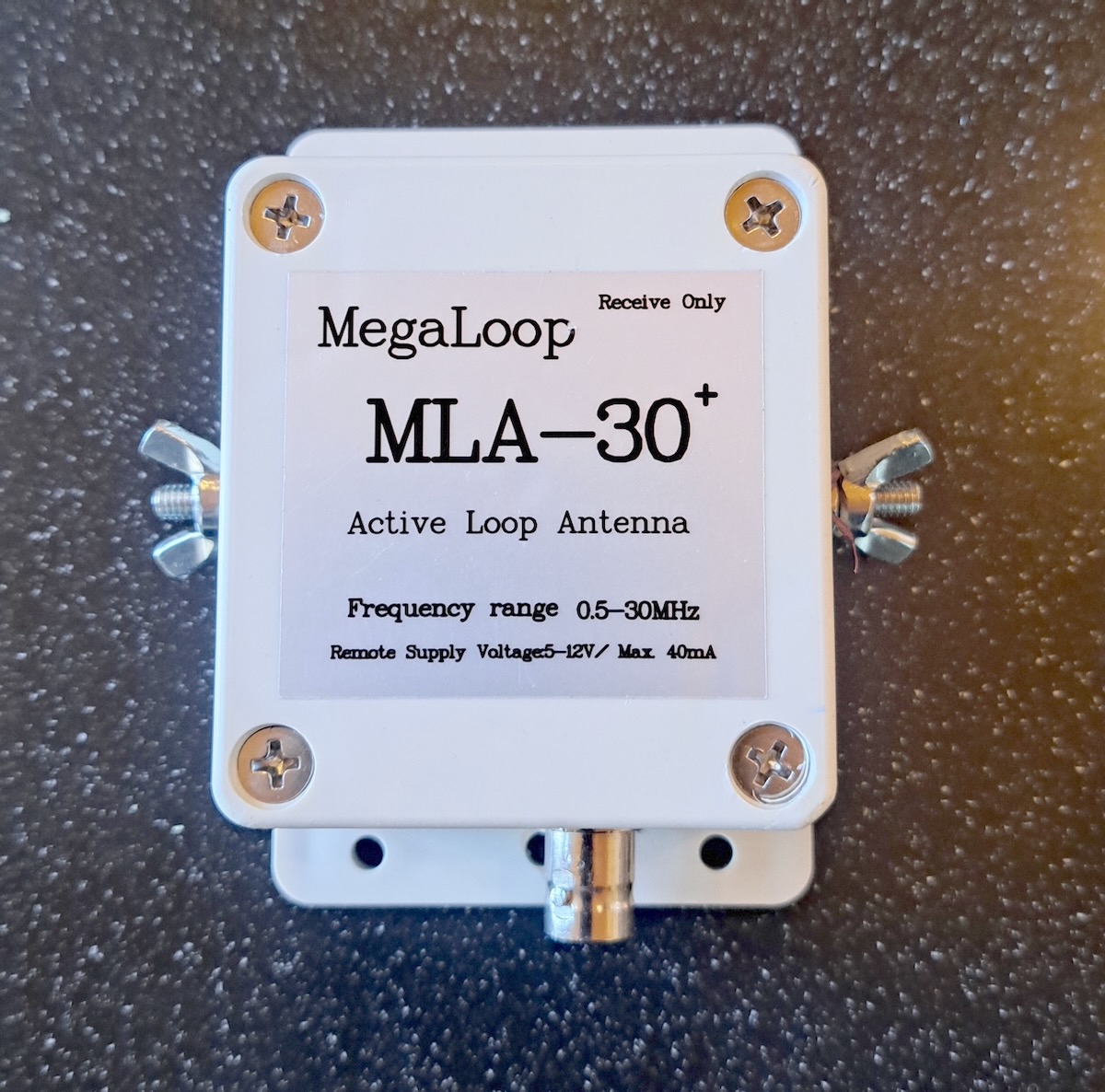
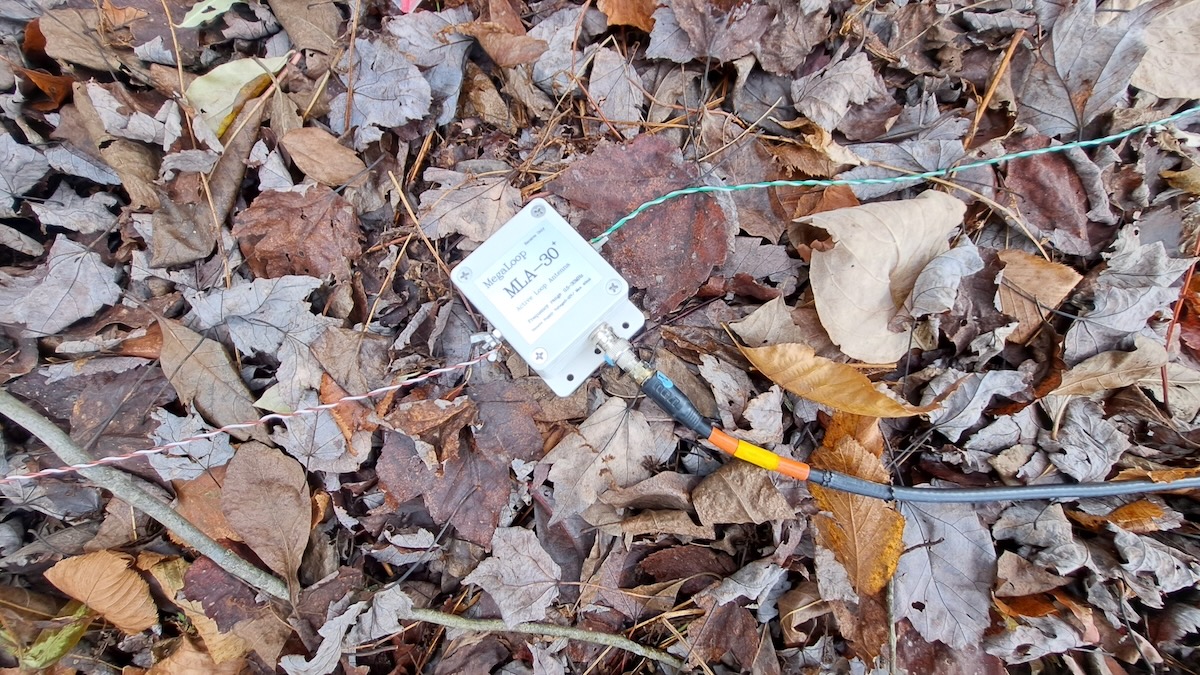
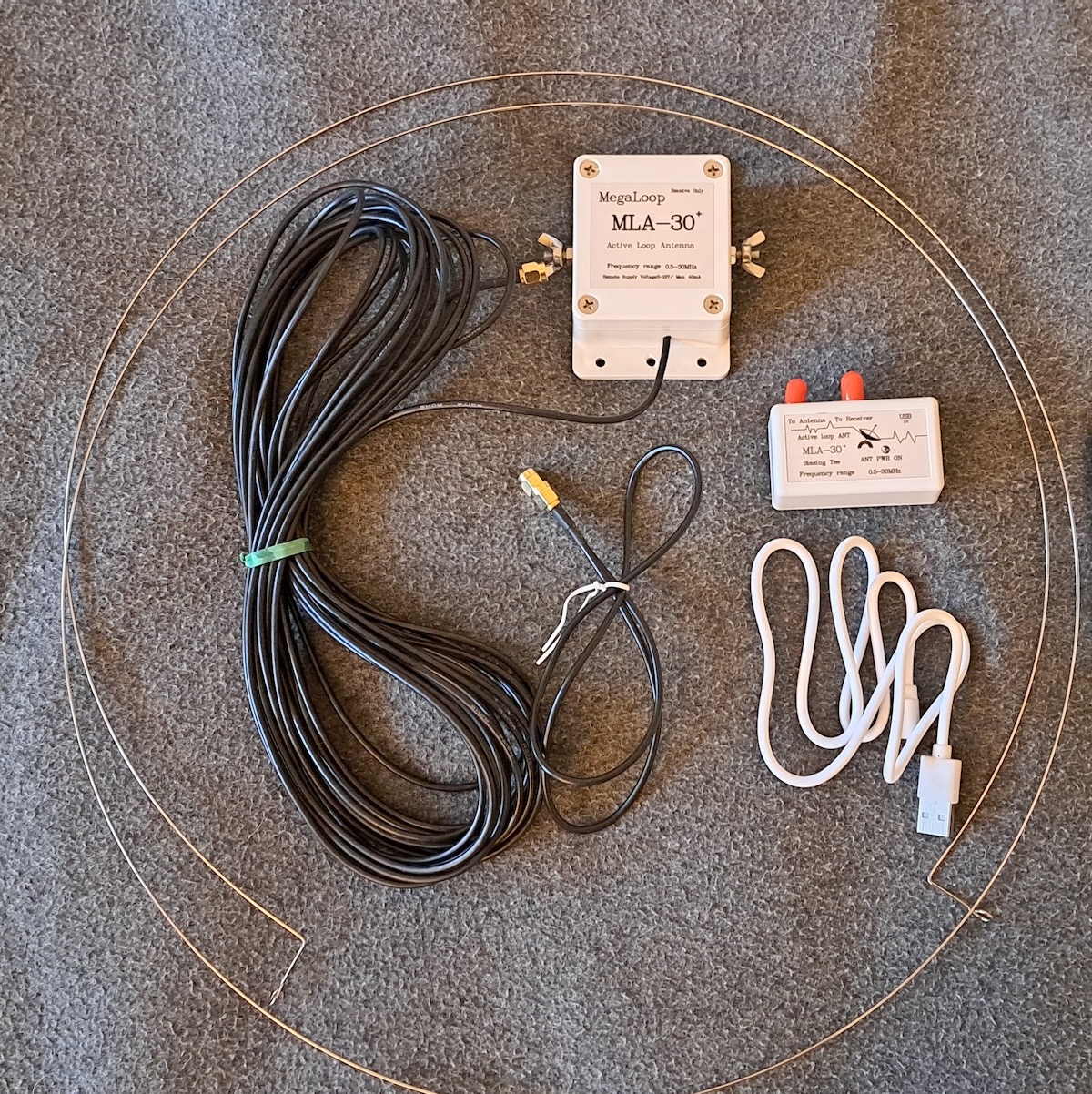
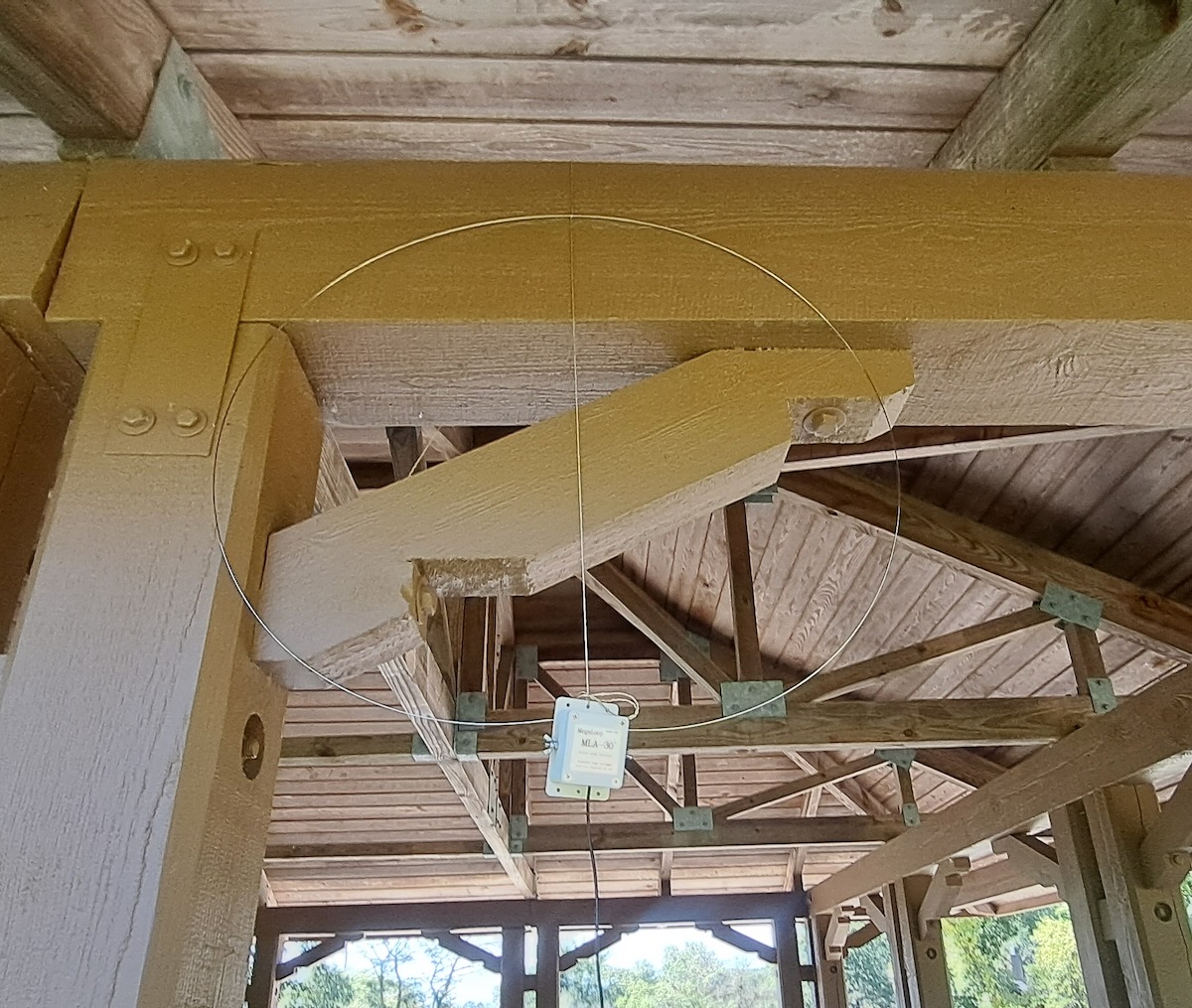
These filters should work with any coax-fed antenna. I’ve used them with beverages, Wellbrook loops, the PA0RDT, and the MLA-30+ loop. If the antenna has an interface, such as the last three mentioned, the filter goes between the interface and your receiver (and not between the interface and the antenna).  I’m not sure what the impedance on these is, but I’ve used them with both 50- and 75-ohm coax cable.

Sources of the Filters

An Internet search for “CCTV Ground Loop Isolator” brings up all kinds of products. They are probably all the same but I have no way of knowing that. So I recommend getting the exact ones that I have purchased. Just compare the product to the pictures of mine.

Here are links to three current sources for these exact ones on Amazon. They can also be found on eBay and other sites. [Note that all of these links are affilliate links that support the SWLing Post at no cost to you.]

A Few More Ideas

At just a couple dollars each, every DXer should have a few of these filters in their shack. But types of noise vary and at several places I’ve DXed from using one of these filters made no difference at all. When that happens I have a few other solutions to try.

The first thing I try is to either move the antenna or, if it’s directional, to point it in a different direction. On several occasions that’s all it has taken to totally eliminate what at first seemed like an impossible noise problem.

If the noise is coming in through the power lines, unplugging the laptop and DXing off of battery power might do it. (I only use SDRs powered off the USB connections on my laptop.)  If you do that, be sure to unplug the cord from the outlet and move it away from the wall.  If you unplug the cord from the laptop and leave the other end plugged into the outlet, it may act as an antenna and radiate the noise from the power lines into your SDR. And, yes, I learned that lesson the hard way!

Do you have any interesting experiences or solutions to the DX noise problem? Please leave them in the comments section. 

Help record the 2025 BBC Antarctic Midwinter Broadcast later today (June 21, 2025)

Every year, the BBC broadcasts a special program to the scientists and support staff in the British Antarctic Survey Team. The BBC plays music requests and sends special messages to the small team located at various Antarctic research stations. Each year, the thirty minute show is guaranteed to be quirky, nostalgic, and certainly a DX-worthy catch!

After successful listener events from years past, I’m once again calling on all SWLing Post readers and shortwave radio listeners to make a short recording (say, 30-60 seconds) of the BBC Antarctic Midwinter Broadcast today and share it here on the SWLing Post. Details on this below.

Time and frequencies

Our intrepid contributor, Richard Langley, reports the following message via the British DX Club:

Shortwave schedule 2130-2200 UTC on 5960 UAE, 9575 Ascension Island, 12065 Woofferton (UK), 13810 Woofferton (UK).

A slightly shorter version will be carried the same day from 1832-1900 UTC on BBC World Service English streams online as well as via DAB in the UK.

Recording the Midwinter Broadcast has become an SWLing Post community tradition! Read our previous post for more details.

I’m especially fond of this broadcast as it always falls on my birthday and it’s always fun capturing this unique DX!

Share your recording and notes with us!

Comment with your recording!

During the Midwinter broadcast, I will publish a dedicated post where you can comment and include links to audio and video of your 2024 Midwinter Broadcast recordings. When this post is available, I will link to it here. This will allow you to post your logs and recordings at your convenience without my availability becoming the bottleneck.

So that there’s no confusion, I’ve turned off comments on this post so that comments are left on the appropriate article.

Here’s the format I’d like you to leave in your comment of the dedicated post:

Name:

Listening location:

Notes: (Include frequencies and any details about your receiver and antenna.)

Link to audio or video: (YouTube, Vimeo, Internet Archive, SoundCloud, etc.)

Video and Audio Recordings

There is no way to directly upload audio in your comments, however, you can link to the recordings if you upload them to the Internet Archive (which I’d highly recommend) or any of the video streaming services–like YouTube and Vimeo–or audio services like SoundCloud.

If you have a photo you’d like to include in your comment, send me an email from the same address you used in your comment. I’ll manually post the image at the top of your comment when time allows.

As with each year, I’ll make sure the BAS team and the BBC receive a link with all of your recordings!

Antarctic Midwinter Broadcast 2025 – 70th Anniversary Edition: Tune in Saturday, June 21, 2025

Each year, we look forward to one of the most unique traditions in the world of shortwave radio: the BBC’s Antarctic Midwinter Broadcast—a special program beamed to a handful of overwintering scientists and support staff at British Antarctic research stations.

This year marks the 70th anniversary of the broadcast, and it promises to be a particularly memorable one. Hosted by Cerys Matthews, the program features personal messages from friends and family back home, as well as music requests from those wintering in Antarctica.

Halley VI: The British Antarctic Survey’s new base (Source: British Antarctic Survey)

SWLing Post readers around the globe regularly tune in and make off-air recordings of this remarkable broadcast, sharing reception reports and recordings from every corner of the planet. It’s one of our favorite annual traditions!

SWling Post contributor Richard Langley, noted that a test broadcast last Saturday (20:30 UTC) used the following frequencies:

  • 5960 kHz – UAE
  • 9575 kHz – Ascension
  • 13810 kHz – Woofferton

UPDATE (19 June 2025) – Richard adds the following:

According to the British DX Club:
“Saturday 21 June 2025: at 1832-1900 and 2130-2200 UTC.

BBC World Service annual mid-winter broadcast to Antarctica for British Antarctic Survey staff working at UK bases on Antarctica’s midwinter’s day.

Shortwave schedule 2130-2200 UTC on 5960 UAE, 9575 Ascension Island, 12065 Woofferton (UK), 13810 Woofferton (UK).

A slightly shorter version will be carried the same day from 1832-1900 UTC on BBC World Service English streams online as well as via DAB in the UK.”

Frequencies will likely be posted on this page for the official broadcast: https://www.bbc.co.uk/programmes/w3ct7zyv

As always, we’ll post an article here on Saturday as the broadcast begins, where you can share your own reception reports, audio clips, and impressions in the comments section—just as we’ve done in years past.

Stay tuned—once the official frequencies are confirmed, we’ll post them here as well.

Happy DXing, and let’s celebrate midwinter together—wherever you are in the world!