Category Archives: Reviews

Checking out BHI’s HP-1 and NCH headphones for DXing

By Jock Elliott, KB2GOM

As an oldster with a bit of hearing deficit, I am a big fan of anything that helps me to hear better when I am trying to tease out hard-to-hear signals, whether medium wave broadcast, shortwave broadcast, or single-sideband signals on the HF ham bands.

Toward that end, headphones help a lot. They deliver the audio signal directly into the ear canal while reducing distraction from external sounds. I had some inexpensive headphones from a big-box store, but I wondered if there were headphones that would be better suited for DXing.

So I contacted the folks at BHI to see if they had any headphones that would help with medium wave DXing. BHI is the British company that manufactures really effective noise cancelling products.

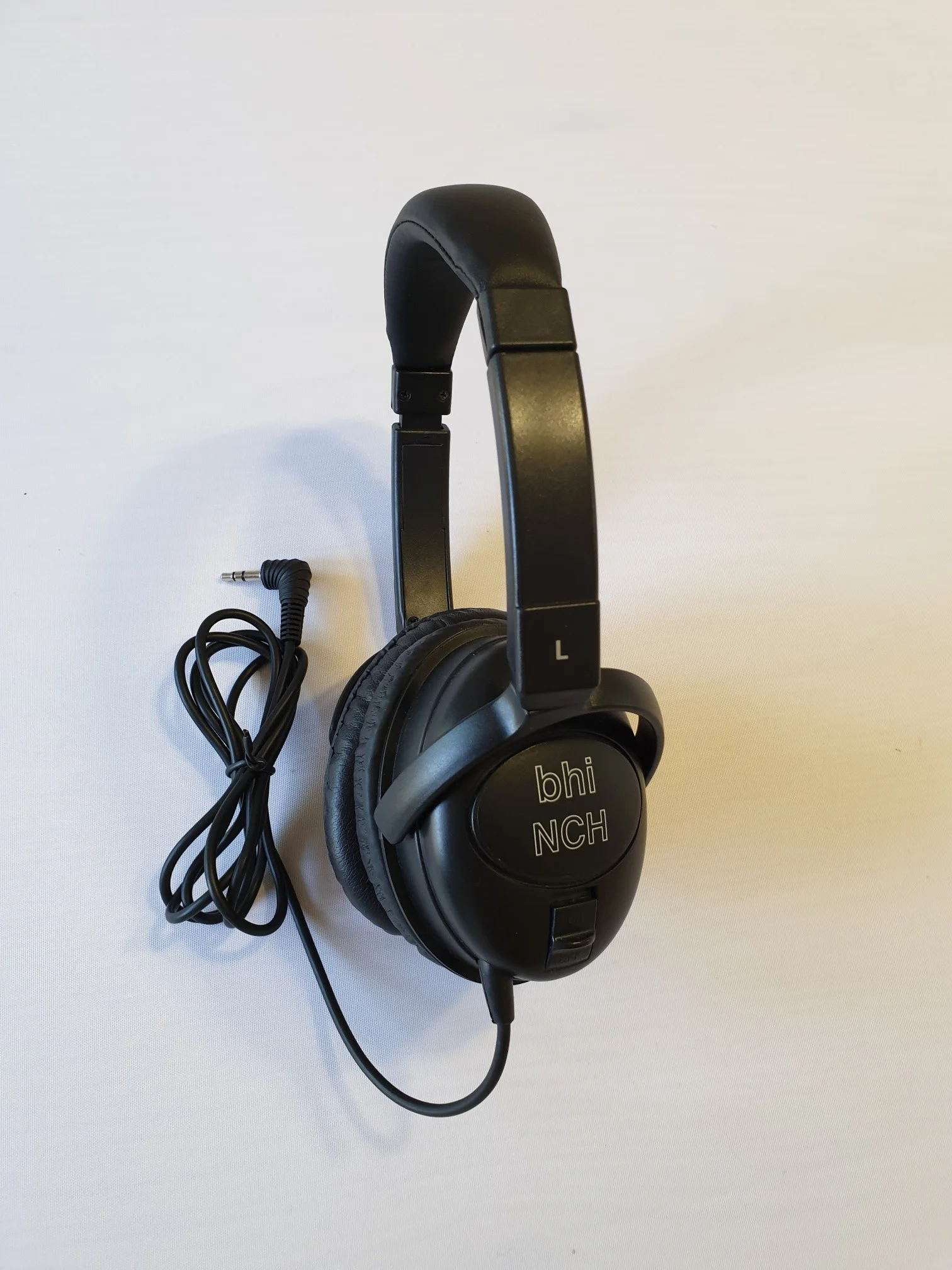
In response, the folks at BHI sent me their HP-1 Wired Stereo Headphones and their . . . NCH Active Noise Cancelling headphones . . . free of charge.

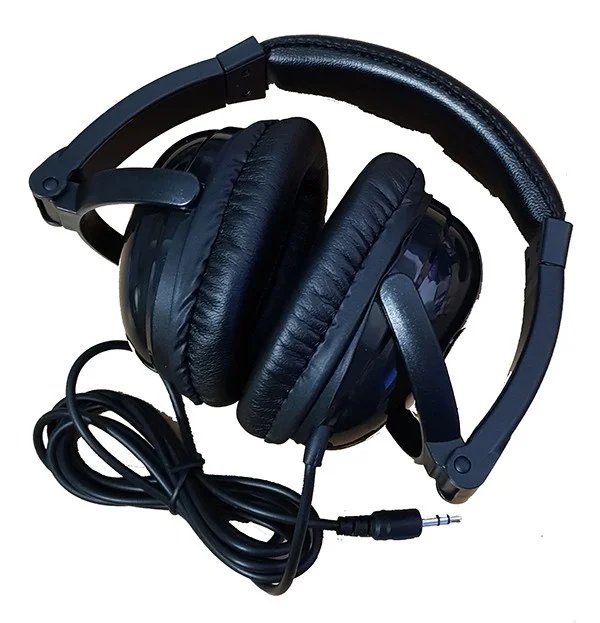
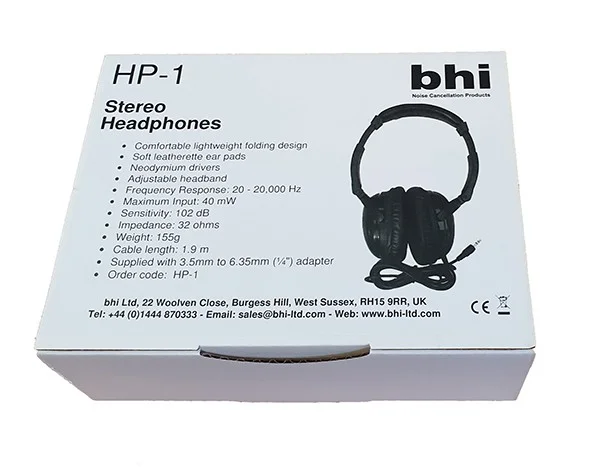
BHI describes the HP-1 Wired Stereo Headphones as “Comfortable Folding dynamic stereo headphones for Radio Communications,” and, in my view, they are just that. I found the HP-1 to be highly useful for medium wave and shortwave DXing. To my ear, they sound like they are biased toward high frequencies, with lower bass response than on the headphones I bought from the big-box store years ago. Because of the lower bass response, I find it easier to tease out faint signals on the airwaves, and the ear cups are comfortable for long-term listening. The cable is 1.9 m long and is terminated with an integral 3.5mm stereo jack plug.  The HP-1 headphones are supplied with a 1/4″ stereo to 3.5mm stereo adapter.

The NCH Active Noise Cancelling headphones are a bit of a different beast: they are NOT designed to cancel noise on the broadcast signal you are listening to. Instead, they are designed to reduce external noise. According to the BHI website:

The bhi NCH active noise cancelling headphones (ANC) do not work like our other DSP noise cancelling products but effectively reduce external ambient background noise enabling you to concentrate more and enjoy your listening experience when listening in a noisy environment.  The over-ear style NCH headphones also give good passive audio isolation from external noise.”

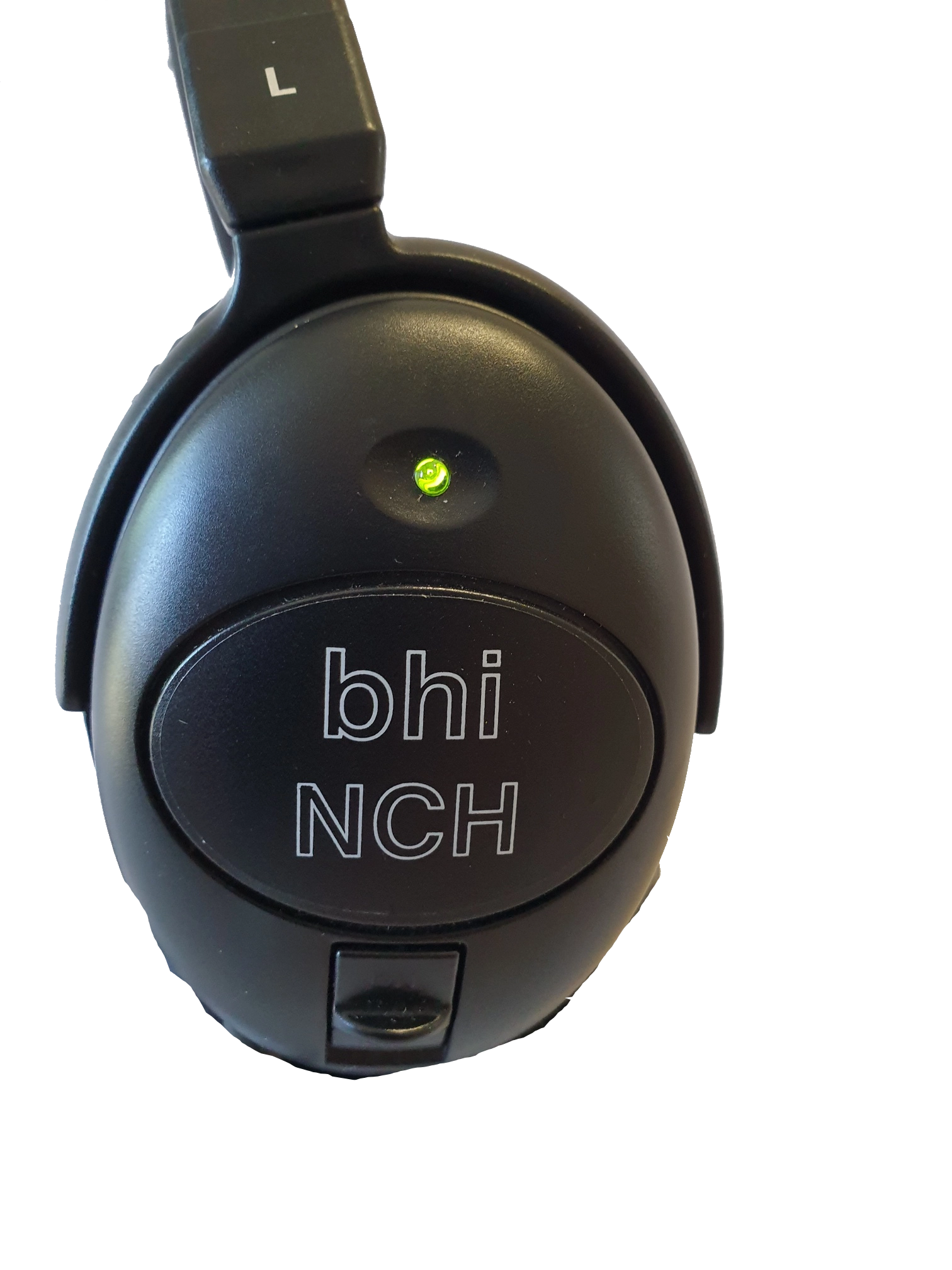
These headphones are powered an AAA battery. There is a switch to turn the noise-cancellation circuity on and off, and there is an LED that lights when the unit is activated. The NCH headphones have a 1.25m detachable cable with 3.5mm jack plug (both ends).

So I tried out the NCH headphones while mowing the lawn with a gasoline-powered lawnmower and listening to an audio book on my digital recorder. Bottom line: they really work to significantly reduce (but not totally eliminate) an external noise source and make the listening experience more pleasant. And when they are not turned on, they work really well as ordinary headphones for DXing. Like the HP-1 headphones, they are comfortable and biased toward high frequency.

In the end, I found both these headphones worked well for their intended purpose, and I am happy to recommend them.

A review of the outdoor Planespotter antenna prototype

Many thanks to SWLing Post contributor, Zach R., who shares the following guest post:


A review of the outdoor Planespotter antenna prototype

When it comes to airband monitoring, the stock whip antennas that ship with desktop and portable scanners are not the greatest. They’re fine if you’re at an airport and only interested in communications specific to your immediate area, but if you are someone like me who lives well out from any major airport, quality listening in can be impossible without some help in the antenna department.

Ideally, you want something like a discone or similar for omnidirectional listening, mounted as high as possible. This is not always possible or practical, however. SWLing Post contributor Ron recently reviewed the indoor Planespotter antenna, and I have one as well that works better than any rubber ducky, and can be easily hidden away when company comes.

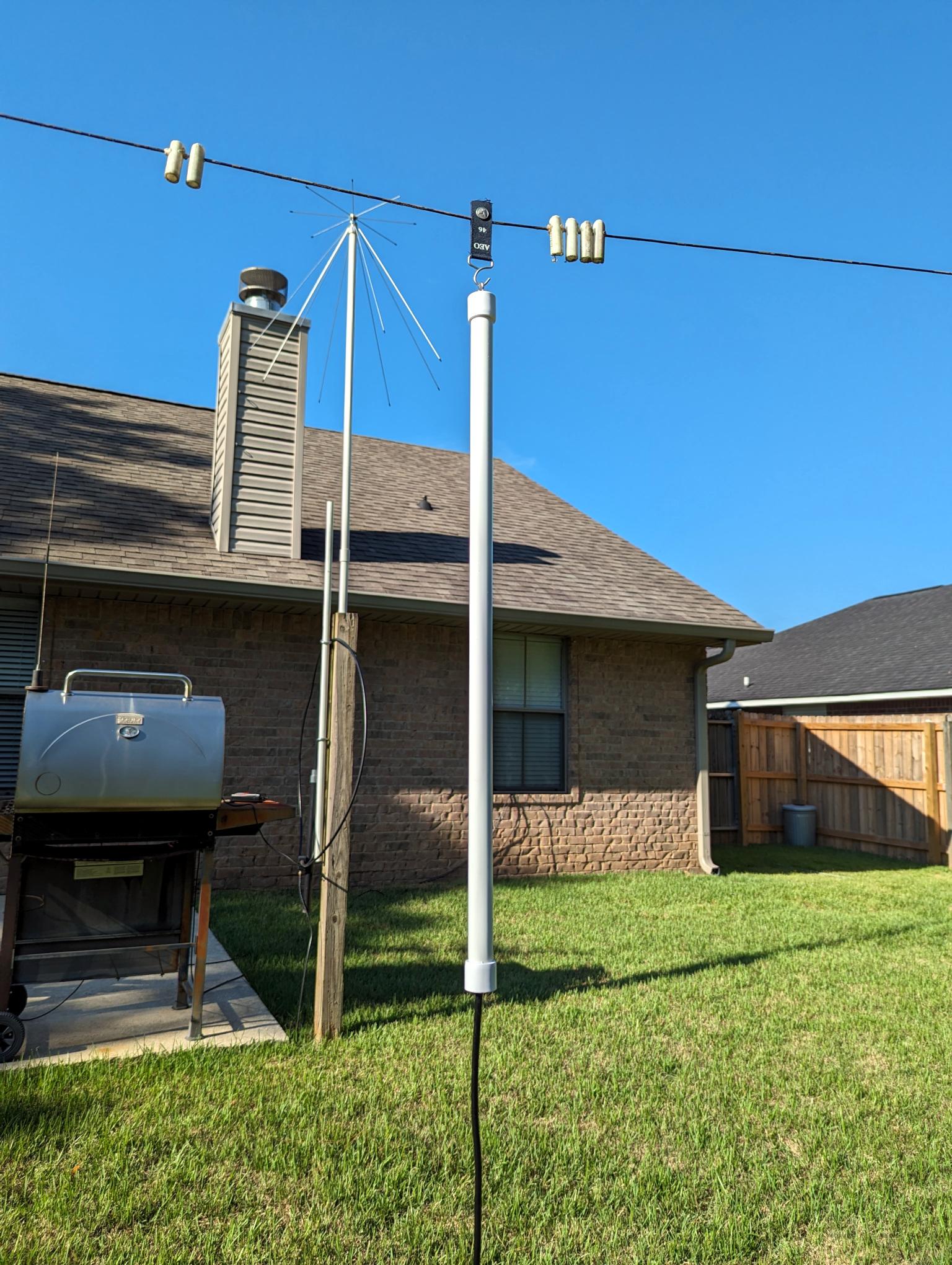
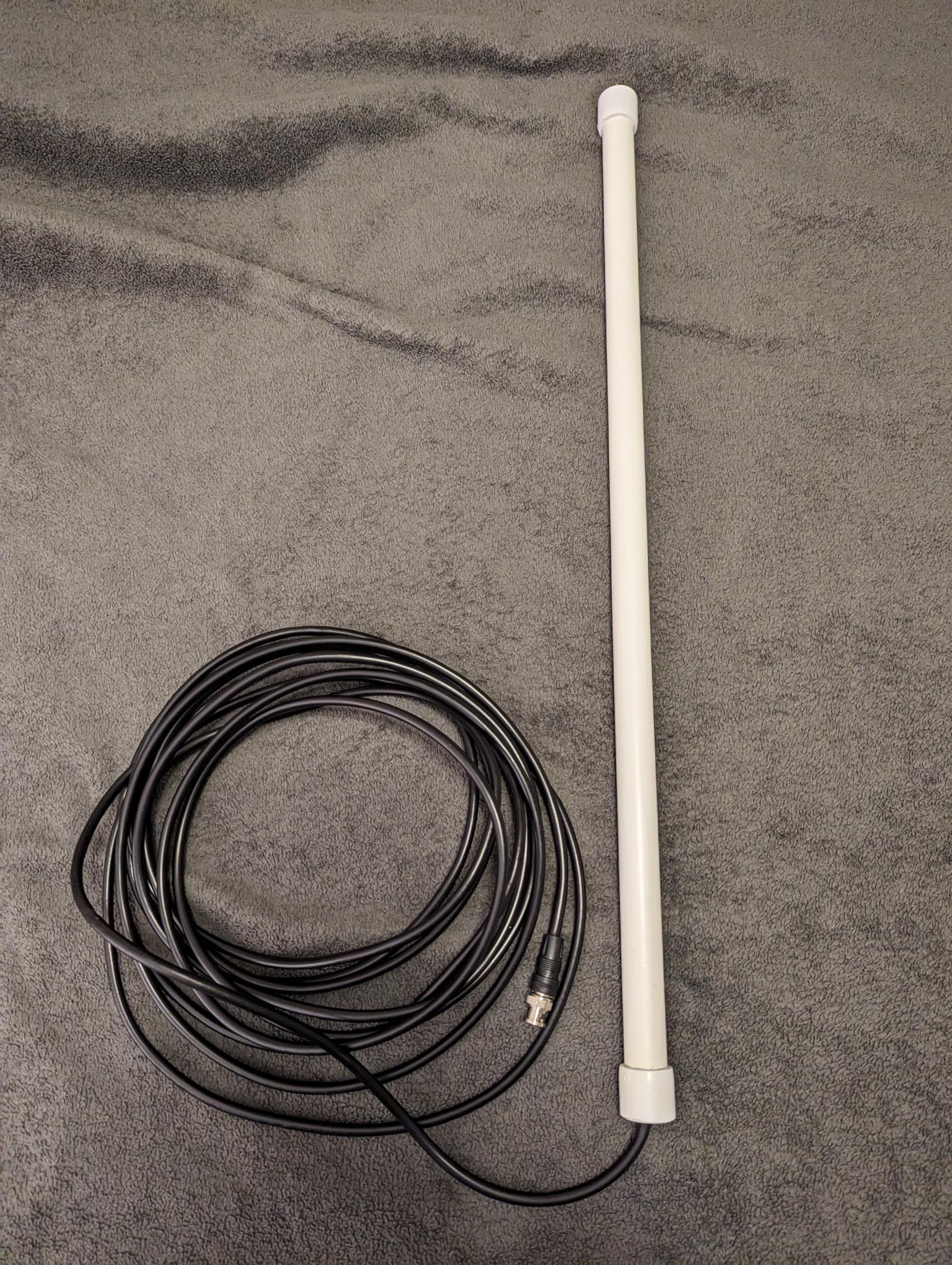
Recently, the creator has come out with a prototype outdoor model. It’s the same design as the indoor unit, but with a longer run (25 feet) of coax, terminating in a BNC connector.

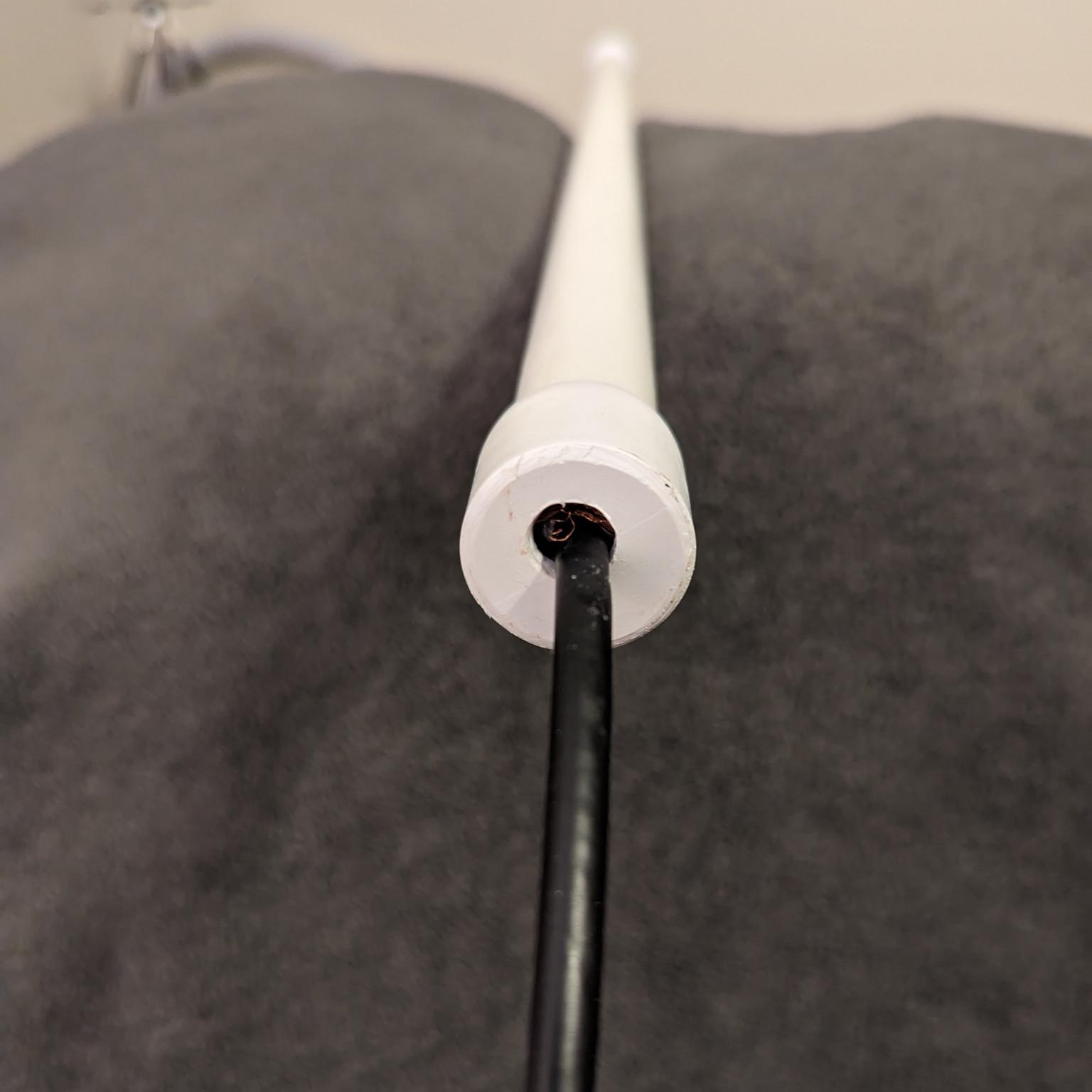
Besides the longer cable, the only other obvious change is the antenna is house in a skinnier PVC tube from the indoor model. It’s also sealed at the bottom so moisture won’t get in.

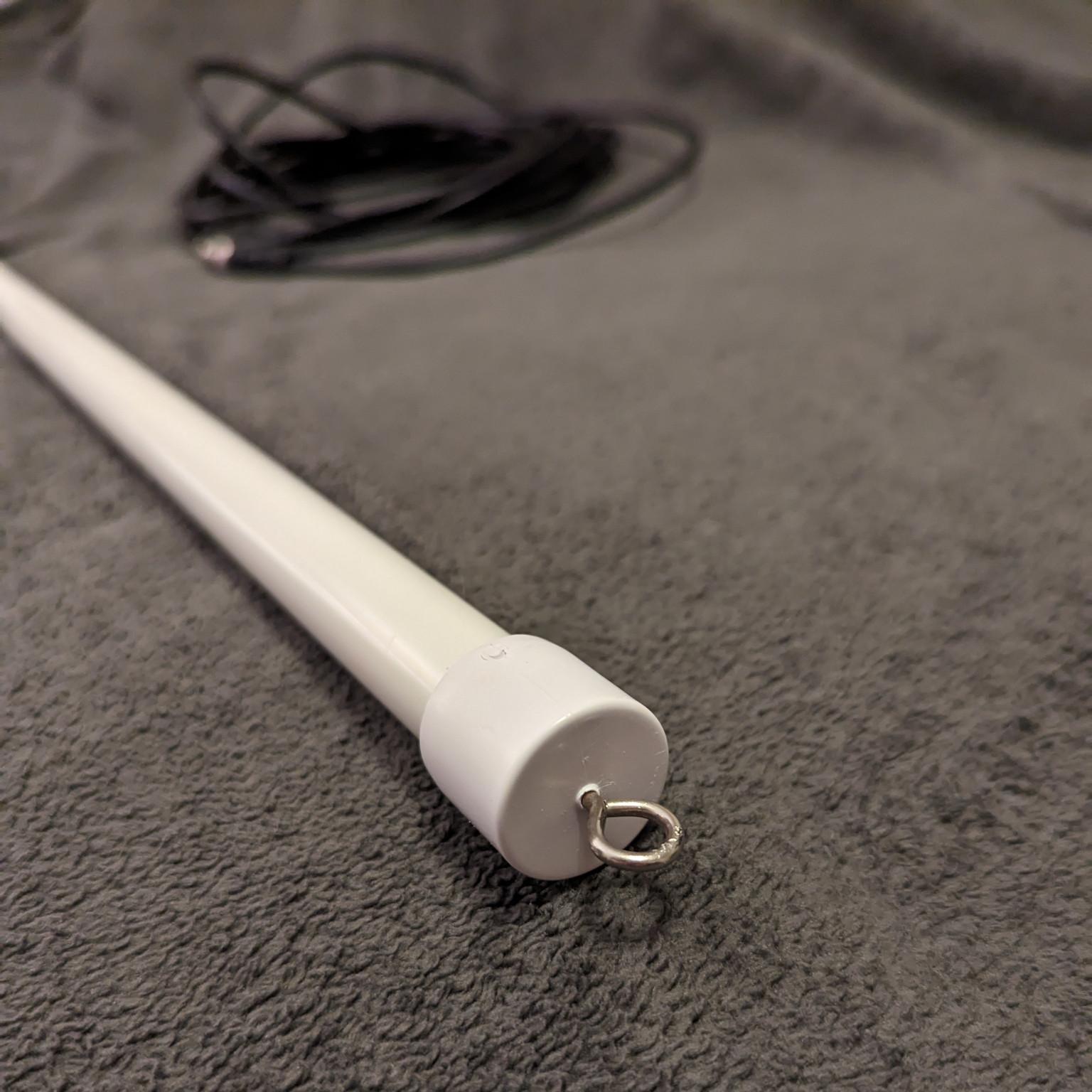
It has the same small metal hook on top, suitable from hanging from various mounts. I’d like more mounting options, but the hook does make for quick installation and removal. The half-wave length isn’t ungainly to handle and if painted it could easily be mounted on the side of a home without many people noticing.

The indoor version definitely works best on the VHF air band and seems to roll off aggressively above and below that band. The outdoor version, in side-by-side tests, seemed to perform the same on the air band but notably better on the VHF public safety band. It also pulled in more UHF air band traffic than the indoor model, despite being basically the same design.

The new outdoor version is a good choice for someone looking for a simple, already assembled antenna that’s suitable for temporary use or stealth mounting.

Disclosure: The outdoor prototype was supplied to me for free in exchange for a review. While taking more photos of the antenna I noticed the weatherproofing had come undone from the bottom. Hopefully this issue can be addressed before the antenna goes into production.

[Zach R. is the owner and editor of the Alabama Broadcast Media Page.]

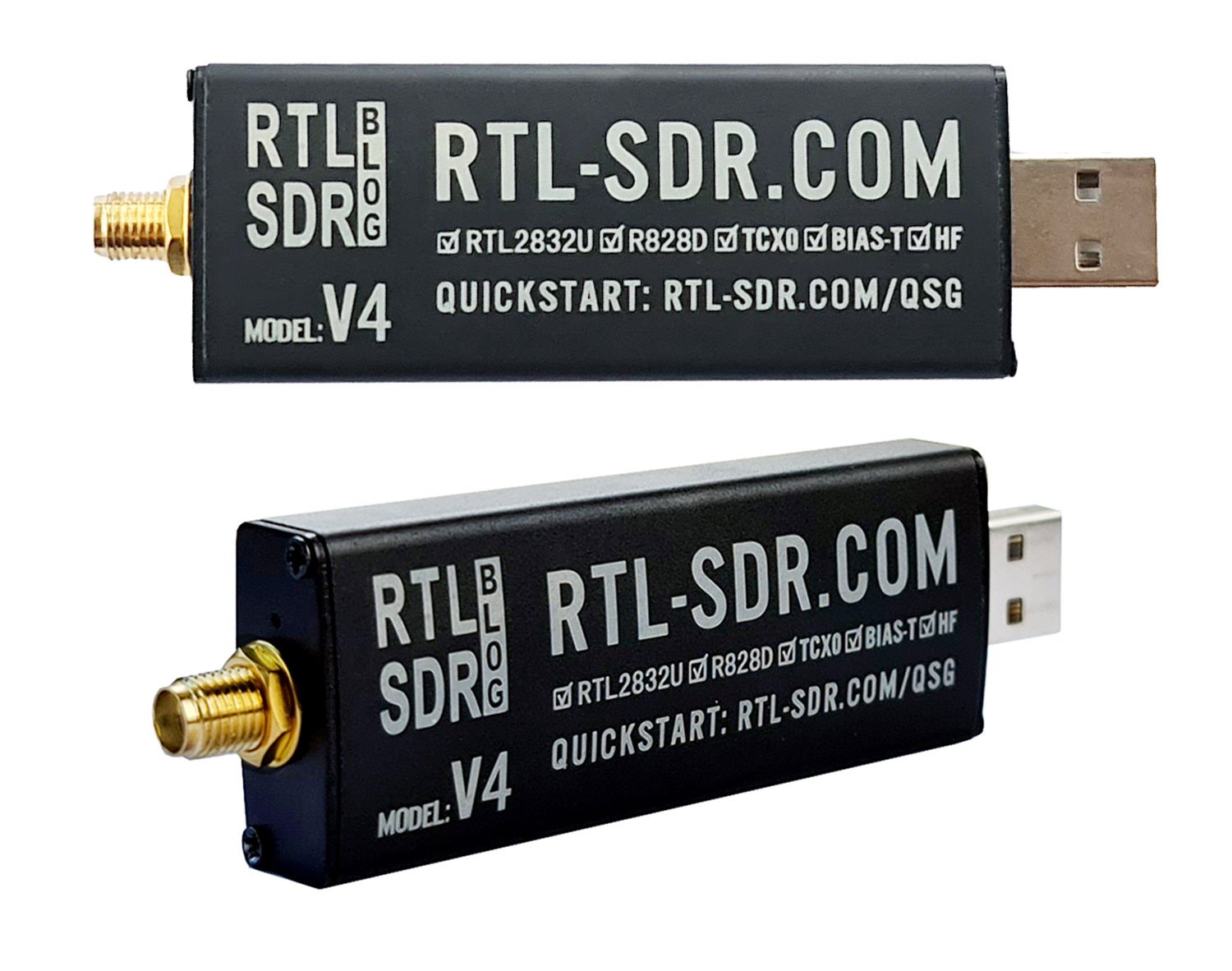
Ivan compares the new RTL-SDR V4 and the Airspy Discovery HF+

Many thanks to SWLing Post contributor, Ivan (NO2CW), who writes:

I ran a test of weak signals RTL-SDR v4 against Airspy HF+ Discovery. Using sdr # and a few gain adjustments particular to each of the receivers. I ran the test at approximately 9 pm local time using the same W6LVP loop antenna from my location near Miami Florida and I was intentionally looking for barely readable weak signals. The RTL-SDR v4 is a great budget SDR receiver!

Guest Post: A review of the Chaoyuan LC90 Hybrid Shortwave/4G/Internet Radio

Many thanks to SWLing Post contributor, Michael Ye (BD4AAQ), for the following guest post:


The LC90, a Great Radio Spanning Two Worlds

by Michael Ye (BD4AAQ)

It is an awkward era for radio receivers. Although technology becomes more and more advanced and increasingly sophisticated radios are made, there are fewer and fewer stations to listen to. But hardcore radio hobbyists, mostly hams and shortwave listeners, would not give up the hobby. They continue to look for and enjoy stations among noises in the airwaves. Although Internet radios have been around for a long time, I never thought seriously about them. Perhaps I was stubborn, but in my mind, radios were noises and noises were radios and it’s the stations among the noises that I enjoyed. Receivers without noises were hardly real radios.

Until I got my first full band radio with Internet features. The LC90 was a pleasant surprise, completely changing the way I look at radio receivers. The LC90, or “full band smart Internet radio”, is my first shortwave radio AND Internet radio in one. There may be other radios with Internet features, but I have heard of few receivers that integrate the traditional radio (shortwave in particular) and the Internet. The LC90 was launched in China in early 2023, and quickly became popular among hobbyists thanks to the unique combination. News has been confirmed that the overseas version of the LC90 will be launched later this year. It provides more options for users at a time when shortwave broadcasters continue to shut down transmitters and bid final farewell.

Chaoyuan Company

The manufacturer of the LC90 is Chaoyuan, an electronics company based in Shenzhen, China, known for mobile phone design and Hi-Fi equipment. In recent years they started to design and make radios. And they are serious about the business, too.

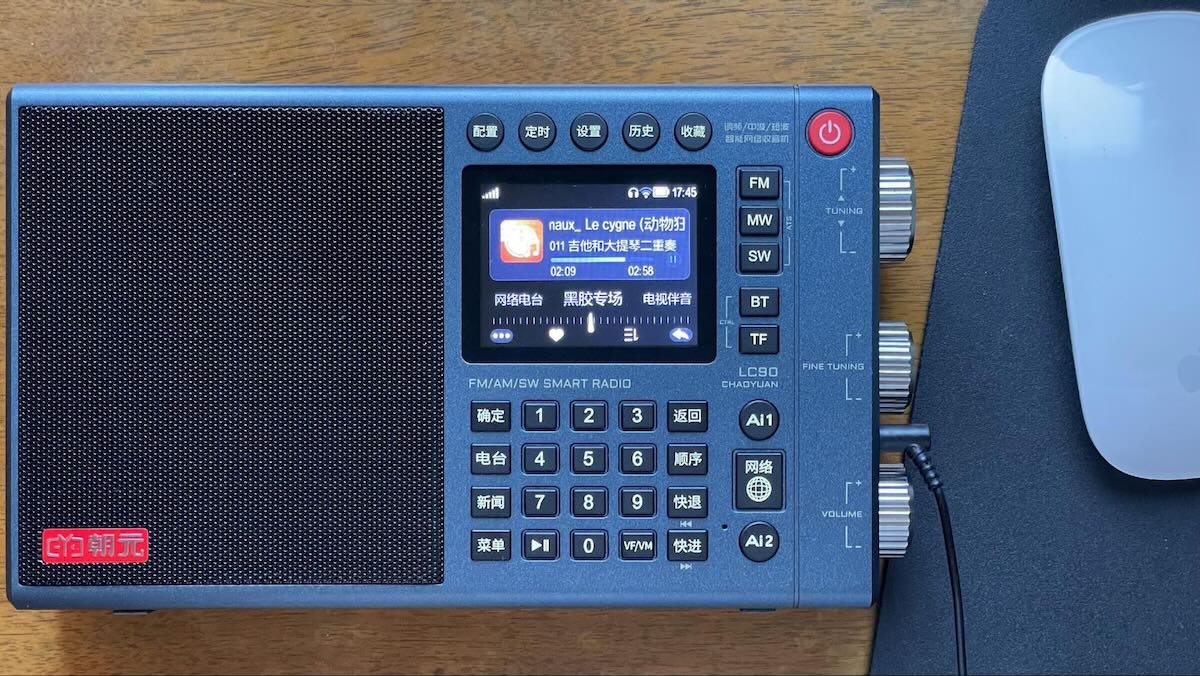
The LC90 full band smart Internet radio

The Radio at a Glance

The radio is of regular size. A computer mouse is placed in the picture above, so you have an idea of not only the radio’s looks but also its size. The exact dimensions are 200x122x40mm. Its weight is 640 grams. The radio has a built in 4G SIM card, with 3G prepaid data. You have to add credit to the card in time by scanning a QR code on the screen before the built-in SIM card expires. You can also use your own SIM card by inserting it to a slot at the bottom of the radio. And of course, you could use Wi-Fi at home.

Although the radio is a combination of the traditional radio and the Internet, it is very ingeniously designed and does not put off the user with too many bells and whistles – you could press the tuning button to change the shortwave band and the fine tuning button to change the band width. The tuning button also serves as an “enter” key. These are clever designs that effectively save extra buttons. I have not seen a similar design in other radios.

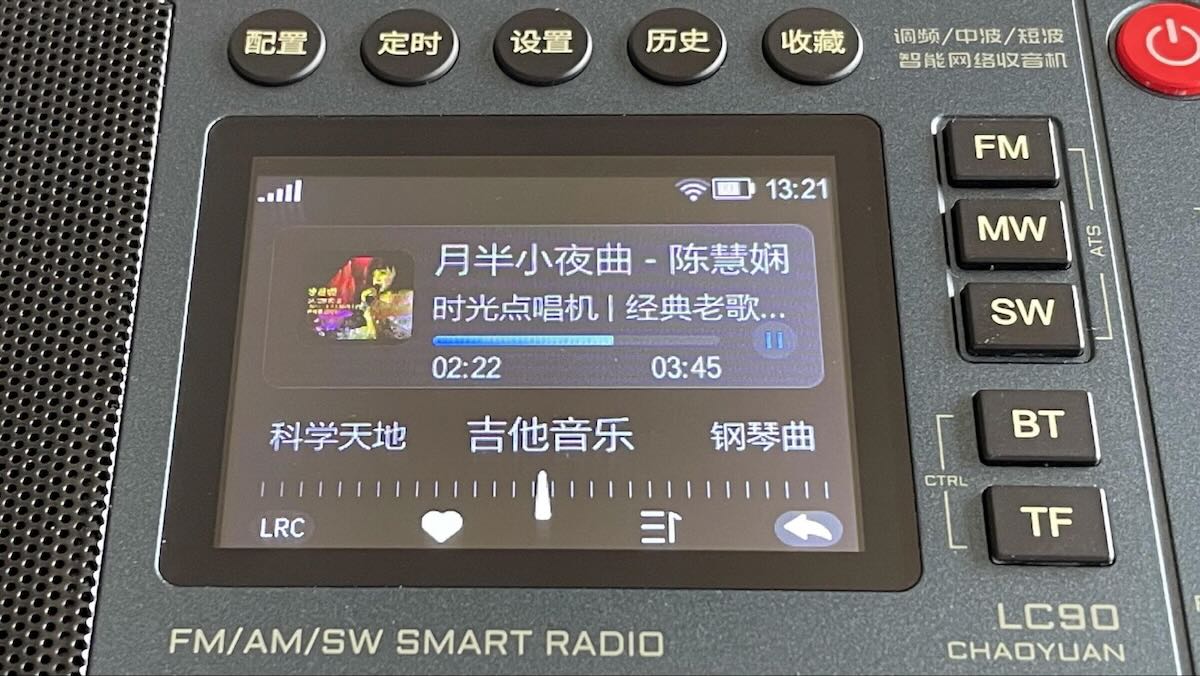
For those who do not read Chinese, the upper five buttons are, roughly, “Configure”, “Timer”, “Setup”, “History” and “Favorites”. The four buttons on the left: “Confirm”, “Stations”, “News” and “Menu”. The four buttons on the right: “Back”, “Sequence”, “Rewind” and “Fast Forward”. The button with a globe says “Internet”.

The radio has excellent audio quality, rich bass, with a well-balanced frequency response. It is powered by two 18650 rechargeable lithium batteries. The radio has no back stand.

Traditional Radio

All three modes (or bands) are available, FM, MW and SW, as shown in the three buttons on the upper right (to get LW just press MW again). The FM band covers 64-108MHz, which includes Japan’s FM band. During the FMDX season you could have stations from Japan and other countries to explore. The SW band covers 2300-26100KHz, continuous, almost the entire shortwave band, more than enough for broadcast listening. The antenna jack works for all three modes (or bands).

Excellent Shortwave Performance

As a shortwave listener of many years, I am most interested in the radio’s performance in shortwave reception. Well, it is indeed very good in terms of sensitivity, selectivity and audio quality, with no compromise although the radio has an Internet section which requires additional space and resources.

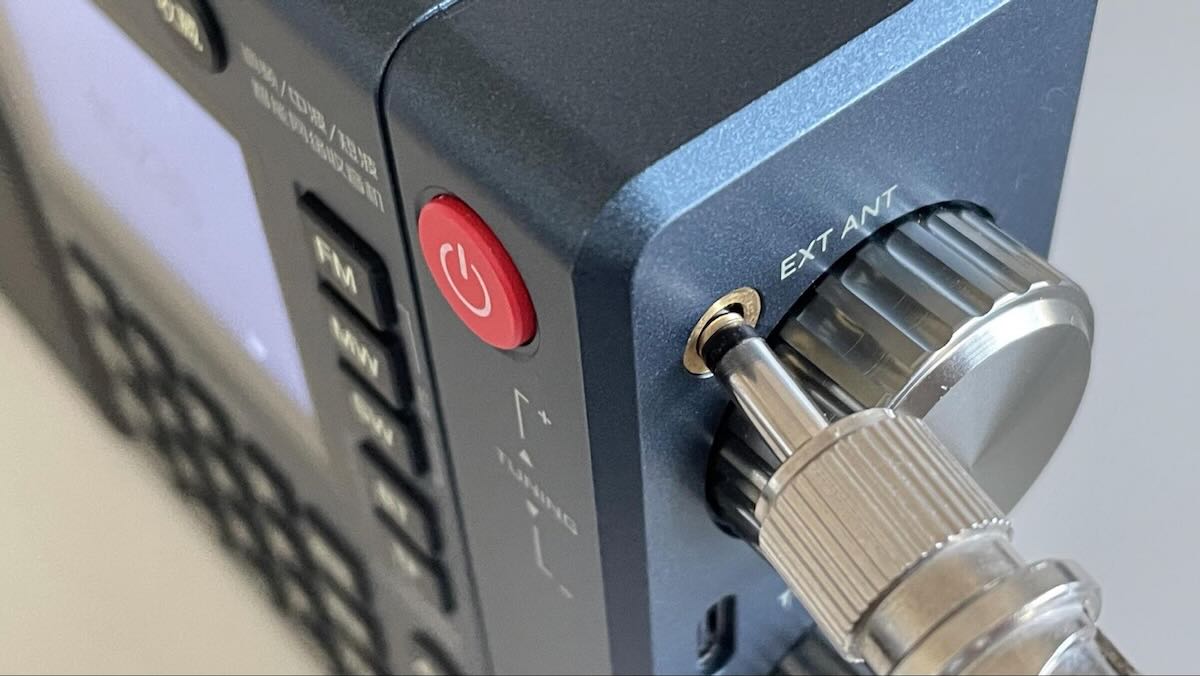
When you use the radio indoor, reception could be poor and you can insert an external antenna to the antenna jack. Unfortunately, I cannot connect my AOR LA400 loop antenna to it as the antenna jack is too close to the tuning knob and so there is not sufficient space for the plug (see picture). Generally, a 3.5mm plug with a wire should work well if you extend the wire outside.

The external antenna jack

If there is a disappointment, its shortwave reception does not decode SSB signals. If the user is not a ham radio hobbyist, SSB reception may not be really needed anyway and the buttons, circuits and space can be saved accordingly.

Fair FM Reception

FM reception is good, but there is no obvious improvement of reception when an external plug is inserted in the antenna jack.

Mediocre MW Work

Reception on the lower bands, e.g., the medium wave band, is always a challenge in cities. It is not surprising that medium wave performance of the LC90 is mediocre at best. I don’t do much MW DXing but nowadays for each MW frequency there is almost always an FM frequency. Let’s face it – we should perhaps forget about medium wave reception in cities where there is excessive low band EMI.

However, if you go outdoor with the radio, medium wave reception can still be a lot of fun. And, contrary to FM reception, an external antenna significantly improves its performance!

Internet Radio

Admit it or not, the best days of traditional radio are gone, and while we continue to have fun on the old time radio, we should not hesitate to embrace newer technologies such as the Internet. By launching the LC90 and combining the two, Chaoyuan has made a significant move.

The Internet radio is an integrator of many online stations on the Internet, and more. It is completely different from the traditional radio which receives radio signals transmitted on air. The Internet radio, which relies on the Internet, provides much better audio quality, no noise, customizable and replay-able.

If you want to kill time and look for signals from noises, turn to shortwave and enjoy DXing. If you feel like listening to solid content or enjoying noise-free music, the Internet radio is there for you. This Internet radio integrates major web stations in China and on that basis the user can further select and configure their own favorites. Among apps that are built-in is Ximalaya FM, the leading audio platform in China. Due to requirements of policies and regulations in China, the user does not have much discretion to include foreign stations in the radio. However, Chaoyuan has indicated that they are working in an effort to secure authorizations from Spotify, Alexa and Pandora which they hope could be incorporated in the overseas version of the LC90. The future overseas version is expected to give the user more discretion to include online stations of their own choice.

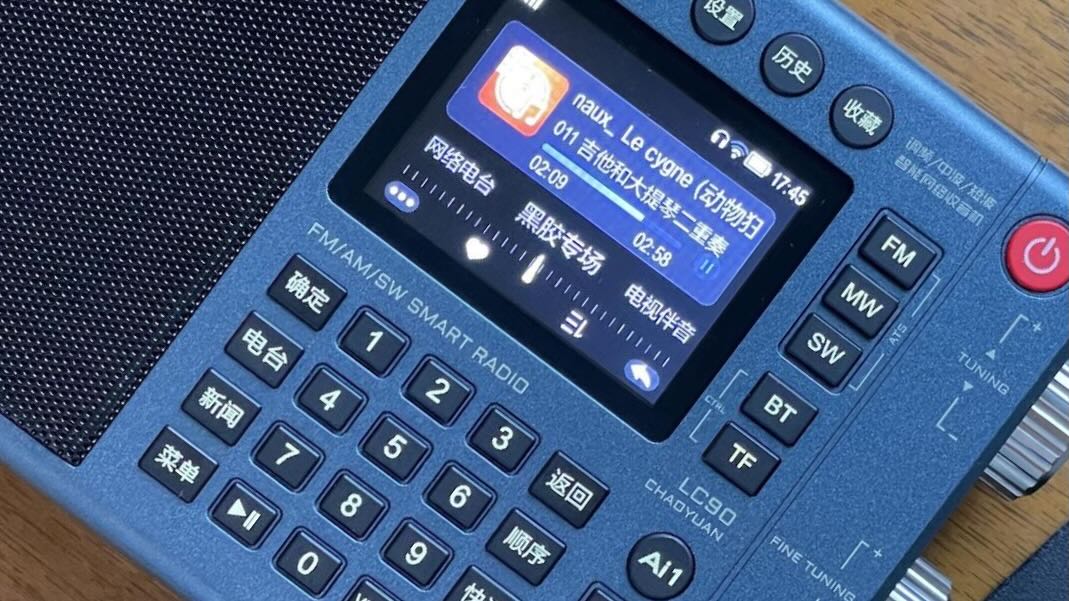
A closer look at the display of the Internet Radio

Two buttons, Ai1 and Ai2, are voice assistants. Activate and speak to them and the radio directly plays the content (Ai1) or displays their findings for you to choose from (Ai2).

Finally, this is a radio with the most accurate time. There is no need to set the time for it, as it is based on the Internet.

TomL’s Guide to Audio Plugins For Radios: Part 2 – SDR Recording

Many thanks to SWLing Post contributor, TomL, who shares the following guest post. Click here to check out all of the posts in this Audio Plugin series:


Audio Plugins For Radios, Part 2 – SDR Recording

by TomL

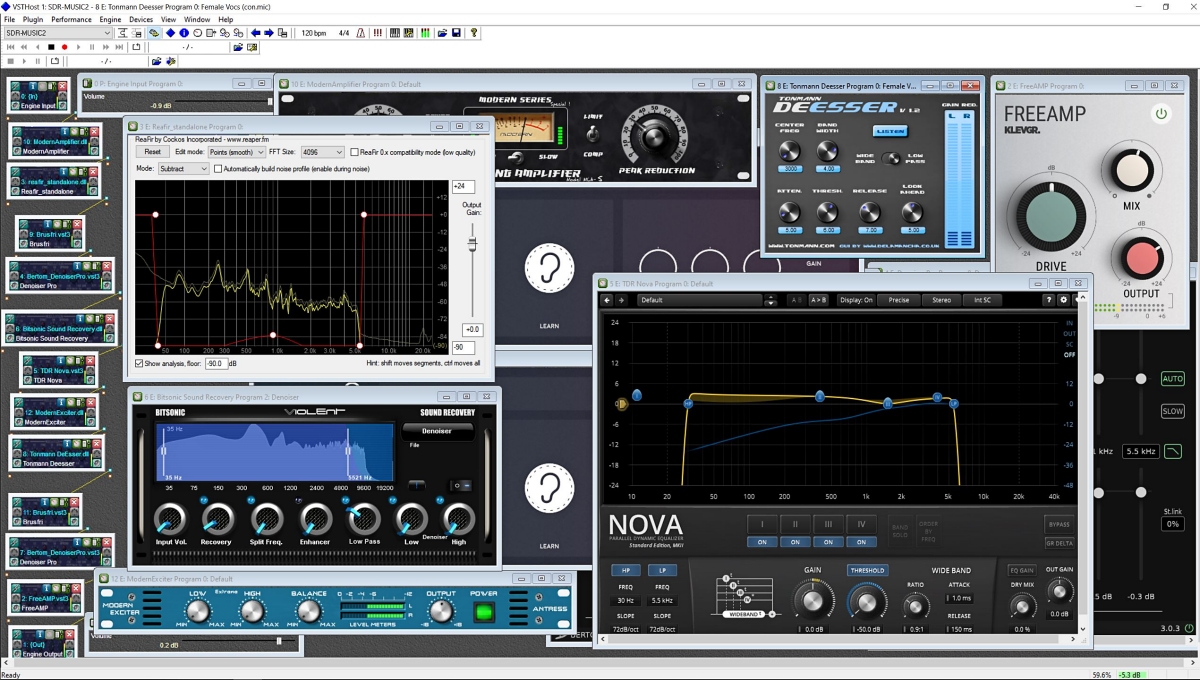
I started investigating using the old Kenwood transceiver to send audio to my laptop and process the receive audio using VST Host for a number of functions: Noise reduction, Equalization, reduce Sibilances and fading distortion, increase presence of vocals without sounding boxy, etc.  It was a qualified success depending on what VST apps I used, in what order they were used, and what settings each of them were set to.  In this episode of ongoing discovery, I will attempt to show how easy it is to OVER-process the shortwave broadcast audio plus comparisons to my regular Audacity post-recording treatment.

Audio Examples

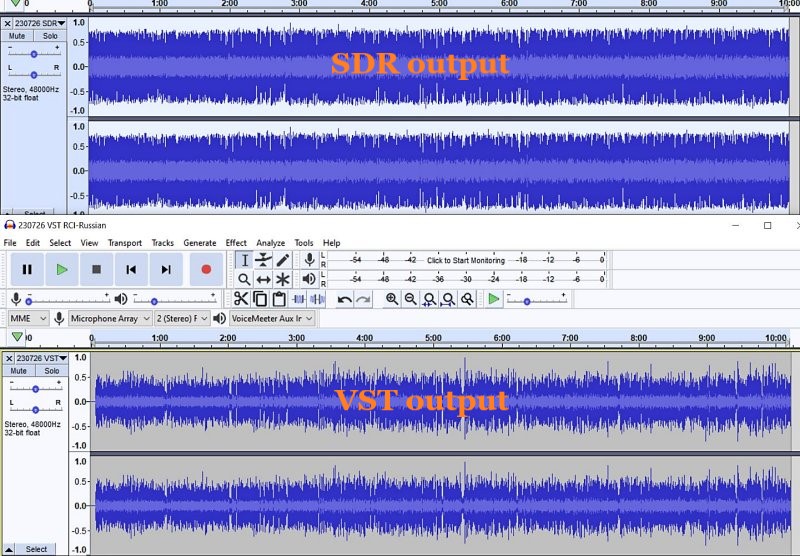
I noticed for the first time that the SDR creates a somewhat compressed file which can be seen when comparing the Waveforms of SDR vs. VST Host output files.  This means that the unprocessed SDR file will always appear to sound louder because of this compression.  This loss of Dynamic Range makes it harder to do the comparison.  Therefore, the Audacity-only examples below are reduced 3dB or 5dB to maintain apparent loudness.

Example 1:  KBS Weekend Playlist – S6-S9 signal, somewhat severe fading and moderate polar flutter.

SDR Console 3.2 using my usual NR4 set to 2dB Reduction, 30% Smoothing, and 3dB Rescale plus a Blackman-Harris-7, 5.3 kHz filter.

AUDACITY file is using my usual Audacity noise reduction:

VST version 2: Used my first set of VST apps.  Sounds harsh with hash-noise and overdriven:

VST version 3: Used way too much bass, too much grunge, attenuated highs, still overdriven:

VST version 4: Using a different order to the Denoiser apps, added in Modern Exciter app, cut back on some bass but still too much, and overly forward sounding midrange:

VST version 5: My current Baseline setup.  Adjusted the Denoiser apps, less extreme bass & treble, adjusted the De-Esser app, set the midrange to be less forward with just a single setting:

To my ears, Audacity processing is nice but as discovered before, sounds compressed and does not reduce some of the other problems inherent in shortwave signal fading and loss of musicality.  It sounds utilitarian.  Also, the noise is a bit more gnarly.

Versions 2-5 go through iterations of listening to the exact same segment over and over (and over) and trying different VST apps and settings.  I think my comments are mostly accurate next to each version.  However, you may think differently and perhaps prefer the sound of one of the other versions?

Example 2: Encore Classical Music, WRMI (fading S9 signal) – Audacity vs. Version 5 VST settings.  VST is quieter and sounds less harsh than the Audacity version.  A generally more smooth sound.


Example 3: RCI in Russian, S7-S9 with moderate polar flutter – 7kHz filter in SDR Console but VST Host is using BritPre, an analog preamp using a 6 kHz low pass filter to try to reduce DSP filter “ringing”.  It shows some interesting possibilities.

Example 4: RCI in Russian – Music from the same broadcast and VST Host setup in Example 3.  The screeching flute is under more control and strings more defined in the VST version.

Conclusions

I like the results of the audio processing that eventually ended up with “version 5” (plus the possibilities at 7kHz, too).  It is not Earth-shattering but is an incremental improvement in my opinion (there is always room for improvement).  I can use it in a simple Workflow anytime I want to record something off of the SDR.  Also, I had already been using Voicemeeter Pro, a software audio mixer.  It is setup with different profiles to do SDR, Ham, FM Broadcast, and now, VST Host audio routing.  This process took a long time but seems satisfactory to use as a Baseline setup, which then can be tweaked slightly depending on various types of audio coming from the SDR.  These changes in VST Host can be stored as their own unique profiles for audio processing.

However, a word of warning!  Messing with Windows audio Sound settings and mixer software is potentially a confusing process and one can easily end up with a spaghetti-pile of conflicting connections, no audio output, doubled echo output, distortion, way too loud, way too soft, etc.  If you start this experimentation, make sure to write down your current Windows Sound settings, both the Playback and the Recording settings for each item listed.

Having an SDR radio + Voicemeeter + VST Host is a very flexible setup.  I can now safely say that the only thing I need Audacity for is to Normalize the peak audio to the -1 dB broadcast standard volume, which is a HUGE time saver.  The SDR Console IQ files can be scheduled and processed from there at a later time.  Also, the use of Voicemeeter Pro allows me to switch when to use VST Host anytime I feel like it, and Voicemeeter Pro comes with its own (manually engaged) Recorder.

Part 3 of this series will discuss Technical details for my setup.  Your setup may need different settings or you may find a better way than I did.  This will take some dedicated time.

Happy Listening and 73’s,

TomL

Click here to follow all of the articles in TomL’s audio plugin series.

Sometimes simple works . . . really well! Exploring the CCrane EP PRO

By Jock Elliott, KB2GOM

This particular adventure began about three weeks ago with an email from CCrane. “Timeless, Easy to Use with Long Range Radio Reception” the headline read. Further, the accompanying text promised: Comes with needle and dial tuning, one button for power, one button for a bright display light, and has no clock or alarm.  The radio in question was the C.Crane CCRadio-EP PRO.

The “Long Range Radio Reception” initially caught my eye, but the simplicity of an old-fashioned “needle and dial” – what I call “slide rule” – tuning” also appealed to me, so I emailed CCrane, asked them if they would like to send me one for review, which they did, without charge.

While waiting for the EP PRO to arrive, I examined the photos of the EP PRO on the CCrane website, and I noticed something peculiar: a switch on back for choosing between 9 kHz tuning steps and 10 kHz tuning steps. Whaaat?! Why in the world would you need such a thing on a radio with needle and dial tuning?

We’ll get to the answer to that question shortly, but first let’s take a tour of the CCrane EP PRO.

The case is a rectangle with rounded corners that measures 11.4″ W x 7.3″ H (8.4″ H with handle) x 2.75″ D and weighs 4.5 pounds without batteries. Starting on the left front panel, you’ll find a 5-inch speaker. To the right of that, there is the slide rule (needle and dial) tuning setup, with a small red light on the right side that illuminates when a station is found. Below that is a CCrane logo and further below is a switch for selecting AM (520 – 1710 kHz, 10 kHz steps; 522 – 1620 kHz, 9 kHz steps), FM (87.5 – 108 MHz), or FM stereo; a knob for adjusting bass, a knob for adjusting treble, and a knob for choosing between narrow (2.5 kHz) and wide (6 kHz) filter bandwidths.

On top of the EP PRO are a red POWER button, a black button for lighting the tuning dial, a flip-up carry handle, and a 36-inch telescoping antenna for FM reception. (Inside the case is a ferrite bar antenna – 12mm x 200mm (7.9″) long with CCrane’s Twin Coil Ferrite® technology.)

On the right side of the case at top is the tuning knob, below that a knob for fine-tuning the internal antenna for AM reception, and at the bottom a knob for volume. On the left side of the case, you’ll find a 1/8” stereo headphone jack, a line-in jack, and a socket for plugging in an external 6-volt AC adaptor which is provided with the EP PRO.

On the back of the radio is a hatch for installing four D-cell batteries (CCrane says it will run for about 175 hours at moderate volume with the dial light off), external antenna connections: spring loaded for AM and “F” connector for FM, a switch for selecting internal or external AM antenna, and the switch for selecting 9 or 10 kHz tuning steps.

That’s it. The EP PRO is almost Zen-like in its simplicity. There are no seek buttons, no automatic storage functions, no memories, no key pad. And there is a darn good reason for that. It turns out that the immediate predecessor of the EP PRO, the CCrane EP, was created by Bob Crane because his mother wanted a very simple radio that was easy to operate. The CCrane EP, a true needle and dial analog radio, was the result.

Bob believed that, besides his mother, there was a market for such a radio, and there was. Unfortunately, after a time, the analog chips necessary to build the CCrane EP became unavailable. As a result, the radio was redesigned internally using modern digital chips (essentially the same as those in CCrane’s model 2E and 3 radios) while keeping it simple and easy to operate. So inside what looks like an old-fashioned analog radio beats the heart of a high-performance digital radio that combines the high sensitivity needed to hear distant stations with excellent selectivity to block signals from the side.

In my view, the EP PRO is great fun to operate. In the predawn hours on a weekend morning with the rain falling softly outside, I started tuning slowly across the AM dial with the EP PRO in my lap. Near the bottom end, a couple of sports mavens were chatting about a pitcher who had a couple of rough two initial outings and then had “settled in.”

A bit further up the dial Dionne Warwick was telling me to “walk on by.” Then I ran into a music station competing with a talk show considering “the Bible, angels, and UFOs.”

Up the dial some more, apparently a good deal on a high performance car could be had at a dealership in Connecticut; then an air quality report for New York City, a female voice delivering a long discourse in French and so on up the dial.

I was impressed at the number of stations that the EP PRO was pulling in, and it brought me back to the simple joy of tuning around to see what’s on the air.

Each time a discernible station appeared, the red tuning LED would light up. As needed, I used the antenna tuning knob and the bandwidth selection switch to tweak the signal. The needle and dial tuning gives an approximate indication of where on the band the radio is tuned, so if you want a positive ID, you need to listen for a station ID or some other clue to the station’s location.

At one point I jumped to the FM dial and found I could easily pick up many FM stations even with the whip antenna collapsed. In all, I am of the opinion that both the AM and FM sides of the receiver are pretty “hot,” and at no time did I find myself wishing for an auxiliary antenna for more signal.  Further, the sound through headphones or the speaker is very pleasant indeed. In my mind, the relatively unadorned exterior of the EP PRO belies its outstanding performance. To stretch an analogy, it’s a nitro-burning funny car in the body of a Honda Civic, and you don’t have to be a genius to drive it.

If you’re looking for a high-performance radio that is easy to use and sounds good through speaker or headphones, the CCRadio EP PRO delivers the goods. For a content DXer like me, the EP PRO encourages me to tune around and discover the magic of radio all over again.

CCRadio-EP Pro Retailers:

Jack examines the C.Crane CC Skywave SSB 2

Many thanks to SWLing Post contributor, Jack Kratoville, who shares the following guest review:


CC Skywave SSB 2: Thoughts and impressions

by Jack Kratoville

I had no intention of purchasing this radio. I already own two of the original Skywaves and, not big into Ham communications, saw little need for the upgrade. But as I was looking at the new SSB 2, my wife walked by and said, “Don’t you already have that one?” I told her it was the updated model and it’s on sale. “You should get it,” she replied. Sometimes it is best to listen to your wife.

My curiosity in the SSB 2 was the “slightly improved” audio and other updated features. It was shipped to my home for $149 complete and I eagerly opened the box. Putting it through the initial paces, I was highly disappointed. Some buttons didn’t work, and the “slightly improved” audio was harsher than the original. It was going back. In a final desperation, I stuck a paper clip in the reset hole and all functions came to life. While I still wasn’t impressed with the overall audio, I would spend more time with it. I’ll address the audio later, but let’s look at what this radio was intended for and how it stacks up to that challenge. This is a communication device, designed specifically for people looking for interesting and far away signals. As far as I can tell, it’s the only radio with “SSB” in its name – so let’s start there.

I have the Digitech AR1780 and the Eton Executive Satellit with SSB capability. I’ve explored both upper and lower sidebands on both. It always seems like too much work; pressing multiple buttons multiple times adding that the Digitech is a notoriously slow scanner. I enjoy them both, but SSB seems like an afterthought. The Skywave SSB 2 is far easier to track down and tune in signals. CCrane includes some tips in the booklet, and I find myself hunting for Ham conversations almost nightly. I haven’t had to attach an external antenna as of yet as I find something without them. If the primary purpose of this radio is to bring a capable SSB portable to your pocket on any adventure, CCrane has scored big. I’m still not a hard core listener, but this radio is very satisfying and I tend to check out the side bands much more frequently.

Next up is the SW band. The SSB2 has a longer antenna and I think it serves well pulling in more distant signals. First thing I noticed is that the SSB2 scans slower than the original Skywave. Perhaps this is due to the ability to detect single side band signals, but I’m not so sure. The original is quite speedy, the SSB 2 seems more normal. The best features are the external antenna options and the hardware provided in the box. Wherever you travel, you can easily hook up an antenna directly into the radio, simply using wire that attaches to the accessories in the box. There is a provided reel antenna, so your options are plentiful. I don’t get any overload, but I’m also not on top of any local signals. I have to say, as a communications device, this radio is designed to please.

Aircraft also benefits from a longer whip and external options. I can just get the feed from my local airport (about 5 miles away). The SSB2 gets the airport weather service clearly. There’s an updated scanner that is perfect for monitoring 2-3 signals at a time. This is a big improvement.

The weather band is one of my favorites and have always enjoyed it on the Pocket and Skywave. Here we have one step forward and one back. I understood why the original Skywave didn’t employ the tone switch on WX. There’s not a lot of dynamic audio here. But the SSB2 does which makes it a bit clearer and certainly louder. Very happy with that update, however when I push the presets on the SSB2, nothing! On the original, pushing 1 through 7 moved you to that WX channel. Now you have to slew through signals using the knob or buttons. Why would they omit this? At my home location, I receive 1, 4 & 7 and would simply press the preset I wanted to hear. Losing this capability makes no sense at all.

AM/MX. This band is always a CCrane strength and the SSB2 will not disappoint. Excellent sensitivity, filtering and scanning options makes this a top tier pocket portable.

FM. Better antenna, better reception. I think it’s a hair more sensitive and selective than the original Skywave, but listening to the FM band leads me into my biggest gripe, the audio.

“Slightly Improved” is a way of saying “don’t expect too much.” At first, I was highly disappointed. Even on “Voice,” the FM band sounded shrill and fatiguing. I almost returned it that first day. I decided that it was better to give time and put it through various paces and locations. Here’s my personal assessment. While audio dynamics is as personal as one’s favorite color, I must start by saying they did make a sizeable effort to improve this radio’s sound – to a degree. Excluding FM, the audio is louder and fuller. I would go as far to say it’s a bigger improvement than they give themselves credit for, especially with SW, SSB and WX. But with FM, they could have trimmed that high end 1-2db and it would have been so much better. U.S. FM signals are overprocessed to begin with and this radio highlights that flaw immensely. (The PL-310et does as well, but with slightly better low end to balance the sound). I’ve brought the radio outside, listened to the non-commercial locals and various low key programming – when the high frequencies are more muted, this model sounds much better than the original. OK, admittedly people are not laying out $160 for this radio to listen to the Zombies, U2 or even Doja Cat, but I don’t think it would have taken much to make this radio audibly more pleasant on all bands.

Where the audio does suffer is at low, low levels. This is not for listening in bed late at night. The improved amplifier has to send more energy to the speaker and that creates a low-level hiss – even when the volume is at zero. This is not a Skywave SSB2 issue, it is an issue with most audio devices trying to pump more into a smaller speaker. Most radios suffer from this to a degree (the original Skywave does not), but some are better than others. The SSB2 is very noticeable.

I honestly feel CCrane put in a big effort trying to please their core base with multiple adjustments to this radio. The screen light is better dispersed. When you shut the unit off, it gives you the time before the light extinguishes. Switching on and off or between bands, the audio fades up and down – better than unexpected loudness. The tuning knob is vastly improved with satisfying clicks and no jumping over frequencies. The volume knob is stiffer with less play. The buttons are better, and the adjusted layout is extremely intuitive. I’m not a huge fan of the current style, but it makes sense. CCrane designed this radio to be more in line with the CC Pocket, giving their portable lineup familiarity between models. I’d prefer the page and memory numbers to remain on screen, but it’s extraneous information. I don’t listen through the earbuds, but they are working on whatever clicking problems occur when switching between bands.

No radio will ever be perfect nor please everyone, but I remain a fan of CCrane. For Ham and SW enthusiasts on the go, this radio is worth your consideration. You can buy cheaper, but you will only get what you pay for. My original Skywave, purchased in 2015, continues working like it did brand new and remains my #1 travel companion. Well, number two behind my wife.

Click here to check out the Skywave line at C.Crane.