Shortwave listening and everything radio including reviews, broadcasting, ham radio, field operation, DXing, maker kits, travel, emergency gear, events, and more
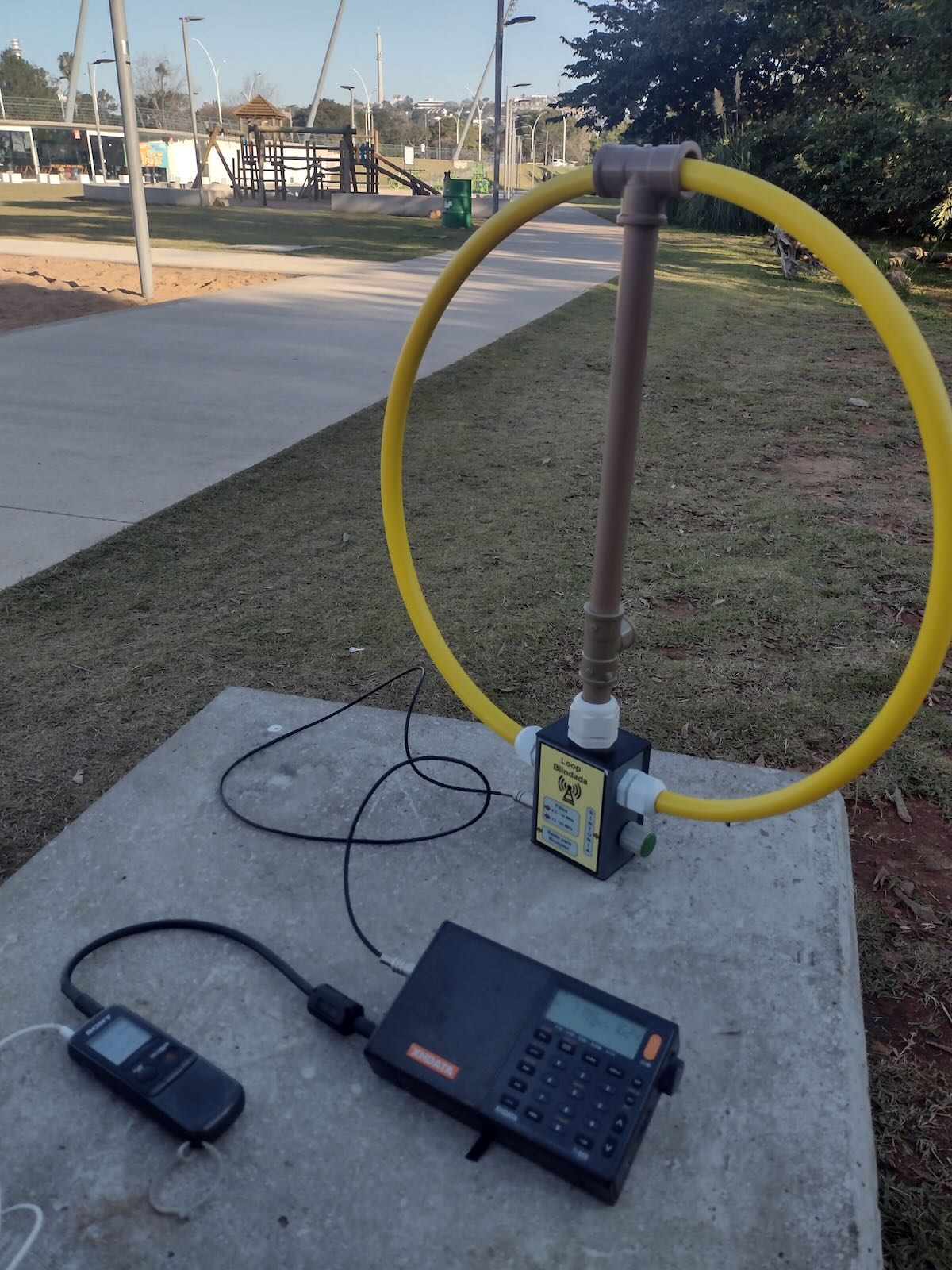
Carlos’ Radiofax portable receiving and recording station.
Many thanks to SWLing Post contributor, Carlos Latuff, who recently shared a number of Radiofax images of Typhoon Khanun he’s decoded over the past few days–apologies as I’ve been traveling and could not post when received. Carlos writes:
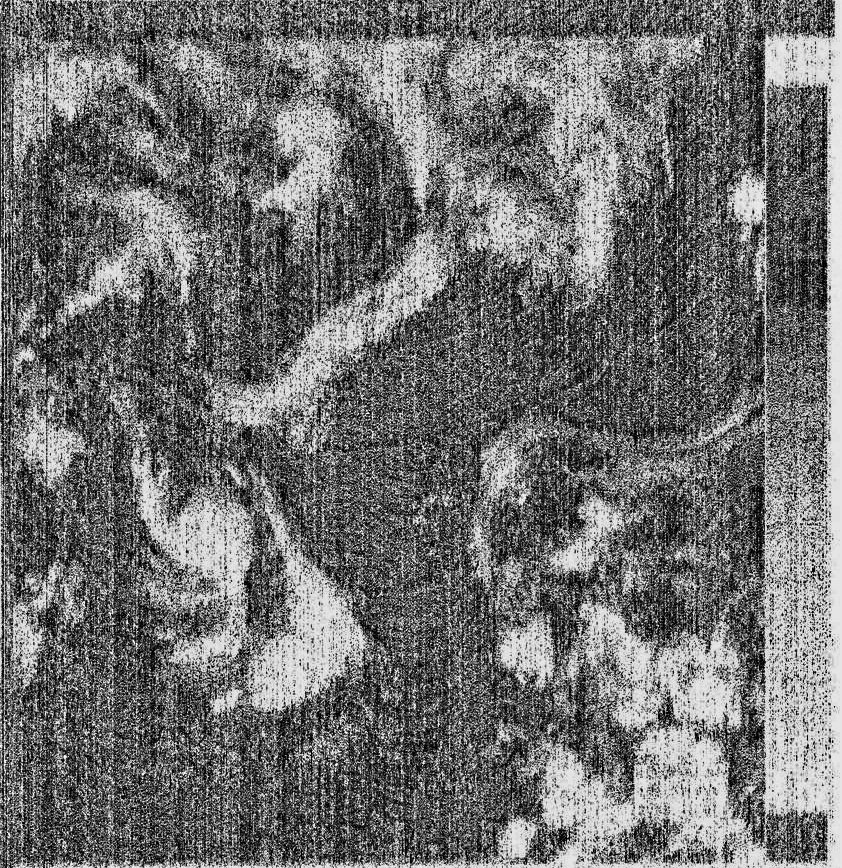
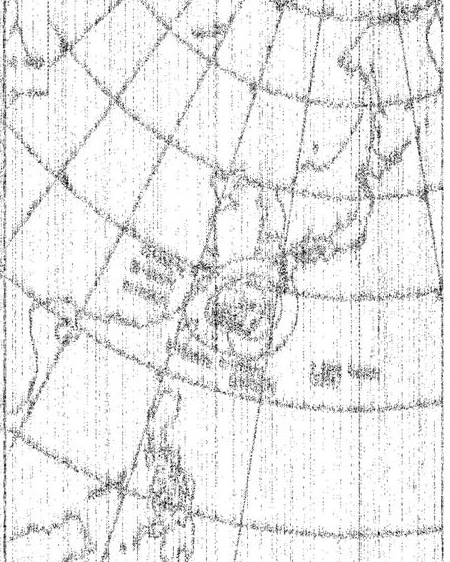
Attached is a satellite image broadcasted today by Japanese meteorological agency via radiofax (7795 kHz USB), and received by me in Porto Alegre, Brazil, at 19h10 UTC.
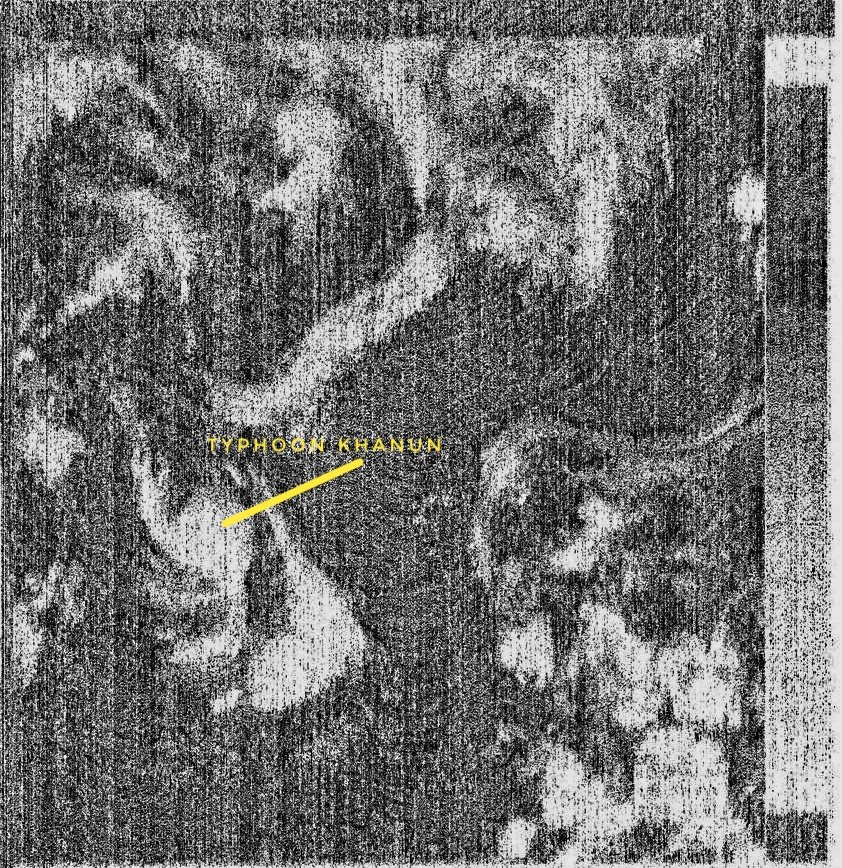
Even with image quality compromised by the signal, it’s possible to spot powerful typhoon Khanun, approaching Okinawa, with winds of 220 km/h.
Receiver is a Xhdata D-808 with loop antenna, signal decoded by HF Weather Fax app.
Also:
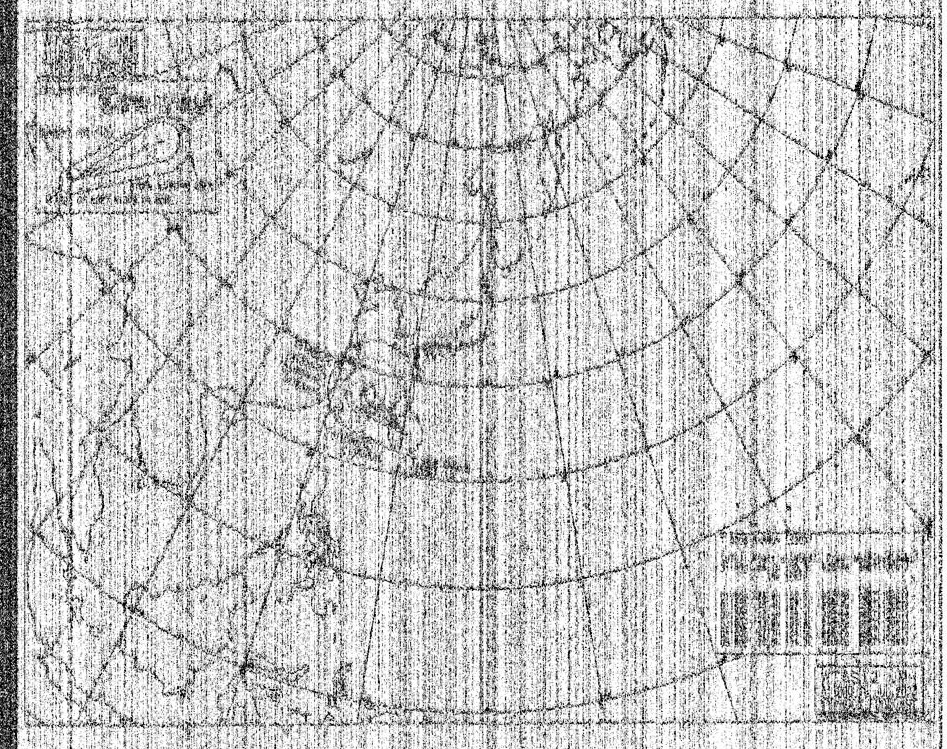
Tropical cyclone forecast broadcasted today by Japanese meteorological agency via radiofax (7795 kHz USB), received in Porto Alegre, Brazil, at 19h50 UTC.
Typhoon Khanun is approaching Okinawa, with winds of 220 km/h.
In addition:
Radiofax (detail) from the meteorological agency of Japan, received today at 19:50 UTC in Porto Alegre, frequency 7795 kHz (USB). In the circle, position of the powerful typhoon Khanun, in southern Japan.
Thank you for sharing these, Carlos. It’s amazing that with such simple equipment we can track and download weather events and imagery like this. Pretty amazing!
Many thanks to SWLing Post contributor, Rose with RNEI, who writes:
Hei Thomas,
This week we’re showcasing a new show as we like to do from time to time and this time it’s DK Radio. It’ll be on the WRMI broadcasts of RNEI for this week only (that’s 01UTC Thursday on 5850, 13UTC Thursday on 15770 and 01UTC Sunday on 5010.)
It might be noteworthy due to it being a full DJ’ed DnB mix on shortwave which isn’t all that common!
Wishing you well,
Rose
Radio Northern Europe International https://rnei.org
Thanks so much for the tip, Rose! I look forward to tuning in!
Many thanks to SWLing Post contributor, Bill Hemphill (WD9EQD) who writes:
Hi Thomas,
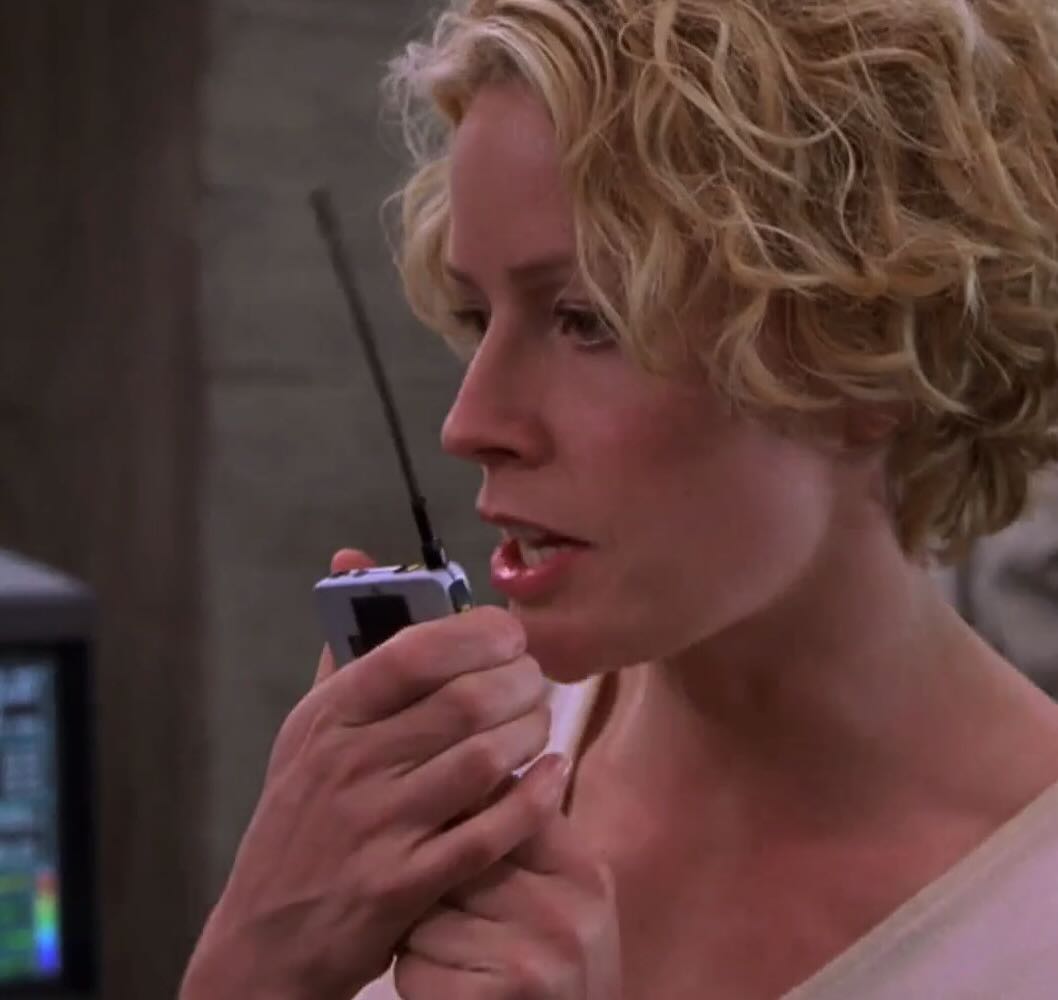
Last night, I was watching the movie “Hollow Man.” Being a ham, I’m always watching for ham gear being used in movies. Quite often they use various Kenwood or Icom handheld radios.
At about 1 and half hours in the movie, I caught a glimpse of what I thought was one
of the more usual (and unlikely) ham heldhelds:
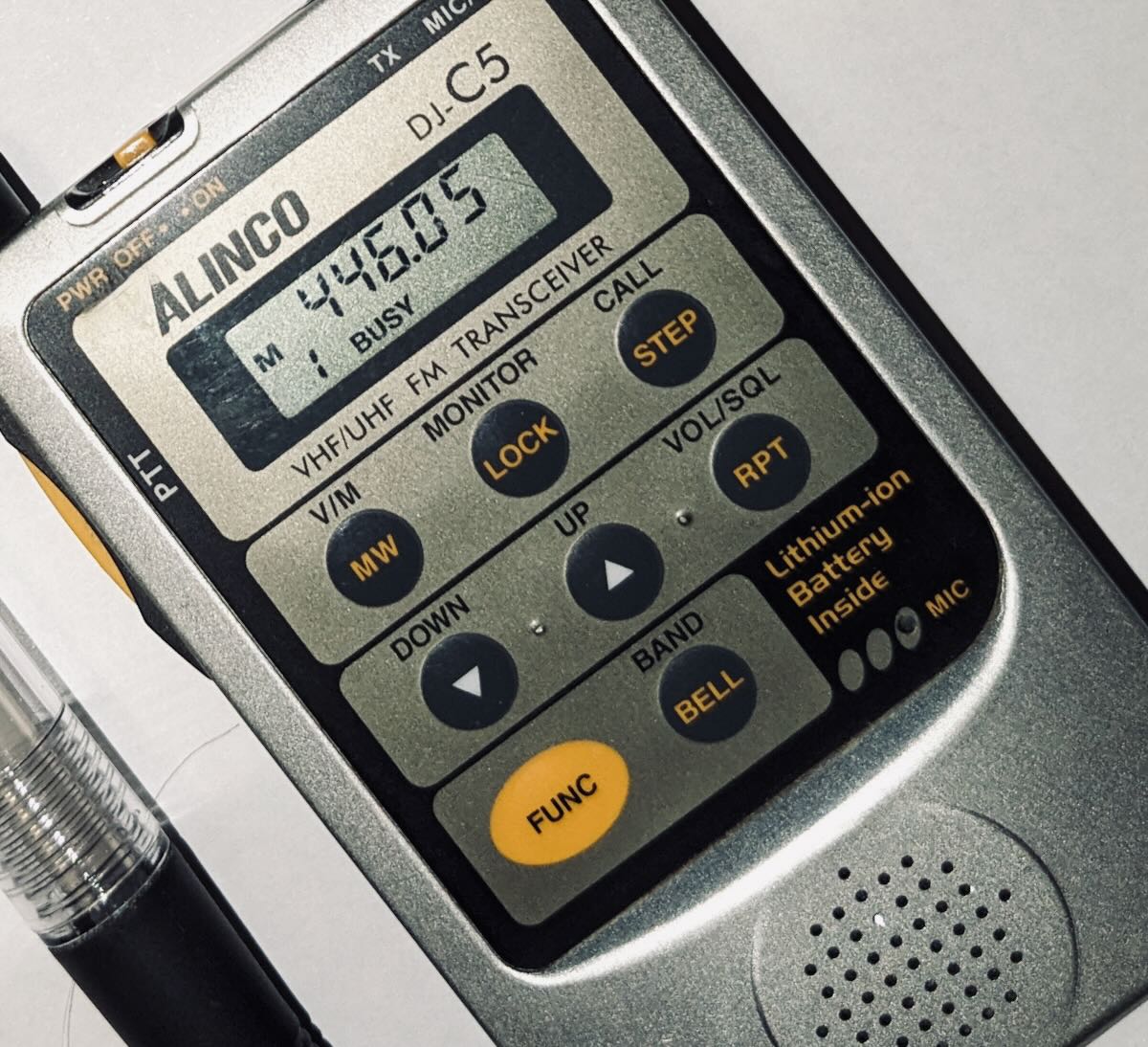
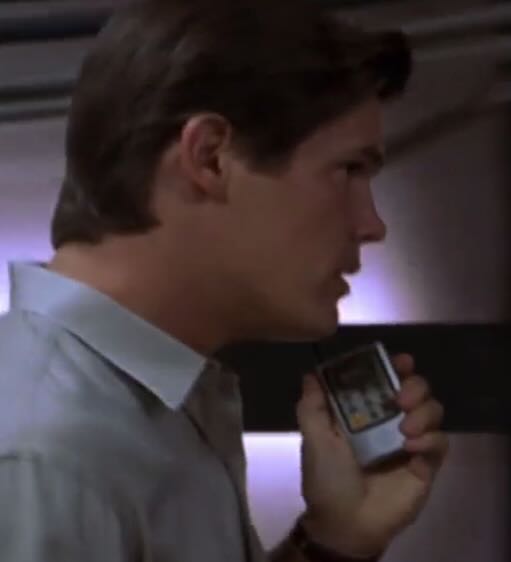
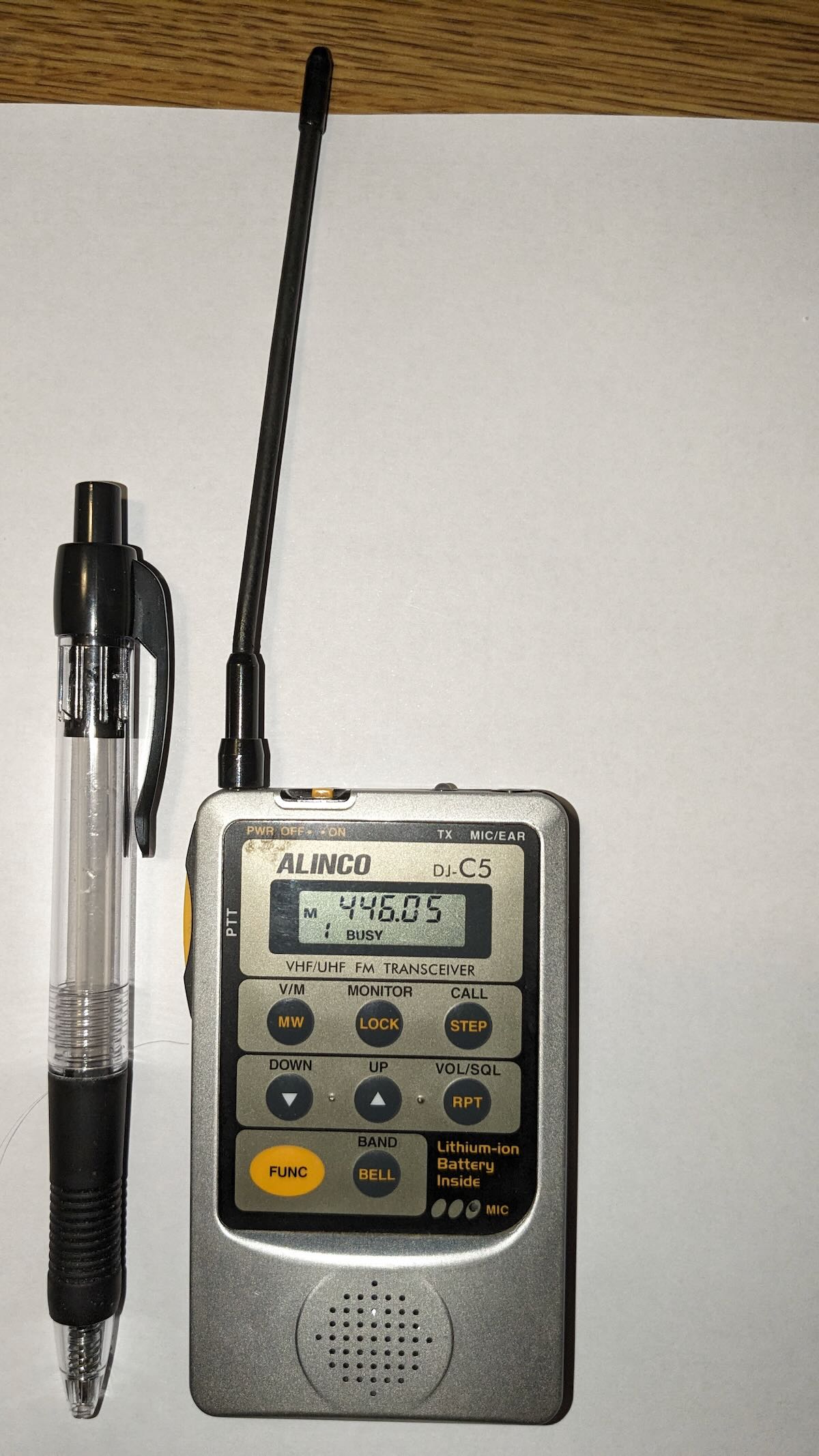
Just from this screen clip, I was pretty sure that I was looking at the Alinco DJ-C5 credit card HT.
I was able to capture another clip that confirmed it:
In the late 90’s, Alinco made three credit card radios; DJ-C1 for two meters, DJ-C4 for 440 and finally the DJ-C5 dual band that could also receive the aircraft band.
The C1 and C4 were earpiece only radios while the C5 had a small speaker added which made it a lot more usable.
They are quite amazing little radios. It was great fun seeing them appear in a movie.
Here’s one of mine with a ink pen next to it to show size:
Thank you for sharing this, Bill! I remember when these credit card-sized HTs were on the market and I wanted one if for no other reason than to feel like a spy! Great catch, OM!
Many thanks to SWLing Post contributor, Ron, who writes:
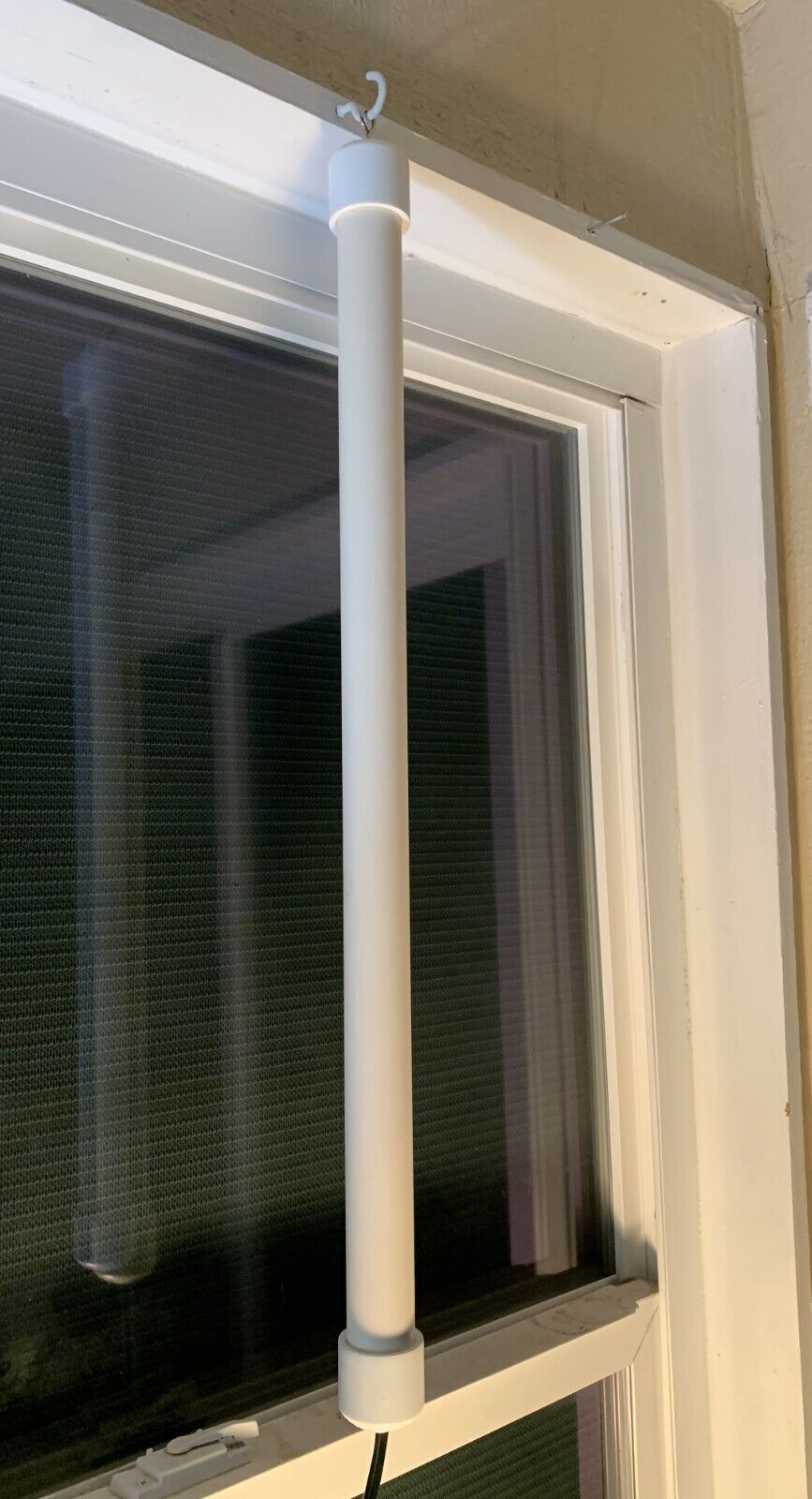
If you like monitoring the VHF airband then this antenna might interest you.It is a half-wave dipole cut for the middle of the band. (Recall that half wave vertical dipoles do not need ground radials.)
It is very well built and pretty rugged but is not meant for outdoor use.
How well does it perform? That depends on several things…how far you are from your airport? What is the “lay of the land” where you live? Etc.
Does it work better than the supplied telescoping antenna that came with your scanner?
Yes indeed.
And you will also notice an improvement in comms from aircraft in flight, too.
I had hoped to hear the ATIS and VOR from my local airport but they are too far away (20 miles).
In addition, the eBay seller (and builder) is also very pleasant to deal with.
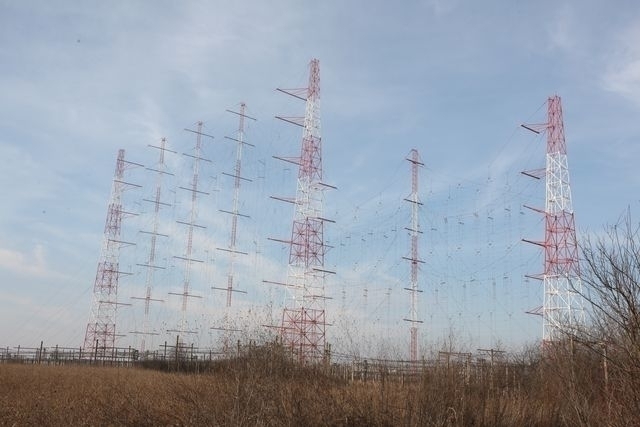
Two out of the five transmitters broadcasting RRI’s programmes are temporarily suspended as of 1 August
Dear friends, the Radio Romania Board of Administrators decided to temporarily suspend the use of 2 out of the 5 Radiocom shortwave transmitters that ensure the broadcast of Radio Romania International programmes, because of budget cuts. As of August 1, our programmes are aired via one transmitter in ?ig?ne?ti, one in S?ftica (both of them near Bucharest) and one in Galbeni (east). As soon as the budget of the institution is restored, we will resume broadcasts on all 5 transmitters.
The RRI programmes in Romanian, English, French, German, Spanish, Russian, Arabic, Chinese and Hebrew are affected. All of them may be received on only one frequency instead of 2, as of August 1, 2023. The frequencies as well as any other prospective changes operated by Radiocom further to reception monitoring and to your feedback on reception quality will be announced in our broadcasts, on our web page and on Facebook.
Budget restrictions also prompted a reduction of the night time power of medium wave transmitters that broadcast Radio Romania News and Current Affairs programmes and of some regional stations.
We invite you to follow RRI’s programmes online at www.rri.ro (including on demand), on SoundCloud, on Android and iOS apps, via TuneIn and via satellite. You can find more details on our home page. You can also follow us on Facebook, Twitter, Instagram, YouTube, LinkedIn and Spotify.
Many thanks to SWLing Post contributor, Alan Roe, who shares his A-23 (version 4.0) season guide to music on shortwave. Alan provides this amazing resource as a free PDF download:
Many thanks to SWLing Post contributor, TomL, who shares the following guest post. Click here to check out all of the posts in this Audio Plugin series:
Audio Plugins For Radios, Part 2 – SDR Recording
by TomL
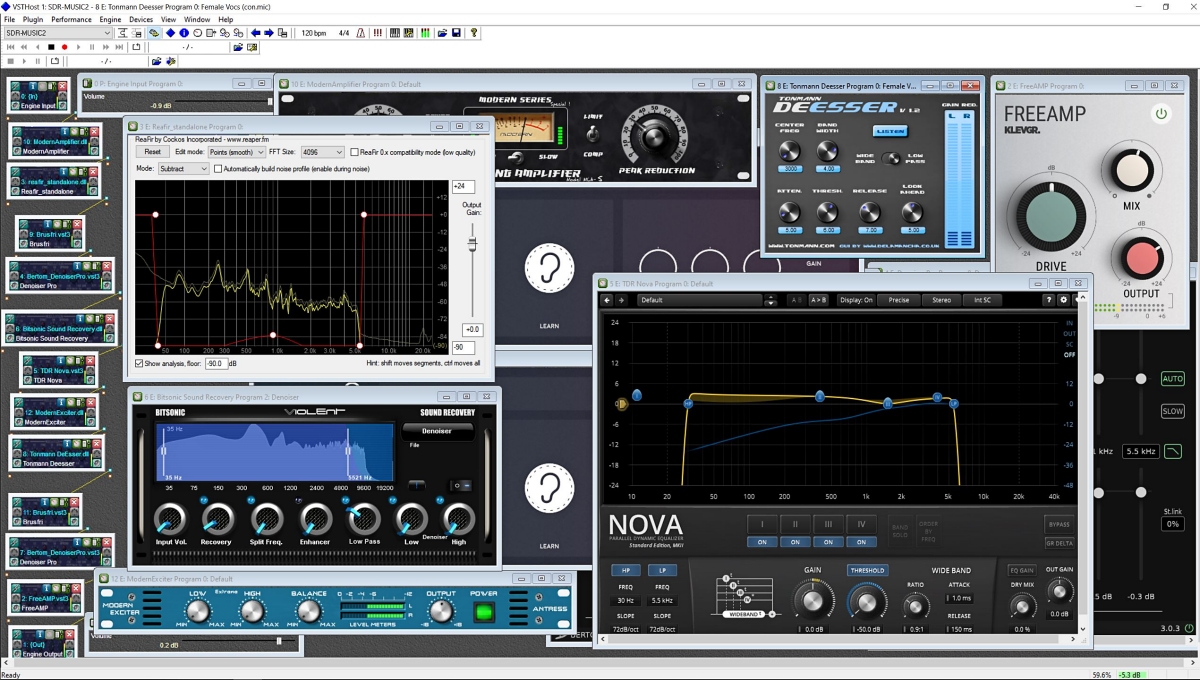
I started investigating using the old Kenwood transceiver to send audio to my laptop and process the receive audio using VST Host for a number of functions: Noise reduction, Equalization, reduce Sibilances and fading distortion, increase presence of vocals without sounding boxy, etc. It was a qualified success depending on what VST apps I used, in what order they were used, and what settings each of them were set to. In this episode of ongoing discovery, I will attempt to show how easy it is to OVER-process the shortwave broadcast audio plus comparisons to my regular Audacity post-recording treatment.
Audio Examples
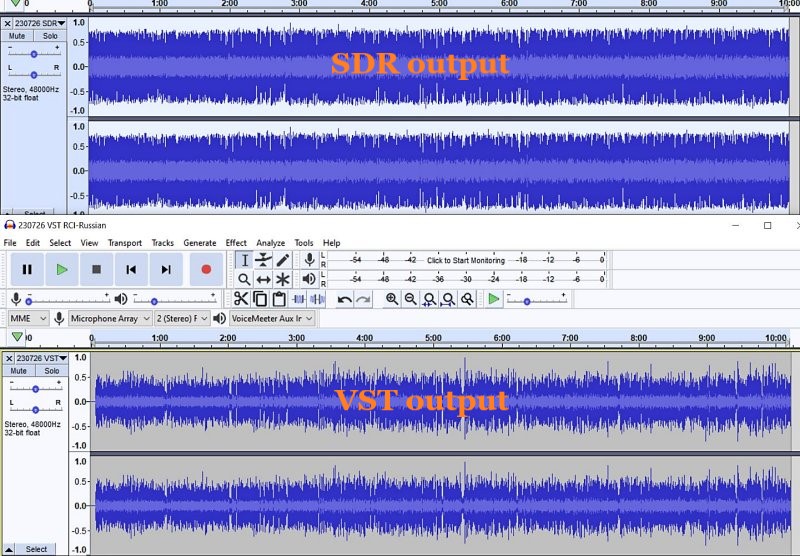
I noticed for the first time that the SDR creates a somewhat compressed file which can be seen when comparing the Waveforms of SDR vs. VST Host output files. This means that the unprocessed SDR file will always appear to sound louder because of this compression. This loss of Dynamic Range makes it harder to do the comparison. Therefore, the Audacity-only examples below are reduced 3dB or 5dB to maintain apparent loudness.
Example 1: KBS Weekend Playlist – S6-S9 signal, somewhat severe fading and moderate polar flutter.
SDR Console 3.2 using my usual NR4 set to 2dB Reduction, 30% Smoothing, and 3dB Rescale plus a Blackman-Harris-7, 5.3 kHz filter.
AUDACITY file is using my usual Audacity noise reduction:
VST version 2: Used my first set of VST apps. Sounds harsh with hash-noise and overdriven:
VST version 3: Used way too much bass, too much grunge, attenuated highs, still overdriven:
VST version 4: Using a different order to the Denoiser apps, added in Modern Exciter app, cut back on some bass but still too much, and overly forward sounding midrange:
VST version 5: My current Baseline setup. Adjusted the Denoiser apps, less extreme bass & treble, adjusted the De-Esser app, set the midrange to be less forward with just a single setting:
To my ears, Audacity processing is nice but as discovered before, sounds compressed and does not reduce some of the other problems inherent in shortwave signal fading and loss of musicality. It sounds utilitarian. Also, the noise is a bit more gnarly.
Versions 2-5 go through iterations of listening to the exact same segment over and over (and over) and trying different VST apps and settings. I think my comments are mostly accurate next to each version. However, you may think differently and perhaps prefer the sound of one of the other versions?
Example 2: Encore Classical Music, WRMI (fading S9 signal) – Audacity vs. Version 5 VST settings. VST is quieter and sounds less harsh than the Audacity version. A generally more smooth sound.
Example 3: RCI in Russian, S7-S9 with moderate polar flutter – 7kHz filter in SDR Console but VST Host is using BritPre, an analog preamp using a 6 kHz low pass filter to try to reduce DSP filter “ringing”. It shows some interesting possibilities.
Example 4: RCI in Russian – Music from the same broadcast and VST Host setup in Example 3. The screeching flute is under more control and strings more defined in the VST version.
Conclusions
I like the results of the audio processing that eventually ended up with “version 5” (plus the possibilities at 7kHz, too). It is not Earth-shattering but is an incremental improvement in my opinion (there is always room for improvement). I can use it in a simple Workflow anytime I want to record something off of the SDR. Also, I had already been using Voicemeeter Pro, a software audio mixer. It is setup with different profiles to do SDR, Ham, FM Broadcast, and now, VST Host audio routing. This process took a long time but seems satisfactory to use as a Baseline setup, which then can be tweaked slightly depending on various types of audio coming from the SDR. These changes in VST Host can be stored as their own unique profiles for audio processing.
However, a word of warning! Messing with Windows audio Sound settings and mixer software is potentially a confusing process and one can easily end up with a spaghetti-pile of conflicting connections, no audio output, doubled echo output, distortion, way too loud, way too soft, etc. If you start this experimentation, make sure to write down your current Windows Sound settings, both the Playback and the Recording settings for each item listed.
Having an SDR radio + Voicemeeter + VST Host is a very flexible setup. I can now safely say that the only thing I need Audacity for is to Normalize the peak audio to the -1 dB broadcast standard volume, which is a HUGE time saver. The SDR Console IQ files can be scheduled and processed from there at a later time. Also, the use of Voicemeeter Pro allows me to switch when to use VST Host anytime I feel like it, and Voicemeeter Pro comes with its own (manually engaged) Recorder.
Part 3 of this series will discuss Technical details for my setup. Your setup may need different settings or you may find a better way than I did. This will take some dedicated time.