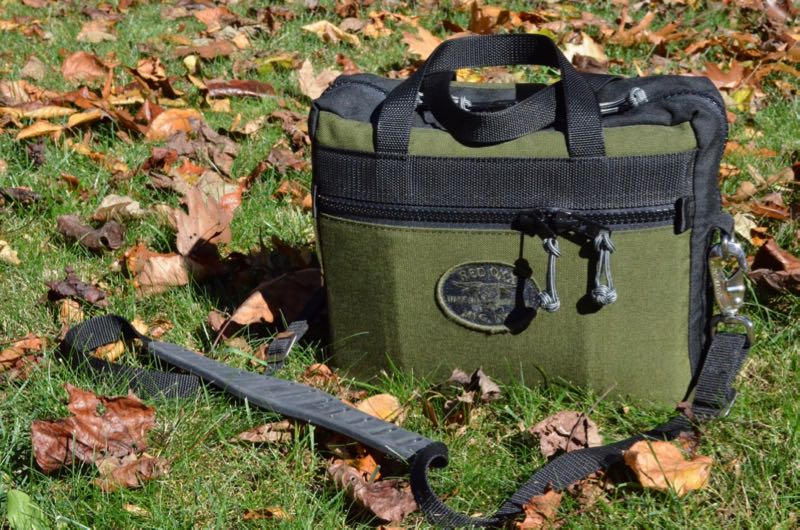
Besides being a radio enthusiast, regular SWLing Post readers know that I’m also an avid traveler and, as a result, something of a pack geek.
In September, I posted a review of the Red Oxx “Lil Roy”–a small, relatively inexpensive multi-purpose bag that I love to haul my radio gear in.
In the spirit of full disclosure, I’m a huge fan of Red Oxx gear. I’m fairly choosy about the quality of packs that I buy and am willing to pay a premium for packs that offer exceptional durability and are guaranteed for life. Red Oxx gear is designed and made in Montana, USA, and is nearly bullet-proof.
I love the design of Red Oxx bags; they can’t always be accurately described as tactical, low-profile, or urban, however. Red Oxx leader Jim Markel describes the bags’ strengths this way: “Tactical strength without looking like you’re going to war.” That’s fair.
Their designs are unique to the company and, I would argue, in Red Oxx bags, form definitely follows function.
After posting my review of the Red Oxx “Lil Roy,” I received a message from a representative at Red Oxx. They kindly noted that they were impressed by the detail my review provided, but also recalled that last year, I’d made a suggestion that they design an EDC (Everyday Carry) bag especially suited to those of us who like to carry radio gear (or any electronic gear, for that matter) out to the field. I specifically requested if they would consider designing a medium-sized bag with padded sides and floor, and the option for an over-the-shoulder carry strap––?
My hopes were not unfounded. Red Oxx replied, saying that they’d actually designed just such a bag and wanted to know if I would test it prior to release, and offer any input.
Well…How could I resist?
The “Micro-Manager,” as their new product is aptly and amusingly named, arrived the day I left on a weekend trip. As I drove down the road with the unopened box next to me, I simply couldn’t wait to see what the design looked like. Since I didn’t know the dimensions, configuration, compartment size, nor the coloring, I really wasn’t sure what to expect.
Introducing…the Micro Manager
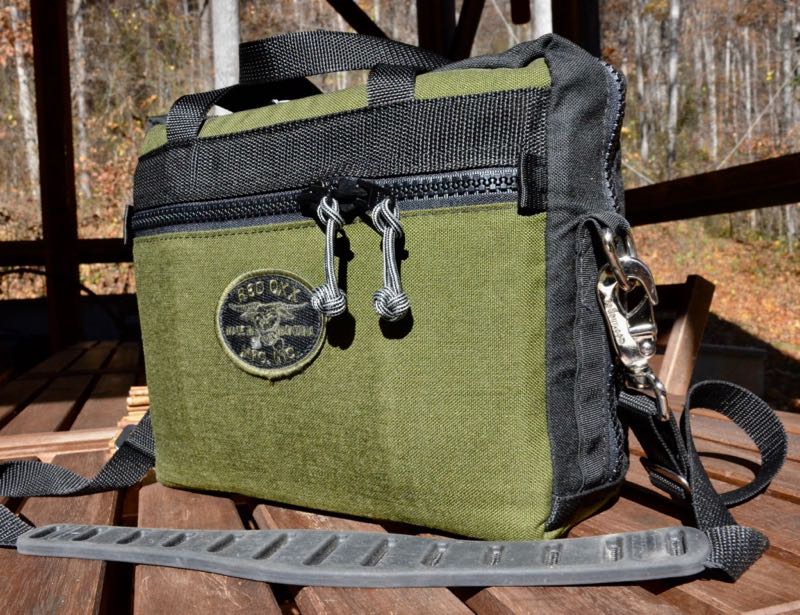
Upon reaching my destination, I opened the box and removed the Micro Manager––and by golly, I was very impressed with the bag’s size: modest, handy, but not dinky. Just about right.
I say this because portable radio gear is a funny thing. Quite often I find a great pack in terms of material and features, but it’s either too small or too shallow for portable gear––or, at the other extreme, swallows my equipment, so that I have to fish around in its yawning depths to find my rig and add extra padding. Rarely is a bag appropriately sized in terms of height, width, and depth for radio carry. The Micro Manager appeared to be just about the size I’d have made it, if I designed it myself. But I had still to test it with the actual equipment, so I tried not to get my hopes up too soon.
Construction
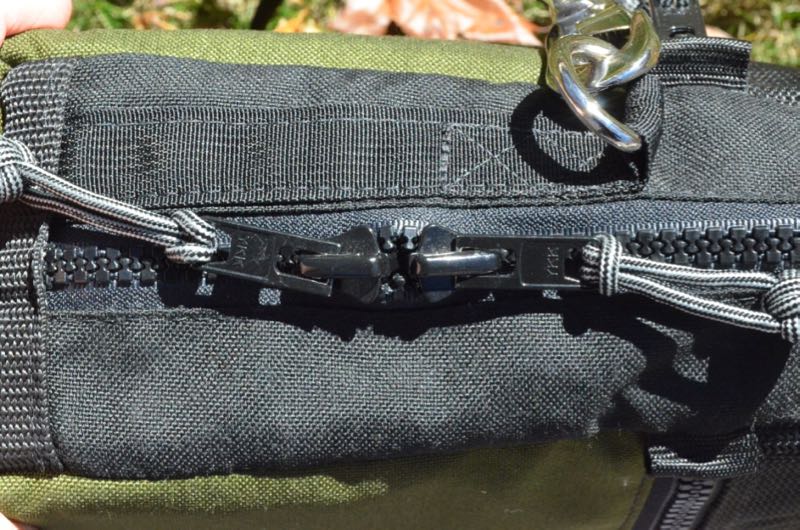
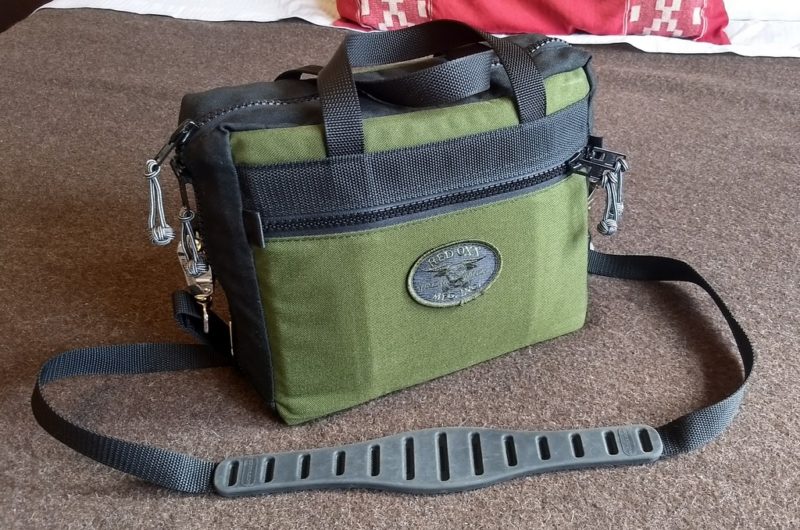
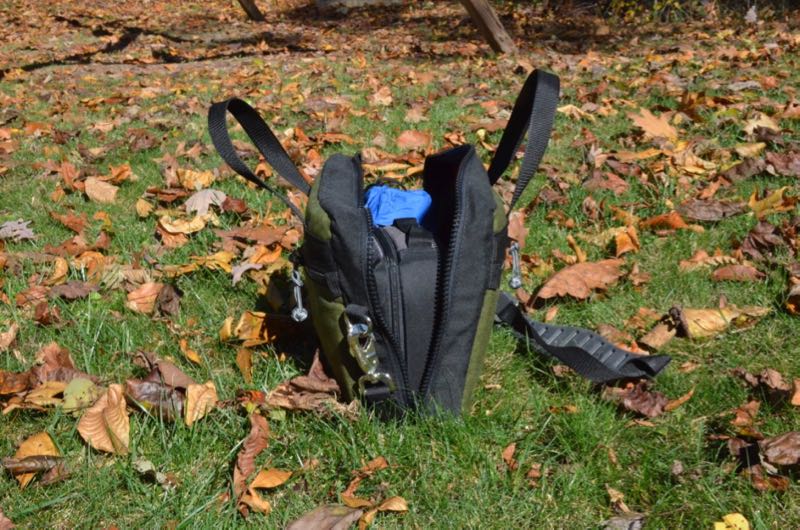
I unzipped the pack, noting that the Red Oxx-standard extra-beefy #10 YKK VISLON zippers actually extend to within an inch of the bag’s base. In terms of main compartment access, structure, and configuration flexibility, I find this nearly ideal. The zippers also have attached “monkey fist” knots made from nylon cording that permit easy zipper operation. These look rather cool, too. In addition, the Micro Manager is designed with the Red Oxx Claw Shoulder Strap in mind, having two D-rings on opposite sides of the zipper––this means balance on the shoulder. And the Micro Manager includes the Claw Shoulder Strap, which is sturdy and solid.
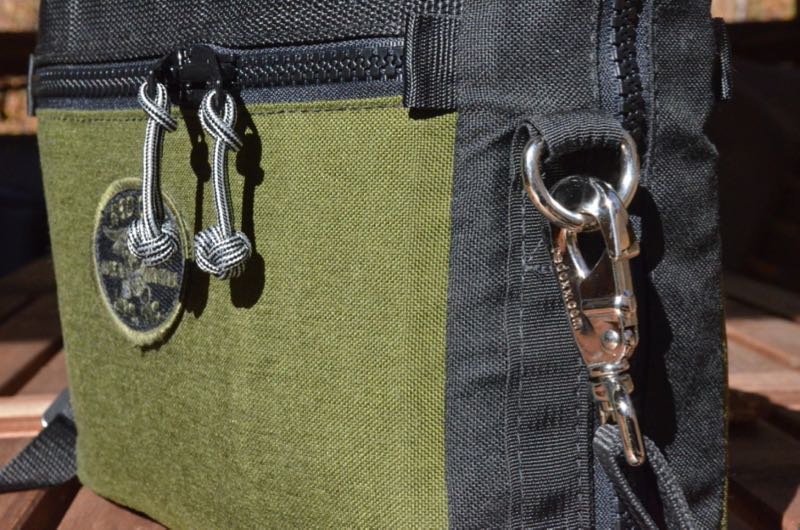
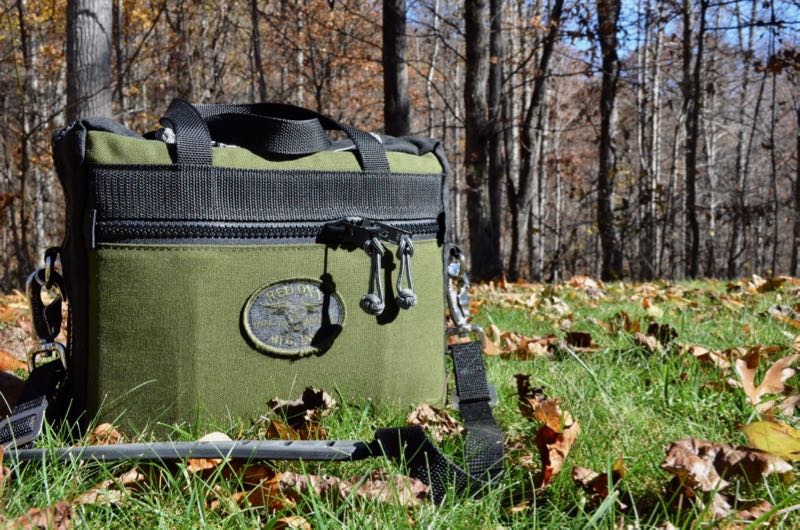
Like all Red Oxx packs, the Micro Manager’s exterior sports 1000 weight CORDURA nylon material that is available in twelve solid color combos; mine is “Olive.” Which is, well, olive––olive green––just as you’d expect. No weird color names to throw you off.
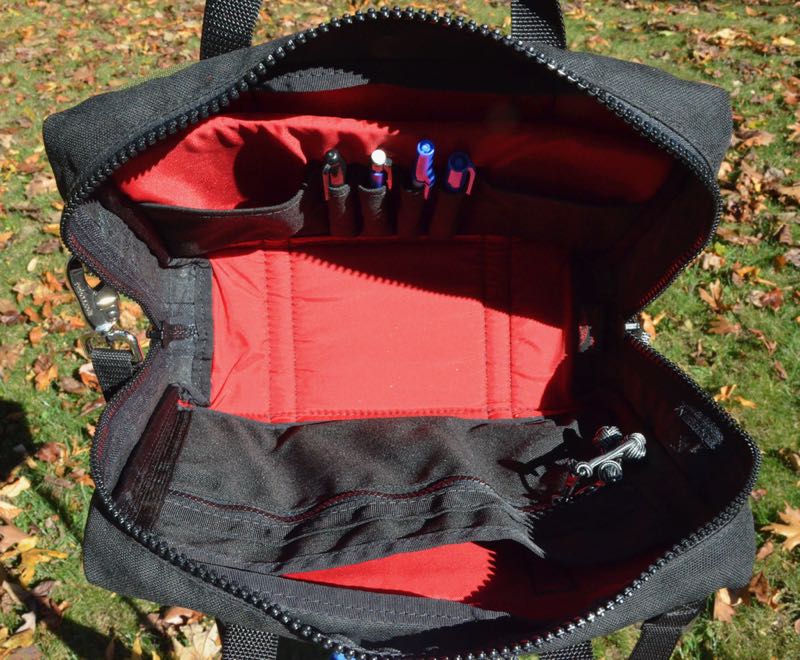
Inside the Micro Manager, Red Oxx opted for a red 400 denier CORDURA Brand nylon lining which makes the interior resilient to nearly any kind of damage, and easy to wash up. The vivid red color of the lining also means that any items in the bottom of the pack stand out, making it a cinch to find whatever you’re looking for in there.
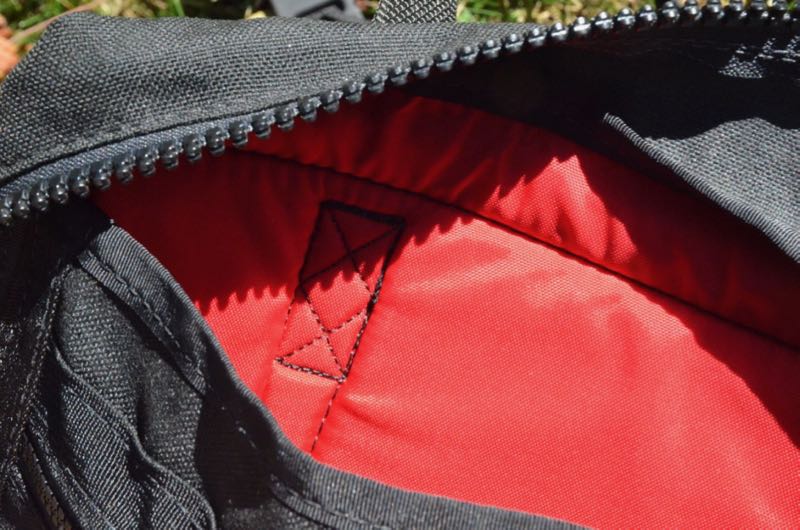
But I wanted to check the pack even more closely, from the inside out. And so I did just that: I turned the pack inside out, examined it up close, looked at the stitches and the basic construction: this is clearly one rugged bag.
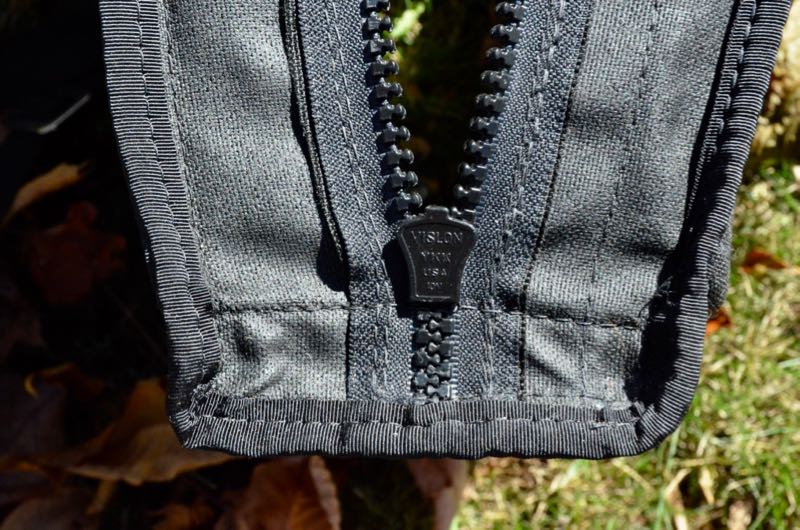
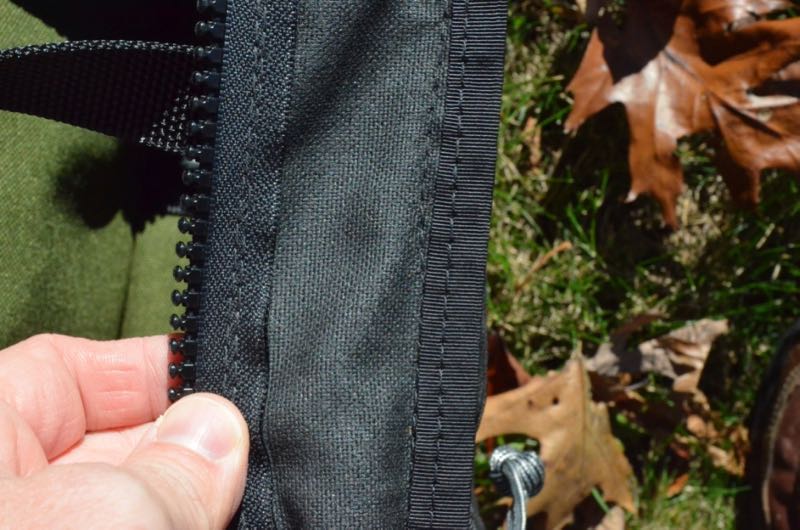
Durability is not in question here. Tom Bihn is another excellent US pack company; I’d say Red Oxx’s products and Tom Bihn’s run neck-and-neck, though Red Oxx has more of a tactical leaning and beefier hardware than the urban sleek, neat packs Tom Bihn produces.
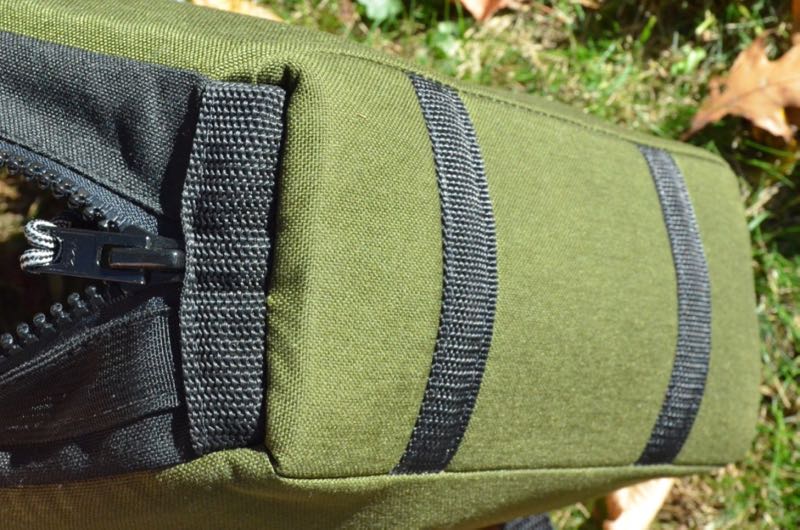
In short, the Micro Manager is one tough pack. I would argue the toughest I’ve ever used for field equipment.
This little pack is built like a tank.
Padding
Of course, what really makes this pack ideal for radio gear is the fact the floor of the pack as well as the side panels are lined with Volara 4-pound closed-cell foam padding. This isn’t super-thick padding, but it’s dense, and in my view effective for radio gear. Nor would I want thick, bulky padding in this pack. It’s simply enough to absorb the shock of setting the pack down, even a hard or hasty set-down, and would likely help protect the contents if the pack were dropped.
To be clear: I’m not talking about stashing upwards of $1300 worth of radio gear in this pack and flinging it out an upstairs window to test the padding. I’m not planning to check this bag at the airport, since I like my gear handy, and I’ll treat the pack and its contents with reasonable care. The padding in this case just makes the contents more secure and resilient to the odd drop, bash, or tumble. I think it will do just fine.
Right Size…confirmed
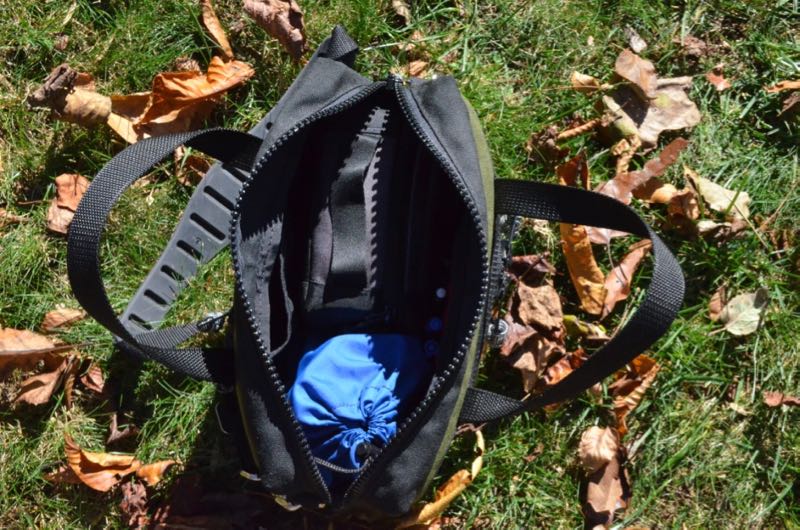
But I still had to see how everything fit in the pack. Being the radio geek I am, the first thing I did upon my arrival at home was to throw my Elecraft KX2 Transceiver pack and antenna supplies bag in the Micro Manager to see if my gear fit as well as I thought it might. It all fit like a glove, and still had room for log book, pens, multi-tool, sunscreen, and (of course) bug repellent!
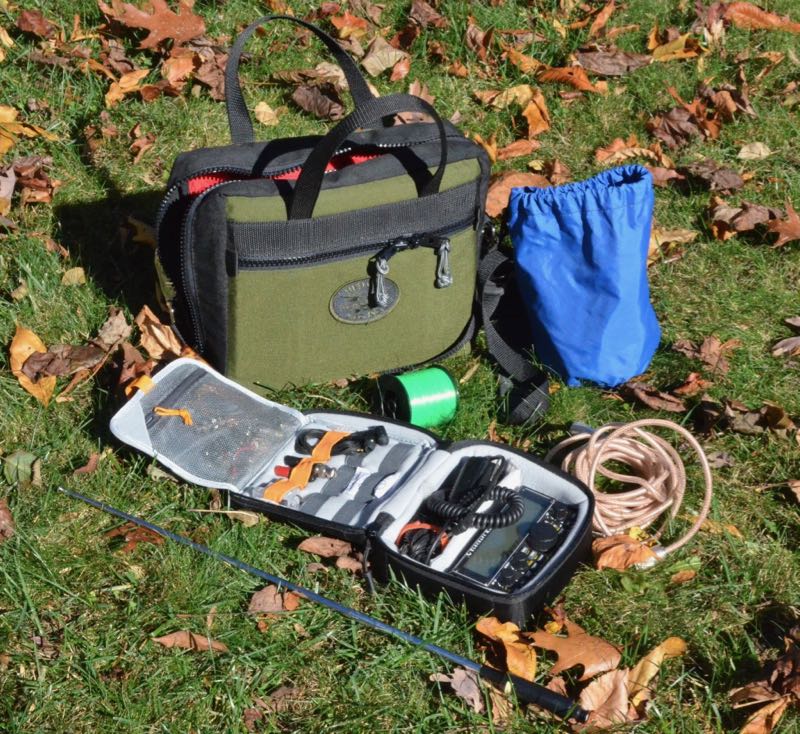
Next, I removed these items, and tried my larger Elecraft KX3 for size in the Micro Manager––again, ample interior room with just enough space left to include a battery pack and antenna supplies. Brilliant!
I tried various combos of gear and kit to find that the Micro Manager is quite a flexible field bag. Finally! A pack up to the task.
Configuration
But what really makes this pack shine? The large, open compartment is ideal for us “modular pack” folks.

Tom Bihn Pilot (left) Red Oxx Micro Manager (right)
In my experience, frequent travel means modular packing. In my main EDC pack (a Tom Bihn Pilot) all my gear is organized in cubes and pouches. If I’m heading out the door to catch a flight and want to take a backpack, rucksack, or duffel bag, I can whip the stuff out of my EDC bag, and in a matter of seconds, populate the other pack. Not only does it make transitioning from one pack to another a speedy process, but I’ll know exactly what’s in the pack, and exactly where.
When I opened the Micro Manager the first time, I instantly saw that it lends itself to modular packing, since there’s no internal organization walls and pockets are on the interior sides.
So, aside from packing radio gear, tablets, headphones, a DSLR camera, recording gear, or any other accessories, a packing cube could be used in the Micro Manager to carry clothing on a weekend or on a quick one-to-two night jaunt.
Packed for an overnight trip.
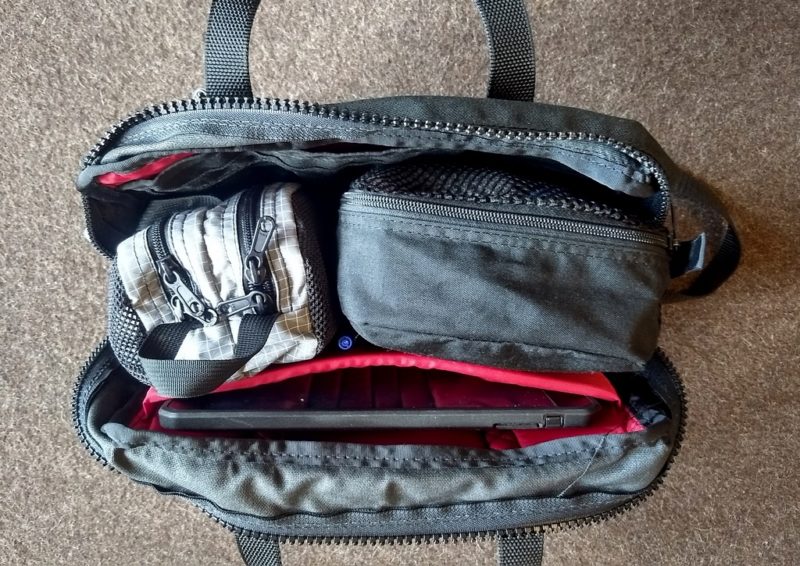
All essentials inside: iPad Air in sleeve, Tom Bihn Snake Charmer (I use as toiletries kit), and an old Eagle Creek packing cube.
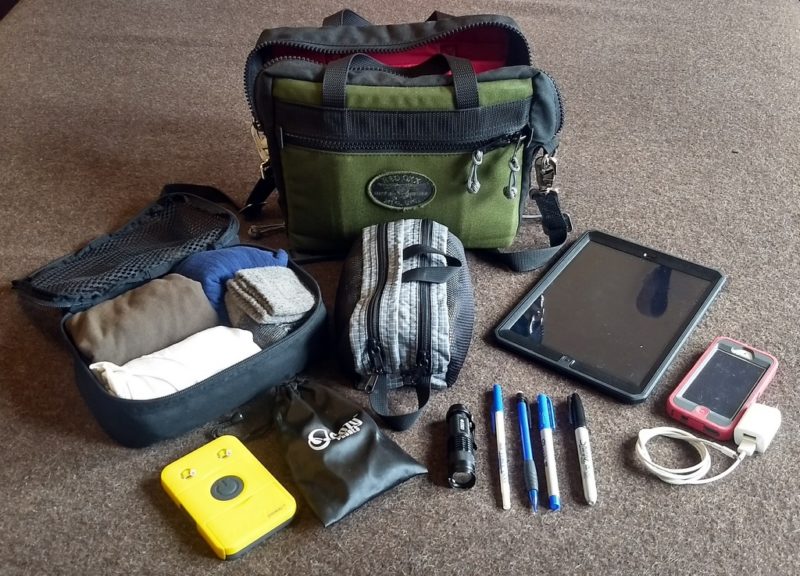
Fully unpacked. Click to enlarge.
I’ll take a close look at the Micro Manager’s internal dimensions and see if one of the Red Oxx packing cubes might fit the bill. Maybe, if I’ve been extra good this year, Santa will drop one in my stocking.
Packing in a cube and other modular packs would take full advantage of the Micro Manager’s modest-outside, spacious-inside capacity. A full-size internal cube packed with clothing would be easy to stash in a hotel room to reduce bulk while you’re in meetings at your location, thus leaving more room for files/reports, magazines, a paperback (for those of us who still like paper), and the like; then you could simply replace your clothing module in your MM for your flight home.
A great EDC pack, too
I have even pulled all of the packs from my Tom Bihn Pilot EDC bag and cheerfully used the Micro Manager for the day.
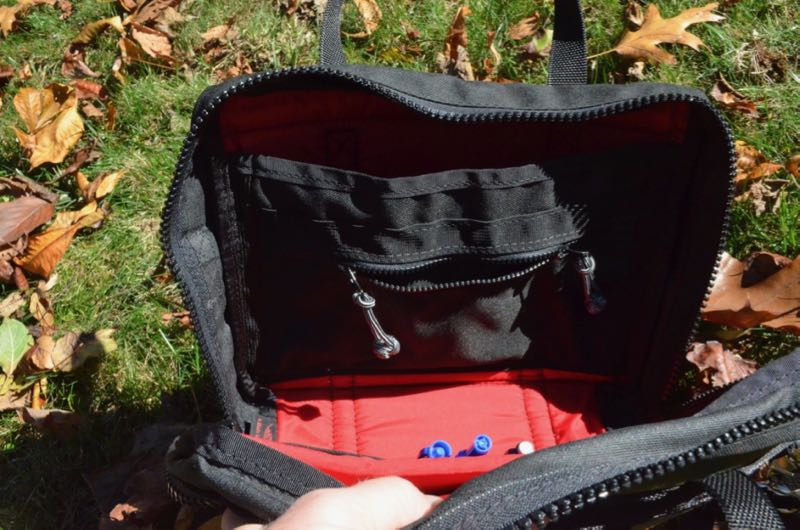
The Micro Manager works wonderfully as an EDC pack if I don’t need a laptop (my 13” MacBook Air is a little too large). It packs my iPad Air with ease and the padded interior pocket gives me peace of mind, encapsulating the tablet in padding all around. On the outside of the padded tablet sleeve, Red Oxx has added four pencil holders and two larger pouches which are large enough for most smartphones, business cards, field notes, and other small accessories.
Of course, there’s another interior pouch with an embedded pocket on the opposite side of the padded sleeve. I’ve used this sleeve for note pads, coiled antenna line, a paperback book, and a portable radio over the past few months. I’ve used the embedded zipper pocket for charging cables, wire cutters, adapters, USB memory sticks, you name it. It’s not a deep zipper pocket, so I wouldn’t put anything thick inside simply because I don’t like bulking out pockets, but it’s very useful.
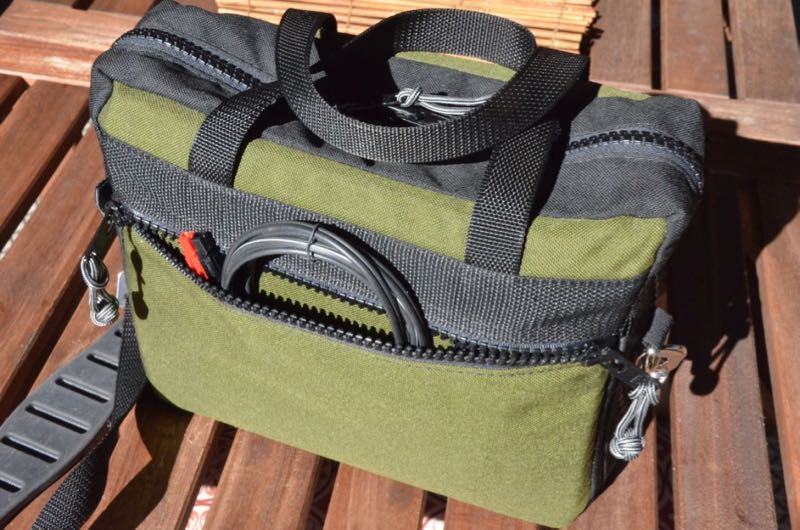
On the outside panels of the Micro Manager, you’ll also find two double-zippered pockets. These are shallow in depth, but are ideally suited for cords, wire, and antenna line. Of course, they’ll easily hold notepads and other supplies.
The Micro Manager is large enough to hold 8.5 x 11” paper in a folder or even low-profile notebook. For someone who carries a tablet to work, this could easily replace a briefcase.
The genius behind the Micro Manager’s flexibility, in my view, is the open design: the ability to open the main compartment zippers either partially or all the way to within an inch of the bottom of the bag. This allows you to fully open the pack without compromising its ability to be self-supporting. Since Red Oxx’s #10 YKK zippers won’t slip backwards, you can even simply open the top of the bag and not worry about the contents spilling out. I like that.
Summary
Everything I review has its pros and cons, of course. When I begin a review or evaluation, I take notes from the very beginning so that I don’t forget my initial impressions. Following is the list I’ve formed over the time I’ve been evaluating the Red Oxx Micro Manager:
Pros:
- Durable construction, solidly stitched
- Made with rugged cordura
- Lengthy, robust zippers track down to near the base of bag and don’t slide back, making for versatile loading/unloading of the bag––half open or fully open
- Padded interior pocket for tablets or (for our use) a full-sized portable radio
- Interior pocket for cables, pencils/pens, smartphones, and/or field notes
- Ample padding is not too bulky but dense enough to take impact
- Carry handles plus a strong claw strap for portability
- Well-balanced on the shoulder
- Lifetime, no-questions-asked, transferrable warranty
Cons:
If the Micro Manager were marketed primarily for outdoor use, then perhaps some rain protection around the zippers might be beneficial. Though I wouldn’t suggest doing this, I did leave the bag out in a surprise shower once and saw no signs of water penetration. The only point of water penetration could potentially be the zipper line. But from my observation, you’ve nothing to fear if you get caught in a downpour; I just wouldn’t leave it out in heavy rain or overnight.
The Micro Manager’s solid build means the bag is not featherweight. It weighs in at about two pounds.
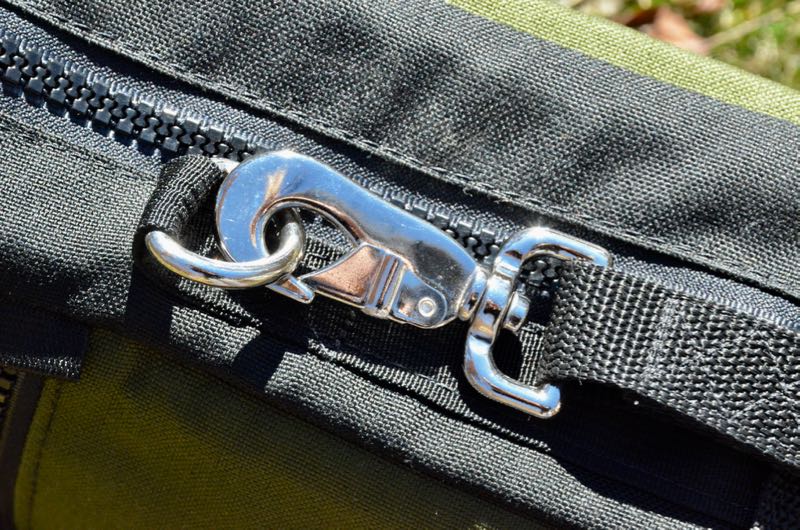
The Red Oxx D-Ring attachment points for the Claw shoulder strap are beefy and nearly indestructible. I’m 100% okay with any added weight.
If you prefer bags with entirely built-in storage, like elastic holding straps, instead of the sort of open construction that permits the carrying of modular cubes or kits for your gear, this bag may not be your thing. But you might want to give it a look just the same; I was glad I experimented with modular kits and have learned to really appreciate their benefits.
And some readers will consider the $130 US price a “con” because similar bag configurations can be found on Amazon, eBay, or elsewhere for anywhere from $20-40. Somewhat better “camping grade” packs might be available at a further premium, perhaps $60-80. So yes, there are many cheaper bags out there.
But here’s the thing about Red Oxx gear: with that price comes rugged and superior quality and durability, in-the-US manufacture, and an incomparable warranty. You’re buying from a company that designs and manufactures all of the their packs in Billings, Montana, USA. Their customer service, in my experience, is without compromise. They guarantee their products with a “no bull,” no-questions-asked, lifetime warranty.
Red Oxx routinely posts photos from their shop where employees are repairing customer bags bags that have been so severely battered that no (sane) company would consider it a warranty repair. But there’s integrity in Red Oxx’s insanity. That’s their customer base––folks who actually use their gear, who travel, who camp, who adventure. Those who get out there, get going, get dirty. These bags really take a beating, and thing is, it appears they can take it.
Remarkably, Red Oxx even honors their warranty without receipt of purchase, even knowing you might have purchased it used. Don’t believe me? Search eBay for Red Oxx bags–look at the completed sales pricing, and you’ll find even used bags selling for within a few dollars of their brand new pricing. Red Oxx doesn’t care how you came to be with their bag––you’re their customer, and that’s all that seems to matter to them.
So it’s clear: Red Oxx packs not only hold your gear, they hold up––and they hold their value––over time. In my opinion, too, this bag is for the long haul.
Conclusion
Those of you who follow my blog know that I typically review radio gear. When I start testing new equipment, I never really know what I’m going to run into, especially if the equipment is mass-produced and the manufacturer has a questionable legacy when it comes to quality control.
I wasn’t sure what to expect when I opened the Micro Manager, having only seen a preview ad photo which showed little to no detail. But I knew prior to evaluating this bag that its quality would be nothing less than benchmark. Red Oxx doesn’t allow anything out of their shop that doesn’t obviously meet some of the strictest quality standards in the business. As I mentioned above, I only know of one other pack company in their league, and that’s Tom Bihn. You simply can’t find better quality than these two US companies design into all of their US-made gear.
My only concerns when checking out the Micro Manager for the first time was about configuration and flexibility. Would it effectively hold my field gear without bulging or straining? Would internal organization get in the way of the main compartment’s capacity? Could this pack be used as an EDC bag, or personal carry-on item?
For my use, all of these questions were answered with a resounding Yes!
So…do I recommend the Micro Manager? Heck, yes! Without reservation. As long as your portable kit fits inside, and you like the configuration as I do, you’ll be pleased with the Micro Manager as well as with the company that produces it. This bag will stick around, staying faithfully by your side for many years to come.
Click here to check out the Red Oxx Micro Manager.
On a side note: Shhh…I’ll be purchasing another Micro Manager shortly. While I’ve been testing this bag, my wife has repeatedly tried to steal it to carry her art supplies. For once, I know what to get her for Christmas! And, thankfully, though she edits my reviews, she never reads my live blog. Mum’s the word!