Category Archives: How To

How to replace a noisy wall power supply

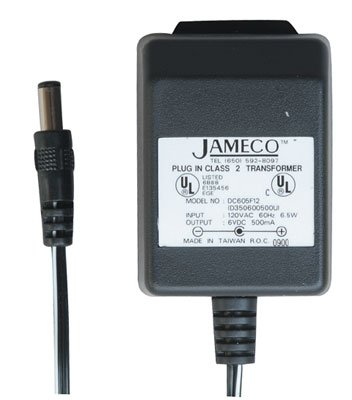
JamecoWallPowerSupplyRegarding noisy switching power supplies, SWLing Post reader, Dan Lewis, comments:

“Google the following: “Jameco linear wall transformer”, and you’ll find a suitable non-switching replacement.

Jameco still has a number of linear transformers in their catalog at reasonable prices. I haven’t bought anything from them in many years but when I dealt with them frequently a number of years back they were always reputable.”

Many thanks for your suggestion, Dan! Jameco is a reliable company and I’ve also been a long-time customer. If you know how to pick the proper power supply for your radio (or any other electronic device) click here to view a list of regulated linear supplies on Jameco’s website. [Also note this follow-up post.]Otherwise, keep reading…

How to find a replacement AC adapter/power supply

When you purchase a replacement power supply, you must make sure that several properties match that of the device it will power, else you could cause damage.

There are four properties you need to match: voltage, rated current, polarity and tip size.

Voltage

Most consumer electronics are powered by and rated for 4.5, 5, 9, 12, or 13.8 volts DC. Of course, there are exceptions. It is important that you match the required voltage exactly. Most radios and electronic devices display their required voltage and voltage tolerance on the unit itself, on the supplied switching power supply, and/or in the owner’s manual.

Rated Current

Like voltage, rated current is usually displayed somewhere on the device, existing power supply or in the owner’s manual. Current is usually indicated in amps (A) or milliamps (mA). Unlike voltage, rated current on your power supply does not have to match the device exactly. You simply need to make sure the power supply meets or exceeds your radio’s required current.

For example, if your radio requires 800 mA (or .8 A) and you find a power supply rated for 500 mA, you should not use it. If you find a power supply rated for 2 amps (or 2000 mA), it exceeds the 800 mA rating, so you’re good to go!

Unlike voltage, your electronic device or radio will only draw the amount of current it needs from the power supply.

Polarity
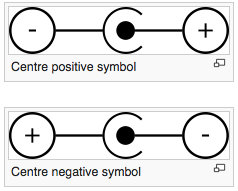
Click here to read more about tip polarity. (Source: WikiPedia)

Click here to read more about tip polarity. (Source: WikiPedia)

You’ll need to determine if your radio requires a plug with a positive or negative tip (a.k.a. center conductor).

Fortunately, manufacturers have long used standard symbols to make polarity obvious (see image).

You’ll typically find a polarity symbol printed on the back of your radio, near the plug-in point, in the owner’s manual or on the back of the existing wall adapter.

Note: Be very careful matching polarity! Some radios and electronic devices are not properly protected against reverse polarity; damaged can occur immediately after supplying voltage with incorrect polarity.

TJamecoWallPowerSupplyip/plug size
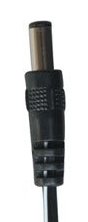
You need to make sure that the inner diameter and outer diameter of a replacement wall adapter will match that of your existing adapter.

This can be the most difficult property to match.

Occasionally, radio manufacturers will actually specify the tip size in their owner’s manual, spec sheets, or on the product page of their website. I’ve even had luck calling manufacturers and asking a technician for the plug size.
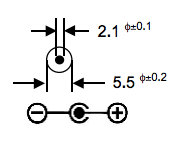
ACAdapterTip

Specification sheets will typically indicate plug dimensions with an illustration.

Otherwise, you can always measure the existing power supply tip (both inner and outer dimensions) using calipers.

Once you have those dimensions, finding the appropriate replacement power supply is quite easy. Indeed, companies like Jameco provide specification sheets (click here for an example) that indicate dimensions for each power supply they sell.

Once you’ve matched the voltage, rated current, polarity and tip size, you can purchase a regulated linear power supply with confidence!

Keep in mind: there are most likely other devices in your home with noisy switching power supplies that could be causing radio interference. Check out my noise trouble shooting section of this article to help identify local sources of radio noise.

Update: check out this follow-up post regarding Jameco power supplies–not all are truly linear regulated.
Jeffrey re-caps his Hallicrafters SX-110

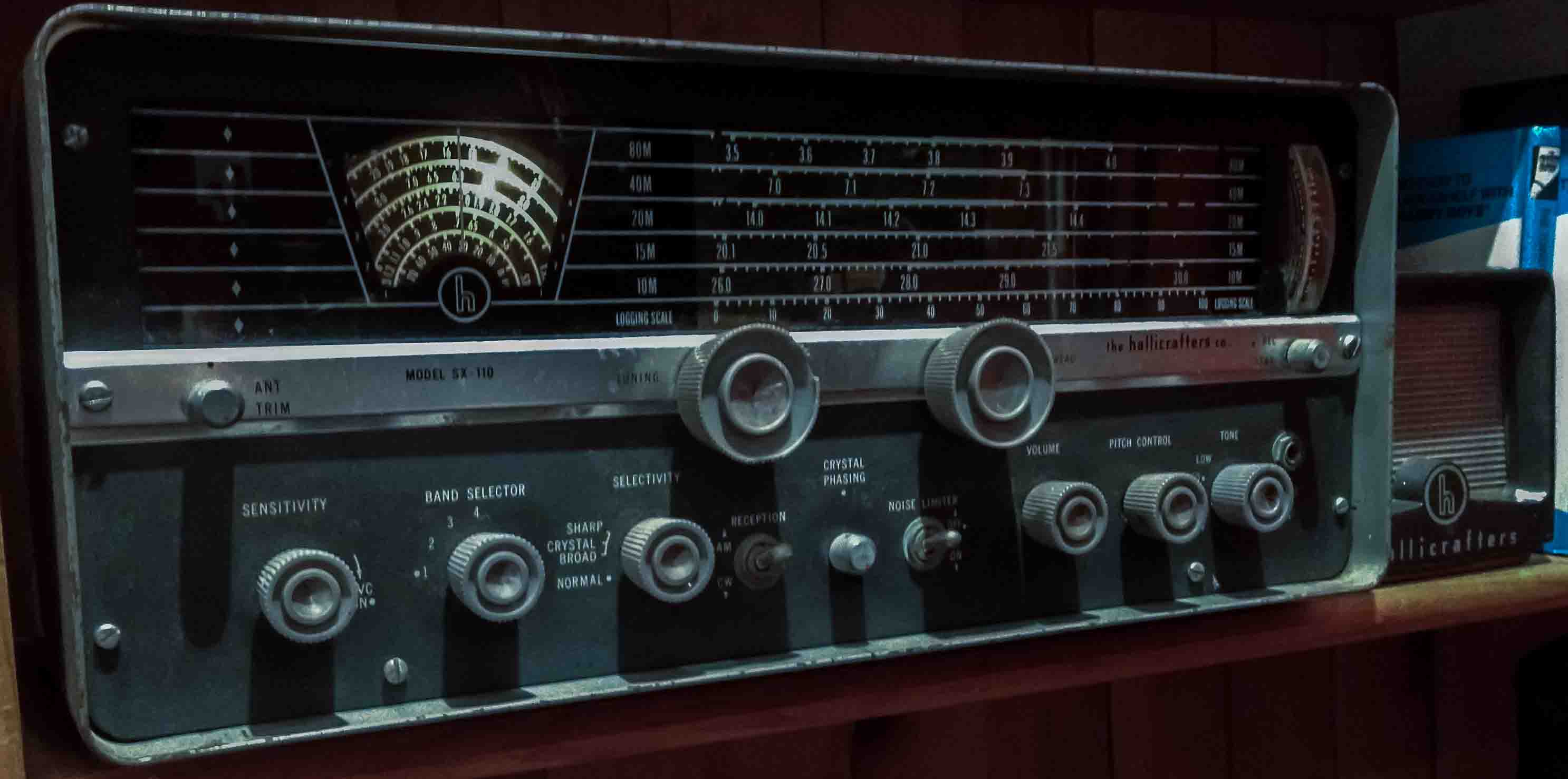
The restored SX-110 sitting on the bookshelf in the shack. No one would mistake this for a new receiver, but it works just fine.

The restored SX-110 sitting on the bookshelf in the shack.

Many thanks to SWLing Post reader, Jeffrey Fritz, writes:

During the summer of 2012 you were nice enough to run an article in your blog about my reviving a 1961 Hallicrafters SX-110 General Coverage receiver. The radio has continued to perform reasonably well during the last few years. However, recently I acquired several pieces of professional test equipment. That encouraged me to delve even deeper into the restoration of my old receiver from my novice ham radio days.

Over the past week, I completely recapped the SX-110 (except, of course, for the mica and ceramic caps as they still good, and the electrolytic caps as they were replaced in 2012.)

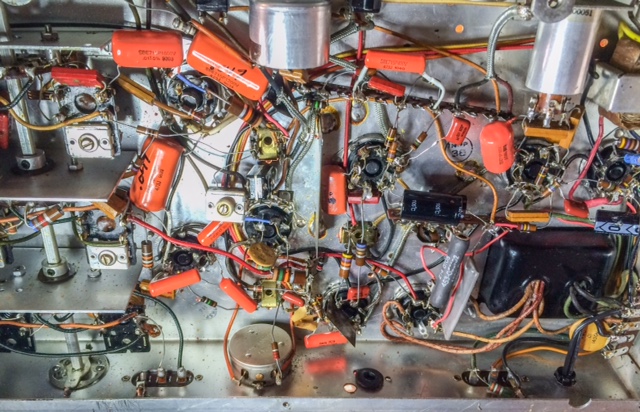
The SX-110 isn’t a complex receiver, but there are quite a few caps, so I worked methodically and carefully. I started working from the audio amp stage and continued working back through the IF stages and the BFO to the RF stage. I recapped each stage replacing the old caps with new Orange Drop caps. Each stage was tested before I moved on to the next stage. Here’s a photo of the recapped chassis:

SX110-Underside

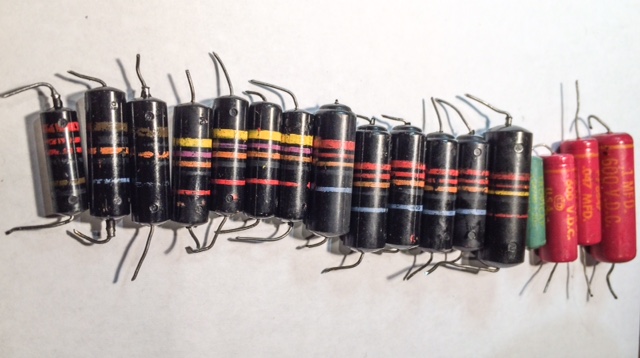
Here are the capacitors that were removed from the receiver. Most are the old Bumble Bee caps–called that because of the color stripes that mark their value:

SX110-NewCaps

Virtually every Bumble Bee cap tested leaky and out of tolerance.

Next, I tested every tube replacing the weak or bad ones with NOS (New Old Stock) tubes. Every pot and switch was cleaned with DeOxit and moving parts were lubricated where appropriate. Finally, I did a complete re-alignment following the instructions in the Service Manual.

As with all vintage tube gear, restorations require patience, care and a decent knowledge of electronics. It’s easy to make a fair radio–even a good radio–into a disaster if you are not careful. Also there is enough voltage and current inside of the chassis of a tube radio to toss you across the room. So care is always the order of the day as is a VARIAC to bring the radio up to AC line voltage slowly.

The receiver now sounds as good as ever–perhaps even better than ever. It has marvelous AM audio and can pick up ham and broadcast stations on all bands with nothing more than a wire in my basement. It even does a decent job on SSB–something that I don’t recall it ever bring adept at in the past.

That say that you can’t keep a good man down. Similarly an old radio, with some new parts and some TLC, can run virtually forever.

I agree with you: you can’t keep a good radio down! Repair work is certainly the commitment we make when we fall in love with these old rigs. It’s a good thing that almost all of the parts are still available and relatively affordable.

Thanks again, Jeffrey!

Listener Post: Greg Blair

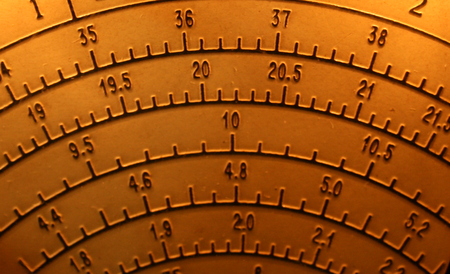
SP600Dial3Greg Blair’s radio story is the latest in our series called Listener Posts, where I place all of your personal radio histories.

If you would like to add your story to the mix, simply send your story by email!

In the meantime, many thanks to Greg Blair who originally posted the following on the Shortwave Listeners Worldwide Facebook group.  Greg writes:


How I Discovered Shortwave Radio

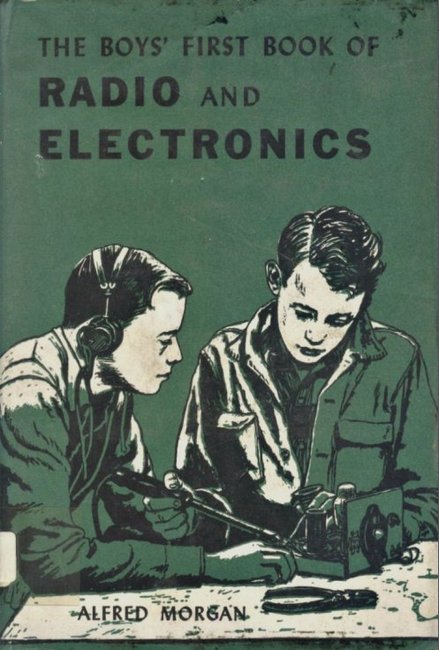
BoysBookOfRadioI discovered shortwave radio almost by accident.

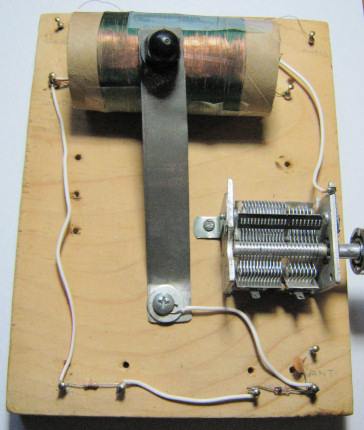
I had built a simple crystal radio from plans in a library book…(I think it was “The Boy’s Book of Radio” or similar. ) I added a one transistor amplifier later. I had a really great long wire antenna from the garage to the house, up about 30 feet, about 75 feet long, and a good earth ground.

I was playing around with it, and I had an old phonograph amplifier I connected to the output of it. I de-tuned the coil and apparently managed to get it tuned into the 49 meter band. All of a sudden I was hearing broadcasters from Europe. Some were in English, others in foreign languages.CrystalRadio

Up to that point I had thought that all radio was like AM broadcast, only good for a few hundred miles even at night. I was flabbergasted. That marked the beginning of my addiction to radio. I have never gotten over the miracle of HF radio ever since.


Many thanks, Greg, for sharing your memories with us!

I can only imagine the thrill is must have been to tune in stations from across the planet on your simple, home-brew radio set.

I encourage other SWLing Post readers and contributors to submit their own listener post!  Tell us how you became interested in radio! 

Improving audio fidelity with JBL C2PS monitor speakers

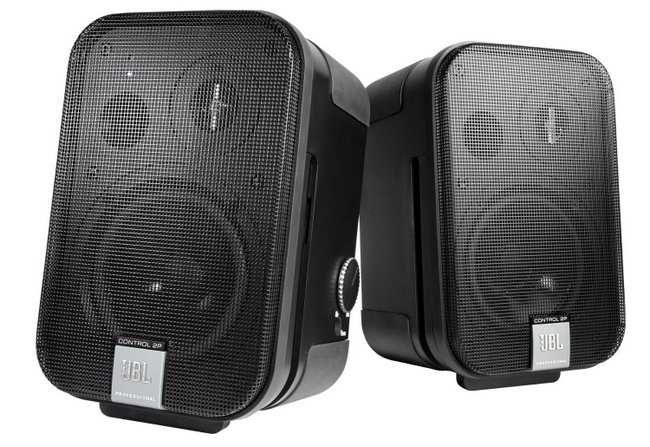
JBL-Monitor-Speakers

Last year at the W4DXCC conference in Sevierville, Tennessee, I spent some quality time with Bob Heil (K9EID). Bob is the mastermind behind Heil Sound as well as the host of HamNation, a show devoted to all aspects of amateur radio––yet this job description only scratches the surface of Bob’s fascinating career.

Bob Heil (left) me (right)

Bob Heil (K9EID, left) and yours truly (right) at the 2014 W4DXX conference in Sevierville, TN

One thing is for sure, however: there are few people in the radio industry who truly understand audio as profoundly as Bob Heil, so when he announced that he would host a forum at the W4DXCC to assist amateur radio operators in improving their received (and transmitted) audio, we were all ears, and signed right up.

Early in the forum, Bob described a set of self-powered and relatively affordable JBL monitor speakers that he highly recommended for amateur radio use. Everyone in the room noted the model number of the speakers, myself included.  So imagine my dismay after the convention when I simply couldn’t find my notes…

Thankfully, my buddy Gary Wise (W8EEY) recently jogged my memory. Gary purchased a set of JBL monitors and matching wall-mount brackets from Amazon, and has them hooked up to his Flex Radio FLEX-6700 SDR.  Gary tells me he’s very pleased with the set-up.  Here are the links:

Bob also suggests adding a small mixer to system, something like this Behringer Xenyx 802 or the XENYX502 (both of which are on my current wishlist).

Bob invited me to speak on HamNation about shortwave radio. I may take him up on the offer…well, as soon as I overcome my videophobia, that is.  At any rate, if you’ve not seen it, HamNation is certainly worth checking out.  And in all things radio, Bob Heil’s is a name to know; click here to visit Heil Sound.

Practice your RTTY with ITTY

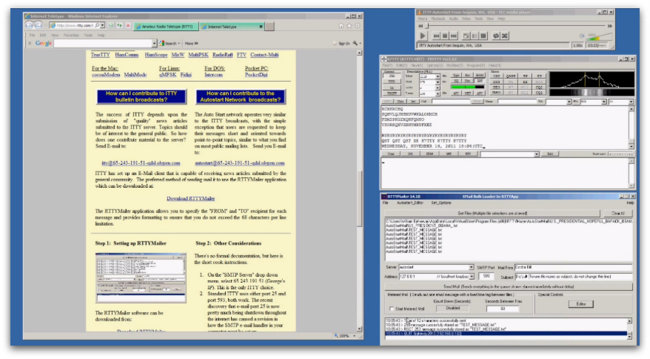
ITTY

SWLing Post reader, George (NJ3H), writes:

First off, this short message is not about listening to anything over the radio, but over the internet. So I am sure that may be a disappointment for some. However, it does give folks a chance to listen to and decode RTTY and exercise their copy of FLDigi or MMTTY.

At rtty.com, there is an application called “Teletype over the Internet (ITTY)”. Instructions are posted that allow the user to connect to the ITTY server (with WinAmp, Media Player, etc), hear teletype, and decode with you choice of decoding software.

I use Windows Media Player and FLDigi to copy the ITTY channel. As I recall, one must set “Reverse” to the on (green light) position in FLDigi.

There are folks who are continually uploading news articles (some serious – some offbeat). Instructions are included so you can upload your own news articles also.

So for times when nothing is happening on the radio or for something a little different to do, users may find this an enjoyable diversion.

Have fun and enjoy.

Many thanks, George.  Indeed, this is a great way to hone your RTTY decoding skills and build confidence in those who are new to this classic digital mode!

Click here to go to RTTY.com; the link to ITTY is found in the body of their home page.

I’ve pasted an instructional video below which gives a great overview if ITTY:

Tinkering with the Credit Card Crystal Radio

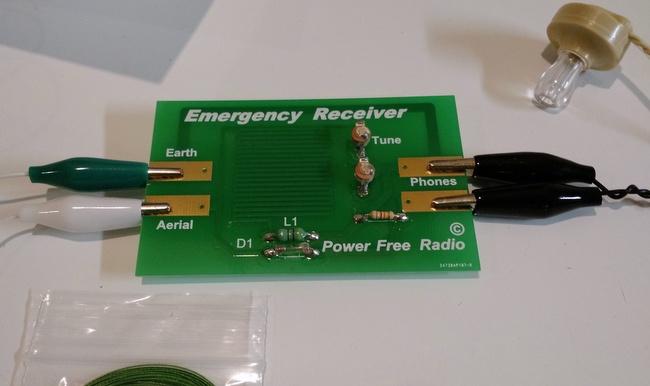
Credit-Card-Crystal-Radio-2

A few weeks ago, we published a short post about a credit card crystal radio from an eBay seller in the UK.

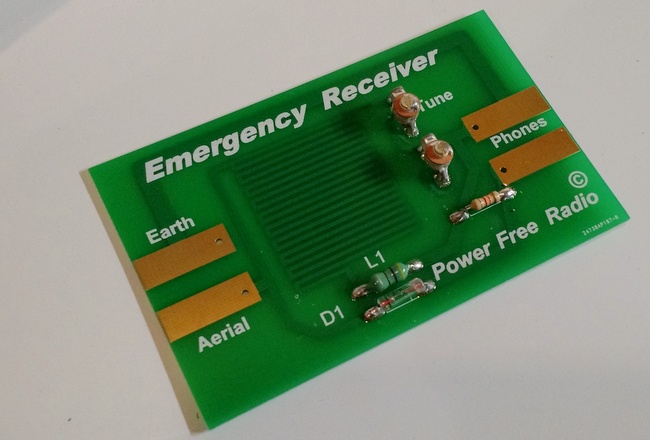
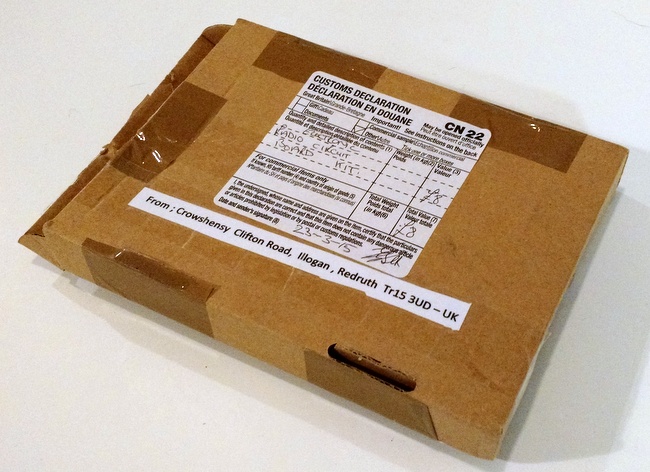
I purchased a kit–at $17-18 US shipped, it’s quite a modest investment for what might be a fun little project.

Credit-Card-Crystal-Radio

The crystal radio arrived while I was traveling during Easter break, but my free time has been so (extremely) limited lately, I was only able to unpack and try out this new arrival yesterday.

Credit-Card-Crystal-Radio-1

The biggest surprise for me was the fact that this isn’t really a kit–the board is fully populated and requires no soldering whatsoever. The board feels of very good quality.

All that is required is connecting the high-impedance earphone, earth/ground and aerial/antenna to the board. Since all of these components can be connected with the supplied alligator clip cables, getting it on the air took all of 20 seconds. I simply hooked up the ground and connected the aerial to my sky loop wire antenna.

I instantly heard a signal and station ID which confirmed it was our closest local broadcaster on 1010 kHz.  This station isn’t of the blowtorch variety, but is the strongest one I receive on the MW band simply due to its proximity. Audio was quite faint through the earpiece, but I believe if I tinkered with antenna length and the two variable capacitors, I could improve reception.

SWLing Post reader, Richard Langley, received his crystal radio and had a very similar experience with reception.

Credit-Card-Crystal-Radio-4

With any crystal radio (especially one this small), performance is directly correlated with antenna length, availability of a good ground connection and, of course, strong broadcasters in your vicinity.

I plan to spend an evening tinkering with this little receiver and see if I can pick up some of the night time powerhouse AM stations on the east coast.

I can say this: if you’re looking for a simple, uber-compact emergency receiver for your go-bag, bug out bag or emergency kit, this one will certainly fit the bill. This crystal receiver and all of its components weight no more than a few ounces and could easily fit in compact pouch or sleeve.

Have any other readers have enjoyed tinkering with this little emergency crystal radio?

If you would like to purchase one, try searching eBay with one of the links below. The product will only appear in the search results if currently available.

Software Defined Receivers (SDRs) for the visually impaired listener

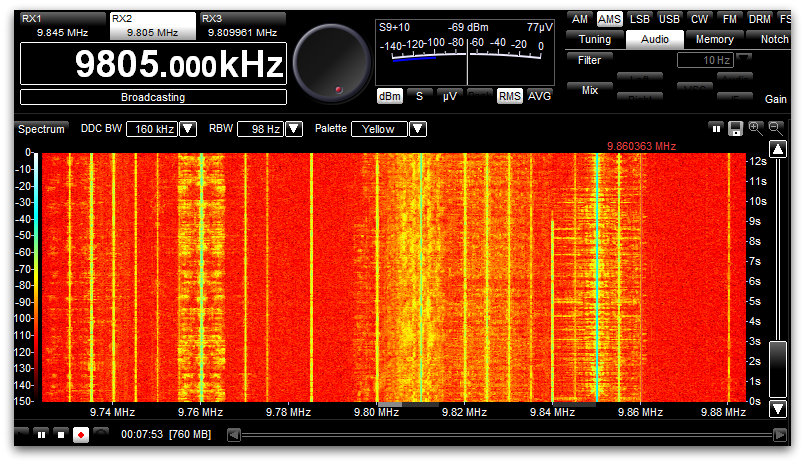
Spectrum Display 31 Meters on the WinRadio Excalibur

At the 2015 Winter SWL Fest, I co-hosting a forum on Software-Defined Radios.  Afterwards, a radio friend–who happens to be visually impaired–approached me to ask:

“What is the best SDR for those who are blind or visually impaired?”

I’d never been asked the question before, and replied that I’d have to do a little research. In truth, I suspected that research would turn up very little that was useful:  after all, SDRs require a lot of pointing and clicking, and some of the interfaces are rather complicated. Spectrum and waterfalls displays, often at the heart of the SDR app, are visual displays.

But I kept thinking of my friend’s question. Upon my return, I set out to do a little research and possibly pose the question here on the SWLing Post.  Then assistance stepped in…in the form of medium wave DXer Tore Johnny Bråtveit.

If Mr. Bråtveit’s name sounds familiar, that would be because I recently posted a link to an Oregon Public Broadcasting interview with him. In the interview, he mentioned that he uses SDRs to chase MW DX, and that he is visually impaired.

I reached out to Mr. Bråtveit via his website and asked for any advice he could give about SDRs for those who are blind or visually impaired.  His enlightening response:

“In the interview I mentioned screen reader software and the need to find SDR software that plays well along with such screen reader software. For those visually impaired who have some eyesight, this aspect may not apply, since many of them are well helped by a screen magnifier software package.

For those without eyesight at all, or with so little left of the eyesight that they cannot make practical use of the screen, there are these screen reader software packages. They all do the same, but they solve the job in a somewhat different way and are good at different tasks.

I began using SDRs back in 2007. First I used some [RFspace] SDR-IQs for a few years, until I purchased a Winradio G31DDC in 2010. The user experience with Winradio was so good that I have stayed with those radios since then, using both G31DDC and G33DDC receivers at my remote listening places.

I think I can say that all the software packages delivered with SDRs have issues and challenges when it comes to using them along with a screen reader. The worst example of unusable native software I have seen so far, is the software package delivered with the [Microtelecom] Perseus. I had a thought purchasing one some years ago and make some scripts for my screen reader JAWS to see if I could make the Perseus possible to use effectively, but I dropped the idea at that time in favor of Winradio.

The SpectraVue software delivered with SDR-IQ was usable, but I had to script it quite extensively, especially to be able to use the timeline when playing back recordings. Also the frequency selector was a bit tricky, so I had to assign some hotkey combinations to it. Otherwise it worked fine.

The Winradio software for the G3x series works quite fine right out of the box. They have apparently thought [through] keyboard operation, and there are shortcuts for almost everything. Such shortcut keys are necessary, as navigating the program interface with a screen reader can be a bit too complicated, especially for those only using speech output from the screen reader to access the screen content.

I personally am living in a country where we have good access to refreshable Braille displays, which gives me the opportunity to turn off the speech entirely if I want and only use Braille output. This way I can navigate the program interface quite effectively to understand how things are laid out.

The only real issues I have had with Winradio software, is:

1. Changing shortcut keys:
Normally, the Tab key is used to move between elements on a screen, so it would be natural to think that pressing the Tab key will bring me to the next shortcut key definition. Not in Winradio. Tab can be defined as a shortcut key itself, so trying to navigate the shortcut keys dialog with that key gives you a number of options, all connected to the Tab key. My way around this was to navigate with the Braille display until I found the shortcut key definition I wanted to change, focus on it by pressing a cursor routing key in that position and changing the definition. Then navigate further down to the OK button and activate it.

2. The timeline:
The timeline used when playing back recordings can be hard to locate when using a screen reader, and even more difficult to work with, since when you press a cursor routing key on the Braille display to simulate a mouse click on it, the focus often moves to somewhere else on the screen. Then you have to work hard to locate back to that timeline again. My solution here was to script my screen reader with a hotspot at the timeline with a shortcut key assigned to it, so that I could move focus back there by pressing a key.

Among the third-party software packages developed for SDRs, I have found few that I can recommend. The only one I can think of, is HDSDR. Especially in the current version from November 2013, there are a number of useful shortcut keys, and the program seem to work very well. I have used it a bit with an AFEDRI SDR I have, and have also used it to play back older SDR-IQ recordings.

So, if nothing else works, Iwould say that HDSDR is the solution, since it is both easy to use and have support for a number of receivers. And it is free, as you certainly know.

[…]Please write back if I can help you any further”

Brilliant!  What a treasure trove of information for our visually-impaired SDR listeners and operators.  Thanks so much, Mr. Bråtveit, and please keep in touch with us here at the SWLing Post.  73s!