Category Archives: Mediumwave

Video clip: Ukrainian Radio staff announce broadcast will continue after air raid alert

Many thanks to SWLing Post contributor, Vlad, who lives in Ukraine and shares the following video/recording of Ukraine’s state radio on 549 kHz. Vlad notes:

I recorded this for history where the announcer says that, “due to an air raid alert, the staff is in hiding and the live broadcast will continue after it ends.”

Click here to view on YouTube.

He adds:

On 549 kHz, the broadcast was discontinued and never resumed.

This is official web site of Ukrainian radio.

This transmitter is located near the war zone and we have no information about its damage or capture. The situation is changing every day. The enemy troops closest to me are about 30 kilometers away. Rockets and planes shoot down right above the city, but unfortunately, when they fall, they destroy houses and there are victims.

Vlad, we’re hoping you and all who are in Ukraine stay as safe and healthy as possible. I can only imagine what it must be like living through this horrible situation.

Thank you, sir, for taking the time to share this. 

NAB calls on US AM/FM stations to cease Russian programming

Many thanks to SWLing Post contributor, Zack Schindler, who shares the following stories all focused on US broadcasters receiving pressure from the NAB and their communities to halt broadcasts of Russian state-sponsored media like Russia Today and Sputnik:

NAB Calls On Broadcasters To Cease Russian Programming (Radio and Television Business Report)

It says it is a “fierce defender” of the First Amendment and “the critical importance of the ability to freely express views, both popular and unpopular.”

That said, the NAB explains that the First Amendment “does not prevent private actors from exercising sound, moral judgment.”

That’s why the chief advocacy group for broadcast radio and TV wants any state-sponsored programming with ties to Moscow pulled from U.S. airwaves now.

What will operators in Kansas City and Washington, D.C., do? RBR+TVBR heard from one of them, and he’s livid with the NAB. Another has placed the association among those responsible for “Cancel Culture” in the U.S.

In response to the invasion of Ukraine by Russia, NAB President/CEO Curtis LeGeyt seemingly took aim at Sputnik, the English-language service of the Voice of Russia.

Sputnik has already noticed, and reacted. On Tuesday, it noted that “Western governments” and internet giants including Google, Microsoft, Facebook and Twitter “have moved to heavily censor Russian foreign-language media outlets over the conflict in Ukraine, blocking websites, shutting down social media pages, and taking radio and television broadcasts off air.”

Calling the “censorship” unacceptable, Russian Foreign Ministry spokesman Oleg Gavrilov said in a meeting of the Russian Federation Council that, “separately, attention should be paid to the absolutely unacceptable behaviour of foreign, especially American, IT giants such as Google and Meta. Hostile propaganda activities are openly conducted on their social platforms, while Russian sources of information are blocked, and massive restrictions on access to domestic media are put in place.”

[…]“[G]iven the unprovoked aggression exhibited by Russia against the free and sovereign people of Ukraine, NAB calls on broadcasters to cease carrying any state-sponsored programming with ties to the Russian government or its agents,” LeGeyt said. “While we know that airings of such programs are extremely limited, we believe that our nation must stand fully united against misinformation and for freedom and democracy across the globe.”

Programs aren’t extremely limited to those in the Nation’s Capital, where Radio Sputnik airs on W288BS, at 105.5 MHz, and originating station WZHF-AM 1390, a directional two-pattern Class B facility first known as Top 40 WEAM. Both WZHF and the FM translator reaches much of greater Washington. [Continue reading…]

Why are Kansas City’s airwaves filled with pro-Putin ‘Radio Sputnik’ propaganda? (Kansas City Star Editorial Board)

“You’re listening to Radio Sputnik,’‘ the polished, made-for-radio voice says, accompanied by triumphant Russian-themed music. “Telling the untold.”

“Live from the divided states of America,” announces the host of “Fault Lines Radio” show. Produced in Washington, D.C., the program airs locally on AM radio station KCXL. Yes, we’re talking about a radio station spouting Russian propaganda from the heartland — just outside Kansas City. And why, you might ask, are Russian talking points airing on area radio stations?

Money talks. Or maybe we should say rubles.

Radio Sputnik, a media service funded by the Kremlin, airs daily on three stations in Kansas City. Alpine Broadcasting Corp. owner Peter Schartel is paid by Russian interests to broadcast pro-Vladimir Putin programming on them all.

And this week, with Russian tanks, artillery and troops continuing the tragic and reckless invasion of neighboring Ukraine, the Russian apologists spun hard. Schartel remained defiant even after multiple reports Thursday that the American branch of RT, the Russian-funded media network, was shutting down and laying off its staff. He said his contract was with an American company that works with the Russian authorities behind Sputnik. That company “has not notified us of any interruption,” he said.

For now, at least, the show goes on, and we sampled its absurd pro-Russian arguments so you wouldn’t have to.

Guests on the “Fault Lines Radio” show this week, encouraged by hosts Jamarl Thomas and Faran Fronczak, would have you believe Putin was an unwilling participant in this conflict. The Western media, one guest said, is complicit in spreading Ukrainian government war propaganda, and added that the besieged Ukrainian government is winning the information war on social media.

“If you were reading that, you might think there has been a billion Russian troops killed and that Ukrainian freedom fighters are storming Moscow,” said Mark Sleboda, Putin’s Moscow-based mouthpiece and frequent contributor to pro-Russian media companies.

Thomas predictably agreed, and the Putin praise continued.

KCXL has no ties to Russia and is against the country’s conflict with Ukraine, Schartel told us Wednesday. But he needs the money, and he’d lose his business if he pulled the plug on Radio Sputnik. So, that’s how you end up with a radio show here in the land of barbecue and jazz playing Cold War oldies and coddling a powerful, seemingly deranged dictator.

Putin ordered the invasion of neighboring Ukraine. The unprovoked and inhumane attack has caused thousands of deaths of both civilians and soldiers in Ukraine. Parts of the country are being reduced to rubble.

Outside of Moscow, the Russian invasion has been almost universally condemned. Except for right here in the Kansas City area, where listeners of KCXL were bombarded with pro-Putin talk. [Read the full article here…]

National Association of Broadcasters call to stop airing Russian radio, pressures Liberty radio station (KMBC)

LIBERTY, Mo. —Down a rural road just a mile away from Liberty’s city square, a radio station inside small brick building displays an American flag in the front window.

For six hours every weekday, 1140AM KCXL broadcasts radio programming paid for by the Russian government, called Radio Sputnik.

The National Association of Broadcasters earlier this week called for U.S. broadcasters to cease Russian-sponsored programming considering the war in Ukraine.

[…]Alpine Broadcasting Programming and sales manager Jonne Santoli-Schartel told KMBC on Thursday she and her husband, Peter Schartel, have no plans to pull Radio Sputnik from the station’s airwaves.

“If we can’t express our viewpoints anymore, and we have cancel culture, and people deleting and people putting pressure on other people to not hear certain programming, then we’re in trouble and freedom no longer exists,” Santoli-Schartel said.

Those living nearby disagreed.

“If the money means more than your morals, then you’ve got a problem,” said Debbie Bowman, who has family members from Ukraine.

Last year, government documents showed Alpine Broadcasting made at least $60,000 from RM Broadcasting, led by Florida businessman Arnold Ferolito. RM Broadcasting acts as a go between for two U.S. radio stations including KCXL, and Rossiya Segodnya, a media organization sponsored by the Russian government.

A judge in 2019 ordered RM Broadcasting to register as a foreign agent under the U.S. Foreign Registration Act.

That act makes sure people engaged in domestic political or advocacy work on behalf of foreign interests disclose financial information along with relationships.

[…]Santoli-Shartel also said she does not agree with the Russian invasion of Ukraine, however, she has no plans to stop broadcasting.

“My heart is breaking for these moms and these dads on both sides,” she said. “I think if I was in Russia, I would want to get out of Russia because I think they’re in danger also. But the people of Ukraine, I think it is so horrible.”

To see RM Broadcasting’s latest filing under the Foreign Agent Registration Act, click here. [Read full article and view video here…]

Video Presentation: WLW Radio -100 Years – Behind The Scenes by Dave Snyder

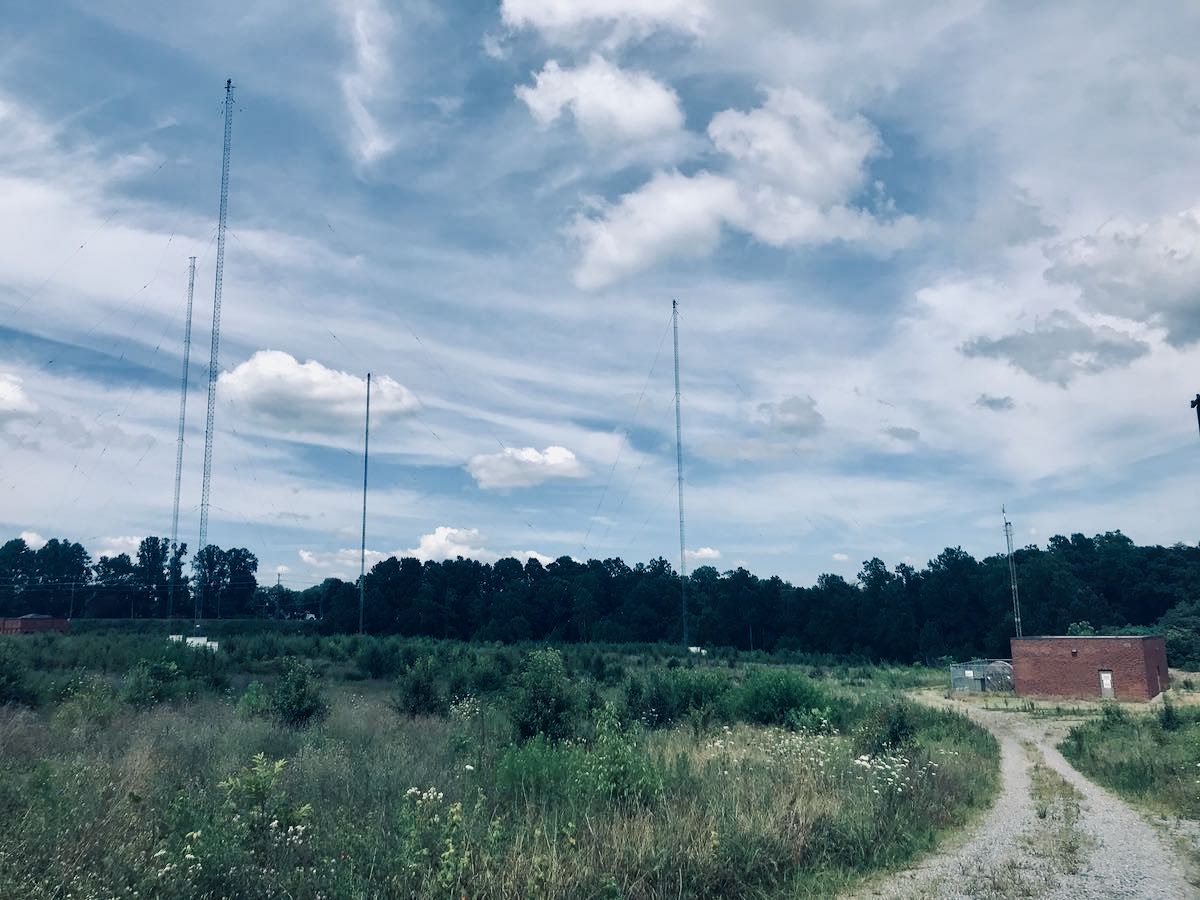
A view of the iconic WLW tower taken from the neighboring VOA Bethany site and museum.

Many thanks to SWLing Post contributor, David Snyder, who shares this presentation outlining the history of WLW for the National VOA Museum of Broadcasting YouTube channel.

Video description:

Behind the scenes pictures from the efforts of Powel Crosley, Jr. creating the famous WLW Radio Station, including the largest USA AM broadcast transmitter at 500,000 watts.

Click here to view on YouTube.

Most excellent! Thank you for sharing this, David.

Ukraine: BBC adds two shortwave broadcasts, NEXUS adds MW service

Many thanks to SWLing Post contributor, Andrea Borgnino (@aborgnino), who notes:

On shortwave, the BBC is adding 2 shortwave broadcasts to Ukraine on 5875 kHz from 8/10 UTC and on 15735 kHz from 2/4 UTC.

On medium wave, NEXUS- of Milan in Italy on 1323 kHz and proposes broadcasting for Eastern countries from 7/11 p.m. CET

Thank you for sharing this, Andrea.

International Radio Club’s Reprints collection of 900+ articles

Many thanks to SWLing Post contributor, Nick Hall-Patch, who shares the following announcement:

The International Radio Club’s Reprints collection of 900+ articles about antennas, radio propagation, receivers, accessories, plus items of general interest to MW DXers, continues to grow.   We’ve published an update to the index, at https://www.ircaonline.org/editor_upload/File/reprints/irca-reprint-index.pdf  ,  so that everyone can get access to these latest additions.

We’re also pleased to start offering reprints that did not initially appear in IRCA’s DX Monitor, but are not easily found elsewhere.  For example, we’ve obtained permission from the family of the late prolific author, Dallas Lankford, to organize and republish his out of print articles. 

(if you’ve used the index before, you may need to refresh the browser page to see the latest update, dated December 2021)

Click here to check out the IRCA Index (PDF).

Guest Post: Calculate Station Distances Using Excel Formulas

Many thanks to SWLing Post contributor, Bob Colegrove, who shares the following guest post:


Calculate Station Distances Using Excel

By Bob Colegrove

Introduction

On occasion, I’ve wanted to know just how far away a station was from my home.  I’ve never been much of a contester, but I know distance can play a part in the results.  There are a number of Internet cites which let you enter latitude and longitude information and then calculate the distance across the surface of the earth.  These are alright on an occasional basis, but I often wind up getting the data mixed for the two locations, and it is not handy when you want to make several measurements.  Here’s a way to generate the distance from your home to thousands of stations with just a little effort.

Many years ago, armed with my faded knowledge of high school trigonometry, I used Excel to calculate the surface distance between any two points on earth.  I managed to find the spreadsheet (file dated 1998) which has no fewer than 11 steps in the algorithm.  Although it worked, when I came back to it a few months later to make a change, I couldn’t remember my thought process.  There are Internet sites which develop earth surface calculations in highly esoteric terms and heavy-duty math.  But life is short, and I wanted to cut to the chase.  There are, in fact, several formula variations which have somehow managed to distill all this down to a neat single-cell calculation, and they seem to work very well.

Construction

The spreadsheet figure below is the simplest form used when you have decimal latitude and longitude data as input.  The convention is to use negative numbers for the Western and Southern Hemispheres.  Home is your reception location and all other locations are compared with that to determine the distances.  If you’re curious, the home location (yellow cells) used in these examples is the monument marking the geographic center of all 50 US states in Belle Fourche, South Dakota.  Google Maps is one easy source to determine the exact latitude and longitude of any point on earth.

To calculate the distance between any two points on earth, copy the formula below directly into a cell, then change the reference cell names as appropriate, and you’re ready to go.

=ACOS(COS(RADIANS(90-$B$5)) * COS(RADIANS(90-B9)) + SIN(RADIANS(90-$B$5)) * SIN(RADIANS(90-B9)) * COS(RADIANS($C$5-C9))) * 3959

$B$5 and $C$5 are the cell references for your home address (yellow in the figure above).  Of course, the dollar signs indicate these data remain fixed in each calculation.  B9 and C9 are corresponding latitude and longitude for the example radio station, WTOP (green).  Change these four cell locations as necessary.  The constant, 3959, at the end of the formula is the average radius of the earth in miles.  Use 6371 if you want kilometers.  The data cells in Columns D and E are populated with the formula and produce the result. These values are dynamic and can be replicated down the columns for the rest of your station location data.

Degrees, Minutes, and Seconds Format

The US FCC on-line database contains latitude and longitude tower locations for medium wave stations in Region 2, North, South, and Central America.  However, coordinates are in degrees, minutes, and seconds format and must be converted to digital format for calculation of distances.  The conversion process can also be done in Excel.

In this case, the inclusion of the coordinate hemispheres, N or S, and E or W is important.  Whereas, the hemispheres in the decimal example were signed + or -, the inclusion of the appropriate letters here is necessary.  Cell L5 reads

=IF(H5=”S”,-I5-(J5/60)-(K5/3600),I5+(J5/60)+(K5/3600))

and cell Q5 is similar for longitude, except “W” is substituted for “S.”  These formulas are then replicated in columns L and Q for each data item.  Columns R and S contain the distance calculation formulas as described above.  Line 14 is not necessary, but can be used to see if your formulas are correct; that is, the distance from home to home should be zero.

Let Excel Get the Information for You

What follows is for anyone tired of copying cumbersome latitude and longitude data.  Unfortunately, it only works on the current version of Microsoft 365 Excel, and apparently goes off into the big cloud in the sky to instantly download the information.

  1. Enter the town followed by either the US state, Canadian province, or other country name (Column A).
  2. Copy these locations to the next column (Column B).  The cells in Column B will become temporary geography cells.  Note:  As shown above, the data have already been converted to geography format (Step 4).
  3. Make sure you have all the geography cell locations selected (Column B).
  4. On the Data ribbon select Geography.  A map icon will appear at the left of each cell, and the state, province and country will be truncated.
  5. For the first latitude (Cell C7), enter =B7.Latitude; likewise, =B7.Longitude in Cell D7.
  6. The formulas in C7 and D7 can be replicated down your list.
  7. Columns for miles and kilometers (E and F) can be added using the distance formula as described above.

The geography data (Column B) cannot be replicated.  If you want to add data later, you will have to reapply the geography format for the new data.  Or, latitude and longitude can still be inserted manually for any additional entries.  The geography data (Column B) are not needed beyond this point and can be deleted or hidden.

Note:  I logged on to my first mainframe computer in September 1976 and have never ceased to be amazed at what these confounded things can be made to do.  I tried as best I could to trip the system with small, obscure towns in faraway places, as well as duplicate names.  I finally succeeded with a relatively large city, Ulaanbaatar, Mongolia.  To be fair, I tried to get it to accept alternate spellings.  So, if you need that one, you’ll have to enter it manually.

Medium Wave Example

This example is for medium wave DXers in Region 2, the Americas.  It makes use of the FCC AM database at https://www.fcc.gov/media/radio/am-query.  The database currently contains more than 24,500 entries, many of these are duplicate entries for stations using different daytime and nighttime powers.

  1. Download the database as a pipe-delimited text file.
  2. Import the file into Excel.
  3. Create additional columns to convert the latitude and longitude data from degree-minute-second format to decimal as described above.
  4. Add some rows above and enter your home coordinates in decimal.
  5. Create another column to calculate the distance from home to all the stations, again using the base formula above.
  6. Hide any columns in the FCC database that you don’t need.
  7. Finally, by creating an Excel table from all of the data, except your home location, you can do some on-the-fly filtering.

The example below shows some of the stations near our example home in Belle Fourche, South Dakota.  The Distance column on the right has a filter applied to limit the listing in the table to stations within a 150 mile radius, that is, it only lists potential daytime stations.  You could also use the conditional formatting feature of Excel to highlight the same information in the unfiltered data.

Shortwave Example

The AOKI log, http://www1.s2.starcat.ne.jp/ndxc/, has listings for all of the recent broadcasting cycles, B21, A21, etc.  The Excel format files are zipped for download, and include the latitude and longitude of each station.  Unfortunately the coordinates are not only in degrees, minutes and seconds, but they are all mashed together in one cell for each listing.  Excel to the rescue again.  Select Text to Columns in the Data Tools portion of the Data ribbon.  This feature will allow you to divide the single column into four columns each for latitude and longitude, that is, degrees, minutes, seconds and hemisphere.  Then you can use the conversion formula to change degrees-minutes-seconds to decimal.  Note that the first three digits used for longitude are minutes (they go up to 180); the remaining numerical columns have two digits each (up to 60 or 90), and the hemisphere columns (alpha) one character each.

Accuracy

Here are a few things affecting accuracy:

  1. The constants 3959 or 6371 used in the formula for miles and kilometers are generally accepted averages for the earth’s radius.  The difference between the equatorial (longer) and polar (shorter) radii is about 13 miles.
  2. If you are using town locations in your data, remember that the actual distance to the tower in that town is likely to be different.  The FCC and AOKI data are assumed to be station tower locations.
  3. Some decimal sources of latitude and longitude data have less resolution, which could lead to a slight error.

You’re on Your Own

You may have noticed the examples shown in the figures all have multiple station locations. My thought in doing this was provide some test for accuracy and secondly to provide a seed for developing the spreadsheet into a more inclusive log of stations. There is likely enough basic Excel knowledge among the folks gathered here, and each person will likely have an individual preference in designing a spreadsheet. Nevertheless, the spreadsheet shown in the figures can be downloaded by clicking this link.

The first sheet shows Figures 1 and 2 from this article; and the second sheet, Figure 3. The link in Cell I2 of the second sheet describes how to use the geography feature of Microsoft 365 Excel. The third sheet is a recent copy of the FCC AM database (Figure 4). To facilitate storage and downloading, only stations from 530 kHz to 600 kHz are included. Numerous unused columns from the FCC AM database have been hidden; so you can still copy the full, pipe-delimited FCC database into Columns A through AH. The FCC database has been converted to an Excel table; the Home location is not part of the table. Try substituting your own location for Home (Cells AI2, latitude and AJ2, longitude) and setting a distance filter from your home in Cell AK4. In the example, the distance filter has been set limiting the list of stations to less than 600 miles from our example in South Dakota. Note also that the Conditional Formatting feature on the Home ribbon has been used to highlight stations less than 100 miles from home.

If you have any interest in developing your own spreadsheet, perhaps you can comment on what you have done, or provide the rest of us with something I have missed. Hopefully, I have provided enough information to get you started.

DX Central’s MW Frequency Challenge: Week 11 Results and Week 12 Announcement

Many thanks to SWLing Post contributor Loyd Van Horn at DX Central who shares the following announcement:


Another great week of DX and another productive one for us at DX Central and for many DXers, according to the logs!  We spent the week diving back into another graveyard frequency (1490) and the results speak for themselves!

As a reminder, our live streams on Sunday nights have been so much fun getting to interact and hear about what you heard in the previous week.  If you haven’t been able to make it to a livestream yet, you are missing out!  Join us Sundays at 1945 CST / 0145 UTC (Monday morning, UTC) on our YouTube channel:  youtube.com/c/dxcentral

A total of 22 DXers from three countries (Mexico, Canada and the US) and 18 US States brought in 127 logs for Week 11 of our MW Frequency Challenge.    76 unique stations in 34 U.S. states and three countries made it to this week’s log. Continue reading