Tag Archives: SDR

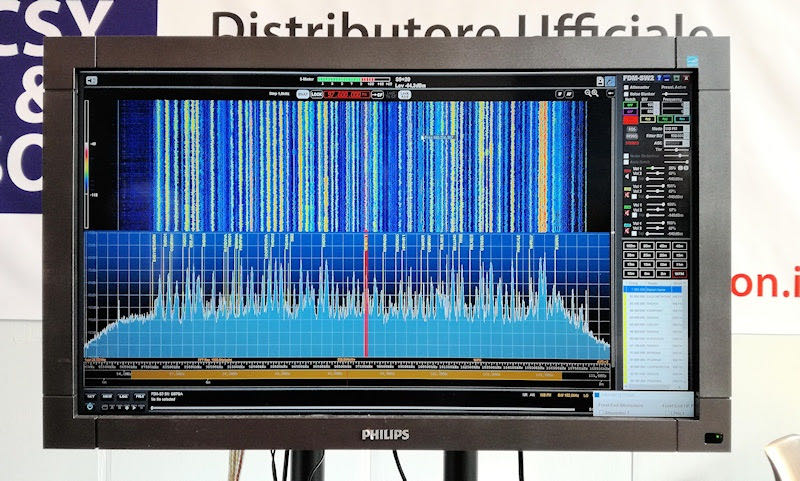
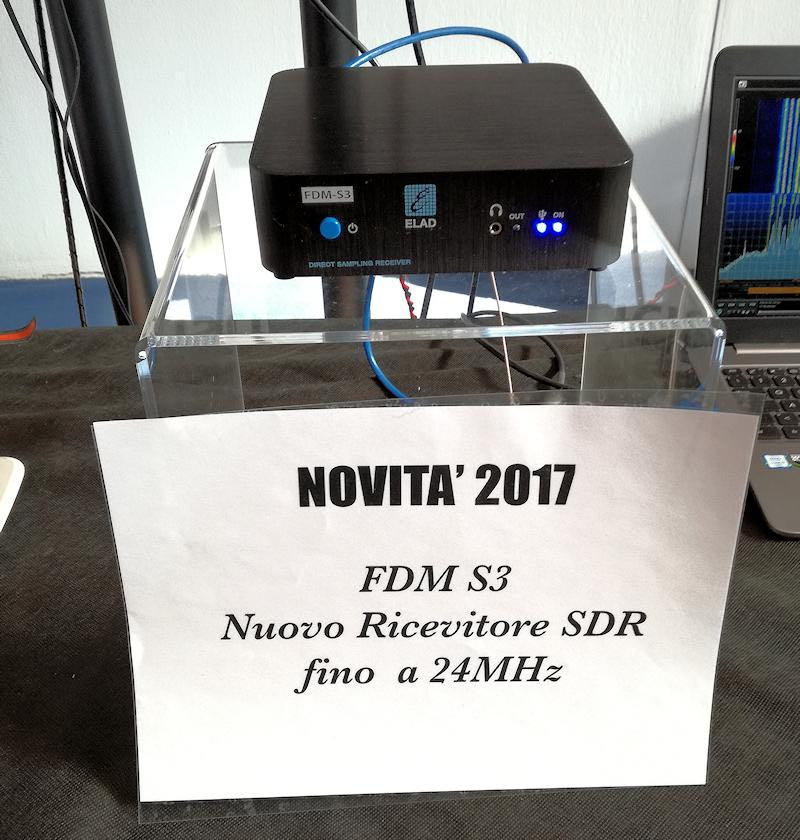
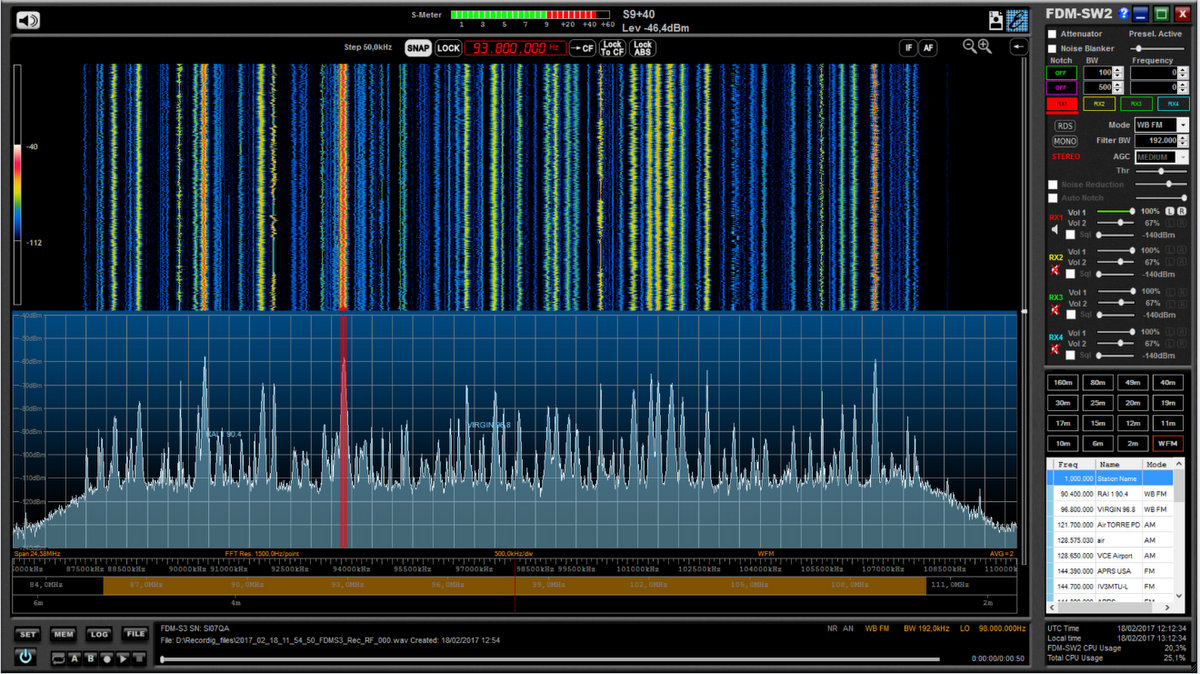
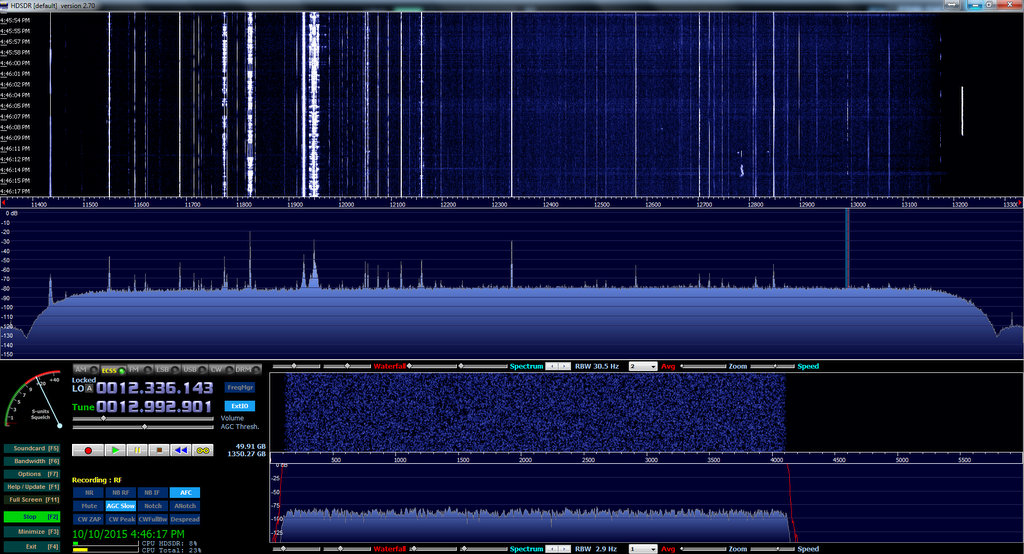
The new Elad FDM-S3 SDR: screenshot of the entire FM broadcast band

Click to enlarge.

Many thanks to SWLing Post contributor, Rafman, who shares this tip via the Elad Yahoo Group where Elad engineer Franco writes:

Today I can show new hardware capabilities of FDM-S3:

24.576 MHz I/Q stream and you can see the whole 88-108MHz FM Band sampled.

The FDM-S3 is equipped of USB-3 controller…

Here a screenshot:
https://www.dropbox.com/s/uxlfi…/FDM-S3_FM_BAND_24MHZ_1.png
new info will come in next weeks.

73, Franco IU3ADL

Wow–the entire FM broadcast band! I bet recording that would burn through a 1 TB hard drive in no time! Can’t wait to try it!

As SWLing Post readers know, I love the FDM-S2. Very happy to hear the FDM-S3 is in the works.

We’ll post updates from Elad as they’re released. Follow the tag: FDM-S3

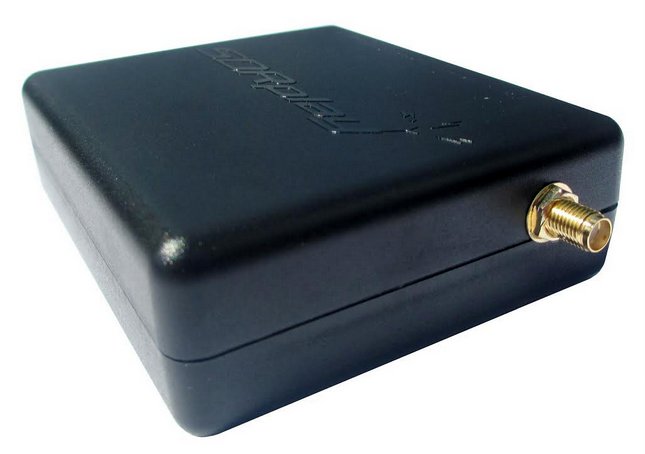
FM Notch Filter for SDRPlay RSP1

RF filters are used (as the name implies) to filter/remove the frequencies you are not interested in and/or let frequencies you want pass . They come in lots of types. For example a band-pass filter lets the signals in a frequency range to pass through it and rejects/attenuates other frequencies. The opposite of band-pass filter is a band-reject or band-stop filter (also called a notch filter) which rejects/attenuates signals in a specific range and lets other frequencies get through the filter. Lots of different filters are used in SDRs and traditional radios. For example AM low-pass filters (only let frequencies lower than 1.7MHZ or so pass) or band-pass filters for various ham radio bands.

One of the popular use cases for a notch filter is in the FM broadcast range (88-108 MHZ in most parts of the world)

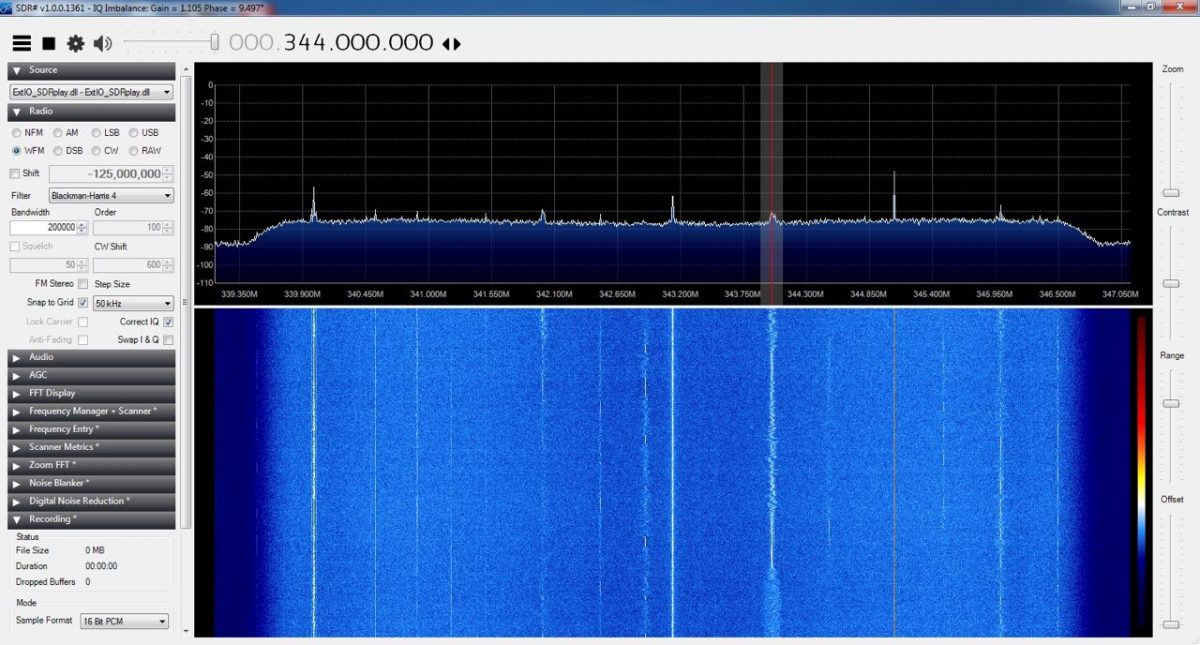
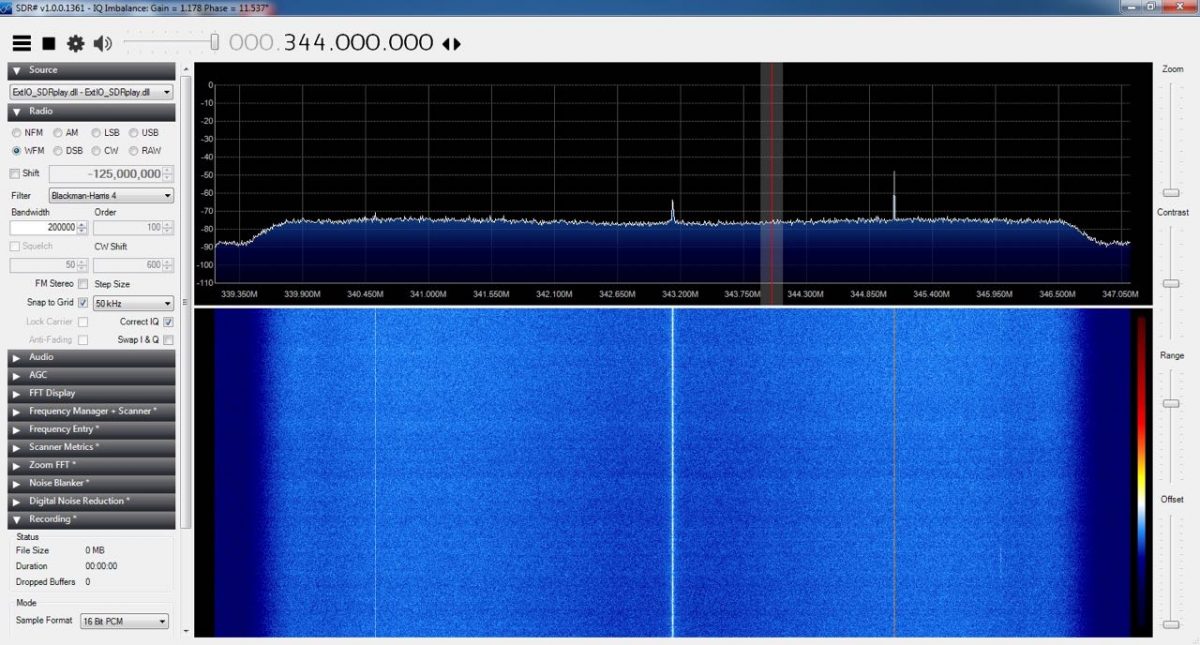
When you live near a powerful transmitter, it can affect the operation of your receiver in other near frequencies (or overload your receiver’s front-end), but I didn’t want the notch filter for this reason. I’ve got a SDRPlay RSP1 (among many other SDRs) which due to its architecture, has some images of FM band in the UHF range (for example in 330-350 MHZ). In fact they’re the images of the product of LO harmonics and FM frequencies.

You can temporarily move/shift the frequency by changing the LO frequency which does not remove them, but moves them around.

Another method to remove these images is using a band-stop filter.

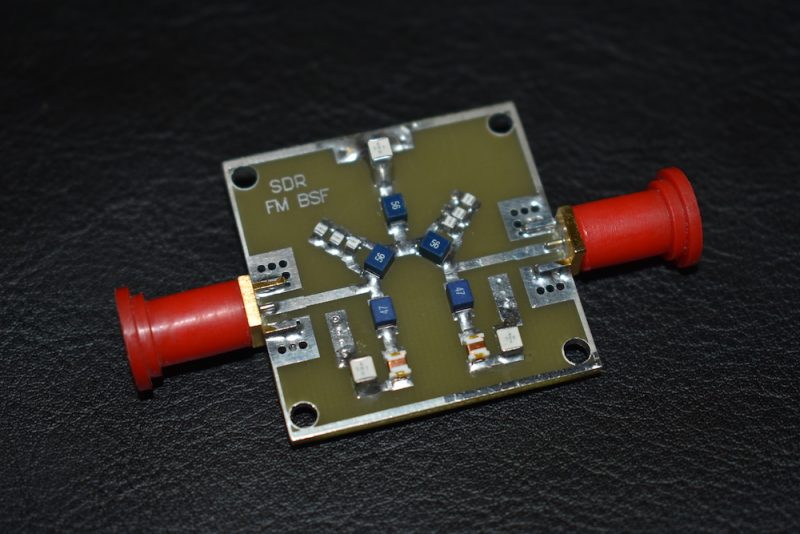
This is the filter I’m using (Thanks to my friend Amirhosein Hasanpur who designed and built it):

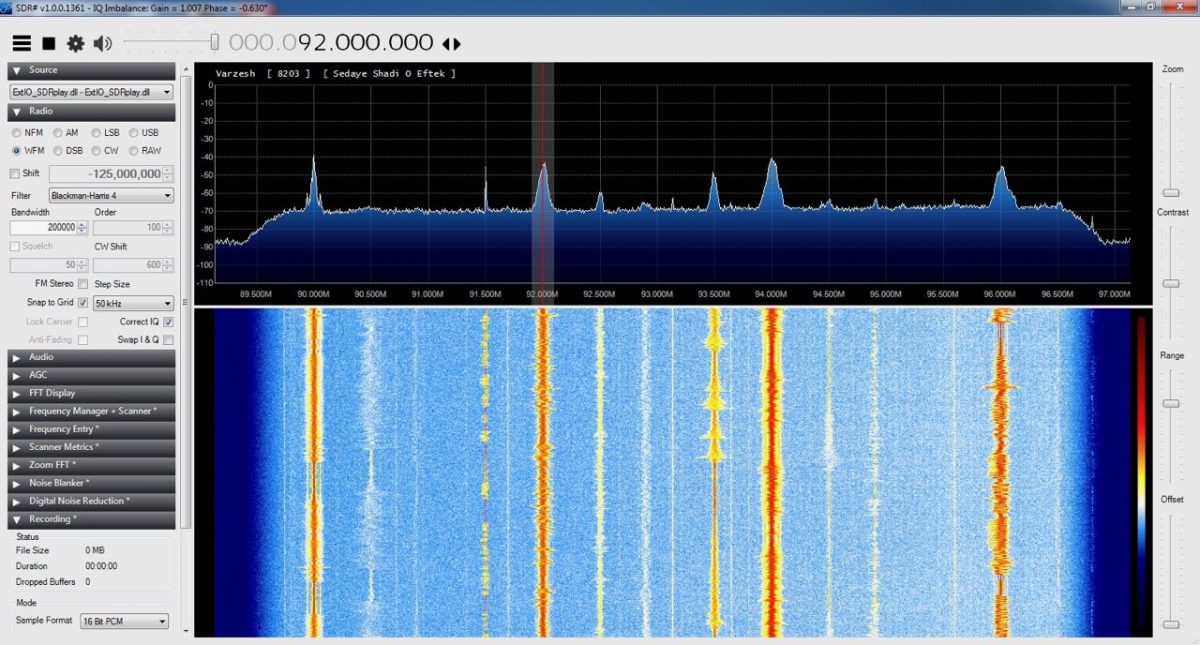
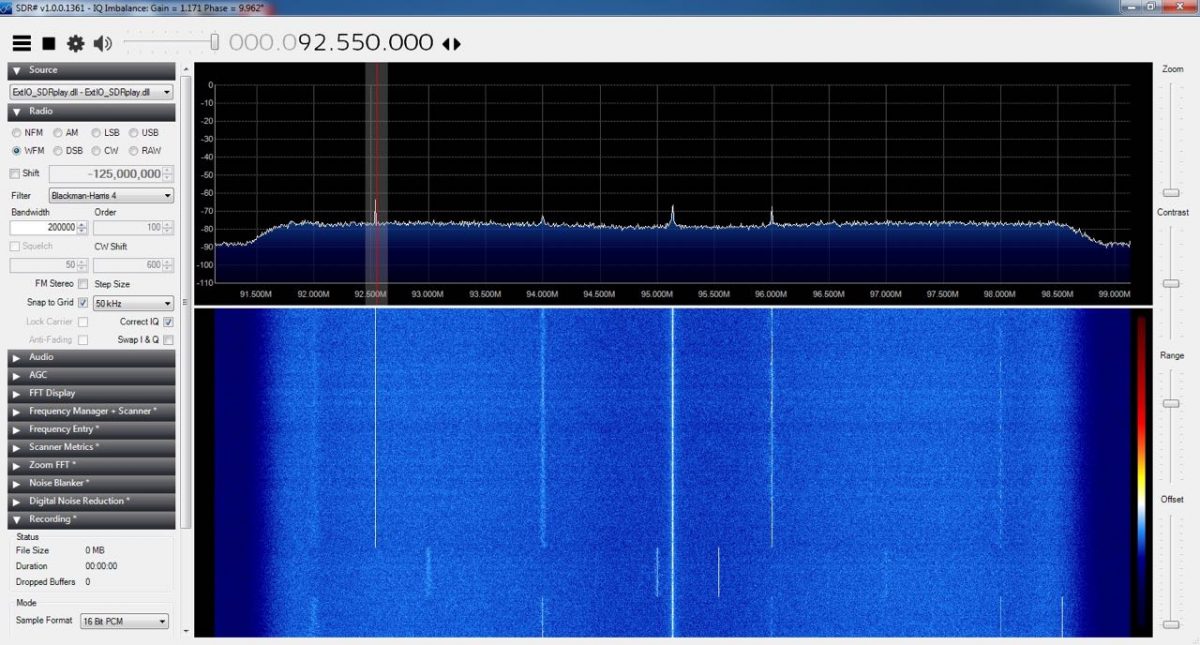
Here you can see the effect of using a FM notch filter on my SDRPlay RSP1:

FM, without filter:

FM, with filter:

UHF (images) without filter:

UHF (images) with filter:

Here’s a link to a Zip file containing the PCB (in Protel), schematics (pdf) and S Parameters (pdf):

https://www.dropbox.com/s/l98kylrofohgqxf/SWLing.zip?dl=0

Note: Like any other SDR test/review, the results depend on lots of different parameters (various gain values, LNA, antenna, software, etc). These pictures are captured with the same conditions just to show the effectiveness of this filter and your milage will definitely vary, but expect a similar outcome. If you live close to a powerful transmitter or use LNAs, you will receive some signals, even when using the filter.

Final note: this issue is solved in the newer version of SDRPlay (RSP2) : it has software-selectable notch filters for FM and MW broadcast frequencies.

Mehdi Asgari, the author of this post, is a regular contributor to the SWLing Post. Mehdi lives in Tehran and is an active member of the EP2C amateur radio club.

A quick view of my shack in Oxford, UK & recent transatlantic medium wave DX

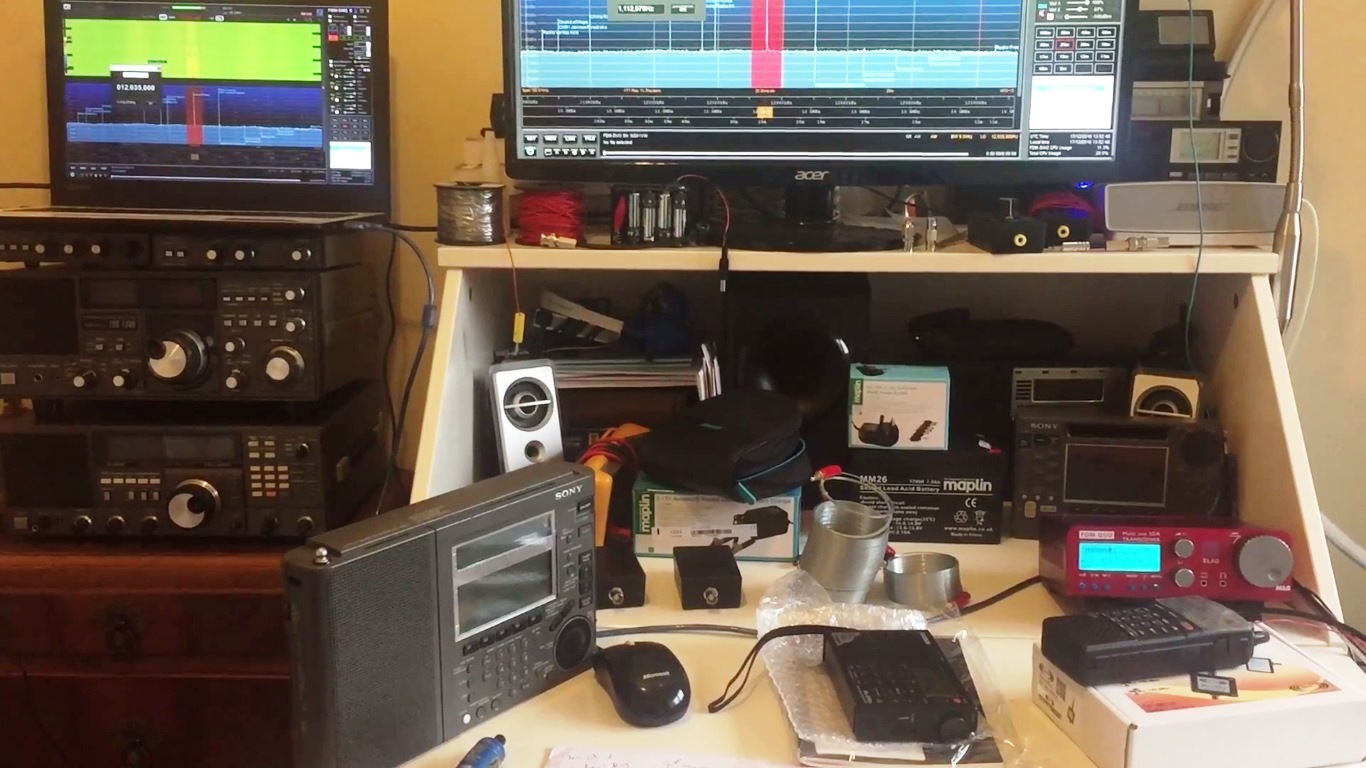
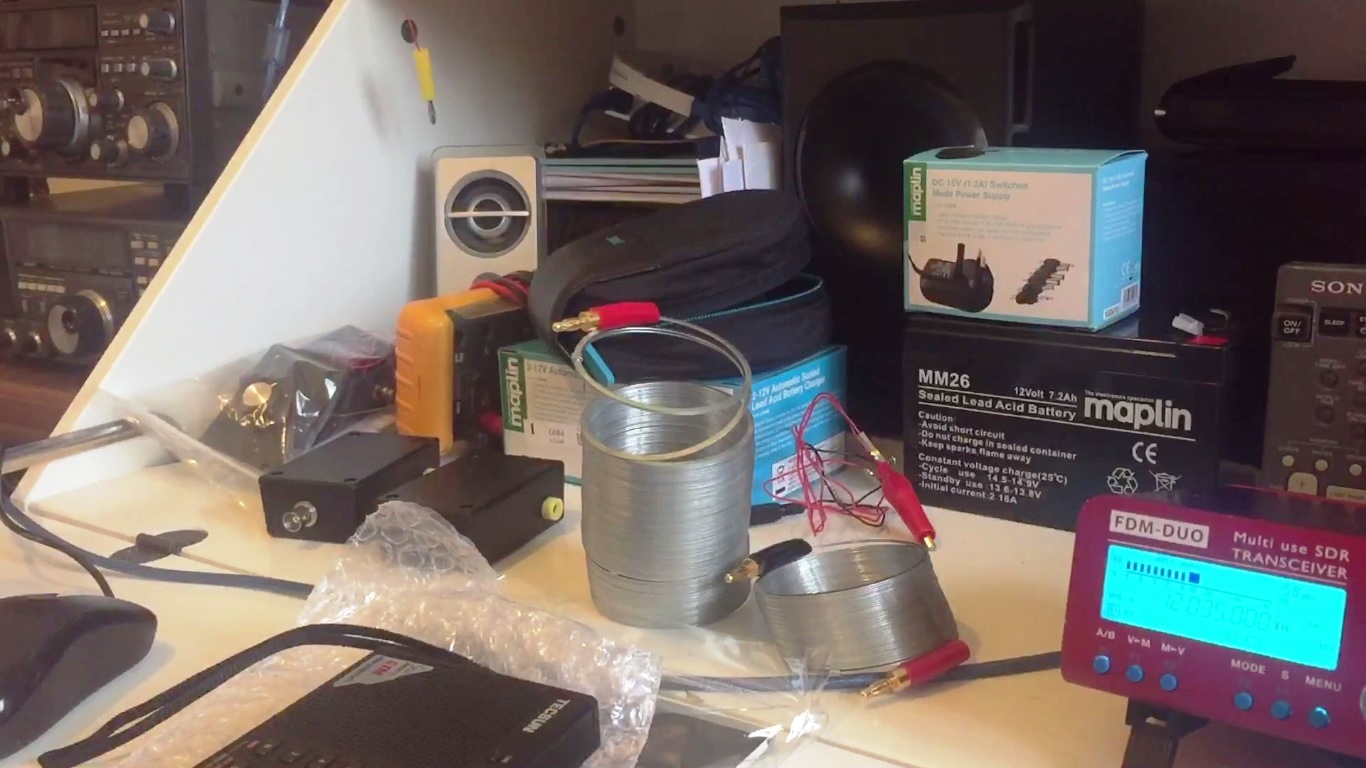
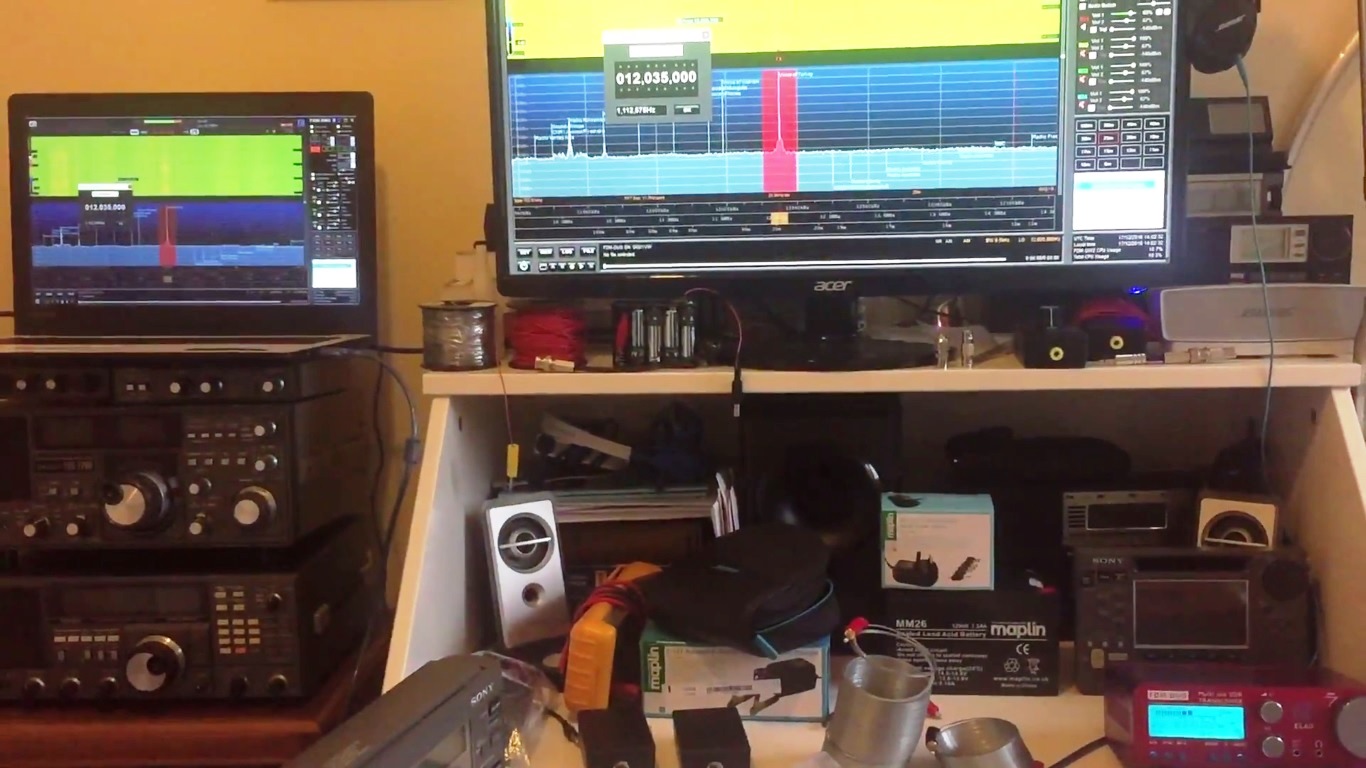
Someone recently described my shack in Oxford as ‘an impressive mess’…. and that really is just about the most positive comment I’ve ever received regarding my listening post! So, my apologies for displaying the mess in public, but in response to having been asked many times by subscribers to Oxford Shortwave Log to ‘share my shack’, here it is, well most of it at least, in all it’s unadulterated glory.


The primary reason however for this post is to share my most recent transatlantic medium wave catches using the brilliant Elad FDM DUO and Wellbrook ALA1530 magnetic loop antenna. This excellent combination continues to pull in really nice DX, although not so much very recently as propagation has been fairly rubbish. However, since early to mid December, the dynamic duo have managed to pull in a number of transatlantic medium wave signals, including Radio Rebelde, Cuba on (670 and 710 kHz), KVNS Texas, CHIN Radio, Toronto, WFED Washington DC, WWNN Health and Wealth Radio, Pompano Beach, Florida, and huge signals from WMEX Boston and WWKB Buffalo, New York. Embedded reception videos and text links follow below and in the mean time, I wish you all great DX!


Click to watch on YouTube

Click to watch on YouTube

Click to watch on YouTube

Click to watch on YouTube

Click to watch on YouTube

Click to watch on YouTube

Click to watch on YouTube

Click to watch on YouTube


Clint Gouveia is the author of this post and a regular contributor to the SWLing Post. Clint actively publishes videos of his shortwave radio excursions on his YouTube channel: Oxford Shortwave Log. Clint is based in Oxfordshire, England.


HDSDR version 2.76: updates and additions

Many thanks to Light Coder at HDSDR who notes a recent update to HDSDR:

HDSDR bugfix release 2.76 just went online.
There are also some minor additions.
See http://hdsdr.de/wnew.html

Think it’s worth to have a look into the keyboard shortcuts:
http://www.hdsdr.de/hdsdr_keyboard_shortcuts.htm

Many thanks! HDSDR is a great (free!) SDR app–happy to hear about this recent update including keyboard shortcuts.

Propagation-Triggered Spectrum Recording

Many thanks to Jon Hudon of SDRplay who shared the following on the SDRplay Facebook page:

One of the SDRplay user community, Jukka, has started an interesting discussion on what he has called ‘propagation-triggered recording’ – he outlines the concept, and what he is doing, on our forum – see http://www.sdrplay.com/community/viewtopic.php?f=9&t=1839

The idea is that you monitor signals to determine if conditions are particularly good and can thereby trigger an I/Q recording of a whole band during that particular propagation high point -Jukka welcomes more comments on this idea.

Many thanks, Jon. I would certainly be a fan of this as so many times I’ve missed fantastic band openings while travelling. It would be nothing short of brilliant to come home to automatic SDR spectrum recordings taken during prime propagation. At the moment, propagation is so dismal, rare openings are worth recording!

As Jon points out above, check out the SDRplay forum for more details.

The Icom IC-R8600 shipping early 2017

The Icom IC-R8600 (Image source: Icom)

This morning, while browsing the latest ARRL QST magazine, I noticed an advertisement for the new Icom IC-R8600 wideband receiver.  If you recall, last August, Icom made the announcement that it was introducing two new receivers: The IC-R8600 and the IC-R30 handheld.

The IC-R30 is the successor to the IC-R20 compact handheld receiver, but will have advanced receiving capabilities and be able to decode D-STAR, P25, NXDN and dPMR digital (conventional) modes.

Icom IC-R8600 back panel (Image source: Icom)

The IC-R8600, on the other hand, is more akin to the IC-7300 transceiver in terms of design, but has much more functionality than the IC-7300 and covers a wide range of frequencies (10kHz-3GHz).

The Icom IC-R8600 is essentially a tabletop SDR receiver.

Here are a few features mentioned on the IC-R8600 pre-release brochure:

  • Ultra-wide frequency coverage with RSSI (Received Signal Strength Indication) function
  • Fast moving, real-time spectrum scope and waterfall functions
  • Decodes multiple digital protocols, including D-STAR, NXDNTM, dPMRTM and APCO P25
  • Large 4.3 inch TFT color touch screen display
  • Clear audio quality using FPGA/DSP base architecture with superheterodyne circuitry
  • Optional RS-R8600 PC remote control software allows control of all receiver functions
  • I/Q signal output for use with third-party SDR software and/or external decoding
  • The SD card slot for received log, decode log and voice recording
  • Optional SP-39AD external speaker with integrated power supply

The back panel connections are pretty comprehensive (click to enlarge):

I will plan to review the IC-R8600 once it has become available. I have no clue yet what pricing will be.

I will post all IC-R8600 updates with the tag: IC-R8600

Cloud-SDR: a remote access system for a number of popular SDRs

Many thanks to SWLing Post reader, Sylvain (F4GKR), who writes:

I am Sylvain, from Cloud-SDR, a new company selling software to get remote access to your existing SDR receivers through the Internet.

Coud-SDR

  • currently supports : SDRPlay, Perseus, BladeRF and AirSpy. LimeSDR to come when received and tested.
  • client software is free (can be used as standard SDR receiving software with locally connected devices),
  • server software starts at 110 Euros, VAT may be added depending on customer location,
    easy to use

From the Cloud-SDR website:

The Cloud-SDR Concept

You need a way to remotely access your existing SDR receiver? To stream your IQ samples to another remote computer over the network?

Cloud-SDR is a commercial software solution to enable real time RF data sharing or processing through the cloud.

Cloud-SDR can collect real-time IQ complex samples from an SDR hardware device connected on one machine, stream the samples to a second machine for demodulation or analysis, then send the resulting stream to third machine for storage.

In standalone mode, Cloud-SDR can execute signal processing tasks described with embedded JavaScript DSP engine.

Because network bandwidth is limited compared to SDR receiving bandwidth, the core concept of Cloud-SDR is to move the processing along the cloud to where it is required or possible : the DSP chain is divided in sub-tasks that are spread between computers interconnected through Internet.

Very cool, Sylvain!

I like the fact your system supports popular affordable SDRs like the SDRplay RSP & AirSpy and that you can stream your IQ samples.

Click here to read more on the Cloud-SDR website.