Shortwave listening and everything radio including reviews, broadcasting, ham radio, field operation, DXing, maker kits, travel, emergency gear, events, and more
A map of the United States showing the path of totality for the August 21, 2017 total solar eclipse. (Source: NASA)
The 2017 eclipse is quickly approaching (August 21)–!!
If you would like to participate in a fascinating radio experiment coinciding with the event, check out this undertaking outlined on the website HamSCI. Note that you do not need to be in the path of totality in order to participate.
Here’s the summary:
On 21 August 2017, a total solar eclipse will traverse the continental United States from Oregon to South Carolina in a period of just over 90 minutes.
Previous research shows that the shadow of the eclipse will impact the ionospheric state, but has not adequately characterized or explained the temporal and spatial extent of the resulting ionospheric effects.
HamSCI is inviting the amateur radio community to contribute to a large scale experiment by participating in an Eclipse QSO party and further developing automatic observation networks such as the Reverse Beacon Network.
Data resulting from these activities will be combined with observations from existing ionospheric monitoring networks in an effort to characterize and understand the ionospheric temporal and spatial effects caused by a total solar eclipse.
I am a little too young to know anything about this; not only was I five / six when they first started but I also had no idea about shortwave radio at the time! 🙂
Do any of your readers know anything more about it (it is fairly detailed on this site, but perhaps someone reading was involved in some way?)
It seems to be a shortwave combination of the IBA Engineering Broadcasts for the trade that were shown on TV and something akin to the current InRadio (inrad.io).
Incidentally, the little IBA jingle at the start of that clip was also used – in a higher key – by Granada Television in the North West of England for some of their idents:
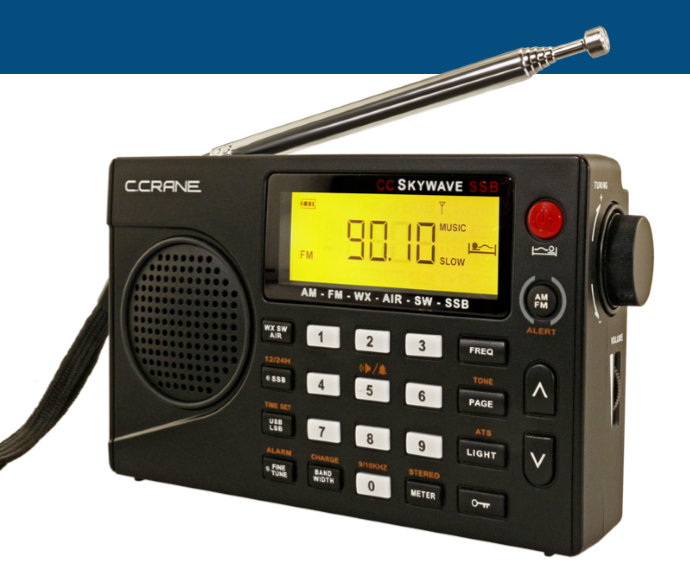
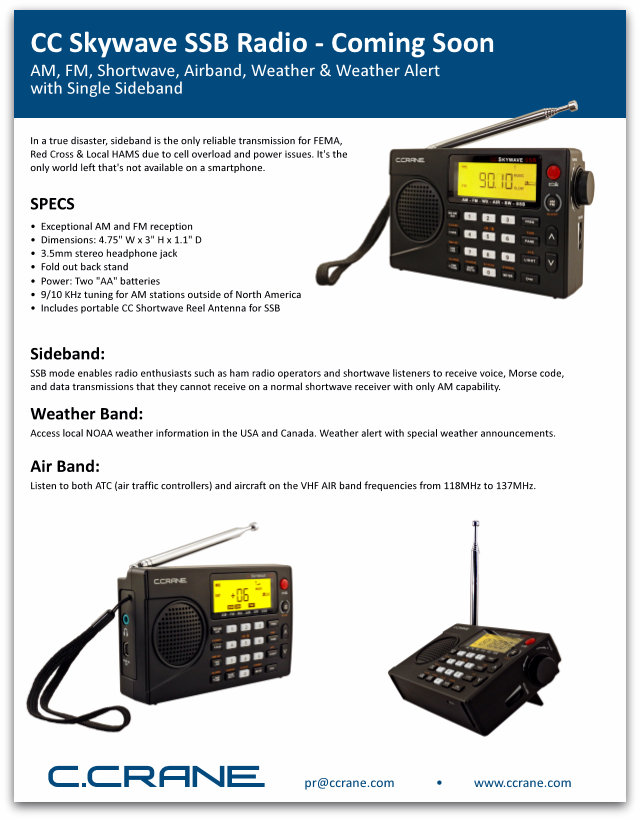
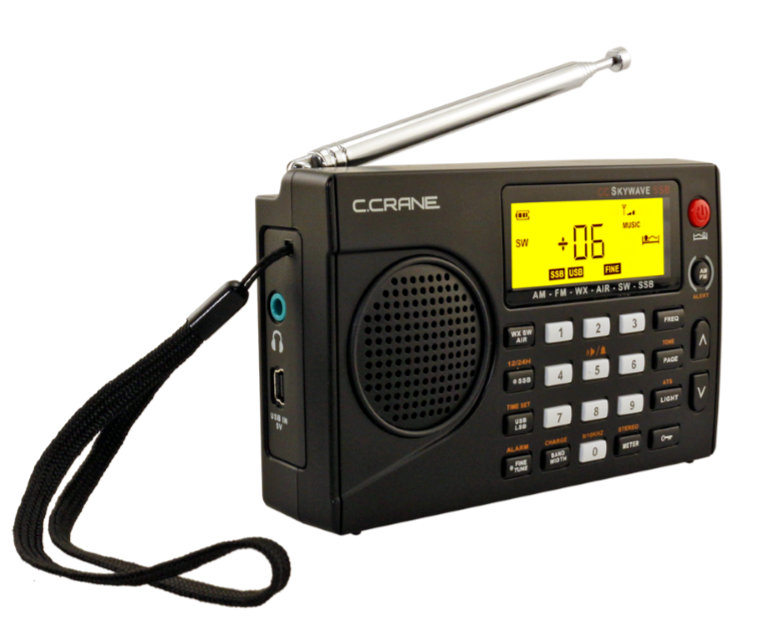
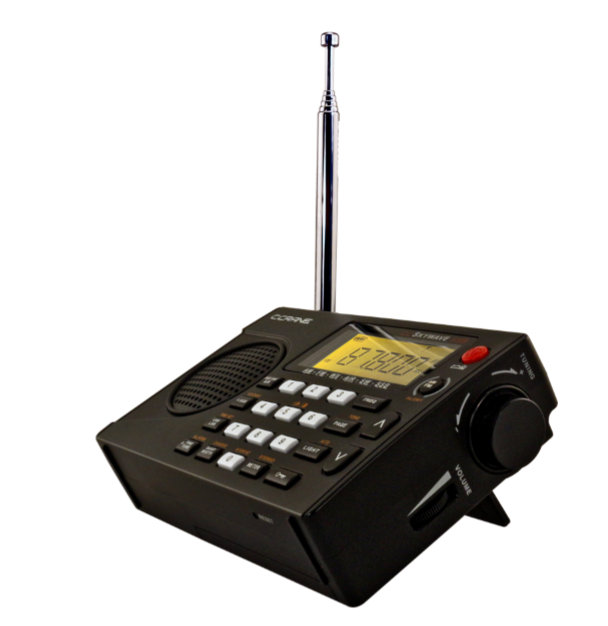
Turns out, it’s a product sheet for a new C.Crane radio: the CC Skywave SSB. Ther is no mention of this radio on C.Crane’s website yet. Here’s a screenshot:
Yes, C.Crane has obviously listened to our feedback and has developed a version of the Skywave with SSB mode–! Based on the product sheet, the CC Skywave SSB has all of the features of the original Skywave as well. That’s a plus because I love the NOAA weather radio functionality and the aviation band, especially when traveling.
If the Skywave SSB performs well, and the price point is decent, I think it might become one of the most popular shortwave portables currently on the market.
Why?
Well, for one, I’m a huge fan of the original CC Skywave (check out my review from 2014). It’s compact, feature-rich and has brilliant performance for a very compact travel radio. It’s a brilliant piece of kit for us one-bag travellers. The only glaring omission with the original Skywave was SSB mode, but at the time I believe DSP chips simply couldn’t implement this functionality.
Similarity to the Digitech AR-1780?
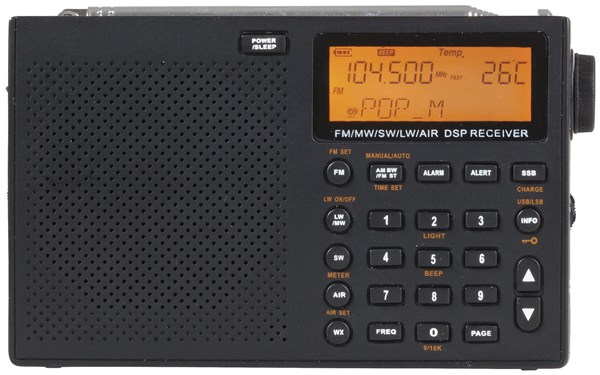
The Digitech AR-1780
In terms of size, the side-mounted encoder and some key placement, the CC Skywave SSB resembles the Digitech AR-1780 I ordered yesterday. The overall chassis design and display, however, are quite different.
I wouldn’t be surprised if both the AR-1780 and the Skywave SSB are built on the same DSP chip.
Will they have similar performance? I doubt it.
If you recall, when the original CC Skywave was first announced, we radio geeks noticed a striking resemblance to the Digitech AR-1733. Fortunately, the Skywave was far superior in terms of performance. I made the following note in my Skywave review:
Fortunately, it’s clear that C. Crane noticed the shortcomings of the AR1733 and has modified the Skywave’s design and firmware accordingly, which may account for the delayed roll-out of the CC Skywave. Obviously, the Skywave’s ACG circuit has been tweaked to cope with medium wave and shortwave listening, since a poor ACG circuit is one of the shortcomings of the AR1733. But, if so, wow…what a tweak.”
I know the crew at C.Crane and I can confirm that they do their own product development. Their team consists of proper radio enthusiasts and ham radio operators who work directly the engineers. This is why C.Crane never releases products with serious receiver flaws like other manufacturers have in the past.
A CC Skywave SSB review?
You bet!
As soon as I can get my hands on the CC Skywave SSB, I’ll share updates here on the SWLing Post. Just follow the tag: CC Skywave SSB.
You might have noticed that my expectations are pretty high for the CC Skywave SSB, so I hope I’m not disappointed when I do the review.
In the past decade, there have been very few full-featured, ultra-compact travel radios with SSB introduced to the market. There is, of course, the CountyComm GP5-SSB, but it lacks a direct entry keypad, aviation coverage and NOAA weather radio. There is also the discontinued Grundig G6, but it too lacks NOAA weather radio and SSB operation was pretty basic (let’s not forget the G6 was also a “sticky radio”).
The CC Skywave SSB could be a Holy Grail travel radio, if it lives up to expectations.
At this point, of course, I have no idea when this little radio will hit the market. We can assume, though, that C.Crane will do their best to ship it prior to the 2017 Christmas shopping season.
Internet and mobile phone users in South Sudan are not able to access the websites of at least four independent media outlets. The government has grown increasingly hostile to the media since civil war began in 2013.
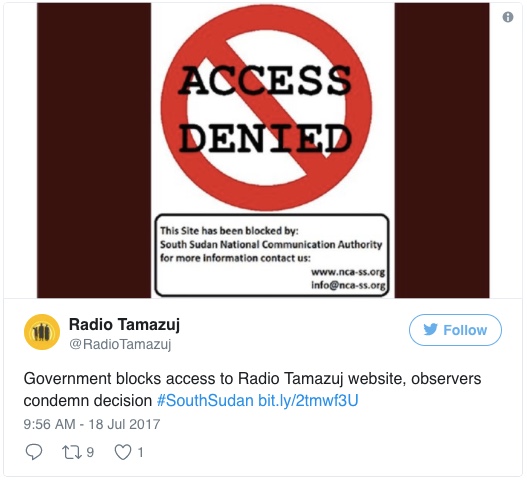
The South Sudanese government has blocked access to the websites of Dutch-backed Radio Tamazuj, as well as the popular news blogs Nyamilepedia and Paanluel Wel. Internet users said that the website of the Paris-based Sudan Tribune was also affected on some mobile phone and Wi-Fi networks.
Radio Tamazuj and the Sudan Tribune are reputable sites which have been critical in their coverage of South Sudan’s government, which has grown increasingly hostile towards the media since civil war broke out in 2013.
The government is justified in blocking the websites to protect citizens from outlets that “disseminate subversive material,” South Sudan’s Minister of Authorities Michael Makuei Lueth told the US-based Committee to Protect Journalists (CPJ).[…]
Fortunately, the South Sudan communities I’ve worked with through Ears To Our World have access to shortwave radio which is not affected by an Internet block.
No doubt, shortwave radio is the ultimate free speech medium, as it has no regard for national borders, nor for whom is in power (or not in power) at any moment.
Shortwave radio may be a sunsetting technology, but it’s also the most accessible and effective vehicle of the free press. What other technology can thoroughly blanket the globe with news and information yet can also be be received with a simple $20 battery-powered portable device?
This photo was taken in South Sudan, after Ears To Our World distributed radios in this rural community for the fourth year running. We’ve been distributing radios in South Sudan through our partners there since 2009.
Check out these recent comments from the head of DW regarding the importance of international broadcasting. Thanks for the tip, Rich!
A map of the United States showing the path of totality for the August 21, 2017 total solar eclipse. (Source: NASA)
Many thanks to SWLing Post contributor, Colin Newell, who shares a fascinating 2017 eclipse experiment outlined on the website HamSCI.
Here’s the summary of the experiment:
On 21 August 2017, a total solar eclipse will traverse the continental United States from Oregon to South Carolina in a period of just over 90 minutes.
Previous research shows that the shadow of the eclipse will impact the ionospheric state, but has not adequately characterized or explained the temporal and spatial extent of the resulting ionospheric effects.
HamSCI is inviting the amateur radio community to contribute to a large scale experiment by participating in an Eclipse QSO party and further developing automatic observation networks such as the Reverse Beacon Network.
Data resulting from these activities will be combined with observations from existing ionospheric monitoring networks in an effort to characterize and understand the ionospheric temporal and spatial effects caused by a total solar eclipse.
Many thanks to SWLing Post contributor, Dan Robinson, who shares the following video from CBS Sunday Morning and notes:
For those who may have missed this recent CBS Sunday Morning piece, which tells the story of a guy who, inspired by BBC broadcasts of Wimbledon, built his own top-level court in Iowa. It’s not often that shortwave gets such national exposure:
(Via CBS Sunday Morning on YouTube)
“If you build it, they will come.” In the case of one tennis-obsessed fan who built a replica of Wimbledon’s center court on his Iowa farm, people have come from around the world to his All-Iowa Lawn Tennis Club, to play on his court of dreams. Steve Hartman reports.
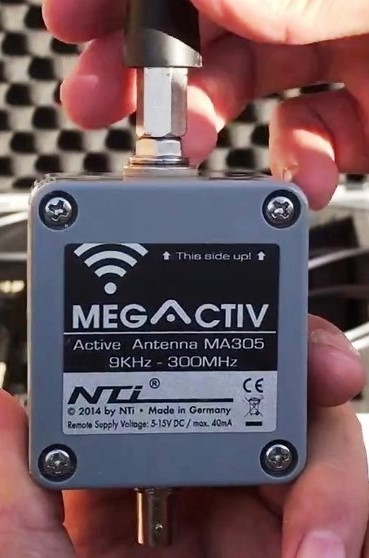
Hi there, you might remember my post from last month focussing on the Bonito MegActive MA305 E-field antenna, kindly supplied to me for testing, by Bonito themselves. That post was essentially a report on my experiences travelling to Crete with the MA305, navigating through security at London Gatwick and Heraklion airports (mostly with relative ease), but more importantly, how well it worked with the equally excellent Eton Satellit portable receiver. Whilst in Crete I managed to copy a number of personal firsts, including CRI on 7295 kHz, via their relay in Bamako, Mali, The Voice of Beibu Radio on 5050 kHz, Nanning, XSL ‘Slot Machine’ on 6251 kHz USB, Ichihara, Japan, S32 ‘The Squeaky Wheel’ on 3828 kHz and NHK World Radio Japan, 11910 kHz. I also copied RTM Wai/Limbang FM on 11665 kHz from Kajang, Myanmar Radio on 5985 kHz and AIR Bhopal on 4810 kHz, amongst others – all of which I would certainly consider to be difficult catches in Europe.
The USB-powered MegActive MA305 is perfect for DXing on the move…
Despite excellent all-round results from the ultra-portable USB powered MA305, there was one signal I copied, which more than any other, demonstrated the DXing credentials of this antenna; Radio Tarma from Peru on 4775 kHz. With a TX power of 1 kW, this is a very difficult station to hear in Western Europe, even with a longwire. To catch this station in Crete, with a 22 cm antenna was incredible and it was at that point during my trip that I realised E-field antennas really can work superbly well for hard-core DXers on the move.
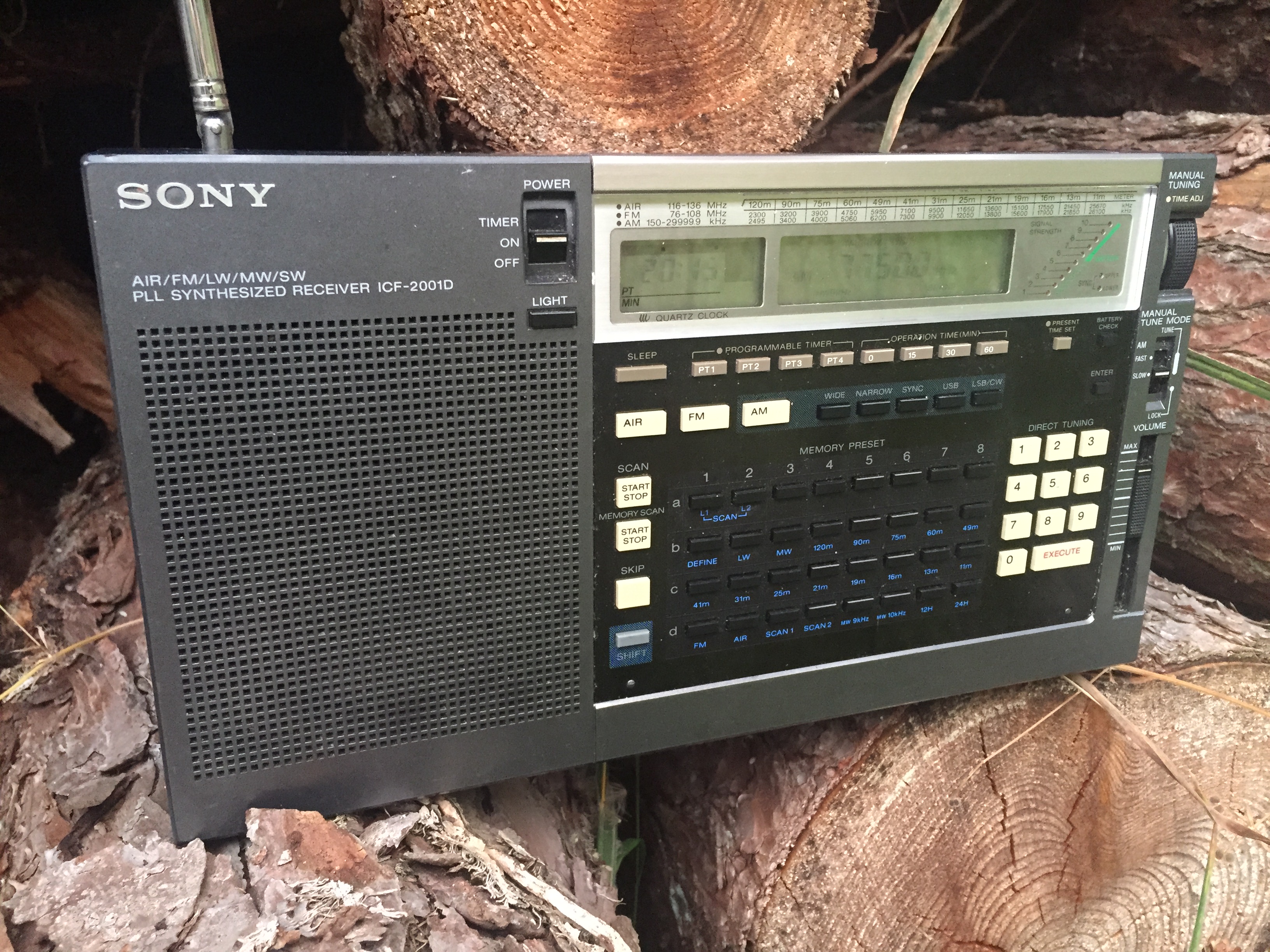
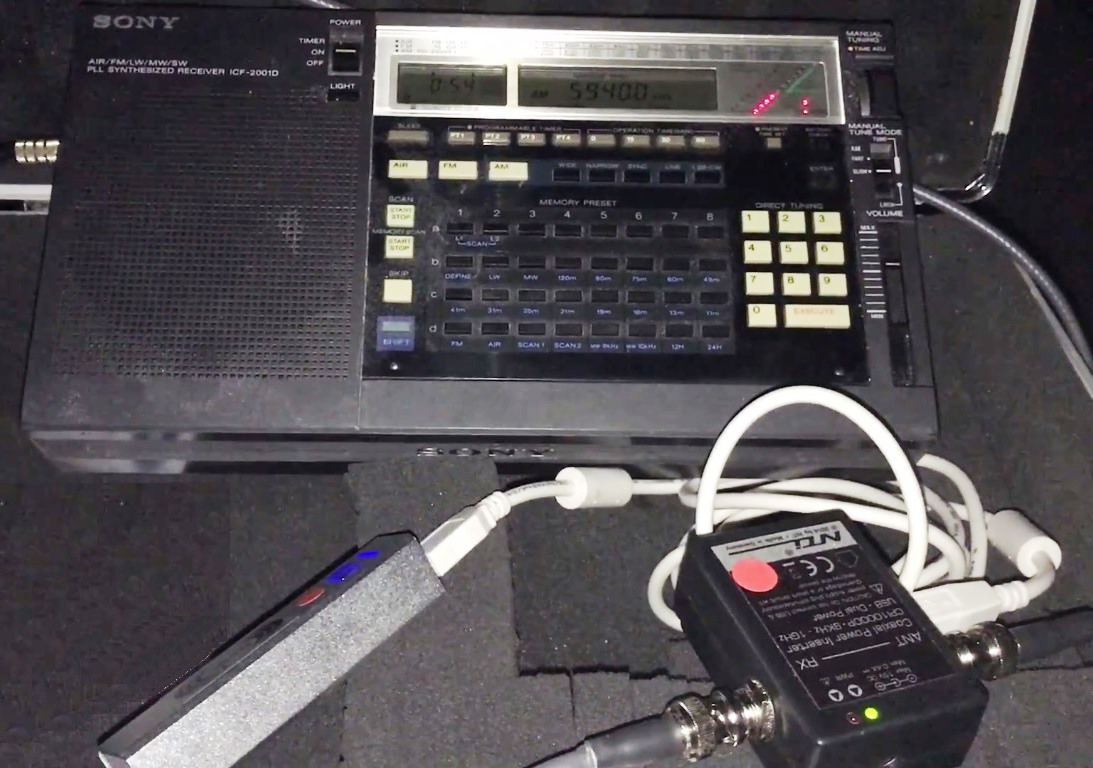
Upon my return to Oxford, I immediately started thinking about a DXpedition to the local woods I use for what I consider serious DXing. For obvious reasons, E-field antennas require an electrically quiet environment to ensure maximum SNR performance. In noisy environments, these types of antennas amplify the signal of interest and the background ‘electro-smog’, thus increasing signal levels but critically, not signal-to-noise. Fortunately, the Oxfordshire wood I have been using for a couple of years is only a 10 minute drive from my QTH as I sort of live in the countryside anyway and the QRM levels there are just about zero. Now, given that this was essentially an experiment to determine the best possible performance from the MA305, I decided to use my best portable radio. It was quite tempting to pack up the Elad FDM DUO which running on a home-brew battery pack has proven itself to be my best (pseudo) portable radio. However, this is supposed to be a real-world test and in this type of scenario, DXpeditions with the Bonito antenna are much more likely to be undertaken with a portable radio. For these reasons I decided to conduct the test with the venerable Sony ICF-2001D. Having proven to be a superb receiver over many, many dxpeditions (check out the evidence on my YouTube Channel Oxford Shortwave Log) and still regarded by DXers as one of the best ever portable radios – possibly the best – it was the obvious choice.
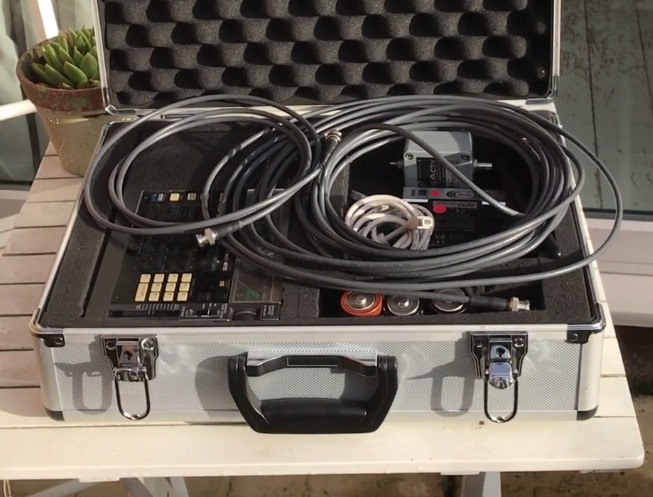
My portable DXing kit comprising the Bonito MegActive MA305 antenna and the Sony ICF-2001D…a bit of a legend in DXing circles…
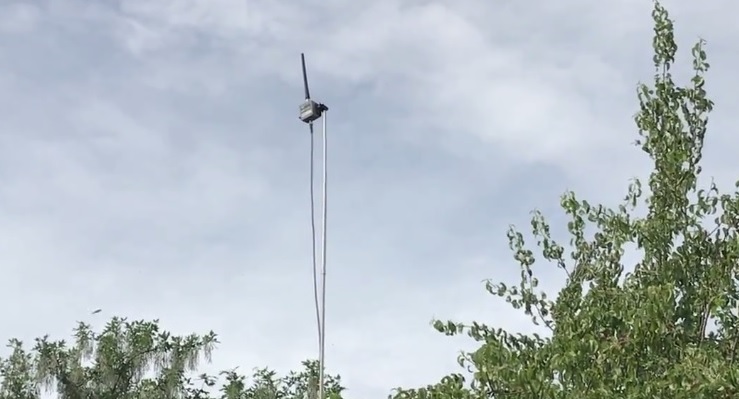
I ventured out in early June around 23:00 hrs BST (22:00 hrs UTC), parked the car on the edge of the wood and proceeded to set up my cheap camera tripod, slightly modified to accept a 2 metre-long stainless steel tube, into which a slightly thinner 1 metre tube was mounted, topped off with my partially disassembled ‘Selfie Stick’ – which made it back from Crete lol. The antenna was set up in less than 5 minutes and approximately 4 metres above the ground – much quicker and easier than de-spooling 100 metres of wire! With fresh batteries in the Sony and the MA305 powered up using the USB power brick supplied by Bonito, I was ready to start listening. Almost immediately I heard and recorded a personal first; Lao National Radio, Laos, signing on 6130 kHz, with an excellent signal. Hearing them in the UK was only made possible by the annual two week shut down of the PBS Xizang transmitter in Lhasa, Tibet, but hey, I’ll take it. A brilliant start to my listening session.
Over the next two hours I was amazed at what could be heard using this 22 cm amplified antenna. Bearing in mind I have spent many hours at the woods previously, listening via various 100 metre longwires and a 200 metre Beverage, my expectations were, I thought, realistic in that the MA305 coupled to the Sony would catch some very good DX. However, I did believe there might be an absence of at least some of the more exotic low power stations on the Tropical Band – afterall the MA305 is a very short antenna. Clearly I was wrong, because what transpired during the session surpassed anything I thought possible with this set-up. A list of reception videos follows below and further below, a selection of embedded videos. Some of the entries on this list simply stunned me at the time. Rádio Educação Rural for starters is such an incredibly difficult signal to hear in Europe, even with a very large antenna. Thus, to hear them on an ultra-compact set-up felt very special. Radio Mali is another station that is very difficult to catch with any modulation, except on a large antenna and yet there they were – at the first time of trying. Similarly, Rádio Nacional de Angola and Alcaravan Radio are exotics that at best deliver very weak audio – and most of the time no audio. Furthermore, the signals from Emisoras Pio XII, Myanmar Radio and Rádio Clube do Pará were verging on what I would call superb…I’d never heard anything like it previously except via 100 (or more) metres of wire.
The ICF-2001D and MegActive MA305 Rádio Educação Rural transmitter site in Tefé, Brazil
So what’s next? Well it would certainly be an interesting experiment to compare the performance of the MegActive antenna with the Wellbrook ALA1530 active loop in a similar environment. I have used the Wellbrook on DXpeditions several times, with often excellent results, however, it’s not designed to be portable and if SNR performance could be demonstrated as similar between these two products, given a very favourable price delta, the Bonito antenna would add up to be a very compelling purchase decision. More on that to come. In the meantime, thank you very much for reading/watching/listening and I wish you all excellent DX.
Please click on the links below for the reception videos on the Oxford Shortwave Log YouTube channel.
Selected embedded reception videos from the list above:
Clint Gouveia is the author of this post and a regular contributor to the SWLing Post. Clint actively publishes videos of his shortwave radio excursions on his YouTube channel: Oxford Shortwave Log. Clint is based in Oxfordshire, England.