Shortwave listening and everything radio including reviews, broadcasting, ham radio, field operation, DXing, maker kits, travel, emergency gear, events, and more
Many thanks to SWLing Post contributor, Mad Radio DXer, who writes:
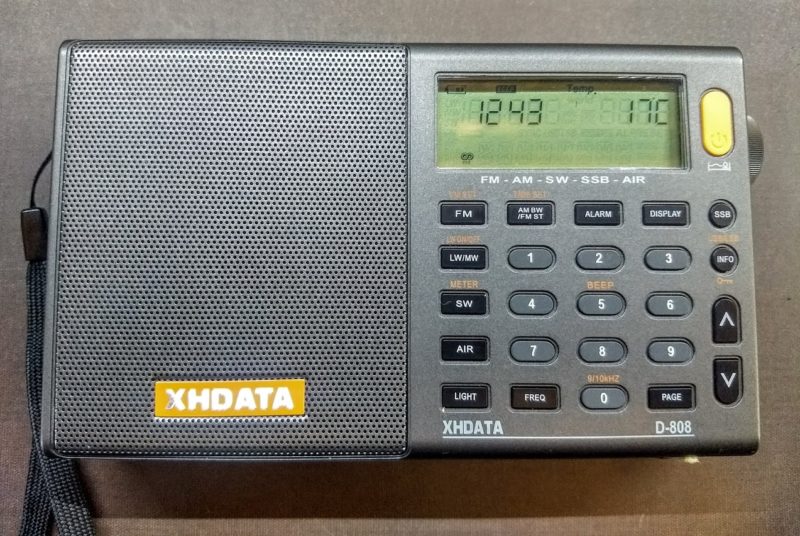
I said I would share my results for attempting to receive LW signals on the XHDATA D-808, & if I can use a longwire to improve reception on this radio. This was after posting videos when I used around 50 metres of longwire connected to the D-808 for improved Medium Wave reception & to prove it works.
This first video shows that it is not possible for LW, no matter if I connect the 50 metres longwire to the 3.5mm input or the whip antenna. I also compare reception of the same station with the Degen DE1103 PLL using the 3.5mm input. The Degen DE1103 still had better reception even when I used the whip antenna extended at the very minimum when using the LW/MW external antenna trick. I know I should have used the internal ferrite antenna of the Degen compared to the D-808, but in any case I did try off camera & reception was about the same. So unfortunately the D-808 was never going to win this round.
However, there is a solution.
The answer? Build yourself a Long Wave induction antenna as shown in the second video [below]. I made one some time ago, as I grew frustrated at how poor the Tecsun radios were on this part of the band & that there were no LW induction antennas available to buy. I tried a signal on 207 kHz which is RÚV Rás 2 from Iceland. Either a radio with a very good internal antenna or a good external antenna is needed to receive this station at my QTH in southern England.
Placing the D-808 on the induction antenna resulted in a very pleasing result, which was it did get reception of Iceland on 207 kHz. So this shows that it is possible to DX on the LW bands with the D-808 with some “external help”.
For anyone interested making a LW induction antenna as shown above, here is a link to a video that has basic instructions & further results. It may be a very simple build & finish what I did, but for me the most important thing is that it works.
I hope my comments & videos will be a great help to all. Happy DXing.
Regards,
Mad Radio DXer.
Excellent–your comments and videos are most welcome! There are quite a number of SWLing Post readers who are avid longwave DXers. I love the simplicity and efficacy of your longwave antenna–something anyone could build. A clever upgrade to the affordable D-808. Thank you for sharing!
Many thanks to SWLing Post contributor, Mike Mander, who writes:
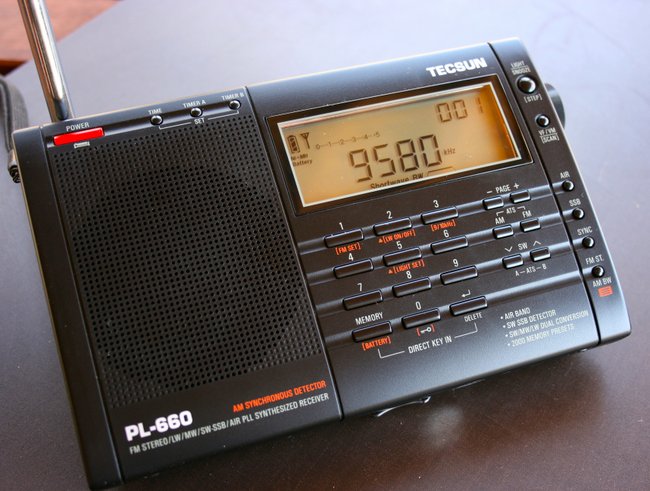
I’ve recently really been enjoying swling.com. Thanks for having such a great resource online with shortwave radio and hardware reviews, tips and more! I started listening to shortwave on an old Philips portable receiver back in the late 70’s as a teenager. Recently, after decades of not listening to shortwave, I decided to buy an Eton ‘Grundig Edition’ Satellit radio and in no time at all, I had also acquired a C.Crane Skywave SSB and now, within the last week, a Tecsun PL-660.
[…]I thought I’d record a video showing how one can calibrate AM, FM, SW wide-bandwidth as well as SW narrow-bandwidth independently, and how to reset those calibrations back to factory default. I have not heard it mentioned anywhere that one can calibrate both wide and narrow bandwidth SW modes independently.
Online, I have read about many people being disappointed in their PL-660’s wide-bandwidth frequency calibration, where often being on-station results in the frequency being up to 5 kHz too low, and it seems many simply return their radios as defective, not realizing how easy it is to recalibrate. This is the first “instructional” video of this sort that I’ve ever posted online, so you’ll have to pardon if I am perhaps not explaining things clearly enough:
Many thanks to SWLing Post contributor, TomL, who shares the following guest post:
Backpack Shack 2.0
by TomL
Like Audiophile speakers, it could be said that “antennas are forever”. They tend to not become obsolete like all of our favorite electronic gear (a good one is worth the trouble). And antennas don’t care if the signals are digital or analog formats. They are “Digital Ready” (LOL)!
Retain the broadband design of the amplified loop on a sturdy form
Shrink the size to fit into a backpack without heavy stand or long pole
Build a modular platform that would allow quick setup
Be something durable that can last me 20+ years of use
Allow the loop to be rotated and tilted by hand
Be easy to hook up to any kind of radio
and later on, Enhance the design as a true Ferrite Sleeve Loop
The Backpack: The existing photo backpack was slightly too bulky. Found on Amazon was an Adidas Excel II XXL backpack on special sale with plenty of tall compartments and minimal padding. It is surprisingly roomy and comfortable to wear with springy shoulder straps and padded mesh backside!
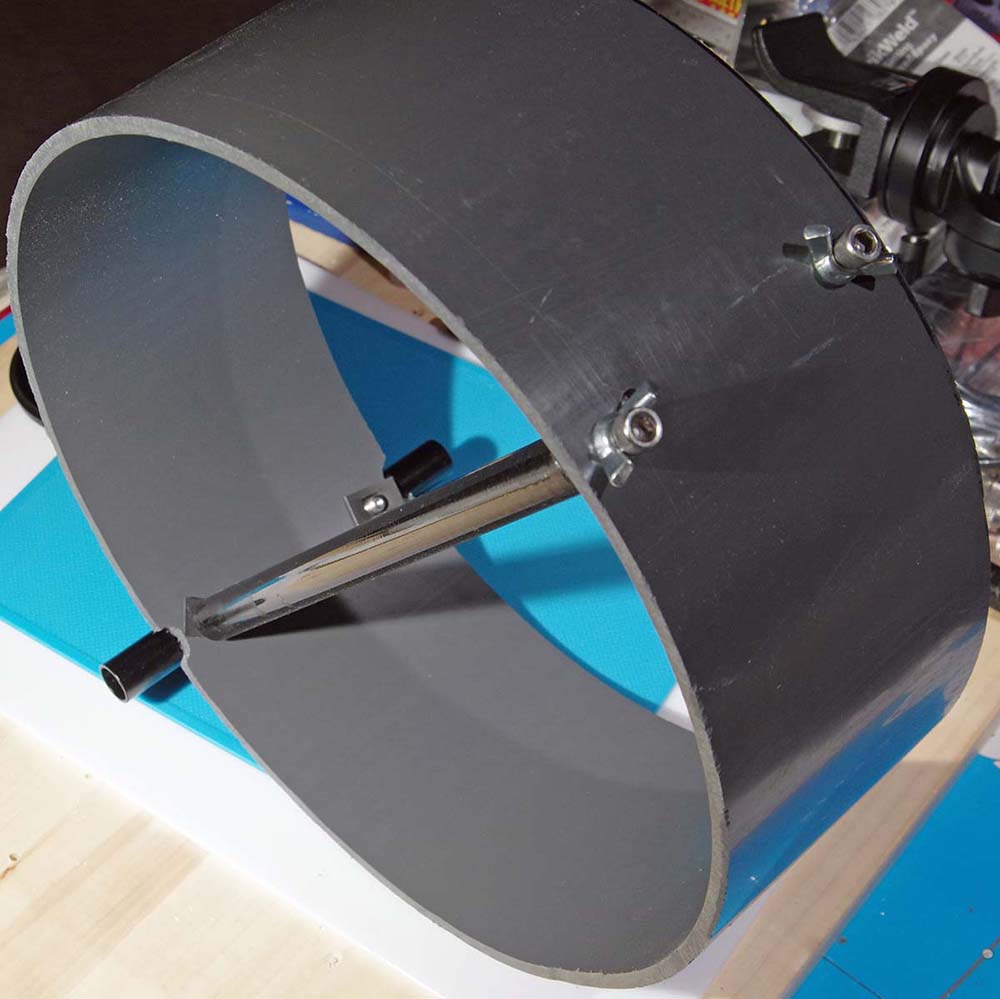
Sturdy Basic Form: The Backpack Shack loop was originally built on 14-inch quilters loops (three of them) in a parallel configuration. I thought to simplify the whole thing and just use one wide loop. But what should I use for a sturdy form? The quilters loops were too flimsy and PVC pipe was too heavy. I stumbled upon a nice company called FlexPVC which allows sales to the public of various kinds of PVC pipe. Their Thinwalled Air Duct PVC looked promising. It is thinner than regular PVC but having standard inside dimensions and comes in custom-cut lengths. I decided 10-inch diameter would fit best inside the Backpack. FlexPVC even sends you a small booklet of the U.S. Constitution and the Bill of Rights with your order! 🙂
Thinwalled PVC form
The “length” as they call it would be my form width for the copper strip. I thought 3-inch would be nice but decided 4-inch was better. Supposedly, the aperture + the width of the “radiant element” is the main design consideration for loop performance. So, I figured that as wide an element as I could get away with was better.
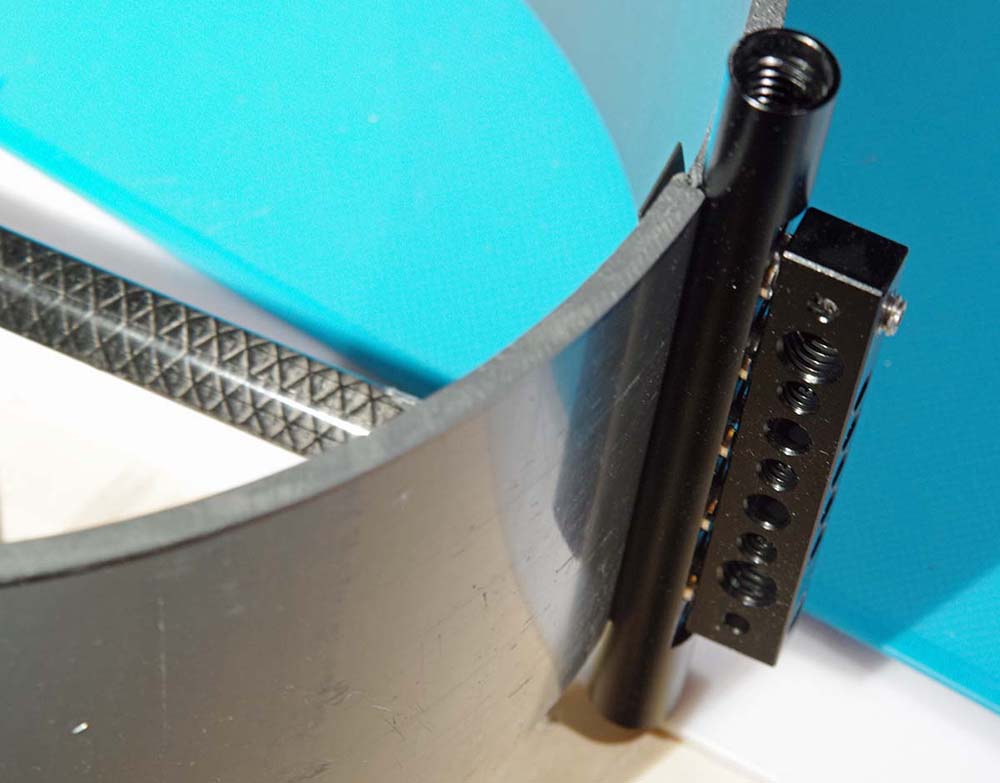
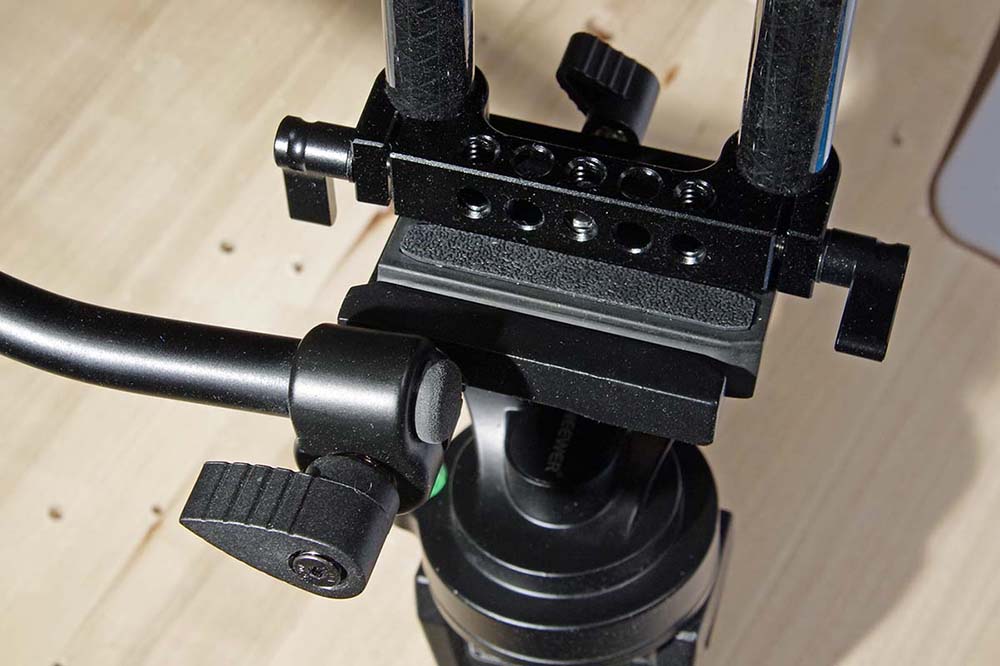
Stable Mounting: Now, how to mount this thing! I eventually went back to my photographic web links and found nice rig equipment for video cameras. The typical construct is made of 15mm tubes of aluminum or carbon fiber (CF) and fit into adapters that allow attachment to other adapters or clamps. Non-metallic CF seemed ideal, so, I ordered a whole bunch of items from eBay to experiment piecing together two 10-inch CF tubes mounted inside the PVC form. Then, I attached two 15-inch CF tubes to the bottom of the PVC with something called a “Cheese Rod” that has multiple holes. Those two tubes are attached to another “Cheese Bar” which is attached to a second Cheese Bar on a cheap two-axis tripod head. This is a simpler photo version with quick release plate that locks pan-tilt separately and only cost $16.
Cheese Rod attached to bottom of PVC
Pan-tilt head assembly with Quick Release plate
For the base, I had an unused Sirui T-2005X 5-Section Aluminum Travel Tripod going to waste, so it was pressed into service. Very good tripod: can hold 26 lbs. (forged aluminum, not cast aluminum), legs can flare out for stability, and folds to 14.5-inches. Now, everything could come apart and fit into the Excel II Backpack!
Critically, the video rig standardization in the DSLR industry allows me to pick and choose parts from any cheap manufacturer but end up with a system that looks and feels coherent, is both sturdy and light, and can come apart if needed. Also, the pan-tilt photo head is really easy to work to get maximum peak or null out of the loop when mounted to a camera tripod.
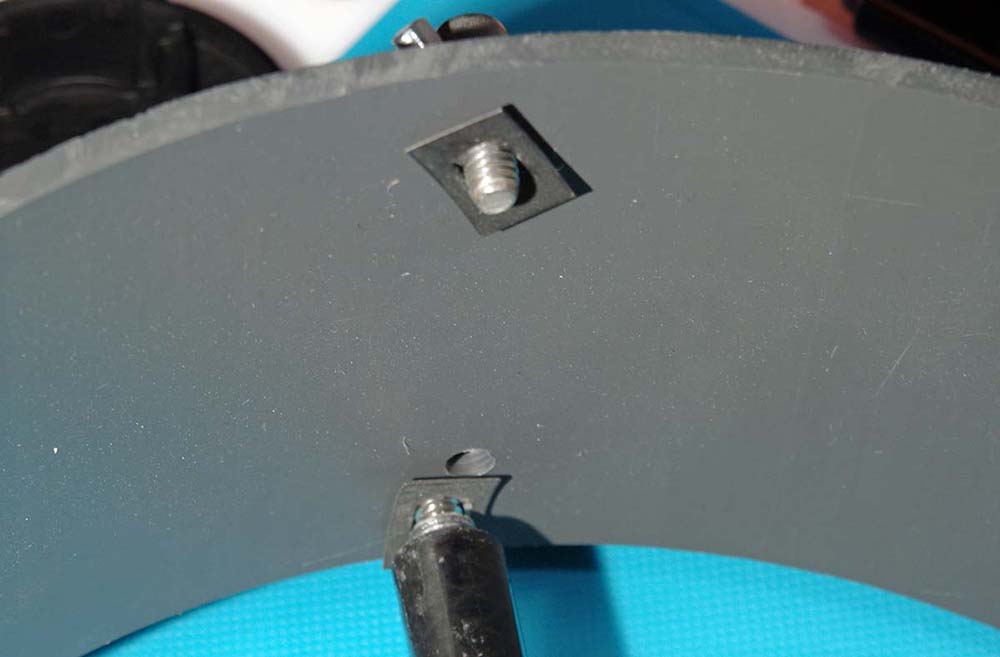
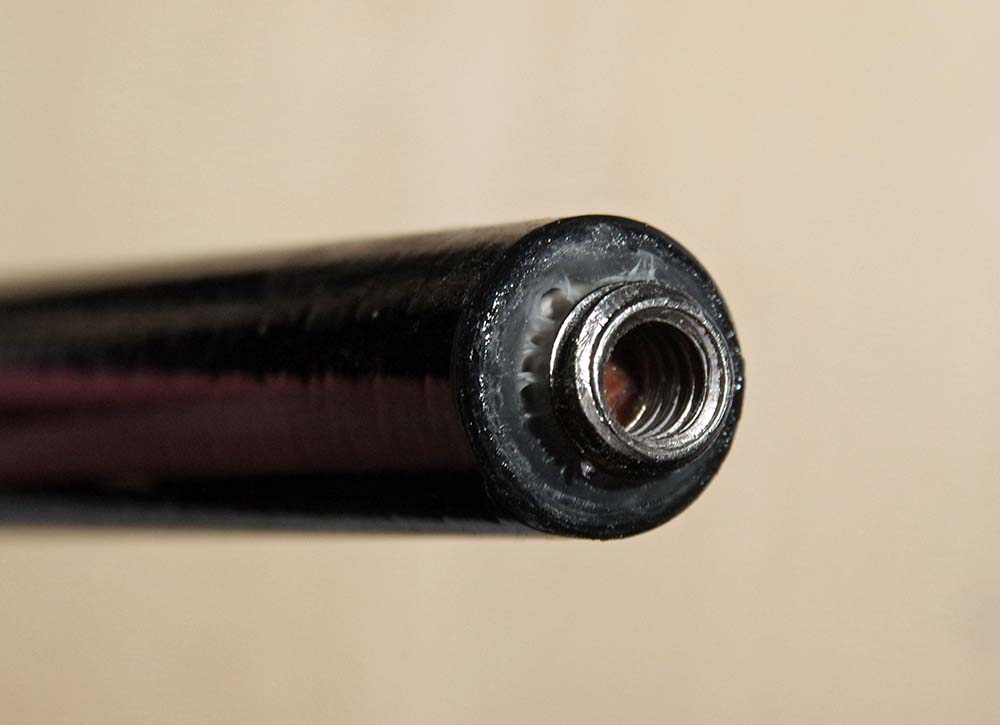
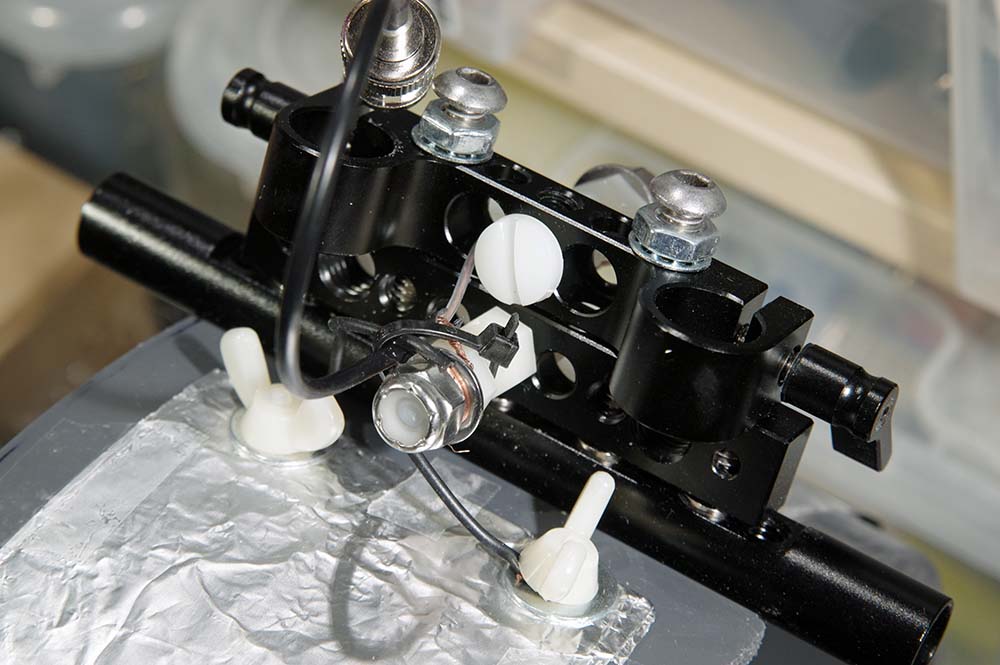
CF Problem: CF tubes have no internal threads like that of aluminum tubes. So, I attached two, small 3/8-1/4 inch tripod adapters to the ends of a 3/8-inch oak dowel inside each CF tube destined for the inside of the PVC (ridiculously, I used up almost a whole bottle of super glue to get these 4 tiny pieces to attach to the oak dowels). This is definitely a weakness of my design but I could not figure out any other way to get the CF to mount inside the PVC form. Then, added to this is something wonderful I found at Ace Hardware called “speed nuts” to help push ipwards against the incoming stainless steel socket head screws of exact length. With jam nuts, internal lock washers, wing nuts, and strategic use of Thread Locker Blue, I finally had enough confidence that this thing would hold together!!
Speed Nuts pushing upward against incoming screws
Super-glued 3/8-1/4 inch adapter on end of oak dowel inside CF tube
Bottom assembly (Cheese Rod, Cheese Bar, and 15mm Clamp screwed together + wires to a BNC connector)
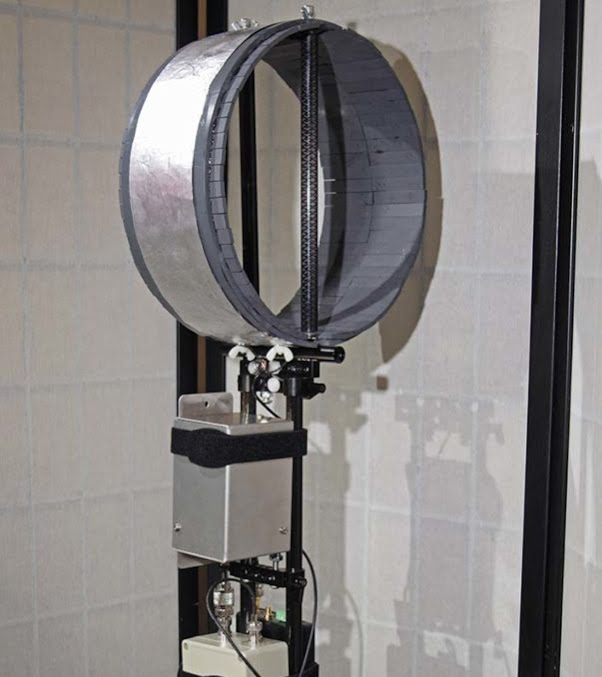
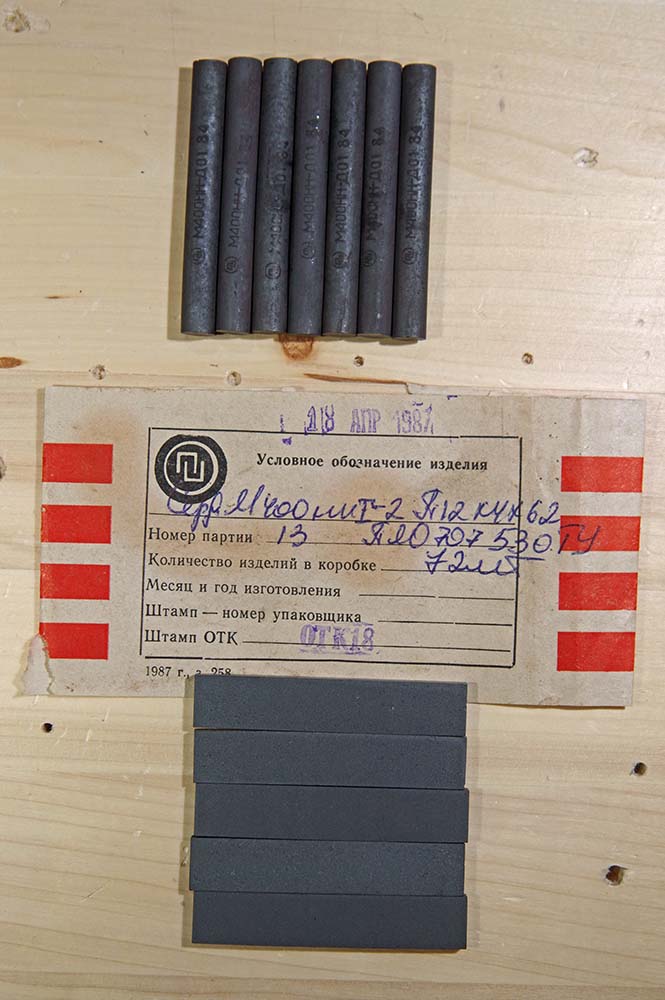
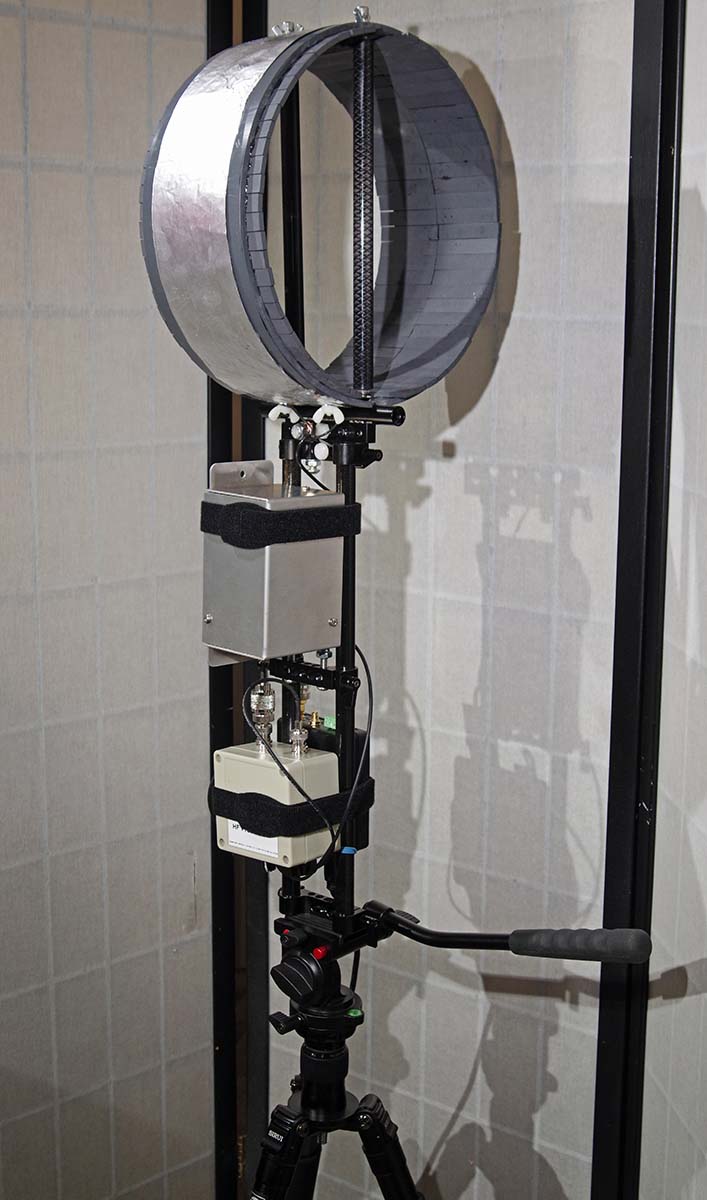
Ferrite Sleeve Loop: Halfway through this project, I became determined to use the ferrite bars and rods I had purchased from eBay mid-summer 2017 to turn this antenna into a real Ferrite Sleeve Loop but with a broadband design (At that time, I ended up purchasing the very last quantities of 62x12x4mm ferrite bars from the Lithuanian eBay seller, just because they were becoming scarce plus some other 8mm ferrite rods). The Thinwalled PVC is 5mm thick, perfect for this type of application. The video equipment could handle the extra weight. I had just enough ferrites to line the inside of this PVC form with two bars side-by-side all the way around the inside (plus some shorter ferrite rods at the top and bottom). Some quick setting JB WELD Kwik Weld epoxy made quick (and permanent) attachment of these ferrites to the inside of the PVC. Now, the bars stick out from the PVC form by about ½-inch on each side, so I do have to be careful it does not get abused and chip off any of the exposed ferrite.
Soviet ferrite bars and rods, 400 ui (initial permeability).
Note: Using Gary DeBock’s Performance estimate (diameter * length), this calculation predicts that this FSL 10.75-inch loop should perform similarly to Gary’s 10-inch models using 140mm long Russian ferrite bars (mine probably performs less than his since I am not using carefully tuned (to Mediumwave) litz wire on higher permeability 1500 ui ferrites like he does).
Preamplifier: I believe one advantage of building a portable, table-top loop antenna like this is that all the connections are short. This allows me to use a Preamp right at the connection point of the loop. Indeed, this was critical since passive testing (no Preamp, nor ferrites) found that this loop is somewhat deaf at the MW frequencies and uninspiring on the SW bands. This was true even when connected to Antenna A of my SDRPlay RSP-2 and the internal Low Noise Amp cranked all the way up. So, I ordered the DX Engineering RPA-2 Preamp. This adds to the weight somewhat since I also needed a 12V battery supply using a 10-cell holder of NiMH AA batteries and 2.1mm plug.
The question arises that I “should” impedence-match the output of the loop before anything else to increase “maximum gain”. Well, for one thing, a tuner or matching balun would just introduce loss as soon as the wire comes out at the base of the antenna. The slight net increase in gain does not seem worth it; the signal/noise ratio rarely changes when introducing a device that is meant specifically for matching a transmitter to a load. Receiver circuits don’t care as long as there is enough signal to process. That is what the Preamp is for. The Preselector is for rejecting out-of-band (i.e., increasing signal/noise ratio + eliminate overloading the electronics).
Preselector: Now that the signal level was satisfactory, I added on the Cross Country Preselector, which I like very much since it is passive, lightweight, and well made. I had looked at other amplified preselectors but found the schematics showing the preselector came first in the path. I needed the preamp first, so that is how I ended up with separate units. In fact, the reverse configuration performs with worse signal/noise ratio because of the loss inherent in the preselector. In this case, it is definitely needed to amp the loop first with a high quality preamp (high IP3 rating)!
Automatic Bypass: The Cross Country unit has a great feature in the “off” position as an automatic bypass. This feature is very important since I do not need a Preselector in the circuit all the time. The bypass feature also allows the RSP-2 to monitor a large swath of spectrum without having the Preselector cut the bandwidth. The DX Engineering RPA-2 Preamp also has a circuit bypass when the power is off – very nice feature! So, I can keep all the antenna wires connected if I don’t want to use either device on a certain band – necessary for my broadband antenna design and use with an SDR.
Modular Portability: Another advantage of a table top loop is portability. Because of the modular design, I can put this into checked baggage (except for the AA batteries and laptop) and have it available for DXing in unexpected places. It could be useful when traveling and I cannot string wire into a tree but want something better than a whip antenna on a small radio. Everything fits into the bag and can be setup on a balcony, inside a car with a sunroof, or on a park picnic table.
A third advantage is that a short antenna could be clamped to one of the tubes and then connected directly to Antenna B of the RSP-2 for listening to higher frequencies (like a Comet W100RX). This expands the usefulness of this project as a platform for multiple antennas!
Finished Loop and accessories assembled together
Performance: Good on MW and very good on Shortwave. It is not in the league of Wellbrook antennas but it is useful as long as the RSP-2 LNA is kept down around -7 on MW and -4 on SW, else it overloads. The photo gear makes it easier to use than the original loop. I found that one side has a slightly larger receiving lobe than the other which is OK in practice. The null is very sharp and takes a little finesse to null out an offending station by almost 20 dB on MW and 15 dB on SW (the photo head can lock in place). It is handy to have the pan-tilt arm point directly at a station to maximize the null since the arm is mounted perpendicular to the loop. I will look for a clear plastic bag to cover the antenna and electronics to use in wet environments.
A larger loop would work better but this one is to use wherever I can. Also, my work laptop is noisey and shows birdies and spikes here and there on the bands, so I added a large ferrite bead to the USB computer end which helps. But I don’t have to use an SDR, I just have to change a connector and radio. It was expensive and fun to build – I guess I am just LOOPY!
Happy Listening,
Tom Lebryk
Appendix I, Field Recordings 27-Jan. 2018 between 21.26-22.36 UTC:
Note 1: All Transmitter locations referenced from web site short-wave.info at time of recordings
Note 2: My location in a shelter at Dick Young Forest Preserve (41.84334, -88.38133)
Note 3: Moderate but declining solar wind with no flares, Kp Index = Calm (1)
9.420 MHz – Voice of Greece booming in like it was next door:
10 AA Powerex Precharged NiMH batteries for the Preamp + 10x AA snap battery holder + CCTV 2.1mm snap plug
1 Cross Country Preselector
1 SDRPlay RSP-2 with SDR Console software on Lenovo laptop
1 Belkin USB printer cable with large ferrite bead looped through 3 times on computer end
1 Sirui T2005X travel tripod
1 Adidas Excel II XXL backpack (gaudy Solar Orange color!)
Velcro brand 7/8” x 23” One-Wrap velcro strips
Plus shielded cables, BNC and SMA adapters, Thread Lock Blue, tie wraps, rubber bands, super glue, JB WELD Kwik Weld epoxy, speed nuts, jam nuts, acorn nuts, wing nuts, internal lock washers, nylon nuts and screws, and 1/4”-20 socket head screws of various lengths as needed.
What a brilliant project, Tom! What I love is the fact that you consider your unique requirements prior to starting a project and base your design on your specific needs. Additionally, you see each design as an iteration. Fantastic job! No doubt, you’ll log numerous hours with this antenna in the field! Thank you for sharing your detailed design notes, process, list of materials and even audio clips with us.
Many thanks to SWLing Post contributor, Anil Raj, who writes:
I wanted to share a small but useful hack with your readers.
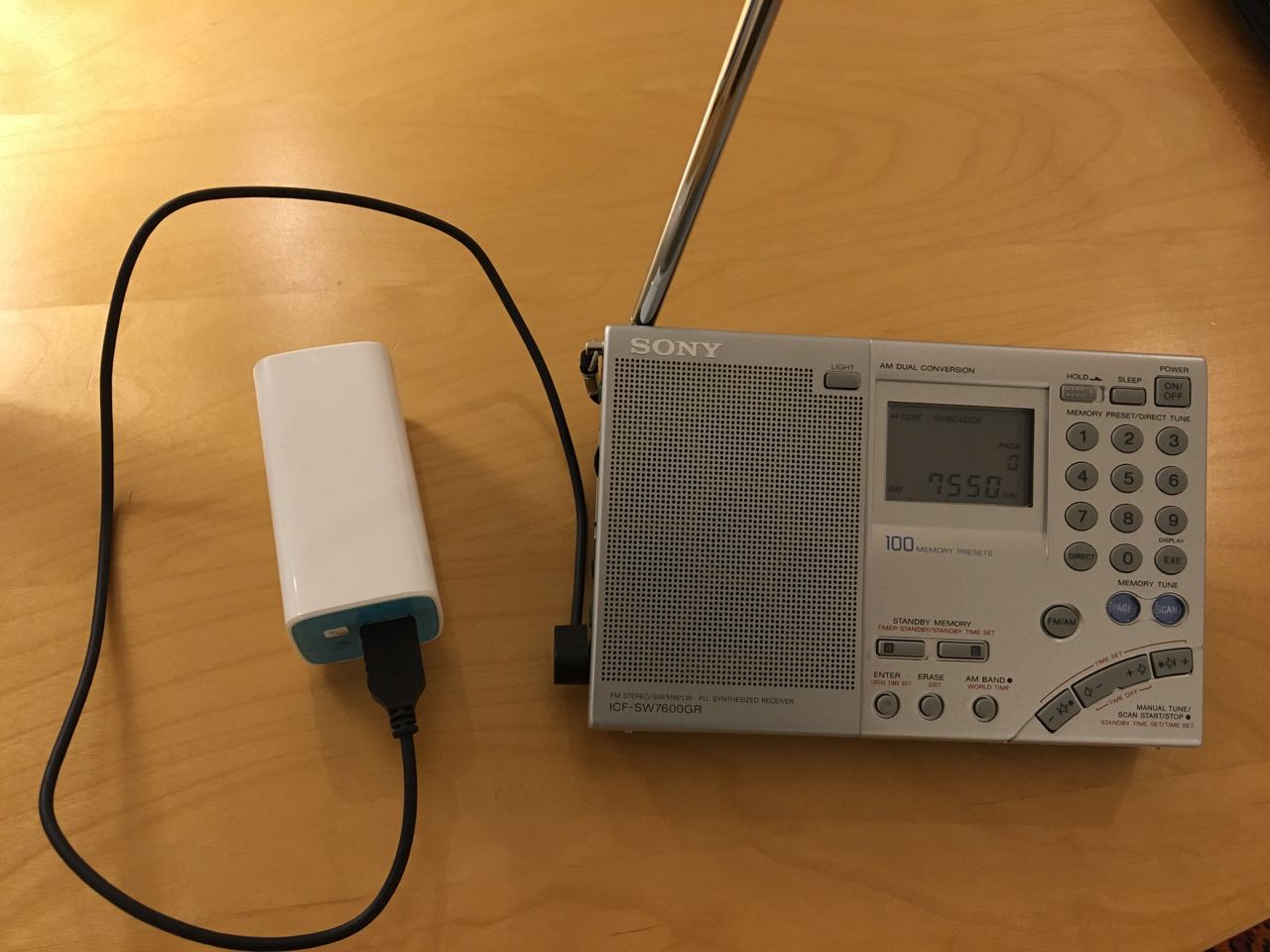
I use a common garden variety smartphone “Powerbank” 10,000 mAH Li Ion pack to power my Sony 7600GR which is perfectly happy with the 5V which the pack supplies. [See photo above.] I see no reason why this won’t work with other radios which require a 6V supply.
As you can imagine, the setup typically lasts for many weeks of extended daily listening and recharges in a jiffy. However, one needs to sacrifice a USB cable by soldering a DC plug at the other end. Haven’t bought AA batteries in a long time…
Thank you, Anil! What a simple but useful hack. The best part is, battery packs/banks are very inexpensive these days and, I for one, have a number of USB cables I could sacrifice for the job!
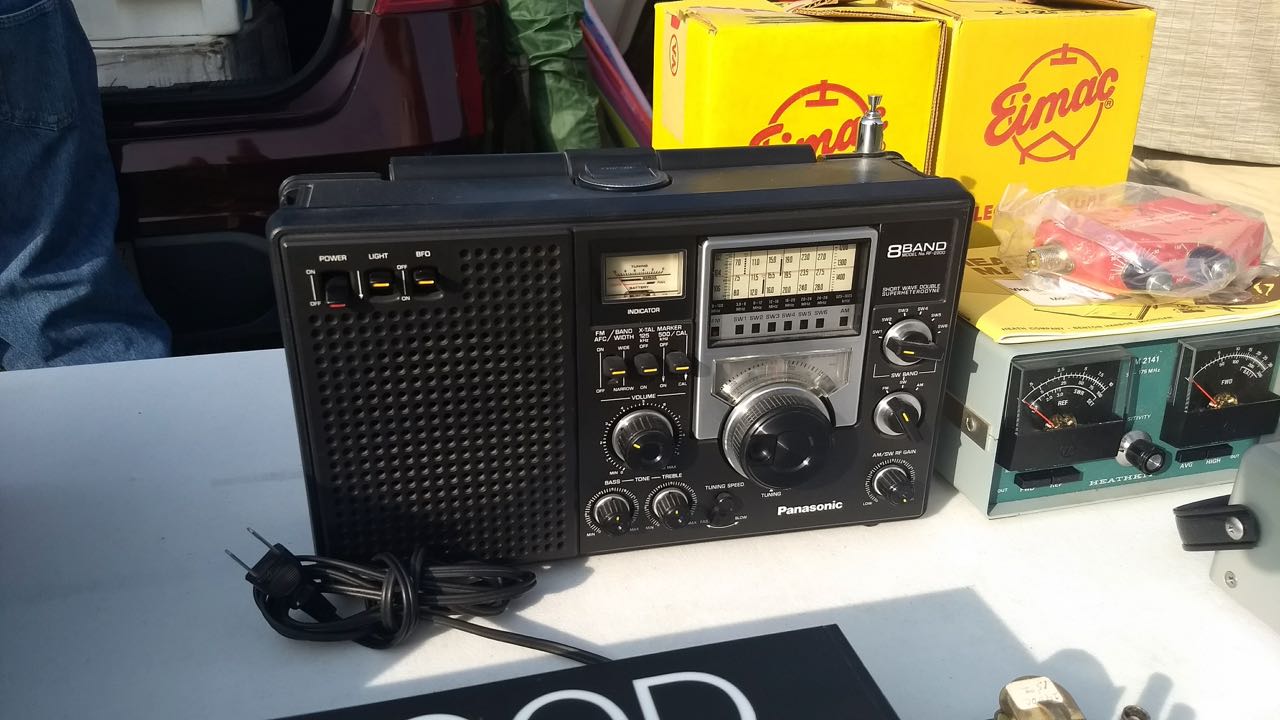
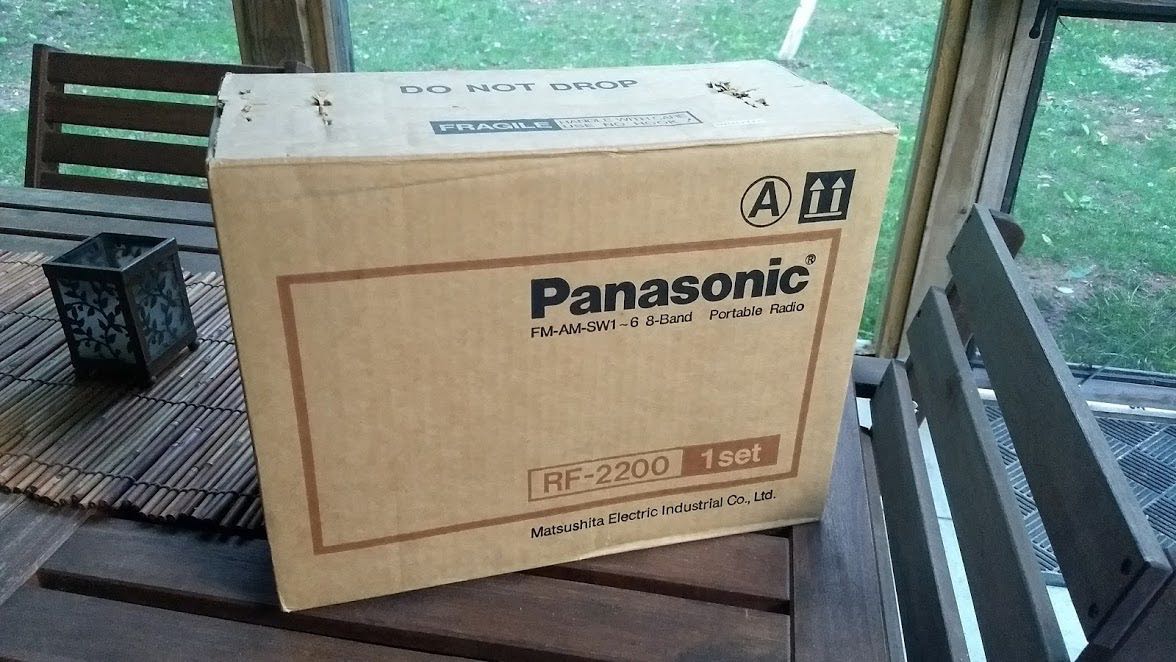
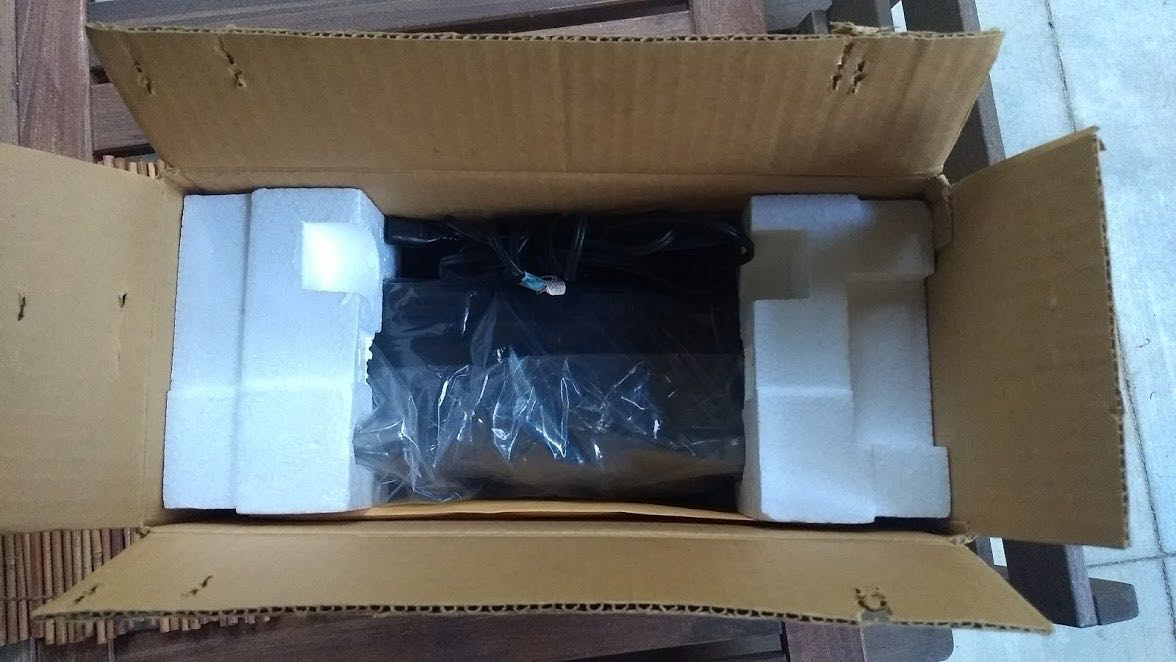
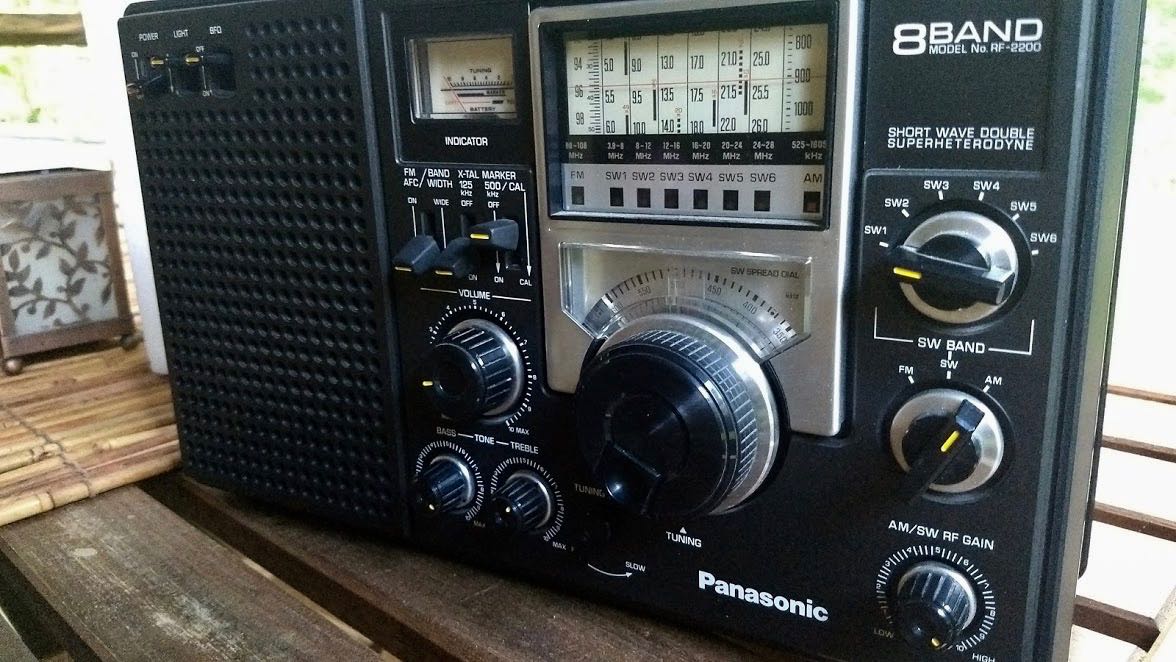
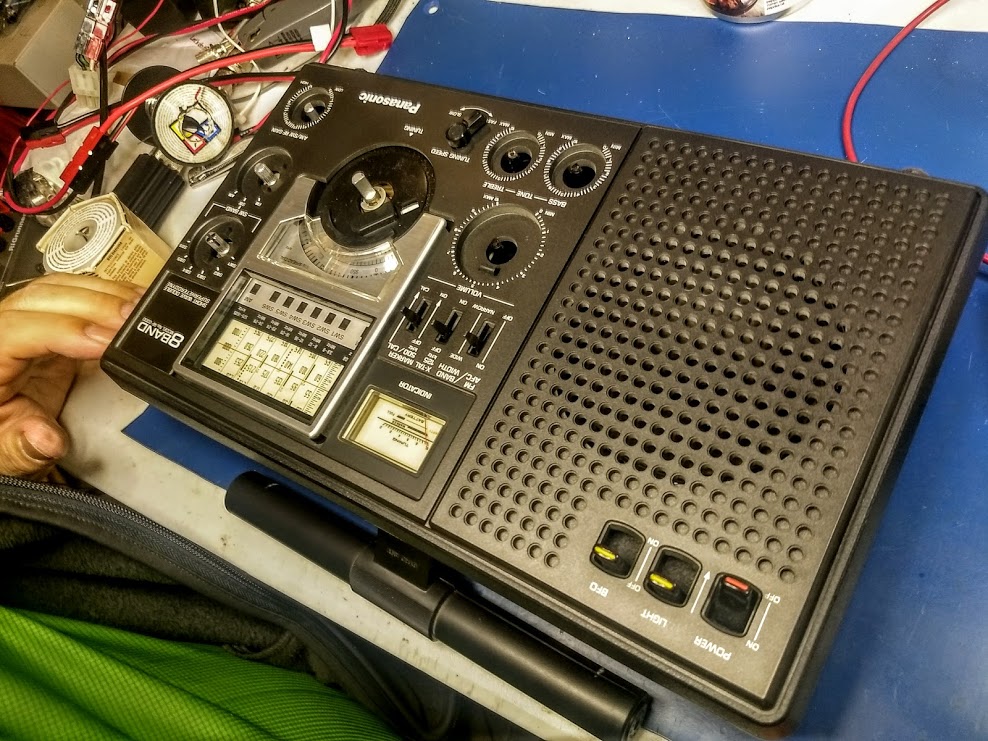
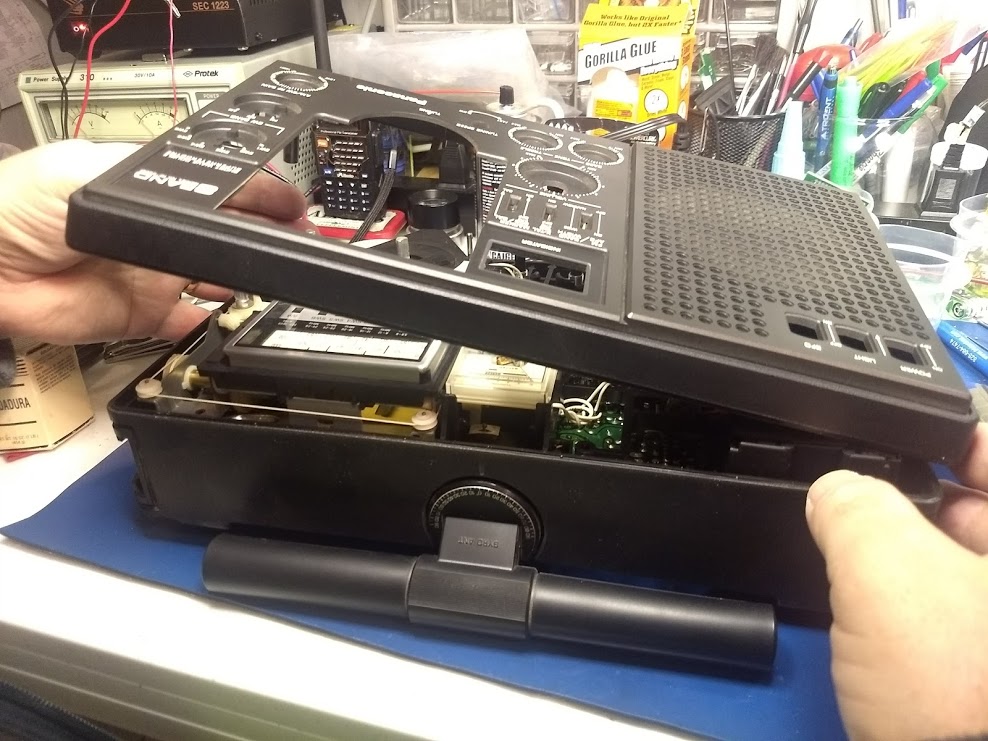
Last year, at Hamvention, I picked up a Panasonic RF-2200 for $70. It came with the original box, manual and was in superb cosmetic condition.
The seller told me that over the years he exclusively used the radio to listen to a local FM station.
At that price, I didn’t hesitate to make the purchase even if this would have simply been a non-functioning parts radio for my other RF-2200.
After I brought the radio home, I unpacked it and gave it a quick test.
FM worked brilliantly. Mediumwave and shortwave, however, were essentially deaf. I made the assumption that the ‘2200’s switches and pots likely needed cleaning with DeoxIT. The next day, I was leaving for a two month trip to Canada though, so I packed the RF-2200 back into its box and set it to the side of my shack table.
Fast-forward to yesterday…
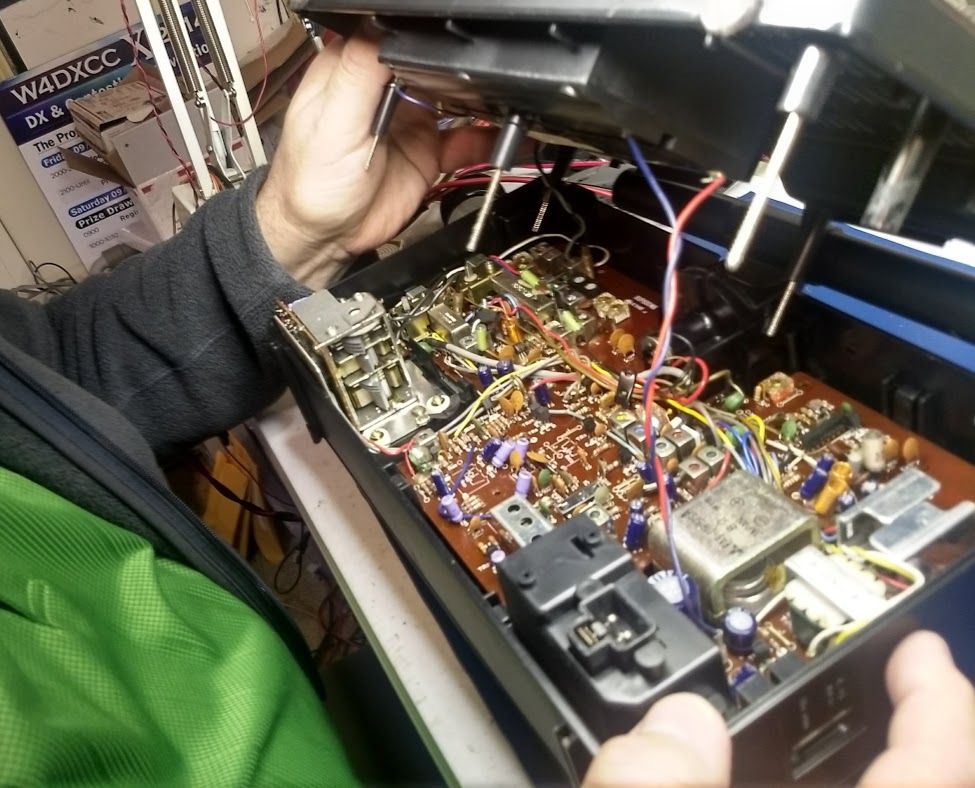
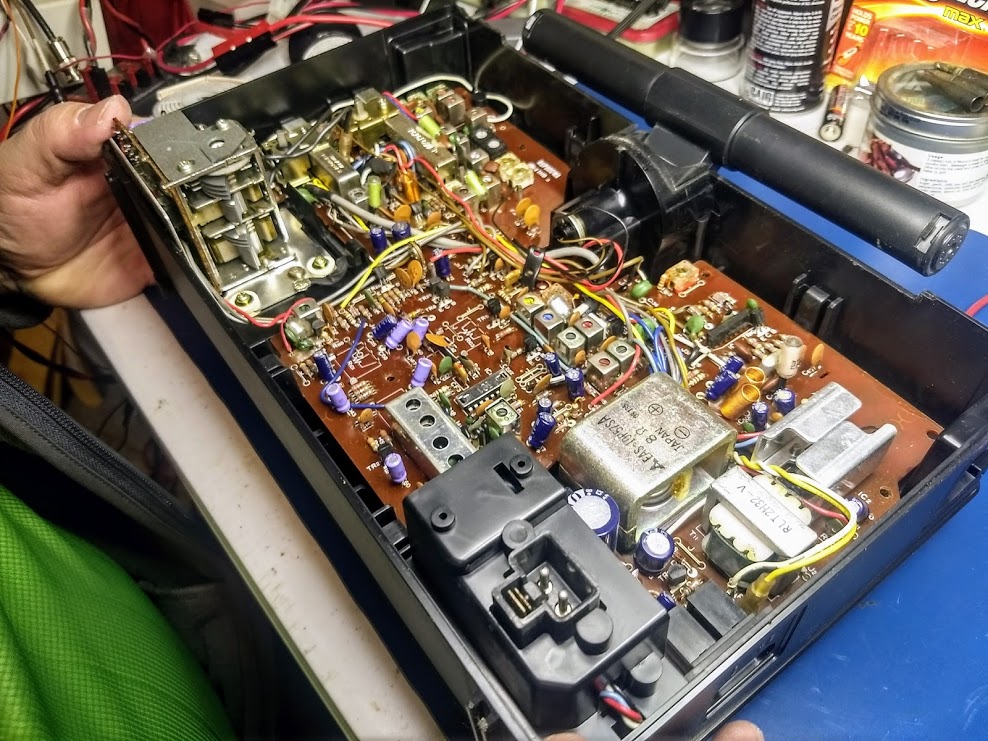
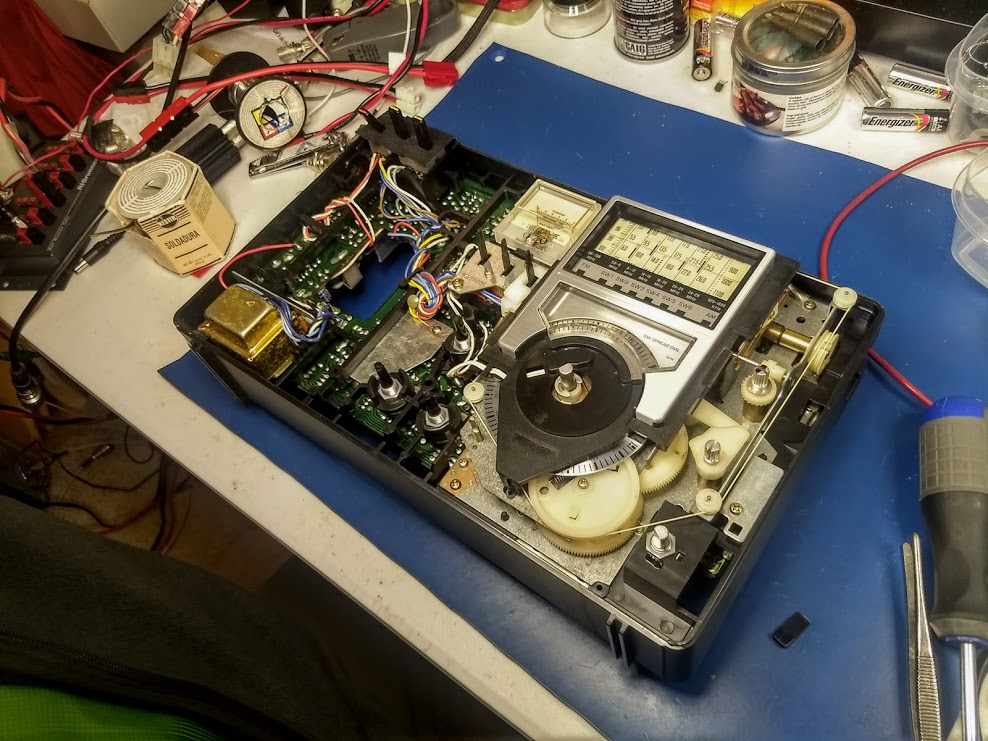
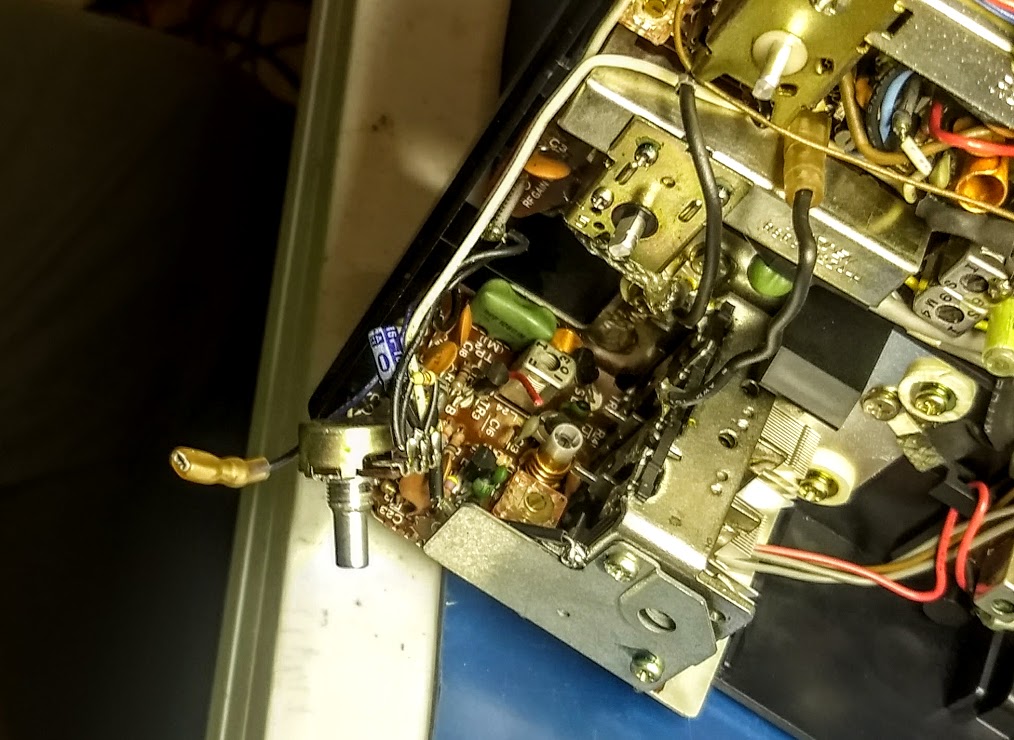
While digging around my shack, I re-discovered the boxed RF-2200. Since I was planning to visit my buddy Vlado (the best radio repair guy in the world) yesterday evening, I thought I’d take the RF-2200 and do a proper contact cleaning. Several of the RF-2200’s switches and pots cannot be easily cleaned without removing the chassis.
(Click photos to enlarge.)
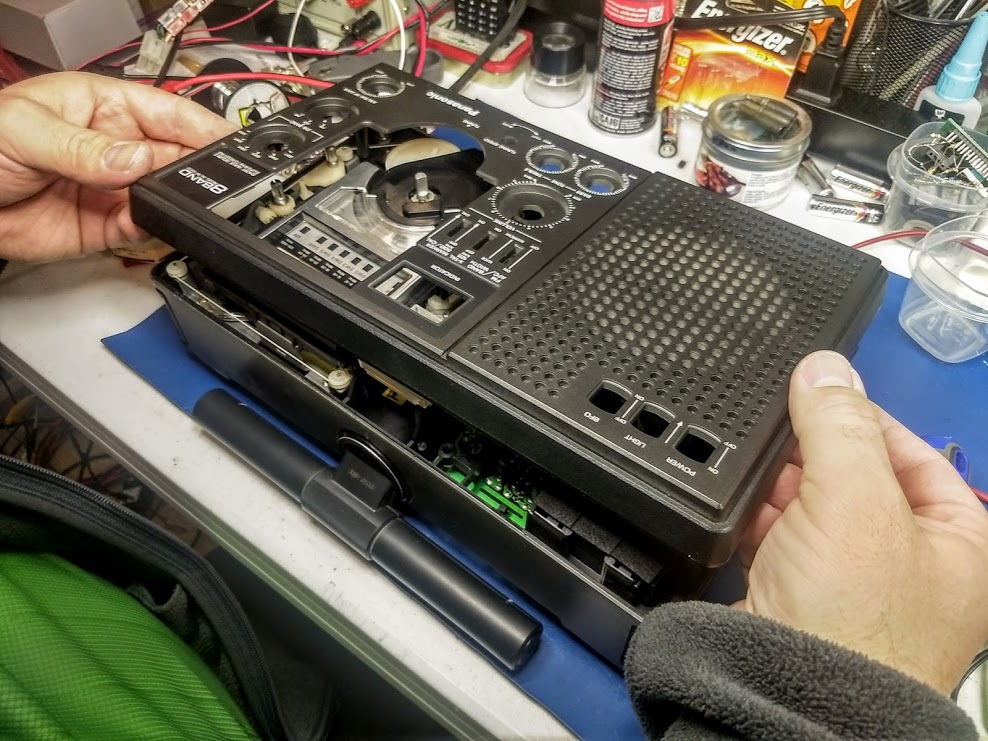
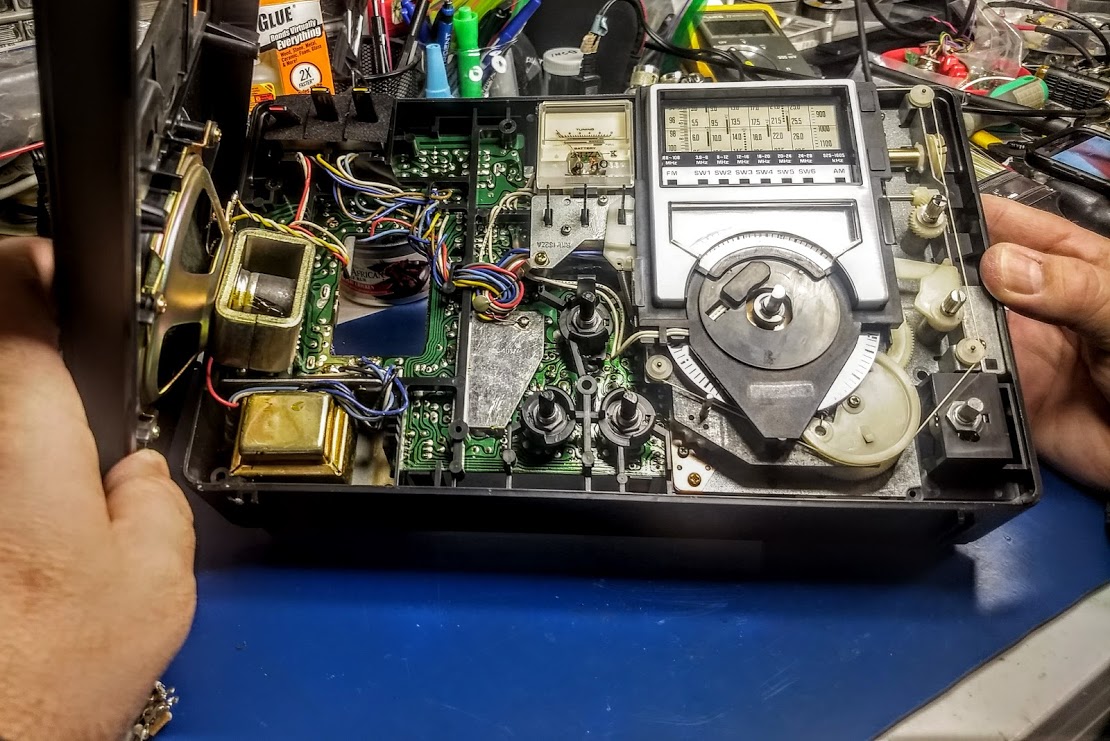
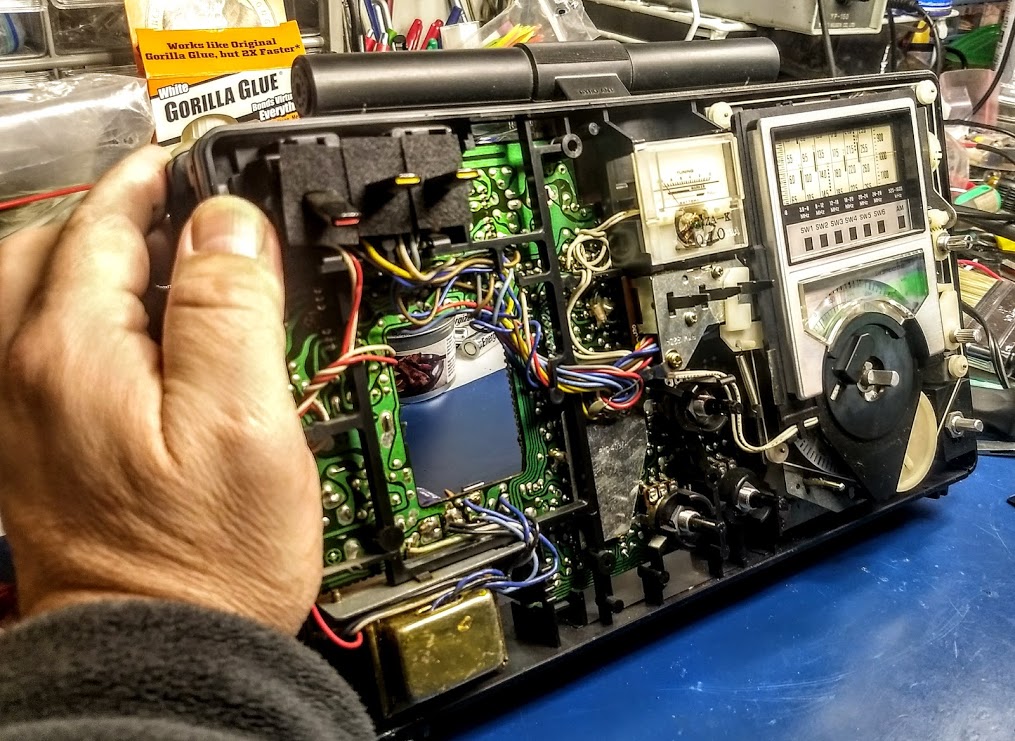
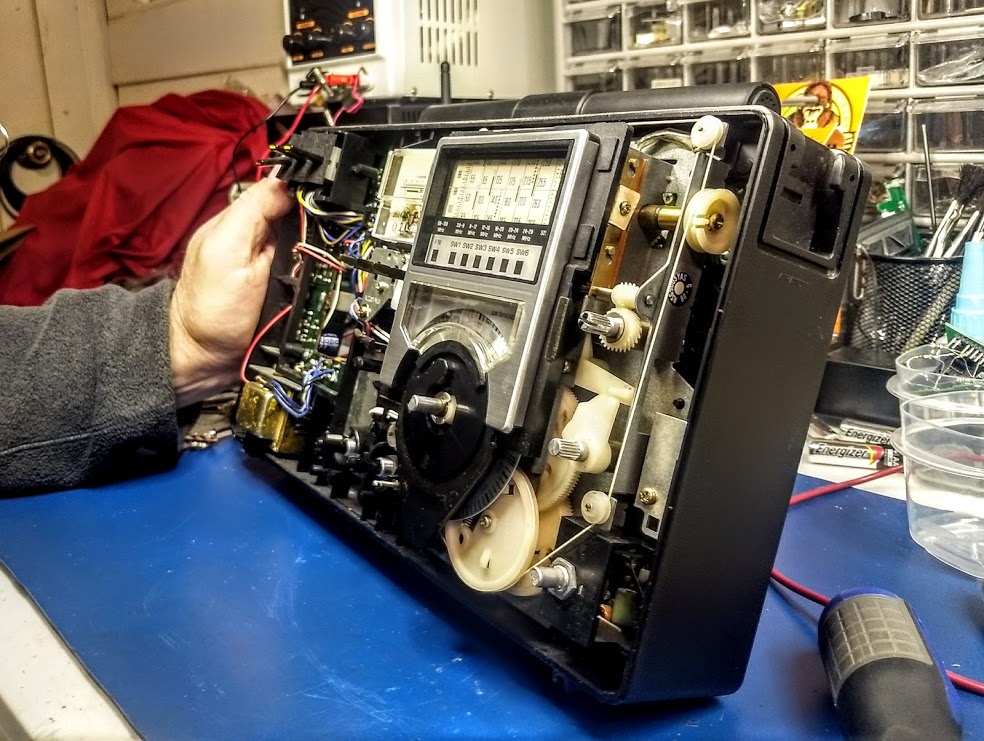
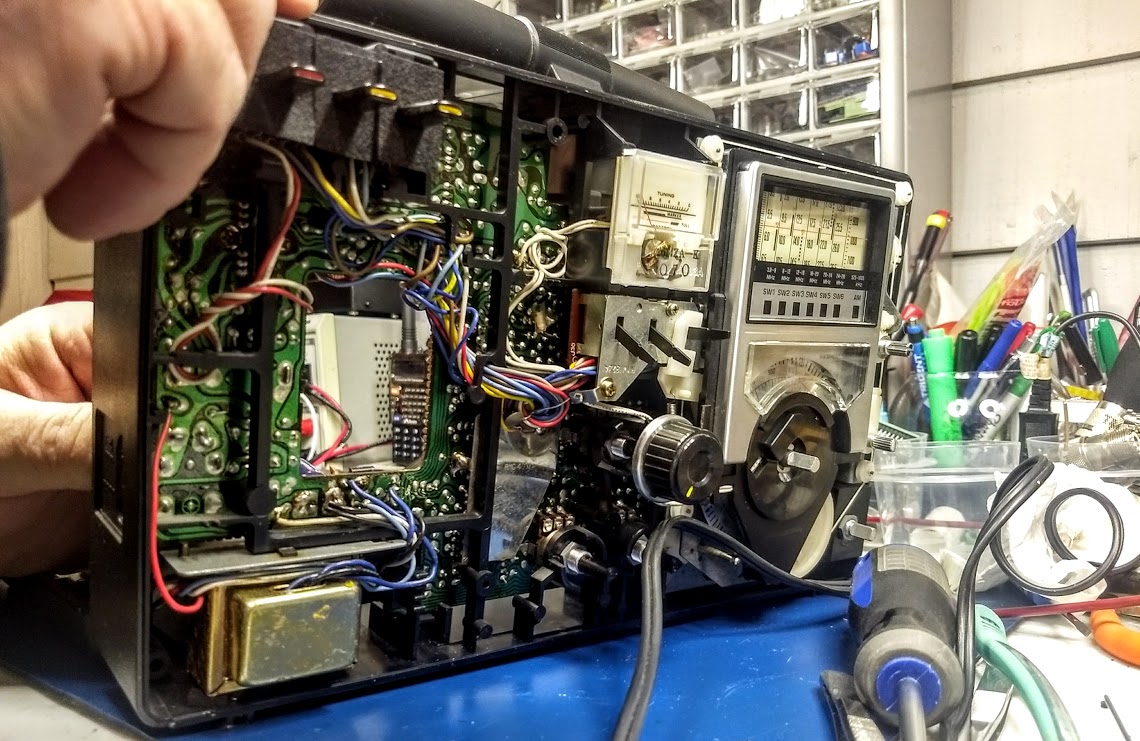
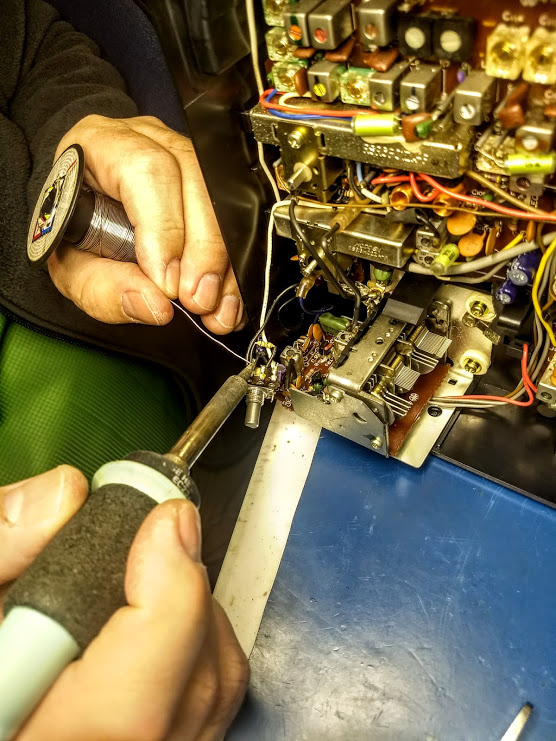
Vlado is familiar with the RF-2200 and since it’s not the easiest radio to work on, I asked for his expert hands on the job. Within seconds of handing him the radio, he plugged it in, tested the switches and pots, then removed the back cover (disconnecting the battery compartment leads) and then the front cover (disconnecting the speaker leads).
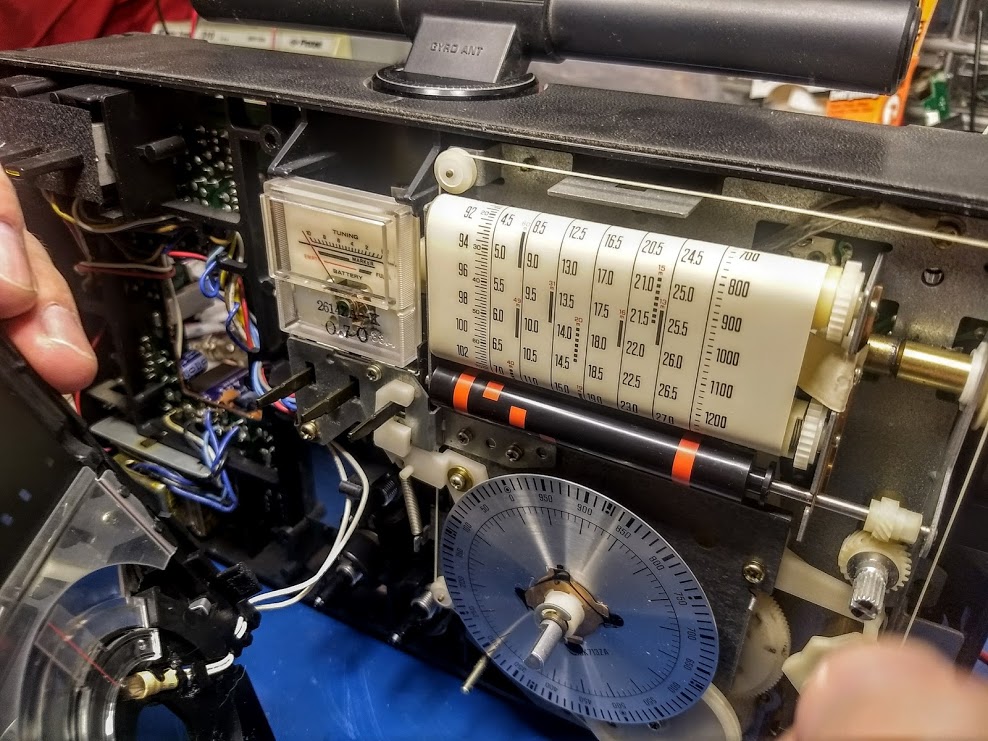
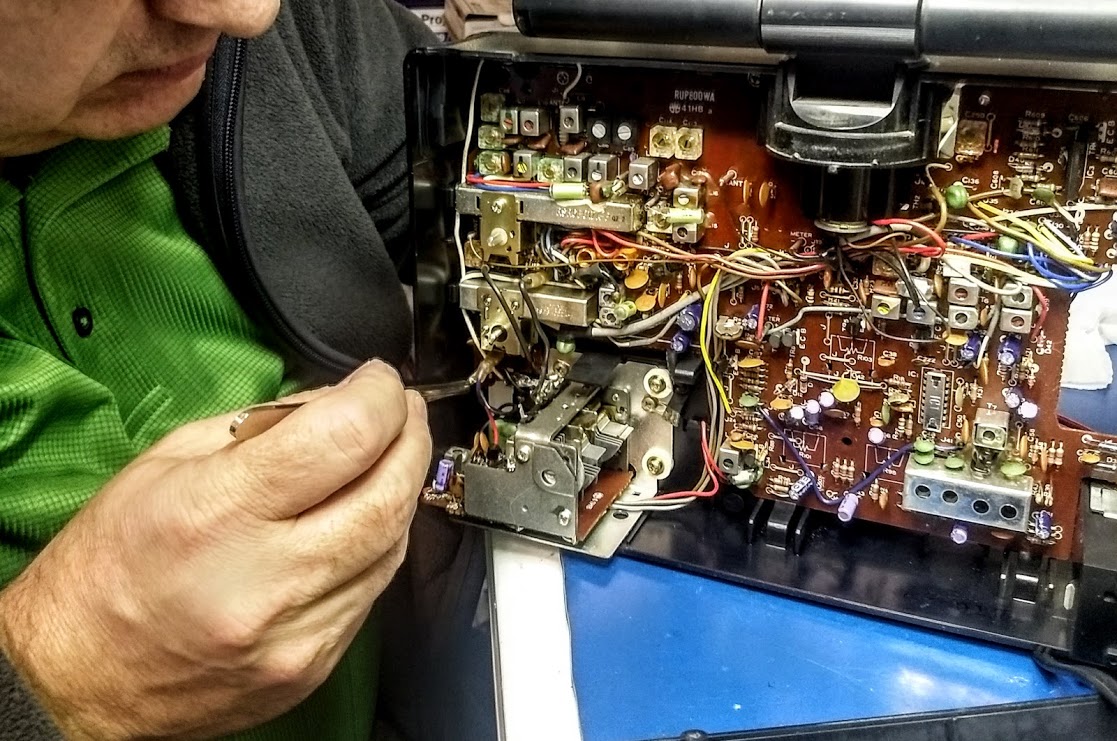
The magic behind the RF-2200’s classic analog dial: Vlado offered a word of caution to anyone operating on their RF-2200: as you can see in the photo below, the dial string snakes around the front of the radio and is very close to some key components. You must exercise caution when having a soldering iron tip near the string, or using lubricants nearby.I didn’t realize this, but by the time Vlado started taking apart the RF-2200, he had already determined that even though the contacts needed cleaning, this wasn’t the source of the audio problem for the MW and SW bands.Vlado expertly pulled out the pot for the FM/AM/SW selection–not an easy task–began cleaning it, testing it and re-soldering contacts.
Vlado determined the pot was actually in good shape, thus started testing the rest of the circuit.
After a few minutes of performing tests and getting intermittent performance, he determined that at least one, if not more, of the RF-2200’s caps need to be replaced. Of course, neither one of us was terribly surprised. At this point though, it was getting late and I had an early wake up time in the morning, so I left my RF-2200 with Vlado.
Am I worried about this prognosis? No, not in the slightest…
Doctor Vlado is on the job!
Vlado will have the RF-2200 back on the air in no time, working as well as it did when it was new. He’s actually performed a similar RF-2200 repair for an SWLing Post reader and I’m willing to bet this repair job is relatively simple compared to most he encounters (including the Icom IC-7200 he recently repaired after it was hit by lightening!).
I’ll try to post a “Part 2” update with photos of the RF-2200 repair. Follow the tag: Panasonic RF-2200 Repair
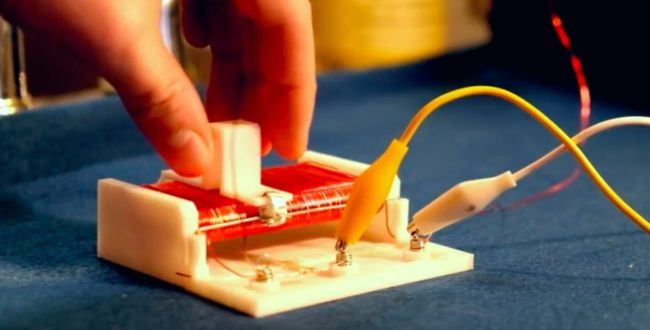
Did you know you can build your very own working 3D-printed radio – without any soldering, electronics experience, electric cord, or even batteries?
Digital Trends reports that’s exactly what talented Houston, Texas-based 3D-printing and electronics enthusiast Sage Hansen has created. And he’s willing to show you how to do it, too.
Called a crystal radio receiver, or sometimes a “cat’s whisker receiver,” this is an incredibly simple type of radio receiver that was popular in the earliest days of radio. The only power it requires to work is the received radio signal, which is used to produce sound. It is named after its most important component, the crystal detector or diode.
“AM radio was one of the first ways of transmitting audio to a very broad audience in the early 1900s, but it is still very popular today,” Hansen told Digital Trends. “It starts with the radio station converting their audio sound waves into electromagnetic waves, which can travel great distances.
Each radio station uses a specific frequency that is constant, but the sound waves are mixed so they amplify and modulate the base radio wave. What makes the crystal radio so exciting is how simple the circuit is, and how it can be made out of normal household items.
[Note: This procedure was updated and simplified by Guillermo on 22 December 2017]
Many thanks to SWLing Post contributor, Guillermo, who writes:
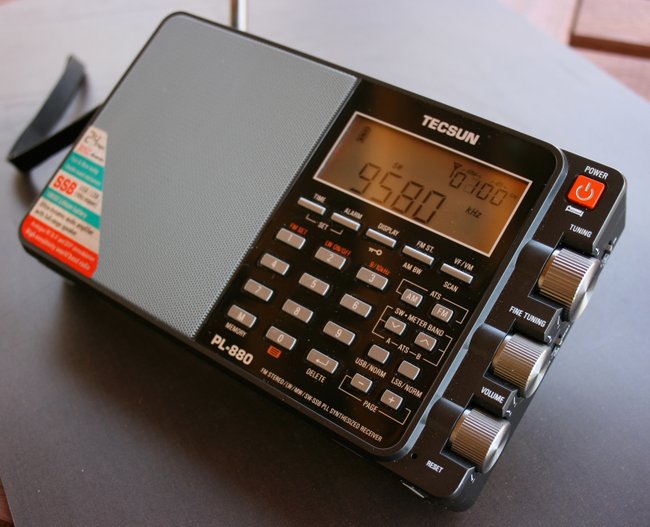
I own the PL-880 and just discovered a new feature : a 1.0 kHz bandwidth mode on shortwave (SW only not in MW).
The procedure to get it is as follows:
Turn on the radio and tune any frecuency on SW . There is no need to connect or disconnect an external antenna and turn on or off the radio during this procedure.
Be sure that on SW the 4 button feature(press 4 for about 2 seconds) is ON and 9 button feature(press 9 for about 2 seconds) indicates a value of 13 or more and not less than 10.
Then turn OFF 4 button feature and then ON again . Press BW button and see the 1.0khz new BW on the screen. Now you can use it permanently on SW and ALSO on MW , UNTIL you press BW button again .
Well, I hope you understand this description–if not please let me know, and tell me if it works on your unit, or it is just works on mine.
Thank you, Guillermo! I see where this is somewhat of a fragile adjustment in that a number of actions could change the bandwidth back to a previous setting, but nonetheless is quite a fascinating hack/hidden feature! Thank you and I’ll add this to our list of PL-880 hidden features.
Post readers: please comment if you can successfully enable the 1.0 kHz bandwidth on your unit. Please comment with your radio’s manufacture or purchase date if possible.