Category Archives: Radios

The HobbyPCB IQ32 transceiver fills a special niche in the ham radio world

The following review was first published in the September 2020 issue of The Spectrum Monitor magazine:

The HobbyPCB IQ32 transceiver fills a special niche in the ham radio world

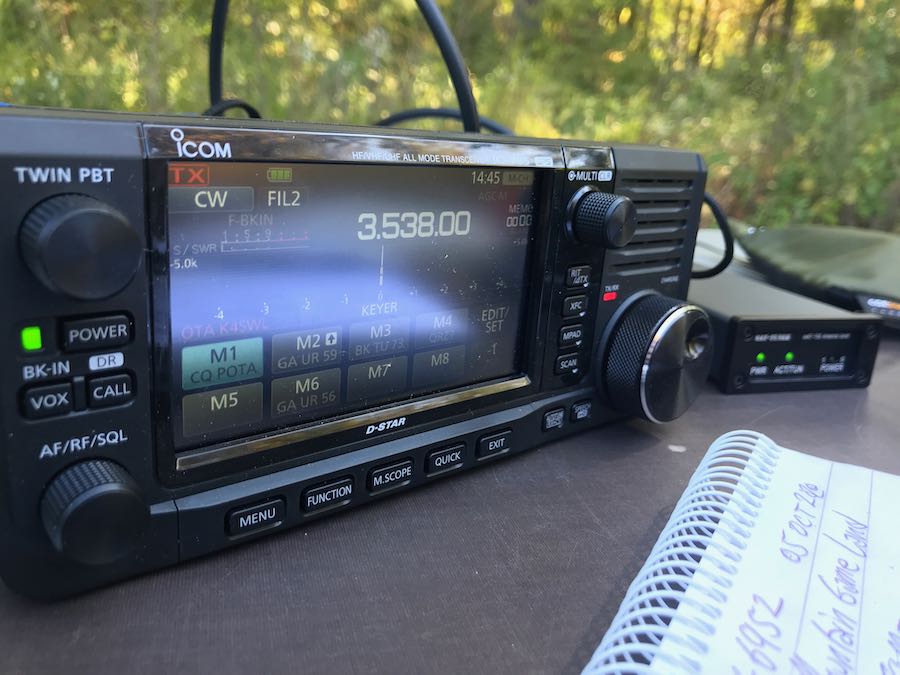
This summer, I’ve been exploring the world of general coverage QRP transceivers. I’ve been taking my LnR Precision LD-11, Elecraft KX3 and KX2 into the field; and I’ve just finished a comprehensive review of the Xiegu G90. I also have a TX-500 and IC-705 arriving in the near future [update].

Yes, I’ll admit, I’m a devotee of the “all-in-one” nature of the latest model portable QRP transceivers.

Most of the QRP transceivers now on the market are products of large, popular ham radio manufacturers. Usually, a company will come up with a product concept, follow through with their market research, then design, develop, and produce the radio. In fairness, that’s an over-simplification of the process, but let’s just call it a “top down” design approach––meaning, the product idea is generated within the company, and is often based upon customer feedback.

Not all ham radio products come about this way, though. Some have more “grassroots” or collaborative origin.

The HobbyPCB IQ32
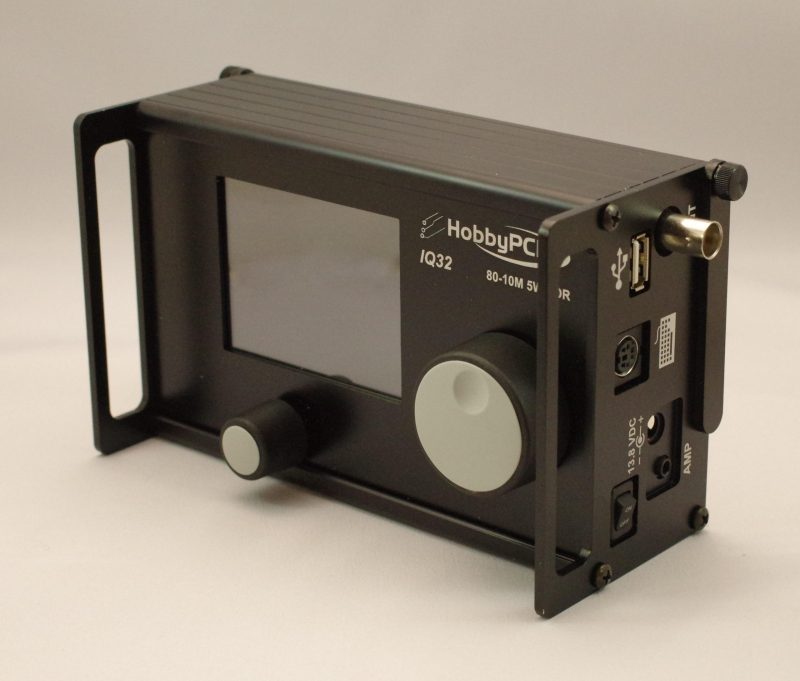
(Image Source: HobbyPCB)

I first noticed the HobbyPCB IQ32 transceiver at the Dayton Hamvention a few years ago. I checked it out carefully at their booth, and recall a crowd gathering around their table. Noting this, I decided, at a later time, I would also find an opportunity to check out the radio in more detail.

A couple of months ago, I was working on my list of General Coverage QRP Transceivers and asked for help filling in details of any radios I’d forgotten. A reader commented and reminded me that the IQ32 was, indeed, general coverage.

At this point, I reached out to HobbyPCB and asked for a loaner unit to explore for a few weeks. The company very kindly sent one my way some weeks ago, and I’ve been testing it on the air ever since.

Form factor
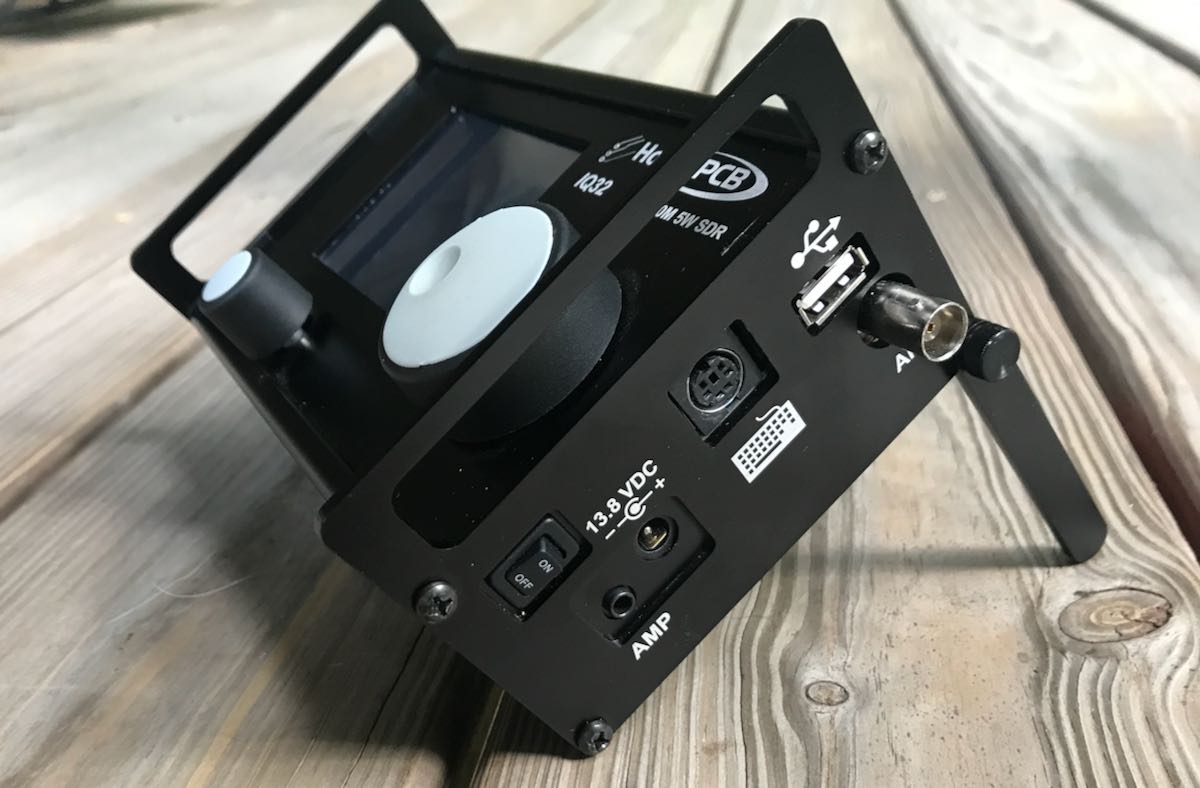
When I received the IQ32 package, I was surprised by how lightweight this transceiver is:  a mere 1.5 lbs (700 grams) packs it all in one compact package.

The chassis is made of aluminum and incredibly sturdy. It even includes side panel extensions to protect the front faceplate and knobs.

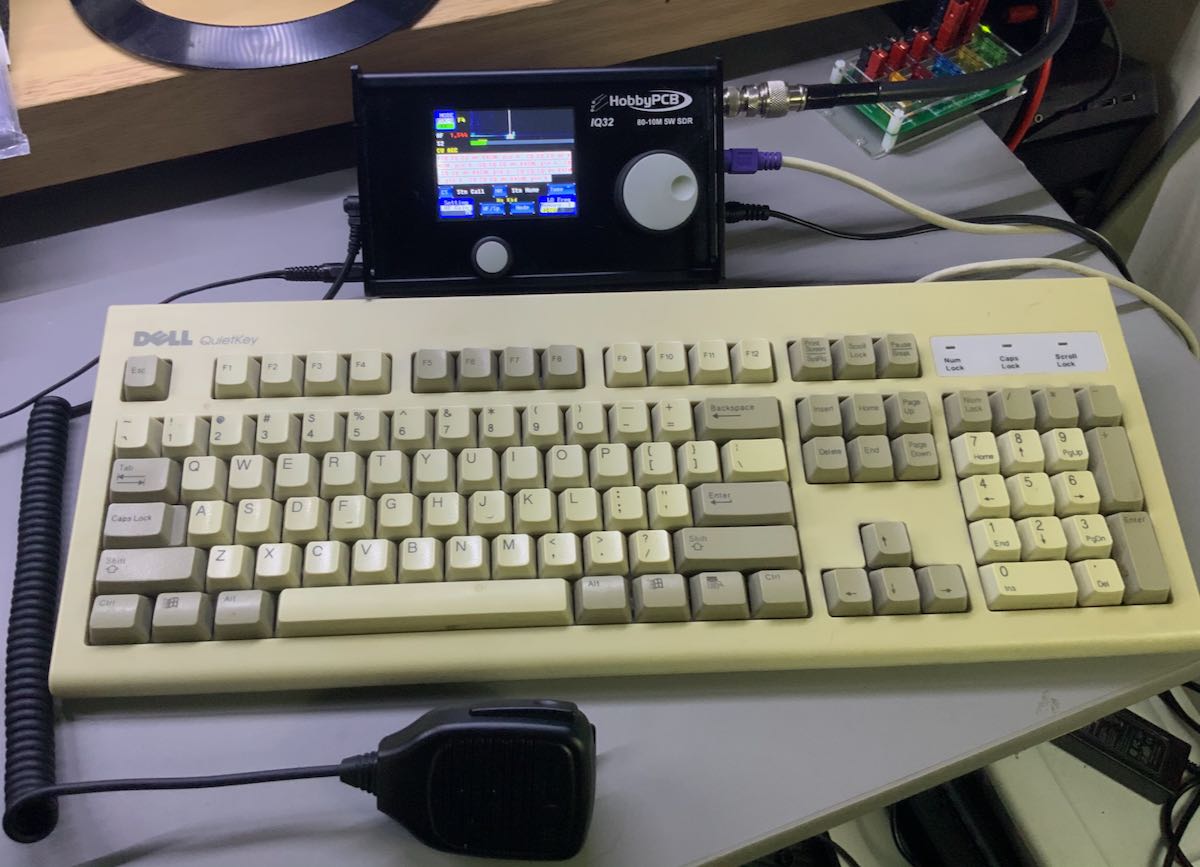
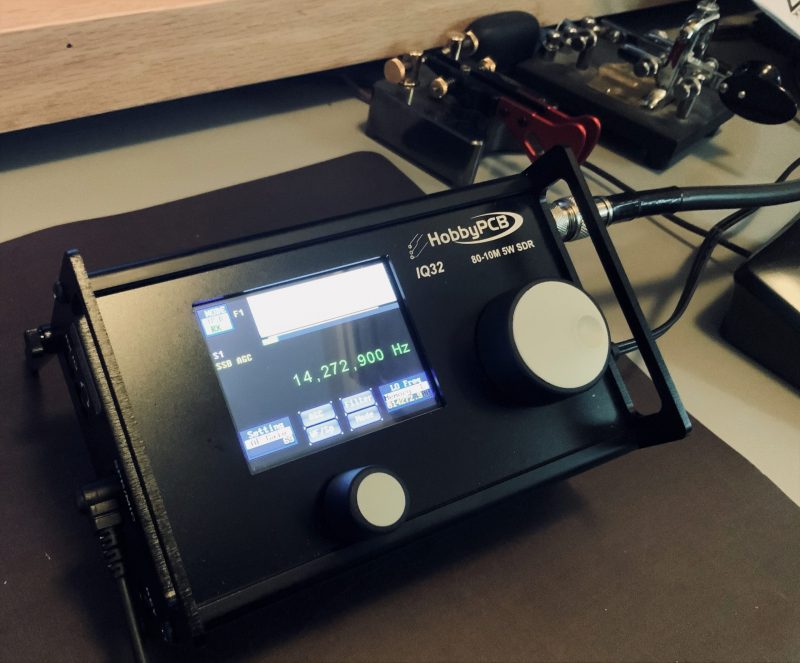
The IQ32 sports a 3.2″ color LCD touch-screen display large enough to contain all of the functions, a spectrum display, and even an area for text––both transmitted and received in PSK31 and CW. The display is reminiscent of the uBITX V6 I recently reviewed. It is recommended that the operator uses a blunt plastic stylus (or retracted ballpoint pen) for navigating the color screen, since several of the  menu settings, memories, and the like require some fairly precise tapping. The graphic user interface (GUI) feels a bit like what I’d expect to find on a piece of test equipment: a bit old school, but nonetheless quite functional.
The main encoder and selector knobs are lightweight and made of some sort of plastic or nylon. They work quite well––but if I owned an IQ32, I believe one of the first things I’d do is replace those with a lightweight aluminum equivalent.

As I mentioned earlier, the weight of the IQ32 is very reasonable at 1.5 lbs. I don’t think I’d even notice it packed in a backpack.

The IQ32, like the recently released Lab599 TCX-500, lacks an internal speaker. However, my unit came with a speaker microphone, which works fine.

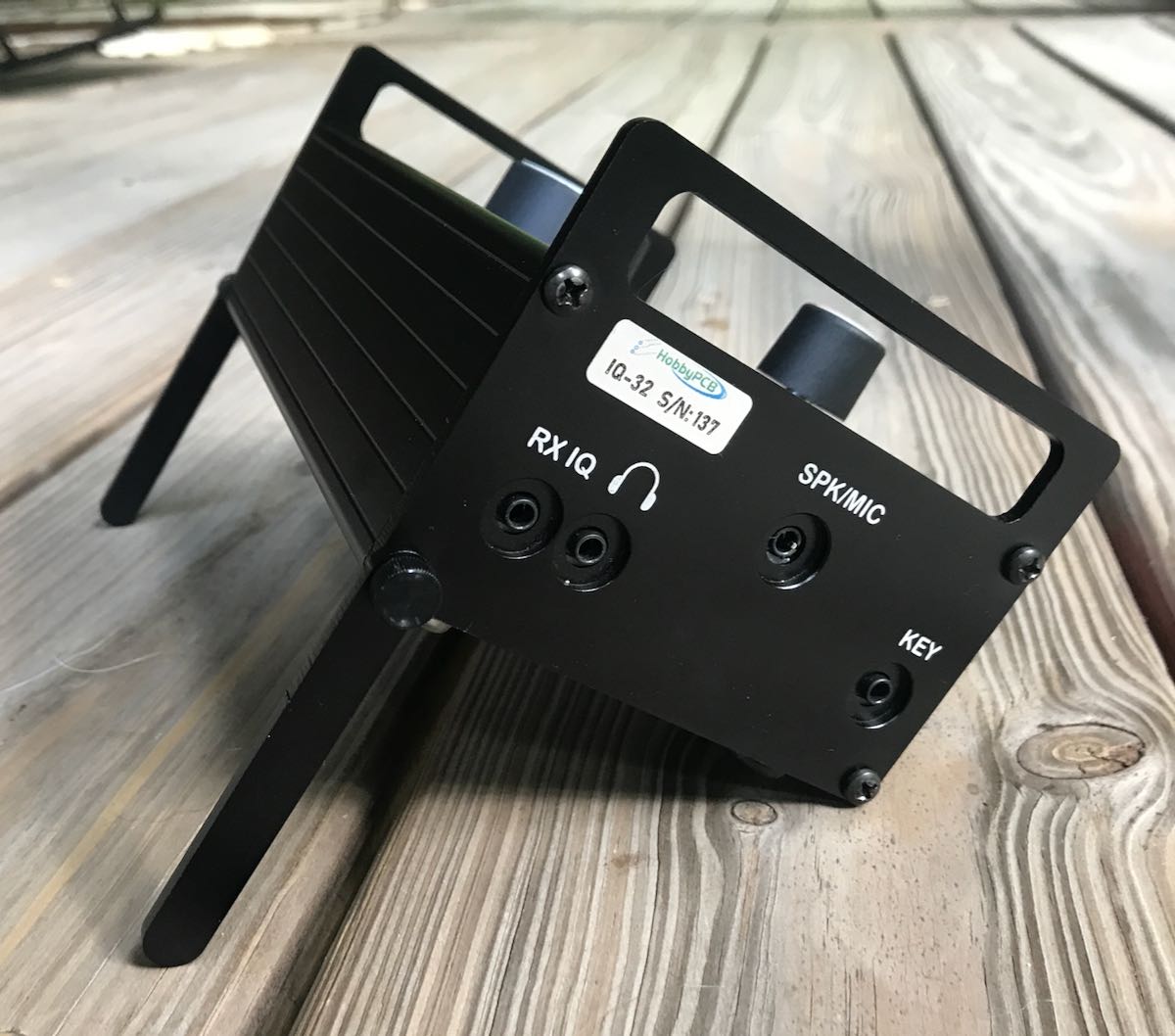
The right side panel of the IQ32 has a toggle power switch, power amplifier connection, power port (5mm X 2.1mm, positive tip), PS2 keyboard connector, USB Type A, and a BNC antenna port. The left side has a 3.5mm I/Q Output, 3.5mm headphone jack, 3.5mm speaker/mic port,  and a 3.5mm CW key input.
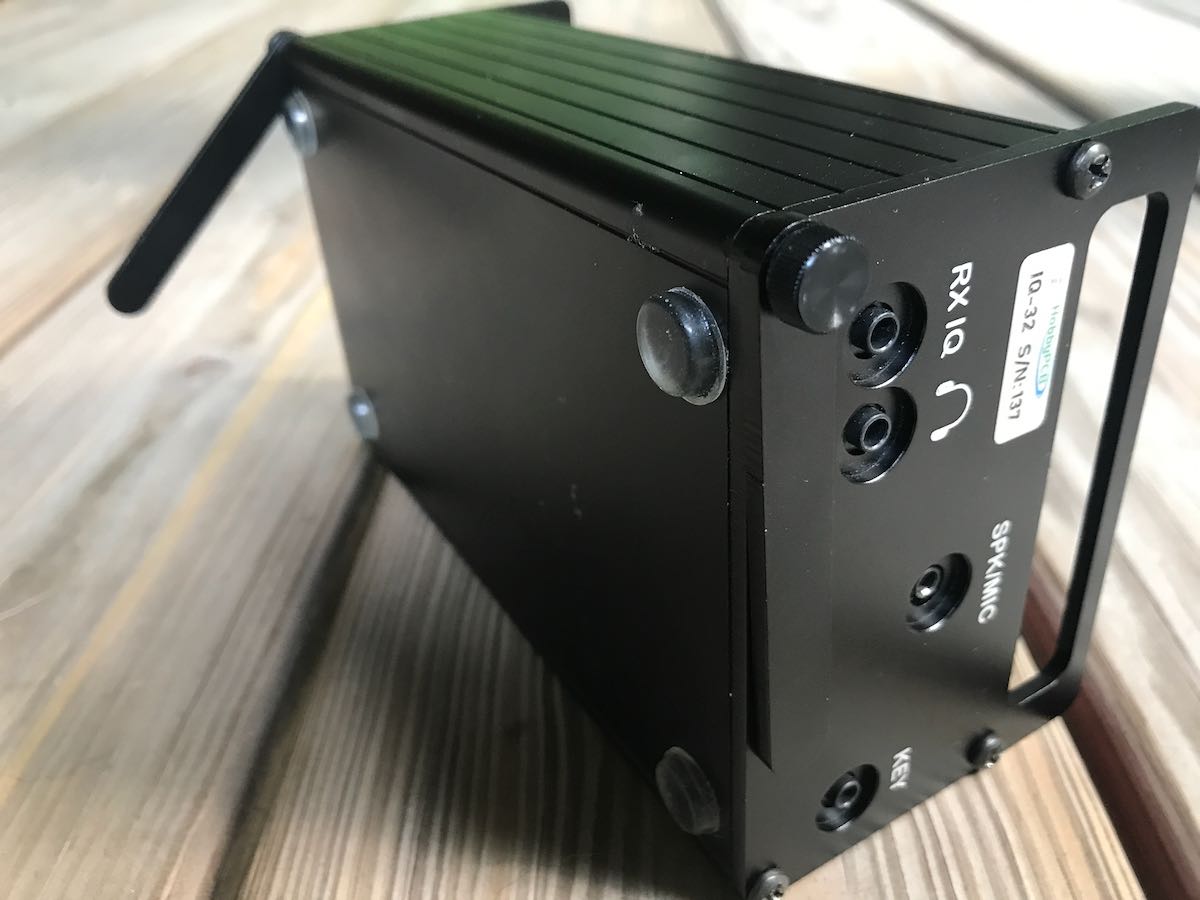
The IQ32 also has two legs that can be adjusted so that the radio will prop up at a comfortable angle for operation. The legs can be a bit finicky to adjust and keep in place, so I preferred using an angled radio support I use for my Elecraft KX3.

A collaboration

The IQ32 also feels like a project joint effort, bringing to mind the old chocolate-peanut butter cup commercial of a bygone era: “My chocolate got mixed with your peanut butter!” And or, “My peanut butter got mixed with your chocolate!”

Curious about this seeming blend of radio ideas, I reached out to Jim Veach (WA2EUJ) at HobbyPCB for more information; he gave me a little history behind the IQ32.

Jim writes:

The IQ32 is the fusion of two products: the HobbyPCB RS-HFIQ, and the STM32-SDR. 

The RS-HFIQ was designed to be a 80-10M, 5W soundcard-based SDR––similar to the popular Softrock SDRs with some expansions and revisions. 

The STM32-SDR was designed to work with a soundcard-based SDR and [thus] eliminate the need for a PC and provide stand-alone operation. 

Inside the IQ32 is a mostly stock RS-HFIQ (in fact, we offered an upgrade kit so RS-HFIQ owners could go the IQ32 route) and a custom version of the STM-32 […] specifically for the IQ32.

The original development of the STM32 [began] a few years ago when PSK31 was the digital mode du jour and [the] PS2 keyboard roamed the land. The firmware team recently released the current FW, which greatly expanded the CW modes and reworked the memory structure based on user input.

And there you have it: even though this unique little rig has been around for a few years, I’m impressed that they continue to refine it and upgrade the firmware. Indeed, if the community of IQ32 users grow, they may be able to do even more.

On the air
To be clear, my intention here isn’t to conduct a comparative review of the IQ32. I simply want to convey what I’ve learned in the process of playing with the rig and trying out some of its unique features.

Immediately after unboxing the radio, I hooked it up to my main skyloop antenna, plugged in the power supply that accompanied the radio, then plugged in the handheld speaker mic.
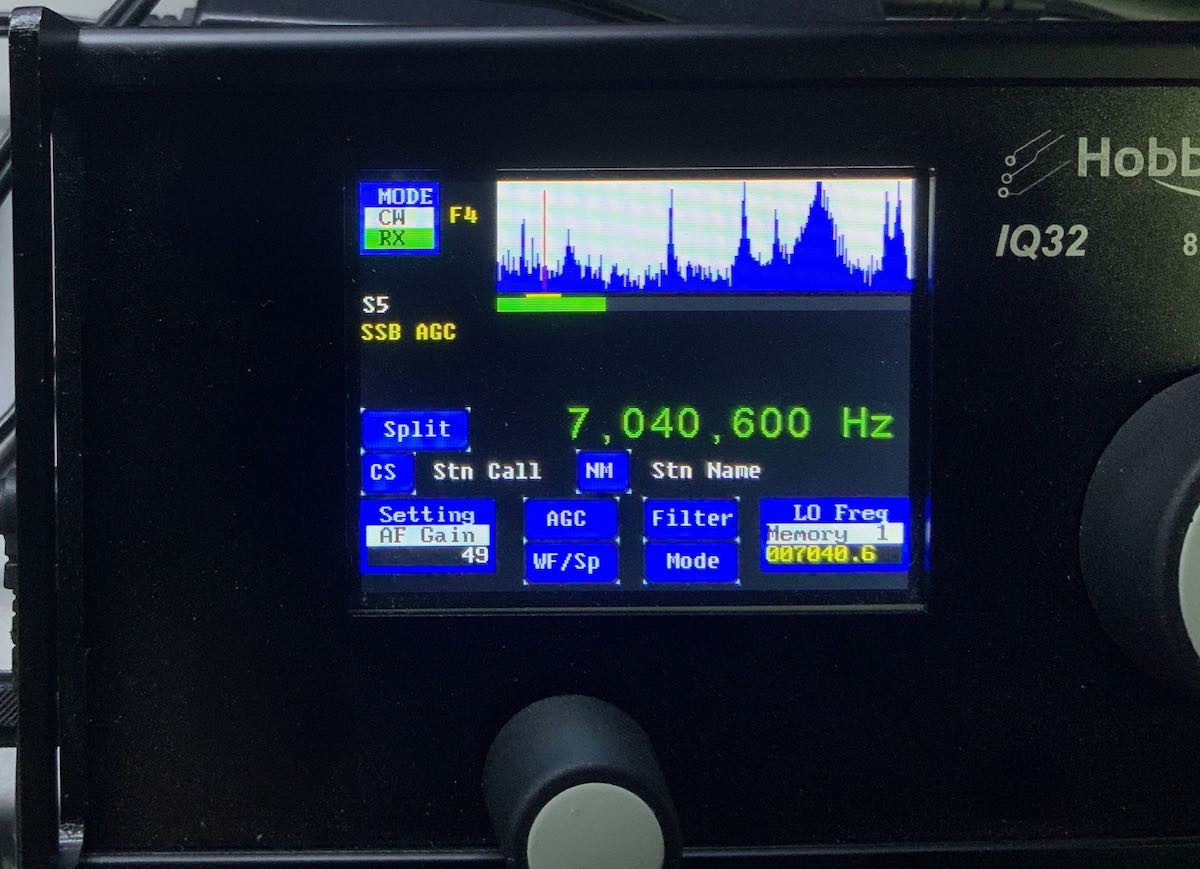
I discovered rather quickly that the IQ32 user interface takes a different approach than any other transceiver I’ve ever tested. Instead of one main user interface window in which you navigate modes, frequencies, and perhaps alter spectrum and bandwidth settings, the IQ32 has a different screen layout for each mode. It’s as if each mode––SSB, PSK31, CW, etc.––has its own “page.”
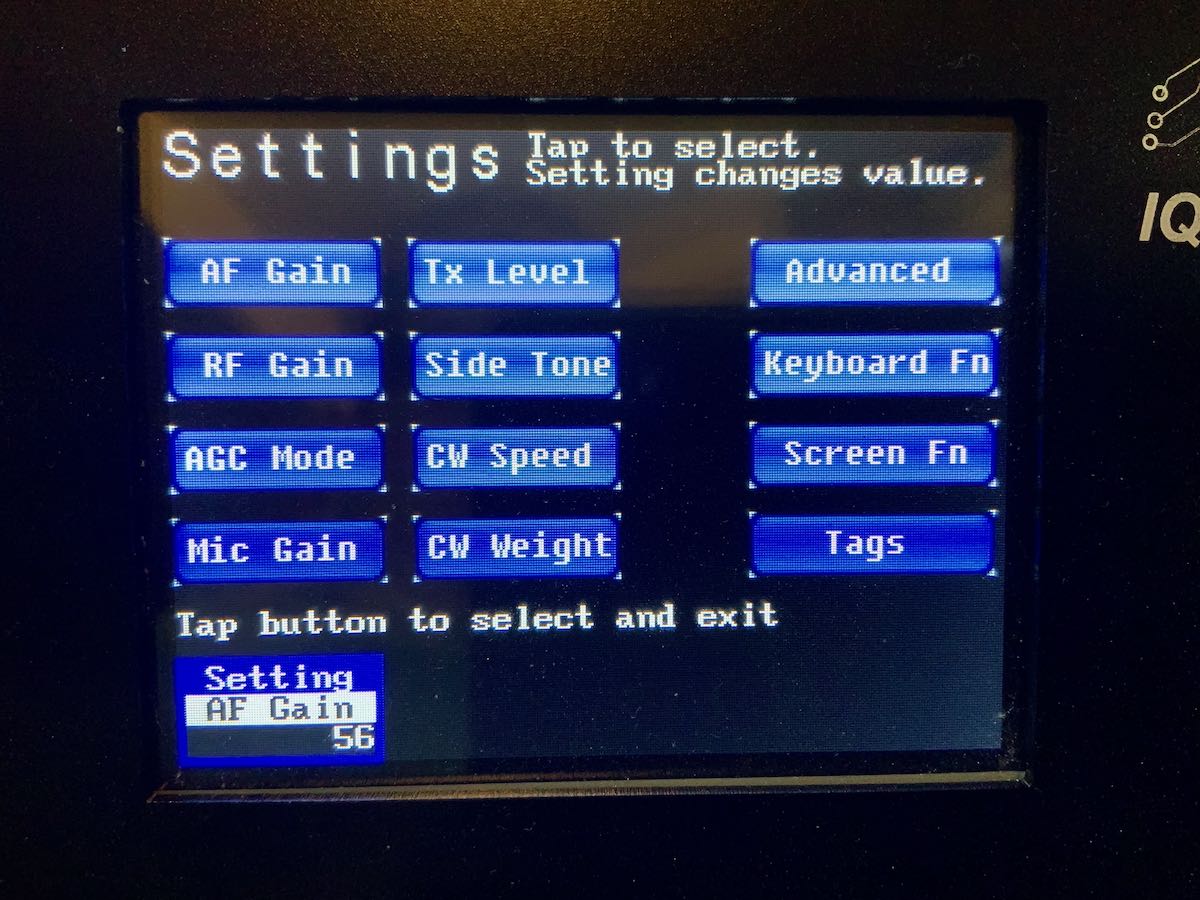
Despite the very minimal controls, you can adjust many of the IQ32s settings, macros, and memories in a very granular way via the settings pages using a stylus for fine control of the screen. On the flip side, during operation, it can be frustrating when adjustments need to be made quickly between the AF Gain, RF Gain, CW Speed, and AGC, as they all use the same multi-function knob and switching between them requires several screen taps––not as quick a process as one might prefer.

Indeed, the IQ32 isn’t immediately as intuitive as most commercially-marketed radios.  But once you fully understand the settings and modes pages, it becomes easy to navigate. Note: I would advise any future owner of an IQ32 to read the manual in advance. I did this, and it certainly helped. I should add here that the IQ32 manual is one of the most comprehensive I’ve read––especially considering its collaborative roots.

Now, let’s talk modes.

SSB
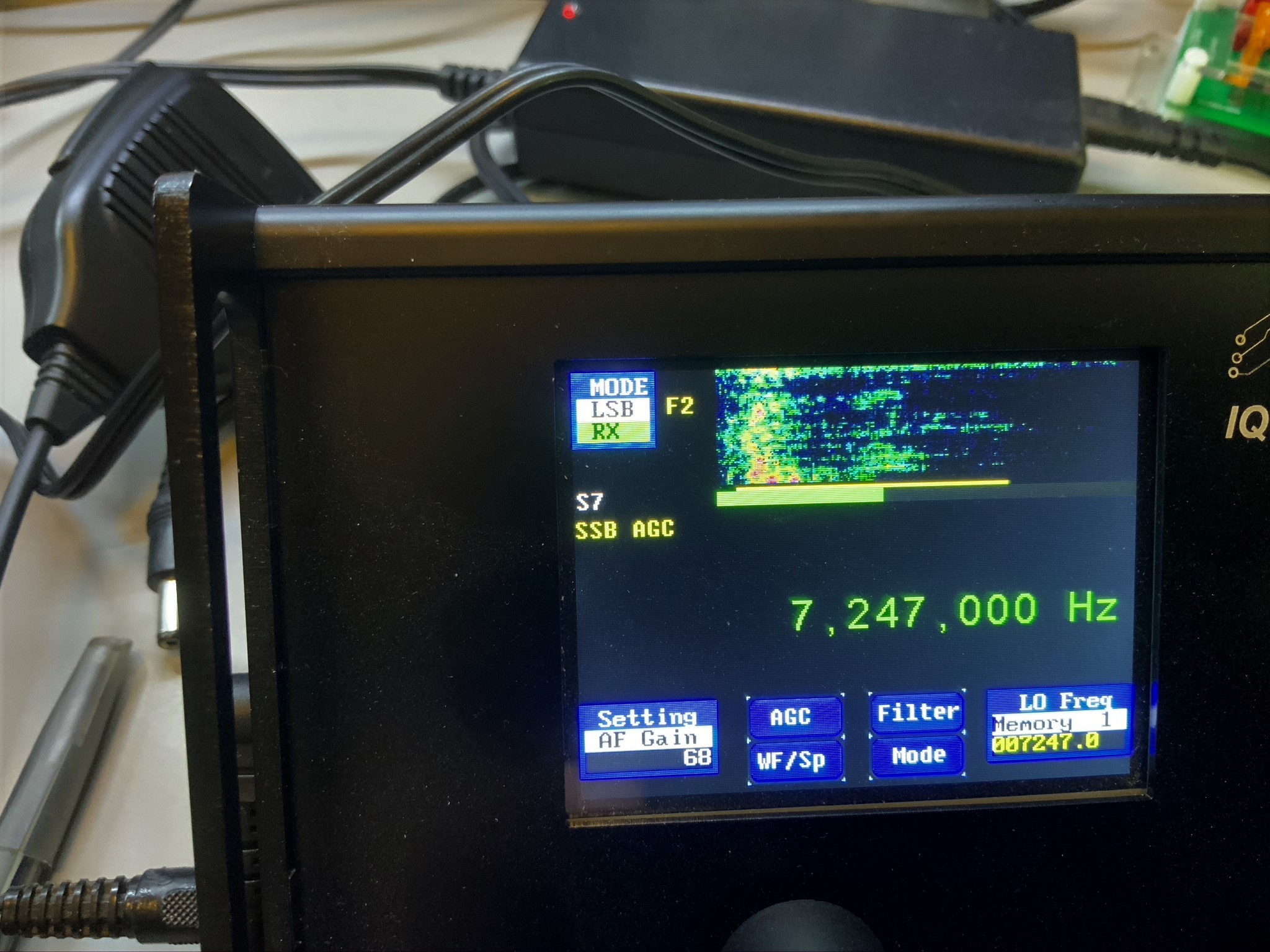
Since the IQ32 requires a PS2 keyboard for PSK31, and optionally for CW, I tried my hand at SSB first.

After learning how to switch modes and filter settings, I hopped on the air. Instead of calling CQ, I decided instead to seek a park activator in the POTA program via the POTA spots website. Within 10 minutes, I made contact with two parks: one in Pennsylvania and one in Florida on the 40 and 20 meter bands, respectively. While both parks gave me a “5×9” report, I seriously doubt it was accurate based on their own signal strength. (Some park activators, like contesters, only give 5×9 reports.)

Still, my success in contacting these two parks told me that the mic settings were probably suitable and that the audio had enough punch on 5 watts to be heard. To confirm, I called CQ a few times and listened to my own signal at a KiwiSDR site in Maryland. The signal was about 5×5, but the audio was clear, clean, and had excellent fidelity.

Over the past few weeks I’ve worked dozens of stations across North America with the IQ32.

PSK31
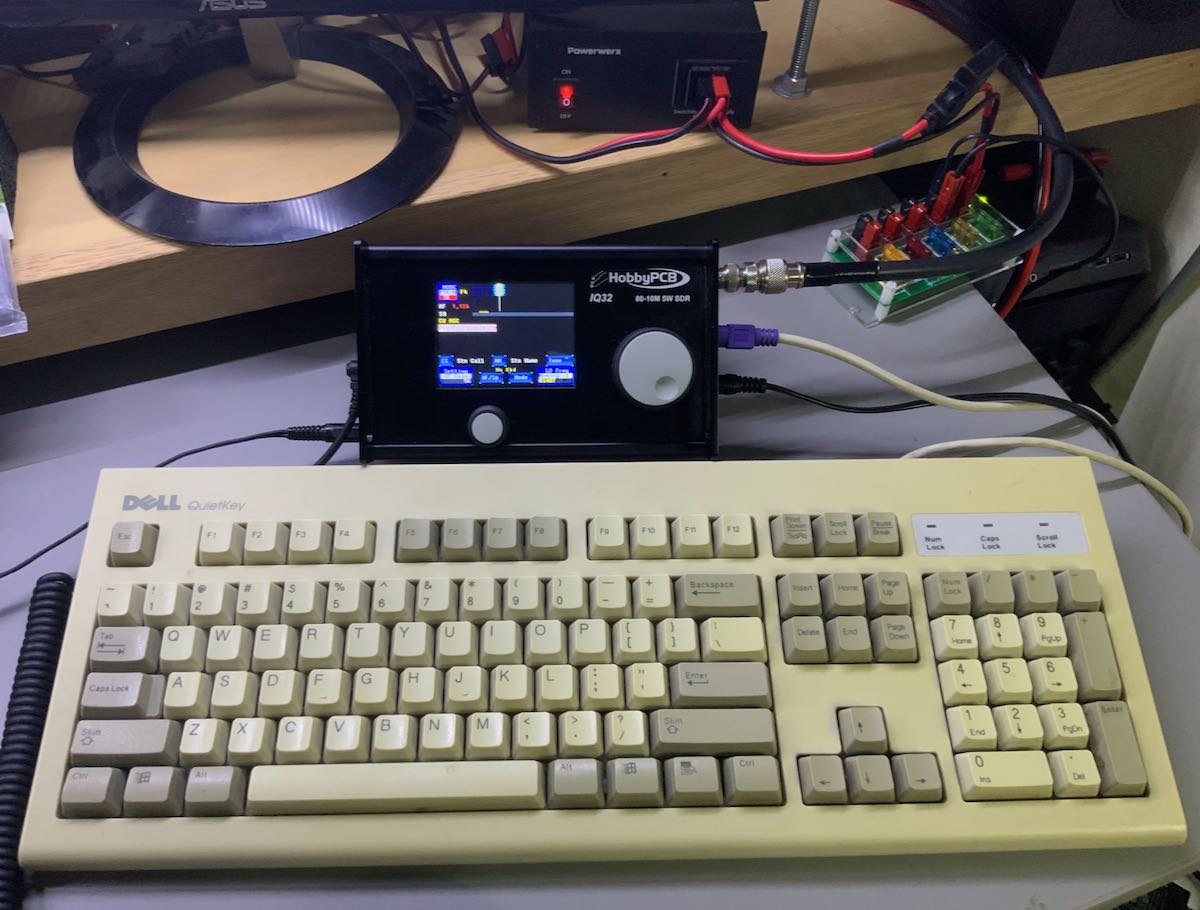
One of the very unique features of the IQ32 is its ability to natively encode and decode PSK31. This was the second mode I was eager to try.

To use PSK31 on the IQ32, a PS2 keyboard (or USB keyboard with PS2 adapter) must be connected. I searched my shack in vain for a PS2 keyboard, but fortunately, my friend Vlado (N3CZ) came to the rescue and let me borrow one of his keyboards.

Again, note: IQ32 beginners should certainly plan to read the PSK31 section of the IQ32 manual prior to attempting a PSK31 QSO.  For starters, you’ll want to enter in your personal information into the tags settings so that you can use your keyboard function keys to automatically send CQs and to answer calls. The manual will also walk you through any other necessary settings.

Once I had everything set up, I started calling CQ on the 20 meter band; unfortunately I had no luck snagging a station. This had less to do with the radio and much more to do with the mode, which has, alas, fallen out of popularity since the advent of FT8. It’s a shame, really, because although PSK31 is a digital mode, it feels much more like a proper QSO than FT8, in my opinion. While I have a lot of respect for FT8, with PSK31, you can, as we hams say, “rag-chew”––a much more personal interaction.
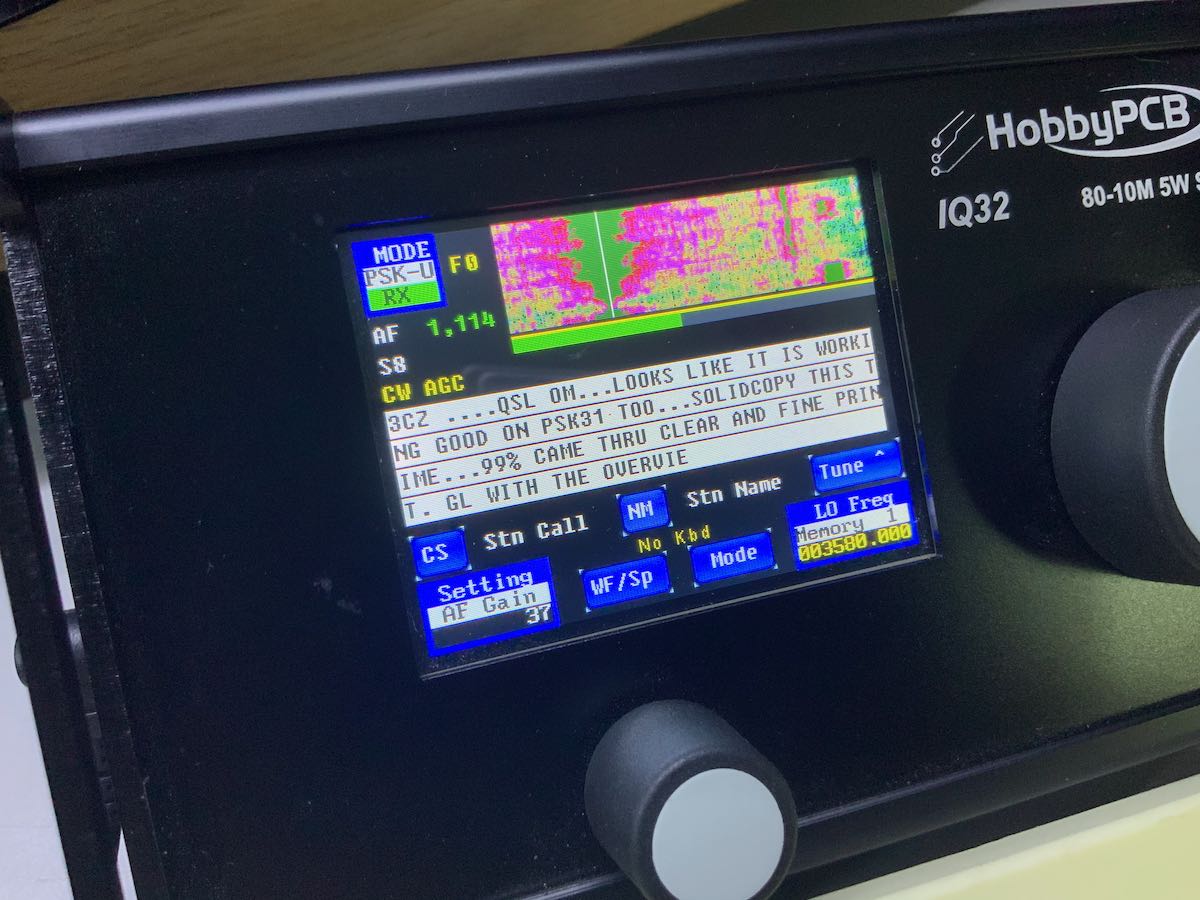
And rag-chewing is exactly what I did. I contacted a friend, we set a sched for a PSK31 QSO, and it was, indeed, fun. The IQ32 has a screen with enough text space so that it’s easy to follow and to read. In fact, with this radio, I don’t feel like a computer is needed.

With the keyboard attached, PSK31 just works…and works quite well. I really like the way this feature has been implemented in the IQ32.

CW
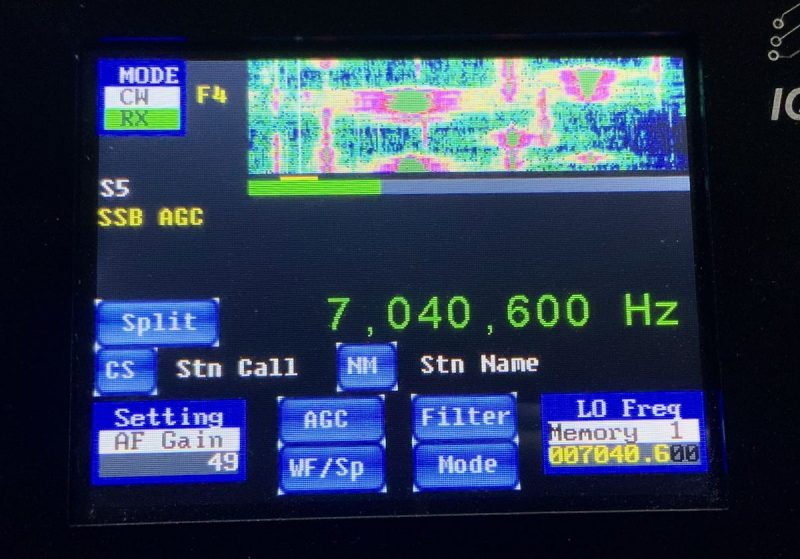
Truly, the IQ32 actually has a lot to offer the CW operator. The IQ32 supports Iambic keyer modes A and B, with speeds up to 35 wpm. You can also adjust the weight of the dits and dahs. The IQ32 doesn’t support full break-in QSK, however: there is a slight delay after sending before the relay puts the radio back into receive mode. At present, this delay is not manually adjustable but is, rather, based on the selected keyer speed.

I’ve been very pleased using the IQ32 in CW mode with my Begali paddles and Vibroplex single lever paddle.

Of course, a really unique feature of this rig is that it provides the operator with the means to use the PS2 keyboard to send CW, just as you can with the PSK31. At present, there is no CW decoder, but for those who feel their fist isn’t quite up to par, you can surprise the operator on the other end by sending perfectly formed and spaced CW by simply typing it on the keyboard.  Herein lies a very unique feature and application for the IQ32.

Indeed, as a frequent Parks On The Air (POTA) field activator, I rely very heavily on memory keyers to call CQ, send a park number, as well as give my thanks and 73s to those who contact me. Using a pre-programmed message means that I then have time to log a station while it sends, and to ensure my code is cleaner when I send park numbers––especially since I don’t exactly excel at sending strings of numbers!

With the IQ32, I find I can program full CW messages to play when I simply press one of the function keys on the keyboard. This gives me much better flexibility and control than, say, the built-in memory keyer on my venerable Elecraft KX2.

With the IQ32, a CW op would actually have the choice of never even touching a key, and just sending all messages with the keyboard. While I could never see myself doing that (as I quite enjoy sending CW with a key), the flexibility of pre-programming an array of CW memory messages and having them conveniently at hand is nonetheless quite appealing.

As a CW operator, I’m quite pleased with the IQ32. My only wish would be for a slightly shorter relay hang time for use in contesting or on Field Day.

The IQ32 Niche
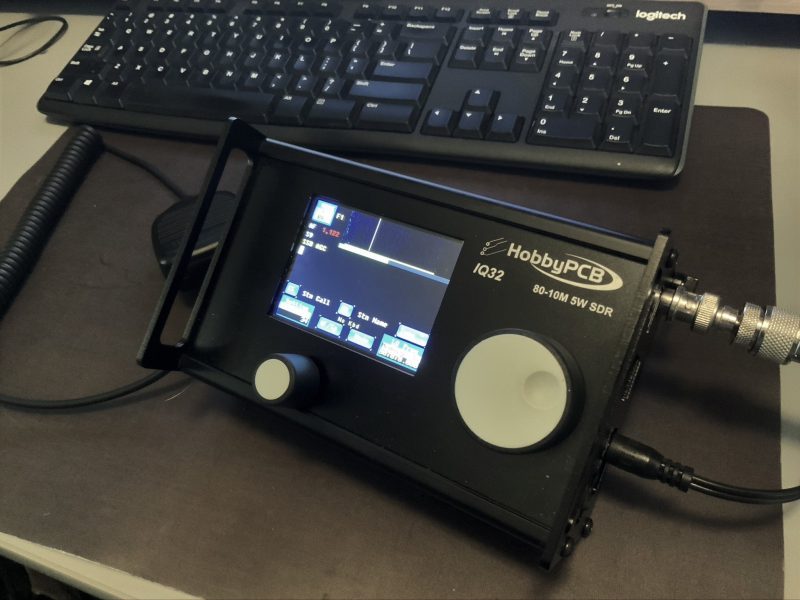
While I wouldn’t necessarily recommend the IQ32 as a first transceiver to a newly-minted ham, I can certainly envision a niche market for this unique rig.

For one, I think the IQ32 could satisfy those operators who desire a very clean and stable transmitter. The IQ32 sports a Class A 5-watt power amplifier with individual low-pass filters for each band that exceed FCC requirements for spectral purity. It also has a Temperature-Compensated Crystal Oscillator (TXCO) for frequency stability––truly, this is not common in a radio of this price class.

For another, the IQ32 could be used as a driver for a transverter when operating on VHF or UHF. Another of its unique and useful features is that the user can set an offset to display the transverter output frequency rather than the IQ32-driven frequency.


And, finally, let’s face it: I know of few other radios that you can take to the field, hook up a keyboard, and natively send and decode PSK-31 transmissions. My KX2 can do this to a degree, but I have to input the text as CW, and the number of characters in the display is quite limited. The IQ32 is robust enough to permit you to carry on PSK-31 rag-chews, if you wish. If this is your thing, you’ll definitely want to play with this rig.

Being able to send CW with a keyboard and pre-programmed messages also means CW operators could make their workflow much more efficient in either the shack or the field.

In conclusion, I’ll admit that the IQ32 isn’t as intuitive as other radios and that the ergonomics leave room for improvement. But it’s still a cool little radio. If, after having read this tour of the IQ32, you feel like you’re in this radio’s niche market, then definitely reach out to HobbyPCB: I’ve found their customer care and support to be absolutely benchmark.

All in all, I’ve had a lot of fun tinkering with this unique general coverage QRP transceiver; I expect others like me will, too. Many thanks to HobbyPCB and the IQ32 crew for letting me take a deep dive into this very special little rig!

Click here to check out the IQ32 at HobbyPCB.


Do you enjoy the SWLing Post?

Please consider supporting us via Patreon or our Coffee Fund!

Your support makes articles like this one possible. Thank you!

Gary DeBock experiments with FSL antenna nulling to eliminate a “pest” station

Many thanks to SWLing Post contributor and Ultralight DX enthusiast, Gary DeBock, for sharing the following guest post:

Nulling a local pest with dual FSL Loops

by Gary DeBock

After many dual FSL antenna experiments I’ve finally determined how to effectively cancel out QRM from a local pest that is off to the side (ideally 90 degrees different, but practical from 50 degrees to 90 degrees different) from a weak DX station, although I’m not quite sure of the theory behind this discovery.

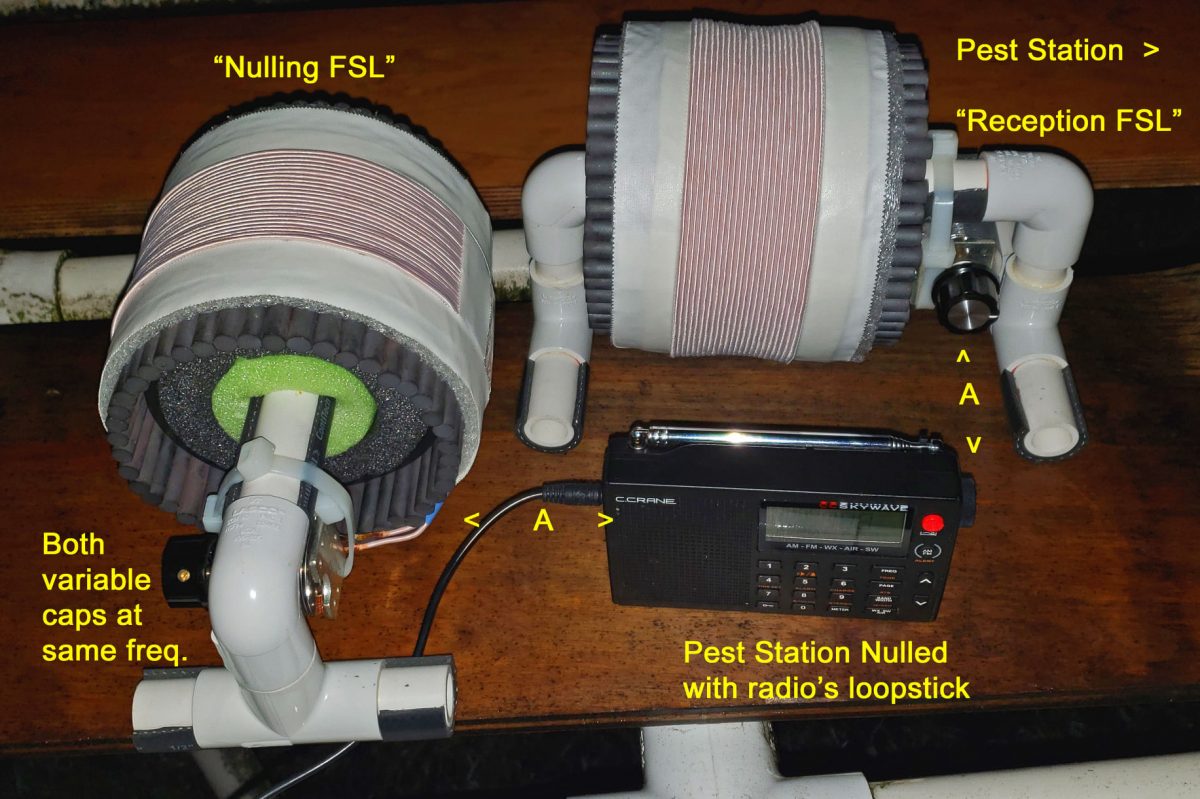
This experiment was an attempt to cancel out QRM from a local pest, 950-KJR in Seattle, WA (35 miles/ 56 km to the north) and chase 950-KKSE in Parker, CO (1005 miles/ 1617 km to the southeast) during the early morning hours. The receiver was a basic (non-SSB) C.Crane Skywave, and two identical 5 inch ferrite rod FSL antennas were used. Please refer to the photo (above) to follow this description.

Step 1) Null out the pest station with the portable radio’s loopstick (away from the FSL antennas). Set the radio down in this nulled position, so that the pest station is as weak as possible, while ensuring that there is space to set up the FSL antennas to the back and side (see photo).

Step 2) Take the “Reception FSL” and use it to peak the pest station’s frequency, setting it up parallel to the portable radio as shown, at the position providing the maximum inductive coupling gain. This will temporarily boost up the pest station, which previously was nulled.

Step 3) Take the “Nulling FSL” and pretune the frequency to that of the pest station. You can do this either by adjusting the variable cap plates to match those of the “Reception FSL,” or by temporarily peaking the pest station’s signal in a position in front of the portable radio. After setting this frequency, set the “Nulling FSL” off to the side of the portable radio as shown, with the spacing identical to the spacing between the radio and the “Reception FSL.”

Step 4) Slowly and carefully tune the “Nulling FSL” until you hear the pest station’s signal take a sharp drop. This setting will be very sharp, but once you find this position you will have nulled out the pest very effectively, and if another station is on the frequency, it may suddenly become dominant, even if it is far away (like 950-KKSE in Denver).

Some MP3’s from this morning’s experiments:

950-KJR in nulled position with the portable only

950-KKSE generally dominant over the local pest KJR when the “Nulling FSL” is peaked


Fascinating, Gary! I don’t understand the dynamics of why this works, but it’s amazing that it does so effectively. I can think of two MW frequencies in particular where I could put a system like this to the test. 

Thank you for sharing!

Radio Waves: Questions About New HF Stations, Towers Damaged after Hurricanes, Evolution of Ham Radio, and The Vintage Radio Repairman

Radio Waves:  Stories Making Waves in the World of Radio

Because I keep my ear to the waves, as well as receive many tips from others who do the same, I find myself privy to radio-related stories that might interest SWLing Post readers.  To that end: Welcome to the SWLing Post’s Radio Waves, a collection of links to interesting stories making waves in the world of radio. Enjoy!

Many thanks to SWLing Post contributors Ed, Paul, Bennett Kobb, and Kanwar Sandhu for the following tips:


Questions Remain as New HF Stations Wait for Licenses (DMRNA.info)

Here is the story by Bennett Kobb:
As previously reported here at DRMNA.info, the New York company Turms Tech LLC has applied to the FCC for a license for International Broadcast Station WIPE in New Jersey. The license would cover a station already built under a FCC Construction Permit, and would allow it to begin regular operations.

The FCC announced on August 13, 2020 that this license application was accepted for filing, a routine stage at which the FCC examines the application, and might even visit the station, and if everything is in order it will be licensed.

We’re not sure everything is in order. The application for Construction Permit placed the transmitter site at N 40° 57′ 40.38″, W 73° 55′ 23.97″, the broadcast and communications center surrounding the famous Armstrong Tower at Alpine NJ. Its Application for License, however, specifies N 40° 51′ 40″, W 73° 55′ 23″. (Hat tip to Alex P for noting this discrepancy. More about him below.)

While the substitution of 51 for 57 in the coordinates might seem a simple typo, the FCC typically has no sense of humor about coordinate errors. Commission examiners may wonder why a station intended for a historic radio-TV facility ended up among some Manhattan apartments.

The deeper question with WIPE and another, apparently similar station WPBC, is what these stations are really for and what that means for the FCC Rules. WIPE was extremely vague about its program plans, but told the FCC that it will transmit data obtained from third parties using Digital Radio Mondiale. Putting that tidbit together with exposures in a series of public articles in the media and tech blogs, it would seem that audio programming will not be the central mission of this peculiarly named station, whose principal is a financial executive and forestry entrepreneur without any broadcast experience we could find.

We suspect instead that the WIPE data stream will be used not for broadcasting to the public — the only function permitted to International Broadcast Stations under FCC Rules — but instead will be used for private communication with foreign exchanges for high-speed trading.[]

KSWL-TV tower crashed into buildings near 210 Interstate Hwy (Brad Dye)

Images of tower damage in Lake Charles, LA Bottom photo by KATC-TV of KSWL-TV tower crashed into buildings near 210 Interstate Hwy

After bombarding coastal areas of southern Louisiana with wind gusts up to 130 mph and a storm surge over nine feet as a hurricane, Laura swept north while also spreading over Arkansas Thursday. Laura weakened to a tropical storm early Thursday afternoon, with winds at 70 mph, according to the National Hurricane Center. Laura is predicted to move through the Tennessee Valley and the Mid-Atlantic today into tomorrow.

Power outages from the storms totaled over 900,000 as of Thursday afternoon, according to PowerOutageUS. The site collects data from utilities nationwide. The bulk of the outages were in Louisiana and Texas, according to ABC News. Mississippi reportedly had over 9,400 customers without power as of Thursday morning, reported the Clarion Ledger.

Louisiana and Texas had the most cell site outages as of Thursday mid-day, according to the FCC’s Disaster Information Reporting System. Of the 4,650 cell sites served in Louisiana, 380 were not working. Over 200 of the site outages were due to a lack of power, 141 had a transport issue and 16 were damaged.

Calcasieu and Cameron counties were hit especially hard. 140 sites (75 percent) were not working in Calcasieu County and 20 (69 percent) were out in Cameron County.

Of the 17,621 cell sites served in Texas, 113 were non-operational.

Jefferson County was the hardest hit, with 39 (15.8 percent) out of 247 sites not working. Just over 45 of the non-working sites were out due to a lack of power, 41 for transport reasons and 20 were damaged, according to DIRS.

Cable and wireline companies reported 192,915 subscribers out of service in the affected areas; this may include the loss of telephone, television, and/or Internet services.

Three television stations, five FMs and one AM reported they were off-air.[]

Ham radio is dying! No it’s not, it’s evolving (K0LWC)

I’ve heard ham radio is dying since as far back as I can remember. It’s one of those common sayings you always hear. Like, “get off my lawn,” and “kids these days.” But is it true? Is there any evidence to support this? Let’s take a closer look.

Data from the ARRL shows that ham radio licensees are increasing. When you look at the chart above, you see two significant markers that are likely driving this growth.

  • The removal of the code requirement by the FCC.
  • The economic collapse of 2008.

The Morse code requirement was always an intimidating part of obtaining your General FCC license. Learning Morse code is like learning a second language. It takes time and effort to learn, and that’s not a bad thing. However, it doesn’t change that it scared many people away from the hobby. When the FCC removed this requirement in 2007, I believe it opened the door for many who spent years on the fence. Then you have the economic downturn of 2008. What does that have to do with ham radio? A lot.

After the economic downturn, the United States watched as survivalism, now commonly calling “prepping,” entered mainstream culture. People were worried as the country was involved in multiple wars and our economy was on the brink of collapse. Citizens stocked up on food storage, water, firearms, and…communications equipment. As our country spiraled into more turmoil ham radio licenses steadily increased to more than 750,000 by the end of 2019.[]

The Vintage Radio Repair Man (Great Big Story–YouTube)

Click here to watch on YouTube.


Do you enjoy the SWLing Post?

Please consider supporting us via Patreon or our Coffee Fund!

Your support makes articles like this one possible. Thank you!

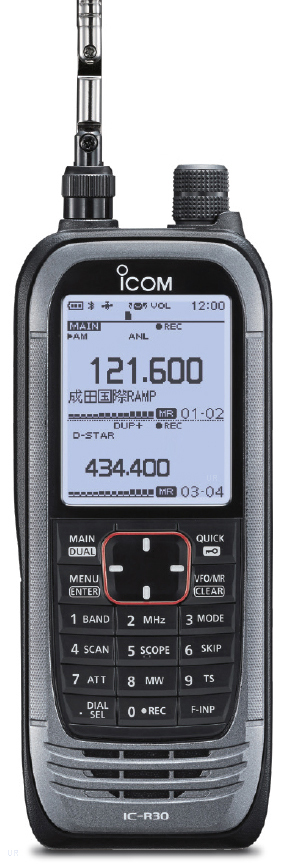
Phillip loves the Icom IC-R30, but frustrated with mono audio out

Many thanks to SWLing Post contributor, Phillip Novak, who writes:

A question or perhaps comment on the Icom IC-R30 that I’m hoping SWLing Post readers might shed some light on.

I’m a very new and extremely pleased owner of one of these units for the past 2 weeks. Aside from receive capability, usability is a big deal for me and this thing has proven to be a joy! The menus, buttons and build quality just feel great and frankly, I’m pretty happy about having made the “investment”.

So, it was with great excitement that my wife and I have the week off at the cottage – more so for me, as I was looking to really break the R30 in while sitting on the lake shore.

And then …. I was extremely disappointed to find out that the r30 headphone jack is mono (just like the IC-R6 that I already owned). On top of that, the jack is slightly recessed into the body of the unit, which renders the mono-to-stereo split adapter useless! (I really thought they would have changed it!)

Someone, please enlighten me as to why Icom would choose a mono plug!

It’s funny you mention the recessed plug as I had the same issue with a portable recently–the audio out port was recessed to the point that only the provided cheap earphones would fit!

Perhaps SWLing Post readers and IC-R30 owners can provide you with a simple solution? Of course, you can always purchase or build a mono-to-stereo adapter or patch cord–one with a slim profile to fit in the IC-R30 audio port recess (that’s the tough part, of course). But perhaps there are even earphones that have this functionality built-in? I honestly don’t know. Any ideas, readers? Please comment.

And, Phillip, we’d welcome your review of the IC-R30!

Nick compares the Icom R9000, Harris 590, WJ 8711, and Racal 6790

Many thanks to SWLing Post contributor, Nick Booras, who shares the following video and notes:

As a SW listener and radio collector I have enjoyed many hours perusing your blog and reviews. I recently started posting YouTube videos of some of my collection and thought you and your viewers might find them interesting. Please take a look at my youtube channel – dieselten01

My most recent vid included some pretty cool older surveillance type receivers.

Those are fabulous receivers! Thank you for sharing your video, Nick! Click here to check out Nick’s YouTube channel.

The RX888 SDR – Up Close Photos

I received my new RX888 SDR receiver today, via DHL shipping in only seven days from ordering on Ebay from seller “shenglongsi”. I’ve noticed that some Chinese Ebay sellers use a placeholder shipping number when choosing the DHL carrier, and then some days later they forward the actual shipping number when the product is out the door.  That was the case with the RX888– four days in limbo, and then BINGO!–a real tracking number was sent and the package arrived three days later.

It should be noted right up front, as others have pointed out, the RX666 and RX888 SDRs are commercial implementations of the excellent, open source BBRF103 receiver. The BBRF103 is the creation of talented Italian designer Oscar Steila IK1XPV.

Hopefully tonight I’ll be sorting out files to get the radio operating, and if there are hiccups along the way I have help from some other early adopters around the globe.

The radio arrived with zero documentation or links to support files, but I already have files known to work with the RX666. The receiver should work with HDSDR after the correct additional files are added to the HDSDR folder, as does the similar RX666 model. Cypress USB drivers also need installation on the host computer. One concern is operating the LNA (low noise amplifier) on the RX888, which the RX666 lacks. This may take a different EXTIO .dll file than the one intended for the earlier RX666.

I’m aware of the developer of another popular SDR program who will almost certainly add support for the RX888/RX666 to his software.

I’ve read that the powerful ADC chip inside these two models is a USD ~$60-70 component (or from the same chip series) which is also found in a few commercial grade SDRs plus the newer WinRadio G33DDC & G35DDCi models. Translation? The RX666 & RX888  could turn out to be amazing performers for the price.

Below are up-close pictures of the receiver’s printed circuit board. Construction and soldering look quite good considering the USD $188 price. In my opinion the build quality appears to somewhat exceed that of the RX666, which was the first of these two units on the market.

Note that in the last photo the whitish square on the bottom of the PCB is a thick foam pad, perhaps some thermal transfer material. It is sticky-backed and placed so that it’s wedged between the bottom of the chip (ADC?) with the blue heat sink and the bottom of the case.

In the below photo, note the small LEDs with indications “PWR”, “MODE”, “OVLF”, and “MODE” (again). At the upper-right corner are two pads marked “RST” (reset?).

Guy Atkins is a Sr. Graphic Designer for T-Mobile and lives near Seattle, Washington.  He’s a regular contributor to the SWLing Post.

Take the field and abandon the radio noise!

The most common complaint I hear from new SWLing Post readers is that they can’t hear stations from home on their receivers and transceivers. Nine times out of ten, it’s because their home environment is inundated with man-made electrical noises often referred to as QRM or RFI (radio frequency interference).

RFI can be debilitating. It doesn’t matter if you have a $20 portable radio or a $10,000 benchmark transceiver, noise will undermine both.

What can you do about it?

Since we like to play radio at home, we must find ways to mitigate it. A popular option is employing a good magnetic loop receive antenna (check out this article). Some readers find noise-cancelling DSP products (like those of bhi) helpful when paired with an appropriate antenna.

But the easiest way to deal with noise is to leave it behind.

Take your radio to a spot where man-made noises aren’t an issue.

Field radio

If you’ve been reading the SWLing Post for long, you’ll know how big of a fan I am of taking radios to the field–both transceivers and receivers. Not only do I love the great outdoors, but it’s the most effective way to leave RFI in the dust.

Sunday was a case in point (hence this post).

Let’s be clear: I blame Hazel…

Last week, I did a Parks on the Air (POTA) activation of Hampton Creek Cove State Natural Wildlife Area in Tennessee. It’s a beautiful area with a fantastic hiking trail (the Overmountain Victory Trail) in a relatively remote/rural area.

About 5 minutes before Hazel’s cow patty fun.

My family had a great time at the site–we enjoyed a picnic and I played radio–but Hazel (our trusty canine companion) decided to roll in a cow patty during our hike. Hazel thought it smelled wonderful. Her family? Much less so. And all five of us were staring at a two hour car ride together.

Fortunately, my wife had a bottle of bio-degradable soap we use while camping, so I washed Hazel in Hampton Creek. (Turns out, Hazel didn’t mind that nearly as much as getting washed at home in the tub.)

In all of the commotion I forgot to take my EFT Trail-Friendly antenna out of the tree. Doh!

The EFT Trail-Friendly antenna is incredibly compact and quite easy to deploy.

The EFT is my favorite field antenna for POTA activations. It works so well and is resonant on 40, 20 and 10 meters. With an ATU, I can also tune any bands in between. I’ve deployed this antenna at least 130 times in the field and it was still holding up.

I was bummed. Hampton Creek is nearly a four hour round-trip from my home. Was it worth the trip to rescue my antenna?

Fast-forward to Sunday: my amazing wife actually suggested we go back to Hampton Creek Cove on Sunday and also check out nearby Roan Mountain State Park. Would my antenna still be in the tree? Hopefully.

Whew! Still hanging out!

Fortunately, my antenna was still hanging there in the tree as I left it the week before. I was a little concerned the BNC end of the antenna may have gotten wet, but it was okay.

Mercy, mercy, so little noise…

I turned on my Elecraft KX2 and plugged in the antenna. Oddly, there was very little increase in the noise level after plugging in the antenna. That worried me–perhaps the antenna got wet after all? I visually inspected the antenna, then pressed the “tune” button on the KX2 and got a 1.4:1 SWR reading. Then I tuned around the 40 meter band and heard numerous loud stations.

What was so surprising was how quiet the band was that day (this time of year the 40M band is plagued with static crashes from thunderstorms).

Also, there were no man-made electrical noises to be heard.  This allowed my receiver to actually do its job. It was such a pleasure to operate Sunday–no listening fatigue at all. Later on, we set up at Roan Mountain State Park and did an activation there as well. Again, without any semblance of RFI.

When I’m in the field with conditions like this, I always tune around and listen to HF broadcast stations for a bit as well. It’s amazing how well weak signals pop out when the noise floor is so incredibly low.

It takes ten or so minutes to set up my POTA station in the field, but if you have a portable shortwave radio, it takes no time at all. None. Just extend the telescoping antenna and turn on the radio.

Or in the case of the Panny RF-2200 use its steerable ferrite bar antenna!

If you’re battling radio interference at home, I would encourage you to survey your local area and find a noise-free spot to play radio. It could be a park, or it could be a parking lot. It could even be a corner of your property. Simply take a portable radio outside and roam around until you find a peaceful spot with low-noise conditions. It’s the most cost-effective way to fight RFI!

Post readers: Do you have a favorite field radio spot? Do you have a favorite field radio? Please comment!

Also, check out these articles: