Category Archives: Guest Posts

Armed with loops, fences, and an Icom IC-705, 13dka battles transatlantic MW DX

Many thanks to SWLing Post contributor, 13dka, who shares the following guest post:


Dipping my toes into transatlantic MW DX

by 13dka

Most of my SWLing life I wanted to dig into MW DX but never managed to make that really happen for some reason. Then last November, I fetched my first transatlantic station while I wasn’t even trying, in a rather surprising setting:

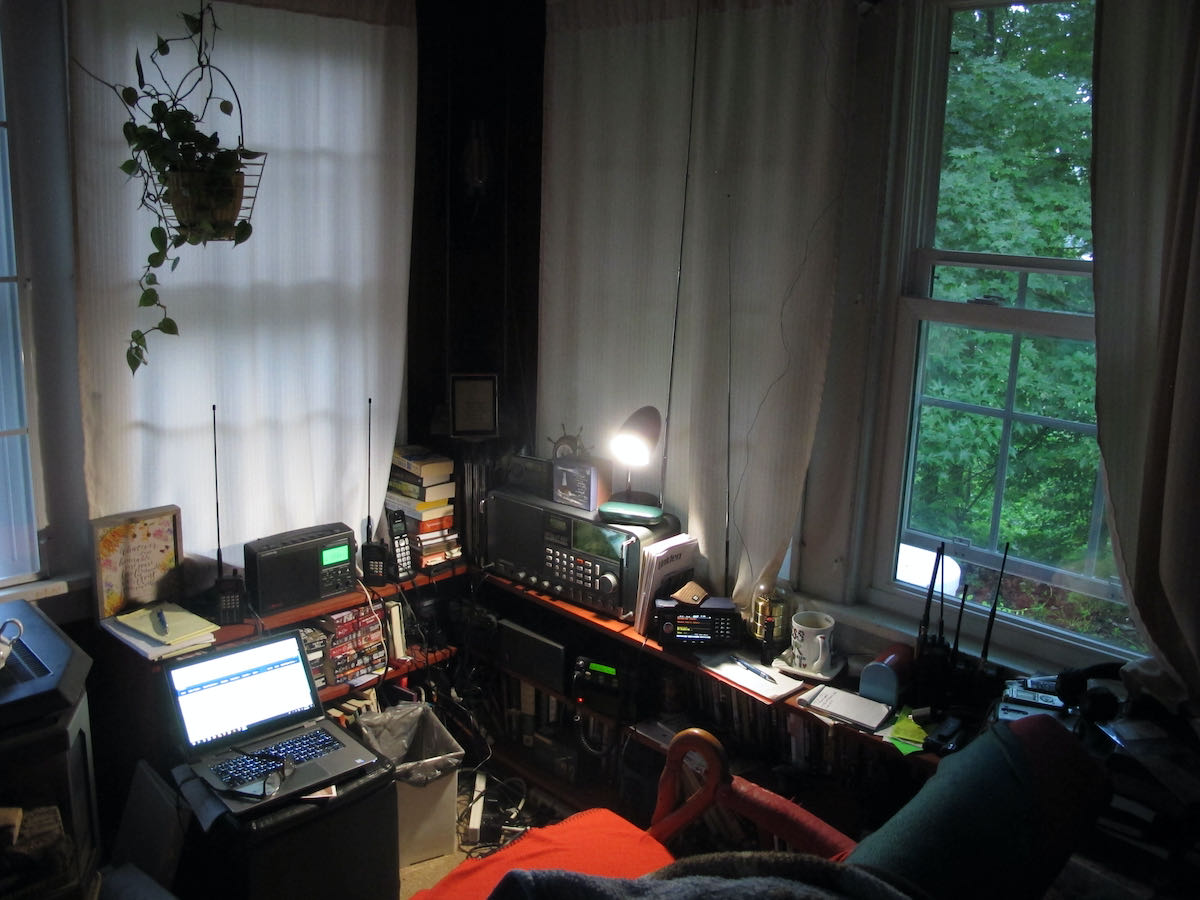
I have to explain that my home and neighborhood got so infested with a multitude of QRM sources that I did not put my outdoor antennas back up after a storm blew them out of the trees in winter 2018/19. I just used an ML-200 loop indoors, which also has to put up with my own additional QRM sources in my den, consisting of 3 computers running 24/7 and a couple of switching power supplies, a TV, LED lighting… allowing for very basic reception as long as my neighbors don’t watch TV or use the internet. On top of that, medium wave is badly beaten by a mowing robot’s boundary wire here, making reception on several portions of the band completely impossible.

I never expected receiving any US stations on MW in that noise, but I couldn’t sleep that night and scanned the bands a bit with the IC-705 hooked up to my new YouLoop hanging over my bed for testing. I had seen the characteristic transatlantic carriers on MW many times before on my SDRs, but for some reason I never picked up anything intelligible on them in any winter season, now a lot of these carriers were there again but on 1130 there was actually modulation and it wasn’t the only station!

Small bedside loop: SWL’s dreamcatcher!

Bloomberg Radio 1130 came in with almost enjoyable quality at times, but Bloomberg is also kind of a surefire station for MW DX over here. I also picked up a station on 1120 and another one on 880 which was briefly so strong that it surmounted the strong interference from BBC Radio Wales on 882 kHz. 1120 was confirmed the next night to be KMOX in St. Louis, 880 kHz was *not* KCBS in NY – I checked that immediately, I have a KiwiSDR set to that frequency booknarked on my cellphone in case I have a craving for the 1-877-Kars-4-Kids commercial. Powerwise likely candidates for that would be CHQT (50kW) in Edmonton, CKLQ (10kW) in Manitoba or KRVN in Nebraska (50kW class B station) but this may be hard to verify due to the dominance of the BBC on that frequency. Anyway, KMOX wasn’t a bad catch for a small, passive indoor loop, that’s 7,150km or 4,440 miles from here!

Bloomberg Radio on the YouLoop:


Here’s KMOX:


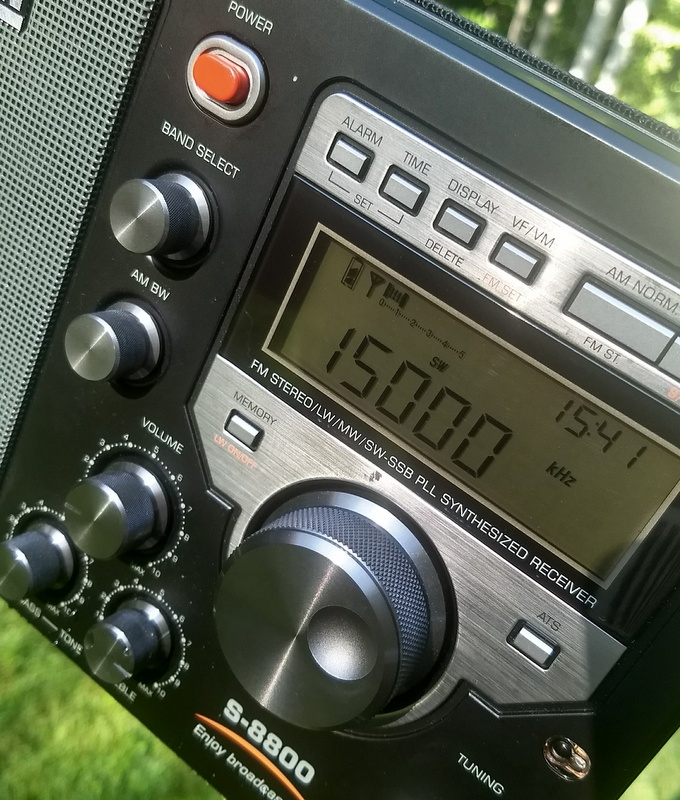
This was A) quite encouraging for nighttime DXpeditions to the dike (brrr…cold!), B) a testimony for the YouLoop’s good performance on MW and C) a testimony for the IC-705 having pretty much all one could wish for in a capable MW DX radio – notch filter, passband tuning on AM, stable ECSS, waterfall display to detect stations and last but not least loads of sensitivity to make the most out of low-output antennas down on MW.

Going to the dike

Of course I just had to put on some long johns and drive to the dike around 3:00am local a few nights later, to try my luck with my ML-200 (lacking a better idea) with an 80cm diameter rigid loop. I was mildly surprised that reception wasn’t that much better than with the YouLoop at home. The overall yield wasn’t exactly outstanding compared to other people’s logs but a lot of stations were hidden in the frequency ranges that are submerged in QRM at home. My log has US/Canadian stations on 20+ different frequencies, unfortunately most of them UNID. Here are some recordings I made that night, hunting for unambiguous station IDs from North American broadcasters:

ML-200, Nov. 16th, 2020

1130 Bloomberg Radio on the ML-200:


Presumedly WABC 770 in NYC: In MW DX, never think you ID’d something properly just because you heard a city name and the frequency has a clear-channel station located there!


This is more unambiguously 1010 WINS in NYC (with a twist described later)


1030 WBZ Boston, MA – the first part of the clip is showing how it sounds when the signal is good, the second part demonstrates how reliably propagation is taking a rest while a station identifies itself.


The grandpa of AM broadcasting, 1020 KDKA:


Moving away from the east coast, this is WHAS 840 in Louisville, KY:


760 WJR Detroit, MI


Here’s a tough one, the religious content I heard with a great signal before doesn’t warrant a proper ID alone, and as per usual the station ID’d while fading out. I could ID this only with a set of big, closed headphones, which is a mandatory accessory for all extreme DX (CHRB 1140 in High River, Alberta):


Of course I was occasionally checking other bands too and got some serviceable signals from Brazil:

Clube do Para on 4885 kHz:


VOA Pinheiro from Belem, Brazil on 4960:


Going to another dike, this time it’s personal!

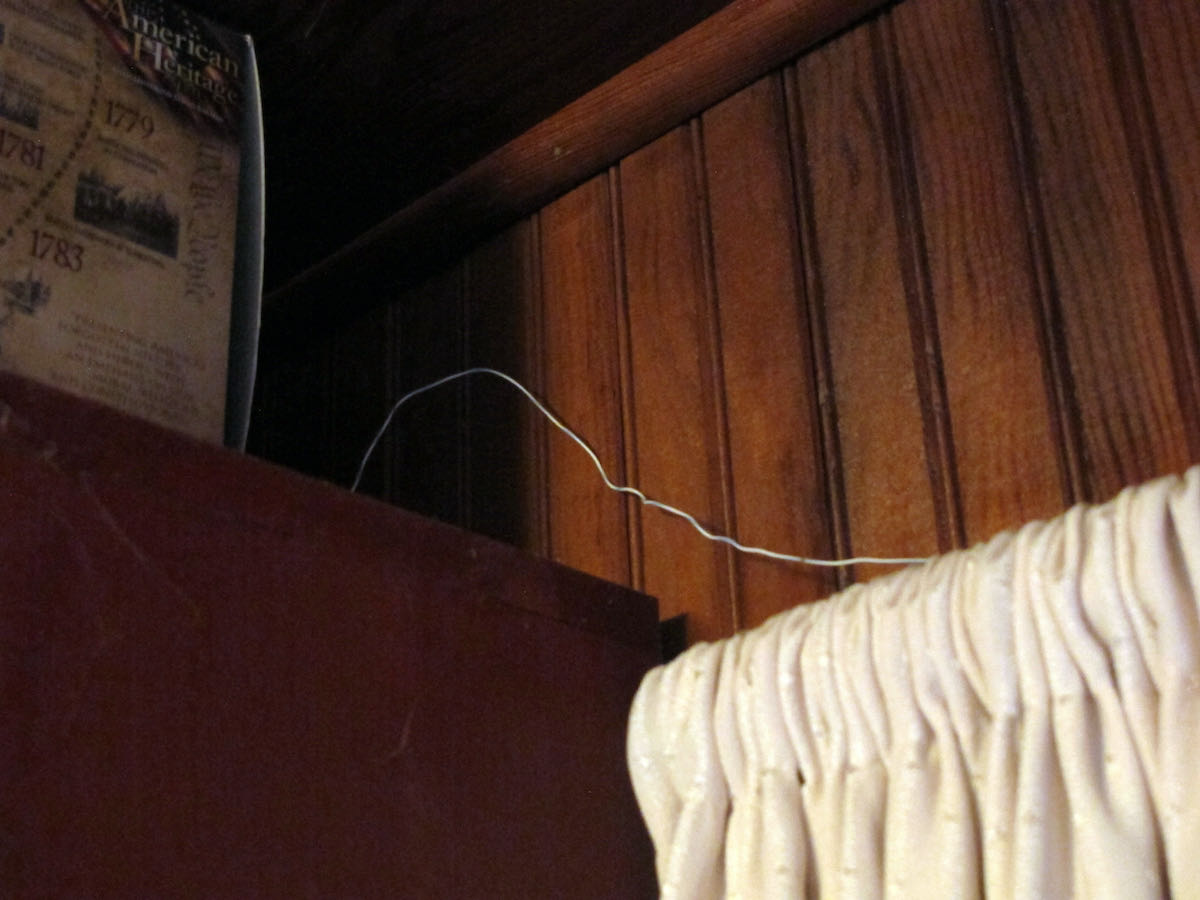
Time to try something completely different: A ~1,000m/3,000′ straight (and preliminary considered continuous) stretch of mesh fence along the dike heading ~345° (NNW), pointing roughly to mid-/western mainland North America. I had briefly tried its aptitude for being a “natural” Beverage antenna before – with mixed but encouraging results: Due to the fence not being terminated at the far end it may be kind of bidirectional, and according to my latest insights a Beverage style antenna doesn’t work well over very good (conductive) ground, probably even less so close (maybe 200′) to the ocean. Also, I forgot to pack the 9:1 balun I prepared for that purpose, so I just had some wire with alligator clip to connect the fence to the radio. Boo.

Accordingly, what I saw on the waterfall display didn’t look so much different than what I got from the ML-200 before – there were clearly more stations visible (as a carrier line on the waterfall) but nothing was really booming in. However, I managed to log a few more stations, such as WRKO in Boston and (the highlight of the night) 1650 KCNZ “The Fan” in Cedar Falls, IA which has only 1kW to boot at night to make the 6,940 km/4,312 mi to my dike. This may or may not be an indication that the “Beverage sheep fence” isn’t so bad after all!

“Fence”- reception, Nov. 18th, 2020:

VOCM 590, St. Johns, New Foundland, Canada’s easternmost blowtorch is like Bloomberg an indicator station for European MW DXers:


680 WRKO, Boston, MA:


1040 kHz, presumed to be WHO, Des Moines, IA: No ID, only a matching frequency and a commercial for “Jethro BBQ”, which has locations only in and around Des Moines:


Here’s 1650 KCNZ, Cedar Falls, IA with 1KW:


To put that into some relation, this is what 1KW sounds like on a very quiet 40m band in SSB (K1KW from Massachusetts on 7156 kHz producing a 9+20 signal that morning on the “Fence antenna”):


BTW, interesting bycatch – not the first time I caught WWV and WWVH on the same frequency but that morning was the first time I could hear both on 5 MHz:


So where have you been all my life, American AM stations?

A question remains – how could I miss the existence of these stations forever, then in modern SDR times see the carriers on the spectrum scope and still miss the modulation on these carriers? Or the other way around – why did I hear them now?

To begin with, when I started out with the radio hobby many decades ago, the reason for the occasional whine and whistle on some stations (particularly past midnight) wasn’t obvious to me: The last thing I suspected was that this could be interference from across the pond, with the pitch of the whine (or “het”) having a direct relation to the 9kHz vs 10kHz difference in channel spacing. Of course these stations were there all my life! Then, with just some regular radio you’d have to pick one of very few frequencies where a strong station from across the pond coincides with a nice silent gap in the local channel allocation. But until this millennium, European medium waves had no such gaps and a lot more local blowtorches.

Since that time many MW stations were turned off and demolished and whole countries abandoned MW here in Europe, so we’re in a much better spot now for transatlantic DX. Unfortunately the opposite is true for listeners on the left side of the pond, you guys still have a very crowded AM band but less potential DX targets in Europe. On the bright side, the remaining European stations are often not restricted to 50kW and you have another ocean with very distant and rewarding DX stations that are very, very hard to catch in Europe!

Wrong time, wrong place

Another bunch of factors are – of course – propagation, season and location/latitude. The MW DX season is roughly fall to spring nights (when TX and RX are in the dark) with a period of increased absorption in the middle (the “mid-winter anomaly”), signals are potentially stronger at lower latitudes and weaker at higher ones but the distance to the noisy equator and a lack of stations interfering from the N can be a huge advantage for using over-the-pole paths on higher latitudes. The big showstopper is solar activity: Good condx on shortwave can be rather bad for skywave propagation on medium wave, so a solar minimum is the long-term hotspot for (transatlantic) medium wave DX.

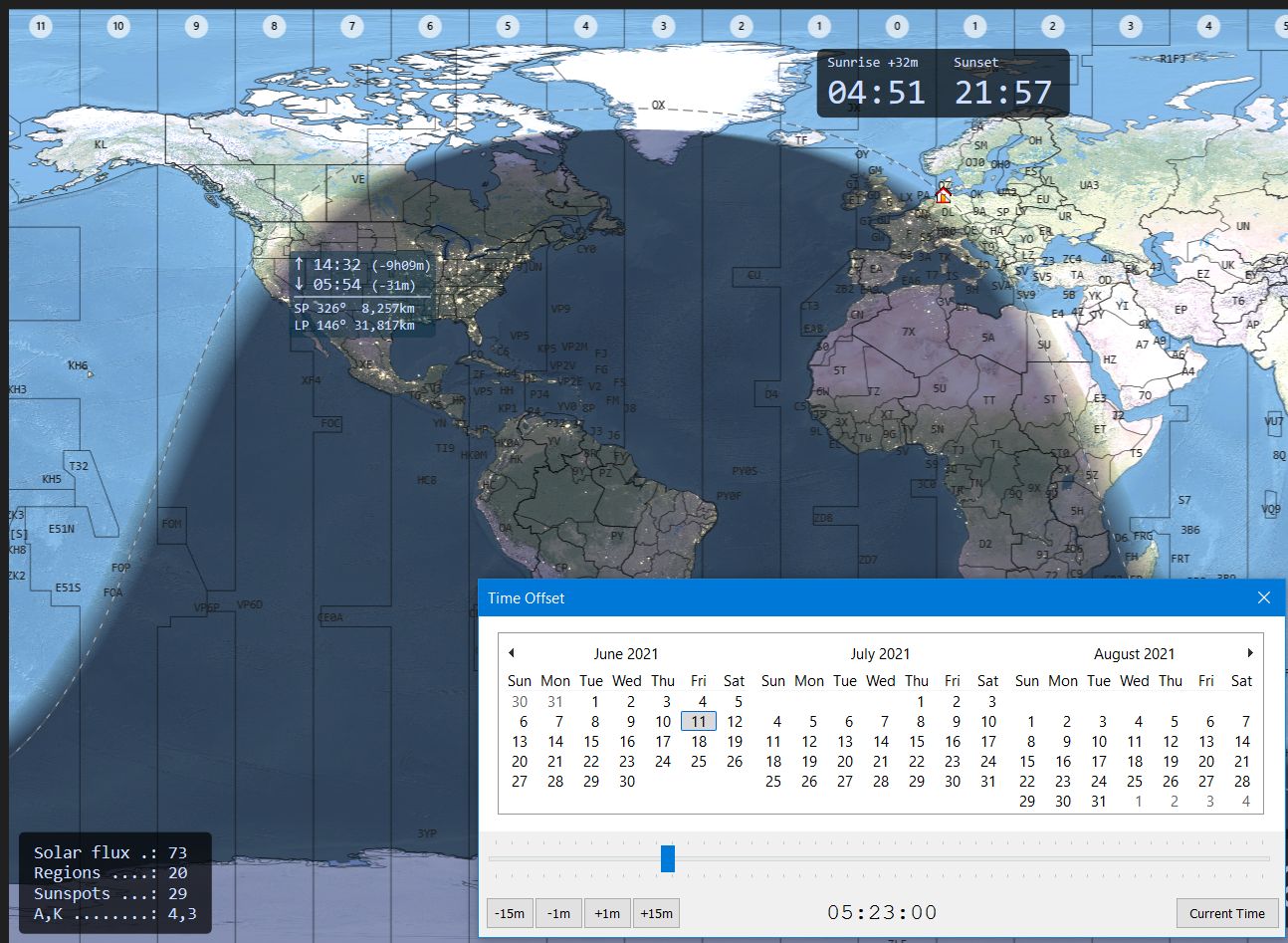
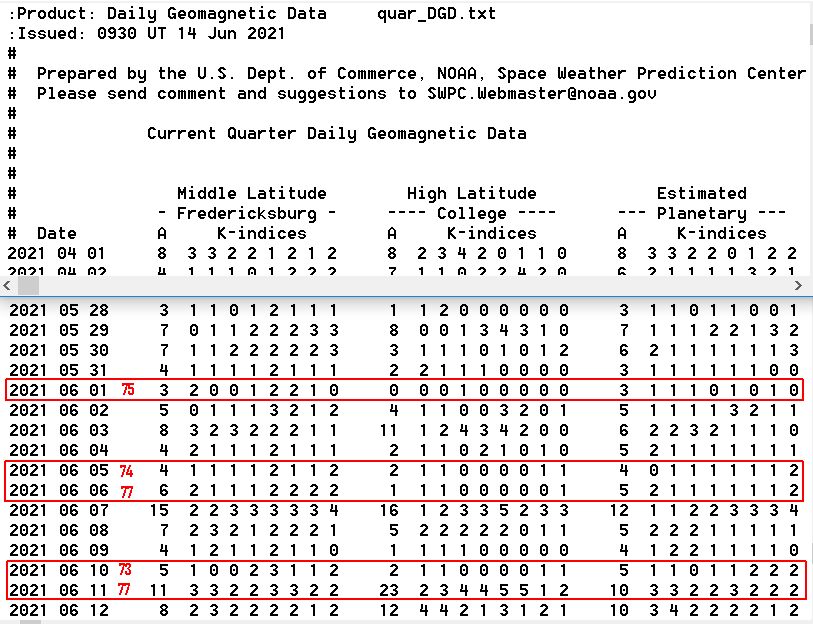
I’m glad that I learned how intense that relationship is right away: When I discovered that Bloomberg is pretty good on my indoor YouLoop at home, condx were pretty down with SFI in the low 70s and very little excitement of the auroral zones. 2 weeks later the SFI was only slightly higher in the 80s-100, many of the carriers were missing on the waterfall and Bloomberg could be heard only in much bigger intervals.

Speaking of which – even with favorable condx, a proper radio and a half-proper antenna, patience is key! In my very fresh experience the fading cycles on those over-the-pond signals are long! So far I have seen everything fading in and out over the course of a few minutes to half hours or more, with less favorable conditions or a worse antenna it may take much longer until it sticks out of the noise for a while. So you may have to park on a frequency for a long time to not miss the station coming up so much that it becomes readable at the right time to ID it. Multiple DX stations on the same channel can make identification difficult unless one station really dominates the other and that all may take hours or days until it happens. Here’s a lucky example on 1010 kHz:

Lucky because in this case one station is already known – it’s WINS but it often has another station underneath and I was curious what that station might be. On this occasion, the station ID’d itself as “Newstalk 1010” (which is CFRB in Toronto, 0:05 in the clip) just in a short talking break on WINS. Again, this can’t be heard on my laptop speakers but on headphones:


Waiting for a moment like this to happen isn’t exactly fun, that’s why spectrum recordings are incredibly valuable particularly on MW – you won’t miss a possible station ID on frequency A because you were listening to frequency B, but a part of me thinks this is taking a bit of the challenge away, like blast fishing. 🙂

Fancy equipment

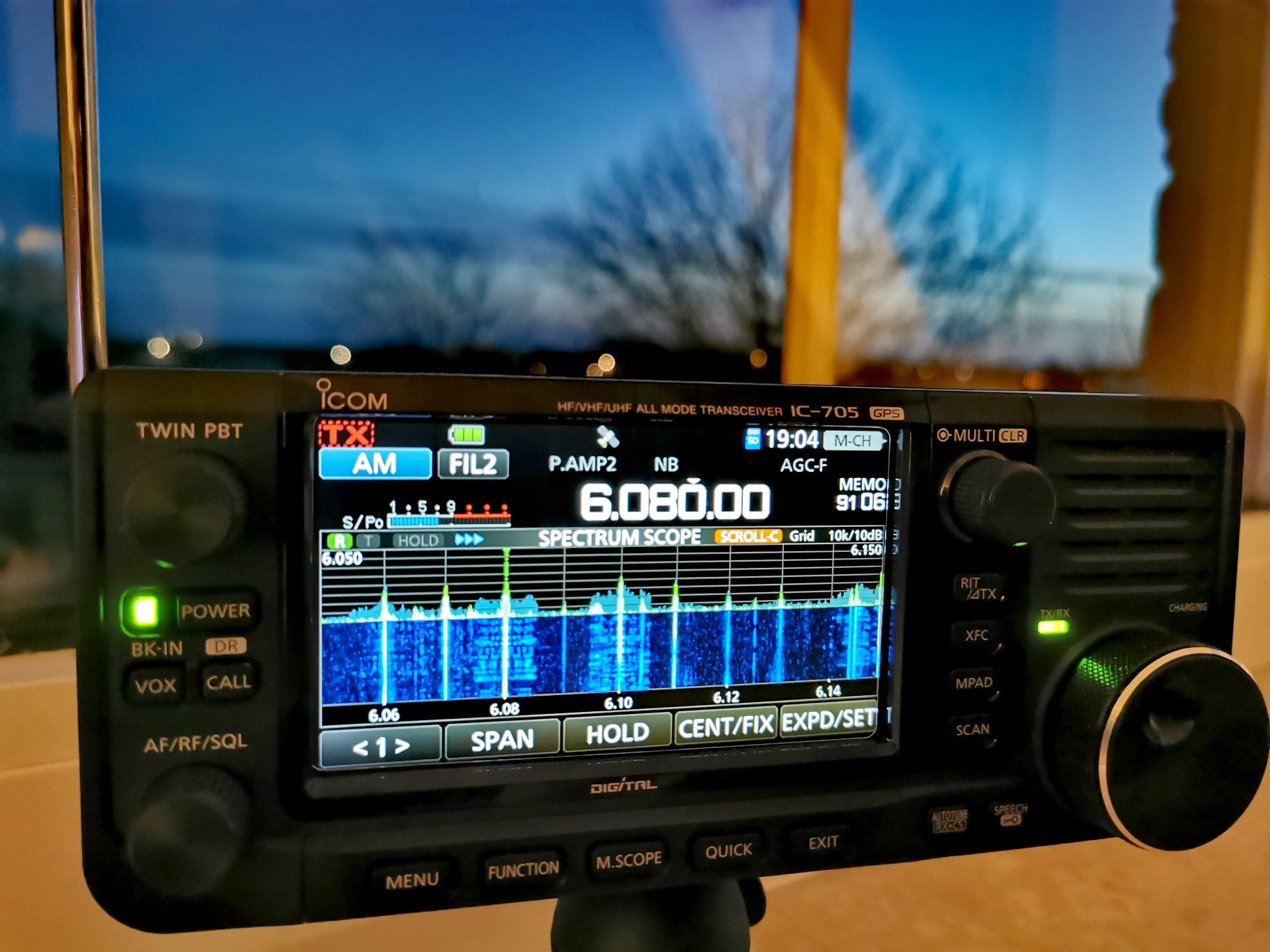
The IC-705 fits snuggly-wuggly into my steering wheel for extra-comfy tuning!

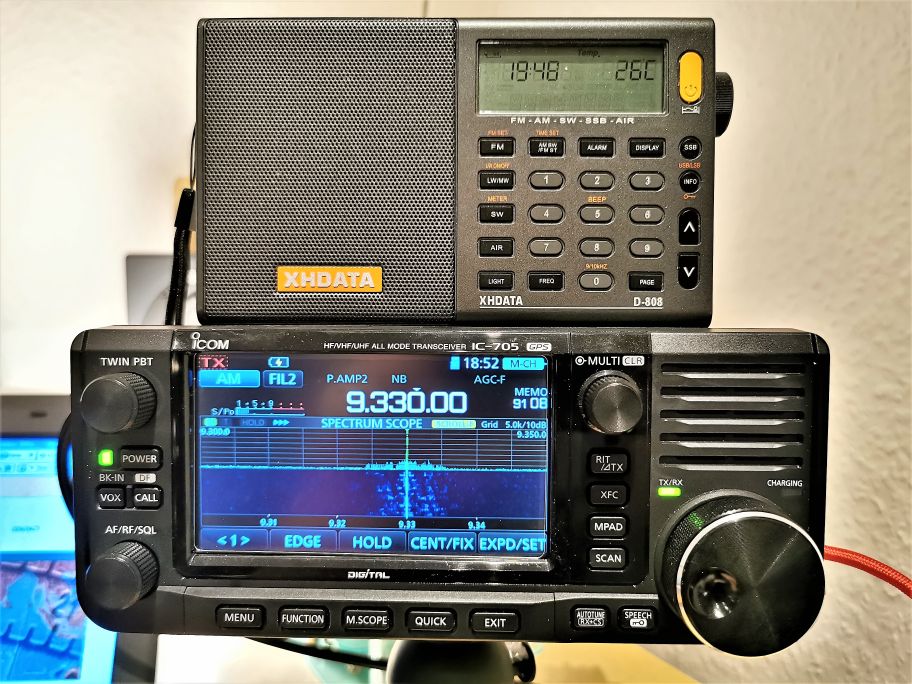
Fun fact: While Bloomberg NY on 1130 was (kind of) booming in at home so I knew for sure it was there, I could hear it even on the XHDAtA D-808 with its tiny loopstick and only average sensitivity on the AM band! So for “easy”, loud and undisturbed stations some persistence and a simple portable radio may suffice to catch some transatlantic DX. But most of the stations will be hit by interference from closer stations, then the radio needs at least to be capable of stable sideband reception, with a corresponding narrow filter and proper suppression of the unwanted sideband – luckily this isn’t an unusual feature on inexpensive portables anymore. So if you already have an SSB capable radio that’s all you need to address the most common issue with transatlantic DX, US and EU stations being too close in frequency. Of course passband tuning and notch filters are most helpful assets in a radio for this, rescuing reception in even more severe interference situations and the spectrum/waterfall display on an SDR helps a lot with finding the carriers and SDRs also have all the nice tools but with some more patience you may find stations with many conventional receivers.

Of course antennas are the crucial component again: If conditions are excellent, even a loopstick may bring the first stations into the log, some small magnetic (wideband) loop could dig up some more stations, from there it’s quickly going a bit esoteric – AFAIK there are no commercial offers for multi-turn (tuned) loop antennas nor are FSL antennas easy to come by, you can’t buy EWE et al antennas either and Beverage antennas for MW are quite a project – not that hard to get a kilometer of wire and there are even kits to buy but it could be much harder to find a place to roll it out in the direction you’re interested in, in an area that doesn’t have electric fences or high voltage power lines within a radius of at least several miles. I guess once you become addicted, you’ll stop asking yourself whether or not it’s worth the effort.

So it’s pretty clear what happened: For catching TA DX stations, the ionospheric conditions must be good, to receive that with a loopstick they must be ideal and that’s what they are currently – it’s winter in what’s still a deep solar minimum and on top of that, some of my radios are very apt for MX DX and I was lucky to listen on the right time on the right frequency. When I started writing this article, my enthusiastic bottom line was supposed to be something like “MW DX isn’t rocket science”, which is certainly true but I think my history with it shows that it’s not exactly trivial either. Maybe that’s why it’s so rewarding, it sure is some hardcore DX challenge that complements the shortwave activity quite nicely and may give you something to look forward to when solar activity is down.

Autopsy Report: Sony ICF-SW100s

WARNING: due to the graphic nature of these photos, those radio enthusiasts who love the Sony ICF-SW100 may want to look away. Parental Discretion is advised.

Guest Post by Troy Riedel

Some of you may remember my recent lamenting regarding the unexpected loss of my beloved Sony ICF-SW100 posted on this blog. The Medical Examiner opened the radio’s chassis last week. The manner of death is rather obvious, but what caused it?  Before I reveal my research, allow me to quicky remind you of the context to the situation.

Due to a medical emergency, I “deployed” for two months to tend a remote farm (one of the few benefits was being able to drive a tractor – a kid from my generation grew-up dreaming of piloting heavy construction equipment and farm implements). I traveled there with two shortwave portables: the Sony ICF-SW100s and the XHDATA D-808. After a long day of work, shortwave radio was my only mode of relaxation during my extended period of solitude.

I had always used Eneloop nickel metal hydride (NiMH or Ni-MH) rechargeable batteries in my SW100. I’m not a physics nor a chemistry major (the closest knowledge I have is enough atmospheric physics to have once been a moderately successful synoptic weather forecaster & aviation weather briefer in the military). As such, my education doesn’t directly correlate so I offer an advance apology for my overly simplistic and layperson synopsis of the specific cause & manner of death of my SW100.

I think we all know that a battery is “energy stored inside of a small container”. And energy is heat – measured by random motion (random motion is directly proportional to heat meaning as motion increases or decreases, the heat generated by the motion will do the same).

NiMH & Lithium battery cells have an alkaline electrolyte, usually potassium hydroxide (potash). The electrolyte serves as the catalyst to make a battery conductive by promoting the movement of ions from the cathode to the anode on charge and in reverse on discharge. The electrolyte is sensitive as it has to be to promote charging & to generate power. And the heat that’s produced by the battery can be dangerous because as we previously discussed, a battery is a “closed” container that stores energy … and if we think about it, so is a bomb, right?

Well, the term closed is slightly misleading and not 100% correct. A rechargeable household battery has a vent which acts as an exhaust. This vent allows excess heat to escape. If you Google image search “NiMH battery anatomy”, there are two ways to vent heat. On Panasonic Eneloops and most commercial household batteries, the vent is the rubber puck (disk) under the positive button tab. This disk seals the internals (thus the term “closed”) while also permitting excess heat to [generally] safely vent. Some manufacturers actually have multiple exhaust openings (holes) around the button top that act as vents. Regardless of how it’s done, these batteries do have an exhaust or venting system.

To summarize thus far, rechargeable batteries vent excess heat (whether generated during use or during charging) from the top of the battery. Venting heat during charging is critical because as well all know, one does not want to overheat batteries during (re)charging. This is why everyone should use a smart charger.  A smart charger is one that monitors the energy level of the battery and shuts-off when it reaches capacity (I learned that capacity is defined differently by different manufacturers but all seem to shut-off somewhere at 90% or greater). I remember the portables that were released maybe 10-15 years ago that introduced charging inside the radio. The very early models were not smart, the user had to either program how many hours you wished to charge the battery/batteries or the radio itself was programmed to charge for x-amount of hours regardless of whether the batteries needed to be charged for that long (you could very easily continue charging for hours after the battery attained 100% capacity – a very dangerous situation for your valuable radio!). Thankfully most newer radios, except the inexpensive “no-frills” radios, have smart changing technology. Regardless, I have never been a fan of using my radio to charge batteries as I’ve always felt this is too dangerous because the process produces heat and I do not want [excess] heat generated (or vented) inside of my radio!

There are typically more shipping restrictions, more transportation restrictions with Lithium batteries than there are for NiMH batteries (I’m sure most people have noticed shipping restrictions when buying electronics regarding the shipment of Lithium batteries – and if shipment is allowed, it’ll cost more to ship because Lithium batteries cannot be shipped via all modes). Lithium (3.7v) & NiMH (1.2v) batteries are essentially the same technology, except Lithium generates more “power” aka “more heat” (3x the voltage) and are thus much more sensitive to heat (including environmental heat) .

In doing my research, I found a slight conflict regarding the stability of NiMH batteries in storage. Some manufacturers warn that NiMH batteries should not be stored in temperatures over 30C (86F) while others list 40C (104F) as the threshold. What happens above this threshold? The electrolyte catalyst is activated, and the battery will generate its own heat (heat that must be vented).

At this point, I’m sure you can see where this is going. I had two NiMH batteries inside of my SW100. The two stacked batteries increased the inherent risk (in a worst-case situation, two batteries would create & release/vent more heat than a single battery). I was in a hot environment, I lacked air conditioning for most of the time, and I had a long drive of nearly 300-miles to/from my location at the start & the end of the two months I was there. My SW100 was apparently put into peril when it encountered environmental [ambient] temperatures that exceeded the Eneloops threshold (30C? 40C?). And this caused the NiMH Eneloops to heat-up beyond normal, vent the excess heat, and thus “melt” part of the PCB and the back case of the SW100.

This did not happen during normal storage of my radio in my temperature-controlled house, but rather it happened in the adverse environment I temporarily subjected the radio to.


Yes, I know … think what you want (but please don’t say it). User error.  I should have known better.  It was my fault. It was dumb. Yes, yes, yes & yes answer those four statements. I know, I know …

There are three positives to this:

(1) I learned a painful albeit valuable lesson;

(2) Maybe others can learn from my folly; and

(3) Parts to maintain these classics must be salvaged. I donated my radio (including the AC adapter) – it’s not a total loss and it still has value as a “parts radio”. My SW100 is now in the hands of a skilled, master technician who might be able to save the life of another (or multiple) SW100 radio(s).

My loss just might be someone else’s gain? I take comfort that my radio may live on (as an organ donor) to potentially provide years of enjoyment for someone else.

Postscript re: my initial post:

I have picked-up a few of my other shortwave radios since my initial post (PL-390, PL-880, XHDATA D-808, Satellit 750) & I have started listening again.

And I did have surgery a couple of weeks ago for the physical injury I sustained while tending the farm (my ICF-SW100 wasn’t the only casualty during this period of time). After a frustrating 2+ weeks, I’m starting to make progress with my physical healing. And now that I have a definitive answer on the manner & cause of death of my SW100, I’m psychologically healing from that as well.

UPDATE after my initial post:

I neglected to make the following statement: one can debate whether the excessive heat being vented caused the PCB & case to melt, or if the vent(s) in one or both batteries failed, or if the battery heated-up too quickly & too much for it to safely vent?  The only thing I do know: the batteries exhibit no physical damage or defect so the exact mechanism of the the excessive heat will remain unknown.

Guest Post: Using Carrier Sleuth to Find the Fine Details of DX

Many thanks to SWLing Post contributor, Nick Hall-Patch, for sharing the following guest post:


Using Carrier Sleuth to Find the Fine Details of DX

by Nick Hall-Patch

Introduction 

Medium wave DXers are not all technical experts, but most of us understand that the amplitude modulated signals that we listen to are defined by a strong carrier frequency, surrounded on either side by a band of mirror image sideband frequencies, containing the audio information in the broadcast.

Most DXers’ traditional  experience of carriers has been in using the BFO of a receiver, using USB or LSB mode, and hearing the  decreasing audio tone approaching “zero beat” of the receiver’s internal carrier compared with the DX’s carrier frequency as one tuned past it.  This was often used as a way of detecting that a signal was on the channel, but otherwise wasn’t strong enough to deliver audio.  Subaudible heterodynes,  regular pulsations imposed on the received audio from a DX station, could indicate that there was a second station hiding there, with a slightly different carrier frequency,  And, complex pulsations, or even outright low-pitched tones could indicate three or more stations potentially available on a single channel.

With the advent of software defined radio (SDR) within the last 10 years or so, the DXer has also been able to see a graphical representation of the frequency spectrum of the carrier and its associated sidebands.  (Figure 1)  Note that the carrier usually remains stable in amplitude and frequency, unless there are variations introduced by propagation, but that the sidebands are extremely variable.

Figure 1

Figure 2

In addition, by looking at a finer resolution of the SDR’s waterfall display, one might see additional carriers on a channel that are producing heterodynes (audible or sub-audible) in the received audio (Figure 2).  Generally speaking, a DX signal with a stronger carrier will be more likely to produce readable audio, although there are exceptions to that rule.

Initially, DXers wanted to discover the exact frequency of their DX, accurate to the nearest Hertz.  Although only a small group of enthusiasts were interested, they have produced a number of IRCA Reprints (https://www.ircaonline.org and click the “Free IRCA Reprints” button) over the years under the topic of “precision frequency measurement” (e.g. T-005, T-027, T-031, T-079, T-090) describing their use of some reasonably sophisticated equipment for the day, such as frequency counters.

So, why would this information be at all important?  In effect, the knowledge of the exact frequency of a carrier was used to provide a fingerprint for a specific radio station.    Usually, this detail was used by DXers who were trying to track down new DX, and wanted to determine whether a noisy signal was actually something that had been heard before, so would not waste any more time with it.  The process of finding this exact frequency has since been made much easier by being able to view the carrier graphically in SDR software, assuming that the SDR has been calibrated before being used to listen to and record the DX.   Playing back the recorded files will also contain the details of the exact frequency observed at the time of recording.  And, because the exact frequency of DX has become much easier to determine using SDRs, more and more DXers seem to be using this technique.

At present, Jaguar software for Perseus is the one being used by many to determine frequency resolution down to 0.1Hz, both in receiving and in playback.   But, if you have recorded SDR files from hardware other than Perseus, it is possible to get that resolution also, using software called Carrier Sleuth, from Black Cat Systems, available for both Mac and Windows, at a cost of US$20.

This software will presently take as input, sets of RF I/Q files generated by SpectraVue, SdrDx, Perseus (which includes files recorded by Jaguar), Studio One / SDRUno, Elad, SDR Console, and HDSDR.  It then outputs a single file with a .fft extension, that provides the user with a set of waterfalls, similar to those displayed by SDR programs.  The user decides ahead of time which frequency or set of frequencies (including all 9kHz or all 10kHz channels) will be output, and these will be displayed as individual waterfalls. one for each chosen frequency.  These waterfalls can be stepped through from low frequency to high frequency, or chosen individually from a drop down menu.

Let’s start by looking at a couple of output waterfalls and work out what can be done with them, then step back to find out how to generate them, and what other data is available from them.  Finally, we’ll do a quick comparison with two other programs that can produce similar output, and discuss the limitations in all three programs.

Example outputs from Carrier Sleuth

An example showing the original intent of Carrier Sleuth, determining precise carrier frequencies, is shown in Figure 3, a waterfall from 1287kHz on the morning of 28 November 2020.  At 1524UT, a woman mentions “HBC” and “Hokkaido” in the original recording, so, it’s JOHR, Sapporo.   Although there are a number of vertical lines representing carriers in this graphic, only one has a strong coloration, indicating at least 25dB more strength than any other carrier at the time of the ID, and about 50dB more than the background level.     The absolute values of time, signal strength, and carrier frequency precise to 0.1Hz, can be found by mousing over the desired point in the waterfall and then reading the numbers in the upper right corner of the display, (encircled in Figure 3).  In this case, the receiver’s reference oscillator had been locked to an accurate 10MHz clock, disciplined by GPS, so the frequency indicated in the software is not just precise, but should also be accurate.   Similar accuracy could be obtainable by the traditional method of calibrating the SDR to WWV on 10 or 15MHz.

Carrier Sleuth indicates 1287.0002kHz, within 0.1Hz of that observed by a contributor to the MWoffsets list about 7 weeks earlier (https://www.mwlist.org/mwoffset.php?khz=1287). If you look closely, there is a slight wobble on the frequency, but the display is precise enough that it can indicate that, despite the wobble, JOHR does not wander away from that frequency of 1287.0002kHz.

Figure 3

But let’s face it, tracking carriers to such accuracy is a specialist interest (though admittedly, the medium wave DXing hobby is full of specialist interests, and this one is becoming more mainstream, at least among Jaguar users).  However, if I played back a file from another morning, and found a strong carrier on a slightly different frequency from 1287.0002kHz, it might be an indication that some new Chinese DX was turning up, and that the recorded files would be worth a closer listen at that particular time.

Figure 4

In fact, I’ve found Carrier Sleuth to be useful in digging out long haul DX after it’s been recorded, as both trans-Arctic and trans-Pacific DX at my location in western Canada can be spotty at the best of times.  This means spotty as in a “zero to zero in 60 seconds” sort of spotty, because a signal can literally fade up 10 or 15dB to a readable level in 20 seconds, perhaps with identifiable material, then disappear just as quickly.   My best example so far this season was on 1593kHz, early in the UTC day of 16 November 2020, when a Romanian station on that channel paid a brief visit to my receiver in western Canada.  An initial inkling of that showed up in a Carrier Sleuth waterfall, a blotch of dark red at 0358UT, and indicated by the yellow arrow in Figure 4; that caused me to go back to the recorded SDR files that had generated these traces.

The dark blotch indicates a 10dB rise and fall in signal strength including about 60 seconds of rough audio, which turned out to be the choral version of the Romanian national anthem (RCluj1593.wav).  That one carrier and another one both started up at 0350UT, the listed sign-on time for Radio Cluj, which does indeed begin the broadcast day with that choral anthem.   Which one of the Radio Cluj transmitters was heard is still an open question, due to the lack of carrier sleuths (computerized or otherwise) on the ground in Romania,  but the more powerful one listed is a mere 15kw, so I will take either.

Finally, for those who have interest in radio propagation, the Carrier Sleuth displays can reveal some odd anomalies, for example, Figure 5 which displays both Radio Taiwan International (near 1557.000kHz on 28 November, but varies from day to day), and CNR2 (1557.004kHz)  carriers as local sunrise at 1542UT approached in Victoria, BC.

Figure 5

The diffuseness of the carriers is striking, as is their tendency to shift higher in frequency at local sunrise.  This doesn’t seem to be some strangeness in the original SDR recording, as there appear to be unaffected weak carriers on the channel.  For comparison, Figure 3 shows the same recorded time and date, but on 1287kHz, and JOHR’s carrier is pretty stable, but there are others on that channel that show the shift higher in frequency around local sunrise.  As one goes lower in frequency, these shifts became smaller and less common on each 9kHz channel, and disappear below about 1000kHz.    On later mornings, however, the shifts could be found right down to the bottom of the MW band.  Certainly, these observations are food for further thought.

Many of the parameters in Carrier Sleuth are adjustable by the user, for example, the sliders at the top of the screen can allow adjustment of the color palette to be more revealing of differences in signal strength.   The passband shown is also easily changed, and in fact, setting  the passband width to 400Hz, instead of my usual 50Hz , and creating another run of the program on 1557kHz, shows very clearly the sidebands of the “the Rumbler”, a possible jammer on the channel  (Figure 6).  Incidentally, a lot of the traces around 1557.000kHz in Figure 5 may well be part of “the Rumbler” signal as well, as filtering of the audio doesn’t seem to improve readability on the channel.

Although the examples here are taken from DXing overseas signals from western Canada, there is no reason why similar techniques may  not be applied to domestic DXing, particularly during the daytime, when signals can be weak, but can fade up unpredictable for brief periods.

Figure 6

How to create these waterfall displays in Carrier Sleuth?

So, how can you get these displays for yourself?  A “try before you buy” version of the program is available at http://blackcatsystems.com/software/medium_wave_carrier_display_app.html  and both the website and the program itself contain a quite detailed set of instructions.    However, the 25 cent tour can be summarized this way:

You start with a group of supported SDR data files, previously recorded, and use “Open I/Q data files” in the File drop down menu. Figure 7 shows the window that will open to allow you to choose any number of the files from your stored SDR files, by clicking the Add Files button  circled in red.  Then choose one of the options inside the green circle in Figure 7.  They are explained in more detail in the help write up; note that the “Custom Channel” can be specified to considerably more precision than just integer kHz values, e.g. 1205.952     The rest of the settings you will probably adapt to your needs as you gain experience.   Finally, set an output file name using the Set Output File button, and hit the “Process” button at the bottom of the window. There are a couple of colored bars in the upper right hand corner of the display that indicate progress, along with number of seconds left, although these are not always visible.

Figure 7

The generation of these waterfalls takes time.   A computer with a faster CPU and more memory will speed things up.  There is, however, an important limitation of the program.  It is specified for 32-bit systems, and although it will run with no problem on 64-bit systems, individual input I/Q files are therefore restricted to 2GB or less.   Many SDR users now choose to create larger files than this, and Carrier Sleuth will not handle them.  Another possible limitation can occur when processing 32M FFTs, which are useful for delivering very fine frequency resolution of the carriers displayed.   The program really requires in excess of 4GB of memory to handle the computation needed to deliver this fine a scale.  Unfortunately, both the 2GB file size limitation and insufficient memory limitation deliver generic error messages, followed by program termination, which leaves the inexperienced user none the wiser about the true problem.

This might be a good place for a word about FFT size and Resolution Bandwidth (RBW).  The FFT is a mathematical computation that takes as its input the samples of digital data that an SDR generates (or those samples that  have been saved in recorded files), and generates a set of “bins”, which are individual numbers representing signal strength at a defined number of consecutive frequencies spaced across the full bandwidth being monitored by the SDR. You could think of these bins as a series of tiny consecutive RF filters, spread across the band, each delivering its own signal strength.   As we are trying to look at fine scale differences in frequency when using a program like Carrier Sleuth, it is important that these little “RF filters”, or bins, each have a very narrow bandwidth.  This value is called “Resolution Band Width” (RBW), and preferably should be a fraction of a Hertz to get displays such as those shown in Figures 3 through 5.

The “FFT Length” is the number of bins that the FFT display contains, and is equal to the number of I/Q samples (either from the SDR or recorded file) that are used for the input to its computation.  The relationship between FFT Length, the bandwidth of the SDR or of the original recorded I/Q file, and the RBW is fairly simple:

Because the MW DXer is usually looking at data with 1MHz or more bandwidth, this equation tells us that to get a smaller than 1Hz RBW, we will need to have an FFT length of well over  one million bins, so it would be wise to use an FFT length at least 8M(illion).   If you are looking at a recorded file that is from an SDR using a lower bandwidth, then a lower FFT length will do the job to get a smaller RBW.

A downside of using a long FFT length is that the time resolution of the FFT becomes poorer, resulting in a display in Carrier Sleuth that will appear to be compressed from top to bottom compared with what was seen when recording the SDR file, and with correspondingly less response to fast changes in signal strength.   However, using a 16M FFT Length on a recording of the MW band results in a time resolution of about 12 seconds, so it should not be a deal breaker for most.

Producing signal strength plots 

A further specialist activity for some DXers is recording signal strength on specific channels, and then displaying the progress of signal strength versus time, often to indicate when openings have occurred in the past  (say, at transmitter sunset),  and perhaps allowing one to predict such openings in the future.    But, the world has come a long way from the noting down of S-meter readings at regular time intervals, both in deriving signal strength and in plotting the results.  Read on for an example.

Figure 8

Carrier Sleuth recently added the capability of creating files containing signal strength versus time for specified frequencies, and, depending on the size of RBW, to deliver that signal strength as observed in a passband as narrow as 0.05Hz, or as wide as 10Hz.   The program extracts the signal strength information from one of the FFT files that it has already generated from a selection of SDR I/Q files.   In Figure 5, two stations’ signals, from Radio Taiwan International, and from CNR2, were featured in the display.   With roughly 4Hz difference between the two signals, it is easily possible with Carrier Sleuth to derive signal strength from each one, specifying a bandwidth of, say 1.2Hz, to account for the propagation induced drifts and smearing of the carriers, not to mention any drift in either the receiver or transmitter.

The program creates a .csv file (text with comma delimiters) of signal strength versus time for all the frequencies chosen from an individual FFT file, but does not plot them.  There are several programs that can create plots from CSV files   For example, an Excel plot generated from Figure 5 is in Figure 8, showing peaks in those signals that occurred both before and after local sunrise at 15:42UTC.   Note that the user is not restricted to the signals found on just one of the waterfalls that are found in the FFT file, but can pick and choose dozens of signals found anywhere in those waterfalls.    (Note also that one can choose locations on any waterfall where there is no signal trace, in order to provide a “background level versus time” in the finished plots, if desired)

The process used to generate this CSV file involves searching through the FFT waterfalls for signal traces that are likely candidates for adding to such a file.   On the first candidate found, the user right clicks the mouse on the trace, at the exact frequency desired; this will bring up an editable window.   The window will show the chosen frequency as well as any subsequent ones that will be chosen, then the overall selection is saved to a text file after editing, so that the user can move on to generating the CSV file.

That file is created by going to the File drop down menu, and choosing “Generate CSV File”, where the text file produced earlier can be chosen.  Once that file is selected, the CSV file is immediately generated, and can then be manipulated separately as the user chooses.

Are there comparable programs?

Displaying waterfalls in SDR programs playing back their own files is nothing new, though not that many can do it at as fine a scale as Carrier Sleuth does, and most programs are not optimized to handle such a variety of input I/Q files.

One that does read a fair number of different kinds of SDR files is the SDR Console program; this includes Data File Analyser (64-bit only) which also can display carrier tracks to a high resolution, so let’s take a quick look at what Analyser does.  If you are familiar with SDR Console, and are reasonably experienced with the way it handles your SDR or plays back files from your favored SDR software, then these online instructions https://www.sdr-radio.com/analyser will help you get started with Analyser

This program will input a group of SDR files, then display an equivalent to a single one of the waterfalls output by Carrier Sleuth, displaying the carrier traces in reverse order, with time running from bottom to top of the display. Figure 9 shows the equivalent of Carrier Sleuth’s display of the 1287kHz carrier traces shown in Figure 3.    Analyser has a convenient sliding cross hair arrangement (shown in the yellow oval) to reveal time and frequency at any point in the display, but the actual signal power available at that point must be derived from the rough RGB scale along the left hand border. Analyser is apparently capable of about 0.02Hz resolution when reading from full bandwidth medium wave SDR files, but the default is to display exact frequency only to the nearest Hertz. The “Crosshairs” ribbon item has a drop down of “High-Resolution”  which displays to the nearest milliHertz however, though that will be limited by the actual RBW of the generated display.   The graphic display can be saved as a project after the initial generation of the signal traces, which allows the user to return to the display without having to generate it all over again, equivalent to opening one of Carrier Sleuth’s FFT files.

A useful facility in Analyser is the ability to click “Start” in the Playback segment of the ribbon above an Analyser display, then mouse over and click on a signal trace; this action will play back the audio for that channel in SDR Console, at that point in time.

It is possible to generate a signal strength plot of signal strength versus time for any individual frequency in the waterfall display, and to save that plot as a CSV file (“Signal History”).   But, the signal strength is that found only in a +/- 0.5Hz passband around the chosen frequency, with no other possibilities.  If you want to generate a plot for another frequency on the same waterfall, then you will need to run the process again, and if you want a plot for another frequency in the SDR files, then you need to generate another waterfall, which, depending on your computer’s capability, could take some time.   On an i3 CPU-based netbook with 4GB of memory, it took 30 minutes to produce one frequency’s worth of traces from data files scanning three hours.  On the same machine, Carrier Sleuth could deliver all 9kHz channels in 1hr20min from the 3 hours of files.  However, it also took 1hr20min to play back just one channel in Carrier Sleuth, which is not so efficient. (further note:   Nils Schiffhauer has developed a technique to speed up Data Analyser processing, by first using Console’s Data File Editor on full bandwidth MW recorded files; details will likely appear at https://dk8ok.org)

To conclude then, SDR Console’s Analyser will produce a display of a single channel faster than Carrier Sleuth will, and will play back the audio associated with that channel, while also having the capability to plot and record signal strength for a single given frequency within that display, but only on 64-bit computers.  It can also handle SDR files larger than 2GB in size, and will run more quickly if a NVIDIA graphics card has been installed.   Analyser is also strict about sequence of files.  If there is the slightest gap between one file finishing, and the next file starting in time sequence, it regards that as a new set, that will need to be processed separately.

Where Carrier Sleuth is more useful is that once an FFT file has been generated, it is easy to quickly check multiple channels for interesting openings during the recorded time period. It can also provide very precise frequencies of carriers, and is able to generate a file of signal strengths versus time from multiple frequencies, including those frequencies that are separated by barely more than the RBW.  For the MW band, that can be near 0.1Hz, often beyond the capability of transmitters to be that stable.  See Figure 10, which shows signal strength traces from JOCB and HLQH both on 558kHz, and separated in frequency by 0.1Hz.    At 1324UTC, JOCR dominates with men in Japanese, and at 1356UTC, the familiar woman in Korean dominates, indicating HLQH.

Figure 9

Figure 10

Incidentally, another program that seems to offer a similar functionality to Carrier Sleuth and SDR Console’s Analyser is, of course, Jaguar, which has made a point of displaying 0.1Hz readout resolution when using the Perseus SDR, and in playing back Perseus files, but…only Perseus.  There is a capability called Hi-Res in Jaguar Pro that can be applied when playing back files; this also displays fine scale traces of frequency versus the passage of time.  Steve VE6WZ, sent the example shown in Figure 11, zeroing in on his logging of DZAR-1026.  As with Analyser, clicking on a certain point in the display plays back the audio at that time, but it is unclear at this point whether the display can be saved, or whether it is generated only for one individual channel, and then is lost.

Figure 11

+   +   +   +   +   +   +   +   +   +   +   +

Availability

Carrier Sleuth  http://blackcatsystems.com/software/medium_wave_carrier_display_app.html

Analyser (SDR Console)   https://www.sdr-radio.com/download

Jaguar   http://jaguars.kapsi.fi/download/ (these are the Lite versions; to unlock the Pro version, purchase is needed)

(this article first appeared in International Radio Club of America’s DX Monitor)


Many thanks, Nick. This is amazing. What a brilliant tool to find nuances of a DX signal. I can’t help but marvel at the applications we enthusiasts have available today. Thank you for sharing!

Rob compares horizontal and vertical SWL random wire antennas

Many thanks to SWLing Post contributor, Rob Zingarelli, who shares the following guest post that originally appeared on his blog in October, 2020:


Shortwave Antenna: Vertical or Horizontal?

by Rob Zingarelli

This is a question that has circled around on the fringes of my consciousness for years now, but one that I’ve never quite found time to test.  And it is a simple question: When using a random wire antenna with a portable shortwave receiver, is it better to string the wire vertically or horizontally, or does it even matter? Mostly this is a question when out camping, because arranging a 19′ wire vertically is usually a good bit more involved than just stringing it out along some nearby bushes.

Before going any farther, I want to point out that this is an exercise in ordinary backyard shortwave listening with relatively inexpensive equipment.  There are many, many better-engineered and more costly solutions to the technical challenge of shortwave scanning, and this does not address any of those sophisticated approaches.  This is for the person who opens up the box and wonders about the best way to hang the included long-wire auxiliary antenna.

Equipment:  Tecsun PL-660 SW/AM/FM/Air Band receiver, with its included 19′ random-wire antenna.  Internal battery power used.

Conditions & Time: Clear local weather.  hamqsl.com’s nowcast of band conditions were fair from 3.5-14.35 MHz, and poor for higher frequencies, with SFI = 72, SN = 26, A = 5, K = 1.  Time was 21:00-21:30 UTC, or 4-4:30 pm local CDT.

Procedure:  Out in the backyard (typical residential neighborhood, well-spaced ~150′ between houses, above-ground power lines 125′ away), suspend random wire from ground to its full length.  This was achieved using a length of paracord over a tree limb, with the tree trunk ~30′ from the radio’s location.  With the PL-660’s antenna gain control set to “Normal” (i.e., the mid-setting of Local-Normal-DX) and the bandwidth set to narrow, use the receiver’s automatic scan function to see how many stations were received.  Make notes of the number of transmissions detected, reception characteristics and quality, and any perceived noise levels.  Re-orient the antenna to a low horizontal position, over two sawhorses approximately 3′ high (see picture), and repeat.

Sawhorses spaced ~17′ apart. Radio and notepad can be seen on ground in front of the near sawhorse.

Results:  For the vertical antenna orientation, 32 stations were detected between 5959 – 15730 kHz.  Nearly all were intelligible, with those at the lower end more steady and those a the higher end much more variable in strength.  For the horizontal antenna orientation, 21 stations were detected between 9265 – 1570 kHz.  Similar overall signal quality was heard for the received stations in either antenna orientation.  More noise was noticeable at the lower frequencies between the stations for the vertical antenna orientation.  However, this was significantly below the received signal levels, and not an issue in the overall listening quality.

Conclusions & Discussion:  Suspending the wire antenna vertically worked better, especially at the lower frequencies.  Getting a wire up 21’+ vertically is usually not as convenient as stringing it horizontally, but it may be worth the extra effort, depending on the location, campsite, nearby trees, etc.  The overall conditions were typical for fall camping weather, with fair-to poor radio propagation conditions, so this result should be broadly applicable for how SW portables are often used.  This result may change with propagation and radio noise conditions, both for atmospheric and local noise sources.  Testing will continue as propagation conditions improve with solar cycle 25 getting underway.

——-

Addendum, 10/12/20: While writing this up yesterday evening, it occurred to me that I hadn’t tested the PL-660’s built-in whip antenna.  This comparison is important, because sometimes the wire antenna is too cumbersome to deploy.  So, how does the whip antenna compare?

Conditions & Time: Overall, very similar to yesterday.  hamqsl.com reports fair conditions from 3.5–14.35 MHz, and poor for higher frequencies.  SFI = 72, SN = 26, A = 3, K = 1.  Same time of day as yesterday’s testing.

Procedure: Repeat of yesterday, with the whip antenna added to the test.  The whip was oriented vertically.

Results: For the vertical 19′ wire, 31 stations were found by the auto-scan function between 2380 – 15770 kHZ.  Electrical noise was low but audible in the 3 MHz region, fading to none at higher frequencies, and not a significant source of interference with any stations.  For the horizontal wire, 15 stations were found between 9265 – 13630 kHz.  Electrical noise was barely audible.  With the whip in use only 1 station was found.  Switching the antenna gain to its DX (most sensitive) setting, 6 stations were found.

Revised Conclusions:  Adding to yesterday’s conclusions, the whip antenna functioned but was vastly inferior to the wire antenna in either configuration, even with the gain set to DX.  Today’s results with the wire antenna were, unsurprisingly, very similar to yesterday’s, given that the ionospheric and weather conditions were nearly identical.  Noise was not a factor in receiving for any of these antennas or configurations, but did noticeably increase for the vertical wire antenna.


Thank you for sharing this, Rob! It’s experiments like this that help us determine, especially, what antenna setups work at our own particular locations since RFI characteristics can vary so much.  I’m guessing had your horizontal wire been elevated to even 20′ off the ground it might have produced better results, but sometimes this can be difficult to achieve. I like how you used the auto search function to determine the number of stations you could receive with each setup and it was a great addition to include the built-in telescoping whip.

Thank you again for sharing your results with us!

How to build a PC keyer and AM modulator for the EMTX emergency transmitter

Many thanks to SWLing Post contributor, Kostas (SV3ORA), for sharing the following guest post which originally appeared on his radio website. Note that this project builds on the EMTX emergency transmitter project:


PC keyer and AM modulator: A 15-components versatile keyer and powerful PSU modulator for the EMTX (Emergency Transmitter)

by Kostas (SV3ORA)

Schematic of the keyer and modulator (on the left) for the EMTX. The EMTX schematic is shown as well on the right, to determine the connections to the keyer/modulator.

Introduction

My very successful emergency transmitter (EMTX) was only capable of CW or other slow speed ON/OFF keying modes. Then I thought, why not “give voice” to the design? CW is good, but it is half of the fun. If you could use your simple CW transmitter to send out your voice as well, this would be great. You could now chat comfortably on the nets or use any digital radio amateur mode and have much more fun. The simplest modulation you can apply to an existing CW transmitter, is the AM modulation. And whereas this is an old modulation, mostly abandoned by HAMs due to beeing inefficient, there are still AM nets on HF. But do not forget, AM can also be heard by SSB receivers by zero-beating the receiver to the AM carrier. So you could still use your simple AM transmitter to QSO with the SSB guys!

Along with the modulator, there is also a versatile keyer embedded to the circuit, so that the EMTX can be manually keyed with different ways or automatically keyed by audio tones from the PC. For more information on the keyer, keep reading.

The AM modulator

In the old days, the most common way to apply AM modulation was to modulate the high voltage to the plate of the tubes, using a transformer and a powerful audio amplifier. In low voltage solid state circuits, you can still do it using transformers, but you can also use series transistors instead of the transformer. All these things require many components and/or powerful AF amplifiers if one is to modulate higher power transmitters. This does not match the keep-it-simple design I am trying to achieve here.

So I thought of a simple trick with the use of the extremely common LM317 regulator, used as a modulated power supply. This modulator uses just a few common cheap components and it is able to achieve remarkably good modulation levels for it’s parts-count, just from line audio input. It juices every bit of the internal circuicity of the LM317, just look at where the base current of the 2N2222 comes from.

The AM modulator is a kind of novelty. Whereas there is nothing special in a modulated power supply, this circuit has some interesting properties. It is amazingly sensitive and it is able to provide lots of modulated current to any low power transmitter that it can feed. It can be easily driven by the line output of any laptop (around 20% volume) and provide a very good depth modulation to the transmitter. Charles Wenzel was kind enough to do a simulation on the circuit I developed, which is shown below.

His simulated circuit is a slight variation (for measurement purposes). The resistor to ground on the base stabilizes the bias and the ratio of R1 and R2 set the output voltage (0.6 volts across R2 gives about 8 volts across R1). He put in an emitter resistor just for good measure. Same for the series resistor from the source. Charles words, “I don’t know how believable these results are but it looks pretty darned good!”.

The circuit is being used as a current booster, the current being the supply to the transmitter and dependent on the voltage it produces. The LM317 always tries to keep 1.25V between it’s output pin and “adj” pin but where we benefit here is the current at the “adj” pin is very low, so it is easier to apply audio to it. Effectively, the error amplifier inside the voltage regulator is used as an additional amplifier stage. The output pin voltage varies according to the voltage on the “adj” pin so if we use it to bias the transistor we get negative feedback which improves the quality of the modulation. More output voltage = more bias current = lower output voltage. The result, is a very cheap, low components-count, very sensitive AM modulator that can supply lots of power to easily drive the transmitter and produce a clean and deep AM modulation!

The AM modulator bias is set with the 1M potentiometer. Depended on the bias level, the idle carrier on the EMTX can be set from about 0.5W all the way up to 8W. Needless to say that this modulator can modulate any similar power transmitter, not just the EMTX.

The keyer

If it is to modulate the EMTX from the PC, so as to use the different digital modes, there must be a way to key it also from the PC. This is why I decided to embed into the same circuit, a PC keyer which is triggered by the line audio of the PC, but also triggered manually (internal or external key). Keying by audio tones was decided, because modern PCs do not have LPT ports to trigger directly by DC. This keyer uses a reed relay to reliably, fastly and scilently key the EMTX, which is activated by a transistor. The base current for the transistor is derived from the audio signal after rectification. The incoming audio from the PC line passes through the mini audio transformer to increase its voltage, it is rectified and then charges the shunt capacitor to drive the base of the transistor. The keyer “speed” (decay) is determined by the shunt capacitor size. The circuit starts to trigger from about 50-60% of my sound card output signal level.

The relay used to key the EMTX, must be able to tolerate at least 1A of switching and carrying current. Note that the relay contacts switching current is not the same as the contacts carrying current. Reed relays are the best especially if you want long relay life, noiseless operation and very fast switching speeds, like the ones used in Hellshreiber. If you can’t find such a relay, you can use a reed switch capable of 1A of switching and carrying current and then place a suitable electromagnet close to it, so you can build the relay yourself. If you do so, find the best point where the reed switch responds to the electromagnet.

The keyer relay must be as close as possible to the emitter of the transistor used in the EMTX. The connectors at the back of the EMTX and the keyer/modulator have been physically placed so that when the two units are side by side, a very short link cable is required for this purpose. With the two devices placed close together, you can now use any length of cable for your manual external key, which is now connected to the “EXT” connector of the keyer/modulator.

The keyer does also have an internal mini straight key. I find this idea very nice, to avoid extra cables. It is not the most convenient key in the world, but it is there along with the transmitter every time you need it. By using a special panel switch from apem, I was able to triple this switch usage for the different modes of the keyer. The vinyl lever cap you see in the next picture, is the original part of the switch, to make it easier to key with your finger. But you may build such a part on your own, to fit on other switches types.

The switch is an ON-OFF-(ON momentary) switch type. In the default (middle) position, only the PC keying action is activated. In the top position (ON), the keyer is always active, which is useful for broadcasting audio (into a dummy load). The bottom (ON momentary) position, is the manual PTT action. This is used as a straight key on OOK operation, or as a PTT on AM voice operation. Simple and effective!

Initially, I used one channel of the PC sound card for triggering the keyer and also as an AF signal for the AM modulator, but this caused several problems of unreliable keying or distortion. So I decided to use a second separate AF input (KAF) to key the keyer. This second input, uses the other channel of the stereo sound card. With the addition of this input, there is no interaction between the keyer and the modulator. The AF levels that the keyer and the modulator require, can be set independently. Instead of adding more hardware for the purpose, I have chosen to set these levels by adjusting the volume and the balance of the sound card, which works great. Also, programs like Fldigi, have options for using one of the two channels of the stereo sound card as a keying interface (PTT channel), which makes the keying efen more reliable. When the program is in transmit mode, a continuous tone is heard on the PTT channel. This steady tone, is used by the keyer as a reliable keying signal, independent of the audio signal of the digital mode that modulates the modulator. This solution works very reliably for any mode. But if the program you are using does not have an option for a PTT channel, that is ok, as the keyer works reliably even without this feature. For voice communication or broadcasting music (into a dummy load) you just use the internal key switch as a PTT to handle these modes.

Results

Prior to building the keyer and the modulator in the same device, I had tested the circuits independently quite a few times, to ensure the results can be reproduced. The modulation quality and depth out of the AM modulator have to be listenned to be believed. I have not made any linearity measurements, I just trust my ears on this one. It works great on music as well as on voice. Apart from that, this is the most sensitive AM modulator I have ever built, requiring only a small fraction of the line level output of the PC sound card.

When modulated by this modulator, the EMTX shows no audible signs of FM modulation. I switched my receiver to SSB and I could perfectly zero beat the AM modulated music signal which stayed on frequency and it’s tone did not change during loud audio signal music. Switching back and forth from SSB to AM modulation on the receiver, I did not notice any difference in the audio quality, apart of course from the narrower bandwidth on SSB modulation, due to the narrower IF filter inside the receiver on SSB.

The AM/OOK switch is used to select the modulation applied to the EMTX. When the keyer is set to be triggered by audio from the PC, at the OOK position, the EMTX is just switched on and off by the audio tones applied to the keyer, or by the manual key, internal or external (connected to the “EXT” connector). At AM position, the EMTX is switched on by the audio signal applied to the KAF connector and at the same time AM modulated by whatever audio signal is applied to the AF connector. On voice communications, the momentary position of the internal key is used as a PTT. On music broadcasting (into a dummy load) the non-momentary position of the internal key is used to keep the keyer always active.

Photos

Back connections to the EMTX.

Pictures of the finished keyer/modulator. You don’t have to build it that nice-looking if you don’t care.

Modulator prototype and EMTX built on a breadboard. Yes it worked just fine onto a piece of wood.


Thank you so much for sharing this brilliant and simple project with us, Kostas. Your handiwork is absolutely brilliant too!

Click here to check out Kostas’ website.

Build an affordable (but stealthy) Magnet Wire Vertical Loop antenna to mitigate condo QRM

Many thanks to SWLing Post contributor, TomL, who shares the following guest post:


Magnet Wire Vertical Loop Antenna

by TomL

For those of you in a noisy condo like me, the environment does not give me many options.  I was experimenting with a YouLoop on the wooden porch with somewhat acceptable results.  For its size, it is an excellent performer, especially on the lower bands.  Here is a very interesting review of the YouLoop, including close-up pictures of the innards of the phase inverter and 1:1 balun, by John S. Huggins.  However, it is not waterproof and I was concerned about the ice and snow ruining it.  I could tape up the connectors with waterproof tape but I also wanted  something with a bigger capture area.  A magnet wire stealth antenna might be just the thing!

I just happened to have a waterproof 1:1 ATU balun from Balun Designs that I was going to use for future Amateur Radio use whenever I get around to passing the next level test; it is total overkill for what I intended to use it for.  It would make a good connection point and (this one) also acts as an RF choke as well.  One can make a 1:1 balun by buying the right Type of ferrite core and winding it yourself.  Here is just one idea from Palomar Engineers.

So I dusted it off, went to a local store to get a 100 foot spool of 26 gauge magnet wire and tested it strung up around my living room. It came out to be a rectangle about 42 feet in circumference.  Results were usable. I expected lots of noise and there is a great deal across the bands, so only the strongest shortwave stations were received. However, I was surprised by how strong the mediumwave band was and good to listen to without an amplifier.

I am ambivalent towards trying to perfectly match the impedance since this is a broadband receive-only antenna and the impedance will vary greatly over MW and SW bands.  And I don’t want to mess with a remotely controlled tuned loop since this antenna was destined for the outdoor porch.  I tried a Cross Country Wireless preselector at my desk but had some mixed results.  I later found out, by disconnecting things in series, that the preselector inline raised the noise level about 5 dBm, so I took it out for now. Perhaps it needs more internal shielding or the connecting cable is bad.

Polarization is an issue, too.  I have read that most man-made noise (QRM) is vertically polarized, so why would I use a vertically oriented loop?  Then I saw David Casler’s video on loop antennas where he explains that connecting a vertical loop antenna at the bottom or the top makes it horizontally polarized (connecting the coax on the side makes it vertically polarized).  I never knew that!  Horizontal polarization will mitigate some of the offending QRM as well as match the polarization of mediumwave band transmitters.  Furthermore, I read that a horizontal loop will have poor signal pickup at low frequencies because it is not high enough off the ground, similar to a horizontal dipole. For now, a vertical loop connected to facilitate horizontal polarization is what I want.

A note about wire size. People make a big deal about it but those are mostly amateur radio people.  Transmission depends on efficiency so things like wire size, skin effect, standing waves, and other things matter (see here, for example).  With a receive-only antenna it is OK to use very thin wire.  Resonance can matter if you want the last ounce of signal strength with an antenna tuner, like in high-Q type loops where the bandwidth is very narrow and you are using a multi-turn loop with variable capacitor and a pick-up coil of wire to the receiver.  Comparatively, my simple loop is depending more on a single turn of wire, the aperture size, length of wire for its performance, and carefully isolating the feedline coax using RF chokes at both ends.

Here is one example of a strong station from Cuba I was able to record because WLW was off the air for some unexpected reason.

Radio Reloj, Cuba 870 kHz (At the end, you can hear WLW come back online with CBS news):

Side note about Radio Reloj on Wikipedia, the strange format seems to fit well with a totalitarian regime, including a “corrector” who “corrects the content/writing errors to meet the requirements”.  Read the wiki link for yourself.  Not a society I want to live in, thank you very much!

Example of 80 meter band performance – Greetings to a new person from members of the “Awful, Awful, Ugly Net”, 3855 kHz:

Encouraged by the results, I “installed” the magnet wire around the support beams of the wooden porch, wrapping it carefully to create a square loop. Holding it in place is a brick at each bottom corner since I am not allowed to nail anything into the Association-owned porch.  The length came out to about 32 feet (8 feet per side), so I trimmed it and connected to the balun.  I also added an RF choke at the Airspy HF+ input from Palomar Engineers which helped bring noise down a couple of S-units.   That might not sound like a lot but by also shutting off the living room air filter and an AC switch with “wall-wart” AC power adapters on it, I was able to reduce the noise a little bit more.  There is still a lot of noise from the neighbors, so it is not a perfect situation.

Here are two examples of reception with the outside installation.

Gateway 160 Meter Radio Newsletter, broadcast (in AM) by WA0RCR every Saturday on 1860 kHz:

Side note about the Radio Newsletter.  I stumbled on it when using the YouLoop and found that some of the content is very interesting and informative.  Of course it is geared mostly towards amateur radio but some of the news items are of general radio interest as well. It airs 1pm Saturday through 2am Sunday, USA Central Time.  Obviously, many segments repeat during that lengthy timeframe and reception depends on propagation from Missouri.

KDDR 1220 kHz, West Fargo, ND station ID (presumably “nighttime” power of 327 watts):

The shortwave bands are still a noisy disaster but signal levels are higher compared to the YouLoop.  Only the strongest stations come in like WRMI, WHRI, Radio Espana, Radio Habana, and CRI. And I can hear the loudest amateur radio operators.

Just for grins, here is Radio Rebelde on 5025 kHz when band conditions were above average:

Another phenomenon I am looking into is the reception pattern of a vertical loop.  Less than 1/10th wavelength, the null is through the center of the loop.  At one wavelength, the null manifests in the plane of the wire loop.  They are too close to phase them but switching between two directional loop antennas might improve reception depending on frequency.  We shall see in the future.

At least for now, I have a decent mediumwave band which performs better than the useful CCrane Twin-Ferrite amplified loop antenna that was used in the (noisy) indoors, I can hear the 160 & 80 meter amateur bands better, and the reception of the strongest shortwave broadcasters are more predictable.  Not bad for four dollars of wire!


Brilliant, Tom! Again, I love how you’ve not only made an inexpensive antenna, but you’ve even done it within your HOA regulations. You’re right, too: if you’re not transmitting into an antenna, it blows the experimentation door wide open! Thank you once again for sharing your project with us.

Click here to check out all of Tom’s guest posts and portable adventures!

The EMTX: How to build an 8 component 40/30 meter QRP emergency transmitter

Many thanks to SWLing Post contributor, Kostas (SV3ORA), for sharing the following guest post which originally appeared on his radio website:


Emergency transmitter: An 8-component, high-power 40m/30m transmitter to get you quickly on the air

by Kostas (SV3ORA)

Introduction

QRP is all about doing more with less. This is more than true, with the construction of this cheap, simplistic transmitter presented here. It is designed primarily as an emergency transmitter (EMTX) that can be built or serviced in the field or at any home. However, it can be used as a HAM radio transmitter as well. Do not judge by its low components count though. This transmitter is powerful, more powerful than anything the QRPers would dream of. It is just remarkable how 8 components can lead in so much output power, that lets you communicate with a big part of the world, when propagation conditions are right. It is very difficult for a circuit to match that kind of simplicity in balance with such performance.

Following my detailed instructions, the EMTX can be reproduced easily, within hours. The result is always success, this is one of the circuits that are not critical at all and a successfully working transmitter can be reproduced every time. I have built this transmitter several times, using similar components (even toroids) and it always worked. The transmitter meets the next expectations:

1. Output power (including harmonics): A few mW up to 15W (depended on transistor, crystals and voltage/current used) at 50 ohm.
2. It can drive any antenna directly, 50 ohm or higher impedance, without external tuners.
3. Bands of operation: Currently 40m, 30m
4. Mode: CW, Feld-Hell (with external switching circuit), TAP code and any other ON/OFF keying mode. AM modulation has been easily applied too.
5. Options like reverse polarity protection diode (useful in the field when testing different unknown polarities PSUs) and current meter (for easier tuning) are available.

The challenge

The purpose of this transmitter is to be used primarily as an emergency transmitter. This poses several challenges that influence the design of the transmitter:

1. It must be able to be built or serviced easily in the field or at any home, with components that could be salvaged from near by electronics sources or a small electronics junk box. This means that components count should be kept very low and they must not be rare to find but commonly available parts. As a side effect cost would also be kept small, if one is to buy any component. Also, the active components must be interchangable with many other devices without the need for the design or the rest of the circuit components to be changed.

2. It must be able to operate from a very wide range of DC voltage sources and at relatively low current, so that common house power supplies could be used to supply power to it. Such devices include linear or switched mode power supplies from laptop computers, routers, printers, cell phone chargers, Christmas lights or any other device one might have available.

3. It must be capable of transmitting a powerful signal, so that communication is ensured. An emergency transmitter that is capable of a few mW of output power, might be heard locally (still useful, but there are handheld devices for that already) but isn’t going to be of much usage if it can’t be heard really far away.

4. It must be capable of loading any antenna without external equipment required. In an emergency situation, you just don’t have the luxury of building nice antennas or carrying coaxial cables and tuners. There may be even extreme cases where you can’t even carry a wire antenna and you depend on salvaging wire from sources in the field to put out a quick and dirty random wire antenna.

5. Adjustments of the transmitter should be kept minimum without the help of any external equipment and there must be indication of the correct operation of the transmitter or the antenna in the field.

Components selection

The transistor:
This transmitter has been designed so that it can operate with any NPN BJT in place. This includes small signal RF and audio transistors and high power RF transistors like the ones used on HF amplifiers and CB radios. Despite 2sc2078 is shown in the schematic, just try any NPN BJT in place and adjust the variable capacitor accordingly. When you are in the field, you do not have the luxury of finding special types of transistors. The transmitter must operate with any transistor in hand, or salvaged from near-by equipment. Of course the power capability of the transistor (as well as the crystal current handling) will determine the maximum VCC and current that can be applied to it and hence the maximum output power of the transmitter. Some of the most powerful transistors I have used, come out of old CB radios, such as the 2sc2078, 2sc2166, 2sc1971, 2sc3133, 2sc1969 and 2sc2312. There are many others. As an example, the 2sc2078 with a 20v laptop PSU, gave 10-12W of maximum output power into a 50 ohms load.

Schematic of the 8 components EMTX for the 40m/30m bands. Components with gray color are optional.

The crystal:
This is the most uncommon part of the transmitter. You have to find the crystal for the frequency that you want to operate on. Crystals within the 40m or 30m CW segments are not that common. Further more if you operate the transmitter at high powers and currents, you will notice crystal heating and chirp on the frequency of the transmitter. The current handling capability of your crystal die inside the crystal case, will determine the chirp and the amount of crystal heating. You can still work stations with a chirpy transmitter provided that the chirp is not that high, so that it can pass through the CW filters of the receivers. However, if a small chirp annoys you or if this chirp is too much, then you have to use these vintage bigger size crystals (e.g. FT-243), that can handle more current through them. But these are even more uncommon today.

The approach I have used in my prototype, was to connect more than one HC-49U crystals of the same frequency in parallel, so that the current is shared among them. This reduced the chirp at almost unnoticeable levels, even at high output power, just if I was using a single FT-243 crystal, or even better in some cases. Again, this is optional, but if you want to minimize chirp (and crystal heating) without searching for rare vintage crystals, this is the way to go.

A bit of warning. If you notice a very high chirp when plugging in a crystal to the EMTX, you should consider this crystal as inappropriate for this transmitter, as it cannot handle the current required. If you continue to use this inappropriate crystal, you could easily crack it inside and set it useless. Don’t use these tiny HC-49S crystals, they won’t work.

The current meter:
A 1Amp (or even larger) current meter can be used to monitor the current drawn by the transmitter during key down. The recommended current operating point is anywhere between 450mA to 1A, depended on the output power (and harmonics) level you want to achieve. The current point is set by the variable capacitor. I would avoid setting the current to more than 1Amp, although it can be done. The use of the current meter is optional, but along with the incandescent bulb, will give you a nice indication of the correct tuning of the transmitter, so that you do not need to have an external RF power meter connected to the transmitter output. If you do have, then you can remove the current meter. If you don’t have a 1Amp analogue meter available, but a smaller one, you can parallel a low value power resistor across the meter. In my case, I only had a 100uA meter and I paralleled a 0.15 ohms 5W resistor across it to scale down 1Amp to 100uA, The resistor value depends on the internal meter resistance so you have to calculate this for your specific meter. When the 2sc2078 is used at 20V, 500mA in the current meter indicates around 5W of output power, 600mA indicates around 6W, 700mA 7W, 800mA 8W, 900mA 9W and 1A around 10W. So the current meter can be used as sort of power meter without the need to do any scaling on it.

The incandescent bulb:
A current meter alone, without the use of the incandescent bulb, will not give you the right indication of the operation of the transmitter. In some cases, the transmitter might be drawing current without actually generating much, or even any RF. When you are in the field you do not want to carry extra monitoring equipment with you. The incandescent bulb will light on when the transmitter oscillates. It monitors the actual RF signal, so it’s brightness changes according to the amount of RF power the transmitter produces. Along with the current meter reading, this is just what you need to know in order to set the variable capacitor properly. Note that the bulb will not lit at very low signal levels. The one used in the prototype starts to glow up from a bit less than 1W. Miniature incandescent bulbs may not be that easy to find nowadays. However, there is a good source of these, that almost anyone has in their houses. This source is the old Christmas lights. You do save old Christmas lights, don’t you? The incandescent bulb indicator as well as it’s single turn winding on the transformer, are optional components. If you have an RF power meter connected to the transmitter, you can remove these.

The diode:
The protection diode is an optional component to the circuit. If you are in the field, correct polarity of a power supply may not be obvious. Without a multimeter it might me difficult to determine the correct polarity of the PSU. A power diode (I used a 6A one) will protect the transistor from blowing up in the event that reverse polarity is connected to the circuit.

The Cx and Cy:
The Cx and especially the Cy capacitors need to be of good quality. The Cy will get hot on high output power if it isn’t. In the tests, I have used homemade gimmick capacitor and even double-sided PCB as a capacitor for Cy and they all got hot at high power. Silver mica capacitors run much cooler and they do make a small difference in the output power, so I suggest to this type. Cy must be able to handle quite a lot of voltage, so silver mica type is ideal.

The variable capacitor:
The variable capacitor can be air variable or ceramic, although I prefer air variables in tis application. In any case it must be able to handle a high voltage just as the Cy.

The key:
The key directly shorts the transistor emitter to the ground, therefore it is a part of the active circuit. For this reason, I suggest the key leads to be kept as short as possible. The key must be able to handle the voltage (20v) and current (up to 1A) on its contacts, which is usually not a big deal.

Transformer construction

The construction of the transformer is shown below step by step. Note that if you decide that you don’t need to drive higher impedance loads but just 50 ohm ones (eg. antenna tuners or 50 ohm matched antennas), you just need to wind 2t in the secondary and not 14t. You also don’t need any taps of course.

Step 1:

Take a piece of 32mm external diameter PVC pipe from a plumber’s shop. Alternatively, a suitable diameter pills box can be used, or any other suitable diameter plastic tube.

Step 2:

Cut a 4cm piece out of this tube. 4cm is the minimum length required.

Below a 4cm PVC tube has been cut in size.

Step 3:

Wind 16 turns of 1mm diameter enameled wire onto the PVC pipe and secure the winding in place as shown in the picture below. Notice the winding direction of the wire. This is the primary of the transformer, the one that is connected to the two capacitors. Notice that this winding is wound a bit offset to the right of the pipe.

Step 4:

Wrap the winding with 3 turns of PTFE tape. It can be bought at any plumber’s shop, just like the PVC pipe. The PTFE tape will help in keeping the second layer turns in place and it will provide extra insulation.

Step 5:

Wind 2 turns of 1mm diameter enameled wire on top of the primary winding and secure the winding in place as shown in the picture below. Notice the winding direction of the wire, as well as it’s position relative to the primary winding. This is the feedback of the transformer, the one that is connected to the collector of the transistor.

Step 6:

Wind 14 turns of 1mm diameter enameled wire on top of the primary winding, starting from just next to the 2 turns one and secure this winding in place as shown in the picture below. Notice the winding direction of the wire, as well as its position relative to the primary and the 2 turns windings. This is the secondary (output) of the transformer, the one that is connected to the antenna. At this point do not worry about the taps yet.

Notice in the picture below, the way the windings are secured in place onto the pipe. The wire ends are passed through the pipe using small holes and then bent towards the ends of the pipe and once more to the surface of the pipe, where the connections will be made.

Step 7:

Wind 1 turn of 1mm diameter enameled wire onto the pipe and secure the winding in place as shown in the picture below. Notice the winding position relative to the other windings. This 1 turn winding is placed about 1cm away from the other windings. This is the RF pick up winding, the one that is connected to the incandescent bulb.

Step 8:

Use a sharp cutter (knife) and carefully scrap the enamel of all the windings ends. Do not worry if you cannot scrap the enamel at the bottom side of the wire ends (that touches to the pipe). We just want enough copper exposed to make the connection.

Step 9:

Tin the scrapped wire ends, taking care not to overheat them much.

Step 10:

Now it’s time to make the taps on the secondary winding. Use a sharp cutter (knife) and very carefully scrap the enamel of the wire at the tap points (number of turns). Take much care not to scrap the enamel of the previous and the next turn from each tap point. Do not worry if you just scrap the enamel at the top of the wire (external area). We just want enough copper exposed to make the connection.

Make each tap, a bit offset from the near by taps, like shown in the pictures. This will avoid any short circuits (especially at the 4, 5 and 6 taps) and it will allow for easier connections, especially if alligator clips are used to connect to the taps.

Step 11:

Tin all the tap points, taking care not to overheat them.

Step 12:

This step is optional and it depends on how you decide to do the connections to the taps. You may solder wires directly to the tap points, but in my case I wanted to use alligator clips, so I did the next: I took a piece of a component lead and soldered it’s one end to each tap point. Then I bent the component lead to U-shape and cut it accordingly. This created nice and rigid tap points for the alligator clip.

Step 13:

This step is optional and it depends on how you decide to mount the transformer to your enclosure. In my case, I wanted to create three small legs for the mounting. I cut three pieces of aluminum straps and made holes at both their ends. I made three small holes onto the transformer pipe end and mounted the aluminum straps using screws. After mounting them, I shaped the straps to L-shape. Then I used three more screws to mount the transformer to the enclosure.

The completed transformer is shown in the pictures above and below. The 6 connection points at the bottom of the pipe, are the low voltage points, whereas the 2 points at the top of the pipe, are the high voltage points.

If you have built the transformer as described, the bottom connections are as follows (from left to right):

Wire end 1, connected to the incandescent bulb
Wire end 2, connected to the incandescent bulb
Wire end 3, connected to the current meter
Wire end 4, connected to the current meter
Wire end 5, connected to the GND (ground)
Wire end 6, connected to the transistor collector

The top connections are as follows (from left to right):

Wire end 1, connected to the 25pF variable capacitor and the Cy fixed.
Wire end 2, is the 14th secondary tap and it is left unconnected, or tapped to the appropriate impedance antenna.

Videos of the EMTX in operation

I have made two small videos of the EMTX in operation.

The first 13.5MB video (right click to download), shows the operation when the transmitter is set for a bit less than 10W of output power.

The second 3.5MB video (right click to download), shows the operation when the transmitter is set for about 5W of output power.

EMTX chirp analysis

Every self-exited power oscillator (and even many multi-stage designs) exhibits some amount of chirp. Chirp is mainly considered as the sudden change in frequency when the power oscillator is keyed down. Apart from chirp, there is also the longer term frequency stability that may be considered. The chirp in the EMTX is surprisingly low, if it is built properly. Hans Summers, G0UPL has performed a chirp analysis on my EMTX (PDF) and the EMTX built by VK3YE and presented on YouTube. Hans, performed the analysis from the video/audio recordings of both transmitters. I sent him two videos, one with the EMTX set for an output power of 10W and one where it is set for 5W. The chirp at worst case (10W) was about 30Hz and at 5W in the order of 10Hz or so. Being so small, the chirp is almost undetectable by the ear and it surely poses no problems when passing the tone through narrow CW filters. This is an amazing accomplishment from a transmitter so simple and so powerful.

EMTX harmonics measurement

Every unfiltered transmitter will excibit harmonics at it’s output. This means that the output waveform has some distortion in comparison to a pure sinewave. Many of the transmitters I have seen, present a very distorted output waveform and absolutely need a LPF if they are to be connected to an antenna. I can’t say that this is true for the EMTX, because surprizingly, it has low distordion, despite the high output power it can achieve. Although a LPF is always a good idea, it is not that much needed on the EMTX. However you have to use one to comply with the regulations.

The image above, shows the measurements on the output of the EMTX, when it is set closely to 10W at 50 ohms. The main carrier is exactly at 9.9W and all the harmonics are less than 50mW! Also, the harmonics, do not extend into the VHF region.

The image below, shows the measurements on the output of the EMTX, when it is set closely to 5W at 50 ohms. The main carrier is exactly at 5.17W and all the harmonics are less than 9.6mW! Again, the harmonics, do not extend into the VHF region.

These small harmonics levels aren’t going to be heard very far at all, compared to the powerful carrier. This means only one thing. A LPF, although a good practice, is not mandatory in this transmitter. But you should better use one so that you comply with the regulations.

Many HAMs use just a watt meter to measure the output of their homebrew transmitters. This is not the proper way of doing it, because the watt meter is a non-selective meter. It will measure both the fundamental carrier and the harmonics, without being able to distinguish them. So in an unfiltered transmitter, or in a transmitter with a simple (often non measured) LPF, this way will give a totally false reading of the output power of the transmitter at the set frequency.

The proper way of accurately measuring the output power of a transmitter and the harmonics levels, is a spectrum analyzer. The FFT available in many modern oscilloscopes, having a dynamic range of approximately 50-55dB, is adequate for this purpose as well. A 50 ohms dummy load must be connected at the transmitter output and then the high impedance probe of the scope, is connected to the output of the transmitter as well. This was the way that the above measurements have been performed.

WebSDR tests

Here are some test transmissions, to determine how far one can get with such a transmitter. I have to say that there is an antenna tuner between the EMTX and my inefficient short dipole (not cut for 40m and not even matched to the coaxial). However I could still cover a distance of more than 2500Km even on the 5W setting.

A screenshot of the transmitter signal, as received on a WebSDR 2500Km away and when the EMTX is set for an output power of 10W.

Below, is a picture and an audio recording of the transmitter signal, as received on the same WebSDR and when the EMTX is set for an output power of 5W.

Photos

Pictures of the finished transmitter. You don’t have to build it that nice-looking if you don’t care.

EMTX prototype built on a breadboard. Yes it worked just fine onto a piece of wood.


This is a phenomenal project, Kostas. Thank you so much for sharing it with us. I love the simplicity of this design–truly form following function. With a little patience, anyone could build this transmitter.

Check out this project and numerous others on Kostas’ excellent website.