Category Archives: Radios

A preliminary review of the PK Loop C-LOOP-HDSW6-18

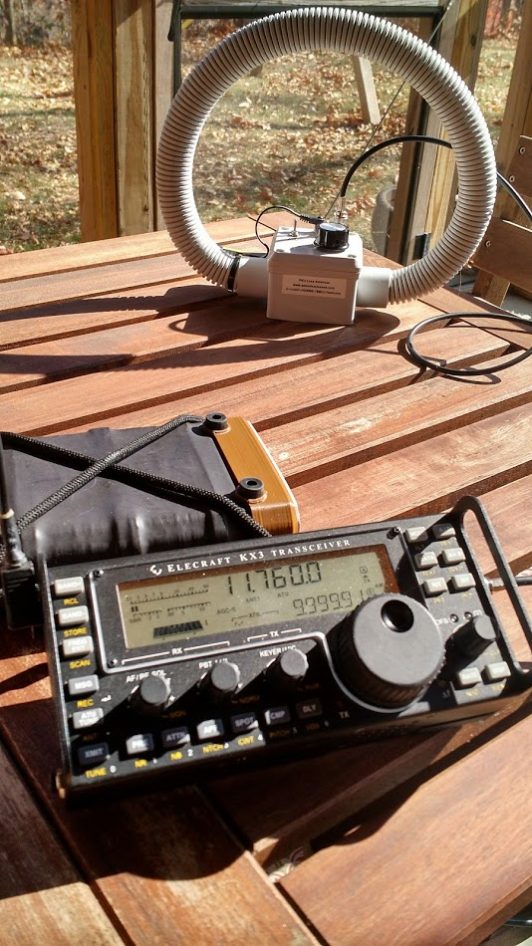
eecraft-kx3-pk-loop

The Elecraft KX3 and the PK Loop C-LOOP-HDSW6-18

Over the past year, a number of SWLing Post readers have asked me to review the PK Loop portable magnetic loop antenna produced by Paul Karlstrand in Australia.

I finally caved in and purchased one.

I ordered the shortwave version of the loop, the  C-LOOP-HDSW6-18 in early November and received it about one week later.
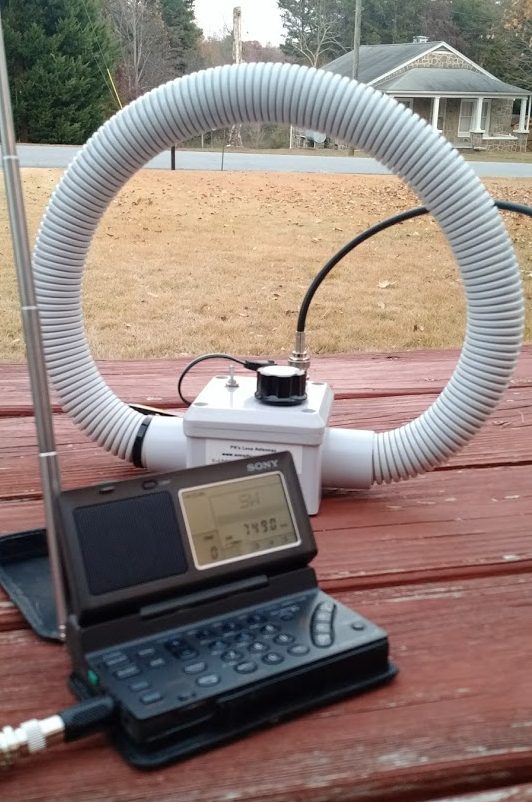
sony-sw100-pk-loop

The Sony SW100 tuned to WBCQ.

I was first introduced to this antenna by SWLing Post contributor, Mark Fahey, who brought it to the SWL Fest and our 2015 PARI DXpedition.

Mark has taken his PK Loops (both the shortwave and mediumwave models) on his numerous travels around the world. He finds that they’re relatively effective portable antennas in RFI-dense environments like hotels and guest houses. They’re better at mitigating RFI than, say, portable wire antennas or telescopic whips.

Mark hooks up his portable SDR to the PK Loop and makes spectrum recordings (wideband recordings)–from, say, his hotel room in Kuala Lumpur–then takes the recording back home to listen and tune at his leisure via his laptop or tablet PC.  While I’ve certainly made spectrum recordings while travelling in the past, the appeal of such a portable loop antenna is what finally caused me to pull the trigger.

Overview
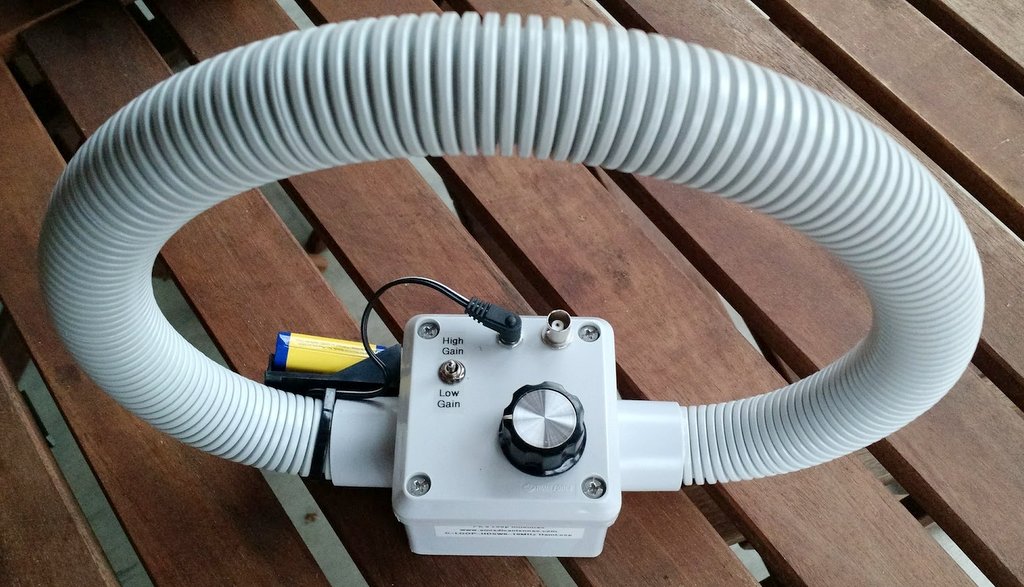
pk-loop

The PK Loop is a small loop antenna–measuring about 12″ in diameter. It’s encased in UV-stabilized PVC conduit and the matching box also seems to be made of PVC. It feels very durable and can, no doubt, even survive the wildest of luggage handling.

The PK Loop has an attached battery 9V battery holder, but can actually be powered by any 9-18 volt DC supply. Current consumption is less than 15 mA. On the matching box, you’ll find a tuning knob, a BNC connector, DC power in port and a HI/LOW gain switch. My loop shipped with a 2 meter BNC-BNC Cable, 3.5mm adapter, and DC Power lead to open ends.

Operation

Operating the loop is very simple:

  1. Power the antenna with a 9V battery or other DC source
  2. Chose either the high or low gain setting
  3. Place it on a stable surface (height from the ground is not a critical issue, but you should avoid placing it next to noisy electronics or mobile phones)
  4. Connect the PK Loop to your receiver’s antenna jack with the supplied cable
  5. Turn on your receiver to the desired meter band, then adjust the loop’s tuning knob until you hear the signal level peak
  6. Start listening, keeping in mind that as you tune around the band you may need to adjust the loop’s tuning knob for maximum gain

Loop antennas, in general, are fairly narrow-band and–unlike a Wellbrook or Pixel Loop–manual adjustments need to be made with the tuning knob to match the PK Loop as you scan across bands.

Still, I see why Mark favors the PK Loop for spectrum recordings: the bandwidth is wide enough that if I tune the loop to the middle of the 31 meter band, for example, it does a fine job covering the entire band.

On the air
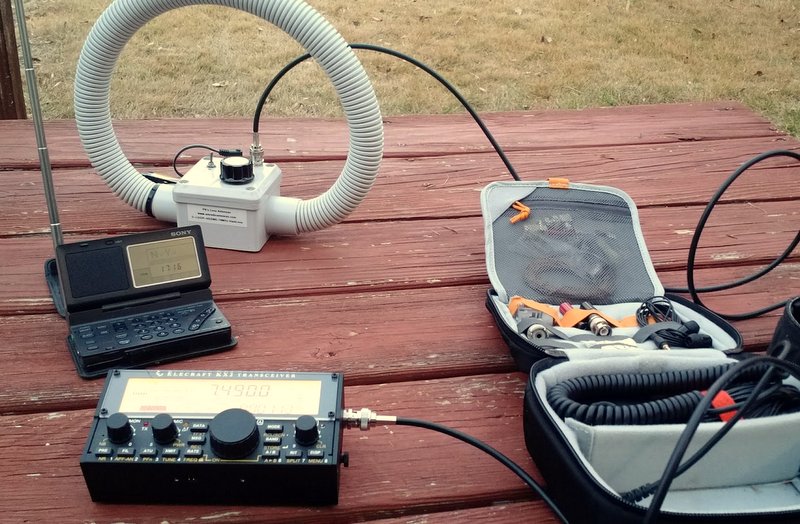
pk-loop-kx2-sw100

My free time has been very limited since receiving the PK Loop earlier this month, but over Thanksgiving holiday, I took it to my family’s home that has relatively high RFI levels.

The following are a couple of videos I made with my Moto X smartphone. I’ll be the first to admit that these are not the best videos–I had no tripod and the Moto’s microphone leaves much to be desired–but I think you’ll still get the idea of how well the PK Loop works.

With the Sony SW100

Click here to watch on YouTube.

With the Elecraft KX2

Click here to watch on YouTube.

So far, I’m very pleased with the PK Loop. It does seem to mitigate noise better than other portable antennas I’ve used in the past and certainly improves my SW100’s reception. It makes SWLing with the Elecraft KX2 or KX3 easy and convenient.

One word of caution: if you use the PK Loop with a transceiver like the KX2, please turn off the ATU, and set the power level to 0W before using. The PK Loop is receive-only and will not handle any RF power.

Note that with the SW100, I have only used the PK Loop’s low gain setting. I’m a little nervous about overloading the SW100, so do not plan to use the high gain setting. The Elecraft KX2 seems happy to handle either gain setting: I imagine this will be the case with most general coverage transceivers and tabletop receivers.

More to come!

In a couple of weeks, I’ll be staying in a hotel room (likely with inoperable windows and heavy RFI) so I will attempt to put the loop through its paces and compare it with my radio’s built-in antenna.  Stay tuned!

UPDATE: Click here to read my follow-up review.

Post readers: have you used the PK Loop or other similar portable/travel antennas? Please comment!

Click here to view PK’s Loop antennas on Paul Karlstrand’s website.

Paul also sells his antennas and ships internationally on eBay–click here to view the selection.

pks-loops

Radios With Rotatable AM Antennas?

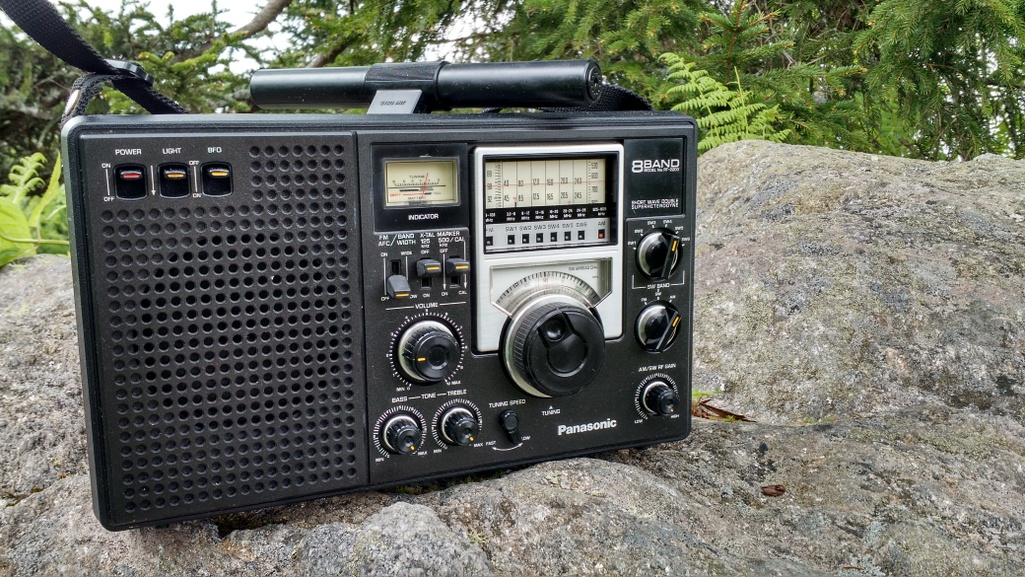
The Panasonic RF-2200 sports a rotatable AM/MW antenna

The Panasonic RF-2200 sports a rotatable AM/MW antenna

Many thanks to SWLing Post contributor, Mario Filippi (N2HUN), who writes:

With your broad knowledge of radios, wondering if you can add anything to this list of portable radios, past and present, that have 360 degree rotatable directional AM ferrite antennas. Reason is I am looking for an AM portable for the nightstand for nulling out unwanted AM stations while also doing a little DXing.

The list I have from data mining the ‘Net is:

New models with rotatable AM antennas:

  • CountyCom GP5/SSB,
  • Tecsun PL-360,
  • Grundig Satellite 750,

Older (vintage) models:

  • Panasonic RF-2200,
  • Panasonic RF-1150,
  • Panasonic RF-877,
  • Panasonic RF-1180
  • most RDF (Radio Direction Finder) radios that were used on boats

“Boom Box” variety:

  • Radio Shack 12- 795,
  • Emerson MBR-1,
  • Rhapsody RY-610.

[RDF radios] are kind of big, however Raytheon, Ray Jefferson, and Nova-Tech did have smaller model RDFs that could be considered table-tops).

The alternative is to build or buy a passive indoor antenna.

Maybe readers know of other models?

Thank you for your inquiry, Mario! I will do a little research of my own because you listed every model (and more) I could think of off the top of my head.

Post readers: Please comment with any models we could add to this list.

I will take all of the suggestions and make a master list to post here on the SWLing Post so it’ll be easier for others to research in the future. I’m pretty sure this question has come up before.

The brilliant little Tecsun PL-310ET: serious DXing on a budget – part 1

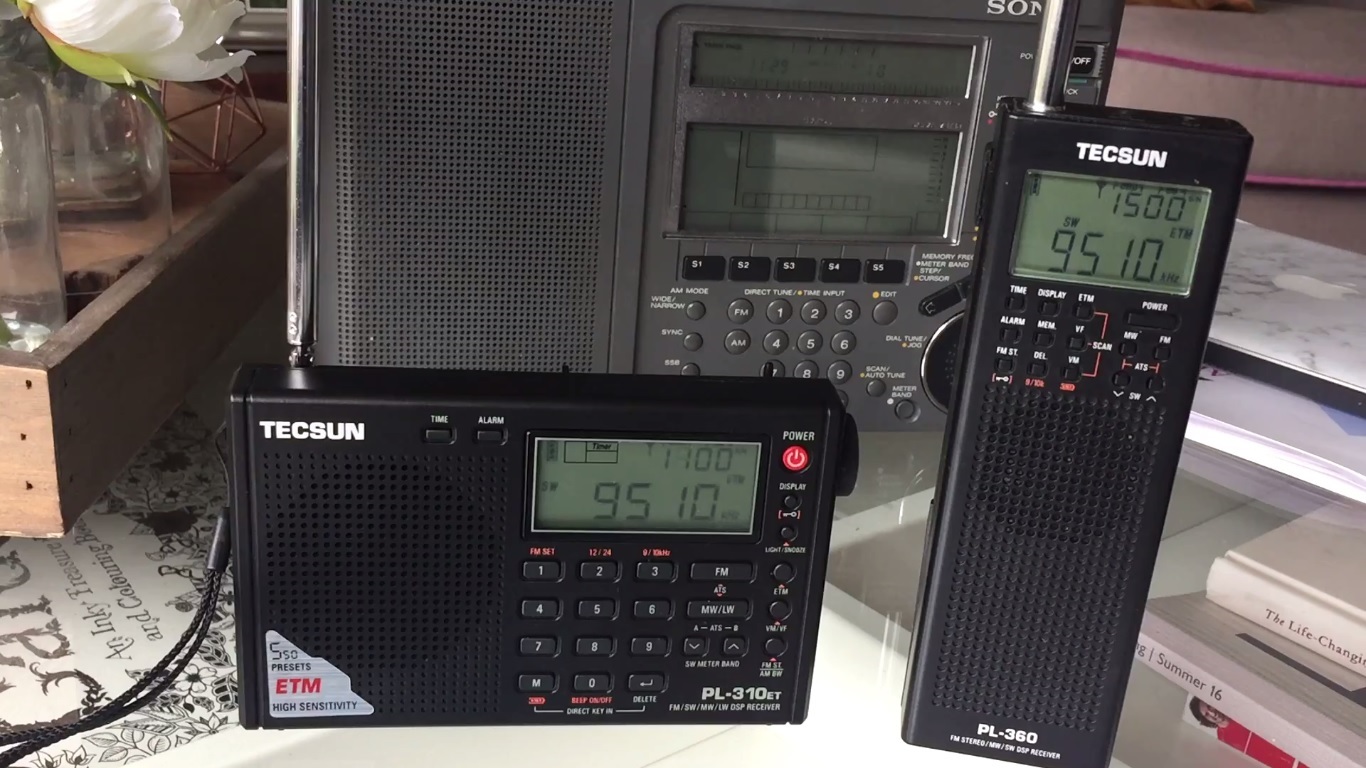
tecsun-pl-310etHi there, a good friend of mine Mr Thomas Brogan mentioned to me recently that his little Tecsun PL-310ET was proving to be an excellent receiver and that it would suit my DXpedition activities. Now, as someone who likes to push the envelope of performance with sophisticated portables, usually coupled to very large antennas, a cheap little Tecsun might not have been an abvious choice for my next purchase. However, Mr Brogan (who has an excellent Youtube channel by the same name – check out his wonderful collection of vintage and modern receivers) previously suggested I buy, for similar reasons, the Sony ICF-SW100. That little masterpiece of electronics turned out to be one of the best receivers I’ve ever owned. I felt compelled to take notice because Tom never gets this stuff wrong! A few days later I found myself in Maplins – again – and there it was on the shelf at just under £40, so I bought one.

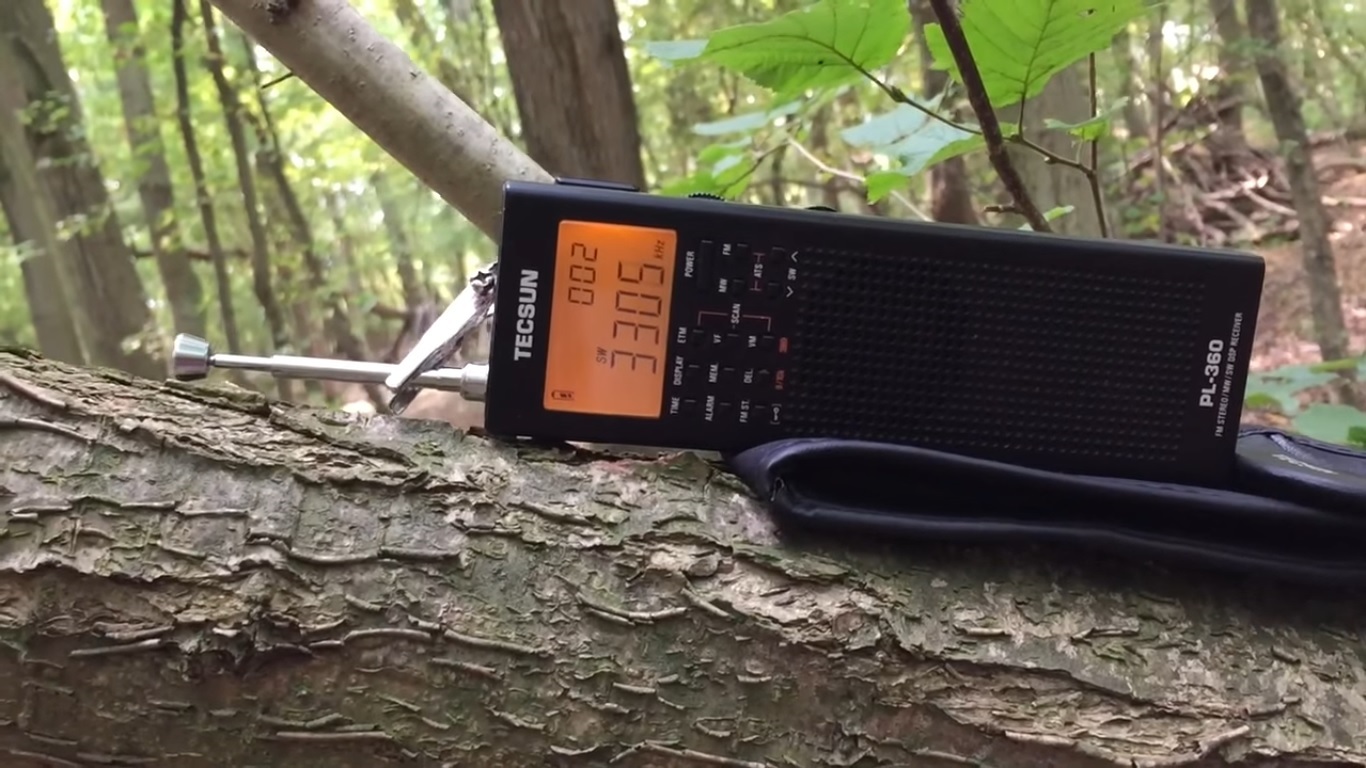
I got back into shortwave listening about 18 months ago, after many years of inactivity whilst my poor Sangean ATS-803A rotted away in the garden shed and Sony ICF-7600G long-gone via eBay. To start all over again, I bought a Tecsun PL-360.  What a great little portable that turned out to be – there are over 100 reception videos on my YouTube channel demonstrating how it continually performed above and beyond the very modest price tag. I even managed to hear ABC Northern Territories 4835 kHz on it once –  simply amazing for a receiver under £30. Given my extensive experience with the PL-360 and having learned the PL-310ET shared the same DSP chip, I was expecting the same, or at least very similar performance and the only real benefit to upgrading to the PL-310ET was the direct frequency access.  However, I was wrong about that!

pl-360

The brilliant Tecsun PL-360 got me back into shortwave radio for less than £30

About a week after buying the PL-310ET,  I managed to get out on a DXpedition and with 30 metres of wire attached to it via the external antenna socket, I started tuning around the SW bands. Quite simply, I was amazed at the sensitivity and selectivity of this diminutive little portable. With the proven DSP receiver chip and a number of audio bandwidth filter options  from 1 to 6 kHz, coupled with direct frequency access via the keypad, it was a joy to use and listen to. In just over an hour I had  copied signals from North Korea, including their internal service KCBS Pyongyang, Zanzibar BC, ABC Northern Territories (at the first attempt!), Zambia NBC Radio 1, Radio Oromiya and Radio Amhara from Ethiopia, amongst others. Brilliant stuff and clearly demonstrating that the overall hardware/software package with the PL-310ET is a step up in performance over the PL-360 and capable of proper DX for a very modest outlay. Interestingly, in a conversation with Thomas Witherspoon regarding the PL-310ET, he reminded me that it was one of his go-to radios for travelling and confirmed it’s excellent performance.  I would definitely recommend this radio to novices and experts alike.

Reception videos follow below, with more to come in part 2; I hope you enjoy them. Thanks for watching/listening and I wish you all excellent DX!


Clint Gouveia is the author of this post and a regular contributor to the SWLing Post. Clint actively publishes videos of his shortwave radio excursions on his YouTube channel: Oxford Shortwave Log. Clint is based in Oxfordshire, England.

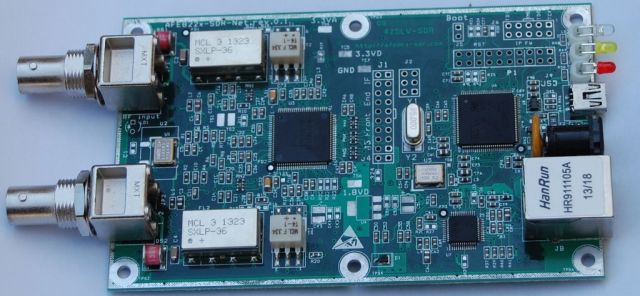
New Beta version of SdrDx allows for AFEDRI AFE822 two input phasing

afe822x_bnc_pcb_640px

Many thanks to SWLing Post contributor, David Goren, who shares this tip from Chris Smolinski at Black Cat Systems:

If you have an AFE822 Dual Channel SDR, and a Mac, run, do not walk, to the SdrDx website, and download a copy of the beta version. It now lets you phase the two inputs, much like using an external phaser such as the MFJ-1026. Great for nulling out another station, or noise/QRM. I have some descriptions of how to do this, along with some recordings, and the relevant links, in this HFU post. I believe a Windows version will be out shortly.

Chris’ post on the HF Underground goes into more detail and includes audio samples:

A few months ago, I picked up an AFE822 dual channel SDR, one of the reasons was to experiment with using it as a phaser for MW DXing. It was a bit of a daunting task, having to essentially write an entire SDR app. I then realized I could instead write a “black box” app that sat between the SDR and the SDR app, which would take the pair of I/Q channels from the SDR, and adjust their relative amplitude and phase, and combine them into a single I/Q channel, and send that on to the SDR app. I played around a bit with that, and was quite impressed with the results. I passed on the general idea to the author of SdrDx, who has implemented it in a beta of the app, which is nice because now it is all self contained, rather than having to use my kludgy app in the middle Grin

There’s gain adjustments for each RF input, as well as a phase control, an invert switch to flip the phase 180 degrees, and switches to zero either of the RF inputs, useful when first roughly setting up the gains.

I am quite impressed with how well it is working. As an example, here is a recording of 1680 AM from earlier this morning. I toggled the invert on the phase control a few times, so you can hear reception flip between the two dominant stations on that frequency.

This is going to be really nice for MW DXing. SdrDx is for both Windows and the Mac. If you’ve been considering getting an SDR, this feature alone in SdrDx is reason enough to get an AFEDRI AFE822. If you do buy one, be sure to let Alex of AFEDRI know the reason is because of SdrDx, we need to support the authors of third party SDR apps we use, and let the hardware manufacturers know how important they are.

The URL for the SdrDx page is http://fyngyrz.com/?p=915

The download link for the beta (Mac only right now, once this is confirmed to be working well, I am sure he will update the Windows version) is http://fyngyrz.com/beta.zip

Some more tests, this time on some local Graveyard channels.

1230, getting rid of WRBS:

1240, getting rid of WJEJ:

How to use the phasing adjustment with SdrDx, an AFE822 SDR, and your Mac.

Download the Mac beta (Windows version coming soon) of SdrDx: http://fyngyrz.com/beta.zip
If you have not used SdrDx before or recently, first download the stable version, and run that: http://fyngyrz.com/SdrDx-AA7AS-Light.zip
SdrDx page: http://fyngyrz.com/?p=915

Familiarize yourself with SdrDx if you have not used it before. You need two antennas of course, one plugged into each of the AFE822 inputs.

To use phasing:

Click on the PHA button, turn on Dial Channel Phasing Mode. Click OK to close the window.

Click the Run button to get the SDR into Run mode. Tune in whatever MW frequency you want to use. Ideally one with two stations you can hear at the same time. Graveyard channels are great for this. Be sure to put the SDR center frequency offset from that. For example if you want to null 1300 AM, make the center frequency 1305 or something like that. Or the I/Q imbalance will cause problems.

Click the PHA button to open the phasing window again. You want to keep it open now.

Make sure the Invert checkbox is off, the Both Channels On radio button is on. Set the Phase slider to the middle, both Gains to zero, far left.

Adjust the first Gain slider to bring the signal level up to a reasonable level. S9. S9+10, whatever you want. Make a note of it.

Click Chan A Muted

Now adjust the second Gain slider to bring the signal level up to where it was before with the first RF input. The goal here is to make the signal levels about the same, so you can begin the process of nulling out one of the stations, with some chance of it working.

Click Both Channels On now, so you have both RF inputs active.

Adjust the Phase control, until you notice a dip in the signal strength. Try to get it centered in the dip as close as possible.

Then adjust one of the gain sliders, I usually use the one with the largest value to make things easier, to increase the dip in the signal strength.

Then go back to the Phase control, and try to increase the dip. You may now notice the dominant station starting to be nulled, by listening to it.

Then, like washing your hair, lather, rinse, repeat. You have to iterate back and forth many many times. Eventually, if your two antennas produce different enough signals for the two stations, you will be able to null it out. There are cases where you cannot null out one station, because the antennas produce the same signal for both of them. So nulling out one also nulls out the other. But this is rare.

You can click in the invert checkbox, and reception should switch to the other station. Listen to some of my recordings to hear this in action. You are changing the phase by 180 degrees when you do this.

wn9t4nm

Most impressive, Chris!  Wow–I think this feature alone could make the AFEDRI AFE822 an invaluable tool for the mediumwave DXer. Those audio samples are amazing!

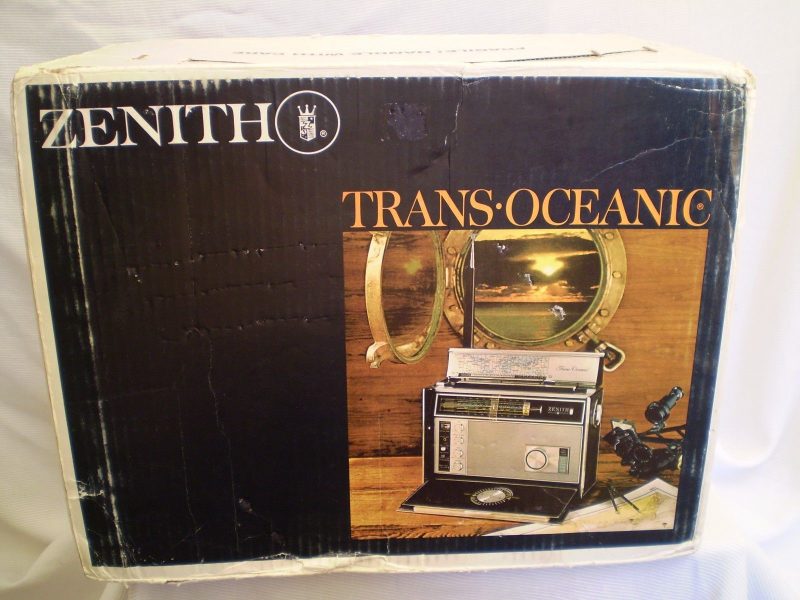
eBay find: Zenith Transoceanic in an Unopened Box

zenith-transoceanic

Many thanks to SWLing Post contributor, Robert Gulley, who shares this link to an eBay auction for a Zenith Transoceanic D7000Y in an unopened box!

Let’s be clear here: this is no “Black Friday” deal. The seller has this gem listed at $5,800 plus shipping! I think this is the first time I’ve ever seen a Transoceanic listed at this price level.

zenith-transoceanic-ebay

Of course, as one friend always reminds me: “eBay is there to show you things you’d rarely stumble upon in daily life–you just need a chunk of change to snag it!”

The seller is listing this as-is since he isn’t going to open the box to test the unit. He does claim that if it arrives DOA, he’ll have is repaired free of charge (buyer pays shipping).

Still: $5,800 is hefty sum–several thousand over my threshold! No doubt, a Transoceanic collector will snag this eventually.

Click here to view this listing on eBay.

Review of the SDRplay RSP2 software defined radio

The SDRplay RSP2

The SDRplay RSP2

This morning, SDRplay Limited announced the release––and availability––of their second generation software defined radio, the RSP2.

Regular SWLing Post readers will note that I’m a pretty big fan of SDRplay’s first SDR, the RSP, or “RSP1,” as I’ll now call it (I published a review of the RSP1 in July 2015). To me, the $129 RSP1 has been the best wideband receiver you can buy under $200 US. Its HF performance, in particular, is sincerely impressive at this price point.

Introducing the RSP2

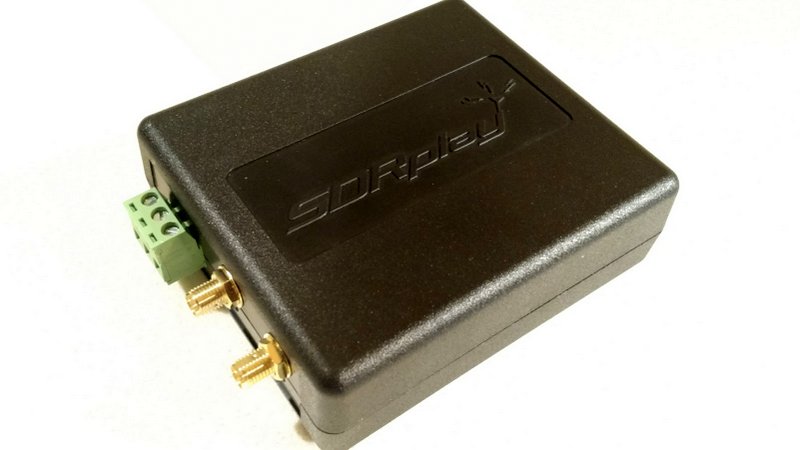
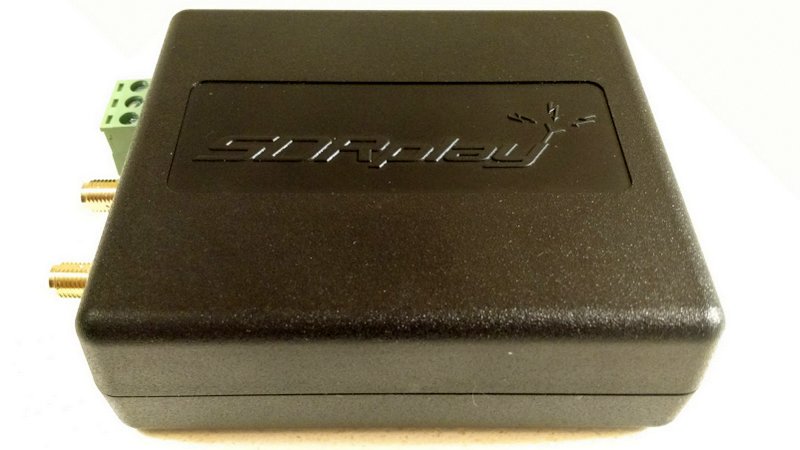
sdrplay-rsp2-top

So what’s the RSP2, and how does it differ from the original RSP?

In a nutshell, here’s how SDRplay describes the difference between the two:

“The RSP2 delivers a significant number of additional features which result in a higher spec for specialist amateur radio users as well as benefits for additional scientific, educational and industrial SDR applications.”

In a sense, the RSP2 gives the enthusiast and experimenter access to more receiver parameters and control, opening it to a wider array of possible applications. The RSP2 will also cover a broader range, from as low as 1 kHz to as high as to 2 GHz, and is designed with better selectivity across the spectrum. Enhanced selectivity will certainly benefit amateur radio operators and SWL DXers who might seek weak signals in crowded portions of the band.

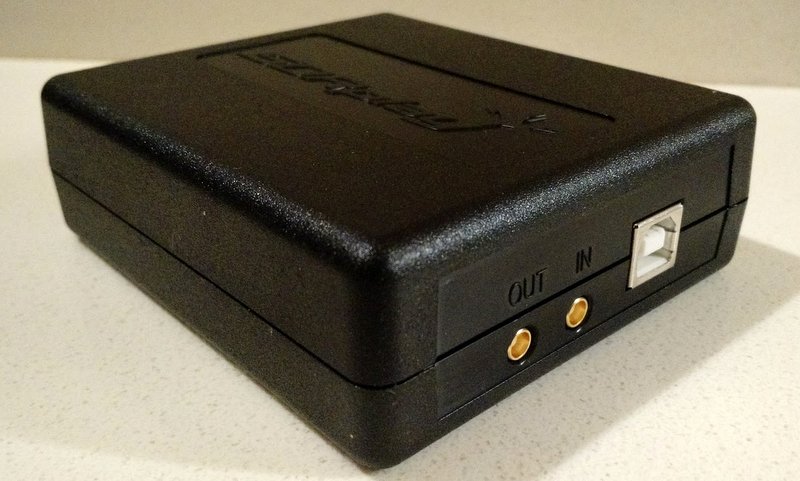
sdrplay-rsp2-usb-in-out

The following list outlines the primary additional features of the RSP2 (via SDRplay’s press release):

  • 10 built-in, front-end pre-selection filters, with substantially enhanced selectivity
  • Frequency coverage extended down to 1 KHz
  • Software selectable variable gain Low Noise Preamplifier
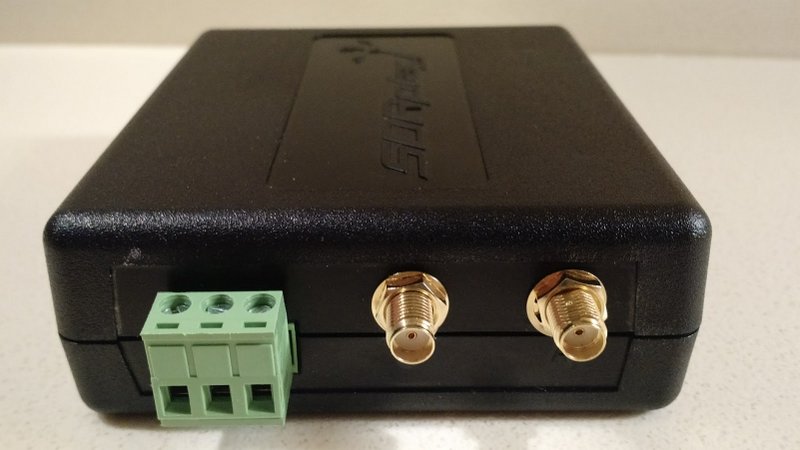
  • 2 x SMA Software Selectable 50? RF ports (1.5 MHz – 2 GHz)
  • 1 x High Impedance RF port (1 kHz – 30 MHz)
  • Built-in software selectable MW /FM notch filters
  • Highly stable 0.5PPM TCXO trimmable to 0.01PPM
  • 24MHz Reference clock input / output connections
  • 4.7V Bias-T option (on one of the software selectable antenna inputs)
  • RF screening within a strong plastic case for the standard RSP2
  • A Rugged metal box version –  the ‘RSP2pro’
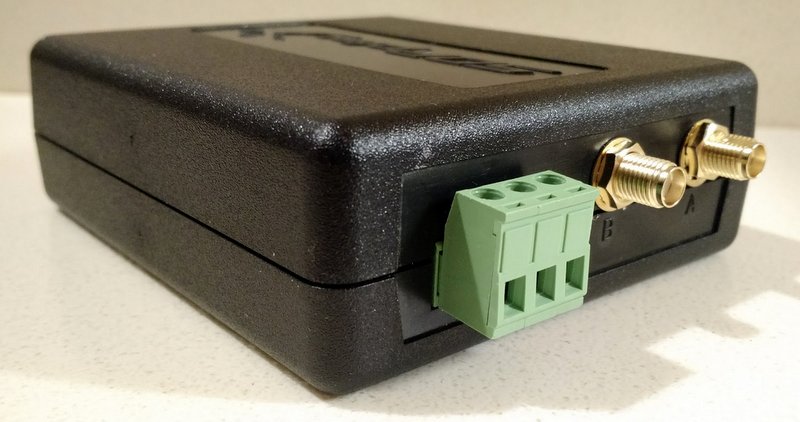
The RSP2 has a total of three antenna ports: two SMA and one Hi Z for optimal LW/MW/SW performance

The RSP2 has a total of three antenna ports: two SMA and one Hi Z for optimal LW/MW/SW performance

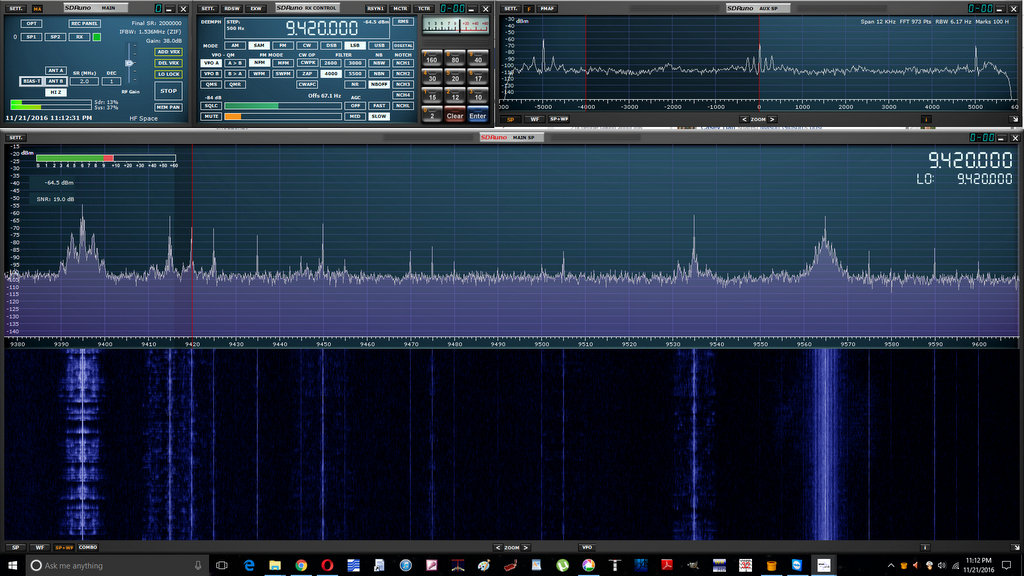
For the moment, the RSP2 only works with SDRplay’s own application, SDRuno. But SDRplay is already working with developers to make the RSP2 compatible with HDSDR, Gnu Radio, CubicSDR, and SDR Console. I appreciate that although the RSP series has an excellent free proprietary application (SDRuno), it was nonetheless developed with many open-source applications, also free, as well. This level of compatibility and support makes SDRplay rather unique among SDR manufacturers.

SDRuno running the RSP2.

SDRuno running the RSP2 (click to enlarge).

Of course, SDRuno is a great application in its own right, and pairing it with the RSP2 will provide you with out-of-the-box calibrated RF and S meters. So far I’m very pleased with native SDRuno features like virtual receivers, embedded time code, spectrum display options, and streamlined design.

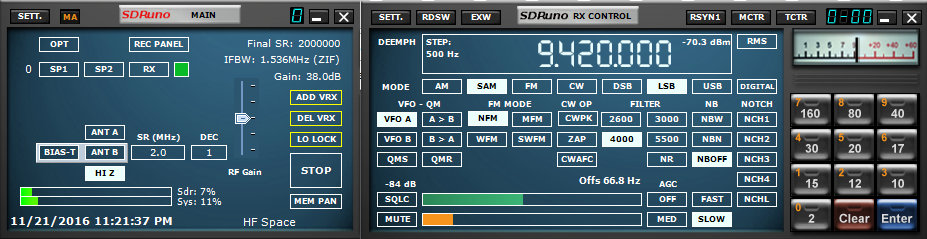
Current SDRuno users will note the different antenna and filter options with the RSP2 which works natively with the latest versions of SDRuno

Current SDRuno users will note the different antenna and filter options with the RSP2 which works natively with the latest versions of SDRuno (click to enlarge).

SDRuno installs very easily and provides a plug-and-play experience. It does have a modest learning curve, but SDRplay has an excellent owner’s manual and “cookbook” available to help you set everything up the first time.

Preliminary impressions of the RSP2

SDRplay sent me a pre-release RSP2 (the base model, not the metal box “Pro” version) to evaluate and provide the company with feedback.

I installed SDRuno and put it on the air only this past week. In truth, as I’ve been traveling and must be on the road again this coming week, I prefer not to comment, at least in depth, on the SDRplay’s performance as I’ve had comparatively little dedicated time with the unit.

Yet I have had the RSP2 on the air a few hours of casual listening, and find that it performs as I would expect: low noise characteristics and sensitivity that seems to be at least as good as the RSP1, if not a bit better.  I’m looking forward to a side-by-side with the RSP1 running an install of SDRuno on my laptop!

I must say that I’m very pleased with the RSP2’s Mediumwave/FM notch filter. It happens that a local daytime 45kW AM broadcaster in our area is having transmitter issues which send wideband spurs across the entire HF spectrum; but at night, when the station lowers its power levels, the RSP2’s MW notch filter effectively mitigates the noisy signal. I imagine this filter will be a welcome addition for listeners living in RF-dense environments.

When the RSP1 was first introduced, it retailed for $149. As the economies of scale worked in their favor, SDRplay lowered the price to $129. The new RSP2, meanwhile, is expected to retail at approximately £130 (excluding taxes), or $169 US (excluding taxes). Quite a value, in my opinion: at $169, you’re getting a lot of SDR for the price––and an effective SDR application, to boot.

But if you already own an RSP1, I wouldn’t necessarily rush out and grab the RSP2 just yet.  Of course, if you like the added features mentioned above, or if you’d like an inexpensive SDR with no less than three switchable antenna ports and a MW/FM notch filter, $169 is a bargain and about the same level of investment as a good modern shortwave portable.

As for myself, I’m happy to see a mom-and-pop community-supported company like SDRplay continuing to innovate for our hobby. I’m pleased to support them, and am truly appreciative that they also support our SWLing Post. This is a win-win, in my view; I’d be pleased to support more such companies.

Again, check back here as I plan to compare the RSP2 with the RSP1 and several of my other SDRs.

sdrplay-rsp2-antennaports-2

Click here to read SDRplay’s full announcement and press release.

I plan to take the RSP2 with me on my travels this week. Time permitting, I might even pair it with my recently acquired PK magnetic loop antenna for some spectrum gathering and testing.

In the coming weeks, as my schedule permits, I’ll post updates here on the SWLing Post, including audio comparisons with some of my SDRs. If interested, bookmark the tag RSP2.

For more information about RSP2 pricing and availability, check out SDRplay.com.

Update: Check out RTL-SDR.com’s assessment of the RSP2.

SDRplay has also posted the following video: