Category Archives: Guest Posts

The EMTX: How to build an 8 component 40/30 meter QRP emergency transmitter

Many thanks to SWLing Post contributor, Kostas (SV3ORA), for sharing the following guest post which originally appeared on his radio website:


Emergency transmitter: An 8-component, high-power 40m/30m transmitter to get you quickly on the air

by Kostas (SV3ORA)

Introduction

QRP is all about doing more with less. This is more than true, with the construction of this cheap, simplistic transmitter presented here. It is designed primarily as an emergency transmitter (EMTX) that can be built or serviced in the field or at any home. However, it can be used as a HAM radio transmitter as well. Do not judge by its low components count though. This transmitter is powerful, more powerful than anything the QRPers would dream of. It is just remarkable how 8 components can lead in so much output power, that lets you communicate with a big part of the world, when propagation conditions are right. It is very difficult for a circuit to match that kind of simplicity in balance with such performance.

Following my detailed instructions, the EMTX can be reproduced easily, within hours. The result is always success, this is one of the circuits that are not critical at all and a successfully working transmitter can be reproduced every time. I have built this transmitter several times, using similar components (even toroids) and it always worked. The transmitter meets the next expectations:

1. Output power (including harmonics): A few mW up to 15W (depended on transistor, crystals and voltage/current used) at 50 ohm.
2. It can drive any antenna directly, 50 ohm or higher impedance, without external tuners.
3. Bands of operation: Currently 40m, 30m
4. Mode: CW, Feld-Hell (with external switching circuit), TAP code and any other ON/OFF keying mode. AM modulation has been easily applied too.
5. Options like reverse polarity protection diode (useful in the field when testing different unknown polarities PSUs) and current meter (for easier tuning) are available.

The challenge

The purpose of this transmitter is to be used primarily as an emergency transmitter. This poses several challenges that influence the design of the transmitter:

1. It must be able to be built or serviced easily in the field or at any home, with components that could be salvaged from near by electronics sources or a small electronics junk box. This means that components count should be kept very low and they must not be rare to find but commonly available parts. As a side effect cost would also be kept small, if one is to buy any component. Also, the active components must be interchangable with many other devices without the need for the design or the rest of the circuit components to be changed.

2. It must be able to operate from a very wide range of DC voltage sources and at relatively low current, so that common house power supplies could be used to supply power to it. Such devices include linear or switched mode power supplies from laptop computers, routers, printers, cell phone chargers, Christmas lights or any other device one might have available.

3. It must be capable of transmitting a powerful signal, so that communication is ensured. An emergency transmitter that is capable of a few mW of output power, might be heard locally (still useful, but there are handheld devices for that already) but isn’t going to be of much usage if it can’t be heard really far away.

4. It must be capable of loading any antenna without external equipment required. In an emergency situation, you just don’t have the luxury of building nice antennas or carrying coaxial cables and tuners. There may be even extreme cases where you can’t even carry a wire antenna and you depend on salvaging wire from sources in the field to put out a quick and dirty random wire antenna.

5. Adjustments of the transmitter should be kept minimum without the help of any external equipment and there must be indication of the correct operation of the transmitter or the antenna in the field.

Components selection

The transistor:
This transmitter has been designed so that it can operate with any NPN BJT in place. This includes small signal RF and audio transistors and high power RF transistors like the ones used on HF amplifiers and CB radios. Despite 2sc2078 is shown in the schematic, just try any NPN BJT in place and adjust the variable capacitor accordingly. When you are in the field, you do not have the luxury of finding special types of transistors. The transmitter must operate with any transistor in hand, or salvaged from near-by equipment. Of course the power capability of the transistor (as well as the crystal current handling) will determine the maximum VCC and current that can be applied to it and hence the maximum output power of the transmitter. Some of the most powerful transistors I have used, come out of old CB radios, such as the 2sc2078, 2sc2166, 2sc1971, 2sc3133, 2sc1969 and 2sc2312. There are many others. As an example, the 2sc2078 with a 20v laptop PSU, gave 10-12W of maximum output power into a 50 ohms load.

Schematic of the 8 components EMTX for the 40m/30m bands. Components with gray color are optional.

The crystal:
This is the most uncommon part of the transmitter. You have to find the crystal for the frequency that you want to operate on. Crystals within the 40m or 30m CW segments are not that common. Further more if you operate the transmitter at high powers and currents, you will notice crystal heating and chirp on the frequency of the transmitter. The current handling capability of your crystal die inside the crystal case, will determine the chirp and the amount of crystal heating. You can still work stations with a chirpy transmitter provided that the chirp is not that high, so that it can pass through the CW filters of the receivers. However, if a small chirp annoys you or if this chirp is too much, then you have to use these vintage bigger size crystals (e.g. FT-243), that can handle more current through them. But these are even more uncommon today.

The approach I have used in my prototype, was to connect more than one HC-49U crystals of the same frequency in parallel, so that the current is shared among them. This reduced the chirp at almost unnoticeable levels, even at high output power, just if I was using a single FT-243 crystal, or even better in some cases. Again, this is optional, but if you want to minimize chirp (and crystal heating) without searching for rare vintage crystals, this is the way to go.

A bit of warning. If you notice a very high chirp when plugging in a crystal to the EMTX, you should consider this crystal as inappropriate for this transmitter, as it cannot handle the current required. If you continue to use this inappropriate crystal, you could easily crack it inside and set it useless. Don’t use these tiny HC-49S crystals, they won’t work.

The current meter:
A 1Amp (or even larger) current meter can be used to monitor the current drawn by the transmitter during key down. The recommended current operating point is anywhere between 450mA to 1A, depended on the output power (and harmonics) level you want to achieve. The current point is set by the variable capacitor. I would avoid setting the current to more than 1Amp, although it can be done. The use of the current meter is optional, but along with the incandescent bulb, will give you a nice indication of the correct tuning of the transmitter, so that you do not need to have an external RF power meter connected to the transmitter output. If you do have, then you can remove the current meter. If you don’t have a 1Amp analogue meter available, but a smaller one, you can parallel a low value power resistor across the meter. In my case, I only had a 100uA meter and I paralleled a 0.15 ohms 5W resistor across it to scale down 1Amp to 100uA, The resistor value depends on the internal meter resistance so you have to calculate this for your specific meter. When the 2sc2078 is used at 20V, 500mA in the current meter indicates around 5W of output power, 600mA indicates around 6W, 700mA 7W, 800mA 8W, 900mA 9W and 1A around 10W. So the current meter can be used as sort of power meter without the need to do any scaling on it.

The incandescent bulb:
A current meter alone, without the use of the incandescent bulb, will not give you the right indication of the operation of the transmitter. In some cases, the transmitter might be drawing current without actually generating much, or even any RF. When you are in the field you do not want to carry extra monitoring equipment with you. The incandescent bulb will light on when the transmitter oscillates. It monitors the actual RF signal, so it’s brightness changes according to the amount of RF power the transmitter produces. Along with the current meter reading, this is just what you need to know in order to set the variable capacitor properly. Note that the bulb will not lit at very low signal levels. The one used in the prototype starts to glow up from a bit less than 1W. Miniature incandescent bulbs may not be that easy to find nowadays. However, there is a good source of these, that almost anyone has in their houses. This source is the old Christmas lights. You do save old Christmas lights, don’t you? The incandescent bulb indicator as well as it’s single turn winding on the transformer, are optional components. If you have an RF power meter connected to the transmitter, you can remove these.

The diode:
The protection diode is an optional component to the circuit. If you are in the field, correct polarity of a power supply may not be obvious. Without a multimeter it might me difficult to determine the correct polarity of the PSU. A power diode (I used a 6A one) will protect the transistor from blowing up in the event that reverse polarity is connected to the circuit.

The Cx and Cy:
The Cx and especially the Cy capacitors need to be of good quality. The Cy will get hot on high output power if it isn’t. In the tests, I have used homemade gimmick capacitor and even double-sided PCB as a capacitor for Cy and they all got hot at high power. Silver mica capacitors run much cooler and they do make a small difference in the output power, so I suggest to this type. Cy must be able to handle quite a lot of voltage, so silver mica type is ideal.

The variable capacitor:
The variable capacitor can be air variable or ceramic, although I prefer air variables in tis application. In any case it must be able to handle a high voltage just as the Cy.

The key:
The key directly shorts the transistor emitter to the ground, therefore it is a part of the active circuit. For this reason, I suggest the key leads to be kept as short as possible. The key must be able to handle the voltage (20v) and current (up to 1A) on its contacts, which is usually not a big deal.

Transformer construction

The construction of the transformer is shown below step by step. Note that if you decide that you don’t need to drive higher impedance loads but just 50 ohm ones (eg. antenna tuners or 50 ohm matched antennas), you just need to wind 2t in the secondary and not 14t. You also don’t need any taps of course.

Step 1:

Take a piece of 32mm external diameter PVC pipe from a plumber’s shop. Alternatively, a suitable diameter pills box can be used, or any other suitable diameter plastic tube.

Step 2:

Cut a 4cm piece out of this tube. 4cm is the minimum length required.

Below a 4cm PVC tube has been cut in size.

Step 3:

Wind 16 turns of 1mm diameter enameled wire onto the PVC pipe and secure the winding in place as shown in the picture below. Notice the winding direction of the wire. This is the primary of the transformer, the one that is connected to the two capacitors. Notice that this winding is wound a bit offset to the right of the pipe.

Step 4:

Wrap the winding with 3 turns of PTFE tape. It can be bought at any plumber’s shop, just like the PVC pipe. The PTFE tape will help in keeping the second layer turns in place and it will provide extra insulation.

Step 5:

Wind 2 turns of 1mm diameter enameled wire on top of the primary winding and secure the winding in place as shown in the picture below. Notice the winding direction of the wire, as well as it’s position relative to the primary winding. This is the feedback of the transformer, the one that is connected to the collector of the transistor.

Step 6:

Wind 14 turns of 1mm diameter enameled wire on top of the primary winding, starting from just next to the 2 turns one and secure this winding in place as shown in the picture below. Notice the winding direction of the wire, as well as its position relative to the primary and the 2 turns windings. This is the secondary (output) of the transformer, the one that is connected to the antenna. At this point do not worry about the taps yet.

Notice in the picture below, the way the windings are secured in place onto the pipe. The wire ends are passed through the pipe using small holes and then bent towards the ends of the pipe and once more to the surface of the pipe, where the connections will be made.

Step 7:

Wind 1 turn of 1mm diameter enameled wire onto the pipe and secure the winding in place as shown in the picture below. Notice the winding position relative to the other windings. This 1 turn winding is placed about 1cm away from the other windings. This is the RF pick up winding, the one that is connected to the incandescent bulb.

Step 8:

Use a sharp cutter (knife) and carefully scrap the enamel of all the windings ends. Do not worry if you cannot scrap the enamel at the bottom side of the wire ends (that touches to the pipe). We just want enough copper exposed to make the connection.

Step 9:

Tin the scrapped wire ends, taking care not to overheat them much.

Step 10:

Now it’s time to make the taps on the secondary winding. Use a sharp cutter (knife) and very carefully scrap the enamel of the wire at the tap points (number of turns). Take much care not to scrap the enamel of the previous and the next turn from each tap point. Do not worry if you just scrap the enamel at the top of the wire (external area). We just want enough copper exposed to make the connection.

Make each tap, a bit offset from the near by taps, like shown in the pictures. This will avoid any short circuits (especially at the 4, 5 and 6 taps) and it will allow for easier connections, especially if alligator clips are used to connect to the taps.

Step 11:

Tin all the tap points, taking care not to overheat them.

Step 12:

This step is optional and it depends on how you decide to do the connections to the taps. You may solder wires directly to the tap points, but in my case I wanted to use alligator clips, so I did the next: I took a piece of a component lead and soldered it’s one end to each tap point. Then I bent the component lead to U-shape and cut it accordingly. This created nice and rigid tap points for the alligator clip.

Step 13:

This step is optional and it depends on how you decide to mount the transformer to your enclosure. In my case, I wanted to create three small legs for the mounting. I cut three pieces of aluminum straps and made holes at both their ends. I made three small holes onto the transformer pipe end and mounted the aluminum straps using screws. After mounting them, I shaped the straps to L-shape. Then I used three more screws to mount the transformer to the enclosure.

The completed transformer is shown in the pictures above and below. The 6 connection points at the bottom of the pipe, are the low voltage points, whereas the 2 points at the top of the pipe, are the high voltage points.

If you have built the transformer as described, the bottom connections are as follows (from left to right):

Wire end 1, connected to the incandescent bulb
Wire end 2, connected to the incandescent bulb
Wire end 3, connected to the current meter
Wire end 4, connected to the current meter
Wire end 5, connected to the GND (ground)
Wire end 6, connected to the transistor collector

The top connections are as follows (from left to right):

Wire end 1, connected to the 25pF variable capacitor and the Cy fixed.
Wire end 2, is the 14th secondary tap and it is left unconnected, or tapped to the appropriate impedance antenna.

Videos of the EMTX in operation

I have made two small videos of the EMTX in operation.

The first 13.5MB video (right click to download), shows the operation when the transmitter is set for a bit less than 10W of output power.

The second 3.5MB video (right click to download), shows the operation when the transmitter is set for about 5W of output power.

EMTX chirp analysis

Every self-exited power oscillator (and even many multi-stage designs) exhibits some amount of chirp. Chirp is mainly considered as the sudden change in frequency when the power oscillator is keyed down. Apart from chirp, there is also the longer term frequency stability that may be considered. The chirp in the EMTX is surprisingly low, if it is built properly. Hans Summers, G0UPL has performed a chirp analysis on my EMTX (PDF) and the EMTX built by VK3YE and presented on YouTube. Hans, performed the analysis from the video/audio recordings of both transmitters. I sent him two videos, one with the EMTX set for an output power of 10W and one where it is set for 5W. The chirp at worst case (10W) was about 30Hz and at 5W in the order of 10Hz or so. Being so small, the chirp is almost undetectable by the ear and it surely poses no problems when passing the tone through narrow CW filters. This is an amazing accomplishment from a transmitter so simple and so powerful.

EMTX harmonics measurement

Every unfiltered transmitter will excibit harmonics at it’s output. This means that the output waveform has some distortion in comparison to a pure sinewave. Many of the transmitters I have seen, present a very distorted output waveform and absolutely need a LPF if they are to be connected to an antenna. I can’t say that this is true for the EMTX, because surprizingly, it has low distordion, despite the high output power it can achieve. Although a LPF is always a good idea, it is not that much needed on the EMTX. However you have to use one to comply with the regulations.

The image above, shows the measurements on the output of the EMTX, when it is set closely to 10W at 50 ohms. The main carrier is exactly at 9.9W and all the harmonics are less than 50mW! Also, the harmonics, do not extend into the VHF region.

The image below, shows the measurements on the output of the EMTX, when it is set closely to 5W at 50 ohms. The main carrier is exactly at 5.17W and all the harmonics are less than 9.6mW! Again, the harmonics, do not extend into the VHF region.

These small harmonics levels aren’t going to be heard very far at all, compared to the powerful carrier. This means only one thing. A LPF, although a good practice, is not mandatory in this transmitter. But you should better use one so that you comply with the regulations.

Many HAMs use just a watt meter to measure the output of their homebrew transmitters. This is not the proper way of doing it, because the watt meter is a non-selective meter. It will measure both the fundamental carrier and the harmonics, without being able to distinguish them. So in an unfiltered transmitter, or in a transmitter with a simple (often non measured) LPF, this way will give a totally false reading of the output power of the transmitter at the set frequency.

The proper way of accurately measuring the output power of a transmitter and the harmonics levels, is a spectrum analyzer. The FFT available in many modern oscilloscopes, having a dynamic range of approximately 50-55dB, is adequate for this purpose as well. A 50 ohms dummy load must be connected at the transmitter output and then the high impedance probe of the scope, is connected to the output of the transmitter as well. This was the way that the above measurements have been performed.

WebSDR tests

Here are some test transmissions, to determine how far one can get with such a transmitter. I have to say that there is an antenna tuner between the EMTX and my inefficient short dipole (not cut for 40m and not even matched to the coaxial). However I could still cover a distance of more than 2500Km even on the 5W setting.

A screenshot of the transmitter signal, as received on a WebSDR 2500Km away and when the EMTX is set for an output power of 10W.

Below, is a picture and an audio recording of the transmitter signal, as received on the same WebSDR and when the EMTX is set for an output power of 5W.

Photos

Pictures of the finished transmitter. You don’t have to build it that nice-looking if you don’t care.

EMTX prototype built on a breadboard. Yes it worked just fine onto a piece of wood.


This is a phenomenal project, Kostas. Thank you so much for sharing it with us. I love the simplicity of this design–truly form following function. With a little patience, anyone could build this transmitter.

Check out this project and numerous others on Kostas’ excellent website.

Radio life after death

A guest post by Troy Riedel:


This is a sad story.  Well, it’s sad for me.  But hopefully my sad story will yield “radio life” for somebody else and that life will bring them joy.

I’ve been an SWL’er since the early-90s.  Due to the decline of international broadcasters, “collecting” has become just as – if not more – important to me than listening.  I’ve always been fond of the Sony ICF-SW100 pocket radio.  I often read here on this blog about Thomas’ affection for it.  To make my dream a reality, on 19 November 2017 I found the perfect SW100 (with the leather case) and I purchased it.  It did not disappoint!  That radio has to be the most sensitive radio for its size out there.  No, correction – that little baby has held its own against any other portable shortwave radio (of any size) that I own (I have 17 or 18, incl. this SW100).  That’s quite amazing for a true pocket radio.

But please allow me go back to the beginning of my story.  Once I acquired the ICF-SW100, I assembled a “kit” … piece-by-piece (remember, I’m a collector).

I surmised that the SW100 would fit into the Sony ICF-SW1 case – and I was correct (sans the SW100’s leather case).  The SW1 case was one of my first purchases for my SW100 as I wanted something rugged to protect it.

The Sony AN-1 antenna works great with the SW100, and that was part of my kit.  Of course, I also wanted the OEM Sony Compact Reel Antenna.  “Check” – found one on eBay!  The OEM AC adapter? Yes, “check” that one off the list.  A photocopy of the OEM manual would not do – I found an original on eBay and “check”, that was added to the kit.

I already owned a Sony AN-LP1 (active) antenna.  That would not fit into the case, so I added a TG34 active antenna that I already owned (that’s a Degen 31MS clone).  Why?  I gotta have a ready passive antenna in my kit.

Wait, who wants a 30+ year old OEM set of earbuds?  Exactly, neither do I.  This is the only thing I did not want to be OEM!  I bought a new pair of Sony earbuds (off Amazon) to throw into the kit.  Other than the TG34, everything in the kit had to be Sony.  In the end, this handy little case was my Eutopia – it had everything I needed in its own “shortwave bugout kit”.

Of all of the radios in my shortwave arsenal, this was by far my favorite.  Hobbies should bring us joy.  So even if there weren’t many broadcasters to listen to, this little pocket radio never failed to bring me joy.

The last time I really used this radio was June-August 2020.  My newborn grandson was in the NICU far from my son’s home.  I “deployed” (with my SW100 bugout kit & 5th wheel camper) to my son’s very rural & very remote farm (275-miles from my home).  I was there to tend the farm, solo, for that period of time while my son and his family could be with my grandson at a specialty hospital some 350-miles away.  During this stressful & physically demanding time – tending to more farm animals than I care to mention and rustling bulls that escaped from the pasture – my SW100 was the only friend that I had.  It provided many, many hours of enjoyment.  Literally, other than a neighbor about ¾ of a mile up the road my ICF-SW100 and I were alone (not including the 50+ animals I tended to) from June through August.

Fast-forward to the present: last weekend I reached for my kit and I removed the my SW100.  I turned it on and there was no power.  Not surprising but actually very unusual as my NiMH Eneloop batteries typically last for a year or more inside my radios in “storage”.  I reached for the battery compartment, I felt an anomaly on the backside of the case and imagine my horror seeing this as I turned it over!

Surprisingly, there is zero damage to the Eneloop batteries (they did not leak).  I can no longer power the radio via ANY batteries, but amazingly the radio seems to operate at full capacity via AC Adapter.  Whatever happened inside the radio, it still seems to operate (though admittedly I haven’t taken it through all of its usual paces).

Unfortunately, a pocket radio that only operates via AC power does not suit me.  There is a better option: my loss may be someone else’s gain?  I am sending the radio and the necessary components to Thomas’s friend Vlado for a full autopsy (Vlado emailed that he has worked on these radios for years and has “never” seen this issue before).  After the autopsy, my radio will become an organ donor.  The remaining healthy components of this radio – and there are many – will be used for repairing other SW100s (singular or plural).

Strangely, I cannot detect any other “trauma” to the radio other than that one melted corner.  The battery compartment *seems* undamaged though I refuse to open the case as I do not want to accidentally damage the radio’s healthy components (I’ll let the professional “coroner” do that).  I am looking forward to the coroner’s report because I need to know what the heck happened to my baby?!

In closing, though we’ve only had a 3-year plus relationship I can honestly say this amazing little pocket radio had become a great friend.  I’m sure it’s grief, but I am considering liquidating the remainder of my radio & antenna collection – my heart just isn’t “in” to SWL at the moment.  And the timing of this is just awful for me: I’m having surgery Tuesday for an injury I incurred eight months ago while tending my son’s farm.  I had big plans that my SW100 and I would pass the time while I convalesce.  But alas, my buddy will be headed to radio heaven as an organ donor.  May others benefit from my loss.

Guest Post by Troy Riedel

Loop-On-Ground Antenna Part 2: Tom upgrades his low profile, low noise, portable DXing antenna

Many thanks to SWLing Post contributor, TomL, who shares the following guest post:


Loop on Ground Part 2

by TomL

My previous Loop on Ground (LoG) experiment was useful which entailed connecting my Wellbrook loop amplifier to a 100 foot loop of speaker wire in the field at my favorite local Forest Preserve. It really brought in stations I had never heard before or strong stations in a more powerful way that made the audio really pleasant to listen to.  This report will describe more experiments with smaller wire loops to see what the limitations are.  100 feet of wire is quite a lot of wire to mess around with especially in the cold weather or public places that do not have as much private space.

I don’t understand all the electrical interrelationships but a long posting at RadioReference.com had  a great discussion about creating a 160-20 meters LoG receive-only antenna. It is 11 pages long but is worth reading how “nanZor” experimented with various parameters for general use. Kudos to him for documenting the findings as the design changed over time. You can find it here:

https://forums.radioreference.com/threads/160-20m-log-loop-on-ground.370110/

nanZor basically boils it down to a few guidelines.

  1. Keep it on the ground. Lifting the wire more than an inch or two decreased the lower angle signal reception greatly.
  2. Calculate the optimal length for one full wavelength of wire at the highest target frequency, say for example, the top of the 20 meter band (14350 kHz). 936/14.350 MHz * 0.9 velocity factor of simple insulated wire = 58.7 feet.  You can round up to 60 feet, no big deal since this is broadband.  The antenna should have a predictable reception pattern from 1/10th wavelength up to 1 full wavelength. Outside that range, the pattern gets “squirrely”.
  3. Using a 9:1 balun seemed to be a little better than a 4:1 balun at the antenna feedpoint. This gets into things I cannot measure and has to do with rising impedance as a loop gets closer to ground level. I am not sure but I think my Wellbrook amp has a built in 4:1 balun and it seems to work just fine.
  4. Make sure to use an RF Choke at BOTH sides of the feedline coax cable. He was adamant that the loop can get easily unbalanced and allow noise into the antenna and/or feedline and so it must be isolated and the ground allowed to “float” in his words.

Personally, I also wanted to use less wire and happened to have a length of 42 feet of landscape wire which should work well below 5 MHz with the Wellbrook amp engaged.  Results were not bad even though on hard frozen ground. Signal levels were down a little compared to the 100 foot of wire.  Here are a couple of examples, first one in a fast food parking lot with a grass field next to it and second at the usual Forest Preserve parking lot on a grass field.  I made sure that my car blocked the view of the wire so people would not get nervous!

La Voz Missionaria, Brazil:

Voice of Welt from Issoudun France in Kurdish:

These are not necessarily “DX” but definitely good for SWLing. I like the signal strength with the amplifier inline at the antenna feedpoint and I did not have to use an RF Choke at the receiver side as was suggested.

I had a 75 foot long insulated wire and used that at the Forest Preserve parking lot on a couple of different days.  Lower frequency signal strength and signal/noise ratio improved a little bit to be noticeable.

US Air Force HFGCS “numbers” station. Remote controlled from Andrews or Grand Forks bases (https://en.wikipedia.org/wiki/High_Frequency_Global_Communications_System), there was no way for me to know which of the 6 transmitters it was coming from:

BBC from Tinang Philippines in Korean:

Then, as nanZor suggested in his postings, I purchased a 9:1 balun/RF choke (it has both a balun and an RF choke built-in) from Ham Radio Outlet and put that in place of the Wellbrook amplifier.

I have not worked with it, but it is reported that the Nooelec.com v2 model is cheaper and works just as well – https://swling.com/blog/2019/10/the-nooelec-balun-19-v2/

Examples below with the 42 foot loop and 9:1 balun/choke, no amplifier:

KSDA, Agat Guam in English

WB8U doing a POTA activation of Leavenworth State Fishing Lake

VOLMET weather, Shannon Ireland

HCJB Quito Ecuador, probably in Quechua

As a side note, there is a posting that mentions low-angle DX is better with regions that have better “ground conductivity”, salt water being the best. I have no way of verifying this.  See post# 126 by KK5JY Matt.

So, bottom line is that a Loop on Ground can be useful for pleasant SWLing and portable.  Best to use it on grass, not asphalt.  The loop amplifier is useful to get signal levels up if you have to use a smaller loop size but the signal/noise ratio will suffer due to its smaller aperture.  And, warning, the public will find a way to trip over the wire no matter where you set it up (I may try putting the wire around my car if I can park on a grass surface and/or use the gaudiest, brightest neon green or orange wire I can find – they can’t trip over THAT, can they?).

TomL


Thanks, Tom, for sharing your update. Obviously, the LoG is working brilliantly. It’s amazing that you got such clear reception from the parking lot of a fast food restaurant.  If you were using a vertical instead, I bet signals would have been buried in the noise. 

I can also relate to people tripping over antenna wires. I remember one POTA activation recently (the first activation in this three park run) where I intentionally laid my counterpoise on the ground, off a foot path, in the brush and where I couldn’t imagine anyone ever stepping. Ten minutes into the activation and for no reason, someone walked off the path, into the brush, and it snagged them. Maybe I’m just a Ninja level trapper and never realized it!?

Thanks again for sharing the results of your LoG, Tom. Inspiring! 

Tom builds a portable Loop-On-Ground antenna

Many thanks to SWLing Post contributor, TomL, who shares the following guest post:


My First Loop-On-Ground antenna

A number of people have mentioned the Loop On Ground (LOG) antenna in the past as a good receive-only antenna.  I did some research but could only find a few examples by amateur radio operators.

Matt Roberts (KK5JY) has a good article including some antenna theory and measurements, you can find it here:

http://www.kk5jy.net/LoG/ 

Someone named Tom (KG3V) has a write up on it but it is a little short on details:

https://kg3v.com/2020/01/04/loop-on-ground-the-simplest-receive-antenna-you-will-ever-build-and-it-works/

Stana Horzepa (WA1LOU) has something similar:

https://tapr.org/loop-on-ground-log-antenna/

I also read somewhere that for transmitting, a LOG antenna is useless as it radiates much of the energy right into the ground!  But I didn’t care about that.  I needed something for receive I can deploy easily without supports and take down just as easily.  As you may recall, my home condo is literally saturated with noise and I cannot null it out.  So a wire looped on the ground is supposed to work?  You bet it does!

Of course, there are some conditions to meet.  There has to be enough flat ground away from people or pets (or lawn mowers!) who would get tangled in the wire on the ground.  The wire should be as close to the ground as possible (although I had good results laying the wire on top of cut grass).  The loop of wire can vary in circumference from about 20 feet to 150 feet (the shorter length will stay in an omnidirectional pattern higher in frequency but lower in signal pickup and vice-versa for the longer length).  The wire needs to be insulated.  That’s about it!

So, off to the hardware store to buy a cheap spool of 100 foot 18 gauge speaker wire.  But, the articles mention using a balun and they all made their own.  I did not feel like doing that (I am not that good at making things from scratch) and I did not want to spend money ordering one. More reading somewhere informed me that my existing Wellbrook Medium Aperture loop amplifier has a built-in balun at the antenna side of the device.  Hallelujah!

I bundled together the wire, Wellbrook parts and battery supply, small laptop and Airspy HF+ to my favorite Lake Nelson Forest Preserve.  The shelter there is little used and is adjacent to the prairie with cut grass.  It did take a good 15 minutes to lay out the 100 feet of wire on the ground while trying to keep it as flat as possible. And I did not have enough space for a circle, so I ended up with an oblong shape.  The long sides are facing directly north-south, so in theory (I think) this gives me an oblong shaped reception pattern east-west.  The photo shows half of the wire laying on the grass.

I ended up with this setup on a picnic table at the rear end of the shelter.  The coax wire goes from the Wellbrook amp into its power module, then to a Cross Country Wireless preselector, then to the Apirspy HF+ and laptop.

I was really impressed by the signal strength of the usual suspects like Radio Nacional da Amazonia.  I could see that the Wellbrook amp was boosting signals across the board with only a little extra noise.

I use the preselector to try to keep the Airspy radio from overloading, especially mediumwave broadcast signals which can sound like a small amount of extra “hash” type noise in the background.  I have since added into the accessory chain an old Kiwa Electronics BCB filter that does a great job of knocking down the frequencies below 2 MHz.

I have also since added a water resistant box to enclose the Wellbrook amp to keep it safe from getting stepped on or too wet.

Also, a couple of weeks later I was able to go to a campgound and try out 60 feet of wire but the result was noisier since I was surrounded by RV vehicles in a crowded campsite.  It was not horrible and I was able to listen to some good radio stations but location can matter with any antenna.

I hope you like the recordings below.  Because of some serious health issues this summer, these May 31 2020 recordings & report are just being published now (I am recovering slowly but surely!).  My small laptop is under-powered, so I was only able to record MP3 files one at a time.  It kept me busy as I went from one frequency to the next and kept recording anything I heard.  I was able to hear a couple of stations I never heard before and that is a success in my book.

It remains to be seen if this antenna is as good as my 19 foot vertical antenna attached to the top of the car roof, especially low-angle DX signals.  Maybe you will have the chance to experiment as well and share your experience, too.  Now, will a small loop-on-ground antenna around my car parked late at night at a far corner of the grocery store work OK???  I will have to try it!

Recordings (crank up the volume if it is too weak):

22:00 UTC, Radio Saudi (Arabic) 11915 kHz

22:04 UTC, KDSA Adventist Radio (Indonesian) 11955 kHz

22:14 UTC, KDSA Adventist Radio (English) 12040 kHz

22:20 UTC, Voice of Korea (Japanese) 11865 kHz

22:23 UTC, Yemen Radio (heavily jammed) 11860 kHz

22:35 UTC, Radio Brazil Central (Portuguese) 11815 kHz

22:50 UTC, WWV booming in 10000 kHz

23:11 UTC, UnKnown (might be FEBC) 9795 kHz

23:15 UTC, China Radio Int’l (Spanish teaching Chinese, from Kashi) 9800 kHz

23:17 UTC, China Radio Int’l Business Radio (from Xianyang) 9820 kHz

23:19 UTC, China Radio Int’l (Chinese from Urumqi) 9865 kHz

23:21 UTC, Voice of Korea (Korean) 9875 kHz

23:23 UTC, Maybe Radio Taiwan without jamming from CNR 9900 kHz

23:34 UTC, China Radio Int’l (Chinese from Bamako Mali) 7295 kHz

23:43 UTC, Radio Nacional da Amazonia 6180 kHz (& 11780 kHz around 40 seconds)

23:50 UTC, MAYBE China PBS from Xinjiang in Kazakh (nothing else listed on schedules) 6015 kHz

23:56 UTC, Radio Mali (French announcer humming to music and acting crazy) 5995 kHz

00:07 UTC, Radio Rebelde (Spanish w/clear signal, Bauta, Cuba) 5025 kHz

00:15 UTC, 75 meter Amateur Radio 3913 kHz (LSB)

00:27 UTC, CHU Ottawa 3330 kHz

00:30 UTC, XEPPM Radio Educacion (Spanish Mexico City) 6185 kHz


This is brilliant Tom! Thank you for sharing. 

Our antenna guru contributor, Grayhat, has been encouraging me (understatement!) to build a Loop-On-Ground antenna but I haven’t done this yet because, at home, our driveway would interfere with its deployment. That and I have no RFI to speak of in my rural/remote home so my skyloop antenna is tough to beat. But having one available for portable use would make a lot of sense.  I’m going to put this on my 2021 project list!

Post Readers: Do you use a LoG antenna at home or in the field? Please comment!

How to Build a Simple Linear-Loaded Dipole for Low-Noise Shortwave Radio Listening

Many thanks to SWLing Post contributor and RX antenna guru, Grayhat, for another excellent guest post focusing on compact, low-profile urban antennas:


A linear loaded dipole for the SWL

by Grayhat

What follows is the description of an antenna which may allow to obtain good performances even in limited space, the antenna which I’m about to describe is a “linearl loaded dipole”(LLD) which some call the “cobra” antenna due to the “snaking” of its wires
The arms of the antenna are built using 3-conductors wire (which may be flat or round) and the 3 conductors are connected this way:

That is, connected “in series”, this means that, the electrical length of the antenna will be three times its physical one; this does NOT mean that the antenna will perform like a single wire of the same (total) length, yet it allows to “virtually” make it longer, which in turn gives it good performance even with relatively short sizes. Plus, the distributed inductance/capacitance between the wires not only gives it a number of “sub” resonance points, but also helps keeping the noise down (in my experience below the noise you’d expect from a regular dipole).  At the same time it offers better performances than what one may expect from a “coil loaded” dipole. Plus, building it is easy and cheap and the antenna will fit into even (relatively) limited spaces (a balcony, a small yard and so on…).

Interested–? If so, read on and let me start by showing my (short – 9mt total) LLD installed on a balcony:

Here it is in all its “glory”–well, not exactly–I fiddled with it lately since I’m considering some mods so the tape isn’t correctly stuck and it has been raised and lowered quite some times, but in any case that’s it.

Bill of Materials

Here’s what you’ll need to build it (the links are just indicative, you may pick different stuff or buy it locally or elsewhere).

  • Some length of 3-conductors electrical wire which will fit your available space (pick it a bit longer to stay on the safe side), it may be flat or round, in my case I used the round type since it was easily available and cheap: https://amzn.to/3g2eZX3
  • A NooElec V2 9:1 BalUn–or, if you prefer you may try winding your own and trying other ratios. I tested some homebuilt 1:1, 1:4 and 1:6 and found that the tiny and cheap NooElec was the best fitting one): https://amzn.to/3fNnvce
  • A small weatherproof box to host the BalUn: https://amzn.to/33vjZy3
  • A center support which may be bought or built. In the latter case, a piece of PCV pipe with some holes to hold the wires should suffice. In my case I picked this one (can’t find it on amazon.com outside of Italy): https://www.amazon.it/gp/product/B07NKCYT5Z
  • A pair of SMA to BNC adapters: https://amzn.to/37krHwj
  • A run of RG-58 coax with BNC connectors: https://amzn.to/2JckHcR

Plus some additional bits and pieces like some rope to hang the antenna, some nylon cable ties, a bit of insulated wire, duct tape and some tools. Notice that the above list can be shortened if you already have some of the needed stuff and this, in turn will lower (the already low) cost of the antenna.

Putting the pieces together

Ok, let’s move on to the build phase. The first thing to do will be measuring your available space to find out how much wire we’ll be able to put on the air; in doing so, consider that (as in my case), the antenna could be mounted in “inverted Vee” configuration which will allow to fit the antenna even in limited space.

In any case, after measuring the available space, let’s subtract at least 1m (50cm at each end) to avoid placing the antenna ends too near to the supports. Also, if in “inverted Vee” config, we’ll need to subtract another 50cm to keep the feedpoint (center/box) away from the central support.

Once we’ve measured, we may start by cutting two equal lengths of 3-conductor wire. Next, we’ll remove a bit of the external sleeve to expose the three conductors and then we’ll remove the insulator from the ends of the three exposed wire (and repeat this at the other end of the cable and for both arms).

The resulting ends of each arm should look somewhat like in the example image below

Now we’ll need to connect the wires in series. We’ll pick one of the cables which will be the two arms of our antenna and, assuming we have the same colors as in the above image, we’ll connect the green and white together at one end and the black and green together at the other end. Repeat the same operation for the second arm and the cables will be ready.

Now, to have a reference, let’s assume that the ends of each arm with the black “free” (not connected) wire will go to the center of our dipole.

Leave the two arms alone for a moment, and let’s install the balun inside the waterproof box. To do so, we’ll start by cutting a (small) hole through the single rubber cap found at one side of the box, then insert the cap reversed, so that it will protrude to the inside of the box and not to the outside. Slide the balun SMA connector through the hole so that it will protrude outside the box.

Now use a marker to mark the balun position and remove the balun from the box. Pick a piece of wood/plastic or other insulating material, cut it to size (refer to marking and to balun size) and drill four holes matching the one found on the balun board. Slide four screws through the holes and lock them with nuts, the screws should be long enough to extrude for some mm. Now insert the balun in the screws using the holes present on the balun board and lock it with nuts (be gentle to avoid damaging the balun). At this point, add some “superglue” to the bottom of the support we just built, slide the balun SMA connector through the rubber cap hole we already practiced, and glue the support to the bottom of the waterproof box.  Wait for the glue to dry.

Just to give you a better idea, see the photo above. That’s a photo of the early assembly of my balun. Later on, I rebuilt it as described above (but took no pics!), the image should help you understanding how it’s seated inside the box–by the way in our case it will be locked by the screws to the plastic support we glued to the box.

While waiting for the glue to dry, we may work on the dipole centerpiece.

If you bought one like I did, connecting the arm “black” (see above) wires should be pretty straightforward. If instead you choose to use a PVC pipe you’ll have to drill some holes to pass and lock the wire so that the strain will be supported by the pipe and not by the wire going to the balun box. In either case, connect a pair of short runs of insulated wire to the end (black) wire coming from each end. Those wires should be long enough to reach the balun wire terminal block inside the box.

Assuming the glue dried, it’s time to complete the feedpoint connection.

Bring the two wires coming from the centerpoint inside the waterproof box. Pick one of the wire terminal blocks which came with the balun (the “L” shaped one should be a good choice) and connect the wires to it. Then, slide the block in place until it locks firmly. After doing so, close the box and screw the SMA-BNC adapter onto the SMA connector coming from the balun. Our centerpiece and arms will now be ready, and will be time to put our antenna up!

I’ll skip the instructions about holding the arm ends and the centerpiece up, since I believe it should be pretty straightforward. Just ensure to put the antenna as high as possible and, if you have room make the arms as long as possible. In my case, due to my (self-imposed) limitations, the antenna was installed on a balcony. The arms have a length of about 3.5m each and the feedpoint (in the image above) sits at about 9m off the ground.

The more acute readers probably noticed those “blobs” on the coax, they are snap-on ferrite chokes I added to the coax (there are more of them at the rx end) to help tame common mode noise. I omitted them from the “BoM” since they may be added later on.

Anyhow, now that you have your LLD up it will be time to give it a test! In my case, I decided to start by running an FT8 session to see what the antenna could pick up during 8 hours, and the result, on the 20 meters band, is shown on the following map (click to enlarge):

Later, that same antenna allowed me to pick up signals from the Neumayer station in Antarctica–not bad, I think!

Some final notes

While running my “balcony experiment”, I built and tested several antennas, including a vanilla “randomwire”, a dipole, and a T2FD.

Compared to those, the LLD offers much less noise and better reception on a wide frequency range. By the way, it won’t perform miracles, but it’s serving me well on the LW band, on most ham bands, and even up to the Aircraft bands–indeed, was able to pick up several conversations between aircraft and ground air traffic control.

All I can suggest is that given a linear-loaded dipole is so simple, quite cheap, and may fit many locations, why don’t you give it a spin–?  🙂

Matt’s Monster Mediumwave Radio Selectivity Shootout!

Many thanks to SWLing Post contributor, Matt Blaze (WB2SRI), for sharing another brilliant audio comparison featuring benchmark portable radios:


Medium wave selectivity shootout

by Matt Blaze

I did another monster medium wave portable receiver comparison, this time with the aim of comparing receivers’ ability to deal with weak signals in the presence of strong adjacent channels.

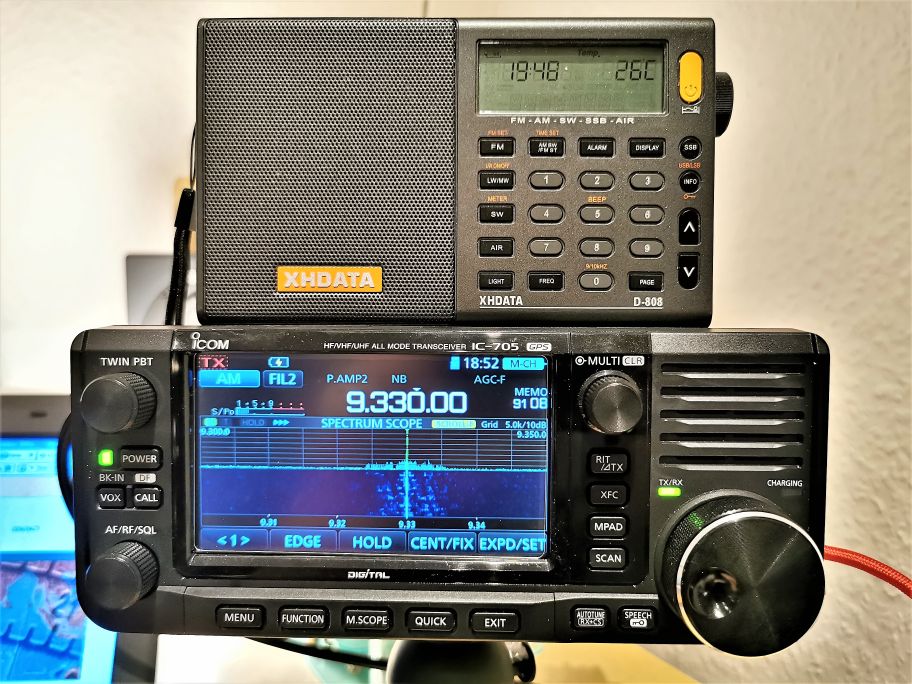
Once again, I went up to the roof with eight MW portables with built-in antennas and recorded them simultaneously along with my “reference signal”, from an Icom R-9500 with an active loop on the roof. As before, I recorded a narrated stereo mix with the Icom on the left and the rotation of radios for a minute or two each on the right, but have “solo” tracks available for the full time for each radio. The nine receivers in the lineup this time included:

  • Icom R-9500 (with amplified Wellbrook loop antenna on roof)
  • Potomac Instruments FIM-41 Field Intensity Meter (my personal favorite)
  • Panasonic RF-2200
  • Sony IC-EX5MK2
  • C.Crane Radio 2E
  • Sangean PR-D4W
  • Sangean ATS-909X
  • Tecsun PL-990X
  • XHDATA D-808

I recorded two signals, one at night and one during the day.

Nighttime Signals

The first was at night: WWL New Orleans on 870 KHz. This signal is usually weak to medium strength here, but is a challenge for two reasons: first, it shares the frequency with Cuba’s Radio Reloj, and it is squeezed between two much higher strength signals: Toronto’s CJBC on 860, and NYC’s WCBS on 880. So you need a decent receiver and careful antenna orientation to receive it well here. That said, everything did pretty well, though you can see that some radios did better than others.

The mix

Solo tracks

Icom IC-R9500

Potomac Instruments FIM-41 Field Intensity Meter

Panasonic RF-2200

Sony IC-EX5MK2

C.Crane Radio 2E

Sangean PR-D4W

Sangean ATS-909X

Tecsun PL-990X

XHDATA D-808

Daytime Signals

The second signal was during the day and was MUCH more marginal: WRJR Claremont, VA on 670 KHz. This was real challenge for any receiver and antenna. The signal was weak, and overshadowed by WCBM Baltimore on 680, a 50KW daytimer that is very strong here. (I’m not 100% sure that we were actually listening to WRJR – I never got an ID, but the station format and signal bearing was right). We can really hear some differences between the radios here.

The mix

Solo tracks

Icom IC-R9500

Potomac Instruments FIM-41 Field Intensity Meter

Panasonic RF-2200

Sony IC-EX5MK2

C.Crane Radio 2E

Sangean PR-D4W

Sangean ATS-909X

Tecsun PL-990X

XHDATA D-808

Everything (except the Icom) was powered by batteries and used the internal MW wave antenna, oriented for best reception by ear (not just maximizing signal strength, but also nulling any interference). The loop for the Icom was similarly oriented for best intelligibility.

For audio nerds: The recording setup involved a lot of gear, but made it fairly easy to manage capturing so many inputs at once. The portable radios were all connected to a Sound Devices 788T recorder, with levels controlled by a CL-9 linear mixing board control surface. This both recorded the solo tracks for the portables as well as providing a rotating mix signal for each receiver that was sent to the next recorder in the chain, a Sound Devices 833. The 833 received the mix audio from the 788T, which went directly to the right channel. The left channel on the 833 got audio from a Lectrosonics 822 digital wireless receiver, which had the feed from the Icom R-9500 in the shack (via a Lectrosonics DBu transmitter). The center channel on the 833 for narration of the mix, which I did with a Coles 4104B noise-canceling ribbon mic. This let me record fairly clean audio in spite of a fairly noisy environment with some wind.

All the radio tracks were recorded directly off the radios’ audio line outputs, or, if no line out was available, from the speaker/headphone jack through a “direct box” interface. I tried to make the levels as close to equal as I could, but varied band conditions and different receiver AGC characteristics made it difficult to be completely consistent.

Making the recordings was pretty easy once it was set up, but it did involve a turning a lot of knobs and moving faders in real time. I must have looked like some kind of mad scientist DJ to my neighbors, some of whom looked at me oddly from their own roofs.

Happy Thanksgiving weekend!


Thank you, Matt, for another brilliant audio comparison! I appreciate the attention and care you put into setting up and performing these comparisons–not an easy task to say the least. That Potomac Instruments FIM-41 is an impressive machine!

By the way, I consider it a badge of honor when the neighbors look at me as if I’m a mad scientist. I’m willing to bet this wasn’t your first time! 🙂

Post readers: If you like this audio comparison, please check out Matt’s previous posts as well:

CQ Satellite: ARISS FM Repeater, Ham Sats, Tracking, Antennas, and Looking At The Future

Many thanks to SWLing Post contributor, Dan Van Hoy (VR2HF), who shares the following guest post:


ARISS FM Repeater May Be Back on Early December and a Short Ham Satellite Summary

by Dan Van Hoy (VR2HF)

I’ve recently had a lot of fun learning about the current batch of ham satellites and operating through some of them for the past several months with only a Diamond discone (and a short run of RG-213 double-shielded coax), Yaesu FT-817 (for SSB/CW) and TYT TH-9800 for FM satellites (more power, Scotty!). This simple set-up has yielded hours and hours of great fun. The last time I did satellite work was in the ’70s making contacts from my car through Oscar 6. If I had a car here in Hong Kong I might try it again!

Here’s my living room TV tray and sofa shortwave and satellite station (no XYL in house at the moment).

ARISS FM Repeater

One of the recent highlights for both newcomers to satellite operations and old-timers was working the International Space Station’s (ISS) new FM repeater which came on the air in early September. It is a specially modified Kenwood D710-GA VHF/UHF transceiver. Unfortunately, it was only operational for about a month. For the past several weeks it has been used mostly in APRS mode.

The ARISS FM repeater runs five watts and sounds just like a regular terrestrial repeater in many ways. You can work it with any dual-band VHF/UHF FM rig and the right antenna. Full-duplex is not required, but it helps. Lower power requires some kind of gain antenna, but receiving can be done with simple antennas.

The ARISS organization just updated the schedule for the ARISS operation with this announcement:

“Next mode change (cross band repeater) targeting early December.”

YEAH! What a nice Christmas present!

Here’s a link to the full ARISS information page:

https://www.ariss.org/current-status-of-iss-stations.html

ARISS QSO with E21EJC

Here’s a Youtube video of one of my ARISS contacts with E21EJC. It was right after he came back from his DXpedition hauling microwave gear and dishes out to the Thai countryside to work the QO-100 geosynchronous satellite. I tell him “welcome home and have a good rest.” Kob really is “Mr Satellite!” He has posted hundreds of Youtube videos of satellite contacts.

In addition, here is video of their HS0AJ/P special “portable” station antennas for QO-100. 10 GHz RX dish (downlink) and 2.4 GHz TX dish (the big one). I listened to Kob and his friend make several QSOs via the QO-100 WebSDR:

Amazing the things we hams do just to spray some RF in the right direction!

Beyond the ARISS: A Ham Satellite Summary

Presently, AO-91 is probably the most popular FM satellite, along with SO-50, AO-27 and PO-101. RS-44, a linear satellite for SSB and CW, is far and away the most popular for those modes. RS-44 is in a higher orbit providing less Doppler shift and longer contact times per pass. You can easily see from the Amsat status page which satellites are in operation and which are the most popular. Many of the ham satellites do not provide two-way communication capability, but still have beacons (CW and data) that can be heard (those are in YELLOW on the Amsat status page). Everyone with a ham callsign can contribute by by uploading a reception report of the satellites you hear or work.

Full-duplex on SSB/CW satellite work is very desirable but not mandatory. I have learned you can make contacts without it coupled with a little skill and some luck. Staying near the center of the satellite’s particular passband is helpful. Sadly, there are few full-duplex rigs available these days. One of the best may be the Yaesu FT-847 which can be found on the used market. Some satellite ops are using SDRs for RX and a ham rig for TX to achieve full-duplex. I’m going to try that soon using two Diamond discones and vertical separation.

For current status of all ham satellites and ARISS operation, go here:

https://www.amsat.org/status/index.php

Tracking

For tracking the ham sats and ISS, I like the Heavens-Above app (or Webpage: https://heavens-above.com/). The Pro version of Heavens Above is worth every penny. In the app, I put only the active satellites I am interested in in the search box. That way all the remaining unusable satellites will be ignored. Heavens-Above also lists the satellite operating frequencies for a quick reference.


One cool side note. With Heavens-Above, you can also see when ISS visible passes are available over your area (almost always near sunrise/sunset). Look for the passes with a magnitude greater than -3.0. If you have clear skies or a thin layer of clouds it’s quite a treat to see the ISS zoom overhead at 17, 000 miles per hour. When the ARISS repeater is operating, you can see and hear the ISS! The screen shot above is a visible pass at -3.9 magnitude, as bright as Venus.

Antennas

I have found my Diamond discone to work quite well for satellite operation. It’s probably the cheapest, simplest and most effective antenna you can use for this application If you really get interested in satellite work you can always spend the big bucks for AZ/EL rotators and beams as well as the software to run it all including tuning your rig to compensate for Doppler shift. Or you can buy quite expensive omni-directional antennas designed specifically for satellite use. So far, the KISS approach has worked well for me.

The Future Is Now

Finally, we can all get a taste of the future now by listening to the only ham radio geosynchronous satellite currently in operation, QO-100. It is centered on Europe and covers about 1/3 of the earth from Brazil to parts of Asia.

It was a thrill for me to listen (via the WebSDR listed below) to one of my new satellite colleagues, Mr Kob, E21EJC, who I call “Mr Satellite,” work Brazil and many other stations in the EU, the Middle-east and elsewhere through QO-100 during a special event operation from Thailand.

Anybody can listen to activity on QO-100 at the link below. When you get there just find the CLICK TO START SOUND! button. Then, click UNDER one of the signals in the waterfall and tune with the controls below. Weekends and holidays seem to be the best time to listen.

https://eshail.batc.org.uk/nb/

Because both the uplink and downlink frequencies are way up in the microwave bands, it’s not easy to get on QO-100, but, it appears to me, worth the effort. Maybe one day we will have two more QO-100-like birds linked together to cover the whole earth for 24/7 communication anywhere in the world. One can dream.

Full details about the QO-100 geosynchronous satellite can be found here:

https://amsat-uk.org/satellites/geo/eshail-2/

CQ Satellite!

When the propagation is bad, or actually anytime, ham satellites are a wonderful alternative to HF for having fun on the air.

Sorry, gotta go, RS-44 is just about here. CQ satellite, CQ satellite, de VR2HF…


Thank you so much for the satellite overview, Dan!

You’ve inspired me to get out of my comfort zone and try a little satellite work! The perfect project to do with my two daughters. I’m such a “below 30MHz” guy, I have to remind myself that there are actually some pretty amazing things you can do further up the band! When I purchase a discone antenna, I’m going to accuse you of being an enabler. Fair warning.

SWLing Post readers: Anyone else here tune to and track satellites? Please comment!