Category Archives: Ham Radio

SDRplay shipping the RSP in quantities of 1,000 a month

SDPlay-RSPThis article from Electronics Weekly just popped up in my news feed:

SDRplay of Wakefield, the 18-month-old software defined radio specialist, is now shipping its $149 software defined radio (SDR) receiver in quantities of 1,000 a month

Inspired by the SDR capabilities that even a simple 8-bit TV dongle can perform, SDRplay had the idea of partnering with Mirics to take their 12-bit wideband broadcast chipset and to re-purpose it for the hobbyist market.

At the moment, the hobbyist market for SDR radios tends to be dominated by radio amateurs and ‘short-wave listeners’ and SDRplay’s initial product, the ‘Radio Spectrum Processor’ (RSP) has been well received – winning Ham Radio Science’s RSP ‘Best Bang for the Buck’ rating.

Continue reading at Electronics Weely’s website…

I’m quite proud of the folks at SDRplay as their RSP is truly one of the best receiver values on the market right now.

After (apprehensively) agreeing to review the SDRplay RSP last year, I was simply blown away by this little $149 receiver’s performance. Click here to read the review. Later, I couldn’t bring myself to return the RSP on loan for the review–so I purchased it instead.

I’m glad I bit the bullet!

In fact, last year, at the SWLing Post DXpedition, my buddy, Mark Fahey–who traveled all the way from Australia–forgot to bring the appropriate power adapter for his WinRadio Excalibur, so I let him use mine. I had planned to run the WinRadio Excalibur and Elad FDM-S2 simultaneously on my PC so that I could record spectrum in two different parts of the band at the same time.

Fortunately, I brought the SDRplay RSP, so it took the Excalibur’s place and ran alongside the FDM-S2. It worked amazingly well!

(I should note here that I also believe the FDM-S2 is a great value–at $519 US, it holds its own against receivers that cost upwards of $1,000.)

Shortly after I published my RSP review, I invited SDRplay to become a sponsor of the SWLing Post. I’m happy they accepted. Sponsorship on the SWLing Post is only open to retailers and manufacturers who produce quality goods; those who are well-known in the industry and, often, ones with which I have direct experience. I think SDRplay is a great fit.

So, Kudos to Jon Hudson and his team at SDRplay! I’m very happy to hear how popular the RSP has become.

If you’re an RSP owner, or plan to be soon, make sure you check out the official SDRplay forum and the SDRplay Facebook group: both excellent resources backed by active SDR enthusiasts!

How to decode maritime broadcasts in RTTY, Sitor B, and NAVTEX

(Photo Credit: NOAA)

(Photo Credit: NOAA)

Many thanks to SWLing Post contributor, Mario Filippi (N2HUN) for the following guest post:


Maritime Broadcasts in RTTY, Sitor B, and NAVTEX.

By Mario Filippi, N2HUN

(All photos below are courtesy of the author. Click each image to enlarge.)

Non-voice high seas weather broadcasts and safety messages to mariners can be found by spinning your VFO dial to 8.472 MHz USB courtesy of WLO from Mobile, AL, which provides these transmissions continuously. Here on the East Coast it is received with regularity due to it’s strong signal.

Those of you who are neophytes to RTTY or just want to dabble then this is the place to be to try your hand at an old and venerable digital mode. The RTTY (RadioTeleTYpe) parameters used by WLO transmissions are 45.45 bauds, 170Hz shift. These are most commonly used by amateur radio ops too. If you’ve roamed the bands for RTTY signals you’ll find that most are encrypted with a few exceptions, one of which is WLO which is transmitting continuously.

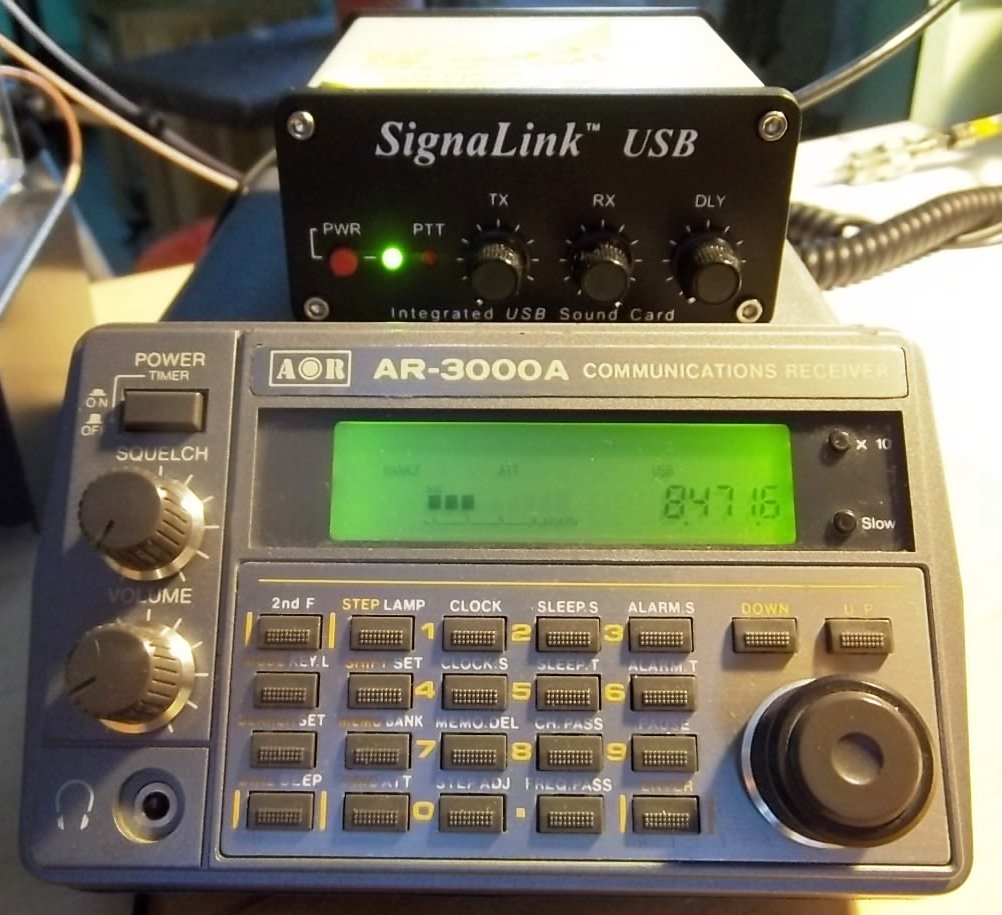
Tabletop SW radio set to WLO; SignaLink USB links radio to computer for decoding.

Tabletop SW radio set to WLO; SignaLink USB links radio to computer for decoding.

On 8.472 MHz you’ll receive weather information from different latitude/longitudes, along with other pertinent information to mariners such as high seas pirates (not radio pirates!) and naval maneuver areas that are important for ships to avoid. It makes for interesting copy.

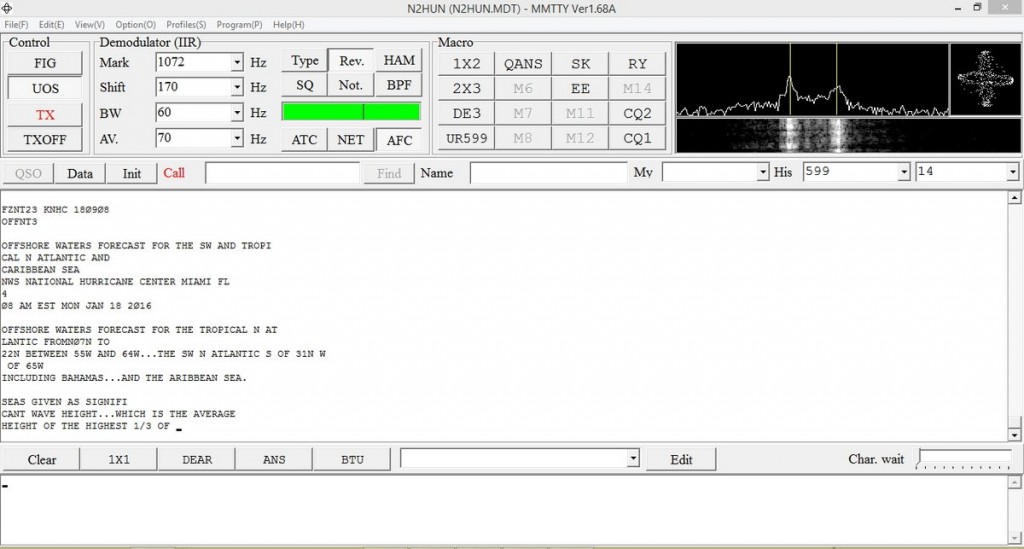
To decode RTTY signals you’ll need a shortwave receiver with a BFO (Beat Frequency Oscillator), a way to pipe your radio’s audio into your computer’s sound card, and decoding software. There are several RTTY software packages out there, free, and my favorite is MMTTY. More info on MMTTY is at: http://hamsoft.ca/pages/mmtty.php . Old timers will find this software a snap to use, but newcomers will have to fiddle with the controls to get the decoding going. Below is a snapshot of MMTTY decoding a typical weather broadcast.

MMTTY dashboard with WX info. Cross-like indicator on upper right aids in tuning signal.

MMTTY dashboard with WX info. Cross-like indicator on upper right aids in tuning signal.

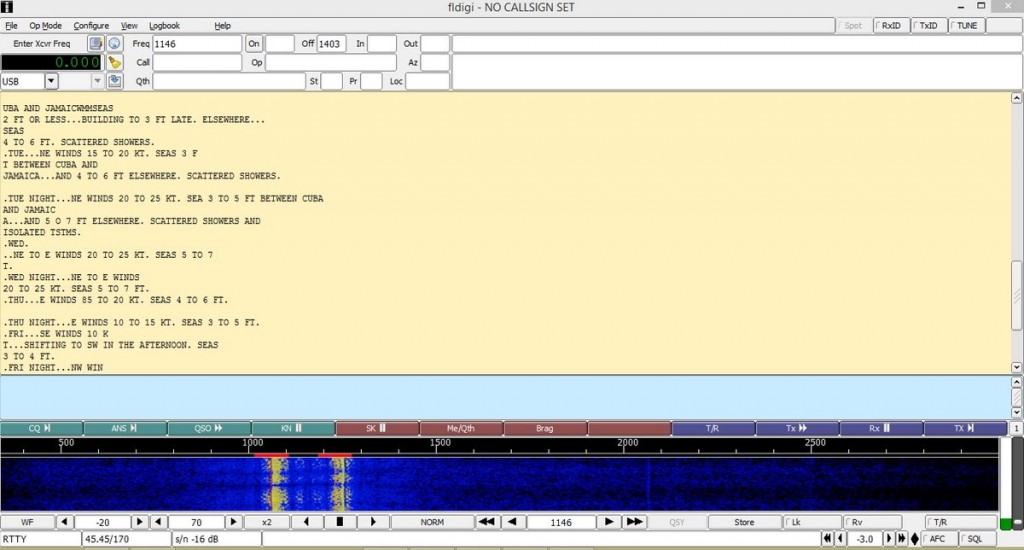
Another software available for decoding RTTY is Fldigi. Again, you’ll have to input the correct RTTY parameters such as baud rate and shift into the program along with adjusting your VFO carefully. It takes practice, but when the decoding is successful you’ll see Fldigi doing it’s thing as shown below. Both MMTTY and Fldigi have waterfalls displaying a visual image of the received signal. With practice you’ll be able to distinguish the different common RTTY shifts just by looking at the waterfall.

Fldigi in action with split screen; RTTY text above, waterfall below.

Fldigi in action with split screen; RTTY text above, waterfall below.

Now to Sitor B (Simplex Teletype Over Radio Mode B), another non-voice mode we can use to decode WLO transmissions. Sitor B sounds a lot like RTTY to the human ear, but requires different decoding software. WLO transmits weather information via Sitor B immediately after RTTY transmissions, switching back and forth, which makes for even more fun! Software that decodes Sitor B is available on the ‘Net as free downloads. One is MultiPSK, the other is YaND.

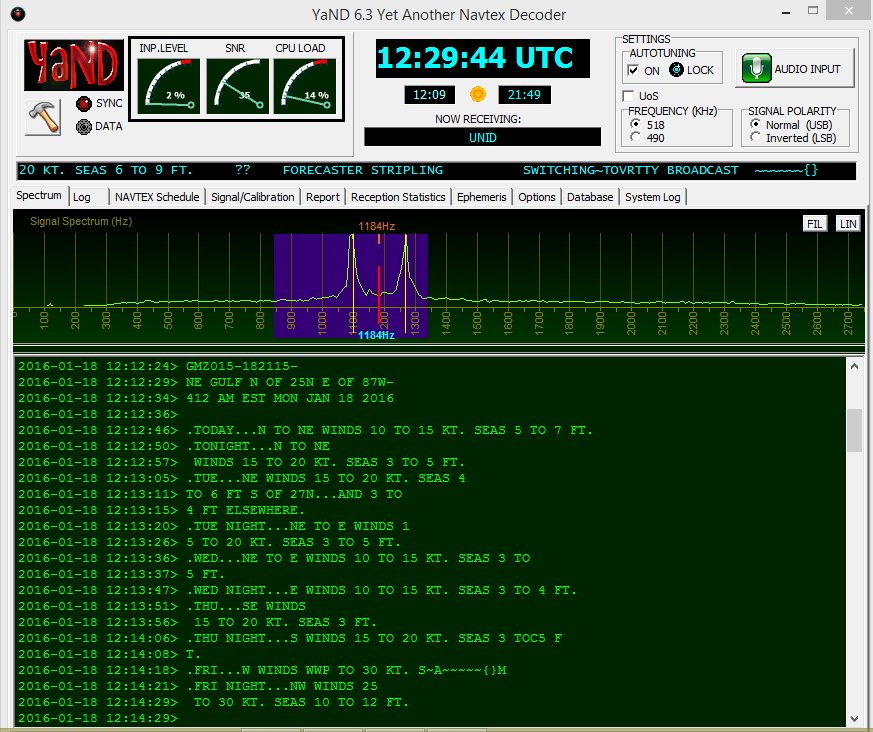
I like YaND (Yet another Navtex Decoder) which is used to decode NAVTEX (Navigational Telex) transmissions commonly found on 490 KHz and 518 KHz, but it works well for decoding Sitor B. There is a difference in the way messages are processed in NAVTEX versus Sitor B and for further information perform a Google search. But the fastest and easiest way to decode Sitor B transmissions from WLO is to fire up YaND. Below is a recent NAVTEX HF broadcast capture.

WLO HF WX broadcast for NE Gulf on 1/18/16 .

WLO HF WX broadcast for NE Gulf on 1/18/16 .

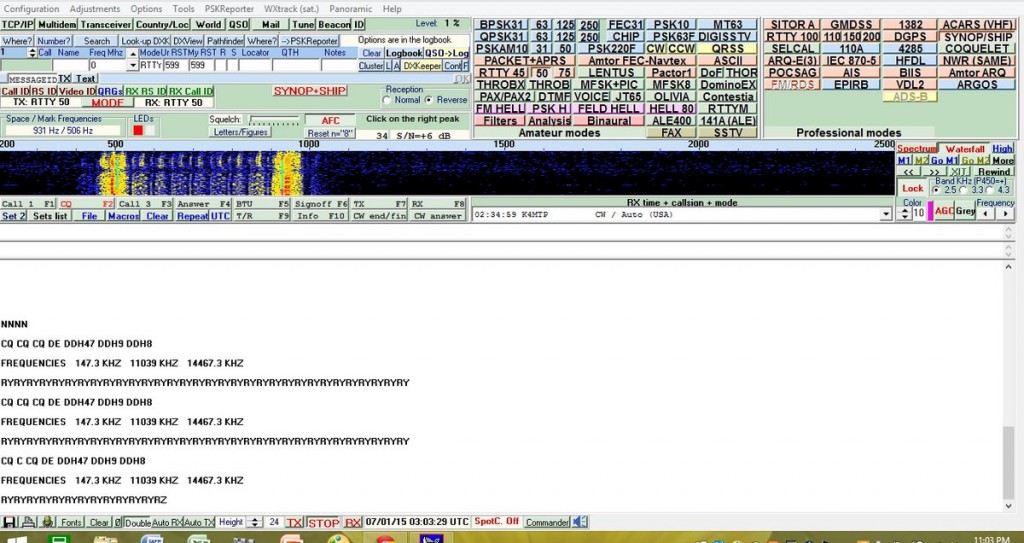
Well, hopefully some of you will be inspired to check out maritime weather/safety information found on WLO using RTTY/Sitor B/NAVTEX software. However, RTTY can also be found on the ham bands and on shortwave frequencies. Several RTTY stations from Germany are found on frequencies such as 11.039MHz and 14.467MHz. Their weather information format is quite different and will give you an idea of European weather conditions and allow you to practice your German. When not sending weather info they run a RTTY message loop below at 50bauds/425Hz shift.

German RTTY station with message loop. Deciphered via MultiPSK.

German RTTY station with message loop. Deciphered via MultiPSK.

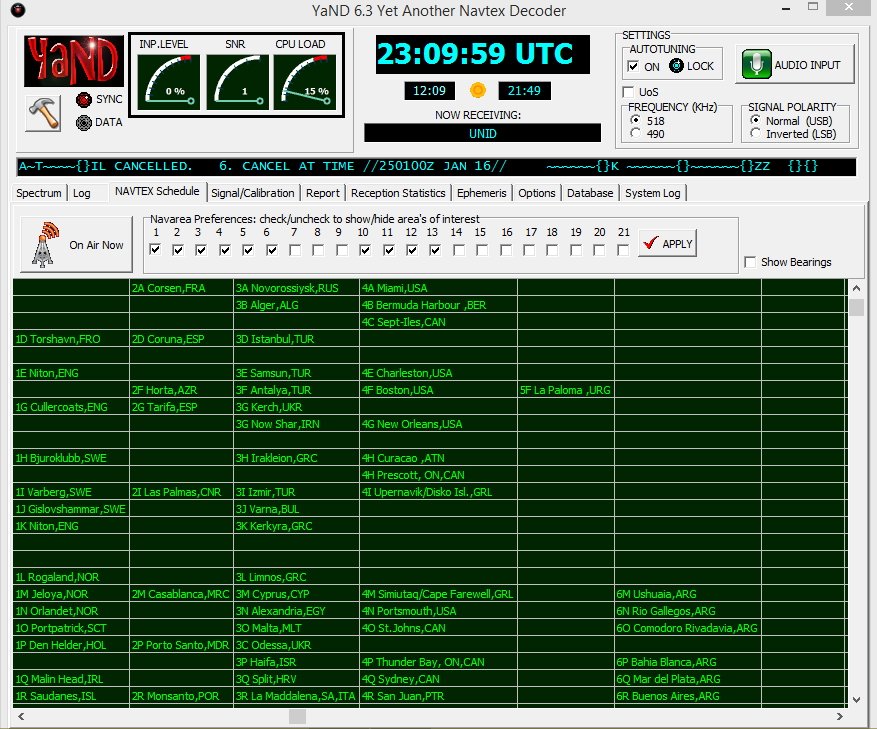
In closing, make sure to also check out the NAVTEX broadcasts found just below the AM broadcast band on 490 and 518 KHz; using YaND or MultiPSK you’ll be able to receive these transmissions, but remember you’re not on HF, you are on MW (medium wave), where signal distances are shorter and present a greater reception challenge. YaND software has a NAVTEX broadcast schedule built in as seen below; you have to identify your specific NAVAREA or navigational area, then look at the times and frequencies to determine when to listen in. My QTH is in NAVAREA 4. Lots of interesting information is passed in these NAVTEX transmissions so listen in and have fun!

YaND NAVTEX schedule for various NAVAREAS.

YaND NAVTEX schedule for various NAVAREAS.

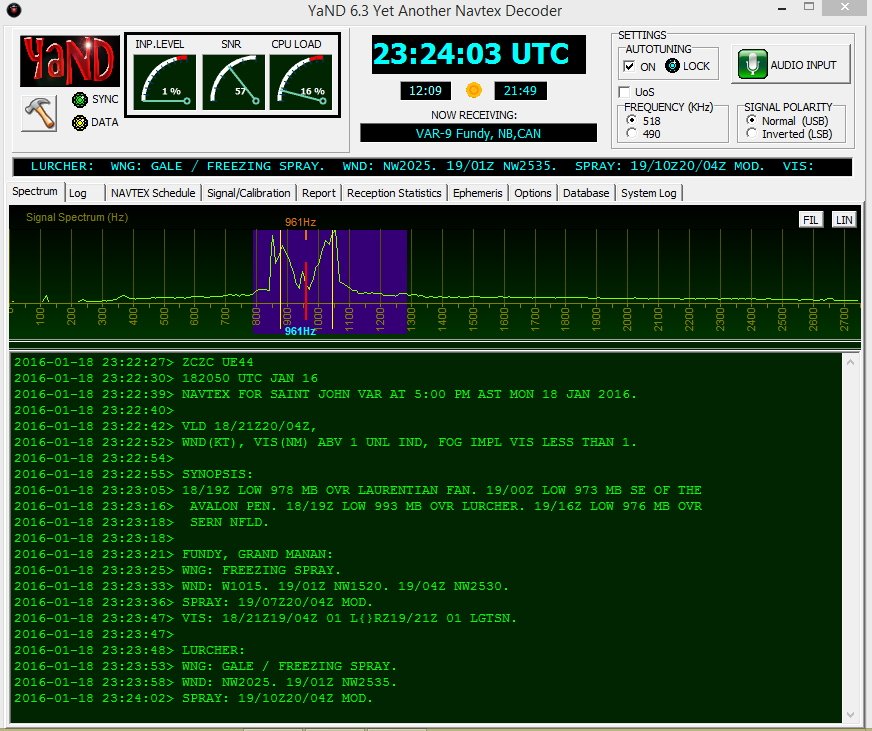
NAVTEX on 518 KHz from station VAR-9, New Brunswick, CAN. Messages begin with “ZCZC.”

NAVTEX on 518 KHz from station VAR-9, New Brunswick, CAN. Messages begin with “ZCZC.

Mario Filippi (N2HUN), is the author of this post and a regular contributor to the SWLing Post. Click here to read Mario’s guest posts.

First Iranian ham radio contest

Iran-Map

To celebrate 37th anniversary of Iranian Islamic revolution, the first Iranian ham contest is going to be held on February 1st, 2016 and will last for 10 days.

Objective: To encourage and increase contacts (especially DX ones) with Iranian radio amateurs.

Dates:

Contest Period: 10 days (Feb 01, 00:00 UTC – Feb 11, 23:59 UTC)

All modes (CW, SSB, RTTY) can be used on this period.

Bands:

40, 20, 15 and 10 meters

Note: On 20m, the upper limit is 14.250 MHZ

Contact information:

For contest information and any sort of inquiries contact [email protected]

Certificates:

Certificates will be awarded to:

1- Top single operator (at least 30 contacts on all modes)

2- Top CW operator

3- Top SSB operator

4- Top RTTY operator

5- Any operator who contacts at least 3 Iranian hams

Getting QSL card:

If you need the printed certificate, you should send 5USD (or equivalent in your          currency) to this address: “P.O. Box 14185-736 , Tehran, Iran”

Please use registered mail to make sure it delivers without problems.

WebMoney and Bitcoin are also accepted. (Contact us for more information)

Misc:

Iranian amateurs will use “/contest” at the end of their call sign for this contest.

The deadline for contacting us for certificate is 3 months after the contest.

List of Iranian participants:

  1. EP2FM  : Abdollah Sajjadian
  2. EP3RB : Reza Batebi
  3. EP3AG  : Ali Ghanbari
  4. EP2FA   : Farman Aghdasi
  5. EP2CM : Jamshid Mansoori
  6. EP4HR  : Hamid-Reza Rahimi
  7. EP3MIR : Mohammad Mobini
  8. EP3CQ : Ali Solh-Joo
  9. EP2LMA : Mohammad Azimi
  10. EP2LSH: Saeed Shokrollahi
  11. EP2HZM : Hassan Zohoorian
  12. EP2HEK : Hekmatollah Rahimi
  13. EP5MKN : Majid Kiani Nejad
  14. EP5ABD : Bagher Mir-Abdolhagh
  15. EP7AHN : Hamed Nahrir
  16. EP4KHA : Amin Kharadmehr
  17. EP4MMM : Mohammad Mirab
  18. EP2MA : Mohammad Ameli
  19. EP2LSD : Sepehr Dalir
  20. EP3EEE: Ehsan Esteki

Mehdi Asgari, the author of this post, is a regular contributor to the SWLing Post. Mehdi lives in Tehran and is an active member of the EP2C amateur radio club.

Maritime emergency ham radio recording

maritime-exchange

An SWLing Post reader recently sent me the following YouTube video–a recording Hanz (W1JSB) made on the 20 meter ham band several years ago. Here’s his description from YouTube:

Several years ago I was tuning around the 20 meter amateur radio band and heard this lively, engaging, and impressive exchange on the maritime mobile frequency, 14.300 MHz.

Vessel ‘Elusive’ at sea in the North Pacific was being followed by another ship. The occupants felt threatened that it might be a pirate, so they called for help on the HAM
radio.

Volunteer radio operators around the country worked together to communicate and relay messages with the Coast Guard in California. They also came up with some brilliant ideas to stay safe and get direct help as soon as possible.

The following is a recording from my location in New Hampshire.

– Hanz W1JSB

Many of us who’ve been long-time SWLs and ham radio operators have heard interesting broadcasts and exchanges on the HF bands. Please feel free to comment with your notable listening moments!

Mike IDs a Hallicrafters Skyrider in Avengers scene

Avengers-Ultron-Hallicrafters-Radios

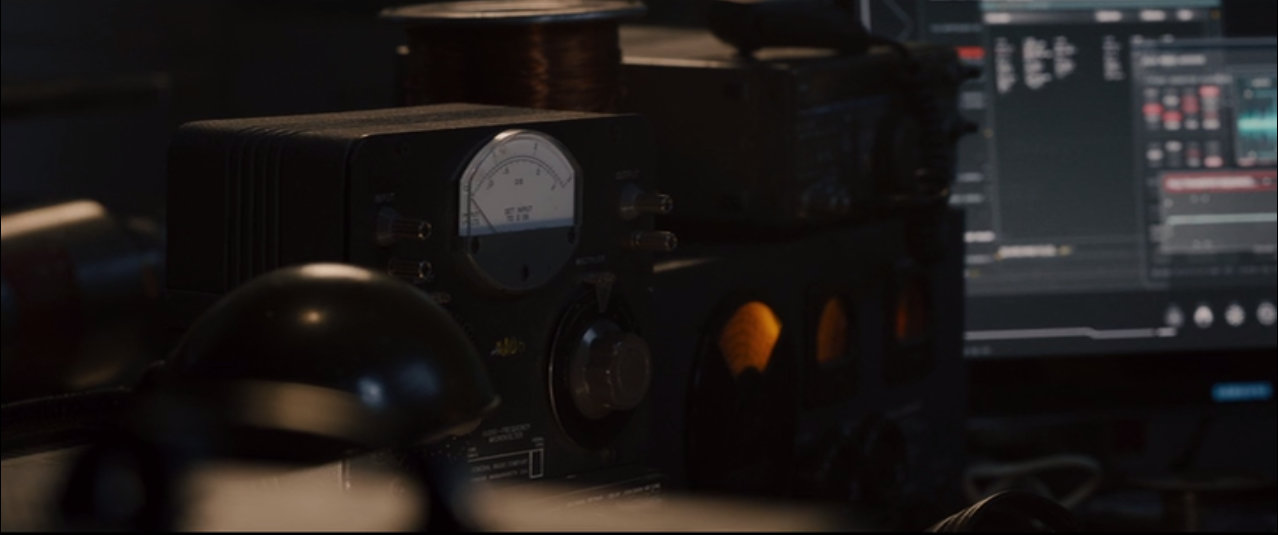
In response to my post about finding a glowing Hallicrafters radio in a scene from the Avengers: Age of Ultron, SWLing Post reader, Mike (AC4NS) writes:

“I put the pic in Lightroom and pulled it out of the shadows.

It is definitely a Skyrider and not an SX-28.”

Avengers-Ultron-Hallicrafters-Radios-1024x429

Wow–I’m amazed there was enough information in that photo to pull it out of the shadows! You can see the silk screening and the SEND-REC. switch in the lower right corner.

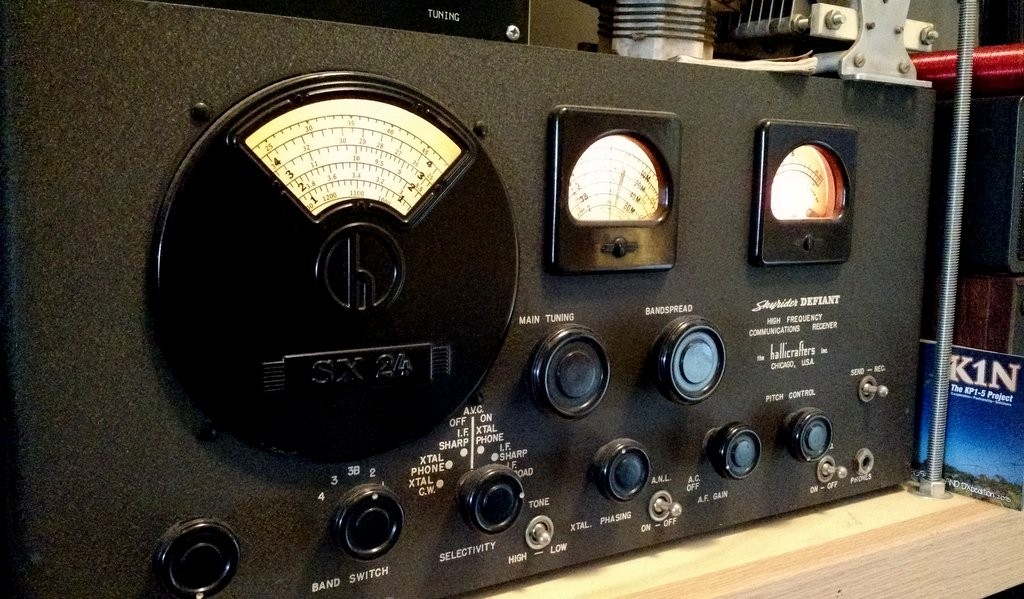
Again, here’s my Hallicrafters SX-24 Skyrider Defiant for comparison:

My Hallicrafters SX-24

I know why they used a Skyrider in the film; the warm glow of the dials and signal meter were simply irresistible! (At least, they are for me!)

Thanks for helping ID this, Mike!

The Russian Woodpecker movie: now online

woodpecker_movie-graphic

Many thanks to SWLing Post contributor, Andrea Borgnino, who tweets:

The Russian Woodpecker movie is now on Vimeo, Google Play & Itunes:

http://www.russianwoodpecker.com/

Thanks, Andrea!

It appears the movie costs $9.99 (buy) or $3.99 (rent) via Google Play, $12.99 (buy) via iTunes, and $12.99 (buy) or $4.99 (rent) via Vimeo on Demand.

Via Amazon, the movie costs $9.99 (buy) or $4.99HD/$3.99SD (rent) but, if you’re an Amazon Prime member, it’s offered as a “free” stream. If I can finish a few projects on my table, I hope to watch this tonight.

James reviews the Heathkit Explorer Jr. GR-150 TRF AM radio receiver kit

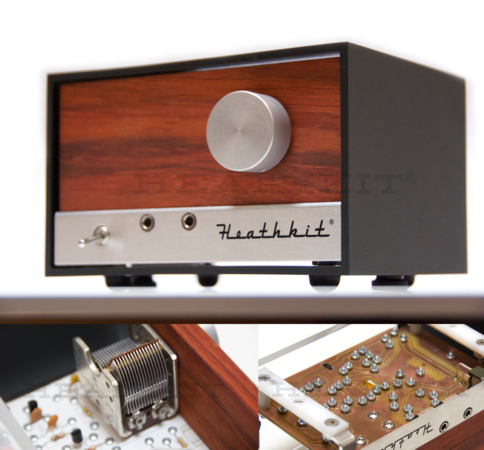
HeathkitExplorerJrMany thanks to SWLing Post contributor, James Surprenant (AB1DQ), who shares this review and photos of the new Heathkit Explorer Jr. TRF AM radio receiver kit:


 Heathkit Explorer Jr. Review

I received this Heathkit kit for Xmas from dear old Dad.
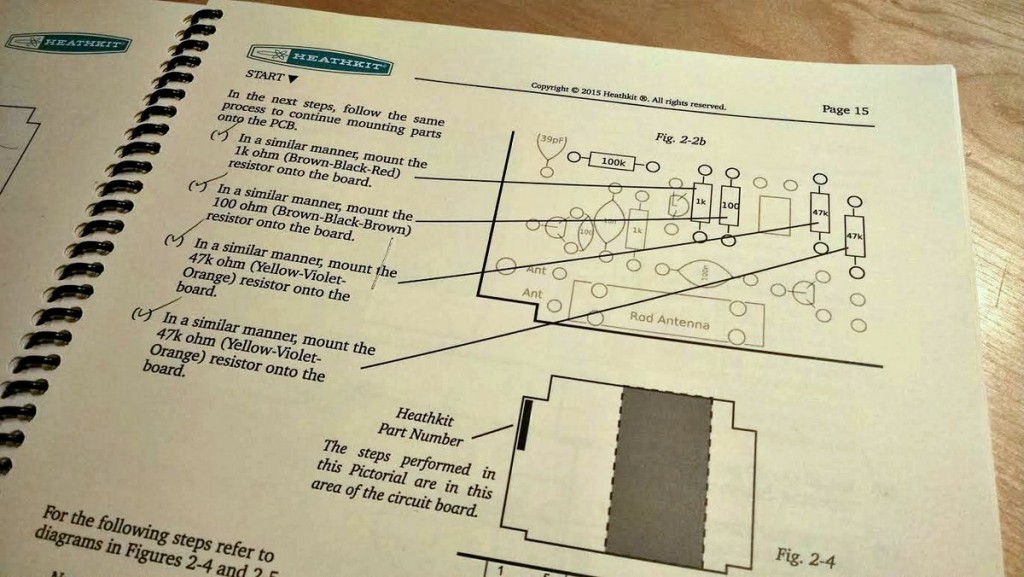
Heathkit Explorer Jr. Manual

The Explorer Jr. manual is very nicely done, spiral-bound, and very reminiscent of the old Heathkit manuals in terms of lay-out and detail.

Heathkit Explorer Jr. Retro envelope packaging

The packaging of the parts is also reminiscent of the old Heathkits with parts grouped into envelopes by phase, ie. “Active Components,” “Passive Components,” “Small Parts,” “Knobs,” etc.

The first night, I worked through completion of the circuit board attaching all electronic components and stopped at the step for winding the coil. I thought it would make sense to start fresh on that step since winding coils is generally a pain.

Even on the first night, I had a few criticisms:

  • A couple of the envelopes were ripped open when I unpacked the kit. There were nuts, bolts, spacers and an Allen wrench loose in the outer box. That said, no parts were missing.
  • I found two errors in the manual:
    1. The color code for one of the resistors was incorrect in the manual. With my aging eyes, and the miniaturization of components today, I always use an ohm meter to test all resistors before attaching them to the PCB when I build a kit.
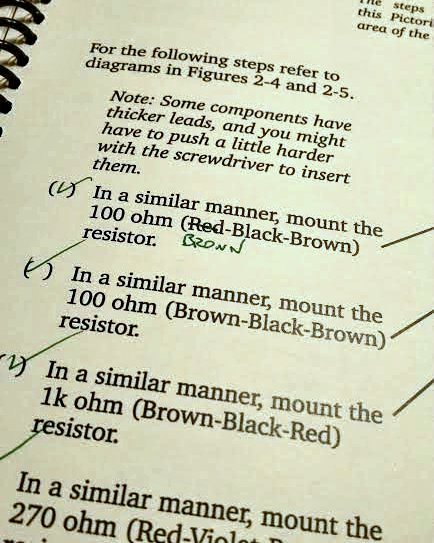
      Incorrect color code in manual.

      Incorrect color code in manual.

    2. The circuit contains 10 resistors and all 10 were included in the kit. But one was completely missing from the step-by-step instructions. After I finished attaching all active and passive components, I had one resistor left over and fortunately there was a matching empty space on the circuit board for the same value resistor. I double and triple checked the instruction manual and I can not find where it calls for this resistor to be attached.
  • My biggest criticism so far is the fact that this kit is “solder-less.” All components are attached to the PCB with screws, lock washers and a nut. You insert the leads for each component through the over-size pass-through holes on the PCB, and bend the leads tight against the edge. Then you insert a screw in from the topside, place a lock washer on the bottom side and fasten with a bolt.
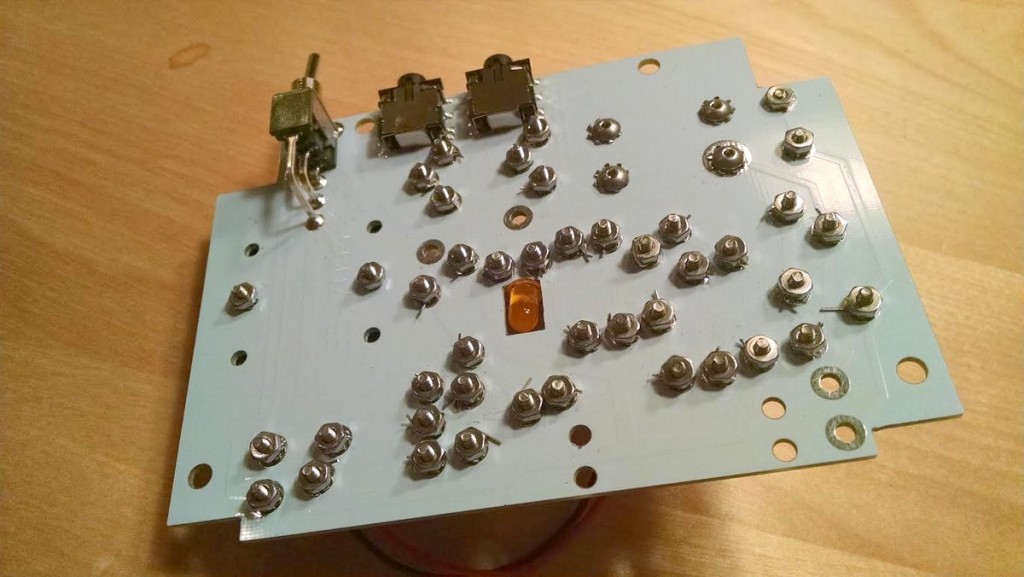
Bottom of the PCB board

Bottom of the PCB board

On the upside, the fact I didn’t need to work with a hot solder iron meant I felt comfortable building the kit at the kitchen table. (My XYL would not be pleased if she found burn marks on the table!) So I had a nicer environment to work in than the basement work bench.
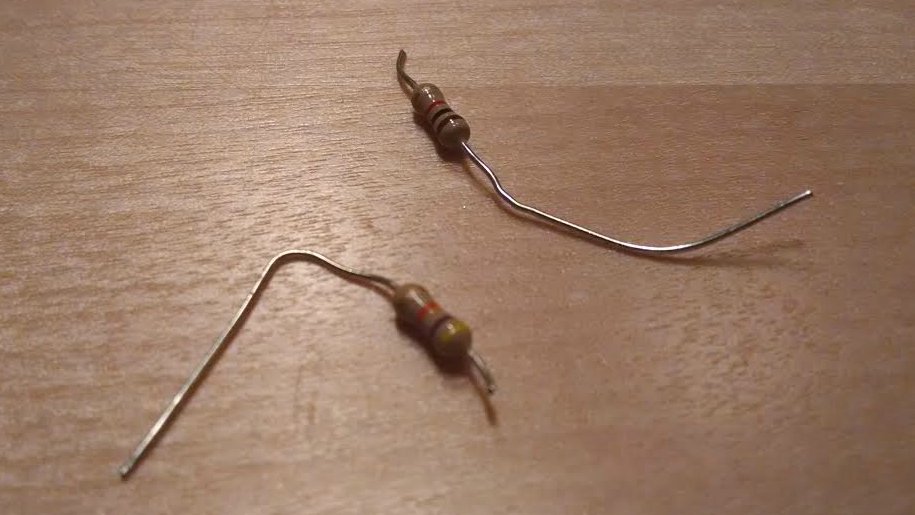
Heathkit Explorer Jr. sheered off resistor leadsOn the downside, I managed to sheer off the leads on TWO resistors when tightening the screws. Fortunately I was able to replace the busted resistors from my on-hand stock.

The other odd thing about this method of attaching components is that Heathkit included a nifty screwdriver in the kit, but leaves it up to the kit builder to provide a small socket wrench or pliers to hold the nut in place while tightening the screw.

Finally, the instructions call for the kit builder to ‘bend the excess leads back and forth’ until they snap off, rather than instructing the kit builder to snip off the excess leads with nippers. That seemed really strange to me.
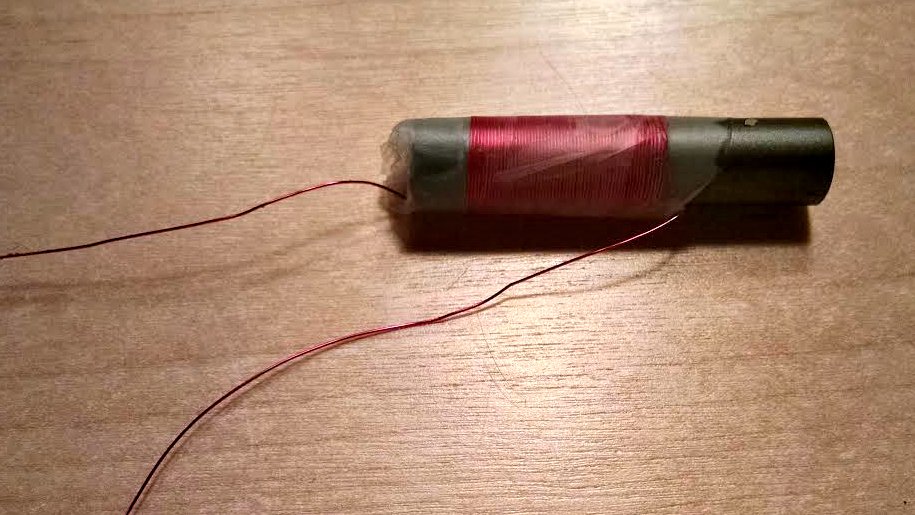
Heathkit Explorer Jr. Completed coil

I completed my build of the GR-150 Explorer TRF radio this past weekend. I had no difficulty winding the coil, which involved 56 turns of magnet wire around a ferite core and securing it with transparent tape.
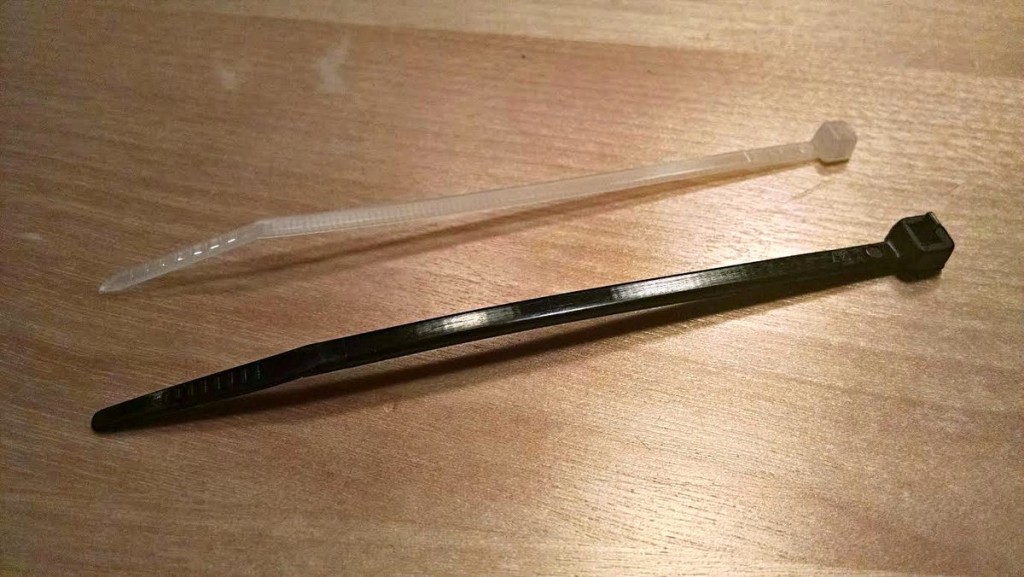
Heathkit provided the black ties, which were too large.

Heathkit provided the black ties, which were too large.

The next problem I encountered was attaching the wound coil to the PCB. The kit came with two zip cords to use as fasteners, but the zip cords were much much too large to fit through the holes drilled in the PCB. So this required a trip to the hardware store.
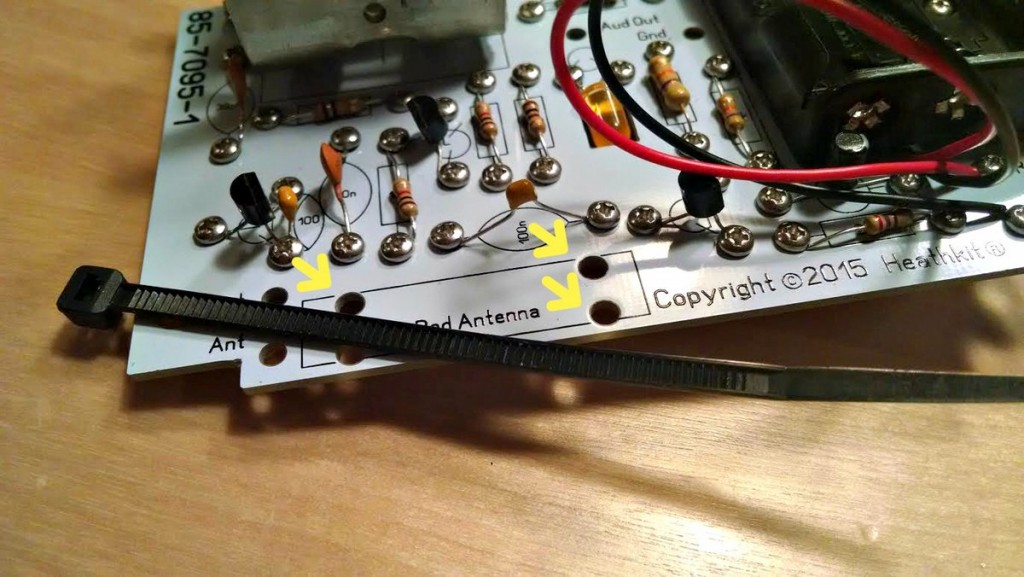
You can clearly see that the holes are too small for the black cable ties.

You can clearly see that the holes are too small for the black cable ties.

Once I had the coil mounted, I encountered the problem again with the bolts and nuts shearing off the leads – this time, it took me about 4 tries to attach the thin fragile coil wires to the PCB. It’s a very fragile process that again had me wishing this was a solder kit.
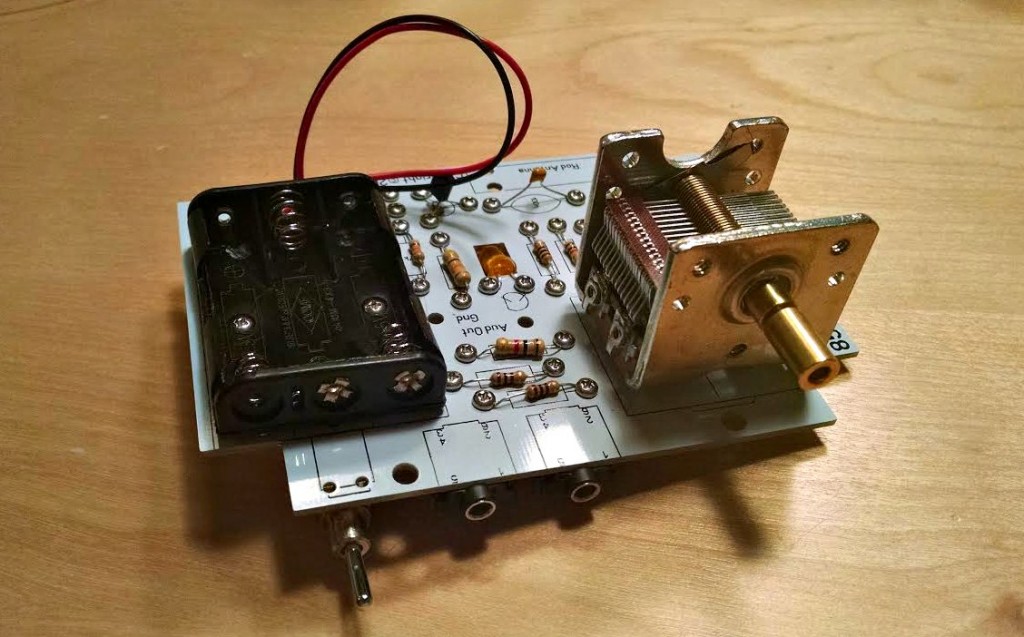
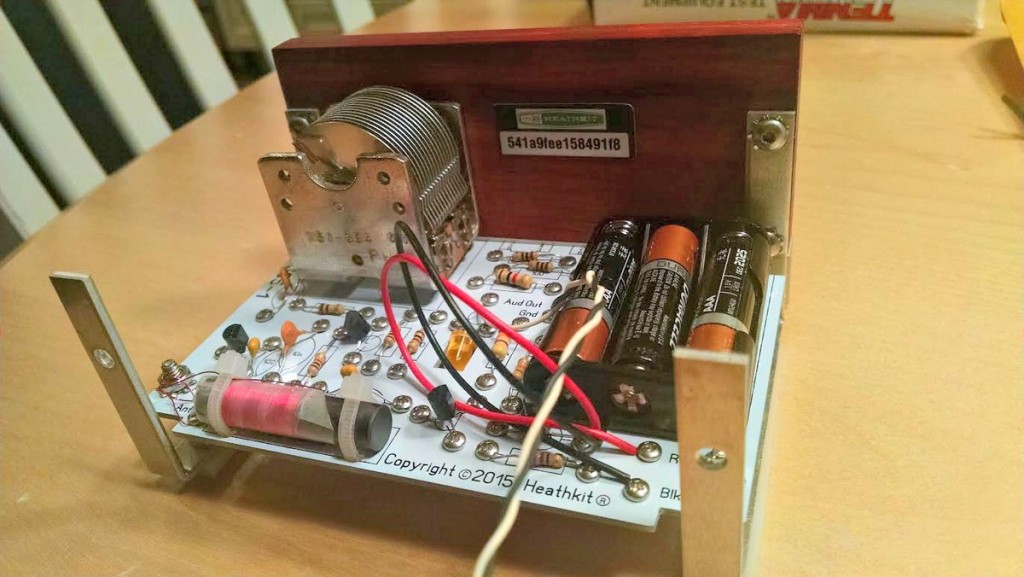
Heathkit Explorer Jr. Top of PCB front

The rest of the assembly went well. The only other glitch I encountered was in assembling the cabinet, the kit came with six locking star washers for the cabinet, in fact the parts list indicates that six should have been included in the kit. But then the actual assembly called for 10 star washers.
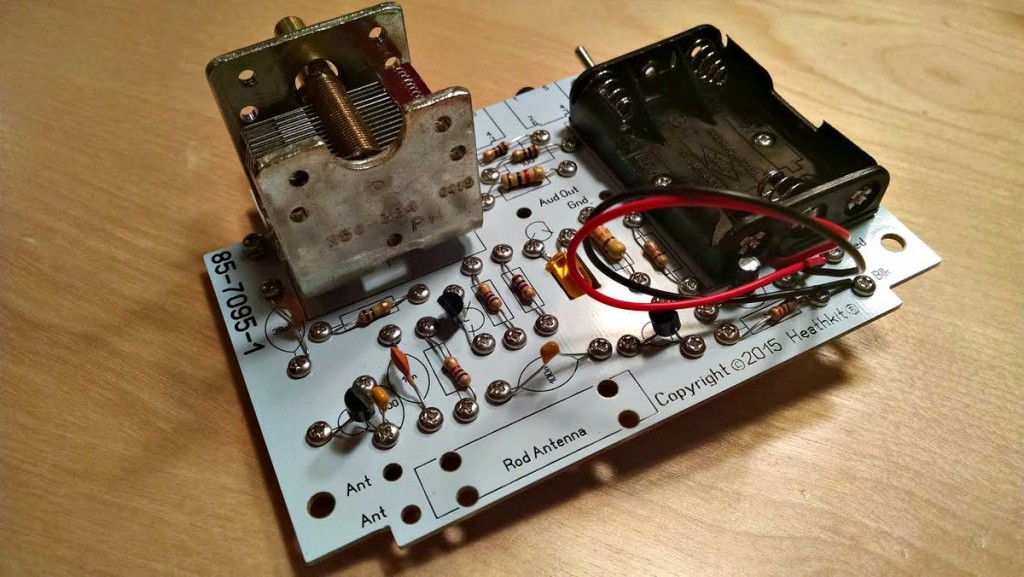
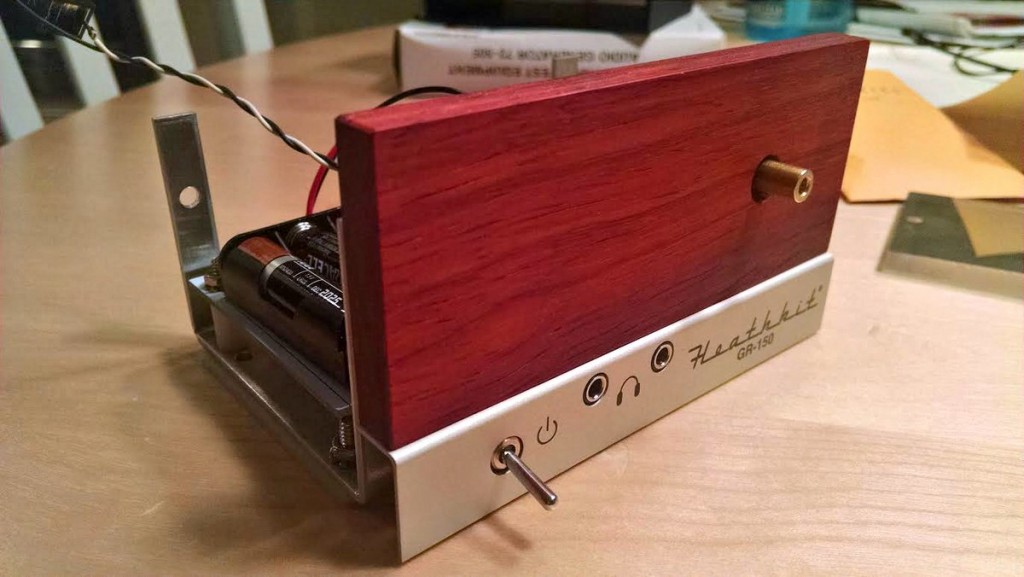
Heathkit Explorer Jr. Top of PCB

Heathkit Explorer Jr. Nearly finished frontHeathkit Explorer Jr. Completed PCB mounted

So, how did the radio perform? About as expected. It is a single stage TRF receiver without a proper audio amplifier. The instructions say you should use earbuds to listen to the radio, but I found that my standard stereo earbuds to be off too low an impedance for while the radio worked, all stations heard were very faint – about as strong as you’d hear from a typical crystal radio kit.
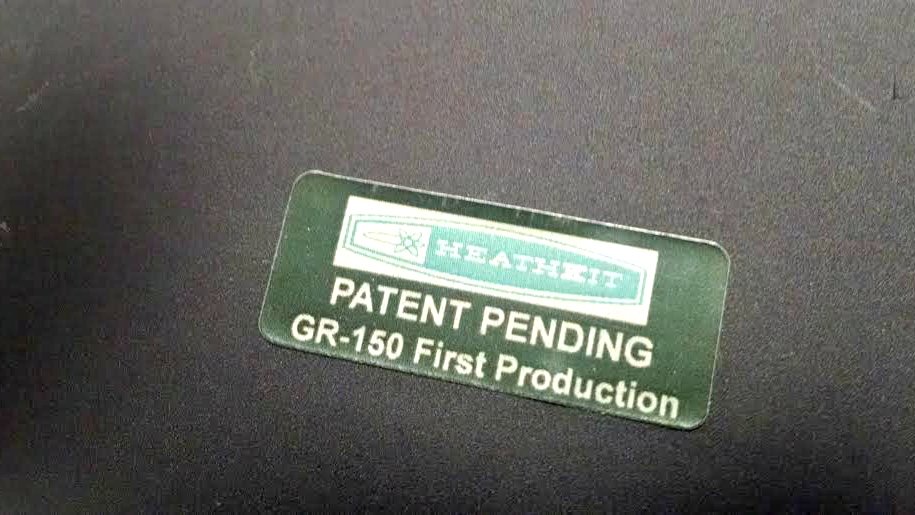
Heathkit Explorer Jr. 1st run sticker

I hooked the radio up to a set of PC speakers which helped – a lot. Once I could hear the audio output, I was very pleased with the radio’s performance. The tuning cap is geared and it takes a good five turns of the tuning knob to cover the entire broadcast band. The radio was fairly sensitive and not too selective – again, as you’d expect.

So, was it worth it? For me, sure… but it depends on what you are looking for.

It’s a bit pricey for what you get, but if you want to support Heathkit as it attempts to rise from the ashes, and if you have the $$$ to ‘donate’ towards the cause, it may be worth it.
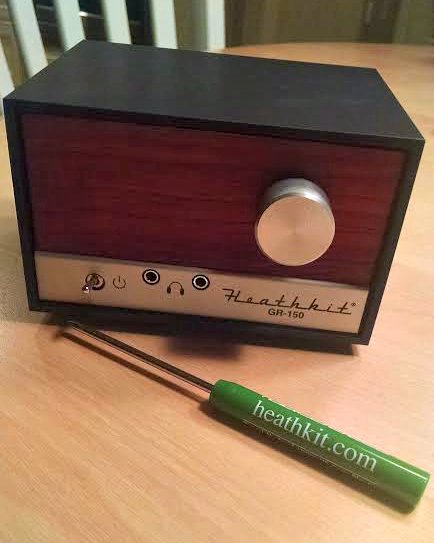
Heathkit Explorer Jr. Completed w. screwdriver

Here is my take:

The good

  • Very nice quality materials….the PCB, tuning cap, and cabinet were of a quality you don’t often see in kits.
  • Nostalgia factor–from the packing to the manuals, the kit really does capture some of the Heath nostalgia.
  • Level of detail in the step-by-step instructions.
  • Documentation. The manual ends with a very nice feature on radio theory and theory of the different stages of the TRF and how to read a schematic. It’s clearly written for a youngster as it’s complete with drawings of smiley-faced electrons moving through the components and circuits.
  • The radio does work and is a joy to tune across the dial.

The bad

  • Quality control is lacking. It’s hard to imagine a kit ever leaving Benton Harbor back in the day with such glaring errors in the manual (wrong color code, missing steps), or with the wrong size zip ties, etc.
  • Price. Even though the materials are high-end, the retail price seems a bit high.

The ugly

  • I really wish Heathkit had included either a built in audio amp circuit (there is plenty of room in the cabinet to add a simple IC-based amp), or would have marketed a separate audio amp kit. Having an amplified speaker would add a lot in terms of pleasure from the completed kit. Another kit vendor, Peebles Originals, peeblesoriginals.com, sells a nice little audio amplifier kit for use with their regen radio kits. I’ve built it, and it’s a simple straight forward kit. Heathkit could have done this and it would have made a big difference. (I think I’ll try my Peebles amp with the Explorer!)

Overall, I really enjoyed the build and I like the radio. I’m looking forward to see what the ‘new” Heathkit does next.

I applaud Heathkit for making a go at a come-back and will continue to support their efforts by buying and building their pricey stuff – yeah, I’m that guy.

73 de AB1DQ
James


James, thank you for not only sharing your experience–along with errors and omissions–but providing excellent, detailed photos. I can’t tell you how many times I’ve been confused by kit instructions and turned to Google to help me find photos and notes from other builders. Your details will help others attempting to build the Heathkit GR-150.

I hope you enjoy your new Heathkit! You’ll have to let us know how that Peebles powered speaker works with the G-150!