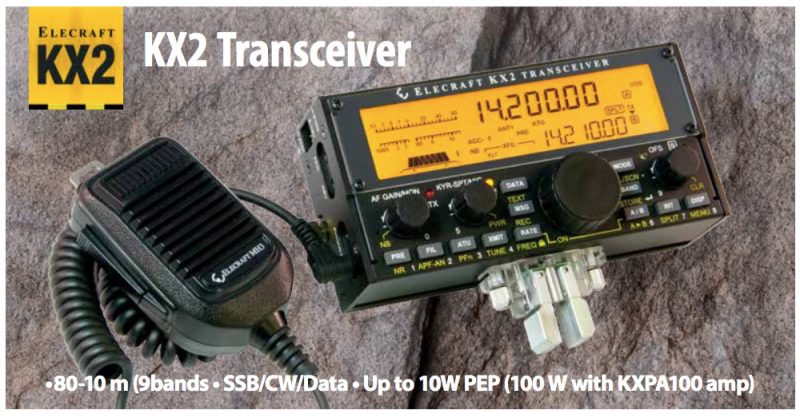
Click here to download the PDF version of the Elecraft KX2 product sheet (2 pages).

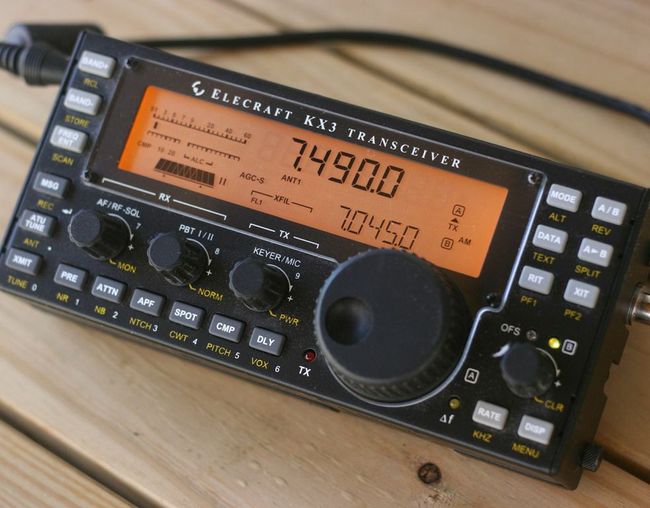 This year, I have a lot of portable radio play in mind as I travel across the continent. At some point, I even plan to spend several days in an off-grid cabin on the coast.
In the past, I’ve powered my 12 VDC ham radio transceivers with a system comprised of three PowerFilm solar 5 watt foldable PV panels (see below), a Micro M+ charge controller and several gel cell type sealed batteries (a couple 7 Ah and one 20 Ah).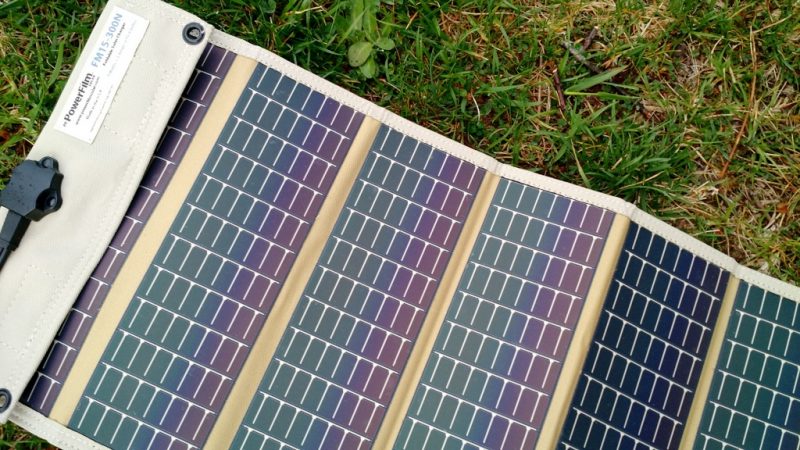
The system works well, but the batteries are a little heavy and unhandy when I want to hike into a remote site or play radio on the beach, for example.
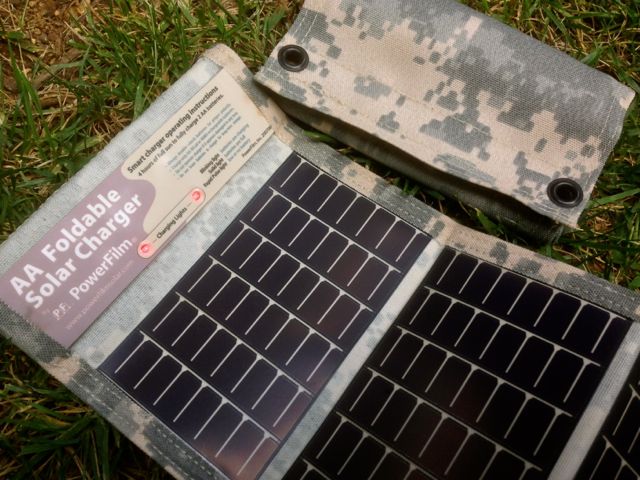
In terms of receivers, my portables (like the Sony ICF-SW7600GR, Tecsun PL-660, etc.) simply use AA batteries which I charge with PowerFilm AA PV chargers (see above). My CommRadio CR-1a has an internal battery that will power it for hours at a time.
Power is much less of an issue with receivers because they’re quite resource efficient.
I mainly need a system to power my QRP ham radio gear, and that’s where I could use your experience!
Charge controller
I need a new charge controller since my Micro M+ (no longer produced) is now being used to power a remote antenna tuner.
Of course, I’ll need an inexpensive charge controller that doesn’t produce RFI (radio interference).
It would be an added bonus if the charge controller could also charge my batteries when grid power is available.
12 VDC Battery packs
I’d like something relatively lightweight and safe.
Note: LiPo packs worry me, especially since I had one (an early GoalZero model) quite literally melt down and burn up on my bed only a few hours after bringing it back from an eight hour flight a few years ago. Scary!
Pure Sine Wave Inverter
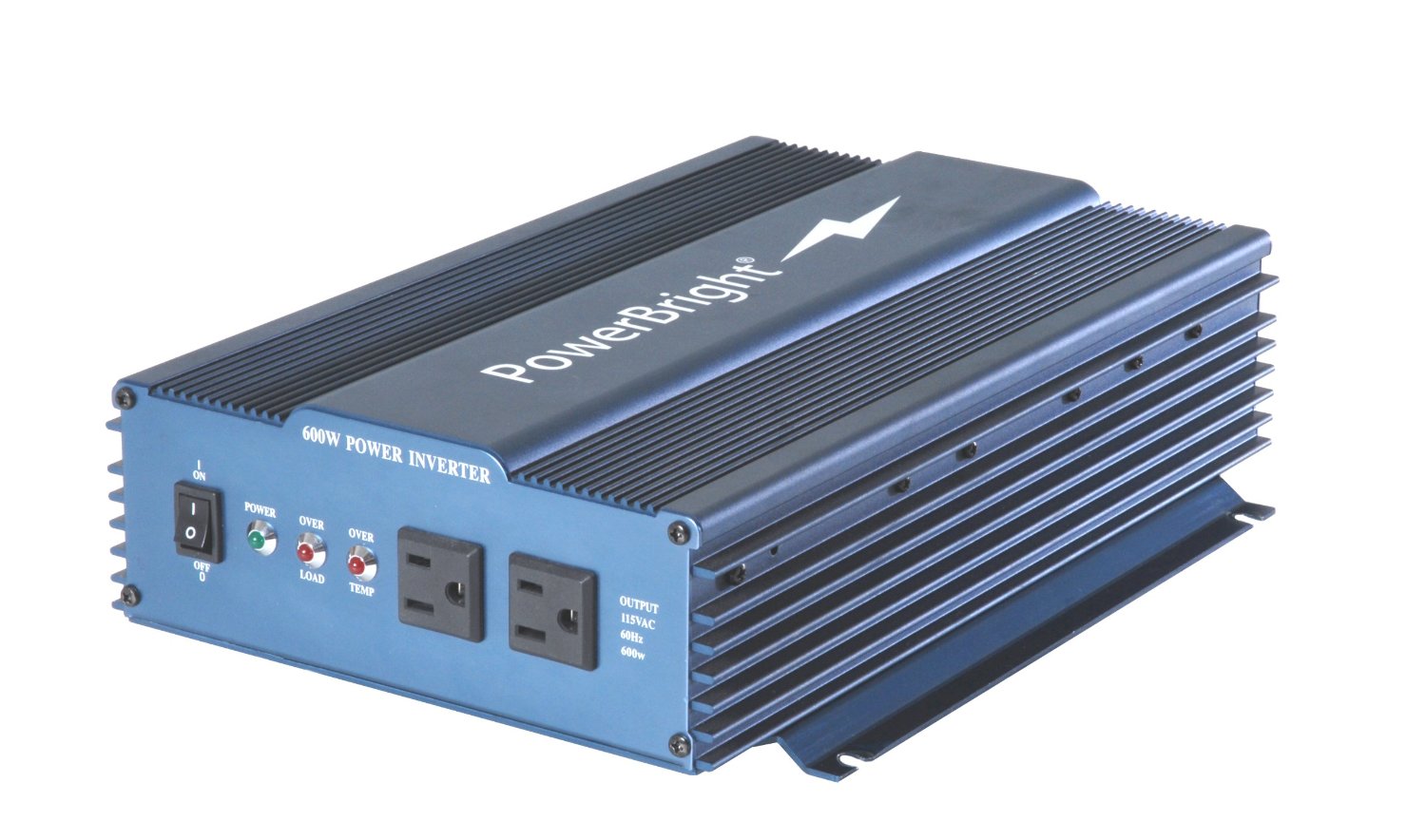
I’d also like a small, efficient pure sine wave inverter that I I could connect to my largest battery and power my laptop for extended SDR spectrum recording sessions while off-grid.
I’d love a recommendation from someone who uses one and can confirm a model that doesn’t create radio interference while operating.
Post readers: Please comment with your recommendations and include model numbers and links if possible. Thank you in advance!
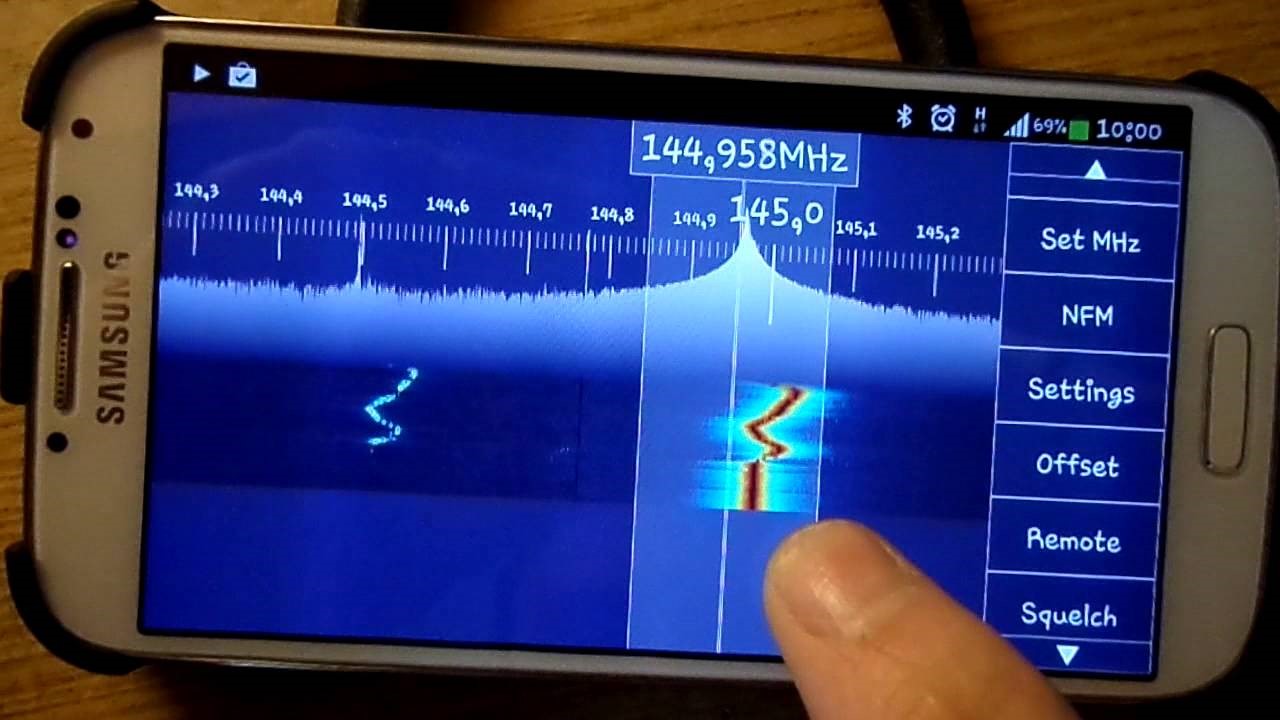
(Source: SDRplay Blog)
Good news for Android users – SDR Touch have released a beta version of their software with SDRplay RSp functionality – go to https://play.google.com/apps/testing/com.sdrtouch.sdrplay to sign up as a beta tester.
SDR Touch works on most recent Android Phone or Tablet devices.
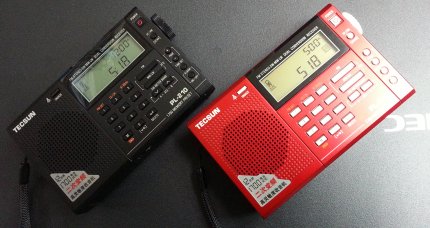
Many thanks to SWLing reader, Mini, who wites:
I am Japanese short wave listener.
I found the method that disable soft-mute of TECSUN PL-210.
And, I posted the article in my blog.
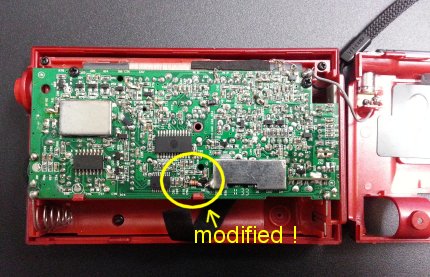
Please forgive me that may be difficult for you to understand the content.
It is automatic translation from Japanese my blog.
Thanks mini
Click here to read Mini’s blog post via Google translate.
Click here for the original in Japanese.
Thank you, Mini! I don’t have the PL-210, but if I did I would certainly disable the soft mute as I find it very distracting during routine band scans.
Many thanks to SWLing Post contributor, Mike Ladd, for the following guest post and overview of setting up and using the Soft66RTL3 SDR:
Soft66RTL3 SDR: A low cost…Good performer direct from Japan
by Mike Ladd
Much has changed in the last 8 years in the world of SDR radios. Fast forward to 2016 and just about everyone in the hobby has heard the buzz word “SDR radio”. When SDRs first came out to the market they were all aimed at HF listening and you had two types to pick from. The first being soundcard based and the second being direct sampling. The price gap between the two were several hundred dollars. The more expensive being direct sampling. As the hobby progressed, so did the technology and the prices started to shift dramatically.
You can now purchase a TV dongle for $10.00 and turn it into a SDR. The Soft66RTL3 is basically a TV dongle but with a lot more features.
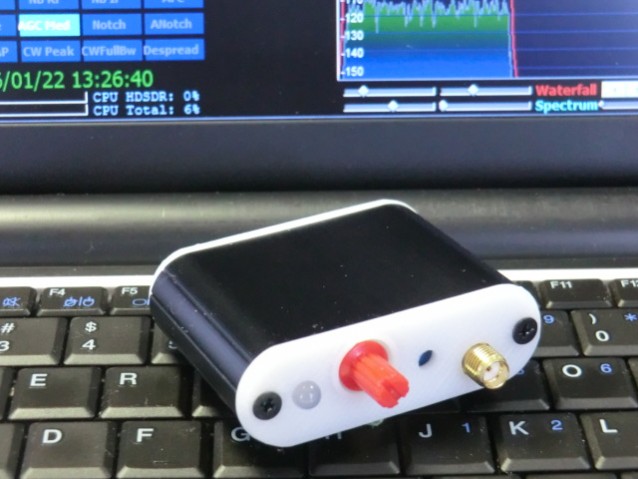
The Soft66RTL3 comes from an engineer who is no stranger to the world of SDRS. Kazunori Miura (JA7TDO) has been designing and selling many models of SDRS over the internet and shipping them direct from Japan for about 7 years. The Soft66RTL3 is his latest of model hot off his bench. This SDR is a dual input RTL-SDR with a built in 50 MHz upconverter along with 4 user selectable band pass filters that greatly increase your signal to noise ratio in the HF bands.
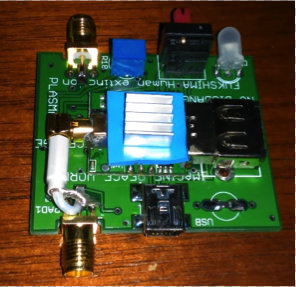
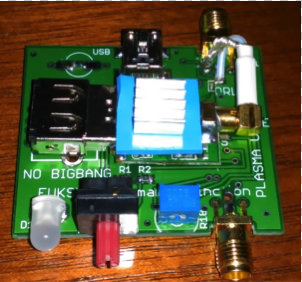
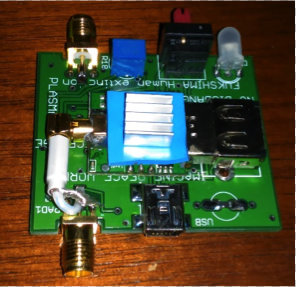
The frequency range of the RTL3 is from DC to Daylight (0.4 kHz to 1.7 GHz). Miura also addressed a heat issue with the previous version (RTL2) by adding a thermal pad and heatsink. RTL dongles are notoriously unstable due to overheating. In theory, the thermal pad should add frequency stability and keep drift to a minimal.
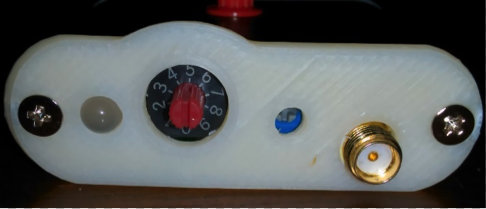
The last feature of the RTL3 is the input gain trimmer pot (see image above). The trimmer pot is for the HF side of the SDR and is already set before it’s shipped from Japan. If you would like to reduce or increase it the trimmer pot is easily accessible. I would suggest leaving it as is.
The RTL3 is broken down into two sections: the HF input side and the VHF/UHF input side.
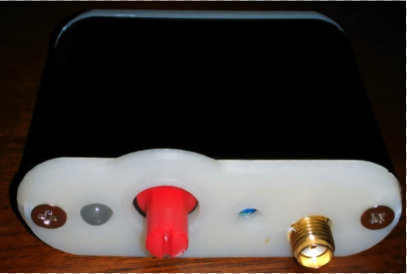
The HF side of the SDR (above) has a red rotary encoder and trimmer pot port. The VHF/UHF side (below) has the USB Mini-B connection.
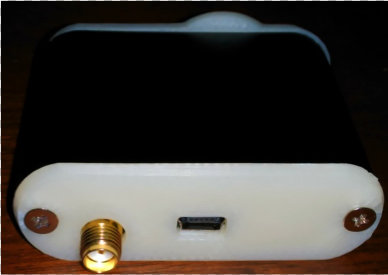
Both sides of the RTL3 terminate to a SMA-Male connection and Power comes from a single USB Mini-B cable.
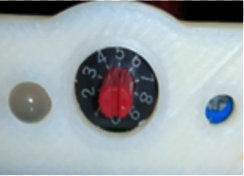
Band pass filter selection
If you look at the rotary encoder (red cap cover) you will see a small notch window. The 12 o’clock position is #5 on the encoder dial. One click clockwise will take you to switch position #6 and one click counterclockwise will take you to #4. You should pull the red cap cover off to have a look and get your bearings.
The band pass filter selection is as follows:
All other positions will bypass the filtering section on the HF side of the SDR.
Installation
If you already have a RTL-SDR on your system then all you need to do is swap it out with the RTL3 and change the offset of -50,000,000 in HDSDR or SDR# to listen to the HF side of the RTL3–but if this is your first SDR we will need to install 2 items: the front end app and the driver.
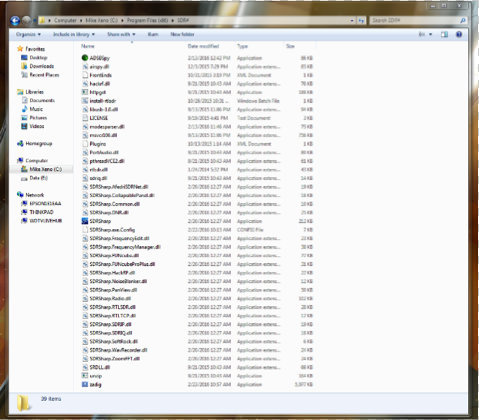
I will assume your system is Win-7 or better and we will be using SDR# as our program of choice to drive the RTL3. The RTL3 runs just fine in HDSDR and SDR-Console, but by choosing SDR# it will reduce our setup time considerably.
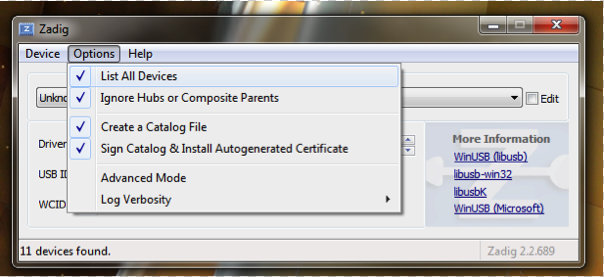
When you run the “zadig.exe” make sure you select “list all devices” as shown above.
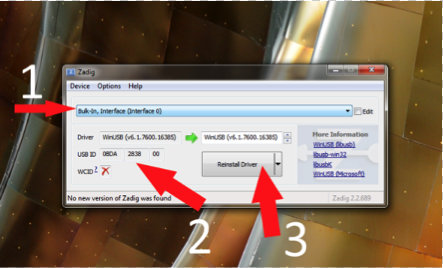
The next 3 steps are:
The RTL3 is now ready to be used and no further setup is required.
For a more detailed installation I would visit RTL-SDR.COM for a complete setup instructions: http://www.rtl-sdr.com/rtl-sdr-quick-start-guide
I will assume you did not have any issues setting up the ZADIG driver and now move on to using the RTL3 inside of SDR#. I will show you real world conditions that are not from any scientific standpoint.
Antenna wise, for the HF side I will be using a G5RV mini and for the VHF/UHF side I will be using a Scanntenna ST-2.
You can now launch SDR# and check the following settings (see image below).
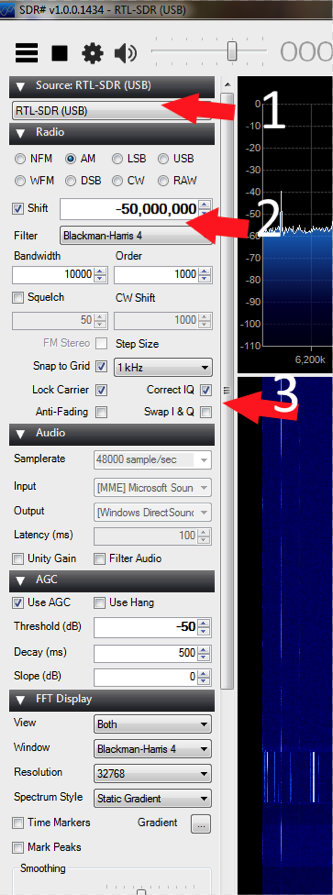
For the VHF/UHF side of the RTL3 you will want the rotary encoder on position #9. You want the cutout in the encoder cap showing the 5 o’clock position.
Summary
I have been using this SDR for a little over 3 months. Out of all the low cost SDR’S on the market, this one gives you the most bang-for-your-buck and it is a great entry level SDR with some “Pro” features.
Pros:
Cons
The Soft66RTL3 price is $40.00 US shipped–click here to order.
Mike, thank you so much for this excellent overview of the Soft66RTL3! I’m especially appreciative of the time you’ve taken to explain the installation process–for many, this is one of the more difficult RTL-SDR learning curves.
I’m very tempted to check this out for myself–I love the fact that this little SDR has bandpass filters.
Post Readers: I suspect Mike will monitor the comments in this post, so feel free to ask questions. Make sure to check out Mike’s website, where you’ll find more articles about software defined radios.
Every radio enthusiast knows that the Sony ICF-2010/2001D was a desirable, high performing portable receiver throughout its long production history. Manufactured from 1985 through 2003, few receivers were as consistently high on DXers’ “must have” list as the ICF-2010.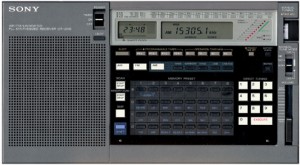
These Sony portables still command high prices on the used market, but what would you pay for a brand new, still in the sealed factory carton ICF-2010? Well, someone just won the high bid on this new, unopened 2010 for the princely sum of $982.00 USD plus shipping:
http://www.ebay.com/itm/SONY-ICF-2010-RECEIVER-BRAND-NEW-STILL-IN-FACTORY-SEALED-BOX-/111948598883
What’s your opinion? Outrageous, foolhardy purchase or a savvy investment for the future? Please comment below with your thoughts.
Guy Atkins is a Sr. Graphic Designer for T-Mobile and lives near Seattle, Washington. He’s a regular contributor to the SWLing Post.
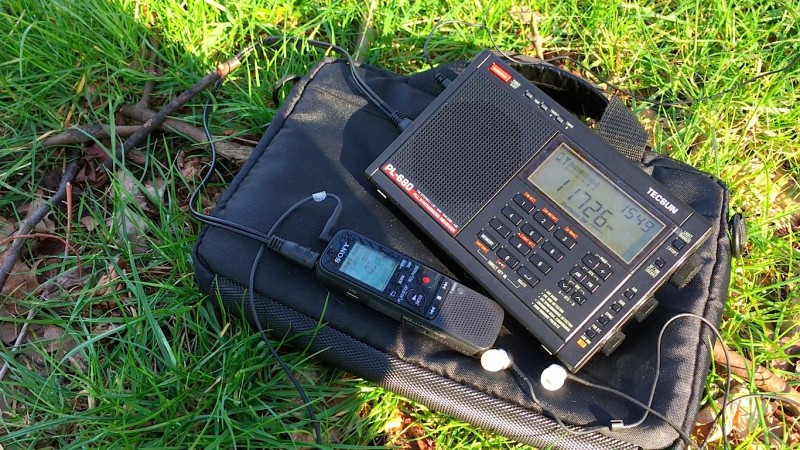
SWLing Post contributor, London Shortwave, hit his local park today with his Tecsun PL-680 and Zoom H1 in tow, then recorded the final broadcasts of Radio Belarus. He has published a post on his blog with details and two recordings of Radio Belarus.
Many thanks to London Shortwave for also going out of his way to post both recordings on the Shortwave Radio Audio Archive! If you have a recording of Radio Belarus, we can add it as well.