Category Archives: Guest Posts

Guest Post: Dikeside Icom IC-705 RX action

Many thanks to SWLing Post contributor, 13dka, who shares the following guest post:


The IC-705 in action at the dike

by 13dka

When I got the IC-705 in late October 2020, I didn’t get that much chance to enjoy it at the dike: After a couple of initial tests and 2 nightly “FYBO” MW DX sessions in November, a way too long and wet winter struck the German North Sea coast, with nighttime temperatures recovering to 2-digit Celsius figures only in the past few weeks. I took the opportunity to do more experiments with loops, preamps and a phasing unit to improve the RFI-stricken reception at home, so I could at least listen to European hams on 80 and 40m raving about their new 705s and start to write my own musings about that lovely little radio, recently posted here.

SSB DX

June 1st, 202

Finally, acceptable temperatures at night! But they come with a downside: When I connected the vertical around 8:00pm (local time), it was still almost 2 hours before sunset and a lot of thunderstorms in Europe made even 14 MHz very noisy, my hopes for some nice catches were immediately taking a dive. A short scan of the bands brought up nothing special, the only notable thing being the CB and 10m bands being moderately open. I should’ve known better: As soon as the sun splashed into the ocean, grayline propagation worked its magic!

Grayline while receiving Japan, June 1st

As the image probably hints, a couple of Japanese “big guns” produced some nice, comfy signals on the monopole, in addition to the South American and Carribbean stations usually booming in here!

Video: A short collection of ham stations heard around midnight

After midnight I noticed a residue signal of WWV on 20 MHz and still a few EU beacons on 10m. Both incredibly weak with QSB making them disappear but that’s where the 705 really shines – it’s not only picking up these grassroots signals just fine, it shows me that they’re there, or that they were there – a waterfall display keeps on proving that a perceived lack of activity on a band is often pure bad luck – you can tune across an entire band without hearing anything because on each frequency with some activity there’s the other (inaudible to you) station speaking right now, QSB is dipping the signal just when you tune past it…

June 5/6, 2021

That evening the Japanese stations were missing on 20m, I thought I picked one up on 17m, and like so often, the one odd Australian station came in on 20m. After midnight I noticed the 10m beacons again, there were even a few more of them. This time I brought my Belka DSP to the dike so I could compare it with the IC-705, after all the Belka proved to be my most sensitive portable before! The devastating result is likely owed to the fact that the Belka is pretty picky about passive antennas not being matched very well to its input (which is much optimized for the whip) but it picked up diddly squat. If it isn’t a testimony for the sensitivity of the IC-705, it might be one for its aptitude to cope with all sorts of antennas.

Then I tuned into the 10m SSB range and I was veeeery surprised to hear VO1FOG from St. Johns, Canada! This is the first time I heard a transatlantic signal on 10m in a solar minimum ever, but it was with condx only elevated enough for some daytime DX within the EU…and literally in the middle of the night! The signal was very unstable though, he later switched to the 12m band which worked better. Back to what I said about the waterfall display above: Without it, I could’ve missed this station with a pretty high probability simply because I didn’t expect any activity up there, so I wouldn’t have tuned across that band for very long, and without seeing the signal while the VFO is already somewhere else…

I also heard another new country (Ecuador) in SSB, the usual collection of Carribbean islands and some participants of the “Museum Ships Weekend Event” including NI6IW, which is the vanity call of the history-charged USS Midway in San Diego. The “Japanese” station JW4GUA turned out to be on Svalbard island, with the main town Longyearbyen being the northernmost town in the world, only 650 miles from the north pole, and I don’t hear stations from there very often!

Video: June 5th

June 10/11

The past days saw the SFI passing 80 and 11/10m becoming quite busy. By the time I parked the car at the dike, SFI had dropped to 73. That evening the grayline confined itself to colorizing the horizon. 10m and 11m were still full of signals, I could still hear 2 British chaps chatting on 27 MHz at 3:00 in the morning, but nothing really “extraordinary” was coming in – the one odd VK, more Carribbean islands, one Argentinian but not much from other parts of South America, it never gets boring how this all defies predictability. But as always I heard most of the North American continent, not booming in much that night but I followed 2 POTA activations for a while, which are usually at most 100W stations working a lot of other “barefoot” stations and I heard almost all of them. In the morning grayline window for the west coast I finally got one solid signal from Oregon. All my radio life, the US west coast has been a tough target for some reason.

The signal had that typical “over the pole” sound, a relatively quick phasing imprinted into the signal by the charged particles converging over the pole, causing northern lights in the region and that exiting feeling when observing really big, planetary scale physics in realtime, over here at my listening post. The magic of shortwave. 🙂

Broadcast bands

After the post touting the IC-705 as a SWL/BCL receiver, demonstrating it on the broadcast bands seems mandatory to me. However, capturing cool BC DX is a very different business than waiting on the ham bands for interesting stations coming and going and collecting spectacular (-ish) results in a single night this way. Broadcast schedules have to be studied, current “hardcore” DX targets identified… and I have to admit that I’m out of that loop currently. Just turning the knob and recording whatever is populating the bands, and doing that between 21-22:00 UTC, when all programs are directed towards anywhere except Europe turned out to yield pretty boring results. Here it goes anyway:

Video: Browsing the most important BC bands

CONDX and antenna:

The antenna I was using in these videos was a simple wire running up a 10m/33′ fiberglass pole, forming a very archetypical “monopole” or “Marconi” antenna, just a vertical wire, no counterpoise, no matching network, no un-un, transformer or flux capacitor. I planned on using this to make some experiments about the practical benefits (for reception) of all the components it’s now lacking, but it already demonstrates that the beauty of receive-only antennas is that they often don’t require crazy efforts: On the conductive soil at the dike it works pretty well (good signals all over the bands and sufficiently low takeoff angle) as it is.

The evening and the 2 full nights at the dike once again had condx that nobody would phone home about:

SFI, A and 3-hourly K-indices while I was at the dike.

It’s not that these numbers always fully explain actual and current condx but decreasing SFI and rising A/K-indices mean low expectations. Despite the condx still characterized by the solar minimum that way, the location is always delivering proper DX for my radios. Unless stormy or severely unsettled geomagnetic conditions give DX a day off, there’s almost always something to take home, be it a new country, a rare island, unexpectedly loud signals from the other end of the planet at unusual times and/or on unusual bands or other ionospheric mysteries.

Speaking of location: These videos demonstrate the properties of that listening post as much as the capability of the IC-705 to harvest them, and they don’t put that into relation to other radios, so you have to rely on my word on this: Compared to what I brought to that place so far it’s jaw-droppingly good, but a big contributor to that is that only few of my other radios can really cope with the antennas I like to use out there in first place. A radio like the IC-705 is sure making the most out of location and antenna, but it’s not the key component because a low-noise location is everything, it always was and it is today more than ever. Without it, radios and antennas can’t really play their jokers.

The Icom IC-705: Is this really a new holy grail SWL/BCL receiver?

Many thanks to SWLing Post contributor, 13dka, who shares the following guest post:


The Icom IC-705: Is this really a new holy grail SWL/BCL receiver?

by 13dka

When Thomas got wind of its development in 2019 he immediately asked “could the Icom IC-705 be a shortwave listeners holy grail receiver?”. I usually wince a little when I hear “holy grail” because it means very different things to different people, it’s also a moving target with many people aiming at the spot where it was decades ago. But Thomas certainly had a very level-headed assembly of technical performance, quality and practicality requirements in mind when he used that term, and I thought he might be onto something!

There are some excellent, trustworthy reviews of the IC-705 out there. The following is not one of them, I just want to share an opinionated breakdown on why I think this is an interesting radio for SWLs/BCLs indeed, also deliberately ignoring that it’s actually a transceiver.

Jumping shop

While the era of superhet/DSP-supported tabletop holy grails ended with the discontinuation and sell-off of the last survivors more than a decade ago, powerful PC-based SDR black boxes were taking over the mid-range segment and it became very slim pickings for standalone SWL receivers: Thomas just recently summed up the remaining options here.

Between the steady supply of inexpensive yet serviceable Chinese portables, upgraded with a least-cost version of DSP technology, and the remnants of the high end sector there’s very little left to put on the wish list for Santa – that doesn’t need to be paired with a computer that is.

No surprise that SWLs/BCLs in search of new quality toys with tangible controls are taking a squint over the fence to the ham transceiver market: Hams are still being served the best and the latest in radio technology in all shapes and sizes, and even entry-level rigs usually come with feature-rich general coverage receivers. But transceivers never had SWLs much in their focus in the past decades, and particularly not BCLs: Frontend adaptation, additional AM filters, switches and functions would’ve meant increasing costs and so transceivers were never perfected for that purpose. DSP and SDR technology allowed for improvements on that without actually adding (much) hardware and so some interesting alternatives surfaced in the past years, but most of them still come with little downers, at least for BCLs.

Continue reading

Guest Post: Listening to Comb Stereo on Shortwave

Many thanks to SWLing Post contributor, TomL, who shares the following guest post:


Comb Stereo on Shortwave

by TomL

Comb Stereo is an old technique being implemented over shortwave by the main sound engineer (Daz) at Radio Northern Europe International (RNEI).  It ONLY works on Comb Stereo broadcasts which currently are RNEI, This Is A Music Show (WRMI), and one of the KBC broadcasts.  It works in real-time or for SDR recorded files, too.  It does NOT need a special HD/DAB+ radio.

A number of pluses for Comb Stereo on shortwave compared to digital:

“The bandwidth is the same as mono – So the SNR should be about the same as mono.

Selective fading doesn’t affect the comb bands much, so the balance is largely unaffected by selective fading notches.

The Comb Stereo artifacts are much like typical music effects of echo, chorus, fast reverb or room reflections.”

You can read about it here on Daz’ web site: homepages.ihug.com.au/~daz2002/tech/CombStereo/

You can also read Roseanna’s comment on the SLWing.com blog post: https://swling.com/blog/2020/04/rnei-now-broadcasting-in-comb-stereo/

An enhanced version is broadcast on WRMI for the RNEI time slot on Thursday morning (01:00 UTC) on 5850 kHz.  It sounds very good and is not a pseudo-stereo like in my previous article, Music on Shortwave.  For one thing, pseudo stereo is not real two-channel encoding and shifts vocals to one side, depending on which channels are chosen for high and low filters, which might get annoying after awhile.  What seems amazing to me is that I have been able apply some minor noise reduction in Audacity and the Comb Stereo stays perfectly intact.  It also still works after converting the WAV file to MP3 and sounds much like a regular FM broadcast.  Furthermore, it does not require a special patented transmitter or receiver chip.  It is compatible with regular mono transmitters.

If you want to try it, go to the RNEI web site; download and install the two files listed (VB Audio Cable and CombStereo Pedalboard x64):

https://rnei.org/stereo/

It is slightly tricky to setup and use or you will not hear anything (most Windows systems default to 48000 Hz these days).  Right-click on the lower-right taskbar Sounds settings.  Make sure to setup Properties – Advanced in both the VB-Audio Virtual Cable (Playback and Recording) and your output speakers (Playback) to 24-bit 44100 Hz processing.

Now run the app Pedalboard BAT file which corresponds to the broadcast you recorded (in this example “Start Comb Stereo for WRMI.bat”).  Set the Options – Audio Settings:

Since the VB-Audio Virtual Cable takes over your volume output, adjust the volume of your Speakers in Windows’ Sounds – Levels (or you can adjust the volume in the sound player you are using, too):

Play the mono WAV or MP3 file and you should be hearing stereo!

When you are done, close Pedalboard2 and then disable the VB-Audio Virtual Cable for Playback and Recording to get your Sounds back to normal:

I cannot demonstrate what it sounds like unless you have the VB-Audio Virtual Cable and the Comb Stereo app setup and working properly.  Here are snippets from recent RNEI broadcasts captured by my noisy porch antenna:


Here are links to the artists’ YouTube videos for comparison:

Kari Rueslåtten – https://www.youtube.com/watch?v=SFN4O3YrUG4

Ani Glass – https://www.youtube.com/watch?v=T63QS9enT-A

What is nice is that I can create a space-saving MP3 mono file and this setup will decode the stereo when run from the computer (sounds really nice on a stereo system with a subwoofer).  Unlike digital, this analog-friendly stereo seems mostly immune to fading, has a minimum of digital artifacts, and will not go silent and “drop out” like digital does for long, annoying periods of time.  It is not perfect stereo but audio players with features like Stereo Widener or Windows Sonic for Headphones can overcome some limitations.  Perhaps content providers should consider Comb Stereo for all their shortwave radio shows since it is perfectly compatible with mono AM transmissions!

Enjoying the Music,

TomL

Guest Post: Methods for discovering and recording online radio programming for later listening

Many thanks to SWLing Post contributor, Bill (WD9EQD), who shares the following guest post:


Time Shifting Radio Programs for Later Listening

by Bill (WD9EQD)

There are quite a few programs on shortwave that I enjoy listening to for the actual program content.  If I am lucky, I will receive a strong enough signal to really enjoy the experience.  But all too often, I either can’t directly receive the program or conditions are such that listening is just not enjoyable.  What I was looking for was good quality sound that I could listen to on my schedule.

I could always just go to the station website and listen to the live stream of the program.  But what if there are two programs on different stations at the same time?  I would have to choose which one to listen to.  What I needed was a way to listen to the program on my schedule.

This write-up will be presenting several ways this can be accomplished.

Is the Program Streamed?

In many cases, it is possible to go to the program’s website and then listen to the latest program or even an archive of past programs at your convenience.  Some examples are:

Hobart Radio International http://www.hriradio.org/

Radio Emma Toc https://www.emmatoc.org/worldserviceindex

VORW International https://soundcloud.com/vorw

AWR Wavescan http://eu.awr.org/en/listen/program/143

Blues Radio International: http://www.bluesradiointernational.net/

This is a Music Show https://thisisamusicshow.com/

Radio Northern Europe International: https://www.mixcloud.com/RadioNorthernEurope/

Alt Universe Top 40: https://www.altuniversetop40.com/links

International Radio Report https://www.ckut.ca/en/content/international-radio-report

World of Radio http://worldofradio.com/

The Shortwave Report http://www.outfarpress.com/shortwave.shtml

Lost Discs Radio Show https://www.lostdiscsradio.com/

Grits Radio Show https://archive.org/details/gritsradioshow2020

Le Show with Harry Shearer http://harryshearer.com/le-show/

Can the Program Be Downloaded?

All HRI programs are available on their Archive.org page.

Quite often, the program’s web site will also let you download the program for listening at a later date.  Some examples are:

Hobart Radio International has an Internet Archive page where you can listen to and download their previous programs: https://archive.org/details/@hobart_radio_international

Radio Emma Toc has a button for “broadcast & internet relay services wishing to air our programme”.

But anyone can download the program.

VORW International: https://soundcloud.com/vorw

(Note:  You will have to sign into Soundcloud to be able to download the files)

AWR Wavescan: http://eu.awr.org/en/listen/program/143

Your Weekend Show: https://open.spotify.com/show/2RywtSHWHEvYGjqsK6EYuG

International Radio Report https://www.ckut.ca/en/content/international-radio-report

World of Radio http://worldofradio.com/

The Shortwave Report http://www.outfarpress.com/shortwave.shtml

Lost Discs Radio Show https://www.lostdiscsradio.com/

Grits Radio Show https://archive.org/details/gritsradioshow2020

Le Show with Harry Shearer http://harryshearer.com/le-show/

WBCQ has a link to an Archive of some of their programs.  Just click on the Archive link and you will go to Internet Archive where there are a lot of programs that can be streamed or downloaded.  The programs include:

  • Adventures in Pop Music
  • Analog Telephone Systems Show
  • B Movie Bob
  • Cows in Space
  • Godless Irena 1
  • Grits Radio Show
  • Lost Discs Radio Show
  • Radio Timtron Worldwide
  • Texas Radio Shortwave
  • The Lumpy Gravy Show
  • Zombies in your Brain
  • Vinyl Treasures
  • Plus many, many other programs…

Does the Program Have a Podcast?

Check to see if the program has a podcast.  Many programs do and this makes it easy to always have the latest program updated into my favorite podcast program.

AWR Wavescan is available on a number of podcasting platforms

Some programs that have podcasts:

  • Hobart Radio International
  • AWR Wavescan
  • Blues Radio International:
  • Your Weekend Show
  • International Radio Report
  • World of Radio
  • The Shortwave Report
  • The Lost Discs Radio Show
  • Le Show with Harry Shearer

Directly Record the Stream While It Is Being Broadcast

This method is a little more difficult and requires some setup. The method is to record the program directly from the internet stream of the station as it is broadcasting the program.  Once set up, the procedure is completely automatic and will continue to capture the program until it is disabled in the scheduler.

Let’s walk through a typical program that we want to record.  I like Alan Gray’s “Last Radio Playing” program on WWCR.  It is broadcast weekly on Wednesday at 6pm Central Time on 6115.  While I can receive the program over the air, it’s not very good reception, so I usually just stream it off the internet.

What I want to do is to set up an automatic computer program that will connect to the stream on Wednesday night, record the stream for one hour and then disconnect.  I use the program StreamRipper which can run on either Linux or Windows.

http://streamripper.sourceforge.net/

Since I have a spare Raspberry Pi 4 computer, I chose to use the Linux version.  The following description is based on Linux.  A similar method I’m sure could be done with the Windows version.

Fortunately, StreamRipper is in the current software repository for the Raspberry PI and I could just install it with having to do a compile.  I’m sure other Linux distributions probably also have it in their repository.  It was a simple matter to install it.  In Linux, Streamripper is run from the command line in a terminal window.

A typical command line for SteamRipper is:

streamripper station_URL_stream –a “filename” –A –d directory_path -l seconds

where

station_URL_stream is the http address of the audio stream.  Determining this can sometimes be challenging and some methods were recently discussed in a SWLing Post:

https://swling.com/blog/2021/04/robs-tips-for-uncovering-radio-station-stream-urls/

–a says to record the audio as a single file and not try to break it up into individual songs.

“filename” the filename of the resultant mp3 file goes here in quotes

-A again says to create a single file.

-d tells it the directory path to store the mp3 file.  Place the full directory path after the –d

-l specifies how long to record.  Enter the number of seconds after –l.

(note: this is lower case letter l)

For Last Radio Playing, the command line is:

streamripper http://67.225.254.16:3763 –a “Last Radio Playing” –A –d /home/pi/RIP/wwcr –l 3600

when executed, this would connect to the URL stream, record for 3600 seconds (60 minutes) and then disconnect from the stream  A file called “Last Radio Playing.mp3” would be in the wwcr1 directory.

Save this command line to a shell file, maybe wwcr.sh.  Then make this shell file executable.

Last is to enter a crontab entry to schedule the shell file wwcw.sh to be run every Wednesday at 6pm ct.

At the command line, enter crontab –e to edit the cron table.

Add the following line at the end:

0  19  *  *  3  /home/pi/wwcr.sh

then exit and save the crontab file.

This line says to execute wwcr.sh every Wednesday at 1900 (my computer  is on eastern time).

There are many ways to enhance the shell script.  For example, I have added the date to the mp3 file name.  My wwcr1.sh shell script is:

NOW=$(date +”%Y-%m%d”)

# WWCR1 Last Radio Playing

# Wednesday 7-8pm et

streamripper http://67.225.254.16:3763 -a “$NOW Last Radio Playing” -A -u FreeAmp/2.X -d /media/pi/RIP/wwcr1 -l 3600

This will create a MP3 file with the date in the file name.  For example

2021-0505 Last Radio Playing.mp3

Note: I named the file wwcr1.sh to denote that WWCR transmitter 1 was being streamed. Each of the WWCR transmitters have different stream URL.

Most radio streams work fine with  the default user agent but WWCR required a different user agent which is why the –u FreeAmp/2.X is added.  Normally, –u useragent is not required.  The default works fine.

For each program, just create a similar shell file and add it to the cron scheduler.

Streamripper is very powerful and has many options.  One option is for it to attempt to divide the stream up into individual files – one for each song.  Sometimes this works quite well – it all depends on the metadata that the station is sending over the stream.  I usually just go for a single file for the entire show.  Some stations are a little sloppy on whether the program starts on time – sometimes they start a minute early and sometimes run a minute over.  The solution is to increase the recording time to two minutes longer and then specify in the crontab file that the show starts a minute early.  It’s easy to adjust to whatever condition might be occurring.

Recording the BBC

I have found that the BBC makes it more difficult to use this procedure.   For one thing, they have just changed all their stream URL’s.  And they have decided NOT to make them public. When they did this some of the internet radios broke since they still had the old URL’s.  Of course it didn’t take long for someone to discover and post the new stream URL’s:

https://gist.github.com/bpsib/67089b959e4fa898af69fea59ad74bc3#file-bbc-radio-m3u

I have tested the Radio 4 Extra stream and it does seem to work.  For how long is anyone’s guess.

I found that while streamripper did seem to work on BBC, all the mp3 files came out garbled.  So the method above doesn’t seem to work with the BBC.

I went back to the drawing board (many hours on Google) and discovered another way to create a shell script that can be scheduled to record a stream.  This involves using the programs mplayer and timelimit.

First step is to install the programs mplayer and timelimit to the Linux system.  mplayer is a simple command line audio and video player.  timelimit is a program that will execute another program for a specific length of time.

First I created a shell script bbc30.sh:

#!/bin/bash

NOW=$(date +”%Y-%m%d-%H%M”)

# BBC Extra 4 – 30 minute program

timelimit -t1800 mplayer http://stream.live.vc.bbcmedia.co.uk/bbc_radio_four_extra -dumpstream -dumpfile /media/pi/RIP/$NOW-bbc.mp3

Note: The bold line above is all on one line in the shell file.

This script will execute the timelimit command.  The timelimit command will then execute the mplayer command for 1800 seconds (30 minutes).

The mplayer command then connects to the http stream; the stream instead of playing out loud is dumped to the dumpfile /media/pi/RIP/$NOW-bbc.mp3

The crontab entry becomes:

30  23  11  5  *  /home/pi/bbc30.sh

In this case, the program on May 11 at 2330 will be recorded.

Summary

In conclusion, Podcasts are the easiest way to get the programs.  But automatically recording directly from the station stream is really not that much harder to do.  Just be careful.  It’s very easy to accumulate much more audio than you can ever listen to in this lifetime.

One final note.  The use of a Raspberry Pi makes this a very easy and convenient method.  I run the pi totally headless.  No keyboard, mouse or monitor.  It just sits on a shelf out of the way and does it thing.  I either log in using VNC when I want the graphical desktop, Putty for the command line, or WinSCP for transferring files. The Pi stays out of the way and I don’t end up with another computer system cluttering up my desktop.

Besides recording several shortwave programs, I use Streamripper to record many FM programs from all around the United States.  It’s great for recording that program that is on in the early morning hours.

73

Bill WD9EQD

Smithville, NJ


Thank you for sharing this with the SWLing Post community, Bill! This weekend, I’m going to put one of my RPi 3 units into headless service recording a few of my favorite programs that aren’t available after the live broadcast. Many thanks for the detailed command line tutorial!

TomL’s guide to making and optimizing shortwave radio SDR music recordings

An example of an AirSpy SDR# software screen.

Many thanks to SWLing Post contributor, TomL, who shares the following guest post:


Recording Music on Shortwave

by TomL

I recently became curious about the seasonal music updates posted by Alan Roe.  It is a nicely detailed list of musical offerings to be heard.  Kudos to Alan who has spent the time and effort to make it much easier to see at a glance what might be on the airwaves in an easy to read tabular format.  I do not know of any other listing specifically for shortwave music in any publication or web site.  I especially like the way it lists everything in UTC time since I might want to look for certain time slots to record.  For some listings, I would need to go outdoors away from noise to listen to certain broadcasts.  Current web page is here:  https://swling.com/blog/resources/alan-roes-guide-to-music-on-shortwave/ .

As a side note, I have also found a lot of music embedded in the middle of broadcasts that are unannounced, unattributed, and not part of a regular feature program.  That can be a treasure trove of local music you might not be able to find anywhere on the internet.  It can be worth recording a spectrum of frequencies using the capabilities of the SDR and then quickly combing through the broadcasts at two-minute intervals (most songs are three minutes or longer).  In maybe ten minutes, I will have at least identified all of the listenable music that may or may not be worth saving to a separate file.

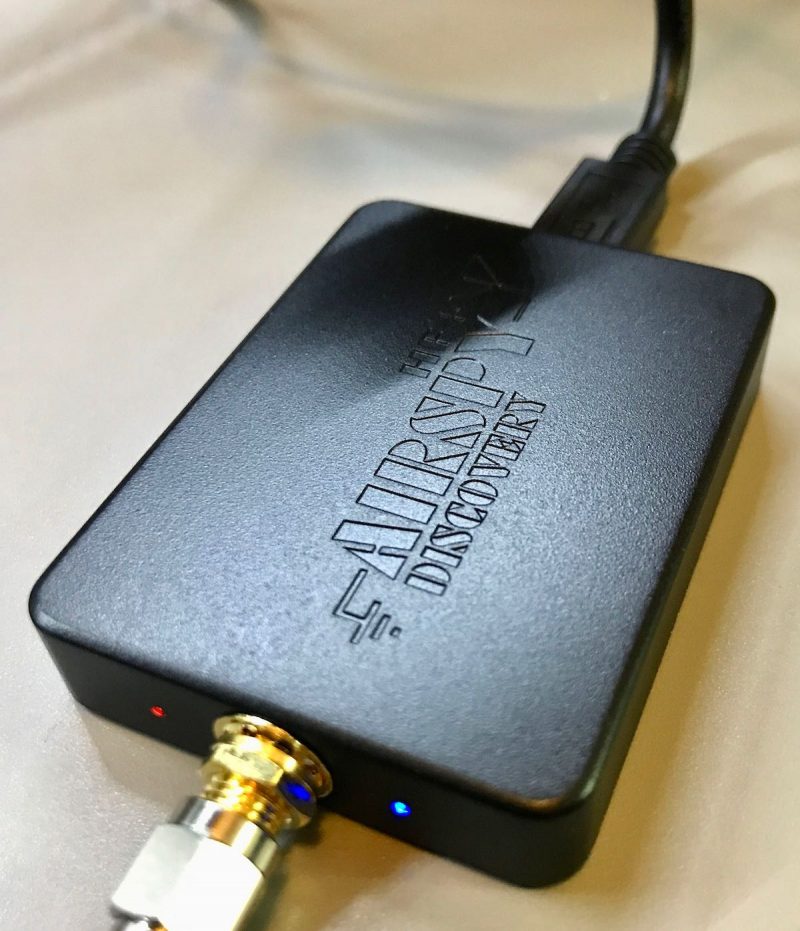
Whether at home or outdoors, I have wanted to try to record shortwave broadcasts of music using my AirSpy HF+ but never getting around to it until now.  There is a certain learning curve to dealing with music compared to just a news summary or editorial.  I found myself wishing I could improve the fidelity of what I was hearing.  From static crashes, bad power line noise, fading signals, and adjacent channel interference, it can be quite difficult to get the full appreciation from the musical impact.

I am starting to monitor the stronger shortwave stations like WRMI, Radio Romania International, Radio Nacional do Amazonia, etc.  These type of stations can be received in a strong enough manner to get good quality recordings (at least according to shortwave listening experience).  I am also finding that I appreciate much more than before the effort that these broadcasters put into creating content/commentary to go along with the music and little pieces of background info about the music or the artist.  I have also noticed how exact some broadcasters are in timing the music into the limited time slots.  For instance, Radio Romania International tries to offer one Contemporary piece of music exactly at 14 minutes, Traditional music exactly at 30 minutes, and a Folk tune exactly at 52 minutes into the program (whether in English, French, or Spanish), with nice fade-outs if the music goes too long.

One thing I ran into was to bother checking my hearing range.  If someone has impaired hearing, it does not make much sense to create files that have a lot of sound out of one’s hearing range.  I found this YouTube video (among a bunch of others) and listened to the frequency sweep using my Beyerdynamic DT-990 Pro headphones (audiophile/studio type headphones).   My hearing is approximately from 29 Hz through 14400 Hz.  Of course, the extremes fall off drastically, and as with most people, my hearing is most sensitive in the 2000 through 6000 Hz range.

Recording Workflow

Let’s assume that you already know how to record IQ files using your SDR software and can play them back (In the example below, I recorded the whole 49 meter band outputting a series of 1GB WAV files).  Then, when playing back to record to individual files, I have to choose the filters and noise reduction I want.  This gets subjective.  If I do not want to keep huge numbers of Terabytes of WAV files over time, I will want to record to individual WAV files and then delete the much larger spectrum recording.  You might tell me to just record to MP3 or WMA files because there is that option in the SDR software.  We will get into that as we go along.  For the time being,  I do not want to keep buying Terabytes of hard drives to hold onto the original spectrum recordings.

After lots of trial and error, I came up with this workflow:

  1. Record the meter band spectrum of interest using the SDR software.
  2. Record individual snippets of each broadcast in that spectrum to new individual WAV files.  This includes not lopping-off any announcer notes about the music I want to retain.  I also have to choose the bandwidth filter and any noise reduction options in the software.  Because I am not keeping Terabytes of info, this is a permanent decision.
  3. Take an individual recording and apply more processing to it.
  4. Convert the processed  recording to any number of final output formats for further consumption and/or sharing.
  5. Repeat steps 3 & 4 to take care of all the individual WAV files.

Step 4 allows me to create whatever file format I might need it to be: WAV, MP3, WMA, or even use it as background sound to a video if I so choose.  There are also different ways to create some of these files with different quality settings depending on what is needed.  I have chosen to listen to the individual WAV files for personal consumption but there may come a time to create high quality MP3 files and transfer those to a portable player I can take anywhere (or share with anyone).

The example below is a snippet from the latest Radio Northern Europe International broadcast on WRMI.  WRMI has some decent equipment and I like how clean and wide is the bandwidth of many of the music programs.  This is captured on the AirSpy HF+ using SDR Console V.3 with a user-defined 12kHz filter (11kHz also seemed somewhat similar sounding).

If you click on the ellipses, you can Copy an existing filter, type in a new title and change the bandwidth.  I also played around with the different Windowing types and found that I like the Blackman-Harris (7) type best for music and the Hann type for smooth speech rendering (the Kaiser-Bessel types can also have more “punch” for voice recordings).  Click OK TWICE to save the changes.

I also use Slow AGC and the SAM (Sync with both sidebands) to reduce the chance of distortion as the signal fades.  I found that trying to use only one sideband while in Sync mode would make the reception open to loss of Sync with the musical notes warbling and varying all over the place!

Noise Reduction

The SDR Console software has a number of noise reduction choices.   I tried NR1 through 4 and found the smoothest response to music to be NR1 with no more than 3 dB reduction.  More than this seemed to muffle the musical notes, especially acoustic instruments and higher pitched voices. Part of the problem has to do with trying to preserve the crispness of the articulation of the sound and combating shortwave noise at the same time.  At this time, I have chosen NOT to use any NR mode.  More about noise reduction below.

Generic MP3 sounds really bland to my ears, so creating higher quality files will be important to me.  I have been using Audacity which can apply processing and special effects to WAV files and export to any number of file formats.  WAV files are a wonderful thing.  It is a “lossless” file format which means that every single “bit” of computer input is captured and preserved in the file depending on the resolution of the recording device.  This allows one to create any number of those “lossy” output formats or even another WAV file with special effects added.  You can get it here:

https://www.audacityteam.org

One special effect is listed as “Noise Reduction”.  I literally stumbled upon it while reading something else about Audacity (manual link).  Here is how I use it for a shortwave broadcast.  Open the original spectrum recording (in this example the 49m band).  Tune about 25kHz away from the broadcast that was just recorded.  Remember, my hearing extends at least to 14.4k plus there is still the pesky issue of sideband splatter of bandwidth filters.  The old time ceramic and mechanical filters use to spec something called “skirt selectivity” -60db or more down from the center frequency.  This is still an issue with DSP filters even though they SAY they are measured down to -140dB; I can still hear a raspy sideband splatter from strong stations!

Find the same time frame that you recorded the broadcast and make sure it is the same bandwidth filter, AGC, and any noise reduction used.  Now record one minute of empty noise to a WAV file.  Fortunately on 5850 kHz, WRMI has no adjacent interference.

Now in Audacity, open the noise sample and listen for a 5 to 10 second space to copy that is relatively uniform in noise.  We don’t want much beyond that and we don’t really want noise spikes.  The object is to reduce background noise. In this case, I chose Start 39 seconds and End 44 seconds.  Choose Edit – Copy (or CTRL-C).

Choose File Open and find the broadcast WAV file in question.  Now click on the end-of-file arrow or manually type in the Audio Position (in this example 1 minute 15 seconds).  Now Paste (or CTRL-V) the 5 seconds of noise to the end of the broadcast file.  Now, while the pasted noise is still highlighted, go immediately to Effect – Noise Reduction and choose the button Get Noise Profile.  It will blink quickly to read the highlighted 5 seconds of noise and disappear.

Now select all with CTRL-A and the whole file is selected.  Go immediately to Effect – Noise Reduction and choose the parameters in “Step 2”.  Through some trial and error, I found 3db reduction has a noticeable effect without compromising the music.  I have used up to 5 db for some music recorded with narrower bandwidths.  Higher levels of noise reduction seemed to create an artificial flatness that was disturbing to me.  I also use a Sensitivity of 0.50 and Frequency smoothing of 0.  You can choose the Preview button while the Residue circle is checked to actually hear the noise being eliminated.  Press OK in order to process the noise reduction.  You should now see the waveform change slightly as the noise is filtered.  In a nutshell, I find this to be a better noise reduction than using 3db of NR1 in the SDR Console software.  Don’t forget to snip off those 5 seconds of noise before saving the file.

Pseudo Stereo

The SDR Console software has an Option for Pseudo Stereo (for playback only) and it can be useful for Amateur Radio receiving, especially in noisy band conditions when one is straining to hear the other person’s call sign and location.  There is a way in Audacity to add a fake kind of stereo effect to mono audio files.  I found a useful YouTube video that explained it very clearly.

I  do everything listed there except for the Reverb effect.  I find that too fake for my tastes.

I found the added 10ms of Delay on the right channel to be a little too much, so I use 9ms.

My High Pass filter settings are 80 Hz and 24dB/octave.  This is based partly on my hearing preferences as well as established industry standards.  There was a lot of science and audio engineering that went into creating the THX home theater crossover standard.  There is also science that says that anything below 200 Hz is omnidirectional.  The suggested 48dB/octave is too steep in my opinion.

My Low Pass filter settings are more squishy.  The YouTube video suggests 8000 Hz and 6dB/octave.  I feel that is too gentle a rolloff into the upper midrange.  I use 9000 Hz at 12dB/octave for very strong, high quality shortwave broadcasters like WRMI. For more constrained quality broadcasts, like due to limited bandwidth (Cuban broadcasters) or adjacent channel interference, I will decrease down to 8000 or 7000 Hz but still use a 12dB/octave rolloff.  This is subjective but it also means I am making a conscious decision to add that processing to the recording for future listening.

MP3 Quality

Typical MP3 files are a Constant Bit Rate of 128k.  Some interviews and voice-only podcasts are only 64k.  This is adequate but for recording detail in the music I prefer higher quality settings.  Frankly, with these days of 4G cell phone service and Unlimited Data minutes on cell phone plans, there is NO good reason to limit MP3 files to just adequate quality levels.  The typical MP3 file sounds limited in frequency range (muffled sounding) to me and very lacking in dynamic range (narrow amplitude).  This would include limits on stereo files which are about twice the file size of mono files.

I have tried creating WMA files and I actually like the quality a little better than high quality MP3 files.  The WMA files seem slightly more “airy” and defined to my ears.  But it is a proprietary format from Microsoft and not all web sites or devices will easily play them.  They are also a fixed standard and one cannot easily change the quality settings if forced to use a lower quality rendering.

There are many web sites talking about MP3 files, but I found this blog post helpful in summarizing in one paragraph the higher quality settings for a nice MP3 recording using VBR-ABR mode.

https://technical-tips.com/blog/software/mp3-encoding-right–1334

One Minute Samples

So finally for my examples.  Since most web sites still prefer MP3 files, I have created these using that  blog post’s suggestions.  Typically this is Min bitrate=32, Max bitrate=224, VBR quality=9, and Quality=High (Q=2).  Let’s see if you can hear the differences.  It would be much easier to hear if we were listening to WAV files, but those are way too big to post on this web site!  The software I used is Xmedia Recode and I find it easy to use.

https://www.majorgeeks.com/files/details/xmedia_recode.html


Example 1: No noise reduction in SDR Console, no further processing


Example 2: 3dB of NR1 in SDR Console, no further processing


Example 3: No noise reduction in SDR Console, Audacity Noise Reduction of 3dB


Example 4: No noise reduction in SDR Console, Audacity Noise Reduction applied 3 times (3db,0.33+2db,0.50+1db,0.80)


Example 5: No noise reduction in SDR Console, Audacity Noise Reduction applied 3 times (3db,0.33+2db,0.50+1db,0.80), Pseudo Stereo added


I would love to hear comments since I am new to recording music on shortwave and any further tips/tricks would be fun to learn.  Enjoy the music!

TomL

Gary DeBock’s 2021 Ultralight Radio Shootout!

Many thanks to SWLing Post contributor, Gary DeBock, who shares his extensive 2021 Ultralight Radio Shootout.

This is truly a deep dive featuring five popular ultralight portable radios and examining mediumwave, shortwave, FM, and AIR Band performance.

The review is an amazing 40 pages long! In order to display the entire review, click on the “Continue reading” link below.


2021 Ultralight Radio Shootout

Five Hot Little Portables Brighten Up the Pandemic

By Gary DeBock, Puyallup, WA, USA             April 2021

Introduction   The challenges and thrills of DXing with pocket radios have not only survived but thrived since the Ultralight Radio Boom in early 2008, resulting in a worldwide spread of the hobby niche group. Based upon the essential concepts of DXing skill, propagation knowledge and perseverance, the human factor is critical for success in pocket radio DXing, unlike with computer-controlled listening. The hobbyist either sinks or swims according to his own personal choices of DXing times, frequencies and recording decisions during limited propagation openings—all with the added challenge of depending on very basic equipment. DXing success or failure has never been more personal… but on the rare occasions when legendary DX is tracked down despite all of the multiple challenges, the thrill of success is truly exceptional—and based entirely upon one’s own DXing skill.

Ultralight Radio DXing has inspired spinoff fascination not only with portable antennas like the new Ferrite Sleeve Loops (FSL’s) but also with overseas travel DXing, enhanced transoceanic propagation at challenging sites like ocean side cliffs and Alaskan snowfields, as well as at isolated islands far out into the ocean. The extreme portability of advanced pocket radios and FSL antennas has truly allowed hobbyists to “go where no DXer has gone before,” experiencing breakthrough radio propagation, astonishing antenna performance and unforgettable hobby thrills. Among the radio hobby groups of 2021 it is continuing to be one of the most innovative and vibrant segments of the entire community.

The portable radio manufacturing industry has changed pretty dramatically over the past few years as much of the advanced technology used by foreign companies in their radio factories in China has been “appropriated” (to use a generous term) by new Chinese competitors. Without getting into the political ramifications of such behavior the obvious fact in the 2021 portable radio market is that all of the top competitors in this Shootout come from factories in China, and four of the five have Chinese name brands. For those who feel uneasy about this rampant copying of foreign technology the American-designed C. Crane Skywave is still available, although even it is still manufactured in Shenzhen, China—the nerve center of such copying.

Prior to purchasing any of these portables a DXer should assess his own hobby goals, especially whether transoceanic DXing will be part of the mission– in which case a full range of DSP filtering options is essential. Two of the China-brand models use only rechargeable 3.7v lithium type batteries with limited run time, which may not be a good choice for DXers who need long endurance out in the field. A hobbyist should also decide whether a strong manufacturer’s warranty is important. Quality control in some Chinese factories has been lacking, and some of the China-brand radio sellers offer only exchanges—after you pay to ship the defective model back to China. Purchasers should not assume that Western concepts of reliability and refunds apply in China, because in many cases they do not. When purchasing these radios a DXer should try to purchase through a reputable seller offering a meaningful warranty—preferably in their own home country.

One of the unique advantages of Ultralight Radio DXing is the opportunity to sample the latest in innovative technology at a very reasonable cost—and the five pocket radio models chosen for this review include some second-generation DSP chip models with astonishing capabilities. Whether your interest is in domestic or split-frequency AM-DXing, FM, Longwave or Shortwave, the pocket radio manufacturers have designed a breakthrough model for you—and you can try out any (or all) of them at a cost far less than that of a single table receiver. So get ready for some exciting introductions… and an even more exciting four band DXing competition!

Continue reading

Dan revisits the venerable XHDATA D-808 portable radio

Many thanks to SWLing Post contributor, Dan Robinson, who shares the following guest post:


XHDATA D-808Revisiting the XHDATA: What Sangean Should Have Learned from the D-808

by Dan Robinson

Recent additions to the shortwave portable receiver market have been quite impressive, especially considering the continuing decline in the use of shortwave as a transmission method by broadcasters.

In what could be the final models from Tecsun, we saw the PL-330, PL-990x and H-501x all of which bring impressive features and capabilities to the game.  Sangean finally introduced its upgraded ATS-909×2 including an early firmware upgrade that was supposed to correct some issues with this receiver.

As I have observed in some recent reviews, the very fact that the listening community still sees any new receivers is reason for gratitude, though we also have opportunities to acquire numerous classic receivers and can still do an excellent job in today’s listening environment.

One receiver that emerged a few years ago and which took the listening hobby by storm was the XHDATA D-808.  Numerous reviews are online, including ones here on the SWLing Post, and excellent reviews by Gilles Letourneau here and here.

The 808 was and still is compared to the CCrane Skywave SSB, a much smaller and compact receiver.  Unfortunately, in my experience both suffer from soft muting.

I obtained a D-808 shortly after it appeared based on early positive reviews.  I used it once, at the beach in Florida where reception conditions were superior – comparing it to some older portables in my collection such as the SONY ICF-SW07, ICF-SW55, and the Panasonic RF-B65.

I was impressed with the sensitivity of the 808, large speaker, and inclusion of AIR band, though I noticed some digital artifacts and agree with negatives such as slight soft muting and chuffing, and slowness of the processor.

I boxed the D-808 up and stored it away where it sat until recently when I took it back out after my experience using Sangean’s ATS-909×2 – thus the title of this brief commentary.

Sangean made some basic decisions with the 909×2.  Many of them are quite positive over the old 909x.  For many users the 909×2 has more than enough features to justify the higher price of the receiver.

I came to a different conclusion after returning my ATS-909×2, and I started thinking about how the D-808 could have informed engineers at Sangean as they considered which features to put in the 909×2.  To what extent Sangean designers looked at various other portables, including the D-808, we will probably never know.

D-808 DEMONSTRATES IMPORTANCE AND IMPACT OF BANDWIDTH FILTER CAPABILITY IN SSB

AM bandwidth control on the ATS-909×2 is quite nice.  However, what leaps out is the absence of multi-bandwidth capability in SSB mode.  It’s baffling that Sangean seems not to have recognized this as a must-have feature.

Tecsun started providing this on small receivers years ago, and in the PL-880, the excellent though flawed portable that also took the listening world by storm, and in the recent 330, 990x and 501x.

Using the D-808 again after a few years reminded me that this little China-made receiver offers no less than SEVEN bandwidths, in AM mode.  Let me say that again:  SEVEN (7) bandwidths.

You don’t find that kind of selectivity capability even in a Drake R8B.  After that, you’re getting into continuously variable bandwidth control found in premium DSP receivers.

So, in AM mode you have:  6 kHz, 4 kHz, 3 kHz, 2.5 kHz, 2.0 kHz, 1.8 kHz, and 1.00 kHz

The D-808 also has fine tuning capability.  This is not the same as the Tecsuns which actually enable you to re-calibrate, and with adjustment that remains set for both USB and LSB.  On the D-808 you fine tune to zero beat, but have to repeat the correction  for LSB and USB on the frequency you’re on – it’s a bit more twiddly, but on my 808 the fine tuning is nonetheless very smooth.

Nevertheless, combined with SIX bandwidth options when in SSB, the fine tuning option on the 808 is a superb feature, not to mention that on my particular D-808 there is little to no “warbling” when carrying out the fine tune operation.

So, in SSB on on the D-808 you have:  4.0 kHz, 3.0 kHz, 2.2 kHz, 1.2 kHz, 1.0 kHz, and an amazing .5 kHz !  Imagine that:   .5 kHz

I usually remember stuff like this, but when I first tried the D-808 in Florida back in 2018 I was more focused on assessing sensitivity, audio, and issues such as its pretty slow DSP response when changing modes.

Video Demonstration of D-808 bandwidth capability in AM and SSB modes:

So, now you have to pick me up off the floor as I re-visit the D-808 and realize what an amazingly capable little radio it really is – again, see the excellent reviews by Gilles in which he pays a lot of attention to this fact.

Additional years ago, I used receivers such as SONY SW-55s and Panasonic RF-B65s in ocean side DXing.  These are fine receivers, but the 55 is limited to two bandwidths, NARROW and WIDE – similar to the SONY 2010 and SW-77, both of which also had effective synchronous detection.

One of my best DX catches at that time was Radio Rwanda on 6,055 kHz just before it’s sign off in the late afternoon eastern timed.  Using a Panasonic RF-B65 which had NO bandwidth options, I was able to hear and record a full sign off and ID.

However, had a D-808 existed at that time this would have been much easier because of the multiple bandwidths in both AM and SSB.  I imagine a SONY ICF-SW7600GR would have done a good job as well, but it too does not have the multiple bandwidth options that a D-808 has.

These days, with the number of stations on the air reduced even further, examples like this may be fewer and farther between.  But one has to observe that for AMATEUR radio listening, the amazing bandwidth capability of a D-808 really sets it apart from the pack.

Am I glad I re-discovered the D-808?  You bet.  It was on my list of TO SELL receivers.  Now, it has a reprieve and is firmly back on my keeper list.

I have to think that it is highly unlikely that there will be a new version of the D-808, unless someone out there has heard something in the receiver rumor mill that I have not.  Perhaps the folks at XHDATA/RadioWOW will take this hint.

If XHDATA were to re-design the 808, the most improvements one would hope for are obvious:  a newer and faster DSP chip to speed up mode changes, a jack for external recording.  A real long shot would be to hope for the same sort of  calibration adjustment seen in the Tecsun receivers.

When I really get to dreaming, I think of XHDATA or some other maker designing a portable like the 808 – why not call it the 1000 Super DSP – that actually has continuously adjustable bandwidth control.  This will never happen.

It’s doubtful that XHDATA or some other manufacturer will consider competing directly with Tecsun and Sangean.  But the D-808 carved out a place for itself in the small portable category, at an extremely competitive price point.

As this was not an exhaustive retro review of the D-808, I have not gone into the various negatives that every D-808 owner knows to exist.

Lack of a RECORD OUT jack is one.  A D-808x might implement Bluetooth capability as Tecsun has, and MicroSD recording capability (though that gets into issues that appear to have prevented Tecsun from doing the same).  And surely, get rid of the soft muting.

In conclusion, I go back to a question that occurred to me as I used the Sangean ATS-909×2:  what Sangean could or should have learned from the D-808.

Here was a small, well-designed DSP radio that burst upon the scene with outstanding capabilities and which even today is prized among those who own it.  Need I repeat?  SEVEN bandwidths in AM mode, and MW, and SIX in SSB and LW.

Every company that’s still manufacturing receivers makes its own decisions. It’s as important that we voice our gratitude to Sangean for its latest (possibly last) effort to revise the 909xxxx series as it is to Tecsun for offering no fewer than THREE superb world band receivers.

Sangean has received feedback from me and other reviewers about the x2.  All of that is aimed at helping the company possibly correct shortcomings in the new receiver.  I hope that this commentary is another step in that direction.